• Regeln für den Video-Bereich:

    In den Börsenbereich gehören nur Angebote die bereits den Allgemeinen Regeln entsprechen.

    Einteilung

    - Folgende Formate gehören in die angegeben Bereiche:
    - Filme: Encodierte Filme von BluRay, DVD, R5, TV, Screener sowie Telesyncs im Format DivX, XviD und x264.
    - DVD: Filme im Format DVD5, DVD9 und HD2DVD.
    - HD: Encodierte Filme mit der Auflösung 720p oder darüber von BluRay, DVD, R5, TV, Screener sowie Telesyncs im Format x264.
    - 3D: Encodierte Filme von BluRay, die in einem 3D Format vorliegen. Dies gilt auch für Dokus, Animation usw.
    - Serien: Cartoon/Zeichentrick, Anime, Tutorials, Dokumentationen, Konzerte/Musik, Sonstiges sind demnach in die entsprechenden Bereiche einzuordnen, auch wenn sie beispielsweise im High Definition-Format oder als DVD5/DVD9/HD2DVD vorliegen. Ausnahme 3D.
    - Bereich Englisch: Englische Releases gehören immer in diesen Bereich.
    - Bereich Talk: Der Bereich, in dem über die Releases diskutiert werden kann, darf, soll und erwünscht ist.


    Angebot/Beitrag erstellen

    - Ein Beitrag darf erst dann erstellt werden, wenn der Upload bei mindestens einem OCH komplett ist. Platzhalter sind untersagt.
    - Bei einem Scenerelease hat der Threadtitel ausschließlich aus dem originalen, unveränderten Releasenamen zu bestehen. Es dürfen keine Veränderungen wie z.B. Sterne, kleine Buchstaben o.ä. vorgenommen werden. Ausnahme Serienbörse:
    - Bei einem Sammelthread für eine Staffel entfällt aus dem Releasename natürlich der Name der Folge. Beispiel: Die Simpsons S21 German DVDRip XviD - ITG
    - Dementsprechend sind also u.a. verboten: Erweiterungen wie "Tipp", "empfehlenswert", "only", "reup", usw. / jegliche andere Zusatzinformation oder Ergänzung, welche nicht in obiger Beschreibung zu finden ist.

    Aufbau des Angebots und Threadtitel

    Der Titel nach folgendem Muster erstellt zu werden. <Name> [3D] [Staffel] [German] <Jahr> <Tonspur> [DL] [Auflösung] <Quelle> <Codec> - <Group>
    Beispiel: The Dark Knight German 2008 AC3 DVDRip XviD - iND
    Beispiel: The Dark Knight 2008 DTS DL BDRip x264 - iND
    Beispiel: The Dark Knight 2008 AC3 DL BDRip XviD - iND
    Beispiel: The Dark Knight German 2008 AC3 720p BluRay x264 iND
    Beispiel: The Dark Knight 2008 DTS DL 1080p BluRay x264 iND
    Beispiel: Die Simpsons S01 German AC3 DVDRip XviD iND
    Beispiel: Die Simpsons S20 German AC3 720p BluRay x264 iND
    Beispiel: Sword Art Online II Ger Sub 2014 AAC 1080p WEBRip x264 - peppermint
    Entsprechend sind also u.a. verboten: Sonderzeichen wie Klammern, Sterne, Ausrufezeichen, Unterstriche, Anführungszeichen / Erweiterungen wie "Tipp", "empfehlenswert", "only", "reup", usw. / jegliche andere Zusatzinformation oder Ergänzung, welche nicht in obiger Beschreibung zu finden ist
    Ausnahmen hiervon können in den Bereichen geregelt sein.

    Die Beiträge sollen wie folgt aufgebaut werden:
    Überschrift entspricht dem Threadtitel
    Cover
    kurze Inhaltsbeschreibung
    Format, Größe, Dauer sind gut lesbar für Downloader außerhalb des Spoilers zu vermerken
    Nfo sind immer Anzugeben und selbige immer im Spoiler in Textform.
    Sind keine Nfo vorhanden z.B. Eigenpublikationen, sind im Spoiler folgende Dateiinformationen zusätzlich anzugeben :
    Quelle
    Video (Auflösung und Bitrate)
    Ton (Sprache, Format und Bitrate der einzelnen Spuren)
    Untertitel (sofern vorhanden)
    Hosterangabe in Textform außerhalb eines Spoiler mit allen enthaltenen Hostern.
    Bei SD kann auf diese zusätzlichen Dateiinformationen verzichtet werden.

    Alle benötigten Passwörter sind, sofern vorhanden, in Textform im Angebot anzugeben.
    Spoiler im Spoiler mit Kommentaren :"Schon Bedankt?" sind unerwünscht.


    Releases

    - Sind Retail-Release verfügbar, sind alle anderen Variationen untersagt. Ausnahmen: Alle deutschen Retail-Release sind CUT, in diesem Fall sind dubbed UNCUT-Release zulässig.
    - Im Serien-Bereich gilt speziell: Wenn ein Retail vor Abschluss einer laufenden Staffel erscheint, darf diese Staffel noch zu Ende gebracht werden.62
    - Gleiche Releases sind unbedingt zusammenzufassen. Das bedeutet, es ist zwingend erforderlich, vor dem Erstellen eines Themas per Suchfunktion zu überprüfen, ob bereits ein Beitrag mit demselben Release besteht. Ist dies der Fall, ist der bereits vorhandene Beitrag zu verwenden.
    - P2P und Scene Releases dürfen nicht verändert oder gar unter einem iND Tag eingestellt werden.


    Support, Diskussionen und Suche

    - Supportanfragen sind entweder per PN oder im Bereich Talk zu stellen.
    - Diskussionen und Bewertungen sind im Talk Bereich zu führen. Fragen an die Uploader haben ausschließlich via PN zu erfolgen, und sind in den Angeboten untersagt.
    - Anfragen zu Upload-Wünschen sind nur im Bereich Suche Video erlaubt. Antworten dürfen nur auf Angebote von MyBoerse.bz verlinkt werden.


    Verbote

    - Untersagt sind mehrere Formate in einem einzigen Angebotsthread, wie beispielsweise das gleichzeitige Anbieten von DivX/XviD, 720p und 1080p in einem Thread. Pro Format, Release und Auflösung ist ein eigener Thread zu eröffnen.
    - Grundsätzlich ebenso verboten sind Dupes. Uploader haben sich an geeigneter Stelle darüber zu informieren, ob es sich bei einem Release um ein Dupe handelt.
    - Gefakte, nur teilweise lauffähige oder unvollständige Angebote sind untersagt. Dies gilt auch für eigene Publikationen, die augenscheinlich nicht selbst von z.B. einer DVD gerippt wurden. Laufende Serien, bei denen noch nicht alle Folgen verfügbar sind, dürfen erstellt und regelmäßig geupdatet werden.
    - Untersagt sind Angebote, welche nur und ausschließlich in einer anderen Sprache als deutsch oder englisch vorliegen. Ausnahmen sind VORHER mit den Moderatoren zu klären.


    Verstoß gegen die Regeln

    - Angebote oder Beiträge, die gegen die Forenregeln verstoßen, sind über den "Melden"-Button im Beitrag zu melden.
  • Bitte registriere dich zunächst um Beiträge zu verfassen und externe Links aufzurufen.

*** Bestes IPTV *** bester Preis *** gratis Test ***


Englische Tutorials

th_6c9TVJkKvo4Q5lMFNDgXzVfQqDMsFQgX.jpg

Excel: Dashboards for Beginners (2022)
LinkedIn Learning
Duration: h m | .MP4 1280x720, 30 fps(r) | AAC, 48000 Hz, 2ch | 404 MB
Genre: eLearning | Language: English​

Did you know that you can quickly create a dashboard in Excel even if you're pressed for time? While many people assume that dashboards are complicated and limited to the most advanced Excel power users, it's simply not true-all you need is a little practice. In this short course, Excel MVP Jordan Goldmeier demystifies dashboards and shows you how to create your first interactive dashboard in minutes.
Explore the basic components of a dashboard in Excel: tables, PivotTables, PivotCharts, slicers, and timelines. Learn how to plan a dashboard, create a summary table, build a time series chart, and then finalize your dashboard so it's ready to share with stakeholders. Jordan gives you quick, easy-to-use tips and techniques so you can start visualizing your data immediately.
Homepage
Screenshots


1f299b83-861c-4170-ae98-d474cab3f50d.png

FAST CLASS: Beauty + Fashion
Instructors: Matthew Jordan Smith
Duration: 1h 56m • 12 Lessons
Video: MP4 1280x720 44 KHz | English
Size: 1.8 GB​

FAST CLASS
Try a Fast Class - now available to all Creator Pass subscribers! Fast Classes are shortened "highlight" versions of our most popular classes that let you consume 10+ hours in about 60 minutes. We've edited straight to the most popular moments, actionable techniques, and profound insights into bite-sized chunks- so you can easily find and focus on what matters most to you. (And of course, you can always go back to the full class for a deep dive into your favorite parts.)
Full-length class: Beauty + Fashion with Matthew Jordan Smith
SUBSCRIBE TO CREATOR PASS and cue up this class and other FAST CLASS classes anytime.
ABOUT MATTHEW'S CLASS
Join Matthew Jordan Smith as he delves into fashion and beauty photography. Matthew starts off with an in-depth discussion on the differences in fashion and beauty as he teaches us how to prepare for a series of live photoshoots with a focus on capturing beautiful photography and telling a story with your images.
ABOUT MATTHEW
Matthew Jordan Smith is a world-renowned professional photographer specializing in celebrity, beauty, and portraiture. His iconic approach is simple: Take the time to personally connect with every subject, make them feel brilliant and beautiful, and the photos infinitely sparkle. It's why his loyal clients of 20+ years keep asking for the Matthew Jordan Smith Experience. It's magic captured in every assignment. Matthew's A-list celebrity clientele light up the red carpet and his camera: Oprah, Vanessa Williams, Jennifer Connelly, Halle Berry, Britney Spears, Mandy Moore, Jamie Foxx, and other stars shine brighter with MJS. Make-up leaders Pantene, L'Oreal, Revlon, and Olay regularly call on Matthew to showcase their latest products and models. In addition to his exceptional eye behind the lens, Matthew's outgoing persona and expert insight make him a highly sought after interview for national magazines and television. In Style, Zoom, The Tyra Banks Show, America's Next Top Model, and E! Entertainment TV has all talked with MJS.
Screenshots


118b8db4-00dc-4e59-9d4d-3f195315d027.png

FAST CLASS: Conquering Crappy Light
Instructors: Lindsay Adler, Erik Valind
Duration: 2h 22m • 7 Lessons
Video: MP4 1280x720 44 KHz | English
Size: 2.9 GB​

Walk Confidently Into Any Setting
,FAST CLASS
Try a Fast Class - now available to all Creator Pass subscribers! Fast Classes are shortened "highlight" versions of our most popular classes that let you consume 10+ hours in about 60 minutes. We've edited straight to the most popular moments, actionable techniques, and profound insights into bite-sized chunks- so you can easily find and focus on what matters most to you. (And of course, you can always go back to the full class for a deep dive into your favorite parts.)
Full-length class: Conquering Crappy Light with Lindsay Adler, Erik Valind
SUBSCRIBE TO CREATOR PASS and cue up this class and other FAST CLASS classes anytime.
Photographers constantly search to capture that decisive moment. Unfortunately that moment seldom happens under ideal photographic conditions. In this class, you'll learn how to quickly overcome all of the most common crappy lighting scenarios. With the aid of these simple techniques and minimal equipment, you'll be empowered to walk into any setting and emerge with beautiful imagery.
Screenshots


4e291124-3100-4387-9439-502297bf11a5.png

FAST CLASS: Nature and Landscape Photography
Instructors: John Greengo
Duration: 3h • 12 Lessons
Video: MP4 1280x720 44 KHz | English
Size: 1.7 GB​

Essential Tools And Techniques For Nature Photography
FAST CLASS
Try a Fast Class - now available to all Creator Pass subscribers! Fast Classes are shortened "highlight" versions of our most popular classes that let you consume 10+ hours in about 60 minutes. We've edited straight to the most popular moments, actionable techniques, and profound insights into bite-sized chunks- so you can easily find and focus on what matters most to you. (And of course, you can always go back to the full class for a deep dive into your favorite parts.)
Full-length class: Nature and Landscape Photography with John Greengo
SUBSCRIBE TO CREATOR PASS and cue up this class and other FAST CLASS classes anytime.
Beautiful landscapes are all around us - they are a joy to experience, but a challenge to capture in a single photo. In Nature and Landscape Photography, you'll learn the essential tools and techniques for taking photographs that reflect the splendor of landscapes and the captivating details of nature.
In this class, award-winning photographer John Greengo will use illustrations, animations, and photographs of destinations from around the world to teach you the thought process behind great nature photography. You'll learn which gear is suited to the environment you want to shoot and how to plan for ideal light and composition. John will help you master exposure and focus so you get a better shot in camera and improve your edits by taking you through hands-on photo critiques.
From complicated cameras to challenging environments, several obstacles stand in the way of you taking a photograph that reflects the landscape as you see it. This class will help you take nature and landscape photographs that reflect your unique perspective.
Screenshots


npMuSS3VebUMXOyOuSrHaQsaKWWiGDYL.jpg

Fingerstyle Guitar Techniques: Improvise Over Chords Today!
MP4 | Video: h264, 1280x720 | Audio: AAC, 44.1 KHz, 2 Ch
Genre: eLearning | Language: English + srt | Duration: 64 lectures (6h 4m) | Size: 7 GB

Learn how to combine your everyday Chords & Rhythms on Guitar with a Fingerstyle approach!
What you'll learn
You will learn how to emulate the sound of a drum kit on your guitar
You will learn multiple fingerstyle techniques
You will learn how to play open chords progressions which will be used to play songs in any key with a capo
You will learn how to create basic melodies on top of these chords
You will learn how to play in different rhythms including 4/4 and 3/4 timing
You will learn how to combine all of the percussive elements with chords and their variations
You will be equipped with the knowledge to start learning and creating your own Fingerstyle guitar pieces
You will learn how to read tab and chord diagrams
Requirements
A Guitar
Two Hands
Self Discipline
An IQ above 50 (preferred but not required)
Description
G'day guys! My name is Dave and I want to welcome you to my Fingerstyle Guitar course. I've been playing this style for over 10 years and have passion for teaching the foundational skills which helped me become a more experienced player. If you have no prior knowledge or just a basic understanding on how to play Fingerstyle guitar then this course is for you!
In this course
Youre going to learn all of the percussive techniques. This includes creating the sound of a drum kits snare and bass kick on your guitar. This is achieved by either hitting the body of the guitar or slapping the strings of the guitar on beat.
You'll learn how to use these percussive techniques while fingerpicking and strumming open chord progressions that are widely used in the majority of modern music. This will enable you to play songs in any key with the use of a capo.
you'll learn to play different chord variations and melodies at the same time while adding percussive elements. This will equip you with the tools to improvise over many popular songs.
Finally, when you're finished with this course you'll have the ability to combine chords, melody and percussive elements with other extended techniques that will help you play more complex music. This includes techniques like Hammerons, pulloffs, tapping and harmonics
Throughout the lessons I'm going to teach you all of the practical things I've learned in my 10 years of playing so that you'll be on the fastest track possible to becoming an advanced player. I'm even going to cover the very basics like advice for picking a guitar, how to select the correct strings, tuning your guitar, the best fingernail length for playing, and good practice tips.
Who this course is for
Guitarists of all levels who want to understand the basics of Modern Fingerstyle Guitar and how it applies to open chord progressions and their variations
Homepage


287b4e97f5ebd8a1988219f7e7a7466f.png

FlippedNormals - Fundamental Anatomy for Sculptors by Christian Bull
Video: MPEG4 Video (H264) 1920x1080 25fps 1396kbps | Audio: AAC 44100Hz stereo 104kbps
Genre: eLearning | Duration: 5 hrs+ | Language: English | File size: 2.1 GB​

Fundamental Anatomy for Sculptors is a course designed to teach anatomy to anyone who works or aims to work with organic sculpture, whether it's as a fine artist, hobbyist, or as an industry professional.

In this course we look at the limitations of blindly copying work out of anatomy reference books, and focus on a system to allow us to approach anatomy study in a way that has immediate impact on our work, whether we're sculpting men, women, animals, or creatures, with reference or without.
Christian will teach you a holistic approach to studying anatomy which you can use no matter what you're sculpting. He will then demo the techniques by blocking in and sculpting a human arm and torso. On the torso, Christian will show you how to change the basic male physique to muscular, skinny, fat, and female, to demonstrate how the figure changes based on muscle and fat distribution - something that is far too often overlooked when studying anatomy.
THE ANATOMY COURSE YOU'VE BEEN LOOKING FOR
This course is perfect for artists who have been working with sculpting for a while and who feels they have plateaued. Instead of going through individual muscles A-Z and covering the origin and insertion, this course will focus on the bigger picture. By teaching you solid fundamentals and focusing on practical application, you'll learn to see figure sculpting in a whole new light after experiencing the techniques taught by Christian. All your character and creature work will be elevated and you'll get a much deeper understanding of anatomy than before.
Homepage


d78ceccf01c30f26b9ddd9f92e9c9fd6.png

FlippedNormals - Sculpting the Facial Features in Zbrush
Video: MPEG4 Video (H264) 1920x1080 60fps 143kbps | Audio: AAC 44100Hz stereo 128kbps
Genre: eLearning | Duration: 1hr 53min | Language: English | File size: 553 MB​

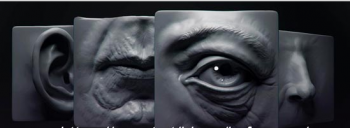
In this fundamentals sculpting series, you'll learn how to sculpt the essential facial features: Eyes, Nose, Ears and the Mouth. Every section starts off with the theory behind the facial feature, which will serve as a foundation for all your future sculpt. Next up, we show you how to actually sculpt the facial feature.
Screenshots

LEARN THE FUNDAMENTALS
Sculpting a full face can be incredibly daunting for beginner artists, as you have to keep so much in mind at the same time. In this series, we simplify everything down to the basics, where you'll get a deeper understanding of how each facial feature works.
BREAKING IT DOWN
We break each part down into simple portions. It's a lot easier to sculpt the nose if you can simplify it down into three section of bone, cartilage and fat - instead of complicated shapes with a thousand planes. Learn the importance of the caruncle of the eye, the antihelix of the ear and much more.
CHAPTER LIST
01 - Ear Theory
02 - Ear Sculpting
03- Eye Theory
04 - Eye Sculpting
05 - Mouth Theory
06 - Mouth Sculpting
07 - Nose Theory
08- Nose Sculpting
SOFTWARE USED
ZBrush 2018
CONTAINS
8 - MP4 files
Custom ZBrush Interface
Final sculpts with notes
Homepage


00788385_medium.jpg

Fundamentals of Learning ITIL
Instructors: Dave P.
5 sections • 19 lectures • 1h 19m
Video: MP4 1280x720 44 KHz | English + Sub
Updated 2/2022 | Size: 401 MB​


ITIL Foundations - Learn The Guiding Principles of ITIL
What you'll learn
ITIL guiding principles
Why ITIL matters for you and your organization
Defining service management
ITIL roles, technology, and architecture
ITIL processes and functions
ITIL certification
Prep information for ITIL exam
Requirements
No prerequisites or skills required for this course
Description
Learn the basics of ITIL. This course provides students with a practical understanding of the key concepts, principles, processes and functions that enables successful IT Service Management provision. It also prepares delegates for the ITIL Foundation Certificate Examination. The course is based on the ITIL best practice service lifecycle approach.
ITIL is the leading source of IT service management guidance and certification.
If you work within your company's IT function and need to understand the key concepts of IT and digital service delivery, then this is where you want to start.
This course has been designed to introduce you to IT service management via an end-to-end operating model for the creation, delivery and continual improvement of digital products and services. Learn about the service lifecycle; processes and functions; and roles, technology and automation.
You will learn the basics of ITIL certification, such as ITIL certification, and provides tips for passing the certification exam.
The course shares with students the skills and knowledge to understand how an integrated IT Service Management framework, based on ITIL best practice guidelines, can be adopted and adapted within their own organizations. It provides proven practical guidance on how to successfully introduce an integrated IT Service Management framework based on the ITIL best practice service lifecycle approach.
Who this course is for
IT service providers
Anyone in the IT industry
Screenshots


8dSuzoV0iJFpmqEF4cxXDkonniKU4hxS.jpg

Fusion 360 Component Assembly
Genre: eLearning | MP4 | Video: h264, 1280x720 | Audio: AAC, 44.1 KHz
Language: English | Size: 3.51 GB | Duration: 4h 10m
Learn Basic,Intermediate & Advance assembly modelling in AutoDesk Fusion 360

What you'll learn
How to get Fusion 360 for personal & educational usage for FREE
Top down design approach,Joint creation & Component Assembly
Basic Assembly - Universal Joint,Knuckle Joint,Carden Joint,Plummer Block,Geneva Wheel Mechanism etc
Intermediate Assembly - C-Clamp assembly,Pin Slot & Planar Joints,Contact Sets
Advance Assembly - Ball Joint,Motion Link,Tangent relationship,Rigid group,Motion study
Requirements
Fundamental knowledge of 2D Sketching & 3D Modelling in Fusion 360
The most important trait - "A Keen & Curious Mind"
Description
Welcome to the course of "Fusion 360 Component Assembly". In this course, you will get to know the in & outs of the Assembly making process in Fusion 360 in a very comprehensive way. This course is taught by a Fusion 360 certified user & AutoDesk certified professional having 10+ years of industrial experience especially in design field.
Creating assemblies was never this easy.With Fusion 360 at your command,You can create amazing assemblies in no time.This course covers basic to advance assemblies in a very detailed manner with practical applications & real time usage. The theoretical explanation of various assemblies is what makes this course different from others.
Course Level - Intermediate
The course starts with a brief revision of commands that are going to be frequently used followed by a clear cut comparison between bottom up & Top down design approach and why Fusion 360 stands tall above all the 3D CAD software.
If you are a complete beginner to Fusion 360, This course might not be for you. You need to have some fundamental knowledge of 2D Sketching & 3D modelling.This is indeed a intermediate level course.
Pre-requisite Commands
Sketching commands like Circle,Rectangle,Arc,Polygon & Slot are used quite frequently along with the Project command which projects bodies & components to existing sketch. 3D modelling tools like extrude,revolve,shell,fillet, and combine are also frequently used. Construct toolbar for creating axis & planes & Inspect toolbar for measuring & toggling component color cycles are of equal importance.
Course coverage
Basic Assembly - Universal Joint,Knuckle Joint,Carden Joint,Plummer block,Geneva Wheel Mechanism,4 Bar Linkage Mechanism,Slider Crank Mechanism.
Intermediate Assembly - C-Clamp Assembly,Pin slot joint,Curved slot creation.
Advance Assembly - The Ball Joint,As Built Joint,Motion Links,Tangent Relationship,Rigid Group,Motion study.
Each & every assembly is explained in a very simple language so that students from every region can understand.Corresponding .f3d files (For reference) are also attached with the lectures wherever required.Believe me,You will start creating your own assembly projects right after completing this course.
ENROLL NOW !!
Who this course is for
Engineering students, hobbyists, woodworkers, 3d printing enthusiasts
Fusion 360 users Wishing to Learn Assembly making process
People that practice Bottom Up Assembly practice wishing to switch to Top Down approach
AutoDesk Inventor,Solidworks & other equivalent CAD software users
Screenshots


L3Gas7MgVEliF2GwIEqpFKCAfxKbHfw6.jpg

Google Ads Masterclass (AdWords): Run Campaigns Yourself.
MP4 | Video: h264, 1280x720 | Audio: AAC, 44.1 KHz
Language: English | Size: 555 MB | Duration: 1h 15m​

Google Ads (Adwords) 2022: Master PPC, Remarketing, Display Campaigns, Search Campaigns, Google Tag Manage
What you'll learn
Build an effective Google Adwords Display Campaign in less then 1 Hour
Learn how to use the Adwords Keyword Planner
Boost your website traffic by up to 1000%.
Learn how to write effective Ads
Learn all the tips and tricks needed to get a good quality score.
From Beginner to Expert in 1 hour
Create Search Ads, placing your ads on the first page of Google in front of millions of people
Create super optimized YouTube Ads, which is the second-largest search engine in the world
Optimize your ads by increasing your click rates by up to 30%
Create optimized Google Ads / Google Adwords that reach new clients all over the world
Dominate all PPC strategies (Pay Per Click)
Requirements
No prior knowledge is required, this is a complete course that goes from basic to advance in creating ads on Google Ads
You must be ready to learn, and apply the best strategies for Google Ads that will bring you real results!
Internet conenction
Description
Work smarter, not harder with our 1 hour Google Ads crash course.
So, there's a good chance that you're looking to build a Google Adwords campaign for yourself or a client in a hurry, and need a crash course that will help you do just that.
If that's the case, give yourself a pat on the back, because you're right on the money.
Literally.
We're about to show you how to not only create a ROCKING Google Adwords campaign in just one hour, but give you all the tips and tricks you need to know to make sure your campaign does well.
We're talking about a step by step guide that you can simply follow, with no prior experience, that will get your phone ringing and your email buzzing within 48 hours.
Even better, is that you're going to learn the whole process from beginning to end, with high quality, simple step-by-step video lessons.
You're about to learn all about setup. From campaign and budget settings to location targeting and scheduling.
You're going to learn how to target the most popular Google keywords using the Keyword Planner and then add those findings to your Ad Groups.
You're going to learn how to write effective Ads with different strategies to reach your different audience types.
Add all the bells and whistles that only experience could teach you, and get your Ads up infront with the best of them.
Discover the ease and power of Google Ads (Adwords).
This course will take you from the basics (from zero) to advanced techniques in Google Ads.
We'll start learning how to create Search Ads campaigns, placing your ads on the first page of Google in front of millions of people.
We'll learn how to create Display Ads campaigns, showing your ads on Google's partner sites.
And, of course, learn how to create super optimized YouTube Ads, which is the second-largest search engine in the world.
Once the campaigns are created, we will analyze the results and data and see how to optimize.
You will learn an easy system, a recipe to plan irresistible Google Ads.
You will learn to pick the best keywords for your business and optimize your target audience for better results.
You will also dominate the Google Ads Campaign structure.
Ad Extensions
Automatic bidding strategies.
And how to optimize your ads by increasing your click rates by up to 30%.
Google Shopping Ads.
PPC strategies (Pay Per Click).
Google Ads is formerly known as Google Adwords.
And finally, we're going to work with Remarketing on Google Ads, which is one of the most powerful tools we have today in digital marketing, and you can start using it today.
It doesn't matter if your goal is to increase your company's sales, spread your brand, or maybe start a new career as a Google Ads expert. This course will teach you everything you need to achieve any of these goals.
Who this course is for
This course is for anyone, business, or brand that wants to use all the power of Google Ads to exponentially grow their sales
Anyone who wants to start a new career as a Google Ads expert
If you want to promote your products, services, or your personal brand, this course is for you!
Freelancers
Digital Marketing Professionals
Small Business Owners
Screenshots





 
ec5os5dI9JWNyNp1Zyti49sIBgH7VEsH.jpg

HackerRank Solutions using Algorithms, Data Structure in C#
Instructors: Harshit Gindra
2 sections • 6 lectures • 58m
Video: MP4 1280x720 44 KHz | English + Sub
Updated 2/2022 | Size: 275 MB​

Learn and understand to solve HackerRank problems using different algorithms and data structure to crack IT interviews
What you'll learn
Understand algorithms
Understand data structures
Learn to solve complex software problems using algorithms and data structures
Crack interview to IT companies
Requirements
Basic programming knowledge
Description
Are you looking to improve your Software Development skills?
Are you targeting to get into FAANG companies and improvise your Algorithms and Data Structures?
Do you want to progress and grow professionally by learning about different algorithms and data structures?
If answer to any of the above question is yes, this course is for you.
This course contains
Video solution for several HackerRank problems using the most suitable algorithms and data structures
Explanation to top asked interview questions with multiple approaches/solutions
Solved solutions to top HackerRank problems with explanation about Time and Space complexity
Beginners trying to gain expertise in solving problems using different algorithms like Brute Force, Naive approach, Dynamic programming, Greedy algorithm, Slow pointer Fast Pointer, etc
The problems discussed in this course are from HackerRank but there are similar problem on other platforms like HackerRank, etc. These problems have been asked in several Interviews from top tech companies like Amazon, Apple, Facebook, Google, Netflix, Tesla, Bloomberg, etc. The problems may not be exactly the same but at least the basic gist behind the problem is always the same. My intention is to help you understand the problem and the approach which will make it easier for you to solve similar problems easily.
As HackerRank continuously adds new and challenging problem to its sites, I will be regularly working on new video solutions and add them to this course. I'd recommend to stay tuned for new and challenging problem solutions.
I hope you find this course useful. Please reach out to me if you've any questions/concerns/comments and I will get back to you soon.
Thank you once again.
Regards,
Harshit
Who this course is for
Beginner looking to understand algorithms
Developers
engineers
software developers
software engineers
software development engineers
system engineers
Developers trying to learn data structures
Developers looking to get into FAANG
Developers for IT interview preparation
Developers interested in learning different algorithms
Screenshots


40V6NwGm93qWJAj9Fx4qmv7BtLJhUx52.jpg

Intermediate Computer Forensics
MP4 | Video: h264, 1280x720 | Audio: AAC, 44.1 KHz
Language: English | Size: 408 MB | Duration: 1h 20m
Learning Intermediate computer forensic skills and techniques
What you'll learn​

Know different types of investigations and investigative software
Know how to Search a computer image for relevant files both active and deleted
Know how to search a web browser history, recycle bin and Thumbs DB file for evidence
Know the basics of creating a Computer forensics report
Requirements
A basic understanding of what computer forensics is
Recommend that you my other course Computer Forensics Fundamentals, but not required
We will be using mostly open source tools, such as Autopsy and Scalpel which will be downloaded during the course
Description
This course is designed for people with a working knowledge of computer forensics but looking to go deeper into specific skill and techniques of the the field. This is the second course following my pervious course Computer Forensics Fundamentals. While that course is recommended it is not required to take this course as they are independent in regard to topics taught.
Intermediate Computer Forensics will provide:
Understanding of Public vs Private investigations
Understanding of different types of computer forensics software
Disk Image Analysis through searching and keyword lists
File carving and the Thumb DB file
Website and Browser history forensics
Recycle bin and deleted files forensics
Creating forensics reports of an investigation
The course will consist of presentations to explain the concepts of computer forensics as well as demonstrations of proper software and collections of digital evidence.
This course is designed for anyone with an interest computer forensics to get a deeper taste of the real world of digital forensics examination.
As an intermediate course it will consist of presentations, hands on lessons and quizs.
Who this course is for
Someone with an interest in learning computer forensics
Someone who wants to know more about how computer stores information and how to find it.
Someone with a cursory knowledge of computer forensics but wants to know more about the details
Screenshots


Zurück
Oben Unten