• Regeln für den Video-Bereich:

    In den Börsenbereich gehören nur Angebote die bereits den Allgemeinen Regeln entsprechen.

    Einteilung

    - Folgende Formate gehören in die angegeben Bereiche:
    - Filme: Encodierte Filme von BluRay, DVD, R5, TV, Screener sowie Telesyncs im Format DivX, XviD und x264.
    - DVD: Filme im Format DVD5, DVD9 und HD2DVD.
    - HD: Encodierte Filme mit der Auflösung 720p oder darüber von BluRay, DVD, R5, TV, Screener sowie Telesyncs im Format x264.
    - 3D: Encodierte Filme von BluRay, die in einem 3D Format vorliegen. Dies gilt auch für Dokus, Animation usw.
    - Serien: Cartoon/Zeichentrick, Anime, Tutorials, Dokumentationen, Konzerte/Musik, Sonstiges sind demnach in die entsprechenden Bereiche einzuordnen, auch wenn sie beispielsweise im High Definition-Format oder als DVD5/DVD9/HD2DVD vorliegen. Ausnahme 3D.
    - Bereich Englisch: Englische Releases gehören immer in diesen Bereich.
    - Bereich Talk: Der Bereich, in dem über die Releases diskutiert werden kann, darf, soll und erwünscht ist.


    Angebot/Beitrag erstellen

    - Ein Beitrag darf erst dann erstellt werden, wenn der Upload bei mindestens einem OCH komplett ist. Platzhalter sind untersagt.
    - Bei einem Scenerelease hat der Threadtitel ausschließlich aus dem originalen, unveränderten Releasenamen zu bestehen. Es dürfen keine Veränderungen wie z.B. Sterne, kleine Buchstaben o.ä. vorgenommen werden. Ausnahme Serienbörse:
    - Bei einem Sammelthread für eine Staffel entfällt aus dem Releasename natürlich der Name der Folge. Beispiel: Die Simpsons S21 German DVDRip XviD - ITG
    - Dementsprechend sind also u.a. verboten: Erweiterungen wie "Tipp", "empfehlenswert", "only", "reup", usw. / jegliche andere Zusatzinformation oder Ergänzung, welche nicht in obiger Beschreibung zu finden ist.

    Aufbau des Angebots und Threadtitel

    Der Titel nach folgendem Muster erstellt zu werden. <Name> [3D] [Staffel] [German] <Jahr> <Tonspur> [DL] [Auflösung] <Quelle> <Codec> - <Group>
    Beispiel: The Dark Knight German 2008 AC3 DVDRip XviD - iND
    Beispiel: The Dark Knight 2008 DTS DL BDRip x264 - iND
    Beispiel: The Dark Knight 2008 AC3 DL BDRip XviD - iND
    Beispiel: The Dark Knight German 2008 AC3 720p BluRay x264 iND
    Beispiel: The Dark Knight 2008 DTS DL 1080p BluRay x264 iND
    Beispiel: Die Simpsons S01 German AC3 DVDRip XviD iND
    Beispiel: Die Simpsons S20 German AC3 720p BluRay x264 iND
    Beispiel: Sword Art Online II Ger Sub 2014 AAC 1080p WEBRip x264 - peppermint
    Entsprechend sind also u.a. verboten: Sonderzeichen wie Klammern, Sterne, Ausrufezeichen, Unterstriche, Anführungszeichen / Erweiterungen wie "Tipp", "empfehlenswert", "only", "reup", usw. / jegliche andere Zusatzinformation oder Ergänzung, welche nicht in obiger Beschreibung zu finden ist
    Ausnahmen hiervon können in den Bereichen geregelt sein.

    Die Beiträge sollen wie folgt aufgebaut werden:
    Überschrift entspricht dem Threadtitel
    Cover
    kurze Inhaltsbeschreibung
    Format, Größe, Dauer sind gut lesbar für Downloader außerhalb des Spoilers zu vermerken
    Nfo sind immer Anzugeben und selbige immer im Spoiler in Textform.
    Sind keine Nfo vorhanden z.B. Eigenpublikationen, sind im Spoiler folgende Dateiinformationen zusätzlich anzugeben :
    Quelle
    Video (Auflösung und Bitrate)
    Ton (Sprache, Format und Bitrate der einzelnen Spuren)
    Untertitel (sofern vorhanden)
    Hosterangabe in Textform außerhalb eines Spoiler mit allen enthaltenen Hostern.
    Bei SD kann auf diese zusätzlichen Dateiinformationen verzichtet werden.

    Alle benötigten Passwörter sind, sofern vorhanden, in Textform im Angebot anzugeben.
    Spoiler im Spoiler mit Kommentaren :"Schon Bedankt?" sind unerwünscht.


    Releases

    - Sind Retail-Release verfügbar, sind alle anderen Variationen untersagt. Ausnahmen: Alle deutschen Retail-Release sind CUT, in diesem Fall sind dubbed UNCUT-Release zulässig.
    - Im Serien-Bereich gilt speziell: Wenn ein Retail vor Abschluss einer laufenden Staffel erscheint, darf diese Staffel noch zu Ende gebracht werden.62
    - Gleiche Releases sind unbedingt zusammenzufassen. Das bedeutet, es ist zwingend erforderlich, vor dem Erstellen eines Themas per Suchfunktion zu überprüfen, ob bereits ein Beitrag mit demselben Release besteht. Ist dies der Fall, ist der bereits vorhandene Beitrag zu verwenden.
    - P2P und Scene Releases dürfen nicht verändert oder gar unter einem iND Tag eingestellt werden.


    Support, Diskussionen und Suche

    - Supportanfragen sind entweder per PN oder im Bereich Talk zu stellen.
    - Diskussionen und Bewertungen sind im Talk Bereich zu führen. Fragen an die Uploader haben ausschließlich via PN zu erfolgen, und sind in den Angeboten untersagt.
    - Anfragen zu Upload-Wünschen sind nur im Bereich Suche Video erlaubt. Antworten dürfen nur auf Angebote von MyBoerse.bz verlinkt werden.


    Verbote

    - Untersagt sind mehrere Formate in einem einzigen Angebotsthread, wie beispielsweise das gleichzeitige Anbieten von DivX/XviD, 720p und 1080p in einem Thread. Pro Format, Release und Auflösung ist ein eigener Thread zu eröffnen.
    - Grundsätzlich ebenso verboten sind Dupes. Uploader haben sich an geeigneter Stelle darüber zu informieren, ob es sich bei einem Release um ein Dupe handelt.
    - Gefakte, nur teilweise lauffähige oder unvollständige Angebote sind untersagt. Dies gilt auch für eigene Publikationen, die augenscheinlich nicht selbst von z.B. einer DVD gerippt wurden. Laufende Serien, bei denen noch nicht alle Folgen verfügbar sind, dürfen erstellt und regelmäßig geupdatet werden.
    - Untersagt sind Angebote, welche nur und ausschließlich in einer anderen Sprache als deutsch oder englisch vorliegen. Ausnahmen sind VORHER mit den Moderatoren zu klären.


    Verstoß gegen die Regeln

    - Angebote oder Beiträge, die gegen die Forenregeln verstoßen, sind über den "Melden"-Button im Beitrag zu melden.
  • Bitte registriere dich zunächst um Beiträge zu verfassen und externe Links aufzurufen.

*** Bestes IPTV *** bester Preis *** gratis Test ***


Englische Tutorials

118b8db4-00dc-4e59-9d4d-3f195315d027.png

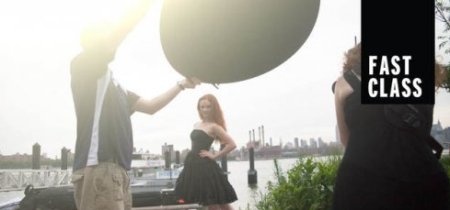
CreativeLive - FAST CLASS: Conquering Crappy Light
File Size :2GB​

Photographers constantly search to capture that decisive moment. Unfortunately that moment seldom happens under ideal photographic conditions. In this class, you'll learn how to quickly overcome all of the most common crappy lighting scenarios. With the aid of these simple techniques and minimal equipment, you'll be empowered to walk into any setting and emerge with beautiful imagery.


1f299b83-861c-4170-ae98-d474cab3f50d.png

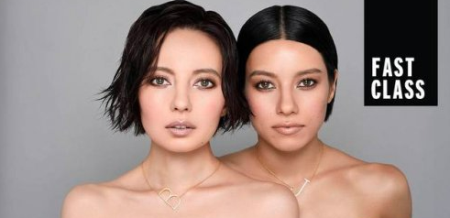
CreativeLive - FAST CLASS: Beauty + Fashion
File Size :1.8GB​


Join Matthew Jordan Smith as he delves into fashion and beauty photography. Matthew starts off with an in-depth discussion on the differences in fashion and beauty as he teaches us how to prepare for a series of live photoshoots with a focus on capturing beautiful photography and telling a story with your images.


98d70d20-fc52-49ea-a696-a4a613a9ff54.png

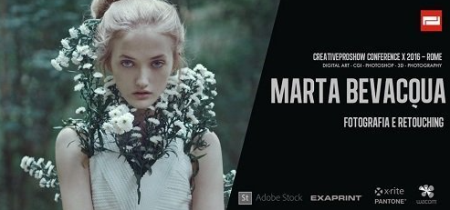
Marta Bevacqua - Vision of Photography and Post Production with Photoshop
File Size :493MB​

If you missed the sar of the freelance professional photographer, Marta Bevacqua at the CreativeProShow Conference X, you can now review and the entire sar on your computer, in which you will be able to understand what post-production methods Marta uses and what is her vision of photography . You'll find out how he began his career, what difficulties he faced and what his practical suggestions are, to create a solid career as a freelance photographer.

In the first part of the intervention, Marta shows her post production techniques in Photoshop, talks about her vision of photography and image. In the second part of the video, Marta gives practical advice on how to succeed in emeg in the field of professional photography and on how to be known, in a concrete and immediately applicable way.


Duration: 1:53:04
Format: 1280 x 720

The video consists of digital screen capture scenes and video footage via video camera.


106f113b-d53e-42ba-b467-6c91b2c334c0.png

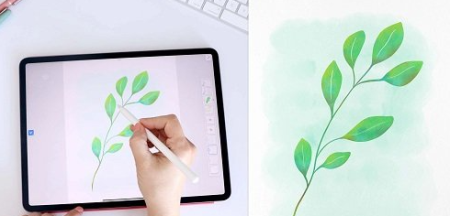
Learn to Paint Digital Watercolors in Adobe Fresco
File Size :444MB​

You will discover:

Content Source :


Why is this class helpful

For many artists, watercolor is their preferred medium but for their artwork to be used on products they have to scan in their watercolors to digitize their art. Creating watercolors in Adobe Fresco cuts out the steps of scanning, removing the background and cleaning up any mistakes. With Adobe Fresco, you have the ability to save yourself and resources.

This class gives you another tool for creating your artwork. It can be hard to learn new techniques so I created this class to make it easy to get started with these new tools. Ill teach you best practices for creating your best work. You can take what you learn in my class and explore ways to incorporate this new medium into your work.

Materials and Resources

This class requires an iPad and Apple Pencil combined with Adobe Fresco.

With an Adobe CC account you will have access to Adobe Fresco and many other Adobe apps with one subscription. Adobe also offers free trials of its apps so you can start with the free trial if you dont want to commit to paying for the app immediately but it wont offer all of the premium features.

In the Projects & Resources section, you will find:


7fc3506a-354e-4f07-adf0-ccaf56dfba4a.png

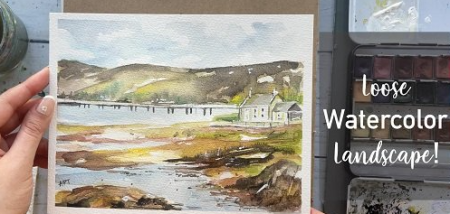
Watercolor Landscape Painting : How To Paint Using A Reference Photo
File Size :592MB​

In this class, I will be teaching you how to paint a Loose Watercolor Landscape Painting using a reference photo,!I will show you basic watercolor techniques and teach you how to paint quick, keeping tips in mind using the wet-on -wet technique.Great for sketchbook practice.This class isgreatforall levels.

A former art teacher and now an independent full- artist, I am so excited to be teaching on Skillshare and I truly hope you find this corner of your space comforting, inspiring, and encouraging! Can't wait to connect with you all!

TOPICS I COVER:


bf6aa722-95d1-4204-86e9-5d4e8b264061.png

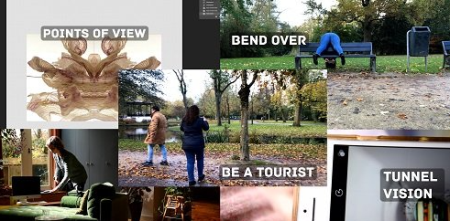
Unlock your Creativity with Photography and Writing || Turn these 5 Tools into Habits
File Size :435MB​

Are you somes stuck in your mind and does your creativity seem to have left the building Whatever your creative medium is, this short class is here for you.

I see creativity as a main source of liveliness, a way to discover the world around us and a way to explore ourselves.

In this class, Ill introduce five tools for reviving free and expressive creativity. You will be using photography for the exercises/tools. And when you put the tools into practice enough, you will develop effective habits. These will help you with any form of creative expression and you will never be stuck again.

The class is set up as a personal exploration. You will take photos and you will write in your journal. For a quick boost you can do one assignment daily, or spread it out over a longer period. You detee how fast, or slow, you want to go. If you want to learn new creative habits, I suggest you repeat the exercises, until you find you are doing them spontaneously.

Key Aspects of This Class

Key aspects of this class are playfulness, joy, creative boost, energy, freedom, surrender, compassion, and personal insights.

All You Need are These Materials:

What Youll Gain From This Class

You may expect a bunch of benefits to your creative practice and personal life! After taking this class,


eeb44d12-618d-4a61-b009-471dc4026956.png

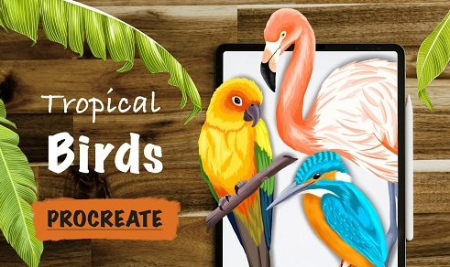
Tropical Birds In Procreate
File Size :662MB​

These bird illustrations can be used as an element in many ways, following are few examples:

1. Surface Pattern Designs

2. Art Prints

3. Stickers

In this class youll learn how to:

- Illustrate 3 Tropical birds in Procreate

- Work on bigger canvas with minimum layers

- Use reference image to add details to the birds

- Techniques you can apply while illustrating any bird of your choice


8e854958-05a1-463e-9859-a33437989b13.png

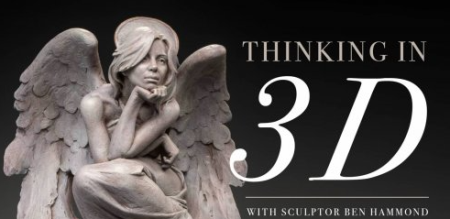
THINKING IN 3D Muddycolors
File Size :367MB​

In this video, award-winning sculptor Ben Hammond talks about the art of sculpting, and the interesting challenges that are present when creating 3D forms. In addition to a brief lecture on sculpting, Ben will walk you through the process of creating a multifigure armature, and rough maquette, a skill that 3D and 2D artists alike will find helpful when creating their own reference.


fcebcc35-972c-4273-b225-cf9e9fec45e6.png

Skillshare Learn Piano as Professionals Advanced C Major Chord TUTORiAL
File Size :1.4GB​

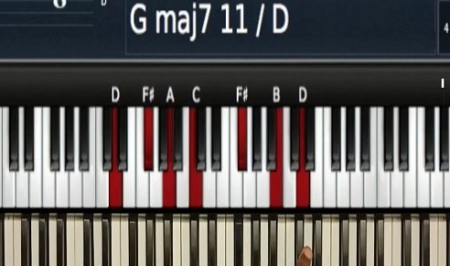
You will learn:* Chord Voicing Embellishment* Major Chords Movements And Usage* Minor Chords Movements And Usage* How to use Diminished Chords in C major* How to use Augmented Chords in C major* Combined Movements* How to play a song Example Amazing grace* How to play a song you are Alpha And Omega and much more

We will deeply develop the C major chord.

We will learn how to play in C major using different techniques.

Project Description
Choose one of the song played, then play it in your way

We will appreciate to learn from you. So please share a video while you are playing.

you can record a video with your phone, then upload it here so that we can learn from you.

Thank you


1566c863-617c-427f-a0fe-a03ba4051197.png

Skillshare How to Build a Home Music Studio TUTORiAL
File Size :1.1GB​

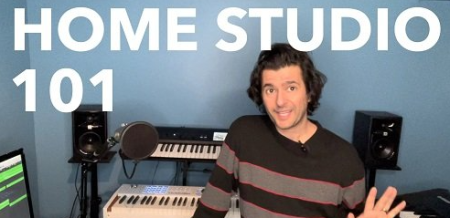
This class will present you with the simple basic building points to connect the right elements to easily build a bner's home music studio. We'll look at all the pieces of hardware you require, and discuss several ways you can affordably navigate your way to success.

It's the dream of most musicians to one day build their own home studio. But taking the first step can be overwhelming and challeg. This class looks at space design, DAWs, interfaces, inputs and outputs. It is designed for those who are interested in getting their feet wet.

Project Description
Here's where we get to share ideas on what's worked for us and where it's gone wrong. There's no single correct way to go about setting a studio up. In this exercise, we'd like to see how you've set your space up. What elements you're most proud of and where you've found challenges.

If you haven't taken the first step, and are still envisioning your space, feel free to share media, thoughts or drawings.


ebec6fb6-0109-4a7c-a71f-094795dba968.png

Sand Bag Tearing in Houdini: Realistic Cloth and Grain Interaction
File Size :945MB​


In this online course, you will learn how to create a convincing-looking cloth and sand simulation using Houdinis vellum solver. The focus is on controlling the look and behavior of the sim by using noises, ramps, and custom attributes and utilizing the new features and speed introduced in Houdini 19 that make Vellum even more powerful than before.This course has been designed for bners and intermediates.After viewing this course, people can expect to be able to control Houdinis Vellum solver to create their own cloth and sand simulations and get the exact behavior they want.


Fstoppers - Where Art Meets Architecture 4: How to Photograph Luxury Architecture and Real Estate

fstopperswhereartmeetozjwe.jpg


Fstoppers - Where Art Meets Architecture 4: How to Photograph Luxury Architecture and Real Estate
Mike Kelley | Duration: 14h 00m | Video: H264 1920x1080 | Audio: AAC 48 kHz 2ch | 29,6 Gb | Language: English

It's been five years since Fstoppers teamed up with Mike Kelley and during that time Mike's career as an architectural photographer has reached new heights. For the fourth installment of Where Art Meets Architecture, we wanted to take you to some of the most expensive homes in Los Angeles to learn Mike's refined photographic process that has helped him book the biggest jobs of his career. In this tutorial, you'll learn all of Mike's updated techniques when shooting, editing, and running his business.
Locations and Shooting Most of the locations in this tutorial are multi-million dollar homes designed by incredible architects who kept lighting at the forefront of their design. When you walk through these spaces, it's often hard to find a bad angle or poor lighting conditions. Instead of light painting most of his shots, as has been his process in the past, Mike focuses more on using available light and narrowing down his shot list and compositions to create stunning, artistic, architectural photographs. During the shooting portion of each lesson, Mike covers a variety of topics including
• Scouting to narrow down the most important shots
• Maximizing the time of day for best lighting conditions in any space
• Tightening compositions to deliver more graphic architectural photos
• Incorporating supplemental lighting only when it adds to the photo
• Staging and simplifying a space
• Shooting infinity pools
• Creatively incorporating or removing reflections
• Street shooting with uncontrolled environments
Post Processing Although many of the homes were styled to perfection and and only a few shots required light painting, smoggy skies and incomplete builds left Mike with some large problems that only Photoshop could fix. For every lesson, you'll see Mike use his most up-to-date post-processing techniques.
The best way to learn post-processing is to do it yourself. Each lesson comes with Mike's raw files and you'll be able to open up Lightroom and Photoshop and follow along with Mike as he teaches
• Various color correction techniques
• Cloning and healing
• Creating perfect selections
• Minimizing distortion
• Utilizing luminosity masks
• Compositing incomplete construction and removing visual obstacles
• Creating consistent looks between images
• Adding sunset colors to a dull sky
• Full sky replacements
Business and Interviews Not only does this tutorial cover the technical side of creating great photos, it also covers the business of architectural photography. No matter how long you've been working in the industry, Mike has advice to meet your level including how much to charge, how to invoice, and how to increase your revenue with cost-sharing. One of the most important aspects to running a business is having a solid contract in place. Mike walks through his own contracts and discusses payment terms, turnaround time, copyright and licensing, and pricing for advanced post-processing.
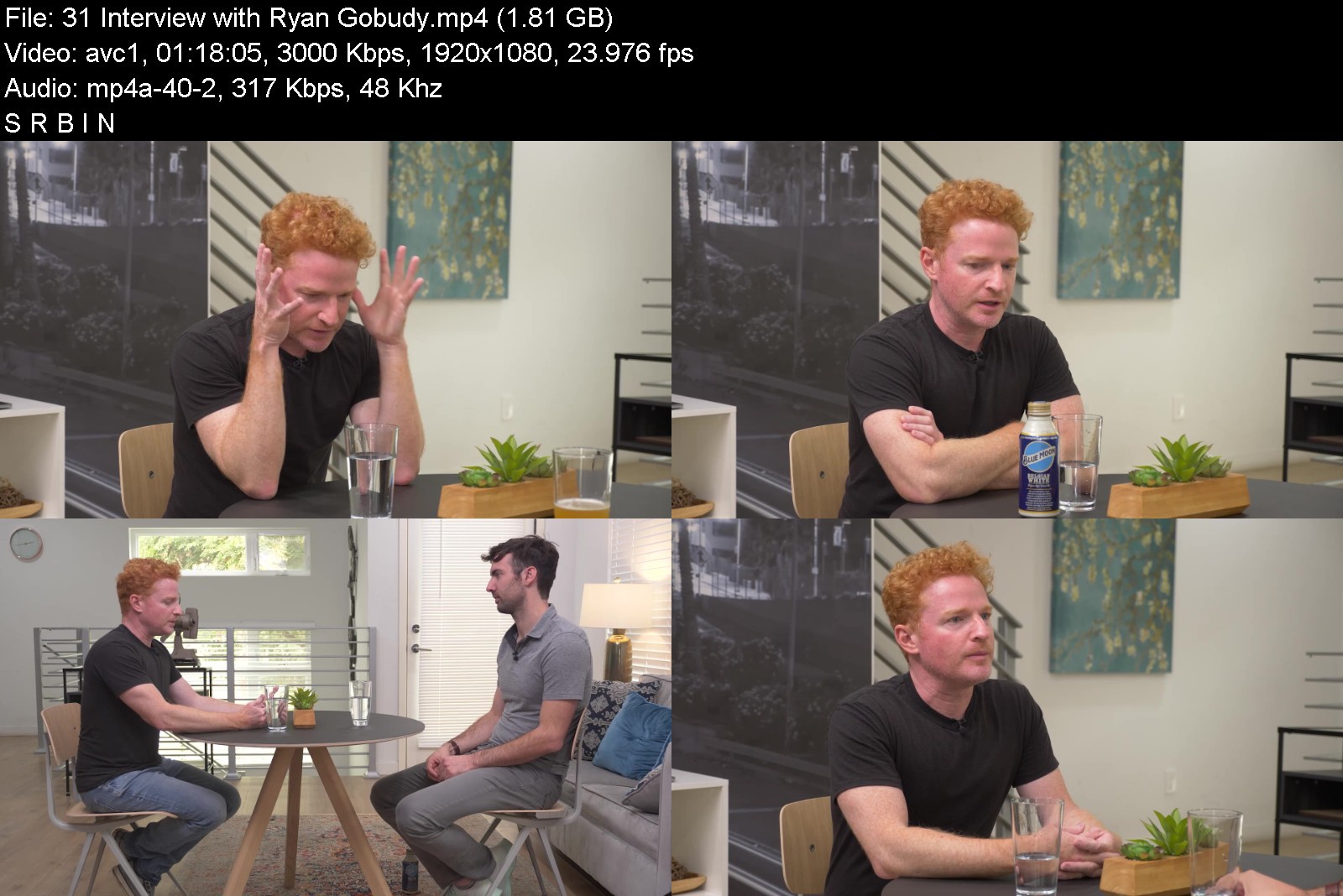
Included in the tutorial are two interviews with industry professionals that help shed light on booking jobs at the highest levels of commercial architecture. Mike sits down with two colleagues and friends, Claire Laverty and Ryan Gobudy to discuss the jobs they've worked together and the best ways to get the attention of the people in charge or booking photographers.
What's Included in This Download
• 14+ Hours of content in 32 videos (27.6GB total, 1080p 23.98fps h.264 mp4 files)
• Complete overview of Mike's gear, lighting, and grip equipment
• 26 Photo Lessons with all images needed for editing
• 2 Business Lessons
• 2 Interviews with Industry Professionals


fstopperswhereartmeetapjpp.jpg


Download from RapidGator


Download from NitroFlare



Zurück
Oben Unten