• Regeln für den Video-Bereich:

    In den Börsenbereich gehören nur Angebote die bereits den Allgemeinen Regeln entsprechen.

    Einteilung

    - Folgende Formate gehören in die angegeben Bereiche:
    - Filme: Encodierte Filme von BluRay, DVD, R5, TV, Screener sowie Telesyncs im Format DivX, XviD und x264.
    - DVD: Filme im Format DVD5, DVD9 und HD2DVD.
    - HD: Encodierte Filme mit der Auflösung 720p oder darüber von BluRay, DVD, R5, TV, Screener sowie Telesyncs im Format x264.
    - 3D: Encodierte Filme von BluRay, die in einem 3D Format vorliegen. Dies gilt auch für Dokus, Animation usw.
    - Serien: Cartoon/Zeichentrick, Anime, Tutorials, Dokumentationen, Konzerte/Musik, Sonstiges sind demnach in die entsprechenden Bereiche einzuordnen, auch wenn sie beispielsweise im High Definition-Format oder als DVD5/DVD9/HD2DVD vorliegen. Ausnahme 3D.
    - Bereich Englisch: Englische Releases gehören immer in diesen Bereich.
    - Bereich Talk: Der Bereich, in dem über die Releases diskutiert werden kann, darf, soll und erwünscht ist.


    Angebot/Beitrag erstellen

    - Ein Beitrag darf erst dann erstellt werden, wenn der Upload bei mindestens einem OCH komplett ist. Platzhalter sind untersagt.
    - Bei einem Scenerelease hat der Threadtitel ausschließlich aus dem originalen, unveränderten Releasenamen zu bestehen. Es dürfen keine Veränderungen wie z.B. Sterne, kleine Buchstaben o.ä. vorgenommen werden. Ausnahme Serienbörse:
    - Bei einem Sammelthread für eine Staffel entfällt aus dem Releasename natürlich der Name der Folge. Beispiel: Die Simpsons S21 German DVDRip XviD - ITG
    - Dementsprechend sind also u.a. verboten: Erweiterungen wie "Tipp", "empfehlenswert", "only", "reup", usw. / jegliche andere Zusatzinformation oder Ergänzung, welche nicht in obiger Beschreibung zu finden ist.

    Aufbau des Angebots und Threadtitel

    Der Titel nach folgendem Muster erstellt zu werden. <Name> [3D] [Staffel] [German] <Jahr> <Tonspur> [DL] [Auflösung] <Quelle> <Codec> - <Group>
    Beispiel: The Dark Knight German 2008 AC3 DVDRip XviD - iND
    Beispiel: The Dark Knight 2008 DTS DL BDRip x264 - iND
    Beispiel: The Dark Knight 2008 AC3 DL BDRip XviD - iND
    Beispiel: The Dark Knight German 2008 AC3 720p BluRay x264 iND
    Beispiel: The Dark Knight 2008 DTS DL 1080p BluRay x264 iND
    Beispiel: Die Simpsons S01 German AC3 DVDRip XviD iND
    Beispiel: Die Simpsons S20 German AC3 720p BluRay x264 iND
    Beispiel: Sword Art Online II Ger Sub 2014 AAC 1080p WEBRip x264 - peppermint
    Entsprechend sind also u.a. verboten: Sonderzeichen wie Klammern, Sterne, Ausrufezeichen, Unterstriche, Anführungszeichen / Erweiterungen wie "Tipp", "empfehlenswert", "only", "reup", usw. / jegliche andere Zusatzinformation oder Ergänzung, welche nicht in obiger Beschreibung zu finden ist
    Ausnahmen hiervon können in den Bereichen geregelt sein.

    Die Beiträge sollen wie folgt aufgebaut werden:
    Überschrift entspricht dem Threadtitel
    Cover
    kurze Inhaltsbeschreibung
    Format, Größe, Dauer sind gut lesbar für Downloader außerhalb des Spoilers zu vermerken
    Nfo sind immer Anzugeben und selbige immer im Spoiler in Textform.
    Sind keine Nfo vorhanden z.B. Eigenpublikationen, sind im Spoiler folgende Dateiinformationen zusätzlich anzugeben :
    Quelle
    Video (Auflösung und Bitrate)
    Ton (Sprache, Format und Bitrate der einzelnen Spuren)
    Untertitel (sofern vorhanden)
    Hosterangabe in Textform außerhalb eines Spoiler mit allen enthaltenen Hostern.
    Bei SD kann auf diese zusätzlichen Dateiinformationen verzichtet werden.

    Alle benötigten Passwörter sind, sofern vorhanden, in Textform im Angebot anzugeben.
    Spoiler im Spoiler mit Kommentaren :"Schon Bedankt?" sind unerwünscht.


    Releases

    - Sind Retail-Release verfügbar, sind alle anderen Variationen untersagt. Ausnahmen: Alle deutschen Retail-Release sind CUT, in diesem Fall sind dubbed UNCUT-Release zulässig.
    - Im Serien-Bereich gilt speziell: Wenn ein Retail vor Abschluss einer laufenden Staffel erscheint, darf diese Staffel noch zu Ende gebracht werden.62
    - Gleiche Releases sind unbedingt zusammenzufassen. Das bedeutet, es ist zwingend erforderlich, vor dem Erstellen eines Themas per Suchfunktion zu überprüfen, ob bereits ein Beitrag mit demselben Release besteht. Ist dies der Fall, ist der bereits vorhandene Beitrag zu verwenden.
    - P2P und Scene Releases dürfen nicht verändert oder gar unter einem iND Tag eingestellt werden.


    Support, Diskussionen und Suche

    - Supportanfragen sind entweder per PN oder im Bereich Talk zu stellen.
    - Diskussionen und Bewertungen sind im Talk Bereich zu führen. Fragen an die Uploader haben ausschließlich via PN zu erfolgen, und sind in den Angeboten untersagt.
    - Anfragen zu Upload-Wünschen sind nur im Bereich Suche Video erlaubt. Antworten dürfen nur auf Angebote von MyBoerse.bz verlinkt werden.


    Verbote

    - Untersagt sind mehrere Formate in einem einzigen Angebotsthread, wie beispielsweise das gleichzeitige Anbieten von DivX/XviD, 720p und 1080p in einem Thread. Pro Format, Release und Auflösung ist ein eigener Thread zu eröffnen.
    - Grundsätzlich ebenso verboten sind Dupes. Uploader haben sich an geeigneter Stelle darüber zu informieren, ob es sich bei einem Release um ein Dupe handelt.
    - Gefakte, nur teilweise lauffähige oder unvollständige Angebote sind untersagt. Dies gilt auch für eigene Publikationen, die augenscheinlich nicht selbst von z.B. einer DVD gerippt wurden. Laufende Serien, bei denen noch nicht alle Folgen verfügbar sind, dürfen erstellt und regelmäßig geupdatet werden.
    - Untersagt sind Angebote, welche nur und ausschließlich in einer anderen Sprache als deutsch oder englisch vorliegen. Ausnahmen sind VORHER mit den Moderatoren zu klären.


    Verstoß gegen die Regeln

    - Angebote oder Beiträge, die gegen die Forenregeln verstoßen, sind über den "Melden"-Button im Beitrag zu melden.
  • Bitte registriere dich zunächst um Beiträge zu verfassen und externe Links aufzurufen.

*** Bestes IPTV *** bester Preis *** gratis Test ***


Englische Tutorials

YYPFLTeE6p59BWiUQ6OOY0DesOdY1M7R.jpg

Lean Six Sigma Green Belt Online Course (2022)
MP4 | Video: h264, 1280x720 | Audio: AAC, 44.1 KHz
Language: English | Size: 4.63 GB | Duration: 15h 57m
Prepare for CSSGB Certification-174 Lect/ 16 Hrs/Minitab/Download 108 Resources/LSS Case Study/Eng Subtitles/Mock Test​

What you'll learn
Prepare for Lean Six Sigma Green Belt Certification
Easily solve real life business & home related problems using Lean Six Sigma Techniques
Able to perform various analysis in Minitab
Requirements
There are no-requisites. This course is comprehensive and designed to bring up you to pace from ground zero with regard to Lean Six Sigma.
Description
__________________________________
COURSE UPDATED IN 2022
New & Enchanced Topics - Sigma Cal in Excel, COPQ, DPU, RTY, QFD, Project Management Tools, Team Dynamics, Central Limit Theorem, Multi-Vari, Non-parametric Tests, DOE, Cont GRR, TPM, Kaizen
100 FREE MOCK TEST for GB CSSGB Exam Preparation
Also includes Subtitles in English
___________________________________
COURSE CONTAINS 174 LECTURES OF 16 HOURS & 108 RESOURCES TO DOWNLOAD - ONE OF THE COMPREHENSIVE LEAN SIX SIGMA COURSES IN UDEMY.
Downloadable resources in LSS Project Template & Full LSS Case Study with Solution
This Course will help you to prepare well and therefore succeed at all Global Body Certification Exams such as A** and IA***. Here's why
Latest student testimonials
David Marshall - " I wanted to update this rating I already gave the course a five but I wanted to give it extra props for helping me pass the *** CSSGB exam today. I accidentally left one of my 2 notebooks at home when I took the exam so my only open book materials were the notes I took from this class and other than the in-depth DFSS questions it definitely helped me pass. Along with the applicability of the material to my job and daily activities the course was definitely worth the time and investment. Great course, great value!"
Naveen Kumar - "I just passed my IA*** Green Belt exam and I couldn't have done it without the help of this course. I do not have a statistical background and yet, this course was immensely helpful to understand the basic concepts of Lean Six Sigma. Neil did a great job here. Appreciate it!"
Kimi - "First of All, I passed the A** certified Green Belt exam several days ago. Here is a big appreciation to the Instructor. Regarding the course for passing the exam, it is a nice introduction to the Six Sigma in general. It gives you lots of concepts during the courses in a very understandable way.
Joe Lance -"The course was very thorough. It was detailed, and challenging. The Instructor was very knowledgeable and professional. The supporting material was good, and I learned a lot. I will recommend this course to my friends, and I will return for Black Belt certification after I have time to incorporate the skills I learned in this course."
Shashi Kumar Surthy - "Really good course and it gave me more confidence on how to apply tools to different project in an organization. I would recommendation this course to everyone who is looking to build their career in IT."
Jeffrey-Peter Hauck - 'This is a very comprehensive and informative course. Neil is very knowledgeable and is the perfect guide to take you through all sections toward your Lean Six Sigma Green Belt certification!"
Robert Heath Chambless - 'I can understand the speaker and the speaker is very thorough in his opening explanation of Six Sigma. It mirrors some of the best books so they can be used as a reference. It is worth the money. I am more than satisfied with this course."
Emil Wisekal - "This course presents a clear path to application of the Six Sigma tools. I like the format and the pace."
Tyler Vargha - "I am learning so much from this course and enjoy the examples that are used."
_________________________________
Lean Six Sigma Certification (Seis Sigma Certificación) is undoubtedly in demand. An average Lean Six Sigma Green Belt gets a pay check of $82,000 PA as per job portals such as indeed com. Google it and check out for yourself. So, your investment in this Course is more than just worth it!
_________________________________
This course can help you to prepare for certification exams of I**** and A**.
In 2015, we rolled out the first ever successful Massive Open Online Course (MOOC) on Lean Six Sigma titled "Gain with the power of lean six sigma", a 6 week course which had more than 1600 registrations across US, Europe, Africa & Asia-Pacific.
There are more than a dozen reasons to consider our Course
Globally Recognized - We have over 5000+ associated trained and certified across geographies
Universal Lean Six Sigma Book of Knowledge - This course curriculum is designed by benchmarking BoK of A**, IA***, C*** etc. All that a green belt needs to know is comprehensively covered.
Lectures on Minitab - Detailed Lectures on how to perform various analysis in Minitab
Live Case Study based approach - This is the first course in this platform with Live Case Study for Green Belt Course called "ClearCalls Case" which will help you to understand how a problem is solved and Six Sigma project is executed step-by-step.
Free E-mail Guidance - You will have access by email to Canopus Master Black Belt for guidance and clarification.
Offline Hands-on Activities - There are over 20 hands-on offline activities from "ClearCalls" case that you will solve across different sections, one step at a time thus You'll learn by doing.
Difficulty Level - Lectures in this course have been grouped as 'Low', 'Medium' and 'High' on difficulty level, thus enabling you to pay more attention & revise difficult lectures.
Application Knowledge - 90% of lectures in this course are designed for you to 'Apply', 'Analyze', 'Evaluate' & 'Create' as per Bloom's taxonomy.
Free Proprietary Excel Templates - Over 20 proprietary templates are included in this course for your future use at free of cost.
Step-by-Step Instructions - For all tools, step-by-step instructions is included in templates for future use.
Downloadable Take-aways - Crisp downloadable takeaways for each section is included for your reference
Built-in DMAIC Structure - For ease, this entire course is structured under 5 different phases of Six Sigma - DMAIC.
Minitab Statistical Software- This course includes elaborate instructions to use Minitab including downloadable step-by-step screenshots and interpretation of results.
Quiz - 90 multiple choice questions included in 18 sections to test your knowledge.
Practice questions -19 Crossword puzzle questions on various six sigma topics included
Few lectures are available to preview and in case you have questions, feel free to do me a message on Udemy. Thanks...neil (Course Facilitator & Canopus Principal)
List of Lean Six Sigma (Lean Seis Sigma Certificación) Tools Covered
1: Introduction to Six Sigma I
Six Sigma & its Goals
Six Sigma as a Performance Measure, Problem Solving Tool, & Management Philosophy
Problem Solving Tools Used in Six Sigma & its Evolution
Variation and Significance
Critical-To-Quality Measures & Specification Limits
Definition & Understanding of Defects & Defect Opportunities
Source of Defects - Variation & Off-Centered
2: Introduction to Six Sigma II
Sigma Scores and Percentages
Defectives per Million & Defects per Million Opportunities
Relationship between Sigma Scores and DPMO and Percentages
Lean, Goals of Lean & Lean Six Sigma
Six Sigma Problem Solving Methodologies
Six Sigma Tool Kit & Business Process Management Model
3: Six Sigma Problem Solving
Business Problem and Six Sigma Project & its Sources
Generic Model & Approach to Business Problem Solving
Logic and Intuition, Just do It, DMAIC, & DFSS - IDOV
Selecting the Right Problem Solving Method
Need & Criteria for Project Selection
Project Selection tools - Pareto Diagram, & Project Selection Matrix
DMAIC Project Roadmap & Characteristics of Problem Solving
Project Tools, Tollgate Review & Project Durations
DFSS Project Roadmap
4: Six Sigma Roles & Responsibilities
Roles & Responsibilities
Yellow, Green, Black, & Master Black Belt
Champion / Process Owner & Deployment Champion
Certification Criteria to be a Yellow Belt, Green Belt, Black Belt & Master Black Belt
Career Chances: Six Sigma Professionals
Types of Certification & ASQ/IASSC Certification Criteria
5: Listening to Customer
Customer - Internal & External
Voice of Customer (VOC) & Need for Voice of Customer
Verbatim & Verbatim to Requirements
Gather VOCs - Direct & Indirect Method
Methods of Gathering VOC & Analyze VOC
Definition & Procedure for Affinity Diagram
Customer Priorities & Kano Model
Customer Requirements - Must-Be's, Delighters, One Dimensional
Quality Function Deployment
6: Define - Completing a Project Charter
Definition & Elements of Project Charter
Business Case & Problem Statement
Measure of Success of a Project
Pri**** and Secondary Metrics
Goal Statement
Team Members & Roles
Project Benefits, Translation Plan, & Project Duration Guidelines
Project Kick-off & Weekly Meetings
Need for Project Scoping, Project Scoping & Tools
Procedure to use In Frame / Out Frame
7: Define - Process Mapping Tools
Process Mapping Tools, its Purpose, & Types
Definition & Purpose of SIPOC, Cross-Functional Process Maps, Process Flowchart, Standard Operating Procedure
Procedure of SIPOC & Cross-Functional Process Map
Process States - As-is, Should-be & To-be
Value to customer & Definition & Purpose of Process Value Analysis
Value Added, Non Value Added & Value Enabling Activities
Important Terms & Procedure of Process Value Analysis
8: Measure - Cause & Effect Relationships
Definition of Cause & Effect
Types of Causes - Possible, Potential, & Root Causes
Cause & Effect Diagram
Structure, Purpose, Benefits & Procedure of Cause & Effect Diagram
Definition & Procedure for Performing 5 Why
Definition & Procedure to Construct a Cause & Effect Matrix
Definition of Root Cause Analysis
Definition & Procedure for Practical RCA
Definition of Graphical RCA
Definition of Analytical RCA
9: Measurement System Analysis
Accuracy, Resolution, Bias
Stability, Linearity
Precision, Repeatibility and Reproducibility
Discrete GRR
10: Measure - Data Types
Data Collection Roadmap
Types of Data - Attribute, Variable & Locational Data
Comparison & Conversion between Variable & Attribute Data
Types of Measurement Scales - Nominal, Ordinal, Interval, & Ratio Scale
11: Measure - Data Sampling
Definition, Need & Applications of Data Sampling
Sampling Strategy & Approach for Sampling Plan
Population & Process Sampling
Sample Size Computation & Need
Computing Discrete & Continuous Data Sample Size
12: Measure - Data Collection
Data Collection Roadmap
Data Collection Plan, Template
Data Collection Methods
13: Measure - Intro to Business Statistics
Definition of Probability Distribution, Types, & Importance
Measures of Central Tendency - Mean, Median, Mode
Relationship between Mean Median & Mode & Types of Distributions
Measures of Dispersion - Range, Span, Variance, Standard Deviation
Types of Descriptive Statistics - Graphical, Numerical
Definition, Application & Properties of a Normal Distribution & Outlier
Confidence Limits, Confidence Level & Confidence Intervals
Definition of Central Limit Theorem & its Application
14: Measure - Graphical Methods
Definition, Interpretation, & Procedure of Histogram
When to use a Graphical Sum****
Definition, Interpretation, & Procedure of Box Plot
Skewness & Kurtosis
Normality Test & its Procedure
Definition of Stem-and-Leaf Plot, Run Charts, Scatter Plots
Run Chart Patterns & Interpretation with Run table
Interpretation of Scatter Plots - Direction, Shape, & Strength of Relationship
15: Measure - Assessing Capability & Performance
Measures of Current Performance
Process Capability, Process Capability Study & Indices
Traditional Measures - Cp & Cpk & their Acceptable Limits
Sigma Capability, Computation of Sigma Scores & Z Tables
Traditional Measures & Sigma Capability
Impact of time of Process Capability
Long Term Vs Short Term & Long Term Indices
Relationship between Long & Short Term & Cpm
16: Analyze - Theory of Hypothesis Testing
Hypothesis - Introduction
Need for Statistical Significance & Statistical Inference
Hypothesis Testing, Applications & Basics
Hypothesis Statements - Null & Alternative Hypothesis
Significance Levels, & Alpha Values
Tests of Significance - Statistical & Practical Significance
Test Statistic & P Value & Its Interpretation
Errors in Hypothesis Testing & Types of Errors
17: Analyze - Performing Hypothesis Test
Hypothesis Tests for Means, Variance, Proportions
Selection of Hypothesis Tests & Criteria for Selection
Z-Test, Z-statistic, & Assumptions
t-Test, t-Statistic, 1-t Test & 2-t Test, & Assumptions
Paired Data - Paired t-Test, Preparation & Procedure
ANOVA & F-test, Assumptions, Preparation & Procedure
Chi-square Test & Statistic, Assumptions, Preparation & Procedure
Proportions Test - 1-p Test & 2-p Test, Assumptions, Preparation & Procedure
18: Analyze - Correlation & Regression
Correlation, Regression, Scatter Plots, & Correlation Coefficient
Procedure of Simple Linear Correlation & Interpretation of Scatter Plots
Application of Regression & its Types
Regression Line of Fit, Regression Equation, & its Statistical Significance
R-SQ Value & Procedure of Simple Regression
Prioritization of Causes, & Pareto Principle
Definition & Procedure for Pareto Chart
Definition & Procedure of Control-Impact Matrix
19: Improve - Lean Management Systems
Definition, Origin, Principles & Goals of Lean
Value, Value Stream, Concept of Muda (Waste) & Categories of Waste
7 Types of Wastes, How to Identify them, & Waste Identification Template
Value Stream Mapping (VSM), Symbols, Benefits & Procedure
Push System, Pull System, Single Piece Flow, 5S, Kaizen, SMED, Poka-Yoke
Types of Poka-Yoke - Shut Down, Prevention, Warning, Instructions
Heijunka & Visual Control
20: Improve - Generating & Screening Solutions
Approach to Solution Generation, Definition, & Types of Lateral Thinking
Edward De Bono, Definition & Concept of Random Stimulus
Brainstorming - Unstructured, & Structured Brainstorming
Brainstorming Principles & Types
Solution Screening Techniques, Need, Approach, & Filtering Techniques
Definition of N/3 Voting & Procedure
Definition of Pay Off Matrix & Procedure
Definition of Criteria Based Matrix (CBM) & Procedure
Definition of Pugh Matrix & Procedure
21: Improve - Failure Mode Effects Analysis
Definition & Elements of Process Risk
Managing Six Sigma Process Risks
Tools Used in Risk Management, Definition & Approach to FMEA
Definition of Failure Modes, Effects, Cause, Current Controls
Prioritizing Risks, Definition of Risk Priority Number & Calculation
Definition of Severity & Severity Rating Scale
Definition of Occurrence & Occurrence Rating Scale
Definition of Detection & Detection Rating Scale
Risk Mitigation Strategies & Application of FMEA
Definition of DFMEA
22: Control - Control Plan
Process Control, Role of Process Control in 6 sigma projects & in Control Phase
Process Control Plan, Control Parameters, Method of Control
Reaction Plan & Procedure
Statistical Process Control (SPC), History, & its Application
Definition, Purpose, Selection & Interpretation of Control Charts
Control Limits, Normal Distribution, Specification Limits
Stability Tests & Guidelines for Stability Tests
Solutions Implementation & Statistical Validation of Improvements
Post-Improvement Capability Analysis, Project Documentation & Benefits
Project Closure & Translation Plan
Who this course is for
Professionals from industries such as Information Technology, Banking & Financial Services, Manufacturing, Healthcare, Retail Distribution, & Education
Functional experts from Operations, Quality, Business Excellence, Customer Service, Finance, Engineering, Sales Operations & HR
Final year MBA/Engineering students who wish to differentiate themselves in Job Market
Screenshots





j2LtOJLy6lKSc39q54cfYgdQzo0R2qwr.jpg

Learn Hungarian with MAGYARáz
MP4 | Video: h264, 1280x720 | Audio: AAC, 44.1 KHz
Language: English | Size: 2.54 GB | Duration: 3h 28m
Learn the Hungarian sounds, basic Hungarian grammar and topics needed for basic conversations
What you'll learn​

Hungarian alphabet - to pronounce the Hungarian sounds and recognising them
You will be able to introduce yourself, greet people, say what you are up to and say what you like doing
Hungarian grammar - vowel harmony, infinitive, ending for in
Requirements
This is a beginners' course and no previous knowledge required
I do suggest, however, to keep a dictionary to help you learn the words learnt in the lesson
Description
Magyaráz is created by a native Hungarian speaker. Let me be your teacher in the next couple of weeks and help you onto the learning path of Hungarian.
This course will teach you the Hungarian sounds during the first two lessons and after that, we will practise listening skills at the beginning of each lesson when I test your vocabulary/listening with previously learned words. We will also focus on basic Hungarian grammatical rules such as vowel harmony, verbs, sentence structure, etc. I will also teach you topics you will use in your everyday life such as greeting people, introducing yourself and saying what you are up to.
Please watch the introduction to find out a bit more.
Who this course is for
Beginner Hungarian Learners
This course is for anybody who has an interest in the Hungarian language.
Screenshots


sPg8eL7vDM7XC9mJxUDI9WXFEDtCt4Ws.jpg

Mastering on Raspberry Pi :Best Bootcamp
MP4 | Video: h264, 1280x720 | Audio: AAC, 44.1 KHz
Language: English | Size: 484 MB | Duration: 1h 44m​

Learn from A-Z about Raspberry Pi. Installation,Troubleshooting,Projects,Programming with Python +c++ etc.
What you'll learn
Learning about Raspberry Pi devices ?
Installation and troubleshooting about Raspberry Pi
Real project ideas using by Raspberry Pi
Python Programming with Raspberry Pi
How to Connect Remotely to your Raspberry Pi
Learn the ins and outs of working with the Terminal and Linux commands
You will Work with Terminal Commands (EASY)
Raspi System Management Commands
Network Commands
Warrior commands
C programming language with Raspi
and MORE !
Requirements
No previous programming or electronics knowledge required
Desire to learn Raspberry Pi
Description
This Raspberry Pi course will provide the information you need to Raspberry Pi
Learn the Raspberry Pi fast!
Install software,
Build circuits,
Make projects,
Manage your Raspberry pi
---------------------------------------------------------------------------------------------------------------------
You will understand why the Raspberry Pi is such a versatile tinkering platform by experiencing first hand how well it combines
open hardware, that includes wireless and wired networking and the ability to connect sensors and actuators,
the powerful Linux/Debian operating system, which gives you access to high-level programming languages python and c and desktop-level software applications
The flexibility of open source development software which, literally, powers the cloud applications that you use every day
You will find project ideas for Raspberry Pi
Much much more!
No previous programming or electronics knowledge is required.
--------------------------------------------------------------------------------------------------------------------------------------------------------
YOU WILL FIND THESE SECTIONS AND LECTURES IN THIS COURSE
Section 1:Introduction:What is Raspberry Pi ?
Lecture 1:What is Raspberry Pi ?
Lecture 2:Raspberry Pi Buying Guide
Lecture 3:How many models has Raspberry Pi ?
Lecture 4:Installing and Set up your SD card
Lecture 5:How to Install Manjaro on Raspberry Pi?
Section 2:Connect Remotely to your Raspberry Pi
Lecture 5:Installing and Set up your SD card ---- Documentation
Lecture 6:How to install Raspbian on SD Card
Lecture 7:Enable SSH Connection
Lecture 8:Enable VNC Connection
Lecture 9:Learn to IP Address on Raspberry Pi
Lecture 10:Filesystem on Raspberry Pi
Section 3:What you will need
Lecture 6:Which component you need
Lecture 7:Troubleshooting
Lecture 8:Connect your Raspberry Pi
Lecture 9:What's inside the Raspberry Pi 4 Desktop
Lecture 10:How to install fonts on Raspberry Pi?
Section 4:project Ideas for Raspberry Pi
Lecture 11:Raspberry Pi Enterprise Applications
Lecture 12:Make your own NAS drive
Lecture 13:power Cat Feeder
Lecture 14:Stratux
Lecture 15:Build a Raspberry Pi weather station
Lecture 16:Get Whatsapp on your Raspberry Pi
Lecture 17:piRate Radio
Lecture 18:Make a Twitter Bot
Lecture 19:Kodi media centre and IPTV
Lecture 20:Build a robot arm
Lecture 21:Build your own magic mirror
Lecture 22:Create a dedicated Minecraft machine
Lecture 23:Make a phone
Lecture 24:Train departure screen -Kiosk Mode
Section 5:Working with Terminal Commands
Lecture 27:sudo raspi-config
Lecture 28:30+ Linux Commands Raspberry Pi Users Need to Know
Lecture 29:5+ Raspi System Management Commands
Lecture 30:Network commands
Lecture 31:Misc
Lecture 32:Warrior commands
Lecture 33:3 Commands to Check Connected Devices
Lecture 34:Chromium auto load 2 or more tabs, and xdotool will cycle 30 seconds
Lecture 35:Install Webmin
Section 6:python Programming
Section 7:C programming language
*You get the best information that I have compiled over 6 years of trial and error and experience!
*I am adding new topics every month. You can get first .
------------------------------------------------------------------------------------------------------
You'll Also Get
✔ Lifetime Access to course updates
✔ Fast & Friendly Support in the Q&A section
Don't Miss Out!
Thank you very much and have a wonderful day!
GET START NOW!
Who this course is for
Anyone interested in learning about Raspberry Pi
Screenshots


C0Z0Laxbl62FJSRnCvMUqVXZje46QirE.jpg

Supreme Ecom Course A-Z Beginners
MP4 | Video: h264, 960x600 | Audio: AAC, 44.1 KHz
Language: English | Size: 1.77 GB | Duration: 2h 13m
Alex Hampton Supreme e-commerce course A-Z Succes Blueprint Formula would take you from a beginner to a expert in E-commerce learn the basics strategies for surviving in E-commerce with Alex Hampton.!!!​

Alex Hampton Supreme e-commerce course A-Z Succes Blueprint Formula would take you from a beginner to a expert in E-commerce learn the basics strategies for surviving in E-commerce with Alex Hampton.!!!
Screenshots


2wGvL7NLHbDzZJpM6CWa8cI0vZQQJdTa.jpg

Testing React Apps with React Testing Library (RTL)
MP4 | Video: h264, 1280x720 | Audio: AAC, 44.1 KHz
Language: English | Size: 1.00 GB | Duration: 2h 36m
Welcome to testing React components with React Testing Library! In this course, you will learn lots of things. You will learn:​

The principles of Test Driven Development
Know what is React Testing Library (RTL) and its differences with Enzyme (another popular test framework for React)
Understand how Create React App (CRA) works.
Understand how Jest works with RTL
How to test with RTL and query elements with
getBy, queryBy, findBy, getAllBy, queryAllBy, findAllBy
How to simulate user interaction with the fireEvent API
How to simulate user interaction with the userEvent API
Testing components in isolation (unit tests)
Learn about coverage and debugging
How to mock 3rd party libraries like Axios and mock a GET request
Learn about the pitfalls of CRA
You will have all the fundamental tools to test any React component and have that coverage at 100%!
Have fun, and never stop learning!
Screenshots


Learn Probability- Concepts & Examples of Probability

38762983566t1kgu.jpg


Learn Probability- Concepts & Examples of Probability
Instructors: Sandeep Kumar Mathur
6 sections • 70 lectures • 4h 31m total length
Video: MP4 1280x720 44 KHz | English + Sub
Updated 12/2021 | Size: 5.858 GB

A course on Probability that boosts your confidence and inspires you to solve probability problems with an ease.


What you'll learn
Students will learn basic concepts, Formulae, Important results and tips and tricks of Probability from basics to advance
You will understand solution of selected and excellent questions step by step on each topic of Probability
Requirements
You should be comfortable with elementary arithmetic.
You should be comfortable with basic algebraic operations and simple equation solving.

Description
If you find it difficult to remember various formulas of Probability ? If you have a feeling of not being confident in Probability ? If you facing difficulty in solving Probability questions and feel that you need to strengthen your basics? Then you have come to the right place.
Probability is an important branch of statistics. It helps in solving many problems arise in practical situations. Generally many questions do come from this topic in competition exams. The course is useful for both beginners as well as for advanced level. Here, this course covers the following areas in details
Probability as classic approach
Basics of Permutations and combinations
Various types of events
Conditional Probability
Each of the above topics has a great explanation of concepts and excellent and selected examples.
I am sure that this course will be create a strong platform for students and those who are planning for appearing in competitive tests and studying higher Mathematics and statistics.
You will also get a good support in Q&A section . It is also planned that based on your feed back, new material like Random variable ,mean , variance etc. will be added to the course. Hope the course will develop better understanding and boost the self confidence of the students.
Waiting for you inside the course!
So hurry up and Join now !!
Who this course is for
Students who are studying Probability in their academic syllabus and wishes to learn it
Students preparing for IIT JEE,NDA,MCA entrance exams.

learnprobabilityconce3okos.jpg


Download from RapidGator


Download from NitroFlare


MuleSoft Anypoint Studio for Developers | Mule 4 Indepth MCD

pbelslwlqxnwczcvecv5xq6jzd.jpg


MuleSoft Anypoint Studio for Developers | Mule 4 Indepth MCD
MP4 | Video: h264, 1280x720 | Audio: AAC, 44.1 KHz
Language: English | Size: 6.86 GB | Duration: 14h 4m

Step by Step learning in MuleSoft using Demo based videos | 14+ hours demo | Maven | Dataweave | Salesforce Integration


What you'll learn
How to expose an API (Mule Application) through HTTPS Protocol | TLS Context Configuration. How to Run Mule application from external client (postman)
How to Download JSON Logger from Github and Use JSON Logger in Mule application - Demo
Apply Coding Conventions to Studio generated API Implementation, System API - Create the configuration, API, implementation separate for readability.
Delete Records from Salesforce
Use Maven Deploy to deploy the Mule application in to Cloudhub
MuleSoft Embedded Maven or Separate Installation Maven for build? Which one should I use. How to use it.
How to send files to SFTP server using SFTP Module
Encrypt Entire Configuration properties files for Mule application, How to download Secure Config module from Exchange
Increase the timeout value in AnyPoint Platform to avoid frequent session timeout
Munit Test Recorder - How to use Test recorder to record the data for your testing
How to install Apache Kafka, Create topics. publish message to Kafka from Mule application. How to subscribe the message from Kafka topic in Mule application
Install GIThub and CI/CD - Deploy using Cloudhub
How to Publish to Solace Messaging
How to create ticket in ServiceNow using ServiceNow connector
How to send files to Sharepoint using Sharepoint connector
ActiveMQ Messaging
Compression Module
Dropbox connector
How to send SMS using Twilio Connector
Anypoint platform connector
Dataweave Coding (19+ Demo based videos)
Practice alongside several hands-on
Requirements
Basic knowledge of Information Technology

Description
This course covers the following topics. All the videos (except 3 chapters) are demo based videos.
After watching each demo videos, try to execute the same video in your laptop as well to get better understanding.
This course will be useful to learn MuleSoft Dataweave and also the following chapters in depth to get your MuleSoft experience stronger. Additionally this course will make you to clear Mulesoft Certified Developer -MCD Level1 Certification (MCD) exam and other certification exams easily.
Section#1 (MuleSoft Anypoint Studio Do it Yourself Exercise videos)
How to expose an API (Mule Application) through HTTPS Protocol | TLS Context Configuration. How to Run Mule application from external client (postman)
How to Download JSON Logger from Github and Use JSON Logger in Mule application - Demo
Apply Coding Conventions to Studio generated API Implementation, System API - Create the configuration, API, implementation separate for readability.
Delete Records from Salesforce
Use Maven Deploy to deploy the Mule application in to Cloudhub
MuleSoft Embedded Maven or Separate Installation Maven for build? Which one should I use. How to use it.
How to send files to SFTP server using SFTP Module
Encrypt Entire Configuration properties files for Mule application, How to download Secure Config module from Exchange
Increase the timeout value in AnyPoint Platform to avoid frequent session timeout.
How to download and install Apache Kafka, How to create topics. How to publish message to Kafka from Mule application. How to subscribe the message from Kafka topic in Mule application
Install GIThub and CI/CD - Deploy using Cloudhub
How to Publish to Solace Messaging
How to create ticket in ServiceNow using ServiceNow connector
How to send files to Sharepoint using Sharepoint connector
ActiveMQ Messaging
Compression Module
Dropbox connector
How to send SMS using Twilio Connector
Anypoint platform connector - Invoke Any API from cloudhub anypoint platform
Section#2 (MuleSoft Dataweave 2.0 Demo based videos)
Array and Objects, Sum, contact, subtract
Array, OrderBy, Contains Demo
Map Demo and access the sample from examples using readUrl
Simple Expression - Array, Object, Range, sizeOf, typeOf, type, format, sum, multiplication
dw::Core::Arrays Functions
dw::Core::Objects
Functions demo
dw::Core::zip, unzip, flatten
Dataweave Selectors
Dataweave Filter
Pattern Matching in Dataweave
Construct an Object in Dataweave
How to use Join (Left Join, Right join) and Array demo in Dataweave
Externalize Dataweave scripts
Masking and Parse
Dataweave system logs
Filter and Map in Dataweave
Dataweave playground Docker
Dataweave if else condition
Section#3 (MuleSoft Unit Testing - Munit)
Munit Test Recorder - How to use Test recorder to record the data for your testing - The test recorder enables you to record a processing flow and then configure a unit test based on the captured event.
The test recorder captures real data as it goes through your application in Anypoint Studio. By capturing the flow execution, MUnit can automatically generate an MUnit test so that you can configure the necessary mocks and assertions for your test.
Section#4 (MuleSoft Architecture)
Architecting Integration Solutions - Theory/Concepts
Identifying Any point Components and Capabilities - Theory/Concepts
Designing Integration Solutions with Mule components - Theory/Concepts
After watching each videos, try to execute the same video in your laptop as well to get better understanding.
Who this course is for
Mulesoft aspirants
Java developers
Integration developers
Integration Business Analyst (BA)


mulesoftanypointstudiyakgr.jpg


Download from RapidGator


Download from NitroFlare


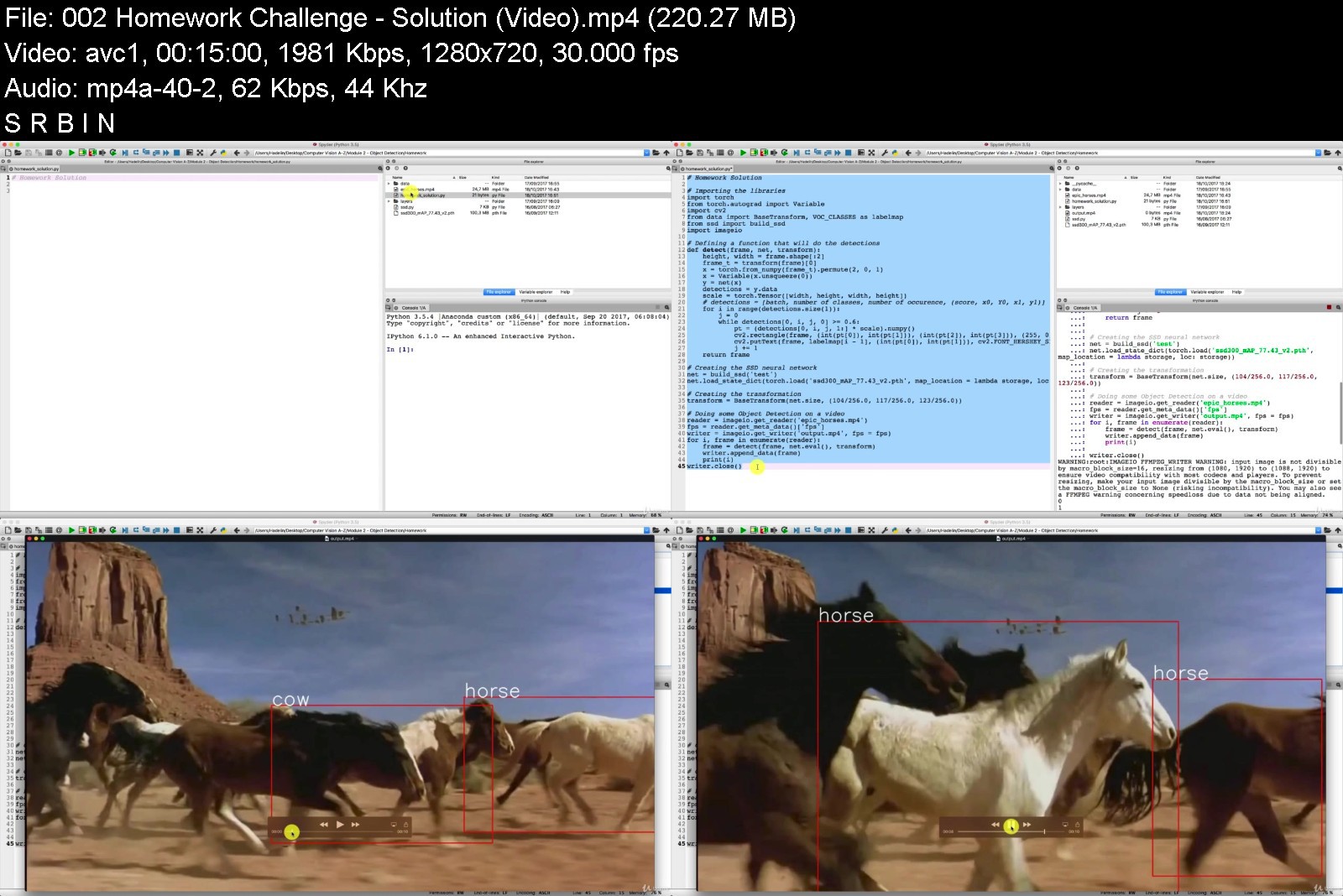
Deep Learning and Computer Vision A-Z™: OpenCV, SSD & GANs

1ruy3u7b3i7yvg3pbwk3kk4k1f.jpg


Deep Learning and Computer Vision A-Z™: OpenCV, SSD & GANs
MP4 | Video: h264, 1280x720 | Audio: AAC, 44.1 KHz
Language: English | Size: 5.84 GB | Duration: 11h 5m

Become a Wizard of all the latest Computer Vision tools that exist out there. Detect anything and create powerful apps.


What you'll learn
Have a toolbox of the most powerful Computer Vision models
Understand the theory behind Computer Vision
Master OpenCV
Master Object Detection
Master Facial Recognition
Create powerful Computer Vision applications
Requirements
Only High School Maths
Basic Python programming knowledge

Description
*** AS SEEN ON KICKSTARTER ***
You've definitely heard of AI and Deep Learning. But when you ask yourself, what is my position with respect to this new industrial revolution, that might lead you to another fundamental question: am I a consumer or a creator? For most people nowadays, the answer would be, a consumer.
But what if you could also become a creator?
What if there was a way for you to easily break into the World of Artificial Intelligence and build amazing applications which leverage the latest technology to make the World a better place?
Sounds too good to be true, doesn't it?
But there actually is a way..
Computer Vision is by far the easiest way of becoming a creator.
And it's not only the easiest way, it's also the branch of AI where there is the most to create.
Why? You'll ask.
That's because Computer Vision is applied everywhere. From health to retail to entertainment - the list goes on. Computer Vision is already a $18 Billion market and is growing exponentially.
Just think of tumor detection in patient MRI brain scans. How many more lives are saved every day simply because a computer can analyze 10,000x more images than a human?
And what if you find an industry where Computer Vision is not yet applied? Then all the better! That means there's a business opportunity which you can take advantage of.
So now that raises the question: how do you break into the World of Computer Vision?
Up until now, computer vision has for the most part been a maze. A growing maze.
As the number of codes, libraries and tools in CV grows, it becomes harder and harder to not get lost.
On top of that, not only do you need to know how to use it - you also need to know how it works to maximise the advantage of using Computer Vision.
To this problem we want to bring...
Computer Vision A-Z.
With this brand new course you will not only learn how the most popular computer vision methods work, but you will also learn to apply them in practice!
Can't wait to see you inside the class,
Kirill & Hadelin
Who this course is for
Anyone interested in Computer Vision or Artificial Intelligence


deeplearningandcomput6xjri.jpg


Download from RapidGator


Download from NitroFlare


The Gnomon Workshop - Creature Grooming Techniques in Houdini

imageifje6.jpg


The Gnomon Workshop - Creature Grooming Techniques in Houdini
Video: MPEG4 Video (H264) 1280x720 30fps | Audio: AAC 48000Hz stereo Genre: eLearning | Duration: 185 Minutes | Language: English | File size: 6.3 GB

Learn how to create convincing creature grooms in Houdini with this 3-hour workshop by Groomer at Digital Domain, Luis Cadavid. A discussion of the concepts and tools that are used in this workshop takes precedence at the beginning before Luis jumps into Maya to explore his creature model. At this stage, the importance is on getting to know the volumes that will be used to create the creature groom and involves observing lots of reference materials before exporting the model to Houdini.
Once in Houdini, Luis provides an introduction to how Houdini creates hair before he prepares all of the objects and creates the various VDBs, and separates the mesh to create the groom. You'll learn how to take advantage of the tools that Luis widely uses, including the Curve Advect Tool, Guide Process: Bend, Guide Process: Set Direction, Guide Process: Lift, Length, Curve Mask, and Noise Mask. You'll also discover how to create your own custom shortcuts to make your workflow faster and more efficient.
With knowledge of all the tools defined, Luis then starts the process of creating the guides for the face of the werewolf, adding volume and shape to the guides using various attributes. He creates the hair and various sized clumps before moving on to creating the guides for the body, legs, ears, and tail. He also paints the attributes that he will later combine together. Once the first pass of the groom is done, Luis shares how he tests materials and HDRIs and sets up the camera so he can get an idea of how the groom is working.
By completing this workshop, you will have covered all of the bases needed to begin creating your own grooms. This tutorial is intended for artists with a basic to medium level of understanding of grooming.


thegnomonworkshopcrea54jfx.jpg


Download from RapidGator


Download from NitroFlare


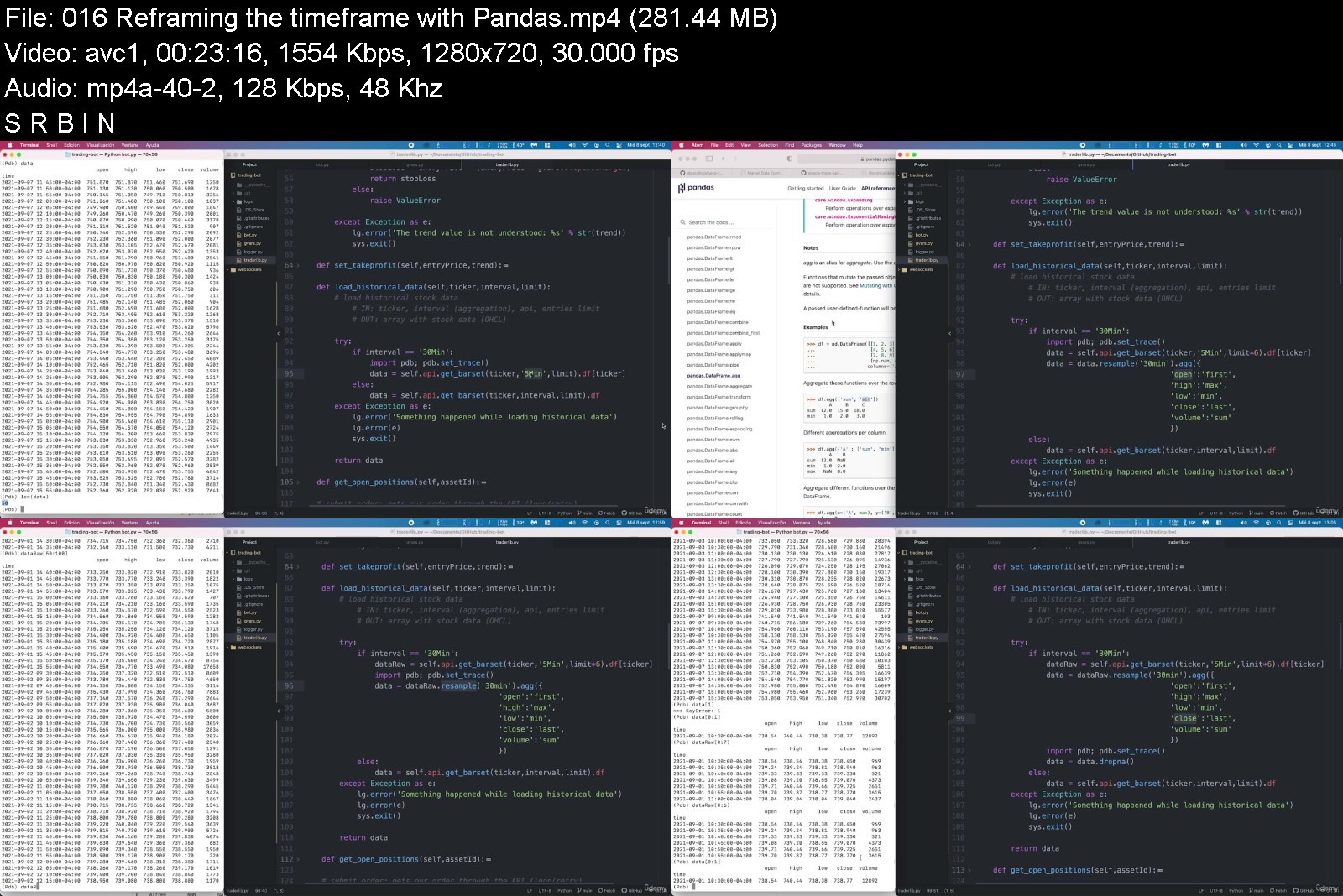
Automated Trading Bot (Python hands-on bootcamp)

4487160e7ffe2jrt.jpg


Automated Trading Bot (Python hands-on bootcamp)
MP4 | Video: h264, 1280x720 | Audio: AAC, 44.1 KHz, 2 Ch
Genre: eLearning | Language: English + srt | Duration: 136 lectures (18h 17m) | Size: 13 GB

Build your own Automatic Trading Bot from scratch in Python and implement your strategy


What you'll learn
Learn how to build a bot line by line and understand every character of it
Understand every function and every link of the code
Learn how to place automated orders into Alpaca - the free broker
Implement your strategy in the code provided - outsmart your peers!
Test your stock trading strategy with a paper account, without real money
Learn to combine free libraries like Tulipy, Pandas, Beautifulsoup or Numpy
Debug your strategy with Trading view
Implement the specific actions you want the bot to do
Understand the entry and exit points when trading with CFDs
Requirements
Have used Python before, entry level (the course includes a crash course)
Description
Automated orders. Your Code. Your Rules.
Everything explained. Trading Bot included. The course has more than 130 lectures, ~20h.
If you are a trader wanting to automate your activity, or if you are a programmer interested in stock trading, this is for you. Learn you way towards an automated trading bot that will be able to place orders following your strategy.
Easy and Complete. We understand you may not be an expert on trading nor Python. Don't worry, we've got you covered. The package includes a brief crash course on Python3 and another one on Trading Basics.
Your rules. Secure. We teach you how to build a code, not where to put your money. Do it as you wish, being 100% sure about what our code will do. In this course you willget to know each line.
Take Control. Fully implemented in Python3, using the Alpaca API, public libraries and a community wrapper. Your computer. Your pace. Your rules. Your code.
Trading Bot Included. Although it's recommended to type it yourself following the course, we also include the Trading Bot package ready to use.
Call it freedom. Or not. Alpaca is commission free. The easiest API that offers real-time market data. Alpaca is a market disrupter. There is no key to being rich, but this program opens a door to having some passive income, if your strategy is good.
We Heard You, community. Now it's better. With more than 2000 students on the other version, we decided to make a step up and build an incredibly boosted-up improved and extended version of the course that had its success.
Commission free intraday trading. With Alpaca it's never been that easy before. No trading fees, unlimited intraday orders. Real-time data. The first real commission free broker designed for automatic trading.
Enroll now. It's your time to step in.
Join the course to finally enable yourself to go one step further in trading and programming.
Who this course is for
Students who want to have a bot placing orders into the market automatically
Traders with a working strategy wanting to spend less hours in front of the computer
Curious programmers wanting to get into the automated trading world
Interested people in Python and its capabilities
Freaks like me that like to see an automated "thing" working


automatedtradingbotpyspjay.jpg


Download from RapidGator


Download from NitroFlare


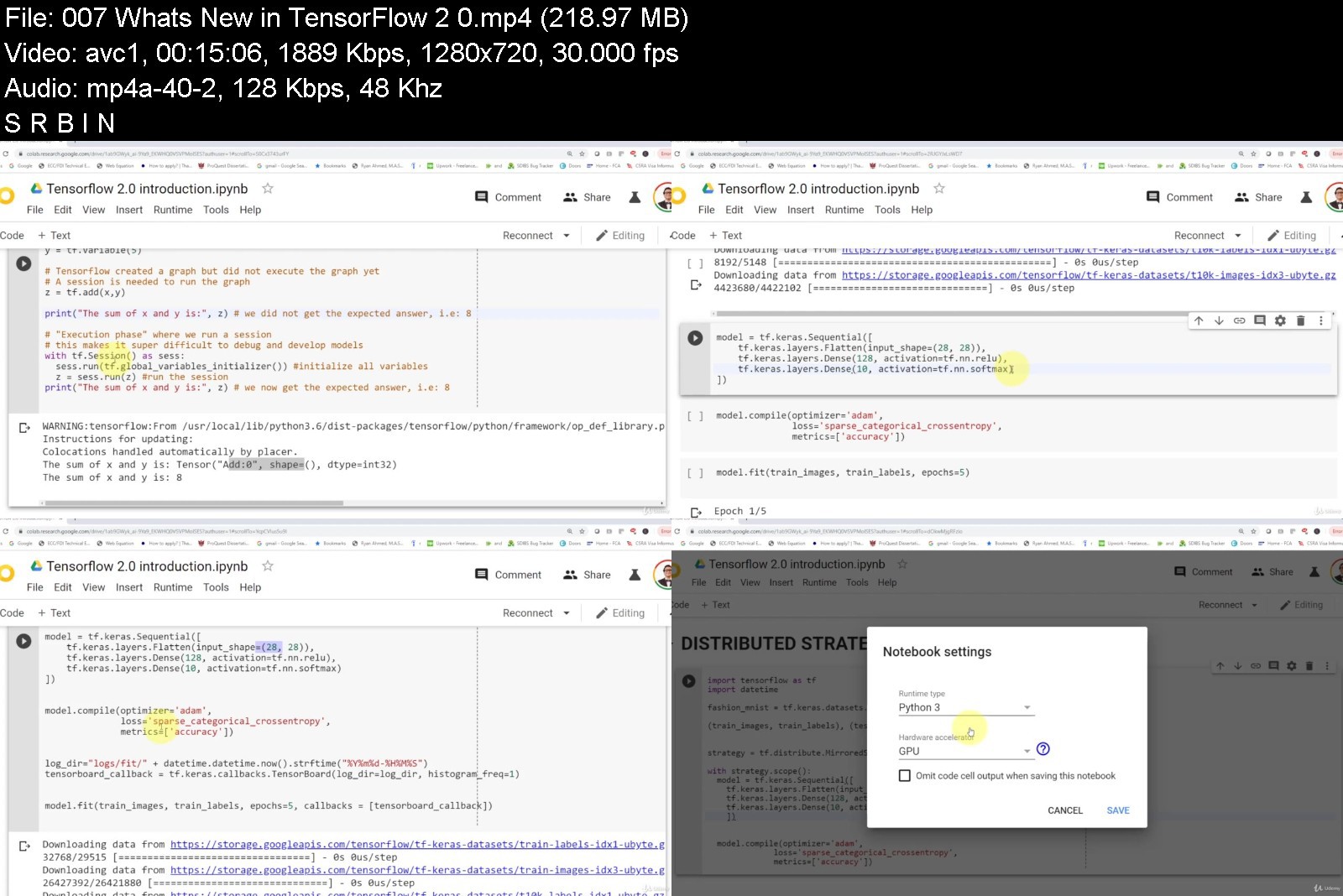
TensorFlow 2.0 Practical Advanced

nj2htsw11edzzk7vtofai5vjyr.jpg


TensorFlow 2.0 Practical Advanced
MP4 | Video: h264, 1280x720 | Audio: AAC, 44.1 KHz
Language: English | Size: 5.47 GB | Duration: 12h 36m

Master Tensorflow 2.0, Google's most powerful Machine Learning Library, with 5 advanced practical projects


What you'll learn
Build, train, test and deploy Advanced Artificial Neural Networks (ANNs) models using Google's newly released TensorFlow 2.0.
Understand the underlying theory and mathematics behind Generative Adversarial Neural Networks (GANs).
Apply revolutionary GANs to generate brand new images using Keras API in TF 2.0.
Understand the underlying theory and mathematics behind Auto encoders and Variational Auto Encoders (VAEs).
Train and test Auto-Encoders to perform image compression and de-noising using Keras API in TF 2.0.
Understand the underlying theory and mathematics behind DeepDream algorithm. Develop, train, and test State-of-the art DeepDream algorithm to create AI-based art masterpieces using Keras API in TF 2.0!
Understand the intuition behind Long Short Term Memory (LSTM) Recurrent Neural Networks (RNNs).
Train Long Short Term Memory (LSTM) networks to generate new Shakespeare-style text using Keras API in TF 2.0!
Apply transfer learning to transfer knowledge from pre-trained MobileNet and ResNet networks to classify new images using TensorFlow 2.0 Hub.
Develop ANNs models and train them in Google's Colab while leveraging the power of GPUs and TPUs.
Deploy AI models in practice using TensorFlow 2.0 Serving.
PC with internet connection
Recommended - The Ultimate Tensorflow 2.0 Practical Course

Description
Google has recently released TensorFlow 2.0 which is Google's most powerful open source platform to build and deploy AI models in practice. Tensorflow 2.0 release is a huge win for AI developers and enthusiast since it enabled the development of super advanced AI techniques in a much easier and faster way.
The purpose of this course is to provide students with practical knowledge of building, training, testing and deploying Advanced Artificial Neural Networks and Deep Learning models using TensorFlow 2.0 and Google Colab. This course will cover advanced, state-of-the-art AI models implementation in TensorFlow 2.0 such as DeepDream, AutoEncoders, Generative Adversarial Networks (GANs), Transfer Learning using TensorFlow Hub, Long Short Term Memory (LSTM) Recurrent Neural Networks and many more. The applications of these advanced AI models are endless including new realistic human photographs generation, text translation, image de-noising, image compression, text-to-image translation, image segmentation, and image captioning.
The global AI and machine learning technology sectors are expected to grow from $1.4B to $8.8B by 2022 and it is predicted that AI tech sector will create around 2.3 million jobs by 2020. The technology is progressing at a massive scale and being adopted in almost every sector. The course provides students with practical hands-on experience in training Advanced Artificial Neural Networks using real-world dataset using TensorFlow 2.0 and Google Colab. This course covers several technique in a practical manner, the projects include but not limited to
Develop, train, and test State-of-the art DeepDream algorithm to create AI-based art masterpieces!
Implement revolutionary Generative Adversarial Networks known as GANs to generate brand new images.
Develop Long Short Term Memory (LSTM) networks to generate new Shakespeare-style text!
Deploy AI models in practice using TensorFlow 2.0 Serving.
Apply Auto-Encoders to perform image compression and de-noising.
Apply transfer learning to transfer knowledge from pre-trained networks to classify new images using TensorFlow 2.0 Hub.
The course is targeted towards students wanting to gain a fundamental understanding of how to build, train, test and deploy advanced models in Tensorflow 2.0. Basic knowledge of programming and Artificial Neural Networks is recommended. Students who enroll in this course will master Advanced AI and Deep Learning techniques and can directly apply these skills to solve real world challenging problems.
Who this course is for
Data Scientists who want to apply their knowledge on Real World Case Studies
AI Developers
AI Researchers


tensorflow2.0practicazgkoh.jpg


Download from RapidGator


Download from NitroFlare


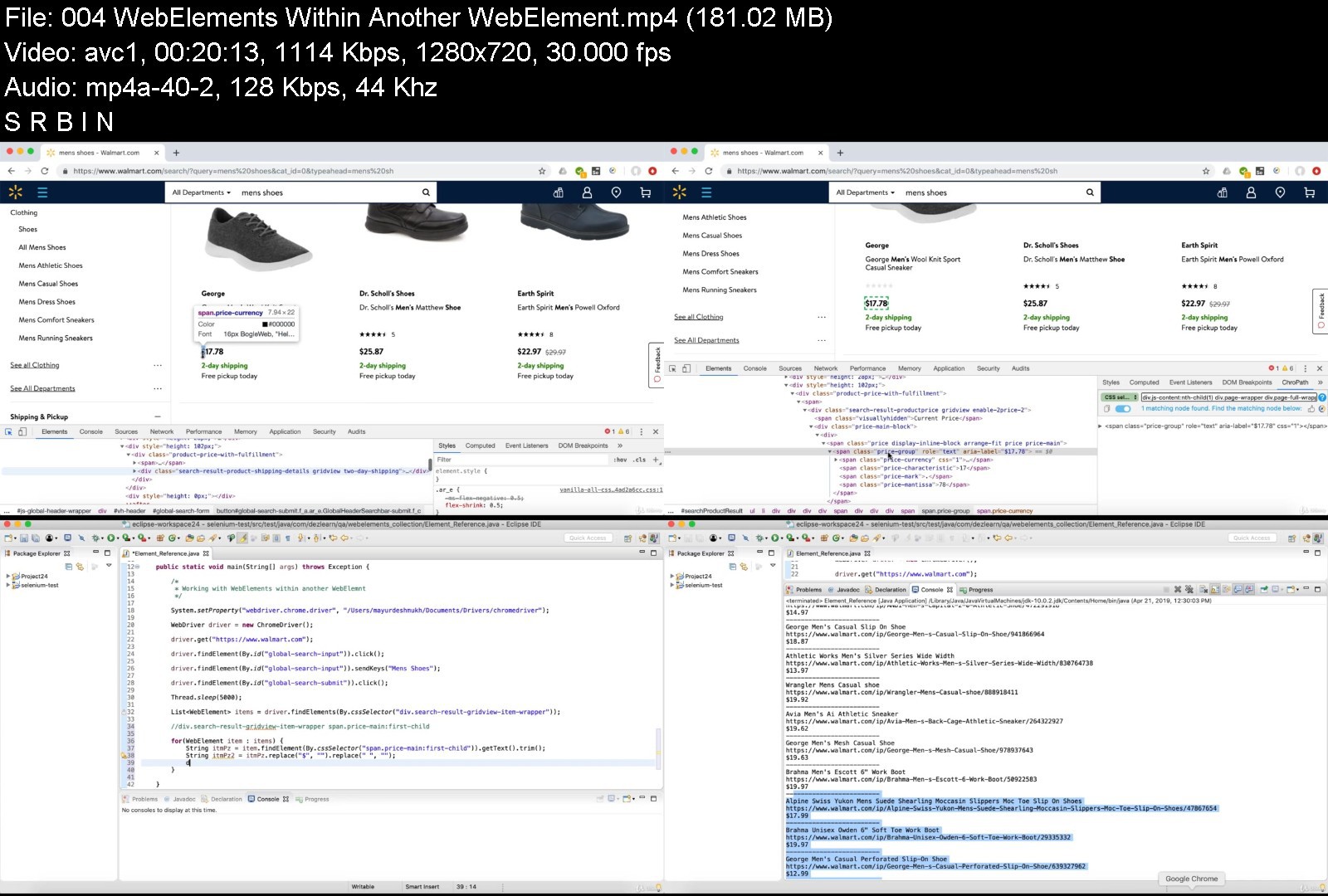
The Complete Selenium WebDriver with Java Course

rnmuqvfnajia0l8oy3r8vcjkvc.jpg


The Complete Selenium WebDriver with Java Course
MP4 | Video: h264, 1280x720 | Audio: AAC, 44.1 KHz
Language: English | Size: 9.93 GB | Duration: 21h 19m

Learn Selenium WebDriver with Java, TestNG Framework, Page Object Model, Page Factory Design. Learn Coding From Scratch.


What you'll learn
Core Java Programming and Selenium WebDriver Automation
New to coding? No worries. This course covers coding from scratch
Ideal for professionals transitioning to DevOps wanting to get a coding booster
Perfect course for manual testers aspiring to switch into automation world
Creating Automation Framework from Scratch using Page Object Model and Page Factory
Selenium WebDriver Programing from Basic to Advance
Object Oriented Programing (OOPS)
Data Structures in Java
TestNG Framework
Regular Expressions in Java
Element Locating Strategies
Exception Handling in Java
Working with File System in Java
Advanced Java Programming
Selenium WebDriver Basics
Date and Time Operations (Rev. in Java 8)
Locating Elements using XPath
Locating Elements using CSS Selectors
Working with Element Collections
Web Page Data Extraction
Automating DatePickers, WebTables
Page Object Model
Automating Browser Popups
Automating iFrames
Automating JavaScript Alerts
Automating Mouse Actions
Test Synchronization
Instructor Guidance and Query Resolution Support
No PPTs. Programming Oriented Sessions.
Requirements
No prior coding experience required to take this course
Course covers in depth core Java concepts with plenty of hands on coding exercises
Course cover Selenium WebDriver from basic to advanced levels
Basic installations and setup required for Selenium WebDriver hands-on exercises is covered in depth
Course covers basic and advance element locating strategies
Covers in-depth tutorial on XPath and CSS Selectors
Course teaches how to create your own Test Automation Framework From Scratch
Automation of Web-Tables, Date-Pickers and other complex UI elements is taught in detail

Description
New Update: Selenium v.4 New Features Added. See 'Section 28' for more details.
This course covers Selenium WebDriver and Java topics in detail from basic to advanced levels. So, if you don't have prior knowledge of Java, then you can begin with Java Modules. Start going through 'Selenium WebDriver' videos after you develop some fluency in Java. Remember, you don't need to go through all sessions of Java Course before starting with Selenium WebDriver (because it is an in-depth course on Java and will take a while to finish). First 6 Sections of Java should be sufficient to get you ready for learning Selenium WebDriver.
I believe in example-oriented teaching. So, you won't find any PPTs during the sessions. But, you will find dozens of real time scenarios used to elaborate Java and Selenium WebDriver concepts.
Feel free to post your questions/feedback in the block provided under each session-video. I will make sure all of your queries are addressed. 'Course Outline' below will give you an idea about the depth and the overall coverage of this course. If you want to learn any other Selenium WebDriver concept - which is not already covered in this course - then feel free to let me know via Udemy messenger.
Course Outline
Java Basics
JDK 10 and Eclipse Installation
Hello World Java Program
Primitive Data Types in Java
'var' keyword in Java 10
Arithmetic Operators in Java
Logical and Bitwise Operators in Java
Relational Operators in Java
If - Condition in Java
Nested If - Condition in Java
For Loop in Java
Hands-On Exercises on 'For Loop'
Nested For Loop in Java
Hands-On Exercises on 'Nested For Loop'
'While' & 'Do While' Loop in Java
Loop 'Break' & 'Continue' Statements in Java
String Basics in Java
String Comparison Operations in Java
String Search Operations in Java
String (Cut) Slice Operations in Java
String Replace Operations in Java
String Conversion Operations in Java
Object Oriented Programing (OOPS) in Java
Concept of Classes and Objects in Java
Hands on exercises on Class and Object
Methods in Java
Method Overloading in Java
Access Specifiers (Access Modifiers) in Java
Constructor in Java
Data Encapsulation in Java
Static Keyword in Java
Concept of Main Method in Java
Class and Object Advanced Exercises
Class Inheritance in Java
Method Overriding in Java
Polymorphism in Java
Super Keyword in Java
Super Class Constructor in Java
Protected Access in Java
Abstraction in Java
Interfaces in Java (Java Interface)
Final Keyword in Java
Data Structures in Java
Arrays in Java
Array Object in Java
Enhanced (Modified) For Loop for Array Iteration in Java
Hands-on Exercises on Array in Java
2-Dimensional Arrays in Java
Hands-on Exercise on 2D Arrays in Java
Array of Object in Java
Array List in Java (ArrayList)
Structure of ArrayList in Java
Linked List in Java (LinkedList)
ArrayList vs LinkedList in Java
List Iterator in Java
Hash Set in Java
Linked Hash Set in Java
Tree Set in Java
Iterating on Set in Java
Hash Map in Java
Tree Map in Java
Iterating Over Maps in Java
Regular Expressions in Java
Introduction to RegEx in Java
Quantifiers in Regular Expressions
Character Classes in Regular Expressions
Bracket Expressions
OR Operator in RegEX
DOT Operator in RegEX
Greedy and Lazy Matching
Hands-on Exercises on Regular Expressions
Regularizing Number Ranges
Exception Handling in Java
What is an Exception in Java?
Error vs Exception in Java
Checked and Unchecked Exceptions in Java
Throws Declaration in Java
Try and Catch Block (Exception Handling) in Java
'Finally' Block in Java
Date and Time Operations (Revised in Java 8)
Local Date and Time Operations in Java
Custom Date and Time Operations in Java
Future and Past Date Operations in Java
Future and Past Time Operations in Java
Date Difference Calculation in Java
Time Difference Calculation in Java
DateTime Formatter in Java
Special Classes in Java
Math Class in Java
StringBuilder Class in Java
StringBuilder Methods in Java
Scanner Class in Java
Random Class (for creating random numbers) in Java
UUID Class in Java (for creating universally unique string IDs)
Working with File System in Java
How to Read a Text File in Java?
Apache Commons IO
How to Edit a Text File in Java?
Hands on Exercises with Text Files in Java
Copy and Move (Rename) a Text File in Java
Apache POI Setup
Reading Excel Data in Java
Read Excel Data into a 2 D Array in Java
Write Data in Excel Sheet in Java
Interview Questions
Selenium WebDriver Basics
Selenium WebDriver Architecture
Selenium WebDriver Installation and Setup using Apache Maven
Chrome Driver Installation and Setup
Firefox (Gecko) Driver Installation and Setup
Automating Browser Navigation (Back, Forward, Refresh, NavigateTo)
Get Page Basic Details (URL, Title etc)
Basics of Element Locating Strategy in Selenium WebDriver
HTML Basics
Inspecting Web Elements
Find Elements By ID and Link Text in Selenium WebDriver
Find Elements By Name and Class
Locating Elements using XPath in Selenium WebDriver
Installing ChroPath for Chrome
Creating XPath Using Attributes
XPath for Dynamic Elements
XPath Using Parent - Child Relationship
XPath Using Ancestor - Descendant Relationship
XPath Using Preceding - Following Relationship
Absolute XPath Vs Relative XPath
Locating Elements using CSS Selectors in Selenium WebDriver
What is CSS and CSS Selectors?
Create CSS Selectors Using Attributes
CSS Selectors for Dynamic Elements
Create CSS Selectors Using Multiple Attributes
Advance CSS Selectors
Creating CSS Selectors Using Child-Node Numbering
Working with Element Collections in Selenium WebDriver
How to Retrieve a Collection of Web Elements in Selenium WebDriver?
Handling Web Elements Collection in Selenium WebDriver
Visible vs Hidden Web Elements in Selenium WebDriver
Web Elements Within Another Web Element in Selenium WebDriver
Web Page Data Extraction for Test Validation in Selenium WebDriver
Extracting Basic Page Details in Selenium WebDriver
Extracting CSS Details in Selenium WebDriver
How to Verify Element Visible and Enabled?
How to Verify Element Exists in Selenium WebDriver?
How to Verify Element Selected in Selenium WebDriver?
Automating Special WebElements (SelectBoxes, DatePickers, WebTables)
Working with Select-Boxes in Selenium WebDriver
Working with MultiSelect-Boxes in Selenium WebDriver
Automating Date-Picker (Calendar) in Selenium WebDriver
Working with WebTables in Selenium WebDriver
Handling the Objects Within WebTable Cells in Selenium WebDriver
Automating Browser Popups using Selenium WebDriver
Handling Browser Popup Window in Selenium WebDriver
Working with Multiple Browser Windows in Selenium WebDriver
Close All Browser Popup Windows in Selenium WebDriver
Browser Close vs Quit in Selenium WebDriver
Automating iFrames using Selenium WebDriver
Automating Nested iFrames using Selenium WebDriver
Automating JavaScript Alerts using Selenium WebDriver
Handling JavaScript Basic Alert Box using Selenium WebDriver
Handling JavaScript Confirmation Box using Selenium WebDriver
Handling JavaScript Prompt Box using Selenium WebDriver
Automating Mouse Actions (Drag & Drop, Mouse Hover, Click & Hold etc)
Automating Mouse Hover Action using Selenium WebDriver
Automating Right Click Action using Selenium WebDriver
Automating Drag and Drop Action using Selenium WebDriver
Resizing UI Elements using Selenium WebDriver
Automating Sliders using Selenium WebDriver
Automating Multi-Key Operations using Selenium WebDriver
Test Synchronization in Selenium WebDriver
What is Test Synchronization?
Implicit Wait in Selenium WebDriver
Explicit Wait in Selenium WebDriver
Selenium 4 Updates
Selenium v.4 Configuration
Update in Implicit Wait
Opening New Browser / Tab
Relative Locators
Minimizing Browser Window
Actions Class Update
TestNG Framework
Installing TestNG
Automating Basic Tests in TestNG
Assertions in TestNG
Hard vs Soft Assertions in TestNG
BeforeMethod and AfterMethod Annotations
BeforeClass and AfterClass Annotations
Managing Test Execution Using TestNG XML Files
Include and Exclude Methods in XML File
BeforeTest and AfterTest Annotations
BeforeSuite and AfterSuite Annotations
TestNG Groups
TestNG Parameters
Managing Test Dependencies in TestNG
Ignoring Test Methods in TestNG
Parallel Execution in TestNG
TestNG HTML Reports
Data Provider in TestNG
Creating Automation Framework from Scratch using Page Object Model and WebElements Page Factory
What is Page Factory?
Elements Collection (List) in Page Factory
Initializing Page Factory Elements
Page Object Model Design
Creating Base Page Class
Creating Page Library
Creating Flow Library
Course Outline Ends.....
**I will be updating more topics to this outline as per changing trends in technology**
This course is designed for you if you are
a QE Automation Engineer OR
a Selenium WebDriver automation aspirant OR
a manual testing professional willing to jump start your automation carrier OR
a QTP/UFT professional wanting to switch to Selenium as per testing market demand OR
a QE Manager exploring better automation solutions for your project OR
a fresh grad looking to learn a quick new skill which has high demand in the job market OR
aspiring to learn coding and automation
Training program requirements/prerequisites
No prior coding experience required. Java programing from scratch is covered in the course.
Participants need to have a Windows 10 PC OR a MacBook with 8 GB (or more) memory to perform hands on exercises.
To get the maximum benefit from the course, please take a look at following steps explaining 'How to take this course?'
Step 1: Schedule 30-45 minutes of your time daily for 5 days a week. 'Continuity' is the key.
Step 2: All sessions are divided in small videos of less than 20 minutes. Watch 2-3 videos daily.
Step 3: Hands-on exercise is very important. So, immediately try out the programs discussed in the session. Try them on your won. You can download these programs from lecture resources.
Step 4: Assignments with answer keys are provided where-ever necessary. Complete the assignments before jumping on to the next sessions.
Step 5: If you come across any questions or issues, please feel free to contact me and I will make sure that your queries are resolved.
Wish you all a very happy learning.
Note: All the course videos are in Quad HD. For the best video streaming quality, please adjust the resolution from 'settings' at bottom right-hand corner of video player. Choose 1080p or 720p as per your network speed.
Who this course is for
Selenium WebDriver automation aspirant
Manual tester willing to jump start your automation carrier
QTP/UFT professional wanting to switch to Selenium as per testing market demand
QE Manager exploring better automation solutions for your project
Fresh grads looking to learn a quick new skill which has high demand in the job market
Anyone aspiring to learn coding and automation
QE Testing Professionals
Selenium Testers
Automation Test Engineers
QE Automation Engineers
Automation Aspirants
Manual Testing Professionals
Software Testing Professionals


thecompleteseleniumwerujra.jpg


Download from RapidGator


Download from NitroFlare


Zurück
Oben Unten