• Regeln für den Video-Bereich:

    In den Börsenbereich gehören nur Angebote die bereits den Allgemeinen Regeln entsprechen.

    Einteilung

    - Folgende Formate gehören in die angegeben Bereiche:
    - Filme: Encodierte Filme von BluRay, DVD, R5, TV, Screener sowie Telesyncs im Format DivX, XviD und x264.
    - DVD: Filme im Format DVD5, DVD9 und HD2DVD.
    - HD: Encodierte Filme mit der Auflösung 720p oder darüber von BluRay, DVD, R5, TV, Screener sowie Telesyncs im Format x264.
    - 3D: Encodierte Filme von BluRay, die in einem 3D Format vorliegen. Dies gilt auch für Dokus, Animation usw.
    - Serien: Cartoon/Zeichentrick, Anime, Tutorials, Dokumentationen, Konzerte/Musik, Sonstiges sind demnach in die entsprechenden Bereiche einzuordnen, auch wenn sie beispielsweise im High Definition-Format oder als DVD5/DVD9/HD2DVD vorliegen. Ausnahme 3D.
    - Bereich Englisch: Englische Releases gehören immer in diesen Bereich.
    - Bereich Talk: Der Bereich, in dem über die Releases diskutiert werden kann, darf, soll und erwünscht ist.


    Angebot/Beitrag erstellen

    - Ein Beitrag darf erst dann erstellt werden, wenn der Upload bei mindestens einem OCH komplett ist. Platzhalter sind untersagt.
    - Bei einem Scenerelease hat der Threadtitel ausschließlich aus dem originalen, unveränderten Releasenamen zu bestehen. Es dürfen keine Veränderungen wie z.B. Sterne, kleine Buchstaben o.ä. vorgenommen werden. Ausnahme Serienbörse:
    - Bei einem Sammelthread für eine Staffel entfällt aus dem Releasename natürlich der Name der Folge. Beispiel: Die Simpsons S21 German DVDRip XviD - ITG
    - Dementsprechend sind also u.a. verboten: Erweiterungen wie "Tipp", "empfehlenswert", "only", "reup", usw. / jegliche andere Zusatzinformation oder Ergänzung, welche nicht in obiger Beschreibung zu finden ist.

    Aufbau des Angebots und Threadtitel

    Der Titel nach folgendem Muster erstellt zu werden. <Name> [3D] [Staffel] [German] <Jahr> <Tonspur> [DL] [Auflösung] <Quelle> <Codec> - <Group>
    Beispiel: The Dark Knight German 2008 AC3 DVDRip XviD - iND
    Beispiel: The Dark Knight 2008 DTS DL BDRip x264 - iND
    Beispiel: The Dark Knight 2008 AC3 DL BDRip XviD - iND
    Beispiel: The Dark Knight German 2008 AC3 720p BluRay x264 iND
    Beispiel: The Dark Knight 2008 DTS DL 1080p BluRay x264 iND
    Beispiel: Die Simpsons S01 German AC3 DVDRip XviD iND
    Beispiel: Die Simpsons S20 German AC3 720p BluRay x264 iND
    Beispiel: Sword Art Online II Ger Sub 2014 AAC 1080p WEBRip x264 - peppermint
    Entsprechend sind also u.a. verboten: Sonderzeichen wie Klammern, Sterne, Ausrufezeichen, Unterstriche, Anführungszeichen / Erweiterungen wie "Tipp", "empfehlenswert", "only", "reup", usw. / jegliche andere Zusatzinformation oder Ergänzung, welche nicht in obiger Beschreibung zu finden ist
    Ausnahmen hiervon können in den Bereichen geregelt sein.

    Die Beiträge sollen wie folgt aufgebaut werden:
    Überschrift entspricht dem Threadtitel
    Cover
    kurze Inhaltsbeschreibung
    Format, Größe, Dauer sind gut lesbar für Downloader außerhalb des Spoilers zu vermerken
    Nfo sind immer Anzugeben und selbige immer im Spoiler in Textform.
    Sind keine Nfo vorhanden z.B. Eigenpublikationen, sind im Spoiler folgende Dateiinformationen zusätzlich anzugeben :
    Quelle
    Video (Auflösung und Bitrate)
    Ton (Sprache, Format und Bitrate der einzelnen Spuren)
    Untertitel (sofern vorhanden)
    Hosterangabe in Textform außerhalb eines Spoiler mit allen enthaltenen Hostern.
    Bei SD kann auf diese zusätzlichen Dateiinformationen verzichtet werden.

    Alle benötigten Passwörter sind, sofern vorhanden, in Textform im Angebot anzugeben.
    Spoiler im Spoiler mit Kommentaren :"Schon Bedankt?" sind unerwünscht.


    Releases

    - Sind Retail-Release verfügbar, sind alle anderen Variationen untersagt. Ausnahmen: Alle deutschen Retail-Release sind CUT, in diesem Fall sind dubbed UNCUT-Release zulässig.
    - Im Serien-Bereich gilt speziell: Wenn ein Retail vor Abschluss einer laufenden Staffel erscheint, darf diese Staffel noch zu Ende gebracht werden.62
    - Gleiche Releases sind unbedingt zusammenzufassen. Das bedeutet, es ist zwingend erforderlich, vor dem Erstellen eines Themas per Suchfunktion zu überprüfen, ob bereits ein Beitrag mit demselben Release besteht. Ist dies der Fall, ist der bereits vorhandene Beitrag zu verwenden.
    - P2P und Scene Releases dürfen nicht verändert oder gar unter einem iND Tag eingestellt werden.


    Support, Diskussionen und Suche

    - Supportanfragen sind entweder per PN oder im Bereich Talk zu stellen.
    - Diskussionen und Bewertungen sind im Talk Bereich zu führen. Fragen an die Uploader haben ausschließlich via PN zu erfolgen, und sind in den Angeboten untersagt.
    - Anfragen zu Upload-Wünschen sind nur im Bereich Suche Video erlaubt. Antworten dürfen nur auf Angebote von MyBoerse.bz verlinkt werden.


    Verbote

    - Untersagt sind mehrere Formate in einem einzigen Angebotsthread, wie beispielsweise das gleichzeitige Anbieten von DivX/XviD, 720p und 1080p in einem Thread. Pro Format, Release und Auflösung ist ein eigener Thread zu eröffnen.
    - Grundsätzlich ebenso verboten sind Dupes. Uploader haben sich an geeigneter Stelle darüber zu informieren, ob es sich bei einem Release um ein Dupe handelt.
    - Gefakte, nur teilweise lauffähige oder unvollständige Angebote sind untersagt. Dies gilt auch für eigene Publikationen, die augenscheinlich nicht selbst von z.B. einer DVD gerippt wurden. Laufende Serien, bei denen noch nicht alle Folgen verfügbar sind, dürfen erstellt und regelmäßig geupdatet werden.
    - Untersagt sind Angebote, welche nur und ausschließlich in einer anderen Sprache als deutsch oder englisch vorliegen. Ausnahmen sind VORHER mit den Moderatoren zu klären.


    Verstoß gegen die Regeln

    - Angebote oder Beiträge, die gegen die Forenregeln verstoßen, sind über den "Melden"-Button im Beitrag zu melden.
  • Bitte registriere dich zunächst um Beiträge zu verfassen und externe Links aufzurufen.

*** Bestes IPTV *** bester Preis *** gratis Test ***


Englische Tutorials

350-901 ccnp devcor

nhqldqicqtuwo9rd1rvphnmj7h.jpg


350-901 CCNP DEVCOR
Genre: eLearning | MP4 | Video: h264, 1280x720 | Audio: AAC, 44.1 KHz
Language: English | Size: 5.5 GB | Duration: 12h 8m

Developing Applications Using Cisco Core Platforms and APIs


What you'll learn
Describe the architectural traits and patterns that improve application maintainability
Describe the architectural traits and patterns that improve application serviceability
Identify steps to design and build a ChatOps application
Implement robust Representational State Transfer (REST) API integrations with network error handling, pagination, and error flow control
Describe the necessary steps for securing user and system data in applications
Describe the necessary steps for securing applications
Identify common tasks in automated application release process
Describe best practices for application deployment
Describe the concepts of infrastructure configuration management and device automation

Requirements
Knowledge of program design and coding with focus on Python
Familiarity with Ethernet, TCP/IP, and Internet-related networking
Understand the utilization of APIs
Understanding of software development and design methodologies
Hands-on experience with a programming language (specifically Python)


Description

The Developing Applications Using Cisco Core Platforms and APIs (DEVCOR) v1.0 course helps you prepare for Cisco DevNet Professional certification and for professional-level network automation engineer roles. You will learn how to implement network applications using Cisco® platforms as a base, from initial software design to diverse system integration, as well as testing and deployment automation. The course gives you hands-on experience solving real world problems using Cisco Application Programming Interfaces (APIs) and modern development tools.

This course helps you prepare to take the 350-901 Developing Applications Using Cisco Core Platforms and APIs (DEVCOR) exam. By passing this exam, you satisfy the core exam requirement toward Cisco Certified DevNet Professional, and you earn the Cisco Certified DevNet Specialist - Core certification.

Objectives

After taking this course, you should be able to

Describe the architectural traits and patterns that improve application maintainability

Describe the architectural traits and patterns that improve application serviceability

Identify steps to design and build a ChatOps application

Implement robust Representational State Transfer (REST) API integrations with network error handling, pagination, and error flow control

Describe the necessary steps for securing user and system data in applications

Describe the necessary steps for securing applications

Identify common tasks in automated application release process

Describe best practices for application deployment

Describe methodologies for designing distributed systems

Describe the concepts of infrastructure configuration management and device automation

Utilize Yet Another Next Generation (YANG) data models to describe network configurations and telemetry

Compare various relational and nonrelational database types and how to select the appropriate type based on requirements

Who this course is for
Network engineers expanding their skill-base to include software and automation
Developers expanding expertise in automation and DevOps
Solution architects moving to the Cisco ecosystem
Infrastructure developers designing hardened production environments

Homepage

30.4.5bdnactemplateswyjtq.jpg


BhWNBtG4WjIeMofwoUlOog5JWF6xdiSW.jpg

Build Real World MYSQL Database Management Projects
MP4 | Video: h264, 1280x720 | Audio: AAC, 44.1 KHz
Language: English | Size: 3.26 GB | Duration: 7h 14m
Master SQL Development By Creating Databases Design & Building Reports Through Projects-MySQL, PHP, HTML, CSS, Bootstrap​

What you'll learn
Model real-world data and generate reports using SQL
Build real world projects to Learn MYSQL
Become a proficient SQL user by writing flawless and efficient queries
Create your own database or interact with existing databases
Requirements
Basic knowledge of MySQL
Description
Some of the other advantages of working with MySQL include
MySQL is Secure: It uses solid data security layers to protect sensitive data from outside access. Individual rights can be set to provide multiple user levels, allowing several people access to stored data. All passwords used to access the MySQL database are encrypted.
MySQL is Inexpensive: Since the MySQL database software is free to download from the official portal, and comes included pre-installed on most hosting servers it's not expensive to use or maintain.
MySQL Manages Memory: The database software has been shown to manage memory exceedingly well, and actually prevents memory leaks you might experience on a server where it's not deployed.
MySQL is Heavily Supported: You can run the software on a variety of platforms and operating systems including Windows, Linux, Novell NetWare, UNIX (Sun Solaris, AIX, DEC UNIX), OS/2, FreeBSD and more.
MySQL is Fast: When compared to other database software like Sybase and Oracle, MySQL has fewer features to offer but this is good. It means that MySQL is much faster in terms of performance, and users still have access to all the necessary features they would through other database platforms.
MySQL Data Storage is Scalable: By default, MySQL can handle a total file size limit of about 4GB, however, this can be increased to meet your needs - by as much as 8TB of data.
MySQL Supports Novell Cluster Services: NetWare's Novell Cluster Services offer a server-side database extension to protect your data in the event of a hardware failure. With your MySQL content stored on a Novell cluster, if one server fails, the software will take over on an alternate server - this keeps your website and applications running smoothly, with nary a hiccup. Your customers will never even notice that a server went down.
Who this course is for
Complete beginners to MySQL
Screenshots


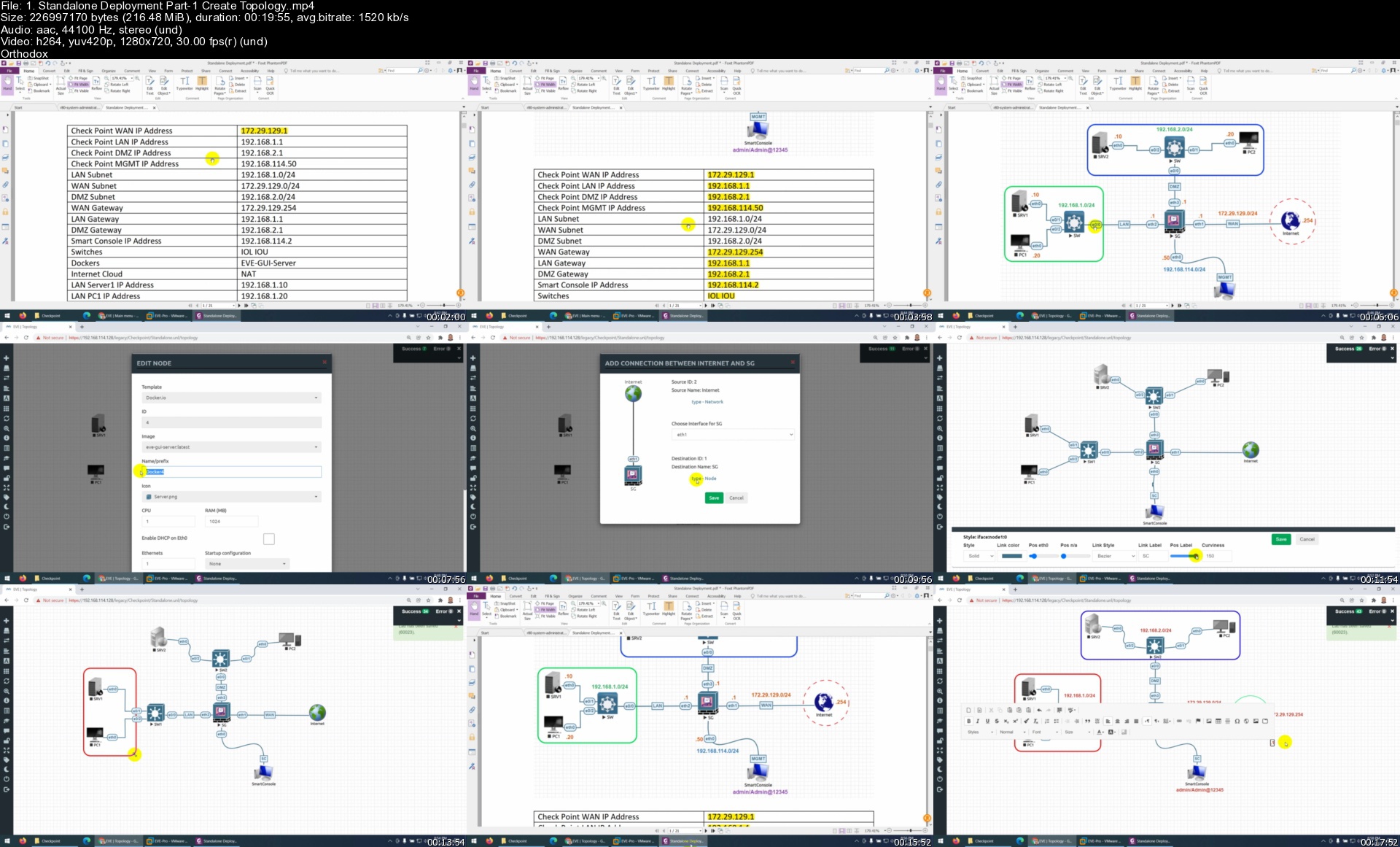
Check Point Firewall CCSA R80.40 Training Part1/2

31gg57jtz1obvbbtzzyxla8jub.jpg


Check Point Firewall CCSA R80.40 Training Part1/2
Genre: eLearning | MP4 | Video: h264, 1280x720 | Audio: AAC, 44.1 KHz
Language: English | Size: 8.6 GB | Duration: 15h 36m

Learn CheckPoint Firewall CCSA R80.40 with Step by Step Lab Workbook


What you'll learn
Configure and Manage CheckPoint Firewall
Understand Checkpoint Firewalls Deployment Methods
How to setup a Lab Environment
Understand how to deploy Checkpoint Firewalls in EVE NG
Understand Security Gateway Firewalls NAT configuration
Understand User ID Integration
Configure Captive Portal to authenticate users
How to Add Evaluation License in SG.
Introduction to Command Line Interface CLI.
Install and Configure Active Directory (AD) for IA.
Introduction to Backup and Restore in CheckPoint.

Requirements
Basic IP and security knowledge is nice to have.
Students need to understand basic networking.
Students needs to understand Networking Fundamentals.
General knowledge of TCP/IP
Working knowledge of Windows and/or UNIX
Working knowledge of networking technology

Description
Check Point CCSA certification is the very important for IT admins who manage day to day operations of Checkpoint solutions. Here you will get expertise in startup, manage and configure day to day Check Point installations with R80. Course covers how to install R80 security gateway in a distributed environment, configure rules and defines a policy for security, how to work with multiple administrators and how to define permission profiles. After completion of this certification you will be expert in to keep your network secure, you will be expert in evaluating existing security policy, you will be able to manage multiple user access to organization LANs, you will be expert in to monitor any suspicious activities over the internet and you can analyze security attacks better, implement backup for Check Point.

Prerequisites

You should have basic level knowledge of networking, you should have 6 months to 1-year experience with Check Point products and this is mandatory.

Check Point Pri**** Products

Network Security, Software Defined Protection, Public and Private Cloud Security, Zero Trust Remote Access, Data Security, IoT Security, ThreatCloud, ThreatCloud IntelliStore, Virtual Systems, Endpoint Security, Mobile Security, Security Management, Document Security (Capsule Docs product line), Zero-day Protection (SandBlast appliance product line) and Mobile Security (Mobile Threat Prevention product line).

The following course includes lectures on how Check Point features work and the walk-through of the configuration in the lab/production environment. From the very beginning following step-by-step approach you will be able to grasp advanced concepts and step on the next level.

The course is structured in an easy to follow manner starting from the very basic to advanced topics. The topics that are covered are: Installing Check Point in a lab environment, understanding general principles of Firewalling.

THE COURSE INCLUDES

Introduction to CheckPoint Technology

Building the Lab

Installing OS / Configuration

Overview of the products

Licensing

Backups

NAT

Deployment Options

Command Line Interface

Identity Awareness

Terminologies

Three Tier Architecture

Who this course is for
This course is for students trying to obtain the CCSA
This course is for students trying to learn the Check Point Firewall.
Any Network or Security Engineer want to learn or polish their Skills.
System Administrators and Information Security Analysts
Network Engineers and Security Engineers

Homepage


1.standalonedeploymenbkjx8.jpg


6c1af2a9-196a-41f5-a64d-a47e26ab5e0b.png

Calisthenics-Beginner
MP4 | Video: h264, 1280x720 | Audio: AAC, 44.1 KHz, 2 Ch
Genre: eLearning | Language: English | Duration: 181 lectures (3h 5m) | Size: 4 GB

Calisthenics Foundation
What you'll learn
Beginner calisthenics skill
Basic strength
Body control
Confidence
Requirements
2 chair or dip station, Pull up bar needed
Description
What is calisthenics??
Calisthenics contains any form of strength training where you mainly use your own bodyweight and is often referred to "bodyweight training".The main goal with calisthenics is to control your own body and create beautiful power . However, we do not see calisthenics just as beautiful power, but as a great personal adventure in which you can discover yourself. It is so much more than just strength training like gym exercises. Calisthenics challenge you both mentally and physically to get the best out of yourself.
Basics
With the basics we mean the exercises as push ups, pull ups, dips and squats. Before you start with calisthenics, it is essential that you get the basics well under control. Even if you have more experience with calisthenics, the basics always remain an important element of your training.
Develop Real Functional Strength
With calisthenics you build real power. Why are we talking about real power? This is because with calisthenics you will learn to control your own bodyweight first before you start training with extra weights. In comparison with the gym, it's the complete opposite. In the gym you often you see big/muscular guys pushing a lot of weights but if you ask them to make a muscle up or do an exercise with their own bodyweight, they often have troubles doing that. Note that we don't have anything against this, in fact, that is how we started as well. But when we noticed the difference, it seemed more logical to us: first bodyweight, then extra weight.
In addition to this, with calisthenics you stimulate every small muscle fibers with all the compound bodyweight exercises, such as a handstand push up. As a result, your muscles will not become stiff due to isolated exercises, but they get super functional.
Who this course is for
For those who want to start calisthenics journey
Homepage


f76e6496-65d8-47c4-b873-2d38a4528c16.png

CreatureArtTeacher - Animal Character Design
Instructors: David Colam
Duration: 11h 22m • 14 Lessons
Video: MP4 1280x720 44 KHz | English
Level: Beginner | Size: 3.4 GB​

In this in-depth character design course David Colman breaks down his approach to finding pleasing animal character designs. David Colman is an award winning visual development artist, character designer and story artist with top-level work in both live action and animation.
In this new course Emmy award winning visual development artist and character designer David Colman ( Disney, Blue Sky, Amazon) demonstrates his approach to animal character design. David has been a working visual development and character artist for nearly 20 years and has worked with all the major studios.
Watch as he breaks down the key elements of a successful character design in REAL TIME and explains his thought process.
You will learn
Shape Design & Shape Language
Working with Traditional Media
Thumbnailing to find fun poses
Drawing Foxes, Tigers, Gorillas & More
+ MUCH MORE!
About David Colam
David Colman is an illustrator, who has worked as a visual development artist, Emmy winning character designer, story artist and art director in the animation industry since 2003. His clients include Disney Feature Animation, Disney TV, Disney Toon Studios, Paramount Pictures Animation, Sony Pictures Animation, Sony Imageworks, Blue Sky Studios, Jim Henson Company, Jim Henson Creature Shop, Hasbro, Cartoon Network, Nickelodeon, 20th Century Fox, Fox TV Animation, Imagemovers Digital, Digital Domain, Bento Box, Amazon Studios and many others.
Screenshots


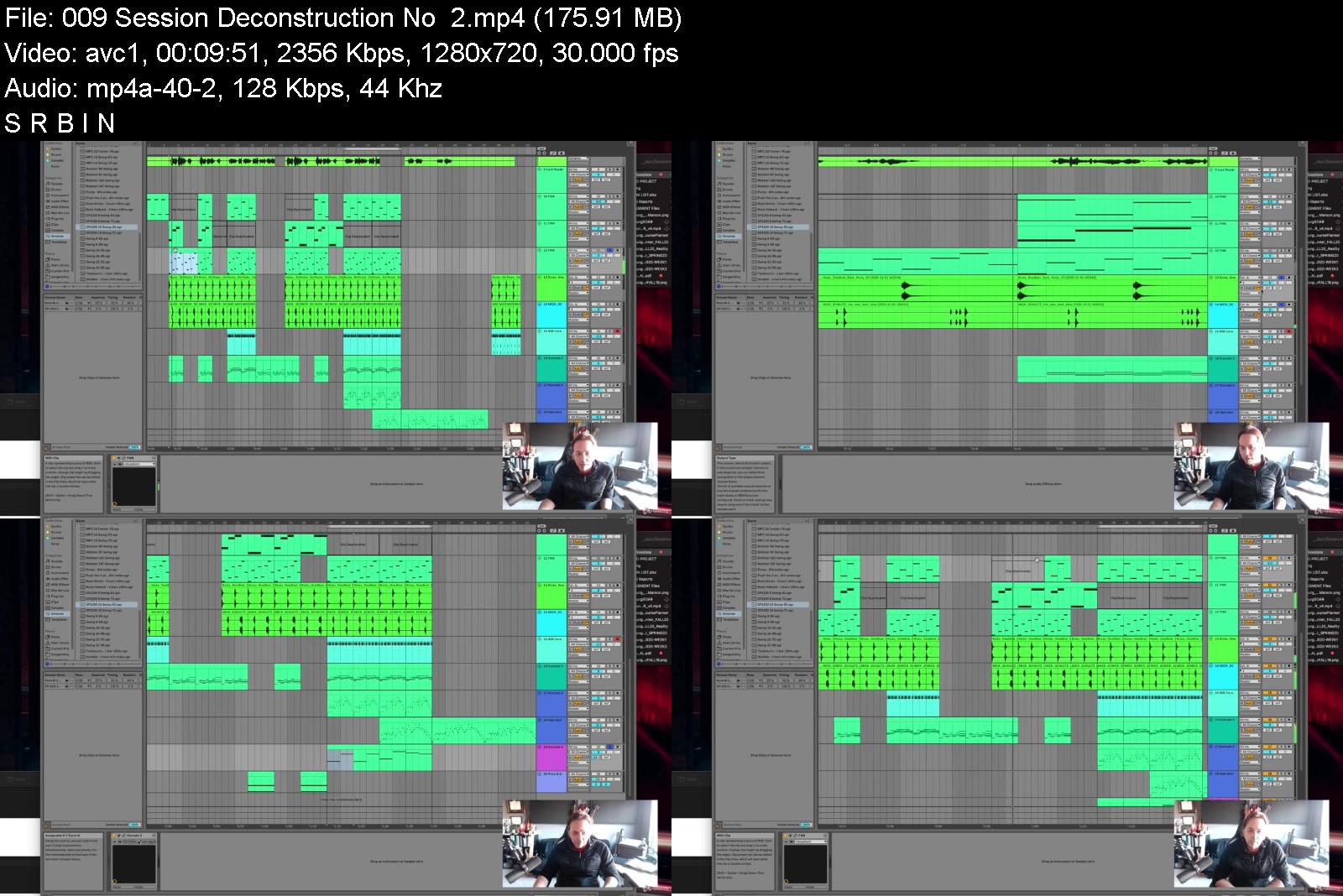
Ultimate Ableton Live 11: MasterClass (Contains Parts 1 - 3)

6crxvar6abbujjbtph9ascij1c.jpg


Ultimate Ableton Live 11: MasterClass (Contains Parts 1 - 3)
MP4 | Video: h264, 1280x720 | Audio: AAC, 44.1 KHz
Language: English | Size: 8.52 GB | Duration: 8h 33m

Ableton Live 11 Course featuring Music Production, Recording, Editing, Music Mixing, Songwriting & Music Theory


What you'll learn
At the end of this course, students will be able to produce music with Ableton Live and be on their way to being a professional musician.
Work in the Session View and Arrangement View of Ableton Live
Record Audio, Midi, and Understand Live's Signal Flow
Navigate 100% of Ableton Live
Produce music using Ableton Live
Students will understand the two views in Live.
The fundamentals to recording in Live
All possible ways of editing in Live
The 10 fundamentals to audio recording
The 6 fundamentals to MIDI recording
The essential tools for Warping
Editing and Producing in Arrangement view
Session View editing and Producing
Making Beats
The 7 (and more!) methods to making beats in Ableton Live
Producing with synths in Ableton Live
The 12 Ableton Live Instruments
The Wavetable Synth (similar to Serum)
The Ableton Live Samplers
The 3 uses of Racks
The 8 MIDI Effects
The 10 Time-based audio effects
The 17 frequency-based audio effects
The 7 Dynamic-based audio effects
Working with Controllers and DJ Tools
Performing with Ableton Live
Mixing in Ableton Live 11
Mastering in Ableton Live 11

Description
This course is "5-Star Certified" by the International Association of Online Music Educators and Institutions (IAOMEI). This course has been independently reviewed by a panel of experts and has received a stellar 5-star rating.

** Udemy Top Seller ** This is the new version of my Ableton Live 10 class that is a top-selling Udemy course with thousands of 4+ reviews, and tens of thousands of students!

100% Answer Rate! Every single question posted to this class is answered within 24 hours by the instructor.

Are you a music maker, aspiring producer, or professional producer looking to up your game? This is the place to start.

Ableton Live can be a little intimidating. It's a powerful program, and it has some oddities that you have to get used to. But don't worry - that's what I'm here for.

Hi - my name is Jason, and I am one of only a handful of Ableton Certified Trainers. That means I've proven myself both as a user and as an educator to the Ableton corporation, and they have given me their stamp of approval. I am the only Ableton Certified Trainer who also has a Ph.D. in music, and is a university professor as well.

Years ago I made my first Ableton class - a six-part class focused on Ableton Live 9. I learned from that and improved it in my top-rated Ableton Live 10 class, and now I've made it even better with my brand new Ableton Live 11 class.

Welcome to ULTIMATE ABLETON LIVE 11 Masterclass Edition: PARTS 1, 2, and 3 Combined.

This class contains the full versions of my three top Ableton Live 11 classes

Ultimate Ableton Live 11, Part 1: The Interface & The Basics

Ultimate Ableton Live 11, Part 2: Recording & Warping

Ultimate Ableton Live 11, Part 3: Producing & Editing

What is this Ableton Live 11 Course all about?

In this class, we are going to learn Ableton Live 11, and every aspect of the program. We will focus on how to do everything possible in Ableton Live, and you will finish this course as an expert in Ableton Live 11. Whether you have experience in music production already or not, this is the ultimate class to learn how to use the Ableton Live 11 software for any genre of music.

If you are using an earlier version of Ableton Live, (Live 10, or Live 9) you should be able to follow along with most of the class.

I'll also be giving you some extras

5 Downloadable Sessions - my own projects that you can use as starting points, and are free to do whatever you want with!

Almost 9 hours of downloadable videos that you will have lifetime access to.

My top production workflow techniques

A "Buyers Guide" for recording equipment, microphones, keyboards, speakers, and more.

And most importantly: Direct access to me. All questions posted in this class are answered, by me, within 24 hours.

This is a huge class! Here is a list of some of the topics we will cover

Navigating the 2 Views of Ableton Live

Arrangement View

Session View

What's New in Live 11

Getting Live: free ableton live versions, discounts, and more

Nearly 9 hours of ableton live tutorials.

Info View, Help View, and "Learning how to Learn" Ableton Live

Using the Clip Slot Grid

Live's Signal Flow

Recording Audio

Recording MIDI

Recording to the Arrangement

Editing Audio and MIDI

Automation

The Groove Pool

Full Track Deconstructions

Audio Recording Fundamentals

Microphone Selection and Microphone Placement

MIDI Controller Shopping

Multitrack Recording

Overdubbing, or "Punching in"

Recording Multiple Takes and "Comping"

Working with Effects

Recording MIDI

Velocity Mapping

Warping for Editing

Warping Beats

Warping Whole Tracks for Remixing

Arrangement View Editing

Session View Editing

Clip Fades

Setting Up Loops

Tempo Changes

Recording from Session to Arrangement View

Producing Beats

Breaking Up Loops

Recording and Writing Drum Racks

Using Take Lanes

Working with Synths

Working with Effects

Side-Chaining

Routing and Bussing

Resampling

And Much, Much, More!

My Promise to You

I am a full-time Music Producer and Educator. If you have any questions please post them in the class or send me a direct message. I will respond within 24 hours. And if you find this class isn't for you, I am more than happy for you to take advantage of the 30-day money-back guarantee. No questions asked.

What makes me qualified to teach you?

I've already told you that I am one of only a few Ableton Certified Trainers. I also have a PhD in music, I am a university music professor, and have a long list of awards for teaching.

But more importantly: I use Ableton Live 11 every day. I produce music professionally, and I stay on top of all the latest producing techniques, workflows, and styles. As you will see in this class, I just love this stuff. And I love teaching it.

You will not have another opportunity to learn about Ableton Live in a more comprehensive way than this.

The course is a roadmap to learn how to use Ableton live 10, how to use Ableton live 11, how to master music production, and more.

Let's get started!

See you in lesson 1.

All best,

Jason (but call me Jay...)

Who this course is for
Anyone in any country who is ready to start their music production by learning everything they need to know about how the make music with Ableton Live 11.
Beginners: If you don't know much about music production, this is the best class to start with.
Intermediate: If you've dabbled with Ableton Live, but are missing the foundational knowledge of the program, start here.
Advanced: People using Ableton Live on a daily basis will benefit from the workflow tips, vocabulary, and techniques in this course.


ultimateabletonlive11w7jif.jpg


Download from RapidGator


Download from NitroFlare


fb7bc579-1926-48cd-ad70-57fd79961f3d.png

Design your House Wiring
MP4 | Video: h264, 1280x720 | Audio: AAC, 44.1 KHz, 2 Ch
Genre: eLearning | Language: English | Duration: 9 lectures (31m) | Size: 204.1 MB

A beginner's guide to designing the wiring for a house
What you'll learn
Understand how his or her house is wired
How to do basic design of the wiring of a house
How to upgrade existing wiring design of their house
How to create wiring layout, determine the subcircuits, calculate loads, select wire sizes, circuit breakers, main switch, Distribution board etc.
Requirements
It is helpful to have high school level knowledge about Electricity.
Description
In this course you will learn how to design the wiring of a small house by taking a typical example. The course starts with an overview and explanation of typical wiring regulations. Given the interior design layout, you will learn how to create wiring layout, determine the subcircuits, calculate loads, select wire sizes, circuit breakers, main switch, Distribution board and earthing system. I have also gone through the exact wiring of each subcircuit. As a bonus section I have also gone into detail how to choose cables for your house. I have chosen only the basic configuration without going into details of wiring regulations or specifications and collated just the necessary information to get started with wiring design of a whole house in the shortest time possible. This course simplifies basic aspects of house wiring design even understandable to a layman, which is otherwise cumbersome to comprehend as it demands reference to many regulations and collating data from various sources. At the same time this course will act as a springboard for even technicians and engineers starting their career for more advanced wiring design. This course will help anyone who want to know how his or her house is wired, make new wiring designs or upgrade existing wiring design, without being totally reliant on the electrician.
Who this course is for
Anyone who wants to know about his house is wired and plan to build a new house or upgrade existing wiring system.
Homepage


5dee4088-4e4a-4255-83ab-7eb0fcd6848b.png

Designing Cloud Data Platforms, Video Edition
MP4 | Video: h264, 1280x720 | Audio: AAC, 44.1 KHz, 2 Ch
Genre: eLearning | Language: English | Duration: 96 Lessons (14h 13m) | Size: 1 GB

In Video Editions the narrator reads the book while the content, figures, code listings, diagrams, and text appear on the screen. Like an audiobook that you can also watch as a video
Centralized data warehouses, the long-time defacto standard for housing data for analytics, are rapidly giving way to multi-faceted cloud data platforms. Companies that embrace modern cloud data platforms benefit from an integrated view of their business using all of their data and can take advantage of advanced analytic practices to drive predictions and as yet unimagined data services. Designing Cloud Data Platforms is a hands-on guide to envisioning and designing a modern scalable data platform that takes full advantage of the flexibility of the cloud. As you read, you'll learn the core components of a cloud data platform design, along with the role of key technologies like Spark and Kafka Streams. You'll also explore setting up processes to manage cloud-based data, keep it secure, and using advanced analytic and BI tools to analyze it.
about the technology
Well-designed pipelines, storage systems, and APIs eliminate the complicated scaling and maintenance required with on-prem data centers. Once you learn the patterns for designing cloud data platforms, you'll maximize performance no matter which cloud vendor you use.
about the book
In Designing Cloud Data Platforms, Danil Zburivsky and Lynda Partner reveal a six-layer approach that increases flexibility and reduces costs. Discover patterns for ingesting data from a variety of sources, then learn to harness pre-built services provided by cloud vendors.
what's inside
Best practices for structured and unstructured data sets
Cloud-ready machine learning tools
Metadata and real-time analytics
Defensive architecture, access, and security
about the audience
For data professionals familiar with the basics of cloud computing, and Hadoop or Spark.
about the author
Danil Zburivsky has over 10 years of experience designing and supporting large-scale data infrastructure for enterprises across the globe. Lynda Partner is the VP of Analytics-as-a-Service at Pythian, and has been on the business side of data for over 20 years.
A comprehensive overview of cloud data platforms and a valuable resource.
Ubaldo Pescatore, Generali Business Solutions
A clear, concise, and useful guide.provides a great introduction to architectures and tools across the entire spectrum of applications and platforms.
Ken Fricklas, Google
A practical and realistic view of the architecture, challenges, and patterns of a cloud data platform.
Hugo Cruz, People Driven Technology
NARRATED BY CHRISTOPHER KENDRICK
Screenshots


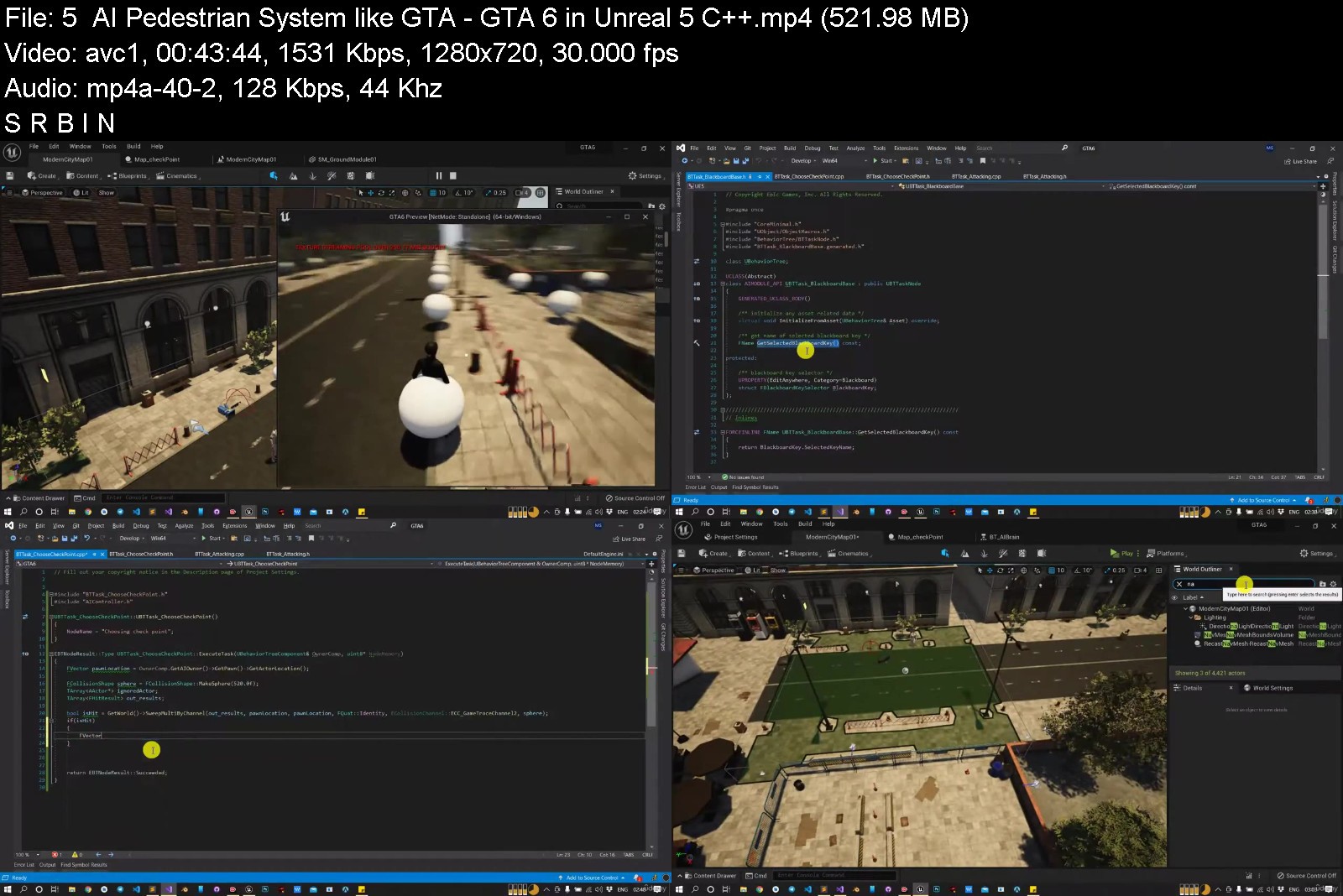
Make GTA Type game in UE5 C++ | beginner - Moderate

ka64ptg204w0bwlotelrxa2j9o.jpg


Make GTA Type game in UE5 C++ | beginner - Moderate
Genre: eLearning | MP4 | Video: h264, 1280x720 | Audio: AAC, 44.1 KHz
Language: English | Size: 6.35 GB | Duration: 10h 32m


What you'll learn
[/b]Basics of Unreal core frame work
Unreal C++ from scratch with proper understanding of each class
You will have proper understanding where we should use C++ and where we should use blueprint.
How to add Shooting mechanism in C++
How to add Human character and auto spawn system as Open world games do
AI Character including their perception (sight and hearing)
AI Pedestrian system
Navigation Invoker
Requirements
Basic Understanding of Unreal Blueprint
You don't need to have much knowledge of C++.
Description
Hi all,
Here you will learn about Unreal C++ basics. We will start by comparing why we should use C++ over the blueprint and what architecture does Unreal C++ uses and What is the basic functionality of all the classes and their hierarchy.
We will start making an open-world game and make Generic characters and NPC
You will learn how to make AIs spawning system works in the open-world game.
we will add Pedestrian systems, fighting system, and hand combat system all at run time.
The course also contains how to make an AI behavior tree and its component in C++.
We will make Behavior tree component all in C++ with coving all the basics of behavior trees.
By the end of the course, you can use your knowledge of C++ and Blueprints to build your own dream games. You can use the games built during this course for your personal projects moving forward, as you add more advanced features. Even if you thought C++ was difficult or intimidating before taking this course, you will learn how easy it is to code C++ within Unreal Engine 4 once you go through these lectures. Even if you are only interested in single-player type games, this course will be a great fit as it teaches many other concepts besides programming for multiplayer games.
Why Learn From Me

In this course, you will learn more than just programming in Unreal Engine 4. You will actually follow the 'Unreal Way' of making games in this Epic Games-approved course. Start off on the right foot and write effective C++ code using methods the engine creators have used themselves! I have been working with Unreal Engine 4 and creating game development tutorials since day one. Through this partnership with Epic Games, you will gain the skills to create stunning new projects and advance your professional aspirations in game development.
Who this course is for

People who have tried C++ with Unreal before but could not find the right tutorial to support their hands-on learning style. This course offers step-by-step guidance and lots of activities so you can master making games with C++.
Developers from Unity3D and other engines looking to dive into Unreal Engine programming.
If you have never touched a programming language before this course may not be for you. However, proficiency in Unreal's Blueprint visual scripting also counts as a valid foundation for this course as it shares the same concepts as languages like C++.
If you are an artist who wants to bring your ideas to life in a game, a Blueprint-focused course might be a better fit for you. Skim the course curriculum to see if you're interested in using the power of C++, networking, and AI programming to build out the technical structure of your game.


makegtatypegameinue5cblj3k.jpg


Download from RapidGator


Download from NitroFlare


Kv224p2Z0rDsrmTZ9besVxs6Xrf5YKdA.jpg

Detailed Django Rest API from Development to Production.
Genre: eLearning | MP4 | Video: h264, 1280x720 | Audio: AAC, 48.0 KHz
Language: English | Size: 4.77 GB | Duration: 9h 33m
Build a functional API with Docker, Celery, Redis, Rabbitmq, Flower, Nginx, Nginx Proxy manager, Portainer and more...

What you'll learn
You will learn how to use Docker with Celery, Redis, RabbitMQ, Flower with Django REST Framework
You will learn how to use Reverse Proxies with NGINX and NGINX Proxy Manager
You will learn how Secure an API with HTTPS with SSL Certificates from Letsencrypt
You will be Introduced to API testing with Pytest using factories and fixtures
You will learn how manage multiple Docker containers with Portainer
You will learn how to use shell scripts to automate and monitor processes
You will learn about UUID's (advantages and disadvantages) and how pseudo pri**** keys solve this.
You will learn how to implement Asynchronous tasks with Celery and Redis
You will learn how to Serve static and media files with Nginx and Whitenoise.
You will learn how implement Asynchronous tasks monitoring with Flower
You will learn how to work with Postgres within a Docker container, including how to perform backups using shell scripts.
You will learn how to setup an Ubuntu server, running Django over a Domain name.
You will learn how to use makefiles to make working with Docker easier.
Python Test coverage
Logging in Django
Token Based Authentication
Working with emails using Mailhog in development and Mailgun in production.
Requirements
This course is targeted at Python Developers with at least 6 months of web development experience. You should be familiar with the basic concepts surrounding shell scripts, Docker,API's and Django.
Its preferable that you use a computer with a linux based operating system or MacOS. If not possible, a windows machine will also work. In sections where there is a windows workaround, i will provide external resources
Description
Hi, welcome to this course on building a production ready, detailed Django REST API, running on a web server powered by NGINX, on a custom domain name and served securely over HTTPS with SSL Certificates from letsencrypt.
We shall achieve our goal by leveraging tools such as Docker, Celery, Redis, Rabbitmq, Flower, Nginx, Nginx Proxy manager, Portainer, shell scripts and more...
This course is targeted at those with at least 6 months of web development experience. Before beginning, you should have some familiarity with the following concepts, in as much as I will try to explain everything.
The concepts we shall cover include
Docker and containerization
Securing and API with HTTPS using SSL Certificates
REST APIs with Django and Django Rest Framework
Class Based and Function based views.
Shell Scripting.
Asynchronous tasks with Celery, Redis and Rabbitmq
Asynchronous tasks monitoring with Flower
Introduction to API testing with Pytest using factories and fixtures.
Token based authentication
Working with email in development with Mailhog and in production with Mailgun
Python Test coverage
Serving static and media files with NGINX and whitenoise
Makefiles and how they make working with Docker easier.
and much much more...........
All this shall be covered step by step, so that you can leverage the skills you learn in this course to build even bigger and better applications at scale.
My Hope is that you shall gain immense value from this.
Who this course is for
Beginner to Intermediate Python Developers curious about how to use Django REST Framework with shell scripts, Docker, Docker, Celery, Redis, Rabbitmq, Flower and Nginx. You will learn everything you need to know to combine these technologies in a production build by leveraging other tools such as Portainer, NGINX Proxy manager among others
Screenshots


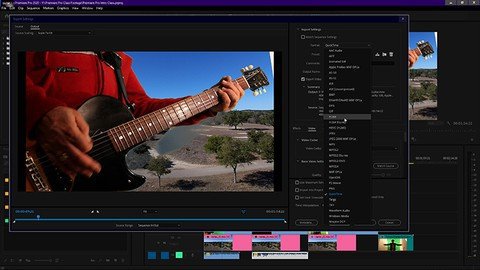
Premiere Pro Introductory Course

6zmoaiozte2chx3vqlrgf89kc6.jpg


Premiere Pro Introductory Course
Genre: eLearning | MP4 | Video: h264, 1280x720 | Audio: AAC, 48.0 KHz
Language: English | Size: 6.39 GB | Duration: 10h 8m


What you'll learn
[/b]This course works its way from the ground up and thoroughly covers the fundamentals each step of the way, from import, to edit and finally to export..
Learn how to import footage, organize folders and create sequences on the timeline.
Learn how to trim and rearrange footage on timeline efficiently with a few tools and techniques.
Learn how to apply effects to files on the timeline, and adjust the parameters of audio and video effects.
Learn how to adjust and fine tune audio in the timeline using the audio clip mixer and the audio track mixer.
Learn how to simplify the user interface with a few always open panels.
Tour the preferences panel and pull down menus.
An introduction to using the Lumetri scopes for grading.
Learn to export your sequence from the timeline with the export panel.
Learn how to archive your project.
Requirements
No experience is necessary. Prior editing experience is helpful. Premiere is layer based so experience with other Adobe products like photoshop will help to understand how Premiere functions.
Students should have Adobe Premiere Pro installed on their computers to follow along with the lectures. There are downloadable files used in this course, but you can use your own footage too.
We will be using Premiere Pro CC (Creative Cloud). Premiere Pro 2020 or up is recommended, but earlier versions will work as well..
Description
Premiere Pro is found in most of the production facilities around the world so learning Premiere means there are many possibilities for employment. The program has really come into its own over the last decade. For example, David Fincher's Gone Girl was the first major Hollywood production cut entirely on Premiere Pro. Although Premiere is a professional program, there are plenty of people learning Premiere who want to do their own projects. Premiere is perfect for professional settings as well as the home studio.
For those who are completely new to Premiere Pro and editing programs, and those wishing to take Premiere to a professional level, this course works its way through the fundamentals from the ground up and thoroughly covers the essentials, including: importing footage, organizing folders, creating sequences, trimming and rearranging footage, workflow considerations, transitions, effects, audio, Lumetri Scopes, exporting and archiving your project.
We begin with opening the program and learn how to generate a new project. We briefly discuss how to organize hardware like hard drives; is it better to have all internal drives? Or external drives? I break down what works well for most situations. What's the difference between the CPU (Computer Processing Unit) and GPU (Graphics Processing Unit)? And why it's important to know how each of them comes into play for editing software programs like Premiere Pro.
From there we move through the file import process and how to organize footage and assets to remain efficient. And then a tour of the User Interface with a thorough explanation of what the main panels do and what tools/functions are inside them. After we learn how to create a sequence (the footage we place on the timeline to create our project) we learn how to use a few essential tools and techniques to cut, place and rearrange our footage on the timeline within our sequence. We learn to add effects and how to adjust their parameters. We learn the Text Tool and some simple steps to animate the text. We demystify how to adjust audio and audio levels (it's not difficult). The process of color grading is introduced in the form of learning a few essential tools such as Waveform, Vector and RGB Parade scopes. When the project is finished we learn how to export our sequence, and use a popular codec (mp4) to render out to a finished file to post on well known sites like Youtube. Lastly, we will go over how to Archive your project.
Who this course is for
This course is designed for those with little to no experience with editing programs, those wishing to take Premiere to a professional level, and editors coming over from other editing platforms. Any experience level will benefit.


premiereprointroductotcjvd.jpg


Download from RapidGator


Download from NitroFlare


774cb894-a7bf-423f-9764-83ef95735838.png

Ecommerce Website Design with Divi Step by Step
MP4 | Video: h264, 1280x720 | Audio: AAC, 44.1 KHz, 2 Ch
Genre: eLearning | Language: English | Duration: 13 lectures (2h 11m) | Size: 946.6 MB

Complete Ecommerce Website Design with Divi
What you'll learn
They will be able to install WordPress, Install the Divi theme and setup Woo commerce
They will be able to add products to their stores
They will learn how to design an Ecommerce web pages step by step
They will be able to integrate a payment gateway in their Ecommerce stores
They will be able to connect their ecommerce stores to an Email marketing platforms
Requirements
No programming experience needed, the course is suitable for both beginners and advance learners
Description
This is a Complete Ecommerce Website Design with Divi Theme. It is a Step by Step Website Design and Development Tutorials for both beginners and Advance web developers. No Coding involved (WordPress). At the end of this training, you should be able to design a professional looking Ecommerce website from scratch for businesses on the internet and be charging people to help them with their websites. At the end of this training, you should be able to position yourself as a professional website designer and be your own BOSS! We are going to be using a software called WORDPRESS in designing this ecommerce website with an amazing and light weight theme called Divi. This will ensure your ecommerce website load fast and also responsive across various devices WordPress is an amazing tool that helps you design websites like business websites, ecommerce website, portfolio website, Landing pages, school portals as well as school management system.
What You Are Going To Learn in this Training Includes...
How to Design a Professional and Responsive Ecommerce Website with Divi
How to install WordPress
How to install the divi theme and customize it
How to install woocomerce plugin as well as the woocommerce setup
How to upload products into your ecommerce store
How to design web pages of your ecommerce store
How to connection your store to Email marketing platforms
How to integrate your ecommerce website to a payment gateway
And much more...........
Who this course is for
Beginners to Advance Web developers. No coding involved
Homepage


Zurück
Oben Unten