• Regeln für den Video-Bereich:

    In den Börsenbereich gehören nur Angebote die bereits den Allgemeinen Regeln entsprechen.

    Einteilung

    - Folgende Formate gehören in die angegeben Bereiche:
    - Filme: Encodierte Filme von BluRay, DVD, R5, TV, Screener sowie Telesyncs im Format DivX, XviD und x264.
    - DVD: Filme im Format DVD5, DVD9 und HD2DVD.
    - HD: Encodierte Filme mit der Auflösung 720p oder darüber von BluRay, DVD, R5, TV, Screener sowie Telesyncs im Format x264.
    - 3D: Encodierte Filme von BluRay, die in einem 3D Format vorliegen. Dies gilt auch für Dokus, Animation usw.
    - Serien: Cartoon/Zeichentrick, Anime, Tutorials, Dokumentationen, Konzerte/Musik, Sonstiges sind demnach in die entsprechenden Bereiche einzuordnen, auch wenn sie beispielsweise im High Definition-Format oder als DVD5/DVD9/HD2DVD vorliegen. Ausnahme 3D.
    - Bereich Englisch: Englische Releases gehören immer in diesen Bereich.
    - Bereich Talk: Der Bereich, in dem über die Releases diskutiert werden kann, darf, soll und erwünscht ist.


    Angebot/Beitrag erstellen

    - Ein Beitrag darf erst dann erstellt werden, wenn der Upload bei mindestens einem OCH komplett ist. Platzhalter sind untersagt.
    - Bei einem Scenerelease hat der Threadtitel ausschließlich aus dem originalen, unveränderten Releasenamen zu bestehen. Es dürfen keine Veränderungen wie z.B. Sterne, kleine Buchstaben o.ä. vorgenommen werden. Ausnahme Serienbörse:
    - Bei einem Sammelthread für eine Staffel entfällt aus dem Releasename natürlich der Name der Folge. Beispiel: Die Simpsons S21 German DVDRip XviD - ITG
    - Dementsprechend sind also u.a. verboten: Erweiterungen wie "Tipp", "empfehlenswert", "only", "reup", usw. / jegliche andere Zusatzinformation oder Ergänzung, welche nicht in obiger Beschreibung zu finden ist.

    Aufbau des Angebots und Threadtitel

    Der Titel nach folgendem Muster erstellt zu werden. <Name> [3D] [Staffel] [German] <Jahr> <Tonspur> [DL] [Auflösung] <Quelle> <Codec> - <Group>
    Beispiel: The Dark Knight German 2008 AC3 DVDRip XviD - iND
    Beispiel: The Dark Knight 2008 DTS DL BDRip x264 - iND
    Beispiel: The Dark Knight 2008 AC3 DL BDRip XviD - iND
    Beispiel: The Dark Knight German 2008 AC3 720p BluRay x264 iND
    Beispiel: The Dark Knight 2008 DTS DL 1080p BluRay x264 iND
    Beispiel: Die Simpsons S01 German AC3 DVDRip XviD iND
    Beispiel: Die Simpsons S20 German AC3 720p BluRay x264 iND
    Beispiel: Sword Art Online II Ger Sub 2014 AAC 1080p WEBRip x264 - peppermint
    Entsprechend sind also u.a. verboten: Sonderzeichen wie Klammern, Sterne, Ausrufezeichen, Unterstriche, Anführungszeichen / Erweiterungen wie "Tipp", "empfehlenswert", "only", "reup", usw. / jegliche andere Zusatzinformation oder Ergänzung, welche nicht in obiger Beschreibung zu finden ist
    Ausnahmen hiervon können in den Bereichen geregelt sein.

    Die Beiträge sollen wie folgt aufgebaut werden:
    Überschrift entspricht dem Threadtitel
    Cover
    kurze Inhaltsbeschreibung
    Format, Größe, Dauer sind gut lesbar für Downloader außerhalb des Spoilers zu vermerken
    Nfo sind immer Anzugeben und selbige immer im Spoiler in Textform.
    Sind keine Nfo vorhanden z.B. Eigenpublikationen, sind im Spoiler folgende Dateiinformationen zusätzlich anzugeben :
    Quelle
    Video (Auflösung und Bitrate)
    Ton (Sprache, Format und Bitrate der einzelnen Spuren)
    Untertitel (sofern vorhanden)
    Hosterangabe in Textform außerhalb eines Spoiler mit allen enthaltenen Hostern.
    Bei SD kann auf diese zusätzlichen Dateiinformationen verzichtet werden.

    Alle benötigten Passwörter sind, sofern vorhanden, in Textform im Angebot anzugeben.
    Spoiler im Spoiler mit Kommentaren :"Schon Bedankt?" sind unerwünscht.


    Releases

    - Sind Retail-Release verfügbar, sind alle anderen Variationen untersagt. Ausnahmen: Alle deutschen Retail-Release sind CUT, in diesem Fall sind dubbed UNCUT-Release zulässig.
    - Im Serien-Bereich gilt speziell: Wenn ein Retail vor Abschluss einer laufenden Staffel erscheint, darf diese Staffel noch zu Ende gebracht werden.62
    - Gleiche Releases sind unbedingt zusammenzufassen. Das bedeutet, es ist zwingend erforderlich, vor dem Erstellen eines Themas per Suchfunktion zu überprüfen, ob bereits ein Beitrag mit demselben Release besteht. Ist dies der Fall, ist der bereits vorhandene Beitrag zu verwenden.
    - P2P und Scene Releases dürfen nicht verändert oder gar unter einem iND Tag eingestellt werden.


    Support, Diskussionen und Suche

    - Supportanfragen sind entweder per PN oder im Bereich Talk zu stellen.
    - Diskussionen und Bewertungen sind im Talk Bereich zu führen. Fragen an die Uploader haben ausschließlich via PN zu erfolgen, und sind in den Angeboten untersagt.
    - Anfragen zu Upload-Wünschen sind nur im Bereich Suche Video erlaubt. Antworten dürfen nur auf Angebote von MyBoerse.bz verlinkt werden.


    Verbote

    - Untersagt sind mehrere Formate in einem einzigen Angebotsthread, wie beispielsweise das gleichzeitige Anbieten von DivX/XviD, 720p und 1080p in einem Thread. Pro Format, Release und Auflösung ist ein eigener Thread zu eröffnen.
    - Grundsätzlich ebenso verboten sind Dupes. Uploader haben sich an geeigneter Stelle darüber zu informieren, ob es sich bei einem Release um ein Dupe handelt.
    - Gefakte, nur teilweise lauffähige oder unvollständige Angebote sind untersagt. Dies gilt auch für eigene Publikationen, die augenscheinlich nicht selbst von z.B. einer DVD gerippt wurden. Laufende Serien, bei denen noch nicht alle Folgen verfügbar sind, dürfen erstellt und regelmäßig geupdatet werden.
    - Untersagt sind Angebote, welche nur und ausschließlich in einer anderen Sprache als deutsch oder englisch vorliegen. Ausnahmen sind VORHER mit den Moderatoren zu klären.


    Verstoß gegen die Regeln

    - Angebote oder Beiträge, die gegen die Forenregeln verstoßen, sind über den "Melden"-Button im Beitrag zu melden.
  • Bitte registriere dich zunächst um Beiträge zu verfassen und externe Links aufzurufen.

*** Bestes IPTV *** bester Preis *** gratis Test ***


Englische Tutorials

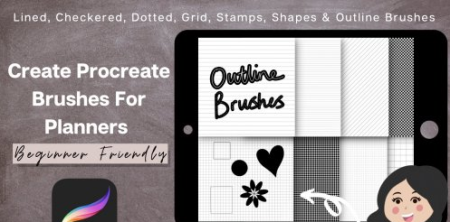
bca26e31-1082-44ae-870f-7c9a2cf38497.png

Procreate Brushes For Digital Planners - FREE Brushes Lined, Grid, Dot, Stamps
Duration: 46m | Video: .MP4, 1280x720, 30 fps | Audio: AAC, 48 kHz, 2ch | Size: 313 MB
Genre: eLearning | Language: English​

Welcome All,
I'm Janna, by day analyst, by night digital designer.
I first came across digital planning a while ago and was intrigued how they are made and all the functionalities.
Procreate brushes are a a super useful and essential tool for anyone looking to start creating digital planners or even wanting to sell brushes on places like Etsy where there is a huge market or those just wanting to learn more about procreate.
This class is a super useful class showing you how to create procreate brushes for digital planning. I will show you how to create lined paper, diagonal lined paper, checkered paper, grid paper, polka dot paper as well as basic outline brushes and stamp brushes and geometric shapes. These brushes will save you a lot of time when it comes to creating your digital planners.
Digital downloads are a perfect way to make extra income this year and I hope you can learn how to create your own brushes and sell these for passive income or to use in your own projects.
For this project you will need an iPad & Apple Pencil as well as the Procreate app
This class will feature the following topics
How To Create A Lined Paper Brush
How To Create A*Polka Dot Paper Brush
How To Create A Grid Paper Brush
How To Create A Checkered Paper Brush
How To*Create A Diagonal Lined Paper Brush
How To*Create*Two Outline Brushes
How To Create Stamp Brushes (Flower & Heart example)
How To Create Basic Geometric Shape Brushes
How To Organise & Share Brushes
How To Import A Brush Library Into Procreate
I will provide some free basic stamp brushes and one lined paper brush you can use for this course to test brushes out but please do try and make these yourselves as it is a super simple process.
Homepage
Screenshots


Koklh3t3PKnmd8T3vA5xu2PjrHnPsRBt.jpg

Python - Improve Logic building in Python for tests and interviews
MP4 | Video: h264, 1280x720 | Audio: AAC, 44.1 KHz
Language: English | Size: 142 MB | Duration: 45m​

In this course we will work on multiple programming examples in python to improve our logic building skills and have good understandings of concepts.
This course is interactive where student can code beside lectures.
Topics like string are covered that are of great importance.
We will learn how to declare a number even or odd by coding example.
This course will guide students on how to build logic when it comes to write code.
Screenshots


1a8c6b0e-55be-4aeb-bdb9-f2d87a2157d4.png

Python Course - Doing the Car Race Game with Turtle Module
MP4 | Video: h264, 1280x720 | Audio: AAC, 44.1 KHz, 2 Ch
Genre: eLearning | Language: English + srt | Duration: 14 lectures (1h 29m) | Size: 1.52 GB

Python, the Car Race Game Game with Python, Python Turtle Module, Python OOP, Python Graphics, Python Game Development
What you'll learn
You will be able to do games by using Turtle Module.
Can use "Class" to make projects.
Learn how to write your own Python programs.
Be confident in your Python programming abilities and knowledge so that you may apply for Python programming jobs.
Use Python to make your daily life easier.
You will learn Turtle Module very well.
Requirements
You should know the basic Python knowledge.
Description
Python is a programming language that is intended for both total beginners who have never coded before and experienced programmers who wish to broaden their career choices by learning Python. Python is, in reality, one of the most widely used programming languages in the world, with major corporations such as Google using it in mission-critical systems such as Google Search to great effect. Python, on the other hand, is the most popular programming language for machine learning, data science, and artificial intelligence. If you want to get one of those high-paying positions, you'll need to be an expert in Python, which is exactly what you'll learn from this course.
You will master the Turtle module with Python programming language in this course. Firstly, we will learn the basics about the Turtle module, then we will do the Car Race Game Game by using "Turtle Module". In this way, you will understand how the "class" work in Python.
Once you've completed the course, you'll be ready to submit applications with confidence for Python programming positions. And, sure, this is true even if you have never coded in your life before to now. You may become employable and useful in the eyes of future employers if you have the appropriate abilities, which you will acquire in this course and practice.
If you have any questions about this course, please contact me as soon as possible and I will respond to you the same day. With the help of this course, you will learn how to make your lives simpler by becoming familiar with the Python programming language. This will keep you motivated on a daily basis and prevent you from becoming bored while studying Python.
Who this course is for
Who want to learn Turtle Module.
Who want to learn OOP very well.
Who want to learn Python in an effective way.
Who want to communicate with computer.
Who want to use Python skills to get better jobs.
Homepage


008d1ad7_medium.jpg

Python from absolute beginner to a comfortable Intermediate
MP4 | Video: h264, 1280x720 | Audio: AAC, 44.1 KHz, 2 Ch
Genre: eLearning | Language: English | Duration: 36 lectures (8h 24m) | Size: 2.95 GB

In this course, I want to help you level up your python programming skills. I am confident this is the course you need!
What you'll learn
You will be taught Everything you need to know about python from absolute beginners to comfortable intermediate
Students should understand the Anaconda framework including; create virtual environments, installing libraries
Students will have full comprehension about file handling in python
Students should be able to debug their own codes and handle errors/exceptions
Students should be able to imagine how the python intepreter intepretes code
Students would know how to use requests to get data via api and visualize them on charts
Read and write data to Databases i.e. SQLite, PostGres, Firebase Databases
Working on Github and GitHub desktop, Github for Spyder i.e. Create repositories, commit and push to cloud
Student's mentality towards programming will be geared towards problem solving
Student's should be able to veer into other fields of programming; app development, data science etc.
Requirements
No prior experience or knowledge needed. I am going to treat students as absolute beginners
I will show you every step from scratch
Description
I don't just want to teach you "How to do " stuff", but I want to help you understand why they are used and when to use them. By the end of this course, you will think and imagine code like a real programmer.
The ultimate aim of this course is to move you from an absolute beginner who has no idea where to start from or how to code at all to a comfortable intermediate programmer ready to veer into any aspect of programming including; web-dev, app-dev, data science, machine learning, data mining, etc.
This means we will learn from scratch the basics;
from installing a simple and easy-to-use environment (a place where we write code) , learning the common data types and data structures in python, proceeding to control flows and functional programming by which time you would have been comfortable with the syntax and logic of the language.
Then we shall proceed to intermediate concepts where will learn some more functional programming and Object-Oriented Programming.
Later in the course, I will be showing you how to work with databases to store data by reading and writing to them as well as working on GitHub.
Every section of the course will include an assignment/quiz or task for you to try your hands; I believe that the best way of learning is by making mistakes. These tasks are well selected to suit the difficulty level of that section/video.
I can't wait to have you on board, why don't you join the chariot now!
Who this course is for
People who curious about programming in general
Absolute Beginner pythonists
Intermediates or beginners who want to sharpen their core knowledge about python and python concepts
Python developers who want to re-orient their mind to solve programming problems
Homepage


4e3d1e5a-3ee4-41cd-9034-b1025e52cc33.png

Rose Gold Enhanced Monogram on Marble with 25 Brushes and Gold and Foil Assets and Textures
Duration: 43m | Video: .MP4, 1280x720, 30 fps | Audio: AAC, 48 kHz, 2ch | Size: 572 MB
Genre: eLearning | Language: English​

I have always admired beautiful monograms. I have recently seen gorgeous ones sporting watercolor flowers and vines, and that was my incentive to create one for myself. It turned out to use many of the daily Procreate functions that I have been teaching you, including the use of clipping masks and the like. Once I realized that, I had a light-bulb moment, and thought it would be a great topic for a quick class. Even though you may know all about the use of clipping masks, repetition will give you even more ideas. There is always a little twist and, the end product is gorgeous!
Another thing I incorporated was the use of the liquify tool to create a sumptuous marble background on which our glitter and gold monogram will sit. It complements the design so well you will be impressed. We will do a two-step process for the purpose of adding the brushed gold to the marble. And if that isn't enough bling, I have included*5 of my Glitter and Gold brushes. With those, you can add that extra little something. And then you will have all of these brushes to use again and again.
I hope to see you in class!
In this class I'll walk you through
my step-by-step method for making marble in Procreate
tips for creating floral compositions for a varied and appealing layout
my workflow for use of layers and clipping masks and other great features like snapping
tips for helping the watercolour flowers really stand out
methods for creating vining leaves
If you're an aspiring graphic designer with a good basic knowledge of Procreate, you'll be able to go through all the steps. This class will benefit anyone who wishes to create assets for sale too.
The key concepts I will include
review of my brush alterations and adjustments
a look at Procreate brushes and their various idiosyncrasies
approaches you can take in your creative work
This is an ideal class for you, even if you are not sure what you will use the pattern for, whether it be for fabric design for sites like Spoonflower, scrapbooking paper, custom web graphics, or whatever! Learning new Procreate workflows is always desirable. I guarantee you will create something really appealing, and it's so much fun, once you get the hang of it!
Note: Have you had a chance to take my other Procreate classes, including Fantasy Gardens with Procreate and Simple Brushes in Procreate for Quick Compositions? If you have, you've learned plenty about custom Procreate brushes, but I still have more info for you! I have a series of pattern design classes too. Check it out!
Intro to*Rose Gold Enhanced Monogram on Marble
This short intro will give you an overview of the class and then we will get right into setting up the document.
Lesson 1: Discussing the Overview and Objectives
In this lesson, I will show you the objectives for class and explain how we will go about starting the project. I show you the layered file I created. I walk you through the beginning of planning.
Lesson 2:*Creating the Marble Background
In this lesson, I will break down the complete process of creating your marble background. I show you everything from creating the source file, using Push and Twirl Liquify functions, and adjusting curves settings. Knowing how to adjust layers is very important in Procreate and I give you a great inside tip. We complete the process by inserting and using a gold background that I have supplied.
Lesson 3: Setting Up the Lettering
In this lesson, we will be inserting the monogram letter and then adding the brushed gold finish. Once that is done, I will show you how to apply the gold glitter as a border. I will show you some of the key techniques I use and explain every step of the way. By the end of the lesson, you will have the beginnings of a lovely layout with plenty of interest, and you will know how to use most of the assets in the accompanying download.
Lesson 4: Adding the Flower Arrangement
This is the lesson in which we create the flower arrangement for enhancing the monogram. I show you a bunch more adjustments for brushes as we work our way through this lesson.
Lesson 5: Setting Up the Vine & Leaf Embellishments
In this lesson, we start getting to the nitty gritty of the final artwork. You will see me use several different techniques to add interest and detail, including vines and leaves. I show you the brushes I have included in the resources package, and I explain the settings and how to achieve good results. We will also add color variation to the leaves. Throughout the process you learn much more about brushes.
Lesson 6: Finalizing the Background with Foil Details
At this stage, we pull our layout together, and I will correct the small details that make it work. I bump up the contrast on the white of the leaves and many other small adjustments. We take a quick look at color adjustments and talk about next steps. This is the last step, and in this lesson, I will be wrapping up. This will show you just how versatile this technique can be and how valuable experimentation is in your development as a surface pattern designer.
Lesson 7: Conclusion, Mockup and Next Steps
We will conclude everything in this lesson. I show you a couple of quick mock-ups with the monogram and we end with a chat about next steps.
Concepts covered
Concepts covered include but are not limited to Procreate pattern design, inserting text into a Procreate document, layering, transparency, Procreate brush stamps, Gaussian Blur, Procreate canvas settings, Procreate snapping and guides, Procreate floral brush use, methods to brighten using hue and saturation, the Brush Studio in Procreate, adjusting Procreate brushes, working with pressure variability, sizing of documents and brushes, compositions with brush stamps, adding texture with brush stamps, procreate brushes for adding interest, workflow best practices, typography in Procreate, Procreate composites, techniques with paints and blending, and much more.
You will get the bonus of.
43 minutes of direction*from an instructor who has been in graphic design business and education for over 40 years
knowledge of multiple ways to solve each design challenge
an outline with links to further research
a list of helpful online sites to further your education into surface pattern design
Homepage
Screenshots







 
ada66388-bbdf-4f9e-a75c-beabab329aff.png

Social Skills & Communication Skills For Leaders & Managers
Duration: 3h 4m | Video: .MP4, 1280x720, 30 fps | Audio: AAC, 48 kHz, 2ch | Size: 1.09 GB
Genre: eLearning | Language: English​

Are you a leader or a manager? Have you ever been told that you could better communicate with people around you? Or simply, you would like to be a better communicator with your employees, the people you interact with or even people you randomly meet?
Improving your communication skills is something that can be learnt. You can better interact with others. Just imagine that you are the transmitter and the person is the receiver. As the transmitter, you send an information and the person receives it. That's the same principle with phones. If you send a text to a number, the person will receive it. What you write in that text message is up to you (you can change your message) and you can also change how you communicate it. In this case, instead of texting, you could call, face time, leave a voice mail etc. You are also in control of the frequency, the duration and the intensity of the interaction.
I wanted to illustrate the fact that you are in control of more parameters than you think when you communicate as a leader and manager. Your communication can be improved and this is what we'll see in this course.
What will you learn?
· You'll learn how to improve your communication with yourself so you can communicate more clearly and more confidently to others.
· You'll learn powerful tips to improve your communication when interacting with others (communicate with charisma and confidence, giving and receiving better feedback, be someone they can trust, be more assertive, challenge them with questions, communicate your decisions, communicate your vision, show them empathy, communicate with more passion and so much more)
· You'll discover what kind of leader/manager you are and how to better communicate based on your type.
· You'll learn how to motivate others (seeing the big picture, dealing with other people's disappointment, empowering people, motivating people and let go of unmotivated people)
This short, intense and practical course will help you have more success in your professional life by improving how you communicate with key people around you.
Enroll now and let's start your transformation!
Homepage
Screenshots



4ZHkOuGkI9aDJlC648vff6GXc83Nbfck.jpg

Software industry overview for Beginners
MP4 | Video: h264, 1280x720 | Audio: AAC, 44.1 KHz
Language: English | Size: 676 MB | Duration: 1h 2m
Building a career in a dynamic industry like software is far more challenging than it seems. A starter kit to begin.​

What you'll learn
Provide an overview of software engineering
Understand different kinds of roles in software/IT industry
Learn the broad categories of software companies
Analysis of software career with personal experiences as case study
Practical overview from a non first world country citizen's perspective
A realistic guide for navigating a fast changing profession
Links to more detailed resources for follow-up
Sugestions to tackle draining interview processes
Requirements
No programming experience needed.
You are exploring jobs in software industry
You have just started your career in software and want to understand how to grow.
Description
The course is an introduction to the complexity of waiting for a beginner in the software industry. There are no certifications or silver bullets to a long and fulfilling software career. The course provides a brief overview of the industry from an experienced engineer's perspective.
The main goal of the course is to make the aspirants aware of the big picture before they get caught up in confusing job descriptions. With personal experiences the perspective ensures to be tried and tested.
The voulme of sales and promises has exponentially grown but at the cost of accountability. A prosperous career cannot be purchased or fast tracked, it has to be nurtured with daily habits and coherent knowledge.
A long career will encounter many inflection points. Most only prepare for the best case scenarios but the the contrary ones are far more probable than one assumes. Since 2000, there have been atleast 3 spells of recessions in the industry due to completely different reasons.
Can one predict such events? No.
Does one have to predict such events? No.
So, what can one do? Be aware about the industry that you consider as source of income and ensure you stay relevant in it for as long as you need.
Who this course is for
Begineer software/IT engineers
Students planning to apply for software jobs
Beginner developers of Python, Java,C++,Rust, Scala,C, Terraform, JavaScript, ReactJS, Devops, Jenkins, Docker, Kubernetes
Professionals curious about growth and related factors
Screenshots


278aeb9c-8ad2-40a9-acf2-04c8dc1f91d4.png

Solana Blockchain Developer Bootcamp with Rust + Javascript
MP4 | Video: h264, 1280x720 | Audio: AAC, 44.1 KHz, 2 Ch
Genre: eLearning | Language: English | Duration: 41 lectures (2h 40m) | Size: 990.1 MB

Become an Expert Solana Blockchain Developer with One Course! Master Web3, DApps, NFTs, DeFi, and More!
What you'll learn
Become proficient in Solana programming by building projects
Understand how Solana programs (smart contracts) work, both in theory and in practice
Understand the development functions of Solana
Be able to comprehend the structure of Solana dapps
Become proficient in advanced development with Anchor
Understand blockchain technology, both in theory and in practice
Become proficient using Solana's major core development tools
Understand how decentralised technology works
Understand how to use Web3 in conjunction with the Solana blockchain
Requirements
A computer with Linux, macOS, or Windows
Beginner programming experience - recommended but not necessary
Description
Ready to master Solana blockchain development? You've come to the right place!
Blockchain technology is the most disruptive force in years, and amongst the various blockchains is the shining star that is Solana. It's faster, cheaper, and better for the environment than both Bitcoin and Ethereum. These factors mean Solana is growing exponentially despite being so new, and make it likely to reach mass adoption.
Large tech companies and start-ups alike cannot hire developers who understand blockchain technologies fast enough, but there are so few resources published to help you truly understand what blockchains are used for, let alone build apps with them.
That's the purpose of this course: to be the best resource online for learning about Solana, the blockchain, and how to build apps with these cutting-edge technologies.
By the end of this course, you'll
Be an expert Solana and Web3 developer
Be proficient at creating your own decentralised applications from scratch
Make millions from NFTs? Build a decentralised version of Uber? Create your own bank? Up to you!
In this course you'll cover
What the Solana blockchain is, how it works, and why it's so incredible
Deep dive into Solana development using Rust, JavaScript, and the command line
Full projects that will solidify your skills in DeFi (decentralised finance), NFTs (non-fungible tokens), dapps (decentralised apps), Web3, and more
If you want to take advantage of the cutting-edge Solana blockchain while it's still new and rapidly growing, this course is for you. All you need is beginner level programming experience.
What is Solana?
Solana is a cryptocurrency like Bitcoin or Ethereum. What differentiates it from the rest it is its speed, cost-effectiveness, and eco-friendliness, and these make Solana poised to overtake both Bitcoin and Ethereum in popularity and adoption. What's more, is that Solana makes it easy for developers like you to create decentralised applications focused on transferring value from one party to another. It even supports *programs* which are pieces of code that run on the blockchain, and which can replace your bank/real estate agency/ticket selling company/accountant/witch doctor.
Who this course is for
Individuals who want to take advantage of the cutting-edge Solana blockchain while it's new and rapidly growing
Homepage


th_bUXd31a75QFhO6gg6uARy5cTOhXQmXXX.jpg

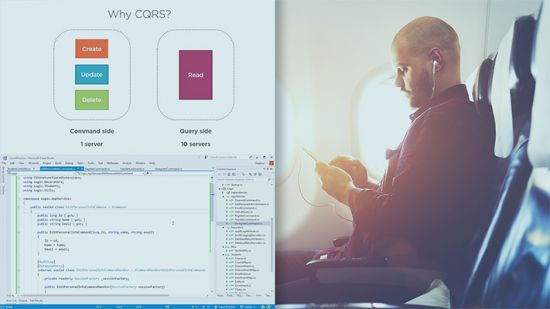
Test Driven Development in C# by Thomas Claudius Huber
Thomas Claudius Huber | Duration: 2h 26m | Video: H264 1280x720 | Audio: AAC 48 kHz 2ch | 429 MB | Language: English​

Test Driven Development (TDD) is a powerful approach to build solid and robust software. This course teaches you how to use TDD in C# to test and implement new features in your .NET projects.
At the core of writing solid and robust C# code is a thorough knowledge of Test Driven Development (TDD). In this course, Test Driven Development in C#, you will learn the skills you need to be able to apply TDD in your .NET projects. First, you will discover the basics of TDD and about the red-green-refactor cycle. Next, you will learn how to test and implement business logic for a .NET Core application with TDD. You'll use xUnit as a testing framework and Moq as a mocking library. Finally, your business logic will be used in an ASP.NET Core Razor Pages application, and you will use TDD to add additional features in that application. When you're finished with this course, you'll have a foundational knowledge of Test Driven Development that will help you as you move forward to test and implement new features in your C# projects.
Homepage


007dd220_medium.jpg

The Power BI Masterclass - Additional Tips and Tricks
MP4 | Video: h264, 1280x720 | Audio: AAC, 44.1 KHz, 2 Ch
Genre: eLearning | Language: English + srt | Duration: 33 lectures (5h 25m) | Size: 1.68 GB

How to learn Microsoft Power BI fast Power BI best tricks - How to become a successful data analyst in Power BI
What you'll learn
You learn Microsoft Power BI tips and tricks from project experience and research
You have additional knowledge you can apply in your next projects
You improve your skills which you have acquired in my other Power BI Masterclass courses on udemy
You are or want to become a data analyst
Requirements
Download Microsoft Power BI Desktop (free)
You should have worked with Microsoft Power BI before
If you have no experience I would encourage you to start with my Power BI Masterclass - beginners to advanced course first.
Description
Microsoft Power BI Masterclass - Additional Tips and Tricks
Business Intelligence / Business Analytics is in high demand. Companies are constantly searching for ways to make better and faster and smarter decisions. Therefore they rely heavily on data. Small company or Multinational - data driven decision making is the key to success for any business in the world of tomorrow.
Because of that companies are drastically increasing to step up their efforts to find skilled employees and freelancers with the necessary capabilities to help with analyzing data and creating valuable highly profitable insights.
Since there is way more demand than supply it is a "War for talent". And the competition will increase further. This environment is a bless for anyone who acquires the necessary capabilities and positions herself/himself
MS Power BI is an andvanced yet easy to get started self service business analytics / business intelligence solution provided by Microsoft which is currently in very hot demand. From my personal experience I can tell you that companies will actively searching for you if you master Power BI. Diving into data & analytics can not only immensly improve your career opportunities but also your job satisfaction!
Power BI is also a great tool for datascience too. A lot of data scientists like to use it for visualizing and presenting the findings. Therefore learning to use this tool can also be a valuable skill for datascience jobs.
This course extends my Power BI Masterclass series on udemy. This course is not topic specific like other ones. I wanted to share tips and tricks I learned from personal Microsoft Power BI projects and from personal research on this topic. My goal is to help all aspiring students with additional tips and tricks you can use to suceed in your next business intelligence projects.
Update: The complete Power BI Masterclass Series on udemy (I have aggregated some classes together to provide more content value per class for you. I really hope that serves you better!
1. Power BI Masterclass - beginners to advanced
2. Microsoft Power BI Masterclass - Expand Excellence
3.Power BI Masterclass - DAX, Excel And More
4. The Power BI Masterclass - Additional Tips and Tricks
5. Power BI Desktop - Data Prep Challenges
6. Power BI Masterclass - DAX, R and Gateways
7. Power BI Masterclass - Python Finance and Advanced DAX
8. Power BI Masterclass - the next level
9. Power BI DAX Fundamentals Mastering the Key Concepts
We got a lot to do so let's get into it.
Who this course is for
You are or want to become a data analyst
Data analysts and everyone who strives for a career in data analytics
students who want to master self service bi with Microsoft Power BI
students who have taken my Power BI Masterclass series on udemy
students who search additional skills in Microsoft Power BI Desktop
students who want to apply tips and tricks in Microsoft Power BI Desktop
You want to master self service BI with MS Power BI Desktop
You want additional ressources for your next Power BI Project solutions
Homepage


6271143b-77bb-45b3-9868-8a9b9a3ec561.png

The Practical Memory Techniques Course
Last Update: 2/2022
Duration: 1h 6m | Video: .MP4, 1280x720 30 fps | Audio: AAC, 48 kHz, 2ch | Size: 553 MB
Genre: eLearning | Language: English​

Best Everyday Practices to Improve Your Memory
What you'll learn:
At the end of my course, you will be able to remember where you put your objects and to remember why you went into a room when you have a mind blank;
You will learn how to remember people's names and faces and to memorize the exact order of one or more complete packs of cards;
Remember the dates for appointments, birthdays, anniversaries;
You will be able to learn one or more foreign languages easily;
If you're a student, this course will give you a boost for studying: Poems, History, Biology, Medical Terms, Mathematics or anything you want to learn;
It will be very easy for you to memorize the important points of speech or even the entire speech or presentation, and eliminate the fear of forgetting forever.
Requirements
There are no special requirements , other than having an interest in this fascinating area of Memory Improvement.
No prior knowledge in memory improvement required ! You will see for yourself how simple and handy this skill is!
Who this course is for
Anyone looking to develop new learning and memory improvement skills. This course is suitable for complete beginners,too.
People who think they have a bad memory and want to do something about it
Homepage
Screenshots


CWwEvAy3gJrTwbJZX4b69fSUGiFCfVNP.jpg

The Ultimate IELTS Writing Course
Genre: eLearning | MP4 | Video: h264, 1280x720 | Audio: AAC, 44.1 KHz
Language: English | Size: 6.12 GB | Duration: 10h 57m
Academic and General Training

What you'll learn
How to write high-scoring Task 1 and Task 2 essays (both academic and General Training)
Learn vocabulary and idiomatic expressions to increase your score
Learn grammatical structures to impress the examiner
Learn to improve coherence and cohesion score
Practice everything that you learn with interactive activities and quizzes
Requirements
You are expected to know intermediate English (around IELTS band score 5) to take this course.
Description
If you are aiming at 7 or higher in IELTS writing, this is the right course for you. There are many reasons why this comprehensive course is successful
We believe that learning happens when you are doing something, not when you are listening to lectures. That's why there are exercises and quizzes after every lesson that we teach.
We don't just focus on the structure of the essays! An examiner gives you 4 scores for 4 aspects of your writing: Task Achievement, Coherence and Cohesion, Vocabulary, and Grammar. We teach you all the 4 to make sure you get a high score.
The lessons and activities have been designed by IELTS professionals from Canada. They are college professors with decades of experience in IELTS.
The lessons are given in short videos. We have kept the videos short and to-the-point so that we can teach you important points quickly, without making you tired.
The words and idiomatic expressions that we teach are not random and from some book! They have been carefully selected by analyzing hundreds of successful essays.
We have planned what you should study each day. This way, you can make sure that you can prepare yourself on a schedule.
There are 3 courses in this package: Task 2 Essay, Academic Task 1, and General Training Task 1. So, no matter which module you take, we have you covered. Also, because your access to this course is lifetime, you can always come back if you need to prepare yourself for the other module.
Who this course is for
Everyone who is planning to take Academic or General Training IELTS test and wants to get a high score in the writing section
Screenshots


Zurück
Oben Unten