




• Regeln für den Video-Bereich:

    In den Börsenbereich gehören nur Angebote die bereits den Allgemeinen Regeln entsprechen.

    Einteilung

    - Folgende Formate gehören in die angegeben Bereiche:
    - Filme: Encodierte Filme von BluRay, DVD, R5, TV, Screener sowie Telesyncs im Format DivX, XviD und x264.
    - DVD: Filme im Format DVD5, DVD9 und HD2DVD.
    - HD: Encodierte Filme mit der Auflösung 720p oder darüber von BluRay, DVD, R5, TV, Screener sowie Telesyncs im Format x264.
    - 3D: Encodierte Filme von BluRay, die in einem 3D Format vorliegen. Dies gilt auch für Dokus, Animation usw.
    - Serien: Cartoon/Zeichentrick, Anime, Tutorials, Dokumentationen, Konzerte/Musik, Sonstiges sind demnach in die entsprechenden Bereiche einzuordnen, auch wenn sie beispielsweise im High Definition-Format oder als DVD5/DVD9/HD2DVD vorliegen. Ausnahme 3D.
    - Bereich Englisch: Englische Releases gehören immer in diesen Bereich.
    - Bereich Talk: Der Bereich, in dem über die Releases diskutiert werden kann, darf, soll und erwünscht ist.


    Angebot/Beitrag erstellen

    - Ein Beitrag darf erst dann erstellt werden, wenn der Upload bei mindestens einem OCH komplett ist. Platzhalter sind untersagt.
    - Bei einem Scenerelease hat der Threadtitel ausschließlich aus dem originalen, unveränderten Releasenamen zu bestehen. Es dürfen keine Veränderungen wie z.B. Sterne, kleine Buchstaben o.ä. vorgenommen werden. Ausnahme Serienbörse:
    - Bei einem Sammelthread für eine Staffel entfällt aus dem Releasename natürlich der Name der Folge. Beispiel: Die Simpsons S21 German DVDRip XviD - ITG
    - Dementsprechend sind also u.a. verboten: Erweiterungen wie "Tipp", "empfehlenswert", "only", "reup", usw. / jegliche andere Zusatzinformation oder Ergänzung, welche nicht in obiger Beschreibung zu finden ist.

    Aufbau des Angebots und Threadtitel

    Der Titel nach folgendem Muster erstellt zu werden. <Name> [3D] [Staffel] [German] <Jahr> <Tonspur> [DL] [Auflösung] <Quelle> <Codec> - <Group>
    Beispiel: The Dark Knight German 2008 AC3 DVDRip XviD - iND
    Beispiel: The Dark Knight 2008 DTS DL BDRip x264 - iND
    Beispiel: The Dark Knight 2008 AC3 DL BDRip XviD - iND
    Beispiel: The Dark Knight German 2008 AC3 720p BluRay x264 iND
    Beispiel: The Dark Knight 2008 DTS DL 1080p BluRay x264 iND
    Beispiel: Die Simpsons S01 German AC3 DVDRip XviD iND
    Beispiel: Die Simpsons S20 German AC3 720p BluRay x264 iND
    Beispiel: Sword Art Online II Ger Sub 2014 AAC 1080p WEBRip x264 - peppermint
    Entsprechend sind also u.a. verboten: Sonderzeichen wie Klammern, Sterne, Ausrufezeichen, Unterstriche, Anführungszeichen / Erweiterungen wie "Tipp", "empfehlenswert", "only", "reup", usw. / jegliche andere Zusatzinformation oder Ergänzung, welche nicht in obiger Beschreibung zu finden ist
    Ausnahmen hiervon können in den Bereichen geregelt sein.

    Die Beiträge sollen wie folgt aufgebaut werden:
    Überschrift entspricht dem Threadtitel
    Cover
    kurze Inhaltsbeschreibung
    Format, Größe, Dauer sind gut lesbar für Downloader außerhalb des Spoilers zu vermerken
    Nfo sind immer Anzugeben und selbige immer im Spoiler in Textform.
    Sind keine Nfo vorhanden z.B. Eigenpublikationen, sind im Spoiler folgende Dateiinformationen zusätzlich anzugeben :
    Quelle
    Video (Auflösung und Bitrate)
    Ton (Sprache, Format und Bitrate der einzelnen Spuren)
    Untertitel (sofern vorhanden)
    Hosterangabe in Textform außerhalb eines Spoiler mit allen enthaltenen Hostern.
    Bei SD kann auf diese zusätzlichen Dateiinformationen verzichtet werden.

    Alle benötigten Passwörter sind, sofern vorhanden, in Textform im Angebot anzugeben.
    Spoiler im Spoiler mit Kommentaren :"Schon Bedankt?" sind unerwünscht.


    Releases

    - Sind Retail-Release verfügbar, sind alle anderen Variationen untersagt. Ausnahmen: Alle deutschen Retail-Release sind CUT, in diesem Fall sind dubbed UNCUT-Release zulässig.
    - Im Serien-Bereich gilt speziell: Wenn ein Retail vor Abschluss einer laufenden Staffel erscheint, darf diese Staffel noch zu Ende gebracht werden.62
    - Gleiche Releases sind unbedingt zusammenzufassen. Das bedeutet, es ist zwingend erforderlich, vor dem Erstellen eines Themas per Suchfunktion zu überprüfen, ob bereits ein Beitrag mit demselben Release besteht. Ist dies der Fall, ist der bereits vorhandene Beitrag zu verwenden.
    - P2P und Scene Releases dürfen nicht verändert oder gar unter einem iND Tag eingestellt werden.


    Support, Diskussionen und Suche

    - Supportanfragen sind entweder per PN oder im Bereich Talk zu stellen.
    - Diskussionen und Bewertungen sind im Talk Bereich zu führen. Fragen an die Uploader haben ausschließlich via PN zu erfolgen, und sind in den Angeboten untersagt.
    - Anfragen zu Upload-Wünschen sind nur im Bereich Suche Video erlaubt. Antworten dürfen nur auf Angebote von MyBoerse.bz verlinkt werden.


    Verbote

    - Untersagt sind mehrere Formate in einem einzigen Angebotsthread, wie beispielsweise das gleichzeitige Anbieten von DivX/XviD, 720p und 1080p in einem Thread. Pro Format, Release und Auflösung ist ein eigener Thread zu eröffnen.
    - Grundsätzlich ebenso verboten sind Dupes. Uploader haben sich an geeigneter Stelle darüber zu informieren, ob es sich bei einem Release um ein Dupe handelt.
    - Gefakte, nur teilweise lauffähige oder unvollständige Angebote sind untersagt. Dies gilt auch für eigene Publikationen, die augenscheinlich nicht selbst von z.B. einer DVD gerippt wurden. Laufende Serien, bei denen noch nicht alle Folgen verfügbar sind, dürfen erstellt und regelmäßig geupdatet werden.
    - Untersagt sind Angebote, welche nur und ausschließlich in einer anderen Sprache als deutsch oder englisch vorliegen. Ausnahmen sind VORHER mit den Moderatoren zu klären.


    Verstoß gegen die Regeln

    - Angebote oder Beiträge, die gegen die Forenregeln verstoßen, sind über den "Melden"-Button im Beitrag zu melden.
  • Bitte registriere dich zunächst um Beiträge zu verfassen und externe Links aufzurufen.

*** Bestes IPTV *** bester Preis *** gratis Test ***


Englische Tutorials

FJIbQeC14D30X6wgiqZJF69ZDatQh76M.jpg

Learn Computer Vision with OpenCV and Python
MP4 | Video: h264, 1280x720 | Audio: AAC, 44.1 KHz
Language: English | Size: 4.38 GB | Duration: 8h 36m
Image processing basics, Object detection and tracking, Deep Learning, Facial landmarks and many special applications​

What you'll learn
Understanding the fundamentals of computer vision & image processing
Build computer vision applications using OpenCV
Improve programming skills in Python
Object detection and tracking examples
Deep Learning for Computer Vision
Beside learning some OpenCV functions, Also you will have many special examples with own algorithm
Requirements
Basic Python is a plus, but no programming knowledge is needed.
All the software needed in this course is free and open source.
Only install Python and OpenCV
Description
Note: You will find real world examples (not only using implemented functions in OpenCV) and i'll add more by the time. It means that course content will expand with new special examples!.
***New Chapter***: "How to Prepare dataset and Train Your Deep Learning Model" was added to the course. You will learn how to prepare a simple dataset, label the objects and train your own deep learning model.
***New Special App***: "Search team logos" was added to the course. You will learn how you can compare images and find similar image/object in your dataset.
***New Chapter***: "Special Apps - Missing and Abandoned Object Detection" was added to the course. You will learn how to do an application for missing object detection and abandoned object detection
***New Chapter***: Facial Landmarks and Special Applications (real time sleep and smile detection) videos was added to the course!
***Different Special Applications Chapter***: new videos in different topics will be shared under this chapter. You can look at "Soccer players detection" and "deep learning based API for object detection" examples.
In this course, you are going to learn computer vision & image processing from scratch. You will reach all resources, have many examples and explanations of these examples.
The explanations are easy to understand and also you can ask the points you need.
I have shared key concepts with you without the heavily mathematical theory, so we can focus the implementation.
Maybe you can find some other resources, videos or blogs to learn about some of these topics explained in my course, but the advantage of this course is that, you will learn computer vision from scratch by following an order, so that you will not loss yourself between many different sources.
You will also find many special examples beside the fundamental topics.
I preferred to use OpenCV which is an open source computer vision library used and supported by many people!. I have used OpenCV with Python, because Python allows us to focus on the problem easily without spending time for programming syntax/complex codes.
I wish this course to be useful for you to learn computer vision, and Actively we can use 'questions and answers' area to share information...
You will learn the topics
The key concepts of computer Vision & OpenCV
Basic operations: histogram equalization,thresholding, convolution, edge detection, sharpening ,morphological operations, image pyramids.
Keypoints and keypoint matching
Special App : mini game by using key points
Image segmentation: segmentation and contours, contour properties, line detection, circle detection, blob detection, watershed segmentation.
Special App: People counter
Object tracking:Tracking APIs, Filtering by Color.
Special App: Tracking of moving object
Object detection: haarcascade face and eye detection, HOG pedestrian detection
Object detection with Deep Learning
Extra Chapter: How to Prepare dataset and Train Your Deep Learning Model
Extra Chapter: Special Apps - Missing and Abandoned Object Detection
Extra Chapter: Facial Landmarks and Special Applications (real time sleep and smile detection)
Extra Chapter: Different Special Applications ( will be updated with special examples in different topics )
Who this course is for
Passion to learn computer vision from scratch
For students looking for computer vision applications
Screenshots










4MP37OD7UofqqC3qlzfrQpQYusGuuOKE.jpg

Learn JMETER from Scratch on Live Apps -Performance Testing
MP4 | Video: h264, 1280x720 | Audio: AAC, 44.1 KHz
Language: English | Size: 2.99 GB | Duration: 9h 56m
Top class Jmeter lectures explaining Load testing with real time examples including material and query support​

What you'll learn
At the end of this Course you will be able to understand how to put Load on Web applciations and REST API's
You will get clear idea on all the features available in Jmeter tool to write load testcases
Will gain knowledge on monitoring the application performance with the given load
You will complete knowledge on Jmeter addin plugins to make reports more effective
Integration of Selenium with Jmeter
Will understand Beanshell Scripting basics for Jmeter
Requirements
******You need NOT have any prior load testing experience to start this course*********Everything from scratch is taken care
Though these are online Lectures.You will have Life Time instructor support.You can post your Queries in discussion board or can contact me directly, Will respond in less than 12 hours
All Installation setup including performance testing is taken care as part of course
Theoretical Material,Code dump and Interview Guide are available for download
Join in our Jmeter Training community with ( 3000+ Students) Learning Together which you will not see in any other Jmeter online course on Udemy
Description
UPDATE: ***Course is fully updated in October with latest Jmeter version 5.0 revised lectures******
Performance Tester is in high Demand!!!!
Get Real Time exposure on Load Testing with the most popular open source Performance Testing tool - Jmeter
The most popular course in udemy with highest students enrollments and great feedbacks // Includes Life time instructor support
Course is designed in such a way that the user can start the things from the very scratch with out any prior knowledge on Jmeter or Performance Testing
On course completion You will be Mastered in desigining Performance Testcases with Jmeter and can implement Successfully it in your work place or will surely land on High Paying Jobs
****************************************************************************************************
This Course explains
Jmeter Introduction
Jmeter UI Components
Record and playing back with Proxy
Applying Load on Testcases with Thread Group
Analysing the Load with Listeners
Additional plugins to Listeners and Threadgroups
Assertions in Jmeter
Controllers in Jmeter
Practial usage of Controllers in desigining Jmeter Scripts
Timers usage in Jmete
r Constant throughput timer importance
Regular expression extraction for dynamic responses
Data driven Testing from external file
Importance of Correlation
Usage of Correlation on Dynamic values
Http cookie Manager and Link Parser
Beanshell Scripting Introduction
Jmeter Scripting with Beanshelll Language
Integration of Selenium Testcases with Jmeter
REST API overview and usage Load Testing on REST API's
By the end of this course you will able to design Robust Performance Testcases in Jmeter tool with the help of all features available in it and you can monitor the performance of application by with different Load Parameters
Happy Loading 
Who this course is for
Manual testers, Webservice Testers,Non-programming aware testers interested in learning Performance Testing
Screenshots


H8AIfXYbD3z5HjsXKlEtIalQXeXLqXBg.jpg

Learn MS Excel and Data Analysis
Genre: eLearning | MP4 | Video: h264, 1280x720 | Audio: AAC, 44.1 KHz
Language: English | Size: 1.33 GB | Duration: 3h 1m
Master Essential Excel Formulas and Analyze Financials Like a Pro

What you'll learn
Use Excel for Personal Finances
Use Excel for Stock Analysis
Calculate and Use Basic Excel Functions
Calculate and Use Advanced Excel Functions
Analyze Data in Excel
Create Pivot Tables
Excel Features
Lifetime Access to Excel Course + Quizzes & Worksheets
Analyze Financial Statements
Perform Business Analysis
Description
This course is designed with the Excel power user in mind. No prior knowledge of VLOOKUP, IF statements, PivotTables, Sensitivity Analysis, or other such formulas is required -- my goal is to teach you how to solve business problems in Excel.
***Extensive Experience as an eLearning video creator, course creator, for Udemy with over 8000 students.***
By the time you finish this course, you will have a deep understanding of the advanced tools that are built into Excel - and you'll be able to apply your newfound knowledge in your job, schoolwork, or home life.
You will be able to analyze the company's balance sheet and P&L in a short period of time.
Are you interested in using Microsoft Excel to analyze your data, but don't know where to start? Listen to this course and you'll learn how to use some of the most powerful functions, like VLOOKUP, INDEX/MATCH, and CHOOSE, as well as some of the lesser-known tricks like combining IF statements with array formulas.
This course is created for one simple purpose
to show people that is possible to master Excel with a few simple techniques.
If you are
a complete newbie when it comes to Excel and business modeling
an experienced user who wants to learn more about excel, advanced functions, and how to apply these functions for personal finances.
I will also show you how to convert Excel from a basic spreadsheet into an analytics tool by explaining some of the most powerful tools that Excel has been hiding from you.
Learn how to calculate your mortgage, solve for unknowns in equations, build a stocks portfolio that grows over time. Gain the excel skills to achieve your financial goals.
Once you understand some of the basics about how Excel functions, you will find it to be a powerful tool for organizing and analyzing data, so you can make informed decisions about everything from your home mortgage payments to your stocks or bond portfolio.
This is the course I wish I had when I just started using Excel in college for building a stocks portfolio. It covers everything from the basics to investment banking formulas and ratios.
If you are ready to master Excel and start crushing your spreadsheets, this is the course for you.
Easy to follow, with practical examples that show exactly how Excel can help you achieve your goals faster.
Start today!
Who this course is for
Beginner MS Excel users and those who would like to use excel for data analysis and portfolio creation
Everyone who wants to accelerate their careers
Business professionals who want to expand their Excel knowledge
Students taking Finance classes and who want to master Excel
Financial analysts looking to jumpstart their careers
Screenshots


008d1120_medium.jpg

MVI architecture for Android with XML layouts
MP4 | Video: h264, 1280x720 | Audio: AAC, 44.1 KHz, 2 Ch
Genre: eLearning | Language: English + srt | Duration: 15 lectures (1h 23m) | Size: 538.7 MB

Learn MVI - Model View Intent - Architecture with XML layouts. We use MVVM, Coroutines, Retrofit, Glide and Kotlin
What you'll learn
Android Architectures
MVI Architecture
MVVM Architecture
Android development
Requirements
Android development knowledge
Description
In this course we discuss the MVI - Model View Intent - architecture for Android development.
The MVI Architecture is the newest iteration in the MVX types or architectures for Android, and brings with it a few different benefits. Most importantly, user interaction traceability, system state predictability and ultimately, improved scalability and testability.
As an Android developer, it's important to stay up to date with the latest developments.
This architecture has distinct advantages and disadvantages that are important to know when deciding whether to implement it in your application. In addition, it's important to be able to discuss it in an Android interview, where you might be judged on whether or you have heard of it.
In this course, we will go through a theoretical description of Android architectures in general, such as MVC - Model View Controller, MVP - Model View Presenter and MVVM - Model View ViewModel. Finally we will see what the new MVI Architecture brings to the table.
We will also implement the knowledge we learned in a practical application. We will build an app that retrieves a list of animals from a backend api, and displays it in a list in the application. The application will showcase how to use the MVI architecture in a simple case, so that it's easier to understand.
This is also an excellent project course for someone who wants to sharpen their Android development skills.
So sign up today and let's learn about the MVI architecture as it applies to Android development.
Who this course is for
Beginner Android developers
Advanced Android developers
Homepage


127e5ef3-8841-4422-999f-e5c2701b5e6b.png

Memory Experts Tools MEGA PACK- All 6 courses
Duration: 5h 52m | Video: .MP4, 1280x720, 30 fps | Audio: AAC, 48 kHz, 2ch | Size: 2.24 GB
Genre: eLearning | Language: English​

**WELCOME TO THE MEMORY EXPERTS' TOOLS SERIES: 6 in 1 BUNDLE COURSE**
With*almost 6 hours of video lectures in 6 courses and with a lot of useful supplemental resources, this course will help you to really improve your memory and will give you the tools you need to make lasting improvements in your life, your studies and in your career.
At the end of this course, you will have all the tools, the entire Memory Arsenal,*for becoming a Memory Athlete.
In the next lessons you will find actionable, easy-to-apply techniques and activities that can be used immediately to ensure your success in different situations that you face every day.
Here are the 6 courses of the series
1. Memory Experts' Tools: The Loci Method
2. Memory Experts' Tools: The Person-Action (Dominic) System
3. Memory Experts' Tools: The PAO (Person-Action-Object) System
4. Memory Experts' Tools: The Major System
5. Memory Experts' Tools: The PEG System
6. Memory Experts' Tools: Memorize Playing Cards like a PRO
Whether you are at the beginning of your journey to improving your memory, or you already have notions in this area, I am convinced that in this course you will find new and interesting things to apply to your daily activities.
Keep in mind that these methods and systems are tested and used by memory experts and they will also work for you!
Although I am not the one who invented these methods, I hope I will be a good teacher to help you understand what I wanted to present to you in this course.
I'm sure you will find them very useful!
Chris M*Nemo
Memory Improvement Writer and Blogger at The Mnemo Bay
Homepage
Screenshots


Yrgeqk9ViAe16Ih5GQA8bw9jonLzeqiN.jpg

Meraki in depth
Genre: eLearning | MP4 | Video: h264, 1280x720 | Audio: AAC, 48.0 KHz
Language: English | Size: 1.66 GB | Duration: 4h 6m
Go beyond the Meraki basics in this deep dive course to get a thorough understanding of the Cisco Meraki Solution.


What you'll learn
An In depth understanding of the full Meraki solution stack
Learn where Meraki excels and where it has limitations
Learn the best practices around deployment and management of Meraki
Gain an in depth understanding of the relevant security features
Requirements
A good understanding of Meraki or willingness to do the additional work.
Description
This course will assume that you know the basics of Meraki covered in our "Design, Build and Manage a Cisco Meraki Network" course. Building on this base we will cover the full Meraki Stack including MR, MX, MS and the MV Range. You can watch over our engineer's shoulder as he runs through the best practices for each product line and covers common issues that you can avoid by following the best practice steps.
While the course is aimed at an intermediate level, with a little extra work someone at a basic level could also easily follow along.
For each product set we will cover off not only the capabilities, but also the limitations. Meraki is designed for simplicity and while this a large part of what makes it so powerful it is also important to know about its limitations.
Where applicable we have also included comparisons to other Vendors or product sets within Cisco. For example in the switching range we cover the best practices for using a Meraki Access Layer alongside a Cisco Core network.
Ideal students for this course
Students that want to extend their knowledge of Meraki
Students that want an in-depth working knowledge of Cisco's fastest growing product set.
Security conscious students
Those looking to get ahead in Cloud Networking
Who this course is for
Intermediate Meraki Users
Screenshots


008271d5_medium.jpg

Microsoft Word 2021 For Beginners (Windows/Mac)
MP4 | Video: h264, 1280x720 | Audio: AAC, 44.1 KHz, 2 Ch
Genre: eLearning | Language: English + srt | Duration: 88 lectures (4h 38m) | Size: 1.44 GB

Basic level of Microsoft Word. You could follow by Word 2010, 2013, 2016, 2019, Word 2021, Office 365 Both Windows & Mac
What you'll learn
MS Word for both Windows & Mac versions covered
Microsoft Word Fundamentals
Make your own document easily
Create, Save, Export, Close, Open & Print Documents
Format your texts and elements
Find, Replace, Selection, Add or Clear Formatting
Make your own Styles & Layouts
Create Tables, Charts & Organization charts
Create a complete document with all basic features you need
Working with References such as Table of Contents
Work with pictures, shapes, word arts, etc.
Working with layout such as Columns, Page break, Section Break, Column Break
Cover Page, Header & Footer, Endnote, Footnote, Hyperlink, Tabs, Themes, etc.
equation & symbols
Useful Tips & Tricks
And many more features ...
Requirements
Basic Computer Knowledge
Description
Generally, you will learn the basic workflow of Microsoft Word 2021 to create your own documents.
Also, you will learn
Most useful features of Microsoft word
Basic fundamentals document creation
َAlignment, Direction for RTL & LTR
How to quickly and easily make your own documents
Manage your document such as save, open, export & printing
Text formating & Styles
Make your tables, charts, smart arts, etc
Adding header & footer, page number, date, footnote & endnote
Use or make your own cover pages
Table of content
Columns, break, tabs
Paragraph, views, layout, design
Useful Tips & Tricks
any many more ...
What is a requirement to path this course?
Basic understanding of computer and Windows or Mac OS.
Of course a computer and OS
Microsoft Office word
Also, I recommend having a computer with a minimum of 2GB of RAM.
I tried to teach you the most simple and correct method to achieve maximum performance in less time as possible.
Also, I provided Assignments and quizzes to examine and review your learning progress.
Generally, we go step by step main features from the first tab forward
You could follow both on Windows or Mac
And office older versions
* This course will continuously update with new features, additional tips and students request or suggestions
I am always available to assist you with any question, request, or difficulty, so what are you waiting for? Join me in this journey and enjoy new skills learning.
Who this course is for
Who looking for general job which requires IT skills
Who want to make own document for daily tasks
Who is familiar a bit with MS Word and looking to improve that
Who looking for done daily office tasks


th_eSAqxzjdbROnFdyKHpTtEmptlWtN0MVX.jpg

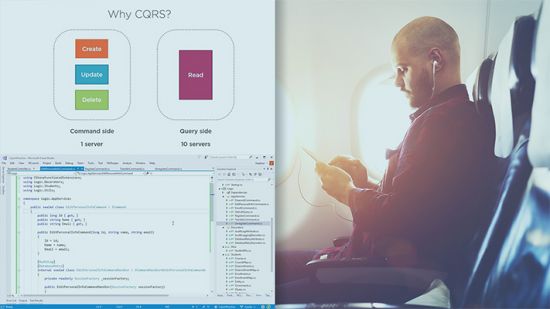
Modern Software Architecture: Domain Models, CQRS, and Event Sourcing
Dino Esposito | Duration: 4h 25m | Video: H264 1024x576 | Audio: AAC 44,1 kHz 2ch | 934 MB | Language: English​

This course covers DDD analysis patterns helpful in discovering the top-level architecture of a business domain. Architects and developers will find details of implementation patterns such as Domain Model, CQRS, and Event Sourcing.
This course covers DDD analysis patterns helpful in discovering the top-level architecture of a business domain. Architects and developers will find details of implementation patterns such as
• Domain Model
• CQRS
• Event Sourcing
Homepage


Nqy80F4pjp9X9E2B8UiSAbWvNxo5RvXr.jpg

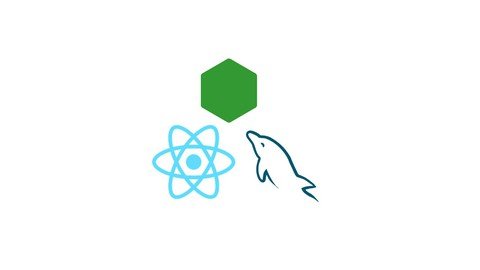
Node, Express, React JS & MySQL full stack web development
MP4 | Video: h264, 1280x720 | Audio: AAC, 44.1 KHz
Language: English | Size: 511 MB | Duration: 1h 7m
learn to create a full stack web application from scratch using React JS, Node, Express JS and MySQL​

What you'll learn
Full Stack Web Development
Backend Development with Node, Express JS and MySQL
Front End Web Development with React JS
Build RESTful APIs
Requirements
basic html, css and javascript
Description
Hello Everyone, and welcome to this course on React JS, Node, Express JS and MySQL full-stack web development.
In this course, you will learn how to develop a web application from scratch using popular technologies such as
* MySQL for the database.
* Node, Express JS for the back end web development.
* And the latest React JS for the front end web development.
-We will first start with installing and setting up the environment needed for our database, back end project and front end project.
-Then we will develop REST API end points using Node and Express JS.
-Finally we will be using React JS to design the front end part of our App.
* You will learn how to create the navigation menu and tables using bootstrap, add routing and navigation to our React App, add modal pop up window with drop downs and date pickers, and also add upload profile picture functionality and store it in the backend server. We will also learn how to add custom filtering and sorting features without using any third party packages.
I am sure that this course will definitely help you in your journey as a full stack web developer.
Welcome to the course, and happy learning.
Who this course is for
Backend developers, Frontend developers, Node JS developers, Angular, React and Vue JS developers
Screenshots


605aa70f-b827-451e-af8d-800fad6fc1ef.png

Pivot table basics in 30 minutes
MP4 | Video: h264, 1280x720 | Audio: AAC, 44.1 KHz, 2 Ch
Genre: eLearning | Language: English | Duration: 9 lectures (31m) | Size: 251.6 MB

Using wordle as a mechanism to remember the functions
What you'll learn
Basic pivot table usage
Defining the data
Creating the first pivot
Copying pivots, moving pivots and refreshing pivots
Basic filters
Manipulating pivot fields to display your sum****
Adding slicers to simplify your pivot analysis
Requirements
We will take you from first principles, but you will need to have basic familiarity with Excel.
Description
Pivot tables made simple.
The techniques you need to master pivot tables and make your data analysis easier.
100s of hours of study and practice package into 30 minutes of practical and memorable ways to learn pivot tables and bring them into your toolkit.
What we'll study: Defining and preparing the data, Creating pivot tables, Moving and copying pivots, Basic pivot analysis, Basic filters,
Advanced filters, Manipulating the pivot to display your sum**** and more!
Who I made this course for
Anyone who work with lists of data who need to quickly slice and dice to summarise
Meet your instructor
Adam Kramer
Spreadsheet fanatic Many years developing systems for organisations. Taught hundreds of in person and online sessions.
Frequently Asked Questions
1 Is this chalk and talk? No - we encourage you to work on the data as we go
2 I've tried to learn pivot tables before. Why will this work? We have a themed way to teach the syllabus in a memorable and easy to recall way
3 Do you do this course for Google Sheets? Yes, we do
4 Do I need prior experience of Pivot tables? No - we will take you from first principles, but you will need to have basic familiarity with Excel
Who this course is for
Anyone who work with lists of data who need to quickly slice and dice to summarise
Homepage


fgOc5QGVTzC8mrCyLTWBkXyt5CsSv7Xa.jpg

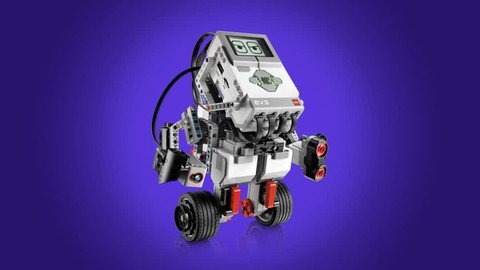
Practical Intro To Reinforcement Learning Using Robotics
Genre: eLearning | MP4 | Video: h264, 1280x720 | Audio: AAC, 44.1 KHz
Language: English | Size: 2.47 GB | Duration: 2h 40m
Learn to build robots that can automatically learn to behave well in their environments without explicit instructions.


What you'll learn
Understanding the differences between Reinforcement Learning and the other AI paradigms.
Identifying areas in robotics where Reinforcement Learning can be applied.
Framing problems in robotics as Reinforcement Learning problems.
Applying the Multi-Armed Bandit algorithm to help robots to automatically learn expected behaviours.
Developing reward functions for Reinforcement Learning in robotic contexts.
Using Python to control sensor and actuators on EV3 Mindstorms robots.
Programming simple robots that can automatically learn the best actions to take in their environments.
Understanding the multi-armed bandit algorithm.
Balancing exploration and exploitation using various strategies.
Requirements
Be able to understand basic OOP programs in Python.
Basic algebra skills. If you know how to add, subtract, multiply, and divide number, then you are fit for this course.
Description
Diving into Reinforcement Learning can seem daunting if you don't have the proper hands-on guidance. Many times, people have asked me whether they should master Deep Learning before delving into Reinforcement Learning and my answer has always been that "it depends on what you want to do with RL". RL is a broad domain in its own respect. There are classical RL algorithms that can be learned and applied without any Deep Learning experience. There is also Deep Reinforcement Learning which leverages neural networks to help RL agents to learn proper behaviors in their environment through trials-and-error with reward functions.
This course has been designed to be the easiest and fastest basic entry point into RL and its applications in Robotics. From the first to the last videos, I explain every concept in RL in the context of robotics. I am intentional about this because I want to empower you to readily know when and how to apply RL techniques in Robotics. It is not an advanced course. Instead, it is your best option when you are getting started in RL (without any prior knowledge) and you are interested in being able to readily apply what you learn in your robotic projects.
Even though I use sensors and actuators from the EV3 Mindstorms robotics kit in the hands-on implementation sessions, you don't necessarily have to purpose the kit to get the best out of this course. It will certainly enhance your learning experience if you have the kit but don't worry if you don't. Without the kit, you can still understand the concepts and apply them on any robotic platform. It is my desire that after finishing this course, your passion for RL will be ignited and you will study further to know about more advanced algorithms and techniques.
So, while this course won't teach you how to build super-human capabilities into your robotics projects, you will certainly learn how to program robots to behave well in their environments without explicit instructions on what's considered "proper behavior".
Who this course is for
Anyone with a basic Python skills desiring to the started in Reinforcement Learning through robotics.
Experienced AI Engineers, ML Engineers, Data Scientist, and Software Engineers wanting to apply Reinforcement Learning to real business problems.
Robotic Engineers seeking how AI can be leveraged in their field.
Robotics enthusiasts desiring to add simple AI capabilities to their projects.
Screenshots


LTa4J8hFMT9VsYBQHneF2IQX79FP7czH.jpg

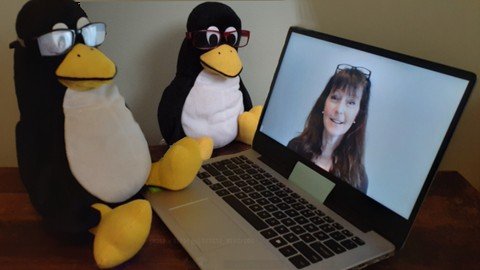
Prep for the LPIC-1 Exam 102-500 Linux System Administrator
Genre: eLearning | MP4 | Video: h264, 1280x720 | Audio: AAC, 44.1 KHz
Language: English | Size: 3.25 GB | Duration: 10h 45m
Conquer the test with this extensive course that covers 100% of the LPIC-1 Exam 102-500 certification objectives


What you'll learn
Explore all the LPIC-1 102-500 exam's objectives in small digestible chunks
Examine medium to advanced Linux command-line concepts
Expand your Linux knowledge from simple hands-on application to advance configurations
Walk the path with a guide to the mountain top of LPIC-1 Exam 102-500 materials
Gather the skills needed to perform your own in-depth explorations in the Linux environment
Conquer the difficult exam topics with help from a trained Linux expert
Prepare your brain to recall all of the LPIC-1 Exam 102-500 objective topics
Requirements
Those who want to engage with this course should have completed the LPIC-1 Exam 101-500 course on Udemy and/or passed the LPIC-1 101-500 exam.
Individuals who want to take this course should have general computing knowledge, and are either currently or recently employed in the IT field or are in college actively seeking an IT degree.
Those who wish to pursue this course's material should have experience with Linux, such as interacting with the command-line environment.
Description
If you are seeking to pass the LPIC-1 102-500 exam, then this course is for you! This course provides coverage of 100% of the exam objectives and topics in an easy-to-digest format, and a practice exam to help test your knowledge.
In this course you will
Explore all the LPIC-1 102-500 exam's objectives and concepts.
Obtain basic knowledge on Linux shell scripting.
Gather a basket of advanced Linux term definitions, such as shadow passwords, subshells, MTA, and asymmetric encryption.
Participate in a guided-tour through advanced Linux concepts, such as port scanning, configuring locale, scheduling jobs with systemd transient timers, using sudo, and synchronizing the system's clock via NTP.
Obtaining your LPIC-1 certification demonstrates that you have the Linux skills to get the job done, and it increases your future salary potential. The Linux Professional Institute LPIC-1 certification is respected around the world, so you can get a job anywhere, even if the company is on the other side of the globe.
In this course, the LPIC-1 Exam 102-500 objectives are divided up into bit-sized chunks. These chunks have been organized in an educational manner, instead of numerical, allowing you to better grasp concepts. You'll watch a few video lectures that include exploring the objective items at the Linux command line. After that, you can take your own guided-tour through the concepts using hands-on labs. Each group of lectures has a practice quiz to help reinforce the section's information, increasing the chances of permanently storing the concepts into your memory for later recall. There is also a complete practice exam at the end of the course to check your readiness for the real LPIC-1 Exam.
Who's your instructor in this course? I'm an award-winning certified instructor who has taught Linux classes at the college-level and beyond for years. I am also a world-renowned author who has written several educational books on Linux topics. In addition, I have personal experience with system administration and learning new-to-me operating systems. Therefore, I know how to break up concepts and order them for faster consumption.
If you want to pass the LPIC-I 102-500 certification exam, then this is the right course for you! Own your own Linux throne! Let's get started.
Who this course is for
This course is for individuals who have passed the first LPIC-1 certification exam (101-500).
This course is for those who want to pass the second LPIC-1 certification exam (102-500).
The materials in this course are built for both the individual who has some knowledge about Linux, and those people who are already Linux power-users but need a refresher.
This course is also for individuals who are curious about Linux and would like to further explore the Linux command line as a system administrator.
This course is not for individuals who are new to Linux.
Screenshots


Zurück
Oben Unten