• Regeln für den Video-Bereich:

    In den Börsenbereich gehören nur Angebote die bereits den Allgemeinen Regeln entsprechen.

    Einteilung

    - Folgende Formate gehören in die angegeben Bereiche:
    - Filme: Encodierte Filme von BluRay, DVD, R5, TV, Screener sowie Telesyncs im Format DivX, XviD und x264.
    - DVD: Filme im Format DVD5, DVD9 und HD2DVD.
    - HD: Encodierte Filme mit der Auflösung 720p oder darüber von BluRay, DVD, R5, TV, Screener sowie Telesyncs im Format x264.
    - 3D: Encodierte Filme von BluRay, die in einem 3D Format vorliegen. Dies gilt auch für Dokus, Animation usw.
    - Serien: Cartoon/Zeichentrick, Anime, Tutorials, Dokumentationen, Konzerte/Musik, Sonstiges sind demnach in die entsprechenden Bereiche einzuordnen, auch wenn sie beispielsweise im High Definition-Format oder als DVD5/DVD9/HD2DVD vorliegen. Ausnahme 3D.
    - Bereich Englisch: Englische Releases gehören immer in diesen Bereich.
    - Bereich Talk: Der Bereich, in dem über die Releases diskutiert werden kann, darf, soll und erwünscht ist.


    Angebot/Beitrag erstellen

    - Ein Beitrag darf erst dann erstellt werden, wenn der Upload bei mindestens einem OCH komplett ist. Platzhalter sind untersagt.
    - Bei einem Scenerelease hat der Threadtitel ausschließlich aus dem originalen, unveränderten Releasenamen zu bestehen. Es dürfen keine Veränderungen wie z.B. Sterne, kleine Buchstaben o.ä. vorgenommen werden. Ausnahme Serienbörse:
    - Bei einem Sammelthread für eine Staffel entfällt aus dem Releasename natürlich der Name der Folge. Beispiel: Die Simpsons S21 German DVDRip XviD - ITG
    - Dementsprechend sind also u.a. verboten: Erweiterungen wie "Tipp", "empfehlenswert", "only", "reup", usw. / jegliche andere Zusatzinformation oder Ergänzung, welche nicht in obiger Beschreibung zu finden ist.

    Aufbau des Angebots und Threadtitel

    Der Titel nach folgendem Muster erstellt zu werden. <Name> [3D] [Staffel] [German] <Jahr> <Tonspur> [DL] [Auflösung] <Quelle> <Codec> - <Group>
    Beispiel: The Dark Knight German 2008 AC3 DVDRip XviD - iND
    Beispiel: The Dark Knight 2008 DTS DL BDRip x264 - iND
    Beispiel: The Dark Knight 2008 AC3 DL BDRip XviD - iND
    Beispiel: The Dark Knight German 2008 AC3 720p BluRay x264 iND
    Beispiel: The Dark Knight 2008 DTS DL 1080p BluRay x264 iND
    Beispiel: Die Simpsons S01 German AC3 DVDRip XviD iND
    Beispiel: Die Simpsons S20 German AC3 720p BluRay x264 iND
    Beispiel: Sword Art Online II Ger Sub 2014 AAC 1080p WEBRip x264 - peppermint
    Entsprechend sind also u.a. verboten: Sonderzeichen wie Klammern, Sterne, Ausrufezeichen, Unterstriche, Anführungszeichen / Erweiterungen wie "Tipp", "empfehlenswert", "only", "reup", usw. / jegliche andere Zusatzinformation oder Ergänzung, welche nicht in obiger Beschreibung zu finden ist
    Ausnahmen hiervon können in den Bereichen geregelt sein.

    Die Beiträge sollen wie folgt aufgebaut werden:
    Überschrift entspricht dem Threadtitel
    Cover
    kurze Inhaltsbeschreibung
    Format, Größe, Dauer sind gut lesbar für Downloader außerhalb des Spoilers zu vermerken
    Nfo sind immer Anzugeben und selbige immer im Spoiler in Textform.
    Sind keine Nfo vorhanden z.B. Eigenpublikationen, sind im Spoiler folgende Dateiinformationen zusätzlich anzugeben :
    Quelle
    Video (Auflösung und Bitrate)
    Ton (Sprache, Format und Bitrate der einzelnen Spuren)
    Untertitel (sofern vorhanden)
    Hosterangabe in Textform außerhalb eines Spoiler mit allen enthaltenen Hostern.
    Bei SD kann auf diese zusätzlichen Dateiinformationen verzichtet werden.

    Alle benötigten Passwörter sind, sofern vorhanden, in Textform im Angebot anzugeben.
    Spoiler im Spoiler mit Kommentaren :"Schon Bedankt?" sind unerwünscht.


    Releases

    - Sind Retail-Release verfügbar, sind alle anderen Variationen untersagt. Ausnahmen: Alle deutschen Retail-Release sind CUT, in diesem Fall sind dubbed UNCUT-Release zulässig.
    - Im Serien-Bereich gilt speziell: Wenn ein Retail vor Abschluss einer laufenden Staffel erscheint, darf diese Staffel noch zu Ende gebracht werden.62
    - Gleiche Releases sind unbedingt zusammenzufassen. Das bedeutet, es ist zwingend erforderlich, vor dem Erstellen eines Themas per Suchfunktion zu überprüfen, ob bereits ein Beitrag mit demselben Release besteht. Ist dies der Fall, ist der bereits vorhandene Beitrag zu verwenden.
    - P2P und Scene Releases dürfen nicht verändert oder gar unter einem iND Tag eingestellt werden.


    Support, Diskussionen und Suche

    - Supportanfragen sind entweder per PN oder im Bereich Talk zu stellen.
    - Diskussionen und Bewertungen sind im Talk Bereich zu führen. Fragen an die Uploader haben ausschließlich via PN zu erfolgen, und sind in den Angeboten untersagt.
    - Anfragen zu Upload-Wünschen sind nur im Bereich Suche Video erlaubt. Antworten dürfen nur auf Angebote von MyBoerse.bz verlinkt werden.


    Verbote

    - Untersagt sind mehrere Formate in einem einzigen Angebotsthread, wie beispielsweise das gleichzeitige Anbieten von DivX/XviD, 720p und 1080p in einem Thread. Pro Format, Release und Auflösung ist ein eigener Thread zu eröffnen.
    - Grundsätzlich ebenso verboten sind Dupes. Uploader haben sich an geeigneter Stelle darüber zu informieren, ob es sich bei einem Release um ein Dupe handelt.
    - Gefakte, nur teilweise lauffähige oder unvollständige Angebote sind untersagt. Dies gilt auch für eigene Publikationen, die augenscheinlich nicht selbst von z.B. einer DVD gerippt wurden. Laufende Serien, bei denen noch nicht alle Folgen verfügbar sind, dürfen erstellt und regelmäßig geupdatet werden.
    - Untersagt sind Angebote, welche nur und ausschließlich in einer anderen Sprache als deutsch oder englisch vorliegen. Ausnahmen sind VORHER mit den Moderatoren zu klären.


    Verstoß gegen die Regeln

    - Angebote oder Beiträge, die gegen die Forenregeln verstoßen, sind über den "Melden"-Button im Beitrag zu melden.
  • Bitte registriere dich zunächst um Beiträge zu verfassen und externe Links aufzurufen.

*** Bestes IPTV *** bester Preis *** gratis Test ***


Englische Tutorials

7453de30bb2aee1dd42497a7da2107fe.jpg

Learn 3D Rendering by Lighting a Daytime Interior Scene: Developing Skills in Blender
Duration: 2h 5m | Video: .MP4, 1280x720, 30 fps | Audio: AAC, 48 kHz, 2ch | Size: 1.55 GB
Genre: eLearning | Language: English​

Rundown
Follow along as we develop the lighting for an interior daytime*scene. In this course you'll learn about key elements that help to establish a natural looking daytime scene using free resources(see disclaimer below). I will be taking you through my typical process of building up the lighting for a scene such as this; from creating the natural light setup, to adding the practical(physical) lights, to adding some compositing adjustments for final output. We'll also*be doing some character/shot based lighting. The software used in the class is*Blender along with*it's native render engine Cycles, which is completely free so go download yourself some Blender and jump on in!(follow the link below or give it a quick Google to download). If you have any questions along the way, by all means feel free to send a message and I'll get back to you as soon as possible :)
Topics covered
Setting up an initial natural lighting setup as a*foundation to work from
Creating practical/physical lights to fill out the scene
Applying character/shot based lighting to help shape out the character and create seperation
Adding volumetric effects to help add atmosphere/depth
Compositing the final render for final output
Software Used
I used*Blender 3.0 and*Cycles(it's native render engine)*to create this scene. If you don't already have*Blender you can download*it for free from the Blender website (
).
Disclaimer
While watching the lesson*videos for this class I would recommend opening the associated project file for that*lesson every time you start a new video. This approach will help you better learn the content within this course, especially if you're at a beginner experience level.
To develop this class I used free resources found on the Blender website since they were already good to go and ready to be have lighting applied. You can find links to the original files in the projects and resources section of this class.
Also note I'm not an animator so forgive the characters lackluster pose ;)
Below*are the final renders you will learn how to light from from the ground up in this class.
Homepage
Screenshots







 
00898bb4_medium.jpg

Learn Complete WordPress & Create Your Own Website
MP4 | Video: h264, 1280x720 | Audio: AAC, 44.1 KHz, 2 Ch
Genre: eLearning | Language: English | Duration: 18 lectures (46m) | Size: 304.5 MB

Learn at your own pace
What you'll learn
Learners can learn WordPress in detail as all the concepts have been explained practically with demo.
Learners would be able to create their own website.
Learners become employable after this course as they can create websites for others as well.
Along with WordPress, I have covered other tools as well which are required for ranking your website like Google Search Console, AdSense, Google Analytics
Requirements
Anyone with interest in the subject can learn WordPress. No technical skills are required.
You need a domain & hosting (server to host your domain) to start with it.
Description
The course contains high-quality 64 videos. The content is to the point, and everything has been shown practically. All the features required for a good website have been covered. If you follow the course practically along with the instructor, then you will be able to create your own website. A non-e-commerce website & an e-commerce website both have been covered. Apart from WordPress features, other tools required to be integrated have also been covered. Like, Google Search Console, Google AdSense, Google Analytics. Blogging is also an important topic when we are talking about a website. That has also been taken care.
How you need to proceed
1) Follow step by step.
2) Theory clarity is important to make your concepts strong.
3) 2 Websites have been created during the course so you will be able to work on every kind of website.
4) How to search outside for anything required like theme, plugin, that is important because WordPress has n number of features & plugins so everything can not be covered in one course. Variety has been covered here so that you get the best exposure.
5) Page speed & mobile responsiveness are 2 important factors in the ranking of a website so that has been covered thoroughly like that can be achieved.
Who this course is for
The course is for those who want to learn website designing without coding. It is completely drag & dop functionality. Going online is the future for every business so this is one of the demanding course in the market.
Homepage


ba14e57e-f2d3-4d11-8a2f-d1822b3d0195.png

Learn Physical Red Team Operations
MP4 | Video: h264, 1280x720 | Audio: AAC, 44.1 KHz, 2 Ch
Genre: eLearning | Language: English + srt | Duration: 55 lectures (5h 33m) | Size: 4.9 GB

Physical Penetration Testing with the REDTEAMOPSEC Methodology
What you'll learn
What is Red Teaming, Physical Red Teaming
Introduction to Red Teaming
Introduction to the REDTEAMOPSEC Methodology
Development of the Rules of Engagement
Offline reconnaissance
"Boots on the ground" surveillance
Rally point and staging selection
Video and photographic recon capture
Intelligence collection and review
Operational plan development
Templates, plans, and other downloads
Requirements
No physical red team experience is necessary. You will learn everything you need to know.
Description
Getting paid to break into buildings, legally? Lock picking, camera evasion, social engineering, even ethical hacking? That's what Physical Penetration Testers do. They test company security using the same techniques the bad guys do and that's what I did for over a decade as the founder and CEO of RedTeam Security and subject of viral Youtube video called, "Hacking the Grid." In this course, you can learn the process firsthand that my team used to break into some of the biggest companies.
Physical Penetration Testers, also known as a Red Team, are highly trained, experienced individuals who know how to infiltrate secure offices, buildings, warehouses, and more by employing techniques accomplished attackers use in Physical Red Team Operations. Many Physical Red Team operators work for government and organizations of all sizes in many industries. They use special skills in lock picking, camera evasion, covert reconnaissance, ethical hacking, social engineering, and more.
The Physical Red Teaming Operations Series is a group of four (4) pre-recorded training modules designed to teach students how to conduct Physical Red Team Operations comprehensively and repeatedly with precision and accuracy.
The training modules are pre-recorded and allow students to learn at their own pace on their own schedule. Based upon my published book, Physical Red Team Operations: Physical Penetration Testing with the REDTEAMOPSEC™ Methodology - for the first time in the industry, creator and founder, Jeremiah Talamantes teaches how to consistently, accurately, and efficiently execute Physical Red Team Operations leveraging the comprehensive REDTEAMOPSEC™ Methodology.
MODULE 1 Strategies
Introduction to the REDTEAMOPSEC Methodology
Development of the Rules of Engagement
Offline reconnaissance
"Boots on the ground" surveillance
Rally point and staging selection
Video and photographic recon capture
Intelligence collection and review
Operational plan development
Templates, plans, and other downloads
MODULE 2 Strategies
Mobilizing the red team
Deployment to the Staging site
Staging the team for covert infiltration
Inter-team communication and prowords
Assessing the environment for delta changes
Repositioning when things go wrong in the field
MODULE 3 Strategies
Introduction to the REDTEAMOPSEC Methodology
Environmental considerations in the field
Urban vs Rural settlements
Cover and concealment strategies
Team formation and hand signaling
Exploiting doors, motion sensors, locks, etc.
Establishing cardinal position once inside a facility
Movement within a building
MODULE 4 Strategies
Introduction to the REDTEAMOPSEC Methodology
Carrying out operational orders
Key SITREP reports to the Red Team Leader
Outcomes of the mission standing
Orderly covert evacuation from a facility
Evasion of security controls, personnel, and social engineering
Flag exfiltration
Mission port-mortem, notes, evidence capture, and briefing
Who this course is for
Anyone looking to start a career as a Physical Red Teamer
Anyone curious about Physical Penetration Testing
Homepage


qRyvTODmTssHRAxFYgkPuPfLzRsE9jUO.jpg

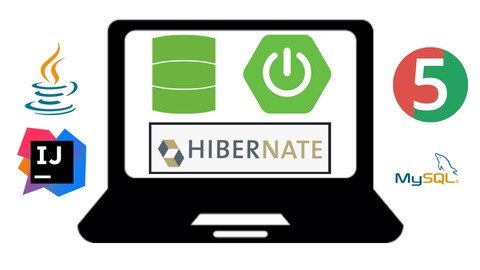
Learn Spring Data JPA with Hibernate
Genre: eLearning | MP4 | Video: h264, 1280x720 | Audio: AAC, 44.1 KHz
Language: English | Size: 5.01 GB | Duration: 8h 34m
Learn everything about Spring Data JPA using Hibernate as JPA Implementation Provider

What you'll learn
Learn how to use Spring Data JPA in the Spring boot application
Learn how to use JPA annotations to create an entity and map to a database table
Learn 4 Types of Pri**** key generation strategies - AUTO, IDENTITY, SEQUENCE, and TABLE
Learn how to use the Lombok library to reduce a boilerplate code
Learn Spring Data JPA Repository Interfaces and Its Hierarchy
Learn Steps to use Spring Data JPA Repository
Learn Important Spring Data JPA Repository Methods (CRUD Operations)
Learn how to create Query Methods or Finder Methods using method names
Learn how to create JPQL and Native SQL Queries using @Query Annotation
Learn how to create JPQL and Native SQL Queries With Named Queries
Learn how to implement Pagination and Sorting using Spring Data JPA
Learn JPA/Hibernate one to one mapping using Spring Data JPA
Learn JPA/Hibernate one to Many mapping using Spring Data JPA
Learn JPA/Hibernate Many to Many mapping using Spring Data JPA
Unit Testing Spring Data JPA Repository using @DataJpaTest annotation
Requirements
Basic understanding of JPA and Hibernate
Basic understanding of SQL
Good to know Spring Boot basics
Description
In this course, you will learn how to use Spring Data JPA and its features to reduce a lot of boilerplate code.
Throughout this course, we will build entities (Product, ProductCategory, Order, OrderItems, User, Roles) and repositories for a simple e-commerce application.
The source code and PDF files (class notes) are available for download.
Problem
In typical three-layer Spring boot application architecture, we create three layers - Controller, Service, and DAO/Repository layer.
If we use JPA/Hibernate then write a lot of coding while implementing DAO/Repository layer - We repeat the same code again and again so what will be the solution to reduce the boilerplat code.
Solution
Spring Data JPA provides a solution to reduce a lot of boilerplate code.
We can use Spring Data JPA to reduce the amount of boilerplate code required to implement the data access object (DAO) layer.
Spring Data JPA is not a JPA provider. It is a library/framework that adds an extra layer of abstraction on the top of our JPA provider (like Hibernate). Spring Data JPA uses Hibernate as a default JPA provider.
What you will learn in this course?
- Learn how to build entities and repositories for a simple e-commerce application
- Learn how to use Spring Data JPA in the Spring boot application
- Learn how to use JPA annotations to create an entity and map to a database table
- Learn 4 Types of Pri**** key generation strategies - AUTO, IDENTITY, SEQUENCE, and TABLE
- Learn how to use the Lombok library to reduce a boilerplate code
- Learn Spring Data JPA Repository Interfaces and Its Hierarchy
- Learn Steps to use Spring Data JPA Repository
- Learn Important Spring Data JPA Repository Methods
- Learn how to create Query Methods or Finder Methods using method names
- Learn how to create JPQL and Native SQL Queries using @Query Annotation
- Learn how to create JPQL and Native SQL Queries With Named Queries
- Learn how to implement Pagination and Sorting using Spring Data JPA
- Learn JPA/Hibernate one to one mapping using Spring Data JPA
- Learn JPA/Hibernate one to Many mapping using Spring Data JPA
- Learn JPA/Hibernate Many to Many mapping using Spring Data JPA
- Unit Testing Spring Data JPA Repository using @DataJpaTest annotation
Note: I will continue adding more content for this course
Tools and Technologies used in this course
Technologies
- Java 11+
- Spring Boot
- Spring Data JPA
- Hibernate
- Lombok
- Maven
- JUnit framework
IDE
- Intellij IDEA
Database
- MySQL database
Who this course is for
Anyone who wants to learn the features of Spring Data JPA using Hibernate and use in Spring boot application
Any Java programmer can take this course to learn everything about Spring Data JPA to reduce boilerplate code in Spring boot application.
This course is very helpful for those who completed my other two popular courses ( Building Real-Time REST APIs with Spring Boot and Testing Spring Boot Application with JUnit and Mockito).
Screenshots


02fcf6b7-83e2-4331-a660-4667bc4d6478.png

Learn and apply google sheets knowledge!
MP4 | Video: h264, 1280x720 | Audio: AAC, 44.1 KHz, 2 Ch
Genre: eLearning | Language: English | Duration: 37 lectures (4h 16m) | Size: 1.95 GB

If you want to learn data analysis? If you want to automate your work? Succeed in your career! This course is for you!
What you'll learn
Learn to create Dynamic modelling (Less manual work and more automation)
Learn to manage people and resources effectively using google sheets.
Learn to visualise matrices( NET PROMOTER SCORE, PERFORMANCE ETC)
Learn to use google sheets to delegating task and track them effectively.
Requirements
No prior knowledge is required. Only a computer.
Love for learning!!
Description
What will students learn in your course?
Learn to create Dynamic modelling (Less manual work and more automation)
Learn to manage people and resources effectively using google sheets.
Learn to visualise matrices( NET PROMOTER SCORE, PERFORMANCE ETC)
Learn to use google sheets to delegating task and track them effectively.
What are the requirements or prerequisites for taking your course?
A free Google account.
No prior spreadsheet knowledge .
A computer.
love for learning.
What is there for your practice?
Practice sheets with lectures.
Quizzes
Challenging bonus activities with solution.
Who need this course?
Professionals who are seeking roles in operations, WFM (work flow management department), Training department, Audit department.
Newly promoted Team leads/managers who want to manage their team effectively.
Students who want to acquire knowledge to succeed in their career.
Freshers who just started their career.
Beginners who need a structured, engaging, fun and practical Google Sheets course.
Also,
If you want to learn data analysis?
If you want to automate your work?
This course will teach you everything from data collection to visua****tion.
This course will enable you to
Create dynamic modelling and attractive dashboard.
Manage large data.
Analyse data easily and effectively.
Boost your confidence level.
Learnings in this course
Navigation on google sheets and using basic features.
Data filtering, sorting and making sheets attractive.
Using logical functions like, if, summit average etc.
Combining 2/3 functions together to solve complex task.
Importing data from different sheets.
Creating dynamic charts and graphs.
You will have guaranteed fun, and a great learning curve.
Who this course is for
Freshers who just started their career, Professionals who are seeking roles in operations, WFM (work flow management department), Training department, Audit department. Newly promoted Team leads/managers who want to manage their team effectively.
Homepage


722b2841-0e4a-4243-8274-addec9f5fded.png

Logging and Monitoring in ASP.NET Core 6
Duration: 3h 41m | Video: .MP4, 1280x720 30 fps | Audio: AAC, 48 kHz, 2ch | Size: 730 MB
Genre: eLearning | Language: English​

Good logging and monitoring is critical to enable support for your web applications. This course will teach you how to create helpful log entries, write them to places to support analysis, and use logs and health checks to monitor your application.
What you'll learn
Identifying issues in your web applications before your customers experience them is a key capability in modern web apps. In this course, Logging and Monitoring in ASP.NET Core 6, you'll learn to create useful log entries and enable monitoring in your web application. First, you'll explore the basics of getting log entries created, including information in them, and standard entries like exceptions and HTTP request information. Next, you'll discover how to write those entries to places that leverage the value in the log entries you've created. Finally, you'll learn how to set up monitoring in your application using health checks along with your log entries. When you're finished with this course, you'll have the skills and knowledge of logging and monitoring needed to enable simple ongoing support of your application.
Screenshots


HxBBhpn9wuQanDmHtxr9PhPD61eSd1CR.jpg

Machine Learning & Self-Driving Cars Bootcamp with Python
Genre: eLearning | MP4 | Video: h264, 1280x720 | Audio: AAC, 44.1 KHz
Language: English | Size: 2.87 GB | Duration: 6h 30m
Combine the power of Machine Learning, Deep Learning and Computer Vision to make a Self-Driving Car!

What you'll learn
Learn how to apply Machine Learning algorithms to develop a Self-Driving Car from scratch
Simulate a Self-Driving car in a realistic environment using multiple techniques (Computer Vision, Convolution Neural Networks, ...)
Understand how Self Driving Cars work (sensors, actuators, speed control, ...)
Learn about Computer Vision in a practical way, starting from simple examples until you are able to create an algorithm to drive a Self-Driving Car
Gentle introduction to Machine Learning, all the key concepts are presented in an intuitive way
Explain why Deep Learning is such a powerful ch and use it to make the car drive like a human (Behavioural Cloning)
Code Deep Convolutional Neural Networks with Keras (the most popular library)
Build, train and evaluate multiple models, from classic Machine Learning to Deep Neural Networks
How to code in Python starting from the very beginning
Python libraires: NumPy, Sklearn (Scikit-Learn), Keras, OpenCV, Matplotlib
Requirements
No programming experience needed. You will learn everything you'll need to know.
Description
Interested in Machine Learning or Self-Driving Cars (i.e. Tesla)? Then this course is for you!
This course has been designed by a professional Data Scientist expert in Autonomous Vehicles, so that I could share my knowledge and help you understand how self-driving cars work in a simple way.
Each topic is presented at three levels
Introduction: the topic will be presented, initial intuition about it
Hands-On: practical lectures where we will learn by doing
[Optional] Deep dive: going deep into the maths to fully understand the topic
What tools will we use in the course?
Python: probably the most versatile programming language in the world, from websites to Deep Neural Networks, all can be done in Python
Python libraries: matplotlib, OpenCV, numpy, scikit-learn, keras, ... (those libraries make the possibilities of Python limitless)
Webots: a very powerful simulator, which free and open source but can provide a wide range of simulation scenarios (Self-Driving Cars, drones, quadrupeds, robotic arms, production lines, ...)
Who this course is for?
All-levels: there is no previous knowledge required, there is a section that will teach you how to program in Python
Maths/logic: High-school level is enough to understand everything!
Sections
[Optional] Python sections: How to program in python, and how to use essential libraries
Control Theory: control systems is the glue that stitches all engineering fields together
If you are mainly interested in ML, you can only listen to the introduction for this section, but you should know that the initial Neural Networks were heavily influenced by CT
Computer Vision: teaches a computer how to see, and introduces key concepts for Neural Networks
Machine Learning: introduction, key concepts, and road sign classification
Collision Avoidance: so far we have used cameras, in this section we understand how radar and lidar sensors are used for self-driving cars, use them for collision avoidance, path planning
Help us understand the difference between Tesla and other car manufacturers, because Tesla doesn't use radar sensors
Deep learning: we will use all the concepts that we have seen before in CV, in ML and CA, neural networks introduction, Behavioural Cloning
Who am I, and why am I qualified to talk about Self-driving cars?
Worked in self-driving motorbikes, boats and cars
Some of the biggest companies in the world
Over 7 years experience in the industry and a master in Robotic & CV
Always been interested in efficient learning, and used all the techniques that I've learned in this course
Who this course is for
All-levels, every section is separated with three levels: Introduction, Hands-On, Deep Dive
There is a Python section, so you do NOT need prior programming experience
Screenshots


2218c1a0-2c89-454d-969c-e15c792a9aba.png

Udemy - Fundamentals of Research
Instructors: Dr. Sayem Hossain
6 sections • 18 lectures • 1h 1m
Video: MP4 1280x720 44 KHz | English + Sub
Updated 2/2022 | Size: 864 MB​

Learn the basics of Research
What you'll learn
Learn what is research
Explore various methodologies in research
Fundamental concepts about data
Understand how data is analysed
Requirements
No prerequisite
Description
In this FREE and short course you will learn all the fundamental aspects of research. HotCubator Academy is an Australian e-learning platform that is offering tailored knowledge in the areas of research, evaluation, data and many more.
If you are you an aspiring research student, or a research professional this course can give you a pri**** knowledge about research. Studies show that more than ever before the world needs more researchers both in academia and industries. It is obvious that we all have entered into a new era, eg. new normal in the post-pandemic world which prompts increased amount of predictability and analysis of the future. The importance of knowledge has become paramount and skills to analyse, experiment and research is considered as most competitive skill in the very dynamic environment. Therefore, an understanding about the fundamental process of research will give you a competitive advantage in the professional world. And not everyone has the patience and capacity to get into a lengthy commitment of pursuing a research degree. So there is no reason, not to do this absolutely FREE and insightful course.
While doing this course, you will also get access to HotCubator research blog which has many more research articles, videos and other resources that can equip you as a veteran researcher.
If you want a flavour of the full version course, check HotCubator Academy page on how to do a Research Degree Quick and Easy.
Regards,
Dr. Sayem Hossain
HotCubator Academy
Sydney, Australia.
Who this course is for
Students
Professionals
Research students
Academics
Screenshots


3001fdfd-2a0b-4627-858f-7e7c85864ab1.png

Manage Palo Alto Firewalls with Panorama and Implement High Availability
Duration: 3h 7m | Video: .MP4, 1280x720 30 fps | Audio: AAC, 48 kHz, 2ch | Size: 486 MB
Genre: eLearning | Language: English​

Using Palo Alto Network's firewalls is a great way to secure your network, however managing multiple NGFWs can be difficult. This course will teach you how to manage multiple firewalls from a single pane of glass and implement high-availability.
What you'll learn
Using Palo Alto Networks' firewalls is a great way to secure your network. However, without firewall redundancy, and managing multiple Next Generation Firewalls, it can be an administrative nightmare. In this course, Implement High Availability and Manage Firewalls Using Panorama, you'll learn to configure high availability between firewalls and manage multiple firewalls from a single pane of glass. First, you'll explore how high availability works and how to implement it on a Palo Alto NGFW. Next, you'll discover the different ways that Panorama can manage multiple NGFWs. Finally, you'll learn how to utilize Panorama to view traffic across the enterprise in one location, and identify threats and other issues in your network. When you're finished with this course, you'll have the skills and knowledge of managing multiple, redundant NGFWs, needed to secure your network from modern day attacks with ease.
Screenshots


WMHrSCgIZyZdF2BkBHPv4DsaiyiQWdUu.jpg

Mastering Excel - Learn the most useful functions and applications
MP4 | Video: h264, 1280x720 | Audio: AAC, 44.1 KHz
Language: English | Size: 423 MB | Duration: 28m​

Learn to basics of Excel to tell powerful stories using data.
Microsoft Excel is an incredibly useful program to manipulate and present data to tell a story about the world! In this class, I help you learn your way around excel and teach you the most useful functions that help to construct meaningful data stories. You will learn to navigate through all the essentials of excel and understand how different functions can be applied to real life scenarios. Whether you are a complete beginner, looking for a refresh, or simply want to pick up a new idea or two, this class will help you become more proficient in using excel for data analysis!
Follow Along
The best way to learn is by doing, so I encourage you to follow along in the Excel Practice File I have listed in the Resources section. Then it's your turn to present a project! Using the tools I show you throughout the course, submit a project using data you are currently working with or present a unique story using the data I have provided. There are endless data stories to tell!
What You'll Learn
Navigating Excel. Learn where to find different functions and how to use the quick access tool bar to customize Excel to your needs.
Writing Formulas. Understand formula prompts for some of the most useful and commonly used Excel formulas such as: VLOOKUP, IF, CONCAT, and more.
Filter, Sort, and Format Data. Make your worksheet easier to handle by seeing only the data you want, where and how you want it.
Pivot Tables and Graphs. Learn to quickly present and manipulate your data to look at it from different angles.
Looking to continue learning? Follow my profile to stay in the loop when my newest classes release.
Screenshots


6c6d4bce-f8db-471d-903b-282ee52d6f00.png

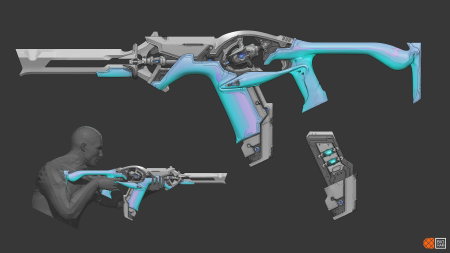
Organic Weapon Design Tutorial v2.0
Instructors: Sean Bigham
Duration: 7h • Project Files + BONUS
Video: MP4 1920x1080 44 KHz | English
Level: Beginner | Size: 16.5 GB​

"In this tutorial I will teach you my approach for concepting an Organic Weapon. This will cover my entire 2d and 3d workflow from brief to a final deliverable of a resolved design, ready to be sent to a 3D artist for production.
WHAT YOU GET
- 7 hours of video content in total. This is the entire process from start to finish: Nothing is skipped! Demo consists of 40 hours of work sped up with voice over commentary added in post.
- Includes video presentations detailing the Brief, a Context Overview, discussions on breaking down Reference and Basic Design Theory as it relates to Organic Design.
- Includes a COMPLETE 2D and 3D Concept Workflow for Designing an Organic Weapon to the stage of a Production Ready Asset.
- All .PSD files, .Blend Files and .ZTLs are included (along with a trim brush I use for detailing), my pure ref file along with the final .png images.
- BONUS video Discussion with Lucas Hug (Former Associate Art Director and Weapons Lead at Digital Extremes)
** This is not a tutorial on how to model in either Zbrush or Blender but I will break down the tools I use and show you my entire process in these programs.
V2.0 - BONUS SECOND WEAPON PROCESS ADDED!!!
- Time lapse of Zbrush block out with no commentary (2 hours)
- An exploration of line art outputs from Keyshot then in Zbrush. This isn't a Tutorial but more of an experiment to see if these will work with this particular workflow. Real time with full audio commentary (1 hour)
- Time lapse of the Photoshop detailing stage: front 3/4, back 3/4 and side view (1 hour)
- Conclusion where I discuss the results of the experiments and the final completed concept
- All .PSD files, .PNGs and .ZTLs are Included."
Screenshots


bc3b2f77-8ccf-47cc-ba40-85db4486a308.png

Personal Branding Fundamentals For Experts And Professionals
Duration: 1h 17m | Video: .MP4, 1280x720 30 fps | Audio: AAC, 48 kHz, 2ch | Size: 1.45 GB
Genre: eLearning | Language: English​

Learn the Four Powerful Steps to Developing a Cohesive Authority Personal Brand.
What you'll learn:
This course will arm you with all the strategies, tactics, and tools to kick start your brand from the ground up and on a minimal budget.
Become the go-to expert in your field by developing an authority brand.
Serve a specific group of audiences by defining your niche and developing a unique offer proposition.
Build social proof around your brand by developing a low-entry product.
Stand out and present yourself attractively by developing a cohesive brand image.
Communicate your message clearly and boldly by developing a consistent social media presence.
Attract business opportunities by developing a consistent and credible personal brand.
This course will not discuss becoming a social media influencer or public figure.
This course will not discuss how to take and edit social media photographs.
This course will not discuss how to get social media likes and followers.
This course will not discuss every small tactic of social media tools such as Tiktok or Instagram.
Requirements
The ability to learn from other people's examples and stories.
Open-minded and willing to apply the knowledge.
Capable of using simple tools such as a mobile camera and a personal computer.
Description
In this course, you will learn the building blocks of how to kick start your personal brand as an expert from the ground up and on a minimum budget.
You will begin this course by understanding the purpose of personal branding, how to build a powerful personal brand, and the pri**** pillars for building a solid brand.
Then you will refine and harness your expertise to appear as a credible source of information rather than presenting yourself as an unprofessional hobbyist.
Then you will walk through the process of specializing and niching down your expertise. You will understand your client's pain points and develop an expertise proposition that serves a specific group of audiences with a specific objective and desirable outcome.
Your next step is to develop your first low-entry educational product be it your first book or online course, and with this single but critical step, you will position yourself as the authority brand of your field of expertise, drive social proof around your brand and attract business opportunities.
Once you are clear about your audience and brand positioning you will develop your brand visual presentation with a look that fits your personality, expertise, and values.
You will learn through real-life examples how different experts leverage the power of brand archetypes, colors, typography, and themes to reflect a cohesive brand image and attract loyal clients.
You will also learn how to craft a professional bio that makes you look like an expert in your field. This powerful step will make you stand out and differentiate your brand from the rest in your field.
At the end of the course, you will kick start your social media presence, communicate your engaging message, and offer value to a group of audience and potential clients.
You will generate tons of content ideas for your YouTube channel, structure your videos like an expert, and develop the courage to publish your content.
This course is for starting experts struggling with kick-starting their personal brand and lacking the process or blueprint to building an authoritative personal brand.
Throughout this course, you will learn practical strategies, steps, and tools to build your brand from the ground up and on a minimal budget.
This course is not about getting more subscribers or followers on social media. It is not about how to become an influencer or a public figure. In this course, you won't learn about all the small tactics of social media tools such as Instagram and TikTok.
This course is for serious experts looking to represent themselves professionally, establish themselves as experts in their fields, and generate revenue out of their expertise while building an authentic brand.
If you are ready to become the go-to expert brand in your field, then this course is your best guide. Enroll now, and I will see you on the inside
Who this course is for
This foundational course is for starting or struggling experts and professionals looking for a blueprint and road map to establish their presence as professionals in their field.
This course isn't for experts with a well-established personal brand.
Homepage
Screenshots


Zurück
Oben Unten