



• Regeln für den Video-Bereich:

    In den Börsenbereich gehören nur Angebote die bereits den Allgemeinen Regeln entsprechen.

    Einteilung

    - Folgende Formate gehören in die angegeben Bereiche:
    - Filme: Encodierte Filme von BluRay, DVD, R5, TV, Screener sowie Telesyncs im Format DivX, XviD und x264.
    - DVD: Filme im Format DVD5, DVD9 und HD2DVD.
    - HD: Encodierte Filme mit der Auflösung 720p oder darüber von BluRay, DVD, R5, TV, Screener sowie Telesyncs im Format x264.
    - 3D: Encodierte Filme von BluRay, die in einem 3D Format vorliegen. Dies gilt auch für Dokus, Animation usw.
    - Serien: Cartoon/Zeichentrick, Anime, Tutorials, Dokumentationen, Konzerte/Musik, Sonstiges sind demnach in die entsprechenden Bereiche einzuordnen, auch wenn sie beispielsweise im High Definition-Format oder als DVD5/DVD9/HD2DVD vorliegen. Ausnahme 3D.
    - Bereich Englisch: Englische Releases gehören immer in diesen Bereich.
    - Bereich Talk: Der Bereich, in dem über die Releases diskutiert werden kann, darf, soll und erwünscht ist.


    Angebot/Beitrag erstellen

    - Ein Beitrag darf erst dann erstellt werden, wenn der Upload bei mindestens einem OCH komplett ist. Platzhalter sind untersagt.
    - Bei einem Scenerelease hat der Threadtitel ausschließlich aus dem originalen, unveränderten Releasenamen zu bestehen. Es dürfen keine Veränderungen wie z.B. Sterne, kleine Buchstaben o.ä. vorgenommen werden. Ausnahme Serienbörse:
    - Bei einem Sammelthread für eine Staffel entfällt aus dem Releasename natürlich der Name der Folge. Beispiel: Die Simpsons S21 German DVDRip XviD - ITG
    - Dementsprechend sind also u.a. verboten: Erweiterungen wie "Tipp", "empfehlenswert", "only", "reup", usw. / jegliche andere Zusatzinformation oder Ergänzung, welche nicht in obiger Beschreibung zu finden ist.

    Aufbau des Angebots und Threadtitel

    Der Titel nach folgendem Muster erstellt zu werden. <Name> [3D] [Staffel] [German] <Jahr> <Tonspur> [DL] [Auflösung] <Quelle> <Codec> - <Group>
    Beispiel: The Dark Knight German 2008 AC3 DVDRip XviD - iND
    Beispiel: The Dark Knight 2008 DTS DL BDRip x264 - iND
    Beispiel: The Dark Knight 2008 AC3 DL BDRip XviD - iND
    Beispiel: The Dark Knight German 2008 AC3 720p BluRay x264 iND
    Beispiel: The Dark Knight 2008 DTS DL 1080p BluRay x264 iND
    Beispiel: Die Simpsons S01 German AC3 DVDRip XviD iND
    Beispiel: Die Simpsons S20 German AC3 720p BluRay x264 iND
    Beispiel: Sword Art Online II Ger Sub 2014 AAC 1080p WEBRip x264 - peppermint
    Entsprechend sind also u.a. verboten: Sonderzeichen wie Klammern, Sterne, Ausrufezeichen, Unterstriche, Anführungszeichen / Erweiterungen wie "Tipp", "empfehlenswert", "only", "reup", usw. / jegliche andere Zusatzinformation oder Ergänzung, welche nicht in obiger Beschreibung zu finden ist
    Ausnahmen hiervon können in den Bereichen geregelt sein.

    Die Beiträge sollen wie folgt aufgebaut werden:
    Überschrift entspricht dem Threadtitel
    Cover
    kurze Inhaltsbeschreibung
    Format, Größe, Dauer sind gut lesbar für Downloader außerhalb des Spoilers zu vermerken
    Nfo sind immer Anzugeben und selbige immer im Spoiler in Textform.
    Sind keine Nfo vorhanden z.B. Eigenpublikationen, sind im Spoiler folgende Dateiinformationen zusätzlich anzugeben :
    Quelle
    Video (Auflösung und Bitrate)
    Ton (Sprache, Format und Bitrate der einzelnen Spuren)
    Untertitel (sofern vorhanden)
    Hosterangabe in Textform außerhalb eines Spoiler mit allen enthaltenen Hostern.
    Bei SD kann auf diese zusätzlichen Dateiinformationen verzichtet werden.

    Alle benötigten Passwörter sind, sofern vorhanden, in Textform im Angebot anzugeben.
    Spoiler im Spoiler mit Kommentaren :"Schon Bedankt?" sind unerwünscht.


    Releases

    - Sind Retail-Release verfügbar, sind alle anderen Variationen untersagt. Ausnahmen: Alle deutschen Retail-Release sind CUT, in diesem Fall sind dubbed UNCUT-Release zulässig.
    - Im Serien-Bereich gilt speziell: Wenn ein Retail vor Abschluss einer laufenden Staffel erscheint, darf diese Staffel noch zu Ende gebracht werden.62
    - Gleiche Releases sind unbedingt zusammenzufassen. Das bedeutet, es ist zwingend erforderlich, vor dem Erstellen eines Themas per Suchfunktion zu überprüfen, ob bereits ein Beitrag mit demselben Release besteht. Ist dies der Fall, ist der bereits vorhandene Beitrag zu verwenden.
    - P2P und Scene Releases dürfen nicht verändert oder gar unter einem iND Tag eingestellt werden.


    Support, Diskussionen und Suche

    - Supportanfragen sind entweder per PN oder im Bereich Talk zu stellen.
    - Diskussionen und Bewertungen sind im Talk Bereich zu führen. Fragen an die Uploader haben ausschließlich via PN zu erfolgen, und sind in den Angeboten untersagt.
    - Anfragen zu Upload-Wünschen sind nur im Bereich Suche Video erlaubt. Antworten dürfen nur auf Angebote von MyBoerse.bz verlinkt werden.


    Verbote

    - Untersagt sind mehrere Formate in einem einzigen Angebotsthread, wie beispielsweise das gleichzeitige Anbieten von DivX/XviD, 720p und 1080p in einem Thread. Pro Format, Release und Auflösung ist ein eigener Thread zu eröffnen.
    - Grundsätzlich ebenso verboten sind Dupes. Uploader haben sich an geeigneter Stelle darüber zu informieren, ob es sich bei einem Release um ein Dupe handelt.
    - Gefakte, nur teilweise lauffähige oder unvollständige Angebote sind untersagt. Dies gilt auch für eigene Publikationen, die augenscheinlich nicht selbst von z.B. einer DVD gerippt wurden. Laufende Serien, bei denen noch nicht alle Folgen verfügbar sind, dürfen erstellt und regelmäßig geupdatet werden.
    - Untersagt sind Angebote, welche nur und ausschließlich in einer anderen Sprache als deutsch oder englisch vorliegen. Ausnahmen sind VORHER mit den Moderatoren zu klären.


    Verstoß gegen die Regeln

    - Angebote oder Beiträge, die gegen die Forenregeln verstoßen, sind über den "Melden"-Button im Beitrag zu melden.
  • Bitte registriere dich zunächst um Beiträge zu verfassen und externe Links aufzurufen.

*** Bestes IPTV *** bester Preis *** gratis Test ***


Englische Tutorials

2XllNJBz0pQI5UxzN1KzGJAPEKJ5p5fI.jpg

Introduction to Blockchain Technology 2022
Genre: eLearning | MP4 | Video: h264, 1280x720 | Audio: AAC, 48.0 KHz
Language: English | Size: 7.89 GB | Duration: 7h 29m
The Most Explosive & Disruptive but also Foundational Technology Ever!


What you'll learn
First there will be a course overview of what you will be learning and what you can expect from this course.
We will discuss briefly what was the Financial Crisis of 2007-2008 and why I believe it to be the catalyst for Bitcoin & Blockchain Technology.
Then we will try and shed some light on who is Satoshi Nakamoto? As well as discuss 5 suspects of who we think could be Satoshi.
Next we will then move on to What is Blockchain Technology? The Advantages & Disadvantages as well as the sectors affected. Why is it needed?
Section 3 will be all about cryptocurrencies. Advantages, Disadvantages, Different types, consensus mechanisms, Top 10 cryptos. Whitepapers, ICO's & Scams
What are smart contracts and examples of them will be taught in Section 4.
We will have a bit section on NFT's which will include their use cases both for art & the gaming industry, What are royalties?
Top 10 NFT art sold, 3 younger NFT artist projects, 8 NFT Gaming & Metaverse projects plus 3 up and coming projects. We will also discuss what is the METAVERSE?
We will learn about Wallets and Exchanges. What is hot and cold wallets? 5 exchanges and their information.
You will learn to setup 3 accounts. Coinbase, Crypto .com, as well as a Metamask.
Learn what is Know-Your-Customer (KYC)?
Depositing & Withdrawing will have it's own section in order to learn how to deposit and withdraw at all 3 of the accounts that we created.
Then I will show you how to trade using exchanges as well as learning to swap with aggregators.
Then we will learn how to send and receive cryptocurrencies from one exchange or wallet to another.
Section 10, I will then show you 5 projects that I'm really excited about, some information about them and opportunity for you to go and do your own research.
Also we will find out what is an Expert Advisor? What is a Magnetix, plus we will see some examples as to how it works.
Next we will talk about Market Warlords and How to find me in order to receive help further once course is complete.
Then we will also have a closing section in which you will receive your certificate as well as reward yourself for sticking through this course.
Requirements
There are no requirements for this course. I have made it for everyone to be able to come in and learn no matter your education level. I made sure to make it as simple as possible while being able to still show the complexity of this discovery.
Willingness to understand and learn the simplicities as well as the complexities of Blockchain Technology.
Description
Introduction to Blockchain Technology was made for everyone. I tried to make it as simple as it could be without being too technical for those who may not understand the technical terms. But I also made it for those who may know something about Blockchain Technology but want to learn a little more. Although, this is an introduction course it really does have information in it for even the seasoned Blockchain experts. Through years of being in both Forex & Blockchain, I have seen so many people be scammed & taken advantage of because they didn't have all the necessary knowledge of the industry. That's what my aim is in this course is to help prepare those who want to have a more rounded knowledge of Blockchain Technology and what is all involved in it. Below is the outline of this 14 section course and what you will be able to learn from it
Section 0 - Course Overview
Section Overview
My Introduction
What to Expect
Disclaimer
Financial Crisis of 2007-2008
Section Sum****
Quiz
Section 1 - Who is He/She/They?
Section Overview
Who is Satoshi Nakamoto?
5 Suspects
Harold Finney II
Nick Szabo
Ian Grigg
Dorian Nakamoto
Craig Wright
Why Bitcoin & Blockchain?
Section Sum****
Quiz
Section 2 - Most Disruptive & Explosive but Foundation Technology Ever!
Section Overview
What is Blockchain Technology?
Sectors Affected
Finance
Healthcare
Real Estate
Media & Entertainment
Supply Chain
Art
Gaming
plus more
Key Concepts of Blockchain
Blockchain - Why it's Needed?
Facts & Statistics
Section Sum****
Quiz
Section 3 - Cryptocurrencies
Section Overview
What is a Cryptocurrency?
Advantages & Disadvantages
Different types of Cryptocurrencies
What is a Cryptocurrency Whitepaper?
What is an Initial Coin Offering (ICO)?
What is Advantages & Disadvantages?
Top 10 Cryptocurrencies
Popular Cryptocurrency Terminology
Scams
Facts & Statistics
Section Sum****
Quiz
Section 4 - Smart Contracts
Section Overview
What are Smart Contracts?
Examples of Smart Contracts
Statistics & Facts
Section Sum****
Quiz
Section 5 - Non-Fungible Tokens (NFT's)
Section Overview
What is a Non-Fungible Token (NFT)?
NFT's in Blockchain Gaming
Top 10 NFT's Ever Sold
3 Examples of Younger NFT Artists
7 NFT Gaming & Metaverse Project Examples
3 Up & Coming NFT Gaming & Metaverse Projects
Royalties
NFT Statistics & Facts
Section Sum****
Quiz
Section 6 - Wallets, Exchanges, & Setups
Section Overview
Wallets
Hot
Cold
5 Exchanges
Extension & App Wallets
Metamask
Binance Wallet
Trust Wallet
Account Setup
Metamask
Coinbase
Crypto .com
What is Know-Your-Customer (KYC)?
Must Watch Lecture
Section Sum****
Quiz
Section 7 - Deposit & Withdraw
Section Overview
Crypto .com
Coinbase
Metamask
Section Sum****
Quiz
Section 8 - Exchange & Aggregator Trading
Section Overview
Exchange Trading
Binance
Coinbase
Crypto .com
Aggregator Swapping
Uniswap
Pancakeswap
Poocoin
Section Sum****
Quiz
Section 9 - Sending & Receiving
Section Overview
Exchange
Metamask
Crypto .com
Section Sum****
Quiz
Section 10 - 5 Crypto Projects to Research
Section Overview
5 Projects
Section Sum****
Section 11 - Magnetix
What is an Expert Advisor?
What is Magnetix?
Magnetix Examples
Section 12 - Market Warlords
What is Market Warlords?
Section 13 - Closing
So as you can see there is enough in here that once completed you will have all the information you need to understand blockchain technology well enough to make smarter and more educated decisions. We must remember that in order to have mass adoption and less volatility we need to make sure that we are educating each other on how to become better in this field whether through learning to program, trading, investing, as well as anything else that may be needed in this sector. I hope that you will take the time to come and learn why I believe this is THE MOST EXPLOSIVE & DISRUPTIVE BUT FOUNDATIONAL TECHNOLOGY EVER. Come, follow me inside.
Who this course is for
For anyone who wants to have a better understanding of Blockchain Technology.
Those who want to gain more knowledge about Cryptocurrencies, Smart Contracts, and Non-Fungible tokens. Plus much more...
Screenshots








x15b4MKCyYgN1KfyWae9mKA0qWZDtgnq.jpg

JAMstack For Dummies Learn From Screatch
Genre: eLearning | MP4 | Video: h264, 1280x720 | Audio: AAC, 48.0 KHz
Language: English | Size: 244 MB | Duration: 55m
The JAMstack Videocourse

What you'll learn
Learning about JAMstack at basic level.
JAMstack relevant knowledge.
Tips to study better.
An introduction to JAMstack.
Requirements
Computer and speakers.
Description
Do you like JAMstack and want to get the basics? You are into JAMstack and would like to give the first steps? Then, THIS IS THE COURSE FOR YOU! It does help that you are as motivated as you can since this is going to be an introduction to the world of JAMstack in an easy way.
It is all right if you do not have any knowledge in general because this course is made for dummies that have no experience at all in the world of programming and JAMstack. At the end of the day, you are learning so you do need to be improving and going forward as much as you can. There are plenty of things that you can do when it comes to the world of informatics.
Here you will understand basic information regarding to the world of JAMstack so that you can advance a bit. Also, remember that there will be a section with tips and ideas so that you can study better. The more you learn, the better for you, that is what we say here and we want you to be as good as you can when it comes to the world of JAMstack.
Keep it going on and keep learning, this is a never ending topic so you have to start somewhere. see you in the videos and do a great effort!
Who this course is for
Anybody who wants to learn JAMstack.
Screenshots


007f912c_medium.jpg

Pricing Strategies - Technology Solutions (Comprehensive)
MP4 | Video: h264, 1280x720 | Audio: AAC, 44.1 KHz, 2 Ch
Genre: eLearning | Language: English + srt | Duration: 32 lectures (2h 4m) | Size: 417.6 MB

Pricing strategies and structuring of project financials
What you'll learn
Pricing strategies and negotiation skills
Pricing Analysis with cash flow metrics
Price to Win determination and analysis
Revenue recognition and cost accounting
Commercial Terms & Conditions
Negotiation Skills and how to overcome commonly faced challenges
Structuring of financials, pro-forma financials including cash flow
Requirements
You will learn everything you need to know
Description
The course is intended for finance and non-finance professionals who would like to understand how to price a technology project during pursuit cycle. The course starts with explaining my background experience followed by basic concepts of margin and price calculation. Then the course starts the pricing process flow explaining the mode of communication from customer, process of costing and how costing is used in various scenarios to arrive at price. We will cover various types of cost and difference among them and the importance of automated costing and pricing tool. This will be followed by specialist topics like special cost factors. The course also covers some very interesting topics e.g. price to win which is the most important topic as winning new project is all that matters when we are working on a new pursuit, terms & conditions and how to negotiate with customers, how to prepare pro forma profit & loss account and cash flow of the project, various cash flow metrics, revenue and cost recognition and various revenue positions taken by different companies. I will also share my rich experience on how to overcome some commonly encountered challenges during the pursuit cycle. All in all, this is a very comprehensive course for you to deep dive in various aspects of being a pricing consultant.
Who this course is for
Finance professionals who are getting into niche job of pricing technology deals
Finance professionals who work with Sales and Pre-Sales on new pursuits
Non-finance professionals who would like to understand the process of pricing from finance perspective
Finance professional who are in Business/Commercial Finance team
Homepage


YIO0cSFo68iP7yl4mYQRHTCsQAyV50VM.jpg

Risk and Money Management
Genre: eLearning | MP4 | Video: h264, 1280x720 | Audio: AAC, 48.0 KHz
Language: English | Size: 1.09 GB | Duration: 1h 17m
Build Your Own Trading Algorithm

What you'll learn
Use Python to trade algorithmically, be systematic, and take back your time
Build a complete algorithm, from scanning market, placing trades, to managing trades
Learn the Python skills to protect your accounts and profits
Learn all the skills so that you are able to build a backtesitng system for your algorithm from this course
Requirements
You must already know not only the basic Python syntax but also how to work with Pandas and Ta-Lib, as well as knowing how to write user-defined functions with error handling capability.
Description
Are you a trader who is interested in learning how to build their own trading algorithm?
If so, and if you are already very familiar with Python, then this is the course for you. Leveraging on the indicators that you have already built (covered in the Getting Market Data and Constructing Indicators course), you will now learn how to programmatically compute position-size but first deciding where you would like to place your stop loss level, and then query some account information to complete the computation. You will also learn about the specific ways that you will communicate, using Python, with your brokers to enter and/or exit trades with the computed size for your risk tolerance.
Further, you will also learn about how to set the stop loss and take profit, how to move stop loss to breakeven, and how to update (trail) your stop-loss level after that point. Once you have learned all about these topics, you are able to build as many elaborate risk management strategies as you want in a way that you like to trade.
At the end of this course, you will have a firm understanding of what goes into building an algorithmic trading strategy from scratch. You will have not only all the tools necessary to create your own algorithmic strategies, you will also know how to manage your positions, as well as taking what you already know and set up a backtesting environment for yourself, so that you are able to systematically build and test strategies on an on-going basis.
Who this course is for
This course is designed for forex and crypto traders who want to build a complete algo trading system using Python, the future-proof language.
Screenshots


f8d5f9b6-2ab1-4043-b07e-412089a61eb3.png

Sitting Eight Brocades Qigong with Dr. Yang, Jwing-Ming
MP4 | Video: h264, 1280x720 | Audio: AAC, 44.1 KHz, 2 Ch
Genre: eLearning | Language: English + srt | Duration: 18 lectures (1h 23m) | Size: 1.8 GB

Seated Qigong (energy healing) and Meditation to boost health and immunity with renowned Master Yang, Jwing-Ming (YMAA)
What you'll learn
Eight Seated Qigong and Meditation Exercises to maintain health
Over 1,000 year old origin of medical qigong (energy work)
Follow-along Demonstration, Detailed Instruction and Analysis of each movement
Requirements
Perfect for Beginners, no experience necessary.
Includes details for experienced qigong practitioners
Description
A powerful ancient practice. In his bestselling qigong lesson, Dr. Yang, Jwing-Ming instructs and demonstrates the 1,000-year-old "Eight Pieces of Brocade". These are the most popular sitting Qigong (chi kung) healing exercises and are considered the origin of Medical Qigong and all energy healing modalities. These gentle breathing, stretching and strengthening movements increase the Qi (energy) and blood circulation in your body, helping to stimulate your immune system, strengthen your internal organs, and give you abundant mental and physical energy. Perfect for beginners, anyone can practice these simple and effective SITTING EIGHT BROCADE exercises in only 15 minutes a day.
You may press pause and increase the number of repetitions according to your preference, but it is advised to not skip any of the exercises. This set is designed to comprehensively improve your whole body circulation. Known in China as the Ba Duan Jin, Eight Pieces Brocade, these movements can be traced back to Shaolin Temple and beyond. Also included is an ANALYSIS section including the 'secret words': poems and songs that have been used to pass this knowledge down from generation to generation in an unbroken oral lineage between teacher and student, which contain the key to each of these ancient medical qigong movements.
This lesson includes detailed and fascinating qigong demonstration and instruction by Master Yang, Jwing-Ming of each these powerful qigong movements.
Time-tested, traditional Chinese healing energy work while sitting.
Clear explanation of healing principles for each movement.
Narrated in English, with original Chinese poetry narrated by Dr. Yang, Jwing-Ming.
Includes: Follow-along Demonstration, Detailed Instruction and Analysis of each movement.
Eight Seated Qigong and Meditation Exercises to maintain health and boost immunity.
Perfect for Beginners, no experience necessary.
Includes details for experienced qigong practitioners.
All ages, seated meditation and exercise enthusiasts.
Seated Qigong (energy healing) Exercise to boost health and immunity with renowned Master Yang, Jwing-Ming (YMAA).
ALSO AVAILABLE: Separate Standing Eight Brocades Set.
Who this course is for
All ages, seated meditation and exercise enthusiasts.
Homepage


MP4 | Video: h264, 1280x720 | Audio: AAC, 44.1 KHz, 2 Ch
Genre: eLearning | Language: English + srt | Duration: 33 lectures (16h 50m) | Size: 13.3 GB
Learn realistic, hand painted and organic texturing
What you'll learn
Realistic texturing
Hand Painted texturing
Organic texturing
How to make custom material and Masks
Export texture sets for any render engine
Work with SD materials inside Substance 3D Painter
Requirements
This course is not covering the modeling part and you need to know how to create the 3d model for your projects. (course 3d models are included)
You should have Substance 3D Painter version 7.4.1 and above.
Description
Do you want to know how to make any textures with Substance 3D Painter?
Then I welcome you to the Nexttut Substance painter texturing for beginners course.
WHY SHOULD YOU LEARN FROM ME
My name is Hamidreza and I have been a 3D Artist for animation and VFX for about 8 years now. I have worked on many short animations and a few long animated movies.
BENEFITS
By the end of this course,
You'll be able to texture props and organic characters in realistic or hand painted style with Substance Painter.
You will be able to make texture for any kind of asset.
WHAT WILL I LEARN
Substance 3D Painter UI and navigation
Realistic texturing
Hand Painted texturing
How to make custom material and Masks
Work with SD materials inside Substance 3D Painter
Rendering using Iray, Substance 3D Painter's default render engine
Organic texturing
Export texture sets for any render engine
COURSE PROJECTS
We will start by knowing the Substance 3D Painter UI and navigation.
In chapter two, we make a realistic texture for an antique telephone.
We didn't forget the hand painted texturing! In chapter three we will make a texture for a sci-fi asset with hand paint techniques.
In chapter four, we learn how to use an outside material inside Substance 3D Painter. for example materials from Substance 3D Designer.
Finally, we will wrap things up with an organic asset. In chapter five we will make a texture for an organic asset and learn how to use Subsurface scattering inside Substance 3D Painter.
IS THIS COURSE RIGHT FOR ME
This course is for those who want to learn new texturing methods.
This is a starter course for beginners and it is designed to teach you whatever you need to start using Substance 3D Painter in your projects.
WHO IS NOT THE IDEAL STUDENT
This course is designed for absolute Substance 3D Painter beginners,
WHAT SHOULD I KNOW OR HAVE FOR THE COURSE
This course is not covering the modeling part and you need to know how to create the 3d model for your projects. (course 3d models are included)
You should have Substance 3D Painter version 7.4.1 and above.
JOIN ME NOW
Join me and learn how to make all kinds of textures for your future projects.
Who this course is for
This course is for those who want to learn all type of texturing like realistic, hand painted and skin etc.
Homepage


537ae09a-76ee-441a-bba7-717bb18355b7.png

Supply Chain: Control of Operations & Managing Resources
MP4 | Video: h264, 1280x720 | Audio: AAC, 44.1 KHz, 2 Ch
Genre: eLearning | Language: English + srt | Duration: 71 lectures (3h 56m) | Size: 535.1 MB

Master the essentials of the Manufacturing, Planning and Control Hierarchy and become a recognized Supply Chain Leader
What you'll learn
This course is a continuation of Supply Chain Fundamentals Understanding the Basics and Supply Chain Planning of Resources and Detailed Scheduling.
You will gain in depth understanding of planning and controlling manufacturing, managing materials, scheduling machines, organizing workers.
You will learn manufacturing environments, processes & layouts, batch & flow processing, push vs. pull systems, different scheduling techniques.
You will learn Production Activity Control, Quality, business strategies, competitive forces, performance measures.
Prepares you for CPIM certification, this course covers Execution and Control of Operations and Strategic Management of Resources.
Requirements
A computer with an internet connection.
The willingness to learn.
Description
Achieving supply chain excellence is essential for businesses to be successful in today's global economy. Having knowledgeable supply chain professionals are key and with this course you can continue your journey to becoming a sought after Supply Chain professional.
This course is a continuation of Supply Chain Fundamentals Understanding the Basics and Supply Chain Planning of Resources and Detailed Scheduling. It's not mandatory that you take these courses beforehand as they are not prerequisites but I do recommend it especially if you're new to Supply Chain. There's a lot of terminology and concepts that are covered in both courses and it carry's on into this course.
If your goal is certification, this course covers Execution and Control of Operations and Strategic Management of Resources which can assist your exam preparation for ASCM CPIM Part 2.
You will gain an in depth understanding of the Manufacturing, Planning and Control (MPC) Hierarchy. MPC deals with planning and controlling manufacturing, managing the materials, scheduling the machines, organizing the workers, dealing with your suppliers and coordinating with your customers. Having an effective MPC system is key for any manufacturing company to be successful.
It's never too late to begin learning and with this course learning has never been so easy. I look forward to seeing you in the classroom.
Who this course is for
Anyone already in Supply Chain and looking for further knowledge.
Any business professional with a desire to expand their knowledge on Supply Chain.
Senior management and leaders from all business functions seeking to understand Supply Chain.
Homepage


30d1e5ea-81dc-4c0d-ad61-6ee9fddc240f.png

User Interface Design Patterns - by University UX Instructor
MP4 | Video: h264, 1280x720 | Audio: AAC, 44.1 KHz, 2 Ch
Genre: eLearning | Language: English + srt | Duration: 34 lectures (7h 6m) | Size: 3.45 GB

Go deep into User Interface design patterns and UI components + create these design patterns using the design tool figma
What you'll learn
UI design
User interface design
User interface design patterns
Best practices for user interface design
Requirements
All skills and great for beginners
Description
PART 1
Design patterns are a set of User Interface guidelines and rules that pertain to how users use products and user interface elements. Understanding these design patterns is a must for any UX or UI designer. Things like form fields, dropdown, navigation bars, tab bars, date pickers etc. We will deep dive into each user interface component and will cover best practices for the following
• Form fields
• Buttons
• Dropdowns
• Date pickers
• Radio buttons, Checkboxes & Toggles
• Address Forms & Search Forms
• Tab Bars & Title Bars
• Accordions & Tabs
• Tool Tips & Shadows
• Thumbnails & Carousel
• Modals & Lightboxes
• Menus & Drawers
• Wizards, Breadcrumbs & Pagination
• Icons & Photos
Using design patterns can be extremely helpful, mostly because they save time (money) and get us better results, faster. Which is the core philosophy of agile application development. As designers, we can leverage these patterns and use them in our daily design decision-making because these patterns and components are used every day across many user experiences and users have been accustomed to how these patterns work. These patterns are less risky than designing something from scratch or creating a brand new user interface. We don't need to apply them exactly as they are to every problem we encounter, but rather we can build on top of them, using our experience to inform our decisions because we know that these patterns work.
ATTACHED ARE THE COURSE MATERIALS AND FIGMA DESIGN FILE.
Regarding the Figma file
There are instructions in the video called "course material" and I have attached instructions as well
There are specific course material attached to each video topic as well but you can download all of them in the class called "course material"
PART 2 - FIGMA DESIGN
I have provided a Figma file that we will use as a project that you can download. We will then go step-by-step and build out the design components within live prototypes together using the design tool figma
Hope you enjoy the class
Who this course is for
User experience and user interface designers
Homepage


006612d8_medium.jpg

Zero to ROS
MP4 | Video: h264, 1280x720 | Audio: AAC, 44.1 KHz, 2 Ch
Genre: eLearning | Language: English + srt | Duration: 45 lectures (3h 11m) | Size: 1.27 GB

Robot Operating System for Beginners
What you'll learn
ROS (Robot Operating System) basics
How to simulate a robot with Gazebo
Robotic Navigation
Robotic Perception and Obstacle Avoidance
Requirements
No need for a Robotics background!
Basic knowledge of Linux
Basic knowledge of Python
No hardware necessary, only your computer
Description
The "Zero to ROS" course will take you quickly into ROS. You will learn all the essential concepts through hands on examples and assignments. Learn at your own pace: no schedule!
Course Curriculum
Environment setup and Hello World: Setup your work environment with ROS Noetic and write your first Hello World project
Your first ROS Package: Learn the basics of ROS hands on, with a practical example. This section will guide you through the creation of a ROS package, ROS messages and launch files.
Robot Simulation: We will use the popular turtlesim package, a simple 2D robot simulator, to explain the basics of robotic simulation in ROS. You will learn hands on how to deal with transformations, how to control your robot and navigate to a waypoint
Introduction to Gazebo and Rviz: Gazebo is the popular physics simulator, compatible with ROS. Rviz is the popular visualization tool where you can display your robot position as well as sensors readings, planning... Learn how to build and visualize your robot and sensors using Xacro and Urdf
Perception: Gazebo is the popular physics simulator, compatible with ROS. Rviz is the popular visualization tool where you can display your robot position as well as sensor readings, planning, etc. Learn how to build and visualize your robot and sensors using Xacro and Urdf
Obstacle Avoidance: Put everything together and use the available sensors to avoid surrounding obstacles. You will learn to think like a robotic engineer with real world challenges
Final certificate
You will get your Master Certificate if you complete all your assignments: you can learn only with practice.
There will be 5 assignments in the course, each with an increasing level of difficulty.
But don't worry: we are here to help! Assignments are not mandatory to complete the course, but are required to get your certificate
Direct support through Discord
Connect to our Discord server and join our community. Ask questions and submit your assignments. We are here to help!
Who this course is for
Software engineers
Robot enthusiasts
Beginner Robot Operating System
Beginner ROS
Homepage


JHL1lx3ft-IW8o-DYTEql2-MK0e-F27kj-Hc-Q.jpg

Linux Tutorials All Batches Classes for Beginners to Expert
Genre: eLearning | MP4 | Video: h264, 1280x720 | Audio: AAC, 48.0 KHz
Language: English | Size: 5.36 GB | Duration: 15h 12m
Learn Complete Linux Tutorials from Scratch to End to Become a Beginner to Expert


What you'll learn
Students can understand what is the use of Linux
Students can understand what is the use of Shell Topics
Students can understand Unix File System
Students can understand Administration of Server System
Requirements
Students No need to have any knowledge
No Programing Knowledge is required for students
Description
Unix is a computer Operating System which is capable of handling activities from multiple users at the same time. The development of Unix started around 1969 at AT&T Bell Labs by Ken Thompson and Dennis Ritchie. This tutorial gives a very good understanding on Unix.
What is Unix?
The Unix operating system is a set of programs that act as a link between the computer and the user.
The computer programs that allocate the system resources and coordinate all the details of the computer's internals is called the operating system or the kernel.
Users communicate with the kernel through a program known as the shell. The shell is a command-line interpreter; it translates commands entered by the user and converts them into a language that is understood by the kernel.
Unix was originally developed in 1969 by a group of AT&T employees Ken Thompson, Dennis Ritchie, Douglas McIlroy, and Joe Ossanna at Bell Labs.
There are various Unix variants available in the market. Solaris Unix, AIX, HP Unix and BSD are a few examples. Linux is also a flavor of Unix which is freely available.
Several people can use a Unix computer at the same time; hence Unix is called a multiuser system.
A user can also run multiple programs at the same time; hence Unix is a multitasking environment.
The main concept that unites all the versions of Unix is the following four basics −
Kernel − The kernel is the heart of the operating system. It interacts with the hardware and most of the tasks like memory management, task scheduling and file management.
Shell − The shell is the utility that processes your requests. When you type in a command at your terminal, the shell interprets the command and calls the program that you want. The shell uses standard syntax for all commands. C Shell, Bourne Shell and Korn Shell are the most famous shells which are available with most of the Unix variants.
Commands and Utilities − There are various commands and utilities which you can make use of in your day to day activities. cp, mv, cat and grep, etc. are few examples of commands and utilities. There are over 250 standard commands plus numerous others provided through 3rd party software. All the commands come along with various options.
Files and Directories − All the data of Unix is organized into files. All files are then organized into directories. These directories are further organized into a tree-like structure called the filesystem.
Who this course is for
Anyone can learn who want to enter into Software Industry
Anyone can learn who want to become Linux Administrator
Screenshots


AUbn-SJEzwn6b-Cl-M7-GMPHKez-Ald3-MKx-R8.jpg

SQL For Absolute Beginners - MySQL from Scratch
Genre: eLearning | MP4 | Video: h264, 1280x720 | Audio: AAC, 48.0 KHz
Language: English | Size: 4.36 GB | Duration: 5h 44m
Your one-stop shop for SQL. Build your own databases and tables and learn how to write queries using MySQL.


What you'll learn
Manipulate Data using SQL
How to Create Tables
How to Insert Data into Tables
How to Combine Different Tables
How to Build Tables using a practical Case Study
Requirements
Computer with at least 4 GB of RAM
Access to the Internet
Description
So, you've decided that you want to learn SQL or you want to get familiar with it, but don't know where to start? Or are you a data/business analyst or data scientist that wants to power up your data skills by performing queries with Structured Query Language?
Then, this course was designed just for you!
This course was designed to be your first step into the SQL programming world! We will delve deeper into the concepts of SQL queries, understand the MySQL user interface and play around with several datasets. This course contains lectures around the following groups:
Code along lectures where we will go step-by-step in each instruction, compounding our SQL knowledge.
Test your knowledge with questions and practical exercises with different levels of difficulty!
Analyze real datasets and understand the thought process from question to SQL code solution!
This course was designed to be focused on the practical side of coding in SQL - instead of teaching you every possible function out there, we'll learn all the fundamentals slowly and build our knowledge from scratch. We'll use a case study to cement every concept we will learn, so that you can have a hands-on learning process, making it easier to apply the concepts in your projects.
At the end of the course you should be able to use SQL to build and manipulate tables. Along the way we will also learn the most important SQL statements such as GROUP BY, INSERT INTO or CREATE TABLE.
Here are some examples of things you will be able to do after finishing the course
Join different tables using SQL;
Create your own tables with the appropriate structure.
Use different data types according to their characteristics.
Create columns using data available from your existing tables.
Use subqueries, building complex instructions.
Join thousands of professionals and students in this SQL journey and discover the amazing power of this querying language.
This course will be constantly updated based on students feedback.
Who this course is for
Data Analysts
Data Scientists
Data Engineers
Full Beginners that want to learn how to work with SQL
Marketing, Finance and Supply Chain Professionals
IT Professionals
Screenshots


maxresdefault.jpg

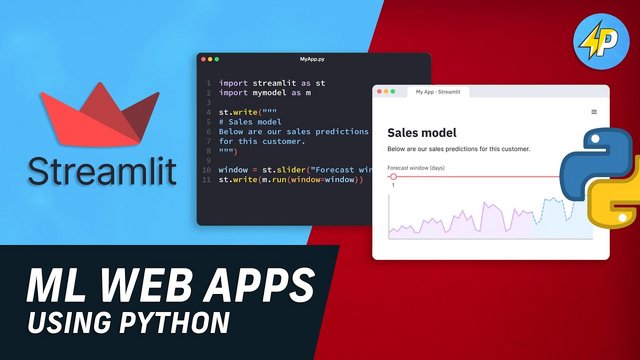
Javascript and Python Streamlit ML project based course
MP4 | Video: h264, 1280x720 | Audio: AAC, 44.1 KHz, 2 Ch
Genre: eLearning | Language: English | Duration: 60 lectures (10h 10m) | Size: 2.64 GB


Learn to use HTML, CSS, Javascript to create projects such as games and quizzes, Python streamlit for Machine learning
What you'll learn
At the end of the course you will have great technical knowledge on HTML, CSS, Javascript and Python Streamlit
You will learn theoretical aspects on Javascript
You will be able to build projects using HTML, CSS and Javascript to develop games and quizzes
Learn Event Handlers and DOM manipulation in a project
Set Time Out and Set Interval in a project
Create Machine Learning projects webapp using Python Streamlit
Learn to use Panda for Data Analysis
Linear Regression and Matplotlib
Implement Scikit-Learn for Machine Learning Projects
Random Forest and Decision Trees
Requirements
None
Description
If you want to start learning Javascript or to apply HTML5, CSS3 and Javascript in a project to program or you already have some basic knowledge, then you are in the right place. This course gives you a chance to take your knowledge to the next level. You will start from very basics and learn to apply the skills in two different projects (Quiz and Game).
You will learn about the very basics of this language, like how to write JavaScript, what kind of syntax it has.
You will learn the following topics on Javascript theory:
Javascript Variables
Javascript Data Type
Javascript Function
Javascript Function Parameter
Javascript Return
Javascript Scope
Javascript Alert Confirm Prompt
Javascript Objects
Javascript Arrays
Javascript If Else statement
Javascript Switch Case
Javascript Maths Operators
Javascript Logical Operators
(More topics will be added in the future)
This is a fun, practical & project based course for all skill levels. The projects in this course are designed to get you building things using HTML5, CSS & JavaScript with no frameworks or libraries. Every project is built from scratch and has some kind of dynamic functionality.
Although this is a theoretical and project based course, I will still be explaining everything as I go. There are projects designed for you to complete in a few hours.
You should have some basic knowledge of HTML/CSS/JS. If you are brand new, this course is a mix of both with emphasis on Javascript theory and building two projects. The projects are end to end product.
You will learn to create two projects.
First project is Quiz. The following skills you will learn to implement in the project:
Choosing Random Numbers
User Interface
Calculating Answer (Algorithm)
Win and Lose condition
Progress Bar
Overlay
Animation
Second project is Whack a Mole game. The following skills you will learn to implement in the project:
Learn about ES6 syntax
Event listeners
How to control CSS styles and classes with JavaScript
What's the difference between setTimeout and setInterval
How to use clearInterval, difference between const and let variables
Regular JavaScript functions and ES6 arrow functions and much more.
Create a plugin that tracks, updates and stores high score. We will also talk about logical operators in JavaScript (OR/AND/NOT) and other fundamental vanilla JavaScript techniques and principles that are useful not only for games, but also for building websites, generative art
JavaScript DOM manipulation (build a simple game add-on that keeps track of high score)
Learn local storage browser objects and it's associated JavaScript methods.
The projects will help you better understand how JavaScript works, use these skills to level up as a Front end web developer and get one step closer to getting hired for your first coding job. Also, it is a good stepping stone before you start learning React, React native and Next.js
Are you ready to start your career in Machine learning and as a Data Scientist. This course will be your guide to learning how to use the power of Python and the libraries to analyze data, create beautiful visualizations, and use powerful machine learning algorithms!
It is a brilliant course where you will learn how to setup the project step by step from installation of python and the libraries to finished project. There are three projects that will allow you to use and implement supervise and unsupervise learning in the projects.
You will learn to create the following projects
1. Salary Predictor
2. Classification Webapp
3. BMI Calculator
This course will also allow you to utilise and implement several Machine learning libraries to these projects. The list are:
Streamlit
KNN Clustering
SVM
Numpy
Pandas
MatplotLib
Scikit-Learn
Furthermore, you will be able to assess your knowledge through doing a quiz on Streamlit and Machine Learning. Also, a challenge is set to create a BMI calculator. Solutions are given in text form and video for explanation.
So I invite you to join me, Developer Shack on an exciting journey into unlocking the secrets of Machine Learning for Data Science.
Sign up right now, and let's create amazing Machine learning apps!
Who this course is for
Web developer enthusiasts
Game developer enthusiasts
Machine learning students
Data Scientists students
Homepage


Zurück
Oben Unten