
• Regeln für den Video-Bereich:

    In den Börsenbereich gehören nur Angebote die bereits den Allgemeinen Regeln entsprechen.

    Einteilung

    - Folgende Formate gehören in die angegeben Bereiche:
    - Filme: Encodierte Filme von BluRay, DVD, R5, TV, Screener sowie Telesyncs im Format DivX, XviD und x264.
    - DVD: Filme im Format DVD5, DVD9 und HD2DVD.
    - HD: Encodierte Filme mit der Auflösung 720p oder darüber von BluRay, DVD, R5, TV, Screener sowie Telesyncs im Format x264.
    - 3D: Encodierte Filme von BluRay, die in einem 3D Format vorliegen. Dies gilt auch für Dokus, Animation usw.
    - Serien: Cartoon/Zeichentrick, Anime, Tutorials, Dokumentationen, Konzerte/Musik, Sonstiges sind demnach in die entsprechenden Bereiche einzuordnen, auch wenn sie beispielsweise im High Definition-Format oder als DVD5/DVD9/HD2DVD vorliegen. Ausnahme 3D.
    - Bereich Englisch: Englische Releases gehören immer in diesen Bereich.
    - Bereich Talk: Der Bereich, in dem über die Releases diskutiert werden kann, darf, soll und erwünscht ist.


    Angebot/Beitrag erstellen

    - Ein Beitrag darf erst dann erstellt werden, wenn der Upload bei mindestens einem OCH komplett ist. Platzhalter sind untersagt.
    - Bei einem Scenerelease hat der Threadtitel ausschließlich aus dem originalen, unveränderten Releasenamen zu bestehen. Es dürfen keine Veränderungen wie z.B. Sterne, kleine Buchstaben o.ä. vorgenommen werden. Ausnahme Serienbörse:
    - Bei einem Sammelthread für eine Staffel entfällt aus dem Releasename natürlich der Name der Folge. Beispiel: Die Simpsons S21 German DVDRip XviD - ITG
    - Dementsprechend sind also u.a. verboten: Erweiterungen wie "Tipp", "empfehlenswert", "only", "reup", usw. / jegliche andere Zusatzinformation oder Ergänzung, welche nicht in obiger Beschreibung zu finden ist.

    Aufbau des Angebots und Threadtitel

    Der Titel nach folgendem Muster erstellt zu werden. <Name> [3D] [Staffel] [German] <Jahr> <Tonspur> [DL] [Auflösung] <Quelle> <Codec> - <Group>
    Beispiel: The Dark Knight German 2008 AC3 DVDRip XviD - iND
    Beispiel: The Dark Knight 2008 DTS DL BDRip x264 - iND
    Beispiel: The Dark Knight 2008 AC3 DL BDRip XviD - iND
    Beispiel: The Dark Knight German 2008 AC3 720p BluRay x264 iND
    Beispiel: The Dark Knight 2008 DTS DL 1080p BluRay x264 iND
    Beispiel: Die Simpsons S01 German AC3 DVDRip XviD iND
    Beispiel: Die Simpsons S20 German AC3 720p BluRay x264 iND
    Beispiel: Sword Art Online II Ger Sub 2014 AAC 1080p WEBRip x264 - peppermint
    Entsprechend sind also u.a. verboten: Sonderzeichen wie Klammern, Sterne, Ausrufezeichen, Unterstriche, Anführungszeichen / Erweiterungen wie "Tipp", "empfehlenswert", "only", "reup", usw. / jegliche andere Zusatzinformation oder Ergänzung, welche nicht in obiger Beschreibung zu finden ist
    Ausnahmen hiervon können in den Bereichen geregelt sein.

    Die Beiträge sollen wie folgt aufgebaut werden:
    Überschrift entspricht dem Threadtitel
    Cover
    kurze Inhaltsbeschreibung
    Format, Größe, Dauer sind gut lesbar für Downloader außerhalb des Spoilers zu vermerken
    Nfo sind immer Anzugeben und selbige immer im Spoiler in Textform.
    Sind keine Nfo vorhanden z.B. Eigenpublikationen, sind im Spoiler folgende Dateiinformationen zusätzlich anzugeben :
    Quelle
    Video (Auflösung und Bitrate)
    Ton (Sprache, Format und Bitrate der einzelnen Spuren)
    Untertitel (sofern vorhanden)
    Hosterangabe in Textform außerhalb eines Spoiler mit allen enthaltenen Hostern.
    Bei SD kann auf diese zusätzlichen Dateiinformationen verzichtet werden.

    Alle benötigten Passwörter sind, sofern vorhanden, in Textform im Angebot anzugeben.
    Spoiler im Spoiler mit Kommentaren :"Schon Bedankt?" sind unerwünscht.


    Releases

    - Sind Retail-Release verfügbar, sind alle anderen Variationen untersagt. Ausnahmen: Alle deutschen Retail-Release sind CUT, in diesem Fall sind dubbed UNCUT-Release zulässig.
    - Im Serien-Bereich gilt speziell: Wenn ein Retail vor Abschluss einer laufenden Staffel erscheint, darf diese Staffel noch zu Ende gebracht werden.62
    - Gleiche Releases sind unbedingt zusammenzufassen. Das bedeutet, es ist zwingend erforderlich, vor dem Erstellen eines Themas per Suchfunktion zu überprüfen, ob bereits ein Beitrag mit demselben Release besteht. Ist dies der Fall, ist der bereits vorhandene Beitrag zu verwenden.
    - P2P und Scene Releases dürfen nicht verändert oder gar unter einem iND Tag eingestellt werden.


    Support, Diskussionen und Suche

    - Supportanfragen sind entweder per PN oder im Bereich Talk zu stellen.
    - Diskussionen und Bewertungen sind im Talk Bereich zu führen. Fragen an die Uploader haben ausschließlich via PN zu erfolgen, und sind in den Angeboten untersagt.
    - Anfragen zu Upload-Wünschen sind nur im Bereich Suche Video erlaubt. Antworten dürfen nur auf Angebote von MyBoerse.bz verlinkt werden.


    Verbote

    - Untersagt sind mehrere Formate in einem einzigen Angebotsthread, wie beispielsweise das gleichzeitige Anbieten von DivX/XviD, 720p und 1080p in einem Thread. Pro Format, Release und Auflösung ist ein eigener Thread zu eröffnen.
    - Grundsätzlich ebenso verboten sind Dupes. Uploader haben sich an geeigneter Stelle darüber zu informieren, ob es sich bei einem Release um ein Dupe handelt.
    - Gefakte, nur teilweise lauffähige oder unvollständige Angebote sind untersagt. Dies gilt auch für eigene Publikationen, die augenscheinlich nicht selbst von z.B. einer DVD gerippt wurden. Laufende Serien, bei denen noch nicht alle Folgen verfügbar sind, dürfen erstellt und regelmäßig geupdatet werden.
    - Untersagt sind Angebote, welche nur und ausschließlich in einer anderen Sprache als deutsch oder englisch vorliegen. Ausnahmen sind VORHER mit den Moderatoren zu klären.


    Verstoß gegen die Regeln

    - Angebote oder Beiträge, die gegen die Forenregeln verstoßen, sind über den "Melden"-Button im Beitrag zu melden.
  • Bitte registriere dich zunächst um Beiträge zu verfassen und externe Links aufzurufen.

*** Bestes IPTV *** bester Preis *** gratis Test ***


Englische Tutorials

00876210_medium.jpg

Tablet Repair: Tablet motherboard repair course for beginner
MP4 | Video: h264, 1280x720 | Audio: AAC, 44.1 KHz, 2 Ch
Genre: eLearning | Language: English + srt | Duration: 16 lectures (1h 29m) | Size: 1.91 GB

Tablet Repair, Wacom Tablet Repair, Motherboard Repair, Mobile Cell Phone Repair basics, Laptop repair, Computer repair
What you'll learn
Tablet repairing from scratch;
Tablet motherboard components;
How to diagnose a failed Tablet,
How to test and check motherboard components,
How to to troubleshoot and track signals;
You going to learn everything you will need about Tablet repair;
How to use the Multimeter
Requirements
No experience needed, You will everything step by step;
Description
Constant updates.
19 Reasons why you should choose this course
The course will teach you Everything about Tablet Repairing.
The course is created with perfect care by a computer engineer;
One-On-One Support;
The course is not long, so you can complete it in a short time, and then enjoy your new experiences;
Your inquiries will be answered in a short time with a full explanation of any question;
Constant updates.
Simple and easy-to-understand explanation with examples;
A certificate will be provided upon completion of the course;
You going to understand Tablet Motherboard circuits;
You will learn how to follow and track signals in the Tablet motherboard;
You going to learn Tablet architecture;
you going to learn how to check and test Tablet ICs, connectors, switches, capacitors, and all components;
You will learn and master Tablet motherboard components symbols;
You going to learn how to troubleshoot a failed Tablet;
You will learn basic input-output system BIOS working principle;
I'm going to teach you how to find a short circuit easily;
You going to learn and master how to use the multimeter;
You going to learn many tips, tricks, and secrets on hardware repairing;
This course will transform you from a beginner to a Pro.
Topics that we will be discussing in this course are
Tablet Motherboard Architecture;
Tablet Motherboard Parts and Components;
How to check Integrated Circuits Serviceability;
How to check switches Serviceability;
How to troubleshoot a short circuit in the Tablet motherboard;
Understanding Tablet Motherboard Common Faults;
How to check switches serviceability;
Symbols of Chips, ICs and all components in tablet motherboard
How to replace failed components in Tablet motherboard;
Motherboard connectors;
How to check USB connectors;
How to check and test Tablet motherboard battery;
Tablet motherboard tracking signals analysis;
Learn how to check and test Tablet motherboard components;
Learn how to diagnose Tablet motherboard;
Learn Tablet motherboard components symbols;
Master the use of the Multimeter and much more.
You will also learn many tips and tricks that will make you hardware professional and have a deep understanding of Tablet motherboard repairing.
I will guide you step by step with an easy explanation along this course.
If you are interested in one of the points we talked about before, then this course is for you.
What are you waiting for?
Enroll now,
And let's get started.
Who this course is for
Everyone who want to learn and master hardware repairing;
Homepage



 
maxresdefault.jpg

The Ultimate YouTube Advertising Course for Beginners
Published 2/2022
Duration: 55m | Video: .MP4, 1280x720 30 fps | Audio: AAC, 48 kHz, 2ch | Size: 943 MB
Genre: eLearning | Language: English​

Learn amazing techniques and tools that will help you to create effective YouTube Advertising Campaigns in 2022
What you'll learn:
Get to know about various tools that will prove to be helpful for YouTube Marketing and Advertising
Get to know about keyword research tools for performing in-depth keyword research before starting any video marketing campaign
Become aware of an amazing platform for charting out the YouTube trends and other internet-related trends
Explore the Google Ads dashboard and various steps involved to create a successful video advertising campaign
Become a Professional YouTube Advertising Expert in the fastest time possible
Requirements
No prior experience or knowledge on YouTube advertising is required.
You must have a YouTube channel with good number of videos uploaded to it
You must have a specified budget in mind in order to invest for video marketing and advertising on Google Ads or any third party platforms which are specified in the course
A few cloud-based YouTube advertising or marketing software/tools will be taught in the course. Most of the tools and techniques may be free or paid. You can choose the best tools according to your requirement with the correct features during usage.
Description
Welcome to experience "The Ultimate YouTube Advertising Course for Beginners" in 2022 created by Digital Marketing Legend "Srinidhi*Ranganathan".
As digital marketing expands and evolves, the tools we use to advertise ourselves must also develop. Whereas outbound marketing was formerly the sole option, inbound marketing's development and resounding success have opened up a slew of new marketing strategies and techniques. These new tools are not only beneficial to know, but also crucial to grasp if your company wants to thrive in this increasingly digital world.*Let's talk about the importance of video marketing and advertising.
The relevance of video marketing has grown to the point where leaving it out of your content marketing strategy is no longer an option. Investing in video marketing is a must if you want to provide content that today's viewers are yearning for.
Audiences desire material that meets their needs, and with people's attention spans dwindling as a result of their busy lives, providing video content is becoming increasingly essential. It's a visual-based, often compact medium that can be absorbed fast and easily shared. Because video streaming and output can be utilised on all of the major social media sources without requiring a large budget or substantial video production experience, this is a versatile and core weapon for marketers. It's a simple, laid-back video marketing strategy that effectively creates rapport with your audience as they progress through the sales funnel.
As an inbound marketer, you should always be looking for material that your target audience would find beneficial. While video-based content isn't for everyone, it has such a big audience that integrating it into your marketing will only broaden the ways your audience may interact with your company and its content.
Video marketing refers to the use of videos to promote and inform people about a product or service. It boosts engagement on your digital and social channels, educates your audience, and gives you a new way to reach out to them. Videos help you build authority and give your message a more personal feel. If you employ video instead of another sort of material, you will be much more likely to connect with your audience on an emotional level. The attention of an audience is immediately captured by videos. A video might sometimes be just what a presentation needs to "wake up" the audience and get them to pay attention to what the presenter has to say. Videos are appealing to students of all ages and learning styles. Videos are shown to people at all levels of education.
Did you know?*By catching attention and driving demand at scale, video advertising may help you increase brand awareness to the core. Most importantly, you can reach out to potential consumers on YouTube when they're watching or searching for videos.
YouTube Video commercials that bring rise to users' curiosity and then follow up with a compelling final call-to-action are sure to keep everyone interested.
According to studies, the average user remembers 95% of a message when it is viewed versus 10% when it is read. This indicates that prospects are more likely to remember your message through a video advertisement than from an image or text advertisement. Furthermore, a positive video ad experience enhances a user's buy intent by 98 percent and brand association by 149 percent.
You can specify what action you want viewers to perform with video adverts, such as
People visiting your website to check your items and learn more about your brand
Increasing the number of videos you watch on your YouTube channel in order to expand your audience and boost brand awareness
Users are drawn to video ads because they combine two things that attract their attention: movement and sound. Both of these factors contribute to an effective message and, as a result, increased engagement.
If you're ever wondering about how you can create effective video advertising campaigns to take your video marketing to the next level - you can look no further than taking this course! This mind-blowing online course talks also about some amazing video marketing, keyword research and internet trend finder tools that will prove to be really helpful for video marketers like you. What's more?*This course will also contain the Google Ads dashboard walkthrough taught by Srinidhi and video advertising campaign creation steps along with the report-seeking process.
It's time to become a Professional YouTube Advertising Expert in the fastest time possible ever!
Lights!*Camera!*Action!
Enroll now and let's start the magic.
Who this course is for
Video Professionals who want to make use of YouTube for marketing or advertising their brand to create a maximum impact
Video creators who upload videos constantly to the YouTube platform and want to market their channel for viral reach
Digital Marketing Trainers who wish to learn new-age tactics and tools that will be useful for video marketing and advertising
Startup founders who wish to learn and master YouTube video advertising tools to skyrocket their brand presence in 2022 and beyond
Homepage
Screenshots


04eb81a9-d360-4cff-9076-743b703e650c.png

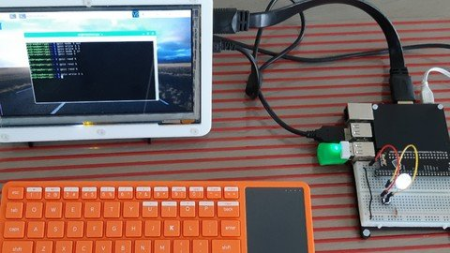
Use Java and Java FX on a Raspberry PI
MP4 | Video: h264, 1280x720 | Audio: AAC, 44.1 KHz
Language: English | Size: 427 MB | Duration: 43m
An introduction to Java programming for the Raspberry Pi
What you'll learn​

In this course we will build a JavaFX application on PC resulting in a packaged jar-file. This can be run on a Raspberry PI after we installed the required Java dependencies.
Requirements
(Limited) knowledge of Java and an IDE
(Limited) knowledge of Raspberry Pi, GPIO's, attaching a LED and button
Description
In this course I want to give you a quick getting-started with Java 11 and JavaFX 11 (and newer) on the Raspberry Pi.
It's definitely not a full course on Java and JavaFX (there are already a lot of very good ones here on Udemy), but a guide to what you need to get a recent Java running on a Pi and to be able to control the GPIO's via Java and show it in a nice dashboard-like JavaFX application.
Who this course is for
Anyone interested in Java, JavaFX, User interface, Raspberry PI...
Screenshots


a84de86a-c7f8-47ca-b47f-ee810eefcc6b.png

Gumroad - Virtual Plein Air Painting Process
Video: MPEG4 Video (H264) 2048x1152 30fps 4197kbps | Audio: AAC 44100Hz stereo 125kbps
Genre: eLearning | Duration: 1hrs+ | Language: English | File size: 3.4 GB
This video will take you through the entire process from start to finish of painting a Virtual Plein Air.


I will talk about my thought process and what you need to think about when painting in general, also showing you the tools and techniques I'm using in photoshop.
What you'll get
107 minutes HD video (real-time) with audio commentary (english)
.Psd file of the final image
Photoshop CC brushes
Homepage


fycwDQTrnhyzkjPbN4WyiKRaeBkLmNer.jpg

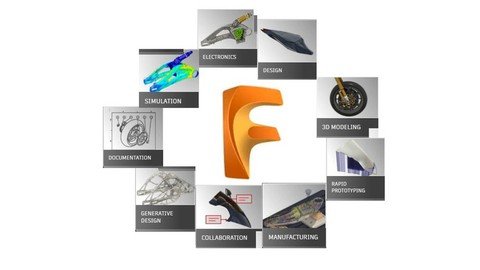
Autodesk Fusion Basic Course
Genre: eLearning | MP4 | Video: h264, 1280x720 | Audio: AAC, 44.1 KHz
Language: English | Size: 6.26 GB | Duration: 8h 40m
Learn how to bring to life your design ideas using Fusion software.

What you'll learn
You will learn fundamental skills and knowledge to create design in the Autodesk Fusion software.
Creating sketches, 3D models and assemblies.
Creating and modify Free Form models.
Basics of model static simulation, Creating Animations and Drawings.
Requirements
Operating System: Apple® macOS macOS 12 Monterey macOS 11 Big Sur macOS 10.15 Catalina macOS 10.14 Mojave (Until March 2022) Note: macOS 10.14 Mojave support will be deprecated on March,2022. (More details) Microsoft® Windows® Windows 11 Windows 10 (64-bit) Windows 8.1 (64-bit) (until January 2023)**
Memory: 4GB of RAM; Disk space: 3 GB of storage; Internet connection 2.5 Mbps or faster download; 500Kbps or faster upload
Installed Autodesk Fusion 360 software.
No programming skills needed.
Basic computer skills.
Description
Hello everyone!
Welcome to the Autodesk Fusion 360 Basic Course.
This course is intended for everyone who would like to get familiar with the Fusion 360 software, from very beginning, with no knowledge about it.
Course requirements
Installed Autodesk Fusion software, internet connection.
Course contains 33 Practical lectures, about 8 hours in video format. Below you will see the Course content table with four columns
No. - Number of Lesson
Lesson Name - Name of the lesson
File name - The name of the file which is attached to the relevant lecture resource. In some lessons practice files should be used to learn how to use relevant design technique. To download the attached files please follow these steps
1. Create folder on the C drive, with name Autodesk Fusion Practice files.
2. Download the attached to the lectures practice files and save in folder Autodesk Fusion Practice files on the C drive.
3. During watching the lectures, You will be guided how to upload the practice files from Autodesk Fusion Practice files folder in the Fusion project.
In lectures without practice files ( Not applicable), You should repeat instructor actions to learn the lesson.
Lesson time - The length of the lesson in minutes:seconds
Course content:
No. Lesson Name File name Lesson time
0. Presentation Not applicable 03:34
1. Introduction Not applicable 29:05
2. Control of the Model 2. BBQ 18:27
3. Basic Shapes Not applicable 18:15
4. Sketch in the Fusion 360 Not applicable 21:42
5. Extrude feature for 3D model creation Not applicable 15:40
6. Revolve feature for 3D model creation Not applicable 09:57
7. Constraints Application 7. constraints_1 09:01
8.1. Dimension and constraints to fully constraint the sketch Not applicable 13:45
8.2. Dimension and constraints to fully constraint the sketch Not applicable 14:52
9. Trim Extend Mirror 9. Trim_Extend_Mirror 04:19
10. Copy Sketch 10. copy_sketch 08:02
11. Sketch Patterns 11. sketch_patterns 07:28
12.1. Extrude from sketch on the model 12.1 Extrude from sketch on the model part 1 09:07
12.2. Offset in the sketch on the model 12.2 Extrude from sketch offset on the model part 2 05:23
13. One sketch for multiple features 13. One sketch for multiple features 05:36
14. Fillet and Chamfer 14. Fillet and Chamfer 09:41
15. Hole creation Not applicable 14:56
16. Construct Features Not applicable 21:58
17.1. Parameter Dimensions by equations 17.1 Equations for dimensions 11:23
17.2. Parameter Dimensions by equations 17.2 Equations for dimensions 2 09:52
18. Shell and Rib 18. Shell and Rib 07:12
19. Design Modify Tools Not applicable 07:01
20. Feature order impact to the model Not applicable 07:02
21. Direct Modelling 21. Direct modeling v2 11:24
22. Sweep feature Not applicable 09:25
23. Loft feature 23. Loft Feature 08:08
24. Mirror feature Not applicable 06:47
25. Pattern feature 25. Pattern Feature 14:32
26. Assembly Joints 26. Assembly Joints v1 v2 21:26
27. As built joint Assembly 27. As built Joint Assembly 19:31
28. Drawing creation 14. Fillet and Chamfer 09:53
29. Assembly drawing 29. As built Joint Assembly Final 21:55
30. Free form modelling Not applicable 19:30
31. Free Form Edit tool Not applicable 10:34
32. Free form modify tools Not applicable 46:41
33. Static Analysis Not applicable 16:49
TOTAL time: 8hr 22min
During this course, step by step You will learn how to create design in Fusion , starting from interface of the software, then creating sketch, constraints, 3D model, combine parts by joints making assemblies, prepare exploded view in animation, then generating the drawing. As well as creating and modifying free forms and at the end the basics of static stress analysis.
Thank You for participating in this Autodesk Fusion 360 Basic Course.
Who this course is for
This course is intended for complete beginners.
Essential users can also learn a few new things as this course includes practice lessons on various design techniques and tools.
Screenshots


a9caecd3-db7c-4f2e-8275-7a8f46721c98.png

Creating Sci-Fi Space Scene in Cinema 4D with Octane
Duration: 1h 3m | Video: .MP4, 1280x720 30 fps | Audio: AAC, 48 kHz, 2ch | Size: 932 MB
Genre: eLearning | Language: English​

Learn the basics of rendering Sci-fi scenes in Cinema 4D
What you'll learn:
Learn the basics of Lighting in Cinema 4D
Learn the basics of Cinematic Rendering in Cinema 4D
Learn various functions of Cinema 4D
Learn professional insights and tips for Cinema 4D
Learn how to enhance renders in Adobe Lightroom
Requirements
Be able to navigate the UI in Cinema 4D
Have very basic knowledge of how Cinema 4D works
Description
So you want to take your Cinema 4D skills to the next level? Do you want to turn Cinema 4D from just a hobby to a full fledged career? If so, then you are at the right place!
My name is Nafay Sheikh and in this course, I will teach you how to make amazing and cinematic Sci-fi renders inside Cinema 4D and using Octane render engine but you can definitely make this scene without Octane render engine as well!
This course will teach you how to import 3D models into Cinema 4D, create unique and creative environments, light the whole scene using realistic light setups, and finally render the whole scene using Octane Render. This course will help you polish your existing Cinema 4D skills.
The main learning objectives of this course are the following:\
Learn the basics of Lighting in Cinema 4D
Learn the basics of Cinematic Rendering in Cinema 4D
Learn various functions of Cinema 4D
Learn professional insights and tips for Cinema 4D
Learn how to enhance renders in Adobe Lightroom
Note: You do need to have some prior knowledge of Cinema 4D, be able to navigate the UI, have basic understanding of how Cinema 4D works and be able to use an internet browser to download 3D models.
So what are you waiting for? Take this course today and take your Cinema 4D skills to the next level!
Who this course is for
Cinema 4D beginners interested to improve their skills
Homepage
Screenshots


Wjue1FgE9EegCn7R5Ta1EPLFmPM52YbQ.jpg

Electric Vehicles Comprehensive Course
MP4 | Video: h264, 1280x720 | Audio: AAC, 44.1 KHz
Language: English | Size: 906 MB | Duration: 3h 37m​

This course of electric vehicles will help you to discover useful knowledge and facts about the electric vehicles that you really need as a learner. If you desire to know how electric vehicles work, what fundamental systems they are made of, their progress history, categorization, and potential guidelines for future developers, then welcome to this course. You can understand all the basic concepts and techniques associated with electric transportation.
In this class, current and future of the electric vehicles, hybrid, plug-in hybrid, extended range and fuel cell automotive vehicles will be discussed in detail. Types of the electric vehicles and their batteries used based upon their materials and assembly will be analyzed in detail. If you are interested to learn about the operation of the electric cars, this course will also give you a simple but comprehensive overview of how batteries and also how battery thermal management system (BTMS) work.
The class is composed of video lectures where I give explanation about interesting facts of the electric vehicle and the battery technologies. This course is professionally designed in such a way that with each upcoming section you go deeper and deeper into comprehensive knowledge. This course is fairly suitable for the students who are new to this world. If you are already advanced in this field then you can skip some of the early lectures and go into more advanced sections of the course. Therefore, join the class and advance your knowledge on the electric vehicle technology that will drive the world. No prior knowledge necessary for this course.
This course is subject to further growth and expansion; several additional lectures and resources will be continuously added with the latest information to get superior understanding about the subject.
Screenshots


vkw5SE1uLX1XP86ce41uJRWL7Zg8jyHf.jpg

Learn CodeIgniter 4 Spark CLI Tutorial Step by Step
Genre: eLearning | MP4 | Video: h264, 1280x720 | Audio: AAC, 48.0 KHz
Language: English | Size: 1.73 GB | Duration: 5h 19m
Step Complete Guide to Use Spark CLI of CodeIgniter v4

What you'll learn
CodeIgniter 4 Spark CLI Commands
How to work with CLI Commands in CodeIgniter 4
About managing a CodeIgniter 4 application using spark commands
What is Spark CLI and why we use it inside CodeIgniter 4
Requirements
Beginners knowledge of CodeIgniter framework & its about MVC pattern
Beginners knowledge of Databases
Description
In this course learner will get all complete details of using Spark CLI in CodeIgniter v4. Bit Experience in CodeIgniter programming required. Learn practical skills of CodeIgniter 4 Spark CLI. Enroll this course today and get the skills over Spark CLI of CodeIgniter 4 to develop yourself as a standalone perfect CodeIgniter Developer.
Begin your journey of Spark CLI in CodeIgniter 4 you will learn and get concept of each commands and sections into a deep level of Spark CLI depth.
If you have just decided to learn development in CodeIgniter 4, then it will be best to go with the newly added feature i.e Spark CLI commands. Hopefully you will be at the right choice to select this course, so take a breath. Spark CLI is an interactive tool which manage your CodeIgniter 4 application. This course will be very easy to learn which means that you will be through the basics and on to writing module wise code for application with standards in a very short time.
This course is a step by step guide through the CodeIgniter 4 framework and it's spark commands. You will go from a complete CodeIgniter 4 framework beginner, from installation to managing your own application.
This course will walk you through
We will learn CodeIgniter 4 Spark CLI
1. CodeIgniter 4 Installation
2. CodeIgniter 4 Spark Console
3. About each section of Spark CLI
4. Basic usage and complete information about CLI commands
5. Learn to manage application using Spark commands
6. Custom commands into Spark console
7. Get programming with CodeIgniter 4 Framework with Spark CLI today and enroll now.
Who this course is for
Beginner/Intermediate/Expert CodeIgniter PHP Framework Learners
PHP framework lover
Screenshots


VRQZRp26vO1pdzSfPr3eFML2Vua4tbGK.jpg

Learn Swedish from scratch!
Genre: eLearning | MP4 | Video: h264, 1280x720 | Audio: AAC, 44.1 KHz
Language: English | Size: 867 MB | Duration: 1h 14m
Get a flying start with certified teacher Ulf!

What you'll learn
Greetings & personal presentation
The alphabet and numbers
Authentic everyday conversations
Basic linking & question words
Talk about your daily routine
Basic rules for grammar and pronunciation
Requirements
This course starts from scratch and you will learn beginner Swedish in a fun and engaging way! The course is led by certified teacher Ulf who has taught hundreds of students in schools and online.
Description
Dear Swedish learner,
This course is based on knowledge from 13 years of language teaching in Swedish schools. The course is for complete beginners of Swedish and gives you all the basics you need for fundamental spoken communication, grammar, pronunciation and authentic use of the language. You will also learn some differences between written and spoken Swedish. Whether it is a personal presentation, first day at work or going to a party - certified teacher Ulf guides you in a personal and fun way. The dialogues and texts starts from the very beginning and gradually employ more advanced language. Look through the chapters to see what the themes are!
We start with a personal presentation, the alphabet and getting the pronunciation right. The last lecture teaches you how to talk about your daily routine. There is a special grammar section you may consult whenever you need it.
The course is well-structured and contains exercises and a self-test (google form) to fill out at the end of the course to ensure the learning objectives have been met.
Explanations and comments are given in English and all other material is native Swedish. Each lecture is 2-10 min long to promote focus and clear learning sections.
Learning the Swedish language is the key to a successful life in Sweden: entering the job market, building a social network and private life. And the journey starts right now!
Who this course is for
The course is for beginner learners of Swedish who prefer a certified teacher and want to get a flying start to the Swedish language. The course is taught in English/Swedish in a personal and fun way by certified teacher Ulf.
If you like a systematic progression with embedded exercises this is for you!
Screenshots


5de9d75c-c0f4-4671-8be7-6fee4b0ba812.png

Lightroom Mobile Editing Made Easy (2022) | Edit Like a Pro With Your Smartphone!
Duration: 3h 8m | Video: .MP4, 1280x720, 30 fps | Audio: AAC, 48 kHz, 2ch | Size: 2.04 GB
Genre: eLearning | Language: English​

Do you want to edit your photos to look amazing on your smartphone?
Discover how easy it is to edit your photos on Lightrooms free editing app, Lightroom Mobile, like a pro.
Don't let "free" fool you, though. The free editing tools consist of multiple tools that can transform your images from ordinary to extraordinary.
You'll learn everything you need to know to adjust your exposures, crop, export, make color adjustments, and more.
Elevate your images to the next level with Lightrooms premium features.
Learn how to control your edits with Lightrooms Masking tool precisely. With it, you can use the power of AI to auto-select subjects, the sky, and more!
Plus, I've included 50 premium presets that I use for my images for free! Once downloaded, I'll show you how to import them into your Lightroom Mobile app, how to use, customize and even make your own!
Get instant access to
Image files included for practicing what you learn
50 FREE Lightroom Mobile presets to use on your photos
Premium support if you ever get stuck or have a question
Here's what you'll learn in this Lightroom Mobile course
You'll start at the beginning by learning how to import and organize your photos in the free app. Plus, I'll show you how to quickly add your photos from your digital camera or phone into the Lightroom Mobile Library.
Next, you'll dive into Lightroom and discover how to edit 10 types of photo editing challenges, like, over and underexposed images, how to boost colors + contrast, how to de-haze images, how to target specific parts of your photos (with Masks), and more.
The editing tools used will include, but are not limited to, the following:
Tonal Adjustments (exposure, shadows, highlights, black + white points)
Tone Curve
Color Grading
Vignettes
Lens Correction
Editing with Masks: AI Select Tools, Radial + Linear Gradients, and more
Retouching with Clone + Heal
Explore Adobe Profiles
and much more.
Discover the Power of Presets!
Discover how to use Presets as a starting point for your creative vision in one click! I've included 50 premium presets... a $48 value... for free!
Plus, I've included some pro editing tips to help you elevate your photographic editing skills.
Develop your editing style
One of the most challenging aspects of editing is deciding how you want your image to look when finished. In other words, what "style" are you trying to achieve. You'll discover my 30 years of pro editing tips for developing your editing style... with step-by-step instructions.
Ready to start creating amazing images?
Now is the time to learn how to use Lightroom Mobile, so you're not stuck behind a desk all day!
Homepage
Screenshots


0R5vhLd57YCDIRTwKUrOYXyn1Wq6Sri2.jpg

Machine Learning, Deep Learning and Bayesian Learning
MP4 | Video: h264, 1280x720 | Audio: AAC, 44.1 KHz
Language: English | Size: 5.53 GB | Duration: 16h 14m
Learn Machine Learning, Deep Learning, Bayesian Learning and Model Deployment in Python.
What you'll learn​

Deep Learning with Tensorflow!!!
Deep Learning with PyTorch!!! Yes both Tensorflow + PyTorch!
Bayesian learning with PyMC3
Data Analysis with Pandas
Algorithms from scratch using Numpy
Using Scikit-learn to its full effect
Model Deployment
Model Diagnostics
Natural Language Processing
Unsupervised Learning
Natual Language Processing with Spacy
Time series modelling with FB Prophet
Python
Requirements
Willingness to learn
Description
This is a course on Machine Learning, Deep Learning (Tensorflow + PyTorch) and Bayesian Learning (yes all 3 topics in one place!!!). Yes BOTH Pytorch and Tensorflow for Deep Learning.
We start off by analysing data using pandas, and implementing some algorithms from scratch using Numpy. These algorithms include linear regression, Classification and Regression Trees (CART), Random Forest and Gradient Boosted Trees.
We start off using TensorFlow for our Deep Learning lessons. This will include Feed Forward Networks, Convolutional Neural Nets (CNNs) and Recurrent Neural Nets (RNNs). For the more advanced Deep Learning lessons we use PyTorch with PyTorch Lightning.
We focus on both the programming and the mathematical/ statistical aspect of this course. This is to ensure that you are ready for those theoretical questions at interviews, while being able to put Machine Learning into solid practice.
Some of the other key areas in Machine Learning that we discuss include, unsupervised learning, time series analysis and Natural Language Processing. Scikit-learn is an essential tool that we use throughout the entire course.
We spend quite a bit of time on feature engineering and making sure our models don't overfit. Diagnosing Machine Learning (and Deep Learning) models by splitting into training and testing as well as looking at the correct metric can make a world of difference.
I would like to highlight that we talk about Machine Learning Deployment, since this is a topic that is rarely talked about. The key to being a good data scientist is having a model that doesn't decay in production.
I hope you enjoy this course and please don't hesitate to contact me for further information.
Who this course is for
Anyone interested in Machine Learning.
Screenshots


24ca30d2-389b-49d1-9ae8-098946f2fc90.png

Master Rubik's Cube in 4 days!
MP4 | Video: h264, 1280x720 | Audio: AAC, 44.1 KHz, 2 Ch
Genre: eLearning | Language: English + srt | Duration: 33 lectures (1h 24m) | Size: 203 MB


Rubik's Cube explained like never before!
What you'll learn
By the end of the course you will be able to solve the Rubik's Cube from any position.
You will learn ALL the steps necessary to solve the cube from start to finish.
Requirements
Rubik's Cube
Patience
Description
This course is about getting you to solve the most famous puzzle in the world, Rubik's cube. If you tried to solve it in the past and failed, worry not...I am here to guide you step by step through my unique method.
I will be using 3D model software in most of my lectures instead of a real cube. I found out that it makes you see the moves far better, than if I used a real one.
The good news that I will not be using notes! Yes, that's right. I did not learn with it, so I will not teach it. Instead, I will show you the moves with arrows and shapes.
I believe anyone can solve the cube if he learned it like I did, that is learn a few moves and then practice it for a day, and then a few moves and so on, and that's exactly what I will be doing with you.
As the title says, you will learn to solve the cube in 4 days... but that does not mean you will be FAST in a week! NO, it will take you some time depends on how much you practice, to solve the cube in 3 minutes or less,and you will learn in a way that will enable you to memorize all the steps in 4 to 7 day.
So why take this course? Because it's unique, it's simple, and I don't use the cube's notes.
Who this course is for
Anybody from age 9 to 90
No previous knowledge is required.
Homepage


Zurück
Oben Unten