• Regeln für den Video-Bereich:

    In den Börsenbereich gehören nur Angebote die bereits den Allgemeinen Regeln entsprechen.

    Einteilung

    - Folgende Formate gehören in die angegeben Bereiche:
    - Filme: Encodierte Filme von BluRay, DVD, R5, TV, Screener sowie Telesyncs im Format DivX, XviD und x264.
    - DVD: Filme im Format DVD5, DVD9 und HD2DVD.
    - HD: Encodierte Filme mit der Auflösung 720p oder darüber von BluRay, DVD, R5, TV, Screener sowie Telesyncs im Format x264.
    - 3D: Encodierte Filme von BluRay, die in einem 3D Format vorliegen. Dies gilt auch für Dokus, Animation usw.
    - Serien: Cartoon/Zeichentrick, Anime, Tutorials, Dokumentationen, Konzerte/Musik, Sonstiges sind demnach in die entsprechenden Bereiche einzuordnen, auch wenn sie beispielsweise im High Definition-Format oder als DVD5/DVD9/HD2DVD vorliegen. Ausnahme 3D.
    - Bereich Englisch: Englische Releases gehören immer in diesen Bereich.
    - Bereich Talk: Der Bereich, in dem über die Releases diskutiert werden kann, darf, soll und erwünscht ist.


    Angebot/Beitrag erstellen

    - Ein Beitrag darf erst dann erstellt werden, wenn der Upload bei mindestens einem OCH komplett ist. Platzhalter sind untersagt.
    - Bei einem Scenerelease hat der Threadtitel ausschließlich aus dem originalen, unveränderten Releasenamen zu bestehen. Es dürfen keine Veränderungen wie z.B. Sterne, kleine Buchstaben o.ä. vorgenommen werden. Ausnahme Serienbörse:
    - Bei einem Sammelthread für eine Staffel entfällt aus dem Releasename natürlich der Name der Folge. Beispiel: Die Simpsons S21 German DVDRip XviD - ITG
    - Dementsprechend sind also u.a. verboten: Erweiterungen wie "Tipp", "empfehlenswert", "only", "reup", usw. / jegliche andere Zusatzinformation oder Ergänzung, welche nicht in obiger Beschreibung zu finden ist.

    Aufbau des Angebots und Threadtitel

    Der Titel nach folgendem Muster erstellt zu werden. <Name> [3D] [Staffel] [German] <Jahr> <Tonspur> [DL] [Auflösung] <Quelle> <Codec> - <Group>
    Beispiel: The Dark Knight German 2008 AC3 DVDRip XviD - iND
    Beispiel: The Dark Knight 2008 DTS DL BDRip x264 - iND
    Beispiel: The Dark Knight 2008 AC3 DL BDRip XviD - iND
    Beispiel: The Dark Knight German 2008 AC3 720p BluRay x264 iND
    Beispiel: The Dark Knight 2008 DTS DL 1080p BluRay x264 iND
    Beispiel: Die Simpsons S01 German AC3 DVDRip XviD iND
    Beispiel: Die Simpsons S20 German AC3 720p BluRay x264 iND
    Beispiel: Sword Art Online II Ger Sub 2014 AAC 1080p WEBRip x264 - peppermint
    Entsprechend sind also u.a. verboten: Sonderzeichen wie Klammern, Sterne, Ausrufezeichen, Unterstriche, Anführungszeichen / Erweiterungen wie "Tipp", "empfehlenswert", "only", "reup", usw. / jegliche andere Zusatzinformation oder Ergänzung, welche nicht in obiger Beschreibung zu finden ist
    Ausnahmen hiervon können in den Bereichen geregelt sein.

    Die Beiträge sollen wie folgt aufgebaut werden:
    Überschrift entspricht dem Threadtitel
    Cover
    kurze Inhaltsbeschreibung
    Format, Größe, Dauer sind gut lesbar für Downloader außerhalb des Spoilers zu vermerken
    Nfo sind immer Anzugeben und selbige immer im Spoiler in Textform.
    Sind keine Nfo vorhanden z.B. Eigenpublikationen, sind im Spoiler folgende Dateiinformationen zusätzlich anzugeben :
    Quelle
    Video (Auflösung und Bitrate)
    Ton (Sprache, Format und Bitrate der einzelnen Spuren)
    Untertitel (sofern vorhanden)
    Hosterangabe in Textform außerhalb eines Spoiler mit allen enthaltenen Hostern.
    Bei SD kann auf diese zusätzlichen Dateiinformationen verzichtet werden.

    Alle benötigten Passwörter sind, sofern vorhanden, in Textform im Angebot anzugeben.
    Spoiler im Spoiler mit Kommentaren :"Schon Bedankt?" sind unerwünscht.


    Releases

    - Sind Retail-Release verfügbar, sind alle anderen Variationen untersagt. Ausnahmen: Alle deutschen Retail-Release sind CUT, in diesem Fall sind dubbed UNCUT-Release zulässig.
    - Im Serien-Bereich gilt speziell: Wenn ein Retail vor Abschluss einer laufenden Staffel erscheint, darf diese Staffel noch zu Ende gebracht werden.62
    - Gleiche Releases sind unbedingt zusammenzufassen. Das bedeutet, es ist zwingend erforderlich, vor dem Erstellen eines Themas per Suchfunktion zu überprüfen, ob bereits ein Beitrag mit demselben Release besteht. Ist dies der Fall, ist der bereits vorhandene Beitrag zu verwenden.
    - P2P und Scene Releases dürfen nicht verändert oder gar unter einem iND Tag eingestellt werden.


    Support, Diskussionen und Suche

    - Supportanfragen sind entweder per PN oder im Bereich Talk zu stellen.
    - Diskussionen und Bewertungen sind im Talk Bereich zu führen. Fragen an die Uploader haben ausschließlich via PN zu erfolgen, und sind in den Angeboten untersagt.
    - Anfragen zu Upload-Wünschen sind nur im Bereich Suche Video erlaubt. Antworten dürfen nur auf Angebote von MyBoerse.bz verlinkt werden.


    Verbote

    - Untersagt sind mehrere Formate in einem einzigen Angebotsthread, wie beispielsweise das gleichzeitige Anbieten von DivX/XviD, 720p und 1080p in einem Thread. Pro Format, Release und Auflösung ist ein eigener Thread zu eröffnen.
    - Grundsätzlich ebenso verboten sind Dupes. Uploader haben sich an geeigneter Stelle darüber zu informieren, ob es sich bei einem Release um ein Dupe handelt.
    - Gefakte, nur teilweise lauffähige oder unvollständige Angebote sind untersagt. Dies gilt auch für eigene Publikationen, die augenscheinlich nicht selbst von z.B. einer DVD gerippt wurden. Laufende Serien, bei denen noch nicht alle Folgen verfügbar sind, dürfen erstellt und regelmäßig geupdatet werden.
    - Untersagt sind Angebote, welche nur und ausschließlich in einer anderen Sprache als deutsch oder englisch vorliegen. Ausnahmen sind VORHER mit den Moderatoren zu klären.


    Verstoß gegen die Regeln

    - Angebote oder Beiträge, die gegen die Forenregeln verstoßen, sind über den "Melden"-Button im Beitrag zu melden.
  • Bitte registriere dich zunächst um Beiträge zu verfassen und externe Links aufzurufen.

*** Bestes IPTV *** bester Preis *** gratis Test ***


Englische Tutorials

0004247d-beb1-4b6c-88ed-bc62572f0a59.png

Using Gravity Forms in WordPress: A Comprehensive Guide
LinkedIn Learning
Duration: 1h 56m | .MP4 1280x720, 30 fps(r) | AAC, 48000 Hz, 2ch | 1.01 GB
Genre: eLearning | Language: English​

Did you know that you can use Gravity Forms in WordPress as more than just a form builder? Gravity Forms is one of the most popular form builders on the market, but its full functionality for developers is sometimes underappreciated. In this course, instructor Joe Casabona gives you a comprehensive overview of how to get the most out of Gravity Forms in WordPress so you can start using it today.
Learn how to install and set up Gravity Forms and then start making forms of your own. Find out how to create and configure a contact form, application form, ESP connection form, electronic payment form, and more. Joe even shows you how to customize Gravity Forms with code-no coding experience necessary, but why not give it a try? Along the way, test out your new form-building skills with the practice challenge in each section.
Homepage
Screenshots


a612e1e8-f9ea-4303-92cc-e97e25fa51a0.png

Fundamentals of Integration with Apache Camel
Duration: 2h 51m | .MP4 1280x720, 30 fps(r) | AAC, 48000 Hz, 2ch | Size: 414 MB
Genre: eLearning | Language: English​

Apache Camel is considered the Swiss army knife for solving system integration problems. In this course, you will learn about its capabilities and see it applied in several common integration scenarios.
What you'll learn
Apache Camel is an open source framework that aims to reduce the complexity of system integration and shift focus to the real value you want your software to provide. In this course, Fundamentals of Integration with Apache Camel, you'll gain the expertise required for building your own route-based integrations. First, you'll learn the foundational concepts of what a Camel route is and how to build a route using the Camel DSL. Next, you'll expand your understanding of route building by applying common integration patterns for solving concerns like aggregation, retry, error handling, and circuit breakers. The implementation of these routes will be in the context of real-world scenarios like message-based and event-based integration. When you're finished with this course, you'll have learned enough to successfully implement Camel for your own integrations.
Screenshots


92f87211-07a9-4b69-8745-347f1a23bf50.png

Excel PivotTable Quick Tips
MP4 | Video: h264, 1280x720 | Audio: AAC, 44.1 KHz, 2 Ch
Skill Level: Beginner | Genre: eLearning | Language: English + srt | Duration: 16m | Size: 57.8 MB

Excel PivotTables-which allow you to quickly calculate and analyze large amounts of data-are one of the most powerful features of Microsoft's ubiquitous spreadsheet tool. But many users have only a basic understanding of how PivotTables work. In this course, instructor Jess Stratton offers a plethora of bite-sized tips designed to deepen your understanding of how PivotTables work and how to use them more effectively.
Learn how to properly format data and create a basic PivotTable in Excel. Discover ways to adjust, rearrange, and group data to calculate and summarize values that you can put to use on the job. Get tips on data filtering and sorting, conditional formatting, and using PivotCharts and slicers. Along the way, Jess shows how to deal with common PivotTable error messages, such as invalid field names and overlapping reports. By the end of this course, you'll be able to create more robust PivotTables in minutes-just in time for that next meeting.
Homepage


]
74990a0c-ff8e-482a-8123-d06d22bb84c9.png

Project Management: How to build a Project Charter
Last Update: 2/2022
Duration: 1h 1m | Video: .MP4, 1280x720 30 fps | Audio: AAC, 48 kHz, 2ch | Size: 303 MB
Genre: eLearning | Language: English​

Learn the best process to deliver a solid Project Charter to launch any project!
What you'll learn:
Project Management
Project Charter
Project documentation
Project planning
Requirements
n/a
Description
In order to launch, run and deliver a successful project, one key ingredient is needed right at the beginning - A Project Charter. But not just any old Project Charter, a fantastic Project Charter!
Building a Project Charter is not an easy task. There are a range of complexities that need to be taken into consideration when it comes to building one, a process to follow and a number of steps you need to complete. Many projects I have worked in over the years have a "Project*Charter", but the project still fails because the charter is missing key parts, is too complicated or just is not focused enough. Many people build a charter to say they have one, and leave it to fester and not deliver its true potential.
In my experience, those projects that are launched with a solid Project Charter, covering all the necessary steps are the ones that truly deliver.
In this course, we will look at
- What is a Project Charter?
- The purpose and importance of a Project*Charter.
- How to build a Project Charter.
- A step by step breakdown of all of the key aspects of a charter and how to complete them.
We will use a scenario to walk through this process, enabling you to see exactly how you could deploy your own project idea into a Project Charter as soon as you have completed the course!
Who this course is for
Project Manager
Business Leader
Consultant
Operational Leader
Team Leader / Manager
Analyst
Graduates
Professionals
Homepage
Screenshots


b0f6f680-c5e4-4ae2-9bfc-f2de17fbf508.png

Improving Your Memory
LinkedIn Learning
Duration: 1h 28m | .MP4 1280x720, 30 fps(r) | AAC, 48000 Hz, 2ch | 1.03 GB
Genre: eLearning | Language: English.​

Memory is not a finite resource, and with techniques like repetition, association, and visualization, you can improve your memory before it starts to fade. This fascinating course shows viewers of all ages how to improve their recall. It explains how and when to employ tricks such as mnemonic devices, rhymes, stories, and alliteration. And it explains the best methods for different situations, like remembering names, important dates, passwords, to-do lists, s, and more. These techniques will prove invaluable, whether you're memorizing facts for a test at school, points for a work presentation, or trivia to impress your friends.
Homepage
Screenshots


b248a9d4-15f2-48b7-b683-f86824f15c17.png

Revit: Rhino Workflow
LinkedIn Learning
Duration: 2h 27m | .MP4 1280x720, 30 fps(r) | AAC, 48000 Hz, 2ch | 1.77 GB
Genre: eLearning | Language: English​

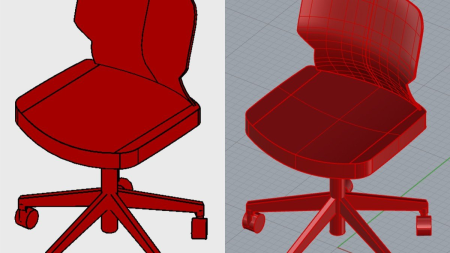
Rhino and Revit both have a firm place in the architecture and construction workflow. Rhino is an ideal program to model complex forms for iterative conceptual projects while Revit excels in creating BIM driven projects with layers of information. In this course instructor Olivia Morgan shows you how to seamlessly move between these programs in a safe and practical workflow.
Learn effective modeling techniques and vetting tools in Rhino projects to create models that meet Revit-specific, Brep-based geometry standards. Explore different methods for importing and linking your cleaned up Rhino model so that you can get your geometry into Revit safely. Find out how to prepare a Revit model for a Rhino import in different real-world scenarios, and how the new Rhino.Inside.Revit plugin can streamline your workflow with live importing and exporting between Rhino and Revit. By the end of this course, you will have the skills you need to leverage the new workflow in your own projects.
Homepage
Screenshots


5808c16e-d678-492a-b2df-adc50eed0d98.png

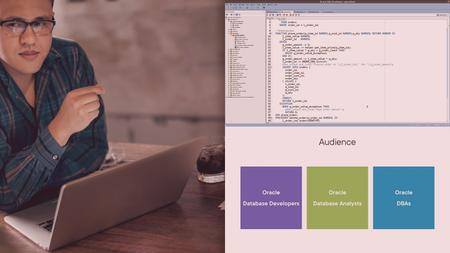
Implementing Oracle API Gateway
MP4 | Video: h264, 1280x720 | Audio: AAC, 44.1 KHz, 2 Ch
Genre: eLearning | Language: English + srt | Duration: 21 lectures (4h 58m) | Size: 1.77 GB

Play with Oracle API Gateway with various examples and apply the same to your real-time projects
What you'll learn
Implement the Oracle API Gateway
How to use and configure different backends
Configure various request and response policies
Secure your backend APIs using Oracle API Gateway
Requirements
As such, there are no pre-requisites to learn the Oracle API Gateway however knowledge of REST APIs will be added advantage
Description
This course is designed to teach you the Oracle API Gateway end to end with a lot of examples. This course started with the introduction of the Oracle API Gateway, its feature, and discussed various navigations of the API Gateway.
This course will help you to understand how Oracle API Gateway works and what are pre-requisites before you start implementing the API Gateway for your Customers / Organizations.
This course will help you to learn Oracle API Gateway very quickly. After completing this course, you will be able to implement Oracle API Gateway independently.
The following topics are covered as part of this course
Overview of the Oracle API Gateway
Various features offered by Oracle API Gateway
What are the pre-requisites to start with Oracle API GW
Create necessary resources to create API GW
How to provision API GW
Configure backend APIs to API GW
Implement various request policies such as validations, transformations, etc.
Fetch query and path parameter values
Implement response policies such as Header transformations.
Implement global policies such as CORS, Rate Limiting
Secure your API GW resources
Understanding and implementing logging policies
Understanding Out of the Box (OOTB) metrics
After completing this course, you will become proficient in the Oracle API Gateway and can work independently without any help.
Enjoy this course and keep posting your questions for any issues/concerns.
Who this course is for
Will help all the API developers and manager who manages the APIs across the organization
Course is for API Managers
Course is for API Developers
Homepage






 
eaf5697c-c6d5-47db-a14f-5889902fc475.png

WPF 6 Fundamentals
Duration: 6h 9m | .MP4 1280x720, 30 fps(r) | AAC, 48000 Hz, 2ch | Size: 946 MB
Genre: eLearning | Language: English​

The Windows Presentation Foundation (WPF) is a popular UI framework that is part of .NET. This course teaches you how to use WPF and its UI description language XAML to build Windows desktop applications with .NET and C#.
What you'll learn
The Windows Presentation Foundation (WPF) is a popular UI framework that you can use to build Windows desktop applications with .NET and C#. In this course, WPF 6 Fundamentals, you'll learn the skills you need to develop and maintain WPF applications. First, you'll explore the structure of a WPF app, and you'll learn about the Extensible Application Markup Language (XAML). Next, you'll discover how to build user interfaces with layout panels, data binding, styles, templates, and the Model View ViewModel (MVVM) pattern. Finally, you'll learn how to debug your WPF app with the XAML debugging tools of Visual Studio. When you're finished with this course, you'll have the skills and knowledge of WPF and XAML needed to work successfully on WPF projects.
Screenshots


def108ef-bed6-40c9-83bf-c18e9e18ffb4.png

React 18: First Look
Duration: 34m | .MP4 1280x720, 30 fps(r) | AAC, 48000 Hz, 2ch | Size: 66 MB
Genre: eLearning | Language: English​

This course will teach you what new features React 18 brings including Suspense which is built on the new React Concurrent Rendering.
What you'll learn
The React 18 release includes a completely new rendering engine which is exposed through the all new Suspense Element. In this course, React 18: First Look, you'll learn what new features are coming in the latest React 18 update and how they will help you build better apps. First, you'll explore what all the new features in the React 18 release are. Next, you'll discover how these features will benefit you when you upgrade your apps to React 18. Finally, you'll learn what steps are necessary to actually update your app from a previous version of React to version 18. When you're finished with this course, you'll have an excellent understanding of what is coming in the React 18 release, including the all new Concurrent Rendering engine, as well as understand what changes you'll need to make to use Suspense in your apps.
Screenshots


03e6a1e1-25eb-4e75-9694-230781f98ad5.png

David Bond - Digital Pickup 2.0
MP4 | Video: 1920x1080 | Audio: AAC 44.1 Khz , 2ch | Duration: 1h 37 min | Language: English | 2.3 GB
A system for meeting women online so effective it should be illegal.​

When You Find Out How I'm Doing This You're Going to Be Sick
I have a confession to make. I've met hundreds of beautiful women online, by cheating.
Do you want to know t**** about online ****** now?
Everything is controlled by algorithms. Tinder, Instagram, Bumble, Hing all have algorithms - and once you know how to trick them.everything changes
The reality is the online ****** world is rigged against men.
The "online ******" industry makes millions of dollars exploiting men's desire to meet women with bot accounts, algorithms that hide your profile unless you pay, even charging men a fee to simply message a girl.
Tinder for example gives you a "desirability" score based on how many girls swipe right on you, and if your score is low less girls will see your profile.
Tinder also intentionally chokes your profile's visibility unless you pay them for boosts. On top of all of this, Tinder even will charge you more money based on your age and location.
Bumble, Hing, OkCupid, and many other ****** services all have built systems and algorithms to completely exploit you.
The entire online ****** industry is exploiting you.
The system is rigged against you.
So what can you do?
You really have 2 options.
A. Pay hundreds of dollars in subscription fees, boosts, stupid perks
B. Give up. There's actually a 3rd option.
Cheat!
Playing by the rules is no longer an option.
I will reveal to you how I text women in a way that makes them want to meet up - I will also give you examples.
Imagine Waking up to 100 Girls in YOUR DMs
Screenshots


37f166a0-7109-4e24-95ac-b6c01de8c037.png

Python Programming Multiple Choice Questions 2022
Last Update: 1/2022
Duration: 57m | Video: .MP4, 1280x720 30 fps | Audio: AAC, 48 kHz, 2ch | Size: 923 MB
Genre: eLearning | Language: English​

Learn Python Through Multiple Choice Questions
What you'll learn:
Python Programming Language
arithmetic operators
ranges
split
zfill
string slicing
lists
tuples
sets
dictionaries
string operators
function default return type
type hints
string capitalize
string title
Requirements
Python Beginner or More
Basic Knowledge about Visual Studio Code
Willing to Learn in a Fun Way
Description
In this course we will see a series of tricky Multiple Choice questions (in python code) and together we will solve them :)
These questions are designed to be fun, easy going and to keep you learning in the way.
The course is suitable to everyone with the willing to learn Python programming deeply, not just beginners! So if you're someone with the eager to learn, this is for you!
Since it requires a lot of effort to make these videos, explaining step by step what is happening and why, making the animations without loosing quality, and covering many questions that to the naked eye can trick you, this course starts with just 18 questions. It will be added new questions every month. Thank you for your patience!
In sum**** we will cover the following topics: Arithmetic operators, ranges and how they work, String split function, String zfill function, Code indentation, String slicing, Lists, Tuples, Sets, Dictionaries, String operators, ASCII code, function ord and function chr and how they work, Function default return type, Type hints (python 3.6 and above), String capitalize function, String title function, and more.
Note: Any question, any suggestion, feel free to contact me! I'll try my best to help you :)
Who this course is for
People interested in deep his/her knowledge about Python
Curious about learning Python
Homepage
Screenshots


b97f5b12-7f89-40d6-8849-fed5f0df0b6e.png

Real Python - Python any(): Powered Up Boolean Function
MP4 | Video: h264, 1920x1080 | Audio: AAC, 44.1 KHz, 2 Ch
Genre: eLearning | Language: English | Duration: 9 Lessons (33m) | Size: 45.4 MB

As a Python programmer, you'll frequently deal with Booleans and conditional statements-sometimes very complex ones. In those situations, you may need to rely on tools that can simplify logic and consolidate information. Fortunately, any() in Python is such a tool. It looks through the elements in an iterable and returns a single value indicating whether any element is true in a Boolean context, or t****y.
In this course, you'll learn how to
Use any() and not any()
Elimate long or chains
Use any() with list comprehensions
Evalute values that aren't explicitly True or False
Distinguish between any() and or
Use short-circuiting
Homepage


Zurück
Oben Unten