• Regeln für den Video-Bereich:

    In den Börsenbereich gehören nur Angebote die bereits den Allgemeinen Regeln entsprechen.

    Einteilung

    - Folgende Formate gehören in die angegeben Bereiche:
    - Filme: Encodierte Filme von BluRay, DVD, R5, TV, Screener sowie Telesyncs im Format DivX, XviD und x264.
    - DVD: Filme im Format DVD5, DVD9 und HD2DVD.
    - HD: Encodierte Filme mit der Auflösung 720p oder darüber von BluRay, DVD, R5, TV, Screener sowie Telesyncs im Format x264.
    - 3D: Encodierte Filme von BluRay, die in einem 3D Format vorliegen. Dies gilt auch für Dokus, Animation usw.
    - Serien: Cartoon/Zeichentrick, Anime, Tutorials, Dokumentationen, Konzerte/Musik, Sonstiges sind demnach in die entsprechenden Bereiche einzuordnen, auch wenn sie beispielsweise im High Definition-Format oder als DVD5/DVD9/HD2DVD vorliegen. Ausnahme 3D.
    - Bereich Englisch: Englische Releases gehören immer in diesen Bereich.
    - Bereich Talk: Der Bereich, in dem über die Releases diskutiert werden kann, darf, soll und erwünscht ist.


    Angebot/Beitrag erstellen

    - Ein Beitrag darf erst dann erstellt werden, wenn der Upload bei mindestens einem OCH komplett ist. Platzhalter sind untersagt.
    - Bei einem Scenerelease hat der Threadtitel ausschließlich aus dem originalen, unveränderten Releasenamen zu bestehen. Es dürfen keine Veränderungen wie z.B. Sterne, kleine Buchstaben o.ä. vorgenommen werden. Ausnahme Serienbörse:
    - Bei einem Sammelthread für eine Staffel entfällt aus dem Releasename natürlich der Name der Folge. Beispiel: Die Simpsons S21 German DVDRip XviD - ITG
    - Dementsprechend sind also u.a. verboten: Erweiterungen wie "Tipp", "empfehlenswert", "only", "reup", usw. / jegliche andere Zusatzinformation oder Ergänzung, welche nicht in obiger Beschreibung zu finden ist.

    Aufbau des Angebots und Threadtitel

    Der Titel nach folgendem Muster erstellt zu werden. <Name> [3D] [Staffel] [German] <Jahr> <Tonspur> [DL] [Auflösung] <Quelle> <Codec> - <Group>
    Beispiel: The Dark Knight German 2008 AC3 DVDRip XviD - iND
    Beispiel: The Dark Knight 2008 DTS DL BDRip x264 - iND
    Beispiel: The Dark Knight 2008 AC3 DL BDRip XviD - iND
    Beispiel: The Dark Knight German 2008 AC3 720p BluRay x264 iND
    Beispiel: The Dark Knight 2008 DTS DL 1080p BluRay x264 iND
    Beispiel: Die Simpsons S01 German AC3 DVDRip XviD iND
    Beispiel: Die Simpsons S20 German AC3 720p BluRay x264 iND
    Beispiel: Sword Art Online II Ger Sub 2014 AAC 1080p WEBRip x264 - peppermint
    Entsprechend sind also u.a. verboten: Sonderzeichen wie Klammern, Sterne, Ausrufezeichen, Unterstriche, Anführungszeichen / Erweiterungen wie "Tipp", "empfehlenswert", "only", "reup", usw. / jegliche andere Zusatzinformation oder Ergänzung, welche nicht in obiger Beschreibung zu finden ist
    Ausnahmen hiervon können in den Bereichen geregelt sein.

    Die Beiträge sollen wie folgt aufgebaut werden:
    Überschrift entspricht dem Threadtitel
    Cover
    kurze Inhaltsbeschreibung
    Format, Größe, Dauer sind gut lesbar für Downloader außerhalb des Spoilers zu vermerken
    Nfo sind immer Anzugeben und selbige immer im Spoiler in Textform.
    Sind keine Nfo vorhanden z.B. Eigenpublikationen, sind im Spoiler folgende Dateiinformationen zusätzlich anzugeben :
    Quelle
    Video (Auflösung und Bitrate)
    Ton (Sprache, Format und Bitrate der einzelnen Spuren)
    Untertitel (sofern vorhanden)
    Hosterangabe in Textform außerhalb eines Spoiler mit allen enthaltenen Hostern.
    Bei SD kann auf diese zusätzlichen Dateiinformationen verzichtet werden.

    Alle benötigten Passwörter sind, sofern vorhanden, in Textform im Angebot anzugeben.
    Spoiler im Spoiler mit Kommentaren :"Schon Bedankt?" sind unerwünscht.


    Releases

    - Sind Retail-Release verfügbar, sind alle anderen Variationen untersagt. Ausnahmen: Alle deutschen Retail-Release sind CUT, in diesem Fall sind dubbed UNCUT-Release zulässig.
    - Im Serien-Bereich gilt speziell: Wenn ein Retail vor Abschluss einer laufenden Staffel erscheint, darf diese Staffel noch zu Ende gebracht werden.62
    - Gleiche Releases sind unbedingt zusammenzufassen. Das bedeutet, es ist zwingend erforderlich, vor dem Erstellen eines Themas per Suchfunktion zu überprüfen, ob bereits ein Beitrag mit demselben Release besteht. Ist dies der Fall, ist der bereits vorhandene Beitrag zu verwenden.
    - P2P und Scene Releases dürfen nicht verändert oder gar unter einem iND Tag eingestellt werden.


    Support, Diskussionen und Suche

    - Supportanfragen sind entweder per PN oder im Bereich Talk zu stellen.
    - Diskussionen und Bewertungen sind im Talk Bereich zu führen. Fragen an die Uploader haben ausschließlich via PN zu erfolgen, und sind in den Angeboten untersagt.
    - Anfragen zu Upload-Wünschen sind nur im Bereich Suche Video erlaubt. Antworten dürfen nur auf Angebote von MyBoerse.bz verlinkt werden.


    Verbote

    - Untersagt sind mehrere Formate in einem einzigen Angebotsthread, wie beispielsweise das gleichzeitige Anbieten von DivX/XviD, 720p und 1080p in einem Thread. Pro Format, Release und Auflösung ist ein eigener Thread zu eröffnen.
    - Grundsätzlich ebenso verboten sind Dupes. Uploader haben sich an geeigneter Stelle darüber zu informieren, ob es sich bei einem Release um ein Dupe handelt.
    - Gefakte, nur teilweise lauffähige oder unvollständige Angebote sind untersagt. Dies gilt auch für eigene Publikationen, die augenscheinlich nicht selbst von z.B. einer DVD gerippt wurden. Laufende Serien, bei denen noch nicht alle Folgen verfügbar sind, dürfen erstellt und regelmäßig geupdatet werden.
    - Untersagt sind Angebote, welche nur und ausschließlich in einer anderen Sprache als deutsch oder englisch vorliegen. Ausnahmen sind VORHER mit den Moderatoren zu klären.


    Verstoß gegen die Regeln

    - Angebote oder Beiträge, die gegen die Forenregeln verstoßen, sind über den "Melden"-Button im Beitrag zu melden.
  • Bitte registriere dich zunächst um Beiträge zu verfassen und externe Links aufzurufen.

*** Bestes IPTV *** bester Preis *** gratis Test ***


Englische Tutorials

005e35c3_medium.jpg

Access 2021: Queries
LinkedIn Learning
Duration: 4h 29m | .MP4 1280x720, 30 fps(r) | AAC, 48000 Hz, 2ch | 2.31 GB
Genre: eLearning | Language: English​

Learn how to find and translate complex raw data into information you can use to make better decisions. Access expert Adam Wilbert explains how to create real-world queries to filter and sort data and perform calculations, as well as refine query results with built-in functions, all while offering challenges that help you master the material. Find out how to identify top performers, automate repetitive analysis tasks, make queries more flexible with parameter requests, and increase accuracy and consistency in your database using program flow functions. Adam closes with an assortment of useful query tricks. Take the challenges posed along the way to test and practice your new Access skills.
Homepage
Screenshots


b3913282-2f9e-4ffc-adfb-25176105930c.png

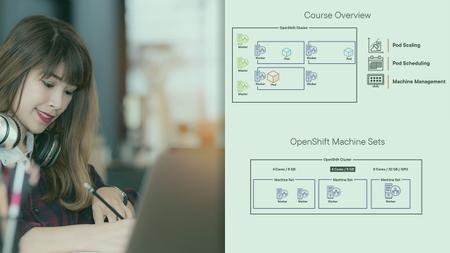
Managing Workloads and Nodes in OpenShift
Duration: 1h 3m| Video: 1280x720 30fps | Audio: AAC, 48 kHz, 2ch | Size: 170 NB
Genre: eLearning | Language: English​

This course will teach you how to manage and scale nodes in a Red Hat OpenShift Cluster to make sure they provide the reliability and performance your applications need.
More and more applications, not just micro services, are being deployed through containers. Many companies can't rely on open-source Kubernetes environments for their container orchestration though but require an enterprise ready Kubernetes platform like OpenShift. In this course, Managing Workloads and Nodes in OpenShift, you'll learn how to manage and scale nodes in a Red Hat OpenShift Cluster to make sure they provide the reliability and performance your applications need. First, you'll explore pod scaling - both horizontally as well as vertically. Next, you'll discover how to control which nodes your pods are being placed on. Finally, you'll learn how to manage your OpenShift nodes using machine sets. When you're finished with this course, you'll have the skills and knowledge of OpenShift administration needed to get manage your OpenShift workloads at a node level.
Screenshots


007dc63b_medium.jpg

MuleSoft 4: The Big Picture
Duration: 1h 15m | Video: 1280x720 30fps | Audio: AAC, 48 kHz, 2ch | Size: 167 MB
Genre: eLearning | Language: English​

APIs empower IT & business teams in the enterprise today. This course will teach you how MuleSoft and the Anypoint platform can be utilized as a key part of your enterprise API strategy. In this course, you will explore the context, use cases, and ecosystem for MuleSoft and the Anypoint platform.
APIs empower IT & business teams in the enterprise today. With the increased amount of applications needed to run enterprises today the need for API integrations has increased along with the complexity. In this course, MuleSoft: The Big Picture, you'll learn about MuleSoft and the Anypoint platform as an end-to-end API solution. First, you'll explore what MuleSoft and Anypoint are. Next, you'll discover the various Anypoint platform components. Finally, you'll learn how to build APIs & Integrations. When you're finished with this course, you'll have the skills and knowledge of MuleSoft needed to recommend and architect a solution for your API needs.
Screenshots


1de066d3-3bd2-4234-9151-7fddf106bddd.png

Angular Practicals
Genre: eLearning | MP4 | Video: h264, 1280x720 | Audio: AAC, 48.0 KHz
Language: English | Size: 691 MB | Duration: 1h 17m
Practical Problems and Soultions in Angular

What you'll learn
Practical scenario in Angular
Command concepts in Angular
Design Patterns in Angular
Improve coding in Angular
Requirements
Prior knowledge of Angular required
Description
Practicals and trainings are two different aspects. It requires deep understandings when we apply our knowledge with real problems. I am into Angular since it's inception and almost familiar with all the practical problems a newbie can face. Often as a new developer we focus on delivery of task on time rather than quality of code which results in technical debt or code smell.
As an interviewer I observered that many candidates succumb to scenario questions and the reason is they just mug up the things without digging deep.I've gone through many courses and often they teach the happy path and not the practical one. So I decided to give it a try.
In this course we will understand what real challanges we face in real world Angular projects and how to solve them.We will clear our basics first and then move to complex problems. A solid foundation will lead to better and cleaner code thats why we will focus on "What and Why" first before "How". A few concepts are Angular specific and a few others are General design/programming concepts which are language agnostic. This is mix and match of both.
I hope we will learn from each other in this Journey.
Who this course is for
Professional Angular developers
Screenshots


00675794_medium.jpg

Error Handling in C# 10
Duration: 1h 42m | Video: 1280x720 30fps | Audio: AAC, 48 kHz, 2ch | Size: 222 MB
Genre: eLearning | Language: English​

Understanding and making use of exceptions is crucial to creating readable and understandable code that responds correctly to runtime errors. This course will teach you how to handle errors in your C# code in a type-safe, readable, and structured way.
Missing or incorrectly implemented error handling code can lead to data corruption, unnecessary crashes, annoyed end-users, out-of-hours support calls, and hard to maintain code. In this course, Error Handling in C# 10, you'll learn to correctly handle runtime errors in your C# applications. First, you'll explore what exceptions are and why we use them. Next, you'll discover how to respond to errors that occur in your applications at runtime. Finally, you'll learn how to throw exceptions in your own code and even how to define your own custom exception classes. When you're finished with this course, you'll have the skills and knowledge of C# exception handling needed to handle runtime errors in your C# applications.
Screenshots


995466b7-24c0-4f94-b5c1-6c8a35d31961.png

Davinci resolve 17 video editing training for beginners
Published 2/2022
Duration: 1h 52m | Video: .MP4, 1280x720 30 fps | Audio: AAC, 48 kHz, 2ch | Size: 1.58 GB
Genre: eLearning | Language: English​

Learn Davinci resolve and create an awesome short film of Motorcycling for complete beginners
What you'll learn:
Learn the basics of working with Davinci resolve
Understand how to work with Cut and Edit pages
Understand colour grading
Export the file to the required format
Requirements
Davinci resolve software installed in your computer
Description
Welcome to the beginner's guide for creating a short film using Davinci Resolve 17 Free version
If you are looking for FREE software to get started with video editing, DaVinci Resolve 17 is the best answer!
This completely free software will help you to make awesome videos for Youtube or for any of your clients.
What will you learn?
In this class, we learn the complete overview of Davinci Resolve down from installing the software to a complete export of the project.
Where to download
How to import video clips and your resources into Resolve
learning how to do basic cuts in the cut page
Adding Audio effects, working with SFX, and also crossfading
Editing page shortcuts and how to polish your edits
The color page overview and how to color grade your videos using Pri**** and secondary color grades
Colour grading using Serial nodes and what it means
Finally, export your project with the right resolutions.
This class is for complete beginners who previously have no video editing experience and would want to try to resolve.
This course will serve as a new learning experience for students who want to move out of their current video editing program to something that's is completely free
Minimum System Requirments
Operating System: Mac OS X 10.10.5 or later, Windows 8.1 or later and Linux CentOS 6.6 or later.CPU: Intel Socket 2011-v3 Core i7, dual Intel Xeon E5-2697 v3 / PC Laptop: Intel Core i5 or i7 processors (PC). 8 Core CPU for HD and 12 Core CPU for UHD or higher resolutions / Laptop: Intel Core i5 or i7 processors (Mac).Storage Space: 512GB SSD minimum (PC); 512GB Internal flash storage (Mac).Recommended RAM: 16GB (Windows), 16GB (Mac).Graphics/VRAM: AMD or CUDA compliant GPU with at least 4GB of graphics RAM. Requires Internet Connection: No.
So who am I?
I am vinod from India, I am a Youtuber and content creator. I teach on Skillshare and Udemy as a part-time instructor.
My passion is to learn and to my purpose is to break down complicated things into simple kinds of stuff so everyone can learn something new.
Project description
The main goal of this tutorial is to create a short film about the Joy of Motorcycling.
All resources like voice-over, B-Rolls, and music have been provided. You will be guided in all the steps from importing the video to the completion of the project.
You are requested to share the screenshot of your completed project and post it in the student's project section and if possible kindly upload the video on youtube and share the link so all the community can see your work and appreciate each other!
Just remember you don't have to be perfect but start doing
"A journey of 1000 miles begins in a single step"
Who this course is for
A complete beginner who wants to learn video editing
who wants to make short film for youtube using a free video editing software
Homepage
Screenshots


ef874369-176d-477c-86e4-c51c6eb27352.png

Modern Web Layout with Flexbox and CSS Grid
Duration: 1h 12m | Video: 1280x720 30fps | Audio: AAC, 48 kHz, 2ch | Size: 166 MB
Genre: eLearning | Language: English​

Explore the modern world of web layout with the Flexible Box Module and CSS Grid Layout.
This course introduces web developers to modern web layout techniques with Flexbox and CSS Grid Layout - the two most modern CSS layout specifications. Get up to speed and learn how to use each of the two in-depth and explore some of their differences, browser support, gotchas, and helpful resources to help you get the most out of them.
Screenshots


69d18d13-e1e4-4466-919e-4c23cdb856c4.png

Graphics Design Masterclass
Genre: eLearning | MP4 | Video: h264, 1280x720 | Audio: AAC, 44.1 KHz
Language: English | Size: 2.26 GB | Duration: 4h 20m
Graphics Made Simple

What you'll learn
In-depth knowledge of Graphics Design
Students should get ready to learn logo design, branding techniques and execution
Photoshop editing and manipulation
Students would be able to sharpen the Design skills at the end of this course
Start your carrier as freelance graphic designer
Working as a graphic designer in different sectors
Learn Photoshop from the very beginning to being a professional
You'll learn how to place text and graphics into products (mockups)
You will learn how to properly align layers for precise, clean, professional design layouts
You will have intermediate to expert level knowledge of graphic design theory that you will immediately be able to apply to your career, job, hobby, or company.
Be able to create images for a full digital marketing campaign, including Facebook, Instagram and more.
Understand how to use more intermediate tools in Adobe Photoshop and Corel Draw
Work through an event flyer design to understand strong type hierarchy, balance and overall design layout
Color combinations and how to use colors in design effectively
Combining vector shapes to use them in logos and graphics
At the end of this course, you should be bold enough to call yourself a professional Graphics Designer
Requirements
Access to a computer or a personal computer for practicing
Willingness to learn and apply what you learn with your creative vision to create unique designs
Eager and ready to learn
Prior knowledge is not needed; The course is aimed at taking you from a Beginner to being a Professional
Should know basic computer skill and operations
Creative Mindset
Description
Graphics Design Masterclasss
Do you want to learn all the skills and techniques you need to create amazing designs and willing to make Graphics design a profession?
Do you want to know the process of creating logos, branding packages and lots more?
Are you intimidated by learning the Basics of Graphics Design to the level of being a professional?
Are you willing to learn through practical real world projects? Then This class is definitely for you!
In this class, we will be using Corel Draw and Adobe Photoshop for Learning.
Why Corel Draw?
If you're looking for a software that is user-friendly and you can easily create logos, business cards or flyers, Corel Draw is the best answer. Corel DRAW is used by professionals across the world for every promotional material, such as posters, roll-up banners, business cards, brochures or logos.
Corel Draw will cover everything you need to know to start working on your graphic design files, including
Knowing how to create document to start with a design
Creating shapes to be used in your layout
Combining shapes to create logos and graphical elements
Using custom color palettes
Editing text and installing fonts
Aligning and grouping objects
Importing and cropping images
Now moving to Photoshop;
We also learn the basics of Adobe Photoshop and do projects with real world applications. Every designer needs to know and master this application and this course makes sure you know the essential tools to power through amazing projects.
In Adobe Photoshop, we will review photo editing and manipulation techniques like how to cut objects out, duotones, changing color on objects, the liquify tool and we will create a compelling YouTube thumbnail with our newly learned photoshop skills as well as an entire book cover design project.
In this course of each sections we will extensively review Typography, color theory, layout and composition, how to use photos in design, photo manipulations and editing and magazine layout design, branding and logo design just to name a few.
In Sum****, these are things we will learn at the end of this course
Logo Design
Design Composition & Theories
Print & Editorial Design
Pattern Design and Illustration
Package Design
Presenting Designs in real life situation
Branding Design and Process
Social Media/Digital Graphic Designer
Mentorship
By the end of this class you will have a solid grasp of what each design niche entails. You will have confidence in choosing your career path to kickstart or enhance your design offerings and know what to learn next.
Who this course is for
This course is aimed at anyone who wants to get into the creative industry and gain a rock solid foundation of Graphics design as a course or profession
Computer savvy
Content creator/Digital marketer
Copywriter
Freelancer
High school students with the zeal to take Graphics Design as a Major.
Web developers willing to also know more about Graphics Design
It can be useful for experienced Corel Draw and Photoshop users too as there are many self-taught users who are missing out on a lot of techniques and features
Anyone with passion for artistry designs and willing to learn more
Those looking for a solid graphic design foundations course with the depth of being a professional in the field
Anyone interested to earn a living with this course and to make a profession out of it
Those wanting to understand Graphic Design basics and theory paired with real world projects and applications
Those willing to learn logo design and branding techniques and execution
Those with basic skills of Graphics design and willing to increase their knowledge in the area of logo design, branding, Photoshop editing and manipulation
Anyone wanting to become a graphic designer either part-time or full-time, or those who need design skills to elevate their current careers.
Screenshots








 
00882992_medium.jpg

Rust Code Challenges
LinkedIn Learning
Duration: 2h 35m | .MP4 1280x720, 30 fps(r) | AAC, 48000 Hz, 2ch | 1.31 GB
Genre: eLearning | Language: English​

It will take time-and a whole lot of practice-to improve your Rust coding skills. It's important to push yourself with new challenges, which is exactly what this course is for. Join author and instructor Tim McNamara as he takes you through a series of coding challenges, testing your ability to perform certain functions so you can reach the next level with Rust.
Acquire new Rust skills with exercises that start off simple and become progressively more difficult. Learn how to write better, faster, and more reliable code when you need it. Find out why Rust is taking over the industry, offering an efficient and secure alternative to many other programming languages. By the end of this course, you will have a new list of skills that you can continue to practice and develop moving forward. Are you up for the challenge?
Homepage
Screenshots


678122f0-15fd-467e-9b52-09cdf654c360.png

The Power of Graphic Styles: Customize Editable Text with a Click of a Button
Duration: 1h 1m | Video: .MP4, 1280x720, 30 fps | Audio: AAC, 48 kHz, 2ch | Size: 618 MB
Genre: eLearning | Language: English​


Create captivating custom titles with a click of a button using graphic styles. In this class you will learn the ins and outs of the appearance panel in Adobe Illustrator so you can easily customize text that will remain completely editable. Creative titles capture peoples attention and draw them in, by the end of this class you will have the tools to develop your own creative titles to gain the attention of your viewers!
Throughout this class you will learn different techniques to stylize your titles such as
A simple drop shadow
Block Text
Custom strokes
Chrome and Stripe fills using the gradient panel
Basic Effect such as Glow and Grain
Neon Effects and so much more!
In the end you will have multiple graphic styles that you can save as a library so you can access them in all your future projects. Once you do the work once you'll be able to access your custom styles and apply them with a click of a button, saving you so much time!
Homepage
Screenshots


6439d573-e8f3-4057-b53b-4706ca21d514.png

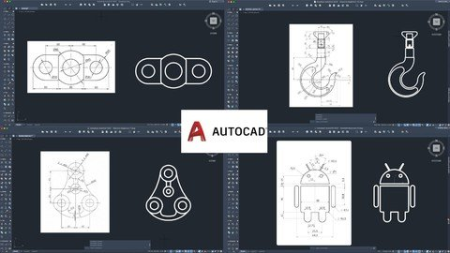
Learn 2D AutoCAD - Start with Practice, Skip the Theory!
Genre: eLearning | MP4 | Video: h264, 1280x720 | Audio: AAC, 44.1 KHz
Language: English | Size: 554 MB | Duration: 1h 16m
Learn to model 2D sketches in AutoCAD and understand why and when you will use these Commands

What you'll learn
Basic knowledge of AutoCAD
How commands work and where to use
Difference between 2 similar functions
More ways to create an object
Requirements
No AutoCAD experience and knowledge needed. You will learn everything you need to know in this course made out of tutorials.
Description
Learn 2D AutoCAD - Start with Practice, Skip the Theory!
This course is perfectly designed for those who do not have time to learn a boring course, but still want to have a solid foundation in this program.
Short and extremely practical, the course contains 10 tutorials for the moment with simple drawings but explained step by step how you can easily make that drawing. The version of the program that is used here is AutoCAD 2022. For each component of the drawing, it is explained why and when a certain command is used and not another, or it will be specified where 2 or more modeling variants are valid.
What is AutoCAD?
AutoCAD 2D software is a common CAD design tool used by professionals around the world. The program is used in different industrial and business areas, such as interior design, architecture, mapping, surveying, manufacturing, electronics, landscaping, and electrical, mechanical, or environmental engineering. It enables 2D design, drafting, and documentation. The AutoCAD 2D course prepares to work in the environment of 2D Computer-Aided Design/Drafting
The advantages of this course
learn directly how to draw
learn on the fly the theory that will be much easier to understand
the teaching method is very intuitive
the commands and functions of the program will be very easy to understand
being applicable for any version of AutoCAD on any operating system
explained step by step
30 days money-back guarantee
Who this course is for
Engineering students who wanted to learn about AutoCAD
People who want to know about designing a model
Screenshots


Zurück
Oben Unten