• Regeln für den Video-Bereich:

    In den Börsenbereich gehören nur Angebote die bereits den Allgemeinen Regeln entsprechen.

    Einteilung

    - Folgende Formate gehören in die angegeben Bereiche:
    - Filme: Encodierte Filme von BluRay, DVD, R5, TV, Screener sowie Telesyncs im Format DivX, XviD und x264.
    - DVD: Filme im Format DVD5, DVD9 und HD2DVD.
    - HD: Encodierte Filme mit der Auflösung 720p oder darüber von BluRay, DVD, R5, TV, Screener sowie Telesyncs im Format x264.
    - 3D: Encodierte Filme von BluRay, die in einem 3D Format vorliegen. Dies gilt auch für Dokus, Animation usw.
    - Serien: Cartoon/Zeichentrick, Anime, Tutorials, Dokumentationen, Konzerte/Musik, Sonstiges sind demnach in die entsprechenden Bereiche einzuordnen, auch wenn sie beispielsweise im High Definition-Format oder als DVD5/DVD9/HD2DVD vorliegen. Ausnahme 3D.
    - Bereich Englisch: Englische Releases gehören immer in diesen Bereich.
    - Bereich Talk: Der Bereich, in dem über die Releases diskutiert werden kann, darf, soll und erwünscht ist.


    Angebot/Beitrag erstellen

    - Ein Beitrag darf erst dann erstellt werden, wenn der Upload bei mindestens einem OCH komplett ist. Platzhalter sind untersagt.
    - Bei einem Scenerelease hat der Threadtitel ausschließlich aus dem originalen, unveränderten Releasenamen zu bestehen. Es dürfen keine Veränderungen wie z.B. Sterne, kleine Buchstaben o.ä. vorgenommen werden. Ausnahme Serienbörse:
    - Bei einem Sammelthread für eine Staffel entfällt aus dem Releasename natürlich der Name der Folge. Beispiel: Die Simpsons S21 German DVDRip XviD - ITG
    - Dementsprechend sind also u.a. verboten: Erweiterungen wie "Tipp", "empfehlenswert", "only", "reup", usw. / jegliche andere Zusatzinformation oder Ergänzung, welche nicht in obiger Beschreibung zu finden ist.

    Aufbau des Angebots und Threadtitel

    Der Titel nach folgendem Muster erstellt zu werden. <Name> [3D] [Staffel] [German] <Jahr> <Tonspur> [DL] [Auflösung] <Quelle> <Codec> - <Group>
    Beispiel: The Dark Knight German 2008 AC3 DVDRip XviD - iND
    Beispiel: The Dark Knight 2008 DTS DL BDRip x264 - iND
    Beispiel: The Dark Knight 2008 AC3 DL BDRip XviD - iND
    Beispiel: The Dark Knight German 2008 AC3 720p BluRay x264 iND
    Beispiel: The Dark Knight 2008 DTS DL 1080p BluRay x264 iND
    Beispiel: Die Simpsons S01 German AC3 DVDRip XviD iND
    Beispiel: Die Simpsons S20 German AC3 720p BluRay x264 iND
    Beispiel: Sword Art Online II Ger Sub 2014 AAC 1080p WEBRip x264 - peppermint
    Entsprechend sind also u.a. verboten: Sonderzeichen wie Klammern, Sterne, Ausrufezeichen, Unterstriche, Anführungszeichen / Erweiterungen wie "Tipp", "empfehlenswert", "only", "reup", usw. / jegliche andere Zusatzinformation oder Ergänzung, welche nicht in obiger Beschreibung zu finden ist
    Ausnahmen hiervon können in den Bereichen geregelt sein.

    Die Beiträge sollen wie folgt aufgebaut werden:
    Überschrift entspricht dem Threadtitel
    Cover
    kurze Inhaltsbeschreibung
    Format, Größe, Dauer sind gut lesbar für Downloader außerhalb des Spoilers zu vermerken
    Nfo sind immer Anzugeben und selbige immer im Spoiler in Textform.
    Sind keine Nfo vorhanden z.B. Eigenpublikationen, sind im Spoiler folgende Dateiinformationen zusätzlich anzugeben :
    Quelle
    Video (Auflösung und Bitrate)
    Ton (Sprache, Format und Bitrate der einzelnen Spuren)
    Untertitel (sofern vorhanden)
    Hosterangabe in Textform außerhalb eines Spoiler mit allen enthaltenen Hostern.
    Bei SD kann auf diese zusätzlichen Dateiinformationen verzichtet werden.

    Alle benötigten Passwörter sind, sofern vorhanden, in Textform im Angebot anzugeben.
    Spoiler im Spoiler mit Kommentaren :"Schon Bedankt?" sind unerwünscht.


    Releases

    - Sind Retail-Release verfügbar, sind alle anderen Variationen untersagt. Ausnahmen: Alle deutschen Retail-Release sind CUT, in diesem Fall sind dubbed UNCUT-Release zulässig.
    - Im Serien-Bereich gilt speziell: Wenn ein Retail vor Abschluss einer laufenden Staffel erscheint, darf diese Staffel noch zu Ende gebracht werden.62
    - Gleiche Releases sind unbedingt zusammenzufassen. Das bedeutet, es ist zwingend erforderlich, vor dem Erstellen eines Themas per Suchfunktion zu überprüfen, ob bereits ein Beitrag mit demselben Release besteht. Ist dies der Fall, ist der bereits vorhandene Beitrag zu verwenden.
    - P2P und Scene Releases dürfen nicht verändert oder gar unter einem iND Tag eingestellt werden.


    Support, Diskussionen und Suche

    - Supportanfragen sind entweder per PN oder im Bereich Talk zu stellen.
    - Diskussionen und Bewertungen sind im Talk Bereich zu führen. Fragen an die Uploader haben ausschließlich via PN zu erfolgen, und sind in den Angeboten untersagt.
    - Anfragen zu Upload-Wünschen sind nur im Bereich Suche Video erlaubt. Antworten dürfen nur auf Angebote von MyBoerse.bz verlinkt werden.


    Verbote

    - Untersagt sind mehrere Formate in einem einzigen Angebotsthread, wie beispielsweise das gleichzeitige Anbieten von DivX/XviD, 720p und 1080p in einem Thread. Pro Format, Release und Auflösung ist ein eigener Thread zu eröffnen.
    - Grundsätzlich ebenso verboten sind Dupes. Uploader haben sich an geeigneter Stelle darüber zu informieren, ob es sich bei einem Release um ein Dupe handelt.
    - Gefakte, nur teilweise lauffähige oder unvollständige Angebote sind untersagt. Dies gilt auch für eigene Publikationen, die augenscheinlich nicht selbst von z.B. einer DVD gerippt wurden. Laufende Serien, bei denen noch nicht alle Folgen verfügbar sind, dürfen erstellt und regelmäßig geupdatet werden.
    - Untersagt sind Angebote, welche nur und ausschließlich in einer anderen Sprache als deutsch oder englisch vorliegen. Ausnahmen sind VORHER mit den Moderatoren zu klären.


    Verstoß gegen die Regeln

    - Angebote oder Beiträge, die gegen die Forenregeln verstoßen, sind über den "Melden"-Button im Beitrag zu melden.
  • Bitte registriere dich zunächst um Beiträge zu verfassen und externe Links aufzurufen.

*** Bestes IPTV *** bester Preis *** gratis Test ***


Englische Tutorials

Mega Course - VMware vSphere 7.0 Boot Camp - Part 2

eiydmsrby6mitdt46vygksjjzi.jpg


Mega Course - VMware vSphere 7.0 Boot Camp - Part 2
Genre: eLearning | MP4 | Video: h264, 1280x720 | Audio: AAC, 44.1 KHz
Language: English | Size: 5.18 GB | Duration: 10h 39m

Templates & Clones, Content Libraries, Hot Plug vHardware, Permissions, Shared Storage, VMFS, Alarms, Resource Pools


What you'll learn
Learn how to effectively deploy VMs with VM Templates and Clones
Use Hot Plug Virtual Hardware to update and upgrade VMs with No Down Time
Use Content Libraries to organize and distribute your media images, scripts and other files
Use ESXi 7 and vCenter 7 Permissions to limit access and rights to your vSphere environment
Learn how to connect ESXi 7 to shared storage block mode Fibre and iSCSI storage
Provide direct VM to SAN volume access with Raw Device Maps
How to create VMware File Systems (VMFS), how to extend them and how to use Native Multipathing
Use vCenter Alarms to monitor and alert you to critial VM and infrastructure issues
Delegate compute resources individually to VMs or in bulk via Resource Pools

Requirements
You have a basic understanding of computer hardware including CPUs, Memory, Networking and Storage
You have a good understanding of Operating Systems including how to install and configure them
You have a working understanding of networks, TCP/IP and storage
Your vSphere experience is similar to what you would know if you attended our vSphere 7.0 Boot Camp Part-1 course

Description
This Course Is An Affordable Alternative to Official VMware vSphere 7.0 Training

Do you need to ramp up on VMware vSphere 7.0 quickly and efficiently? Do you need thorough, detailed and in-depth training that covers both the theoretical and practical sides of vSphere 7.0? If so, you've probably looked at official VMware vSphere training - only to be put off by the price...

Q: What do you do if you need in depth VMware vSphere 7.0 training, but can't afford the $4,000+ cost of an official VMware VMware vSphere Install, Configure, Manage[v7.0] class or the $6,000+ cost of an official VMware vSphere Fast Track[v7.0] training class?
A: Sign up for this course instead!

This course (the second in a 3-part series) was originally developed as a 5-day intensive VMware vSphere 7.0 boot camp class. It provides a complete introduction to VMware vSphere™ 7.0 including ESXi™ 7 and vCenter™ 7. This course has been fully updated to reflect the changes introduced in vSphere 7.0 Update 1.

What Do You Get?
This course includes over 54 presentations spanning 19 sections, totalling 11+ hours of recorded lectures and hands-on lab demo videos. Every lecture video and every hands-on lab demo video is fully downloadable, so you can continue to learn while you travel.

You Don't Need Prior vSphere Experience
This class picks up where our VMware vSphere 7.0 Boot Camp - Part 1 course leaves off. With recorded lectures and full hands-on lab demo videos, you will gain the knowledge and the hands-on skills you need to become effective vSphere 7.0 administrator.

Is This Course Right For Me?

Good question! The easiest way to tell for sure is to check out the Free Preview Lectures and hands-on Lab Demo videos we offer. With 2+hrs of free content available (you don't even have to sign up), you can take your time and be certain that this course is right for you before you buy.

Worried you might change your mind? No problem! Udemy offers a 30-day money back guarantee on each course sale so you can always change your mind later.

You Will Learn How To Build An Entire vSphere 7 System From Scratch
In this course I provide both lecture (Power Point) and hands-on lab demo video coverage of the following topics

VM Templates & Clones - learn how to efficiently and rapidly deploy new VMs using Templates, Clones and Guest OS Customization

Hot Plug vHardware - learn how to use Hot Plug hardware to add CPUs, memory, NICs, vDisks, etc into running VMs with no downtime

Content Libraries - learn how to use organize and safely distribute VM Templates, install media, scripts and more to your VM admins

Permissions - learn how to work with Roles so that you can enable access and control what users / groups can see and do on vSphere

Shared Storage - learn how to connect to and configure shared storage like Fibre and iSCSI SANs

Raw Device Maps - learn the benefits and use cases of providing direct VM-to-SAN-Volume access for performance, MS clusters, etc.

VMFS - learn how to create and manage VMFS volumes including 2 ways to grow them, the 3 multipath policies, their benefits and use cases

Alarms - learn how to configure, enable and customize vCenter Alarms to monitor critical components for health, state, performance and more

Resource Pools - learn how to predictably delegate host compute resources individually to VM or in bulk to VMs in a Resource Pool

You Get Both Lecture and Lab Demo Videos

This course includes both detailed lecture presentations and fully explained hands-on lab demos. Our lectures introduce you to, and motivate each topic including what it is, what it does, why you need it, how it works, what to watch out for, best practices, design tips, sizing limits and much more. After each lecture section you'll see a detailed hands-on lab demonstration that takes you through exactly how to perform the tasks we introduced in the lectures including how to install, configure, administer, etc. each vSphere component.

Total class time is roughly 60% lecture and 40% lab demos.

Note that while we provide step-by-step hands-on lab demo video presentations, access to live hands-on labs is not included in this course.

Learn How To Deliver Technical And Business Value
This class is unique in its approach; which is to identify and eliminate common IT pain points using vSphere 7.0. Students learn how to deliver real business value; not just the technical or mechanical aspects of the software.

Get The vSphere 7.0 Skills You Need to Get Ahead
By the end of the class, attendees will have learned the skills, and best practices needed to become an effective vSphere 7.0 administrator. With the information provided in this class and follow on classes, attendees will be able to design, implement, deploy, configure, monitor, manage and troubleshoot a vSphere 7.0 installation.

Who this course is for
You have basic vSphere administration skills and want to add VMware vSphere 7.0 skills to your skilset
Anyone who has worked with older versions of vSphere and want to see how things work in vSphere 7.0
People who are strong with some aspects of vSphere and who want the full picture on how to work with vSphere 7.0
VMware VCA / VCP / VCAP certification candidates who want to improve their knowledge / skills with objective, 3rd party training
Hyper-V, Xenserver or other virtualization administrators who want to learn how to work with vSphere 7.0
You would like to attend official VMware vSphere 7 training but can't afford the $4,000+ cost


megacoursevmwarevsphesnj38.jpg


Download from RapidGator


Download from NitroFlare


Download from UploadGig



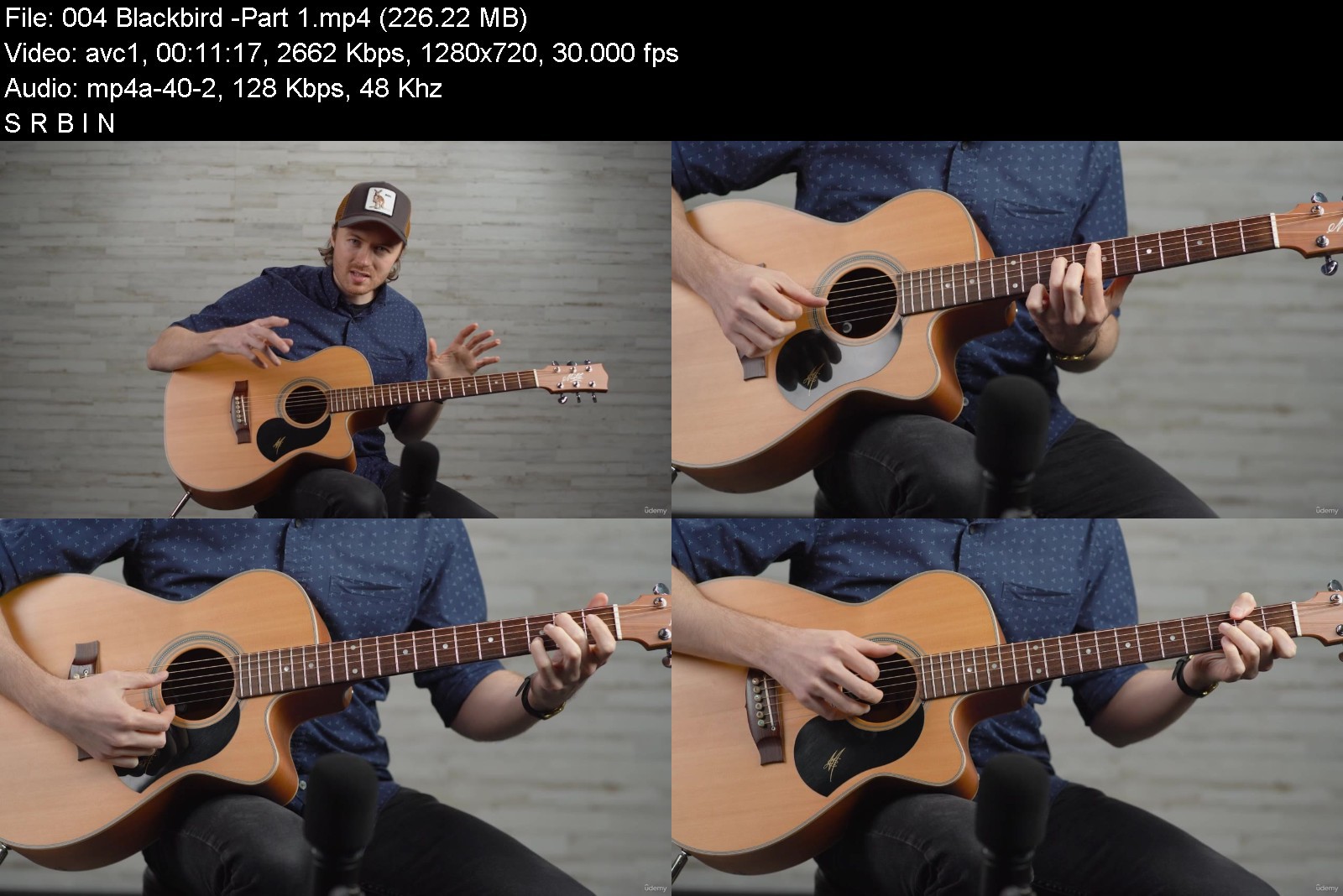
Complete Fingerstyle Guitar Lessons - Beginner Fingerpicking

nelolqbk1czebbzgrqqku0tj66.jpg


Complete Fingerstyle Guitar Lessons - Beginner Fingerpicking
MP4 | Video: h264, 1280x720 | Audio: AAC, 44.1 KHz
Language: English | Size: 6.49 GB | Duration: 5h 22m

Fingerpicking Guitar: Step-by-step with Joe Robinson


What you'll learn
Fingerstyle Guitar
Fingerpicking Guitar
Beginner Guitar
Requirements
Guitar
Willing to practice

Description
Want to learn guitar from a world-renowned fingerstyle guitarist? Join Joe Robinson, award-winning guitarist, touring musician and singer-songwriter in Complete Fingerstyle Guitar Lessons - Beginner Fingerpicking. Joe will start you at the very basics, introducing you to some of his philosophy and expert practice tips, and before you know it you will be playing full fingerstyle songs. In this course, Joe gives you a complete breakdown of dozens of chords, then walks you step-by-step through building familiar songs and adding some style and groove to your playing. This course is perfect for any level of guitar player, but will be especially beneficial to beginner players or players with little to no knowledge of fingerstyle. In addition to learning brand new techniques, any player can benefit from the practice habits and advice throughout this course. Watch this program shape you into a more structured and technique-based player.
This course is complete with
13 digestible sections
126 total lectures
10 downloadable resources
Over 5 hours of video lessons
No prior knowledge or skill is required to take this course. Just have a guitar and be ready to learn and practice! You can't find this course anywhere else on the internet. Buy today and begin learning from the best.
Who this course is for
Beginner Guitar Players
Fingerstyle Guitar Players
Beginner Fingerstyle Guitar Players
Fingerpicking Guitar Players
Beginner Fingerpicking Guitar


completefingerstylegumsjoq.jpg


Download from RapidGator


Download from NitroFlare


Download from UploadGig



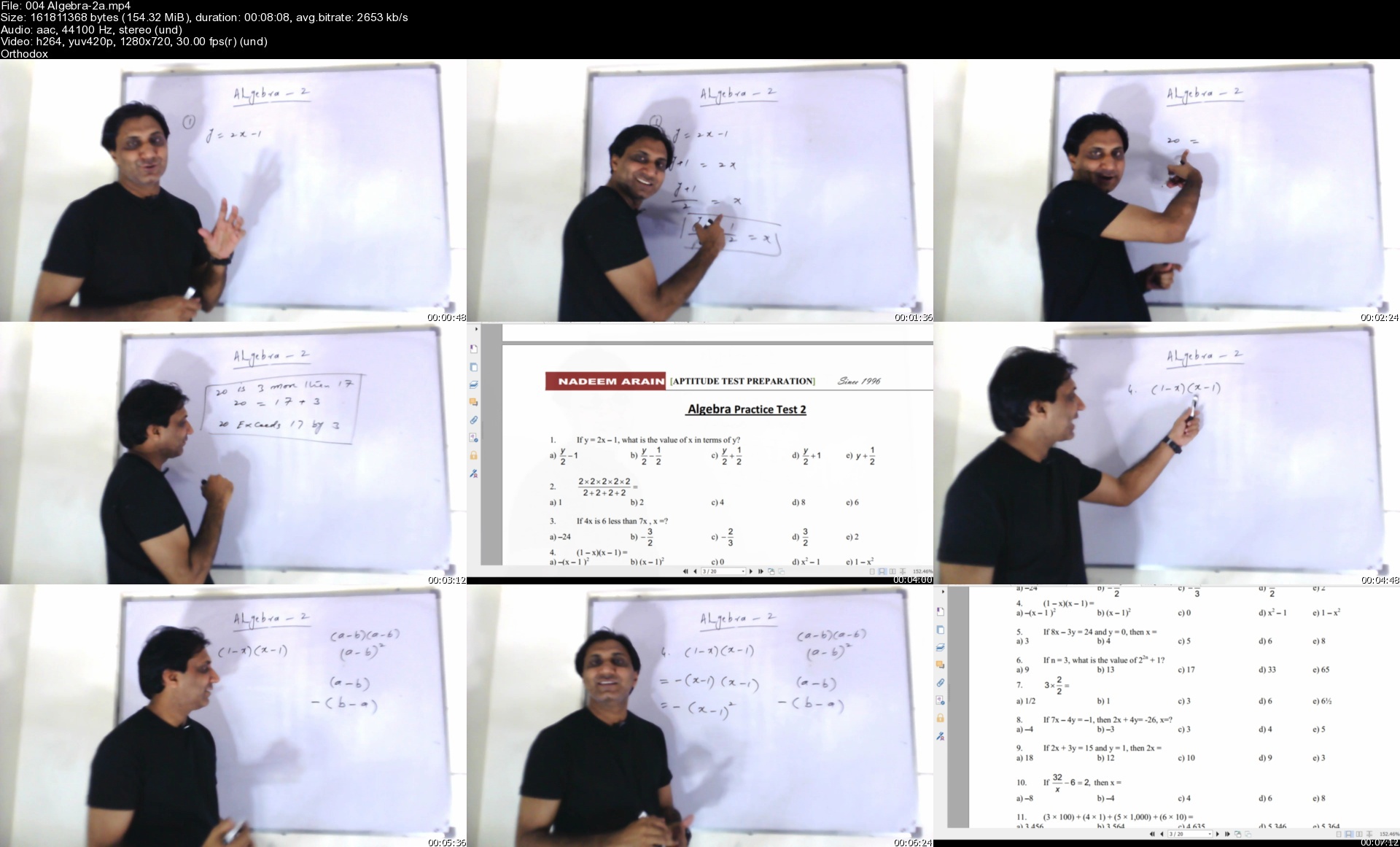
GRE | Quantitative | Master Math Course | 2022 Updated

327637015f62t7jqc.jpg


GRE | Quantitative | Master Math Course | 2022 Updated
MP4 | Video: h264, 1280x720 | Audio: AAC, 44.1 KHz, 2 Ch
Genre: eLearning | Language: English | Duration: 428 lectures (35h 26m) | Size: 28.5 GB

Calculation tips & shortcuts | GRE Algebra revision | Huge word problems Practice | ETS GRE Practice Tests solved


What you'll learn
All GRE Quantitative topics recommended by ETS have been discussed in this video series.
Explanation of every topic on GRE with solved word problems that are compiled from various resources over the years
Special focus on calculation skills without using calculator. Special bonus videos of 10 quick Maths. It will show you how to solve 20 questions in 5 mint
Classroom style teaching where you feel like sitting before the teacher
10 tailor-made Algebra tests to refresh your forgotten and rusted skills.
Dozens of questions on every topic from Percentages to Averages, from ratio proportions to Probability and from standard deviation to Data interpretation.
GRE Practice test # 1 by ETS completely solved
For advanced learners, 4 ultimate general tests have been solved, each test having 40 questions
A whole 6-hour section on quadratics for the very very beginners.

Requirements
GRE Test is not an easy test, neither is it impossible. With right pace and proper guidance it can be cracked. I assume you know nothing. I will start from scratch. I will take you to expert level by the end of this course.
The only prerequisite is: You must be a hardworking & dedicated person.


Description
This course is designed in such a way that it teaches a beginner the very basics of Math and an advanced level student the very expert level questions and concepts. No matter how many years has it been since you did not touch Math, this course will brush up on all concepts that you have forgotten. This is a very long and comprehensive course, a result of years of experience of the instructor. Every topic has been covered from different GRE resources that have left no stone unturned. Because a calculator is a trap, special focus is given to the calculation and shortcut skills so that you get rid of the calculator once and for all. This is a huge video course; you will be all prepared to secure a 165+ on GRE Quantitative after finishing it.

I keep updating this course now and then. When I feel that there are certain topics that should either be added or explained, I promptly address it. Sometimes the update comes after a week and sometimes after a month but I never leave my students unattended.

I also encourage students to keep me posted about things they want me to elaborate on more. Whenever a student asks for explaining something, I add it to the course.

For advanced level students, one full-length ETS test and 4 tailor-made General Tests have been added and fully solved. These tests cover almost every variant of word problems that can exist. ETS Test#2 and General Test#4 are coming soon.

A full section on Quadratics has been included at the end of the course for the very very beginner who has no idea what quadratics are and how they work. This section is not recommended for intermediate or advanced level students.

Who this course is for
Every one who wants to go for Masters and Ph.D studies and needs a scholarship.
Students who are interested in study abroad in top-notch high ranked universities.

Homepage


004algebra2asj8kbf.jpg


cf7c68be449913824e8052771fee838e.jpg

Data Engineering using Databricks on AWS and Azure
Genre: eLearning | MP4 | Video: h264, 1280x720 | Audio: AAC, 44.1 KHz
Language: English | Size: 5.65 GB | Duration: 13h 50m
Build Data Engineering Pipelines using Databricks core features such as Spark, Delta Lake, cloudFiles, etc.


What you'll learn
Data Engineering leveraging Databricks features
Databricks CLI to manage files, Data Engineering jobs and clusters for Data Engineering Pipelines
Deploying Data Engineering applications developed using PySpark on job clusters
Deploying Data Engineering applications developed using PySpark using Notebooks on job clusters
Perform CRUD Operations leveraging Delta Lake using Spark SQL for Data Engineering Applications or Pipelines
Perform CRUD Operations leveraging Delta Lake using Pyspark for Data Engineering Applications or Pipelines
Setting up development environment to develop Data Engineering applications using Databricks
Building Data Engineering Pipelines using Spark Structured Streaming on Databricks Clusters
Incremental File Processing using Spark Structured Streaming leveraging Databricks Auto Loader cloudFiles
Overview of Auto Loader cloudFiles File Discovery Modes - Directory Listing and File Notifications
Differences between Auto Loader cloudFiles File Discovery Modes - Directory Listing and File Notifications
Differences between traditional Spark Structured Streaming and leveraging Databricks Auto Loader cloudFiles for incremental file processing.
Requirements
Programming experience using Python
Data Engineering experience using Spark
Ability to write and interpret SQL Queries
This course is ideal for experienced data engineers to add Databricks as one of the key skill as part of the profile
Description
As part of this course, you will learn all the Data Engineering using cloud platform-agnostic technology called Databricks.
About Data Engineering
Data Engineering is nothing but processing the data depending upon our downstream needs. We need to build different pipelines such as Batch Pipelines, Streaming Pipelines, etc as part of Data Engineering. All roles related to Data Processing are consolidated under Data Engineering. Conventionally, they are known as ETL Development, Data Warehouse Development, etc.
About Databricks
Databricks is the most popular cloud platform-agnostic data engineering tech stack. They are the committers of the Apache Spark project. Databricks run time provide Spark leveraging the elasticity of the cloud. With Databricks, you pay for what you use. Over a period of time, they came up with an idea of Lakehouse by providing all the features that are required for traditional BI as well as AI & ML. Here are some of the core features of Databricks.
Spark - Distributed Computing
Delta Lake - Perform CRUD Operations. It is primarily used to build capabilities such as inserting, updating, and deleting the data from files in Data Lake.
cloudFiles - Get the files in an incremental fashion in the most efficient way leveraging cloud features.
Databricks SQL - A Photon-based interface that is fine-tuned for running queries submitted for reporting and visualization by reporting tools. It is also used for Ad-hoc Analysis.
Course Details
As part of this course, you will be learning Data Engineering using Databricks.
Getting Started with Databricks
Setup Local Development Environment to develop Data Engineering Applications using Databricks
Using Databricks CLI to manage files, jobs, clusters, etc related to Data Engineering Applications
Spark Application Development Cycle to build Data Engineering Applications
Databricks Jobs and Clusters
Deploy and Run Data Engineering Jobs on Databricks Job Clusters as Python Application
Deploy and Run Data Engineering Jobs on Job Cluster using Notebooks
Deep Dive into Delta Lake using Dataframes
Deep Dive into Delta Lake using Spark SQL
Building Data Engineering Pipelines using Spark Structured Streaming on Databricks Clusters
Incremental File Processing using Spark Structured Streaming leveraging Databricks Auto Loader cloudFiles
Overview of Auto Loader cloudFiles File Discovery Modes - Directory Listing and File Notifications
Differences between Auto Loader cloudFiles File Discovery Modes - Directory Listing and File Notifications
Differences between traditional Spark Structured Streaming and leveraging Databricks Auto Loader cloudFiles for incremental file processing.
Overview of Databricks SQL for Data Analysis and reporting.
We will be adding few more modules related to Pyspark, Spark with Scala, Spark SQL, Streaming Pipelines in the coming weeks.
Desired Audience
Here is the desired audience for this advanced course.
Experienced application developers to gain expertise related to Data Engineering with prior knowledge and experience of Spark.
Experienced Data Engineers to gain enough skills to add Databricks to their profile.
Testers to improve their testing capabilities related to Data Engineering applications using Databricks.
Prerequisites
Logistics
Computer with decent configuration (At least 4 GB RAM, however 8 GB is highly desired)
Dual Core is required and Quad-Core is highly desired
Chrome Browser
High-Speed Internet
Valid AWS Account
Valid Databricks Account (free Databricks Account is not sufficient)
Experience as Data Engineer especially using Apache Spark
Knowledge about some of the cloud concepts such as storage, users, roles, etc.
Associated Costs
As part of the training, you will only get the material. You need to practice on your own or corporate cloud account and Databricks Account.
You need to take care of the associated AWS or Azure costs.
You need to take care of the associated Databricks costs.
Training Approach
Here are the details related to the training approach.
It is self-paced with reference material, code snippets, and videos provided as part of Udemy.
One needs to sign up for their own Databricks environment to practice all the core features of Databricks.
We would recommend completing 2 modules every week by spending 4 to 5 hours per week.
It is highly recommended to take care of all the tasks so that one can get real experience of Databricks.
Support will be provided through Udemy Q&A.
Who this course is for
Beginner or Intermediate Data Engineers who want to learn Databricks for Data Engineering
Intermediate Application Engineers who want to explore Data Engineering using Databricks
Data and Analytics Engineers who want to learn Data Engineering using Databricks
Testers who want to learn Databricks to test Data Engineering applications built using Databricks
Screenshots


4e5c0f8d65715a8d10c7839af9f86d93.jpg

Excel Vlookup, Xlookup, and Match & Index functions
Genre: eLearning | MP4 | Video: h264, 1280x720 | Audio: AAC, 44.1 KHz
Language: English | Size: 552 MB | Duration: 55m
Become more productive in Excel by using these functions and formulas

What you'll learn
Learn how to use the Vlookup and Xlookup functions
Understand the use of Match and Index
Learn the new Xlookup function
Understand how to link one sheet to another sheet with formulas
Requirements
Understanding of Basic Excel worksheets and formulas
Description
In Microsoft Excel, sometimes there is a need to look up information from a table or from a different sheet, or to link the sheets together.
Excel has built-in functions called vlookup, hlookup, xlookup, and match and index and other functions to facilitate this process.
However, many people get very confused when using the vlookup and hlookup formulas. This course will really break it down so that anybody can understand and use these functions, and become more productive in Excel.
This course will show you how to do that with the following functions/formulas
- Vlookup - includes several examples and different variations of the vlookup function
- Hlookup - similar to the vlookup, but used when the data table is horizonal instead of vertical
- Xlookup - this is a new function which is simpler to use than the vlookup or hlookup.
- Match - usually used with the index function, so it is also called match/index
- Index - usually used with the match function
- Xmatch - anew function which simplifies the match / index
- Linking sheets with formulas
- Data Consolidation - adding sheets together that are similar
Learn how to use these functions in Excel from Tom Fragale, a Microsoft Certified Trainer with over 22 years of training experience, and a total of over 38 years of professional experience in the IT field
Who this course is for
Anyone who wants to increase their use and productivity in Excel
Screenshots


ea500bbe330aa42cb389a69955111eb5.jpg

The only one Japanese sentence pattern for Beginners
Genre: eLearning | MP4 | Video: h264, 1280x720 | Audio: AAC, 48.0 KHz
Language: English | Size: 291 MB | Duration: 47m
You can learn Japanese without translation.


What you'll learn
Most powerful Japanese sentence pattern = "A is B" (Noun sentence)
How to make senteces without translation
Basic listening and speaking skill
Basic words (flower, Japanese weapon, animal, vehicle, hobby, job, food, drink, sports)
Adjective sentences (10 ajdectives)
Short conversations
Requirements
A positive mind to accept the unique approach
A desire to learn Japanese
Description
1 This course is for
・Beginners who are very busy
・Beginners who want to learn speaking and DON'T want to learn writing.
"Time is money", this is one of the most important factors for us.
In order to success learning Japanese, you have to consider the priority.
So, you should learn only speaking because it takes very long time to master writing.
For the busy learners, the total length of this course is less than 1 hour.
And the lessons of this course are very easy to understand.
2 You will learn
・Noun sentences (= A is B.)
The strategy to success is simple, that is to say, "the less you learn, the better".
If you select one sentence pattern and practice it intensively, you can master it easily.
The noun sentence is the most basic and useful sentence pattern.
So, it is suitable for beginners as a first step of learning Japanese.
In this course, you can learn adjective sentences too.
The negative form of adjectives is different from the negative form of nouns.
But affirmative form is same.
So, you can learn affirmative form of adjectives.
Lesson 1: This is ~. (Japanese flowers, Japanese weapons, words from English, animals, vehicles)
Lesson 2: Noun sentences (Japanese ~, my ~, My house is in ~, hobby, job, I am ~, favorite ~)
Lesson 3: WH Questions (What is ~?)
Lesson 4: Adjective sentences (10 adjectives)
Lesson 5: Short conversations
3 How to learn
・Ikeda method
English is not used to explain the meanings in this course.
Ikeda method uses pictures and Japanese.
This method is very efficient because you can understand the meanings directly.
This means that you can learn Japanese faster than other methods which use English to explain the meanings of sentences.
You can save time.
"Practice makes perfect", this is a common knowledge that everyone knows.
You can review and practice easily because this course is simple and designed for the pattern practices.
Who this course is for
Beginners who are very busy
Beginners who DON'T need to learn HIRAGANA, KATAKANA and KANJI
Beginners who want to learn speaking
Beginners who want to advance quickly
Screenshots


c66d32c6-3d78-4222-9262-5c4e5235ead8.png

Creative Productivity: Build a Brief to Boost Your Passion Project
Duration: 1h 30m | Video: .MP4, 1280x720, 30 fps | Audio: AAC, 48 kHz, 2ch | Size: 1.03 GB
Genre: eLearning | Language: English​

Discover a fail-proof formula for jump-starting your next creative project!
Illustrator Lauren Hom has a serious passion for passion projects, and for good reason. Many of her passion projects have led to valuable client work and even viral internet stardom. Follow along as she shares her time-tested process for getting creative projects off of the shelf and out into the world.*Leading by example, Lauren kicks off the planning of a brand-new project and demystifies all the groundwork you'll need to build a solid creative brief and ensure all the actionable steps to success are clear and ready to go.
Jump into creative action with lessons like
Gathering ideas and picking the best one
Building a list of deliverables
Exploring and developing your style
Planning your launch
Plus, join Lauren in her kitchen and get an exclusive peek as she begins to develop her next passion project, live in class.
Whether you're a working creative looking for a refresh or an aspiring artist embarking on your first passion project, this class will leave you with the perfect formula for strengthening and flexing your creative muscles. You'll breakthrough creative overwhelm, end inaction, and set yourself up for creative success!
-----------------------------------------------------------
This class is intended for creatives of all skill levels who are looking to hone their creative process. If you have a project you've been staring down-or even if you're starting from scratch- download Lauren's worksheets to kick off a project of your own!
Homepage
Screenshots


f644f2f1-ff72-4722-b067-cff5df5d7fbb.png

Creative Color Grading For Filmmaking & YouTubers
Duration: 1h 25m | Video: .MP4, 1280x720, 30 fps | Audio: AAC, 48 kHz, 2ch | Size: 975 MB
Genre: eLearning | Language: English​

Color Grading can completely change the look and feel of your videos. You can transport the viewer into a scene and change the emotion just with a few simple tweaks to your color.
This class will teach you*everything you need to get started with Color Grading. We will explore all the tools that are available on most editing software and I'll break down how you can push your colors around in a scene to transform it.
What is Color Grading - We'll go over the basics of the concept of Color Grading and some things you need to look out for when approaching a color grade
The Tools - There are multiple tools that affect different parts of your image. I go through each one of these in detail so you know how each tool works and how you can use it for your grade
Demonstrations - I show you step by step how I do multiple color grades using all the tools and walk you through some different techniques so that you can find your best workflow for you color grades.
If you're a complete beginner or you have done some color grading this class will go through all the fundamentals*to get you up to speed so you can start creating your own creative color grades.
In this course I am using Final Cut Pro for all my demonstrations however most of these tools are available in other editing softwares.
Homepage
Screenshots


878b5db5-6af9-42cf-86ce-44bc1599e134.png

INE - Cisco CCIE Evolving Technologies v1.1
Rohit Pardasani | Duration: 1h 43m | Video: H264 1912x1088 | Audio: AAC 44,1 kHz 2ch | 231 MB | Language: English​

This course is designed to cover the new topics under the 'evolving technologies' part of the written blueprint on most of the new CCIE tracks. Being that this is across multiple tracks, this course is designed to cover the topics from the viewpoint of all the blueprints, not a particular track. For example, it will not cover SDN to the depth needed for the Data Center CCIE, however, it will be sufficient for Route Switch or Security. If your particular CCIE track covers these topics in greater depth, you will need additional training in addition to this course.
Homepage


TRLUrc-R7jj0-JDN1-GXp-B4h-UOf-EZm0-D10t.jpg

Cisco CCNA 200-301 The easiest way to become certified
Genre: eLearning | MP4 | Video: h264, 1280x720 | Audio: AAC, 48.0 KHz
Language: English | Size: 1.44 GB | Duration: 4h 25m
Cisco Certified Network Associate - CCNA - 200-301 - Routing, Switching, Security

What you'll learn
Learn how cisco routers work
Learn how to configure cisco routers
Learn how cisco switches work
Learn how to configure cisco switches
Learn every required things to get certified
Requirements
You have to use a Computer PC or MAC with Windows software or MAC OS Software
You will need Cisco Packet Tracer software which is free
Description
Since 2012, I (Prince ATTOBLA) used to teach networking concepts to students around the world, about Seven Thousand students. This course will allow you to master Cisco Network devices configuration and you will learn a lot on Networking protocol in order to be a Cisco CCNA 200-301 Certified. In this course, I will share with you all my experience on networking stuff. It's not going to be only theory and pratical learning but you will learn the good habit you must have for good understanding and troubleshooting. This course will prepare you simply in the next step which is to get your CCNP ( Cisco Certified Network Professional ). I hope you will appreciate the way I'm simplifying networking concept explanation.
You will see in this course following elements
Cisco Networking fundamentals
Cisco CLI commands
Cisco Switching protocols and concepts
ARP ( Address Resolution Protocol )
VLAN ( Virtual Local Area Network )
Trunking
VTP - VLAN Trunking Protocol
Cisco routing protocols
Static Routing
Dynamic Routing
RIP ( Routing Internet Protocol )
EIGRP ( Enhanced Interior Gateway Routing Protocol )
OSPF ( Open Shortest Path First )
ACL ( Access Control Lists )
Standard ACL
Extended ACL
NAT ( Network Address Translation )
PAT ( Port Address Translation )
Port Forwarding
STP ( Spanning Tree Protocol )
WLAN ( Wireless Local Area Network )
Security
Virtual Private Network
IPSeC
IP/MPLS ( Multi-layer Protocol Label Switching )
Radius
Port-Security
DNS
DHCP
CIDR ( Classless Inter-domain Routing )
VLSM ( Variable-Length Subnet Masks )
TELNET
SSH ( Secure Shell )
IP version 4
IP version 6
Who this course is for
This course is for people who would to get networking skills
This course is for people who would to become Cisco CCNA certified
Screenshots


6a222f07-be80-4167-bcfa-77cc043da283.png

INE - Cisco Firewall Technologies for Beginners
Piotr Kaluzny | Duration: 4h 16m | Video: H264 1912x1088 | Audio: AAC 44,1 kHz 2ch | 689 MB | Language: English​

This course provides an overview of firewall technologies available on Cisco IOS. It also discusses fundamental features of the Cisco ASA, commonly deployed to secure the network perimeter. The topics are broken down into smaller easy-to-digest pieces, and verbal explanations given by the instructor are backed up by hands-on demonstrations. This course is also meant to help students to prepare to the current Cisco CCNA Security exam.
Homepage


50c9-DWXi3-HP7-L1c78-Nd9-YTi-HLUt-Su-EJl.jpg

INE - Cisco Umbrella
Piotr Kaluzny | Duration: 3h 21m | Video: H264 1912x1088 | Audio: AAC 44,1 kHz 2ch | 382 MB | Language: English​

Cisco Umbrella is an advanced DNS inspection cloud-based platform meant to provide the first line of defense against threats on the Internet. This course discusses different Umbrella components, its configuration and deployment scenarios.
Homepage


Zurück
Oben Unten