• Regeln für den Video-Bereich:

    In den Börsenbereich gehören nur Angebote die bereits den Allgemeinen Regeln entsprechen.

    Einteilung

    - Folgende Formate gehören in die angegeben Bereiche:
    - Filme: Encodierte Filme von BluRay, DVD, R5, TV, Screener sowie Telesyncs im Format DivX, XviD und x264.
    - DVD: Filme im Format DVD5, DVD9 und HD2DVD.
    - HD: Encodierte Filme mit der Auflösung 720p oder darüber von BluRay, DVD, R5, TV, Screener sowie Telesyncs im Format x264.
    - 3D: Encodierte Filme von BluRay, die in einem 3D Format vorliegen. Dies gilt auch für Dokus, Animation usw.
    - Serien: Cartoon/Zeichentrick, Anime, Tutorials, Dokumentationen, Konzerte/Musik, Sonstiges sind demnach in die entsprechenden Bereiche einzuordnen, auch wenn sie beispielsweise im High Definition-Format oder als DVD5/DVD9/HD2DVD vorliegen. Ausnahme 3D.
    - Bereich Englisch: Englische Releases gehören immer in diesen Bereich.
    - Bereich Talk: Der Bereich, in dem über die Releases diskutiert werden kann, darf, soll und erwünscht ist.


    Angebot/Beitrag erstellen

    - Ein Beitrag darf erst dann erstellt werden, wenn der Upload bei mindestens einem OCH komplett ist. Platzhalter sind untersagt.
    - Bei einem Scenerelease hat der Threadtitel ausschließlich aus dem originalen, unveränderten Releasenamen zu bestehen. Es dürfen keine Veränderungen wie z.B. Sterne, kleine Buchstaben o.ä. vorgenommen werden. Ausnahme Serienbörse:
    - Bei einem Sammelthread für eine Staffel entfällt aus dem Releasename natürlich der Name der Folge. Beispiel: Die Simpsons S21 German DVDRip XviD - ITG
    - Dementsprechend sind also u.a. verboten: Erweiterungen wie "Tipp", "empfehlenswert", "only", "reup", usw. / jegliche andere Zusatzinformation oder Ergänzung, welche nicht in obiger Beschreibung zu finden ist.

    Aufbau des Angebots und Threadtitel

    Der Titel nach folgendem Muster erstellt zu werden. <Name> [3D] [Staffel] [German] <Jahr> <Tonspur> [DL] [Auflösung] <Quelle> <Codec> - <Group>
    Beispiel: The Dark Knight German 2008 AC3 DVDRip XviD - iND
    Beispiel: The Dark Knight 2008 DTS DL BDRip x264 - iND
    Beispiel: The Dark Knight 2008 AC3 DL BDRip XviD - iND
    Beispiel: The Dark Knight German 2008 AC3 720p BluRay x264 iND
    Beispiel: The Dark Knight 2008 DTS DL 1080p BluRay x264 iND
    Beispiel: Die Simpsons S01 German AC3 DVDRip XviD iND
    Beispiel: Die Simpsons S20 German AC3 720p BluRay x264 iND
    Beispiel: Sword Art Online II Ger Sub 2014 AAC 1080p WEBRip x264 - peppermint
    Entsprechend sind also u.a. verboten: Sonderzeichen wie Klammern, Sterne, Ausrufezeichen, Unterstriche, Anführungszeichen / Erweiterungen wie "Tipp", "empfehlenswert", "only", "reup", usw. / jegliche andere Zusatzinformation oder Ergänzung, welche nicht in obiger Beschreibung zu finden ist
    Ausnahmen hiervon können in den Bereichen geregelt sein.

    Die Beiträge sollen wie folgt aufgebaut werden:
    Überschrift entspricht dem Threadtitel
    Cover
    kurze Inhaltsbeschreibung
    Format, Größe, Dauer sind gut lesbar für Downloader außerhalb des Spoilers zu vermerken
    Nfo sind immer Anzugeben und selbige immer im Spoiler in Textform.
    Sind keine Nfo vorhanden z.B. Eigenpublikationen, sind im Spoiler folgende Dateiinformationen zusätzlich anzugeben :
    Quelle
    Video (Auflösung und Bitrate)
    Ton (Sprache, Format und Bitrate der einzelnen Spuren)
    Untertitel (sofern vorhanden)
    Hosterangabe in Textform außerhalb eines Spoiler mit allen enthaltenen Hostern.
    Bei SD kann auf diese zusätzlichen Dateiinformationen verzichtet werden.

    Alle benötigten Passwörter sind, sofern vorhanden, in Textform im Angebot anzugeben.
    Spoiler im Spoiler mit Kommentaren :"Schon Bedankt?" sind unerwünscht.


    Releases

    - Sind Retail-Release verfügbar, sind alle anderen Variationen untersagt. Ausnahmen: Alle deutschen Retail-Release sind CUT, in diesem Fall sind dubbed UNCUT-Release zulässig.
    - Im Serien-Bereich gilt speziell: Wenn ein Retail vor Abschluss einer laufenden Staffel erscheint, darf diese Staffel noch zu Ende gebracht werden.62
    - Gleiche Releases sind unbedingt zusammenzufassen. Das bedeutet, es ist zwingend erforderlich, vor dem Erstellen eines Themas per Suchfunktion zu überprüfen, ob bereits ein Beitrag mit demselben Release besteht. Ist dies der Fall, ist der bereits vorhandene Beitrag zu verwenden.
    - P2P und Scene Releases dürfen nicht verändert oder gar unter einem iND Tag eingestellt werden.


    Support, Diskussionen und Suche

    - Supportanfragen sind entweder per PN oder im Bereich Talk zu stellen.
    - Diskussionen und Bewertungen sind im Talk Bereich zu führen. Fragen an die Uploader haben ausschließlich via PN zu erfolgen, und sind in den Angeboten untersagt.
    - Anfragen zu Upload-Wünschen sind nur im Bereich Suche Video erlaubt. Antworten dürfen nur auf Angebote von MyBoerse.bz verlinkt werden.


    Verbote

    - Untersagt sind mehrere Formate in einem einzigen Angebotsthread, wie beispielsweise das gleichzeitige Anbieten von DivX/XviD, 720p und 1080p in einem Thread. Pro Format, Release und Auflösung ist ein eigener Thread zu eröffnen.
    - Grundsätzlich ebenso verboten sind Dupes. Uploader haben sich an geeigneter Stelle darüber zu informieren, ob es sich bei einem Release um ein Dupe handelt.
    - Gefakte, nur teilweise lauffähige oder unvollständige Angebote sind untersagt. Dies gilt auch für eigene Publikationen, die augenscheinlich nicht selbst von z.B. einer DVD gerippt wurden. Laufende Serien, bei denen noch nicht alle Folgen verfügbar sind, dürfen erstellt und regelmäßig geupdatet werden.
    - Untersagt sind Angebote, welche nur und ausschließlich in einer anderen Sprache als deutsch oder englisch vorliegen. Ausnahmen sind VORHER mit den Moderatoren zu klären.


    Verstoß gegen die Regeln

    - Angebote oder Beiträge, die gegen die Forenregeln verstoßen, sind über den "Melden"-Button im Beitrag zu melden.
  • Bitte registriere dich zunächst um Beiträge zu verfassen und externe Links aufzurufen.

*** Bestes IPTV *** bester Preis *** gratis Test ***


Englische Tutorials

6c72e5e0-dea0-4301-ad29-a831e36f759b.png

Learn Bash scripting 2022
MP4 | Video: h264, 1280x720 | Audio: AAC, 44.1 KHz
Language: English | Size: 1.33 GB | Duration: 1h 42m
Learn the basics, become a pro​


What you'll learn
Bash scripting
Shell scripting
Linux basics
Programming
Requirements
Basic linux knowledge
Description
Hello,
Bash is a Unix shell and command language written by Brian Fox for the GNU Project as a free software replacement for the Bourne shell. First released in 1989, it has been used as the default login shell for most Linux distributions. A version is also available for Windows 10 via the Windows Subsystem for Linux. It is also the default user shell in Solaris 11. Bash was also the default shell in all versions of Apple macOS prior to the 2019 release of macOS Catalina, which changed the default shell to zsh, although Bash remains available as an alternative shell. Bash is a command processor that typically runs in a text window where the user types commands that cause actions. Bash can also read and execute commands from a file, called a shell script. Like most Unix shells, it supports filename globbing (wildcard matching), piping, here documents, command substitution, variables, and control structures for condition-testing and iteration. The keywords, syntax, dynamically scoped variables and other basic features of the language are all copied from sh. Other features, e.g., history, are copied from csh and ksh. Bash is a POSIX-compliant shell, but with a number of extensions. This course is intended for beginners and experienced veterans aswell. You will learn how to create useful bash scripts to make your daily tasks less boring. The course is accompanied by a git repository that allows you to reproduce the examples.
Best Wishes,
Daniel
Who this course is for
Beginner
Screenshots


vNmh8jFCMtePLGGHR2kAOHO0vk6LUqBP.jpg

JavaScript For Beginners ( 5 Projects ) - Stopwatch, alarm, Todo list, random BG, how many numbers
MP4 | Video: h264, 1280x720 | Audio: AAC, 44.1 KHz
Language: English | Size: 1.47 GB | Duration: 2h 16m​

5 Beginner JavaScript Projects. This class focuses on teaching the basics of Javascript by building 5 projects that will teach you how to target elements, use intervals, time, event functions, appending, arrays, math random, and floor, and while and for loop.
This class does not focus on the CSS. You don't need any prior experience with either CSS or JavaScript to watch this class.
Here how we will go through the class
1- Stopwatch
We will learn how to
Target elements
Variables
Add event listener
Set interval
Return
Build the project
2- Alarm System
We will learn how to
add time
repeat the function every certain amount of time
Build the project
3- To-Do List
We will learn how to
use event functions
add items to the list
Adding delete button
Build the project
4- Random background color
We will learn how to
Use arrays
Use math floor and random
Build the project
5- How many numbers between these two numbers
We will learn how to
Use for loop
Use while loop
Build the project
Screenshots


478597150ed09c52f267cb1c3a785ee2.jpg

IELTS Writing Band 7+ with Functional Grammar
MP4 | Video: h264, 1280x720 | Audio: AAC, 44.1 KHz
Language: English | Size: 1.03 GB | Duration: 1h 22m
The ultimate course for IELTS writing
What you'll learn​

1. Develop a deep understanding of IELTS writing at Band 7
2. Use personal values to develop opinions and ideas
3. Use ideas, paragraph structure and essay structure to effectively plan and write an IELTS-style essay
4. Develop an understanding of coherence, cohesion, and lexical resource
5. Use online tools to improve lexical range
6. Develop grammatical range and accuracy to effectively convey ideas
7. Identify and avoid common IELTS grammar and punctuation errors
Requirements
You should have a high-intermediate or advanced level of English (at least IELTS 5.5).
You must be willing to practice and seek feedback independently, in addition to completing the course content.
You must understand that the speed of your progress will depend on your individual situation.
You will get the best value from this course if you first complete Lingo's free "English Functional Grammar" course here on Udemy.
Description
Need a Band 7 in IELTS writing but stuck at 6 - 6.5?
Achieve IELTS writing Band 7 or higher in this masterclass. Written and presented by experienced educator Martin Tilney (PhD Linguistics, M. Applied Linguistics), this course is one of a kind.
Guided by functional grammar, the course content is engaging and relevant. Practice activities are created from authentic samples written by real IELTS students.
By the end of the course, students will be able to
1. Develop a deep understanding of IELTS writing at Band 7
2. Use personal values to develop opinions and ideas
3. Use ideas, paragraph structure and essay structure to effectively plan and write an essay
4. Develop an understanding of coherence, cohesion, and lexical resource
5. Use online tools to improve lexical range
6. Develop grammatical range and accuracy to effectively convey ideas
7. Identify and avoid common grammar and punctuation errors
This course is also for anyone who wants to improve their academic English and essay writing skills, as well as anyone who wants to learn more about functional grammar.
This course does not claim to be a quick and easy solution that does not require you to work hard (such a course does NOT exist!). However, if you complete the course properly and follow all the recommendations, you WILL reach your goal.
Who this course is for
IELTS candidates aiming to achieve a Band 7 or higher in writing
Students of academic English aiming to improve their academic essay writing
Anyone who wants to develop a deep understanding of academic English and IELTS writing
Anyone who is interested in learning more about functional grammar
Screenshots


09701b8d-2c83-4c4c-bef8-4b05c459e0b3.png

IBM WebSphere Application Server 9 - SSL - L4 Admin
MP4 | Video: h264, 1280x720 | Audio: AAC, 44.1 KHz
Language: English | Size: 5.29 GB | Duration: 9h 50m
Concepts of SSL & TLS + Third Part CA & Self Signed + IKEYCMD + GSK + IKEYMAN + KEYTOOL + Console + CLI + Architecture
What you'll learn​

IBM Websphere Application Server
WAS 9 Security concepts
WAS 9 SSL Concepts
WAS 9 Security Hand's On
WAS 9 SSL Hand's On
Using IKEYMAN IKEYCMD KEYTOOL
Requirements
Websphere Application Server 9 - Level 2 Program needs to be completed
Knows WebSphere application server
Description
Introduction
Guys, this is Venkat Raman V, welcome to my course on WebSphere Application Server 9 Security & SSL.
This course is an evolving course, as in I would add more topics as I get time and more knowledge on a specific topic.
Important Information about this training
No reading from presentation, the architecture, the diagrams are self made all those words in your PDF too.
Only on Linux prod like environment using SSH terminal no GUI (only for browser, windows o/s will be used)
No Linux experience needed,
Commands and method of execution is given in the video & PDF is attached for the commands,
Just follow the video and execute the commands in the PDF.
You can learn basic Linux commands also in this training as I have covered all the basic commands while going though the training.
About The Course
This course introduces the student to WAS 9 Security and SSL. Students will learn skills necessary to understand complex WAS 9 Security and SSL concepts and administrative tasks. At the end of this course the student will learn how to work with WAS 9 Security and SSL, understand WAS 9 Security and SSL, and administer WAS 9 Security and SSL, etc. in a very detailed manner.
This course is geared toward administrators, developers, or architects who are looking to understand critical WAS 9 Security and SSL concepts and how to administer a WAS 9 Security and SSL environment quickly. My course is all done in linux ENV, only windows is used for browsing the application though an browser.
Relax and enjoy this course.
Who can take this course
Completed my course on IBM WebSphere Network Deployment - Level 2 Administration Course or basic knowledge on was.
After finishing this course you will be
Critical level in WAS 9 Security and SSL.
You can understand and resolve problems which is part of your WAS 9 Security and SSL.
As I am covering overview of the other components of your application server you can also have some experience on those topics as well.
Who this course is for
WebSphere Application Server Learners
Screenshots


zWmSWYiifSep8So2Q3XHBLD9i19wTuC5.jpg

IBM MQ Administration 9.2 - L3 Admin - Real Time & Hands on
MP4 | Video: h264, 1280x720 | Audio: AAC, 44.1 KHz
Language: English | Size: 2.86 GB | Duration: 8h 53m
Basic To Intermediate || 100% Unix O/S || Non Root User || Real Time Issue + Hand's On + Theory & Architecture Diagram​

What you'll learn
IBM MQ Administration 9.2
IBM MQ Administration installation on Linux
IBM MQ Administration on Windows
IBM MQ Administration Configuration on both windows and Linux
IBM MQ Administration checking basic logs and troubleshooting
Requirements
No need to know anything this courses cover it all
Description
Past & Future Road-Map with status
Sept 2021: Course Released
Sept 2021: Cluster Concepts -> Uploaded
Sept 2021: Work Load management -> Uploaded
Sept 2021: SSL concepts -> Uploaded
Sept 2021: Security -> Needs to be added
Sept 2021: Logs -> Needs to be added
Oct 2021: Interview Questions & Troubleshooting -> More Videos will be uploaded in coming months.
Introduction
Guys, this is Venkat Raman V, welcome to my course on IBM MQ Administration 9.2 version.
This course is an evolving course, as in I would add more topics as I get time and more knowledge on a specific topic.
Important Information about this training
No reading from presentation, the architecture, the diagrams are self made all those words in your PDF too.
Only on Linux prod like environment using SSH terminal no GUI (only for browser, windows o/s will be used)
No Linux experience needed,
Commands and method of execution is given in the video & PDF is attached for the commands,
Just follow the video and execute the commands in the PDF.
You can learn basic Linux commands also in this training as I have covered all the basic commands while going though the training.
About The Course
This course introduces the student to IBM MQ Administration. Students will learn skills necessary to understand basic & intermediate concepts on IBM MQ Administration and also its administrative tasks. At the end of this course the student will learn how to install IBM MQ, understand IBM MQ Administration concepts, and administer IBM MQ, etc. in a very detailed manner.
This course is geared toward administrators, developers, or architects who are looking to understand fundamental to intermediate level on IBM MQ Administration concepts and how to administer a IBM MQ Administration environment quickly. My course is all done in linux ENV and windows environment.
Relax and enjoy this course.
Who can take this course
Anyone, no experience needed to take up this course on IBM MQ Administration.
After finishing this course you will be
Intermediate level in IBM MQ Administration.
You can understand and resolve problems which is part of your IBM MQ Administration.
You would be able to Install IBM MQ Administration on both windows and Linux OS.
You can configure IBM MQ Administration.
You would be able to check the logs and do basic troubleshooting on IBM MQ Administration
Who this course is for
Looking for administrator who are new to IBM MQ
Already working on IBM MQ which more hands on
Screenshots


5e80c0cd-a42b-4ca6-9c13-f7f2f0dd44a4.png

Globalization and Literary Studies
MP4 | Video: h264, 1280x720 | Audio: AAC, 44.1 KHz
Language: English | Size: 1.90 GB | Duration: 1h 29m
Neoliberalism and Humanities
What you'll learn​

Basic Knowledge of Neoliberal Globalization
Some major concepts about neoliberalism
How to apply knowledge of neoliberalism in literary studies
How to use knowledge of neoliberalism to write in the humanities.
Requirements
An interest in studying literature within the global economic context
Description
In this course I will first introduce you the the basics of neoliberal globalization from a progressive point of view and then share some strategies of using this knowledge to read, teach, and write about literature.
Most literature is produced within a cultural, political, and economic context and one cannot really teach or write as a progressive teacher or a writer without, at least, a cursory knowledge of the system within which our identities are produced. This course, therefore, aims to focus on the current regime of neoliberal capital and offers knowledge and strategies to function as critically aware citizens and scholars within this system. Here are some of the things you will learn
Basic understanding of neoliberal globalization.
The impact of neoliberalism on our identities.
Methods of using this knowledge to teach literature and to write about literature.
Besides the video lectures, the course includes textual resources, links to longer and more detailed videos, and links to the resources on my website. I am also open to any suggestions that you ,might have and would incorporate them as and when I revise this course. So, please feel free to reach out to me through the course messaging system with your questions, queries, and suggestions.
Who this course is for
This is an intermediate level course
Screenshots


22a24a49-fe76-4595-810d-60f2d5814d46.png

Financial Modeling in Excel | Real Estate Modeling | Model
MP4 | Video: h264, 1280x720 | Audio: AAC, 44.1 KHz
Language: English | Size: 317 MB | Duration: 48m
Using Excel to Build Real Estate Financial Models
What you'll learn​

Real estate investors and professionals who want to model real estate in Excel, including pro forma models
Aspiring real estate investment professionals who want to begin a career in private equity real estate
Single-family home and duplex investors who are looking to analyze potential larger investments and project returns on those deals
Build real estate financial models
Requirements
Microsoft Excel
Description
Want to build financial models of real estate and pro forma models in Microsoft Excel? Let's get started. This course will take you through the Real Estate financial models both from the development side as well as from the property level in a Microsoft Excel spreadsheet which is included with this course.
Confidently model key investment metrics such as IRR, Cash-on-Cash returns, Unleveraged, and Leveraged models, Net Operating Income (NOI).
Look at high-level feasibility scenarios as well as detailed analysis for a development aspect. We also go through a detailed analysis from a property level view.
Capture renovation costs.
This course is for
· You're a real estate professional or in a different field, and looking to buy real estate on the side and want to be able to analyze a deal
· You are looking for career advancement, increasing your compensation, and breaking into the real estate investment industry.
· You've bought rental homes or duplexes, and now you want to acquire larger properties and feel confident about your ability to analyze deals.
If you have a basic understanding of real estate finance, and you're looking to apply that knowledge to analyze new real estate investment opportunities, I look forward to having you in the course!
Who this course is for
Do you want to take your career to the next level by being able to financially model real estate?
Screenshots


44dc7ba14c2e96baf383277df1171d79.jpg

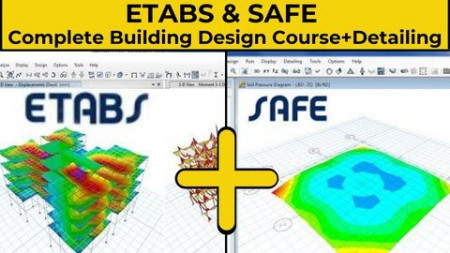
ETABS & SAFE Complete Building Design Course + Detailing
MP4 | Video: h264, 1280x720 | Audio: AAC, 44.1 KHz
Language: English | Size: 10.4 GB | Duration: 17h 56m​


Learn ETABS+ CSI SAFE+AUTOCAD to carry out Structural Analysis and Design of Real World Projects.
What you'll learn
Learn how to import Autocad plans into Etabs the right way.
Learn how to carry out Static and Dynamic earthquake analysis.
Learn how to structurally design RCC Buildings from scratch in Etabs.
Design EXCEL Sheets Provided.
Learn how to create Beam-Column layout in Autocad.
Reference Detailing Autocad Drawings Provided.
Learn how to interpret the analyzed results from Etabs & create economic designs.
You will be working on four real life models in Etabs.
Requirements
A little bit of theory background would be helpful but it isn't necessary as all the topics are covered from scratch
Have Etabs installed in your laptop or PC.
Description
This course entitled "ETABS & SAFE Complete Building Design Course + Detailing" is a structural analysis and structural design course for civil engineering students and working professionals.
Previously titled as "ETABS: (Basic-Advanced Level) Design Course + AutoCAD Basics"
(In the Autocad portion, the Creation of the Beam-Column layout is covered, Plus Detailing walkthrough)
Teaches you all the essential things you need for designing an RCC building. The course is designed in such a way that the student does need not to have any prior experience with the software. The course starts at the level of beginners, with the basic creation of properties, modeling, and load application. Importing of the plan from AutoCAD into Etabs is also covered. We will create load patterns, load cases, and also base fixities for the modal. Once the building is designed we will run the analysis and reiterate the design. This course ends at the advanced stage where students will be thought how to make the structure safe and economic from the industry point of view. The biggest plus point of Etabs is the representation of the analyzed results with graphs, and colors. This way of result representation is way better than Staad pro or sap2000. This plus point of Etabs helps us design the structures faster.
This course is both for civil engineers, and people who are structural engineers.
Indian Codes such as IS 456:2000, IS 875 PART 1, IS 875 PART 2, IS 875 PART 3, IS 1893:2016. are covered from a design perspective.
Who this course is for
Civil engineering students curious about learning how to use Etabs software
structural engineering


02f716d9d815b9664ab3935916d63d2e.jpg

Csi Safe (Foundation and slab Design)
MP4 | Video: h264, 1280x720 | Audio: AAC, 44.1 KHz
Language: English | Size: 2.56 GB | Duration: 4h 12m
Slabs,beam, and foundations Design using Safe software
What you'll learn​

Isolated footing design
Strip footing Design
Raft Design
Combined footing Design
Strap beam design
Pile Caps design
Eccentric footing Design
Solid slab Design
Flat slab Design
Ribbed slab Design
Punching Checking
Drop Panel
Long term Deflection
Requirements
Basic Knowledge of structural Engineering
Description
SAFE is the ultimate tool for designing concrete floor and foundation systems. From framing layout all the way through to detail drawing production, SAFE integrates every aspect of the engineering design process in one easy and intuitive environment. SAFE provides unmatched benefits to the engineer with its truly unique combination of power, comprehensive capabilities, and ease-of-use.
This course is about foundation and slabs, you will learn how model and analyse and design
Isolated footing
strip footing
combined footing
strap beam
Pile caps
Eccentric footing
Raft
Check punching
drop panel
import loads from etabs
Import from Autocad
Solid slab
long term deflection
flat slab
Ribbed slab
Beam
Capital and drop panel
Who this course is for
Civil Engineers
Civil Engineering Students
Screenshots


9IaiPyxGZicvAngwnBoCzakQ8kWvzoxZ.jpg

Cisco Wireless Fundamentals With WLC For CCNA 200-301 CWNA
MP4 | Video: h264, 1280x720 | Audio: AAC, 44.1 KHz
Language: English | Size: 1.95 GB | Duration: 5h 48m
The Only Course You Need To Learn Cisco Wireless Fundamentals Theory WLC Labs For New CCNA 200-301 and New CWNA CWNA-108
What you'll learn​

-You will be ready for your CCNA 200-301 Exam in Wireless part in 21 Days
-You will get better at your job which involves Cisco Wireless devices.
-You will be able to analyze and troubleshoot problems with your Cisco Wireless devices.
-You will have great understanding for your daily profession.
-You will learn how to implement certain topics on Cisco Wireless Lan Controller.
Requirements
Some basic networking experience.
Description
Welcome to The Course "Cisco Wireless Fundamentals With WLC For New CCNA 200-301 The Complete Course in 21 Days Theory Labs "
With the help of this course, you will be able to get all necessary information to learn your Cisco Wireless Fundamentals With WLC For For New CCNA 200-301 and CWNA-108 in only 21 Days
You will learn theory behind each topic and then see how they are configured on real devices. In the end, you will be able to test yourself before The BIG DAY.
Welcome to Cisco Wireless Fundamentals With WLC For For New CCNA 200-301 and CWNA-108.
In this course you will learn ccna wireless exam topics and important and useful subjects for your profession.
Lets go over each chapter and go on more detail about what to come in this course,
First off, you will learn a great deal about rf fundamentals.
This is the starting point for your wireless journey and it will lay a good foundation for the following chapters
In the first chapter we will be describing the propagation of radio waves, we will learn about rf signals and the spectrum.
We will answer some questions like: What is frequency, what is wavelength, what is amplitude and what is phase difference.
We will also learn about different phenomenas related with rf signals such as absorption, reflection, diffraction, scattering, refraction, multipath and fading.
We will also learn free space path loss and also fresnel zone.
On the second part of this chapter, we will go deep into rf fundamentals, what is signal strength, what does RSSI mean, how to calculate transmit power.
We will go over some different interference types and the noise, what are different device requirements and capabilities.
We will also learn principles of rf mathematics, how to calculate dB, dBi, dBd, dBm and how we can measure different power levels.
We will also learn to calculate EIRP. We will see wifi antenna characteristics, how does the radiation pattern of an antenna occur, what is polarization,
how gain is measured, what is the beamwidth of an antenna and we will go over different types of antennas: Omnidirectional, yagi,patch and dish
We will explain different antenna connectors and why we need them and lastly, we will study amplifiers and attenuators
On our second chapter, we will learn about 802.11 Technology Fundamentals
In this chapter we will describe basic Wi-fi governance, what are the governing regulatory bodies, what is IEEE, why do we need to learn about ieee 802.11 and what is wifi-alliance.
On the second part of this chapter, we will also learn about usable channel and power combinations. We already learned about EIRP, we will also learn its limitations. We will be learning about ISM and UNII frequency bands. We will go over rrm fundamentals on the last part of this chapter
We will also learn about 802.11 fundamentals, what is modulation, what is channel width, how do we use them. We will learn about MIMO multiple input multiple output, we will go over wireless topologies and we will learn different wireless frame types such as management, control and data. So simply we will learn a lot about 802.11 fundamentals in this chapter
In Chapter 3 we will learn about various Cisco wireless architectures.
We will learn why we need autonomous, cloud architecures, why do we need split mac architecture and we will learn differences regarding centralized flex connect and converged deployment types, then we will go over physical connections for wired and wireless infrastructure. We will understand how to connect wlcs to switches how to connect different ap types to switches and why do we need etherchannel and also learn what do wcms on switches add us in terms of benefits.
Then we will examine wlc and ap management access connections, what are different management methods, what are wlc ports, what the different wlc interfaces do and we will also learn why we should disable management via wireless.
Capter four is about operating a wireless network.
In this chapter we will talk about how to execute initial setup procedures for various cisco wireless infrastructures, how to do initial setup for autonomous access points, how to setup cloud aps and manage them. We will learn how to setup centralized wlcs and wireless control modules. Next up, we will learn ap boot process and different capwap discovery methods, then we will understand what are different capwap join processes
and we will learn how access points choose to join a specific wlc. What is the master controller, why do we need primary secondary and tertiary controllers
W wil also compare different access point modes, such as monitoring mode flex connect mode and wips
O the second part of this chapter we will configure a simple wlan, what do we need to configure, what are the parameters that need to be configured
what do we need to configure for security, whether we should broadcast the ssid or not, different security levels for layer 2 and layer 3 security and how to choose a aaa server and some parameters for advanced topics.We will also go over different platforms for wireless management and configurations, how we can configure a wireless lan controller via gui and cli, how we can configure wireless lan controllers and autonomous access points via cisco prime infrastructure, how we can use ise identity services engine as a aaa server for wireless configurations.
Inthe last part we will talk about how to maintain a wireless network, how to get wireless lan controller backups, how to do code updates for wireless components such as autonomous access points, aireos based controllers and ios xe based controllers.
Chapter five is all about client connectivity configuration, In this chapter we will learn how to configure your clients and how to configure your wlans to prepare for client connectivity. In this chapter we will talk about authentication and encryption, what is authentication, what are different types of encryption some examples of it, tkip aes.
Then we will go over 802.1x and eap, we will understand the eap process and then we will compare most common methods, peap, eap-fast eap-tls and we will go over aaa server options and then we will talk about different client authentication methods, why do we use open authentication, what are benefits and what are disadvantages of open authentication. We will also talk about psk authentication and local eap, then we will learn how to configure them in your wlc. We will go over wireless authentication using ISE a radius server, we will also learn how to configure web authentication on your wlc and we will also talk about different wpa modes: wpa personal wpa enterprise wpa2 personal and wpa2 enterprise, all those different modes will be discussed in detail.
And on the second part of chapter five
we will learn how to provide client connectivity in different operating systems, we will go over how to configure windows ios macos and android devices
and then we will talk about roaming.
We will learn different components of mobility architecture such as mobility controller and mobility agent, we will go over different types of roaming, intracontroller roaming and intercontroller roaming. We will also talk about main deployment types centralized mobility and converged mobility
for both layer 2 and layer 3 roaming and then we will go over how to configure wireless guest networking with anchor controller and foreign controller
Then we will begin chapter six, in this chapter, we will learn how to troubleshoot wireless networks. We will go over different wlan configuration settings that we need to check. What can go wrong for access point settings, and also we will talk about which settings we need to check on client side. Then we will learn some Cisco tools to troubleshoot our controllers and also we will learn some of third party troubleshooting tools such as spectrum analyzers, wifi scanners and packet analyzers and we will go over a couple of examples for these tools.
As the last chapter we will learn about site survey.
In this chapter we will be talking about different site survey methods, one of them is offsite site survey which is also known as predictive site survey
The other method is onsite and on onsite site survey we have couple of options. One is predeployment site survey, we can use ap on a stick as an active predeployment onsite site survey. We will also learn the postdeployment site survey and in the post deployment we can have passive and active site survey options. We will also go over the reasons why we need site survey and how we can apply outcomes of those site surveys to get our wireless design better
and we will also talk about what we need for our client application requirements, what are real time applications what are non real time applications and
how we can implement those requirements properly.
Thank you for joining me on this journey
I hope you will love to learn with us
Who this course is for
So you want to achieve your CCNA 200-301 Exam for Wireless Fundamentals before the deadline, this is what you need.
I designed this course for you, the one with some or none CCNA 200-301 Exam Wireless knowledge and a great deal of curiosity for the wireless world. You may also be the one who operates wireless devices but you want to know more to get better at your job in configuring, installing, operating and troubleshooting Cisco Wireless devices.
Screenshots











 
53Va7qKjPS1hOd4ESYL5LBt0FCLlRbgn.jpg

Cisco Nexus & UCS Manager Data Center Lab Course
MP4 | Video: h264, 1280x720 | Audio: AAC, 44.1 KHz
Language: English | Size: 2.31 GB | Duration: 5h 29m
The Course You Need For Data Center Fundamentals Cisco Nexus UCS Manager Labs DCICN
What you'll learn​

-You will have great exposure to CCNA Data Center 200-150 DCICN Nexus Labs
-You will get better at your job which involves Cisco Data Center devices.
-You will be able to analyze and troubleshoot problems with your Cisco Data Center devices.
-You will have great understanding for your daily profession.
-You will start learning how to implement certain topics on Nexus , UCS Manager , NX-OS
Requirements
Some basic networking experience.
Basic CCNA or CCNA Data Center knowledge
Description
Welcome to Cisco Nexus & UCS Manager Data Center Lab Course Cisco Data Center Networking Nexus UCS Manager Labs Course DCICN.
In this course you will learn how to perform necessary configurations for Cisco Nexus & UCS Manager and important and useful subjects for your profession.
Lets go over each chapter and go on more detail about what to come in this course.
Lab 1 Focusing on Windows ipconfig command
Lab 2 Focusing on Linux ifconfig command
Lab 3 Observing Windows arp command output
Lab 4 Inspecting packets on Wireshark for arp and ping command outputs
Lab 5 Observing output of Linux arp command
Lab 6 Inspecting DNS traffic for Windows
Lab 7 Inspecting traceroute packet for Windows on Wireshark
Lab 8 Observing output of traceroute command on Linux
Lab 9 DHCP Configuration and Static IP Configuration
Lab 10 Netstat command and Wireshark packets
Lab 11 Netstat command and Wireshark packets part2
Lab 12 Introduction to NX-OS
Lab 13 Continuing on NX-OS
Lab 14 Configuring Vlans and Switchports on NX-OS
Lab 15 Configuring STP on NX-OS
Lab 16 Configuring Port-channel on NX-OS
Lab 17 Configuring Layer 3 Interfaces on NX-OS
Lab 18 Configuring Layer 3 Port-channels on NX-OS
Lab 19 Configuring OSPF on NX-OS
Lab 20 Configuring EIGRP on NX-OS
Lab 21 Configuring HSRP on NX-OS
Lab 22 Configuring AAA on NX-OS
Lab 23 Configuring ACLs on NX-OS
Lab 24 Configuring VSANs on NX-OS
Lab 25 Configuring FLOGI and FCNS on NX-OS
Lab 26 Configuring Zoning on NX-OS
Lab 27 UCS Manager Equipment Tab
Lab 28 UCS Manager Server Tab
Lab 29 UCS Manager LAN Tab
Lab 30 UCS Manager SAN Tab
Lab 31 UCS Manager VM Tab
Lab 32 UCS Manager Storage Tab
Lab 33 UCS Manager Admin Tab
Veyhurdam Dikmen
CCIEx2, RS & Wireless
Who this course is for
I designed this course for you, the one with CCNA Data Center knowledge and a great deal of curiosity for the Data Center and Routing & Switching world. You want to pass CCNA Data Center exam first time or you want to study CCNA Data Center from lab videos.
Screenshots


9ac0r5nmwPa2da5H5heYHYmKj5XMPeFW.jpg

Cisco CUCM Training ( Install Configure Maintain ) CLCOR SIP
MP4 | Video: h264, 1280x720 | Audio: AAC, 44.1 KHz
Language: English | Size: 2.07 GB | Duration: 5h 49m
Cisco Unified Communications Manager Training Course For CCNA CCNP CCIE Collaboration Network Eng CUCM CLCOR CLTECH SIP​

What you'll learn
-You will learn how to implement certain topics on Cisco CUCM ( Cisco Unified Communications Manager )
-You will get better at your job which involves Cisco Unified Communications devices.
-You will be able to analyze and troubleshoot problems with your Cisco Unified Communications devices.
-You will have great understanding for your daily profession.
Requirements
Some basic networking and Collaboration experience.
Description
Welcome to The Course Cisco CUCM Training ( How To Install Configure Maintain ) for your CLCOR studies
With the help of this course, you will be able to get all necessary information to be the best in Cisco CUCM .
You will learn theory behind each topic and then see how they are configured on real devices.
CH01-V01 Virtual Machine Settings For CUCM Installation
CH01-V02 CUCM Installation
CH01-V03 Activating CUCM Services
CH02-V01 CUCM Overview
CH02-V02 CUCM Menus
CH02-V03 CUCM Administration Interface
CH02-V04 CUCM Serviceability Menu
CH02-V05 CUCM Operating System Administration
CH02-V06 Disaster Recovery System
CH02-V07 Cisco Unified Reporting
CH02-V08 CUCM CLI
CH03-V01 User Types and Privileges with Roles
CH03-V02 User Features (Types, Passwords, Device Association, Information )
CH03-V03 Different User Management Options
CH03-V04 LDAP Synchronization
CH03-V05 LDAP Authentication
CH03-V06 LDAP Custom Filter
CH04-V01 CUCM Media Streams
CH04-V02 CUCM CoS Overview
CH04-V03 Partitions and CSS
CH04-V04 Lab Creating Partitions and CSS on CUCM
CH04-V05 CUCM Call Routing with Lab
CH04-V06 Route Groups Route Lists and Route Patterns
CH04-V07 Hunt Groups
CH04-V08 Regions and Device Pools
CH05-V01 IP Phone Registration Overview
CH05-V02 IP Phone Registration Process
CH05-V03 SIP IP Phone Registration Process
CH05-V04 IP Phone Configuration Elements and Different Methods
CH05-V05 Autoregistration
CH05-V06 Manual IP Phone Configuration
CH05-V07 Bulk Administration Tool
CH05-V08 Selfprovisioning
CH06-V01 Lab Call Pickup Group
CH06-V02 Call Group Pickup Part 2 and Phone Button Template
CH06-V03 Call Park
CH06-V04 Intercom
CH06-V05 Speed Dial BLF
CH06-V06 Enable Mobility on CUCM
CH06-V07 Schedule Mobility on CUCM
CH06-V08 CDR Reports
CH06-V09 RTMT
Who this course is for
I designed this course for you, the one with some or none Cisco Unified Communications knowledge and a great deal of curiosity for the Collaboration world. You may also be the one who operates Collaboration devices but you want to know more to get better at your job in configuring, installing, operating, troubleshooting and maintaning Cisco Unified Communications Manager .
Screenshots


Zurück
Oben Unten