• Regeln für den Video-Bereich:

    In den Börsenbereich gehören nur Angebote die bereits den Allgemeinen Regeln entsprechen.

    Einteilung

    - Folgende Formate gehören in die angegeben Bereiche:
    - Filme: Encodierte Filme von BluRay, DVD, R5, TV, Screener sowie Telesyncs im Format DivX, XviD und x264.
    - DVD: Filme im Format DVD5, DVD9 und HD2DVD.
    - HD: Encodierte Filme mit der Auflösung 720p oder darüber von BluRay, DVD, R5, TV, Screener sowie Telesyncs im Format x264.
    - 3D: Encodierte Filme von BluRay, die in einem 3D Format vorliegen. Dies gilt auch für Dokus, Animation usw.
    - Serien: Cartoon/Zeichentrick, Anime, Tutorials, Dokumentationen, Konzerte/Musik, Sonstiges sind demnach in die entsprechenden Bereiche einzuordnen, auch wenn sie beispielsweise im High Definition-Format oder als DVD5/DVD9/HD2DVD vorliegen. Ausnahme 3D.
    - Bereich Englisch: Englische Releases gehören immer in diesen Bereich.
    - Bereich Talk: Der Bereich, in dem über die Releases diskutiert werden kann, darf, soll und erwünscht ist.


    Angebot/Beitrag erstellen

    - Ein Beitrag darf erst dann erstellt werden, wenn der Upload bei mindestens einem OCH komplett ist. Platzhalter sind untersagt.
    - Bei einem Scenerelease hat der Threadtitel ausschließlich aus dem originalen, unveränderten Releasenamen zu bestehen. Es dürfen keine Veränderungen wie z.B. Sterne, kleine Buchstaben o.ä. vorgenommen werden. Ausnahme Serienbörse:
    - Bei einem Sammelthread für eine Staffel entfällt aus dem Releasename natürlich der Name der Folge. Beispiel: Die Simpsons S21 German DVDRip XviD - ITG
    - Dementsprechend sind also u.a. verboten: Erweiterungen wie "Tipp", "empfehlenswert", "only", "reup", usw. / jegliche andere Zusatzinformation oder Ergänzung, welche nicht in obiger Beschreibung zu finden ist.

    Aufbau des Angebots und Threadtitel

    Der Titel nach folgendem Muster erstellt zu werden. <Name> [3D] [Staffel] [German] <Jahr> <Tonspur> [DL] [Auflösung] <Quelle> <Codec> - <Group>
    Beispiel: The Dark Knight German 2008 AC3 DVDRip XviD - iND
    Beispiel: The Dark Knight 2008 DTS DL BDRip x264 - iND
    Beispiel: The Dark Knight 2008 AC3 DL BDRip XviD - iND
    Beispiel: The Dark Knight German 2008 AC3 720p BluRay x264 iND
    Beispiel: The Dark Knight 2008 DTS DL 1080p BluRay x264 iND
    Beispiel: Die Simpsons S01 German AC3 DVDRip XviD iND
    Beispiel: Die Simpsons S20 German AC3 720p BluRay x264 iND
    Beispiel: Sword Art Online II Ger Sub 2014 AAC 1080p WEBRip x264 - peppermint
    Entsprechend sind also u.a. verboten: Sonderzeichen wie Klammern, Sterne, Ausrufezeichen, Unterstriche, Anführungszeichen / Erweiterungen wie "Tipp", "empfehlenswert", "only", "reup", usw. / jegliche andere Zusatzinformation oder Ergänzung, welche nicht in obiger Beschreibung zu finden ist
    Ausnahmen hiervon können in den Bereichen geregelt sein.

    Die Beiträge sollen wie folgt aufgebaut werden:
    Überschrift entspricht dem Threadtitel
    Cover
    kurze Inhaltsbeschreibung
    Format, Größe, Dauer sind gut lesbar für Downloader außerhalb des Spoilers zu vermerken
    Nfo sind immer Anzugeben und selbige immer im Spoiler in Textform.
    Sind keine Nfo vorhanden z.B. Eigenpublikationen, sind im Spoiler folgende Dateiinformationen zusätzlich anzugeben :
    Quelle
    Video (Auflösung und Bitrate)
    Ton (Sprache, Format und Bitrate der einzelnen Spuren)
    Untertitel (sofern vorhanden)
    Hosterangabe in Textform außerhalb eines Spoiler mit allen enthaltenen Hostern.
    Bei SD kann auf diese zusätzlichen Dateiinformationen verzichtet werden.

    Alle benötigten Passwörter sind, sofern vorhanden, in Textform im Angebot anzugeben.
    Spoiler im Spoiler mit Kommentaren :"Schon Bedankt?" sind unerwünscht.


    Releases

    - Sind Retail-Release verfügbar, sind alle anderen Variationen untersagt. Ausnahmen: Alle deutschen Retail-Release sind CUT, in diesem Fall sind dubbed UNCUT-Release zulässig.
    - Im Serien-Bereich gilt speziell: Wenn ein Retail vor Abschluss einer laufenden Staffel erscheint, darf diese Staffel noch zu Ende gebracht werden.62
    - Gleiche Releases sind unbedingt zusammenzufassen. Das bedeutet, es ist zwingend erforderlich, vor dem Erstellen eines Themas per Suchfunktion zu überprüfen, ob bereits ein Beitrag mit demselben Release besteht. Ist dies der Fall, ist der bereits vorhandene Beitrag zu verwenden.
    - P2P und Scene Releases dürfen nicht verändert oder gar unter einem iND Tag eingestellt werden.


    Support, Diskussionen und Suche

    - Supportanfragen sind entweder per PN oder im Bereich Talk zu stellen.
    - Diskussionen und Bewertungen sind im Talk Bereich zu führen. Fragen an die Uploader haben ausschließlich via PN zu erfolgen, und sind in den Angeboten untersagt.
    - Anfragen zu Upload-Wünschen sind nur im Bereich Suche Video erlaubt. Antworten dürfen nur auf Angebote von MyBoerse.bz verlinkt werden.


    Verbote

    - Untersagt sind mehrere Formate in einem einzigen Angebotsthread, wie beispielsweise das gleichzeitige Anbieten von DivX/XviD, 720p und 1080p in einem Thread. Pro Format, Release und Auflösung ist ein eigener Thread zu eröffnen.
    - Grundsätzlich ebenso verboten sind Dupes. Uploader haben sich an geeigneter Stelle darüber zu informieren, ob es sich bei einem Release um ein Dupe handelt.
    - Gefakte, nur teilweise lauffähige oder unvollständige Angebote sind untersagt. Dies gilt auch für eigene Publikationen, die augenscheinlich nicht selbst von z.B. einer DVD gerippt wurden. Laufende Serien, bei denen noch nicht alle Folgen verfügbar sind, dürfen erstellt und regelmäßig geupdatet werden.
    - Untersagt sind Angebote, welche nur und ausschließlich in einer anderen Sprache als deutsch oder englisch vorliegen. Ausnahmen sind VORHER mit den Moderatoren zu klären.


    Verstoß gegen die Regeln

    - Angebote oder Beiträge, die gegen die Forenregeln verstoßen, sind über den "Melden"-Button im Beitrag zu melden.
  • Bitte registriere dich zunächst um Beiträge zu verfassen und externe Links aufzurufen.

*** Bestes IPTV *** bester Preis *** gratis Test ***


Englische Tutorials

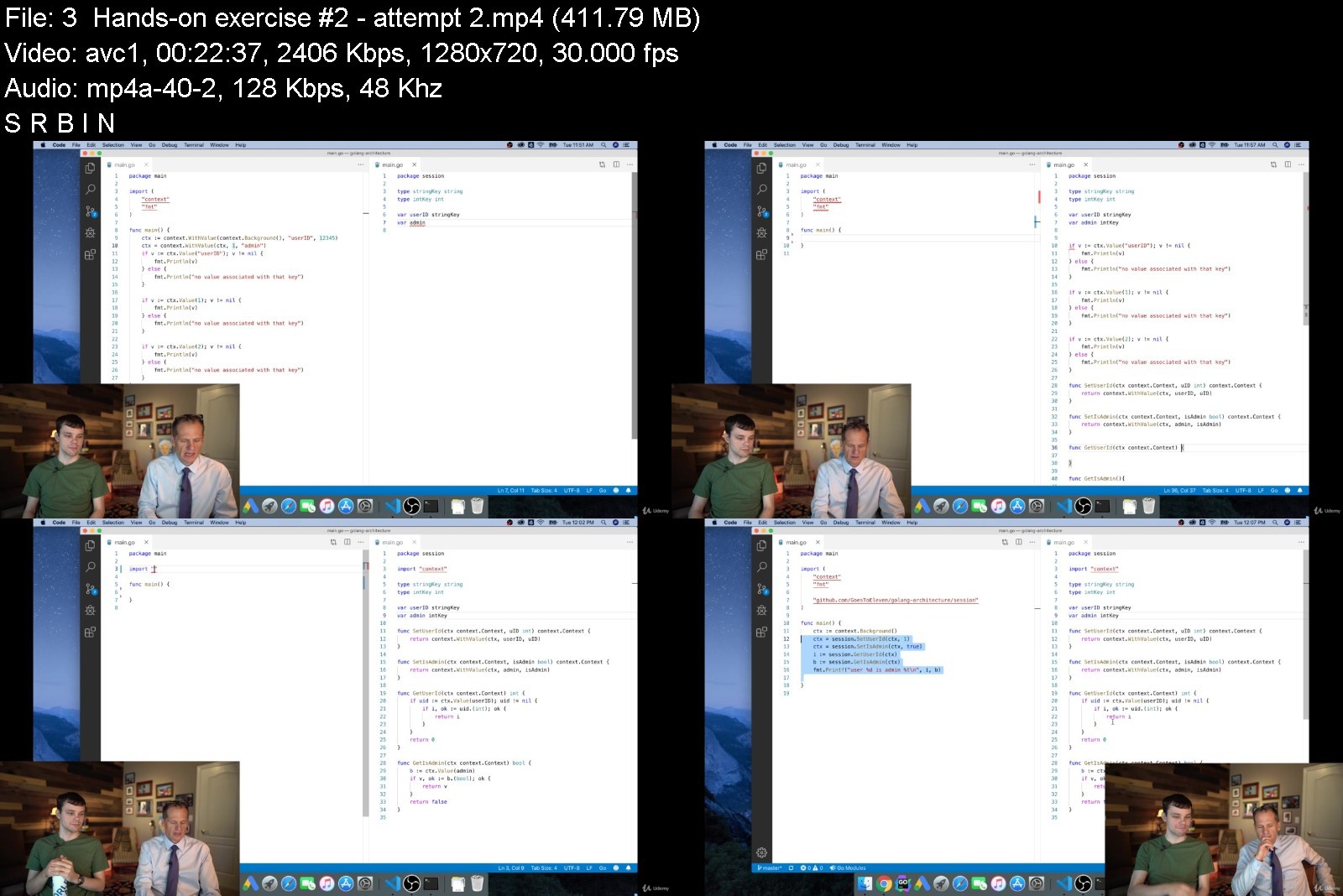
Web Architecture With Golang - Google's Go Language

p5dbedkhyok5zmrvvs0io5ak8b.jpg


Web Architecture With Golang - Google's Go Language
Genre: eLearning | MP4 | Video: h264, 1280x720 | Audio: AAC, 48.0 KHz
Language: English | Size: 13.4 GB | Duration: 13h 3m


What you'll learn
Advance your skills with Google's Go (golang) programming language
Learn the fundamentals of web architecture, context, and error handling
Master the nuances of interfaces, method sets, and escape analysis
Enhance your ability to use git and gain skills using curl
Taught by a university professor
From intermediate to advanced concepts
Hands-on exercises with solutions
Over 2.65 Million students taught
Lifetime course access
Learn at your own pace
100% satisfaction guaranteed
Never expires - lifetime access - forever!
This course is tried, tested, and proven
Mobile friendly

Description
There is a reason for the popularity of Google's Go (golang) Programming Language: Go was created by geniuses and is the next step in the evolution of programming languages. Knowing how to use Go well will increase your power and productivity as a programmer.
This course will give you the skills you need to advance your Go Programming Language skills. This course is very practical and applicable. It focuses on teaching you skills you can use.
In addition, this course will build your skills with web architecture, git, curl, interfaces, context, error handling, & escape analysis.
Presented with high-quality video lectures, this course will visually show you many great things about Google's Go (golang) Programming Language and collaboration. Co-taught by a tenured professor in California and a Professional Developer, this is just some of what you will learn in this course:
Learn to succeed as a student
Master intermediate skills using git
Learn how to version your codebase in git
Acquire the ability to use curl for web requests
Explore the fundamentals of software and web architecture
Gain insight into REST, SPA, MVC, containers, and container orchestration
Explore the nuances between monoliths and microservices
Acquire an understanding of serverless architecture and continuous integration
Solidify your abilities using interfaces to abstract code and decouple dependencies
Explore the implications of method sets
Gain insight into code organization conventions
Strengthen your skills with writing tests and creating mocks
Learn to use the context package to write idiomatic Go code
Reinforce your abilities to write robust code using Go's error wrapping capabilities
Acquire a thorough understanding of the heap, the stack, and escape analysis
This is an amazing course! This course will change your life. Being skilled at using the Go Programming Language will serve you and your career well. This course will increase your proficiency, productivity, and power as a programmer. You are going to love this course and it will forever change your life.
Your satisfaction is guaranteed with this course.
Join me and enroll now!
--
The art used in the course image was designed by Renee French.
license: Creative Commons 3.0 Attributions license

Who this course is for:
This course is perfect for individuals who want to build their skills with the Go programming language.


webarchitecturewithgoz7kny.jpg


Download from RapidGator


Download from Keep2Share



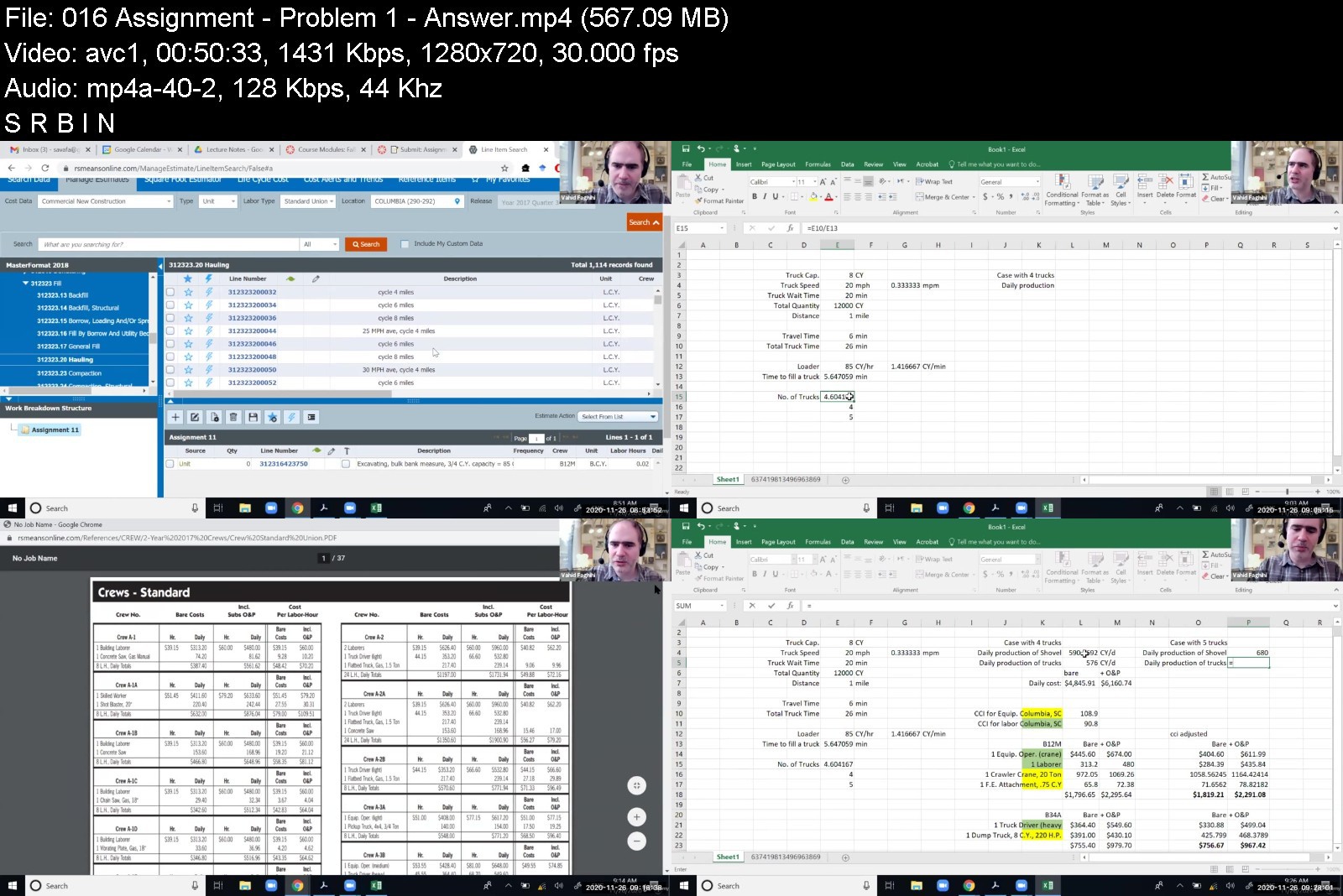
Construction Cost Estimating 2021

v5dv9rhzrgtcvb37obpn4mlkrd.jpg


Construction Cost Estimating 2021
MP4 | Video: h264, 1280x720 | Audio: AAC, 44.1 KHz
Language: English | Size: 16.7 GB | Duration: 27h 26m

Using RSMean Cost Data


What you'll learn
Define and explain basic estimating calculations, spreadsheets, and general requirements
Adjust RSMeans data to account for local labor rates, overtime, markups, and more
Estimate material costs for concrete, masonry, metals, wood, and plastics
Analyze costs for structural elements, finishes, mechanical systems, and groundwork
Integrate equipment, assemblies, depreciation, and more into a complete estimate

Description
This course provides essential guidance on construction project cost estimation, using the world's most popular source of construction cost data. Step-by-step instruction guides students through several exercises that emphasize real-world problem-solving skills, and new discussion on Building Information Modeling provides up-to-date estimation techniques that are becoming standard in the industry.
Estimating skills are critical at all levels of the construction industry, and the learning process also strengthens understanding of blueprints and construction assemblies. This course provides comprehensive instruction on all aspects of the estimation process, with detailed guidance.
Course Objectives:
By completing this course, you will be able to:
Define and explain basic estimating calculations, spreadsheets, and general requirements
Adjust RSMeans data to account for local labor rates, overtime, markups, and more
Estimate material costs for concrete, masonry, metals, wood, and plastics
Analyze costs for structural elements, finishes, mechanical systems, and groundwork
Integrate equipment, assemblies, depreciation, and more into a complete estimate
Course Content:
Introduction
Basic Calculations
Spreadsheet Types
Cost Estimating: An Introduction
General Requirements
Adjusting RSMeans Data to Job Conditions
Concrete
Masonry
Metals
Wood and Plastics, Thermal and Moisture Protection
Doors and Windows, Interior Finish, and Equipment
Fire Suppression, Plumbing, Mechanical, and Electrical
Earthwork
Equipment Analysis
Assemblies Estimating
Course Software:
You can register for RSMeans through its website and get free one-month trial access. That should help you enough with this course.
Course Textbook:
How to Estimate with RSMeans Data: Basic Skills for Building Construction, 5th Edition; RSMeans, Saleh A. Mubarak; ISBN: 978-1-118-97797-2, March 2020

Who this course is for:
Civil Engineers
Construction Engineers and Managers
Construction Management Students
Construction Science Students


constructioncostestimr8kh8.jpg


Download from RapidGator


Download from Keep2Share



Ear Training & Aural Skills Masterclass (Parts 1, 2, and 3)

4386464450c2hk1q.jpg


Ear Training & Aural Skills Masterclass (Parts 1, 2, and 3)
MP4 | Video: h264, 1280x720 | Audio: AAC, 44.1 KHz, 2 Ch
Genre: eLearning | Language: English + srt | Duration: 286 lectures (13h 8m) | Size: 11.4 GB

Mastering the art of learning music by ear on any instrument.


What you'll learn
Students will develop skills for listening, repeating, and writing music down completely by ear.
Students will be able to notate music by ear after finishing this class.
Students will be able to identify intervals by ear after finishing this class.
Students will have an unlimited supply of practice materials after this course.
Students will develop a deeper understanding of notated rhythms.
Students will develop skills for listening, repeating, and writing music down completely by ear.
What is Perfect Pitch?
What is Relative Pitch?
Identifying rhythms in 4/4
Identifying rhythms with rests and ties
Identifying and notating rhythms with 16th notes
Notating rhythms with triplets
Identifying rhythms in 6/8, 9/8, and 3/8

Requirements
Students in this class will be expected to know the basics of music notation and music theory.


Description
100% Answer Rate! Every single question posted to this class is answered within 24 hours by the instructor.

Are you a music maker, performer, composer, or aspiring songwriter looking to up your game? This is the place to start.

Ear Training and Aural Skills is the practice of learning to play music by ear, learning to notate music by ear, and learning to understand music on a deeper level just by hearing it. In this class we are going to learn techniques for listening, analyzing, and notating music (writing it down) just by listening. Perfect Pitch is not required.

If you don't know me, I've published a lot of music theory classes here. Those classes have been really successful, and the number one request I've been getting from students is to make an Ear Training sequence of classes. So here it is! This series will have 6 parts:

Part 1: Rhythms

Part 2: Diatonic Intervals

Part 3: Melodies

Part 4: Diatonic Harmony

Part 5: Chromatic Melodies

Part 6: Chromatic Harmony

This class is the "Masterclass" Version, and it contains the complete parts 1, 2, and 3!

Each of these classes comes with about 4 hours of training, and a LOT of things to practice with. And of course, access to me with any questions you have at any time.

Here is a list of some of the topics we will cover:

Why Do We Care about Ear Training?

The Myth of Perfect Pitch

Relative Pitch

"True Pitch"

Using a Tuner and Metronome

Intervals

Intervals in Music

Dictation Practice Quizzes

Notating Rhythms in 4/4, 3/4, and 2/4

Working with Pitch

Adding in Rests and Ties

Adding in 16th Notes

Notating Rhythms in 3/8, 6/8, and 9/8

Adding in Triplets

Music Intervals

Methods of Interval Recognition

Using Colors, Numbers, People, and Textures

Using Familiar Melodies

Identifying Major intervals

Identifying Minor intervals

Notating a Melody by Ear

100s of music exercises

Identifying Melodic and Harmonic Intervals

Commonly Confused Interval Groups

Identifying phrases rather than individual notes

Applying ear training to your guitar, voice, keyboard or other instruments.

Ear training guitar

Looking for "Pillars" in a melody as anchor points.

Using Scales and Scale Fragments to help identify a series of notes.

Identifying certain scales that will be helpful to melodic dictation.

Working with chords and arpeggios

Identifying a chord outline and implied harmony

Notating a Melody by Ear

Play music by ear

A whole lot of things to practice with!

And Much, Much, More!

My Promise to You:

I am a full-time Music composer and Educator. If you have any questions please post them in the class or send me a direct message. I will respond within 24 hours. And if you find this class isn't for you, I am more than happy for you to take advantage of the 30-day money-back guarantee. No questions asked.

What makes me qualified to teach you?

In addition to being a composer and educator, I also have a Ph.D. in music, I am a university music professor, and have a long list of awards for teaching.

But more importantly: I use this stuff every day. I write music professionally, I am an active guitarist, and I stay on top of all the latest techniques, workflows, and styles. As you will see in this class, I just love this stuff. And I love teaching it.

You will not have another opportunity to learn Ear Training in a more comprehensive way than this.

Let's get started!

See you in lesson 1.

All best,

Jason (but call me Jay...)

Who this course is for
Anyone who wants to understand music at the deepest of levels should take this course.
Students who are taking (or plan to take) a college music theory course will greatly benefit from this class.
Students who have taken my Music Theory Comprehensive course that want to reinforce those skills through playing, singing, and dictation should take this course.

Homepage


1.whatcomesnexts0bk0s.jpg


Formation DÉCOUVERTE Montessori 0/3 ans

nt7gsqgofdlodzsowvfzmo9jsz.jpg


Formation DÉCOUVERTE Montessori 0/3 ans
MP4 | Video: h264, 1280x720 | Audio: AAC, 44.1 KHz
Language: French | Size: 5.97 GB | Duration: 4h 34m

Une formation complète des bases théoriques de la pédagogie Montessori à la pratique auprès d'enfants de 0 à 3 ans


What you'll learn
Une formation complète des bases théoriques de la pédagogie Montessori à la mise en pratique auprès d'enfants de 0 à 3 ans.
Cette initiation vous aidera à mieux comprendre et mettre en pratique les pédagogies alternatives dans votre quotidien.
Plus de 40 vidéos EXCLUSIVES !
Présentation de la pédagogie Montessori
Les périodes sensibles
L'environnement 0/3 ans
L'attitude de l'adulte référent ou éducateur
Le Nido
La communauté enfantine
Requirements
Aucune exigence particulière. Parents, grand-parents, futurs parents, professionnels de la petite enfance...cette formation a été conçue pour vous !

Description
Plus de 40 vidéos EXCLUSIVES ! Cette formation intégralement proposée au format vidéo vous permet de découvrir à votre rythme la pédagogie Montessori : de la théorie à la pratique, avec des exemples, des conseils et des démonstrations.

Nous abordons les thèmes suivants :

Présentation de la pédagogie Montessori

Les périodes sensibles

L'environnement 0/3 ans

L'attitude de l'adulte référent ou éducateur

Le Nido

La communauté enfantine


Who this course is for:
Parents
futurs parents
personnel de crèche
assistante maternelle
professionnels de la petite enfance

Homepage


005matrielnido5s9vku0.jpg


e4939c87b86db89b61cd5711b5006976.jpg

DevOps Essentials: DevOps Adoption and Transformation
Genre: eLearning | MP4 | Video: h264, 1280x720 | Audio: AAC, 48.0 KHz
Language: English | Size: 0.99 GB | Duration: 3h 37m
Rethinking Traditional IT Practices and Capabilities towards new IT; the Benefits of a Successful Transformation

What you'll learn
Learn what is DevOps and the benefits of a successful transformation
Get ahead of the competition by learning about DevOps
Understand DevOps challenges, benefits and how to overcome organizational silos
Learn how to adopt a culture of continuous and rapid innovation
Build a high performance IT department that delivers business value with low risk
How to create DevOps Culture? Expectations from DevOps Leaders and Teams
New Ways of Working as people shift from being individual players towards collaboration
Understand the shortcomings of traditional IT practices and capabilities
Learn about DevOps and it's benefits (more security, less downtime)
Understanding continuous learning
DevOps Adoption requirements and transform your organziation
Gain insights on how to make better decisions with data
Continuous Integration, Continuous Deployment, Continuous Delivery, Continuous Monitoring & Release on Demand
What it means sustainable and scalable technology?
Understanding Agile mindset and lean thinking
Description
Get Ahead of Competition Learn DevOps and Rethink your IT Capabilities today!
Are you looking to learn about DevOps, but don't know where to start? Are you interested in how to adopt DevOps practices and transform your organization? If so, look no further! This e-learning course is designed to teach you everything you need to know about DevOps. You'll learn about the history of DevOps, key concepts and terminology, how to implement DevOps practices, and how to apply them in your organization. You'll learn how to improve communication and collaboration between development and operations teams, automate tasks and workflows, and more. Plus, our course is packed with real-world examples and how to overcome challenges that will help you apply what you learn in practice. So don't wait any longer - Sign up today and get started on your journey to a better, faster, more efficient workplace!
This e-learning course will teach you how to adopt DevOps practices and transform your organization into a new way of working. You'll learn how to improve collaboration, increase efficiency, and reduce waste.
Most Information Technology (IT) departments in organizations embarked on DevOps transformation to make IT easier, faster and cheaper. Your organization might be one of them; already working towards upgrading their infrastructure, automating their testing, Improving monitoring capabilities, so forth. According to the Harvard Business Review, companies are pouring millions into "DevOps transformation" initiatives -a high percentage of those efforts fail to pay off. What do you think is the reason?
Most of them thinking DevOps as a framework, or a standard, or a procedure, like a step-by-step process. Some of them might think that DevOps is just related to technology. You will upgrade the systems, and IT infrastructure, transformation completed. They might even think of DevOps transformation as a project; a list of tasks to be completed in a given time frame. These are the big mistakes organizations make it.
Enterprise-wide DevOps stands for rethinking traditional IT practices and capabilities, including a product, process, and people perspective. DevOps is the ultimate solution for creating a flow in the delivery of IT services. DevOps aims for a simple, yet important goal of streamlining the IT operation. DevOps is about experiences, ideas, and culture; It's about the close communication and collaboration between all IT teams. They are all working towards the same goal: To improve the products and services that they produce by thinking differently about how they work together, using a new mentality.
Every employee, who works with systems/applications (entering information, gathering data, running reports, etc.) should know IT; not as a developer or tester, but understand the basics of IT functions and how IT can help to perform their work better. So, if you are in this position, then this course is for you. If you are a business owner or user of the system/application, you can help to improve your operation if you understand what it means DevOps. Or if you just want to understand what this buzz about DevOps is, or if your organization is planning or actively working towards DevOps transformation, then this course is for you, too.
DevOps transformation is a journey, and the e-learning course we've outlined can be your first step. The practices and principles taught in this course have been proven to help organizations of all sizes make the shift to DevOps.
Register today for the e-learning course and start on your own journey to learn how to improve collaboration, increase efficiency, reduce waste; adopt DevOps practices and transform your organization into a new way of working!
Who this course is for
Anyone participating DevOps & Agile Transformation efforts
Anyone is planning to initiate their organization's transformation
Anyone want to learn more about DevOps
Product Managers & Product Owners
Business Stakeholders & Sponsors & Managers
Portfolio, Program, and Project Managers & team members
Screenshots


0b3b972c68a33e78ff1f92fbc1df853d.jpg

Egg Burger Recipe
MP4 | Video: h264, 1280x720 | Audio: AAC, 44.1 KHz
Language: English | Size: 190 MB | Duration: 13m​

1)burger kabab recipe 2)chapli kabab banane ka asan tarika 3)indian recipes,pakistani recipes 4)how to anda burger recipe in Urdu 5)anda wala burger recipe 6)Karachi Ka Mashoor Anday Wala Burger Recipe Specail Egg Burger Recipe Karachi Street Food 7)Special Egg Burger of India Omlet Pav Making Indian Street Food 8)how to Chapli Kabab 9)Egg Tawa Burger Tawa Burger 10)Anda wala burger recipe Tasty Burger recipe Pakistani in Urdu 11)aloo tikki burger recipe
Screenshots


576074ca806e54b97ddb197a52f2b907.jpg

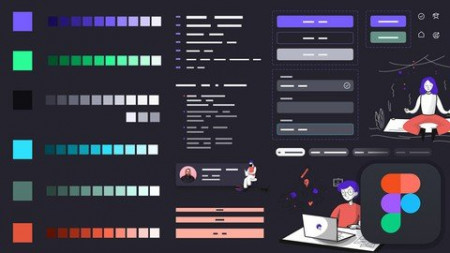
Building Design System in Figma from Scratch - UI UX Mastery
Genre: eLearning | MP4 | Video: h264, 1280x720 | Audio: AAC, 44.1 KHz
Language: English | Size: 3.74 GB | Duration: 5h 17m
Step by Step guide about how to create all parts of Design System using Figma - Design Principles, Tokens and theming

What you'll learn
Build your first Design system in Figma from scratch
Design Principles + Purpose statement of your Design System
Build Color System, Typography System, Layout/Grids and a lot more
Create Buttons +Forms with their states along with Bigger Components
Advance usage of Swap-able Components, Icons inside buttons and form
Description
If you are UI UX Designer and not using a Design System while designing, then you get outdated in a few years. Boost your design game to PRO LEVEL with this Design System with Figma Class. This class will help you step by step and will teach you practical examples of how to start creating a Design System. What are the 7 steps you need to take to create a Design System? How you are going to bring your design, development, marketing teams, and managers together to create design principles.
In this class, you will learn all the theories with practical examples about the Design Systems, their components, benefits, and outputs.
You will learn about
Design Principles and how to make them
Purpose Statement in Design System
Design first or create a Design System first
Tokens, Values and how to use theming dark and light in Design System
Generate Color System with color scales and color styles
Create Typography system with Type Scales and Styles
Icon System, Grids, and Layout System
Buttons, Chips, and Info bars with Swappable Icons
Advance usage of Auto layout, Components, and Variants in Figma
See how we use the Spacing System in Figma
Usage of Emojis and creating Hyperlinks inside Figma pages/files
5 Assignments for you to practice and show me your Design System using Figma file links
So let's learn Pro-Level Figma skills to create a design system and get your dream job as a UX UI Designer
Who this course is for
UI Designer
UX Designer
Web Developer
Web Designer
Graphic Designer
Screenshots


00872b97_medium.jpg

Financial Literacy for Employees
LinkedIn Learning
Duration: 1h 49m | .MP4 1280x720, 30 fps(r) | AAC, 48000 Hz, 2ch | 1.29 GB
Genre: eLearning | Language: English​

Do you ever find yourself confused by your company's financial statements? That's OK. You're not alone. But being financially literate doesn't require an advanced degree. All it takes is a little time on your part to understand the importance of numbers for your job, organization, and personal financial situation.
Join accounting professors Jim and Kay Stice in this essential skills course on key financial concepts to help you succeed and grow in your career. Build your knowledge base for financial literacy, developing an understanding of the past so that you can change the course of your future. Explore the common tools of business analysis: financial statements, balance sheets, ratios, company cost structures, budgets, key performance indicators, and more. Learn about your compensation, savings, and tax options as an employee, acquiring new skills and financial fundamentals that you can put to use in your day-to-day life.
Homepage
Screenshots


10b0b508db1e9ed489fab5ee8ad67be1.jpg

Git Ultimate Master Git & GitHub - Beginner to Expert 2022
Genre: eLearning | MP4 | Video: h264, 1280x720 | Audio: AAC, 48.0 KHz
Language: English | Size: 1.42 GB | Duration: 2h 3m
Go from complete novice to expert in Git and GitHub using step-by-step, no-assumptions learning

What you'll learn
Learn the key concepts of the Git source control system
Compare the different states in Git
Create and manage repositories on GitHub
Save work in progress with Stashes
Even a bit of time travel within Git repositories and on GitHub
Join other GitHub projects by Forking and contribute back using Pull Requests
Group related repositories together with GitHub Organizations
Step through the entire Git workflow
Manage files inside and outside the control of Git and GitHub
Create branches and resolve conflicts with confidence
Mark special events with Tags and Releases
Perform many of the same local Git operations directly on GitHub
Review and Accept Pull Requests from Others
Manage project defects or enhancement requests with GitHub Issues
Requirements
Basic computer skills
Ability to install software on your computer
Description
This course will comprehensively cover the GitHub hosting service as a companion to the Git source control tool, which means no prior knowledge or experience is required. Students will emerge at the end with a very solid understanding and hands-on experience with Git and GitHub.
Course Organization
The course is divided into four major components
Introduction and Setup
Learning Git Source Control
All About GitHub
Each one of the above components spans multiple sections in this course.
Introduction
The Introduction provides a welcome to the course including some useful tips for getting the most out of taking the course and how the course is designed. That is followed by the Core Concepts which go over some critical theory before diving straight into Git.
After the introduction and core concepts, the first thing we do is a Quick Installation for both Windows and Mac.
Learning Git Source Control
In The Basics, we walk through all the foundational commands needed to start a new project managed by Git (or enable Git for an existing project) all the way through making commits, including common file operations like moving and deleting files. We also cover how to exclude the wrong files from accidentally being committed and how to review your repository's history.
With a strong foundation in place, we explore some more Advanced Git topics like comparing differences, branching and merge resolution, tagging special events, saving work in progress, and even a bit of time travel.
All About GitHub
The main part of this course is all about GitHub. We will explore GitHub in-depth from a source control hosting repository perspective.
In Welcome to GitHub, we start off exploring some of the basic features of GitHub by creating a fresh repository and associating our local repository with it. Then, we prepare for the remainder of the course by setting up SSH Authentication, which we will use from this point forward. After that, we continue looking at the GitHub Repository, including many of the same operations we performed locally but done directly within GitHub. Then in GitHub Repository Branches, we dive into how Branches on GitHub and our local system work with each other.
After we have comprehensively covered how GitHub repositories work, we focus on how GitHub Tags and Releases work and their relationship with local tags in Git. We can then use tags/releases while Comparing Differences on GitHub.
We start tying things together in Social Coding where we join other projects on GitHub by forking and then submitting our contributions back using pull requests.
Once part of a team, you might use GitHub Issues to track defects or enhancement requests.
Sometimes you just need to share small parts of a file or a set of files but don't want to bother with a full Git repository. That is where GitHub Gists help out -- share just a snip of code or entire files.
Finally, group related GitHub repositories with GitHub Organizations and manage permissions and access using teams.
Course Features
All tools have installation and configuration sections to ensure no one is left behind.
Presentations provide audio/video training of conceptual ideas. Since few like slide-ware presentations, slide presentations are kept to a minimum.
Screencasts provide a video of the instructor's computer system with any actions, commands, or screens displayed and narrated. There are nearly 2 hours of screencast based video training in order to step through each command or action in sufficient detail.
All videos are available in high-quality 1080p / Full HD resolution for sharp and clear viewing on modern desktops and tablets.
Several attachments and document lectures throughout the course provide supplemental information, illustrations, or other reference material.
Moving Forward
This course will expand periodically to include more topics, supporting materials, and first-class content! Some content may be in direct response to student feedback or discussions -- so get engaged with the course discussions feature!
Who this course is for
Anyone interested in using source control and specifically Git and GitHub
Software engineers, developers, programmers new to Git or GitHub
IT Managers or technical leads considering Git or GitHub for version control on their team
Freelancers or other creative professionals
Screenshots


4a402bd066427af8f523632ca7906980.jpg

Learn Python for Data Science & Analysis from Scratch
Genre: eLearning | MP4 | Video: h264, 1280x720 | Audio: AAC, 48.0 KHz
Language: English | Size: 6.26 GB | Duration: 6h 9m
Master Python within few hours & Be Ready to jump into Data Science & Analytics

What you'll learn
Learn the art of programming
Master Python programming language
100% capable enough to enter the field of Data Science & Analytics
Build GUIs and Desktop applications with Python
Learn to use Data Science & Analysis libraries like Pandas, NumPy, Matplotlib, Seaborn
Build Python projects to potentially become a full time Programmer
Description
Are you ready to jump into Data Science & Analytics?
Do you know that to enter the field of Data Science & Analytics, learning a programming language is must!!
This comprehensive course will be your guide to learn Python from scratch, and even will be introducing you to various mostly used libraries into Machine Learning & Data Science such as Pandas, NumPy, Matplotlib, Seaborn etc. to analyze data, create beautiful visualizations, and use powerful machine learning algorithms!
This course is designed in such a way that even someone with zero programming knowledge can learn with ease, and jump into the field of Data Science & Analytics.
Yes, you heard it right!!
Even if you have zero knowledge on programming, or you are coming from a purely non-technical background, this is the course you were searching for!!
The trainer of this course carries an immense knowledge into Programming, Data Science & Analytics, and have taught 10,000+ students globally. With over 6 hours of content and detailed code notebooks for every lecture this is one of the most comprehensive course for Python on Udemy!
Here are the topics that we will learn in this course
Python Basics
Datatypes, Operators & Operands
Data Structures - Lists, Tuples, Sets & Dictionaries
Loops & Iteration
Functions
Map, Reduce & Filter Functions
File Handling
Control Structures
Object Oriented Programming Concepts: Inheritance, Encapsulation, Polymorphism, and Data abstraction
Python for Data Science & Analysis: Pandas
Python for Data Science & Analysis: NumPy
Python for Data Visualization: Matplotlib, Seaborn
Enroll in the course and start your journey into Programming, Data Science & Analytics now!!
Who this course is for
Beginners who are curious & interested to jump into the world of Data Science & Analytics
Screenshots


5b88bdcadfdadc4dc9dc03a8bbfcb96a.jpg

Mega Course - VMware vSphere 7.0 100% Hands-on Lab Demos
Genre: eLearning | MP4 | Video: h264, 1280x720 | Audio: AAC, 44.1 KHz
Language: English | Size: 5.06 GB | Duration: 13h 50m
Learn how to install, configure and administer VMware vSphere 7.0 by with 65+ hands-on lab demo videos

What you'll learn
Install and configure ESXi 7.0 from scratch
Install and configure vCenter Server appliance 7.0 from scratch
Create and configure basic and advanced Standard and Distributed vSwitches
Create, size, deploy and mange Virtual Machines including Hot Plug vHardware
Connect to and use NFS and iSCSI Shared Storage
Work with VMFS volumes including manage capacity and review / set multipathing
Design and implement VMotion and Load Balanced DRS Clusters
Provide 99.99+% VM uptime with VMware High Availability Clusters
Provide 100% VM uptime with VMware Fault Tolerance
Patch and Update ESXi hosts with VMware Lifecycle Manager
Requirements
Basic understanding of computer hardware, operating systems and storage
Familiarity with Ethernet and TCP/IP networks
Familiarity with Windows or Linux
Strong desire to build your skills and invest in your future
Description
About This Course
Are you the kind of person who learns best by doing? Do courses with just Power Point voice-overs leave you cold? If so, then this course is for you, because the only Power Points you'll see are in the introduction and end of class lectures.
In this course offers 14+ hours and 65+ videos of lab task demonstrations - the equivalent of attending a 5-day vSphere 7.0 Boot Camp course at a fraction of the price. I'll show you how to build, configure, administer, run, scale vSphere 7.0. I'll also show you how to deliver better than 99.99% service availability.
This course consists exclusively of 100% Hands-on Lab demos videos of a real VMware vSphere 7.0 installation. I'll take you from first-principles (powering on a new server) to a completed, working Compute Load Balancing / Storage Load Balancing / Failure Recovery cluster and everything in between.
I've organized this course into Sections - that focus on the most important vSphere 7.0 features. Each Section has one or more step-by-step Hands-on Lab demo video(s)... with voice overs to explain what I am doing and why I am doing it. I cover best practices, things to watch out for, issues / concerns, bugs in VMware's software and much more.
There are 6 free-preview lectures (first lecture of Sections 1-6) offering over 70 minutes of free content. I encourage you to watch these lectures to see if this course is for you.
How to Use This Course
If you are new to vSphere or are wondering how all of the vSphere pieces fit together, start at the beginning and see how it's done. If you are more experienced, jump to the Section that covers exactly what you need to know.
The nice thing about this approach is that you can use it for many purposes
Learn how to install, configure and administer a complete, working vSphere 7.0 system
Use individual lessons to learn how to do specific tasks (perhaps before you do them at work)
Compare what I've done in my environment to your environment to see if there are vSphere features that you could be using
Review your installation. Is it well designed and well implemented? Is it configured consistently? Is it scaleable? Is it redundant?
These are critically important questions. Use this course to get the answers
What Does This Course Cover?
Basics: ESXi, vCenter installation, configuration
Networking: Introductory, advanced vSwitch networking, jumbo frames, pNIC teaming and dvSwitches
Virtual Machines: Build, configure, size, deploy, VMware Tools snapshot, hot-plug vHardware
Rapid VM Deployment: Guest OS Customization, cold clone, hot clone, rapidly deploy
Storage: NFS, iSCSI, VMFS, Raw Device Maps, Content Libraries
Administration: ESXi and vCenter permissions. Infrastructure monitoring with Alarms
Compute Resource Management: Resource Pools, Cold Migrate, VMotion, Storage VMotion, DRS clusters
Maximize VM availability: vSphere High Availability clusters, Fault Tolerant protected VMs
How Will This Course Benefit You?
If you are new to vSphere 7.0
See tasks in the order they are normally done
See how to do each task, step-by-step
Explanations as you go help build knowledge
If you are experienced with legacy versions of vSphere
See how to complete 65+ tasks in vSphere 7.0 using VMware's updated interface
Learn about new vSphere 7.0 features and capabilities
Are you an experienced vSphere 7.0 administrator
Use this course as a vSphere 7.0 how-to-do-it reference guide
Go directly to advanced topics that you need to learn now
Review / refresh yourself before you perform tasks in production
Your Ultimate vSphere 7.0 How-to Reference Guide
Go to any section whenever you need to review or brush up on your skills on how to get the job done. See exactly, step-by-step how to complete each task. Note the best practices, tips or pitfalls I explain while I'm taking you through each task.
My goal in developing this course is to for you to view it as an indispensable how-to-get-it-done reference guide. So sign up and let me know if I've succeeded!
Caveats
This course includes all of the lab recordings of our Mega Course - VMware vSphere 7.0 Boot Camp Parts 1, 2 and 3. If you have already purchased those courses, you do not need to purchase this course.
This course does not include access to live labs.
Who this course is for
Anyone who is currently working as an IT administrator
Help desk and junior IT staff who want to build skills to advance their career
Anyone who is breaking into IT and who wants to add vSphere 7.0 to their skill set
vSphere 4.x, 5.x or 6.x administrators who want to see how it is done in vSphere 7.0
Hyper-V administrators who want to upgrade their skills to VMware vSphere 7.0


a1e6f6159b67cb35d06de2a7bf79a029.jpg

MERN Stack News Application with Tailwind CSS
Genre: eLearning | MP4 | Video: h264, 1280x720 | Audio: AAC, 44.1 KHz
Language: English | Size: 2.20 GB | Duration: 4h 1m
Build a Full stack News Portal Application with React , Node , Express , Mongo DB

What you'll learn
React
Node
Express
Mongo DB
Requirements
Javascript Basics
React Basics
Description
React
React is a free and open-source front-end JavaScript library for building user interfaces based on UI components. It is maintained by Meta and a community of individual developers and companies. React can be used as a base in the development of single-page or mobile applications.
Node
Node.js is an open-source, cross-platform, back-end JavaScript runtime environment that runs on the V8 engine and executes JavaScript code outside a web browser.
MERN Stack.
MERN is one of several variations of the MEAN stack (MongoDB Express Angular Node), where the traditional Angular.js frontend framework is replaced with React.js. Other variants include MEVN (MongoDB, Express, Vue, Node), and really any frontend JavaScript framework can work.
Like any web stack, you can build whatever you want in MERN - though it's ideally suited for cases that are JSON-heavy, cloud-native, and that have dynamic web interfaces.
A few examples might be: - Workflow management - News aggregation - Todo apps and Calendars - Interactive forums / social products
And whatever else you can dream up!
MERN is the stack of choice for today's web developers looking to move quickly, particularly for those with React.js experience.
Express.js, or simply Express, is a back-end web application framework for Node.js, released as free and open-source software under the MIT License. It is designed for building web applications and APIs. It has been called the de facto standard server framework for Node.js
Who this course is for
MERN Stack Developers
Front End Developers
Fullstack Developers


Zurück
Oben Unten