• Regeln für den Video-Bereich:

    In den Börsenbereich gehören nur Angebote die bereits den Allgemeinen Regeln entsprechen.

    Einteilung

    - Folgende Formate gehören in die angegeben Bereiche:
    - Filme: Encodierte Filme von BluRay, DVD, R5, TV, Screener sowie Telesyncs im Format DivX, XviD und x264.
    - DVD: Filme im Format DVD5, DVD9 und HD2DVD.
    - HD: Encodierte Filme mit der Auflösung 720p oder darüber von BluRay, DVD, R5, TV, Screener sowie Telesyncs im Format x264.
    - 3D: Encodierte Filme von BluRay, die in einem 3D Format vorliegen. Dies gilt auch für Dokus, Animation usw.
    - Serien: Cartoon/Zeichentrick, Anime, Tutorials, Dokumentationen, Konzerte/Musik, Sonstiges sind demnach in die entsprechenden Bereiche einzuordnen, auch wenn sie beispielsweise im High Definition-Format oder als DVD5/DVD9/HD2DVD vorliegen. Ausnahme 3D.
    - Bereich Englisch: Englische Releases gehören immer in diesen Bereich.
    - Bereich Talk: Der Bereich, in dem über die Releases diskutiert werden kann, darf, soll und erwünscht ist.


    Angebot/Beitrag erstellen

    - Ein Beitrag darf erst dann erstellt werden, wenn der Upload bei mindestens einem OCH komplett ist. Platzhalter sind untersagt.
    - Bei einem Scenerelease hat der Threadtitel ausschließlich aus dem originalen, unveränderten Releasenamen zu bestehen. Es dürfen keine Veränderungen wie z.B. Sterne, kleine Buchstaben o.ä. vorgenommen werden. Ausnahme Serienbörse:
    - Bei einem Sammelthread für eine Staffel entfällt aus dem Releasename natürlich der Name der Folge. Beispiel: Die Simpsons S21 German DVDRip XviD - ITG
    - Dementsprechend sind also u.a. verboten: Erweiterungen wie "Tipp", "empfehlenswert", "only", "reup", usw. / jegliche andere Zusatzinformation oder Ergänzung, welche nicht in obiger Beschreibung zu finden ist.

    Aufbau des Angebots und Threadtitel

    Der Titel nach folgendem Muster erstellt zu werden. <Name> [3D] [Staffel] [German] <Jahr> <Tonspur> [DL] [Auflösung] <Quelle> <Codec> - <Group>
    Beispiel: The Dark Knight German 2008 AC3 DVDRip XviD - iND
    Beispiel: The Dark Knight 2008 DTS DL BDRip x264 - iND
    Beispiel: The Dark Knight 2008 AC3 DL BDRip XviD - iND
    Beispiel: The Dark Knight German 2008 AC3 720p BluRay x264 iND
    Beispiel: The Dark Knight 2008 DTS DL 1080p BluRay x264 iND
    Beispiel: Die Simpsons S01 German AC3 DVDRip XviD iND
    Beispiel: Die Simpsons S20 German AC3 720p BluRay x264 iND
    Beispiel: Sword Art Online II Ger Sub 2014 AAC 1080p WEBRip x264 - peppermint
    Entsprechend sind also u.a. verboten: Sonderzeichen wie Klammern, Sterne, Ausrufezeichen, Unterstriche, Anführungszeichen / Erweiterungen wie "Tipp", "empfehlenswert", "only", "reup", usw. / jegliche andere Zusatzinformation oder Ergänzung, welche nicht in obiger Beschreibung zu finden ist
    Ausnahmen hiervon können in den Bereichen geregelt sein.

    Die Beiträge sollen wie folgt aufgebaut werden:
    Überschrift entspricht dem Threadtitel
    Cover
    kurze Inhaltsbeschreibung
    Format, Größe, Dauer sind gut lesbar für Downloader außerhalb des Spoilers zu vermerken
    Nfo sind immer Anzugeben und selbige immer im Spoiler in Textform.
    Sind keine Nfo vorhanden z.B. Eigenpublikationen, sind im Spoiler folgende Dateiinformationen zusätzlich anzugeben :
    Quelle
    Video (Auflösung und Bitrate)
    Ton (Sprache, Format und Bitrate der einzelnen Spuren)
    Untertitel (sofern vorhanden)
    Hosterangabe in Textform außerhalb eines Spoiler mit allen enthaltenen Hostern.
    Bei SD kann auf diese zusätzlichen Dateiinformationen verzichtet werden.

    Alle benötigten Passwörter sind, sofern vorhanden, in Textform im Angebot anzugeben.
    Spoiler im Spoiler mit Kommentaren :"Schon Bedankt?" sind unerwünscht.


    Releases

    - Sind Retail-Release verfügbar, sind alle anderen Variationen untersagt. Ausnahmen: Alle deutschen Retail-Release sind CUT, in diesem Fall sind dubbed UNCUT-Release zulässig.
    - Im Serien-Bereich gilt speziell: Wenn ein Retail vor Abschluss einer laufenden Staffel erscheint, darf diese Staffel noch zu Ende gebracht werden.62
    - Gleiche Releases sind unbedingt zusammenzufassen. Das bedeutet, es ist zwingend erforderlich, vor dem Erstellen eines Themas per Suchfunktion zu überprüfen, ob bereits ein Beitrag mit demselben Release besteht. Ist dies der Fall, ist der bereits vorhandene Beitrag zu verwenden.
    - P2P und Scene Releases dürfen nicht verändert oder gar unter einem iND Tag eingestellt werden.


    Support, Diskussionen und Suche

    - Supportanfragen sind entweder per PN oder im Bereich Talk zu stellen.
    - Diskussionen und Bewertungen sind im Talk Bereich zu führen. Fragen an die Uploader haben ausschließlich via PN zu erfolgen, und sind in den Angeboten untersagt.
    - Anfragen zu Upload-Wünschen sind nur im Bereich Suche Video erlaubt. Antworten dürfen nur auf Angebote von MyBoerse.bz verlinkt werden.


    Verbote

    - Untersagt sind mehrere Formate in einem einzigen Angebotsthread, wie beispielsweise das gleichzeitige Anbieten von DivX/XviD, 720p und 1080p in einem Thread. Pro Format, Release und Auflösung ist ein eigener Thread zu eröffnen.
    - Grundsätzlich ebenso verboten sind Dupes. Uploader haben sich an geeigneter Stelle darüber zu informieren, ob es sich bei einem Release um ein Dupe handelt.
    - Gefakte, nur teilweise lauffähige oder unvollständige Angebote sind untersagt. Dies gilt auch für eigene Publikationen, die augenscheinlich nicht selbst von z.B. einer DVD gerippt wurden. Laufende Serien, bei denen noch nicht alle Folgen verfügbar sind, dürfen erstellt und regelmäßig geupdatet werden.
    - Untersagt sind Angebote, welche nur und ausschließlich in einer anderen Sprache als deutsch oder englisch vorliegen. Ausnahmen sind VORHER mit den Moderatoren zu klären.


    Verstoß gegen die Regeln

    - Angebote oder Beiträge, die gegen die Forenregeln verstoßen, sind über den "Melden"-Button im Beitrag zu melden.
  • Bitte registriere dich zunächst um Beiträge zu verfassen und externe Links aufzurufen.

*** Bestes IPTV *** bester Preis *** gratis Test ***


Englische Tutorials

[2021] Master Microsoft Office POWERPOINT A-Z, Animation+PPT
eldxxk0wrmksihkr70ysciokkm.jpg


[2021] Master Microsoft Office POWERPOINT A-Z, Animation+PPT
Video: .mp4 (1280x720, 30 fps(r)) | Audio: aac, 48000 Hz, 2ch | Size: 9.68 GB
Genre: eLearning Video | Duration: 125 lectures (27 hour, 6 mins) | Language: English

Learn MS Office Power Point Presentation (PPT) 365 From Beginner To Advanced | PowerPoint 2013, PowerPoint 2016


What you'll learn

Learn and Design Amazing PowerPoint Slides that wow your customers or colleagues!!
Build PowerPoint Projects to take you to the next level
Short cuts that will save you time
Think out of box with amazing animation possibilities inside PowerPoint
Turn a boring presentation into a sensational one
Use of every tool
Understand When Why and How to use PowerPoint to create amazing designs
Learn how to become a master or a guru of PowerPoint Software.
Essentials of an awesome design and how to be a Boss at designing your own content
Create Templates that sell
Be the best version of yourself at PowerPoint
PowerPoint 2013
PowerPoint 2019
PowerPoint 2016
PowerPoint 2010
PowerPoint 365

Requirements

There are no pre-requisites to enroll in this course. I only ask you to come open minded and ready to learn.
A PC, a keyboard, and a mouse
Open-mindedness to learn new things
Any version of PowerPoint software
Both Windows and Mac Users are also welcome to take this course


Description

Why this course is considered as a TOP RATED and BEST SELLING course for PowerPoint on Udemy?

See what students are talking about this course:

5***** Star Rating

I thoroughly enjoyed this course - I would consider myself pretty well versed in PPT, but I really did learn a lot of little tips and tricks that I had not known. I have to say - I, myself, am somewhat of a goofball and I absolutely loved that the teacher got a little nutty at the end with the funky music, etc. He had me laughing pretty darn hard by the end. Honestly, 12 hours of PPT - even if you love it - will do that to you. It was a great course, much more than I expected honestly. I didn't realize how many features in PPT that I wasn't using. Will look into other courses by this teacher.

---D Rheault

5***** Star Rating

His choruses straight to the point he does not leave out any detail this is the first time in years that I've enjoyed taking a class his voice is clear and straight to the point and I believe I will enjoy taking some more of his courses leader. So my word to him is just to keep making these courses you're a great instructor. And thank you. In case I did not say I am 77 years old again thank you.

---Ray f. Kurts

5***** Star Rating

I am an active 80-year old that enjoys creating PowerPoint presentations for my church and staying abreast of the latest technology. I did not realize how exciting it would be to learn new technology and tools at my age. Your teaching style keeps me engaged and looking forward to each lesson. Taking your course has proven that continuous growth, learning, and development is a source of inspiration at any age.

---Viola Edwards

5***** Star Rating

I am just in the middle of section 2, but I can definitely say that the instruction is clear and I'm enjoying every moment.

---Ayala Ben-Nun

5***** Star Rating

This course is quite impressive and i think those who are interested in learning Powerpoint must join this. They are teaching everything from basics and in a very systematic manner which makes it look aesthetic.

---Sakshi Chaturvedi

5***** Star Rating

A course that is simple and explains everything on the features on PowerPoint, easy to follow. Definitely, will learn something new....

---Kenny Lieu

5***** Star Rating

This is really amazing, the instructor is very knowledgeable and explains everything in a great way. I am grateful to have purchased this course.

---Bol Wurok

5***** Star Rating

Very detailed and comprehensive course, it teaches you about each and every option/feature in the PowerPoint.

---Youssef Fawaz

5***** Star Rating

I have used PowerPoint for some time, so don't think of myself as a beginner but have learned useful things that I can put into practice. No problem understanding instructor.

---Bill Grimmett

5***** Star Rating

The instructor is very pleasant. He gives clear instructions with demonstrations as we go. Very well done.

---Rohn Waldrep

5***** Star Rating

The last coffee break episode was too awesome and the dance of trainer as well. :D :D

---Lakhan Khandagale

5***** Star Rating

I really like the way the instructor explained each function so clearly. Appreciate it

---Ajit Singh

5***** Star Rating

Awesome learning by Udemy

---Sagar savariya

5***** Star Rating

I have really learned a great deal from this course and I will recommend it for everyone who wants to learn PowerPoint presentations

---Samuel Ofori

5***** Star Rating

It was a very nice & Interesting course, I came to know about new things thank you very much

---Hiren Bhambri

5***** Star Rating

Very informative, detailed, and well explained. Great job! I learned a lot! Looking forward to more tutorials from you Sir! Thank you very much! God bless and stay safe.

---Charlene Garcia

5***** Star Rating

It is a perfect match for me.

---Mazuba Sills Hamakowa

5***** Star Rating

Nice course

---Utkarsh

5***** Star Rating

I learned so many new things in this course.

---Rakesh Rane

5***** Star Rating

Very helpful, thank you.

---Vilma Rucinskaite

5***** Star Rating

It was so good.

---Shadi Mebarez

Full Course Description:

This online PowerPoint course will teach you how to use PowerPoint the right way. Let's learn every tool and every function inside PowerPoint and make presentations that impress! So, let's do this!

This PowerPoint course is designed to teach you all the tricks and tips you need to pull up your game in making awesome presentations.

Master Every Tool in PowerPoint to Create Extraordinary Presentations!

While there are plenty of PowerPoint courses that focus on specific styles or how to use tools, it's hard to find a comprehensive course like this one, which is for beginner to advanced users and discusses every tool.

This course is designed for all levels of users who want to improve their skills, make impressive presentations and turn their Business proposals into a reality - especially great for college students and business professionals.

Improve Your Presentation Styles, Acquire Clients, And Make More Money

Regardless of what your level of experience is or what professional field you are in, this in-depth course is designed to provide you with everything you need to take your Presentation skills to the next level.

Whether you prefer being more visual or using more animations, a great presenter knows how to compose a slide, animate it, and edit it. By honing these skills, you can sell your ideas so you can turn your passion into a career. This course shows you how to turn your ideas into visual slides that will gather the attention you need.

Unlike other PowerPoint classes that are more limited in scope, this complete course teaches you how to take your epiphanies and create an impression!

Contents and Overview

This course is divided into 4 major sections:

1. All you need to know - Every tool demystified

2. The Basics

3. Universal Design Essentials

4. Business Presentation Templates

Who are the Instructors?

Your instructor, Faizan MD, is a Microsoft Certified Educator!

With over 12 years of teaching and training experience, he is here to help you learn! This 11hrs+ course sums his 12 years of learning. Imagine the value every hour holds for you. So, don't wait and get started right away!

We have a 30-day 100% money-back guarantee, so if you aren't happy with your purchase, we will refund your course - no questions asked! - though this will never be needed. but yea?

We can't wait to see you in the course!

Enroll now, and Let's see you on the Inside!

Faizan MD, from MagineSolutions.


Who this course is for:

Everyone wanting to be better at their professional lives!
1.powerpointdesigntab9uks0.jpg


d35a14ac-d8c5-444d-8fef-80f8f4c779ce.png

Deep Learning: Model Optimization and Tuning
LinkedIn Learning
Duration: 54m 22s | .MP4 1280x720, 30 fps(r) | AAC, 48000 Hz, 2ch | 472 MB
Genre: eLearning | Language: English​

Deep Learning as a technology has grown leaps and bounds in the last few years. More and more AI solutions use Deep Learning as their foundational technology. Studying this technology, however, presents several challenges. IT professionals from varying backgrounds need a simplified resource to learn the concepts and build models quickly. In this course, instructor Kumaran Ponnambalam provides a simplified path to understand various optimization and tuning options available for deep learning models and shows you how to use these options to improve models. He begins by reviewing Deep Learning, including artificial neural networks and architectures. Next, Kumaran discusses the process of hyper parameter tuning. He examines the building blocks of neural networks and the levers available to tune them. Kumaran offers recommendations and best practices. Then he concludes with an end-to-end tuning example.
Homepage
Screenshots


d9148baf-c450-4b55-95ad-ceaa9eda031f.png

Market Research: B2B
LinkedIn Learning
Duration: 47m 14s | .MP4 1280x720, 30 fps(r) | AAC, 48000 Hz, 2ch | 296 MB
Genre: eLearning | Language: English​

Business-to-business (B2B) marketing is fundamentally different from B2C marketing. Market research methodologies vary when you're evaluating a longer buying cycle, niche audiences, complex decision trees, and multiple decision-makers. In this course, market research expert and best-selling author Sarah Weise shows you how to plan and execute successful B2B marketing and sales based on strategic market research.
Learn best practices for qualitative and quantitative B2B market research planning and the key phases of the B2B consumer experience. Explore B2B buyer personas, journey mapping, surveys, stakeholder interviews, budgeting strategies, and more. Find out how to apply market research methods that deliver in-depth, data-driven audience insights and business results on all kinds of B2B projects.
By the end of this course, you'll have the tools you need to plan and execute your own B2B market research project.
Homepage
Screenshots


cb88ba0154d8a2c6e58e92744806098d.jpg

Sequence analysis: Learn the use of BLAST
MP4 | Video: h264, 1280x720 | Audio: AAC, 44.1 KHz
Language: English | Size: 400 MB | Duration: 42m
Bioinformatics Tool
What you'll learn​

Explain the use of BLAST program for comparing primary biological sequence information.
Selection of gene or protein sequences
Interpretation of Results
Compile file for alignment
Requirements
Biological sciences
Description
Course Description
BLAST has always been concerned with sequence alignment. The unit of genetic information of an organism is known as the gene. Students will explore genome databases, genomic data, and multiple sequence alignment and phylogeny. This course is an excellent accompaniment to postgraduate courses specializing in genomics, cancer genomics, evolution, or molecular biology, and Bioinformatics. By learning the Basic Local Alignment Search Tool (BLAST) you can find regions of local similarity between sequences. The program compares nucleotide or protein sequences to sequence databases and calculates the statistical significance of matches. BLAST can be used to infer functional and evolutionary relationships between sequences as well as help identify members of gene families.
Introduction
This course is for students who have not studied Bioinformatics at the university level. The basic concepts of the BLAST course will help all Biologists how to use BLAST for their fields e.g: Biochemistry, Biotechnology, Molecular Biology, Botany, Zoology.
Objectives
The objective of this course is to provide an orientation to the students about the basic concepts of Bioinformatics tools and databases.
Prerequisite(s) and Specific Course Requirements
Biology
Course Outcomes
After completing this course, participants will be able to
1. Perform DNA sequence analysis.
2. Identify the genomic features of an organism.
3. Perform Phylogenetic analysis
Who this course is for
Beginner of Bioinformatics curious about BLAST and sequence analysis
Screenshots


da5af830-55c0-4a6b-b0fa-6f02b1fb73f0.png

TensorFlow: Working with Images
LinkedIn Learning
Duration: 40m 16s | .MP4 1280x720, 30 fps(r) | AAC, 48000 Hz, 2ch | 351 MB
Genre: eLearning | Language: English​

TensorFlow 2.0 is quickly becoming one of the most popular deep learning frameworks and a must-have skill in your artificial intelligence toolkit. Using a hands-on approach, machine learning and AI model expert Jonathan Fernandes shows you the basics of working with images-both grayscale and color-in TensorFlow, and explores transfer learning and other training enhancements such as ModelCheckpoint, EarlyStopping, and TensorBoard.
Homepage


898f70f2eea7f5a29e26105b58d6a92f.jpg

Build Your Own Pinball Machine: Kit 1 of 14 Subassembly Kits
Genre: eLearning | MP4 | Video: h264, 1280x720 | Audio: AAC, 44.1 KHz
Language: English | Size: 7.92 GB | Duration: 7h 23m
Assembly Instructions for Kit 1 - The Servo Targets Subassembly

What you'll learn
Assemble laser-cut plywood and acrylic parts (purchased separately in Kit 1) to build the first sub-assembly of the pinball machine: the Servo Targets housing
Solder a handful of electronics components onto two small printed circuit boards and mount these on the Servo Target housing
Fit crimp style connectors to a ribbon cable and connect these to printed circuit boards on the Servo Target housing
Fit servo motor to the housing and make connecting wire arms from servo horn to moving target arm
Learn to code the servo motor microcontroller (Arduino UNO) with a beginner coding practice example
Create your first piece of graphic artwork for the pinball machine - using either Inkscape or Adobe Illustrator
Requirements
No Experience - no woodworking, electronics, electro-mechanics, coding or artwork experience is necessary (all learnt while making)
Skills - only good hand-eye coordination skills, safety practices, patience and following instructions provided is needed to assemble parts
Tools Needed for Kit 1 - Wood clamps (optional mini-vice for crimping), riveting tool, small paint brush, PCB holder (optional magnifying lamp), scissors, electronics pliers, cutters and screwdrivers, hot-melt glue gun, optional guide books (for purchase)
Equipment - (links to examples are provided in downloadable tutorial docs) Electronics Soldering Iron, computer with internet access, software and image downloads (free), access to a colour printer, optional digital sketch pad (for drawing free-hand)
Materials - Kit 1 (Servo Targets) is needed to follow along with the videos and is purchased from Engineering Project Kits, PVA wood glue, clean-up paper towel or cloth, tooth picks, solder, masking tape, threadlock liquid (or fingernail polish)
Workspace - You will need a computer desk and chair for the coding and artwork sessions of this course and a table (e.g., dining table with protective cover) or workbench to assemble parts and electronics
Safety - PPE - safety glasses, Soldering (a) young makers should be supervised by an adult, (b) smoke removal (open window and fan for ventilation or mini fume extractor)
Description
There are 14 subassembly Kits and one pinball machine cabinet Kit to purchase and build. All Kits are needed to make the complete pinball machine unit and each Kit requires the additional purchase of a corresponding Udemy construction course. If you have not already got it, Kit 1 hardware materials can be purchased on the Engineering Project Kits website, and is needed to be able to follow along with this Kit 1 video series course.
In Kit 1, you'll build one of the 3 types of ball hitting Targets. Kit 1 is a Moving Target - called the Servo Targets subassembly. The two other types of target subassemblies you'll build in future kits are: Opto-Targets, and Micro-Targets.
In all kits, there are five Making activity types
Wood & Plastics assembly - Gluing laser-cut plywood pieces together to make subassembly housings, and attaching acrylic pieces
Electronics - Printed Circuit Board (PCB) assembly - populating a blank PCB with components and soldering them on
Electro-mechanics - making power and signal cables and attaching various connectors, switches or motors
Coding - writing, uploading and testing code for the Arduino UNO microcontroller - used for servo motor control, Tilt sensing and sound effects playing
Artwork - creating graphic artwork for the playfield, cabinet walls, various LED windows, or Ball Guides covers
Who this course is for
This course is idea for: (1) adult supervised young people interested in STEM, model making, electronics, mechatronics, technology, coding, graphic and sonic artwork,
(2) Engineering or Vocational Education and Training (VET) students,
(3) DIY makers, Electronics and Technology Kit builders and pinball and retro game machine enthusiasts,
(4) Men's Shed and Makerspace organisers or members looking for projects/courses to run and/or fun physical games to manufacture for charity (e.g., hospital **** wards) or fund raising,
Note: This course is too advanced and not suitable for primary school STEM students due to the soldering safety requirements.


6518afef8512a59a9241d76fba3f6d14.jpg

CorelDRAW (macOS) Graphic Design - From Scratch to Advanced
Genre: eLearning | MP4 | Video: h264, 1280x720 | Audio: AAC, 44.1 KHz
Language: English | Size: 1.8 GB | Duration: 5h 45m
Complete Tutorial for Beginners to Become Professional & Freelance Designers

What you'll learn
Introduction - CorelDRAW (MAC)
Interface Of CorelDRAW
CorelDRAW Preference
File Menu Commands
Edit Menu Commands
Layout Menu - Document Handling
View menu commands
Object Menu Commands
Effects, Bitmaps, Text and Tables Menu Commands
Working with pick tools flyout
Zoom tool & pan tool
How to use Curve tools
Fill tools & filling methods (properties)
Rectangle tools, Ellipse tools, Shapes tools
How to use tools in edit shape flyout
Cropping tools and eraser tool
Working with text tool & Table
Dimension tools, Connector tools, How to use effects tools
How to Use Effects and Bitmaps Commands
How to create Logo
How to drawing Illustrations
How to create Business Card Design
Perfect knowledge required to become a professional designer
Description
CorelDraw is developed by COREL Corporation and this software helps to design and change vector graphics. That means you can create anything you like, such as logo, business card, t-shirt design etc.
This software is very user-friendly and easy to use for creating vector graphic designs, illustration, and page layout. CorelDRAW was originally developed for Microsoft Windows. Although CorelDRAW Version 11 was released for Mac OS X in 2001 but was then discontinued on Mac. After that CorelDRAW was available for Windows only until the 2019 version. And Now CorelDRAW is available for macOS since 2019.
You can learn all these tools & projects in this tutorial
1. Introduction
Introduction to CorelDRAW (MAC) & graphic design
Welcome Screen: New document (name preset, page count, color mode, paper size, unit, resolution)
Interface CorelDRAW (MAC)
• CorelDRAW (MAC) options
• Handling windows
• Handling Toolbars & dockers
2. CorelDRAW (MAC)Document handling
New document, New from template
Open document, open recent documents, close document
Save & save as template
Importing, exporting & printing
3. CorelDRAW (MAC) Important menu commands
Edit Menu Commands
• Undo, redo, cut, copy, paste
• Delete, duplicate, clone, select all, find and replace
Object Menu Commands
• Align and distribute
• Changing order of object (to front of page, to back of page, to front of layer, to back of layer, forward once, back one.)
• Group, ungroup and ungroup all
• Hide, show and show all
• Lock object, unlock object, unlock all objects
• Combined command
• Shaping methods (weld, trim, intersect, simplify, front minus back, back minus front)
View menu commands
• View modes (wireframe, normal, enhanced, pixel)
• Ruler, guidelines, gridlines, dynamic guidelines
• Snap to object, snap to guideline, snap to gridline
4. CorelDRAW (MAC) toolbox & property bar commands
Working with pick tools flyout
• Pick tool (select, resize, stretch, skew, rotate, mirror and etc.)
• Freehand pick tool
• Free transform tool
Zoom tool & pan tool (zoom in, zoom out, fit to page/ to page width/ to page height/ to contents/ to selection)
Fill tools & filling methods (properties)
• Interactive fill tools
• Smart fill tools
• Mesh fill tools
• Color eyedropper tools
• Attribute eyedropper tools
Curve tools : Freehand tool, 2- point line tool, Bezier tool, pen tool, B-spline tool, Polyline tool, 3- point curve tool
Drawing tools & properties
• Artistic media tool
• Live sketch tool
• Smart drawing tool
Rectangle tools (rectangle, 3- point rectangle)
Ellipse tools (ellipse, 3- point ellipse) honest
Shapes tools ( polygon, star, spiral, common shapes, impact tool, graph paper)
How to use tools in edit shape flyout
• Shape tool (corner style, convert to curves, nodes and curve styles)
• Smooth Tool
• Smear tool
• Twirl tool
• Attract and repel tool
• Smudge tool
• Roughen tool
How to use crop tools and erase
• Crop tool
• Knife tool
• Virtual segments delete tool
• Eraser tool
Working with text tool & Table
• Artistic text
• Paragraph text
• Path text
• Table text
Dimension tools (parallel, horizontal or vertical, angular, segment, 2-leg callout)
Connector tools ( connector, anchor editing)
How to use effects tools
• Shadow
• Contour
• Blend
• Distort
• Envelope
• Extrude
• Block shadow
Transparency tool & properties
5. CorelDRAW (MAC) Effects and Bitmaps Commands
Effects menu commands
Edit & trace bitmap images
6. Practical Projects With CorelDRAW (MAC)
Project 01: Illustrating a Simple Logo
Project 02: Let's Illustrate CorelDRAW Logo
Project 03: Lets's Illustrate LG Logo
Project 04: Let's Draw an Apple
Project 05: Let's Create a Business Card Design
Project 06: Illustrating the Adidas Logo
Project 07:
Project 08
Extra Bookmark Project
Who this course is for
Beginners who want to learn CorelDRAW MAC Version from scratch
Those who expect to create practical and professional level Graphic Design using CorelDRAW MAC
Those who aspire to become freelance designers using CorelDRAW MAC


c50f849bb7007acd504855a324edad73.jpg

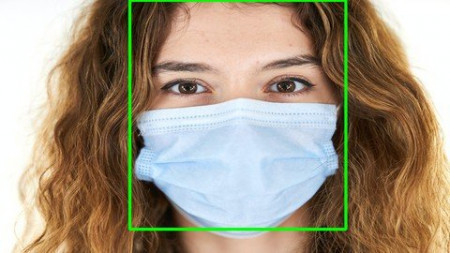
Data Science: CNN & OpenCV - COVID19 Face Mask Detection
Genre: eLearning | MP4 | Video: h264, 1280x720 | Audio: AAC, 44.1 KHz
Language: English | Size: 931 MB | Duration: 1h 43m
A practical hands on Deep Learning Project, using CNN and OpenCV to detect face masks in an image or live video streams

What you'll learn
Data Analysis and Understanding
Data Augumentation
Data Generators
CNN and OpenCV
Pretrained Models like MobileNetV2
Compiling and Fitting a customized pretrained model
Model Evaluation
Model Serialization
Classification Metrics
Model Evaluation
Using trained model to detect face mask on images
Using trained model to detect face mask on video streams
Description
If you want to learn the process to detect whether a person is wearing a face mask using AI and Machine Learning algorithms then this course is for you.
In this course I will cover, how to build a Face Mask Detection model to detect and predict whether a person is wearing a face mask or not in both static images and live video streams with very high accuracy using Deep Learning Models. This is a hands on project where I will teach you the step by step process in creating and evaluating a machine learning model using CNN and OpenCV.
This course will walk you through the initial data exploration and understanding, Data Augumentation, Data Generators, customizing pretrained Models like MobileNetV2, model building and evaluation. Then using the trained model to detect the presence of face mask in images and video streams.
I have splitted and segregated the entire course in Tasks below, for ease of understanding of what will be covered.
Task 1 : Project Overview.
Task 2 : Introduction to Google Colab.
Task 3 : Understanding the project folder structure.
Task 4 : Understanding the dataset and the folder structure.
Task 5 : Loading the data from Google Drive.
Task 6 : Importing the Libraries.
Task 7 : About Config and Resize File.
Task 8 : Some common Methods and Utilities
Task 9 : About Data Augmentation.
Task 10 : Implementing Data Augmentation techniques.
Task 11 : About Data Generators.
Task 12 : Implementing Data Generators.
Task 13 : About Convolutional Neural Network (CNN).
Task 14 : About OpenCV.
Task 15 : Understanding pre-trained models.
Task 16 : About MobileNetV2 model.
Task 17 : Loading the MobileNetV2 classifier.
Task 18 : Building a new fully-connected (FC) head.
Task 19 : Building the final model.
Task 20 : Role of Optimizer in Deep Learning.
Task 21 : About Adam Optimizer.
Task 22 : About binary cross entropy loss function.
Task 23 : Putting all together.
Task 24 : About Epoch and Batch Size
Task 25 : Model Fitting.
Task 26 : Predicting on the test data.
Task 27 : About Classification Report.
Task 28 : Classification Report in action.
Task 29 : Plot training and validation accuracy and loss.
Task 30 : Serialize/Writing the mode to disk.
Task 31 : About Pretrained Caffe models for Face Detection.
Task 32 : Loading the face detection model from drive.
Task 33 : Loading the mask detection model from drive.
Task 34 : Extracting the Face Detections.
Task 35 : Using the trained mask detection model to predict face mask on images.
Task 36 : Importing Libraries.
Task 37 : Function to detect and predict whether mask is present on a person's face in a video.
Task 38 : Loading our serialized face detector model from disk.
Task 39 : Loading the face mask detector model from disk.
Task 40 : Predicting face masks while looping over the video streams.
We all know the impact that COVID19 has made in our daily life and how face masks are becoming a new normal in our day to day life. Face masks have become one of the most important tool to stop or reduce the spread of the virus. In this course we will see how we can build a model to classify whether a person is wearing a face mask or not and the same can be used in crowded areas like malls, bus stand, etc.
Take the course now, and have a much stronger grasp of Deep learning in just a few hours!
You will receive
1. Certificate of completion from AutomationGig.
2. All the datasets used in the course are in the resources section.
3. The Jupyter notebook and other project files are provided at the end of the course in the resource section.
So what are you waiting for?
Grab a cup of coffee, click on the ENROLL NOW Button and start learning the most demanded skill of the 21st century. We'll see you inside the course!
Who this course is for
Anyone who is interested in Deep Learning.
Someone who want to learn Deep Learning, CNN, OpenCV, and also using and customizing pretrained models for image classification.
Someone who wants to use AI to detect the presence of face masks on images and video streams.


933f63376129ff3c062e2cf4c6297e54.jpg

Mastering Chopin Etudes (Op. 10 No. 3)
MP4 | Video: h264, 1280x720 | Audio: AAC, 44.1 KHz
Language: English | Size: 2.18 GB | Duration: 1h 50m
Mastering Chopin Etude Op. 10 No. 3 in 30 days. Classical piano study for acoustic keyboard instrument. Classical music​

What you'll learn
An in depth knowledge of all aspects of this Etude
An ability to understand and work with musical phrasing and technical issues of this Etude
Clear methodology for technical supremacy based on years of experience condensed into a single course
Complete mastery of the Chopin Op. 10 No. 3 Etude in just 30 days
Requirements
Access to a piano for the duration of the course. Intermediate skill level which is defined as have a basic knowledge in music theory and an ABRSM level 9 equivalent
Description
Did you ever feel like the Chopin Etudes were simply forever out of your reach? With this course it will be possible for you, with the skills you currently possess, to make the Chopin Etudes (a vital foundation for the core repertoire of any serious pianist) not only playable, but performable at a very high level once you make it through this course.
In this course, I act as your guide showing you the way to mastering the Chopin Etude Op. 10 No. 3 in 30 days. Together we go through the complete process with clear objectives every step of the way. I will hold your hand and personally take you through each stage of learning this Etude.
I will even give you my personal fingering for every part of the Etude so that you are left with no questions or doubts. I will explain the proper way to execute each passage and portion of every part.
Not only will you learn the valuable technical aspects that these etudes have to teach you, but you will also learn their musical techniques and how to express them fully. This truly brings into harmony the full vision of the Chopin Etudes.
All aspects of each Etude are covered fully: from pedaling and phrasing to articulation, fingering, slow/fast tempo execution and even interpretation!
The goal of this course is to provide you with the necessary knowledge to cut great amounts of time in your journey of learning the Chopin Etudes. I have taken the knowledge and practice of countless professional pianists and pedagogues and combined that with the experience attained from over 15 years of teaching students of a staggering variety of abilities and distilled and condensed everything you need to learn and MASTER this Etude in 30 days!
It has been said that it can take a lifetime to master even a single Etude; and although there is a degree of truth to that statement, it does not represent the full scale of what it means to learn and master anything. If that were the case, then nobody would ever have anything to show for their work and progress. The deeper meaning to be derived from a statement like that is that a successful life is dependent upon constant striving and that the bar of perfection is always being raised as new achievements are reached.
What this course is offering is a clear and guided path to the ability to play this Chopin Etude at a performance level. It offers to take you by the hand and guide you to success. Just remember when someone takes you by the hand, they are not carrying you. You must still walk yourself. But with this hand holding yours, there is no chance to go astray. You will come out on the other side with a new Etude at your fingertips.
Sincerely from your teacher,
Calin
Who this course is for
Intermediate to advanced classical pianists. This course will be a delightful challenge to any intermediate pianist while advanced pianists will glean fresh perspectives and approaches to these masterful works: the Chopin Etudes
Screenshots


1b2049fbac095092a65c0bfae3b00efe.jpg

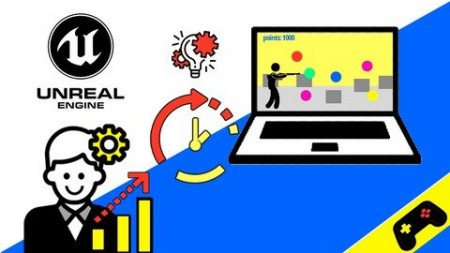
Unreal Engine 2 in 1 - Make a game in UE4 & UE5
Genre: eLearning | MP4 | Video: h264, 1280x720 | Audio: AAC, 48.0 KHz
Language: English | Size: 2.23 GB | Duration: 2h 43m
Complete game development process in Unreal Engine 4 and Unreal Engine 5, first person and third person template

What you'll learn
Make a game in UE4 - third person template
Make a game in UE5 - first person template
Basic game programming in Unreal Engine
User interface basics
Basic enemies, targets, randomization
Collecting points
Adding condition to quit the game
Requirements
Unreal Engine 4
Unreal Engine 5 early access
Description
Game development enthusiast? STOP HERE, I have something helpful for you. In this course I will show you how to create your own playable game using Unreal Engine 4 and also, I will show you separately how to do the same in Unreal Engine 5. By the end of this course you will be able to create your own game in Unreal Engine without typing any single line of code. Here you will see step by step how the game development process looks like. This course is more like a live video footage of development in which I'm discussing things and showing you how to fix bugs and problems when you encounter them. In the first part of this course I'll use Unreal Engine 4 and third person template and show you how to create a playable video game, create basic functions and user interface. I'll create something similar to the game Santa Clouse in trouble - you will see how to create presents, lives, enemies and how to make your player able to collect them and how to lose lives. Also I'll show you how to create a basic user interface which will display your current progress in the game. Then you will see the packaging and building process.
After that, I will show you how to create a basic shooter game, in Unreal Engine 5, using a first person template. In this part you will learn how to create and program the targets, how to randomize them, collect the points and how to add a condition for your game so that you won't be able to quit the game if you haven't fulfilled the condition. Also you will see how to display your score on the screen by creating a User Interface.
You will also find the screenshots in the lessons as an additional help for your learning and practicing.
At the end of this course you will find additional learning material in which I will introduce you with some non game dev Unreal Engine use cases, so that you can have a wider picture of Unreal Engine's capabilities. This learning material is here to help you and motivate you to learn even more about Unreal Engine, to investigate and discover your full potential as a creative person and developer.
Enjoy the course.
Who this course is for
Unreal Engine beginner
Unreal Engine Intermediate
No programming experience needed
Screenshots


76782130c56b46338c55be7dc64aac85.jpg

Financial Statement Analysis - Master the Financial Stmts!
MP4 | Video: h264, 1280x720 | Audio: AAC, 44.1 KHz
Language: English | Size: 1.69 GB | Duration: 3h 33m​

Gain a comprehensive knowledge of the 3 financial statements and how to make them tell you a story
What you'll learn
Understand each financial statement (balance sheet, income statement, and statement of cash flow)
Calculate liquidity, solvency, profitability and growth ratios
Analyze a company's performance based on their financials
Account for the difference between income and cash
Understand basic accounting concepts (like the balance sheet equation)
Build a simple balance sheet and income statement
Requirements
No prior knowledge of accounting needed!
Any version of Excel will be compatible with this course
Description
If you're in the finance or accounting world (or aspire to be), you need to know the financial statements!
A knowledge of the financial statements helps you
Understand a company's health
Grasp the profitability and viability of products and services
Analyze the past to take action in to the future
Don't worry, you don't need any background in finance or accounting to take this course! We'll start with the basics of the three financial statements and then take a deeper dive into each one. From there, you'll learn how to analyze the financial statements using different metrics to help you dissect a company's health and profitability.
What you learn in this course will benefit you for the rest of your career!
What makes our course so awesome?
Real world application: In depth, real-world case studies using both real and fictitious companies
Fun: Light-hearted, fun, and enjoyable course (we never take ourselves too seriously)
Knowledgeable instructor: Nate is a CPA and has spent his career analyzing financial statements
No fluff: We don't teach theory or waste your time with useless information. Everything we teach you can start applying TODAY
This course is the first part of a 3 part series on the financial statements. The next courses focus on financial modeling (Financial Modeling Bootcamp) and how to value a company or project (Company & Project Valuation). We'll use the same case study in this course for the rest of the courses to keep continuity.
Let's start learning!
Who this course is for
Future Accountants and Financial Analysts
Accounting and finance students
Aspiring Investment bankers
Business owners
Financial professionals
Screenshots


c2ef6ffc25e543387f8c0fafcffe6b59.jpg

Financial Statements Basics
MP4 | Video: h264, 1280x720 | Audio: AAC, 44.1 KHz
Language: English | Size: 1.61 GB | Duration: 1h 46m
For Non Finance Executives​

What you'll learn
Get a basic understanding for Financial Statements
Understand the various components of Financial Statements
Be able to Interpret financial statements of a company
Be able to analyse and compare the financial statements of two or more companies or the same company over different years
Gain a practical understanding of how to interpret and use internal and external financial reports to inform and influence the decision-making process
Read and understand internal and external financial reports, using this information to make better business decisions that affect your bottom line.
Enhance your ability to forecast financial performance and better manage your financial resources.
Increase your effectiveness in strategic planning and decision making.
Requirements
A computer or Android phone with internet access
Description
Financial statement analysis (or financial analysis) is the process of reviewing and analyzing a company's financial statements to make better economic decisions. These statements include the income statement, balance sheet, statement of cash flows, and a statement of retained earnings.
After completing the program, you will be better able to communicate the financial goals and performances of your department within your organization as well as to outside sources.
This program targets non financial mid-to senior level executives in every functional area of all industries. Executives from areas such as marketing, sales, human resources, manufacturing, or engineering, as well as general managers who have been promoted through these routes, will find this program highly beneficial to their understanding of financial analysis. This program will be helpful as well to consultants, small business owners, and practicing professionals who want a better understanding of financial principles.
Who this course is for
This course is primarily meant for non finance executives
Screenshots


Zurück
Oben Unten