• Regeln für den Video-Bereich:

    In den Börsenbereich gehören nur Angebote die bereits den Allgemeinen Regeln entsprechen.

    Einteilung

    - Folgende Formate gehören in die angegeben Bereiche:
    - Filme: Encodierte Filme von BluRay, DVD, R5, TV, Screener sowie Telesyncs im Format DivX, XviD und x264.
    - DVD: Filme im Format DVD5, DVD9 und HD2DVD.
    - HD: Encodierte Filme mit der Auflösung 720p oder darüber von BluRay, DVD, R5, TV, Screener sowie Telesyncs im Format x264.
    - 3D: Encodierte Filme von BluRay, die in einem 3D Format vorliegen. Dies gilt auch für Dokus, Animation usw.
    - Serien: Cartoon/Zeichentrick, Anime, Tutorials, Dokumentationen, Konzerte/Musik, Sonstiges sind demnach in die entsprechenden Bereiche einzuordnen, auch wenn sie beispielsweise im High Definition-Format oder als DVD5/DVD9/HD2DVD vorliegen. Ausnahme 3D.
    - Bereich Englisch: Englische Releases gehören immer in diesen Bereich.
    - Bereich Talk: Der Bereich, in dem über die Releases diskutiert werden kann, darf, soll und erwünscht ist.


    Angebot/Beitrag erstellen

    - Ein Beitrag darf erst dann erstellt werden, wenn der Upload bei mindestens einem OCH komplett ist. Platzhalter sind untersagt.
    - Bei einem Scenerelease hat der Threadtitel ausschließlich aus dem originalen, unveränderten Releasenamen zu bestehen. Es dürfen keine Veränderungen wie z.B. Sterne, kleine Buchstaben o.ä. vorgenommen werden. Ausnahme Serienbörse:
    - Bei einem Sammelthread für eine Staffel entfällt aus dem Releasename natürlich der Name der Folge. Beispiel: Die Simpsons S21 German DVDRip XviD - ITG
    - Dementsprechend sind also u.a. verboten: Erweiterungen wie "Tipp", "empfehlenswert", "only", "reup", usw. / jegliche andere Zusatzinformation oder Ergänzung, welche nicht in obiger Beschreibung zu finden ist.

    Aufbau des Angebots und Threadtitel

    Der Titel nach folgendem Muster erstellt zu werden. <Name> [3D] [Staffel] [German] <Jahr> <Tonspur> [DL] [Auflösung] <Quelle> <Codec> - <Group>
    Beispiel: The Dark Knight German 2008 AC3 DVDRip XviD - iND
    Beispiel: The Dark Knight 2008 DTS DL BDRip x264 - iND
    Beispiel: The Dark Knight 2008 AC3 DL BDRip XviD - iND
    Beispiel: The Dark Knight German 2008 AC3 720p BluRay x264 iND
    Beispiel: The Dark Knight 2008 DTS DL 1080p BluRay x264 iND
    Beispiel: Die Simpsons S01 German AC3 DVDRip XviD iND
    Beispiel: Die Simpsons S20 German AC3 720p BluRay x264 iND
    Beispiel: Sword Art Online II Ger Sub 2014 AAC 1080p WEBRip x264 - peppermint
    Entsprechend sind also u.a. verboten: Sonderzeichen wie Klammern, Sterne, Ausrufezeichen, Unterstriche, Anführungszeichen / Erweiterungen wie "Tipp", "empfehlenswert", "only", "reup", usw. / jegliche andere Zusatzinformation oder Ergänzung, welche nicht in obiger Beschreibung zu finden ist
    Ausnahmen hiervon können in den Bereichen geregelt sein.

    Die Beiträge sollen wie folgt aufgebaut werden:
    Überschrift entspricht dem Threadtitel
    Cover
    kurze Inhaltsbeschreibung
    Format, Größe, Dauer sind gut lesbar für Downloader außerhalb des Spoilers zu vermerken
    Nfo sind immer Anzugeben und selbige immer im Spoiler in Textform.
    Sind keine Nfo vorhanden z.B. Eigenpublikationen, sind im Spoiler folgende Dateiinformationen zusätzlich anzugeben :
    Quelle
    Video (Auflösung und Bitrate)
    Ton (Sprache, Format und Bitrate der einzelnen Spuren)
    Untertitel (sofern vorhanden)
    Hosterangabe in Textform außerhalb eines Spoiler mit allen enthaltenen Hostern.
    Bei SD kann auf diese zusätzlichen Dateiinformationen verzichtet werden.

    Alle benötigten Passwörter sind, sofern vorhanden, in Textform im Angebot anzugeben.
    Spoiler im Spoiler mit Kommentaren :"Schon Bedankt?" sind unerwünscht.


    Releases

    - Sind Retail-Release verfügbar, sind alle anderen Variationen untersagt. Ausnahmen: Alle deutschen Retail-Release sind CUT, in diesem Fall sind dubbed UNCUT-Release zulässig.
    - Im Serien-Bereich gilt speziell: Wenn ein Retail vor Abschluss einer laufenden Staffel erscheint, darf diese Staffel noch zu Ende gebracht werden.62
    - Gleiche Releases sind unbedingt zusammenzufassen. Das bedeutet, es ist zwingend erforderlich, vor dem Erstellen eines Themas per Suchfunktion zu überprüfen, ob bereits ein Beitrag mit demselben Release besteht. Ist dies der Fall, ist der bereits vorhandene Beitrag zu verwenden.
    - P2P und Scene Releases dürfen nicht verändert oder gar unter einem iND Tag eingestellt werden.


    Support, Diskussionen und Suche

    - Supportanfragen sind entweder per PN oder im Bereich Talk zu stellen.
    - Diskussionen und Bewertungen sind im Talk Bereich zu führen. Fragen an die Uploader haben ausschließlich via PN zu erfolgen, und sind in den Angeboten untersagt.
    - Anfragen zu Upload-Wünschen sind nur im Bereich Suche Video erlaubt. Antworten dürfen nur auf Angebote von MyBoerse.bz verlinkt werden.


    Verbote

    - Untersagt sind mehrere Formate in einem einzigen Angebotsthread, wie beispielsweise das gleichzeitige Anbieten von DivX/XviD, 720p und 1080p in einem Thread. Pro Format, Release und Auflösung ist ein eigener Thread zu eröffnen.
    - Grundsätzlich ebenso verboten sind Dupes. Uploader haben sich an geeigneter Stelle darüber zu informieren, ob es sich bei einem Release um ein Dupe handelt.
    - Gefakte, nur teilweise lauffähige oder unvollständige Angebote sind untersagt. Dies gilt auch für eigene Publikationen, die augenscheinlich nicht selbst von z.B. einer DVD gerippt wurden. Laufende Serien, bei denen noch nicht alle Folgen verfügbar sind, dürfen erstellt und regelmäßig geupdatet werden.
    - Untersagt sind Angebote, welche nur und ausschließlich in einer anderen Sprache als deutsch oder englisch vorliegen. Ausnahmen sind VORHER mit den Moderatoren zu klären.


    Verstoß gegen die Regeln

    - Angebote oder Beiträge, die gegen die Forenregeln verstoßen, sind über den "Melden"-Button im Beitrag zu melden.
  • Bitte registriere dich zunächst um Beiträge zu verfassen und externe Links aufzurufen.

*** Bestes IPTV *** bester Preis *** gratis Test ***


Englische Tutorials

60-Cg3-X2-Ddc-Hj-AJSFZn-TYb-BA8-Gj-Dmbt7p.jpg

Web Development Projects For Beginners
MP4 | Video: h264, 1280x720 | Audio: AAC, 44.1 KHz
Language: English | Size: 564 MB | Duration: 1h 57m
Hands-on step by step web development projects
What you'll learn​

Build A Web Based Calculator
Build A Web Based Todo List App
Build A Web Based Count Down Timer
Create project structure and content with html
Add Styling to project using css
Add functionality to project with JavaScript
Requirements
Basic knowledge of HTML advised
Basic knowledge of CSS advised
Basic knowledge of JavaScript advised
Description
Web development is the work involved in developing a website for the Internet or an intranet. Web development can range from developing a simple single static page of plain text to complex web applications, electronic businesses, and social network services. The best way to learn web Development (or any other tech skill) is to learn it by doing.
another mistake that is often committed by beginners in the journey of learning web development is they directly go out to build some complex and advanced-level projects. And it eventually results in several unwanted outcomes such as loss of interest & motivation, inconsistency, etc. Instead of abruptly looking forward to building a full-fledged website like Flipkart or Facebook, what beginners are required to do is start with the basic projects and get practical exposure to the fundamental concepts & technologies like html, css, JavaScript, etc. first and then can proceed to the intermediate and advanced level projects.
there are a lot of real-world project ideas around you that you can opt to start practicing your fundamental web development skills, even without having a great exposure to other server-side programming languages . you can create a to-do List for daily tasks or can create a calculator, and a count down timer .
In this course the focus will be on developing web based projects that will help beginners validate their basic web development skills - mainly html, css, and JavaScript.
Who this course is for
Beginners to web development
Screenshots


E299TyVVvOMOUZ7wGSHrfI3q9QHiPz9D.jpg

MAGIX Movie Edit Pro 2022 Premium 21.0.1.119 Multilingual
Windows x64 | File size: 1.03 GB​

MAGIX Movie Edit Pro 2022 is the next generation of video editing: faster, better and even more powerful than ever before! The software provides everything you need to design your movies. This MAGIX software also offers high-quality special effects, cinematic transitions and templates, Full 4K Ultra HD, Full Stereo3D and Full HD support (for HDV and AVCHD camcorders), advanced dubbing (Dolby Digital 5.1 mixer, etc.), 99 tracks, MultiCam editing, travel route animation, etc.
Automatic wizards for video editing, audio dubbing and image optimization make the video editing process easier and more fun than ever before.
With up to 1,500 intros/outros, transitions, movie templates, music and sound effect, the new selection is bigger than ever before. And, as your creative demands grow with each video project, the effects will grow with you! Find new, additional effects in the integrated Store.
From effects specialists like NewBlue and HitFilm, the best plug-ins such as picture-in-picture effects, split screens, color correction and audio optimization, are available now at an exclusive price in the new in-app Store!
By activating INTEL GPU hardware acceleration, enjoy 5X faster processing of your video footage. Even material up to 4K will play smoothly on your preview monitor.
Save videos and photos securely in the Cloud. This enables you to access photos and videos from anywhere - directly from MAGIX Movie Edit Pro 2022 as well.
For the first time, access a selection of premium soundtrack music directly in MAGIX Movie Edit Pro 2022. There are 32 soundtracks and 22 sound effect packs! 20 songs and 2 sound effect packs are included for free.
With MAGIX Movie Edit Pro you can apply video effects (brightness, contrast, color, artistic filters, distortion, sharpness), movement effects (size and position, section, camera and zoom, rotation and mirror, 3D distortion), audio effects (amplifier, distortion, echo, reverb, stereo splitter). Also design elements (picture-in-picture, collages, color swatch, backgrounds, image objects, intros and outros). In addition, you can create presets and install plugins for additional effects.
Most important features
• 2 Editing modes: Storyboard or detailed timeline
• Faster workflow: Amazing 64-bit performance
• Precise video editing on up to 32 multimedia tracks
• Full 4K and HD support for camcorders, action cams etc.
• Automatic Wizards: For video, image and audio editing
• Creative design: Special effects, transitions, intros and outros, etc.
• Customized menus: Easily adaptable animated templates
• Present your videos on TV, on the go, or online
• Share: Upload video directly online to Vimeo
• Start video projects on the go with the Movie Edit Touch app
More great features
• Automatic audio dubbing. Enhance your movies with the background music of your choice.
• Greenscreen effects. Easily change the backgrounds of videos.
• Practical color correction. Set the white balance, contrast and colors retroactively.
• Quick image stabilization. Perfect for shaky and video footage.
MAGIX Movie Edit Pro Premium 2022 Advantages
• Diverse editing tools including multicam editing
• Around 1,500 effects, transitions, titles & professional image stabilization
• Detailed color correction, shot match&film looks
• Export to DVD, Blu-ray Disc, YouTube, Vimeo and as files
• 8K UltraHD support + HiDPI program interface
• NEW! Accelerated export thanks to the INFUSION Engine 3
• NEW! Travel route animation with brand-new features
• NEW! Video collages and animations: Now even more varied & easier to design
• NEW! Redesigned Panorama Storyboard with integrated audio editing
New Patches for Movie Edit Pro, Video Pro X and Photostory Deluxe![/url]
System Requirements
- You need a 64-bit version for the following operating systems
- Windows 10, Windows 8
- Processor: 2.4 GHz
- RAM: 4 GB or higher
- Graphics card: Onboard, min. resolution 1280 x 1024, 512 MB VRAM and DirectX 11 support (recommended: Intel Graphics HD 520 or better for MPEG2/AVC/HEVC) INFUSION Engine 3 supports video acceleration for AVC and HEVC on Intel, NVIDIA or AMD GPUs with 1 GB VRAM or higher Example: Intel Graphics HD 630, NVIDIA Geforce GTX 1050, AMD Radeon RX470
- Available drive space: 2 GB for program installation
Program languages: English, Deutsch, Français, Español, Italiano, Nederlands
Homepage








 
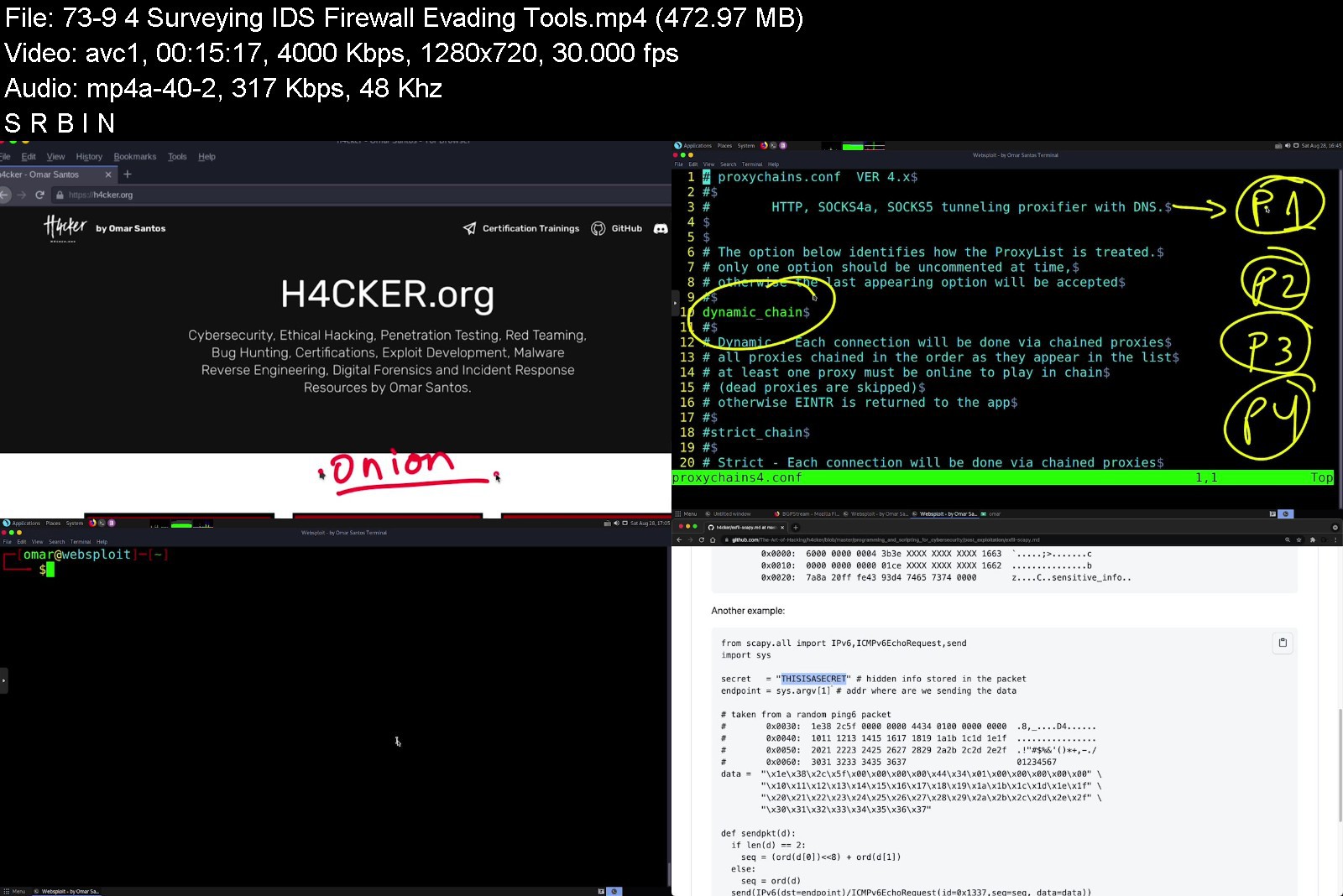
Certified Ethical Hacker (CEH) Complete Video Course, 3rd Edition

g2ktm.jpg


Certified Ethical Hacker (CEH) Complete Video Course, 3rd Edition
MP4 | Video: h264, 1280x720 | Audio: AAC, 44.1 KHz, 2 Ch
Genre: eLearning | Language: English | Duration: 147 Lessons (14h 13m) | Size: 18.6 GB

Overview
The Certified Ethical Hacker (CEH) Complete Video Course, 3rd Edition gives you a complete overview of the topics in the EC-Council's updated Certified Ethical Hacker (CEH), V11 exam. This video course has six modules that dive into the key objectives of the exam, providing an in-depth exploration of ethical hacking, including fundamentals; reconnaissance techniques; network and perimeter hacking; web application hacking; wireless, mobile, IoT and OT hacking; cloud computing, and cryptography. Taught by experienced security experts Omar Santos and Nick Garner, this full-featured video course will help you better understand the world of hacking so you can act to defend attacks, as well as pass the CEH exam.
This complete video course is your full resource for passing the CEH exam. Included are real-world demos and labs so you can see how to use tools, tactics, exploits, and technologies using Parrot Security OS. You also will find step-by-step examples of security penetration testing methodologies and concepts for each topic covered in the exam.
Topics include
* Information security, cybersecurity, and ethical hacking overview
* Reconnaissance techniques
* Network and perimeter hacking
* Web application hacking
* Wireless, mobile, IoT, and OT hacking
* Cloud computing and cryptography
Skill level
Intermediate
Learn How To
* Perform vulnerability assessments: Vulnerability analysis, hacking concepts, and malware
* Perform reconnaissance: Actively and passively gather information about targets through online information gathering, scanning, and enumeration
* Attack the network: Using information gathered in the reconnaissance phase, exploit vulnerabilities using sniffing, social engineering, DoS, and session hijacking; exploit vulnerabilities in wireless networks to gain access
* Attack the app: Exploit vulnerabilities in web servers and web applications, databases, and iOS/Android applications
* Attack the cloud and edge: Investigate edge IoT and cloud architectures and attack vectors
* Understand cryptography: Explore symmetric and asymmetric key cryptography methods and algorithms
Who Should Take This Course
* Anyone interested in passing the EC Council Certified Ethical Hacker (CEH) exam
* Anyone interested in becoming a cybersecurity professional
* Anyone interested in ethical hacking (penetration testing)
Course Requirements
Anyone interested in earning a Certified Ethical Hacker (CEH) certification must attend training through EC-Council or show that they have two years of information security experience.

certifiedethicalhackee5kxp.jpg


Download from RapidGator


Download from Keep2Share


Creating Game Assets With Blender For Unity Game Engine

4373980f2873kgjmm.jpg


Creating Game Assets With Blender For Unity Game Engine
MP4 | Video: h264, 1280x720 | Audio: AAC, 44.1 KHz, 2 Ch
Genre: eLearning | Language: English + srt | Duration: 57 lectures (18h 44m) | Size: 14.4 GB


What you'll learn
Create your own Unity 3d Models with confidence using Blender 3D
Learn how to make a variety of low-poly models for your video game projects
Learn about applying Materials, Textures & UVs
Learn about Rigging Game Characters in blender
Learn exporting 3d game models from blender to unity
Learn animating character in unity with mixamo
Requirements
Student has a drive to want to learn quickly
Students should expect to watch one lecture at a time and then follow the lecture with a session in Blender
The course is taught on a PC/Windows computer, and requires the use of a standard keyboard with numeric keypad, a 3-button mouse with mousewheel and some knowledge of working with game development props, animations, scripts, and graphics
Student has a respectable background in personal computing
Description
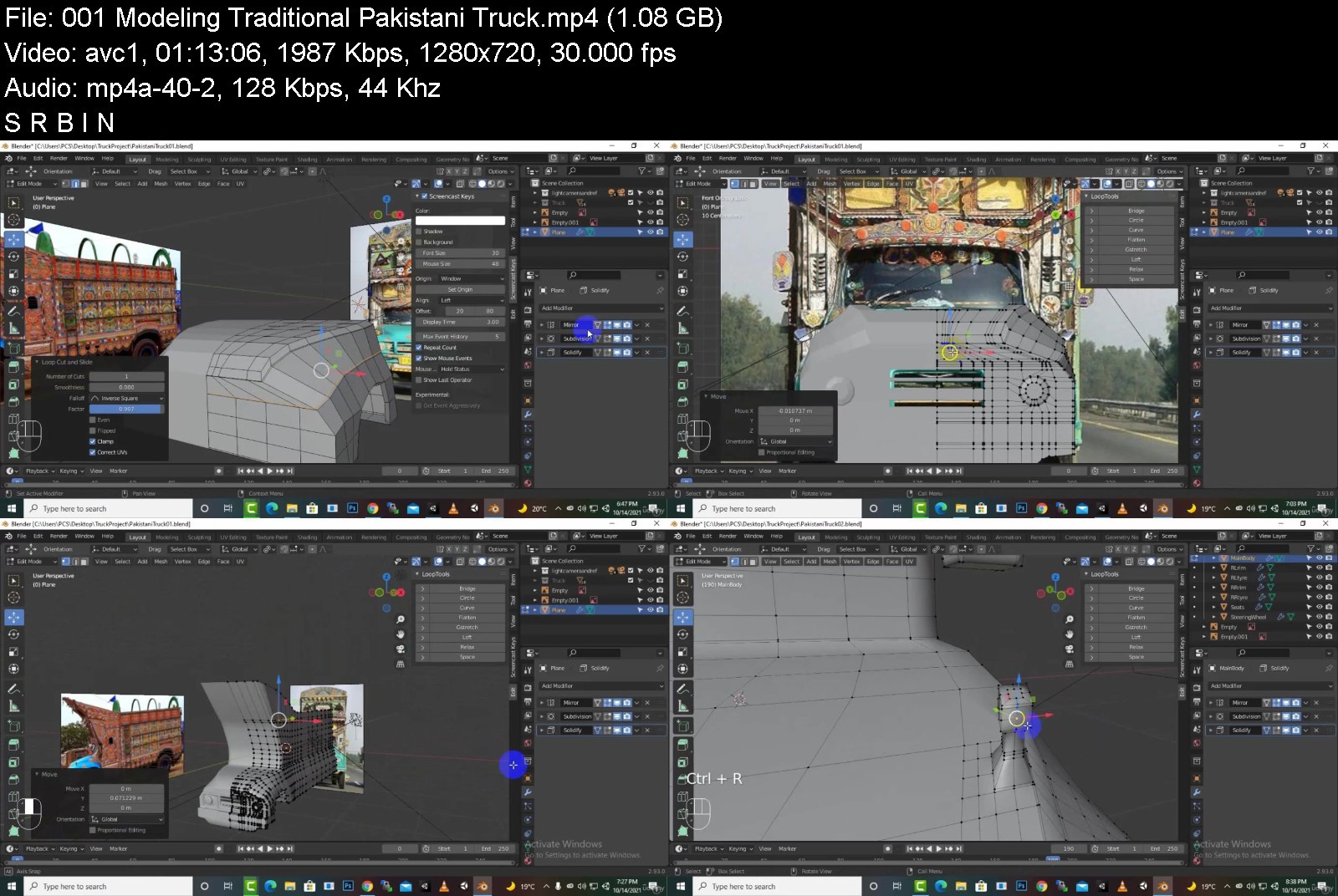
Learn 3D modeling, texturing, UV unwrapping, Rigging game assets. Start 3D modeling in Blender. Blender 3D modeling for game asset Development.
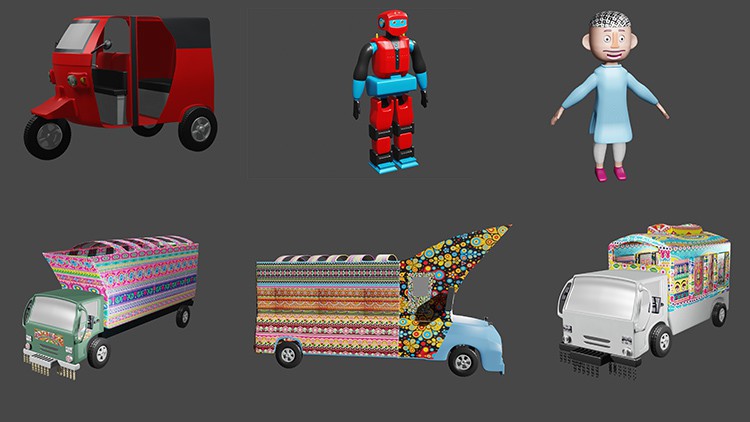
in this particular course we will create:
Stylized Character
Robot Model
Rickshaw Model
Suzuki Model
Isuzu Truck Pakistani
Pakistani Traditional Truck
This course is for absolute beginners as well as advance users. we will learn full process of modeling game assets in blender and using that assets in unity game engine. also we will learn how we can publish that assets to unity asset store.
we will learn from basics of blender how to navigate, how to model objects, how to edit, how to texture, how to render, how to rig, how to animate, how to export in blender and then how to setup models for unity game engine and lot more.
Use 3D modeling in Blender to create a practical, real world game asset that you can use in your own creations or expand upon into other game assets.
Make awesome, AAA game assets by utilizing just the right tools and techniques of the software that you need.
Save time and money by creating your own 3D models, quickly and efficiently.
Learn 3D modeling, texturing, rendering, and exporting with Blender, the world's premiere 3D application for creating amazing game assets.
Who this course is for
This course is for 3d modelers or game developers who want to earn money by creating 3d game assets for unity
Beginners in game development field who want to learn asset modeling for games


creatinggameassetswitmwk5w.jpg


Download from RapidGator


Download from Keep2Share


Introduction to Business & Technology

tzaackw7q8vsgefwpeamqdvkbz.jpg


Introduction to Business & Technology
MP4 | Video: h264, 1280x720 | Audio: AAC, 44.1 KHz
Language: English | Size: 5.57 GB | Duration: 9h 34m

Learn about the basics of Economics and Business / How to pass ACCA F1 (Introduction to Business & Technology)


What you'll learn
Understand the purpose and types of businesses and how they interact with key stakeholders and the external environment.
Recognise the function of accountancy and audit in communicating, reporting and assuring financial information and in effective financial control and compliance
Understand the importance of personal effectiveness as the basis for effective team and organisational behaviour
Understand business organisation structure, functions and the role of corporate governance
Recognise the principles of authority and leadership and how teams and individuals are recruited, managed, motivated and developed
Recognise that all aspects of business and finance should be conducted in a manner which complies with accepted professional ethics and profession
Knowledge & MCQs Practice for appearing for BT
Learn Time Management skill for CBE

Description
Are you the student looking for unmatched learning and heights of knowledge in ACCA F1 Business & Technology (BT)? If yes, then you are in the right place. We are offering our ultimate guide to your best grades and make you a brilliant student of ACCA BT.
What is BT?
Business and technology, abbreviated as BT, is a course in which we will learn how the business operates effectively, efficiently, and ethically. In other words, it is the understanding of business in more contextual meanings related to environment, law of the country, safety, etc.
Why Us?
Keeping in view the format of the exam i.e., a computer-based exam, the perfect course will be the one having tons of practice multiple-choice questions. We designed it to provide the best practice material for the ACCA (BT). Our course will lead you to unstoppable success and unparalleled knowledge, and for sure ultimately perfect results.
What makes our course stand out is the unit wise and topic wise coverage of the whole syllabus. Following that, we have practice material in form of multiple-choice questions.
In our offered course, we are dividing the syllabus into 4 units. The one being discussed first is the first unit of the syllabus. Similarly, the other three will be covered in the sequence.
In addition to that, we have a MOCK exam at the end of the syllabus which will help you have the ultimate visualization of the exam. With our course, you will not just pass the exam but secure a distinction.

Who this course is for:
Students who are appearing in the exam of ACCA (BT)
Students who are reappearing in the exam
Students who want to practice multiple choice questions for BT
Anyone who wants an impeccable knowledge of BT


introductiontobusinesooj2n.jpg


Download from RapidGator


Download from Keep2Share


Embedded System Design using UML State Machines

jfryldtuzftwt6p8nnrsvuhkv1.jpg


Embedded System Design using UML State Machines
Genre: eLearning | MP4 | Video: h264, 1280x720 | Audio: AAC, 48.0 KHz
Language: English | Size: 6.54 GB | Duration: 10h 43m


What you'll learn
Event driven programming paradigm
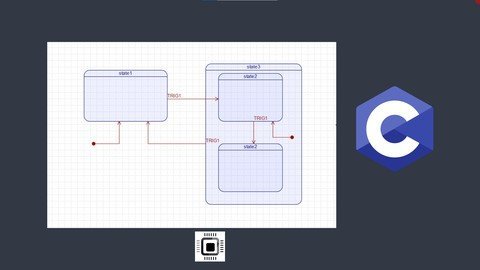
Flat and hierarchical state machines (Simple FSMs and H-FSMs)
UML state machine semantics and state chart drawing
Converting UML statecharts into executable C/C++ code
Action objects design approach
Different state machine implementation strategies
Nested switch implementation of state machines
State table approach to implementing the state machines
State-Handler approach to implementing the state machines
Usage of function pointers in 'C'
Hands-on projects using simple FSM and HSMs
Step by step code development
Graphically modeling event-driven embedded application using UML statecharts modeler tools
Working with QP™ embedded real-time framework and QM™ tool of Quantum Leaps, LLC to draw and implement the HSMs

Description
LEARN THE FUNDAMENTALS OF SIMPLE AND HIERARCHICAL UML STATE MACHINES IN EASY STEPS
The course emphasizes project-based learning, learning by doing.
The goal of this course is to introduce an event-driven programming paradigm using simple and hierarchical state machines.
After going through this course, you will be trained to apply the state machine approach to solve your complex embedded systems projects.
Some of the highlights of this course are as below
you will learn,
1) UML(Unified Modeling Language) state machine semantics like simple/composite states, events, signals, transitions, entry/exit actions, guards, pseudo-states, etc
2) Drawing UML state machines using graphical modeling tools such as Astah and QM™ modeling tool
3) Implementing embedded applications using Hierarchical state machines and Active objects design approach
4) Using QP™ real-time embedded framework and QP™-Nano Arduino library in your embedded projects
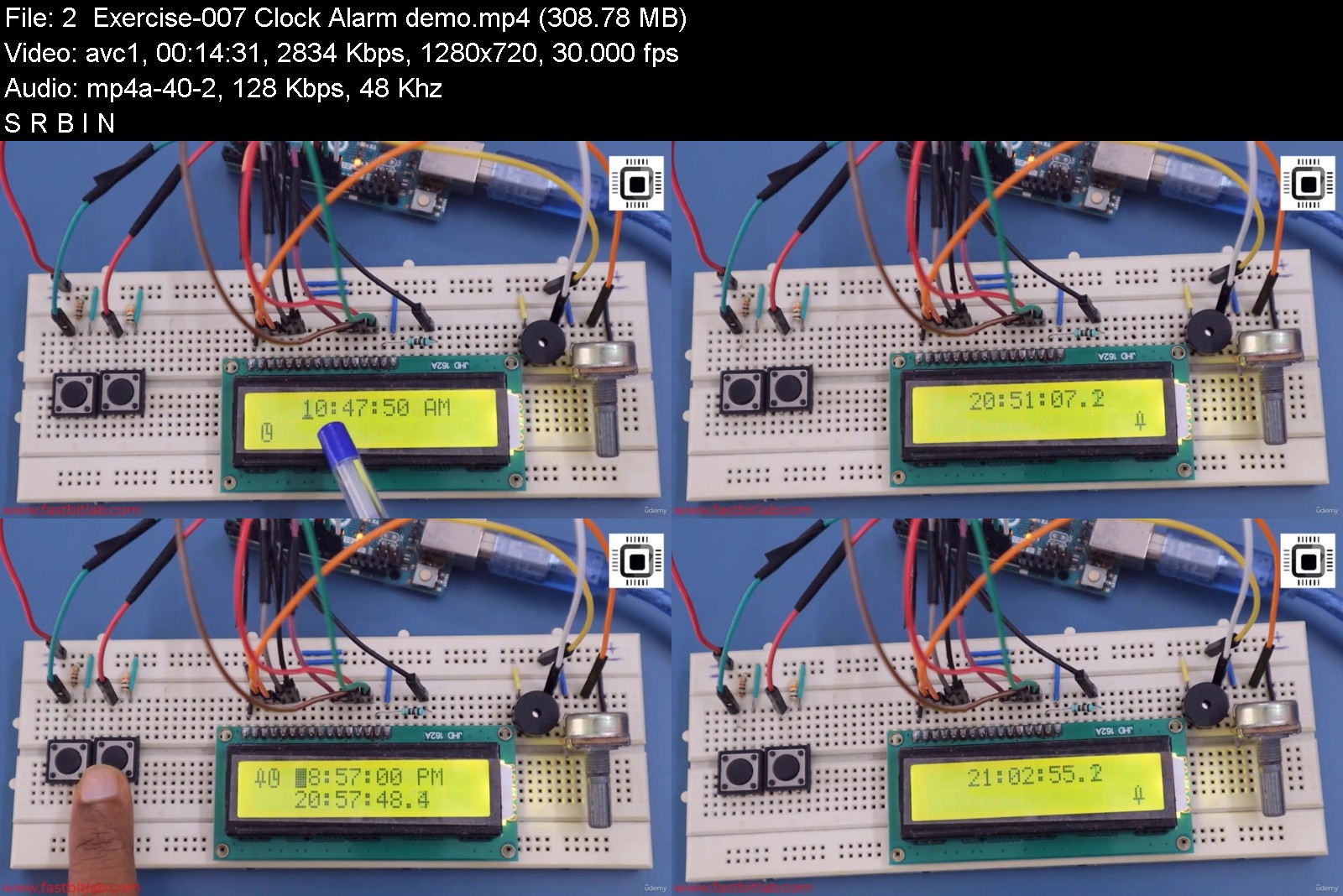
5) Hands-on event-driven project implementation and testing on Arduino UNO board (Please check the preview videos)
Hardware:
If you want to test the code developed on the target hardware, you need the below-mentioned boards and components
1. Arduino UNO(1)
2. 16x2 character LCD (1)
3. Pushbuttons (3)
4. 10KΩ resistors (3)
5 . 220Ω resistor (3)
6. 100KΩ Potentiometer (1)
7. Arduino buzzer (1)
8. Jumper wires-M2M
Software:
Installation procedure for important software are covered in this course
1. Arduino IDE (Free and Open source )
2. Microsoft visual code (Free)
3. PlatformIO VS code extension(Free and Open source )
4. QM™ modeling tool by Quantum Leaps, LLC (Free GPL version)
5. Astah by Change Vision, Inc.(Trial version)
Learning order of FastBit Embedded Brain Academy Courses,
If you are a beginner in the field of embedded systems, then you can take our courses in the below-mentioned order.
This is just a recommendation from the instructor for beginners.
1) Microcontroller Embedded C Programming: absolute beginners(Embedded C)
2) Embedded System Design using UML State Machines(State machine)
3) Embedded Systems Programming on ARM Cortex-M3/M4 Processor(ARM Cortex M4 Processor specific)
4) Mastering Microcontroller with Embedded Driver Development(MCU1)
5) Mastering Microcontroller: TIMERS, PWM, CAN, RTC,LOW POWER(MCU2)
6) Mastering RTOS: Hands-on FreeRTOS and STM32Fx with Debugging(RTOS)
7) ARM Cortex M Microcontroller DMA Programming Demystified(DMA)
8) STM32Fx Microcontroller Custom Bootloader Development(Bootloader)
9) Embedded Linux Step by Step using Beaglebone Black(Linux)
10) Linux device driver programming using Beaglebone Black(LDD1)

Who this course is for:
Anyone who wants to learn and explore embedded system programming
Students and working professionals


embeddedsystemdesignuuqkk7.jpg


Download from RapidGator


Download from Keep2Share


Spring Security Core: Beginner to Guru

zenyeti448fkoqcw38ch24dkih.jpg


Spring Security Core: Beginner to Guru
MP4 | Video: h264, 1280x720 | Audio: AAC, 44.1 KHz
Language: English | Size: 5.37 GB | Duration: 13h 14m

Learn how to use Spring Security to Secure Your Spring Framework Applications
Language: English | VTT | Size: 3.66 GB | Duration: 9 hours


What you'll learn
How to Secure Applications using Spring Security
How to Protect Against Common Web Security Vulnerabilities (OWASP)
Use Spring Security to Authenticate Application Users
Use Spring Security to Authorize User Actions
Password Management
Best Practices for Limiting User Access
Use Test Driven Development to Test User Access
Requirements
Must be comfortable with the Java programming language
Knowledgeable with the Spring Framework 5
Experienced with JUnit and Mockito
Understand Fundamentals of Web Applications
Knowledge of HTTP, Apache Maven, and SQL helpful

Description
Seems like everyday you can find a news story about a security breach, which can be devastating to companies.
Clearly, security is a very important topic.
The Spring Framework is the most popular Java framework for building cloud scale applications.
Spring Security provides you all the tools you need to secure your Java application.
Application security is much more than allowing access after checking a user name and password. You will learn how to limit what application features a user may or may not see. And also, how to limit what data a user may or may not see.
This course focuses on the core fundamentals of Spring Security.
Central to Spring Security is the process of Authentication. This is the process of establishing a user's identity.
Once a user's identity is established, the process of Authorization is used to allow the user to access specific actions and features of an application.
Spring Security has a very robust toolset for Authentication and Authorization.
Inside this course, you will master both.
You will start the course by learning how to leverage the auto-configuration capabilities of Spring Boot to quickly secure a web application using HTTP Basic Authentication.
Then, you'll be lead through a series of exercises, to replace and customize the default Spring Boot auto-configuration.
Through this process, you will understand the Spring Boot hidden 'magic', and learn how to master the configuration of Spring Security.
You will be working with a typical Spring Boot Web Application. The application mimics a robust monolithic application - with web pages and RESTful endpoints. This allows us to explore the unique security aspects unique to both web applications and RESTFul APIs.
You may notice there is not a dedicated section of the course about Testing Spring Security. This is because testing is done throughout the course.
Test Driven Development (TDD) is widely considered a best practice in software engineering.
As we explore the features of Spring Security, we will follow a TDD approach.
We will first write a failing test using JUnit 5, Mockito, and Spring MockMVC, then complete the lesson objective to get a passing test.
You will see some great examples of testing Spring with JUnit 5. However, it is recommended you have prior experience with JUnit 5.

Who this course is for:
Spring Framework Application Developers


springsecuritycorebeg7xkfc.jpg


Download from RapidGator


Download from Keep2Share


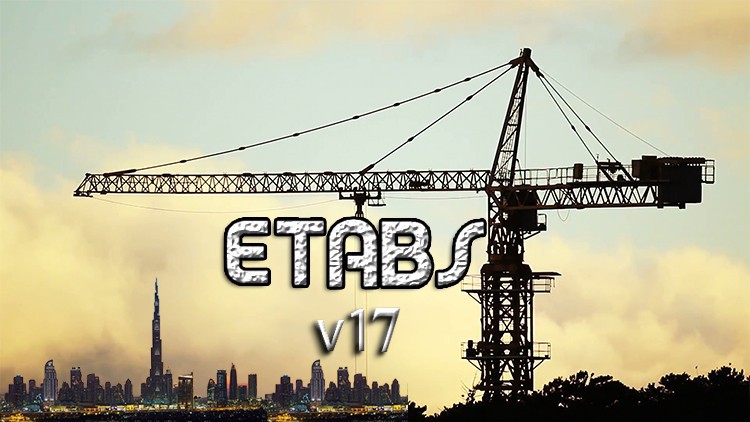
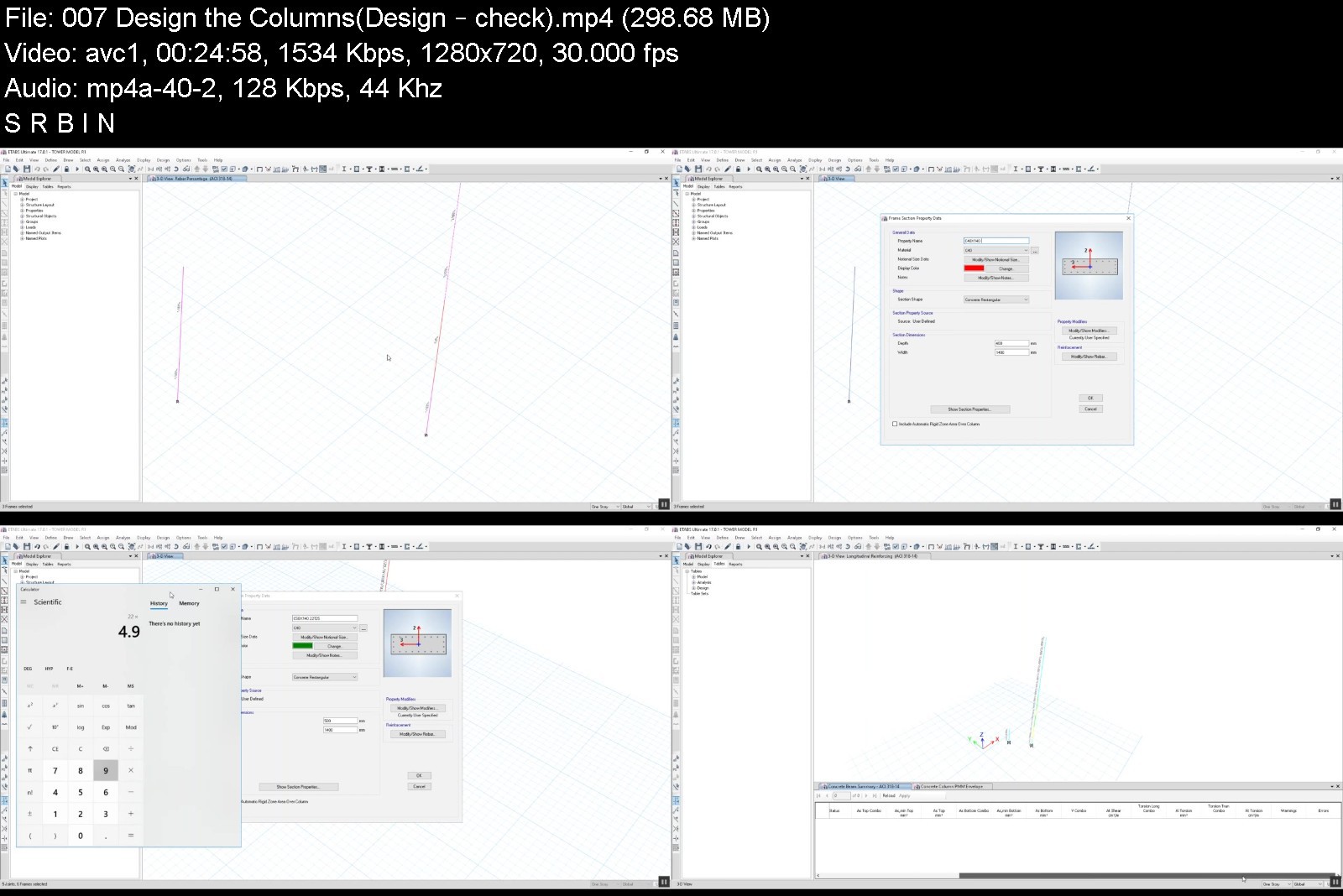
ETABS from A to Z - V17 2019 - real existing tower example

21677763fcf2kck4t.jpg


ETABS from A to Z - V17 2019 - real existing tower example
MP4 | Video: h264, 1280x720 | Audio: AAC, 44.1 KHz, 2 Ch
Genre: eLearning | Language: English + srt | Duration: 59 lectures (10h 17m) | Size: 5.65 GB


What you'll learn
Structural Engineering
modeling Real existing tower building in Dubai
Import the DXF file for fast modeling
Define material and section
Define load case and load combinations
Use American codes ( ACI - UBC - ASCE )
seismic load ( Static - Dynamic )
Response spectrum
Modify the model after making
Thermal load and wind load
P-Delta
check the model and fix the errors
Check Drift , joint displacement , scale factor , torsional irregularity , soft story , week story , wind displacement
Design Columns , Shear Walls and Cores
Export reactions for CSI Safe v16 to solve foundations
Construction sequence analysis in Etabs
floating columns in transfer beam or slab
building separations / gap calculation from Etabs model
Modeling and design the steel structure
Requirements
have initial knowledge in civil engineering
Description
Learn how to use the world's most popular application for structural design
This application is used to design the world-famous towers and towers such as Burj Khalifa
Learning will be done by a simple example of learning the basics
And then a real advanced example of learning things developed in the application to be able to design any project through the application
We will Use American codes ( ACI - UBC - ASCE )
Who this course is for
civil student engineering
structural student engineering
construction student engineering


etabsfromatozv172019rvmjru.jpg


Download from RapidGator


Download from Keep2Share


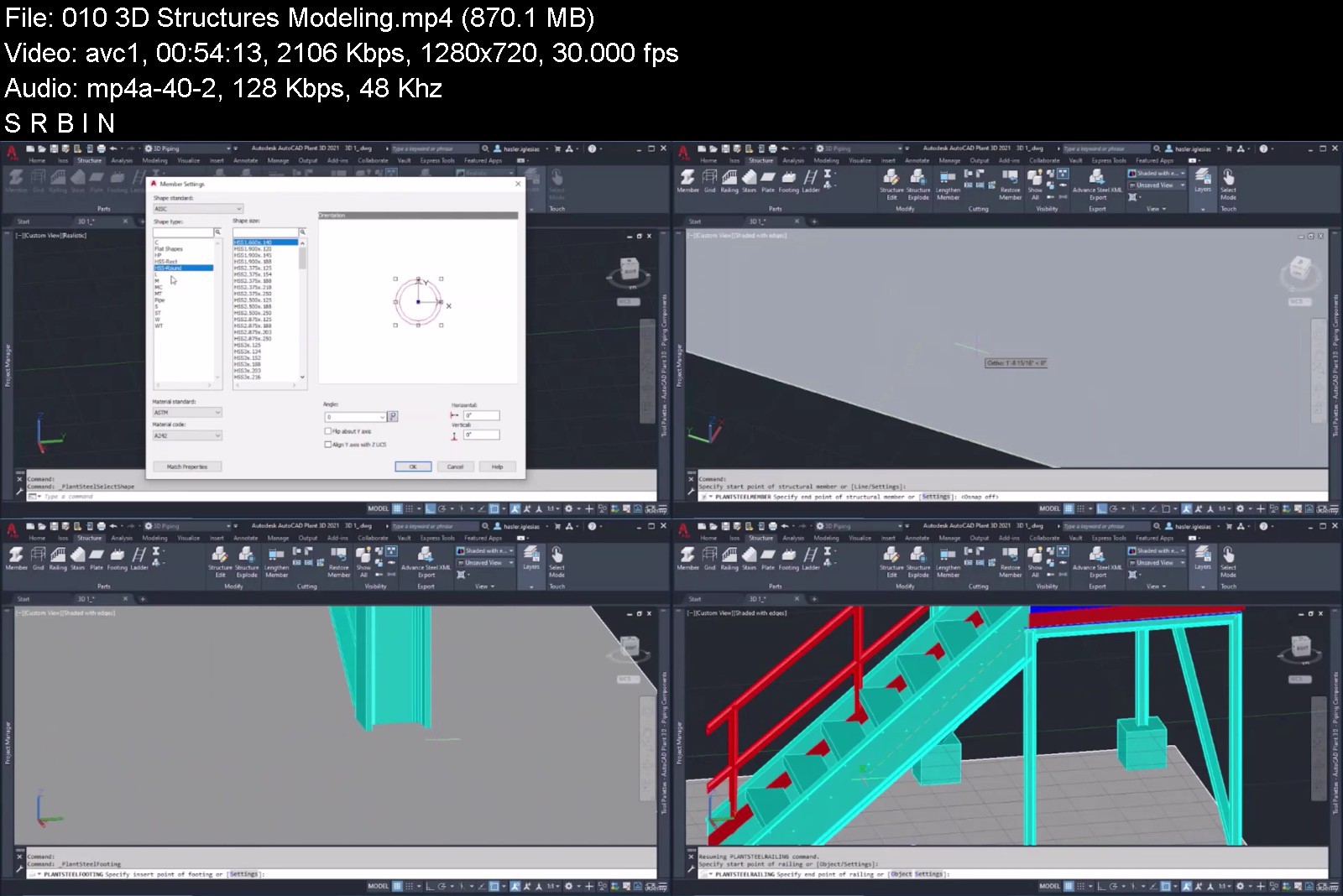
The Complete Course of AutoCAD Plant 3D 2021

441210834495g5kle.jpg


The Complete Course of AutoCAD Plant 3D 2021
MP4 | Video: h264, 1280x720 | Audio: AAC, 44.1 KHz, 2 Ch
Genre: eLearning | Language: English + srt | Duration: 14 lectures (8h 49m) | Size: 6 GB

Learn AutoCAD Plant 3D in a Professional way. Become an expert in P&ID, instrumentation, 3D modeling, plans...


What you'll learn
At the end of the course you will fully master AutoCAD Plant 3D, to be able to conduct out your own industrial or chemical plant projects from scratch
You will become familiar with its interface, toolbars and basic commands, and you will master all the phases of the design, layout and configuration process
You will be able to design step by step P&ID (pipe diagram and DTI instrumentation), understanding all the logic and ending with advanced practical examples
You will master all the instrumentation and control
You will learn in a professional way the 3D modeling of structures and equipment, as well as the routing of 3D pipes
You will learn the design and generation of both isometric and orthographic plans, according to the standard, and above all, understanding their interpretation
You will understand the fundamental concepts to be able to generate renderings in a professional way
You will be able to practice the content learned in a practical way by following all the steps in the complete exercises
You will start with the basics and progressively carry out more complex steps until you reach an advanced level and absolute mastery at the end of the course
Requirements
Having basic notions of Engineering and CAD can help, but the course starts from scratch
Download and install AutoCAD Plant 3D (if you don't know how, don't worry, it's very easy, free and I'll explain it to you in the course!)
A decent computer and of course, desire to learn!
Description
Become an AutoCAD Plant 3D professional and learn one of employer's most requested skills in 2021!
This comprehensive course is designed so that students, engineers, chemists, researchers... can use AutoCAD Plant 3D software from scratch to use it in a practical and professional way. Never mind if you have no experience in the software, you will be equally capable of understanding everything and you will finish the course with total mastery of the subject.
After several years working as an Engineer, I have realized that nowadays mastering AutoCAD Plant 3D for the design and diagramming of chemical or industrial process plants is very necessary in engineering or other industrial applications. AutoCAD Plant 3D is one of the software leaders in the industry and its demand is increasing. Knowing how to use this software can give you many job opportunities and many economic benefits, especially in the world of engineering.
The big problem has always been the complexity to perfectly understand the software it requires, since its absolute mastery is not easy. In this course I try to facilitate this entire learning and improvement process, so that you will be able to carry out and understand your own projects in a short time, thanks to the step-by-step and detailed examples of every concept.
With almost 9 exclusive hours of video, this comprehensive course leaves no stone unturned! It includes both practical exercises and theoretical examples to master AutoCAD Plant 3D. The course will teach you the design of 3D plants in a practical way, from scratch, and step by step.
We will start with the installation of AutoCAD Plant 3D on your computer, regardless of your operating system and computer.
Then, we'll cover a wide variety of topics, including:
Introduction to AutoCAD and course dynamics
Download and Install AutoCAD Plant 3D
General familiarization with the user interface
Complete project setup and basic AutoCAD Commands
P&ID design and drawing, from zero to advanced
Instrumentation and control
3D modeling of structures and equipment
3D pipe routing
Generation of isometric and orthographic plans step by step according to the normative
Render generation
Mastery and application of absolutely ALL the functionalities of the software
Practical exercises and much more!
In other words, what I want is to contribute my grain of sand and teach you all those things that I would have liked to know in my beginnings and that nobody explained to me. In this way, you can learn to solve a wide variety of projects quickly and make versatile and complete use of AutoCAD Plant 3D. And if that were not enough, you will get lifetime access to any class and I will be at your disposal to answer all the questions you want in the shortest possible time.
Learning AutoCAD Plant 3D has never been easier. What are you waiting to join?
Who this course is for
Beginners who have never used AutoCAD Plant 3D before
Industrial, chemical or civil engineers who want to learn a new engineering software
Intermediate or advanced AutoCAD Plant 3D students who want to improve their skills even more!


thecompletecourseofau8pjdj.jpg


Download from RapidGator


Download from Keep2Share


CSI SAFE 2016 structural software from A to Z

2418484c0ab5q5js9.jpg


CSI SAFE 2016 structural software from A to Z
MP4 | Video: h264, 1280x720 | Audio: AAC, 44.1 KHz, 2 Ch
Genre: eLearning | Language: English + srt | Duration: 41 lectures (9h 4m) | Size: 5.12 GB

CSI SAFE for Slab and foundations -modeling and design- structural software from A to Z


What you'll learn
CSI SAFE 2016 structural software from A to Z ( slabs and foundations )
Type of slabs
Flat slab
long term deflection nonlinear analysis
import DXF arch plan
Waffle Slab
Ribbed Slab
Import slab from Etabs
notes and comments about slabs design
Foundations modeling and design
Isolated Footing Design
Import reactions from Etabs
Strip footing
Combined Footing
Raft or Mat Foundation
Modeling uplift by nonlinear analysis
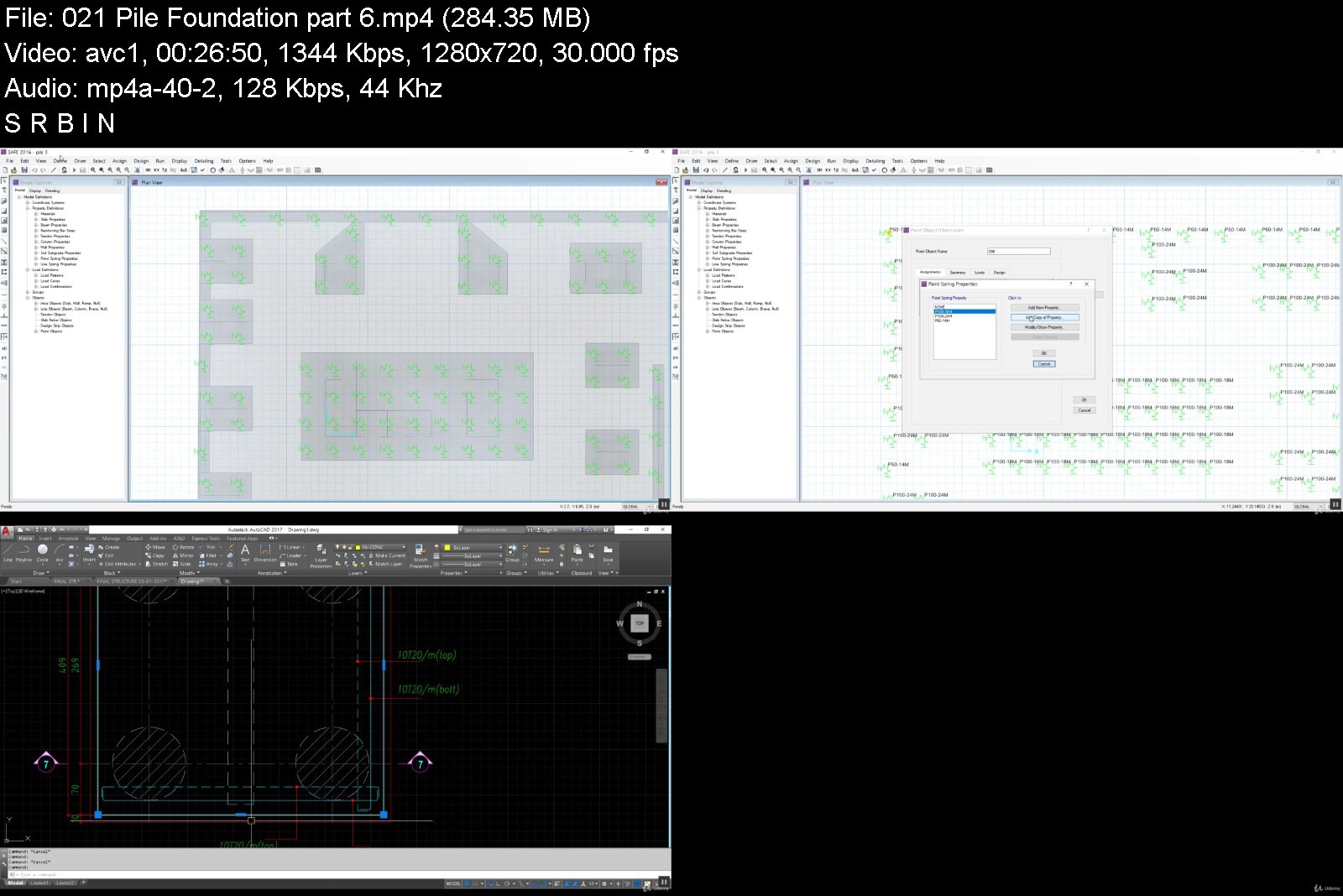
Pile Foundation
Requirements
have initial knowledge in civil engineering
Description
Learn how to use the world's most popular application for structural Slab and foundations design
Learn the Compatibility between CSI safe and the CSI Etabs to solve a complete structural projects
Learning will be done by a simple example of learning the basics
And then a real advanced example of learning things developed in the application to be able to design any project through the application
We will Use American codes ( ACI - UBC - ASCE )
Who this course is for
civil student engineering
construction student engineering
structural student engineering


csisafe2016structuralqpk1o.jpg


Download from RapidGator


Download from Keep2Share


Complete Cubase Megacourse: Beginner to Expert

completecubasemegacougyk9t.jpg


Complete Cubase Megacourse: Beginner to Expert
Video: .mp4 (1280x720, 30 fps(r)) | Audio: aac, 44100 Hz, 2ch | Size: 5.14 GB
Genre: eLearning Video | Duration: 10 lectures (7 hour, 46 mins) | Language: English


Learn how to create and edit music like a pro with this step-by-step course!


What you'll learn
How to use Cubase and its elements
The principles of audio editing in Cubase
How to create sessions in Cubase
Bouncing and exporting your mix to suit your needs
The principles of mixing in Cubase
The theory behind your creative choices
Requirements
No previous knowledge of Cubase required
A desire to learn!
A positive attitude!

Description
Learn music production with Cubase!
Create like a pro!
Have you ever wanted to create your own music? In the era of digital audio, this can be easily achieved! Maybe you want to record your song ideas and show them off on social media, or perhaps you want to hone your musical skills to pursue a career in the music industry. Whether you're already a musician or a complete beginner creating and editing music is not only for the pros. You can take any song idea and turn it into a professional sounding song - and we're here to teach you how!
In this course, you're going to learn everything about audio editing in Steinberg Cubase Elements: from setting up your audio interface, to bouncing/exporting your mix into different file formats. We'll show you how to achieve innovative results by using different plugins, available in this version of Cubase.
Our instructor has years of experience not only in music production, but also in teaching, and the expertly-crafted syllabus is designed to be easy to follow and thorough. We've even included plenty of examples explained and created on-screen for you to study. That's why this is the only Cubase course you'll ever need to create professional and great sounding music!
Start creating your own music today!

Who this course is for:
Anyone who wants to learn to create music - no experience needed!
Musicians who want to learn new styles
Musicians who want to learn the basics of a new DAW
Anyone with specialised needs (DJs, producers, musicians, audio editors)
Course content
1 section • 10 lectures • 7h 46m total length

completecubasemegacou6ekn9.jpg


Download from RapidGator


Download from Keep2Share


Django, Postgres y Angular | Integracion Fullstack

0ebav7wfgcolto2ii3rseg2j0a.jpg


Django, Postgres y Angular | Integracion Fullstack
MP4 | Video: h264, 1280x720 | Audio: AAC, 44.1 KHz
Language: Spanish | Size: 6.61 GB | Duration: 17h 18m

Construye Apps profesionales con python, angular, postgres, django. Despliega tu Aplicacion Django Rest en Heroku


What you'll learn
Crear proyectos Django Rest Framework
Crear proyectos profesionales con Angular 12
Manejo de transacciones entre una base de datos y Django
Implementacion de seguridad Json Web Tokens JWT en Django
Consumir JWT en Angular 12
Crear interfaces graficas avanzadas con Angular y Material Design
Paginacion, busquedas y filtros en Django y Angular

Requirements
Conocimientos basicos de programacion

Description
⚡Bienvenidos al curso mas completo de Django Rest Framework y Angular⚡

Donde te ensenaremos desde cero como crear APIs con Django Rest Framework e implementar un completo y profesional frontend con Angular.

Te explicaremos desde las bases como implementar un endpoint utilizando las mejores practicas y patrones de diseno de Django, y como hacer el setup de tu ambiente de desarrollo.

Estos seran algunos temas que veremos en la seccion de Django:

✅ Creacion de web apis con Django Rest Framework

✅ Serializacion de Modelos Django

✅ Creacion de Endpoints API de tipo Function-Based

✅ Creacion de Endpoints API de tipo Class-Based

✅ Views y Routers en Django Rest Framework

✅ Permisos de usuarios en Django

✅ Authentication con JWT - Json Web Tokens

✅ Manejo de Throttling en Django

✅ Busqueda, filtro y paginacion en Django

✅ Integracion de Django con Postgres

✅ Deploy/Despliege de django en Heroku

✅ Test Automaticos en APIs

Para el tema de Angular, en las primera secciones del curso nos sumergiremos en la creacion de un proyecto Angular inicial basico describiendiendote todas las caracteristicas de angular.

En una segunda fase crearemos un proyecto Angular que integraremos a nuestro backend Django Rest Framework, estos seran algunos de los temas que desarrollaremos en el curso:

✅ Material Design y Angular

✅ Pipes

✅ Services

✅ Components

✅ RXJS

✅ Reactive Forms

✅ Comunicacion asincrona entre componentes cliente y el backend

✅ Creacion de componentes graficos avanzados con Angular

✅ Implementacion de JWT Json Web Tokens usando Django y Angular


Who this course is for:
Developers

Homepage


002busquedasordenamieltkmk.jpg


Zurück
Oben Unten