• Regeln für den Video-Bereich:

    In den Börsenbereich gehören nur Angebote die bereits den Allgemeinen Regeln entsprechen.

    Einteilung

    - Folgende Formate gehören in die angegeben Bereiche:
    - Filme: Encodierte Filme von BluRay, DVD, R5, TV, Screener sowie Telesyncs im Format DivX, XviD und x264.
    - DVD: Filme im Format DVD5, DVD9 und HD2DVD.
    - HD: Encodierte Filme mit der Auflösung 720p oder darüber von BluRay, DVD, R5, TV, Screener sowie Telesyncs im Format x264.
    - 3D: Encodierte Filme von BluRay, die in einem 3D Format vorliegen. Dies gilt auch für Dokus, Animation usw.
    - Serien: Cartoon/Zeichentrick, Anime, Tutorials, Dokumentationen, Konzerte/Musik, Sonstiges sind demnach in die entsprechenden Bereiche einzuordnen, auch wenn sie beispielsweise im High Definition-Format oder als DVD5/DVD9/HD2DVD vorliegen. Ausnahme 3D.
    - Bereich Englisch: Englische Releases gehören immer in diesen Bereich.
    - Bereich Talk: Der Bereich, in dem über die Releases diskutiert werden kann, darf, soll und erwünscht ist.


    Angebot/Beitrag erstellen

    - Ein Beitrag darf erst dann erstellt werden, wenn der Upload bei mindestens einem OCH komplett ist. Platzhalter sind untersagt.
    - Bei einem Scenerelease hat der Threadtitel ausschließlich aus dem originalen, unveränderten Releasenamen zu bestehen. Es dürfen keine Veränderungen wie z.B. Sterne, kleine Buchstaben o.ä. vorgenommen werden. Ausnahme Serienbörse:
    - Bei einem Sammelthread für eine Staffel entfällt aus dem Releasename natürlich der Name der Folge. Beispiel: Die Simpsons S21 German DVDRip XviD - ITG
    - Dementsprechend sind also u.a. verboten: Erweiterungen wie "Tipp", "empfehlenswert", "only", "reup", usw. / jegliche andere Zusatzinformation oder Ergänzung, welche nicht in obiger Beschreibung zu finden ist.

    Aufbau des Angebots und Threadtitel

    Der Titel nach folgendem Muster erstellt zu werden. <Name> [3D] [Staffel] [German] <Jahr> <Tonspur> [DL] [Auflösung] <Quelle> <Codec> - <Group>
    Beispiel: The Dark Knight German 2008 AC3 DVDRip XviD - iND
    Beispiel: The Dark Knight 2008 DTS DL BDRip x264 - iND
    Beispiel: The Dark Knight 2008 AC3 DL BDRip XviD - iND
    Beispiel: The Dark Knight German 2008 AC3 720p BluRay x264 iND
    Beispiel: The Dark Knight 2008 DTS DL 1080p BluRay x264 iND
    Beispiel: Die Simpsons S01 German AC3 DVDRip XviD iND
    Beispiel: Die Simpsons S20 German AC3 720p BluRay x264 iND
    Beispiel: Sword Art Online II Ger Sub 2014 AAC 1080p WEBRip x264 - peppermint
    Entsprechend sind also u.a. verboten: Sonderzeichen wie Klammern, Sterne, Ausrufezeichen, Unterstriche, Anführungszeichen / Erweiterungen wie "Tipp", "empfehlenswert", "only", "reup", usw. / jegliche andere Zusatzinformation oder Ergänzung, welche nicht in obiger Beschreibung zu finden ist
    Ausnahmen hiervon können in den Bereichen geregelt sein.

    Die Beiträge sollen wie folgt aufgebaut werden:
    Überschrift entspricht dem Threadtitel
    Cover
    kurze Inhaltsbeschreibung
    Format, Größe, Dauer sind gut lesbar für Downloader außerhalb des Spoilers zu vermerken
    Nfo sind immer Anzugeben und selbige immer im Spoiler in Textform.
    Sind keine Nfo vorhanden z.B. Eigenpublikationen, sind im Spoiler folgende Dateiinformationen zusätzlich anzugeben :
    Quelle
    Video (Auflösung und Bitrate)
    Ton (Sprache, Format und Bitrate der einzelnen Spuren)
    Untertitel (sofern vorhanden)
    Hosterangabe in Textform außerhalb eines Spoiler mit allen enthaltenen Hostern.
    Bei SD kann auf diese zusätzlichen Dateiinformationen verzichtet werden.

    Alle benötigten Passwörter sind, sofern vorhanden, in Textform im Angebot anzugeben.
    Spoiler im Spoiler mit Kommentaren :"Schon Bedankt?" sind unerwünscht.


    Releases

    - Sind Retail-Release verfügbar, sind alle anderen Variationen untersagt. Ausnahmen: Alle deutschen Retail-Release sind CUT, in diesem Fall sind dubbed UNCUT-Release zulässig.
    - Im Serien-Bereich gilt speziell: Wenn ein Retail vor Abschluss einer laufenden Staffel erscheint, darf diese Staffel noch zu Ende gebracht werden.62
    - Gleiche Releases sind unbedingt zusammenzufassen. Das bedeutet, es ist zwingend erforderlich, vor dem Erstellen eines Themas per Suchfunktion zu überprüfen, ob bereits ein Beitrag mit demselben Release besteht. Ist dies der Fall, ist der bereits vorhandene Beitrag zu verwenden.
    - P2P und Scene Releases dürfen nicht verändert oder gar unter einem iND Tag eingestellt werden.


    Support, Diskussionen und Suche

    - Supportanfragen sind entweder per PN oder im Bereich Talk zu stellen.
    - Diskussionen und Bewertungen sind im Talk Bereich zu führen. Fragen an die Uploader haben ausschließlich via PN zu erfolgen, und sind in den Angeboten untersagt.
    - Anfragen zu Upload-Wünschen sind nur im Bereich Suche Video erlaubt. Antworten dürfen nur auf Angebote von MyBoerse.bz verlinkt werden.


    Verbote

    - Untersagt sind mehrere Formate in einem einzigen Angebotsthread, wie beispielsweise das gleichzeitige Anbieten von DivX/XviD, 720p und 1080p in einem Thread. Pro Format, Release und Auflösung ist ein eigener Thread zu eröffnen.
    - Grundsätzlich ebenso verboten sind Dupes. Uploader haben sich an geeigneter Stelle darüber zu informieren, ob es sich bei einem Release um ein Dupe handelt.
    - Gefakte, nur teilweise lauffähige oder unvollständige Angebote sind untersagt. Dies gilt auch für eigene Publikationen, die augenscheinlich nicht selbst von z.B. einer DVD gerippt wurden. Laufende Serien, bei denen noch nicht alle Folgen verfügbar sind, dürfen erstellt und regelmäßig geupdatet werden.
    - Untersagt sind Angebote, welche nur und ausschließlich in einer anderen Sprache als deutsch oder englisch vorliegen. Ausnahmen sind VORHER mit den Moderatoren zu klären.


    Verstoß gegen die Regeln

    - Angebote oder Beiträge, die gegen die Forenregeln verstoßen, sind über den "Melden"-Button im Beitrag zu melden.
  • Bitte registriere dich zunächst um Beiträge zu verfassen und externe Links aufzurufen.

*** Bestes IPTV *** bester Preis *** gratis Test ***


Englische Tutorials

de074acc-072d-4fbb-b258-8b57b29a4538.png

Beginners Guide to Photography (DSLR & Mirrorless Photography)
Duration: 1h 20m | Video: .MP4, 1280x720, 30 fps | Audio: AAC, 48 kHz, 2ch | Size: 1.01 GB
Genre: eLearning | Language: English​

If you're new to the world of photography, it can feel a little overwhelming when you open up your camera and see 1/100, F4, ISO100, 3200K, RAW and even more confusing settings. Well, in this course, I'm going to run you through all of the important settings in your camera. This will allow you to take your camera out of automatic mode and put it into manual mode, allowing you to take full advantage of the camera and it's sensor.
It doesn't end there though! When creating this course, my aim was to make you feel comfortable enough to take photos in any environment. So, we jump into composition and framing, lighting, lenses and filters, then run you through a few different types of photography and what you need to look out for (portrait, long exposure, sports/action, etc.) before finishing up with a photo editing tutorial in Adobe Lightroom Classic.
If you're new to DSLR and/or mirrorless photography, then this course is for you. This course is designed with beginners in mind, so I make sure to explain every term and setting and most importantly, when and why you would use certain settings and techniques. If you don't own or can't access a DSLR or mirrorless camera, that's fine! You can use the composition and framing, lighting, lenses, caste studies and editing episodes to improve your phone photography.
So, grab your camera and let's begin taking some amazing photos!
Screenshots


67c0d468-7959-4ae0-bcd7-f616776d1624.png

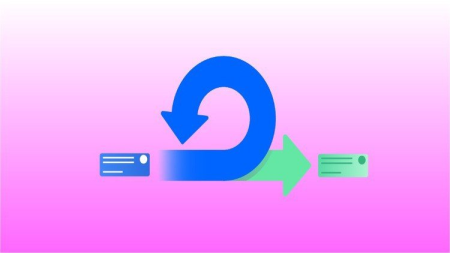
Day to Day activities of an Agile Scrum team in real project
Video: .mp4 (1280x720, 30 fps(r)) | Audio: aac, 44100 Hz, 2ch | Size: 1.22 GB
Genre: eLearning Video | Duration: 7 lectures (2 hour, 44 mins) | Language: English


If you want to experience how different agile scrum teams work in real world projects in IT, this is the course for you!
What you'll learn
You will learn everything about Agile Scrum way of working
You will learn the difference between waterfall and agile scrum methodology
You will learn to use various tools like Jira, Confluence and Bitbucket
You will learn how Agile Scrum works in real time projects in IT industry
You will experience various scrum meetings like Standup, Refinement, Planning, Review, Retrospective by doing it yourself
You will learn how to use Jira board to create and update your tasks
You will learn about the different members and their role in a scrum team
Requirements
There is no prerequisites for taking this course
Description
In this course you will learn everything about Agile Scrum way of working in a unique way. You will learn everything by experiencing it.
You will also learn how Agile Scrum is different than Waterfall model of Software development.
We will see how Agile Scrum works in real projects in Software Projects in any IT company.
You will also learn how different scrum teams work in an organization, and how project management tools like Jira helps in wring user stories, tasks, backlogs etc.
We will learn the following
What are the different meetings take place in an Agile Scrum team, we will do those meetings and experience them.
We will see what does a scrum team do in following meetings
Daily standup or Scrum call
Refinement or Grooming sessions
Sprint Planning
Sprint Review or Demo
Retrospective meeting
We will also see how much time does each meeting should be based on the sprint heart beat.
After that we will see who are the different members in a scrum team.
We will also see what are the responsibilities of
Stakeholder
Product Owner
Scrum Master
Development team
We will than see what is a user story and how its written on Jira tool
We will also see what is Product Backlog, Sprint Backlog, Sprint Board.
Than we will go ahead and see different reports that we can generate from Jira Tool, reports like Velocity chart, Burndown chart.
We will than go ahead and attend Daily standup, Refinement, Sprint Planning, Review and Retrospective meetings.
We will also learn how should we estimate a user story following Fibonacci series
There will be much more as well like using confluence and creating, updating task on the sprint board.
Who this course is for
Anyone who wants to learn the Agile Scrum way of working
Anyone who wants to get experience on how a scrum team works in real projects in IT industry
Screenshots


2cc49ddd-94d7-4dce-8313-b517d72f692c.png

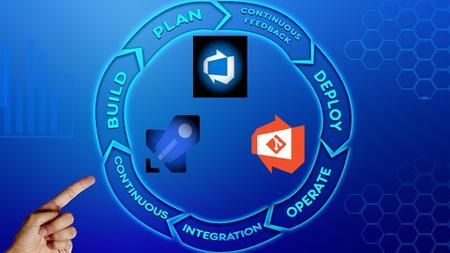
Azure DevOps Jumpstart
MP4 | Video: h264, 1280x720 | Audio: AAC, 44.1 KHz, 2 Ch
Genre: eLearning | Language: English + srt | Duration: 87 lectures (5h 47m) | Size: 2.9 GB

Helping you on your DevOps, GitHub and Azure DevOps journey!
What you'll learn
You will learn about Git and GitHub basics.
You will learn to build a basic CI/CD pipeline in Azure DevOps.
You will learn this by creating a very basic WebApp and deploy to Azure using a CI/CD pipeline.
You can then use this knowledge in different areas
Requirements
Basic understanding of installing on a computer with Windows 10/11
Basic understanding about how a public IP address works.
Basic understanding of DNS.
We will use developing as a way of explaining the concepts, but you don't need to be a developer !
Description
This is the perfect course for people who have no idea about GitHub, CI/CD. We will use a basic WebApp to show the concepts, but this course is not aimed at developers but at traditional IT pro people who need to make the transition to DevOps and have no idea how it works. Also people who have no idea how to start studying for the AZ-400 will benefit from this basic JumpStart.
You will start learning how Git and GitHub works, what CI/CD means. How a pipeline works and much more. We will end with a multi stage pipeline in Azure DevOps.
Many people in my experience get lost with the traditional study material. This course is aimed at giving these people a way in so they too can learn how these concepts work.
You will learn
What DevOps is.
What are the basics of Git and GitHub.
What is a WebApp in Azure and how to create one.
How can we use Visual Studio Community to create a basic proof of concept Web Site in ASP.NET
How we can publish this website to our Azure Web App.
How can we use GitHub with the code in our website.
What Azure DevOps is and how to create a project.
How to integrate GitHub with a project in Azure DevOps
How to deploy something using a pipeline in this case our website.
What a pipeline is and what a multi stage pipeline is.
Who this course is for
Students who have no idea about Azure DevOps and want an entry point to learn the basics.
People who are going to take the AZ-400 exam, but have no idea where and how to start and need an in. This is not a complete AZ-400 course but it will help!
Students who have heard about GitHub but have no idea how to start or what it is.
Students who have heard about CI/CD but have no idea how to start or what it is.
Peope who consider themselves IT pros who are trying to understand Azure DevOps and GitHub
Developers in my experience already know most of the basics explained here.
Homepage


00807b24_medium.jpg

Learn Solar Plant DATA analytics & Advance Report Creation
MP4 | Video: h264, 1280x720 | Audio: AAC, 44.1 KHz, 2 Ch
Genre: eLearning | Language: English + srt | Duration: 9 lectures (1h 7m) | Size: 940.1 MB

Learn the Skills to Resolve Underperformance in Solar Plant using SCADA Data with respect to operational Solar Plant
What you'll learn
Develop Analytical understanding of Solar PV plant performance functionality.
Develop deep understanding about the metabolism of Solar plant & how to find the fault using the block method.
Finding & Developing RCA for under performing plants.
Generating / Developing Graphical Plant performance report.
Requirements
Medium Level Knowledge Of Solar Plant Working & Functionality.
Description
In this amazing Course you will learn the Skills to analyze the Data with respect to operational Solar Plant components, to bypass any kind of under performance and get the best out of it. This course is Absolutely important for Engineers, Business Owners, Consultants who are already working or want to work in Solar Photo voltaic sector. Trust me without this highly demanding skill, your journey to success in this industry is incomplete.
Analytical understanding of Solar PV plant performance functionality.
Develop deep understanding about the metabolism of Solar plant & how to find the fault using the block method.
Finding & Developing RCA for underperforming plants.
Generating / Developing Graphical Plant performance report.
Having the knowledge of solar PV Plant DATA analytics will allow you to Find the Root cause of Underperformance during daily plant operation.
Installing a solar plant is an incomplete success if it is not giving out the proper output, because if there is reduction in the power production then your investment in the solar plant is slipping out from your hands.
SO if you are Looking for a promising future in the solar energy sector then I am sharing my Golden experience & tips and tricks , to master this technology like a true professional.
Who this course is for
This course will provide you with analytical understanding of Solar PV plant performance functionality, which is important, if you are a working Engineer in the Solar PV sector, or a technology consultant, or you are trying to build-up your business in this industry.
Homepage


36947536f4438c20843f40411583e7a6.jpg

ZerotoMastery - Go Programming (Golang): The Complete Developer's Guide
MP4 | Video: h264, 1920x1080 | Audio: AAC, 44.1 KHz, 2 Ch
Genre: eLearning | Language: English | Duration: 98 Lessons (10h 26m) | Size: 2.3 GB

Learn Golang from scratch, from an industry expert. Build real-world apps. You'll learn the fundamentals all the way to advanced concurrency so that you go from beginner to being able to get hired as a Go developer!
What you'll learn
✓ Write clean, bug free Go code using best practices
✓ Learn the entire ecosystem of a Go programmer
✓ Build massively concurrent programs that scale with Goroutines and Channels
✓ Master Go programming from fundamentals all the way to advanced concurrency using goroutines, channels, mutexes + more
✓ Learn one of the best programming languages for building performant distributed Microservices
✓ Build a Pixl Art cross platform desktop app (+ add it to your portfolio) that will wow employers
✓ Create a blazing fast GREP tool that uses multiple goroutines to search for a string within files
✓ Have the skills and understanding of Go to confidently apply for Go (Golang) programming jobs
Homepage


b81e5be6a350.jpg

Excel Advanced- Experience the most Advanced Tips & Tricks
MP4 | Video: h264, 1280x720 | Audio: AAC, 44.1 KHz, 2 Ch
Genre: eLearning | Language: English | Duration: 56 lectures (4h 12m) | Size: 1.61 GB

Learn more than 100+ Excel function/Excel Formulas/ Excel Tips for Excel 2016 with Examples
What you'll learn
Build a solid understanding of the Basics of Microsoft Excel
Master Microsoft Excel from Intermediate to Advanced
How to be a better, faster, stronger Excel user
How to save yourself hours of time and boost your productivity in Excel
How to navigate the Excel interface
How to use math, statistical, logic, and text functions
How to find a value with VLOOKUP, HLOOKUP, INDEX, MATCH
How to sort and filter your data to find exactly what you are looking for
How to work with charts to present clear insights from your data
Maintain large sets of Excel data in a list or table
How to create and format Pivot Tables
How to record a basic Macro to automate repetitive tasks
How to use data validation to restrict data entry
How to customize your page setup options for printing
How to impress your boss and colleagues with your super-sharp Excel skills
Requirements
Experience with Excel formulas is recommended, if you require a learning experience in excel basics, do refer our excel beginner level course
Microsoft Excel 2016 loaded on computer to follow along with instructor lectures is recommended.
Description
Dear Excel Lovers,
Suggest that if you are looking for training from the very basic please have a look into our course 'Excel Beginner Level-Experience the most useful Tips & Tricks.
Microsoft Excel is perhaps the most important computer software program used in the workplace today. That's why so many workers and prospective employees are required to learn Excel to enter or remain in the workplace. Microsoft Excel is used in business to perform various mathematical, financial calculations. In Microsoft excel small and big business owners can analyze information and visualize data and information in charts, smart arts, and pivot tables.
Our Excel tutorials are designed to help you use Excel to analyze data on any level. Whether you're just learning how to create spreadsheets or need to perform advanced data analysis with functions, formulas, and charts, these courses will help you unlock the maximum potential of this popular data-analysis program.
This course will teach you how to analyze and report on data frequently, work in collaboration with others to deliver actionable organizational intelligence, and keep and maintain workbooks for all manner of purposes.
You will also learn how to collaborate with colleagues, automate complex or repetitive tasks, and use conditional logic to construct and apply elaborate formulas and functions that will put the full power of Excel right at your fingertips.
Don't give a second thought to joining the course and start learning!
Who this course is for
Anyone using or planning to use calculators or other calculating devices
Graduate or Post Graduate Students from any streams
Working Professionals from any department especially Finance, HR, Marketing, Operations, Supply Chain
Business people or self-employed professionals especially CAs, Consultants, or any other stream where data is inevitable.
Homepage







 
0083d407_medium.jpg

Connect to databases: Create Data Visualizations in Power BI
MP4 | Video: h264, 1280x720 | Audio: AAC, 44.1 KHz, 2 Ch
Genre: eLearning | Language: English + srt | Duration: 20 lectures (1h 46m) | Size: 426.3 MB

Connect to PostgreSQL | MS SQL Server | Create Data Visuals with Power BI
What you'll learn
Install Database Systems
Install Sample databases
Install Power BI Desktop
Connect Power BI Desktop to databases
Create visualizations from connected data
Requirements
Basic database concepts advised
Description
Data visualization is the graphical representation of information and data. By using visual elements like charts, graphs, and maps, data visualization tools provide an accessible way to see and understand trends, outliers, and patterns in data.
Data visualization brings data to life, making you the master storyteller of the insights hidden within your numbers. Through live data dashboards, interactive reports, charts, graphs, and other visual representations, data visualization helps users develop powerful business insight quickly and effectively.
Hidden within your data lie important insights that can help drive business forward. But the challenge is that you can't always connect the dots by looking at raw numbers alone. When you look at your data presented in a visual format, patterns, connections, and other "a-ha" insights emerge that would otherwise remain out of sight.
Being able to see the story within the numbers makes data visualization a powerful tool for sharing and communicating information. Data visualization can be used for demonstrating performance, communicating trends, understanding the impact of new strategies, showing relationships, and beyond. These representations can be powerful tools for communication and collaboration, bringing greater value to reports, journalism, apps, or any context where sharing information is required.
Bringing visual clarity to the story told within your data helps you identify insights that lead to better decision making, planning, strategies, and actions. How is your business performing, what needs to be modified, and where should you focus your resources? The ability to understand the significance of your data drives more effective operations and decisions.
While stunning, rich visuals can be great tools for communicating ideas, the end benefit of data visualization is its ability to drive better decision making.
A database is an organized collection of data stored and accessed electronically. Small databases can be stored on a file system, while large databases are hosted on computer clusters or cloud storage.
Who this course is for
Beginner Data Analyst
Beginner to Power BI
Homepage


a7e7e19e2bfb.jpg

Complete Wireless Hacking With Wifislax OS 2022
MP4 | Video: h264, 1280x720 | Audio: AAC, 44.1 KHz, 2 Ch
Genre: eLearning | Language: English + srt | Duration: 20 lectures (1h 2m) | Size: 510.4 MB

First Ever Tutorial About Wireless Hacking With Best Wifislax Operating System. No Theory Only Practical Training
What you'll learn
Complete Wireless Hacking With Wifislax OS
First Trainer To Provide Wireless Hacking Training With Wifislax Operating System
Only & Only Practical Mode for Better Understanding
No boring Lecturers
Requirements
Anyone with a Basic Tech / Computer Background that wants to learn about Wireless Hacking.
Wifislax OS
A Hacker's Mind
If you want to learn useful, real-world hacking skills, this is the course for you.
No Programming Knowledge Required
A Earphone For Better Sound Effect
A Wifi Receiver
Description
*****Welcome to the "Complete Wireless Hacking With Wifislax OS 2022" ******
This course is for the beginners, so you don't need to have a previous knowledge about hacking, penetration testing, or application development. You'll learn how to "Ethically" Practice from Basic.
In this course we have introduce a good Security Operating System Wifislax Operating System.
Wifislax is a Slackware-based live CD containing a variety of security and forensics tools. The distribution's main claim to fame is the integration of various unofficial network drivers into the Linux kernel, thus providing out-of-the-box support for a large number of wired and wireless network cards.
Features of Wifislax Operating System :-
Free - Well Wifislax Operating System is a free and open-source, thus you can see source code and customize it as per your requirements.
Lightweight - The Wifislax Operating System Operating system has demonstrated to be remarkably lightweight and run amazingly active even on the ancient devices or with concise resources.
Secure - Well, Wifislax Operating System is always updated, usually released, and wholly sandboxed.
Since free tools and platforms are used, you don't need to buy any tool or application.
WiFiSlax is one of the foremost popular versions of wireless and so wireless hacking.
In addition, Zero technology is employed to encrypt wireless networks.
So This type of coding features a number of weaknesses that we provide to reinforce the safety of wireless networks.
At the request of dear users, Rasekhon has launched a live disk for wireless network hacking.
You can also use the methods shown in this course with other Operating System Like Kali Linux.
Who this course is for
Beginner students
A Hacker's Mind
Homepage


dafe7494ceb1.jpg

Brain Bites Windows 11 Essentials
MP4 | Video: h264, 1280x720 | Audio: AAC, 44.1 KHz, 2 Ch
Genre: eLearning | Language: English + srt | Duration: 7 lectures (32m) | Size: 571 MB

Students will be able to navigate Windows 11, recognizing new features as well as using existing features
What you'll learn
Identify the Key Differences between Windows 10 and Windows 11
Use the task bar and new start menu
Organize your windows with Snap, Task View, and Desktops
Use the new Taskbar Corner and Notification area
Work with files using the updated File Explorer and Windows apps
Requirements
Windows 11 operating system is recommended.
Description
Windows 11 is more evolutionary than revolutionary - if you've used Windows 10, look for refined user-friendly elements.
Windows 10 introduced many new tools, but Windows 11 hasn't added many new ones. Instead, its claim to fame is the refinement of those tools.
What is new in Windows 11? It includes a new Taskbar Corner and Notification area, better ways of organizing your desktops, and an updated File Explorer. This quick course guides you through both new and existing features so you can adapt to the changes and create new ways of working more productively in Windows.
Brain Bites micro-learning courses are information-rich and convey important topics with an engaging mix of video and animation. With 5-minute video lessons and 30-minute-or-less courses, Brain Bites are the perfect tool to educate today's busy workforce. Topics covered include
· Understanding the basics of Windows 11, including versions and user account types
· Navigating Windows 11, including the desktop, Start Menu, Task Bar, and Action Center
· Managing your files with the File Explorer and the Quick Access option
· Using Snap, Task View, and Virtual Desktops to organize your windows
· Customizing Windows 11 for your personal workflow
About Brain Bites mini-courses: Brain Bites courses are designed to be fast paced, information-rich courses which use a combination of video and animation to convey important business topics quickly and effectively, in five-minute micro-learning lessons.
Written by highly experienced subject matter experts and presented in a two-person video-based style, Brain Bites courses are the perfect way to educate today's busy workforce.
Who this course is for
Windows 10 users who are transitioning to Windows 11.
Homepage


3df89fe1c62143b2c69c00e20cedf8c1.jpg

Conquer Your Habits, Conquer Your Life
MP4 | Video: h264, 1280x720 | Audio: AAC, 44.1 KHz
Language: English | Size: 3.42 GB | Duration: 4h 38m
Proven methods to break any bad habit or addiction, create new habits, Create an iron self-discipline & willpower​

What you'll learn
You'll learn exactly how to remove any addiction entirely from your life & forever, so you can sense the joy & happiness of freedom and control over your life.
You'll master how to create any new lasting routine in your life that can take you to wherever you want to be in your life & to become the person you want to BE
You'll master the art of Self-Discipline and WillPower, Which are the #1 secret to achieve anything that you want in your life.
You'll learn how to break your thinking patterns and you'll learn how to transform your way of thinking into a new way that'll help you achieve all your goals.
You'll take full control over your life, and you'll be able to achieve anything in your life, & you'll become the person that you always wanted to be.
Requirements
The only things that you'll need are a notebook and a pen.
Description
More than 97% of people worldwide never achieve their full potential in life, the average person only uses 10% of his full potential, he doesn't achieve his big ambitions in his life, and he lives an average life, like anyone else. but there's only this 3% of the population that achieves their full potential in their lives, they achieve their dreams and ambitions, and they live their lives fulfilled and successful.
The biggest difference between a successful individual and an unsuccessful individual is the will to take action, the person who shows action gets whatever he wants in his life and he achieves big levels of success in his life
what determines who you're going to be tomorrow? you actions today.
if you great the habit of exercising 5 times a week you'll probably be happy & in shape in 3 months or even less.
but if you spend a lot of money on fast food meals everyday, you'll probably be fat & broke with diabetes in few years.
Your actions today determines your future.
inside Conquer Your Habits:-
You'll proven methods to create a new lifestyle in your life, and to break any bad habit or addiction. so you can live the life that you want for yourself which means that you will achieve success and happiness in your life.
You'll say bye bye to procrastination, and you'll stop wasting your time.
You'll start to have a better health and fitness when you break your bad habits and when you adopt the good habits that I recommend inside conquer your habits.
It will help you save money and make money by teaching you how to break bad habits. such as money (wasting habits)
It will give you the key to achieve anything in your life throughout understanding how to control your actions, which is the only thing that you have full control over.
Who this course is for
personal development student
someone who's trying to break an addiction
someone who's trying to become successful in his life
someone who's trying to change his life for good.
someone who's trying to be more productive in his life
Screenshots


9ea7df7a-ec4a-4bfb-83d9-14721cd4c4d4.png

Full Character Rigging in After Effects | Knowing Everything
MP4 | Video: h264, 1280x720 | Audio: AAC, 44.1 KHz, 2 Ch
Genre: eLearning | Language: English + srt | Duration: 38 lectures (4h 41m) | Size: 1.99 GB

Learn Everything you want to know about character rigging in after effects and make yourself needless for ever
What you'll learn
What character is right for the Rig
preparing the character for a professional Rig
Using The expression for rigging
Rigging the different views of the character
Creating the hand states for the character
Creating the Mouth states for Lip Sync animation
Rigging eyes and eyebrows
Controlling the Character Components by Sliders
Import the rigged character in different scenes
Requirements
You should familiar with After Effects But Don't need any knowledge about rigging
Description
Hi there, you all have been probably offered a project in which you need to rig and animate the character?
but because you think the rig and animating a character is very hard and you're not able to do it, you reject the offer and you don't even go for it.
Or maybe many times you wanted to solve this problem and once for all learn how to rig all character parts and expressions which are needed in this context and make yourself needless in this field.
But the big problem is that most tutorials rig and animate the character from one pose but most of the projects we get offered are not like that and the character should be animated and rigged from different poses.
But all of the motion designers that don't have all these skills together, especially when they are beginners and they are kind of amateur.
The first goal of this course is that you can download the character you like from freepik or any other website with the least information about designing a character. Improve its poses completely for a professional rig so you won't have any problem while animating it.
In the continue, you learn how to rig your character fast and simple by duik script and control all poses of your character just by one skeleton and don't need to rig and skeletonize for different poses again.
You learn how to control poses of your character by slider.
How to create different states for your character hand.
How to create mouth states and control them by slider and be able to create lip sync animation.
How to rig the eyes and eyebrows.
In the next chapter, we explain another popular way of rigging so you can control your character's parts by the controllers in the scene and show off your rigging abilities.
And eventually, you learn how to put the characters you rigged in different scenes and resize it without your rig having a problem so at the end you can easily animate your character from different poses and enjoy the rig you have done.
Who this course is for
Beginner to Advanced Character Rigging & Animation in the After Effects
Animators looking for make yourself needless in Rigging
Animators who want to learn how to prepare the characters for a professional rig
Animators who want to learn how to use expressions for character rigging
Motion designers who want to improve their videos.
Homepage


Id1G9JQ.jpg

Structures design: Pile foundation design
Genre: eLearning | MP4 | Video: h264, 1280x720 | Audio: AAC, 44.1 KHz
Language: English | Size: 915 MB | Duration: 1h 38m
Pile foundation design and counstrction

What you'll learn
Types of foundations
Deep foundations
Pile working mechanism
Geotechnical investigation
Cast in-situ pile construction
stresses on pile concrete under axial working load
Pile skin resistance calculation
Pile End bearing resistance calculation
Effects of pile group on pile bearing capacity
Factor of safety
Field verification of pile capacity
Estimation of flexural moment for piles
Estimation of shear force for piles
Longitudinal reinforcement for piles
Shear reinforcement for piles
Description
This course will discuss the design of pile foundations. We will learn the methods of calculating the pile bearing capacity. The bearing capacity for a pile consists of skin and end bearing resistance. Here you will understand how to calculate the skin and end bearing resistance. Also, we will discuss the effects of the pile group on pile individual bearing capacity. We will determine the impact of pile group on individual pile bearing capacity and the amount of reduction of pile bearing capacity. Also, we will discuss the safety factor for pile design and the acceptable ranges for the safety factor.
The second part of the course will discuss the type of foundations; in general, we have two types of foundation. Shallow and deep foundations. Here we will concentrate on deep foundations. Deep foundations are classified into driven and cast-in-situ piles. Cast-in-situ piles are constructed at filed by the drilling borehole in the existing ground, then filling the borehole with reinforcement and concrete. We will discuss the method of constructing cast-in-situ piles in detail. Furthermore, this course will discuss the geotechnical investigation, the importance of the geotechnical investigation, and tests conducted on the soil to determine soil bearing capacity.
The third part of this course will discuss the methods of estimating the flexural moment and shear force for piles. You will learn here how to calculate the flexural moment over the full length of the piles. Similarly, we will learn how to determine the shear force over the entire length of a pile. Furthermore, we will learn how to determine the amount of longitudinal or flexural reinforcement based on the maximum moment we computed. Also, we will learn how to determine the shear reinforcement for piles. in general, spirals are used as a shear reinforcement for piles.
Who this course is for
Persons who are interested in construction and pile foundation design
Screenshots


Zurück
Oben Unten