• Regeln für den Video-Bereich:

    In den Börsenbereich gehören nur Angebote die bereits den Allgemeinen Regeln entsprechen.

    Einteilung

    - Folgende Formate gehören in die angegeben Bereiche:
    - Filme: Encodierte Filme von BluRay, DVD, R5, TV, Screener sowie Telesyncs im Format DivX, XviD und x264.
    - DVD: Filme im Format DVD5, DVD9 und HD2DVD.
    - HD: Encodierte Filme mit der Auflösung 720p oder darüber von BluRay, DVD, R5, TV, Screener sowie Telesyncs im Format x264.
    - 3D: Encodierte Filme von BluRay, die in einem 3D Format vorliegen. Dies gilt auch für Dokus, Animation usw.
    - Serien: Cartoon/Zeichentrick, Anime, Tutorials, Dokumentationen, Konzerte/Musik, Sonstiges sind demnach in die entsprechenden Bereiche einzuordnen, auch wenn sie beispielsweise im High Definition-Format oder als DVD5/DVD9/HD2DVD vorliegen. Ausnahme 3D.
    - Bereich Englisch: Englische Releases gehören immer in diesen Bereich.
    - Bereich Talk: Der Bereich, in dem über die Releases diskutiert werden kann, darf, soll und erwünscht ist.


    Angebot/Beitrag erstellen

    - Ein Beitrag darf erst dann erstellt werden, wenn der Upload bei mindestens einem OCH komplett ist. Platzhalter sind untersagt.
    - Bei einem Scenerelease hat der Threadtitel ausschließlich aus dem originalen, unveränderten Releasenamen zu bestehen. Es dürfen keine Veränderungen wie z.B. Sterne, kleine Buchstaben o.ä. vorgenommen werden. Ausnahme Serienbörse:
    - Bei einem Sammelthread für eine Staffel entfällt aus dem Releasename natürlich der Name der Folge. Beispiel: Die Simpsons S21 German DVDRip XviD - ITG
    - Dementsprechend sind also u.a. verboten: Erweiterungen wie "Tipp", "empfehlenswert", "only", "reup", usw. / jegliche andere Zusatzinformation oder Ergänzung, welche nicht in obiger Beschreibung zu finden ist.

    Aufbau des Angebots und Threadtitel

    Der Titel nach folgendem Muster erstellt zu werden. <Name> [3D] [Staffel] [German] <Jahr> <Tonspur> [DL] [Auflösung] <Quelle> <Codec> - <Group>
    Beispiel: The Dark Knight German 2008 AC3 DVDRip XviD - iND
    Beispiel: The Dark Knight 2008 DTS DL BDRip x264 - iND
    Beispiel: The Dark Knight 2008 AC3 DL BDRip XviD - iND
    Beispiel: The Dark Knight German 2008 AC3 720p BluRay x264 iND
    Beispiel: The Dark Knight 2008 DTS DL 1080p BluRay x264 iND
    Beispiel: Die Simpsons S01 German AC3 DVDRip XviD iND
    Beispiel: Die Simpsons S20 German AC3 720p BluRay x264 iND
    Beispiel: Sword Art Online II Ger Sub 2014 AAC 1080p WEBRip x264 - peppermint
    Entsprechend sind also u.a. verboten: Sonderzeichen wie Klammern, Sterne, Ausrufezeichen, Unterstriche, Anführungszeichen / Erweiterungen wie "Tipp", "empfehlenswert", "only", "reup", usw. / jegliche andere Zusatzinformation oder Ergänzung, welche nicht in obiger Beschreibung zu finden ist
    Ausnahmen hiervon können in den Bereichen geregelt sein.

    Die Beiträge sollen wie folgt aufgebaut werden:
    Überschrift entspricht dem Threadtitel
    Cover
    kurze Inhaltsbeschreibung
    Format, Größe, Dauer sind gut lesbar für Downloader außerhalb des Spoilers zu vermerken
    Nfo sind immer Anzugeben und selbige immer im Spoiler in Textform.
    Sind keine Nfo vorhanden z.B. Eigenpublikationen, sind im Spoiler folgende Dateiinformationen zusätzlich anzugeben :
    Quelle
    Video (Auflösung und Bitrate)
    Ton (Sprache, Format und Bitrate der einzelnen Spuren)
    Untertitel (sofern vorhanden)
    Hosterangabe in Textform außerhalb eines Spoiler mit allen enthaltenen Hostern.
    Bei SD kann auf diese zusätzlichen Dateiinformationen verzichtet werden.

    Alle benötigten Passwörter sind, sofern vorhanden, in Textform im Angebot anzugeben.
    Spoiler im Spoiler mit Kommentaren :"Schon Bedankt?" sind unerwünscht.


    Releases

    - Sind Retail-Release verfügbar, sind alle anderen Variationen untersagt. Ausnahmen: Alle deutschen Retail-Release sind CUT, in diesem Fall sind dubbed UNCUT-Release zulässig.
    - Im Serien-Bereich gilt speziell: Wenn ein Retail vor Abschluss einer laufenden Staffel erscheint, darf diese Staffel noch zu Ende gebracht werden.62
    - Gleiche Releases sind unbedingt zusammenzufassen. Das bedeutet, es ist zwingend erforderlich, vor dem Erstellen eines Themas per Suchfunktion zu überprüfen, ob bereits ein Beitrag mit demselben Release besteht. Ist dies der Fall, ist der bereits vorhandene Beitrag zu verwenden.
    - P2P und Scene Releases dürfen nicht verändert oder gar unter einem iND Tag eingestellt werden.


    Support, Diskussionen und Suche

    - Supportanfragen sind entweder per PN oder im Bereich Talk zu stellen.
    - Diskussionen und Bewertungen sind im Talk Bereich zu führen. Fragen an die Uploader haben ausschließlich via PN zu erfolgen, und sind in den Angeboten untersagt.
    - Anfragen zu Upload-Wünschen sind nur im Bereich Suche Video erlaubt. Antworten dürfen nur auf Angebote von MyBoerse.bz verlinkt werden.


    Verbote

    - Untersagt sind mehrere Formate in einem einzigen Angebotsthread, wie beispielsweise das gleichzeitige Anbieten von DivX/XviD, 720p und 1080p in einem Thread. Pro Format, Release und Auflösung ist ein eigener Thread zu eröffnen.
    - Grundsätzlich ebenso verboten sind Dupes. Uploader haben sich an geeigneter Stelle darüber zu informieren, ob es sich bei einem Release um ein Dupe handelt.
    - Gefakte, nur teilweise lauffähige oder unvollständige Angebote sind untersagt. Dies gilt auch für eigene Publikationen, die augenscheinlich nicht selbst von z.B. einer DVD gerippt wurden. Laufende Serien, bei denen noch nicht alle Folgen verfügbar sind, dürfen erstellt und regelmäßig geupdatet werden.
    - Untersagt sind Angebote, welche nur und ausschließlich in einer anderen Sprache als deutsch oder englisch vorliegen. Ausnahmen sind VORHER mit den Moderatoren zu klären.


    Verstoß gegen die Regeln

    - Angebote oder Beiträge, die gegen die Forenregeln verstoßen, sind über den "Melden"-Button im Beitrag zu melden.
  • Bitte registriere dich zunächst um Beiträge zu verfassen und externe Links aufzurufen.

*** Bestes IPTV *** bester Preis *** gratis Test ***


Englische Tutorials

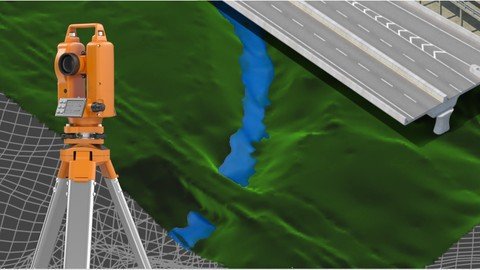
Civil 3D - Civil works specialization
woqdlnnzkm900upxtgmxjxfjes.jpg


Civil 3D - Civil works specialization
MP4 | Video: h264, 1280x720 | Audio: AAC, 44.1 KHz
Language: English | Size: 21.2 GB | Duration: 32h 43m

Learn all Civil 3D in a complete course from zero


What you'll learn
Participate in the design of roads and civil and topographic projects.
When conducting a topographic survey in the field, you can import these land points to Civil3D and save a lot of time in drawing.
Create land surfaces in 2 and 3 dimensions and generate calculations such as area, volume and earth movement
Build horizontal and vertical alignments that allow the design of a linear work such as roads, canals, bridges, railways, high voltage lines, among others.
Prepare professional plans to present works both in plan and in profile.
Requirements
A computer with basic requirements of Hard Disk, RAM (minimum 2GB) and Intel Processor, AMD
Very basic knowledge of Surveying, Civil or related
Autocad Civil 3D software any version

Description
Disclaimer

We have selected this course to offer it in English for its high pedagogical quality and user acceptance. We done an effort to bring this 32 hours of course to english speach. The version of the software used is in Spanish, but the support material and the whole explanation of the instructor is narrated in English.

---------------------------------------

This is a set of 4 courses called "Autocad Civil3D for Surveying and Civil Works" that will allow you to learn how to handle this fabulous Autodesk software and apply it to different projects and construction sites. Become an expert in the software and you can generate earthworks, calculate materials and construction prices and create great designs of roads, bridges, sewerage among others.

This set of courses has been the product of hours of dedication, work and effort, compiling the most important data on the subject of Civil and Topographic Engineering, summarizing large amounts of theory and making them practical, so that you can learn in an easy and easy way. Fast with short but specific classes for each topic and practice with all the (real) data and examples we provide here.

If you want to start managing this software, participating in this course will save you weeks of work by investigating on your own what we have already investigated, doing the tests we have done, and making the mistakes we have already made.

---------------------------------------------------------------------------------------------------------------------

CONTENT OF THE BASIC SECTION (LEVEL 1)

INTRODUCTION TO SOFTWARE

Description of the software interface.

Summary and list of commands and main functions.

Project configuration in Civil3D.

POINTS

Import terrain points from a text file.

Definition of styles of points, texts and descriptors.

Configuration, editing and management of terrain points.

SURFACES

Creation and definition of TIN land surfaces.

Definition of styles and presentation (level curves, slope map, address map, thermal floors).

Editing and configuration of surfaces.

HORIZONTAL ALIGNMENTS

Creation and configuration of horizontal alignment (axis via).

VERTICAL ALIGNMENTS

Creation and configuration of the longitudinal profile of the terrain (vertical alignment).

Vertical alignment design (project grade).

---------------------------------------------------------------------------------------------------------------------

CONTENT OF THE MIDDLE SECTION (LEVEL 2)

ASSEMBLIES AND SUB-ASSEMBLIES

Typical section

Definition of assemblies (structure).

Configuration of sub-assemblies (type objects: terrace, lane, sardinel, canal, gutter, bridge, intersection, etc.).

LINEAR WORK, SURFACES AND MATERIALS

Definition and construction of the linear work.

Linear work surfaces and limits.

CROSS SECTIONS OF SURFACES

Sampling lines

Section views

CUBICATION AND EARTH MOVEMENT

Cubing and reports.

Surface comparison

Volume surfaces

---------------------------------------------------------------------------------------------------------------------

CONTENT OF THE MIDDLE SECTION (LEVEL 3)

SURFACES II

Surface model editing, interpolation, improvements, export.

Styles of surface models, presentations, map analysis.

Model overlay.

Cubing, volume reports between various surfaces.

HORIZONTAL ALIGNMENTS II

Advanced style management

Editing and construction of design criteria and tables.

Graphic, geometric and tabular edition (advanced).

Parallel axes and over-widths.

Definition and diagrams of cant.

VERTICAL ALIGNMENTS II

Construction with design tables.

Profile overlay.

Projection of objects from plant to profile.

Graphic, geometric and tabular edition (advanced).

Advanced handling of styles, bands.

TYPICAL SECTION II

Definition of assemblies (structure). Advanced.

Creation and configuration of sub-assemblies, codes and links.

Definition of horizontal and vertical transitions

LINEAR WORK II

Linear work with several alignments.

Linear work with different regions and structures.

Advanced edition of linear work, sections, frequency, regions, surfaces.

CROSS SECTIONS II

Advanced handling of styles, tables, objects to be displayed.

Editing sampling lines.

Advanced configuration of materials and prices.

Mass diagram and reports.

---------------------------------------------------------------------------------------------------------------------

CONTENT OF THE ADVANCED SECTION (LEVEL 4)

PLAN SETTINGS

Template building.

Automatic generation of floor plans.

Automatic generation of planes in profile.

Automatic generation of floor plans-profile.

Automatic generation of cross section planes.

EXPLANATIONS (GRADING)

Definition and configuration.

Sloping and transition of slopes.

Volume balance.

Surface generation.

INTERSECTIONS

Cross intersection construction.

Adding branches

Linear work design from intersection

Construction of a roundabout or roundabout.

PLOT CONSTRUCTION

Calculation of areas and perimeters

Alignment

Topology

Locations

Englobes and desenglobe

CALCULATION OF SURFACE ESCORRENTY

Surface design

Basin analysis

Drains and hydrological sub-basins

DRAWING OF SANITARY NETWORKS AND PIPES

Object projection

Profiles

Material calculations

Who this course is for
This course is built for anyone who wants to learn how to handle the software.
Technicians, Technologists or Professionals in Surveying, Civil or related who want to improve their productivity and skill with the software.
Anyone who wants to learn to make designs of linear works and topography projects.

Homepage
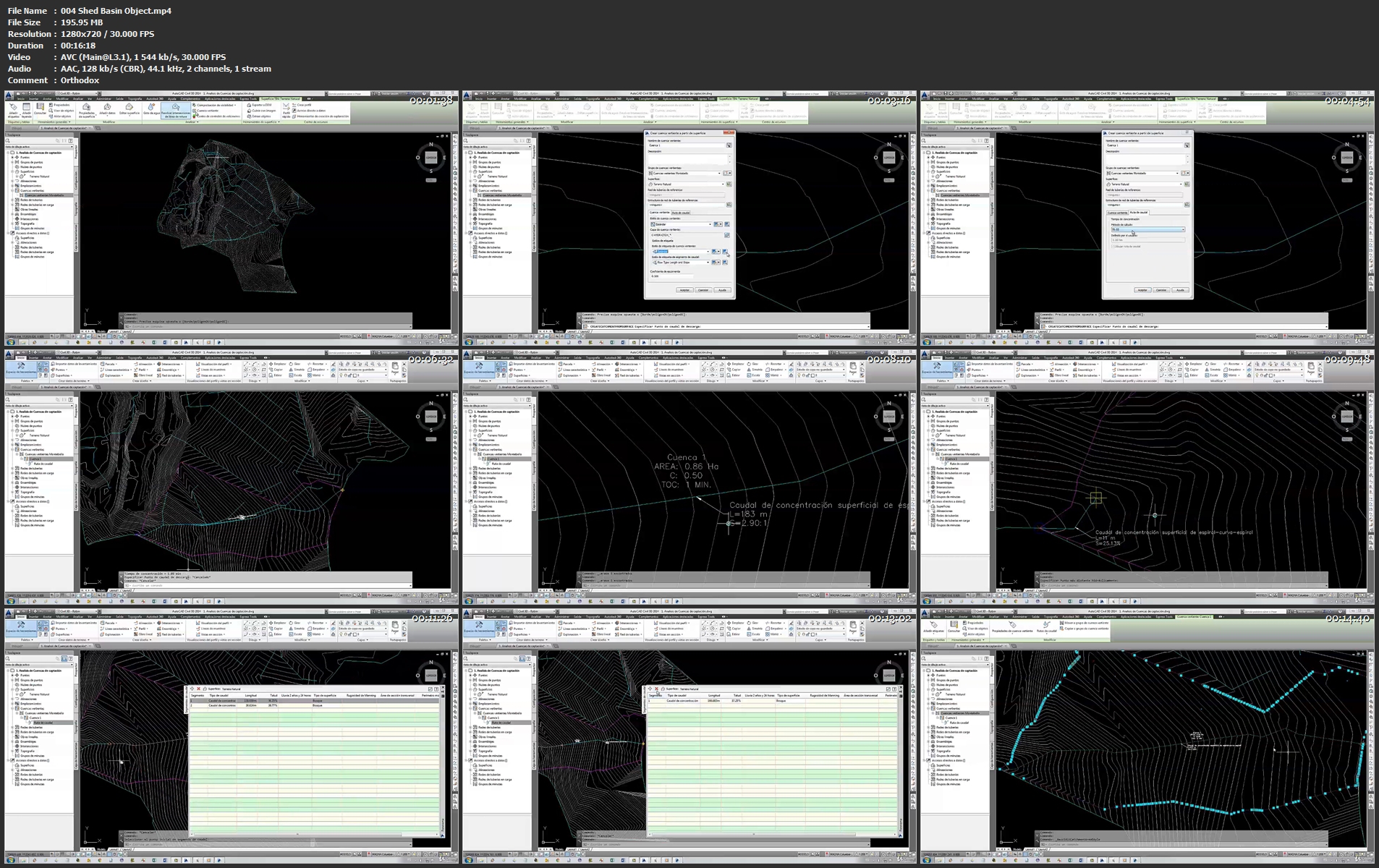

004shedbasinobject.mp1kksz.jpg


image.png

Making Sticker Sheets Using Photoshop & Cricut
Duration: 25m | Video: .MP4, 1280x720, 30 fps | Audio: AAC, 48 kHz, 2ch | Size: 315 MB
Genre: eLearning | Language: English​


Hi! My name is Amaya and I'm an artist & video creator!
Ready to turn your art into sticker sheets?*In this class, you'll learn how to create sticker sheets with your own artwork using Photoshop and Cricut.
We will set up the sticker sheets in Photoshop, upload to the Cricut Design Space, then print & cut the sticker sheets!
This class is recommended for the*intermediate level, as some basic knowledge of Photoshop will be needed. Students who are beginners will still be able to easily follow along as I walk you through each step of the process. By the end of the class, you'll be ready to turn your artwork into sticker sheets that you can either sell or use for yourself!
If you've got some artwork ready, join the class now to get started on your sticker sheets!
Lessons include
Software & materials needed
Setting up the sticker sheet in Photoshop
Uploading the sticker sheet to Cricut
Cutting the sticker sheet
If you have any questions at all, be sure to ask me in the discussions page!
Screenshots


image.png

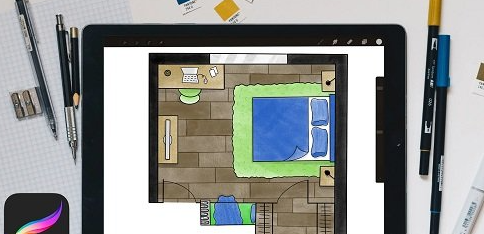
Interior Sketch: Drawing A Floor Plan Illustration in Procreate
Duration: 23m | Video: .MP4, 1280x720, 30 fps | Audio: AAC, 48 kHz, 2ch | Size: 212 MB
Genre: eLearning | Language: English​

Ever wanted to visually bring to life your interior design ideas like those home renovation shows do with illustrated floor plans? If the answer is YES then this class is for you!
What you'll*learn from this class:Throughout the class, I walk you through one-point perspective drawing techniques to speed up the drawing process and elevate your interior sketch including color blocking, line work, and how to visually communicate different*textures*and*materials.
This class is perfect for beginners that want to learn how they could use Procreate 5.2 to illustrate their own floor plan ideas.*I designed this class to help Designers, Architects, Artists, and anyone else interested in Interior Design, learn the basics to make fun stylized illustrations of a floorplan.
What you'll need to complete class
iPad with Apple pencil
Procreate app
But you can also follow along using paper and pens. Throughout my lessons, I also describe how to follow my approach using the traditional method.
Key Benefits:You should take this class if you've ever felt inspired to explore*architecture drawing ideas but needed an easy method to visualize them.*In my class, I walk through my drawing approach, which helps anyone learn how to illustrate a floor plan with confidence in 5 easy steps.
Additional Resources:Hungry for more? Check out my other procreate class to learn how to add animation!
Looking for more inspiration? Head*here*to discover more*Interior Design classes.
Screenshots


2246f6e3-8d9b-417b-b803-d913416c88ab.png

Certificate in Cybersecurity Analysis (IIBA-CCA): Getting Started
Duration: 48m | Video: .MP4, 1280x720 30 fps | Audio: AAC, 48 kHz, 2ch | Size: 145 MB
Genre: eLearning | Language: English​

This course will teach you the definition and value of key cybersecurity topics important to businesses today in all technological endeavors, regardless of role.
What you'll learn
Cybersecurity is one of the primary focuses of building successful technology solutions. Every employee needs to have an understanding of how to build it into solutions and not let it be an afterthought. In this course, Certificate in Cybersecurity Analysis (IIBA®- CCA): Getting Started, you'll learn what cybersecurity is and its value to business efforts.
First, you'll explore the importance, value, and perspectives of cybersecurity for business professionals.
Next, you'll discover cybersecurity frameworks and organizational approaches to cybersecurity.
Finally, you'll learn how to describe key enterprise risk concepts.
When you're finished with this course, you'll have the skills and knowledge of cybersecurity analysis topics needed to begin planning cybersecurity requirements in your technology projects and solutions.


c14cb8ae-3a3d-4960-b0c9-2e22474d9b66.png

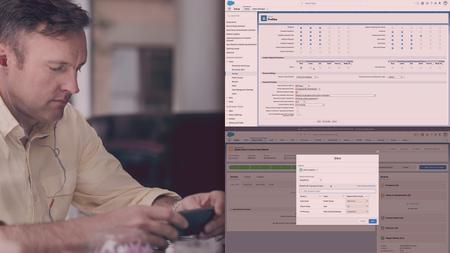
Advanced Salesforce Data Sharing and Security Administration
Duration: 2h 9m | Video: .MP4, 1280x720 30 fps | Audio: AAC, 48 kHz, 2ch | Size: 255 MB
Genre: eLearning | Language: English​


This course will teach you all the ways to share data in Salesforce, as well as how to secure an org and configure security for different types of users. These skills will help prepare you for the Salesforce Certified Advanced Administrator exam.
What you'll learn
Salesforce security can be extremely complex. In this course, Advanced Salesforce Data Sharing and Security Administration, you'll delve into sharing data in Salesforce and how to effectively secure an organization. First, you'll explore configuring object and field level security with profiles, permission sets, and permission set groups. Next, you'll discover the many ways to share records including setting organization-wide defaults, configuring the role hierarchy, creating sharing rules, and how to manually share records. Finally, you'll learn how to restrict access to an organization using IP ranges and login hours. When you're finished with this course, you'll have the skills and knowledge of data sharing and org administration needed to fully administer a Salesforce org, and answer the age old question of 'who sees what?'.
Screenshots


363ff649-7a90-463c-ac6d-39d9efa3b081.png

Design Wind Loading on a Steel Frame Warehouse - Part 2 of 2
MP4 | Video: h264, 1280x720 | Audio: AAC, 44.1 KHz, 2 Ch
Genre: eLearning | Language: English + srt | Duration: 12 lectures (1h 23m) | Size: 428.6 MB


Design Wind Pressures on a Steel Structure Warehouse - AS1170 (Part 2- Wind Pressure on Openings and Cladding Surfaces)
What you'll learn
Design wind pressure on doors and windows and how the size of the opening can impact the net wind pressure on wall and roof surfaces
Design wind pressure on wall claddings and supporting structures and how to calculate localized wind pressures on walls claddings
Design wind pressure on roof claddings and supporting structures and how to calculate localized wind pressures on roof claddings
Evaluating the impact of the big openings on internal and net wind pressure on cladding surfaces of the roof and walls
How wind pressure changes along the roof and long walls
Summary of the net wind pressure on different areas of the roof
Requirements
WATCH THE FIRST PART OF THIS COURSE "Design Wind Pressures on a Steel Structure Warehouse - Part 1"
Description
In the two parts of the course, I will explain the full and detailed process of calculating the design wind pressures for structural members and cladding surfaces of the walls and roof of a steel-framed warehouse.
The assessment of wind loads for the design of structures is based on Australia/New Zealand standard AS1170.2 however the general concept remains the same for every other code.
AS1170 has a very detailed and comprehensive process for calculating wind pressures.
There are so many parameters and requirements in the code which often leaves people with some confusion and question marks on how to approach these. so I have decided to prepare this course to provide a clear roadmap for anyone who wants to learn the process step by step.
This course, "Design Wind Pressures on a Steel Structure Warehouse" includes two parts
Please make sure to watch both parts to learn the whole design process.
In the first part of this course, you will learn
about the basics and general concepts of wind loading on structures within our practical and real-life example and also I will explain about how to calculate the wind parameters and where in the code I am getting these values from. These parameters include
- Regional wind speed for different areas of the country,
-Terrain/height multiplier and explaining the definition of different train categories,
- Defining Importance level of the buildings and return period of the wind considering the occupancy and use of the building
- Wind direction multiplier,
- Hill-shape multiplier,
- Shielding multiplier
- Site wind speed
- Design wind speed
- Aerodynamic shape factor for different surfaces or parts of the building.
Calculating aerodynamic shape factor requires calculating the external and internal pressure coefficients, area reduction factor, local pressure factor, action combination factor, permeable cladding factor, and dynamic response factor.
These factors have to be determined for windward walls, Leeward walls, sidewalls, roof structure, and cladding surfaces of the walls and roof with respect to wind on 4 major axes of the structure.
- Design wind pressure on structural elements of the walls and roof for different portal frames of this warehouse for the 4 major axes of the structure.
- Frictional Drag forces on Roof and Side Walls.
- How wind pressure changes along the roof and long walls.
In part 2, I will explain
- Design wind pressure on doors and windows and how the size of the opening can impact the net wind pressure on wall and roof surfaces.
- Design wind pressure on wall claddings and supporting structures and how to calculate localized wind pressures on walls claddings
- Design wind pressure on roof claddings and supporting structures and how to calculate localized wind pressures on roof claddings.
- Evaluating the impact of the big openings on internal and net wind pressure on cladding surfaces of the roof and walls.
- How wind pressure changes along the roof and long walls.
- Summary of the net wind pressure on different areas of the roof.
By the end of these two courses, you will learn about the fundamental and full and detailed process of calculating the wind pressure for structural members and claddings surfaces of the walls and roof of a steel-framed warehouse.
My goal is to add value to my students by conveying my professional/practical experience as well as explaining the theoretical concept behind the design, so please do not hesitate to ask if you ask any questions through the message box here or any other social media links which are provided in our page.
Also, you will have lifetime access to the course content which means you will receive all future updates and additions free of charge.
Who this course is for
Structural engineers ranging from beginners to intermediate level who would like to refresh their knowledge and get a practical knowledge of wind loading on structures
Graduate engineers
Structural engineering students
Civil engineering students


3f663256-eae4-460b-9156-73a1c435965c.png

Habits Masterclass : Breaking Bad Habits Made Easy
Last Update: 1/2022
Duration: 58m | Video: .MP4, 1280x720 30 fps | Audio: AAC, 48 kHz, 2ch | Size: 493 MB
Genre: eLearning | Language: English​

5 Simple Strategies to Break Bad Habits from Your Life!
What you'll learn:
Students will learn to understand the science behind habits
Students will Learn 5 Simple Strategies to Break Bad Habits
Students will learn strategy to keep good habits for long period
Vedantic and Spiritual wisdom to habit structuring
Requirements
Absolutely nothing! We'll learn together :)
Description
Are you finding yourself browsing mindlessly on Instagram, Facebook and getting distracted or you're binging on Netflix for long hours, or you're finding yourself munching on snacks, chocolates and having a huge calorie intake and basically eating whatever food comes your way?? I actually was like that.
You somehow know that it isn't good for you to do it, but you still end up doing it. It's absolutely not your fault my friends, but your habits.
When we wake up in the morning, our day begins with brushing teeth, checking our mobile phones, having a cup of tea, maybe doing morning meditations, reading newspapers and it can end with an entertaining podcast every day which puts you to sleep. We can check our whole day and it is filled with a lot of habits like these.
We tend to think that we are making informed decisions each time, but each time, it is happening automatically every day without putting a conscious effort, out of our habits. Habit runs our life and if we've bad habits, our life can get stuck.
That's where Habits Masterclass will help you break bad habits from your life. In this masterclass, you'll learn
Definition of Habits & Correlation of Habits to Success
The Science of Habits
The Components of Habits
Classification of Habits into Sreyaskar & Preyaskar
5 Simple Strategies to Break Bad Habits
3 Easy Strategies to Keep Good Habits
Vedantic & Spiritual Wisdom to Structure Habits
Along with this and much more, we'll together learn throughout the masterclass with each other. Habit Experts Books James Clear & Charles Duhigg has been referenced. You can further check out their books through the above link to expand your horizons on Habits.
Who this course is for
People who wants to increase their productivity and excel in life
People who wants to break bad habits and create a path of success
Homepage
Screenshots


image.png

Edit for YouTube: How to Unlock GOD MODE in Vegas Pro
Duration: 1h 31m | Video: .MP4, 1280x720, 30 fps | Audio: AAC, 48 kHz, 2ch | Size: 695 MB
Genre: eLearning | Language: English​


Editing YouTube videos should be fast and fun.
It's one thing to make cool edits, but doing it in half the time? That's where "god mode" comes in. You'll be able to make professional edits with only a few simple clicks by using Hair Jordan's modified version of Vegas Pro 18. This method has been used by and taught to professional YouTube editors who have produced many viral videos and lots of the content you see on YouTube's trending page by*transforming complicated edits in to extremely simple tricks. Are you ready to learn the trade secrets?
Requirements
- Vegas Pro 14 or newer (preferably version 18 or 19)
- Windows 10 or newer
Screenshots


bd50eae8-7c33-4edc-b6c4-6516031a094e.png

Cryptocurrency Trading and Investing Course
Instructors: Shalom Martin
6 sections • 6 lectures • 1h 39m
Video: MP4 1280x720 44 KHz | English + Sub
Updated 1/2022 | Size: 1.7 GB​


Cryptocurrency Trading and Investing- Wealth Builder
What you'll learn
Learn everything you need to know about Cryptocurrency and go from Beginner to Advanced
Identify Cryptocurrencies with great potential, make huge gains and stick with it for the long-term
Learn about Blockchain
Consistently grow your fund with my profit taking strategy
Intraday Crypto Trading
Swing Trading
Requirements
No prior knowledge needed, You will be taught everything you need to know
Description
Cryptocurrency investing and trading has taken the world by storm in recent months. With unprecedented volatility and movements, The underlying Blockchain Technology has proven use-cases, but still cryptocurrency is an asset class to invest and trade in. In this course you will be taught to upskill yourselves with these newly invented concepts and techniques both from a career perspective and investing perspective. In this course, we shall discuss technical and fundamental aspects of Crypto trading and investing.
Cryptocurrency is well known to everyone still most of the poeple haven't understood it properly. Once the people will start to understand it, they will be able to start experiencing the benefits which these cryptos can do for them and the world. And if you are able to identify the right crypto to invest in or the best cryptocurrency to invest in, then your small investment can turn into thousands and even millions.
I know many people have missed the opportunity of investing in stocks of Facebook, Apple, Netflix, and even amazon. But opportunity is not over. Just the thing is you have to identify the opportunity and take action before the others do.
Every year millions of people are joining the crypto revolution. And every day thousands of businesses have started accepting cryptos. This is the time to learn the best skill of your life, which will help you to grow your portfolio and investment.
Who this course is for
Anyone who wants to learn how to invest in Cryptocurrency and doesn't know where to start
Anyone looking for strategies to identify the hottest Cryptocurrencies available
Anyone who wants to learn the day trading and investment strategies that keep money coming in daily
Anyone who does not understand Blockchain and wants to learn how it works, simply!
Anyone who wants the mentality to survive in the Cryptocurrency game, whether it is overcoming a fall in a coin to an entire market crash!


1bba1909-4dd2-499b-9de4-8155a8169bf0.png

3D Modeling for Beginners with Nomad Sculpt
Duration: 2h 2m | Video: .MP4, 1280x720, 30 fps | Audio: AAC, 48 kHz, 2ch | Size: 1.56 GB
Genre: eLearning | Language: English​


Welcome to the world of 3D! This is a beginners course, and i'll be starting from scratch. Don't be intimidated or nervous, I got you covered! I'll be using the Ipad Pro 2021 with apple pencil 2, but Nomad Sculpt is available*on other devices/computers. It's never been easier to learn and create stunning 3D art as it is right now. I make curte characters, food, scenes..but the possibilities are endless. Create jewelry, pottery, interior design ideas, resin or clay sculpt ideas, toy design, product design, 3D backgrounds, 3D NFT's, or just cool 3D art to enjoy yourself.*Let's get started on your 3D journey with Nomad Sculpt today!


ad3e1798-cbd4-4249-8261-16e553be80e1.png

Architecting an ASP.NET Core Application
Duration: 8h 34m | Video: .MP4, 1280x720, 30 fps | Audio: AAC, 48 kHz, 2ch | Size: 3.38 GB
Genre: eLearning | Language: English​

Creating a modular, testable and maintainable application in .NET Core requires a solid foundation. Setting up an application architecture requires foresight and much consideration as early decisions will impact how easily the application is extended and maintained.
In the long run though, applications need to be maintained and in this case, extended. Between its design and the way the code was written, neither is really possible and so the application needs to be redesigned and future proofed.
Why SOLID*Architecture?
When we talk about SOLID architecture, we are referring to isn't a straightforward task. Decisions made early in the process can have a large impact later on, and maintainability and testability play an important role. Adopting these practices can also contribute to avoiding code smells, refactoring code, and facilitate more efficient agile development.
SOLID stands for
S - Single-Responsibility Principle
O - Open-closed Principle
L - Liskov Substitution Principle
I - Interface Segregation Principle
D - Dependency Inversion Principle
In this course, you explore foundational architectural principles which help with the creation of maintainable code. Next, you discover how to set up a real-world application architecture with ASP.NET Core. Then, you'll learn how to plug in different, common blocks such as email, authentication and have a foundation to plug-in other third-party services as needed.
When you're finished with this course, you'll have the skills and knowledge of creating a testable and maintainable ASP.NET Core application needed to architect real-world, enterprise .NET Core apps.
Build A Strong Foundation in .NET 5 Clean Architecture:
Learn Clean or Onion Architecture and Best Practices
Learn Command Query Responsibility Segregation (CQRS)
Implement Mediatr Pattern
Add Email Service using SendGrid
Domain Driven Design approach to software architecture
Efficient Exception Handling and Routing
Implementing Unit Testing
Global Error Handling with Custom Middleware and Exceptions
Adding Validation Using Fluent Validation
Build a .NET Core API and MVC UI Application
Implement JWT(JSON Web Token) Authentication
Content and Overview
To take this course, you will need to have some knowledge of .NET Core development and C#.
This is a huge course. Over 10 hours of premium content, but smartly broken up to highlight a set of related activities based on each module in the application that is being built. We will also look at troubleshooting and debugging errors as we go along; implementing best practices; writing efficient logic and understanding why developers do things the way they do. Your knowledge will grow, step by step, throughout the course and you will be challenged to be the best you can be.
We don't do things the perfect way the first time; that is not the reality of writing code. We make mistakes and point them out and fix them around them. By doing this, we develop proficiency in using debugging tools and techniques. By the time you have finished the course you will have moved around in Visual Studio and examined logic and syntax errors so much, that it will be second nature for you when working in the .NET environment. This will put your new learned skills into practical use and impress your boss and coworkers.
The course is complete with working files hosted on GitHub, with the inclusion of some files to make it easier for you to replicate the code being demonstrated. You will be able to work alongside the author as you work through each lecture and will receive a verifiable certificate of completion upon finishing the course.
Screenshots


4974a96d-df35-4103-86e5-acd0fc824526.png

How To RENDER Comics - shading, inking, and coloring!
Duration: 6h 56m | Video: .MP4, 1280x720, 30 fps | Audio: AAC, 48 kHz, 2ch | Size: 3.85 GB
Genre: eLearning | Language: English​

In this course, I and my fellow instructors help you bring form to your drawings. Rendering, whether it's shading, inking, or coloring, gives shade and three dimensionality to your drawings. Without it, everything will seem 2D. Flat. We've collected some awesome instructors and professionals for this course for you on SkillShare!!*At 6+ hours, this course covers all that you'd need!
Ed Foychuk starts us off with units that help explain Lighting. Going over lighting is important before you start rendering because before you learn HOW to render, you should learn the WHERE and WHY. Ed explains it all in a variety of units ranging from simple to complex. Mike Van Orden takes us through pencil techniques. Explaining how to use the pencil in various was so as to take in the knowledge from the lighting units, and give our drawings for with pencil.
Walden Wong, our master inker, explains how you approach rending with inks. Whether digitally or traditionally, these techniques and approaches hold true. So strap in and enjoy these lessons from a professional!
Tim Goernert goes through tons of approaches to inking various subjects. It's worth the watch and he explains his reasoning for each step and pen stroke.
Deth Phimmasone explains the ins and outs of rendering with markers. He gives some explanation as to the supplies suggested, and then delves into different techniques that'll help you bring your drawings to life.
By the end of this course we promise you that you will be far more confident, not only in your rendering skills, but your understanding of the 'where' and 'why' that so often eludes beginning artists. So join us in this awesome adventure, and let's bring your drawings to life!!
Screenshots


Zurück
Oben Unten