• Regeln für den Video-Bereich:

    In den Börsenbereich gehören nur Angebote die bereits den Allgemeinen Regeln entsprechen.

    Einteilung

    - Folgende Formate gehören in die angegeben Bereiche:
    - Filme: Encodierte Filme von BluRay, DVD, R5, TV, Screener sowie Telesyncs im Format DivX, XviD und x264.
    - DVD: Filme im Format DVD5, DVD9 und HD2DVD.
    - HD: Encodierte Filme mit der Auflösung 720p oder darüber von BluRay, DVD, R5, TV, Screener sowie Telesyncs im Format x264.
    - 3D: Encodierte Filme von BluRay, die in einem 3D Format vorliegen. Dies gilt auch für Dokus, Animation usw.
    - Serien: Cartoon/Zeichentrick, Anime, Tutorials, Dokumentationen, Konzerte/Musik, Sonstiges sind demnach in die entsprechenden Bereiche einzuordnen, auch wenn sie beispielsweise im High Definition-Format oder als DVD5/DVD9/HD2DVD vorliegen. Ausnahme 3D.
    - Bereich Englisch: Englische Releases gehören immer in diesen Bereich.
    - Bereich Talk: Der Bereich, in dem über die Releases diskutiert werden kann, darf, soll und erwünscht ist.


    Angebot/Beitrag erstellen

    - Ein Beitrag darf erst dann erstellt werden, wenn der Upload bei mindestens einem OCH komplett ist. Platzhalter sind untersagt.
    - Bei einem Scenerelease hat der Threadtitel ausschließlich aus dem originalen, unveränderten Releasenamen zu bestehen. Es dürfen keine Veränderungen wie z.B. Sterne, kleine Buchstaben o.ä. vorgenommen werden. Ausnahme Serienbörse:
    - Bei einem Sammelthread für eine Staffel entfällt aus dem Releasename natürlich der Name der Folge. Beispiel: Die Simpsons S21 German DVDRip XviD - ITG
    - Dementsprechend sind also u.a. verboten: Erweiterungen wie "Tipp", "empfehlenswert", "only", "reup", usw. / jegliche andere Zusatzinformation oder Ergänzung, welche nicht in obiger Beschreibung zu finden ist.

    Aufbau des Angebots und Threadtitel

    Der Titel nach folgendem Muster erstellt zu werden. <Name> [3D] [Staffel] [German] <Jahr> <Tonspur> [DL] [Auflösung] <Quelle> <Codec> - <Group>
    Beispiel: The Dark Knight German 2008 AC3 DVDRip XviD - iND
    Beispiel: The Dark Knight 2008 DTS DL BDRip x264 - iND
    Beispiel: The Dark Knight 2008 AC3 DL BDRip XviD - iND
    Beispiel: The Dark Knight German 2008 AC3 720p BluRay x264 iND
    Beispiel: The Dark Knight 2008 DTS DL 1080p BluRay x264 iND
    Beispiel: Die Simpsons S01 German AC3 DVDRip XviD iND
    Beispiel: Die Simpsons S20 German AC3 720p BluRay x264 iND
    Beispiel: Sword Art Online II Ger Sub 2014 AAC 1080p WEBRip x264 - peppermint
    Entsprechend sind also u.a. verboten: Sonderzeichen wie Klammern, Sterne, Ausrufezeichen, Unterstriche, Anführungszeichen / Erweiterungen wie "Tipp", "empfehlenswert", "only", "reup", usw. / jegliche andere Zusatzinformation oder Ergänzung, welche nicht in obiger Beschreibung zu finden ist
    Ausnahmen hiervon können in den Bereichen geregelt sein.

    Die Beiträge sollen wie folgt aufgebaut werden:
    Überschrift entspricht dem Threadtitel
    Cover
    kurze Inhaltsbeschreibung
    Format, Größe, Dauer sind gut lesbar für Downloader außerhalb des Spoilers zu vermerken
    Nfo sind immer Anzugeben und selbige immer im Spoiler in Textform.
    Sind keine Nfo vorhanden z.B. Eigenpublikationen, sind im Spoiler folgende Dateiinformationen zusätzlich anzugeben :
    Quelle
    Video (Auflösung und Bitrate)
    Ton (Sprache, Format und Bitrate der einzelnen Spuren)
    Untertitel (sofern vorhanden)
    Hosterangabe in Textform außerhalb eines Spoiler mit allen enthaltenen Hostern.
    Bei SD kann auf diese zusätzlichen Dateiinformationen verzichtet werden.

    Alle benötigten Passwörter sind, sofern vorhanden, in Textform im Angebot anzugeben.
    Spoiler im Spoiler mit Kommentaren :"Schon Bedankt?" sind unerwünscht.


    Releases

    - Sind Retail-Release verfügbar, sind alle anderen Variationen untersagt. Ausnahmen: Alle deutschen Retail-Release sind CUT, in diesem Fall sind dubbed UNCUT-Release zulässig.
    - Im Serien-Bereich gilt speziell: Wenn ein Retail vor Abschluss einer laufenden Staffel erscheint, darf diese Staffel noch zu Ende gebracht werden.62
    - Gleiche Releases sind unbedingt zusammenzufassen. Das bedeutet, es ist zwingend erforderlich, vor dem Erstellen eines Themas per Suchfunktion zu überprüfen, ob bereits ein Beitrag mit demselben Release besteht. Ist dies der Fall, ist der bereits vorhandene Beitrag zu verwenden.
    - P2P und Scene Releases dürfen nicht verändert oder gar unter einem iND Tag eingestellt werden.


    Support, Diskussionen und Suche

    - Supportanfragen sind entweder per PN oder im Bereich Talk zu stellen.
    - Diskussionen und Bewertungen sind im Talk Bereich zu führen. Fragen an die Uploader haben ausschließlich via PN zu erfolgen, und sind in den Angeboten untersagt.
    - Anfragen zu Upload-Wünschen sind nur im Bereich Suche Video erlaubt. Antworten dürfen nur auf Angebote von MyBoerse.bz verlinkt werden.


    Verbote

    - Untersagt sind mehrere Formate in einem einzigen Angebotsthread, wie beispielsweise das gleichzeitige Anbieten von DivX/XviD, 720p und 1080p in einem Thread. Pro Format, Release und Auflösung ist ein eigener Thread zu eröffnen.
    - Grundsätzlich ebenso verboten sind Dupes. Uploader haben sich an geeigneter Stelle darüber zu informieren, ob es sich bei einem Release um ein Dupe handelt.
    - Gefakte, nur teilweise lauffähige oder unvollständige Angebote sind untersagt. Dies gilt auch für eigene Publikationen, die augenscheinlich nicht selbst von z.B. einer DVD gerippt wurden. Laufende Serien, bei denen noch nicht alle Folgen verfügbar sind, dürfen erstellt und regelmäßig geupdatet werden.
    - Untersagt sind Angebote, welche nur und ausschließlich in einer anderen Sprache als deutsch oder englisch vorliegen. Ausnahmen sind VORHER mit den Moderatoren zu klären.


    Verstoß gegen die Regeln

    - Angebote oder Beiträge, die gegen die Forenregeln verstoßen, sind über den "Melden"-Button im Beitrag zu melden.
  • Bitte registriere dich zunächst um Beiträge zu verfassen und externe Links aufzurufen.

*** Bestes IPTV *** bester Preis *** gratis Test ***


Englische Tutorials

9ca76a97dad6dcf1b84258379d4aeee3.jpeg


SAP HCM / S/4 Hana PA, OM and US Payroll
Published 12/2025
MP4 | Video: h264, 1920x1080 | Audio: AAC, 44.1 KHz, 2 Ch Language: English | Duration: 35h 48m | Size: 25.8 GB

SAP HCM / S/4 Hana PA, OM and US Payroll


What you'll learn
SAP HCM / S/4 Hana PA, OM and US Payroll
Onboarding / Onboarding 2.0 Mock Interview Questions

Requirements
Any Freshers or SAP HCM payroll aspirants can enroll for this course

Description
An SAP HCM (Human Capital Management) course teaches HR professionals and consultants to manage core HR functions-like hiring, payroll, time tracking, and talent development-within the SAP ERP system, covering organizational structures, employee master data, and process automation to improve workforce efficiency and data-driven HR. Courses dive deep into modules like Personnel Administration (PA), Organizational Management (OM), and Payroll, often leading to global certification.Core Modules & TopicsOrganizational Management (OM): Configuring organizational structures, enterprise structures, and positions.Personnel Administration (PA): Managing employee data, personal info, and onboarding/offboarding processes.Payroll Processing: Configuring wage types, running payroll, and handling retroactive accounting, Posting to Finance. Key Benefits of the CourseStreamline HR: Automate tasks and integrate HR with finance, controlling, and other business processes.Data-Driven Decisions: Use real-time data for strategic workforce planning.Career Advancement: Gain skills for roles as SAP HR Analysts or ERP experts, often preparing for exams like C_THR12_2311 SAP Certified Application Associate - Human Capital Management.Who Should Take This Course?HR Professionals & ManagersSAP ConsultantsIT ProfessionalsAnyone involved in managing employee lifecycle within an enterprise.Covered High Level on Point to Point Integration, Resume Preparation, In depth on US Payroll Tax, Garnishment, Year End Activity, Indian Payroll High Level, Functional Specification.

Who this course is for
Those who are interested to learn SAP HCM PA, OM and US Payroll


674180363_sap_hcm_s_4_hana_pa_om_and_us_payroll.jpg


Download from RapidGator


Premium Links


cb36634d062f65d8afe45872721fd6bc.jpg


Create Your First 3D Animated Short Film in Blender
Published 12/2025
Created by My 3D Class
MP4 | Video: h264, 1920x1080 | Audio: AAC, 44.1 KHz, 2 Ch Level: Beginner | Genre: eLearning | Language: English | Duration: 77 Lectures ( 17h 34m ) | Size: 24.7 GB

Learn 3D Modeling, 3D Animation, Character Animation, Lip Sync & Cinematic Rendering


What you'll learn
Create a complete 3D animated short film in Blender from start to final render, even as a beginner.
Model 3D environments and props, including a full room setup, using Blender's essential modeling tools.
Animate 3D characters with body movement and facial expressions, including walking, sitting, and emotional actions.
Perform lip sync and dialogue animation, matching character mouth and expressions with audio.
Use cinematic camera animation and lighting techniques to create professional-looking shots.

Requirements
No prior experience in Blender is required.
A computer or laptop that can run Blender smoothly
A willingness to learn and practice - creativity matters more than technical background.

Description
This course contains the use of artificial intelligence.Have you ever wanted to create your own 3D animated short film but felt confused by Blender's complex interface and scattered tutorials? This course is designed to help beginners learn Blender animation step by step by focusing on one clear goal - creating a complete 3D animated short film from scratch.In this course, you will start with the basics of 3D modeling, where you will model a full room environment along with simple props and assets. From there, you will move into character creation and character animation, learning how to animate body movements, actions, and emotional expressions.You will also learn lip sync and dialogue animation, making your characters speak naturally using simple tools and practical techniques. AI tools are introduced in an easy way to help you generate dialogues and voices, allowing you to focus more on creativity and storytelling.As you progress, you will explore cinematic camera animation, lighting using HDRI, and render settings to achieve a clean and professional-looking result. Finally, you will combine animation, sound, and music to produce a finished animated short film.This course is not just about tools - it is about storytelling with Blender. Every lesson is connected and moves you closer to the final output. What You Will LearnModel a complete 3D room and environment in BlenderCreate and animate 3D characters for a short filmAnimate body movements and facial expressionsPerform lip sync and dialogue animationUse AI tools for dialogue and voice generationCreate cinematic camera movements and lightingRender and export a complete 3D animated short filmBy the end of this course, you will have your first 3D animated short film and the confidence to create more on your own.

Who this course is for
Aspiring animators and storytellers who want to learn character animation and cinematic storytelling
Students and creators who want to build their first animation project for a portfolio
YouTubers and content creators interested in animated storytelling and short films
Anyone interested in 3D animation and wants a practical, project-based learning experience
Complete beginners who have never used Blender or created 3D animation before
Blender learners who know the basics but want to apply their skills in a real short film project


676442588_create_your_first_3d_animated_short_film_in_blender.jpg


Download from RapidGator


Premium Links


cd8c4d0f877a4a88e3fab29e63242124.jpg


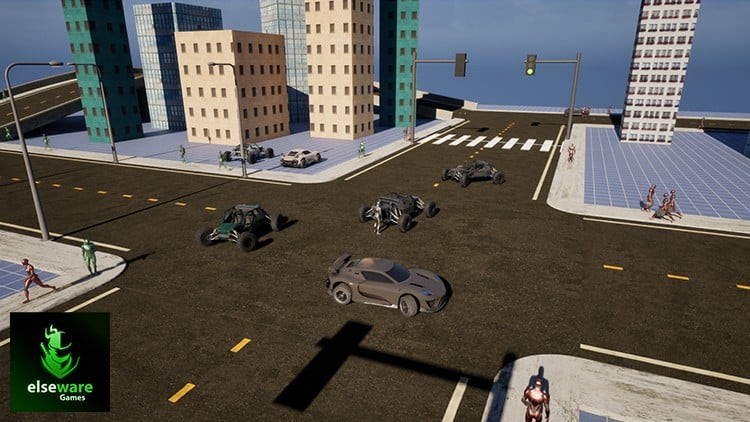
Unreal Engine 5: Procedural Road System
Published 12/2025
Created by elseware Games,Dhanushka Sandakelum
MP4 | Video: h264, 1920x1080 | Audio: AAC, 44.1 KHz, 2 Ch Level: All | Genre: eLearning | Language: English | Duration: 161 Lectures ( 55h 53m ) | Size: 61.6 GB

Design procedural road networks with roads, traffic, pedestrians, and dynamic environments.


What you'll learn
Build a complete procedural road generation system using Unreal Engine 5 Blueprints and splines.
Create dynamic road types, intersections, and custom mesh spawns for flexible environments.
Implement day-night cycles that control streetlights and ambient lighting automatically.
Simulate realistic rain effects with wet surfaces and puddle formation on roads.
Spawn moving vehicles and control traffic flow through procedural logic.
Develop a dynamic traffic light system that synchronizes with vehicle movement.
Generate pedestrians on sidewalks and crossings to add life to city scenes.
Design scalable, data-driven systems for procedural world building in UE5.
Integrate weather, lighting, and traffic systems for immersive environments.
Apply procedural generation principles to your own open-world or simulation projects.

Requirements
No prior experience with Procedural Road Systems is required - everything will be built step by step from scratch.
Basic familiarity with Unreal Engine 5 interface and Blueprints will help but is not mandatory.
A computer capable of running Unreal Engine 5 (UE5.3 or Higher Engine Version/ Recommended to Use UE5.7).
At least 16 GB of RAM and a dedicated GPU (NVIDIA GTX 1060 / AMD equivalent or higher recommended).
Stable internet connection to download Unreal Engine, assets, and course materials.
Enthusiasm and a willingness to learn hands-on by building along with the instructor.

Description
Master the art of building dynamic, procedurally generated environments in Unreal Engine 5. This course takes you beyond static level design and into procedural content generation, where you'll learn how to create scalable, data-driven systems for roads, traffic, and city environments.You'll gain hands-on experience building a complete procedural road system from scratch using Unreal Engine 5's spline tools, Blueprints, and real-time systems. From automatically generated roads and intersections to dynamic weather, lighting, and traffic simulation, you'll learn how to design interactive, living worlds that feel responsive and alive.Your Learning JourneyProcedural Content Generation - Build a custom spline-based generation system to automatically create and manage complex road networks.Basic Locomotion System - Implement simple yet flexible locomotion systems for player and NPC characters.Basic Inventory System - Create an inventory system to support static item spawning on pedestrian characters.Procedural Roads - Design multiple road types, intersections, and procedural mesh spawns for realistic and adaptable layouts.Dynamic Time of Day Effects - Implement day-night cycles with responsive lighting and automatic streetlight behavior.Weather Effects- Create dynamic weather systems including sunny and rainy conditions. Simulate wet road surfaces, puddles, reflections, and smooth weather transitions at runtime.Pedestrians - Procedurally spawn pedestrians on sidewalks and crosswalks to add realism and life to your environment.Vehicles - Spawn and control AI-driven vehicles that move dynamically along road networks.Buildings - Utilize available level space to visualize city environments alongside the procedural road network.Traffic Lights & Pedestrian Crossings - Build an intelligent traffic light system that controls vehicle flow and allows pedestrians to cross roads safely.Zones - Implement level clustering and zone-based logic to control pedestrian and vehicle spawns per area.Optimizations - Apply practical optimization techniques to maintain stable performance and smooth frame rates in large open-world maps.By the end of this course, you'll have built a fully functional procedural road system from the ground up. You'll gain a strong understanding of Unreal Engine 5 Blueprints, spline-based generation, and real-time simulation techniques.These skills are directly applicable to open-world games, city builders, simulation projects, and large-scale environments.Whether you're an intermediate Unreal Engine user or looking to step into advanced procedural systems, this course will give you a solid, production-ready foundation.

Who this course is for
Game developers who want to learn procedural generation and world-building techniques in Unreal Engine 5.
Unreal Engine users looking to create dynamic, automated environments using Blueprints and splines.
Environment and level designers interested in building scalable road and city systems.
Technical artists who want to integrate weather, lighting, and traffic effects into game worlds.
Indie developers aiming to add realism and efficiency to open-world or simulation games.
Students and hobbyists who want hands-on experience creating procedural tools from scratch.
Anyone curious about combining procedural systems, traffic AI, and environmental effects in UE5.


676804709_unreal_engine_5_procedural_road_system.jpg


Download from RapidGator


Premium Links


a1a4906f5688b1ee28fdce21726cb8f8.jpg


Site Engineer Masterclass - Construction Methodology -2025
Last updated 12/2025 Created by Akshay Kamath MP4 | Video: h264, 1920x1080 | Audio: AAC, 44.1 KHz, 2 Ch Level: All | Genre: eLearning | Language: English + subtitle | Duration: 155 Lectures ( 42h 2m ) | Size: 57.5 GB

Learn Practical Building Construction Step-by-Step with Real Site Photos, AutoCAD, Estimation Basics, BBS , QA /QC


What you'll learn
Learn the step-by-step construction methodology used in real civil engineering projects
Understand the full construction sequence - from excavation to final finishing
Master core construction activities: PCC, footing, columns, beams, slabs, brickwork, plastering, flooring
Get hands-on knowledge of shuttering, reinforcement, concreting, and curing methods
Explore site execution techniques and how each activity is planned and implemented
Understand quality checks, safety practices, and on-site supervision essentials
Learn practical tips used by site engineers and project managers on real projects
Build confidence to work on residential, commercial, and infrastructure projects
Apply construction logic with the help of live project examples, photos & flowcharts

Requirements
No prior site experience required - this course is beginner-friendly
Basic understanding of civil engineering terms (helpful but not mandatory)
Interest in construction, site work, or civil project execution
Enthusiasm to learn practical knowledge that goes beyond textbooks
A laptop or mobile device with internet access

Description
This is the most practical Building Construction Course designed for Civil Engineering students, Site Engineers, Diploma holders, and working professionals who want to learn real construction execution with AutoCAD drawings, site photos, and step-by-step explanation of every activity from footing to finishing.Inside this course, you will learn exactly how buildings are constructed in real life-foundation, footing, columns, beams, slabs, shuttering, concreting, curing, masonry, plaster, flooring, waterproofing, and many more topics explained with clarity.This course combines AutoCAD working drawings, BBS basics, QA/QC site checks, estimation fundamentals, and practical execution methods used by engineers on site.What You Will LearnBuilding construction process from start to finishTypes of foundations & footings with AutoCAD drawingsColumn marking, layout, shuttering & reinforcementBeam and slab construction with real site photosBar Bending Schedule basics for site engineersRCC detailing, lap lengths, cover, anchorage, bendsShuttering, formwork, centering & deshuttering rulesConcreting methods, compaction, curing techniquesMasonry, plastering, flooring & finishing activitiesHow to read AutoCAD construction drawingsEstimation basics used for BOQ & quantity takeoffQA/QC checks for each stage of constructionSafety guidelines for site engineersPractical civil engineering tips for real projectsWho This Course Is ForCivil engineering studentsDiploma civil engineersFreshers preparing for site jobsWorking professionals wanting practical knowledgeAutoCAD learners who want construction applicationAnyone who wants to understand how buildings are constructed Why This Course Is Different Real site photos used in every module AutoCAD working drawings for each elementStep-by-step explanationPractical checklists you can use on siteLifetime access + all updates free 100% beginner-friendlyYou will learn exactly what is done on site and how to apply drawings in real execution.Instructor: Akshay KamathLearn Step-by-Step Building Construction Process - From Excavation to Finishing with Real Site-Based TechniquesMaster Construction Methodologies -From Excavation to Finishing for Real Site Execution l Learn How Buildings Are BuiltB.E (Civil), MTech (Structural Engineering)8+ Years of Industry & Teaching ExperienceTrained Thousands of Civil EngineersExpert in Site Execution, Structural Design & Construction TechnologyFounder, Civil Brains Training Institute Bonuses IncludedDownloadable construction workflow PDFsSite checklist templatesProject execution flowchartsInterview prep for site engineer rolesCourse OutcomeBy the end of the course, you will be able to:Work confidently at any construction siteBridge the knowledge gap between academics and practical executionPerform tasks expected of a full-time Site EngineerCrack interviews with real-world knowledgebuilding constructioncivil engineering courseconstruction courseautocad for civil engineersconstruction drawingssite engineer trainingbuilding executionconstruction site learningpractical civil engineeringautocad construction drawingsbuilding execution courseSecondary Keywords:footing constructionfoundation typescolumn markingshuttering and formworkbeam constructionslab reinforcementbar bending scheduleconcreting processcuring techniquesmasonry and plasterwaterproofing basicsquantity estimationQA QC civil engineeringcivil site engineering

Who this course is for
Civil Engineering Students & Fresh Graduate
'Site Engineers & Interns
Junior Project Engineers / Planning Engineers
Construction Management Professionals
Architects & Draftsmen
Anyone Curious About Building Construction

677795856_site_engineer_masterclass_-_construction_methodology_2025.jpg


Download from RapidGator


Premium Links


c27f76c0e6a37336ee30557399f12a4b.jpg


Batch-12 | DevSecOps & Cloud DevOps | Recorded
Released 12/2025 By Aditya Jaiswal MP4 | Video: h264, 1920x1080 | Audio: AAC, 44.1 KHz, 2 Ch
Genre: eLearning | Language: English | Duration: 180 Lessons ( 137h 36m ) | Size: 27.5 GB

Industry-Ready DevOps Mastery with 40+ Real Projects in DevSecOps & Azure DevOps

This course is designed for participants with proficiency levels ranging from beginner to advanced, who wish to start or develop their careers in DevSecOps and Cloud DevOps, as well as for specialists planning to transition into the DevOps field. During the training, participants will learn key concepts, tools, and best practices necessary for professional growth and successful work in a modern DevOps environment.

The course program covers security automation, building and maintaining CI/CD pipelines, managing cloud infrastructure, and other critically important aspects of DevSecOps and Cloud DevOps. The training is practice-oriented and involves working with real-life scenarios, allowing participants to apply the acquired knowledge directly to work projects.

Key advantages of the course

Practice-oriented format of learning
Classes under the guidance of an expert
Opportunities for career advancement and professional development
By the end of the training, you will master

Comprehensive DevOps skills - understanding of DevOps approaches, tools, and methodologies
Security automation - integration of security mechanisms into the DevOps pipeline
Cloud infrastructure management - effective administration of cloud resources and deployments
CI/CD (Continuous Integration and Delivery) - building pipelines for fast and reliable software delivery

678091399_batch-12__devsecops__cloud_devops.jpg


Download from RapidGator


Premium Links


dab140f3d5420e91143fc3f9d722e691.jpg


SAP BTP With CAP Development From Basics to Advanced
Published 12/2025
Created by Alok Kumar
MP4 | Video: h264, 1920x1080 | Audio: AAC, 44.1 KHz, 2 Ch Level: Intermediate | Genre: eLearning | Language: English + subtitle | Duration: 22 Lectures ( 41h 50m ) | Size: 46 GB

Master SAP BTP with CAP, CDS Views, API integration, Fiori UI, and automated deployments using modern cloud development.


What you'll learn
Build and deploy SAP CAP projects on SAP BTP using BAS and Cloud Foundry.
Design CDS models, APIs, and OData services with hands-on project setup.
Implement business logic, event handling, and authorization in CAP apps.
Automate deployments using CI/CD, GitHub, and SAP BTP DevOps tools.
Understand SAP BTP architecture, environments, accounts, and service models.
Learn the fundamentals and architecture of SAP CAP (Cloud Application Programming Model).
Set up CAP projects using SAP Business Application Studio.
Design domain models using CDS for CAP applications.
Build OData services following CAP and REST standards.
Understand and apply SAP Fiori design principles in CAP apps.
Create UI applications using SAP Fiori Elements.
Implement associations and annotations in CDS models.
Add custom business logic using CAP event handlers.
Handle errors and validations effectively in CAP services.
Consume standard SAP APIs using SAP API Business Hub.
Integrate external APIs and services into CAP applications.
Implement authentication, authorization, and role-based access control.
Configure SAP Authorization and Trust Management services.
Use App Router and role collections for secure access.
Deploy CAP applications manually using Cloud Foundry CLI.
Understand CI/CD concepts and automate CAP deployments.
Integrate GitHub for version control and automated pipelines.
Implement multitenancy concepts in CAP applications.
Complete an end-to-end CAP project with assessment and review.
Apply CAP best practices using real-world business use cases.

Requirements
Basic understanding of SAP development or enterprise applications.
Familiarity with JSON, APIs, or database concepts is beneficial.
Access to SAP BTP trial account and SAP Business Application Studio.
Interest in cloud application programming and CAP architecture.
No prior SAP BTP experience required-concepts taught step-by-step.
Basic computer skills and willingness to learn cloud development.
Interest in cloud-native application development on SAP BTP.
Basic knowledge of web concepts like APIs or REST is beneficial.
Awareness of databases or data modeling concepts is an advantage.

Description
The SAP BTP with CAP Training program is designed to help developers build scalable, cloud-native applications using SAP's Cloud Application Programming Model (CAP) on SAP Business Technology Platform (BTP). The course begins with a comprehensive introduction to SAP BTP, covering account models, service plans, commercial models, and the setup of global accounts, subaccounts, and spaces. You will also learn about BTP environments and the role of CAP within the platform, creating a strong foundation for the development work that follows .You will then move into CAP project setup, where you learn how to structure projects, understand the importance of APIs, work with OData standards, and explore integration options through SAP API Business Hub. Concepts such as JSON, YAML, and API exploration play a key role in understanding service-driven architecture within CAP applications .The course then expands into user interface and business logic development through SAP Fiori design principles, CDS-based data modeling, associations, annotations, error handling, event handlers, and custom business logic using SAP Business Application Studio (BAS). You will learn how to add and consume external services, followed by hands-on experience with manual deployment using Cloud Foundry CLI and multi-target application (MTA) concepts .A dedicated module on authorization and trust management covers CDS restrictions, role collections, app router, and security setup. The course further introduces automated deployment via CI/CD pipelines, GitHub, and modern DevOps best practices. Advanced topics such as multi-tenancy, microservices, event-driven architecture, and CAP with Kubernetes enable learners to design enterprise-grade solutions .The program concludes with real-world business use cases, side-by-side extension architecture, and a final project to validate your hands-on expertise. By the end of the course, you will be able to confidently build, secure, deploy, and scale CAP-based applications on SAP BTP.

Who this course is for
SAP developers and consultants eager to master CAP on SAP BTP.
Technical professionals looking to build scalable cloud-based SAP apps.
ABAP or Fiori developers transitioning into SAP cloud development.
IT professionals and architects exploring CAP, APIs, and microservices.
Students and beginners aiming to start a career in SAP cloud solutions.
SAP architects designing scalable cloud-native solutions.
IT professionals adopting microservices and event-driven design.
Developers moving from on-premise SAP to cloud-based platforms.
SAP Fiori developers expanding into backend CAP development.
Fresh graduates aiming to start a career in SAP cloud technologies.
Anyone interested in modern SAP cloud application programming.


677701788_sap_btp_with_cap_development_from_basics_to_advanced.jpg


Download from RapidGator


Premium Links


a596bf9cd3152bff86c64c40f0b027d2.jpg


BeachBody - Dig In
Released 12/2025
By Shaun T
MP4 | Video: h264, 1920x1080 | Audio: AAC, 44.1 KHz, 2 Ch Level: All | Genre: eLearning | Language: English | Duration: 29 Lessons ( 15h 38m ) | Size: 44.4 GB

Reveal your leanest, strongest body EVER.

Is DIG IN Right For Me?
If you want to burn fat, get ripped, and see real muscle definition, DIG IN is for you. Shaun T's latest program combines the best of INSANITY's low-impact cardio with the functional strength training of DIG DEEPER. The results? A 30-day hybrid that builds lean muscle, boosts endurance, and delivers visible definition-all in just 30 minutes a day. You'll move through 13 high-intensity workouts across 5 focused formats, pushing past limits and proving what your body can do. And because this is Shaun T, you'll get his big energy and nonstop hype-and the mental fire that will push you beyond your limits. Whether you're just starting your transformation or pushing through the final phase of your body recomposition journey, this program is your blueprint to total-body definition.

What Are the DIG IN Workouts Like?
DIG IN is a 30-day program built around five formats that challenge every muscle group. Each workout targets specific muscle groups using strength training inspired by DIG DEEPER and INSANITY cardio, now low-impact to truly "DIG IN" mentally and physically with focus to maximize results. Start with Chest, combining presses, flys, and endurance work to build upper-body power. Arms & Legs fires up biceps, triceps, quads, and glutes with compound moves that demand focus and control. Back includes strength exercises like rows, pulls, and stability work for better power and posture, then hit Legs & Glutes with squats, lunges, and glute-focused moves for serious lower-body definition. It all leads to THE DIG-a total-body challenge that tests your strength, endurance, and grit from start to finish.

Tools & Equipment
Everything you need to succeed with DIG IN is right at your fingertips. For equipment, you'll need an adjustable bench and a set of light, medium, and heavy dumbbells. Then, use the Quick Start Guide for a clear overview of the program and the 30-Day Workout Calendar to stay on track. Under the Nutrition tab, you'll also find "how-to" PDFs for both 2B Mindset and Portion Fix-to help you choose the plan that works best for you. Download the materials, save them to your phone, or print them out-whatever keeps you focused and consistent.

Nutrition That Fuels
Give your body the nutrients and fuel it needs to power through your DIG IN workouts and support your transformation. Energize Pre-Workout is a clean formula that provides a boost of energy and sharpened focus. And with Shakeology, you'll get yummy superfood nutrition to help support energy, digestion, cravings, and lean muscle. Fuel your success with our healthy eating plans, 2B Mindset or Portion Fix, free with a BODi subscription. Each plan helps you enjoy simple, satisfying meals and snacks-with no deprivation-and also gives you access to 1,000+ delicious recipes! Look for the "How To" PDFs under the Nutrition tab.

Works well for
Strength, Muscle Building, Cardio, Core, Athletic Training, Weight Loss

Equipment needed
Dumbbells, Adjustable Bench


677246464_dig_in.jpg


Download from RapidGator


Premium Links


adfb97cc39f771ee52cb4a5cdf12dee0.jpg


Power BI Course: Build Job-Ready BI & Dashboard Skills
Published 12/2025
Created by ExcelR EdTech
MP4 | Video: h264, 1920x1080 | Audio: AAC, 44.1 KHz, 2 Ch Level: All | Genre: eLearning | Language: English + subtitle | Duration: 105 Lectures ( 16h 44m ) | Size: 22.7 GB

Learn Power BI skills with industry-aligned tools-so you can get job-ready.


What you'll learn
Set up Power BI Desktop and understand the workspace (Reports, Data, Model views).
Connect to data sources, including Excel, CSV files, SQL databases, web sources, SharePoint, and cloud platforms.
Develop a robust data model with relationships, cardinality, cross-filter direction, and star schema fundamentals.
Write essential DAX for measures and calculations (CALCULATE, FILTER, time intelligence, KPI measures).
Create core visuals: bar/line charts, cards, matrix, maps, slicers, tooltips, and custom visuals.
Build interactive dashboards with drill-down, drill-through, bookmarks, buttons, page navigation, and filters.
Publish and share dashboards using Power BI Service, workspaces, apps, and sharing controls.
Create refresh-ready reports with scheduled refresh, gateways, and basic performance best practices.

Requirements
No prior background in BI is required-this course starts from the basics.
Willingness to practise by building reports, dashboards, and measures.
A good computer. (64-bit CPU, atleast 4GB RAM)

Description
In today's data-driven workplace, teams don't just need data-they need dashboards that make decisions easier. Microsoft Power BI is one of the most widely used business intelligence platforms for reporting, analytics, and data storytelling across industries.This course gives you a practical foundation in Power BI. You'll start with data connections and simple visuals, then move step by step into Power Query, data modelling, DAX, dashboard interactivity, and publishing to the Power BI Service. Along the way, you'll work with realistic datasets and build reports that mirror what companies expect in analytics and BI roles.By the end, you'll be confident in building professional dashboards, analysing datasets, and sharing insights-preparing you for roles in Data Analytics, Business Intelligence, Reporting, and Consulting. Skills You'll MasterData Preparation: Clean and shape datasets with Power Query.Data Modelling: Build relationships and analytics-ready models.DAX & Measures: Create KPIs, calculations, and time-based insights.Dashboard Building: Design interactive reports with filters and navigation.Storytelling with Data: Communicate insights clearly with business-ready visuals.Publishing & Sharing: Deploy reports in the Power BI Service with basic refresh settings.BenefitsLearn by Doing: Build dashboards using real-world datasets.Business-Ready Reporting: Create reports that enable leadership to act.Faster Analysis: Replace manual reporting with automated dashboards.Scalable Skills: Transfer what you learn to advanced analytics and BI roles.Portfolio Value: Finish with report dashboards you can showcase.

Who this course is for
Beginners starting a career in analytics, reporting, or data visualisation.
Students and fresh graduates preparing for BI/data roles.
Professionals in business, finance, HR, operations, or consulting who need better dashboards.
Data analysts and business analysts are expanding their BI toolkit.
Managers and team leads who want more transparent reporting and insight tracking.
Entrepreneurs and freelancers presenting insights to clients and stakeholders.


677247559_power_bi_course_build_job_ready_bi__dashboard_skills.jpg


Download from RapidGator


Premium Links


5eaddc7da8e42c6970ea3155e0641d7c.jpg


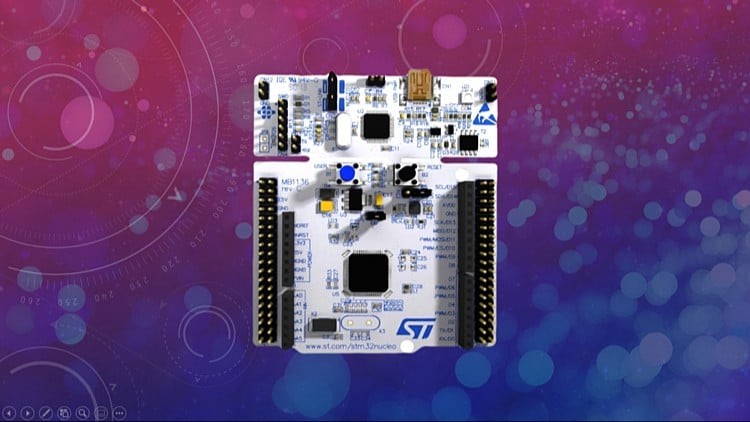
Mastering Microcontroller: Timers, PWM, CAN, Low Power(MCU2)
Last updated 1/2026
MP4 | Video: h264, 1920x1080 | Audio: AAC, 44.1 KHz
Language: English | Size: 21.26 GB | Duration: 29h 12m

Learn STM32 Timers, CAN, RTC, PWM, Low Power embedded systems and program them using STM32 Device HAL APIs step by step.


What you'll learn
You will learn from scratch about STM32 Timers : Basic and General Purpose Timers
Understand General purpose timer's Input capture apnd Output compare unit handling and Exercises
Handling of Timer interrupts : Time base interrupts, capture interrupts, compare interrupts
Understand about CAN filtering
You will learn from scratch CAN Protocol, CAN Signalling, CAN Transceivers , Bus Access procedures
Learn about CAN interrupts
CAN Peripheral programming using STM32 device HAL drivers
You will master Low power modes of the MCU : SLEEP,STOP and STANDBY
You will understand different power domains of the MCU : VDD domain, 1.2V domain, backup domain
Understand Microcontroller Wakeup Procedures using : RTC, wakeup pins,EXTI,etc.
You will master RTC Features : CALENDAR, ALARM , TIME STAMP,WAKEUP UNIT
RTC interrupts and wake up procedures
Mastering Microcontroller Clocks Handling : HSE,HSI,LSE,LSI,PLL
Understand phase locked loop (PLL) programming
Learn PWM mode and Master through step by step code exercises
You should be able to quickly develop applications which involves STM32 Device HAL layer

Requirements
Basic knowledge of C Programming and Microcontroller could be added advantage but not mandatory

Description
Update: English closed captions have been added, transcript available

Course code: MCU2

Welcome to the course which teaches you advanced Micro-controller programming. In this course you are going to learn and master Timers , PWM, CAN, RTC, Low Power modes of STM32F4x Micro-controller with step by step guidance. Highly recommended if you are seeking a career in the domain of Embedded software.

In this course, you will understand behind the scene working of peripherals with supportive code exercises. I have included various real-time exercises which help you to master every peripheral covered in this course and this course thoroughly covers both theory and practical aspects of Timers, PWM, CAN, RTC, Low Power modes of STM32F4x Micro-controller.

In Timer Section the course covers,

1. Simple time-based generation using the basic timer in both polling and interrupt mode

2. Timer interrupts and IRQ numbers, ISR implementation, callbacks, etc

3. General-purpose timer

4. Working with Input Capture channels of General-purpose timer

5. Interrupts, IRQs, ISRs, callbacks related to Input Capture engine of the general purpose timer

6. Working with output capture channels of the General purpose timer

7. Interrupts, IRQs, ISRs, callbacks related to Output Capture engine of the general purpose timer

8. PWM generation using output capture modes

9. PWM Exercises

10. Step by Step code development process will help you to master the TIMER peripheral

In CAN Section the course covers,

1. Introduction to the CAN protocol

2. CAN frame formats

3. Understanding a CAN node

4. CAN signaling (single-ended signals vs differential signals ) \

5. CAN Bus recessive state and dominant state

6. CAN Bit timing Calculation \

7. CAN network with Transceivers

8. Exploring inside view of CAN transceivers

9. CAN Self-test modes such as LOOPBACK, SILENT LOOPBACK, etc with code exercises.

10. Exploring STM32 bXCAN peripheral

11. self-testing of bxCAN peripheral with exercises

12. bXCAN block diagram

13. Tx/Rx path of the bxCAN Peripheral

14. CAN frame filtering and executrices

15. CAN in Normal Mode

16. Communicating between 2 boards over CAN

17. Code exercises

In the Power Controller Section the course covers,

1. ARM Cortex Mx Low Power Modes Normals Vs DeepSleep

2. STM32 SLEEP mode

3. STOP mode

4. STANDBY mode

5. Current measurement with different submode

6. Waking up MCU by using wakeup pins, EXTI, RTC, etc

7. Backup SRAM

8. Step by Step coverage with lots of code exercises.

In RTC Section the course covers,

1. RTC functional block diagram

2. RTC clock management

3. RTC calendar unit

4. RTC Alarm unit

5. RTC wake-up unit

6. RTC Time Stamp Unit

7. waking up MCU using RTC events

8. RTC interrupts

9. and lots of other details with step by step code exercises.

STM32 Device HAL framework

1. STM32 Device Hal framework details

2. APIs details

3. Interrupt handling

4. Callback implementation

5. Peripheral Handling and configurations

6. Step by Step explanation with code exercises.

Important note: This course is NOT about auto-generating code using STM32CubeMx software

Hardware used

STM32F446RE-NUCLEO Board

CAN Transceivers for CAN Exercises

IDE

Eclipse-based OpenSTM32 SystemWorkbench or STM32CubeIDE

Learning order of FastBit Embedded Brain Academy Courses,

If you are a beginner in the field of embedded systems, then you can take our courses in the below-mentioned order.
This is just a recommendation from the instructor for beginners.

1) Microcontroller Embedded C Programming: absolute beginners(Embedded C)

2) Embedded Systems Programming on ARM Cortex-M3/M4 Processor(ARM Cortex M4 Processor specific)

3) Mastering Microcontroller with Embedded Driver Development(MCU1)

4) Mastering Microcontroller: TIMERS, PWM, CAN, RTC,LOW POWER(MCU2)

5) Mastering Microcontroller: STM32-LTDC, LCD-TFT, LVGL(MCU3)

6) Embedded System Design using UML State Machines(State machine)

7) Mastering RTOS: Hands-on FreeRTOS and STM32Fx with Debugging(RTOS)

8) ARM Cortex M Microcontroller DMA Programming Demystified(DMA)

9) STM32Fx Microcontroller Custom Bootloader Development(Bootloader)

10) Embedded Linux Step by Step using Beaglebone Black(Linux)

11) Linux device driver programming using Beaglebone Black(LDD1)

Other programming courses

1) Master The Rust Programming Language : Beginner To Advanced

Who this course is for

Professionals interested in exploring Embedded systems
Anyone who wants to start career in Embedded Systems
Anyone who wants to learn Microcontroller programming in depth
Students in the domain of Embedded Systems


Homepage


679680675_2-what-are-we-going-to-do-in-this-course_s.jpg


3447b80b7f7391810cf14bba607300a5.jpg


Unity 6 par la pratique : Le cours ultime TOUT en 1 !
Last updated 10/2025
Created by Anthony Cardinale | C#, Unity, Blender, Unreal, IA
MP4 | Video: h264, 1920x1080 | Audio: AAC, 44.1 KHz, 2 Ch
Level: All | Genre: eLearning | Language: French + subtitle | Duration: 740 Lectures ( 169h 1m ) | Size: 166 GB

La formation ultime (+20 projets) pour devenir un expert en développement de jeux vidéo professionnels avec Unity 6 !


What you'll learn
Apprendre à utiliser Unity comme un pro avec un expert
Développer des jeux avec Unity et C#
Prendre en main les principaux outils de Unity
Mettre en place les bonnes pratiques
Coder comme un pro grâce à une architecture logicielle solide
Rendre des jeux "Juicy" grâce au "Game Feel"
Comprendre la partie marketing pour promouvoir son jeu
Utiliser des outils qui gravitent autour de Unity pour aller plus loin qu'un "petit tuto"
Utiliser l'intelligence artificielle générative pour concevoir des jeux avancés
Optimiser son jeu pour booster ses performances
Découvrir les astuces de level design indispensables
Créer et utiliser des ressources (Assets) de haute qualité
Vous allez découvrir comment créer vos outils et vous plugins pour étendre les fonctionnalités de Unity
Nous allons développer un éditeur de niveaux pour concevoir des scènes très rapidement
On apprendre à communiquer avec des bases de données et des API REST
Je partagerai avec vous ce qui est demandé en entreprise et par les studios de jeux vidéo
On va développer un jeu de bataille de bateaux pirates
On va développer un jeu de Tower Defence ultra polish
On va créer un jeu d'aventure en open world à la 3ème personne
On ca créer un Dungeon Crawler en 3D mais en utilisant des Sprites 2D pour un rendu original
On va créer plusieurs jeux proposant un mode multi-joueurs
On va découvrir Netcode, Mirror et Photon
Nous allons voir comment protéger notre jeu contre le hack et la triche
Nous allons mettre en place un système qui permet de charger des ressources depuis un serveur (comme un DLC)
On apprendre à communiquer avec une base de données pour stocker des infos sur un serveur
On verra comment appeler une API web pour échanger des infos avec u serveur

Requirements
Avoir envie d'apprendre Unity
Avoir un accès internet
Ãtre motivé pour suivre une vraie formation réellement complète
Ãtre passionné par le développement de jeux vidéo

Description
Vous recherchez la meilleure formation Unity du marché ? Bienvenue !Plus de 165h de contenu vidéos, près de 750 sessions et des dizaines de projets/exercices vous attendent dans cette formation au contenu incomparable et inégalé. [ Encore un autre guide Unity ? ]Vous n'êtes pas là pour simplement choisir un cours Unity, vous êtes aussi là pour choisir avec qui vous souhaitez vous former. Et un formateur compétent c'est toujours mieux !Que diriez vous d'apprendre avec un développeur Unity certifié ? Expert dans le domaine depuis plus de 15 ans, auteur de très nombreux livres sur le développement de jeux et créateur de jeux à succès⦠J'ai eu l'occasion de travailler avec les plus grands éditeurs de jeux vidéo et de réaliser des projets pour plusieurs groupes du CAC 40.En choisissant d'apprendre Unity 6 avec moi, vous avez la certitude d'acquérir les bonnes pratiques et d'avoir mon retour d'expérience. Je partagerai mes secrets et mes astuces qui font la différence. Il est important de faire le bon choix dès le début car les habitudes sont difficiles à perdre !Nous irons beaucoup plus loin que simplement apprendre Unity, nous apprendrons à concevoir des jeux de qualité et optimiser notre workflow. Je vous révèlerai également ce que j'ai appris avec les meilleurs et ce qui est attendu en entreprise. Vous découvrirez l'envers du décor de mes projets et vous allez acquérir des compétences de pointe que vous ne trouverez nulle part ailleurs.Je vous révèle les coulisses sur des projets réels et je vous partage ce que j'ai appris en travaillant pour les plus gros éditeurs de jeux. Ici on est sur du concret, aucune autre formation ne vous partagera ces infos extrêmement rares et avancées que seul ceux ayant réellement été sur le terrain ont. 99% des formations que vous pouvez trouver ne couvrent que les bases et ne vous permettent pas de réellement vous projeter. Ici je vous présente les bases bien sûr mais aussi des notions intermédiaires, avancées et très avancées. Je vous montre des techniques utilisées dans le monde pro : Créer un DLC, coder un système anti-cheat, personnaliser entièrement le logiciel Unity pour intégrer nos outils à l'éditeur, automatiser des tâches, tester/documenter un code, optimiser un projet, communiquer avec une base de données, le marketing, le multithreading, l'intelligence artificielle... Vous ne pouvez pas imaginer tout ce qu'il est possible de faire avec Unity et tout ce que j'ai préparé pour vous. [ 169 heures de cours c'est beaucoup non ? ]C'est vrai que ce chiffre peut paraître élevé mais en réalité pas tant que ça. Pour devenir ingénieur en informatique il faut faire 5 ans d'étude avec environ 1500 heures de cours par an. Sans compter les projets et stages. Donc 160 heures c'est pas tant que ça. Et puis on a besoin de plus de 169 heures pour créer un jeu donc non c'est pas "trop". Par contre si vous voulez aller vite, j'ai prévu des vidéos récapitulatives qui vous permettront d'échapper aux vidéos théorie et aller très vite. Ensuite, une fois passé l'initiation, la formation est découpée en projets. Vous pourrez donc suivre les projets qui vous intéressent si vous ne souhaitez pas regarder tout le cours d'un coup. Chaque projet est indépendant et peut se faire en quelques heures. Mais dans mon cours on rentre dans les détails. Pour ceux qui veulent creuser le sujet à fond, vous serez servi ! [ Pourquoi apprendre Unity6 avec moi ? ]Vous avez certainement déjà suivi des formations Unity d'autres formateurs et il y a fort à parier que vous avez soit abandonné soit pas réussi à appliquer concrètement les exemples sur vos projets. C'est normal, leur méthode n'est pas bonne. En suivant ma formation, vous allez découvrir une nouvelle façon de vous former inégalée.Ma méthode d'apprentissage unique a fait ses preuves et vous avez la certitude de réussir votre apprentissage avec moi.D'ailleurs je suis tellement convaincu que ce cours vous donnera pleine satisfaction que je vous offre une garantie "satisfait ou 100% remboursé" durant 30 jours. Vous ne prenez aucun risque, si ce n'est le risque de devenir un créateur de jeux à succès.Cette formation est sans équivalence sur le marché. [ OK c'est bien mais il y a quoi dans ce cours incroyable ? ]Il s'agit de la formation la plus complète et la plus poussée du marché toutes langues confondues. En général, les autres formateurs que vous trouverez n'ont aucune réelle expérience. Pour ma part j'ai travaillé sur le terrain auprès des meilleurs (plusieurs éditeurs dans le top 10). Je profiterai de cette formation pour vous enseigner Unity mais aussi les bonnes pratiques, des astuces que l'on apprend qu'en entreprise, je vous donnerai des conseils pour trouver un job dans le secteur et je vous dévoilerai ce que les studios recherchent. Je ne vais pas me contenter de juste vous présenter Unity, je vous expliquerai comment utiliser tout un tas d'outils complémentaires pour que vous puissiez être autonomes de A à Z sur n'importe quel type de projet. Vous aurez également accès à des projets, des packs de ressources, des exercices corrigés et à tout mon code source. [ Parlons du programme en détail ! ]Un peu de théorieOui, il y a un peu de théorie, je ne vais pas vous le cacher mais c'est un passage obligatoire. Alors bonne nouvelle : j'ai créé pour les pressés ou les personnes qui connaissent déjà un peu Unity des vidéos récapitulatives en fin de section. Cela vous permettra de passer plus vite sur la théorie. Dans les premières sections vous découvrirez :Comment installer, configurer et utiliser UnityComment créer un projet et mettre en place des scènes simplesComment ajouter des comportements à vos objets de jeu (physique, textures, audio...)Comment trouver et utiliser des ressources (modèles 3D, décors...)Comment concevoir des terrains ou créer des environnementsComment créer des interfaces pour les utilisateursUn peu de codePour développer des jeux vidéo il faut "développer". On utilise pour cela le langage de programmation C#. C'est un langage plutôt simple à prendre en main. Je vous proposerai de nombreuses vidéos pour vous former à ce langage. Que vous soyez débutant, intermédiaire ou expert, vous trouverez votre bonheur. J'ai créé des vidéos avec une difficulté croissante que vous pourrez suivre en fonction de votre niveau. Vous apprendrez :Les bases du langage C#Les notions intermédiaires et avancées en C#Comment écrire des scripts C# spécifiquement pour UnityComment coder des algorithmes avancésComment mettre en place une architecture logicielle professionnelle grâce aux design patternsQuelques exercicesAfin de vérifier si vous avez bien assimilé les notions du cours je vous proposerai de très nombreux exercices corrigés. Vous pourrez vous exercice, tester vos connaissances, vous entrainer puis voir la solution en vidéo. Vous aurez un cahier d'exercices format PDF en début de formation avec les instructions.La bataille navaleIl s'agit du premier atelier de cette formation. Nous mettrons en pratique nos connaissances dans un projet concret afin de passer à la pratique en douceur. Nous allons créer quelques briques de gameplay sympas :On va créer un océan et des bateauxOn va coder le système de navigationNous allons ajouter des canons et des bouletsNous allons coder un système de tir pour les canonsOn verra comment créer un bateau pirate ennemiNous allons créer notre toute première IA basiqueOn verra comment couler un navireOn va ajouter des effets visuels de dingueL'intelligence artificielle Dans un jeu vidéo il y a des IA. Nous allons découvrir les principales techniques de conception d'intelligences artificielles avec Unity. Cela inclus :Définir un champ de vision pour un ennemiDétecter le joueurPourchasser et attaquer le joueurSe mettre à couvertCréer un système de patrouilleCréer des zones de navigationCoder un système de mouvement autonomeCréer des assetsLes assets ce sont des ressources (textures, musiques, modèles 3D...). C'est ce qui permet de créer des jeux. Je vous montrerai comment trouver et télécharger gratuitement des assets et je vous donnerai également mes propres ressources que j'ai créées moi-même. En plus de cela, je vous montrerai comment vous allez pouvoir facilement créer vous-même vos propres ressources afin de maîtriser la fabrication de vos jeux vidéo de A à Z.Le Tower DefenseC'est le premier méga gros projet de cette formation. Il s'agit d'un jeu que nous allons coder intégralement. Je vous montrerai des astuces de pros pour non seulement écrire un code ultra robuste mais aussi pour obtenir un rendu visuel ultra qualitatif. Et c'est ça qui fera la différence sur vos projets. Vous allez découvrir des techniques et des méthodes inédites. Notre jeu intègrera de nombreuses fonctionnalités :On va voir comment créer des niveauxOn va concevoir un environnement plaisantNous allons ajouter la tourNous aurons des ennemis Nous verrons comment gérer la difficulté du jeuNous allons gérer la vie des monstres et du joueurNous mettrons en place des effets ultra satisfaisantsNous pourrons construire des tourelles et les faire évoluerNous écrirons un code béton On va publier le jeu, créer un kit de presse et voir comment trouver un éditeur Développer des outils maisonJe vous montrerai comment développer vos propres outils pour Unity. Cela est hyper courant dans le monde professionnel car lorsqu'on réutilise une fonctionnalité, on développe un plugin qui pourra être réutilisé de projets en projets. Je vous présenterai 3 exemples d'outils :Nous allons voir comment développer un éditeur de niveauxNous allons créer notre propre solution de Game Analytics de A à ZNous allons coder une extension pour étendre l'éditeur UnityUn Open WorldIl s'agit du second super projet de la formation. Nous allons créer un monde ouvert en 3D afin de partir à l'aventure. Notre jeu permettra au joueur d'incarner un personnage capable d'explorer des îles, de combattre des monstres et de réaliser des quêtes. Voici en détail les principales briques de gameplay que nous allons coder :On va créer un monde ouvert immenseOn va créer un personnage capable d'explorer les terresOn va créer un bateau pour aussi explorer l'océanOn ajoutera des monstres à affronterIl y aura un système de quêtesOn mettra en place des dialoguesLe joueur aura un inventaireOn va créer une cinématique et un trailerOn va optimiser le jeu avec des techniques avancéesOn implémentera un système de sauvegardeL'IA générativePour ceux qui ne le savent pas, je maîtrise assez bien les IA génératives. Je vous partagerai donc mes connaissances pour vous montrer comment créer une infinité de ressources pour vos jeux grâce à l'IA. On verra notamment comment :Générer des modèles 3D grâce à l'IAGénérer des textures et images avec l'IAGénérer des musiques et des sons via l'IAGénérer des dialogues avec l'IAFaire de la synthèse vocale poussée par IASe servir de l'IA pour créer une voix off, une cinématique et un scénarioDungeon CrawlerJ'aime créer des jeux avec un style graphique original. J'essaye toujours d'innover et de trouver des astuces pour aboutir à un visuel plaisant. Dans cet atelier je vous montrerai comment créer un jeu en 3D tout en utilisant des ressources en 2D pour concevoir ce monde 3D. Je profiterai de cet atelier pour vous décrire étape par étape comment cela se passe dans un studio pour concevoir un jeu vidéo. Le level designLe level design c'est la conception des niveaux. Le game design c'est l'élaboration des règles de votre jeu. Dans cette section, je partagerai avec vous des conseils essentiels et incontournables pour mettre en place un bon level design. Et c'est quoi un bon level design ? C'est réussir à guider le joueur là où vous souhaitez sans que celui-ci n'ait l'impression d'être pris par la main. Cela doit se faire en toute subtilité. Le Mini Golf RPGAlors la c'est tout simplement mon projet personnel préféré que je vous révèle. C'est le jeu que j'ai créé qui est probablement mon préféré. Il s'agit d'un jeu de Golf mélangé à un RPG. On aura toutes les mécaniques des RPG intégré à un jeu de golf. Voici quelques exemples de fonctionnalités :On aura de la santé et de la magieOn pourra activer des sortilègesOn pourra affronter des ennemisIl y aura des objets à ramasser ainsi que de l'orOn aura même des combats de bossOn pourra utiliser des potionsIl y aura des quêtes et succès à débloquerOn pourra aller au village acheter de l'équipementOn pourra monter de niveau, débloquer des compétences et améliorer des pouvoirsOn va peaufiner le jeu comme vous ne l'avez jamais vu dans un autre tutoDes jeux multi-joueursNous allons développer plusieurs projets de jeux en ligne / en réseau / battle royale. L'objectif est d'apprendre à créer des jeux multiplayers en utilisant les principales solutions du marché :MirrorPhotonNetcodeNous allons donc développer 4 projets de jeux multijoueur différents en utilisant ces outils. Un jeu de combat de tanks en arène, un jeu d'arcade 3D, un clone de Clash Royale et un autre jeu d'affrontement. Vous pourrez donc créer votre propre Battle Royale grâce à ces techniques. Cela nous permettra également d'apprendre à Créer un DLC, développer une solution antitriche (anti-cheat), communiquer avec un serveur web, gérer des comptes utilisateurs, sauvegarder des données en ligne, mettre à jour un jeu à distance...Communiquer avec des APIL'objectif est de voir comment connecter un jeu Unity à un serveur web / une base de données. Cela vous permettra de mettre en place des fonctionnalités incontournables comme :Gérer des comptes utilisateurs (inscription / login)Stocker des données dans le cloud (score)Récupérer des données sur un serveur via une APIUn jeu d'aventure 2DIl s'agit d'un projet ultra complet qui vous permettra d'apprendre à créer des jeux 2D avec Unity. Nous allons intégrer les principales fonctionnalités que l'on retrouve dans les jeux vidéo :Créer des niveaux 2DCréer un personnage animé 2DSe déplacer en 2DInteragir avec des objetsParler à des PNJGérer un inventaireRésoudre des missionsUn jeu mobile casual Je vous révèle le code de mon jeu à succès qui a dépassé les 10 millions de téléchargements. On recrée ensemble les principales briques de gameplay de mon jeu et je vous révèle comment j'ai travaillé avec un éditeur sur ce projet chiffres à l'appui.On recrée mon jeuOn code les principales mécaniquesJe vous montre comment collaborer avec un éditeurJe vous dévoile les chiffresÃcrire un code ultra performantDécouvrez comment écrire un code optimisé avec DOTS, ECS, Burst Compiler, Profiler, le multithreading, le Job System de Unity et mes techniques ultra avancées d'optimisation.Codez vos outils pour Unity Editor et automatisez toutNous allons écrire ensemble une bonne centaine de scripts qui nous permettront de modifier Unity afin de personnaliser l'interface, de créer nos outils et d'automatiser des tonnes de choses. Nous allons adapter Unity à nos besoins et nous allons voir comment créer des scripts pour l'éditeur. On va réellement incruster nos fonctionnalités dans le logiciel Unity pour avoir sous la main la version ultime d'Unity avec des éléments uniques qui font une énorme différence.Le jeu de cartes de combatDans cet atelier on va créer un jeu de cartes style HeartStone ou Magic. Le but sera de jouer des cartes de monstres et d'attaquer notre adversaire avec nos cartes. On pourra invoquer des monstres plus ou moins forts selon le nombre de cartes sacrifiées. Et bien plusEn plus des principaux projets, vous aurez accès à de très nombreux mini projets / ateliers pour pratiquer et ajouter des références à votre CV. Je vous partagerai des contacts d'éditeurs, des pistes pour le marketing de vos projets, mes outils pour créer votre press kit, mes astuces pour créer un trailer...J'ai essayé de vous donner des détails tout en restant bref cependant cette liste n'est pas exhaustive tellement ce cours est complet. Vous pouvez jeter un Åil au programme ainsi qu'aux vidéos gratuites pour vous faire une idée plus précise du contenu de ce guide ultime Unity. Il y a bien d'autres surprises dans cette formation. Sachez que pour chaque projet je partage des techniques que vous ne trouverez pas ailleurs. Il s'agit de méthodes issues du monde professionnel et de réels secrets de fabrication. C'est la formation la plus exhaustive sur le logiciel Unity (et de très loin). Vous aurez un accès à vie et en illimité à cette formation d'exception.Si vous hésitez entre ma formation et une autre⦠Enfin non, vous n'hésiterez pas longtemps.
Who this course is for
Toute personne qui souhaite apprendre à utiliser Unity
Ceux qui veulent entrer dans le détail et tout comprendre
Les utilisateurs qui veulent connaître les bonnes pratiques
Les utilisateurs d'Unreal Engine ou Godot qui veulent migrer vers Unity
Ceux qui veulent apprendre avec un expert certifié
Ceux qui veulent aller beaucoup plus loin qu'un simple tuto
Ceux qui veulent apprendre par la pratique
Ceux qui veulent maîtriser tout ce qui gravite autour de Unity (outils, services, écosystème)


Homepage


679623655_7-presentation-de-unity-le-moteur-de-jeu-le-plus-populaire-au-monde_s.jpg


4420c07c727759e967b65c07d25a0fb0.jpg


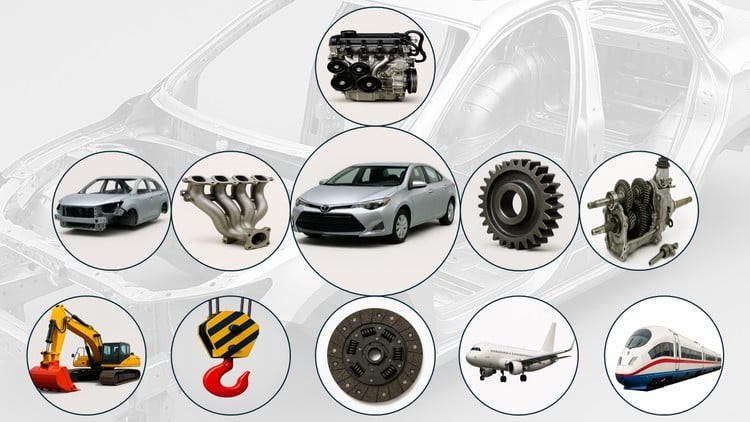
Catia V5 Step-By-Step From Beginner To Expert
Published 12/2025
MP4 | Video: h264, 1920x1080 | Audio: AAC, 44.1 KHz
Language: English | Size: 37.55 GB | Duration: 64h 46m

100+ Solved Exercises


What you'll learn
The learner goes through the complete 3D modelling techniques and assembling of 3D parts from the basic.
The learner goes through the surface modelling and sheet metal design techniques.
Sharing the knowledge of geometrical dimensioning and Tolerancing
The learner achieves industry oriented practical knowledge.
Break the information down into manageable chunks.

Requirements
No prior experience is needed to attend this course. Basic computer usage knowledge is enough
A computer pre loaded with any version of CATIA V5 software before starting this couse

Description
CATIA V5 is one of the most versatile 3D software tools used across mechanical, aeronautical, automobile, and marine engineering. It is an essential platform for 3D designers, engineers, artists, and design enthusiasts who want to master professional product design.What You'll LearnBy the end of this course, you will be able to:Create precise 2D sketches and transform them into 3D models.Build complex parts using advanced solid modeling tools.Assemble multiple components into functional products.Design sheet-metal parts with real-world manufacturing operations.Generate detailed engineering drawings with industry-standard symbols and annotations.Model intricate surfaces and curves using Generative Shape Design.Apply hybrid design techniques by integrating solids and surfaces.Course ContentsSketcher WorkbenchThe Sketcher Workbench is the foundation for creating 2D profiles that form the basis of 3D models. This course covers sketch operations such as trimming, extending, translating, rotating, mirroring, applying symmetry, closing, and complementing. Learners will also explore constraining sketches and performing sketch analysis. The differences between first-angle and third-angle projection methods are explained in detail, along with isometric, orthographic, and perspective views.Part Design WorkbenchThe Part Design Workbench provides tools for creating solid part models. Students will learn to use features such as Pad, Pocket, Shaft, Groove, Hole, Rib, Slot, Multi-Section Solid, and Remove Multi-Section Solid. The course also covers dressing operations, transformation features, surface-based features, and Boolean operations for complex part modeling.Assembly Design WorkbenchDesigned parts are combined to form assemblies. The Assembly Design Workbench includes assembly features, constraints, and part manipulation techniques. Learners will practice assembly analysis, use the "Stop Manipulation on Clash" tool, and apply the "Reuse Pattern" tool to streamline assembly creation.Generative Sheet-Metal Design WorkbenchThe Sheet-Metal Workbench focuses on creating sheet-metal models using defined parameters. Operations such as rolled walls, bending, cutting, stamping, and transformations are illustrated with practical examples to help learners understand real-world applications.Drafting WorkbenchDetailed engineering drawings are created in the Drafting Workbench. Students will learn to generate 2D views of part, sheet-metal, and assembly models with proper dimensioning. The course also covers the application of surface roughness symbols, feature control frames, and welding symbols. The procedure for inserting frames and title blocks is explained comprehensively.Generative Shape Design WorkbenchThe Generative Shape Design (GSD) Workbench is a powerful environment for wireframe and surface modeling. Learners will explore tools such as sweeps, blends, fills, and offsets to create complex 3D shapes. The course emphasizes managing design intent and producing smooth, manufacturable surfaces. Hybrid design-integrating Part Design with surfaces-is explained thoroughly with practical examples.Who This Course Is ForEngineering students and professionals in mechanical, automotive, aerospace, and marine fields.Product designers and CAD enthusiasts looking to expand their skills.Beginners who want a structured introduction to CATIA V5.Experienced users seeking to refine their knowledge of advanced workbenches.What You'll AchieveBy completing this course, you will gain the confidence to design, assemble, and document complex engineering products using CATIA V5. You'll be equipped with practical skills that are directly applicable to industry projects and academic work.

Engineers of Mechanical, Aeronautical, Automobile, Marine and Industrial Production disciplines,,3D modellers,Artists,Designers


Homepage


677522692_186-geometric-dimensioning-and-tolerancing-gdt_s.jpg


ead6baed5373449b4af071587b9e4315.jpg


Python Django Masterclass: Build Real Web Applications
Published 1/2026
Created by Abul Hossain
MP4 | Video: h264, 1920x1080 | Audio: AAC, 44.1 KHz, 2 Ch
Level: Beginner | Genre: eLearning | Language: English | Duration: 800 Lectures ( 56h 47m ) | Size: 31 GB

Master Python Web Development & Django: OOP, Databases, Full-Stack Projects


What you'll learn
Build real-world, full-stack web applications from scratch with Python and Django.
Master Django's MVT (Model-View-Template) architecture and Object-Relational Mapper (ORM).
Implement secure user authentication, sessions, permissions, and login systems.
Design database models, manage relationships, and perform queries using Django ORM.
Develop a portfolio-ready Vehicle Dealership Application with search, filters, and user interactions.
Create dynamic, responsive front-ends using Django Templates, CSS, and Bootstrap.
Write professional, object-oriented Python code that is clean, scalable, and maintainable.
Deploy your completed Django application to a live web server.
Integrate a professional admin panel to manage your application's data and users efficiently.
Handle form submissions, user input validation, and file uploads within your Django applications.
Structure and scale your Django projects using industry-standard practices and app-based architecture.
Connect your Django backend to a PostgreSQL or MySQL database for production-level data management.
Implement URL routing and class-based views (CBVs) to organize your application logic effectively.
Test and debug your Django applications to ensure reliability and catch errors before deployment.

Requirements
No Prior Django or Web Development Experience Required! This course is designed for motivated beginners. Here's what you do need
A Computer: Mac, Windows, or Linux. Any modern machine will work.
Basic Computer Skills: The ability to install software and manage files.
A Willingness to Learn & Code: This is a hands-on, project-based journey.
You'll Learn Everything Else From Scratch: We'll start with Python fundamentals and guide you through every single step-from writing your first line of code to deploying your finished web application. All tools are free and we'll install them together. Perfect for you if: You're committed, curious, and ready to build something real.

Description
This course contains the use of artificial intelligence. Become a Django Developer: Build & Deploy a Real-World Python Web ApplicationStop just watching tutorials-start building. This project-driven Django masterclass transforms you from a beginner into a job-ready Python web developer. You won't just learn concepts; you'll apply them immediately by constructing a fully-featured, portfolio-worthy Vehicle Dealership Application from the ground up. By the end, you'll have mastered Django, Python OOP, databases, and deployment, with a real project to prove it.What You'll LearnBy completing this course and its hands-on projects, you will be able to:Build professional Django applications using Models, Views, Templates (MVT), forms, and user authentication.Design robust databases with Django's ORM, confidently managing relationships, queries, and migrations.Write clean, scalable Python code by mastering Object-Oriented Programming (OOP) principles in a web development context.Develop a full-stack vehicle dealership platform where users can browse listings, manage accounts, and submit inquiries.Implement essential features like search, filtering, session management, and admin panels.Deploy your Django project online, making your application live for your portfolio.Project Spotlight: The Vehicle Dealership ApplicationThis isn't just a demo-it's a realistic, full-stack project for your portfolio. You will:Develop a Central Database: Model cars, brands, users, and inquiries using Django ORM.Create Dynamic Front-Ends: Build interactive pages with Django Templates for browsing and detailing vehicles.Implement Core Business Logic: Handle user registration, login, inquiry forms, and admin management panels.Style a Professional UI: Apply CSS or frameworks like Bootstrap to design a polished, user-friendly interface.Is This Course For You?Aspiring Web Developers seeking a practical, project-based path into backend or full-stack roles.Python Programmers wanting to apply skills to real-world web applications.Career Changers and Bootcamp Graduates needing a portfolio centerpiece to showcase to employers.Anyone who learns best by building real applications, not just watching theory.Why This Course WorksProject-Centric Curriculum: Every module contributes directly to your final, deployable application.Professional Practices: Learn industry-relevant skills like OOP, ORM, and MVC/MVT architecture from day one.No Fluff, All Action: Concise explanations followed by immediate, hands-on implementation.Portfolio-First Focus: Finish with a substantial project demonstrating your skills in a real-world context.Enroll Now and Build Your FutureStop preparing and start building. Click Enroll Now to gain the skills, confidence, and a live Django web application that will launch your development career.Artificial Intelligence Usage DisclosureThis course uses artificial intelligence tools in parts of the content creation process, with full instructor review and oversight to ensure quality and accuracy.

Who this course is for
The Python Enthusiast who knows basic syntax but wants to apply Python to build functional, database-driven web applications.
The Aspiring Web Developer who wants to move beyond tutorials and build a real, portfolio-worthy project with a powerful framework.
The Career Changer or Bootcamp Graduate who needs a substantial, completed full-stack project to showcase to potential employers.
The Backend-Focused Learner who wants to master Django's ORM, authentication, and logic before diving into complex front-end frameworks.
Anyone who learns by doing and is tired of theory-heavy courses without tangible, deployable outcomes.


Homepage


678655917_378-python-abstract-class-part-1-theory-_s.jpg


Zurück
Oben Unten