• Regeln für den Video-Bereich:

    In den Börsenbereich gehören nur Angebote die bereits den Allgemeinen Regeln entsprechen.

    Einteilung

    - Folgende Formate gehören in die angegeben Bereiche:
    - Filme: Encodierte Filme von BluRay, DVD, R5, TV, Screener sowie Telesyncs im Format DivX, XviD und x264.
    - DVD: Filme im Format DVD5, DVD9 und HD2DVD.
    - HD: Encodierte Filme mit der Auflösung 720p oder darüber von BluRay, DVD, R5, TV, Screener sowie Telesyncs im Format x264.
    - 3D: Encodierte Filme von BluRay, die in einem 3D Format vorliegen. Dies gilt auch für Dokus, Animation usw.
    - Serien: Cartoon/Zeichentrick, Anime, Tutorials, Dokumentationen, Konzerte/Musik, Sonstiges sind demnach in die entsprechenden Bereiche einzuordnen, auch wenn sie beispielsweise im High Definition-Format oder als DVD5/DVD9/HD2DVD vorliegen. Ausnahme 3D.
    - Bereich Englisch: Englische Releases gehören immer in diesen Bereich.
    - Bereich Talk: Der Bereich, in dem über die Releases diskutiert werden kann, darf, soll und erwünscht ist.


    Angebot/Beitrag erstellen

    - Ein Beitrag darf erst dann erstellt werden, wenn der Upload bei mindestens einem OCH komplett ist. Platzhalter sind untersagt.
    - Bei einem Scenerelease hat der Threadtitel ausschließlich aus dem originalen, unveränderten Releasenamen zu bestehen. Es dürfen keine Veränderungen wie z.B. Sterne, kleine Buchstaben o.ä. vorgenommen werden. Ausnahme Serienbörse:
    - Bei einem Sammelthread für eine Staffel entfällt aus dem Releasename natürlich der Name der Folge. Beispiel: Die Simpsons S21 German DVDRip XviD - ITG
    - Dementsprechend sind also u.a. verboten: Erweiterungen wie "Tipp", "empfehlenswert", "only", "reup", usw. / jegliche andere Zusatzinformation oder Ergänzung, welche nicht in obiger Beschreibung zu finden ist.

    Aufbau des Angebots und Threadtitel

    Der Titel nach folgendem Muster erstellt zu werden. <Name> [3D] [Staffel] [German] <Jahr> <Tonspur> [DL] [Auflösung] <Quelle> <Codec> - <Group>
    Beispiel: The Dark Knight German 2008 AC3 DVDRip XviD - iND
    Beispiel: The Dark Knight 2008 DTS DL BDRip x264 - iND
    Beispiel: The Dark Knight 2008 AC3 DL BDRip XviD - iND
    Beispiel: The Dark Knight German 2008 AC3 720p BluRay x264 iND
    Beispiel: The Dark Knight 2008 DTS DL 1080p BluRay x264 iND
    Beispiel: Die Simpsons S01 German AC3 DVDRip XviD iND
    Beispiel: Die Simpsons S20 German AC3 720p BluRay x264 iND
    Beispiel: Sword Art Online II Ger Sub 2014 AAC 1080p WEBRip x264 - peppermint
    Entsprechend sind also u.a. verboten: Sonderzeichen wie Klammern, Sterne, Ausrufezeichen, Unterstriche, Anführungszeichen / Erweiterungen wie "Tipp", "empfehlenswert", "only", "reup", usw. / jegliche andere Zusatzinformation oder Ergänzung, welche nicht in obiger Beschreibung zu finden ist
    Ausnahmen hiervon können in den Bereichen geregelt sein.

    Die Beiträge sollen wie folgt aufgebaut werden:
    Überschrift entspricht dem Threadtitel
    Cover
    kurze Inhaltsbeschreibung
    Format, Größe, Dauer sind gut lesbar für Downloader außerhalb des Spoilers zu vermerken
    Nfo sind immer Anzugeben und selbige immer im Spoiler in Textform.
    Sind keine Nfo vorhanden z.B. Eigenpublikationen, sind im Spoiler folgende Dateiinformationen zusätzlich anzugeben :
    Quelle
    Video (Auflösung und Bitrate)
    Ton (Sprache, Format und Bitrate der einzelnen Spuren)
    Untertitel (sofern vorhanden)
    Hosterangabe in Textform außerhalb eines Spoiler mit allen enthaltenen Hostern.
    Bei SD kann auf diese zusätzlichen Dateiinformationen verzichtet werden.

    Alle benötigten Passwörter sind, sofern vorhanden, in Textform im Angebot anzugeben.
    Spoiler im Spoiler mit Kommentaren :"Schon Bedankt?" sind unerwünscht.


    Releases

    - Sind Retail-Release verfügbar, sind alle anderen Variationen untersagt. Ausnahmen: Alle deutschen Retail-Release sind CUT, in diesem Fall sind dubbed UNCUT-Release zulässig.
    - Im Serien-Bereich gilt speziell: Wenn ein Retail vor Abschluss einer laufenden Staffel erscheint, darf diese Staffel noch zu Ende gebracht werden.62
    - Gleiche Releases sind unbedingt zusammenzufassen. Das bedeutet, es ist zwingend erforderlich, vor dem Erstellen eines Themas per Suchfunktion zu überprüfen, ob bereits ein Beitrag mit demselben Release besteht. Ist dies der Fall, ist der bereits vorhandene Beitrag zu verwenden.
    - P2P und Scene Releases dürfen nicht verändert oder gar unter einem iND Tag eingestellt werden.


    Support, Diskussionen und Suche

    - Supportanfragen sind entweder per PN oder im Bereich Talk zu stellen.
    - Diskussionen und Bewertungen sind im Talk Bereich zu führen. Fragen an die Uploader haben ausschließlich via PN zu erfolgen, und sind in den Angeboten untersagt.
    - Anfragen zu Upload-Wünschen sind nur im Bereich Suche Video erlaubt. Antworten dürfen nur auf Angebote von MyBoerse.bz verlinkt werden.


    Verbote

    - Untersagt sind mehrere Formate in einem einzigen Angebotsthread, wie beispielsweise das gleichzeitige Anbieten von DivX/XviD, 720p und 1080p in einem Thread. Pro Format, Release und Auflösung ist ein eigener Thread zu eröffnen.
    - Grundsätzlich ebenso verboten sind Dupes. Uploader haben sich an geeigneter Stelle darüber zu informieren, ob es sich bei einem Release um ein Dupe handelt.
    - Gefakte, nur teilweise lauffähige oder unvollständige Angebote sind untersagt. Dies gilt auch für eigene Publikationen, die augenscheinlich nicht selbst von z.B. einer DVD gerippt wurden. Laufende Serien, bei denen noch nicht alle Folgen verfügbar sind, dürfen erstellt und regelmäßig geupdatet werden.
    - Untersagt sind Angebote, welche nur und ausschließlich in einer anderen Sprache als deutsch oder englisch vorliegen. Ausnahmen sind VORHER mit den Moderatoren zu klären.


    Verstoß gegen die Regeln

    - Angebote oder Beiträge, die gegen die Forenregeln verstoßen, sind über den "Melden"-Button im Beitrag zu melden.
  • Bitte registriere dich zunächst um Beiträge zu verfassen und externe Links aufzurufen.

*** Bestes IPTV *** bester Preis *** gratis Test ***


Englische Tutorials

Unreal Engine Blueprints - The Ultimate Developer Course

npgcshlugu8tzags8dk3164jxx.jpg


Unreal Engine Blueprints - The Ultimate Developer Course
Genre: eLearning | MP4 | Video: h264, 1280x720 | Audio: AAC, 48.0 KHz
Language: English | Size: 25.0 GB | Duration: 31h 42m

Create three complete video games including a mobile game without a single line of code!


What you'll learn
Students will create 3 complete games including a mobile game and will test it on their mobile device.
Students will learn how to get beautiful game props, characters and environments online for free.
Students will learn Unreal Engine's Blueprint scripting system, which they will use to create gameplay.
Students will create games without needing to learn coding.


Description
This course will teach you how to create video games using Unreal Engine's Blueprint system. Blueprints allows you to create top quality video games without any experience coding. You will create three complete video games, and we will package the third game for mobile and test on an actual mobile device! Learn all the basic game development skills including character mobility and animation, particle and sound effects, HUD elements like progress bars and on-screen animated text widgets, hazards and explosives, pickups, dynamic materials, gameplay mechanics like switches, doors, and much, much more!

Who this course is for
Beginners with no game development experience.
Experienced developers who want to brush up on their skills.
Programmers who want to solidify their Blueprint scripting skills.
Anyone who wants to release games and earn a side income from game sales.

Homepage


17leveldesignmp4dajw7.jpg


Developpement Mobiles : Xamarin Forms et MvvmCross

stvibrowrthrm1jc6glr4x8kpq.jpg


Developpement Mobiles : Xamarin Forms et MvvmCross
MP4 | Video: h264, 1280x720 | Audio: AAC, 44.1 KHz
Language: French | Size: 14.8 GB | Duration: 25h 1m

La formation complète de développement d'applications mobiles avec Xamarin Forms, C# et MvvmCross


What you'll learn
Apprendre le développement d'applications mobiles avec Xamarin Forms
Mutualiser le code (C#) et les interfaces graphiques (XAML)
Découvrir Visual Studio 2019 et ses principaux outils
Créer des applications métiers complètes et robustes
Interfaces graphiques soignées et responsives
Tester et publier sur les stores vos applications mobiles (AppStore et PlayStore)
Requirements
Connaitre les bases de Microsoft C#
Avoir à disposition un Mac pour les rendus iOS (fortement recommandé mais pas obligatoire)

Description
Développer des applications mobiles pour Android, iOS et UWP en mutualisant le code et les interfaces utilisateurs...
Grace à Visual Studio 2019 et Xamarin Forms, vous découvrirez comment créer des applications mobiles robustes, testables et déployable sur les stores. Vous apprendrez à utiliser la puissance de Xamarin Forms pour créer des interfaces graphiques de qualité exceptionnelle. A l'aide du langage de programmation C# de Microsoft, vous optimiserez votre code afin qu'il fonctionne sur toutes les plateformes mobiles du marché.
Un accompagnement complet et détaillé, étape par étape...
Cette formation balaye absolument toutes étapes nécessaires pour comprendre et aboutir à la création d'applications mobiles. Du paramétrage des prérequis à la publication de votre application sur les stores (AppStore et PlayStore), vous aurez accès à toutes les ressources et explications de façon structurées et hiérarchiques. Chaque module est découpé en plusieurs sections afin de faciliter la navigation et la compréhension.
Des ressources et contenus téléchargeables ainsi que des Quiz tout au long du parcours d'apprentissage...
Chaque section contient le projet à jour téléchargeable vous permettant ainsi de cibler les cours qui vous intéresse. De plus, vous pourrez valider vos acquis grâce aux quiz disponibles tout au long du cursus. Chaque bonne ou mauvaise réponse vous renverra au sujet traité afin de vous aider dans votre apprentissage.
Pourquoi Xamarin Forms et MvvmCross...
Xamarin.Forms vous permet de créer des applications natives mobile, tablette et poste de travail ciblant Android, iOS, UWP et bien plus encore. Allié à la puissance de Microsoft C# et de tous les outils de Visual Studio (certainement l'éditeur de code le plus puissant du marché), il devient facile et rapide de créer, tester et déployer des applications robustes au design professionnel.
MvvmCross est le framework cross-platform open source le plus utilisé et le plus déployé dans l'écosystème mobile aujourd'hui. Plus de 5000 compagnies l'utilisent à travers le monde.
Garanties...
Si malgré tous mes efforts vous n'étiez pas satisfait ou convaincu par cette formation, alors pas de soucis puisque vous avez la "garantie satisfait ou remboursé de 30 jours".
De plus vous aurez accès aux questions/réponses de la communauté de ce cours. Et si cela n'était pas encore suffisant, vous pourrez me poser directement vos questions via l'interface intégrée.
Alors n'attendez plus et rejoignez le monde des développeurs d'applications mobiles avec Xamarin Forms et MvvmCross
Who this course is for
Toutes les personnes voulant apprendre le développement mobile
Développeurs voulant découvrir le C# et Xamarin
Toutes les personnes voulant découvrir le développement Cross-Platform avec MvvmCross


developpementmobilesxa0j4f.jpg


Download from RapidGator


Download from Keep2Share


Social Media Advertising Copywriting⎢Certificate Course 2022

gimdjqlexlstmp9ttuodg8ajvr.jpg


Social Media Advertising Copywriting⎢Certificate Course 2022
MP4 | Video: h264, 1280x720 | Audio: AAC, 44.1 KHz
Language: English | Size: 19.3 GB | Duration: 16h 13m

Sell more through effective ad writing from an award winning agency: including free Tools, Ads, Templates and Scripts


What you'll learn
How to write compelling advertisements that convert on EVERY social media platform
How to sell online through every Digital Marketing & Social Media platform in detail
How to scale your ads in order to automate your sales
Learn how to market through social media B2B
Learn how to market through social media B2C
Lead generation and finding unlimited amount of leads that turn into sales
Automation Tools
Social Media Sales
How to automate your entire marketing career
Requirements
This course is for beginners
We cover essentials and fundamentals that every certified social media copywriter needs to know
No experience necessary
Focused on businesses & startups who are looking to explore different social platforms
No experience needed, only a will to learn, ask and grow

Description
Very unique is that we update our course every couple of weeks, and host online workshops, so the value of the course grows exponentially for users who stay longer.

--Certification for people who finish this course included--

--Example top performing Facebook ads with walkthroughs included--

--Coming from a team working with clients from Silicon Valley to Amsterdam--

Do you believe in making a real positive impact on people?

In this course, we reveal all the behind-the-scenes principles of our copywriting, ad writing and social media marketing teams, and how that lead to multi-million-pound deals. This course will focus on a great fundamentals overview of how to write, sell, advertise and market on every single relevant platform. We will include case studies and step by step walkthroughs so you can start with confidence as a social media marketeer or growth hacker

Do you want access to a world-class team of people who are grinding every day in growth hacking and performance marketing?

In this course, our focus is on you. We are daily practitioners giving you answers when you ask them in the QnA. Making sure you get the most cutting-edge advice out there.

Are we the real deal?

Please check out the video testimonials from our executive clients who run 7+ figure businesses. And previews of speeches we were invited to speak, like Google Startupgrind.

These principles we're about to teach you are based on our very own blueprint and have been featured on TEDx, Google StartupGrind, and many more...

Outside of using these principles to help others, we also use them daily on our own team of over 50+ people, and they have been proven to work under the most extreme cases with people dealing from small startup teams to large corporates who have dealt with all the struggles you can have in advertising and marketing.

If you've ever struggled with Facebook cutting down your ads with no explanation because of something you wrote, or knowing how to set up your Google ad account and maximizing the scripts you write for those video ads or to boost your video views on YouTube, and getting a Cost per view of fewer than 0,03 USD. Then you'll definitely love having access to our team.

We're practitioners, that's why we can provide real use cases, 24/7 support, and a certification from an organization that has delivered thousands of trainings to corporate organizations worldwide.

This specific ELITEx Copywriting for Social Media course is approx. 20 hours and more heavily focused on getting you up and running. In this course, we will be focused on

Fundamentals

Behind-the-scenes

How to creatively write in the digital age through social media using case studies and examples of top performing ads.

Expert interviews (From YouTubers with 5 million + subscribers to Startup Entrepreneurs with 1 million + clients, as well as some surprise marketing champions and global corporates)

Even though it is smaller, it's still ongoing and will be updated monthly with new QnA videos until we've answered all your questions. You can request the next topic once inside the course. So make sure to stay engaged once inside.

...

THIS IS FOR PEOPLE WHO ARE INTERESTED IN

Copywriting, Marketing, Social Media & Digital Marketing Training

Starting with Copywriting & ad writing by learning the basics

Learning the fundamentals of ad writing and how to explain them to others, so they know the strategies behind all writing, sales, advertising, and marketing techniques

Beginners who are starting with copywriting, and in the tech sector or a startup/scaleup

Copywriting & ad management

Social Media management

Digital Marketing training topics

Digital Marketing exercises

Digital Sales strategies

Beginner training

Copywriting & advertising Fundamentals for beginning copywriters

Advertising tools for instructors who need more assets to scale their social media

Design tools for instructors who need more royalty-free assets for their teams, like templates, proposals, and more...

Training your writing team

Business marketing events

How to guide your ad writing team

A great new way to create additional revenue and give yourself more credibility

Great step-by-step process and history to explain marketing better to beginners

DO NOT BUY THIS COURSE IF

Only parts of this course may be relevant for you if you are a professional Chief Marketing Officer or doing 7 figure sales and up. For that, you'll need our more in-depth courses.

This course is heavily focused on attracting what you need to get started or improve your basic teachings. You need to be comfortable with advertising and putting yourself in the digital world with your brand to people on the internet to accomplish this.

Even if you are a beginner or advanced, our entire team is here to answer your questions, so if you have a unique situation, getting this course is a cheaper way to get access to us.

Extra 10+ hour Expert interviews included.

* And a ton of extras, QnA's, Free update videos, More content, more expert interviews ...

A BRAND NEW WAY TO WRITE IMPACTFUL COPY & CONVERT YOUR SOCIAL MEDIA ADS!

Do you also find it extremely difficult to focus and stay in the moment - where you are actually enjoying writing for ads?

For the first time ever, as ELITEx, we're launching the ultimate online advertising copywriting training.

We'll be teaching you how we came up with our teachings through countless interactions with our clients from all over the world, from Silicon Valley to Amsterdam, and how we scaled it within our organization of over 50+ people. The best thing is that you can have zero experience starting out and we'll be able to guide you through the essential strategies of sales.

IS THIS PERFECT FOR YOU?

This is perfect for you if you're a business owner, freelancer, or student that is looking to create a career path and wants to learn proven marketing strategies and practices... Whether you're a beginner or seasoned marketing expert we'll cover the basics of marketing in this course.

Our practices have been featured in small rooms as well as in front of global audiences with thousands of people at our events.

GET READY!

If you ever wondered how to start your copywriting career or explain certain practices to your team. but the only thing stopping you is the experience or lack of resources, then this course will be worth it to you.

...

We'll be walking you step by step through the following

FUNDAMENTALS OF COPYWRITING & SOCIAL MEDIA STRATEGIES ON A GLOBAL SCALE

Learn how to Copywrite ads for each platform, start and automate the marketing process, close sales on a global scale, and much more...

AD WRITING IN THE DIGITAL AGE

The basics of how to adapt traditional writing and marketing methods in the digital age, and automate all your boring tasks. So that you can understand or teach others who are more practical and need the exact strategies to become successful.

+ MANY EXTRAS

...

LEARN

Our learning platform is updated monthly with new videos. If there is a certain topic you want to know about, please request this by asking us a question on the Udemy Platform. Our support and instructor team answers quickly.

Of course, the practical experience is half the work. That's why we also invite you to our virtual job shadows, and any of our events, to really get practical with everything you learn. That's right, free access giveaways to our members to visit a live event.

CULTURE

We invest highly in the community culture, with live events, meetups, feedback Fridays, and collaborations. It is our everyday mission to create a creative, safe, and fun environment to thrive in.

...

ABOUT US

The ELITEx Program is a private online training community founded in 2018.

It's the ultimate online school for impact creators, designed to teach you how to build and scale any skill that has the potential to bring good into the world and impact human lives, even if you have no idea where to start or you have no technical skills or knowledge.

Each year we have thousands of new people from all around the world enter our online training programs, and live events and I want to make sure that you can make an informed and educated decision on whether the ELITEx Program is right for you.

What people say about our live in-person events

"The event was fun, energetic, and inspiring. Thank you so much team, keep doing what you do, and stay in the core of all this energy."

"This Event really opens up the calendar... I think it's a win-win situation. I'll definitely be inviting other partners to join the event as well."

"What I really liked at this event is that it's about giving back. You can be successful. But you can have even more success if you're in an inspiring environment and today was all about that!"

"I think this event is one of those potential partnerships where you can get a lot of value out of it.
Thank you so much for having us and helping us with the preparations. It was really joyful to be here!"

"The giving back concept of the event as well as the people making impact is what I love. I think this is the start of a great initiative. Initiatives like this should be started in other places as well."

"Empowering, inspiring, and connecting with other people..."

Who this course is for
Startup business owners who need an overview to create a clear social media marketing strategy
People who want to work as a social media copywriter or marketer in a startup or scaling business
Anyone struggling with writing copy for advertising, social media or sales
Social media Marketers who are looking to expand to other platforms and want a fundamental context on what to look out for
Beginners embarking on their social media writing career
People who want to understand how to sell online and digital

Homepage


001historycontextandcozkie.jpg


VHDL Circuit Design and FPGAs with VIVADO and MODELSIM

2484004e2ef2kkew.jpg


VHDL Circuit Design and FPGAs with VIVADO and MODELSIM
MP4 | Video: h264, 1280x720 | Audio: AAC, 44.1 KHz
Language: English | Size: 9.76 GB | Duration: 18h 37m

Circuit Design Using VHDL for FPGA Devices


What you'll learn
Synthesizable VHDL Circuit Design and FPGA programming using VHDL
VHDL Language for Digital Circuit Design
Simulation and Synthesis Using VIVADO
Simulation of VHDL Implementations Using MODELSIM
FPGA Programming
Requirements
Digital logic design

Description
In this course, we will teach VHDL circuit design. The fundamental concepts about VHDL circuit design will be provided. In addition, practical examples using FPGA development boards will be provided. Combinational and clocked logic circuit design will be explained by examples. We will use either VIVADO or MODELSIM platform for the simulation and development of VHDL designs. Some of the written codes will be loaded into FPGA cards for demonstration purposes.
We use MODELSIM for simulation of the VHDL codes. In VHDL circuit design, good knowledge of signal and variable objects is necessary, and the engineer should know the differences between signal and variable objects very well. The most confusing part between the signal and variable objects is that variable objects are updated immediately whereas update of the signal objects is not immediate. Clock division operation and behavior of the signal and variable objects are explained in details using MODELSIM simulations. The behaviors of the combinational and sequential circuits are clarified using MODELSIM simulations.
We use VIVADO platform for simulation and circuit synthesis of the VHDL codes. In fact, it is better to use the MODELSIM platform for simulations and VIVADO platform for circuit synthesis and FPGA programming. We indicate that a VHDL code which can be simulated may not be synthesizable, and we explain this concept providing examples on VIVADO platform. Through the course, we provide many videos explaining VHDL language for circuit design and use of MODELSIM and VIVADO platforms for simulation and circuit synthesis.
Who this course is for
Digital design engineers


vhdlcircuitdesignandfecjpe.jpg


Download from RapidGator


Download from Keep2Share


Rigging Techniques Cartoon to Realistic

6q7c8unn0rftpjk8uvghhcbjd4.jpg


Rigging Techniques Cartoon to Realistic
MP4 | Video: h264, yuv420p, 1152x720 | Audio: aac, 44100 Hz | Duration: 31h 49m | 56 GB
Genre: eLearning | Language: English

Building a robust and solid baseRig and learn tips and techniques as well as production proven workflows along the way.

You will see me work and learn how I approach rigging after having worked as a character TD at companies such

Dreamworks PDI, Framestore, MPC, ILM and Atomic Fiction.

This workshop is intended for riggers that already have some knowledge of rigging and is not meant as an Intro course.

The workshop week by week

Week 1: Week01 - Basics: Starting out with a solid base Part 1

Introduction
What makes an advanced rig? | Analyzing some existing rigs | Model pose and topology considerations for rigging | Naming convention | Joint placement | Joint orientation (rotation axis) | Modular rigging (break it down) | Creating the FK spine | Custom attributes | Color coding | Locking and hiding attributes

Week 2: Week02 - Basics: Continuing to build the base rig.

Arms and legs | IK*FK*blend | Blend*color nodes vs orient constraints | Creating hands and fingers | Foot setup with multiple pivot points | Utility/math nodes | Macro finger attributes and secondary micro controls

Week 3: Week03 - Basics: Connecting everything together and rigging the rest of the base rig.

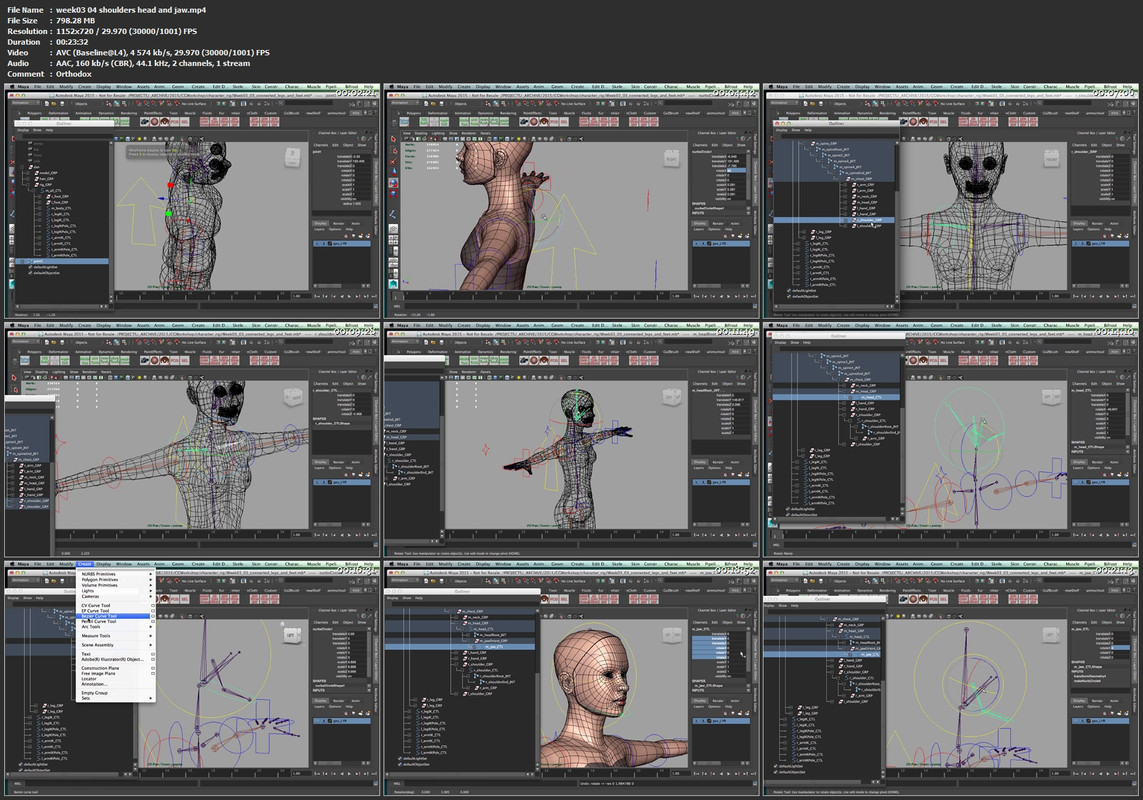
Connecting everything together | Point constraints and orient constraints | Creating shoulder, head, jaw, and eye controls | Rough skinning | Managing the visibility of controls

Week 4: Week04 - Getting more advanced: The Spine

Building a more advanced spine | How many joints do I need? | IK ribbon spine | Squash and stretch spine | Volume preservation and color*-feedback | FK spine with variable controls | Reverse FK spine

Week 5: Week05 - Getting more advanced: Arms, Shoulders and simple PoseReader

Advancing the legs and arms | Squash and stretch limbs | Condition node | Split knee and split elbow | Shoulder blade setup | Building a native Maya pose reader | Auto clavicle | Optional: bendy limbs

Week 6: Week06 - Deformations

Deformations | Looking at edgeflow and topology | Weights painting | Additive vs subtracting | Smoothing | Weighthammer | Influence objects | Optional: building a low-res cage | Corrective shapes | Pose*based deformation

Week 7: Week07 - Faking Muscles and adding Dynamics

Anatomy and muscles | Faking muscles and skin sliding | Dynamics in rigging | Soft bodies and dynamic curves | Delayed animation ctrls

Week 8: Week08 - Tying up some loose ends

Testing the rig | Picking three (extreme) poses | Make sure all is working and ready for anim | Creating a script to reset all the control back to default

Homepage

week0304shouldersheadkgjcc.jpg


SuperHi - Wordpress

originalvf5i6uh5x55rao4kk1.png


SuperHi - Wordpress
MP4 | Video: h264, 1920x1080 | Audio: AAC, 44.1 KHz, 2 Ch
Genre: eLearning | Language: English | Duration: 241 Lessons (28h 1m) | Size: 9.44 GB

Become a WordPress whizz by building custom websites with CMSs, reviews and payment features.

A flexible, go-at-your-own-pace 8-week online course that teaches you how to use WordPress to build custom websites with CMSs, reviews and payment features. It's designed to have you building completely custom CMS driven sites within the first few weeks.

WordPress is great for blogs, e-commerce and building sites to hand off to clients. Learn how to build your own themes from scratch, customize them around your features, and implement e-commerce with payments.


What you'll learn

Learn how to install WordPress and how to configure it for your own needs

Building themes from scratch + customizing them with advanced data and features

Converting designs into dynamic HTML, CSS + Javascript themes

How to find and use the best plug-ins + how to integrate them smoothly

Integrating e-commerce and payments with WooCommerce and Stripe

Getting our WordPress sites hosted online securely and handed over to clients

WHAT YOU'LL GET
32+ hours of video lessons - Practical, go-at-your-own pace learning

Access the community - Join our Slack and connect with thousands of SuperHi students and alumni

Continued help - Help from our expert teachers and educators with years of experience in the industry

Extra homework challenges - Test your knowledge!

Real world projects - Projects and code that you can alter and remix to add to your own sites and portfolio

Resources - Resources to get you started and going post-course

WHO THIS COURSE IS FOR
This course is accessible to beginners. All you need is a tiny bit of front-end HTML + CSS experience - if you don't have this already, our welcome pack (included in this course) contains a copy of our book, Learn To Code Now, with all the knowledge you need.

Most of our students work in the creative industries - designers, strategists and copywriters are the most common jobs - but anyone is welcome to join the course.

WHAT YOU'LL NEED
A computer with Mac OS X 10.9 or above, Windows 7 or above installed and a broadband internet connection. That's everything!

Homepage


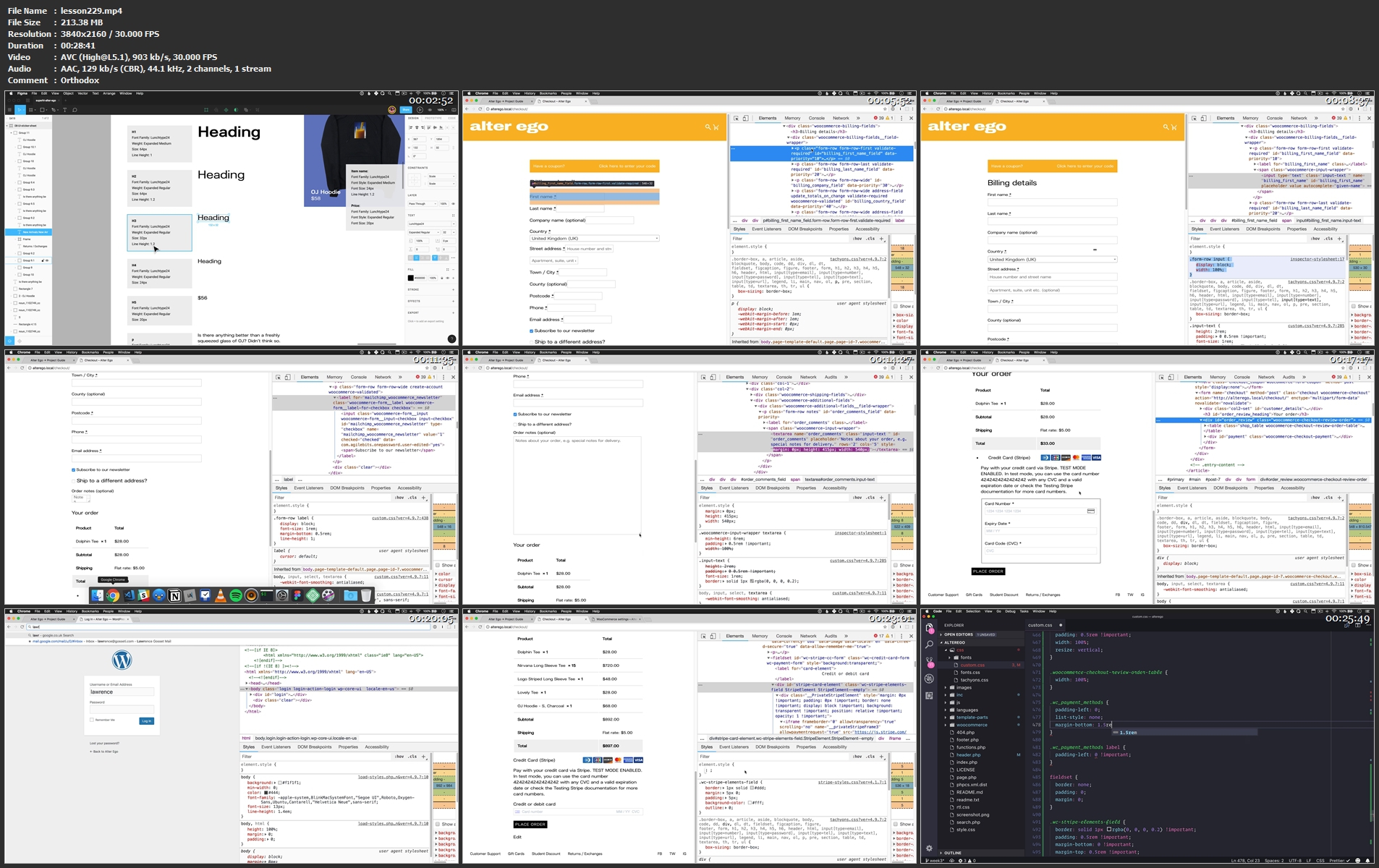
lesson229.mp4z5k3h.jpg


SuperHi - Visual Design + Branding

originalvffrh5qquav2tuxjrb.png


SuperHi - Visual Design + Branding
MP4 | Video: h264, 1920x1080 | Audio: AAC, 44.1 KHz, 2 Ch
Genre: eLearning | Language: English | Duration: 216 Lessons (24h 24m) | Size: 7.1 GB

Gain practical foundations in responsive web design, from layouts and visual hierarchy to branding, color, type and so much more.

Our flexible, 8-week online course provides foundations in responsive web design, user interfaces and branding. It's aimed towards those who want to improve their digital design skills, understand what makes designs effective and design with confidence.

You'll learn visual design elements, principles and hierarchy; the branding process (from research to final design + how to deliver branding guidelines); how to choose colors and typefaces; practical tips and ways to improve your UI design skills; how to design for responsive experiences across multiple device types, and a whole lot more!

Whether you're totally new to design or just want to refresh and improve your digital design skills, our Visual Design + Branding course provides a unique, practical design foundation.


What you'll learn

Design principles + practical user interface tips to help you design better right away

An end-to-end branding process - how to design your own brand and create brand guidelines for handoff

How to design responsive experiences for desktop and mobile from scratch

How to create a design system and a user interface library of components

Best practices for handoff and how to keep design consistent across teams

How to present your work and talk through your design decisions with confidence

WHAT YOU'LL GET
32+ hours of video lessons - Practical, go-at-your-own pace learning

Access the community - Join our Slack and connect with thousands of SuperHi students and alumni

Continued help - Help from our expert teachers and educators with years of experience in the industry

Extra homework challenges - Test your knowledge!

Real world projects - Projects that you can alter and remix to add to your own portfolio

Resources - Resources to get you started and going post-course

WHO THIS COURSE IS FOR
Anyone who wants to better understand the fundamentals of digital design, branding and improve their skills.

You can be brand new to design and want a solid understanding of how to see and think like a designer, and create effective designs from scratch, or you can be a current designer, developer or someone working with design who wants to improve your processes and design with confidence. We'll teach you how to design with code in mind, so that you can work better with developers too.

WHAT YOU'LL NEED
A computer (Windows, Mac or Linux) with the latest version of Chrome installed and a broadband internet connection.

Our course is not program-specific, but we will be teaching in Figma because it's free and available for both Mac and Windows users.

Homepage


lesson127.mp4e6k3t.jpg


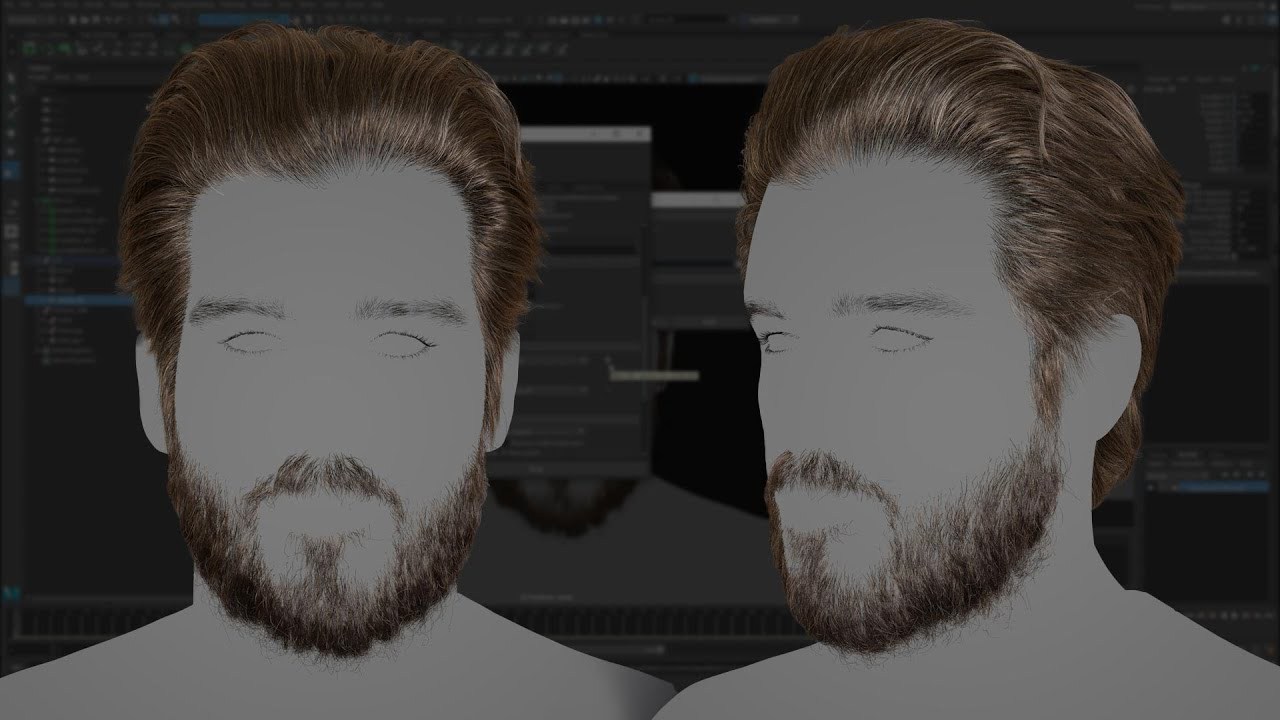
Creating A Male Groom With XGen

maxresdefaultkkk7b.jpg


Creating A Male Groom With XGen
Instructors: CRYSTAL BRETZ
13 lectures • Project Files • 3h 55m
Video: MP4 1920x1080 44 KHz | English
Updated 2021 | Size: 5.75 GB

AN INTRODUCTION TO HAIR GROOMING IN MAYA & MARI WITH CRYSTAL BRETZ

Discover how to create eyelashes, eyebrows, and coarse and fine facial hair, plus pick up tips and tricks to speed up your grooming workflow in Maya. This workshop by Crystal Bretz, Senior Character/Creature Modeler at Framestore, takes you through the process of efficiently creating a realistic male groom using XGen. The tutorial is designed for beginners to XGen but some experience of working in Maya will be expected.

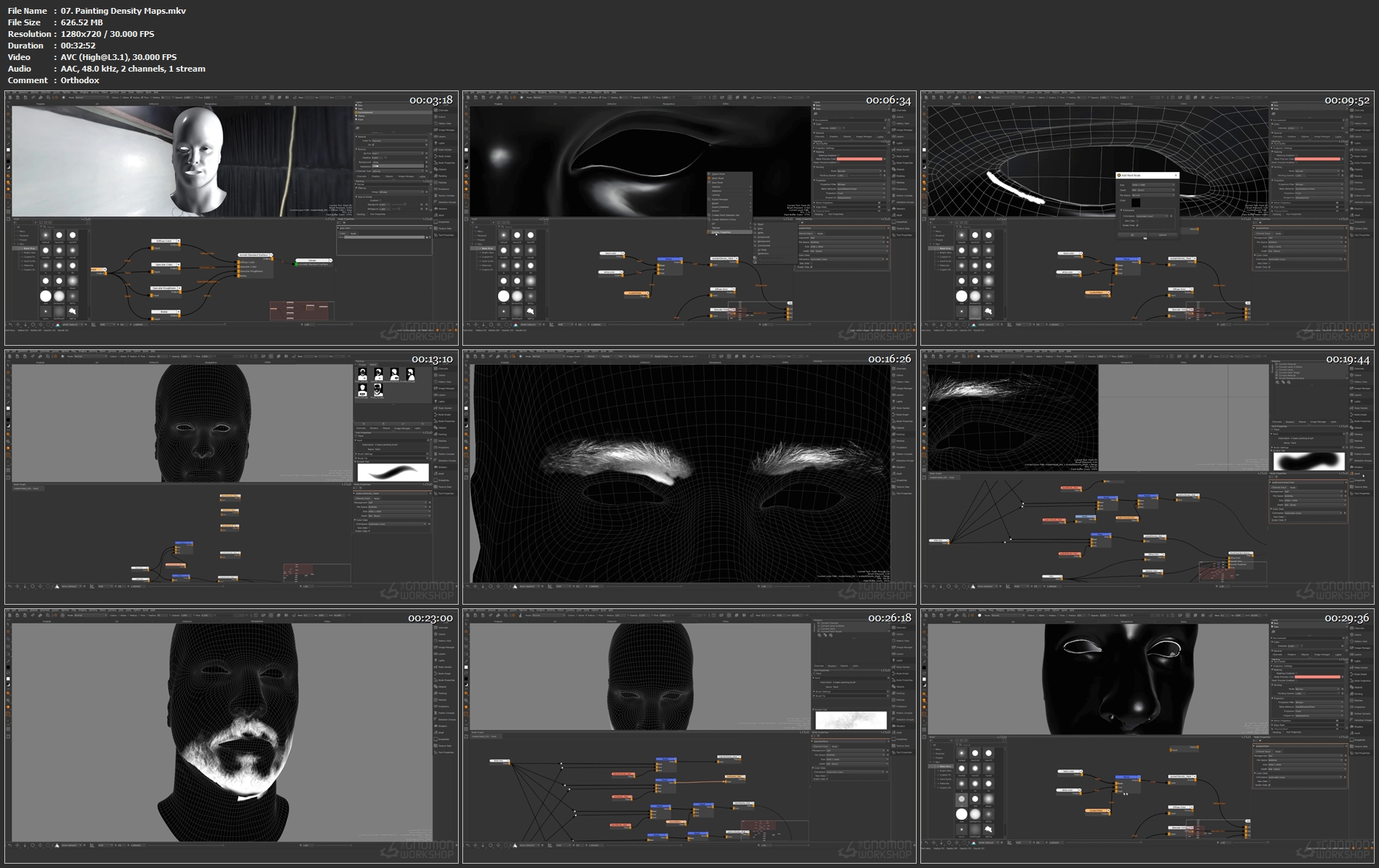
All of the starter content needed to follow along with this workshop is provided, including the base head geometry and exclusive photo references. Crystal begins with the base head (supplied) and demonstrates how to use it effectively, and teaches the correct ways to set your project up and get things started using XGen. She then dives into the grooming process, covering modifiers, painting density maps in Mari, and stray hair expressions. The tutorial concludes with a section on basic procedural hair look development and rendering your groom using Arnold in Maya.

The goal of this workshop is to help you understand the complete step-by-step process of creating a male groom with XGen while giving you the tools and knowledge needed to create your own styles later with ease.

CRYSTAL BRETZ
Senior Character/Creature Modeler at Framestore
Crystal Bretz is a Senior Character/Creature Modeller working in Canada. She has worked for many companies over the years such as Digital Domain, Method Studios, DNEG, and BRON. Crystal is currently working as a Senior Modeler at Framestore and her background as a generalist saw her work on many different types of media, including episodic TVC, short films, feature films, VR, and animated features. She is most well known for her work on Fantastic Beasts: The Crimes of Grindelwald, Marvel's Black Panther, and Netflix Original: The Willoughbys.

Crystal has had work published by 3D Artist magazine, Artstation Magazine, and has been credited in Cinefex along with her fellow colleagues on Black Panther. Crystal has a passion for 3D characters and loves to help and mentor others. She writes blogs, shares advice on her online platforms, and regularly streams live on Twitch to inspire other artists towards successful careers in the VFX industry.

07.paintingdensitymaph8jjl.jpg


Advanced Diploma in Electrical Design Engineering

dsukrbrli94ectkup01mcggjs4.jpg


Advanced Diploma in Electrical Design Engineering
MP4 | Video: h264, 1280x720 | Audio: AAC, 44.1 KHz
Language: English | Size: 6.96 GB | Duration: 10h 28m

Electrical Design Academy: Engineering Training with Practical Examples and Hand-on Training for EPC Sector & MEP Sector


What you'll learn
Complete Electrical Design Engineering Training with Practical
Electrical equipment design for all projects like: oil & gas, chemical, power, pharmaceutical etc.
Detail engineering: Single line diagram, cable routing layout, earthing layout, lightening layout, lighting layout, substation layout, equipment layout
System Study: Load flow analysis, short circuit analysis, relay coordination, motor starting study, harmonic study
Equipment specification / datasheet for procurement.
3D Modeling, 2D Droughting, Analysis on software like: ETAP, DIALux, AutoCAD
Hazardous area classification
Lightning risk calculation, Report generation and layout
Coordination with other departments for input / output
Requirements
ETAP Software: for System Study / Simulation
DIALux software: for LUX calculation and layout
AutoCAD Software: for making the layout
Scientific Calculator: for sizing and calculation of electrical equipment
MS Excel: for making the datasheet / equipment specification for procurement purpose

Description
The goal is to design safe and dependable processing facilities in a cost effective manner. The fact is that there are very few formal training programs that focus on design and engineering of Electrical systems of such big plants The heavy electrical industry has under its purview power generation, transmission, distribution and utilization equipment. These include turbo generators, boilers, turbines, transformers, switchgears and other allied items. These electrical equipment (transformers, switchgears, etc.) are used by almost all the sectors. Some of the major areas where these are used include power generation projects, petrochemical, refineries, chemical plants, integrated steel plants, non-ferrous metal units, etc.

Overview:-

Introduction of Electrical Engineering

Introduction of EPC Industry

Coordination with Other Department

Load List:-

Preparation of Load Schedule

Determination of Power Supply Capacity

Standby Capacity consideration

Rating of Generators in Relation to

Prime Movers Importance of max and min temp

Rating of Motors in Relation to their Driven Machines

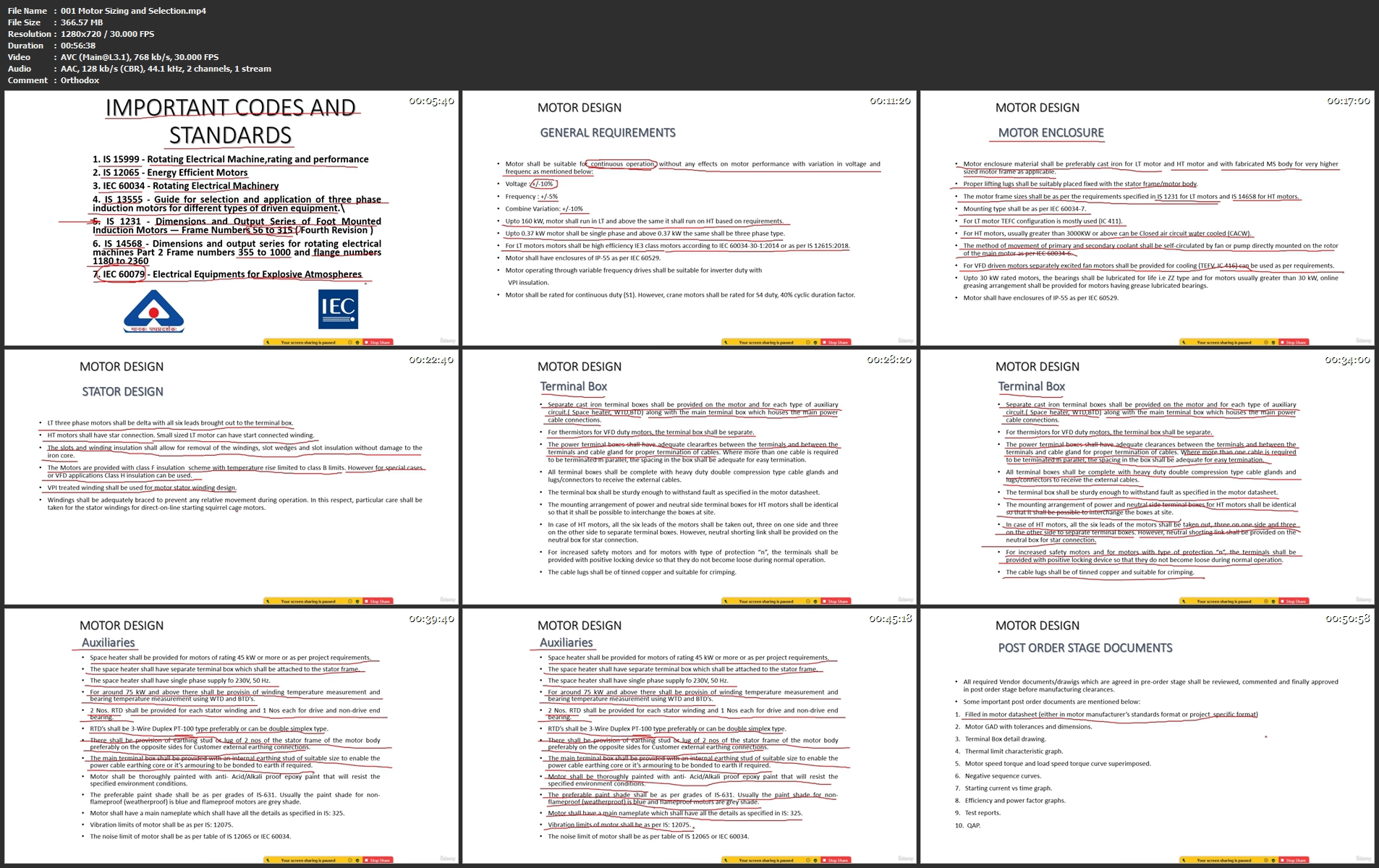
Electrical Equipment Selection, Sizing:-

Motor

Transformer

Emergency Generator

Neutral Grounding Resistor (NGR)

Power capacitor banks (PCB)

AC UPS

LV / HV / MV Switchgears

 Battery & Battery Charger

DC UPS

CT/PT

Power reactor

Bus duct

Illumination Design:-

Introduction

Type of Lighting Fixtures

Selection of Lighting Fixtures

Preparation of Fixtures Schedule

Indoor Illumination Calculation

Outdoor Illumination Calculation

Calculation on Software

Lighting Layout Design

Lighting Installation Detail

Small Power selection

Lighting Board Schedule

Cable Selection, Sizing & Layout:-

Power and Control cable Introduction

Cable Selection and Sizing

Cable sizing for Low voltage system

Cable sizing for High voltage system

Voltage Drop Consideration

Let through Energy consideration

Earth fault Loop Impedance consideration

Cable Schedule

Cable interconnection Schedule

Selection and Sizing of cable Tray

Cable tray schedule

Cable Drum schedule

Conduit Selection

Conduit Sizing

Cable Routing Layout

Cable Tagging

Installation details

Development of Single Line Diagram (SLD):-

Key SLD

Detail SLD

Lighting system SLD

Small power SLD

Metering and Control diagram

Hazardous Area Classification:-

Zone/Division Classification

Types of Protection for Hazardous Areas

Hazardous source List Preparation

Certification of Hazardous Area Equipment

Marking of Equipment Nameplates

Hazardous Area Drawings / Layouts Preparation

Earthing & Lightening Protection Design:-

Requirement of Earthing in Industrial Plants

Earthing Design calculations

Type of Earthing and Details

Earthing Installation Details

Earthing Layout Design

Lightening Protection Requirement

Lightening Protection Calculation

Lightening Installation Details

Lightening Layout Design

Substation / Switchyard Design:-

Introduction

Type of Sub-Stations

General arrangement of substation

Equipment Layout

Testing / System Studies:-

Overview & Load Flow Analysis

Short Circuit Analysis (Fault

Calculations and Stability Studies)

Motor Starting Study

Relay- Coordination

Procurements (Equipment Specification):-

Motor

Transformer

Emergency Generator

Power capacitor banks (PCB)

Cable

Who this course is for
ITI / Diploma / Degree / Master in Electrical or Electronics
Fresher / Experienced
People from other engineering background can also do the course if they have good math and electrical base experience.

Homepage


001motorsizingandsele4qkr2.jpg


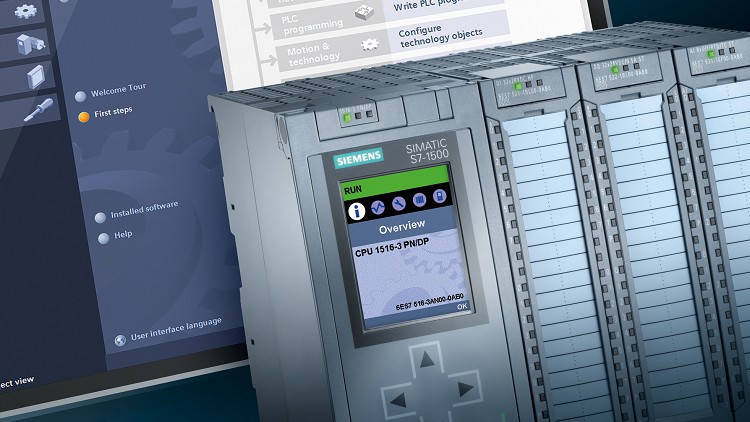
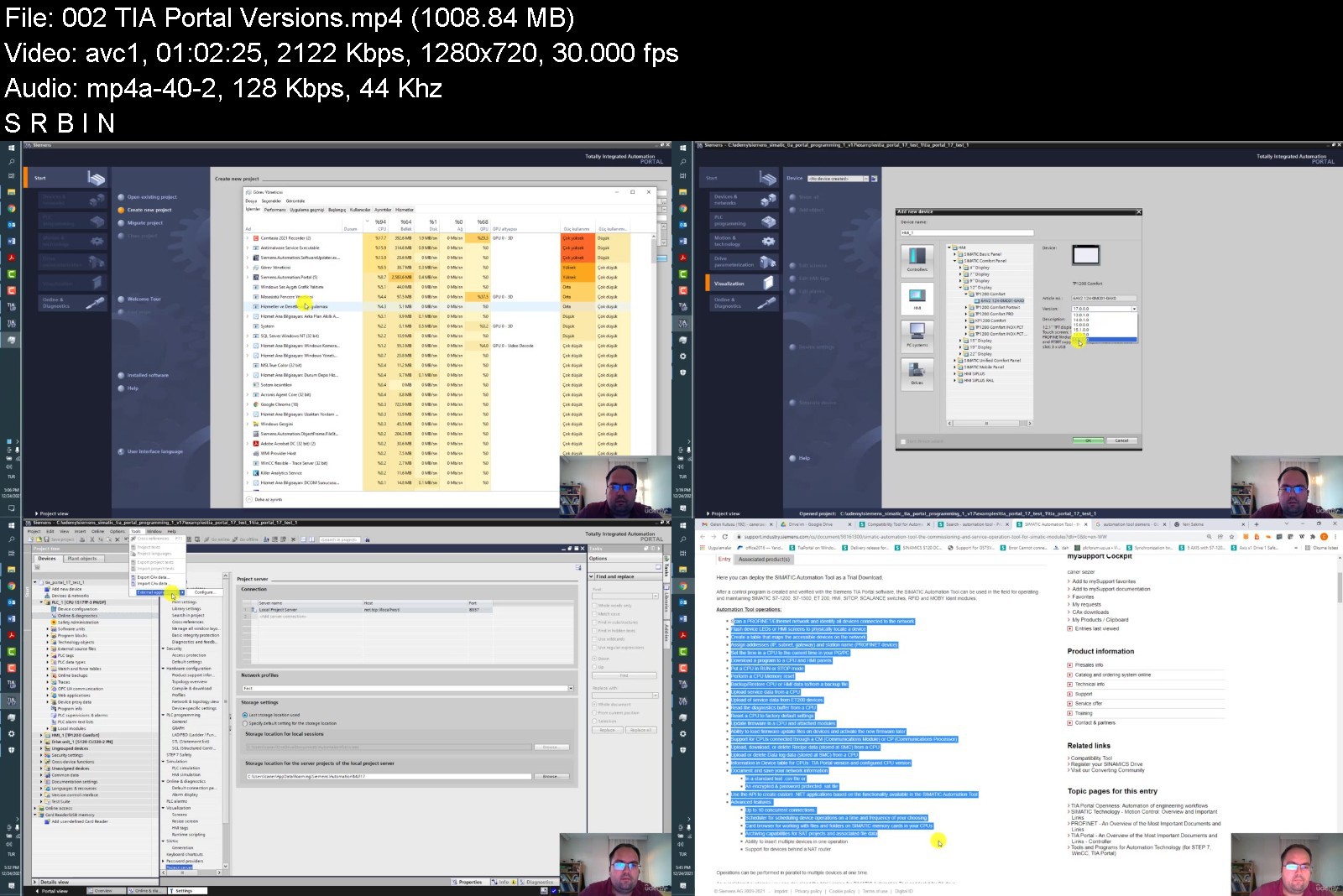
Siemens Simatic TIA Portal Programming 1 V17

4465052594318k3t.jpg


Siemens Simatic TIA Portal Programming 1 V17
MP4 | Video: h264, 1280x720 | Audio: AAC, 44.1 KHz, 2 Ch
Genre: eLearning | Language: English + srt | Duration: 21 lectures (9h 11m) | Size:7.85 GB

Siemens Simatic TIA Portal Programming 1 Course by Caner SEZER


What you'll learn
SIMATIC S7 System Family
TIA Portal
Training Devices
Devices and Networks
PLC Tags And Symbols
Program Blocks and Program Editor
Binary Operations
Digital Operations
Data Blocks
Distributed I/O Systems
Connecting HMI Device
Functions and Function Blocks
Organization Blocks
Troubleshooting
Integrating and Commissioning Startdrive
Requirements
Basic Knowledge of Siemens Product Family
Required Siemens Programs to be Installed
Basic Knowledge of PLC
Description
Dear Friends,
With this course from one collegue to another about SIMATIC TIA PORTAL for both Hardware and Software Side you will get information and for your future business life, you will gain more experience during this course. From this point of view if you are interested with industrial automation sector, specially at automation control area, SIMATIC is one of the most commonly used product in the industry.
From beginning step by step this course offers you a complete walktrough, this is the first part of TIA Portal training series. You will become familiar with the fundemental principle of PLC controller, you will have an overview of the new SIMATIC S7-1200 / 1500 system family, have an overview of the modules available for these systems, understand the concept "Totally Integrated Automation", be familiar with the programming devices, PC requirements for working with the TIA Portal and the operator interface of the framework.
You will become familiar with the configuration of the training area, be able to establish an online connection between PC/PG and CPU via Industrial Ethernet, be able to use online functions to start and stop the CPU and to reset it to factory settings.
You will be familiar with the difference between local and global tags, absolute and symbolic addressing, principle of "structured programming", meaning of process images (PII, PIQ).
You will be able to declare a PLC tag table, rename and rewire PLC tags, create global data blocks.
You will understand the difference between "real" NC and NO contacts connected in the hardware, be able to program basic binary logic operations.
You will be familiar with the different data types, be able to use basic mathematical operations.
You will understand the purpose of global data blocks, be familiar with elementary and complex data types.
You are going to be familiar with the distributed I/O systems PROFIBUS and PROFINET, be able to explain the principle of data exchange between touchpanel and CPU using tags, set the interface for the touchpanel.
You are going to be familiar with the purpose of temporary variables, parameter-assignable blocks, be able to program parameter-assignable functions and their calls, know the difference between functions (FCs) and function blocks (FBs).
You will be familiar with the CPU startup, understand the principle of interrupt processing, the "Time-of-day Interrupt", "Cyclic Interrupt", "Hardware Interrupt" and "Diagnostic Interrupt".
You will be able to explain when to use which troubleshooting functions, apply troubleshooting functions for STOP troubleshooting, searching for logical errors and to be able to use them for error correction.
At the end of this training the participant will be able to parameterize and test a drive with Startdrive, set basic parameters via Startdrive, control the drive via PLC.
I suggest you, before you start this course, maybe you should watch videos marked with free preview to understand delivery method. if you are a beginner at SIMATIC world, I think this training will guide you during your learning process. Of course it would be better if you have on your side some real hardware equipment or democase to use hands-on exercises. And if it's possible, i think you need to spend at least 5 days to get lectures, and understand technical topics.
I hope you will enjoy this course.
With sincerely.
Caner Sezer.
Who this course is for
Target students are electrical electronic engineering with bach. deg.
Computer Programmers
Beginner of PLC software developers
University students doing practice with project or lab


siemenssimatictiaportkoj3o.jpg


Download from RapidGator


Download from Keep2Share


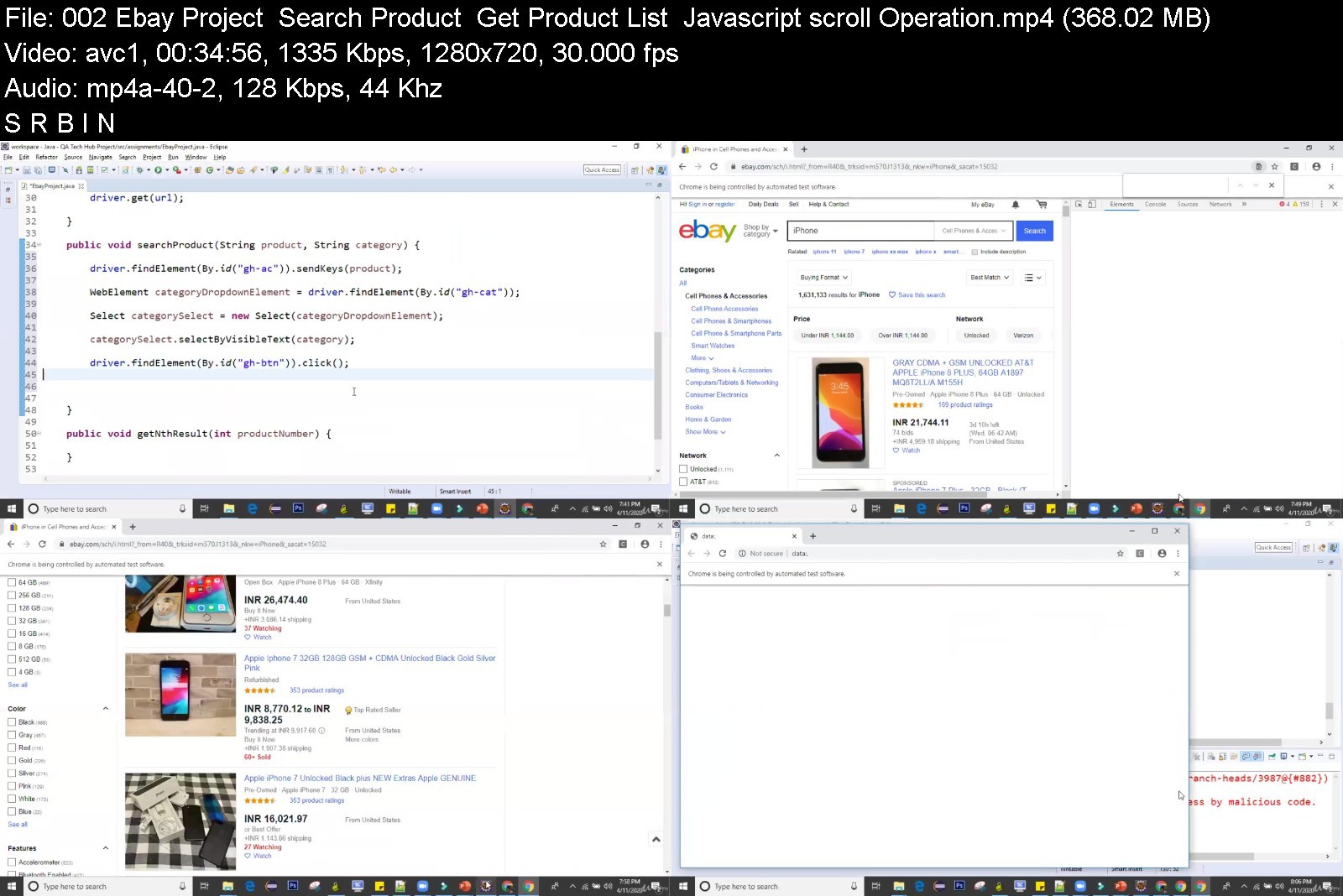
Master Selenium Automation Testing | Basic to Advanced Level

2864262fa5cc2kkz.jpg


Master Selenium Automation Testing | Basic to Advanced Level
MP4 | Video: h264, 1280x720 | Audio: AAC, 44.1 KHz, 2 Ch
Genre: eLearning | Language: English + srt | Duration: 77 lectures (12h 32m) | Size: 6 GB

Learn to implement automation testing using selenium and build industry standard automation frameworks from scratch


What you'll learn
This course is all you need to crack any job interview of Selenium automation testing or to work as an selenium automation expert
Basic to advanced level Selenium automation Tool
Basic to advanced level TestNG Testing Framework and integration with Selenium automation tool
Industry standard design patterns to write effective code
Industry standard Frameworks which students can implement on their own from scratch
Integration with tools like MAVEN (Build Management Tool), Git (Code Repository), AutoIT (Windows based automation tool)
Running and scheduling selenium code and frameworks using CI/CD tools like Jenkins
Multiple assignments to implement all your learnings with practical examples
Regular updates to match the industry standards
Requirements
Basic understanding of Manual Testing
Basic understanding of Java and Object oriented concepts are required
Description
Over the last decade, the Selenium automation tool has gained a lot of popularity in the automation testing world due to its unique features like - Multiple operating support, multiple language support, multiple browsers support, open-source, and community support.
MNCs to Startups all big and large organizations are investing a lot in automation testing which has raised the demand of automation experts. Almost all job openings of software testing in any part of the world do ask for Selenium expertise.
This course is created keeping the current automation testing situation of the world in mind.
The course curriculum is structured in an order that you will --
Selenium automation tool as a subject,
Testing Framework - TestNG,
Design Patterns to write effective code,
Industry Standard automation frameworks built from scratch,
Integration with tools like Maven (Build management tool), Git (Code repository),
Integration with CI/CD (Jenkins)
Multiple quizzes added in the course to help you learn and understand the concepts better.
Multiple assignments that will help you implement your learnings with real-time examples.
We will keep updating the course for our students with new assignments and topics that enhance your implementation skills.
My decade of experience of implementing automation in real-time projects and experience in teaching over 2000 students from all parts of the world in LIVE classes is used while creating this course for you. I know what students are looking for and what should be the IDEAL PACE for them to learn.
Who this course is for
Working professionals from manual testing field looking to transform as automation experts
Beginners in automation testing
Fresh graduates who are looking to start their career into IT
Professionals who are restarting their career into IT after a break


masterseleniumautomatv7jgy.jpg


Download from RapidGator


Download from Keep2Share


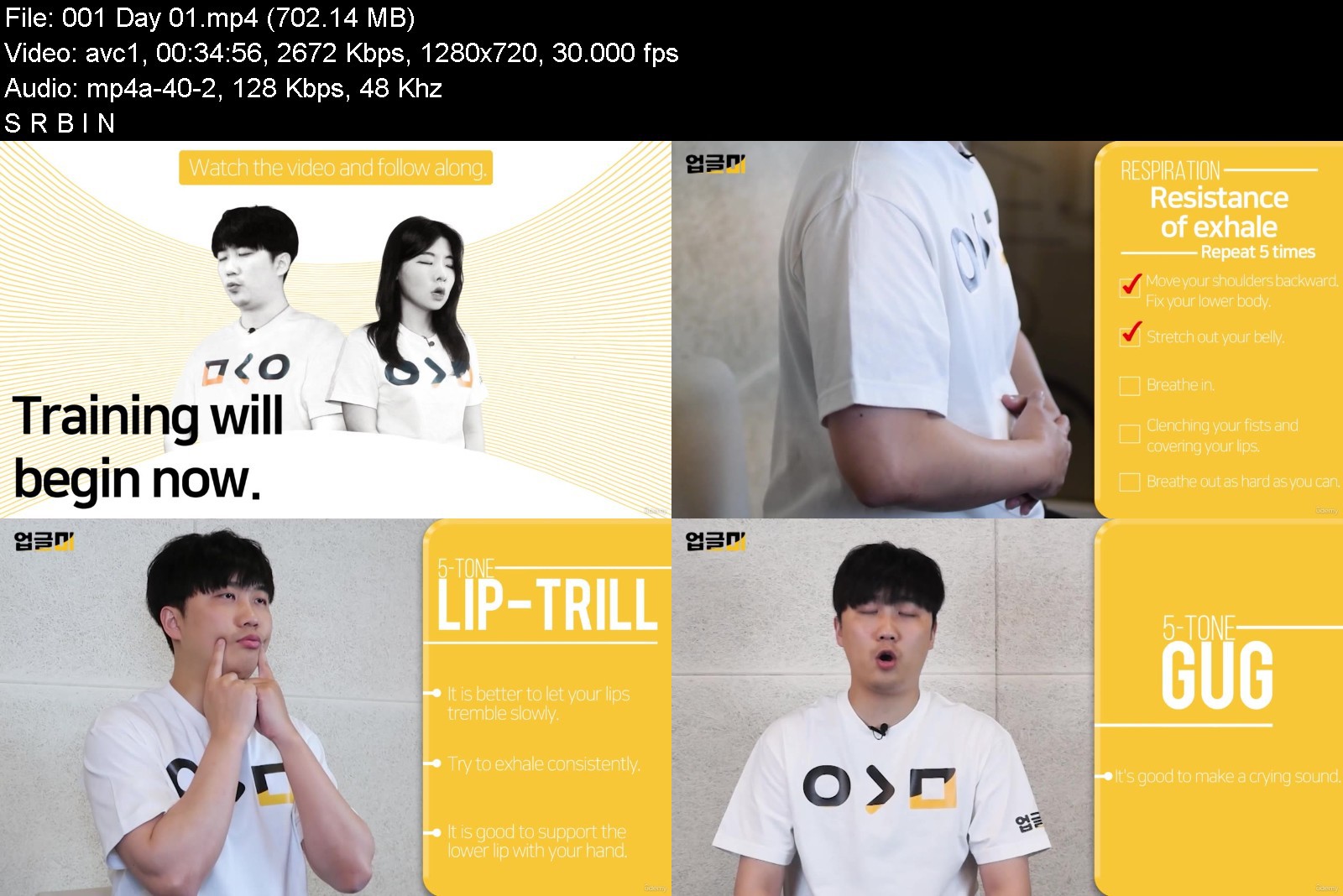
K-pop Vocal Training: Expansion of Vocal Range - for Men

duvy9zyxleeoa5jnoodbgpuk4w.jpg


K-pop Vocal Training: Expansion of Vocal Range - for Men
MP4 | Video: h264, 1280x720 | Audio: AAC, 44.1 KHz
Language: English | Size: 18.8 GB | Duration: 15h 36m

30 days of training with K-pop star vocal trainer. (Eng sub.)


What you'll learn
It's more like training to practice together than lectures. Learn it with your body.
Through breathing training, it creates a solid and stable vocalization.
It induces natural pitch expansion through various pronunciations and scales that are advantageous for vocal cords stretching.
Through repeated training, it can be applied naturally when singing.

Description
It is a training program designed by a trainer who trained many K-pop stars for the purpose of expanding the range.
It is a lecture that allows you to follow through repetitive learning and remember it with your body, not your head.
I recommend you to watch one episode every day for 30 days.
It's even better to train what you need repeatedly depending on the individual.
Male and female videos are different. (Women should watch - for women videos.)
It is a video produced in Korean and has English subtitles inserted.
From basic breathing techniques to naturally vocal register transition training!
Just follow along! It is an all-in-one training program that will strengthen the basics of vocalization and develop flexibility in vocal cords.
** vocal register transition - The process of switching from Chest Voice to Head Voice.
< Curriculum >
DAY 01 ~ 04 Warming up
It's a warm-up process for vocal training.
Day 05 ~ 08 Pre-conditioning
This is the preparation section for the high-pitched range.
DAY 09 ~ 13 Extending the range
It is a section that develops a high-pitched range by inducing vocal register transition.
DAY 14 ~ 18 Connection of the head voice and chest voice
It is a section that trains vocal register transition to take place naturally.
DAY 19 ~ 24 strengthen
It is the process of strengthening the expanded range by vocal register transition training.
DAY 25 ~ 30 Completion
It ends by stabilizing the extended range.
Who this course is for
Anyone who has difficulty singing high notes or wants to sing better can do it.


kpopvocaltrainingexpa5hktq.jpg


Download from RapidGator


Download from Keep2Share


Zurück
Oben Unten