



• Regeln für den Video-Bereich:

    In den Börsenbereich gehören nur Angebote die bereits den Allgemeinen Regeln entsprechen.

    Einteilung

    - Folgende Formate gehören in die angegeben Bereiche:
    - Filme: Encodierte Filme von BluRay, DVD, R5, TV, Screener sowie Telesyncs im Format DivX, XviD und x264.
    - DVD: Filme im Format DVD5, DVD9 und HD2DVD.
    - HD: Encodierte Filme mit der Auflösung 720p oder darüber von BluRay, DVD, R5, TV, Screener sowie Telesyncs im Format x264.
    - 3D: Encodierte Filme von BluRay, die in einem 3D Format vorliegen. Dies gilt auch für Dokus, Animation usw.
    - Serien: Cartoon/Zeichentrick, Anime, Tutorials, Dokumentationen, Konzerte/Musik, Sonstiges sind demnach in die entsprechenden Bereiche einzuordnen, auch wenn sie beispielsweise im High Definition-Format oder als DVD5/DVD9/HD2DVD vorliegen. Ausnahme 3D.
    - Bereich Englisch: Englische Releases gehören immer in diesen Bereich.
    - Bereich Talk: Der Bereich, in dem über die Releases diskutiert werden kann, darf, soll und erwünscht ist.


    Angebot/Beitrag erstellen

    - Ein Beitrag darf erst dann erstellt werden, wenn der Upload bei mindestens einem OCH komplett ist. Platzhalter sind untersagt.
    - Bei einem Scenerelease hat der Threadtitel ausschließlich aus dem originalen, unveränderten Releasenamen zu bestehen. Es dürfen keine Veränderungen wie z.B. Sterne, kleine Buchstaben o.ä. vorgenommen werden. Ausnahme Serienbörse:
    - Bei einem Sammelthread für eine Staffel entfällt aus dem Releasename natürlich der Name der Folge. Beispiel: Die Simpsons S21 German DVDRip XviD - ITG
    - Dementsprechend sind also u.a. verboten: Erweiterungen wie "Tipp", "empfehlenswert", "only", "reup", usw. / jegliche andere Zusatzinformation oder Ergänzung, welche nicht in obiger Beschreibung zu finden ist.

    Aufbau des Angebots und Threadtitel

    Der Titel nach folgendem Muster erstellt zu werden. <Name> [3D] [Staffel] [German] <Jahr> <Tonspur> [DL] [Auflösung] <Quelle> <Codec> - <Group>
    Beispiel: The Dark Knight German 2008 AC3 DVDRip XviD - iND
    Beispiel: The Dark Knight 2008 DTS DL BDRip x264 - iND
    Beispiel: The Dark Knight 2008 AC3 DL BDRip XviD - iND
    Beispiel: The Dark Knight German 2008 AC3 720p BluRay x264 iND
    Beispiel: The Dark Knight 2008 DTS DL 1080p BluRay x264 iND
    Beispiel: Die Simpsons S01 German AC3 DVDRip XviD iND
    Beispiel: Die Simpsons S20 German AC3 720p BluRay x264 iND
    Beispiel: Sword Art Online II Ger Sub 2014 AAC 1080p WEBRip x264 - peppermint
    Entsprechend sind also u.a. verboten: Sonderzeichen wie Klammern, Sterne, Ausrufezeichen, Unterstriche, Anführungszeichen / Erweiterungen wie "Tipp", "empfehlenswert", "only", "reup", usw. / jegliche andere Zusatzinformation oder Ergänzung, welche nicht in obiger Beschreibung zu finden ist
    Ausnahmen hiervon können in den Bereichen geregelt sein.

    Die Beiträge sollen wie folgt aufgebaut werden:
    Überschrift entspricht dem Threadtitel
    Cover
    kurze Inhaltsbeschreibung
    Format, Größe, Dauer sind gut lesbar für Downloader außerhalb des Spoilers zu vermerken
    Nfo sind immer Anzugeben und selbige immer im Spoiler in Textform.
    Sind keine Nfo vorhanden z.B. Eigenpublikationen, sind im Spoiler folgende Dateiinformationen zusätzlich anzugeben :
    Quelle
    Video (Auflösung und Bitrate)
    Ton (Sprache, Format und Bitrate der einzelnen Spuren)
    Untertitel (sofern vorhanden)
    Hosterangabe in Textform außerhalb eines Spoiler mit allen enthaltenen Hostern.
    Bei SD kann auf diese zusätzlichen Dateiinformationen verzichtet werden.

    Alle benötigten Passwörter sind, sofern vorhanden, in Textform im Angebot anzugeben.
    Spoiler im Spoiler mit Kommentaren :"Schon Bedankt?" sind unerwünscht.


    Releases

    - Sind Retail-Release verfügbar, sind alle anderen Variationen untersagt. Ausnahmen: Alle deutschen Retail-Release sind CUT, in diesem Fall sind dubbed UNCUT-Release zulässig.
    - Im Serien-Bereich gilt speziell: Wenn ein Retail vor Abschluss einer laufenden Staffel erscheint, darf diese Staffel noch zu Ende gebracht werden.62
    - Gleiche Releases sind unbedingt zusammenzufassen. Das bedeutet, es ist zwingend erforderlich, vor dem Erstellen eines Themas per Suchfunktion zu überprüfen, ob bereits ein Beitrag mit demselben Release besteht. Ist dies der Fall, ist der bereits vorhandene Beitrag zu verwenden.
    - P2P und Scene Releases dürfen nicht verändert oder gar unter einem iND Tag eingestellt werden.


    Support, Diskussionen und Suche

    - Supportanfragen sind entweder per PN oder im Bereich Talk zu stellen.
    - Diskussionen und Bewertungen sind im Talk Bereich zu führen. Fragen an die Uploader haben ausschließlich via PN zu erfolgen, und sind in den Angeboten untersagt.
    - Anfragen zu Upload-Wünschen sind nur im Bereich Suche Video erlaubt. Antworten dürfen nur auf Angebote von MyBoerse.bz verlinkt werden.


    Verbote

    - Untersagt sind mehrere Formate in einem einzigen Angebotsthread, wie beispielsweise das gleichzeitige Anbieten von DivX/XviD, 720p und 1080p in einem Thread. Pro Format, Release und Auflösung ist ein eigener Thread zu eröffnen.
    - Grundsätzlich ebenso verboten sind Dupes. Uploader haben sich an geeigneter Stelle darüber zu informieren, ob es sich bei einem Release um ein Dupe handelt.
    - Gefakte, nur teilweise lauffähige oder unvollständige Angebote sind untersagt. Dies gilt auch für eigene Publikationen, die augenscheinlich nicht selbst von z.B. einer DVD gerippt wurden. Laufende Serien, bei denen noch nicht alle Folgen verfügbar sind, dürfen erstellt und regelmäßig geupdatet werden.
    - Untersagt sind Angebote, welche nur und ausschließlich in einer anderen Sprache als deutsch oder englisch vorliegen. Ausnahmen sind VORHER mit den Moderatoren zu klären.


    Verstoß gegen die Regeln

    - Angebote oder Beiträge, die gegen die Forenregeln verstoßen, sind über den "Melden"-Button im Beitrag zu melden.
  • Bitte registriere dich zunächst um Beiträge zu verfassen und externe Links aufzurufen.

*** Bestes IPTV *** bester Preis *** gratis Test ***


Englische Tutorials

933076289d778cbc19f752fb153aabb3.jpg

React Native Complete Course with Redux, NodeJS & MongoDB
MP4 | Video: h264, 1280x720 | Audio: AAC, 44.1 KHz
Language: English | Size: 6.12 GB | Duration: 17h 25m
Full stack react native with redux, hooks & context, nodejs, and mongodb. Build your react, react native projects.​

What you'll learn
React Native set up virtual environment
Install ReactNative dependencies for MAC and Windows
Run Android and IOS simulator in React Native
React Native Expo installation
Run React Native Expo App on Mobile Device
JSX syntax and expressions with React or React js
ES6 syntax with React Native
See the content on the simulator in React
Styling with React-Native and flex-box rules
Send an HTTP request to a remote API
React native State ve Props systems
Reusable components in React native
Reach another app on the phone from the React-Native app
React Navigation Library
Route Between Different Screens
Data Transfer Between Different Screens with React Navigation
Learn to create react native Hooks and Context structures
Creating Hooks and Context structures with explanatory diagrams
What is Context Api in and how it is used
Using Context Api and Hooks together
Creating Context with Class Component
Access to Context with Context Type
To manipulate the data in Context
How to Use Multiple Context
How to Create Reducer in React Native
How to Use Reducer in React Native
useState, useEffect, useReducer, and useContext hooks
Reducer, action and dispatch concepts and much more with React Native
How to use coding techniques to make efficient development with React
Build fast, user-friendly web apps with React
Dive into Nodejs, learn rapidy growing web server technology, Nodejs & understand how NodeJS works with Node course!
By learning growing web server technology, Nodejs, you can improve your skills, get a new job and you can build powerful, robust web applications.
Learn the key concepts of the NodeJS
Learn to create servers, and understand how it works with Mongodb, express js, node js
Understand and use the Event Emitter in React Js
Understand Buffers, Streams, and Pipes with React native, node js, mongodb
Learn routing with NodeJS
Learn the most used, open-source document database, and NoSQL database aka MongoDB
Install MongoDB
Logic behind the MongoDB data storage
The most popular Object Data Modeling Library for MongoDB, Mongoose JS
Learn to execute CRUD - write queries to create, read, update and delete operations
Understand terminal commands for managing the database
Advanced Features of MongooseJS
The best testing framework for NodeJS, Mocha
Learn how easy to use MongoDB
Learning React Native is a great avenue through which to gain experience developing mobile apps.
React Native enables programmers to write true native apps in JavaScript across multiple platforms at once, eliminating the need to code for iOS and Android
React Native is an open-source-based mobile application framework that uses only JavaScript, making it capable of supporting both Android and iOS platforms.
React, also known as React js, saves time and effort for developers since they only need one programming language.
Businesses that want to create mobile apps for iOS and Android simultaneously to ensure a seamless rollout need developers with a background in React Native
Google Flutter offers developers a UI toolkit that has some similarities to React Native. Flutter also has a native component and compiles web, mobile, and desk
Learning Nodejs is a great way to get into backend web development, or expand your fullstack development practice
Node js is essential to developing real-time applications in JavaScript, and has been instrumental in the development of websites like eBay and PayPal.
Node is designed around an event loop, which allows for easy management of asynchronous functions.
MongoDB is a document-oriented data store that is easy to get started with but also scales well as your application grows.
It's schemaless nature allows greater flexibility or changing application requirements.
MongoDB is an document-oriented database designed to allow developers to scale their applications to meet scalability demands.
MongoDB features a flexible document model that allows for accelerated development productivity so that you can release better applications, faster.
Whether you're interested in adding React to your existing dev skillset, or you want to develop full-stack web apps by using tools like NodeJS Redux and Mongodb
React is an essential Javascript framework for web development. It is the most popular framework for developing web, mobile, and desktop app user interfaces.
Requirements
No prior React and React-Native knowledge
JavaScript + HTML + CSS fundamentals are absolutely required but you don't need to be an expert
Basic ES6 knowledge would be beneficial but not required
Desire to learn React Native
Computer with access to the internet
Desire to learn React Native with node js and mongodb
Desire to learn Node js
Desire to learn Mongodb
React is an essential Javascript framework for web development. It is the most popular framework for developing web, mobile, and desktop app user interfaces.
Desire to learn React Native with redux, hooks and context
Desire to become mobile app developer
Desire to learn mobile development with react native, redux, hooks and context, nodejs, mongodb
Desire to learn full react native course with nodejs and mongodb
Nothing else! It's just you, your computer and your ambition to get started today
LIFETIME ACCESS, course updates, new content, anytime, anywhere, on any device
Description
Hello there,
Welcome to React Native Complete Course with Redux, NodeJS & MongoDB course.
Full stack react native with redux, hooks & context, nodejs, and mongodb. Build your react, react native projects.
Whether you're interested in adding React to your existing dev skillset, or you want to develop full-stack web apps by using tools like NodeJS, Redux, and MongoDB in conjunction with React, Udemy has a comprehensive selection of courses to choose from.
React is an essential Javascript framework for web development. It is the most popular framework for developing web, mobile, and desktop app user interfaces.
React-Native is a library developed by the React team and it is widely used to create mobile applications for both Android and IOS. You do not need to learn Java, Android, Swift, Objective-C, or anything of that. React is all you need to create awesome mobile apps that work on both Android and iOS.
Learning React Native is a great avenue through which to gain experience developing mobile apps. Udemy features top-rated React Native courses that take you through every level of the React Native framework, so that you can start writing better apps, faster.
React Native enables programmers to write true native apps in JavaScript across multiple platforms at once, eliminating the need to code for iOS and Android separately. React Native also includes features like "hot reloading," which have made the framework a favorite among efficiency-minded developers.
Learning Node.js is a great way to get into backend web development, or expand your full stack development practice. With Udemy's hands-on Node.js courses, you can learn the concepts and applications of this wildly useful JavaScript runtime.
This course is for all levels. To be able to take this course, all you need is a basic understanding of JavaScript.
In the course, we are going to tell you what dependencies you need to install and how in detail, to be able to create mobile apps on both MAC and Windows. We are going to use free tools and platforms so you don't have to buy any tool or app. You are going to learn how to run an Android and IOS simulator on your MAC or Windows computer. Besides, with the Expo app, you will be able to run your apps on your own mobile device as well.
Later on in the course, we are going to learn the basics of React and React Navigation. JSX, 'props system', and 'state system' are going to be crystal clear for you at the end of the course. We are going to create nice-looking reusable components. You are going to be able to use these reusable components in your own future projects. You are going to go to different screens from the app with React navigation.
Finally, you are going to learn the latest React features "Hooks and Context" system. We are going to create two nice-looking apps, teach you "Hooks and Context" in a very detailed way. You are going to learn how to use "state" in functional components with the "Hooks" system and with "Context API" you won't need any third-party package to manage the Application state.
Node.js is an open-source, cross-platform, back-end, JavaScript runtime environment that executes JavaScript code outside a web browser. By learning growing web server technology, NodeJS, you can improve your skills, get a new job and you can build powerful, robust web applications.
Node.js is essential to developing real-time applications in JavaScript, and has been instrumental in the development of websites like eBay and PayPal. Node is designed around an event loop, which allows for easy management of asynchronous functions. This makes it a popular environment for modern developers working on chat and gaming apps.
MongoDB is a cross-platform document-oriented NoSQL database program. By using MongoDB, you can build a modern application database for your projects.
MongoDB is a document-oriented data store that is easy to get started with but also scales well as your application grows. It's schemaless nature allows greater flexibility or changing application requirements. It's one of the best databases in terms of developer productivity.
We tried to tell all complex topics in very detail on the course. We used some diagrams to tell some important topics and created a nice-looking mobile application. We showed two different ways to create a mobile app. We showed both react-native-cli and expo-cli in our course.
At the end of the course;
Basics of React, React-Native, React-Navigation libraries
How to send an HTTP request from a mobile application
How to use flex-box system
How to create reusable components
To reach another app on the device from our app
Creating your own mobile app both with react-native-cli and expo-cli
Creating Context with Class Based and Functional Components
How to Consume Context in Class Based and Functional Components
How to Use Multiple Context in one single component
Hooks Functions(useState, useEffect, useReducer, useContext...)
Creating Reducer and
Using Reducer is going to be clear for you.
You'll learn how asynchronous code works in Node and the Node event loop, as well as how to use the event emitter, streams, buffers, pipes, and work with files.
We'll see how that leads to building a web server in Node with hands-on examples.
The logic behind MongoDB's data storage
The most popular Object Data Modeling Library for MongoDB, Mongoose JS
Writing queries for creating, reading, updating, and deleting operations
Advanced Features of MongooseJS
The best testing framework for NodeJS, Mocha
React
React Native
Reactnative
React native redux
React native firebase
React native expo
React native android
React native app
React native advanced
React native animaiton
Nodejs mongodb react native
React native node
React native mongodb
React native 2021
The complete react native and redux course
Mongodb react nodejs
Node js
Mongodb
React native expo
React native mongo
Complete react native course
React native with node js
React native node js
Node js
Mongodb
express framework
nosql
Why would you want to take this course?
Our answer is simple: The quality of teaching.
OAK Academy based in London is an online education company. OAK Academy gives education in the field of IT, Software, Design, development in English, Portuguese, Spanish, Turkish and a lot of different language on Udemy platform where it has over 1000 hours of video education lessons. OAK Academy both increase its education series number by publishing new courses, and it makes students aware of all the innovations of already published courses by upgrading.
When you enroll, you will feel the OAK Academy`s seasoned developers expertise. Questions sent by students to our instructors are answered by our instructors within 48 hours at the latest.
No prior knowledge is needed!
It doesn't need any prior knowledge to learn it and React is easy to understand for beginners.
This course starts with very basics. First, you will learn how to install the tools, some terminology. Then the show will start and you will learn everything with hands-on practices. I'll also teach you the best practices and shortcuts.
Step-by-Step Way, Simple and Easy With Exercises
By the end of the course, you'll have a firm understanding of React and valuable insights on how things work under the hood and you'll also be very confident in the basics of coding and game development, and hungry to learn more. The good news is since the Free and popular tools are used you don't need to buy any tool or application.
What is React Native?
Created by Facebook, React Native is an open-source-based mobile application framework that uses only JavaScript, making it capable of supporting both Android and iOS platforms. React, also known as React.js, saves time and effort for developers since they only need one programming language. The Native element allows developers to create JavaScript components to design software programs that run on various devices and platforms, such as smartphones, smart TVs, and laptops. With React Native, developers use the same concepts used in the original React framework to design a rich mobile user interface (UI) for various environments from existing components.
What careers use React Native?
Businesses that want to create mobile apps for iOS and Android simultaneously to ensure a seamless rollout need developers with a background in React Native. Careers in mobile app development that rely on React Native can count on professionals who can design and build stunning UIs in multiple platforms since it works hand-in-hand with platforms like Windows and tvOS. React Native developers are also vital to helping iOS, and Android companies update and otherwise modernize their apps with features like push notifications and animation for better effectiveness for mobile app subscribers. Developers with a background in React Native might work in full-stack development, designing and refining web-based games, websites, mobile apps, and more.
What is the difference between React Native and Google Flutter?
Google Flutter offers developers a UI toolkit that has some similarities to React Native. Flutter also has a native component and compiles web, mobile, and desktop applications from a single collection of source codes. Relying on existing code, Flutter is also a free and open-source framework for developers. Until this point, the two frameworks might sound similar. However, React Native is based on and only uses JavaScript, while Flutter only has a loose connection to the language. Google Flutter primarily uses a new language called Dart. Other differences between the two involve sourcing the tool itself and the installation process, setup and configuration, UI component and development, and community support.
What is Node.Js and what is it used for?
Node.Js is a server environment built for fast and easily scalable network applications. It was built on Chrome's JavaScript runtime and uses an event-driven, non-blocking model that makes it the best fit for applications that run on distributed devices and need to run in real-time. By using JavaScript, node.Js can be put to work by many software developers familiar with JavaScript. Because the code is open-source, you can also use it on any platform (Mac OS, Windows, or Linux). Node.js is the architecture for creating websites and real-time applications because it's easy for teams to learn, and it's fast. Examples of applications that use node.Js include video conferencing apps, chat servers, eCommerce software, and collaborative online gaming.
What are the advantages of Node.Js?
Node.Js is open-source, meaning it's a free code for all developers. On top of that, it also means that there is a thriving community of Node.Js users and programmers that all add to the knowledge base. Many are happy to share their flavor of the code with other developers, and collectively, the Node.Js environment continues to be enhanced. Because Node.Js uses JavaScript, there is a large pool of developers that understand and can code in the environment. It's also a relatively simple environment for new team members to learn, making it an efficient choice for development teams with people that need training. Node.Js was developed on Push technology instead of web sockets, which is why it's the preferred choice for real-time communication applications and programs that need to be highly scalable.
What does it mean that Node.Js is a runtime system?
A runtime system is a platform where a software program runs. It's essentially an environment housing the collection of software and hardware that allows an application to execute (or run). Node.Js is a runtime system because it provides the environment necessary for applications to run within it, and no additional code or hardware is required. Because Node.Js makes use of JavaScript, it's a runtime system that provides a framework where you can use JavaScript to create and run programs. The JavaScript programming language (which is quite popular) is then automatically translated into machine code for the hardware to run the program in real-time. It's an efficient system, making it the preferred choice for many software and tech companies.
What is microservices architecture and how can Node.Js be used for it?
Microservices architecture is a software development style or method where single-function modules originate. Each has a very well-defined operation and interface and can deploy on its own. In essence, it's a way of developing modules that you can repurpose from one program or application to another. When you create an application, it's a collection of modules that have been thoroughly tested and are well-maintained. The modules are typically built around different business-specific capabilities and are then loosely coupled to other modules when deployed as part of a program. You can use Node.Js in microservices architecture as the language of choice for one, some, or all of the microservices (or modules). The beauty of microservices is that you can use the best language for the specific microservice. But where highly scalable, fast programs are needed, Node.Js would be a top contender.
What is React?
React is a front-end library in Javascript that was developed by Facebook. The simplest definition of React is that it is a user interface library used for building UI components for the web. But if that was all React did, it would be little more than a template library. Developers define components in React by using an HTML-like syntax called JSX. These encapsulated components manage their own state, making it simple to pass rich data to a component and keep the state of the application and its components out of the Document Object Model (DOM). These features give React components the ability to react dynamically and efficiently to changes in their state. A set of simple components in React can be composed into either simple single-page applications or large, complex web applications.
What is React used for?
React is an open-source JavaScript frontend library. Some developers consider it a frontend framework because it does more than standard libraries usually do. The most common use of React is to build dynamic user interfaces for single-page web applications. But the structure of React makes it useful for more than just creating websites. JSX, which is one feature of React, is a syntax extension for Javascript that provides a template for the HTML and manages the state of the element. But JSX can be used as an interface for things other than HTML. React Native uses React to build mobile applications. Here, JSX becomes an interface for mobile UIs instead of HTML. There are even a few libraries that use React and JSX to interact with and manage hardware like React Hardware.
How does React work?
React encourages engineers to write code using a Functional Programming approach. Engineers create components, which are normal Javascript functions. These functions return information to tell React what content should be displayed on the screen. The real power of React comes from the ability to nest or compose these functions inside of one another. This nesting ability encourages code reuse and allows an engineer to write a component a single time, but in many different places.
Is React a framework or library?
Frameworks provide an opinionated approach to building an entire application. Libraries, on the other hand, assist in building a single aspect of an application. With this in mind, React is a library. It assists engineers in presenting HTML in the browser. React has no opinions on how data is fetched, how styling is applied, or how the app is deployed or built.
Is React worth learning?
Yes, React is worth learning. There are a couple of reasons. The first one is that React is in high demand in the software development job market and has been for a few years. If you learn to code in React and can do it well, you will increase your chances of finding a job. This alone is another reason it is worth learning. Website users no longer will settle for old-fashioned sites that won't update without a page reload. React's method of dynamically updating the HTML of a web page fits these users' needs and improves their experience. React has also been around a few years and has stood the test of time. A large portion of websites, both small and large, use React as a frontend framework.
Is React hard to learn?
Every technology or programming language has a learning curve, and React is no different. But it is easy to learn if you are dedicated and determined to create frontend web applications. To make learning React simpler, you should stick to the basics of React before you add any extra libraries, as that will only complicate your learning experience in the beginning. Since React is a Javascript framework, a solid grounding in Javascript will give you a head start. With this knowledge, the unique concept of JSX, React's templating language, and the way React uses state will be much easier to grasp.
What is the difference between React Native and ReactJS, and which one should I learn?
React, or React.JS, is a front-end Javascript library for building UI components for the web. If you are interested in web development, React is the perfect library to learn to create interactive, dynamic single-page apps, or even full-scale web applications. React Native is a framework for building native mobile applications for both the Android phone and Apple's iPhone. React Native is still React, which means the syntax and workflow for building applications are basically the same, but the generated components are different. In React, web components are generated. In React Native, the generated components interact with a phone's native APIs. If your focus is web development, then you should learn React. If you want to build mobile applications, it is best to learn React first and become familiar with the technology before you try React Native.
Why is React so popular?
There are many reasons why React is popular. One reason is that Facebook developed it. The social proof is that if it is good enough for Facebook, one of the most popular social networks on the web, it should be good enough for other applications. React also solved many of the past issues that developers had with developing single-page applications (SPAs). React came out when SPAs were becoming popular, and all the existing frameworks to build them made development complicated and prone to bugs. One feature that makes it better than past libraries is that React is relatively easy to use. Its components are reusable, plus React's use of the virtual DOM makes it very performant. React should remain popular in the future as each new release brings new features and performance improvements.
The instructor helped me whenever I needed it, and I've learned a lot in very little time. Now I can create simple single-page applications, and I fell in love with CodePen and VS Code
The course is great and he does not say anything without an explanation. If you want to really understand how to use MongoDB, how to test it, and how to set up and use Express with MongoDB, then this is an amazing course.
If you are wanting to learn how to; build for production, push to production, have a dev and production version, and learn how to navigate the two, this is the class for you! Seriously there is so much real-world knowledge here it should be worth way more than what it is!
Video and Audio Production Quality
All our videos are created/produced as high-quality video and audio to provide you the best learning experience.
You will be,
Seeing clearly
Hearing clearly
Moving through the course without distractions
You'll also get
Lifetime Access to The Course
Fast & Friendly Support in the Q&A section
Udemy Certificate of Completion Ready for Download
Dive in now to our React Native Complete Course with Redux, NodeJS & MongoDB course.
We offer full support, answering any questions.
See you in the course!
Who this course is for
Programmers who want to learn React and React-Native
Anyone who wants to learn React Hooks & Class-based Components
Anyone who wants to create mobile applications with both react-native-cli and expo-cli
Anyone who has basic HTML, CSS and JavaScript knowledge and wants to learn how to create complex applications
Anyone who wants to create mobile applications for both Android and IOS
People who are planning a career in the application world
Developers who have researched React but have had trouble mastering some concepts
Anyone who want to start from scratch and to move more advanced level
Anyone planning a job transformation and wants to become a React developer
Anyone who want to take their web development skills to the next level and learn a future-proof technology
Anyone looking to build a career as a NodeJS developer
Anyone interested in NodeJS
Developers new to NodeJS
Anyone who wants to learn MongoDB
Professionals who are willing to learn MongoDB
People who want to learn mobile app development with react native
People who want to learn mobile app development with react native, redux, hooks and context
People who want to learn mobile app development with react native with nodejs and mongodb
People who want to learn react native expo
People who want to learn react native cli
People who want to learn react or react js with node js, mongodb
Screenshots


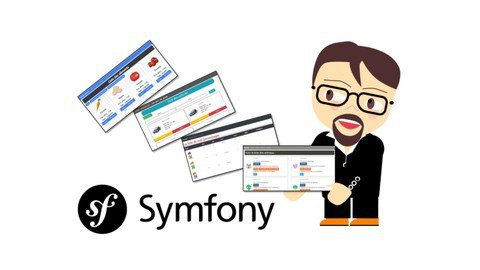
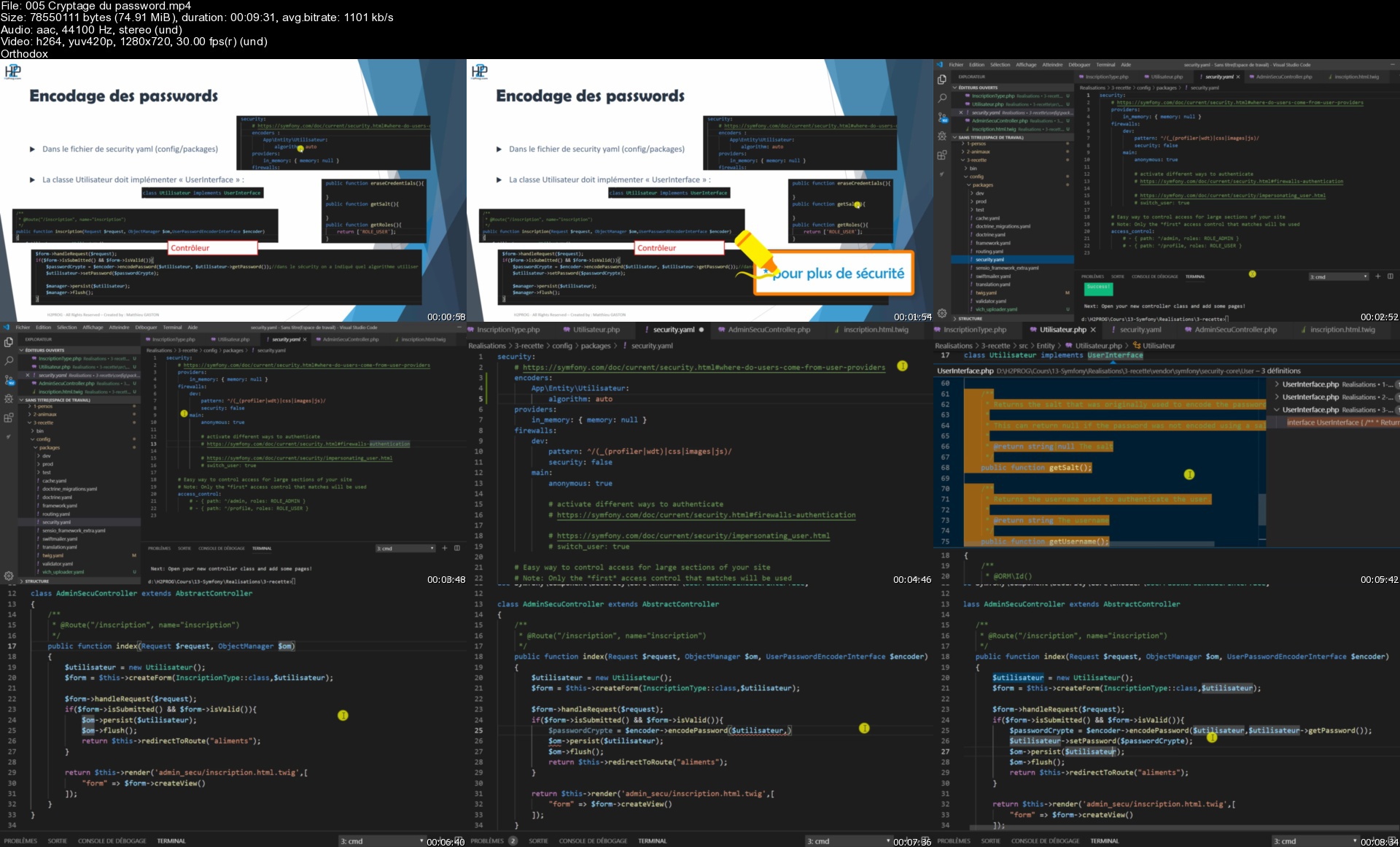



Créer 4 applications avec Symfony v4 (évolution progressive)

3e3wsieap2buf78qzuuk5uok27.jpg


Créer 4 applications avec Symfony v4 (évolution progressive)
MP4 | Video: h264, 1280x720 | Audio: AAC, 44.1 KHz
Language: French | Size: 5.94 GB | Duration: 10h 51m

Symfony v4/v5 par la pratique, PHP, CRUD, Doctrine, Fixtures, Authentification, Faker, Pagination, Upload d'image, MVC..

What you'll learn
Développer des applications Symfony
Utiliser le moteur de template Twig
Utiliser l'ORM doctrine
Créer une partie administration, un CRUD et une authentification d'utilisateur (composant Security)
Utiliser des services Symfony supplémentaires (pagination, upload d'images, Fixtures et Faker ...)
Gérer les erreurs et les exceptions
Mettre en ligne son application Symfony en FTP

Requirements
Avoir de bonnes connaissances en PHP (+ connaître bootstrap, HTML, CSS)
Il est recommandé de connaître l'architecture MVC

Description
Correctif apportés pour fonctionner sur la version 5 de Symfony !

Symfony de A à Z dans cette formation axée sur la pratique contenant 4 applications différentes :

Avec ce cours, vous apprendrez les bases du Framework PHP symfony au travers de 4 applications que nous allons créer.

C'est l'un des "cours de fin de parcours" que je propose au sujet du cursus PHP qui contient 6 autres cours permettant d'apprendre ce langage, les bases de données, l'architecture MVC ....

Un niveau Intermédiaire :

Même si j'explique tout ce qui est réalisé, il vous faudra disposer de bonnes bases en programmation PHP pour suivre ce cours dans de bonne conditions !

Je ne recommande pas à un débutant en programmation de démarrer son apprentissage par un Framework (en particulier Symfony).

La progression normale d'un apprenti développeur est la suivante :
Algorithmique -> langage de programmation -> framework

Le niveau est cependant "Débutant" en ce qui concerne le framework Symfony.

La première application...

... contiendra toutes les bases de routage et de structuration d'une application Symfony. Elle permettra de revoir les notions fondamentales de PHP (tableaux associatif, POO, et MVC).

Nous créerons des pages liées à des personnages et des armes.

La deuxième application...

... permettra de mettre en place des pages utilisant des données stockées en base de données et nous utiliserons la représentation MCD pour nous guider. Nous mettrons en place l'ensemble des relations existantes entre les entités.

Nous créerons des pages liées à des animaux et à leur famille...

La troisième application...

... permettra de mettre en place une partie administration, un CRUD (avec Upload d'image), l'authentification des utilisateurs...

Nous créerons des pages liées à des aliments et à leurs apports nutritionnels.
Cette application pourrait être le point de départ de plusieurs sites internet.

La quatrième application...

... permettra de revoir tous ce qui a été fait avant (CRUD, admin, authentification ...), et de rajouter de nouvelles fonctionnalités telles que la pagination ou les filtres.

Nous créerons des pages liées à des voitures et à leur modèle.
Nous verrons enfin comment mettre en ligne l'application via un hébergeur (payant) en FTP.

L'objectif...

Avec plus de 10 heures d'enregistrements et des quizz, vous disposerez du nécessaire pour développer sereinement des applications et sites internet avec le framework Symfony.

A l'issue de cette formation vous pourrez rajouter cette nouvelle compétence sur votre CV.

Merci et à très vite !

Matthieu de H2PROG.


Who this course is for:
Développeur web
Etudiant en développement
Reconversion professionnelle

Homepage


005cryptagedupasswordocjhs.jpg


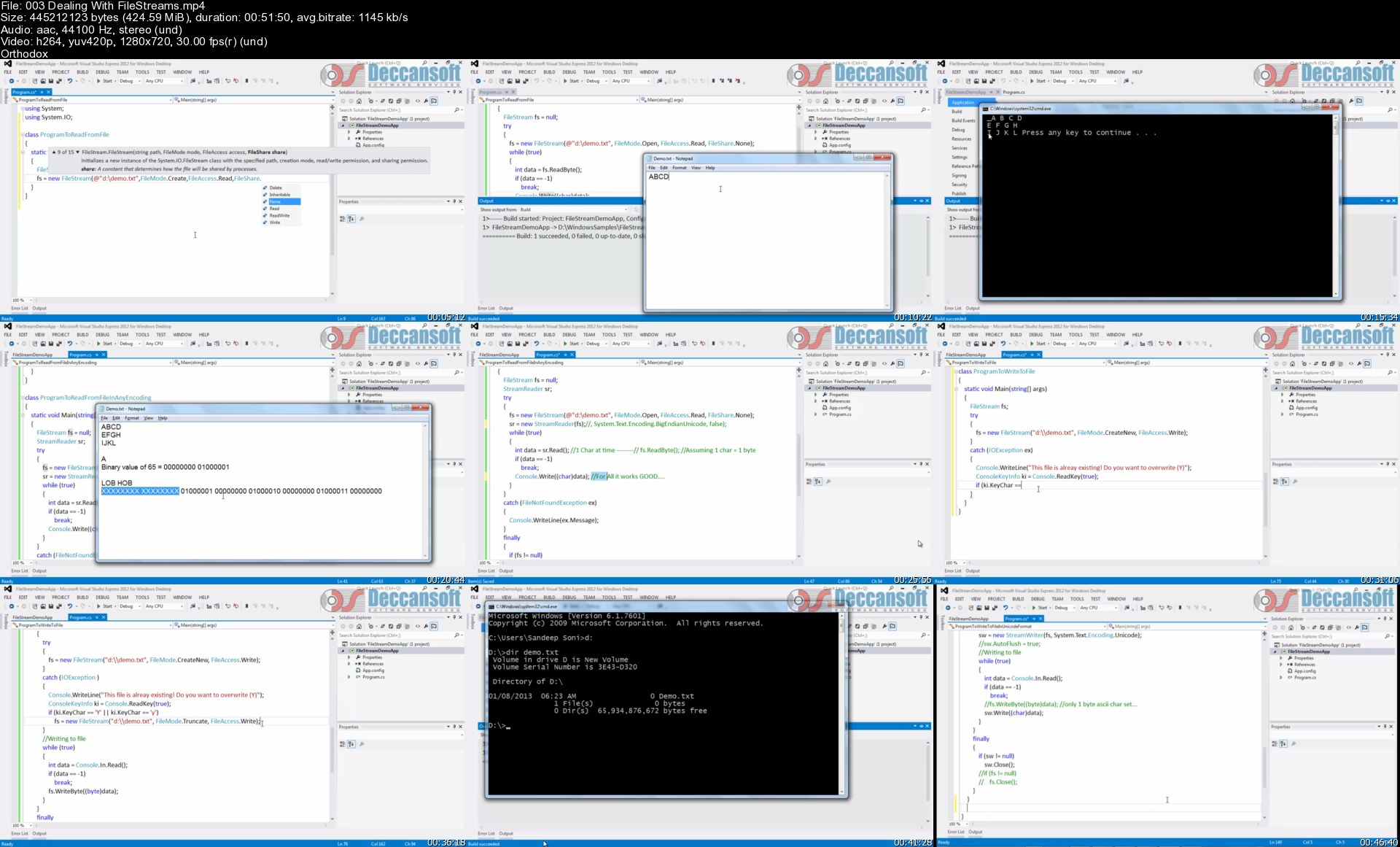
Advanced C# Concepts

mrdvpebrnw2irdh9c3zmj7vk6n.jpg


Advanced C# Concepts
MP4 | Video: h264, 1280x720 | Audio: AAC, 44.1 KHz
Language: English | Size: 24.8 GB | Duration: 50h 33m

Covers all topics mentioned in description with examples In-depth course on C# Advanced concepts

What you'll learn
Build on applications using N-Tier architecture having Data, DAO and Business classes.
Develop database centric applications using ADO. NET.
How XML can be utilized in operating data between discrete technologies.
Build and use the reusable components and controls.

Requirements
Basic knowledge of C# is required as this course doesn't cover the basics.

Description
This tutorial is targeted for experienced C# programmers who want to program and apply C# in their applications. It provides practices and real-world performance tips.

It includes curriculum for preparing Microsoft Certification 70-483.

This course covers the following topics-

Collections and Generics

Assemblies and GAC

Exception Handling

IO Streams

Unsafe Code

Reflection

Attributes

Partial Classes and Methods

Extension Methods

Anonymous Types

App.Config

Debugging and Diagnostics


Who this course is for:
Anyone who wants to learn C# advanced concepts
Anyone who is preparing for Microsoft Certifications.

Homepage


003dealingwithfilestrzgj8c.jpg


4482c3221cb6ec9e5ecd452ab058e8f3.jpg

Security and Surveillance in Ethical Hacking
Genre: eLearning | MP4 | Video: h264, 1280x720 | Audio: AAC, 48.0 KHz
Language: English | Size: 1.10 GB | Duration: 1h 12m
Data is everywhere learn to protect your data

What you'll learn
Learn to protect your data
Ways you can secure your data and conversion
Technical ways to secure your data
tools and techniques to secure your data
Description
So in this course we are going to discuss the difference between Social engineering, Reconnaissance and Surveillance.
Social engineering is the art of manipulating people so they give up confidential and sensitive information.
On the other hand reconnaissance is the practice of covertly discovering and collecting information about a system.
Which includes
Collecting initial information
Determine the network range
Identify active machines
Find access points and open ports
Discover services on ports
Map the network
Surveillance is the act of monitoring behavior and communications to gather sensitive information. Surveillance can be carried out in many ways, such as audio and video, wiretapping and more.
So this course is going to be less technical and more on focusing on tools and how to use these tools in different fields.
This course is not just for technical persons, we have designed this course keeping in mind the corporate sector and business executives so anyone can take this course and understand the sensitivity of how important it is to keep our conversions secure. At the same time technical persons can take this course and explore the new dimension of securing data and how to use that data in ethical hacking. So this course is for everyone with or without any technical knowledge.
Who this course is for
For business executives
For corporate sector
Anyone interested in learning


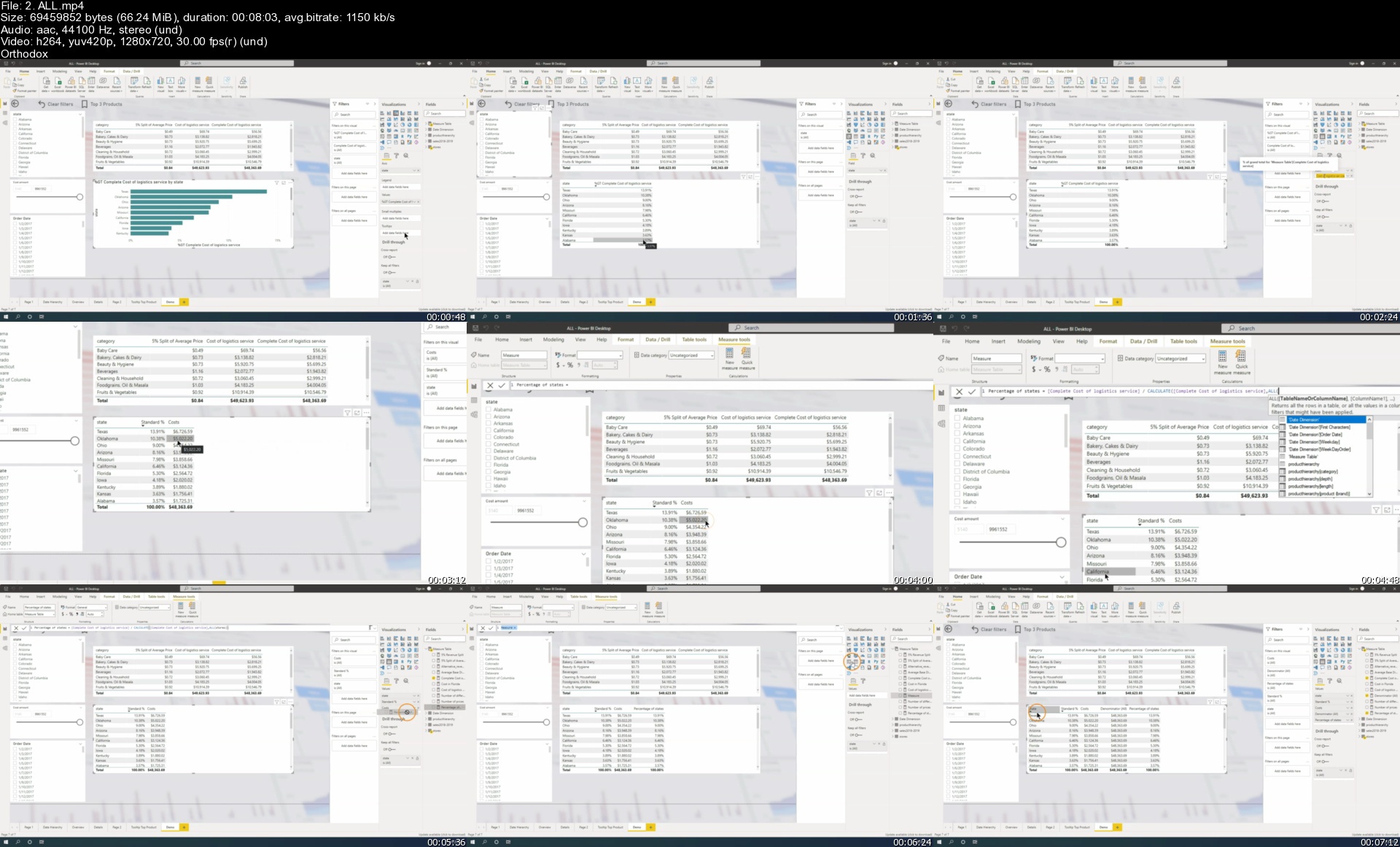
15 days of Power BI - The Complete Power BI Bootcamp

432340072cc8wwjyg.jpg


15 days of Power BI - The Complete Power BI Bootcamp
MP4 | Video: h264, 1280x720 | Audio: AAC, 44.1 KHz, 2 Ch
Genre: eLearning | Language: English + srt | Duration: 166 lectures (16h 38m) | Size: 5.92 GB

Just 15 days to master Power BI Desktop + Power BI Service (Cloud) + Power BI Mobile in a project-based, practical way

What you'll learn:
Learn Power BI from scratch
Build Reports
Use DAX
Create Visualizations
Clean Data with PowerQuery
Connect to data sources

Requirements
The course is designed to take people from beginner to pro in just 15 days. We start from the basics and have a step-by-step guided approach stretched over 15 days


Description
Learn data visualization through Microsoft Power BI and create opportunities for you or key decision-makers to discover data patterns such as customer purchase behavior, sales trends, or production bottlenecks.

You'll learn all of the features in Power BI that allow you to explore, experiment with, fix, prepare, and present data easily, quickly, and beautifully.

Use Power BI to Analyze and Visualize Data So You Can Respond Accordingly

Connect Power BI to a Variety of Datasets

Drill Down and Up in Your Visualization and Calculate Data

Visualize Data in the Form of Various Charts, Plots, and Maps

Convert Raw Data Into Compelling Data Visualizations Using Power BI

Each section provides a new data set and exercises that will challenge you so you can learn by immediately applying what you're learning.

Content is updated as new versions of Power BI are released. You can always return to the course to further hone your skills, while you stay ahead of the competition.

Contents and Overview

This course begins with Power BI basics. You will navigate the software, connect it to a data file, and export a worksheet, so even beginners will feel completely at ease.

To be able to find trends in your data and make accurate forecasts, you'll learn how to work with hierarchies and time series.

Also, to make data easier to digest, you'll tackle how to use aggregations to summarize information. You will also use granularity to ensure accurate calculations.

In order to begin visualizing data, you'll cover how to create various charts, maps, scatterplots, and interactive dashboards for each of your projects.

You'll even learn how to join multiple data sources into one in order to combine diverse sources of information in one analytical solution.

Finally, you'll cover some of the latest and most advanced custom visualizations in Microsoft Power BI, where you will create histograms, brick charts, and more.

By the time you complete this course, you'll be a highly proficient Power BI user. You will be using your skills as a data scientist to extract knowledge from data so you can analyze and visualize complex questions with ease.

You'll be fully prepared to collect, examine, and present data for any purpose, whether you're working with scientific data or you want to make forecasts about buying trends to increase profits.

Who this course is for
Anyone that has never used Power BI before and is looking for a hands-on approach to learn it
Anyone working with data and get professional working with Power BI
Anyone that wants to pursue a career as a data analyst, data scientist or BI consultant

Homepage


2.allsw3jqq.jpg


a9eecc55c35375cb778ec07ed1708895.jpg

Mockito: Next-Level Java Unit Testing
MP4 | Video: h264, 1280x720 | Audio: AAC, 44.1 KHz
Language: English | Size: 610 MB | Duration: 1h 45m
Learn the latest Mockito 3 for Java unit testing in just 2 hours and take your developer career to the next level!​


What you'll learn
Enrich Java JUnit tests with mocks
Learn the latest Mockito 3 version
Run unit tests with mocks in Eclipse
Work on practical, real-world testing problems
Follow mocking best practices
Have Java programming skills - create classes with fields/methods, know primitive data types like int or double, understand the basics of lists and maps
Know JUnit 5 - understand how unit tests work, and why they are important
Install Eclipse IDE - you can download the IDE for free
Description
Welcome! My name's Adrian and I'm a professional Java Developer. You've just found the highest rated course about Mockito on Udemy! That's the only course that teaches the latest Mockito 3. Here are some examples chosen from the reviews
• "one of the best courses I finished on Udemy"
• "clear explanations, real-life examples, and this accent"
• "the best instructor here so far"
According to statistics, nearly 50% of all Java developers use Mockito when they write tests for their Java applications. It's a basic skill required by most employees, so if you want to start your Java Developer career or take it to another level, you'll have to write unit tests. With Mockito, you'll write them better and faster.
COURSE OVERVIEW
In this course, you'll learn only the practical aspects of Mockito 3 - the latest version of the most popular mocking framework for Java applications.
I'll introduce only the essential theory behind mocking, and then dive straight into the code to get you started as quickly as possible. I'll use an example of a simple, but practical Java project to show you a variety of mocking techniques. You'll also learn the best practices and coding standards for unit tests based on my developing experience.
This course also comes with a one-page cheat sheet for a quick Mockito 3 reference. You're welcome to use it freely after the course-it's bound to save you hours!
COURSE ADVANTAGES
• concise - my short video lectures focused on the most important info help you save time and learn maximally effectively,
• based on practice - instead of useless academic theory, you learn the best developing practices drawn from my work experience,
• reasonably priced - compared to stationary developer bootcamps, the course is much cheaper, so you save not only time but also money,
• available anywhere, anytime - the online form lets you run the course in the most convenient place (at home, work or in a café) and time (while commuting by metro or relaxing at home after work), so you can adjust it to your agenda,
• accessible on desktop, mobile and TV - you can display my lectures on the device of your choice, so you don't have to stick to your PC,
• certificate of completion - after completing the course, you will receive a printable certificate that will make your resume more attractive.
Intro video music courtesy of Bensound
Who this course is for
People with basic Java and JUnit knowledge who want to learn more advanced tests with mocks
Students who want to prepare for their first IT job
Developers who know Mockito 1 or 2 but want to learn Mockito 3
Java passionates who want to write better tests
Screenshots


Graphic Design MasterClass- Photoshop, Illustrator, Indesign (2021)

omjtpp5qi1xywvjadgwaghaku8.jpg


Graphic Design MasterClass- Photoshop, Illustrator, Indesign (2021)
Video: .mp4 (1280x720, 30 fps(r)) | Audio: aac, 48000 Hz, 2ch | Size: 20 GB
Genre: eLearning Video | Duration: 203 lectures (33 hour, 1 mins) | Language: English

Graphic design for beginners including Graphic Design Theories, Photoshop, Illustrator, Indesign, CC & Creative Thinking


What you'll learn

Graphic design Theories
color theory
Composition & layout rules
Grid systems
creative thinking
How to use Photoshop in a creative way to create stunning Ads
advertising rules in action while designing
the science behind achieving great visuals
photoshop tools panels & essentials
about typography anatomy & how to use type & fonts properly
How to use Illustrator in a creative way to create brand identity
How to use illustrator to design Logos, business cards, letterheads, envelope..etc
how to present your graphic design work in a great way to easily get your designs approved by clients
saving & exporting different formats
Illustrator tools panels & essentials
How to use Indesign in a creative way to create amazing editorial design
how to create brochures, catalogs & flyers
how to create multipage editorial design up to 16 pages & more
build your own portfolio through the entire course
Get a portfolio template to customize it according to your own style
about printing & screen designs technicals
how to export your designs in different formats
how to create printing PDF & Impositions for your editorial design
you will get tons of design files & assets to assist you in your designs
you will find many exercises to sharped your design skills
you will learn to select & mask images with different techniques including tough areas like Hair, Smoke..etc.
you will learn how to design precisely in Photoshop using design grids & guides.
Work like a professional in Photoshop mastering all Non- destructive techniques.
Create graphics from scratch.
Use the Pen & drawing tools like a professional in Photoshop, Illustrator & Indesign
Master the Different drawing & illustrations tools & techniques
to speed up your workflow & speed up Illustrator performance as well
Know the details of Glyphs, Stylistic Sets, Variable fonts

Requirements

No previous experience of graphic design is required
Photoshop, Ilustrator, Indesign


Description

Graphic design & Advertising Masterclass:

Do you want to learn graphic design & advertising from scratch? well, I've tried to squeeze my academic studying of advertising in the faculty of applied arts & experience in the design field for more than 15 years in one single graphic design course that would help an absolute beginner or even an advanced graphic designer to become a professional graphic designer.

What will you learn in this Graphic Design MasterClass:

1-Graphic Design Theories
So, Starting with graphic design theories including typography, color theory, graphic design compositions & layout theories to know the science behind achieving great designs. Plus bonus videos where I will be giving you tours in New York design museums like the museum of illusions in New York for example.

(Adobe Graphic Design Applications: Photoshop, Illustrator, Indesign, Creative Cloud, PDF)

2-Photoshop Creative Thinking & Advertising
We will learn Photoshop while we are covering different design niches & categories in the course to make sure you can engage in any graphic design task as a professional graphic designer, so in photoshop we are covering real-world projects & advertising campaigns for big brands & how to do creative thinking & professional graphic visuals, so, for example, we will design for Mercedes Benz, Vodafone, Boeing, and more. and even we are covering social media graphic design campaigns which are crucial nowadays,

3-Illustrator Creative Thinking & Branding

we will learn in Illustrator how to design a corporate identity or a full branding from scratch including how to build professional logos & various brand publications & graphic visuals.

4-How to Present your designs & your branding work in the best way

Also, we will learn how to present our design work in a stunning way as well using both Photoshop & Illustrator & amazing resources for best graphic design mock-ups & even how to save time designing in them.

5-Indesign Creative Thinking: Editorial designs & Graphic designer Portfolio design

then we will learn adobe InDesign from scratch including of course different Indesign tools, Indesign panels, printing technicals, character & paragraph styles in Indesign, Indesign's Master pages to achieve your graphic designs in a fast & professional way through practical projects including a bifold brochure then moving to another Indesign project: full 16 pages of different creative layouts of editorial designs (also we learn more in this project about different design theories especially graphic design grids & how to apply different graphic design grids in different layouts) which will be your own stunning design portfolio by the way & you will get a portfolio template to customize it according to your own taste & style. so by the end of this course, you will have learned graphic design theories, graphic design tools (Photoshop, Illustrator, Indesign) & creative design & advertising thinking plus a full portfolio filled with your own design samples that you've been building through the entire graphic design course.

6-Photoshop & Illustrator basics & essentials training, Exercises & graphic design files & Assets:
If you know nothing about graphic design applications (Photoshop, Illustrator, Indesign) don't worry cuz this course will teach you the essentials of using Photoshop, Illustrator & InDesign along with tons of great design files, assets & exercises to sharpen your graphic design skills.

7-Graphic design applications Updates & New graphic design tutorials:

New graphic design applications updates are constantly being added to the course along with more graphic design & advertising content.

8-Graphic design facebook group:
Also, you can join our facebook group to get inspired & share your graphic designs & Artwork to get feedback from like-minded designers from all over the world through this creative journey.

Conclusion:

By the end of this graphic design course, you will have learned graphic design theories (color Theories & color Wheel, Graphic design compositions & layout, Layout Grid Systems, Visual inspiration from New York famous design museums), Graphic design tools (Photoshop, Illustrator, Indesign) & creative thinking plus a full portfolio filled with your design Artwork samples that you've been building through the entire course.

The Instructor is What Makes the course so special, Right?

Khalil Ibrahim is a Chief design officer who studied Advertising & graphic design in the faculty of Applied Arts & worked in many international advertising agencies with experience of over 15 years in the design field and using Adobe applications. Besides traveling around the world learning about different Design Schools, Trends & Art Directions. He really cared to make sure you understand the graphic design tools, technicals, concepts & to really learn it in a creative way to apply it like a Creative professional.

Enroll Now and let's master the graphic design together!


Who this course is for:

Who want to learn graphic design from scratch
who want to change his career path & start a graphic designer career
who want to do some freelance design work next to his business
who to start a design studio or do online graphic design work
A graphic designer who wants to enhance his skills & knowledge to become a professional designer
someone interested in graphic design & art and want to learn design tools
who want to express his artistic talent but doesn't know the tools or the science behind it

5.dentalclinicdesignsowk8v.jpg


b1696d5d520104e81518b2b27acba399.jpg

Mega Course - VMware vSphere 7.0 Boot Camp - Part 1
Genre: eLearning | MP4 | Video: h264, 1280x720 | Audio: AAC, 44.1 KHz
Language: English | Size: 6.40 GB | Duration: 13h 39m
A complete, affordable and effective alternative to VMware vSphere Install, Configure, Manage[v7] or FastTrack[v7.0].

What you'll learn
Explain the many significant features and benefits of vSphere 7.0 virtualization
Install ESXi 7.0 according to best practices and manage ESXi with Host Client
Create virtual and virtual to virtual and virtual to physical network configurations
Review and use advanced vSwitch settings like Security, pNIC Teaming and Traffic Shaping
Define and use file share (NAS / NFS) datastores
Create virtual machines, install operating systems, applications and VMware Tools
Install, configure and update vCenter Server Appliance and add ESXi hosts to vCenter
Description
This Course Is An Affordable Alternative to Official VMware vSphere 7.0 Training
Do you need to ramp up on VMware vSphere 7.0 quickly and efficiently? Do you need thorough, detailed and in-depth training that covers both the theoretical and practical sides of vSphere 7.0? If so, you've probably looked at official VMware vSphere training - only to be put off by the price...
Q: What do you do if you need in depth VMware vSphere 7.0 training, but can't afford the $4,000+ cost of an official VMware VMware vSphere Install, Configure, Manage[v7.0] class or the $6,000+ cost of an official VMware vSphere Fast Track[v7.0] training class?
A: Sign up for this course instead!
This course (the first in a 3-part series) was originally developed as a 5-day intensive VMware vSphere 7.0 boot camp class. It provides a complete introduction to VMware vSphere™ 7.0 including ESXi™ 7.0 and vCenter™ 7.0. This course has been fully updated to reflect the changes introduced in vSphere 7.0 Update 1.
What Do You Get?
This course includes over 56 presentations totalling 13.5+ hours of recorded lectures and hands-on lab demo videos. Every lecture video and every hands-on lab demo video is fully downloadable, so you can continue to learn while you travel.
You also get a free 150pg PDF ebook that contains
Full slides and slide notes for the first 4 lecture sections
Detailed Hands-on Lab notes for the first 3 lab sections
You Don't Need Prior vSphere Experience
Assuming no prior virtualization experience, this class starts with the basics and rapidly progresses to advanced topics. With 16+ hours of recorded lectures and full hands-on lab demo videos, you will gain the knowledge and the hands-on skills you need to become effective vSphere 7.0 administrator.
Is This Course Right For Me?
Good question! The easiest way to tell for sure is to check out the 12 Free Preview Lectures and hands-on Lab Demo videos we offer. With almost 2.5hrs of free content available (you don't even have to sign up), you can take your time and be certain that this course is right for you before you buy.
Worried you might change your mind? No problem! Udemy offers a 30-day money back guarantee on each course sale so you can always change your mind later.
You Will Learn How To Build An Entire vSphere 7 System From Scratch
This class starts from first principles - with a basic introduction virtualization - including what it is, how it works and its many features and benefits.
Next you will learn now to
Install and configure stand-alone an ESXi server according to best practices
Configure virtual and physical networking
Work with advanced vSwitch settings including security, NIC teaming, network health checks
Connect ESXi 7.0 to NAS / NFS storage
Configure and size new Virtual Machines and how to install a Guest operating system and VMware Tools into your new VM
Install vCenter Server Appliance (vCSA) including how to perform the initial install (Stage 1 and Stage 2), what to update in the Virtual Appliance Management Interface (VAMI), how to join vCSA to Active Directory, how to update Single Sign On, how to lay out your vCenter inventory objects and how to add your ESXi 7.0 host to vCenter management.
You Get Both Lecture and Lab Demo Videos
This course includes both detailed lecture presentations and fully explained hands-on lab demos. Our lectures introduce you to, and motivate each topic including what it is, what it does, why you need it, how it works, what to watch out for, best practices, design tips, sizing limits and much more. After each lecture section you'll see a detailed hands-on lab demonstration that takes you through exactly how to perform the tasks we introduced in the lectures including how to install, configure, administer, etc. each vSphere component.
Total class time is roughly 60% lecture and 40% lab demos.
Note that while we provide step-by-step hands-on lab demo video presentations, access to live hands-on labs is not included in this course.
Grow Your Knowledge and Skills
In follow on courses we move on to shared storage, networking and centralized management with vCenter Server appliance. The class continues to to advanced topics including resource management, high availability, replication, performance, disaster preparedness, rapid deployment and VM cold, hot and storage migration, patching and updating with VMware Lifecycle Manager, and more.
Learn How To Deliver Technical And Business Value
This class is unique in its approach; which is to identify and eliminate common IT pain points using vSphere 7.0. Students learn how to deliver real business value; not just the technical or mechanical aspects of the software.
Get The vSphere 7.0 Skills You Need to Get Ahead
By the end of the class, attendees will have learned the skills, and best practices needed to become an effective vSphere 7.0 administrator. With the information provided in this class and follow on classes, attendees will be able to design, implement, deploy, configure, monitor, manage and troubleshoot a vSphere 7.0 installation.
Who this course is for
You are new to vSphere and want to add VMware vSphere 7.0 skills to your skilset
Anyone who has worked with older versions of vSphere and want to see how things work in vSphere 7.0
People who are strong with some aspects of vSphere and who want the full picture on how to work with vSphere 7.0
VMware VCA / VCP / VCAP certification candidates who want to improve their knowledge / skills with objective, 3rd party training
Hyper-V, Xenserver or other virtualization administrators who want to learn how to work with vSphere 7.0
Storage and Networking administrators who want to learn how vSphere 7.0 uses these resources
Windows or Linux administrators who want to learn how to deploy workloads in a virtual environment
You would like to attend official VMware vSphere 7 training but can't afford the $4,000+ cost


6d41967dd6a9afe2c3e5eb1a9309c263.jpg

Google Ads, YouTube Ads & Google Retargeting Made FAST & FUN
MP4 | Video: h264, 1280x720 | Audio: AAC, 44.1 KHz
Language: English | Size: 4.78 GB | Duration: 7h 34m
Learn Google Ads, YouTube Ads & Google Ads Retargeting. Write Google Ads Copy. Create Visual Reports. Enjoy 17 Quizzes.​

What you'll learn
Set Up Your Google Ads Account. Use Google Coupon. Write your Google Ad Copy. Create Your First Campaign. Get your Advertising Up & Running.
Choose the Right Keywords. Optimise your Google Ads Targeting. Learn New Keyword Matching Options. Use Efficiently Negative Keywords.
Understand Everything About Search Terms Reports. Use Auction Insights to Compare Performance. Determine a Bid Strategy Based On your Goals.
Improve your Google PPPC Quality Score. Make Use Of Ad Extensions. Learn Retargeting. Set Up Google Shopping (Google Merchant Centre).
Requirements
AN INTERNET CONNECTION. No Previous Knowledge of PPC is Required at ALL. Only Determination and a Hunger to Learn. We will Teach you the Rest.
Description
LEARN GOOGLE ADS, YOUTUBE ADS & GOOGLE RETARGETING FAST & FUN!!! SETUP YOUR GOOGLE SEARCH CAMPAIGN TODAY. ENJOY 17 INTERACTIVE QUIZZES A, B, C, D. LEARN HOW TO SET UP YOUR GOOGLE ADS ACCOUNT, USE GOOGLE COUPON, WRITE YOUR GOOGLE AD COPY, CREATE YOUR FIRST CAMPAIGN, AND GET YOUR ADVERTISING UP & RUNNING. IN THIS GOOGLE ADS COURSE YOU WILL WALK-THROUGH SETUP, CONFIGURATION, CREATING AD COPY, ADDING YOUR KEYWORDS, AND OPTIMISING YOUR ADS TO DRIVE TRAFFIC TO YOUR WEBSITE. YOU WILL LEARN HOW TO SETUP RETARGETING AND GOOGLE SHOPPING (GOOGLE MERCHANT CENTRE). YOU WILL ALSO LEARN HOW TO CREATE GOOGLE ADS PERFORMANCE REPORTS WITH GOOGLE DATA STUDIO. ALL SCREEN RECORDINGS SHOW NEW GOOGLE ADS MANAGER LAYOUT.
SETUP YOUR GOOGLE SEARCH CAMPAIGN TODAY
Google Ads are a great way to boost your brand profile, generate more leads and traffic, and gain more sales. The Google Ads platform focuses on Pay Per Click (PPC) ads, where advertisers pay per impression on an ad. PPC marketing is a tailorable, affordable form of web marketing, but to succeed, and not waste money, you must take the right approach. Typically it takes many years of experience to gain the in-depth knowledge necessary to get the most out of your PPC campaign.
With this Google Ads course, we aim to get you on the road to success faster, and as long as you are willing to put the work in, and apply our techniques and strategies, you'll be well equipped with everything you need to succeed. The strength of advertising with Google lies in its massive market reach and the ability it gives you to create highly targeted campaigns. With Google Ads you can drive quality traffic to your brand, garnered from people searching Google for products and services, similar to the ones you're offering.
To boost your reach, ads from Google often feature across other platforms, including YouTube, Blogger, and the Google Display Network. Another great feature of Google Ads is the Google Ads Analytics dashboard, which allows you to monitor the performance of your ads over time. This helps you hone the effectiveness of your Google Ads and adjust your content and target audience for a more optimal return on your investment. It's definitely worth investing in Google Ads, as even if you're ranking well organically, your results are likely to appear lower than those who have paid to promote.
WRITE GOOGLE ADS COPY THAT PEOPLE LOVE TO CLICK ON
If you want maximum click throughs, you must use copywriting strategies that evoke strong emotion and are targeted to your ideal reader. The best type of AD COPIES are short and punchy, with enough impact to arouse curiosity, or provoke a reaction. Incorporating numbers is a great way to make AD COPIES sound more specific.
CHOOSE THE RIGHT KEYWORDS
Search for words or phrases related to your products or services. The keywords you choose are used to show your ads to people. Select high-quality, relevant keywords for your ad campaign to help you reach only the most interested people, who are more likely to become your customers.
OPTIMISE YOUR GOOGLE ADS TARGETING
Targeting ads is an essential part of a successful advertising campaign. You may have designed the perfect ad, but you'll need to show it to the right people at the right time to better reach your goal. Google Ads offers different ways of targeting your ads.
LEARN NEW KEYWORD MATCHING OPTIONS
Keywords are words or phrases that are used to match ads with the terms people are searching for. The keyword match types dictate how closely the keyword needs to match with the user's search query in order for the ad to be considered for the auction. So you could use broad match to serve your ad on a wider variety of user searches or you could use exact match to hone in on specific user searches.
USE EFFICIENTLY NEGATIVE KEYWORDS
Negative keywords let you exclude search terms from your campaigns and help you focus on only the keywords that matter to your customers. Better targeting can put your ad in front of interested users and increase your return on investment (ROI).
UNDERSTAND EVERYTHING ABOUT NEW SEARCH TERMS REPORTS
Use the search terms report to identify new search terms with high potential, and add them to your keyword list. Look for search terms that aren't as relevant to your business, and add them as negative keywords. This can help you avoid spending money showing your ad to people who aren't interested in it.
USE AUCTION INSIGHTS TO COMPARE PERFORMANCE
The auction insights report lets you compare your performance with other advertisers who are participating in the same auctions that you are. This information can help you make strategic decisions about bidding and budgeting by showing you where you're succeeding and where you may be missing opportunities for improved performance. The auction insights report is available for both Search and Shopping campaigns.
DETERMINE A BID STRATEGY BASED ON YOUR GOALS
Google Ads offers several bid strategies that are tailored to different types of campaigns. Depending on which networks your campaign is targeting, and whether you want to focus on getting clicks, impressions, conversions, or views you can determine which strategy is best for you. In this article, we'll describe how to use your advertising goals to choose your bid strategy.
IMPROVE YOUR GOOGLE PPC QUALITY SCORE
Google uses your PPC Quality Score (QS) to decide how your ad should rank. The higher your quality score, the better your position will be. This score factors in how relevant your landing page and ads are to the keywords you've selected and also assesses your expected clickthrough rate.
MAKE USE OF AD EXTENSIONS
Ad Extensions let you supplement your Google ad with one of five additional features for no extra cost. You can select from a Sitelink, Call button, Location info, or App download link, or can choose to showcase an Offer instead.
LEARN GOOGLE ADS RETARGETING
Retargeting is a way to connect with people who previously interacted with your website or mobile app. It allows you to strategically position your ads in front of these audiences as they browse Google or its partner websites, thus helping you increase your brand awareness or remind those audiences to make a purchase.
SET UP GOOGLE SHOPPING (GOOGLE MERCHANT CENTRE)
If you're a retailer, you can use Shopping campaigns to promote your online and local inventory, boost traffic to your website or local store, and find better qualified leads. To get started, you'll send us your product data with Merchant Center and create a campaign in Google Ads. Then, we'll use your campaign to create ads on Google and around the web where potential customers can see what you're selling. We call these placements Shopping ads because they appear in a different, more visual format. In contrast to a text ad, which displays text only, Shopping ads show users a photo of your product, plus a title, price, store name, and more. These ads give users a strong sense of the product you're selling before they click the ad, which gives you more qualified leads.
CREATE VISUAL PERFORMANCE REPORTS WITH GOOGLE DATA STUDIO
You can add Ad Manager as a data source in Data Studio to create data visualisation reports. The most popular Ad Manager report dimensions and metrics are available. These reports can be securely shared with others in your organisation or publicly.
WHEN YOU ENROL, YOU ALSO GET
COURSE MATERIALS AND TUITION Worth AT LEAST $1080 - you get it all - for a tiny fraction of the cost!!!
Handy PDF & MP3 packed with useful and FREE EXTRA RESOURCES you can download from our Resource Centre
Lifetime access & Lifetime updates
Udemy certificate of completion - ready for download
30-day money back guarantee
Fast & friendly support in the Q&A section - ask me a question ANYTIME
ONLINE PPC ADVERTISING HAS BECOME ONE OF THE MOST IN-DEMAND SKILLS OF 2022. IN FACT, ONLINE PPC ADVERTISING JOBS CAN PAY UPWARDS OF $100K PER YEAR. WHY? EVERY BUSINESS CAN BENEFIT FROM SOMEONE WHO CREATES GREAT GOOGLE ADS CAMPAIGNS. FROM STARTUPS TO FORTUNE 500S AND EVERYTHING IN BETWEEN, ONLINE ADVERTISING CAN MAKE OR BREAK THE SUCCESS OF AN ORGANISATION.
WE LOOK FORWARD TO WELCOMING YOU ON BOARD AS OUR NEWEST STUDENT,
Ing. Tomas Moravek & Hazel Owens
Who this course is for
For You.
Screenshots


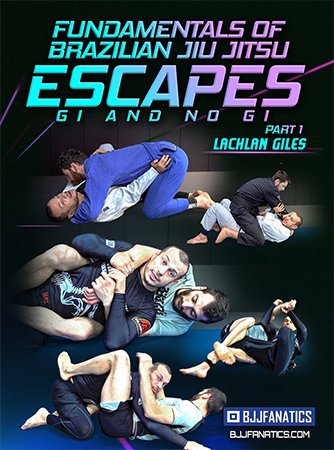
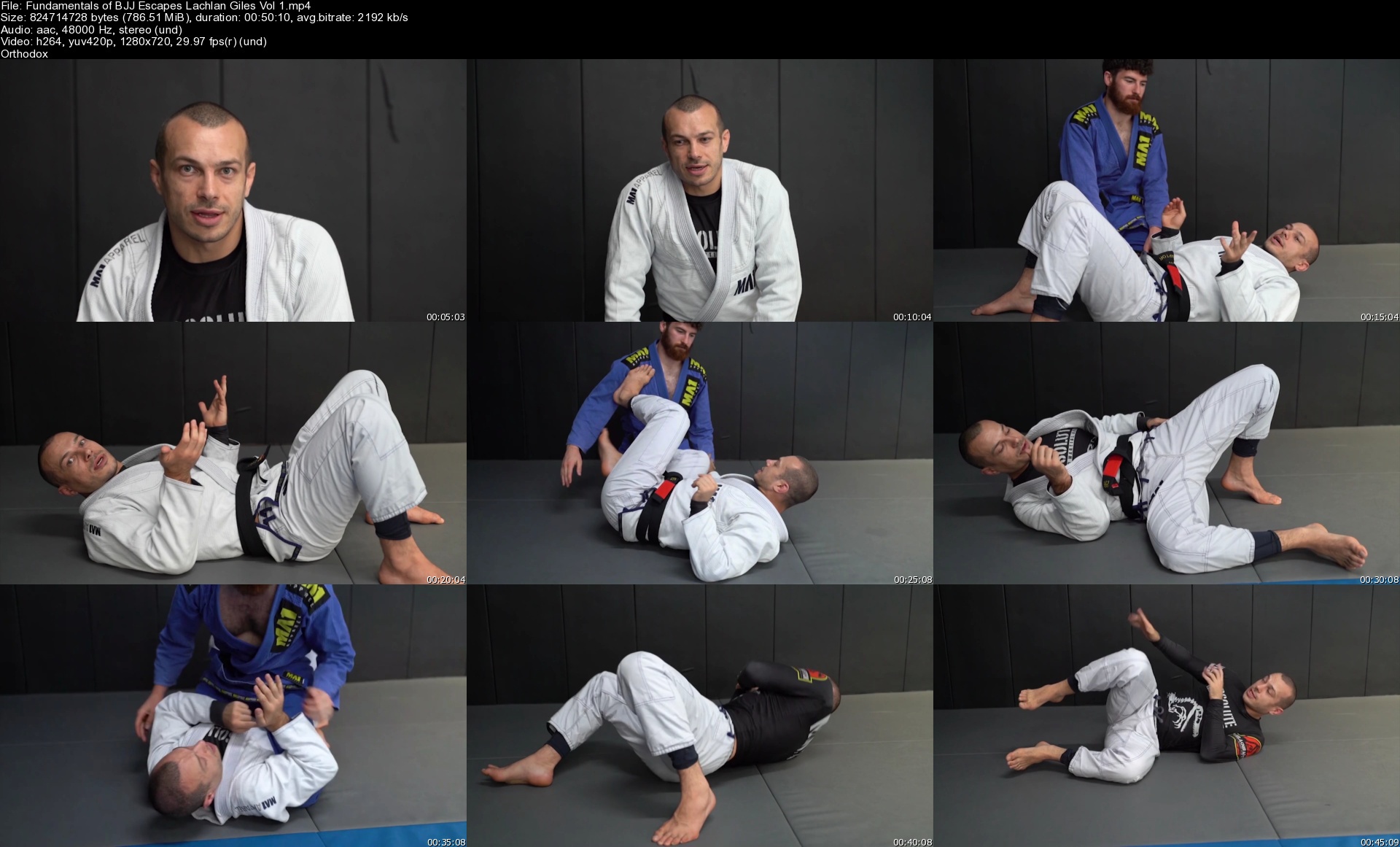
Fundamentals of Brazilian Jiu Jitsu Escapes Gi & No Gi

ewfrasvw1ocdpapxcdl0cclkam.jpg


Fundamentals of Brazilian Jiu Jitsu Escapes Gi & No Gi
Lachlan Giles | Duration: 7:14 h | Video: H264 1280x720 | Audio: AAC 48 kHz 2ch | 6,8 GB | Language: English

Learn how to escape from Brazilian Jiu-Jitsu's worst positions with Lachlan Giles's new 8-volume series on escaping

• Watch Lachlan spar from bad positions with narration so you can see the techniques at work
• This series covers both gi and no-gi solutions and concepts for getting out of mount, back, side control, and more
• Understand each position's threats, how to stay safe, and your path back to safety better than ever before

Homepage


fundamentalsofbjjescawqjti.jpg


03ef6f7fc01c48860d660fadc711df46.jpg

Extensive Canva 2022 Master Course
Genre: eLearning | MP4 | Video: h264, 1280x720 | Audio: AAC, 48.0 KHz
Language: English | Size: 3.20 GB | Duration: 5h 25m
The Canva Master Course from the basics to advanced

What you'll learn
Graphic design fundamentals from basics to advanced
How to create professional quality graphic designs with Free Canva
How to customise the templates or create design using a blank page
How to create videos and awesome animations
How to use the latest Canva Video functionality
Some Tips and tricks to use in designs that will be useful in creating professional-quality graphic designs
how to prepare a flawless professional presentation
Where to find lots of free photos, illustrations, photo editing programs, videos, video editing tools, and other free tools that will really help you create
To stay up to date on all the latest Canva features
Description
In this new and extensive Canva master course you'll find out fundamentals from basics to advanced. Here step by step you'll learn how to create professional-looking graphic designs, presentations, promotional videos, GIFs, social media posts and etc. with free latest Online Graphic Design tool which is Canva.
The course consists of five parts
Part 1 - Introduction to Canva
Part 2 - Design basics. Here we will learn how to choose the template; all the ways to load the background; all about photos, texts, elements, forms, lines, grides, frames and etc
Part 3 - How we can customise free and paid templates, and how we can save and download them.
Part 4 - Higher level. We will learn all about the meaning of the colour, colours palette, where to find it, how to use it; ow to delete the background using free Canva account; and we will learn some tricks. And we will learn to create videos and gifs.
Part 5 - All about presentation. How we can create a professional presentation with Free Canva.
You'll also get
· Lifetime Access to Course Updates
· Fast & Friendly Support in the Q&A Section
· 102 Free Resources for Graphic Designers. I have also prepared a gift for you, it is as many as 102 free page links where you will find a free photo page, a sites link which will help you find photos without background, free music, a video page and various tools, which will really help you when you start creating designs.
Don't Miss Out!
· Enrol today to claim your limited-time discount and become a CANVA Graphic design pro!
Who this course is for
Anyone who needs quick, professional quality graphic designs for Free
Anyone curious about growing with Canva
Anyone willing to improve their Canva/designing skills
Business owners
Self-employed
Content Creators
Social Media Managers, Enthusiasts and Influencers
Youtubers
Entrepreneurs
Solopreneurs
Marketers
Graphic Designers
Canva Lovers
Mothers
Students
The creative
Startups
Screenshots


uxlrqiGCFK9PpNs5AQj7gPJPuBUULSD5.jpg

Complete C# Masterclass 2022
MP4 | Video: h264, 1280x720 | Audio: AAC, 44.1 KHz
Language: English | Size: 10.0 GB | Duration: 37h 2m
Learn C# Programming - WPF, Databases, Linq, Collections, Game Development with Unity. More than just the C# basics!​

What you'll learn
Learn the fundamentals of programming using C#
Learn how to use variables, methods, loops, conditions
Fully understand how OOP (object oriented Programming) works and how to use it.
Build beautiful GUIs (Graphical User Interfaces) with WPF (Windows Presentation Foundation)
Create video games using C# and Unity 3D
Learn how to handle errors and avoid them
Work with files and text
Learn how to use Linq and Lambda Expressions
Learn how to use Databases with MS SQL Server and Linq
Requirements
Visual Studio Community Edition (FREE)
A Windows (10) PC is required for the WPF and Database portions of the course
Description
The course gets updated frequently - Last update: 23. of April 2021
Have you ever had an idea for a program, an app, or a game?
Maybe you want to work as a developer? Then you are in the right place. In this course, you are going to discover how to become a c# developer - one of the best programming languages on earth!
C# is one of the few programming languages which allows you to create amazing cross-platform Mobile Apps, Games, and PC Programs.
Bringing an Idea to life is one of the best feelings one can have, but the path to get there is often full of challenges. So I have created a course that makes this path as easy as possible all with the help of c# so that you become a skilled c# developer!
You start off by learning the C# basics and C# programming concepts in general
variables
methods
arrays
if statements
loops
Then you learn the three pillars of Object-oriented programming.
Classes and Objects
Inheritance
Polymorphism
Once you mastered them you will go into advanced C# Topics, such as Databases and LINQ.
In order to really become really good in c# programming, you have to program yourself, so I have created loads of exercises (and quizzes) for you to try for yourself to do c# programming and also to see how it is done afterward. Of course, you learn best programming practices along the way.
Equipped with those skills, you will build beautiful user interfaces with WPF - A framework, which makes creating GUI's a piece of cake.
By that point, you can create your very own complex programs.
But what comes next is even cooler.
Learn Game Development with Unity and C# - Build 2 awesome games
As C# can be used for multiple different areas of programming, I have decided to cover the most important ones. So I have added a whole bunch of chapters specifically designed for a C# developer and Unity game developer - arguably the best Game Engine in the world. In those chapters, you will discover how to create your very own video games by building pong, the mother of video games and zig-zag, an amazing and successful endless runner game.
We live in a world, where knowledge and work are shared more than ever, so using assets provided by others is a huge boost to your progress. You will learn how to use 3D assets to make an endless runner. Then you'll use animations, reset the game, use particle systems, and finally create a map procedurally. That's quite some advanced stuff right there.
I know that learning to code can be hard at times, and sometimes you just get stuck. But no worries, we are there for you. We answer each question as quickly as we can and make sure that you reach your goal of becoming a developer.
WHO IS THIS COURSE FOR?
The course is for anyone, who wants to learn c# and wants to become professionally good in c# programming. No experience is required whatsoever. It is designed that anyone who can handle a mouse and keyboard will succeed in finishing it. The only real requisite is the desire to learn.
30-DAY FULL MONEY-BACK GUARANTEE
This course comes with a 30-day full money-back guarantee. Take the course, watch every lecture, and do the exercises, and if you feel like this course is not for you, ask for a full refund within 30 days. All your money back, no questions asked.
ABOUT YOUR INSTRUCTOR
My name is Denis Panjuta and in my courses, I have taught over 150.000 students how to code. I have a Bachelor of Engineering at the University of Applied Sciences in Constance (Germany). I love teaching and creating high-quality courses. My mission is, to teach programming to over 10.000.000 people!
As you see, this is the only C# course you will ever need!
You will learn all the c# fundamentals, all c# basics, and everything that you need to know to succeed in c# programming and building your own cool video games!
So don't waste any more time and start to make your dreams and ideas come true by taking this course now
Who this course is for
Everyone who wants to learn C#
Everyone who wants to build cross plattform video games with Unity 3D
Everyone who wants to build Pc programs with a beautiful UI using WPF
Screenshots


Zurück
Oben Unten