The Complete Python Masterclass: Learn Python From Scratch (updated 4/2021)
The Complete Python Masterclass: Learn Python From Scratch (updated 4/2021)
Genre: eLearning | MP4 | Video: h264, 1280x720 | Audio: AAC, 48.0 KHz
Language: English | Size: 11.6 GB | Duration: 39h 42m
Python course for beginners, Learn Python Programming , Python Web Framework Django, Flask, Web scraping and a lot more.
What you'll learn
Learn the latest version of Python i.e Python 3
Learn the latest Django version, i.e Django 3
Understand & learn each and every Python concept.
Learn how to automate social media posts using Selenium
Make Web-Applications using Python.
Make GUI based Applications in Python using Tkinter
Learn how to make full-stack web apps using Python and Django 3
Learn how to process images & videos using OpenCV
Learn how to make your own web-scraping tool using Python
Build database oriented desktop apps with Python, PostgreSQL & Tkinter.
Understand all Django concepts
Understand all Flask Concepts
Learn how to perform data analysis using Python
Learn object oriented programming in Python
Learn how to perform file compression & decompression using Python
Learn how to analyse supermarket sales data using data analysis
Build a QR code generator using Python
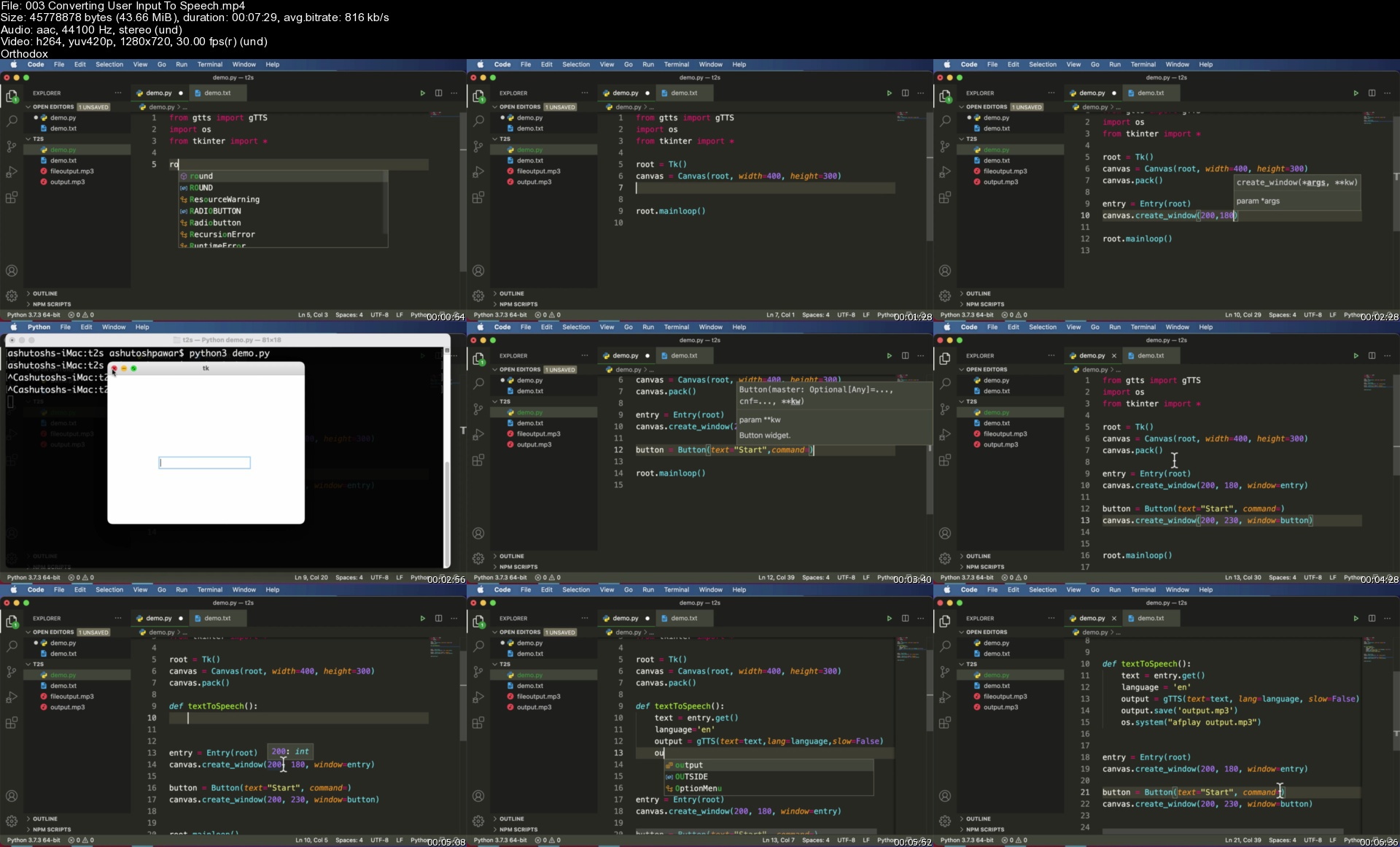
Build a text-to-speech converter
Learn how to hash passwords in Python
Build A Budget Tracker Web Application With Python & ChartJs
Description
The Complete Python Masterclass: Learn Python From Scratch
Here Is What You Get By Enrolling In This Course:
Word-By-Word Explanation: In the entire course, I explain each line of code, without skipping a single line of code.
Awesome Quality Content: Over 37+ hours of HD(1080p) Videos.
Well Structured & Easy To Learn: Course has been specially designed to make it easy for the students to learn Python, Django 3, Data Analysis, Flask, Tkinter, OpenCV, File Compression, Desktop App development with PostgreSQL & Web Scraping.
24 X 7 Support: I will always be there to guide you in your journey to become Python expert.
_________________________________________________________________________
Here Is Everything You Will Learn In This Complete Course:
In this hands-on course, you will learn Python right starting from scratch to the level where you can build almost anything with it, be it a fully functional database oriented web application or an automation tool.
This course will teach you Python right from scratch from a very basic level and will gradually move you towards more advanced topics.
We not just cover all the Python basics but also the most popular Python libraries such as Django, Flask, Tkinter & Selenium.
The Complete Course is divided into 17 Major sections.
Here is a brief description of what you will learn in each section.
Section 1: Python basics.
This section covers all the basics of Python, starting right from installing the required tools to covering topics like mathematical operators, strings, accepting user input, string operations, variables, conditionals like if, elif, control structures such as while & for loop, functions, modules & packages, lists, file handling, OOP in Python, regular expressions. Almost every basic Python concept is covered in this section.
Section 2: Make GUI In Python Using Tkinter.
Once done with the basics, we know learn the Tkinter library which allows us to create desktop based applications with Python. We learn how to create GUI apps using Tkinter & Python and also build a fully functional Desktop app i.e a calculator.
Section 3: Making Database Oriented Desktop Apps With PostgreSQL.
Making a simple desktop app alone isn't sufficient, it needs a backend database to store some data. To do the same we learn how to connect our desktop apps to the backend. In this section we build a student management system software using Python, Tkinter to design the GUI & PostgreSQL database to store the data for our application in the backend.
Section 4: File Compression & Encoding In Python.
In this section we will learn how to perform file compression in Python to reduce file size. We also learn how to de-compress the compressed data and the methods used for it. We build a GUI based file compression tool using Python & Tkinter and a file compression library.
Section 5: Text To Speech Converter Using Python.
Text could be converted into speech/audio and that is exactly what is being covered in this specific section where we build a tool that generates audio from a given text. Not just that, we also learn how to convert an entire text file into mp3 which can be used to generate audiobooks from ebooks. We also learn how to convert the user input into speech.
Section 6: QR Code Generator.
We build a simple tool that can convert any link and convert it into a QR code that can be scanned via any smartphone that has a QR code reader. This tool creates QR code images that can be shared anywhere and the entire tool is built using Python & Tkinter.
Section 7: Video Downloader App.
In this section we built another tool to build our Python skills. This tool accepts a video URL, asks us to select the path where we want to download the specified video and then downloads that video to the specified path on our operating system. Not just that, this tool will also be able to convert video files into pure mp3 files as well. We build this tool from scratch right from architecting the code to designing the functionality to creating a user interface, all of it done using Python.
Section 8: Building A Credit Card Validator Using Lhun's Algorithm.
In this section we will learn what is Lhun's algorithm and how it is used to validate credit cards. We learn how Lhun's algorithm can be implemented in Python and used to validate credit card numbers. This section is designed to teach algorithmic thinking and implementation in Python.
Section 9: Data Analysis.
Python is being widely used in the data science domain and hence it is important to learn how to use Python to analyse data. Hence in this section we learn how to use the tools and techniques used to perform data analysis. We start off by learning the Pandas library which is used to perform data analysis and all the basic concepts like DataFrames, Reindexing, Indexing, Broadcasting and also learn how to perform data plotting and visualisation with the Matplotlib library.
In this section we also have a data science project which is based on analysing supermarket data to find insightful information which helps take better business decisions. We also learn how to represent data visually using multiple types of charts and bar graphs built using matplotlib.
Section 10: Python Web Framework Django 3.
This section will teach you how to build full-stack web applications with Python & Django 3. Django is one of the most popular web frameworks for Python and is used to program the back-end side of out web app. In this section we will learn Django right from basics and will build a simple book store web application. We will learn how to create models, how to route URL requests, how to create different views for our web app, how to integrate HTML templates and a lot more.
In this section we also build a fully functional todo list application built using Django. This application performs all the basic CRUD operations which stands for Create, Read, Update & Delete data from the database. While building this application, we ensure that all the important concepts of Django are throughly covered and implemented.
Section 11: Python Web Framework Flask.
Flask is a micro web framework for Python used to build simpler web apps. If you want to develop some simple and small websites, you can do so using Flask. In this section we cover flask basics suck as Routing, Dynamic URLs, Templates, passing data to the server & site cookies.
Section 12: REST APIs Using Django Rest Framework.
In this section we learn how to build our own REST APIs using the Django Rest Framework. If you already have a Django web app built, you can create API endpoints for it using the Django Rest Framework. In this section we will build a fully functional REST API with features such as search, filtering & authentication.
Section 13: Web Scraping in Python.
Python can also be used to crawl websites and gather data from it. In this section we learn the same, we build a web crawler which crawls up any website of our choice and gathers links from it. Web crawlers are used by many search engines to rank websites and in this section we learn how to build a smaller version of it using Python.
Section 14: Automation with Python & Selenium.
Python is widely used for automation as well, especially for testing. Selenium web driver is one such tool which has been built for automating tests but the same can be used for automating other browser based tasks as well. In this section we learn how to automate tasks using Selenium and will also build a Facebook Bot that automatically posts status for us.
Section 15: Best Practices: Writing Clean & Efficient Python Code.
To be a good Python engineer/ developer you need to know how to write clean, concise and efficient Python code. In this section we learn some of the best practice that you must follow while writing Python code so.
Section 16: Network Programming In Python Using Sockets: Building A Chat Application.
Networking is an important concept in IT & Computer Science as it facilitates communication between devices or servers. Keeping this in mind, this section covers the basic networking concepts and we learn how to implement them using Python by building a simple desktop based chat application. In this section we learn what is an IP address, what are ports, sockets and buffers and how they could be used to implement a communication program. We lean how sockets can be used for communication between process on the same and on different devices.
Section 17: Image Processing With Python & OpenCV.
Python can also be used to process and manipulate images and videos. In this section we learn how to use OpenCV library with Python to manipulate images. We learn some interesting things like capturing webcam video, tracking images from a live video, different image thresholding techniques, image blurring, averaging and Gaussian filtering.
_________________________________________________________________________
So let's begin the journey of becoming an expert in Python.
In addition to the Udemy 30-day money back guarantee, you have my personal guarantee that you will love what you learn in this course. If you ever have any questions please feel free to message me directly and I will do my best to get back to you as soon as possible!
_________________________________________________________________________
Make sure to enrol in the course before the price changes.
Take yourself one step closer towards becoming a professional Python developer by clicking the "take this course button" now!
Join the journey.
Sincerely,
Ashutosh Pawar
Who this course is for:
Beginners who want to learn Python.
Beginners who want to learn Django.
Beginners who want to learn Flask.
Web Developers.
Students who wish to learn a new skill to develop their career.
Homepage
The Complete Python Masterclass: Learn Python From Scratch (updated 4/2021)
Genre: eLearning | MP4 | Video: h264, 1280x720 | Audio: AAC, 48.0 KHz
Language: English | Size: 11.6 GB | Duration: 39h 42m
Python course for beginners, Learn Python Programming , Python Web Framework Django, Flask, Web scraping and a lot more.
What you'll learn
Learn the latest version of Python i.e Python 3
Learn the latest Django version, i.e Django 3
Understand & learn each and every Python concept.
Learn how to automate social media posts using Selenium
Make Web-Applications using Python.
Make GUI based Applications in Python using Tkinter
Learn how to make full-stack web apps using Python and Django 3
Learn how to process images & videos using OpenCV
Learn how to make your own web-scraping tool using Python
Build database oriented desktop apps with Python, PostgreSQL & Tkinter.
Understand all Django concepts
Understand all Flask Concepts
Learn how to perform data analysis using Python
Learn object oriented programming in Python
Learn how to perform file compression & decompression using Python
Learn how to analyse supermarket sales data using data analysis
Build a QR code generator using Python
Build a text-to-speech converter
Learn how to hash passwords in Python
Build A Budget Tracker Web Application With Python & ChartJs
Description
The Complete Python Masterclass: Learn Python From Scratch
Here Is What You Get By Enrolling In This Course:
Word-By-Word Explanation: In the entire course, I explain each line of code, without skipping a single line of code.
Awesome Quality Content: Over 37+ hours of HD(1080p) Videos.
Well Structured & Easy To Learn: Course has been specially designed to make it easy for the students to learn Python, Django 3, Data Analysis, Flask, Tkinter, OpenCV, File Compression, Desktop App development with PostgreSQL & Web Scraping.
24 X 7 Support: I will always be there to guide you in your journey to become Python expert.
_________________________________________________________________________
Here Is Everything You Will Learn In This Complete Course:
In this hands-on course, you will learn Python right starting from scratch to the level where you can build almost anything with it, be it a fully functional database oriented web application or an automation tool.
This course will teach you Python right from scratch from a very basic level and will gradually move you towards more advanced topics.
We not just cover all the Python basics but also the most popular Python libraries such as Django, Flask, Tkinter & Selenium.
The Complete Course is divided into 17 Major sections.
Here is a brief description of what you will learn in each section.
Section 1: Python basics.
This section covers all the basics of Python, starting right from installing the required tools to covering topics like mathematical operators, strings, accepting user input, string operations, variables, conditionals like if, elif, control structures such as while & for loop, functions, modules & packages, lists, file handling, OOP in Python, regular expressions. Almost every basic Python concept is covered in this section.
Section 2: Make GUI In Python Using Tkinter.
Once done with the basics, we know learn the Tkinter library which allows us to create desktop based applications with Python. We learn how to create GUI apps using Tkinter & Python and also build a fully functional Desktop app i.e a calculator.
Section 3: Making Database Oriented Desktop Apps With PostgreSQL.
Making a simple desktop app alone isn't sufficient, it needs a backend database to store some data. To do the same we learn how to connect our desktop apps to the backend. In this section we build a student management system software using Python, Tkinter to design the GUI & PostgreSQL database to store the data for our application in the backend.
Section 4: File Compression & Encoding In Python.
In this section we will learn how to perform file compression in Python to reduce file size. We also learn how to de-compress the compressed data and the methods used for it. We build a GUI based file compression tool using Python & Tkinter and a file compression library.
Section 5: Text To Speech Converter Using Python.
Text could be converted into speech/audio and that is exactly what is being covered in this specific section where we build a tool that generates audio from a given text. Not just that, we also learn how to convert an entire text file into mp3 which can be used to generate audiobooks from ebooks. We also learn how to convert the user input into speech.
Section 6: QR Code Generator.
We build a simple tool that can convert any link and convert it into a QR code that can be scanned via any smartphone that has a QR code reader. This tool creates QR code images that can be shared anywhere and the entire tool is built using Python & Tkinter.
Section 7: Video Downloader App.
In this section we built another tool to build our Python skills. This tool accepts a video URL, asks us to select the path where we want to download the specified video and then downloads that video to the specified path on our operating system. Not just that, this tool will also be able to convert video files into pure mp3 files as well. We build this tool from scratch right from architecting the code to designing the functionality to creating a user interface, all of it done using Python.
Section 8: Building A Credit Card Validator Using Lhun's Algorithm.
In this section we will learn what is Lhun's algorithm and how it is used to validate credit cards. We learn how Lhun's algorithm can be implemented in Python and used to validate credit card numbers. This section is designed to teach algorithmic thinking and implementation in Python.
Section 9: Data Analysis.
Python is being widely used in the data science domain and hence it is important to learn how to use Python to analyse data. Hence in this section we learn how to use the tools and techniques used to perform data analysis. We start off by learning the Pandas library which is used to perform data analysis and all the basic concepts like DataFrames, Reindexing, Indexing, Broadcasting and also learn how to perform data plotting and visualisation with the Matplotlib library.
In this section we also have a data science project which is based on analysing supermarket data to find insightful information which helps take better business decisions. We also learn how to represent data visually using multiple types of charts and bar graphs built using matplotlib.
Section 10: Python Web Framework Django 3.
This section will teach you how to build full-stack web applications with Python & Django 3. Django is one of the most popular web frameworks for Python and is used to program the back-end side of out web app. In this section we will learn Django right from basics and will build a simple book store web application. We will learn how to create models, how to route URL requests, how to create different views for our web app, how to integrate HTML templates and a lot more.
In this section we also build a fully functional todo list application built using Django. This application performs all the basic CRUD operations which stands for Create, Read, Update & Delete data from the database. While building this application, we ensure that all the important concepts of Django are throughly covered and implemented.
Section 11: Python Web Framework Flask.
Flask is a micro web framework for Python used to build simpler web apps. If you want to develop some simple and small websites, you can do so using Flask. In this section we cover flask basics suck as Routing, Dynamic URLs, Templates, passing data to the server & site cookies.
Section 12: REST APIs Using Django Rest Framework.
In this section we learn how to build our own REST APIs using the Django Rest Framework. If you already have a Django web app built, you can create API endpoints for it using the Django Rest Framework. In this section we will build a fully functional REST API with features such as search, filtering & authentication.
Section 13: Web Scraping in Python.
Python can also be used to crawl websites and gather data from it. In this section we learn the same, we build a web crawler which crawls up any website of our choice and gathers links from it. Web crawlers are used by many search engines to rank websites and in this section we learn how to build a smaller version of it using Python.
Section 14: Automation with Python & Selenium.
Python is widely used for automation as well, especially for testing. Selenium web driver is one such tool which has been built for automating tests but the same can be used for automating other browser based tasks as well. In this section we learn how to automate tasks using Selenium and will also build a Facebook Bot that automatically posts status for us.
Section 15: Best Practices: Writing Clean & Efficient Python Code.
To be a good Python engineer/ developer you need to know how to write clean, concise and efficient Python code. In this section we learn some of the best practice that you must follow while writing Python code so.
Section 16: Network Programming In Python Using Sockets: Building A Chat Application.
Networking is an important concept in IT & Computer Science as it facilitates communication between devices or servers. Keeping this in mind, this section covers the basic networking concepts and we learn how to implement them using Python by building a simple desktop based chat application. In this section we learn what is an IP address, what are ports, sockets and buffers and how they could be used to implement a communication program. We lean how sockets can be used for communication between process on the same and on different devices.
Section 17: Image Processing With Python & OpenCV.
Python can also be used to process and manipulate images and videos. In this section we learn how to use OpenCV library with Python to manipulate images. We learn some interesting things like capturing webcam video, tracking images from a live video, different image thresholding techniques, image blurring, averaging and Gaussian filtering.
_________________________________________________________________________
So let's begin the journey of becoming an expert in Python.
In addition to the Udemy 30-day money back guarantee, you have my personal guarantee that you will love what you learn in this course. If you ever have any questions please feel free to message me directly and I will do my best to get back to you as soon as possible!
_________________________________________________________________________
Make sure to enrol in the course before the price changes.
Take yourself one step closer towards becoming a professional Python developer by clicking the "take this course button" now!
Join the journey.
Sincerely,
Ashutosh Pawar
Who this course is for:
Beginners who want to learn Python.
Beginners who want to learn Django.
Beginners who want to learn Flask.
Web Developers.
Students who wish to learn a new skill to develop their career.
Homepage