• Regeln für den Video-Bereich:

    In den Börsenbereich gehören nur Angebote die bereits den Allgemeinen Regeln entsprechen.

    Einteilung

    - Folgende Formate gehören in die angegeben Bereiche:
    - Filme: Encodierte Filme von BluRay, DVD, R5, TV, Screener sowie Telesyncs im Format DivX, XviD und x264.
    - DVD: Filme im Format DVD5, DVD9 und HD2DVD.
    - HD: Encodierte Filme mit der Auflösung 720p oder darüber von BluRay, DVD, R5, TV, Screener sowie Telesyncs im Format x264.
    - 3D: Encodierte Filme von BluRay, die in einem 3D Format vorliegen. Dies gilt auch für Dokus, Animation usw.
    - Serien: Cartoon/Zeichentrick, Anime, Tutorials, Dokumentationen, Konzerte/Musik, Sonstiges sind demnach in die entsprechenden Bereiche einzuordnen, auch wenn sie beispielsweise im High Definition-Format oder als DVD5/DVD9/HD2DVD vorliegen. Ausnahme 3D.
    - Bereich Englisch: Englische Releases gehören immer in diesen Bereich.
    - Bereich Talk: Der Bereich, in dem über die Releases diskutiert werden kann, darf, soll und erwünscht ist.


    Angebot/Beitrag erstellen

    - Ein Beitrag darf erst dann erstellt werden, wenn der Upload bei mindestens einem OCH komplett ist. Platzhalter sind untersagt.
    - Bei einem Scenerelease hat der Threadtitel ausschließlich aus dem originalen, unveränderten Releasenamen zu bestehen. Es dürfen keine Veränderungen wie z.B. Sterne, kleine Buchstaben o.ä. vorgenommen werden. Ausnahme Serienbörse:
    - Bei einem Sammelthread für eine Staffel entfällt aus dem Releasename natürlich der Name der Folge. Beispiel: Die Simpsons S21 German DVDRip XviD - ITG
    - Dementsprechend sind also u.a. verboten: Erweiterungen wie "Tipp", "empfehlenswert", "only", "reup", usw. / jegliche andere Zusatzinformation oder Ergänzung, welche nicht in obiger Beschreibung zu finden ist.

    Aufbau des Angebots und Threadtitel

    Der Titel nach folgendem Muster erstellt zu werden. <Name> [3D] [Staffel] [German] <Jahr> <Tonspur> [DL] [Auflösung] <Quelle> <Codec> - <Group>
    Beispiel: The Dark Knight German 2008 AC3 DVDRip XviD - iND
    Beispiel: The Dark Knight 2008 DTS DL BDRip x264 - iND
    Beispiel: The Dark Knight 2008 AC3 DL BDRip XviD - iND
    Beispiel: The Dark Knight German 2008 AC3 720p BluRay x264 iND
    Beispiel: The Dark Knight 2008 DTS DL 1080p BluRay x264 iND
    Beispiel: Die Simpsons S01 German AC3 DVDRip XviD iND
    Beispiel: Die Simpsons S20 German AC3 720p BluRay x264 iND
    Beispiel: Sword Art Online II Ger Sub 2014 AAC 1080p WEBRip x264 - peppermint
    Entsprechend sind also u.a. verboten: Sonderzeichen wie Klammern, Sterne, Ausrufezeichen, Unterstriche, Anführungszeichen / Erweiterungen wie "Tipp", "empfehlenswert", "only", "reup", usw. / jegliche andere Zusatzinformation oder Ergänzung, welche nicht in obiger Beschreibung zu finden ist
    Ausnahmen hiervon können in den Bereichen geregelt sein.

    Die Beiträge sollen wie folgt aufgebaut werden:
    Überschrift entspricht dem Threadtitel
    Cover
    kurze Inhaltsbeschreibung
    Format, Größe, Dauer sind gut lesbar für Downloader außerhalb des Spoilers zu vermerken
    Nfo sind immer Anzugeben und selbige immer im Spoiler in Textform.
    Sind keine Nfo vorhanden z.B. Eigenpublikationen, sind im Spoiler folgende Dateiinformationen zusätzlich anzugeben :
    Quelle
    Video (Auflösung und Bitrate)
    Ton (Sprache, Format und Bitrate der einzelnen Spuren)
    Untertitel (sofern vorhanden)
    Hosterangabe in Textform außerhalb eines Spoiler mit allen enthaltenen Hostern.
    Bei SD kann auf diese zusätzlichen Dateiinformationen verzichtet werden.

    Alle benötigten Passwörter sind, sofern vorhanden, in Textform im Angebot anzugeben.
    Spoiler im Spoiler mit Kommentaren :"Schon Bedankt?" sind unerwünscht.


    Releases

    - Sind Retail-Release verfügbar, sind alle anderen Variationen untersagt. Ausnahmen: Alle deutschen Retail-Release sind CUT, in diesem Fall sind dubbed UNCUT-Release zulässig.
    - Im Serien-Bereich gilt speziell: Wenn ein Retail vor Abschluss einer laufenden Staffel erscheint, darf diese Staffel noch zu Ende gebracht werden.62
    - Gleiche Releases sind unbedingt zusammenzufassen. Das bedeutet, es ist zwingend erforderlich, vor dem Erstellen eines Themas per Suchfunktion zu überprüfen, ob bereits ein Beitrag mit demselben Release besteht. Ist dies der Fall, ist der bereits vorhandene Beitrag zu verwenden.
    - P2P und Scene Releases dürfen nicht verändert oder gar unter einem iND Tag eingestellt werden.


    Support, Diskussionen und Suche

    - Supportanfragen sind entweder per PN oder im Bereich Talk zu stellen.
    - Diskussionen und Bewertungen sind im Talk Bereich zu führen. Fragen an die Uploader haben ausschließlich via PN zu erfolgen, und sind in den Angeboten untersagt.
    - Anfragen zu Upload-Wünschen sind nur im Bereich Suche Video erlaubt. Antworten dürfen nur auf Angebote von MyBoerse.bz verlinkt werden.


    Verbote

    - Untersagt sind mehrere Formate in einem einzigen Angebotsthread, wie beispielsweise das gleichzeitige Anbieten von DivX/XviD, 720p und 1080p in einem Thread. Pro Format, Release und Auflösung ist ein eigener Thread zu eröffnen.
    - Grundsätzlich ebenso verboten sind Dupes. Uploader haben sich an geeigneter Stelle darüber zu informieren, ob es sich bei einem Release um ein Dupe handelt.
    - Gefakte, nur teilweise lauffähige oder unvollständige Angebote sind untersagt. Dies gilt auch für eigene Publikationen, die augenscheinlich nicht selbst von z.B. einer DVD gerippt wurden. Laufende Serien, bei denen noch nicht alle Folgen verfügbar sind, dürfen erstellt und regelmäßig geupdatet werden.
    - Untersagt sind Angebote, welche nur und ausschließlich in einer anderen Sprache als deutsch oder englisch vorliegen. Ausnahmen sind VORHER mit den Moderatoren zu klären.


    Verstoß gegen die Regeln

    - Angebote oder Beiträge, die gegen die Forenregeln verstoßen, sind über den "Melden"-Button im Beitrag zu melden.
  • Bitte registriere dich zunächst um Beiträge zu verfassen und externe Links aufzurufen.

++ Premium IPTV ++ 7000 Live Sender ++ UHD Qualität ++ Mediathek mit 18.000 Inhalten ++


VenneTV


Englische Tutorials

Java Native Interface (JNI) in depth

gluqlvvxhofirbgzyznrbhwjhx.jpg


Java Native Interface (JNI) in depth
MP4 | Video: h264, 1280x720 | Audio: AAC, 44.1 KHz, 2 Ch
Genre: eLearning | Language: English + srt | Duration: 92 lectures (37h 20m) | Size: 17.5 GB

Gain an in-depth understanding of how to accomplish mixed Java/C++ software development

What you'll learn:
How to work with Java Native Interface (JNI)
Mixed Java/C++ Development

Requirements
Basic Java Programming
Basic C++ Programming
Basic Understanding of Eclipse IDE


Description
In this course, you will learn how to write java code that includes native methods, and how to bundle it with a C++ dynamic library that implements those native methods. Although the main focus is on java programming, details about C++ programming and how to link against existing native libraries are also discussed in detail. The course contents and the accompanying PowerPoint slides have been prepared with the utmost quality.

Who this course is for
Software Engineers
Java Programmers

Homepage

003workingwithboxedpr5lk9c.jpg


Java for Scientific Computing

wpy6xyxldsrs2dfjz7wmphakcn.jpg


Java for Scientific Computing
MP4 | Video: h264, 1280x720 | Audio: AAC, 44.1 KHz, 2 Ch
Genre: eLearning | Language: English + srt | Duration: 114 lectures (58h 31m) | Size: 25 GB

Ideas for scientific computing in java

What you'll learn:
Using java for solving scientific problems (engineering, physics, etc.)

Requirements
Basic knowledge of core java libraries and Eclipse IDE


Description
Whether you are an experienced java developer or a high-school or college student, if you are a java enthusiast then this course is for you. This course will equip you with an in-depth understanding of the fundamental concepts of scientific computing such as optimization, finding roots, and solving differential equations. The lectures and the accompanying powerpoint slides are designed and prepared with the utmost quality.

Who this course is for
College students and graduate students
Engineers
Physicists

Homepage

002createthefunctionsygj6w.jpg


Complete Web Developers Bootcamp - Noob to Pro

s7i5ct1mgk90c0jsmsc36fhj0w.jpg


Complete Web Developers Bootcamp - Noob to Pro
Genre: eLearning | MP4 | Video: h264, 1280x720 | Audio: AAC, 44.1 KHz
Language: English | Size: 7.6 GB | Duration: 17h 19m

Everything you need to know... in ONE course!


What you'll learn
HTML5
CSS (latest in 2021)
Flexbox
Full Stack Development
Backend Development
Client Side Development
Modern Build Tools
JavaScript (latest in 2021)
Visual Studio Code (debugging)
Git / GitHub Version Control
HTTP/TCP Basic Programming Principles
NodeJS
AJAX


Description
This action packed course has over 17 hours of learning, featuring the latest technologies, tools and coding standards. This course is aimed towards aspiring web programmers who want to take programming beyond a hobby.

Why Learn With Me?

I'm a Senior Software Engineer with over 10 years of professional experience working for Fortune 500 companies. Some of my work has been used by universities around the world and sponsored by some of the largest companies in Information Technology.

This course will start from the basics and work our way up to the modern client-side libraries such as React & Vue. I'll even show you how to debug NPM packages, contribute to GitHub projects and much more! If you want to be a professional web developer, then jump into this course today.

You don't need to take the modules in order, but they are structured that way. No prior experience is necessary or needed. If you're looking to become a pro, I'll help you get there. Let's have fun with it! Take your time, take breaks and just know, this is a complicated field. Software Developers get paid a lot of money for a very good reason. It's hard stuff, this course will make it easier for you.


Homepage

007pseudoclassessnekq6.jpg


Cisco NGFW Firepower Threat Defense (FTD) Training Part-1/2

onbx2gwygyxogxky9apaa3xk0i.jpg


Cisco NGFW Firepower Threat Defense (FTD) Training Part-1/2
MP4 | Video: h264, 1280x720 | Audio: AAC, 44.1 KHz, 2 Ch
Genre: eLearning | Language: English + srt | Duration: 51 lectures (13h 32m) | Size: 6.36 GB

Learn Cisco NGFW Firepower Threat Defense (FTD) V6.7 (SNCF 300-710) with Step by Step Lab Workbook

What you'll learn:
Implement NGFW modes
Implement NGIPS modes
Implement high availability options
Configure system settings in Cisco Firepower Management Center
Configure these policies in Cisco Firepower Management Center
Configure these features using Cisco Firepower Management Center
Configure devices using Firepower Management Center
Firepower initial bootstrap and setup
Configure and verify site-to-site VPN and remote access VPN
All Next Generation Features
Implement segmentation, access control policies, AVC, URL filtering

Requirements
Basic IP and security knowledge is nice to have.
Students need to understand basic networking.
CCNA routing and Switching Knowledge.
Students needs to understand Networking Fundamentals.
CCNA Security or Equivalent.


Description
The Cisco Firepower Threat Defense NGFW Implementation Training course shows you how to use and configure Cisco Firepower Threat Defense technology, beginning with initial device setup and configuration and including routing, Network Address Translation (NAT) and Policies.

This course teaches you how to implement advanced Next-Generation Firewall (NGFW) and Next-Generation Intrusion Prevention System (NGIPS) features. Cisco Firepower Threat Defense and Firepower including policy configurations, integrations, deployments, management and troubleshooting. These courses, Securing Networks with Cisco Firepower, and Securing Network with Cisco Firepower Next-Generation Intrusion Prevention System help candidates prepare for this exam.

1.1 Implement NGFW modes

1.1.a Routed mode

1.1.b Transparent mode

1.2 Implement NGIPS modes

1.2.a Passive

1.2.b Inline

1.3 Implement high availability options

1.3.a Link redundancy

1.3.b Active/standby failover

1.3.c Multi-instance

1.4 Describe IRB configurations

2.0 Configuration

2.1 Configure system settings in Cisco Firepower Management Center

2.2 Configure these policies in Cisco Firepower Management Center

2.2.a Access control

2.2.b Intrusion

2.2.c Malware and file

2.2.d DNS

2.2.e Identity

2.2.f SSL

2.2.g Prefilter

2.3 Configure these features using Cisco Firepower Management Center

2.3.a Network discovery

2.4 Configure objects using Firepower Management Center

2.4.a Object Management

2.4.b Intrusion Rules

2.5 Configure devices using Firepower Management Center

2.5.a Device Management

2.5.b NAT

2.5.c VPN

2.5.d QoS

2.5.e Platform Settings

3.0 Management and Troubleshooting

3.1 Troubleshoot with FMC CLI and GUI

3.2 Configure dashboards and reporting in FMC

3.3 Troubleshoot using packet capture procedures

Who this course is for
Course has been designed for anyone who wants to start learning NGFW
This course is for students trying to learn the CCNP Security
Any Network or Security Engineer want to learn or polish their Skills.
Network and Security Engineers

Homepage

043lecture43configureaukle.jpg


Certified Internal Auditor for IATF 16949, CSR & Core Tools

m8viektn4crkdruzseyuizcjb0.jpg


Certified Internal Auditor for IATF 16949, CSR & Core Tools
MP4 | Video: h264, 1280x720 | Audio: AAC, 44100 Hz
Language: English | Size: 13.4 GB | Duration: 28h 18m


What you'll learn
In-depth understanding of Clauses of IATF 16949 for effective implementation in the organization.
How to audit IATF 16949 Quality Management System using checklist for value addition in the organization.
Understanding of key points of IATF rules, FAQ's and SI's which are followed by external auditors of certification agency..
Identify the gaps in IATF 16949 Quality Management System implementation and take necessary corrective action.
Follow Process Approach in documentation and implementation of IATF 16949 Quality Management System.
Effective root cause analysis for externally or internally identified non-conformities and formulate actions to remove the cause.
Requirements
A degree or diploma in Engineering, Science, Technology, Management (or any other discipline) is desired. But this is not stipulated by IATF 16949 standard or IATF rule.
Engagement in one or more operational activities in organization, such as design - development, engineering, production, tooling management, quality control, quality management system, procurement, dispatch, sales, marketing etc., unless you are a fresher for job or a jobseeker.
Persons should give importance to customer focus (both external and internal), leadership within their activity, target orientation, team work etc.
Good understanding of IATF Core Tools such as APQP, Process Flow, Design FMEA, Process FMEA, Control Plan, SPC, MSA, PPAP will be an added advantage.
Awareness of structured problem solving approaches such as, 7 QC Tools, 8D, Error Proofing, Mistake Proofing etc. will be added advantage.

Description
This certificate course enables the participants as qualified internal auditor of IATF 16949-2016 including conducting Second party audit, Manufacturing process audit, Product audit and Audit of core tools & Customer specific requirements.

Trainer is Certified Lead Auditor for IATF 16949-2016 (Exemplar Global Accredited) including customer specific requirements and core tools and trainer's qualification certificate is provided.

The course provide detailed understanding of IATF 16949-2016 standard requirements including that of ISO 9001-2015, risk based thinking, process approach etc.

Implementation guidance and audit perspectives of all auditable clauses of the standards are elaborated. Also auditing perspective of Customer Specific Requirements and IATF Core Tools are included. In addition to QMS Audit, the course also elaborates manufacturing process audit, product audit methodology.


Who this course is for:
Young engineers, scientists and other professionals working in manufacturing organization, who are at the early phase of their career.
Middle level executives in manufacturing organization holding key responsibility as process owner, shift-in-charge etc.
Senior level executives of manufacturing organization who are actively involved in strategic planning and accountable for target compliance in the organization.
Top executives of manufacturing organization who are overseeing the effectiveness and efficiency of the organization's processes and accountable to customers.
An individual working as consultant in IATF 16949 certification field.
A fresher who is interested to make a career in automotive manufacturing industry or automotive OEM.


Homepage

2.processapproachpartaqkw8.jpg


Build &Deploy Machine Learning on Flask,AWS,Azure,Heroku,GCP

ebrpyrdxgslwbegqmfgfnwvj4u.jpg


Build &Deploy Machine Learning on Flask,AWS,Azure,Heroku,GCP
Genre: eLearning | MP4 | Video: h264, 1280x720 | Audio: AAC, 44.1 KHz
Language: English | Size: 6.55 GB | Duration: 11h 58m

Learn How To Deploy Machine Learning models on Flask,Heroku,AWS,Google Cloud,Microsoft Azure, Streamlit. Beginner To Adv


What you'll learn
Learn How To Build and Deploy Machine Learning on Flask, Heroku, AWS, Google Cloud,Microsoft Azure, Streamlit
Master Machine Learning With Python
Learn Through 6 Core Industry Platforms
Learn Through Projects and Assignments
Beginner To Advance
End-to-End Data Science and Machine Learning Deployment


Description
Interested in the field of Data Science and Machine Learning?

Interested in Building Data Science and Machine Learning Projects and Deploy on Platforms such as AWS, Google Cloud, Microsoft Azure, Heroku, Flask, Streamlit?

Interested in learning it the practical way?

Then this course is for you!!

This course has been practically and carefully designed by industry experts to offer the best way of learning Data Science and Machine Learning the practical way with hands-on projects and Deployment throughout the course.

This course will teach step-by-step how to deploy your machine learning models in the cloud as it is done in the industry.

We will walk you through step-by-step on each topic explaining each line of code for your understanding.

There is going to be a lot of fun, excited, and robust projects to better understand each concept under each topic.

We have structured the course in this way:

Projects Deployment Tutorial

Streamlit project tutorial

Flask deployment project tutorial

Heroku deployment project tutorial

Google cloud deployment project tutorial

AWS deployment project tutorial

Microsoft Azure deployment project tutorial

This course aims to help beginners, as well as intermediate data science enthusiasts, learn the most efficient ways to deploy their machine learning models while practicing on the projects to gain a better understanding of the course.


Who this course is for:
Anyone interested in Data Science and Machine Learning.
Anyone who wants to Build And Deploy machine learning models on Flask, Heroku, AWS,Google Cloud, Microsoft Azure, Streamlit
Any student interested in a career in Data Science and Machine Learning
Any beginner level interested to kick-start their career in Data Science and Machine
 Learning
Any intermediate level learner who know the basics of python, statistics, machine
 Learning and want to learn more about model deployment
Any data analysts who want to transition to Data Science and Machine Learning
Any Business Analysts who want to transition to Data Science and Machine
 Learning
Anyone not satisfied with their job and looking for a career transition to become a
 Data Scientist.
Anyone who wants to leverage the power of data in his case scenario.
Any curious mind


Homepage

003createyourfirstflas7jt6.jpg


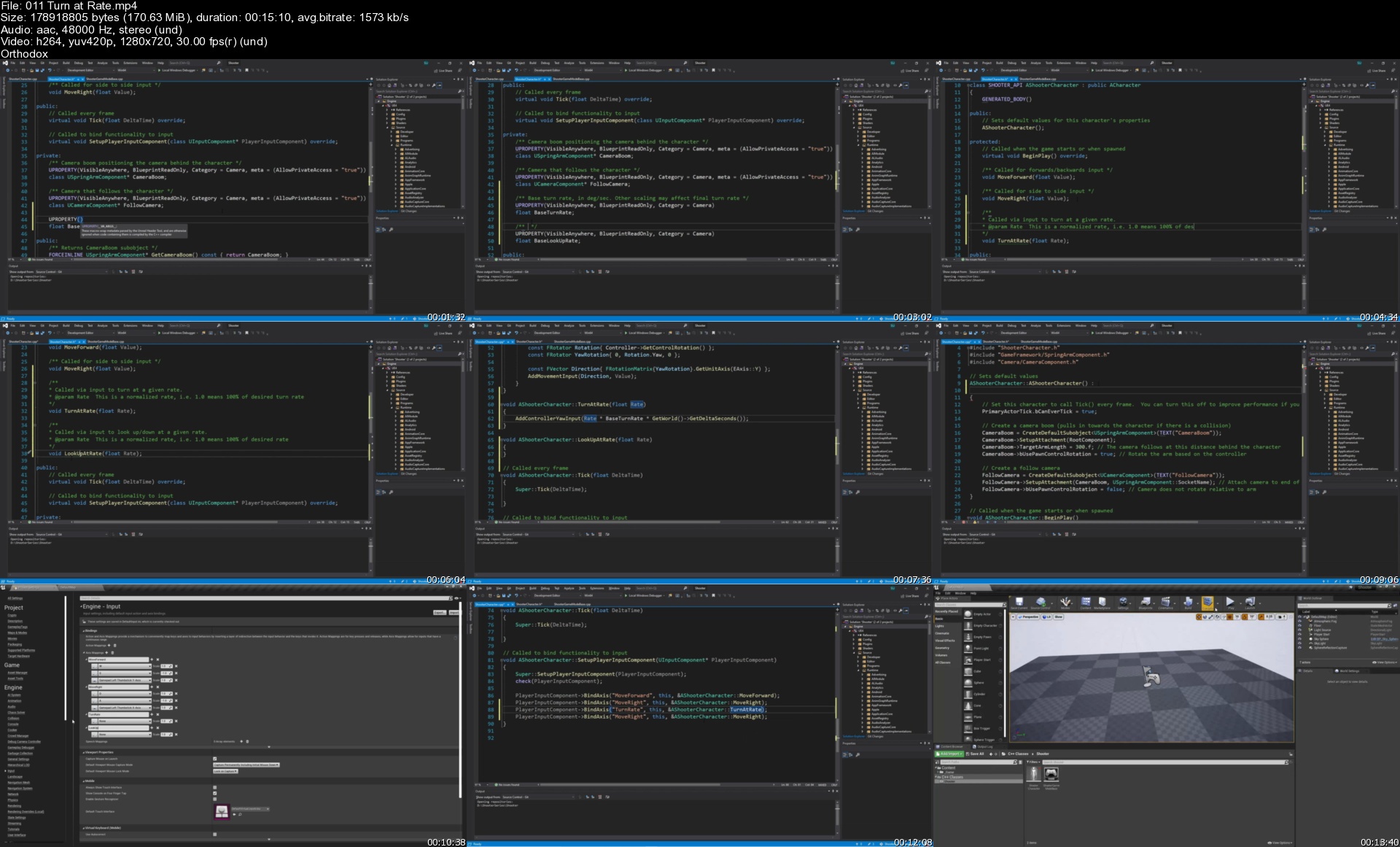
Unreal Engine C++ The Ultimate Shooter Course

ahjwfdbb2eak468opdbzulzjt2.jpg


Unreal Engine C++ The Ultimate Shooter Course
MP4 | Video: h264, 1280x720 | Audio: AAC, 44.1 KHz, 2 Ch
Genre: eLearning | Language: English + srt | Duration: 55 lectures (8h 53m) | Size: 6.72 GB

**345+ videos - upload in progress** Master Unreal Engine by creating a complete shooter game!

What you'll learn:
Learn all skills that translate to Unreal Engine 5!
Learn Unreal Engine game development by creating a complete shooter game.
Get in-depth experience with Unreal Engine Animation, Materials, Special Effects, and gameplay!
Learn Unreal Engine's code base.

Requirements
Understanding of the basics of C++ (take my C++ course!)


Description
The course is compatible with any version of Unreal Engine, including Unreal Engine 5!

NOTE: 345+ videos are still in the process of being mastered and uploaded.

This is the most comprehensive Unreal Engine tutorial series on the internet. You will create a shooter game complete with AAA quality gameplay mechanics. Learn the theory behind the gameplay mechanics of shooter games, then implement them in this beautiful game project. Topics covered are:

Character creation and movement

Input for PC and console controllers

Extensive use of Animation Blueprints (and Anim Instances, their C++ parents)

1D and 2D Blendspaces

Strafing

Turn-in-place

Aim Offsets

Inverse Kinematics

Animation Curves

Character lean when running

Crouching (with dynamic capsule resizing)

Turn hips while running

Weapon fire with recoil animations

Reloading

Weapon blast and impact particles

Weapon beam particles (smoke trails)

Bullet shell eject particles

Sound effects

Blending animations per bone, by bool, and by enum - play one animation with one part of the body (running or crouching) while simultaneously playing another animation with another part of the body (reload, aim, or weapon fire)

Attach and equip different weapons (pistols, submachine guns, assault rifles)

Automatic and semi-automatic gunfire

Move different gun parts (the clip/magazine, and pistol slide) during animations

Camera zoom while aiming

Dynamic crosshairs that spread in reaction to:

Character speed

Weapon fire

Aiming

Jumping

Different crosshairs per weapon

Widget components, showing:

Item names

Item types

Ammo counts

Item rarity

HUD animations

Full item inventory system

Data tables, in Blueprints and C++

Curves to control:

Item movement during pickup

Color and brightness pulse for material effects

Material creation, including:

Post-process materials

Dynamic material instances

Setting material properties from C++

Driving material properties with curves

Material functions

Blending materials together

Outline effects

Glow/pulse effects

Retargeting animations

Retargeting whole Animation Blueprints

Numerous gameplay algorithms

Use of data structures, including:

structs

enums

arrays

maps

and more

Animation montages

Anim Notifies for sounds, weapon trails, and custom notifies

Sync markers for footsteps and sync groups

The course comes with a huge amount of assets, including:

Sounds

Textures

Particle effects

Meshes

Delegates

Interfaces

Dynamic footsteps that spawn different sounds and particle systems depending on the surface type

Physical materials and surface types

Niagra particle systems

Line traces

Enemy AI

Behavior Trees and Blackboard Components

Multiple enemy types with varying levels of Health, Damage, Size and Movement Speed

Headshot damage, with:

Higher damage for headshots

Number widgets that pop up and animate with bullet hits

Different colored numbers for headshots

Character and enemy health bars

Enemy patrol, agro, chase and attack player

Death mechanics

Stun mechanics

Melee attacks with melee weapon trails

Explosives that cause damage and death

Level prototyping

Creating full levels based on our prototypes using professional assets

Light baking

Post-process effects

Who this course is for
Unreal Engine beginners who understand the basics of C++.
Unreal Engine intermediate developers who wish to advance in skill level.
Expert Unreal Engine developers to wish to expand their skillset.
Those who wish to make shooter games.
Anyone who wants to have fun and make games!

Homepage

011turnatrates35ka7.jpg


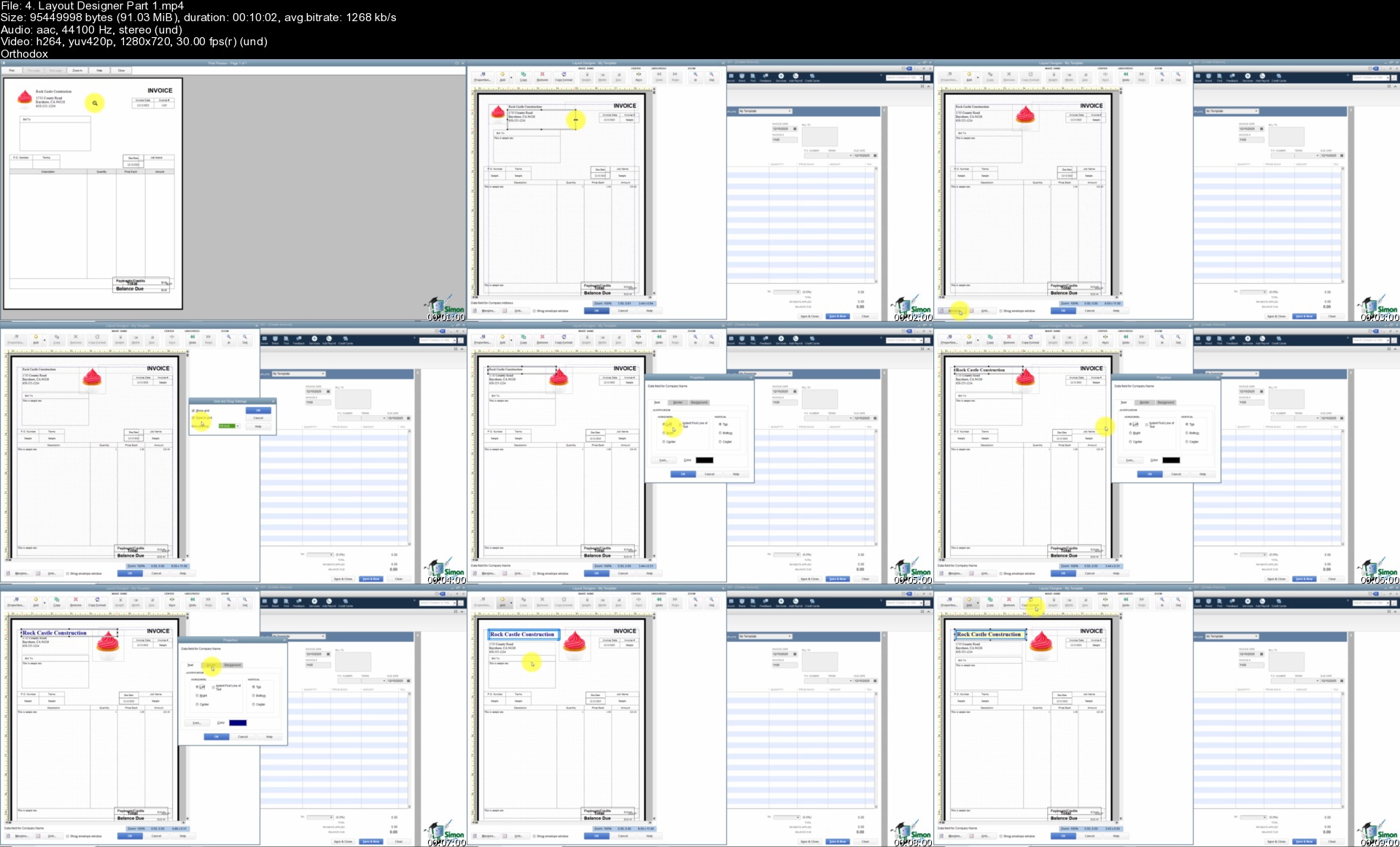
The Ultimate QuickBooks Pro Training Bundle - 65+ Hours

xaj11m368c7zmrlnrjlk4mtkes.jpg


The Ultimate QuickBooks Pro Training Bundle - 65+ Hours
MP4 | Video: h264, 1280x720 | Audio: AAC, 44100 Hz
Language: English | Size: 16.4 GB | Duration: 69h 36m


What you'll learn
Training for QuickBooks Pro version 2013 through 2021
How to set up your company file
Working with QuickBooks preferences
Setup the chart of accounts for your business
Working with customers and jobs and create estimates
Creating and Sending invoices
Entering and paying bills
Reconciling bank statements
Working with loans
Using reports to provide you the information required
Requirements
One of these versions of QuickBooks Pro: 2013, 2014, 2015, 2016, 2017, 2018, 2019, 2020, or 2021

Description
During this QuickBooks Pro training bundle, learn to use QuickBooks to manage your business's finances. Your certified QuickBooks Pro Advisor, trainers will show you important features from how to create accounts for organizing customer, vendor, and item records.

Discover how to setup QuickBooks Pro for the first time, pay employees, create reports, reconcile, work with sales tax, setup inventory, receive payments, and much more.

****** Updated January 2021: 8-hour course for QuickBooks Pro 2021 added to this bundle

****** Updated April 2020: 8-hour course for QuickBooks Pro 2020 added to this bundle

****** Updated December 2019: 8-hour course for QuickBooks Pro2019 added to this bundle

Courses included with this bundle:

QuickBooks 2021 Desktop: Beginner-Advanced Masterclass

Master QuickBooks Pro 2020: The Complete QuickBooks Course

Master QuickBooks 2019: The Complete Training Course

QuickBooks Pro 2018 Training: Manage Small Business Finances

QuickBooks Pro 2017 Training: Manage Small Business Finances

QuickBooks Pro 2016 Training: Manage Small Business Finances

Master QuickBooks Pro 2015 the Easy Way

Learn QuickBooks Pro 2014 the Easy Way

QuickBooks Pro 2013 Training the Easy Way

NOTE: This bundle is for QuickBooks Desktop users. If you are using QuickBooks Online, please search for "QuickBooks Online Simon Sez IT" on Udemy to find our QuickBooks Online course.

This bundle includes:

9 training courses

65+ hours of video tutorials

Over 720 individual video lectures

What people are saying about the QuickBooks Pro training:

"Nice and complete overview of QuickBooks. Makes learning QuickBooks much more approachable and manageable, then learning it on your own. This is a great and cheaper alternative than taking a more expensive course. Definitely recommended if you want to learn QuickBooks and have no idea where to begin." - Armanda Lopez

"Great class. Learned a lot about QuickBooks. I enjoyed taking this QuickBooks class. The instructor was very clear and easy to understand." - Maureen Carless

"You can teach an old dog new tricks. I have been using QuickBooks for over 10 years and I still found this course very helpful. Great choice of voice, perfect pace and breakdown of content. Thank You." - Travis Tandy

We cover all elements of QuickBooks Pro in this comprehensive bundle:

Learn to set up your Company File

Learn how to customize your Chart of Accounts and Preferences

Learn to create Estimates, Invoices and working with Customers and Jobs

Learn how to receive payments, create deposits, statements and credit memos.

Learn to enter and pay bills

Learn about Purchase Orders, Items and manual adjustments

Learn to work with Registers, Checks and Bank Transfers

Learn how to reconcile items including credit card transactions

Learn about setting up a loan

Learn how to customize forms

Learn how to pull the reports you want to see!

Learn about working with sales tax

Learn about Payroll in QuickBooks, paying employees and Payroll Taxes

Learn how to create a Budget and Budget Reports

Learn to deal with vehicle mileage

Learn about the QuickBooks calendar and how to make it work for you

Learn about QuickBooks for mac

Learn how to back up everything in QuickBooks

Why Simon Sez IT?

We know QuickBooks. We've been teaching it for nearly 10 years and your expert instructors have taught thousands of people to manage their business finances in QuickBooks.

We don't rush through content. We take the time to ensure you understand important principles before moving on.

Follow along. We make it simple to follow along so you can practice as you learn.


Who this course is for:
Small business owners or those managing QuickBooks for a small business
Bookkeepers and Accountants looking to use QuickBooks


Homepage

4.layoutdesignerpart1i3kcg.jpg


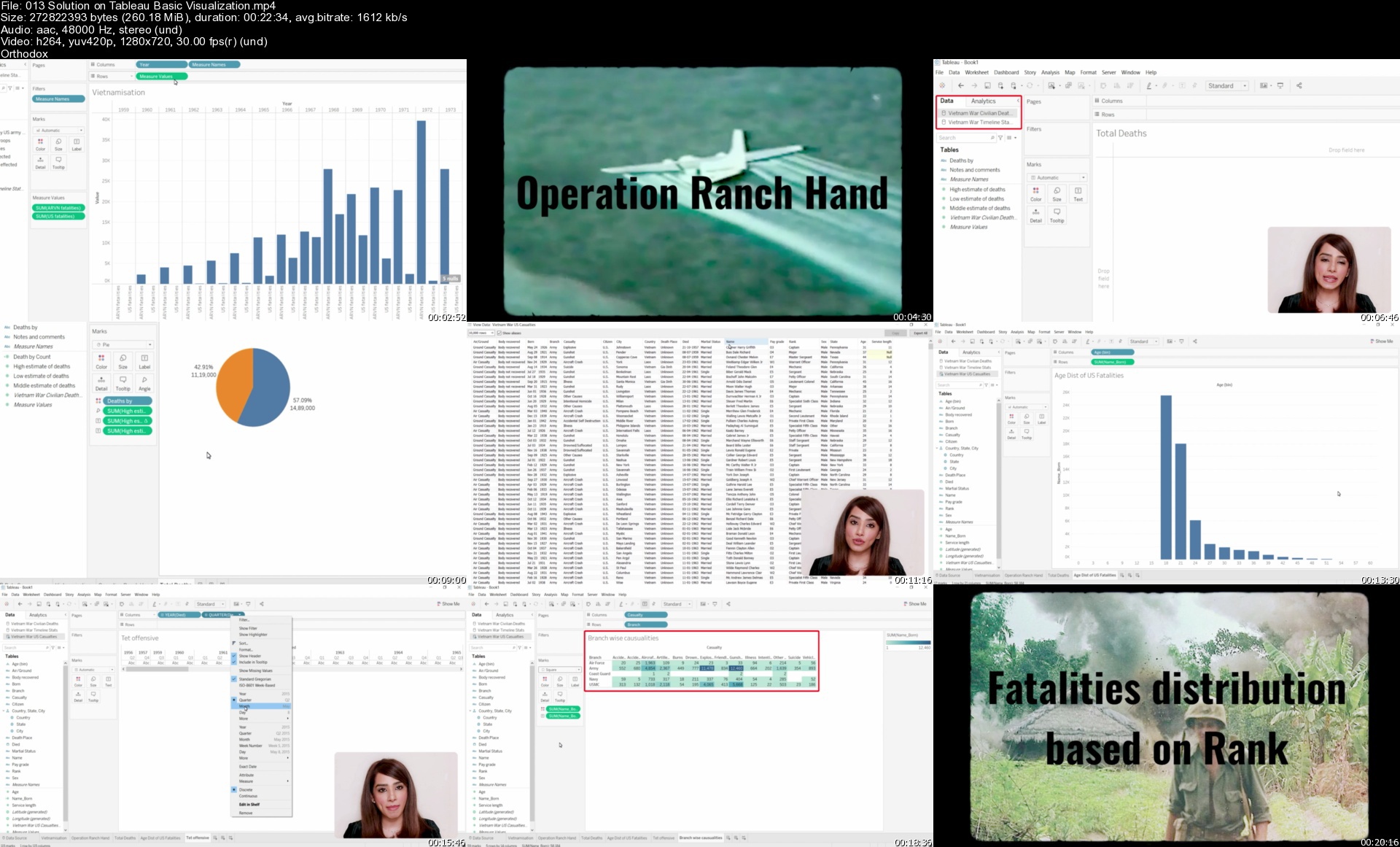
Tableau Masterclass: Master Data Visualization with Tableau

cahtyhu2xymapvqkrvabxvsjhe.jpg


Tableau Masterclass: Master Data Visualization with Tableau
MP4 | Video: h264, 1280x720 | Audio: AAC, 44.1 KHz, 2 Ch
Genre: eLearning | Language: English + srt | Duration: 90 lectures (9h 58m) | Size: 7.63 GB

Became an expert in Tableau Data Visualization & Business Intelligence.Learn to build Professional Dashboards in Tableau

What you'll learn:
Learn How to Create Visualizations and Dashboards.
Learn How to Design histograms, Treemaps, Pareto, and multi-axis charts
Master custom calculations using calculated fields, Table calculations and Parameters
Learn how to Sort, Grouping data and Filtering data.
Learn to Work with Timeseries Data
Learn and Master Context Filters, Dimension Filters, Measure Filters and Top N Filters
Learn about Different Join types to Combine your Data into a Single Rich Data Source
Learn how to use Strong Narrative in Designing your Dashboards

Requirements
No prior knowledge is required


Description
Welcome to the best online resource for learning about Tableau!

This course will teach you everything you need to know to create amazing data visualizations using sets, groups, and combine sheets to create dashboards in Tableau!

Every module of this course is carefully designed to teach you what you need to know to create amazing data visualizations and dashboards with Tableau. We start with the basics and gradually build up your Tableau skill set to an advanced level, by leveraging awesome real-world datasets to create visualizations for your portfolio of projects.

Inside the course we'll cover:

Tableau Introduction

Installing and setting up Tableau Desktop on your computer.

Visual Analytics with Tableau.

Chart types in Tableau.

Calculations & Functions in Tableau.

Joins and Unions.

Blending and Filters in Tableau.

Dashboard Actions and containers in Tableau.

Engaging Stories of Data Visualization.

Sort, filter, and group your data.

Create tables, bar charts, line charts.

Aggregate with sum, average, min, max, and counts.

Create new fields using calculations.

Combine data using joins, blends, unions, and relationships.

and much, much more!

There are lots and lots of exercises for you to practice.

You will make use of all the topics read in this course.

You will also have access to all the resources used in this course.

Enroll now and become a Tableau pro!!!

Who this course is for
Data Scientists
Data Analysts
Interested in Creating Amazing Dashboards
Business Analyst

Homepage

013solutionontableaubyvk81.jpg


Spring Boot E-Commerce Ultimate Course (Updated 06/2021)

0qhssamufpwuyy7yfgm05p7j0w.jpg


Spring Boot E-Commerce Ultimate Course (Updated 06/2021)
Genre: eLearning | MP4 | Video: h264, 1280x720 | Audio: AAC, 48.0 KHz
Language: English | Size: 24.3 GB | Duration: 49h 56m

Learn to Build a Real-life Shopping Webapp using Java Spring Boot, Thymeleaf, Bootstrap, jQuery and HTML


What you'll learn
Develop a complete shopping website using Java, Spring Boot, Thymeleaf, Bootstrap, jQuery and MySQL database
Code the Admin application for managing users, categories, brands, products, customers, orders, sales report...
Code the Shopping application allowing customers to browse products and place orders
Code shopping cart features and payment via PayPal and credit cards
Learn to use Spring Data JPA with Hibernate for the data access layer
Learn to use Spring Security for authentication and role-based authorization
Learn to use Thymeleaf template engine for creating dynamic view pages
Learn to use Bootstrap and jQuery for creating responsive, mobile-friendly web pages
Learn to use Spring RESTful Webservices in conjunction with jQuery on the client side
Learn to use PayPal Checkout API for payment integration
Learn to use JUnit, Spring Test, AssertJ and Mockito for unit tests and integration tests
Learn to deploy the application on Heroku cloud platform with file upload on Amazon S3
Learn to use Google Chart for drawing charts in sales report
Learn to use Spring OAuth for single sign on with Facebook and Google
Learn to use Spring Mail for sending emails for customer registration and place order confirmation


Description
Welcome to "Spring Boot E-Commerce Ultimate Course" instructed by me, Nam Ha Minh - a certified Java developer who have been programming with Java technologies for more than 15 years.

I'm very glad that you have found the most sophisticated and comprehensive course ever on web development with Java and Spring Boot. Let me explain why this course is perfect for those who want to master practical programming skills needed to be a professional Java developer and pursuit a career in software development.

In this course, you will learn how to program a real-life shopping application using the latest technologies such as Java, Spring Boot, Hibernate, Thymeleaf, Bootstrap, jQuery, HTML, RESTful Webservices... putting all these pieces together for building professional applications beloved by the end users, and bring revenue to businesses.

Modules you will learn to build in the Admin application: Users, Categories, Brands, Products, Customers, Shipping, Orders, Sales Report, Reviews, Questions, Settings.

Modules you will learn to build in the Shopping application: categories listing, product details, search products, shopping cart, checkout, manage orders, customer registration.

You also learn how to deploy the ecommerce webapp on Heroku cloud platform, with user's uploaded files stored on Amazon S3 server.

You will be a master of the following technologies by the end of this course:

- Spring framework development with Spring Boot

- Spring Data JPA and Hibernate framework

- Spring Security

- Spring OAuth

- Spring Mail

- PayPal Checkout API

- Google Chart API

- JUnit, AssertJ and Mockito in unit testing

- Spring RESTful Webservices

- Bootstrap 4, HTML5 and jQuery 3

By completing this course, you will gain amazing practical programming experience and become a professional Java web developer and are able to get job easily.

NOTE: This course is not completed. It is being updated daily, so please consider that you will have to wait for the complete course before enrolling. And currently I'm working hard to complete it by end of this July.


Who this course is for:
those who want to learn programming a complete ecommerce web application
those who want to learn using Spring framework for developing real-life applications
those who want to become professional Java web developers
those who want to pursuit a job in software development


Homepage

008codeupdateaccountdf1knk.jpg


QuickBooks Pro & QuickBooks Online - 4 Course Bundle

x9pwnbqggroux2kdlmbrnltjzh.jpg


QuickBooks Pro & QuickBooks Online - 4 Course Bundle
MP4 | Video: h264, 1280x720 | Audio: AAC, 48000 Hz
Language: English | Size: 9.41 GB | Duration: 25h 32m


What you'll learn
How to create your company file in QuickBooks through Desktop and Online versions
Work with preferences in QuickBooks to set up for your business
Set up and use a chart of accounts in QuickBooks Online and Pro
Reconcile your checking account and bank statements in QuickBooks
Create and print invoices, receipts and statements
Track your payables, inventory and receivables
Create a budget and estimates and learn to work with customers and jobs
Enter and pay bills in QuickBooks Online or Pro
Learn all about how to account for loans in Quickbooks
Run Payroll in QuickBooks Online or Pro
Create Reports in QuickBooks Online or QuickBooks Pro
Learn how to deal with Sales Tax in QuickBooks Online or Pro
Requirements
QuickBooks 2020 or 2021 software installed on a PC or Mac. OR Access to QuickBooks Online.
The course was created on a Windows/PC. While the Mac version has similar features, there are some features that are different compared to the Windows version.

Description
Whether you are using the Online version of QuickBooks or the Desktop Pro version, we have you covered with this four-course 2020, 2021 bundle!

**Course Updated**

April 2021 - QuickBooks Pro 2021 added

April 2021 - QuickBooks Online - Advanced Topics added

This QuickBooks course covers both QuickBooks Online, QuickBooks Pro 2020, and QuickBooks Pro 2021. It includes four, full-length QuickBooks courses:

QuickBooks Pro 2020

QuickBooks Pro 2021

QuickBooks Online

QuickBooks Online - Advanced Topics

Whether you are using QuickBooks Online or QuickBooks Desktop, we cover both in this one Udemy course to give even more value. Below are the details of what is covered in each.

QuickBooks Pro 2021

This QuickBooks 2021 course covers essential QuickBooks functions, such as, setting up a Chart of Accounts and Company File, dealing with expenses, invoicing, estimates, reconciling with the bank, Payroll, reporting, and so much more.

It also includes detail on the features new to QuickBooks 2021: Advanced Mode in Bank Feeds, scanning receipts with the QuickBooks Desktop app, and sending automatic statement and invoice reminders to customers.

This course was developed in a way to be helpful to bookkeepers, accountants, CPA's, or business owners.

In this course, you will learn:

How to navigate QuickBooks 2021

How to create a chart of accounts

How to set up your company file in QuickBooks

How to reconcile bank statements and Bank Feeds

How to use the Advanced Mode in Bank Feeds

How to manage expenses in QuickBooks, including mileage

How to scan in receipts with the QuickBooks Desktop mobile app

How to set up automatic statement and invoice reminders

How to customize QuickBooks to your needs

How to use the QuickBooks Payroll functionality

How to invoice, and enter bills, and purchase orders

How to create estimates in QuickBooks

How to manage customers and jobs in QuickBooks

How to work with sales tax in QuickBooks

About inventory, creating purchase orders, and paying for items.

How to deal with checks and credit card accounts

About using QuickBooks to produce reports

To back up your QuickBooks company data

QuickBooks Pro 2020

In this QuickBooks Pro 2020 course, we take you on a journey from QuickBooks novice to QuickBooks expert in 8 hours.

Your certified QuickBooks Pro Advisor will show you important features from how to set up correctly in QuickBooks through to tracking mileage and running payroll. This comprehensive QuickBooks 2020 course starts at the very beginning and assumes no prior knowledge.

In this part of the course you will learn:

How to navigate the QuickBooks® 2020 interface

To create a company file and set up your chart of accounts

Setting up your preferences in QuickBooks® to suit your company

All about processing payroll and payroll taxes

Create invoices, enter and pay bills and purchase orders

All about estimates and working with customers and jobs

How to work with sales tax

About receiving items, inventory, creating purchase orders and paying for items

How to reconcile bank statements

How to deal with checks and credit card accounts

All about Quick Reports and customizing reports

To back up your company data

Create stunning reports that visualize your company financial data

Working with automated payment reminders (new in 2020)

How to deal with vehicle mileage

QuickBooks Online

In this QuickBooks Online course, we introduce you to this essential cloud accounting software. QuickBooks Online looks different from the traditional QuickBooks desktop software (which we also cover in this two-course edition!). We've developed this course specifically for QuickBooks Online users.

In this QuickBooks Online course, We start at the very beginning and cover everything that's required to get set up in QuickBooks Online before moving onto more advanced features.

In this part of the course you will learn:

How to create a company file and set up your chart of accounts

Setting up your preferences in QuickBooks® to suit your company

Create invoices, enter and pay bills and purchase orders

All about estimates and working with customers and jobs

How to work with sales tax

About receiving items, inventory, creating purchase orders, and paying for items

How to reconcile bank statements

How to set up recurring items and journal entries

QuickBooks Online - Advanced Topics

This QuickBooks Online course introduces you to more advanced topics available in this impressive accountancy software. This course is suitable for Bookkeepers, Accountants/CPAs, or small business owners handling their books.

In this course, you will learn:

How to create and access forms in QuickBooks Online

All about how to edit forms in QuickBooks Online

About generating reports, customizing reports, and memorizing reports

All about audit trails in QuickBooks Online

How to adjust sales tax settings, including adjusting tax rates on invoices

How to set up and run Payroll on QuickBooks Online

How to use the Mail Merge function in QuickBooks Online

How to set up reminders and automatic or recurring entries

How to use Projects in QuickBooks Online

About dealing with unusual deposits

How to work with errors and refunds

How to write off bad debts in QuickBooks Online

How to create monthly statements

How to deal with advanced vendor issues such as pre-paid expenses

What people are saying about QuickBooks courses from Simon Sez IT:

"The format for this course is making the assumption that you are in the business world and want information that you can instantly apply. I feel Cindy does a great job of cutting to the meat of the matter and doesn't waste a lot of time on the extra bells and whistles that very few people will find useful."

- DEANNE RYAN

"Great explanation and easy to follow. Great instruction from Cindy"

- MELISSA SUPERNOR

"So far, I am enjoying this course. It has reached and exceeded my expectations, the speaker has a wonderful, clear voice that does not make me drowsy, and explains things fully. I would recommend to anyone wanting to learn ALL about Quickbooks. 10/10"

- YELTZIN ARISTID GOMEZ VENEGAS

"This is a great intro for a new QB user. I could have used less info in some places (how to edit a field and other things that are intuitive if you are comfortable on a PC) and more info in others (more general process, how-tos, and a few basic accounting principles for a better understanding of what QB can and should do.) Also, if you skip the modules on topics you think aren't relevant, you may miss some useful information about the software features. The instructor is easy to understand and pleasant to listen to. "

- MARGARET W. SEICSHNAYDRE

" I have had to restart my QuickBooks company file twice now, and finally just decided that it was time for some lessons. I am only a couple of videos in and have learned many tricks that I was unaware of before. I look forward to the video lectures to come and the useful information within."

- KATRINA BIGGS

"I am so glad that it is for beginners like me because I want to fully understand the concept from the very start of Quickbooks. Thank You"

- JUDITH DELUCA

This bundle includes:

25+ hours of video tutorials

290+ individual video lectures

Certificate of completion

Course Compatibility

This course was recorded using QuickBooks Pro Desktop 2020, and 2021 editions, and QuickBooks Online (in 2020 and 2021). Much of what is shown is also available in older versions of QuickBooks as well as the other desktop editions (Premier, Enterprise).

This course was designed for people new to QuickBooks but may also be useful for students with some QuickBooks experience who are looking to improve their knowledge of accounting software.


Who this course is for:
Small business owners or those managing QuickBooks for a small business.
If you own a small business, freelance as a bookkeeper, or simply manage your company's accounts in QuickBooks, you'll love this straightforward and up-to-date course!


Homepage

2.usingtheeasystepint5jkh9.jpg


Qt-QML Practical Examples

hy0qpydbkgj3chp1iv4ogddjpm.jpg


Qt-QML Practical Examples
MP4 | Video: h264, 1280x720 | Audio: AAC, 44.1 KHz, 2 Ch
Genre: eLearning | Language: English | Duration: 69 lectures (12h 52m) | Size: 5.2 GB

Auto-Dashboard, Notepad, REST client.

What you'll learn:
Qt-Quick application development
Practical GUI example using Qt-QML and C++
Creating Automobile dashboard UI design and simulator
Creating Multifeatured Notpad Application
Simple REST API Client using Qt.

Requirements
Basics of Qt-QML
Basics of C++
Udemy course - The Complete Qt - QML with C++ : A complete course on Qt quick and QML.


Description
Qt-QML Practical Examples

A real software development experience is necessary to build up the skillset in GUI development framework like Qt QML. This course offers a real software development training with the help of simple application examples.

Prerequisite :

Basic level of C++

Understanding of Qt-QML framework

This course covers step by step implementation of following application examples using Qt-QML and C++.

1. Automobile dashboard design and simulation : This is a Qt-QML based design for car dashboard. This also have a simulator implemented at backend to provide more realistic data to UI. Concepts you will learn here are : Integrating QML and C++, CircularGauge, CircularGaugeStyle, Number Animation, QTimers, Image, Canvas.

2. Notepad application : This is basic notepad application with which you can create, edit and modify the text files. Operations include formatting, layout, font color, font family. Also support for HTML document for rich text format support. You will learn about Qt-Quick controls, Qt shortcuts, QTextDocument, FontDialog, Text processing, File operations, HTML files, file printing

3. Simple REST Client: This is very simple REST Client application using public REST APIs to show useful information. You will learn about QNetwork, QNetworkAccessManager, QNetworkReply, QJsonDocument, QSSL configs.

All above examples are explained in depth details. For each lecture a demo able sours code is available as downloadable resource. Users can download these source code packages and tryout on own either during the lectures or afterwards. This will help you to get hands on on programming and debugging.

Who this course is for
Application developers
C++ Developers
Computer Science Students
Software professionals
Software Engineers
GUI developers
Automobile UI developers

Homepage

001restclientprojectcwljt9.jpg


Zurück
Oben Unten