• Regeln für den Video-Bereich:

    In den Börsenbereich gehören nur Angebote die bereits den Allgemeinen Regeln entsprechen.

    Einteilung

    - Folgende Formate gehören in die angegeben Bereiche:
    - Filme: Encodierte Filme von BluRay, DVD, R5, TV, Screener sowie Telesyncs im Format DivX, XviD und x264.
    - DVD: Filme im Format DVD5, DVD9 und HD2DVD.
    - HD: Encodierte Filme mit der Auflösung 720p oder darüber von BluRay, DVD, R5, TV, Screener sowie Telesyncs im Format x264.
    - 3D: Encodierte Filme von BluRay, die in einem 3D Format vorliegen. Dies gilt auch für Dokus, Animation usw.
    - Serien: Cartoon/Zeichentrick, Anime, Tutorials, Dokumentationen, Konzerte/Musik, Sonstiges sind demnach in die entsprechenden Bereiche einzuordnen, auch wenn sie beispielsweise im High Definition-Format oder als DVD5/DVD9/HD2DVD vorliegen. Ausnahme 3D.
    - Bereich Englisch: Englische Releases gehören immer in diesen Bereich.
    - Bereich Talk: Der Bereich, in dem über die Releases diskutiert werden kann, darf, soll und erwünscht ist.


    Angebot/Beitrag erstellen

    - Ein Beitrag darf erst dann erstellt werden, wenn der Upload bei mindestens einem OCH komplett ist. Platzhalter sind untersagt.
    - Bei einem Scenerelease hat der Threadtitel ausschließlich aus dem originalen, unveränderten Releasenamen zu bestehen. Es dürfen keine Veränderungen wie z.B. Sterne, kleine Buchstaben o.ä. vorgenommen werden. Ausnahme Serienbörse:
    - Bei einem Sammelthread für eine Staffel entfällt aus dem Releasename natürlich der Name der Folge. Beispiel: Die Simpsons S21 German DVDRip XviD - ITG
    - Dementsprechend sind also u.a. verboten: Erweiterungen wie "Tipp", "empfehlenswert", "only", "reup", usw. / jegliche andere Zusatzinformation oder Ergänzung, welche nicht in obiger Beschreibung zu finden ist.

    Aufbau des Angebots und Threadtitel

    Der Titel nach folgendem Muster erstellt zu werden. <Name> [3D] [Staffel] [German] <Jahr> <Tonspur> [DL] [Auflösung] <Quelle> <Codec> - <Group>
    Beispiel: The Dark Knight German 2008 AC3 DVDRip XviD - iND
    Beispiel: The Dark Knight 2008 DTS DL BDRip x264 - iND
    Beispiel: The Dark Knight 2008 AC3 DL BDRip XviD - iND
    Beispiel: The Dark Knight German 2008 AC3 720p BluRay x264 iND
    Beispiel: The Dark Knight 2008 DTS DL 1080p BluRay x264 iND
    Beispiel: Die Simpsons S01 German AC3 DVDRip XviD iND
    Beispiel: Die Simpsons S20 German AC3 720p BluRay x264 iND
    Beispiel: Sword Art Online II Ger Sub 2014 AAC 1080p WEBRip x264 - peppermint
    Entsprechend sind also u.a. verboten: Sonderzeichen wie Klammern, Sterne, Ausrufezeichen, Unterstriche, Anführungszeichen / Erweiterungen wie "Tipp", "empfehlenswert", "only", "reup", usw. / jegliche andere Zusatzinformation oder Ergänzung, welche nicht in obiger Beschreibung zu finden ist
    Ausnahmen hiervon können in den Bereichen geregelt sein.

    Die Beiträge sollen wie folgt aufgebaut werden:
    Überschrift entspricht dem Threadtitel
    Cover
    kurze Inhaltsbeschreibung
    Format, Größe, Dauer sind gut lesbar für Downloader außerhalb des Spoilers zu vermerken
    Nfo sind immer Anzugeben und selbige immer im Spoiler in Textform.
    Sind keine Nfo vorhanden z.B. Eigenpublikationen, sind im Spoiler folgende Dateiinformationen zusätzlich anzugeben :
    Quelle
    Video (Auflösung und Bitrate)
    Ton (Sprache, Format und Bitrate der einzelnen Spuren)
    Untertitel (sofern vorhanden)
    Hosterangabe in Textform außerhalb eines Spoiler mit allen enthaltenen Hostern.
    Bei SD kann auf diese zusätzlichen Dateiinformationen verzichtet werden.

    Alle benötigten Passwörter sind, sofern vorhanden, in Textform im Angebot anzugeben.
    Spoiler im Spoiler mit Kommentaren :"Schon Bedankt?" sind unerwünscht.


    Releases

    - Sind Retail-Release verfügbar, sind alle anderen Variationen untersagt. Ausnahmen: Alle deutschen Retail-Release sind CUT, in diesem Fall sind dubbed UNCUT-Release zulässig.
    - Im Serien-Bereich gilt speziell: Wenn ein Retail vor Abschluss einer laufenden Staffel erscheint, darf diese Staffel noch zu Ende gebracht werden.62
    - Gleiche Releases sind unbedingt zusammenzufassen. Das bedeutet, es ist zwingend erforderlich, vor dem Erstellen eines Themas per Suchfunktion zu überprüfen, ob bereits ein Beitrag mit demselben Release besteht. Ist dies der Fall, ist der bereits vorhandene Beitrag zu verwenden.
    - P2P und Scene Releases dürfen nicht verändert oder gar unter einem iND Tag eingestellt werden.


    Support, Diskussionen und Suche

    - Supportanfragen sind entweder per PN oder im Bereich Talk zu stellen.
    - Diskussionen und Bewertungen sind im Talk Bereich zu führen. Fragen an die Uploader haben ausschließlich via PN zu erfolgen, und sind in den Angeboten untersagt.
    - Anfragen zu Upload-Wünschen sind nur im Bereich Suche Video erlaubt. Antworten dürfen nur auf Angebote von MyBoerse.bz verlinkt werden.


    Verbote

    - Untersagt sind mehrere Formate in einem einzigen Angebotsthread, wie beispielsweise das gleichzeitige Anbieten von DivX/XviD, 720p und 1080p in einem Thread. Pro Format, Release und Auflösung ist ein eigener Thread zu eröffnen.
    - Grundsätzlich ebenso verboten sind Dupes. Uploader haben sich an geeigneter Stelle darüber zu informieren, ob es sich bei einem Release um ein Dupe handelt.
    - Gefakte, nur teilweise lauffähige oder unvollständige Angebote sind untersagt. Dies gilt auch für eigene Publikationen, die augenscheinlich nicht selbst von z.B. einer DVD gerippt wurden. Laufende Serien, bei denen noch nicht alle Folgen verfügbar sind, dürfen erstellt und regelmäßig geupdatet werden.
    - Untersagt sind Angebote, welche nur und ausschließlich in einer anderen Sprache als deutsch oder englisch vorliegen. Ausnahmen sind VORHER mit den Moderatoren zu klären.


    Verstoß gegen die Regeln

    - Angebote oder Beiträge, die gegen die Forenregeln verstoßen, sind über den "Melden"-Button im Beitrag zu melden.
  • Bitte registriere dich zunächst um Beiträge zu verfassen und externe Links aufzurufen.

++ Premium IPTV ++ 7000 Live Sender ++ UHD Qualität ++ Mediathek mit 18.000 Inhalten ++


VenneTV


Englische Tutorials

Norwegian for Beginners: 16 Hour Norwegian Course [A1 to B1]

eclmbnssboz98twohcnus3xk2j.jpg


Norwegian for Beginners: 16 Hour Norwegian Course [A1 to B1]
Genre: eLearning | MP4 | Video: h264, 1280x720 | Audio: AAC, 44.1 KHz
Language: English | Size: 12.7 GB | Duration: 16h 39m
Norwegian Course for Beginners - Learn Norwegian Language - Norwegian for Absolute Beginners. Master Norwegian Quickly


What you'll learn
The #1 Comprehensive Norwegian Course. Start speaking Norwegian like a native Norwegian speaker with this course!
Be able to talk about yourself, inquire about others, and communicate fluently in everyday scenarios (at the cafe, grocery shop, clothing store, etc). All in Norwegian!
Master key topics from beginner, intermediate, to advanced levels.
Improve your Norwegian listening comprehension skills with by training your ear, thanks to targeted Norwegian listening practices.
Reach your Norwegian language goals now, and be able to express yourself confidently in Norwegian.


Description
Course Highlights:

16+ Hours of video to teach you Norwegian

FULL HD Course

140+ Lessons total

Practice exercises after each video to solidify your Norwegian knowledge.

Norwegian course covering three levels: beginners (A1), intermediate (A2), advanced (B1)

In this Norwegian course, we cover these topics to help you master communicating Norwegian in any context: Norwegian pronunciation rules, Norwegian grammar rules, key vocabulary and phrases in Norwegian, everyday conversations in Norwegian, and other important communication skills so that you will be able to quickly master Norwegian and speak Norwegian whenever you need to. The teaching method in this course will help you learn Norwegian at a quicker pace, and be able to achieve your Norwegian language goals in as short of a time as possible.

This course starts from the absolute basics, and you will learn how to build on top of this knowledge until you reach an advanced level in Norwegian.

Course topics:

You will learn to introduce yourself in Norwegian

You will learn to talk about your hobbies and free time activities in Norwegian

You will learn how Norwegians make smalltalk

You will learn about asking how somebody is doing, in Norewgian

You will learn to describe various jobs and professions in Norwegian

You will use Norwegian to make plans with a friend and talk to friends

You will be able to use Norwegian to order food & drink at a cafe in Norway

You will be able to describe various common foods in Norwegian

You will be able to describe your family in Norwegian

You will be able to take public transport using your Norwegian knowledge

You will describe your morning and evening routines using Norwegian

You will use Norwegian to form apologies

You will be able to find your way around cities in Norway by learning to ask for directions in Norwegian

You will be able to talk about your vacation in Norwegian

You will be able to visit a clothing shop and speak in Norwegian

You will learn to shop for groceries and speak Norwegian

You will learn to talk about seasons & weather, using Norwegian

Immerse yourself with Norwegian, starting from the first lesson!

Right from the start, our Norwegian course will engage you in a realistic everyday dialogues in Norwegian, with plenty explanations to help you get a quick start to learning Norwegian. Our method to teach Norwegian doesn't require any additional resources like textbooks or dictionaries. This way of teaching Norwegian will allow you start speaking basic Norwegian in just a few hours. You will not have to memorize words in Norwegians, or scratch your head at complicated Norwegian grammar rules. We teach Norwegian grammar and Norwegian vocabulary in a structured manner, through our expertly designed Norwegian teaching methodology which slowly builds your Norwegian fluency step by step, until you are forming more complex sentences and thoughts in Norwegian.


Homepage

025testyourlisteninga96k79.jpg


Microsoft Excel Masterclass - Introduction to Advanced

vb9kgeb4uo4hvcbjuna7hlojit.jpg


Microsoft Excel Masterclass - Introduction to Advanced
Genre: eLearning | MP4 | Video: h264, 1280x720 | Audio: AAC, 44.1 KHz
Language: English | Size: 10.5 GB | Duration: 13h 9m

Master Excel Spreadsheets and Become An Expert At Charts, Tables, Formulas and Functions. Get Started today!


What you'll learn
Master Microsoft Excel from Beginner to Advanced.
Take your spreadsheet skills from ZERO to PRO with Charts, Tables, Formulas, Functions and many more.
Learn how to automatically link cells to streamline and revolutionise your workflow in Excel.
Get LIFETIME access to Excel tutorials taught by a professional trainer with 10+ years of Excel experience.
Create dynamic spreadsheets by mastering Excel's most popular features.
Create professional looking charts from your own computer.


Description
__________

Course Overview:

Are you looking to build your skills in using Microsoft Excel?

This course gives you a deep understanding of how to use some of the most popular features and functions in Excel. We will build you from a base skill level and assume you have no prior knowledge in using Microsoft Excel or its functions.

In this course we will cover Excel Introduction, Intermediate, Advanced and Formulas and Functions. Most lectures are 7 - 14 minutes long, with no lecture being over 20 minutes in length. Your trainer for this course, Richard Walters, is a Microsoft Certified Trainer who has been training Microsoft Excel for the past 10 years throughout the UK.

__________

Excel Introduction Outline:

The Excel Environment

Select and Highlighting Cells

Entering Information

Formatting Information

Modifying Information - Wrap Text and Merging Cells

Inserting/Deleting Columns and Rows

Save, Save As and Open

Find Opening and Closing Excel

Creating and Copying Formulas

Using BODMAS in Formulas

Absolute Cell Referencing

Using Functions - SUM, IF, COUNT, AVERAGE

AutoSum Features

Difference between Excel manual and automated calculations

Creating and Formatting Charts

Inserting, Moving and Deleting Worksheets

Grouping Worksheets

AutoFill Feature

Linking formulas between Worksheets

Freeze Panes

Print Area and Print Preview

__________

Excel Intermediate Outline

Paste special features

Charts and Formatting Charts

Conditional Formatting and Conditional Formulas

Security (adding protection)

Sub totalling information

Filtering and advanced filtering

Named cells, ranges and using names in formulas

Database functions

Linking formulas & functions

Mixed reference formulas

Auditing Formulas

Freeze Panes

Printing using freeze panes and Print Area

__________

Excel Advanced Outline

Advanced Charts and Linking Charts to Other Applications

Scenarios

Data Tables

Goal Seek

Data Validation

Pivot Tables

Formulas & Functions

Consolidated Formulas

Date Formulas and Functions

Referencing Formulas

Error Functions

Logical Functions (IF, AND, OR)

Nested Functions (IF, AND, OR)

Lookup Functions (VLookup, HLookup)

Mathematical Functions (Sumif, Sumifs)

Statistical Functions (Countif, Countifs, Averageif, Averageifs,
Countblank)

Text Functions (Trim, Left, Right, Mid, Concatenate)

__________

Excel Formulas and Functions Outline

Creating Date Formulas

Now

Day

Month

Year

Vlookup

Hlookup

Match and Index

IFError

IF

And


or

Not

IF, AND, OR

IF & Vlookup

IF & Sumif

Sumif

Sumifs

Countif

Countifs

Averageif

Averageifs

Countblank

DSum

DAdverage

DMax

DMin

Trim

Left

Right

Mid

Concatenate

__________

Excel Advanced Filtering and Pivot Tables

Multi Filters

Filtering by Colour

Custom Filters

Criteria Filtering (i.e. Greater Than, Less Than, Between, Not Equal To)

Multi Criteria Filtering (Advanced Filter)

Multi Criteria Filtering "In Place" and "Copy of another Location"

Designing and Creating a Pivot Table

Modifying a Pivot Table Layout

Updating a Pivot Table and using Pivot Table options

Managing Pivot Table Totals and Sub Totals

Grouping Pivot Table Data

Creating a Pivot Table using External Data

Filtering Pivot Tables using Slicers and Timelines

Pivot Table "Dashboards" using Slicers

Creating Multiple Pivot Tables on the same sheet

Consolidating Pivot Table Data

Pivot Table calculations

Pivot Table Report pages

Linking using the GETPIVOTDATA function

Creating Pivot Charts and Modifying Pivot Charts

Filtering Pivot Charts

__________

Excel Data Visualised and Data Formatting

Highlight Cell Values i.e. Find Duplicates

Top and Bottom Rules

Data Bars

Colour Scales

Icon Sets

Sum Function

Average Function

And / OR Functions

Formulas and Cell Referencing

Conditional Formatting Date Formulas

Now Function

Managing and Deleting Conditional Formatting Rules

Conditional Formatting and Data Validation

Conditional Formatting and Paste Special

Adding Conditional Formatting settings to empty cells

Conditional Formatting and Linked Data

Adding Sparklines

Formatting and Modifying Sparklines

Whether you're looking for a quick overview on some of Excel's most popular features trying to diversify your Excel skill set, or hoping to step up your spreadsheet game in a major way, you've come to the right place. In today's increasingly data-driven world, Excel makes it easy and intuitive to keep track of data sets. Enrol today and start your journey to becoming a Excel master!

See you there!

-Richard Walters (Microsoft Excel Trainer)


Who this course is for:
ANYONE who works with Excel on a regular basis (even if you've never used it before!)
Excel users who have basic skills but would like to become more proficient in using spreadsheets.
Students looking for a comprehensive, engaging, and highly interactive approach to training.


Homepage

011vlookupandhlookupsaykco.jpg


Mern Mean Stack With React, Angular,redux,ngrx In 2 Projects

u0zgpo9omx2evxinvp7oh4rj4w.jpg


Mern Mean Stack With React, Angular,redux,ngrx In 2 Projects
Genre: eLearning | MP4 | Video: h264, 1280x720 | Audio: AAC, 44.1 KHz
Language: English | Size: 19 GB | Duration: 29h 50m

Learn how to build an ecommerce online course and online shop website using MERN & MEAN stack with React JS, Redux


What you'll learn
Learn React JS
Learn Angular
Know how to use MongoDB, Mongoose library
Learn setup NodeJS API Server using ExpressJS
Learn how to setup a MERN stack project from scratch with React JS v16, REDUX, NodeJS, Express JS, MongoDB, Mongoose, ElementReact UI
Learn how to setup a MEAN stack project from scratch with Angular 11, NgRx Store, Angular Material UI
Learn how to integrate CKEditor in ReactJS
Learn how to use ElementReact UI for buiding ReactJS UI Component
Learn how to use Angular Material UI for buiding Angular UI Component
Learn how to upload file using React JS & Angular and NodeJS (using Multer library)
Learn how to integrate Paypal checkout in React JS and Angular
Learn how to use POSTMAN to test API
Learn how to implement authentication and authorization using JWT (JSON Web Token), session cookie, local storage


Description
In this course you not only learn React JS, MongoDB basic knowledge but also learn how to build a complete "Ecommerce Online Course website" and "Online Shop" using MERN & MEAN stack from scratch.

You will learn many interesting techniques from this course:

+ How to setup a simple MERN stack project

+ How to setup a simple MEAN stack project

+ How to integrate CKEditor in your ReactJS

+ How to upload file in ReactJS & Angular and NodeJS (using Multer library)

+ How to integrate Paypal checkout

+ How to use ElementReact UI , Angular Material UI for building user interfaces with existed components for Button, Table, Tab,Upload.... and much much more components for NICE user interface

+ How to use Redux, NgRx Store for better state management in React JS, Angular

In this course you not only learn React JS, MongoDB basic knowledge but also learn how to build a complete "Ecommerce Online Course website" and "Online Shop" using MERN & MEAN stack from scratch.

You will learn many interesting techniques from this course:

+ How to setup a simple MERN stack project

+ How to setup a simple MEAN stack project

+ How to integrate CKEditor in your ReactJS

+ How to upload file in ReactJS & Angular and NodeJS (using Multer library)

+ How to integrate Paypal checkout

+ How to use ElementReact UI , Angular Material UI for building user interfaces with existed components for Button, Table, Tab,Upload.... and much much more components for NICE user interface

+ How to use Redux, NgRx Store for better state management in React JS, Angular


Who this course is for:
All students interested in MERN & MEAN stack (React JS,Angular, Redux, Ngrx Store, MongoDB, Mongoose, NodeJS, ExpressJS)


Homepage

003mongodbinsertadocumpk33.jpg


How to Retouch & Composite Product Photography

bogu9rbzd0xvjqutovkl3mpk1e.jpg


How to Retouch & Composite Product Photography
.TS | Video: h264, yuv420p, 1920x1080 | Audio: aac, 48000 Hz | Duration: 12h 35min | File Size: 17 GB
Genre: eLearning | Language: English

Capturing great product photos is only half the battle. In this tutorial, join Ross Floyd and Aaron Nace as they walk you through 10 professional product photo edits from start to finish. You will learn to cut out objects, create clean backgrounds, remove blemishes and distractions, sculpt and reshape products, and explore advanced techniques like frequency separation and dodging & burning. If you enjoyed this course, be sure to watch The Ultimate Guide to Product Photography! An in-depth look at how these images were captured by professional product photographer Ross Floyd.

31 Sample Images
1 Frequency Separation Photoshop Action
1 Sharpen Photoshop Action

Homepage

howtoretouchcompositeezjua.jpg


Frontend system design interview guidance

008440af3bj0c.jpg


Frontend system design interview guidance
Created by Manoj Satish Kumar | Last updated 5/2021
Duration: 3h 26m | 13 sections | 32 lectures | Video: 1280x720, 44 KHz | 5.04 GB
Genre: eLearning | Language: English + Sub

Prepare for system design round and become a UI architect.


What you'll learn
Prepare for Frontend system design interview round
Choose Minimum Viable Product (MVP)
Know the aspects interviewers look at for UI architect role
Know how to collaborate with product managers in the team
Learn to participate in product roadmap discussions
Learn about the web performance considerations as an architect
Realize the importance of accessibility
Decide future product roadmap
BONUS - Javascript Bootcamp

Requirements
You don't need any specific skills to take this courseBut you will be benefited if you are already a software engineer.

Description
Hello,
This course is about what to expect in a Frontend system design round in Big companies and what are the key points interviewers look at when they assess your design skills.
This session is applicable for junior to senior software engineers and those who are looking for a promotion / higher-level role. At some point, you will be assessed for your system design skills. So it is crucial to know what is the acceptance criteria. This will help you prepare better and increase your chances of clearing the round.
\n
Note: This session does NOT cover backend system design. This is frontend UI only.
\n
CONTENTS
1. Platform selection.
2. User & data flow.
3. SPA decision.
4. Business vs UI logic.
5. API thought process.
6. Performance tuning techniques.
7. Smooth operation techniques.
8. Versioning artefacts.
9. Governance.
10. i18n, a11y.
11. Quality control techniques
12. Volume of operation.
13. MVP discovery & selection.
14. Real-time data monitoring
15. Future roadmap
\n
We will also look at an exercise for designing a given application.
\n
\n
\n
ABOUTTHEINSTRUCTOR
\n
My name is Manoj Satish Kumar ( MSK )
\n
After attending 30+ interviews and getting selected in 15+ companies, I have got the right data points to guide you in this session.
I am also an interviewer and I have selected 30+ candidates in my software engineering career.
\n
I have a decade of experience in building professional websites and front-end applications. I have worked both in startups and giant companies. I'm here to help you become a successful front-end web developer and help you crack those front-end interviews. I started out as a software engineer and slowly realized that I have a passion to teach. My mother was a mathematics teacher and I'm following her footsteps - except that I teach web development.
\n
I feel obligated to build front-end interfaces of supreme quality.
I love the javascript ecosystem and I have designed & developed multiple products in my career.
\n
I love talking about Programming, Astrophysics, Art, Space science, Philosophy & Spirituality.
I have the thirst to understand what the universe is made of, the existential reality & the design around us.
\n
I have worked in E-Commerce, Healthcare & Semi-conductor industries.
I have hands-on experience in Javascript, React, Redux, Material UI, Node, Express & GraphQL.
\n
I have travelled to New York, New Jersey, Kansas City, Singapore & Europe.
I'm residing in Bangalore, India
\n
I founded MSK Web development with the goal of helping frontend engineers get jobs.
\n
Warm regards,
Manoj
\n

Who this course is for:Software engineersFrontend developersSenior software engineers

3.volumeofoperations4nkc3.jpg


Digital Marketing 32 in 1 Course (Master Online Advertising) (Updated 02/2021)

dktmvabgjocg6nkrljsk2fdjeo.jpg


Digital Marketing 32 in 1 Course (Master Online Advertising) (Updated 02/2021)
Genre: eLearning | MP4 | Video: h264, 1280x720 | Audio: AAC, 48.0 KHz
Language: English | Size: 12.6 GB | Duration: 23h 35m

Practical explanations with valuable tips and advice on how to accomplish efficient online marketing goals


What you'll learn
How to effectively set up and publish online campaigns on different platforms


Description
Everything you need to know about Marketing in the Digital era (23 in 1 course)

Just take a look at the titles of each section! Here you are going to learn a lot of new things about Google, YouTube, Facebook, Instagram, LinkedIn, Twitter, Reddit, Snapchat Marketing. Moreover, we will talk about SEO, ASO, split testing, email marketing, video marketing, content marketing, affiliate marketing, referral programs, social media strategy, GDPR for marketers, copywriting, podcasting... We will also take a look at Google Analytics and connecting your Shopify store to the Facebook page. After this course, you will be able to design, set up and test your own different types of ad campaigns and perform online marketing throughout different platforms.

Digital Marketing 101 (lectures):

Introduction

Difference between Marketing and Advertising

Digital Marketing & Online Marketing & E-marketing

Social Media Marketing & Email Marketing & Affiliate Marketing

SEM & SEO

Inbound Marketing & Outbound Marketing & Content Marketing

Native Advertising & Geo marketing

Video Marketing & Mobile Marketing

Viral Marketing & Influencer Marketing

AR Marketing & VR Marketing

Thank you

Facebook Ads (lectures):

Introduction and course description

How does an ad look like and what is it

Ads Manager interface explained

Types of campaigns

Setting up the campaign (Ad Set)

Setting up the campaign (Ad)

Reports and metrics

Instagram growth (lectures):

How to grow your Instagram account

The significance of the Explore page

Profile and content tips

Power likes and Engagement groups

Things to avoid (most important DON'Ts)

Automation in short & the Mother-child method

Instagram Ads (lectures):

Introduction and course description

Instagram's overview and some statistics

Tips for building your Instagram page

Where to start and one important condition

How to set up an Instagram campaign

Different ad sizes and recommendations

Google Ads (lectures):

Introduction and course description

What is Google Ads

Ad examples on Google

Google Ads' interface explained

Types of goals and campaigns

How to set up a Google Search Ad

How to set up a Google Display Ad

How to set up a YouTube Ad

Overview of Google campaigns (metrics and reports)

How to use Google Trends tool

How to use Google Alerts tool

How to preview your ads

Different types of keywords (important to know)

How to use Google Keyword Planner

Negative keywords explained

How to create a negative keyword list

Important to know about negative keywords

Snapchat Ads (lectures):

Introduction and course description

Snapchat's overview and some statistics

How to find Snap Ads Manager and its interface explained

Overview of the advanced mode in Ads Manager

Creating the campaign (with Snap Ad)

Creating the campaign (with Story Ad)

Creating the campaign (with Collection Ad) and Filter explained

Facebook Ads vs Google Ads - which platform to choose? (lectures):

Introduction

Examples of Facebook Ads

Examples of Google Ads

Facebook Ads vs Google Ads part 1

Facebook Ads vs Google Ads part 2

Final words

Summary conclusion

Canva graphic tool explained (lectures):

What is Canva

Canva's home interface

How to design part 1

How to design part 2

How to export and different options

How to choose the proper fonts (lectures):

Typeface and Font difference

Serif fonts explained

Sans Serif fonts explained

Script fonts explained

Display fonts explained

IL1 test

How to choose the best font (advice)

Where to download the fonts

Online advertising metrics explained (lectures):

Introduction

Cost Per Metrics (CPC, CPA, CPM. CPL, CPE...)

CPL, CPA, CPI, and Effectiveness explained

CTR, CR, ROI, and IR

Video Metrics (CPV, CPM, CTR, View Rate, Watch time...)

Important Marketing Terms & Conversion vs Conversion Value explained

Conclusion

YouTube Ads (lectures):

Introduction

Skippable in-stream ads explained

Non-skippable in-stream ads explained

Discovery (TrueView) ads explained

Bumper ads explained

Outstream ads explained

Sequence ads explained

Non-video ad formats explained

How to link your YouTube account with Google Ads

How to set up a YouTube campaign (step by step) part 1

How to set up a YouTube campaign (other video formats) part 2

A/B split testing for Facebook Ads & Google Ads explained (lectures):

What is split testing

Examples of split testing ads

Why is A/B testing so powerful

Important split testing rules

Ideas for Facebook and Google A/B testing

A most important rule for ad testing (rule #2 from the previous video explained)

Case study #1 (placement testing)

Case study #2 (delivery optimization testing)

Case study #3 (audience and ad creative testing - 2 variables)

Case study #4 Google Ads (demographics and ad variation tool)

Case study #5 Google Ads (test different parameters)

Facebook Lead Ads for Local Business (lectures):

What are the lead ads and how do they work

How to set up the lead ads for a local business (ad set level) part 1

How to set up the lead ads for a local business (ad level) part 2

How to set up the lead ads for a local business (form creation) part 3

Where can you find the collected data

Facebook Lead Ads vs Facebook Conversion Ads

Video Marketing (lectures):

Definition and benefits

10 different video types

Video type examples

How to get started with video marketing (10 steps)

Where to distribute the video

How to improve the SEO with videos

Powerful video tips

Which software to use for video editing (short overview)

Tips on how to create a great thumbnail

Video keyword research

Important video metrics

SEO for Small Businesses (lectures):

What is SEO and what is a small business

Most important SEO tips for small business

Logical website structure

Google Search Console & Bing Webmaster Tools

Google My Business page - why and how

Keyword research and long-tail keywords

Page title and Meta description

Common technical SEO problems

Links from business partners

SEO - Search Engine Optimization (lectures):

What is SEO

How does PageRank work

On-page factors explained (powerful SEO tips)

Off-page factors explained

E-A-T concept explained

What is the Answer Box and how to appear there

SEO tips (things to avoid)

Local SEO tips

How to Optimize for Voice Search

SEO tools (short overview)

Reddit Ads (lectures):

What is Reddit

How big is Reddit

Types of Reddit Ads

Video Ads explained

Reddit Ads Manager explained

Billing settings and managing accounts

Different objective types explained

How to set up the Reddit campaigns

Things to have in mind

Twitter Ads (lectures):

Introduction to Twitter

How to make your Twitter Page stand out

Which content to use on Twitter

How to access and create an account

Twitter Ads Interface Explained

How to set up a Twitter campaign step-by-step guide

Most Important Tips

What is the ideal Tweet length

How to use the Advanced search

Social Media Strategy (lectures):

What is a social media strategy and why is it important

Define social media marketing goals (step 1)

Learn everything you can about your audience - create a buyer persona (step 2)

Research your competition (step 3)

Determine which networks to use and how (step 4)

Set up and optimize your accounts (step 5)

Choose your core piece of content format (step 6)

Determine the best time to post (step 7)

Best timings to post on different social media (overview of the research)

Create a posting schedule (step 8)

Try to connect with the key influencers (step 9)

Build the cross-functional team (step 10)

Key points on how to improve your existing strategy

A list of all 10 steps summarized

Shopify store and Facebook ads (lectures):

Introduction video

How to add a Facebook pixel to the Shopify store

What is Business Manager and why should you use it

How to create a Facebook catalog and add products from Shopify

How to create a catalog sales campaign (ad set level)

How to create a catalog sales campaign (ad level)

How to set dynamic creative ads within the traffic objective campaign

GDPR for Digital Marketers (lectures):

What is GDPR and why is it important

What is considered to be personal data

What does GDPR cover

Examples of the things you are not able to do anymore

3 key areas of GDPR

Data permission (key area #1 of GDPR)

Data access (key area #2 of GDPR)

Data focus (key area #3 of GDPR)

Difference between Data Controller and Data Processor

What does GDPR mean for pixels, cookies, and tracking codes

What if you acquire a personal data list

Business cards and phone calls

Facebook and LinkedIn lead ads (& lead ads in general)

Tips to implement GDPR

Advantages of GDPR

Important disclaimer

Copywriting (lectures):

What is copywriting

General guide on how to write a great ad copy

Mirror the visitor's end goal (tip 1)

Make things personal (tip 2)

Integrate text and visual, Use simple English & Test (tip 3, 4, 5)

Implement FOMO (tip 6)

Invest in the headlines (tip 7)

Create a curiosity gap (tip 8)

Surprise your audience & Use numbers (tip 9, 10)

What are the Power Words

Top 5 words in English

Types of Power Words and their lists

Additional Power Words and explanations

This, What, When, Which, Why & How explained

Power Words for CTA

Google Analytics (lectures):

Introduction

How to set up a Google Analytics account

How to set up Conversion Goals

Google Analytics basic terms explained

Home section explained

Customization section explained

Real-time reports explained

Audience reports explained

Acquisition reports explained

Behavior reports explained

Conversions reports explained

Two often misconceptions

Google Analytics Settings explained

LinkedIn Ads (lectures):

Introduction (LinkedIn in numbers)

How to access LinkedIn Campaign Manager

How to create an account

LinkedIn Campaign Manager settings explained

How to create a campaign group

How to set up a campaign

How to set up an ad

Different objectives and ad formats explained

How to set up the Insight Tag and check the performance

Email Marketing (lectures):

What is Email Marketing and why you should use it

Basic steps of Email Marketing

How to set up Gmail Ads in Google Ads

Important subject line elements to catch attention

Guideline on how to write the best headlines

Important rules to have in mind

How to build an email list

Important advice when building an email list

How often to get in touch with your audience

Email Marketing metrics

Email Marketing automation

Content Marketing for Beginners (lectures):

Introduction

Where to start and how to stay up to date with the content

How to use Google Alerts

The Advantages of Content Marketing

4 Important Content Marketing Tactics

Where to distribute your content

Tools for Content Marketing

Affiliate Marketing (lectures):

What is affiliate marketing

Who are the key players (3+1 segments)

How the affiliate program works

How to start with the affiliate marketing (merchant's perspective)

How to start with the affiliate marketing (affiliate's perspective)

How do affiliates get paid

Commission rates - Things to know

Pros vs cons of being an affiliate

Pros vs cons of using the affiliate programs as a merchant

Affiliate marketing vs Dropshipping

Affiliate programs vs Referral programs

How to become a successful affiliate marketer

Common types of affiliate marketing channels

Referral Programs (lectures):

What is a referral program

Referral program vs affiliate program

What makes a good referral program

How to build a successful referral program

Famous examples of the viral referral programs

Benefits of the referral programs

Surveys (lectures):

Introduction

Difference between surveys, questionnaires and polls

7 steps on how to conduct an online survey

Types of survey questions

Different levels of rating scale explained

13 quick tips for conducting successful surveys

Survey tools (overview)

How to distribute the online survey

Paid online surveys explained

ASO - App Store Optimization (lectures):

What is App Store Optimization and why it matters

The difference between ASO and SEO

The difference between App Store and Google Play Store

On metadata vs Off metadata factors

Importance of the Keywords

Google Play Store ASO elements

Google Play Store Ads (short overview)

App Store ASO elements

Apple Store Search Ads (short overview)

Importance of the A/B testing

Podcasting (lectures):

What is podcasting

Why is podcast so popular

How to start your own podcast

About the name, length and audience for the podcast

Podcast formats/types

Distribution - podcast hosting services

Distribution - podcast directories

How to monetize the podcast

8 most important tips to grow your podcast

7 recording tips and tricks

Google Search Operators (lectures):

Introduction

How does Google Search with operators work?

6 basic operators to understand

Key things to know (coolest hacks and tricks)

Google Advanced Search

Google Search Operators in Online Marketing


Who this course is for:
People interested in promoting their social media page or website and those who want to learn to make Google, Facebook, Instagram and Snapchat ad campaigns and also use Canva graphic design creator


Homepage

006howtosetupagooglesl8kim.jpg


Data Science - End 2 End Beginners Course Part 1

fvdfey23xaosdxausbhub8sjw7.jpg


Data Science - End 2 End Beginners Course Part 1
Genre: eLearning | MP4 | Video: h264, 1280x720 | Audio: AAC, 48.0 KHz
Language: English | Size: 11.0 GB | Duration: 22h 44m

Machine Learning & Data Analytics- Python, Pandas, Maths, Statistics, Probability, Regression, Classification,Clustering


What you'll learn
Part 1 is a Beginner's course that covers Machine Learning and Data Analytics
Objective is to teach students how to do an End-2-End data science project
From problem definition, data sourcing, wrangling, modelling, analyzing and visualizing to deploying and maintaining
Part 1 will cover all the basics required for building machine learning models - programming, analytics, maths, process, algorithms and deployment
It will provide full maths and logic details for all algorithms
Programming (python) and Data analytics (pandas)
Maths, Statistics and Probability basics required for understanding the different algorithms
Data Science Process - Problem, Wrangling, Algorithm Selection, Model Building , Visualization, Deployment
Data Wrangling
Build Machine Learning models - Supervised & Unsupervised algorithms using Regression, Classification & Clustering
How to Visualize and Evaluate models
Model Persistence and Deployment using joblib and flask, Deploying on AWS Cloud using S3 and Elastic Beanstalk, Using AWS Sagemaker
End 2 End Project - Building a RoboAdvisor - multi-asset portfolio using global assets and macroeconomic data
Detailed python code and data is provided to explain all concepts and algorithms
Use popular libraries like scikit-learn, xgboost, numpy, matplotlib, seaborn, joblib, flask, etc


Description
This is a Beginner's course that covers basic Machine Learning and Data Analytics concepts

The Objective of this course is to teach students how to do an End-2-End data science project

From Problem definition, data sourcing, wrangling and modelling

To analyzing, visualizing and deploying & maintaining the models

It will cover the main principles/tools that are required for data science

This course is for anyone interested in learning data science - analyst, programmer, non-technical professional, student, etc

Having seen available data science courses and books, we feel there is a lack of an End 2 End approach

Quite often you learn the different algorithms but don't get a holistic view, especially around the process and deployment

Also, either too much or limited mathematical details are provided for different algorithms

The course will cover all the basics in programming, maths, statistics and probability required for building machine learning models

Throughout the course detailed lectures covering the maths and logic of the algorithms, python code examples and online resources are provided to support the learning process

Students will learn how to build and deploy machine learning models using tools and libraries like anaconda, spyder, python, pandas, numpy, scikit-learn, xgboost, matplotlib, seaborn, joblib, flask, AWS Cloud S3, Elastic Beanstalk and Sagemaker

More details are available on our website - datawisdomx

Course material including python code and data is available in github repository - datawisdomx, DataScienceCourse


Who this course is for:
This course is for anyone interested in learning data science
From beginners to intermediate level users
Analyst, programmer, non-technical professional, student, etc
Data Analysts, Machine Learning engineers, Data Engineers, Business Analysts who want to become Data Scientists


Homepage

004deployonawsclouduszajap.jpg


C# & Unity Game Developer Masterclass 2021 (2D, 3D and FPS)

ggueqkyxnn6isgkmvuusxetj82.jpg


C# & Unity Game Developer Masterclass 2021 (2D, 3D and FPS)
Genre: eLearning | MP4 | Video: h264, 1280x720 | Audio: AAC, 44.1 KHz
Language: English | Size: 11.1 GB | Duration: 22h 31m

Create your first Unity Games - FruitNinja clone, Hausmeister clone, Zombie shooter etc.


What you'll learn
Learn C# by making video games
Learn how to use unity to build your first game
Build your first game, without writing a single line of code
Learn the fundamentals of the programming language C# by building a couple of code-heavy games
Build 2D and 3D games
Build more advanced games such as a 3D Plattformer
Build a Space invader clone 2D
Build Fruit Ninja clone
Build First Person shooter / zombie survivor game
Learn a lot about 3D animations, enemies, health systems, level design, game design


Description
Do you want to get a job as a game developer?

Or maybe you want to make money with your own games?

Either way, this course is the ideal start for that. This course is great for complete beginners who have no experience coding and no experience in game development in general.

You are going to learn everything step by step and become a game developer as a result.

First, we are going to install Unity and Visual Studio, the best tools for game development out there. Then you will learn how to use unity to build your first game, without writing a single line of code. In the next chapters, we will dive deeper and start coding and discovering different features.

Throughout the course, you will build several games such as:

3D Platformer, where you will learn a lot more about physics in game development

Space invade clone, which is an amazing 2D game. Here you will learn some neat tricks useful for any 2D game

Fruit Ninja clone, which was a huge success in the mobile games world a couple of years ago.

Once you are done with all of these cool but not very graphics and feature-heavy games, we are going to start building an absolute beast of a game. A First-Person shooter slash zombie survivor game. Here you will learn a lot about 3D animations, enemies, health systems, level design, game design, and a lot more.

The final Project is a Tycoon game, similar to Adventurist, a huge mobile game success.

I'm Denis Panjuta, your instructor for this course. I have taught programming to over 200000 students around the world and worked together with a team of two game developers to make this course as great as possible. You will get to know them in the Q&A section, as they will help you out if you have any questions while going through the course.

So you are getting amazing course content, code that is worth more than you are paying, customer support in case you are stuck and if all of that isn't enough, you are also getting a 30Day money-back guarantee.

Are you excited about becoming a real game developer? Then don't hesitate and get started in the course right now!


Who this course is for:
Anyone who wants to start building games
People who want to learn coding in a fun way


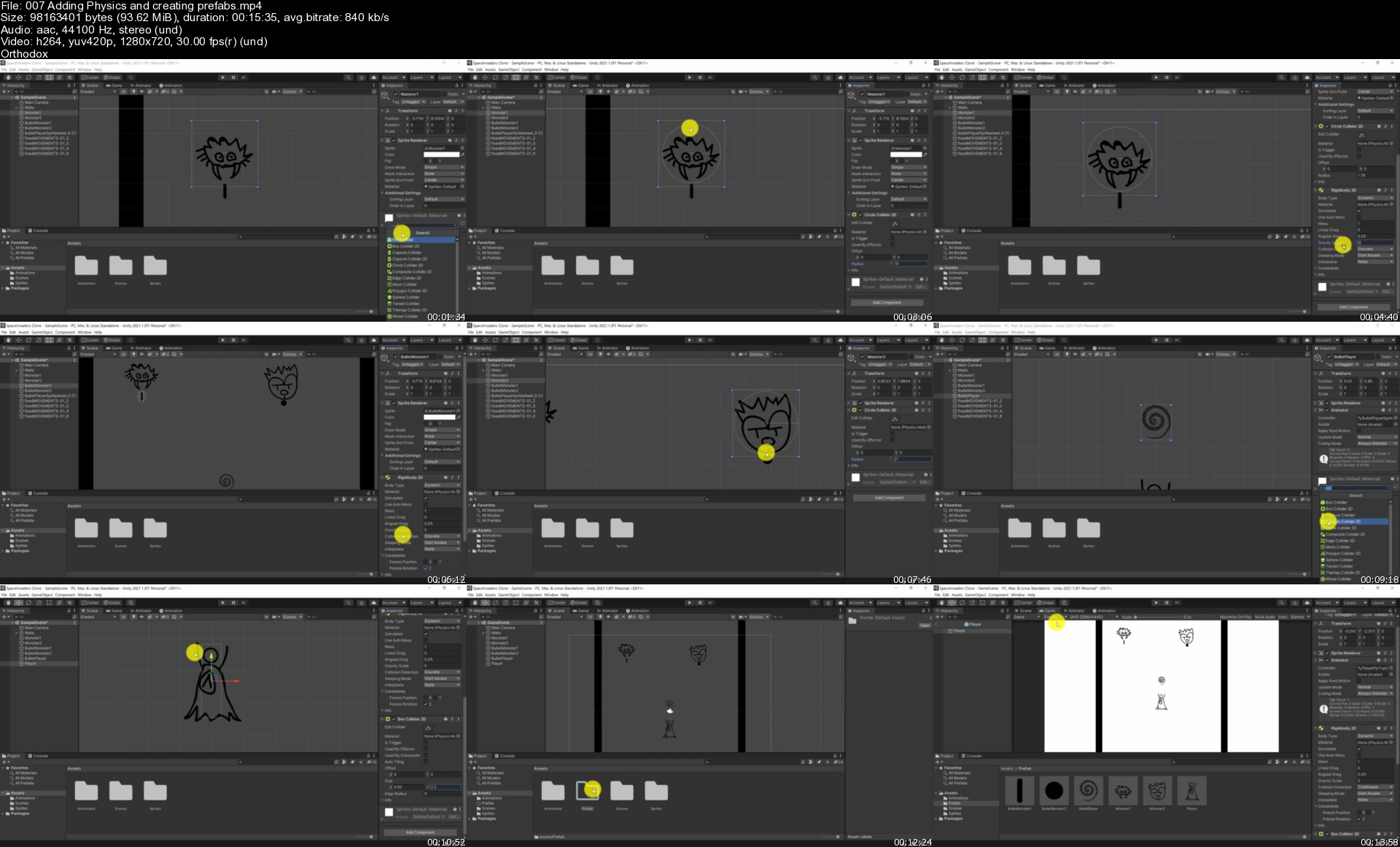
Homepage

007addingphysicsandcrm7kss.jpg


The Comprehensive 2021 Android Development Masterclass

fovf38vxmvwtgpwdod5ws18kjh.jpg


The Comprehensive 2021 Android Development Masterclass
MP4 | Video: h264, yuv420p, 1920x1080 | Audio: aac, 44100 Hz | Duration: 49h 33m | File Size: 30.8 GB
Latest Update 04/2021
Genre: eLearning | Language: English

Master Modern Android API's: ROOM Database, ML Kit Face Recognition, Firestore, Firebase, Maps and Android Studio IDEIn this course, you will be: Building Android apps from scratch using Android Studio and Java Programming Language
Fully learn the Java Programming Language which is used to build Android Apps
Android Building Blocks
Building several full-fledge apps from scratch
Learning how to leverage Android Internal Persistence API's
Master Android App Design, from start to finish
Master new Android API's such as ROOM Persistence, Firestore Realtime Database and ML Kit - Face Recognition
Uploading your apps to Google Play Store and reach Millions of Android users worldwide!

├───01 Welcome
├───02 Install Android Studio on Windows Machine
├───03 Install Android Studio on MAC Machine
├───04 Download Course Source Code
├───05 Android Development - First Steps
├───06 Deep Dive into Java Programming Language
├───07 CHALLENGE_ Dividing and Multiplying Integers
├───08 CHALLENGE_ Dividing and Multiplying Integers
├───09 Introduction to Object Oriented Programming in Java
├───10 Java Inheritance
├───11 Java Data Structures
├───12 Android Development - Let the fun Begin!
├───13 CHALLENGE_ Make It Rain App - Change Color
├───14 CHALLENGE SOLUTION - Change Color
├───15 For the Curious - Android Ins and Outs
├───16 Android Layouts, Constraints & Data Binding Introduction
├───17 Build a Quiz App - MVC Architecture
├───18 Understanding Android Activities and Life Cycles
├───19 Connecting our Apps to the Web - JSON, API's, Network Services, Parsing JSON
├───20 Build a Trivia App
├───21 Running Android Apps on Physical Device
├───22 Persistence in Android - Shared Preferences
├───23 CHALLENGE - Improve Trivia app
├───24 CHALLENGE SOLUTION - Improve Trivia app
├───25 Persistence in Android - Database
├───26 SQlite and ROOM Library - Android App Architecture - Persistence Layer
├───27 Android Listviews and RecyclerView Widgets - Contact Manager App Improvements
├───28 Build an App - Todoister - Todoist Clone
├───29 Android Location and Maps
├───30 CHALLENGE_ Creating Markers and Putting on Map
├───31 CHALLENGE SOLUTION_ Creating Makers and Putting on Map
├───32 Build an App - National Parks App
├───33 Android Media - Playing Sounds and Videos
├───34 Android Animations
├───35 Android Material Design and Themes
├───36 Understanding Android Intents
├───37 CHALLENGE_ Send Message Via Share Button
├───38 CHALLENGE SOLUTION_ Send Message Via a Share Button
├───39 Android Fragments - An Introduction
├───40 Introduction to Realtime Databases - Firebase and Firestore
├───41 Build a Journal App with Firestore
├───42 Drawing on Canvas in Android
├───43 Android Machine Learning ML Kit - Face Detection
├───44 Android Vocabulary - Tools and Resources
├───45 Learn to Help Yourself as an Android Developer
├───46 Monetizing Your Android Apps
├───47 Creating Launcher Icons
├───48 Publishing Your Apps on Google Play
├───49 The App Development Process
├───50 What's Next
└───51 Bonus

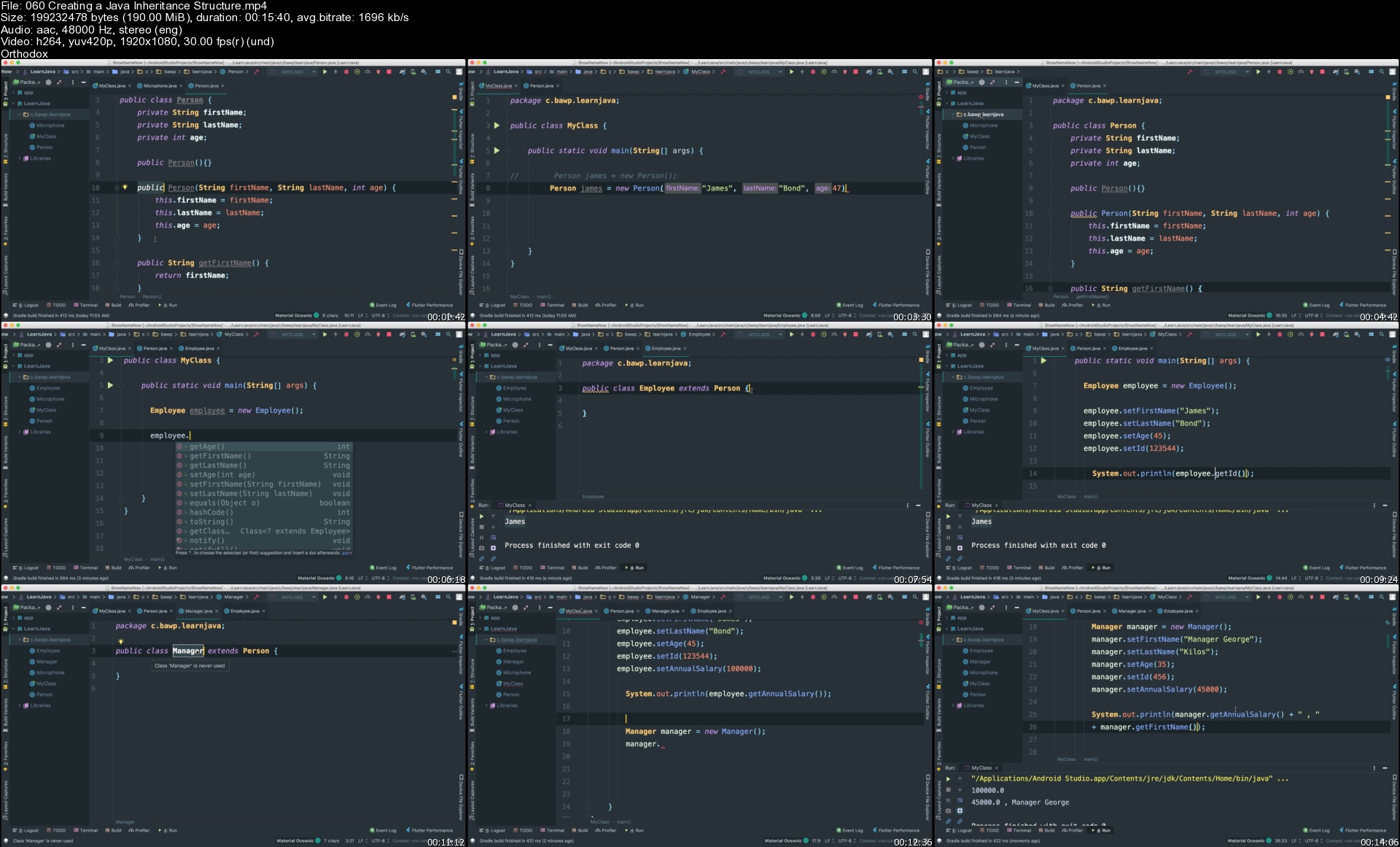
Homepage

060creatingajavainher3lk73.jpg


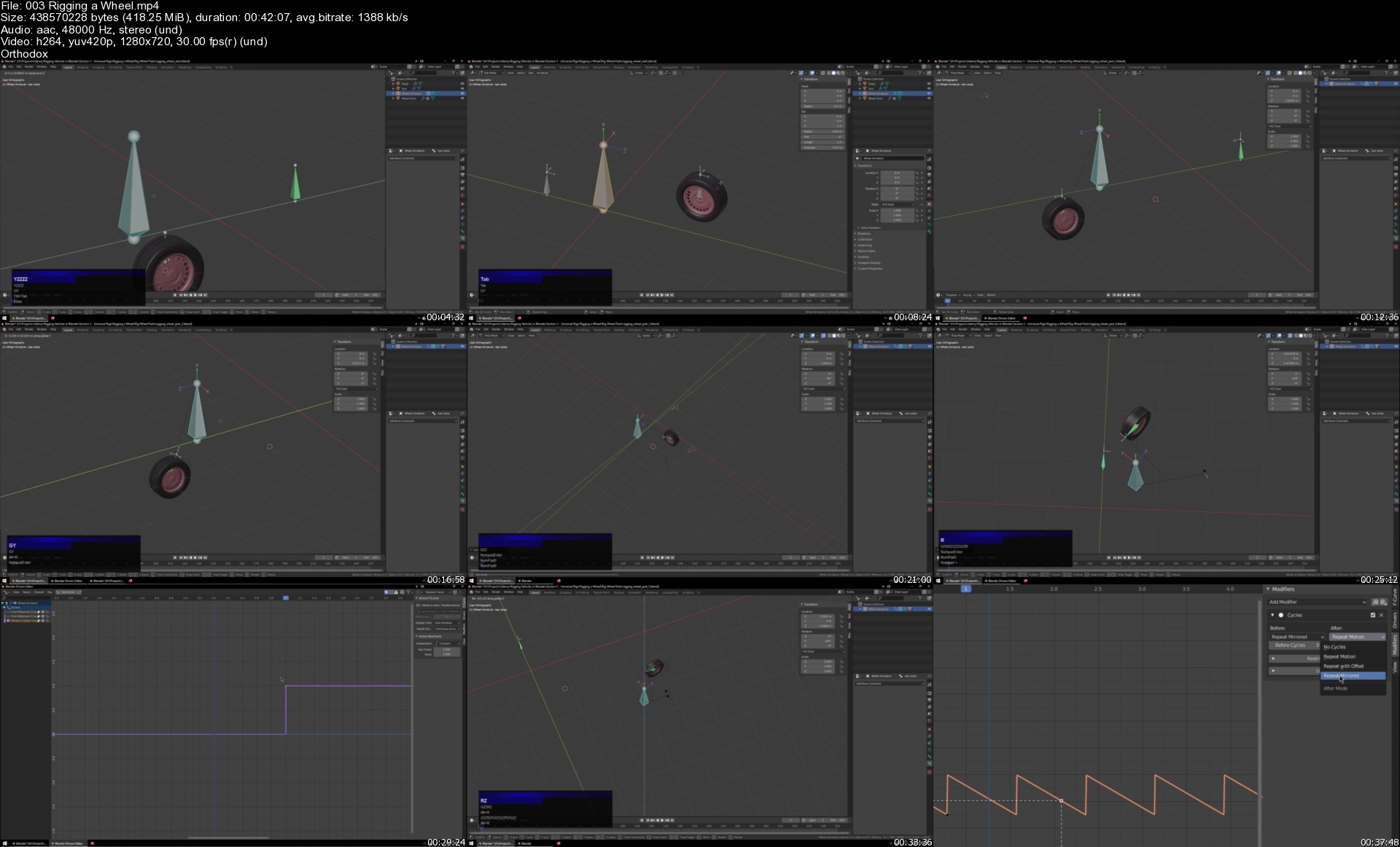
Ace Rigging Vehicles in Blender

n1wfk7gsh4vz0nj8h6j7z66jjx.jpg


Ace Rigging Vehicles in Blender
MP4 | Video: h264, 1280x720 | Audio: AAC, 44.1 KHz, 2 Ch
Genre: eLearning | Language: English + srt | Duration: 72 lectures (22h 9m) | Size: 20.8 GB

~ Rig Cars, Trucks, Tracks and Wings within Blender for Animation ~

What you'll learn:
How to rig vehicles within Blender using inbuilt tools
How to create 'model based' control panels
How to utilise drivers; charts, modifiers and settings
How to use various different constraints
How to use the IF function
How to setup Custom Properties
How to write expressions

Requirements
A good understanding of Blender itself is expected; knowledge of how to model, interact with, and general knowledge of the software is strongly advised.
A rudimentary knowledge of Mathematics is recommended.
Access to a second (preferably HD) display monitor would be ideal.
7zip to decompress archived files (optional)


Description
Are you ready to create rigs for various different vehicles? Utilising 3D models that are hand-crafted, high quality and built specifically for this course, make ready to learn how to use the various rigging tools available within the Blender software and turn your static pictures into exciting animations!

The course features, at the time of launch, five different vehicles for you to practice and learn from! There's also the preliminaries, universal rigs and the general guidelines which are designed to further your learning and understanding further.

Car | The car lectures set the beginning pace of the course. We look at building the suspension, drift controls and ground detection systems.

Bus | With a little more emphasis on the various peripherals, we look at the mechanical parts of rigs including the service door on the bus.

HGV | Building on the previous lectures and gives more ideas regarding mechanical rigging, as well as provides more options for the suspension.

Plane | Takes our rig to the sky! We work on the various parts of the airplane with particular attention given to the landing gears.

Tank | Encompasses the lessons from all previous sections so far and condenses them into manageable lectures which you can easily digest. All of the common functions of rigging vehicles are well covered by this point.

All rigs are designed for ease of use by an animator (end user) so whilst there's a lot going on under the hood with our rigs, the animator will simply see the relevant controller bones and be able to use them straight away!

So are you all set? Check out the course promotional video and get ready to master rigging vehicles in Blender!

Who this course is for
Intermediate and above Blender users who wish to develop and take their mechanical rigging skills to the next level.

Homepage

003riggingawheelsa3jqa.jpg


Linkedin Learning Introduction to Network Routing-XQZT

215954309_05-02-ipv6_subnetting_c.jpg


Linkedin Learning Introduction to Network Routing-XQZT | MKV | 170.49 MiB

1 036 kb/s 1280x720 | AAC 160 kb/s 2 CH eng


NFO:
File List:

File: 01.01-new_to_it_or_routing_in_general.mkv
Size: 5858057 bytes (5.59 MiB), duration: 00:00:45, avg.bitrate: 1041 kb/s
Audio: aac, 48000 Hz, stereo (eng)
Video: h264, yuv420p, 1280x720, 30.00 fps(r) (eng)
Subtitles: eng


Download ( Size: 170.49 MiB ):
Filehosts: Nitroflare, Rapidgator


oHeopzn.png

1 Link/s
5E3F1955A8.png


5hSo1Ay.png

1 Link/s
62FD1415FA.png


Linkedin Learning Cloud Native Projects Azure Serverless-XQZT

215969228_03-03-challenge_python_c.jpg


Linkedin Learning Cloud Native Projects Azure Serverless-XQZT | MKV | 148.65 MiB

672 kb/s 1280x720 | AAC 160 kb/s 2 CH eng


NFO:
File List:

File: 01.01-flexibility_with_azure_functions.mkv
Size: 3370322 bytes (3.21 MiB), duration: 00:00:40, avg.bitrate: 674 kb/s
Audio: aac, 48000 Hz, stereo (eng)
Video: h264, yuv420p, 1280x720, 30.00 fps(r) (eng)
Subtitles: eng


Download ( Size: 148.65 MiB ):
Filehosts: Nitroflare, Rapidgator


oHeopzn.png

1 Link/s
D365B00637.png


5hSo1Ay.png

1 Link/s
22C6E14366.png


Zurück
Oben Unten