• Regeln für den Video-Bereich:

    In den Börsenbereich gehören nur Angebote die bereits den Allgemeinen Regeln entsprechen.

    Einteilung

    - Folgende Formate gehören in die angegeben Bereiche:
    - Filme: Encodierte Filme von BluRay, DVD, R5, TV, Screener sowie Telesyncs im Format DivX, XviD und x264.
    - DVD: Filme im Format DVD5, DVD9 und HD2DVD.
    - HD: Encodierte Filme mit der Auflösung 720p oder darüber von BluRay, DVD, R5, TV, Screener sowie Telesyncs im Format x264.
    - 3D: Encodierte Filme von BluRay, die in einem 3D Format vorliegen. Dies gilt auch für Dokus, Animation usw.
    - Serien: Cartoon/Zeichentrick, Anime, Tutorials, Dokumentationen, Konzerte/Musik, Sonstiges sind demnach in die entsprechenden Bereiche einzuordnen, auch wenn sie beispielsweise im High Definition-Format oder als DVD5/DVD9/HD2DVD vorliegen. Ausnahme 3D.
    - Bereich Englisch: Englische Releases gehören immer in diesen Bereich.
    - Bereich Talk: Der Bereich, in dem über die Releases diskutiert werden kann, darf, soll und erwünscht ist.


    Angebot/Beitrag erstellen

    - Ein Beitrag darf erst dann erstellt werden, wenn der Upload bei mindestens einem OCH komplett ist. Platzhalter sind untersagt.
    - Bei einem Scenerelease hat der Threadtitel ausschließlich aus dem originalen, unveränderten Releasenamen zu bestehen. Es dürfen keine Veränderungen wie z.B. Sterne, kleine Buchstaben o.ä. vorgenommen werden. Ausnahme Serienbörse:
    - Bei einem Sammelthread für eine Staffel entfällt aus dem Releasename natürlich der Name der Folge. Beispiel: Die Simpsons S21 German DVDRip XviD - ITG
    - Dementsprechend sind also u.a. verboten: Erweiterungen wie "Tipp", "empfehlenswert", "only", "reup", usw. / jegliche andere Zusatzinformation oder Ergänzung, welche nicht in obiger Beschreibung zu finden ist.

    Aufbau des Angebots und Threadtitel

    Der Titel nach folgendem Muster erstellt zu werden. <Name> [3D] [Staffel] [German] <Jahr> <Tonspur> [DL] [Auflösung] <Quelle> <Codec> - <Group>
    Beispiel: The Dark Knight German 2008 AC3 DVDRip XviD - iND
    Beispiel: The Dark Knight 2008 DTS DL BDRip x264 - iND
    Beispiel: The Dark Knight 2008 AC3 DL BDRip XviD - iND
    Beispiel: The Dark Knight German 2008 AC3 720p BluRay x264 iND
    Beispiel: The Dark Knight 2008 DTS DL 1080p BluRay x264 iND
    Beispiel: Die Simpsons S01 German AC3 DVDRip XviD iND
    Beispiel: Die Simpsons S20 German AC3 720p BluRay x264 iND
    Beispiel: Sword Art Online II Ger Sub 2014 AAC 1080p WEBRip x264 - peppermint
    Entsprechend sind also u.a. verboten: Sonderzeichen wie Klammern, Sterne, Ausrufezeichen, Unterstriche, Anführungszeichen / Erweiterungen wie "Tipp", "empfehlenswert", "only", "reup", usw. / jegliche andere Zusatzinformation oder Ergänzung, welche nicht in obiger Beschreibung zu finden ist
    Ausnahmen hiervon können in den Bereichen geregelt sein.

    Die Beiträge sollen wie folgt aufgebaut werden:
    Überschrift entspricht dem Threadtitel
    Cover
    kurze Inhaltsbeschreibung
    Format, Größe, Dauer sind gut lesbar für Downloader außerhalb des Spoilers zu vermerken
    Nfo sind immer Anzugeben und selbige immer im Spoiler in Textform.
    Sind keine Nfo vorhanden z.B. Eigenpublikationen, sind im Spoiler folgende Dateiinformationen zusätzlich anzugeben :
    Quelle
    Video (Auflösung und Bitrate)
    Ton (Sprache, Format und Bitrate der einzelnen Spuren)
    Untertitel (sofern vorhanden)
    Hosterangabe in Textform außerhalb eines Spoiler mit allen enthaltenen Hostern.
    Bei SD kann auf diese zusätzlichen Dateiinformationen verzichtet werden.

    Alle benötigten Passwörter sind, sofern vorhanden, in Textform im Angebot anzugeben.
    Spoiler im Spoiler mit Kommentaren :"Schon Bedankt?" sind unerwünscht.


    Releases

    - Sind Retail-Release verfügbar, sind alle anderen Variationen untersagt. Ausnahmen: Alle deutschen Retail-Release sind CUT, in diesem Fall sind dubbed UNCUT-Release zulässig.
    - Im Serien-Bereich gilt speziell: Wenn ein Retail vor Abschluss einer laufenden Staffel erscheint, darf diese Staffel noch zu Ende gebracht werden.62
    - Gleiche Releases sind unbedingt zusammenzufassen. Das bedeutet, es ist zwingend erforderlich, vor dem Erstellen eines Themas per Suchfunktion zu überprüfen, ob bereits ein Beitrag mit demselben Release besteht. Ist dies der Fall, ist der bereits vorhandene Beitrag zu verwenden.
    - P2P und Scene Releases dürfen nicht verändert oder gar unter einem iND Tag eingestellt werden.


    Support, Diskussionen und Suche

    - Supportanfragen sind entweder per PN oder im Bereich Talk zu stellen.
    - Diskussionen und Bewertungen sind im Talk Bereich zu führen. Fragen an die Uploader haben ausschließlich via PN zu erfolgen, und sind in den Angeboten untersagt.
    - Anfragen zu Upload-Wünschen sind nur im Bereich Suche Video erlaubt. Antworten dürfen nur auf Angebote von MyBoerse.bz verlinkt werden.


    Verbote

    - Untersagt sind mehrere Formate in einem einzigen Angebotsthread, wie beispielsweise das gleichzeitige Anbieten von DivX/XviD, 720p und 1080p in einem Thread. Pro Format, Release und Auflösung ist ein eigener Thread zu eröffnen.
    - Grundsätzlich ebenso verboten sind Dupes. Uploader haben sich an geeigneter Stelle darüber zu informieren, ob es sich bei einem Release um ein Dupe handelt.
    - Gefakte, nur teilweise lauffähige oder unvollständige Angebote sind untersagt. Dies gilt auch für eigene Publikationen, die augenscheinlich nicht selbst von z.B. einer DVD gerippt wurden. Laufende Serien, bei denen noch nicht alle Folgen verfügbar sind, dürfen erstellt und regelmäßig geupdatet werden.
    - Untersagt sind Angebote, welche nur und ausschließlich in einer anderen Sprache als deutsch oder englisch vorliegen. Ausnahmen sind VORHER mit den Moderatoren zu klären.


    Verstoß gegen die Regeln

    - Angebote oder Beiträge, die gegen die Forenregeln verstoßen, sind über den "Melden"-Button im Beitrag zu melden.
  • Bitte registriere dich zunächst um Beiträge zu verfassen und externe Links aufzurufen.

++ Premium IPTV ++ 7000 Live Sender ++ UHD Qualität ++ Mediathek mit 18.000 Inhalten ++


VenneTV


Englische Tutorials

Digital Ilustration with Photoshop

00812953loko5.jpg


Digital Ilustration with Photoshop
MP4 | h264, 1280x720 | Lang: English | Audio: aac, 44100 Hz | 9h 49m | 6.94 GB

Learn everything to create character illiustrations using Photoshop


What you'll learn
Illustration Using Photoshop
Illustration Fundamentals
Requirements
Basic Photoshop Knowledge is a plus but not a requirement
Access to a PC or Mac with Photoshop

Description
I will teach you and help you learn Illustration in Photoshop. In this series of videos, I will help you get started in your illustration journey using Photoshop in very detailed videos.

In this course, we will work on a complete character illustration from A to Z. From planning the task, exploring ideas, studying references, detailing surfaces, and all the necessary tools, tips, and tricks to rendering professional-looking illustrations. I will teach you all the tools and techniques needed to create stylized illustrations.

This course will focus on character illustration. We will cover the fundamentals of creating appealing characters, from creating thumbnails, values, rendering, illumination, and more.

We will do a project together, and I will explain every step in a very detailed manner, to make sure that after finishing this course, you'll have the knowledge required to follow the exercises with me.

You'll learn tips and shortcuts that will accelerate your workflow and make you understand the fundamentals.

I will be available for you through the whole course, feel free to send me a message or post any questions in the Q&A section if you encounter any issue, I will do my best to help you solve these issues. Also, feel free to join our Discord server to share your progress with the rest of the community.

So please, take this course now.


Who this course is for:
Artists looking to continue their Photoshop knowledge
Artists that want to learn more about illustration
Beginner artists looking to learn Photoshop and Illustration Fundamentals

2.referencesandstudyoa9juw.jpg


Building Your Audience with Live Video

i2bgv7wsrlmbgf4vbusfclij4l.jpg


Building Your Audience with Live Video
Duration: 15h| Video: .MP4 1280x720, 24 fps(r) | Audio: AAC, 48000 Hz, 2ch | Size: 11.6 GB
Genre: eLearning | Language: English + subtitles

Ready to share your business with the world? Casey Zeman will teach you everything you need to know about creating, producing, and promoting online video events and webinars.

In this course, you will learn about the different equipment you can use to shoot your webinar, from your laptop all the way up to a professional production camera, audio, and lighting setup. Casey covers ways to use webinars to build leads, generate sales, and convert your community of live-streamers into paying customers. You'll also learn everything you need to know about Google Hangouts -- from YouTube integration to using Google+ to promote events, and much more.

This course will give you the concrete, easy-to-apply skills to confidently share your business's message with a whole new audience in a whole new way.

Homepage

100616097stepstomoree6uj7x.jpg


AutoCAD Programming Using C#.NET - Beginner Course (Update)

008126f0bdj5w.jpg


AutoCAD Programming Using C#.NET - Beginner Course (Update)
MP4 | h264, 1280x720 | Lang: English | Audio: aac, 48000 Hz | 16h 58m | 10.5 GB

This is your ultimate guide to learning C# programming in AutoCAD.

Requirements
Knowledge of AutoCAD
Programming knowledge is advantageous but not necessary as we will go through the basics of C# Programming

Description
This is a very intensive course that gives the student opportunity to learn C# Programming fundamentals, learn about .NET Framework, learn how to use Visual Studio 2017 and most of all learn how to program AutoCAD .NET API. This course will walk you through the process of developing your own AutoCAD Plugins that will extend AutoCAD Functionalities.


Who this course is for:
This course is intended for all AutoCAD Users who have a desire to create their own Commands or Plugins and extend AutoCAD functionalities to the next level
For those who are interested in Computer Programming and wanted to learn how AutoCAD and C# work together
For AutoLISP and VBA Programmers who wanted to learn new language and skills and be even more productive


066exceptionhandlingdkpj7p.jpg


Adobe Illustrator - Beginner to Guru - 2021

008133dc9ejws.jpg


Adobe Illustrator - Beginner to Guru - 2021
MP4 | Video: h264, 1280x720 | Audio: AAC, 44.1 KHz, 2 Ch
Genre: eLearning | Language: English + srt | Duration: 185 lectures (12h 32m) | Size: 8.41 GB

Master Illustrator on the Desktop, with easy lessons as well as step-by-step real world projects


What you'll learn:
How to create infographics, logos, graphics and icons
Draw your own shapes and manipulate them using the Pen, Pencil, Pathfinder tools
Create professional designs and illustrations using tools such as the Shape Builder
Learn to create eye-catching and amazing digital vector artwork with stunning color
Create amazing artwork and patterns with the new Radial, Mirror and Symmetry Repeats
Understand color including RGB / CMYK, Spot as well as working with Gradients and Blends
Create designs for use in print, packaging, advertising, social media, websites and mobile graphics
Prepare graphics for web, print and social media

Requirements
Adobe Illustrator (single subscription or via Creative Cloud Suite subscription) - not older than CS6
Mac or PC
Exercise files are provided
No prior knowledge or experience with Illustrator is required
No drawing ability required
Eagerness to learn!


Description
Learn to Create Beautiful Graphics on this Comprehensive Adobe Illustrator Course

This is a comprehensive Adobe Illustrator on the Desktop course, with over 12 hours of lessons and projects. It starts from scratch for complete beginners, through to advanced techniques. Even if you are already an occasional Illustrator user, you will still find numerous techniques to speed up your workflow.

Using the CC 2020 and CC 2021 versions, I show you the techniques and concepts within the software. You do not have to be able to draw to be able to create beautiful graphics on this Adobe Illustrator course.

I will demonstrate a number of techniques for you to try and then give you exciting real life example projects to carry out so you can easily put these into practice for your own artwork, graphic design work and marketing materials. Whether you want to get paid for your Illustrator skills, or you're doing this for fun / self-improvement, this course and the projects will help you build confidence to be able to work effectively and creatively.

Here's a précis of what you will learn!

Understand the Adobe Illustrator workspace and tools

Create and edit amazing graphics

Create beautiful typography

Create infographics

Create your own patterns and symbols

Learn how to create and apply special effects and styles

Create custom brushes to enhance your artwork

Understand color

Create logos and icons

Understand the Live tools

Learn how to use Perspective tools

Work with 3D shapes

Make sense of Masks and Layers

Export for web or print

Written and presented by Tim Wilson who is an Adobe Certified Expert and Adobe Certified Instructor as well as a university lecturer for honours degree design courses in the UK. He has over 20 years of experience in training and is also a prolific designer and illustrator.

Who this course is for
Anyone who want to learn how to use Illustrator on the Desktop
Anyone who want to learn how to create logos, infographics, icons, social media graphics for print or online use
Anyone who want to translate their existing artwork into vector format
Anyone who want to learn how to create amazing digital artwork
Anyone who plans to enter graphic design
Anyone who wants to draw using vector software
Anyone with Adobe Illustrator knowledge keen to take it to the next level


11.project2infographixekws.jpg


SwiftUI - built a real world application using Core Data

cfcowfcssczpifarlyeay82k2m.jpg


SwiftUI - built a real world application using Core Data
MP4 | Video: h264, 1280x720 | Audio: AAC, 44.1 KHz, 2 Ch
Genre: eLearning | Language: English + srt | Duration: 73 lectures (13h 8m) | Size: 10.5 GB

Create a large and complex app for macOS, iOS and iPadOS with SwiftUI and Xcode, including Core Data and MVVM


What you'll learn:
Know how to build professional iOS and macOS application
Be able to persists data locally with Core Data: create the data model and know how to use Core Data with SwiftUI
Know how to share the user data on multiple devices by combining Core Data with iCloud
Understand the MVVM Design Pattern with SwiftUI
Know how to take advantage of ObservableObject, Environment and Notification Center to structure the data flow in SwiftUI
Be able to write clean readable code
Be able to write Unit Tests
Know how to use SwiftUI for a macOS application: including window management, toolbar, and keyboard shortcuts
Know how to use drag and drop in your SwiftUI views to share data from lists, images and texts

Requirements
A Mac computer running macOS 10.15 (Catalina) or a PC running macOS.
You will need Xcode 12
Basic knowledge of Swift programming language
Basic level of SwiftUI - this is an intermediate course


Description
Most courses teach simple concepts and give an overview of all the different features of SwiftUI. In order to master development, there is nothing better than building a fully fletched application. In this course, we will go through all the main steps. I want to showcase the whole development process with SwiftUI. From app idea to MVP. You will get to know my workflow and how I make my design decisions. Follow me along in creating this amazing app.

What are we going to build?

I couple of months ago someone in the co-working space introduced me to the Zettelkasten method. Maybe you heard of the second brain movement or software solutions like roam research. They are all talking about the same problem: you read all this information and you want to keep it at a well organized place for later use. But you never find it again.

The Zettelkasten is a note-taking system developed by a German social scientist, Niklas Luhmann. Luhmann published an insane amount of books and scientific papers.

His trick: the Zettelkasten. It is an archive of notes (Zettelkasten is the German word for slip box). Luhmann had over 80 000 notes in his box at the end. In order to find a piece of information he used an index register and he linked notes to other notes to other notes. Thus following a train of notes feels like following a train of thoughts. You can communicate with the Zettelkasten like it is your second brain.

Doing all the archiving and linking of notes on paper must have been a crazy amount of work. Luckily we will build our very own version of the Zettelkasten: a digital slip box.

It is going to be a big and complex project. Because of that, I think it is perfect to evaluate what SwiftUi can be used for. We will build it together but there is no way to finish everything in this course. I want to give you the opportunity to make this your own app. So you have something you can be truly proud of. Share what you work on, show your cool features or your special design solution. I am very curious what you will come up with.

Why one project

Some concepts like MVVM (Model - View Model - Model) can only be understood, when you see them in a large context. Because you have an example of how things can work together, you can see the benefits of one design decision over another.

Learning one concept at a time and seeing a basic implementation is a good start learning a new framework. But it great to see examples of the same SwiftUI tool for different tasks and in an interplay of a larger project. That is why we will build one massive and complex project in this course.

What's the deal with Core Data

Mastering Core Data is still a very popular skill for iOS developers. Because Core Data is built on top of SQLite, it is a great and very powerful option for local data storage. Thankfully, Apple made working with Core Data in SwiftUI super convenient. They provide us for example with environmental support and property wrappers like @FetchReqest.

The application we are building is a note-taking system, with keyword tags, links to other notes. It will become quite a complicated data model. We will work with relationships, see how to store rich text and images in core data. We will take advantage of the database to implement advanced search functions.

SwiftUI or not to SwiftUI

SwiftUI is clear, easy to read, and convenient to use. But most people don't consider SwiftUI as good enough to use it for large and complex apps. They try to develop their first project with SwiftUI but soon get stuck because as the project grows the interplay of different parts of your app becomes more complicated. Managing the data flow is one of the main obstacles when it comes to working with SwfitUi.

This is because of the strong paradigm change. Thinking in declarative programming takes some time to get used to and is best understood by seeing examples of how it actually works.

I want to show you with this project, that it is possible to build amazing apps with SwiftUI. I can best prove this to you by giving you a real example: a fully fletched app written in SwiftUI.

Let's build that app!

Who this course is for
If you want to learn how to build real applications with SwiftUI
If you started learning SwiftUI and you want to get to the next level by working on a larger project
If you are a pro iOS developer and want to quickly get up to date with Apple's latest technology SwiftUI
If you are an iOS developer who wants to take advantage of SwiftUI to create your very first macOS application


2.workingonthenotestoazk6b.jpg


React JS Desde Cero! Hooks, Redux, Context, Firebase y más!

ekwfctjv3wezoikf1hnrqqnjgi.jpg


React JS Desde Cero! Hooks, Redux, Context, Firebase y más!
MP4 | h264, 1280x720 | Lang: Spanish | Audio: aac, 48000 Hz | 18h 21m | 8.19 GB


What you'll learn
React: Fundamentos paso a paso y desde cero
Hooks: Trabajar con Hooks en React [nuevas características de React]
Firebase: Integrar Firebase como Backend
Firestore: Utilizar bases de datos con Firestore
Auth: Crear Autenticación y Registro de usuarios en nuestra aplicación web
Router: Configurar Rutas protegidas dando acceso solo a usuarios registrados en nuestro sitio web
Bases de Datos: Aprender reglas para proteger nuestra base de datos
SPA: Crear aplicaciones SPA
Redux: Aprende los fundamentos de Redux en React
Ducks: Utiliza la metodología de "Pato" en Redux
Storage: Manejo de imágenes con Firebase
Custom Claims: Aprende a utilizar roles con rutas protegidas
Functions: Ejecuta funciones con node en Firebase
Context API: Datos globales sin utilizar props
Reglas de seguridad avanzada con Roles de usuarios
Desplegar aplicaciones en Firebase hosting gratis

Requirements
Conocimientos de Javascript básicos
Conocimientos de HTML y CSS básicos
Conocimientos de Bootstrap 4 básicos


Description
React js librería creada por Facebook!: Bienvenidos al curso de React Js utilizando Hooks, Redux, Context API y Firebase. El objetivo de este curso es que aprendamos a desarrollar web SPA utilizando rutas protegidas, bases de datos, subirlas a un servidor web y más...

Contenido del curso:

Fundamentos de React JS desde cero para principiantes [para aquellos que nunca han tocado una librería de Javascript]

Características principales de los Hooks en React.js

Configuración de rutas y rutas protegidas.

Configuración de Firebase en nuestro proyecto React.

Trabajar con Bases de Datos en tiempo real con Firestore [un servicio de Firebase].

Configurar Auth [autenticación] con Login y registro de nuevos usuarios con Email y Contraseña.

Relacionar usuarios registrados con colecciones [bases de datos]

Subir proyecto a Hosting de Firebase.

Trabajar con Reglas de seguridad de Firebase.

Actualización Abril 2020:

Redux: Fundamentos y primeros pasos con Ducks

Redux: Creación de proyecto Pokemon API + LocalStorage

Login con cuentas de Google

Rutas protegidas con LocalStorage & Firebase Auth

Imágenes en Firebase utilizando Storage

Material UI (en construcción)

Actualización Mayo 2020:

Context API utilizando Hooks

Chat con Firestore y Context API

Actualización Junio 2020:

Roles con Firebase Functions ( Custom claim )

Nos vemos en clases!


Who this course is for:
React : Desarrolladores web que quieran crear aplicaciones geniales con React Hooks
Firebase : Desarrolladores web que deseen aprender a integrar Firebase a sus desarrollos de React js
Redux : Desarrolladores web que desean utilizar Redux en React


Homepage

1.routerhookenreacts37jzj.jpg


React JS - The Complete 2021 Guide with NodeJS and Mongo DB

00812e1ebmjhn.jpg


React JS - The Complete 2021 Guide with NodeJS and Mongo DB
MP4 | Video: h264, 1280x720 | Audio: AAC, 44.1 KHz, 2 Ch
Genre: eLearning | Language: English + srt | Duration: 170 lectures (19h 10m) | Size: 5.59 GB

All React JS concepts (incl. Redux, Hooks, Context )are in this course. Learn React JS from scratch with NodeJS, MongoDB

What you'll learn:
This is the full React JS course. You will learn React JS, Redux, Hooks and Context, NodeJs and Mongo DB
You will learn React JS with hands-on examples
Learn how to create Single Page Web Application with React JS
Create reusable React Components
User Inputs, Forms and Events in React
Learn to create multi-page web app with react-router-dom
We will learn how to perform asynchronous operations with Redux thunk
Learn to consume context with Context Consumer
How to manipulate context data in class-based components
Learn how powerfull when we use Context and Hooks together
Learn components, props, states and component life cycle methods in React JS
Learn sending request to an API and fetch data
Routing with React Router
Manage the data of our application with the Redux library
Create context with class-based component
Learn how to consume context with static contextType
Learn the most important hook functions like, useState, useEffect, useReducer and useContext
Learn how to easily build the largest and most advanced React applications
Dive into Nodejs, learn rapidy growing web server technology, Nodejs & understand how NodeJS works with Node course!
By learning growing web server technology, Nodejs, you can improve your skills, get a new job and you can build powerful, robust web applications.
Learn the key concepts of the NodeJS
Learn to create servers, and understand how it works
Understand and use the Event Emitter
Understand Buffers, Streams, and Pipes
Learn routing with NodeJS
Learn the most used, open-source document database, and NoSQL database aka MongoDB
Logic behind the MongoDB data storage
The most popular Object Data Modeling Library for MongoDB, Mongoose JS
Learn to execute CRUD - write queries to create, read, update and delete operations
Understand terminal commands for managing the database
Advanced Features of MongooseJS
The best testing framework for NodeJS, Mocha
Learn how easy to use MongoD

Requirements
This course is ideal for people who have a basic knowledge of HTML, CSS, JavaScript but you don't need to be an expert
Computer with access to the internet
A Windows PC, Mac or Linux Computer
Es6 knowledge would be beneficial but not required
Desire to learn React
Nothing else! It's just you, your computer and your ambition to get started today


Description
Hello there,

Welcome to the "React JS- The Complete 2021 Guide with NodeJS and Mongo DB" course.

In this course, you will learn to develop a web application with React JS, Redux, Hooks & Context, Node.JS, and Mongo DB from scratch.

If you are thinking to start to learn React JS, this course is the best match for you.

We have explained React from beginner to all levels. We have explained all the topics as simple as possible with examples, slides, and diagrams.

We have created a lot of projects while explaining the subjects. Because we believe that applied educations are much more useful than other teaching methods.

We explained all the subjects with simple examples and applications, and explanatory diagrams in a way that the student can understand at all levels.

We paid attention to explain all the topics in order. Because we think that the order of presentation of the subject is as important as the content of education. We have seen this shortcoming in many pieces of training we have examined and tried to explain these issues to you in the best way.

No Previous Knowledge is needed!

You don't need to have previous knowledge about React. This course will take you from a beginner to a more advanced level with hands-on examples.

You will be confident in using React JS, and if you ever get stuck, we will be there to help.

Learn by doing!

So we have made this course as simple as possible in order to take you through step by step so you can feel confident and get a truly good understanding of how to utilize ReactJS. In this course, we will be teaching React by creating various projects.

In this Full React Js course, you will learn;

How to create Single Page Web Application with React JS.

The most important React topics like components, props, state and component life cycle methods

How to send requests to an API and fetch data.

How to create a multi-page web app with react-router-dom.

How to manage the data of our application with the redux library.

We will learn how to perform asynchronous operations with Redux thunk.

How to create a context with a class-based component.

How to consume context with 'context consumer'.

How to consume context with 'static contextType'.

How to manipulate context data in class-based components.

The most important hook functions like useState, useEffect, useReducer, and useContext.

How powerful when we use context and hooks together

How to easily build the largest and most advanced react applications

The logic behind MongoDB's data storage

The most popular Object Data Modeling Library for MongoDB, Mongoose JS

Writing queries for creating, reading, updating, and deleting operations

Advanced Features of MongooseJS

The best testing framework for NodeJS, Mocha

At the end of the course

By the end of the course, you will be able to build amazing React single page web applications.

Fresh Content

It's no secret how technology is advancing at a rapid rate. New tools are released every day, and it's crucial to stay on top of the latest knowledge for being a better React developer. You will always have up-to-date content for this course at no extra charge.

Video and Audio Production Quality

All our content is created/produced as high-quality video/audio to provide you the best learning experience.

You will be,

Seeing clearly

Hearing clearly

Moving through the course without distractions

You'll also get:

Lifetime Access to The Course

Fast & Friendly Support in the Q&A section

Udemy Certificate of Completion Ready for Download

Dive in now!

We offer full support, answering any questions.

See you in the class!

Who this course is for
Beginner who wants to be React developer
Anyone who wants to become an React Developer
Anyone who wants to build amazing React single page web applications
For those who want to learn React Hooks
Anyone who wants to learn React Js and its modern face Hooks & Context
Students who want to learn how to build fast single page web apps
For those who want to learn React Context API
Anyone interested in learning an extremely popular technology used by leading tech companies like Facebook, Instagram and Netflix
Anyone who wants to learn today's most popular front-end architectures and take their Web development skills to the next level and learn a future-oriented technology
Who wants to learn React-Router, React-Portals and Redux
Anyone planning a job transformation and wants to become a React developer
Anyone who wants to learn MongoDB
Anyone interested in NoSQL Schema
Professionals who are willing to learn MongoDB Database
Anyone looking to build a career as a NodeJS developer
Also, if you are looking to move in React-Native App development, it would be great for starting with React Js. Once you are familiar with concepts like JSX, props and states, same concepts are applied in React Native too. And moving into React Native would be so easy

Homepage

9.passingpropstochildvljx4.jpg


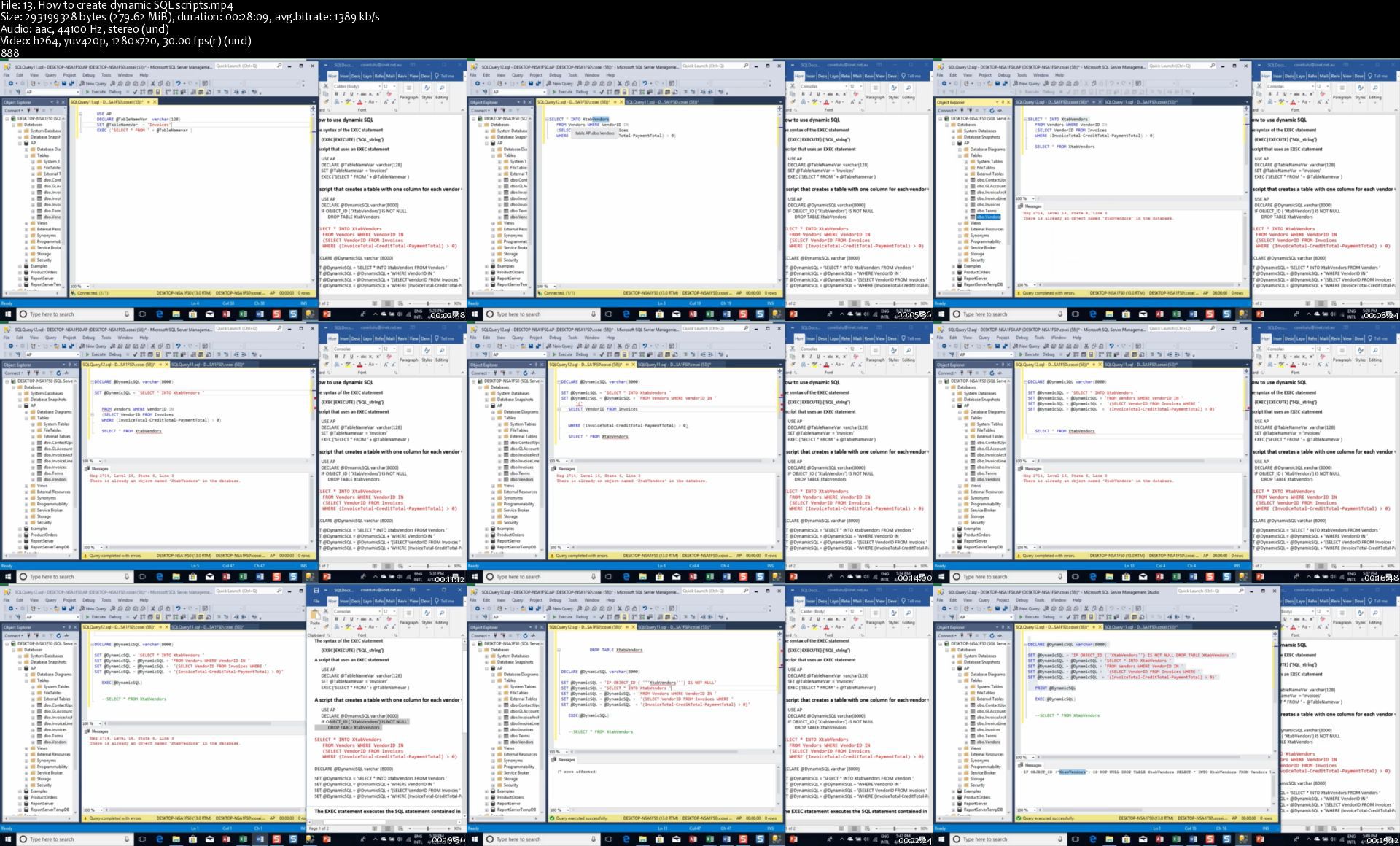
Querying SQL Server: Beyond the basics

lh5fyre8y7rynw43tdsrrrxkbq.jpg


Querying SQL Server: Beyond the basics
MP4 | Video: h264, 1280x720 | Audio: AAC, 44.1 KHz, 2 Ch
Genre: eLearning | Language: English + srt | Duration: 99 lectures (21h 6m) | Size: 8 GB

Advanced SQL Server database development and querying

What you'll learn:
This course will teach you everything you need to know to master advanced SQL Server database development and querying features of this popular DBMS:
You will master the concepts and terms you need for working with relational databases and SQL
You learn how to create a database using SQL statements and its tables using SQL statements or the Management Studio...valuable skill whether you are on the DBA track or not
You learn how to use the Management Studio to work with databases and database objects
How to work with views, scripts, stored procedures, functions, table-value parameters, triggers, transactions, locking, and security
You learn to write SQL statements that retrieve and update the data in a database
Master the details of inner and outer joins, summary queries, and subqueries...it's all here

Requirements
You need at least 3 months working with SQL Server 2012 or above
Be able to download and install the Express Edition of SQL Server 2012 or above
Be able to install Management Studio
Some programming skills in other procedural languages. Basic understanding of programming concepts such as looping (WHILE), conditional branching (IF...THEN) will be beneficial but not required
You must be willing and prepared to complete all the quizzes and all the intensive hands-on exercises
Good analytical abilities


Description
NOTE: SQL Server is a hands-on product. No matter how much videos you watch, to master SQL Server, you need to get your hands dirty. Our course is not for the casual SQL Server database user who just wants to know how to write simple SELECT queries to extract data for ad-hoc reports. This course is for someone who is keen to master SQL Server databases for a career, or for whom SQL Server is an integral part of day to day activities. This course will take you longer to complete than most SQL courses. We provide a lot of quizzes and non-trivial hands-on exercises to help you master SQL Server databases design and querying. If you can have the time to go through the course and complete all the quizzes and the exercises, you have come to the right place.

YOU WILL NOT BENEFIT MUCH FROM THIS COURSE IF YOU DO NOT DO THE QUIZZES AND THE EXTENSIVE EXERCISES WE HAVE PROVIDED FOR EACH SECTION OF THE COURSE

========

This course will teach you everything you need to know to master advanced SQL Server database development and querying features of this popular DBMS:

Master the concepts and terms you need for working with relational databases and SQL

Learn how to create a database using SQL statements and its tables using SQL statements or the Management Studio...valuable skill whether you are on the DBA track or not

How to use the Management Studio to work with databases

How to work with views, scripts, stored procedures, functions, table-value parameters, triggers, transactions, locking, and security

How to write SQL statements that retrieve and update the data in a database

How to work with inner and outer joins, summary queries, and subqueries...it's all here

COURSE STRUCTURE:

We introduce each lesson with a Word document that briefly summarizes the topic of the lesson. This information includes syntaxes if applicable, terms as well as bulleted points of the concepts to be discussed such as the following:

· A role is a collection of permissions you can assign to a user or group of users. By assigning a user to a role, you grant the user all the permissions of the role. You can use roles to simplify user and security administrations.

· SQL Server has built-in, or fixed, roles defined at the server level and at the database level. In addition, you can create user-defined roles for your server or database

· Each role is assigned a set of permissions. For example, the dbcreator role can execute CREATE DATABASE ALTER DATABASE, DROP DATABASE statements. This role can also add new members to the role.

· You use the ALTER SERVER ROLE statement to add a user to or remove a user from a server role. You can also use this statement to rename a user-defined server role.

· The fixed server roles are intended for users who are involved in the administration of the server.

2. VIDEO:

Next, we provide a video demonstration of the topic in a SQL Server Management Studio Query Editor. If applicable, we walk you through the code to achieve a desired result. We suggest that you follow along with us and do the coding if possible

2. QUIZZES:

Each lesson comes with about 25 multiple choice quizzes. We suggest that you immediately repeat the lesson if you do not score at least 22 points before you move to the next lesson. Total of 150 quizzes for the course

2. HANDS-ON EXERCISES:

We provide extensive hands-on exercises for each section of the course, an average of 5 exercises per section. These exercises will take you much longer to complete than the quizzes. They are designed to ensure that you fully understand the topic. Solutions are provided within the course. The database for these exercises are provided for you to install on your computer.

A typical exercise is as follows:

=========

1. The following script uses a derived table to return the date and invoice total of the earliest invoice issued by each vendor. Write a script that generates the same result set but uses a temporary table in place of the derived table. Make sure your script tests for the existence of any object it creates

USE AP;

SELECT VendorName, FirstInvoiceDate, InvoiceTotal

FROM Invoices JOIN

(SELECT VendorID, MIN(InvoiceDate) AS FirstInvoiceDate

FROM Invoices

GROUP BY VendorID) AS FirstInvoice

ON (Invoices.VendorID=FirstInvoice.VendorID AND

InInvoices.InvoiceDate= FirstInvoice.FirstInvoiceDate)

JOIN Vendors

ON Invoices.VendorID=Vendors.VendorID

ORDER BY VendorName, FirstInvoiceDate;

==

3. TWO EXTRA DATABASES:

You need the AP database for the course and for the first set of exercises. We provide this database for you to install on your instance of SQL Server. In addition, we provide two extra databases (My Guitar Shop and Acotex Training databases) for more exercises. These two databases have the same structure as the main course database (the AP database). The idea is to expose your database and querying skills to different domain of real life databases. A typical exercise in one of the databases is as follows:

========

1. Create a view named CustomerAddresses that shows the shipping and billing addresses for each customer in the MyGuitarShop database.

This view should return these columns from the Customers table: CustomerID, EmailAddress, LastName and FirstName.

This view should return these columns from the Addresses table: BillLine1, BillLine2, BillCity, BillState, BillZip, ShipLine1, ShipLine2, ShipCity, ShipState, and ShipZip.

Use the BillingAddressID and ShippingAddressID columns in the Customers table to determine which addresses are billing addresses and which are shipping addresses.

Hint: You can use two JOIN clauses to join the Addresses table to the Customers table twice (once for each type of address).

======

4. SOLUTIONS TO EXERCISES

We do not provide the solutions to the hands-on exercises based on the 2 additional databases that come with the course. If you need the solutions to these exercises, we expect you to send us your own solution file. Then, when we are satisfied that you have put in the required effort to do the exercises, we will allow you to download the solutions from our website.

GOOD LUCK

Who this course is for
Our course is not for the casual SQL Server database user, who just wants to know how to write simple SELECT queries to extract data for ad-hoc reports
This course is for someone who is keen to master SQL Server databases for a career
You use (or intend to use) SQL Server as an integral part of your day to day activities
If you are coming back to SQL Server after a long lapse, this course is just for you
For those preparing for the SQL Server querying examinations 70-461 & 70-761

Homepage

13.howtocreatedynamic5rjdf.jpg


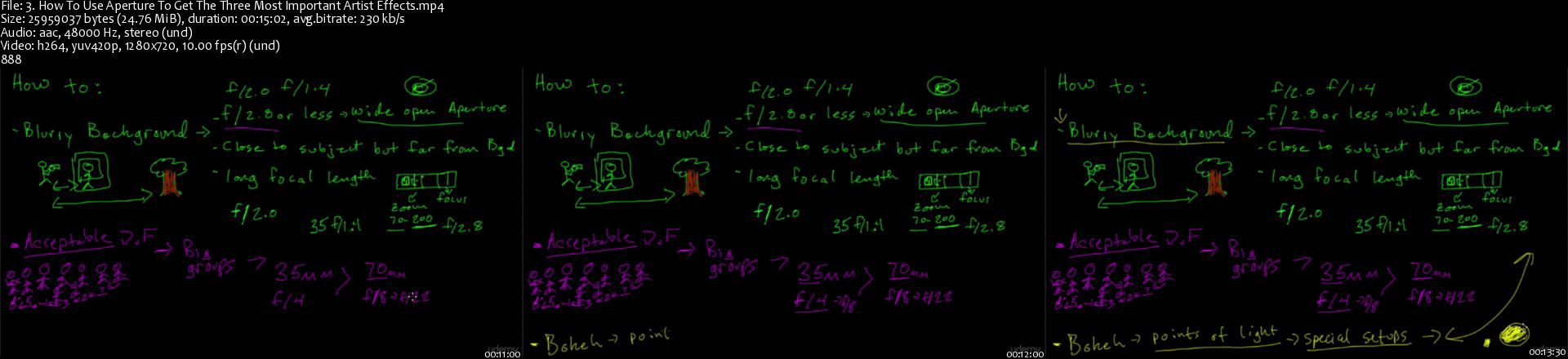
Portrait Photography Masterclass: Portrait Lifestyle Series

oeuxozgqeyjdqdz96uxdd3zkj4.jpg


Portrait Photography Masterclass: Portrait Lifestyle Series
MP4 | h264, 1920x1080 | Lang: English | Audio: aac, 48000 Hz | 18h 7m | 27.17 GB


What you'll learn
Shoot People You Don't Know
Creative Portrait Photography
Master outdoor backgrounds to get distraction free portraits
Take better portraits by generating a twist in the subject's body
Take better portraits by moving subjects into the right backgrounds
Take better portraits by getting better expressions
Take better portraits by picking better outdoor light
Take better portraits by creating better angles of the head
Take better portraits by creating better angles of the body
Photograph couples while you guide them through fun activities
Learn to take heirloom images of your friends and family for the first time.
Learn to take beautiful and natural portraits that you, your clients, and your family will love.
Learn to create holiday cards the right way
Learn to shoot professional portraits.
Photograph children to capture their natural playfulness
Capture your children's most precious moments without interrupting them.
Pose large groups with confidence knowing you've got hundreds of easy options
Know how to keep subjects relaxed and enjoying themselves
Organize groups for better photos
Take better pictures of children
Cultivate natural smiles by having more fun with your subjects
Keep pets safe while taking fun pet portraits indoors or outdoors
Pose subjects
Requirements
You must be familiar with powering on your camera, taking off the lens cover, and taking a picture... or unlocking your phone, starting the camera, and taking a picture
Students need an open mind and camera, we'll learn the rest
No editing required, almost everything is done in-camera
Photographers don't need to know anything about posing, they just need to know the very basics of how to use their camera.

Description
I started in photography hoping to pay off my camera. In a few short months I had paid off my full frame DSLR, pro lens, and lights by using a really effective photography system. I'll show you this system and take you along as we shoot portraits and pose subjects. Photography is a super competitive market and it's hard to make money. If you want a shot at a successful photography business study with someone who has run a profitable photography business (many online instructors haven't ever done this).

When. you done, you'll be able to:

Build hundreds of photo poses from memory

Discover great portrait light with ease

Master professional photo editing

Find your creativity as a photographer and artist

Professional tips and tricks to improve your photography

Learning the foundations of portrait photography from this course. This training will put a powerful and very useful skill at your fingertips. Portraits have been one of the most enduring disciplines of photography and one of the most powerful.

Being a skilled portrait photographer (and there really aren't many of them out there) opens many doors. Freelance portrait photography and wedding photography are prime jobs for a talented portrait photographer.

Photography Class Content and Overview

Suitable for beginners and intermediate photographers, in this course of over 130 lectures and 12 hours you'll learn the fundamentals of portrait photography and portrait photography editing. You'll build a strong foundation as a photographer that you can use to break into other disciplines of photography such as street photography or wedding photography.

Starting with a practical application section of lighting, posing, editing, and working with clients, you'll move to key theory lessons and some practical experiences from the field.

With these basics mastered we'll also explore sunset portraits, some studio lighting, and backlit silhouettes so you can build variety into your portfolio.

You will have the skills to setup, shoot, and edit like a pro when the course is complete.

Then, put your skills to use as we enjoy a monthly photo contest where you can enjoy other students work, learn from their images, ask questions, and have a chance to win your first photo contest while you cheer on your fellow students.

Complete with over 300 sample images that clearly show shutter speed, aperture, and ISO so you can master these essential photography skills all in one, fun class. Why not join me today and see what you've been missing!


Who this course is for:
This course is for anyone looking to grow as a photographer by learning about posing, light, editing, and interacting from behind the lens
This course is for novice to expert portrait photographers (or aspiring photographers)
This course is for people who want to take better images "in camera"
Photographers must be willing to try something new and be open to new ideas.
This course is for someone who wants a few powerful photo editing tips


Homepage

3.howtouseaperturetogqykgz.jpg


Learn a Language with Matthew Youlden

nqv8s3drdz0ncdigb9qyt6djbh.png


Learn a Language with Matthew Youlden
Duration: 8h49m| Video: .MP4 1280x720, 30 fps(r) | Audio: AAC, 48000 Hz, 2ch | Size: 5 GB
Genre: eLearning | Language: English + subtitles

Start Your Language Learning Journey

We all know learning a new language to be a daunting prospect. It's hard to identify where to get started, what elements of speech to focus on, and how to get organized. The fear of making mistakes can be particularly crippling, preventing us from leaving our comfort zones and talking to native speakers.

Matthew Youlden is a world-wide famous polyglot from Babbel language. He speaks 14 different languages, and has the belief that these anxieties can be turned into a toolkit for learning a language quickly. Once we've placed aside the fear of failure, we can jump right into putting our new skills to the test - because conversations in a new language leads to fluency.

Join Matthew to develop a cohesive plan for learning your new language.

In this class, you'll learn:

Build a language learning foundation
Matthew believes that if you practice 10 minutes a day for a month you will be conversational in any language you want. Matthew Youlden of Babbel will teach you how to create a blueprint for learning, map your goals, and use your time effectively. He will give you a number of different tools to use to practice your language skills and give you the basics of pronunciation and having conversations. Matthew will show you how to build on established skills by practicing conversational language and acquiring an authentic accent. Also, with this class you get access to an amazing ""Language Workbook for Beginners"" designed by Matthew to help you start to learn the language of your choice which is in addition to the in-class excercises that help you put what you learn into practice.

Improve Your Language Skills Fast
Do you feel like you have plateaued in your language learning and need to take it to the next level? Matthew talks about strengthening your writing, grammar and syntax through language exercises. He will also teach you to enrich your language vocabulary through hands on and easy to implement techniques. He also gives some tips and trips for language fluency.When you purchase this class you get a specially desinged, ""Language Skills Workbook"" to help you take your language learning to the next level which is in addition to the in-class excercises that help you put what you learn into practice.

Raise Bilingual Children
Lastly, Matthew will touch on how to teach others a language and raise a young person to be bilingual. He will explain the benefits and reasons for raising someone bilingual and how to create and define roles for the bilingual environment. He will show you how to ensure and measure exposure to language by laying out a strategy for creating the most successful bilingual setting.

Homepage

30028607techniquemini1ejqo.jpg


Introduction to Surface Mount Technology

00812e07rhkkl.jpg


Introduction to Surface Mount Technology
Duration: 10h 8m | .MP4 1280x720, 30 fps(r) | AAC, 44100 Hz, 2ch | 6.68 GB
Genre: eLearning | Language: English

In this Course you will learn Surface Mount Technology and Master Soldering Surface Mount Devices (SMD) in no Time


What you'll learn
What is surface mount Technology?
Advantages and Disadvantages of SMT
Surface Mount vs Through Hole
Why Use SMD Technology?
Types of SMT
SMT Technical Terms
SMD Safety Precautions
Printed circuit boards
Surface Mount Design
Surface mount components
Tools and Equipment
The Work Area
Different Soldering Options
Assembly & Rework
Practical Assembly and Rework
Practical Soldering Steps
Good Soldering Vs Bad Soldering
Applications and Conclusion
Set Up an Electronics Home Lab Tools and Equipment
Troubleshoot Your Electronics Projects
Electronic & Electrical Devices Maintenance&Troubleshooting
How to Solder Electronic Components Like A Professional
How to Buy Electronic Components Online
Introduction to Electronic Components: A Step By Step Guide
Choose the right tools you need to have to keep yourself safe while soldering and solder the right way
Differentiate between good soldering and bad soldering with real life examples
Follow a Hardware Troubleshooting Checklist
Follow a Software Troubleshooting Checklist
What are the right tools for troubleshooting
What are the things to look for when you have a problem in your project
Understand the concepts of voltage, resistance and current
Understand the VOLT OHM Meter/ Digital Multi Meter and how to use safely
Use Ohm's Law to calculate voltage, current and resistance
Use resistors in various configurations
Understand and use capacitors
Understand and use diodes
Understand and use a transistor
Get Free shipping for items they need to purchase online
Start your first online purchase operation
Know what exactly do you need to buy things online

Requirements
Basic experience in Electronics
Basic experience in Electronic devices
A Will to apply, not just watch

Description
In this course, you will learn Surface Mount Technology and Master Soldering Surface Mount Devices (SMD) in no Time

122 Lecture | 10 Hour of HD Content | 5 Hour of Practical Videos | Electronic Maintenance Book | Practical Electronics and Electrical Test

What you will get when you join this course?

More than 5 Hours of Practical Videos

Access to Electronic and Electrical Practical Test Course | Usually price 200$

Access to our Best Selling Amazon Book (Basics of Electronic Components Book) and How to deal with each item| Usually price 50$

Access to more than 122 Lecture in Full HD

Access to More than 10 Hour of Video Content

Welcome to this course.

Ever Wondered What Are These little components that you see on electronic boards and What are the Soldering Tools that are right for you?

Did you ask yourself how these tiny elements are soldered to a PCB Board?

Did you ask Yourself why My soldering doesn't look or feel like a professionally soldered board like you see in most online videos and images or even in boards that you purchase?

This Course Have all the answers for you

You will learn SMT (Surface Mount Technology) and THT (Through Hole Technology) and how to master soldering using the right tools for the job

You can count on these results:

What is Surface Mount Technology?

Surface Mount vs Through Hole

Why Use SMD Technology?

Advantages and Disadvantages of SMT

Types of SMT

SMT Technical Terms

SMD Safety Precautions

Printed circuit boards

Surface Mount Design

Surface mount components

Tools and Equipment

The Work Area

Different Soldering Options

Assembly & Rework

Practical Assembly and Rework

Practical Soldering Steps

Good Soldering Vs Bad Soldering

Applications and Conclusion

You Will Also Learn:

How to Set Up an Electronics Home Lab Tools and Equipment

How to Solder THT Electronic Components Like A Professional

Introduction to Electronic Components

Electronic & Electrical Devices Maintenance Troubleshooting

Troubleshoot Your Electronics Projects

How to Buy Electronics Online

Basic soldering is a skill that's easy to learn and not hard to master. It just takes practice!

There is a huge range of soldered situations out there, from tiny chip resistors on circuit boards to large UHF connectors.

There is also a large variety of irons, tips, and solder to choose from, and it certainly does help to have the right tool for the job.

Surface - mount technology (SMT) is a method for producing electronic circuits in which the components are mounted or placed directly onto the surface of printed circuit boards (PCBs).

An electronic device so made is called a surface-mount device (SMD). In the industry, it has largely replaced the through-hole technology construction method of fitting components with wire leads into holes in the circuit board

SMT is smaller, faster, cheaper

In this Course, you will learn everything about SMT, THT and soldering.

Bonus 1: Introduction to Electronic Components

Bonus 2: Troubleshoot Your Electronics Projects

Bonus 3: How to Buy Electronics Online

Good luck, and remember.

Good soldering takes practice!

Warning: You are working with HOT liquid metal, it is a matter of time before you will get burned.


Who this course is for:
Electronics Geeks
Anyone Interested in Learning The right way to solder SMD Components
Electronics and Electrical Engineers
Anyone with a need to brush up their knowledge of basic electronics

More Info

00812e06bokfp.jpg


Complete Web & Mobile Designer in 2021: UI/UX, Figma, +more

36jbftleyc7o6kc1qzrabrjj40.jpg


Complete Web & Mobile Designer in 2021: UI/UX, Figma, +more
MP4 | Video: h264, 1280x720 | Audio: AAC, 44.1 KHz, 2 Ch
Genre: eLearning | Language: English + srt | Duration: 257 lectures (25h 57m) | Size: 11.4 GB

Become a Designer in 2021! Master Mobile and Web Design, User Interface + User Experience (UI/UX Design), HTML, and CSS

What you'll learn:
Build beautifully designed web and mobile projects for your customers using modern tools used by top companies in 2021
Get hired as a Designer or become a freelancer that can work from anywhere and for anyone. Designers are in high demand!
Includes 100+ assets and premium design templates that you can keep and use to customize for all your future projects
Master Figma for your design needs then learn to convert your designs into a live HTML an CSS website
Have an amazing design portfolio customized and professionally completed by the end of the course (we provide it for you!)
Master both Web and Mobile design principles and how to go from sketching to fully fledged high fidelity designs that will wow customers
Learn to design for all types of devices using Figma and other tools used by some of the top designers in the world
Learn to use HTML5 and CSS3 to make your designs come to life and create fully working websites
Learn best practices that takes years to learn in the design industry
Learn to make professional logos and design choices for all branding needs
Learn UI/UX best practices using the latest trends in the industry
Learn to be a designer as well as a web developer at the same time (a rare combination of skills that is in high demand)!

Requirements
No requirements. We teach you and show you everything from scratch! From Zero to Mastery
Get ready to fall in love with Design and making everything you touch into beautiful projects for the rest of your life!


Description
Just launched with all modern Design tools and best practices for 2021! Join a live online community of over 400,000+ students and a course taught by industry experts that have actually worked both in Silicon Valley and Toronto for top companies. A great Designer is becoming harder and harder to find and it isn't rare to find designers make $160,000+ salaries now because it is such a valuable skill. We will teach you how to get there!

Using the latest best practices in Web Design and Mobile Design as well as User Interface and User Experience Design (UI/UX), this course focuses on efficiently getting you from zero to a point where you can get hired or win freelance contracts. We will use in demand tools like Figma to show you a full workflow from start to finish. Graduates of Andrei's courses are now working at Google, Tesla, Amazon, Apple, IBM, JP Morgan, Facebook, + other top tech companies.

The course also includes 100+ assets and premium design templates that you can keep and use to customize for all your future projects. We guarantee you this is the most comprehensive online resource on Design skills!

The curriculum is going to be very hands on as we walk you from start to finish of working as a Designer, all the way into learning how to create final professional designs and then converting them into actual websites or apps using HTML and CSS.

The topics covered in the course are...

00 Web & Mobile Design Principles + Design vs Web Development

01 GETTING STARTED - Sketching, Inspiration + Structure

1. Sketching

Intro to sketching

Sketching UX flows

Sketching tips

2. Inspiration

How to stay inspired

How to find inspiration online

3. User Flows

What are user flows?

The do's and don'ts

Speeding up our workflow with components

Creating our own user flows (Registration) Part 1

Creating our own user flows (Search) Part 2

Creating our own user flows (Checkout) Part 3

4. Sitemaps

An intro to sitemaps

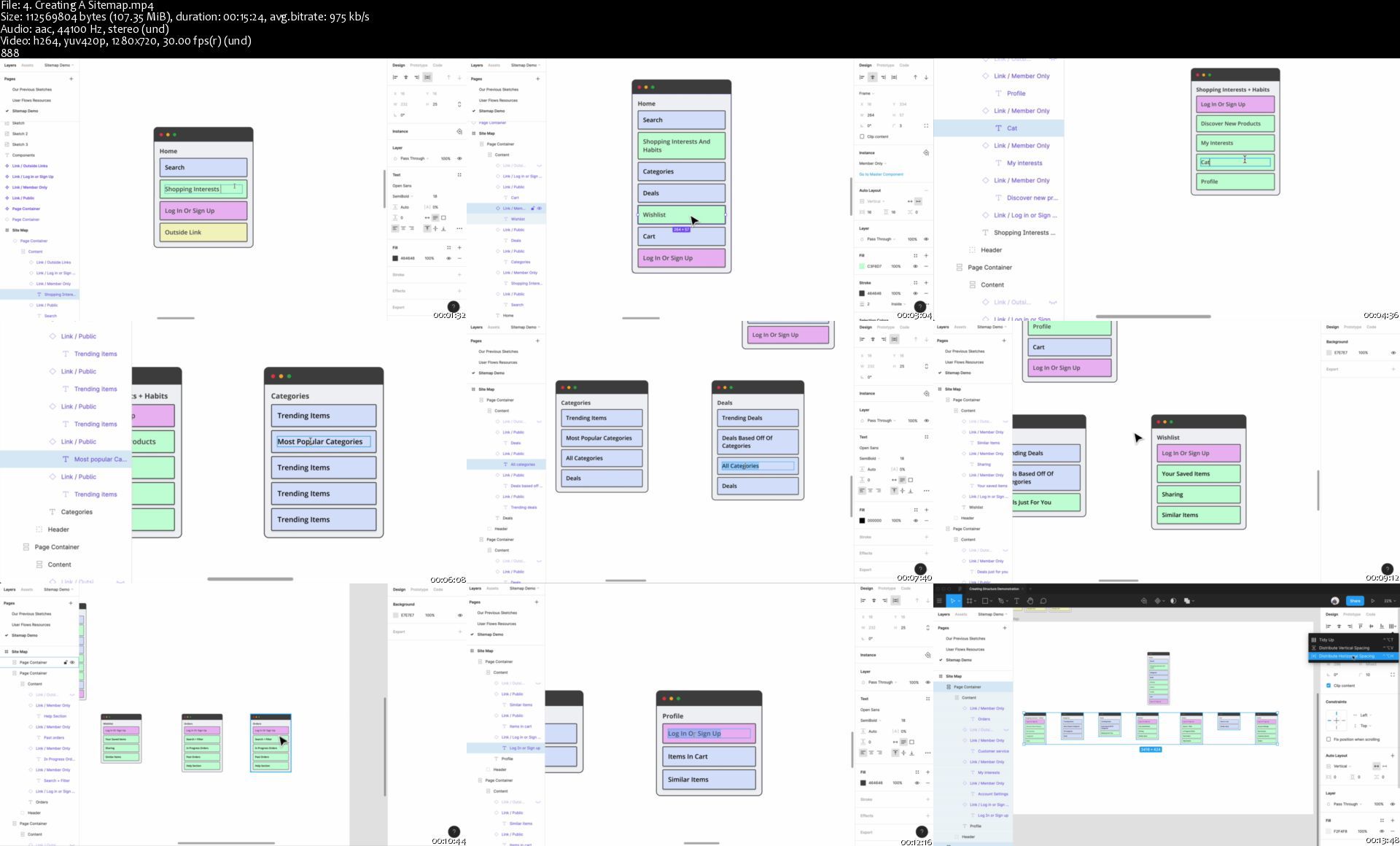
Creating a basic sitemap

What you should be doing before you start

Creating a sitemap (part 1)

Creating a sitemap (part 2)

Tips for getting started

02 EXPLORE AND ITERATE - Wireframes, Prototyping and Feedback

1. Wireframes

What is a wireframe?

How do I create a wireframe?

Speeding up your workflow in Figma

Creating our home page

Creating a product page

Creating a checkout page

2. Prototyping

Prototyping basics in Figma (Device + Triggers)

Prototyping basics in Figma (Actions)

Prototyping basics in Figma (Overflow)

Prototyping basics in Figma (Presentation + Collaboration)

Linking together a quick user flow in Figma

Working on small interactions with Figma

3. Getting feedback

Why is feedback so important?

How to get constructive feedback

03 VISUAL DESIGN - Design Theory + Accessibility

1. Grids + Spacing

Spacing and Grid Basics

Responsive Grids in Figma

Creating our own grid in Figma

The rules of the grid

2. Typography

Typography basics Part 1

Matching typefaces to an era

Typography basics Part 2

Selecting the right typeface

Typography basics Part 3

Picking a typeface

Does your typeface suit your scenario?

Expanding an existing type system

Choosing typefaces in Google Fonts

Narrowing down your typography choices

Creating a type system in Figma

3. Color

Color Schemes

Important questions to ask before picking colors

Helpful tips for creating color palettes

Creating a monochromatic color palette

Applying a our simple color palette

Expanding a strict color palette

Creating our own color palette

4. Forms + UI Elements

What are UI Elements

Best practices Part 1: Forms

Best practices Part 2: Inputs Part 1

Best practices Part 2: Inputs Part 2

Best practices Part 2: Inputs Part 3

Best practices Part 2: Inputs Part 4

Best practices Part 3: Buttons

How to create components in Figma

Using atomic elements in Figma

Using Instances in Figma

Editing instances to create new components

Using constraints to create responsive components

Creating a registration form in Figma

5. Imagery + Iconography

Resources and techniques to create great visual assets

Working with photos in Figma Part 1

Working with photos in Figma Part 2

Working with illustrations in Figma

Using Figma plugins to find Icons quickly

Creating our very own custom icons

6. Accessibility

What is accessibility?

Assistive technologies

Visual patterns for accessibility (Part 1)

Tools to make your design accessible

Visual patterns for accessibility (Part 2)

04 DESIGN EXPLORATION - Application Design + Design Systems

1. Design Patterns

What are design patterns?

Why are design patterns valuable?

How to apply design patterns

Analyzing design patterns together

Dissecting and choosing design patterns together

2. Mobile Design

Mobile design best practices (Part 1)

Mobile design best practices (Part 2)

3. Applying Visual Design

Design Fidelity

Style exploration (Navigation)

Style exploration (Cards)

Style exploration (Interests)

Style exploration (New elements)

4. Motion

The importance of motion

The purpose of motion

Intro to Smart Animate

Showcasing the power of Smart Animate

5. Microinteractions

What are microinteractions?

Why are they so important?

Creating our own microinteractions (Part 1)

Creating our own microinteractions (Part 2)

Using Figmotion (Part 1)

Using Figmotion (Part 2)

05 PUTTING IT ALL TOGETHER - Using our Design System and Hi-Fi prototyping with Figma

1. Design Systems

What is a design system?

Foundation (color)

Foundation (grids and spacing)

Foundation (typography)

Foundation (iconography)

Components (buttons)

Components (Inputs)

Components (cards)

Recipes (card layouts)

Recipes (search)

Recipes (orders)

2. Final Compositions

Using our design system (Search)

Using our design system (Product Description)

Using our design system (Cart)

06 FROM FIGMA TO WEBSITE (take a Figma design and convert it to a live website using HTML and CSS)

07 HTML + HTML5

08 CSS + CSS3 - CSS Basics, CSS Grid, Flexbox, CSS Animations

09 PUTTING YOUR WEBSITE ONLINE

This brand new course will take you from the very basics where we talk about principles and fundamentals of graphic design, all the way to creating beautiful products, learning about UX/UI and interactions, and creating a full design process for you to use with all of your future projects and clients. We pretty much cover it all so that the next time you are in charge of designing a product you have the step by step outline and guide to work as a professional designer.

We are going to teach you the skills that will allow you to charge a lot of money for your time. Not to compete for a few dollars an hour on some random freelancing websites. The goal is to give you the skills of a top designer, and along the way, we are going to design an actual product for a company that you will be able to add to your portfolio.

This course is not about making you just watch along without understanding the principles so that when you are done with the course you don't know what to do other than watch another tutorial. No! This course will push you and challenge you to go from an absolute beginner to someone that is a top Designer that can get hired! Design is a valuable skill that doesn't get outdated easily like most technical skills. Trends change, but the skills and fundamentals you learn in this course will take you many years into the future.

This course is for you if:
- You are a complete beginner looking to become a designer and freelance

- You are a designer who is looking to charge more for your work

- You are a developer who is looking to improve their design skills

Taught By:

Andrei is the instructor of the highest rated Development courses on Udemy as well as one of the fastest growing. His graduates have moved on to work for some of the biggest tech companies around the world like Apple, Google, Tesla, Amazon, JP Morgan, IBM, UNIQLO etc... He has been working as a senior software developer in Silicon Valley and Toronto for many years, and is now taking all that he has learned, to teach programming skills and to help you discover the amazing career opportunities that being a developer allows in life.

Having been a self taught programmer, he understands that there is an overwhelming number of online courses, tutorials and books that are overly verbose and inadequate at teaching proper skills. Most people feel paralyzed and don't know where to start when learning a complex subject matter, or even worse, most people don't have $20,000 to spend on a coding bootcamp. Programming skills should be affordable and open to all. An education material should teach real life skills that are current and they should not waste a student's valuable time. Having learned important lessons from working for Fortune 500 companies, tech startups, to even founding his own business, he is now dedicating 100% of his time to teaching others valuable software development skills in order to take control of their life and work in an exciting industry with infinite possibilities.

Andrei promises you that there are no other courses out there as comprehensive and as well explained. He believes that in order to learn anything of value, you need to start with the foundation and develop the roots of the tree. Only from there will you be able to learn concepts and specific skills(leaves) that connect to the foundation. Learning becomes exponential when structured in this way.

Taking his experience in educational psychology and coding, Andrei's courses will take you on an understanding of complex subjects that you never thought would be possible.

--------

Daniel is a design leader in tech with extensive experience in helping startups build and iterate on their products. Daniel is passionate about teaching and empowering designers and working with other disciplines to build purposeful products that meet both user and business goals.

His approach to design is always thoughtful and iterative. Daniel often finds himself working collaboratively with his team whether that is sketching concepts and flows or leading design strategy with team leads and external stakeholders.

Daniel is a multi faceted designer who's expertise expands across multiple design disciplines. This includes User Experience and Visual Design, User Research, Product Strategy, Lean and Agile Design Methodologies and much more. HIs work has helped to shape different solutions for a variety of industries such as housing, blockchain and health.

When he is not building products, Daniel has spoke and mentored at different meetups and events. He aims to give back to the design community that he has learnt and continues to learn so much from. Daniel aims to always help, teach and support other designers in their careers.

See you inside the courses!

Who this course is for
ho this course is for:
Anyone who wants to start a Web or Mobile Design business on the side as a freelancer, or work as a designer at a company
Web Developers and Mobile Developers wanting to add another valuable skill to their tool belt
Anyone who wants to get hired as a Web Designer, Mobile Designer, UI/UX Designer
Anyone who want to learn about the latest CSS3 features like Flexbox, CSS Grid and CSS Variables as well as HTML5

Homepage

4.creatingasitemapsb1k96.jpg


Zurück
Oben Unten