• Regeln für den Video-Bereich:

    In den Börsenbereich gehören nur Angebote die bereits den Allgemeinen Regeln entsprechen.

    Einteilung

    - Folgende Formate gehören in die angegeben Bereiche:
    - Filme: Encodierte Filme von BluRay, DVD, R5, TV, Screener sowie Telesyncs im Format DivX, XviD und x264.
    - DVD: Filme im Format DVD5, DVD9 und HD2DVD.
    - HD: Encodierte Filme mit der Auflösung 720p oder darüber von BluRay, DVD, R5, TV, Screener sowie Telesyncs im Format x264.
    - 3D: Encodierte Filme von BluRay, die in einem 3D Format vorliegen. Dies gilt auch für Dokus, Animation usw.
    - Serien: Cartoon/Zeichentrick, Anime, Tutorials, Dokumentationen, Konzerte/Musik, Sonstiges sind demnach in die entsprechenden Bereiche einzuordnen, auch wenn sie beispielsweise im High Definition-Format oder als DVD5/DVD9/HD2DVD vorliegen. Ausnahme 3D.
    - Bereich Englisch: Englische Releases gehören immer in diesen Bereich.
    - Bereich Talk: Der Bereich, in dem über die Releases diskutiert werden kann, darf, soll und erwünscht ist.


    Angebot/Beitrag erstellen

    - Ein Beitrag darf erst dann erstellt werden, wenn der Upload bei mindestens einem OCH komplett ist. Platzhalter sind untersagt.
    - Bei einem Scenerelease hat der Threadtitel ausschließlich aus dem originalen, unveränderten Releasenamen zu bestehen. Es dürfen keine Veränderungen wie z.B. Sterne, kleine Buchstaben o.ä. vorgenommen werden. Ausnahme Serienbörse:
    - Bei einem Sammelthread für eine Staffel entfällt aus dem Releasename natürlich der Name der Folge. Beispiel: Die Simpsons S21 German DVDRip XviD - ITG
    - Dementsprechend sind also u.a. verboten: Erweiterungen wie "Tipp", "empfehlenswert", "only", "reup", usw. / jegliche andere Zusatzinformation oder Ergänzung, welche nicht in obiger Beschreibung zu finden ist.

    Aufbau des Angebots und Threadtitel

    Der Titel nach folgendem Muster erstellt zu werden. <Name> [3D] [Staffel] [German] <Jahr> <Tonspur> [DL] [Auflösung] <Quelle> <Codec> - <Group>
    Beispiel: The Dark Knight German 2008 AC3 DVDRip XviD - iND
    Beispiel: The Dark Knight 2008 DTS DL BDRip x264 - iND
    Beispiel: The Dark Knight 2008 AC3 DL BDRip XviD - iND
    Beispiel: The Dark Knight German 2008 AC3 720p BluRay x264 iND
    Beispiel: The Dark Knight 2008 DTS DL 1080p BluRay x264 iND
    Beispiel: Die Simpsons S01 German AC3 DVDRip XviD iND
    Beispiel: Die Simpsons S20 German AC3 720p BluRay x264 iND
    Beispiel: Sword Art Online II Ger Sub 2014 AAC 1080p WEBRip x264 - peppermint
    Entsprechend sind also u.a. verboten: Sonderzeichen wie Klammern, Sterne, Ausrufezeichen, Unterstriche, Anführungszeichen / Erweiterungen wie "Tipp", "empfehlenswert", "only", "reup", usw. / jegliche andere Zusatzinformation oder Ergänzung, welche nicht in obiger Beschreibung zu finden ist
    Ausnahmen hiervon können in den Bereichen geregelt sein.

    Die Beiträge sollen wie folgt aufgebaut werden:
    Überschrift entspricht dem Threadtitel
    Cover
    kurze Inhaltsbeschreibung
    Format, Größe, Dauer sind gut lesbar für Downloader außerhalb des Spoilers zu vermerken
    Nfo sind immer Anzugeben und selbige immer im Spoiler in Textform.
    Sind keine Nfo vorhanden z.B. Eigenpublikationen, sind im Spoiler folgende Dateiinformationen zusätzlich anzugeben :
    Quelle
    Video (Auflösung und Bitrate)
    Ton (Sprache, Format und Bitrate der einzelnen Spuren)
    Untertitel (sofern vorhanden)
    Hosterangabe in Textform außerhalb eines Spoiler mit allen enthaltenen Hostern.
    Bei SD kann auf diese zusätzlichen Dateiinformationen verzichtet werden.

    Alle benötigten Passwörter sind, sofern vorhanden, in Textform im Angebot anzugeben.
    Spoiler im Spoiler mit Kommentaren :"Schon Bedankt?" sind unerwünscht.


    Releases

    - Sind Retail-Release verfügbar, sind alle anderen Variationen untersagt. Ausnahmen: Alle deutschen Retail-Release sind CUT, in diesem Fall sind dubbed UNCUT-Release zulässig.
    - Im Serien-Bereich gilt speziell: Wenn ein Retail vor Abschluss einer laufenden Staffel erscheint, darf diese Staffel noch zu Ende gebracht werden.62
    - Gleiche Releases sind unbedingt zusammenzufassen. Das bedeutet, es ist zwingend erforderlich, vor dem Erstellen eines Themas per Suchfunktion zu überprüfen, ob bereits ein Beitrag mit demselben Release besteht. Ist dies der Fall, ist der bereits vorhandene Beitrag zu verwenden.
    - P2P und Scene Releases dürfen nicht verändert oder gar unter einem iND Tag eingestellt werden.


    Support, Diskussionen und Suche

    - Supportanfragen sind entweder per PN oder im Bereich Talk zu stellen.
    - Diskussionen und Bewertungen sind im Talk Bereich zu führen. Fragen an die Uploader haben ausschließlich via PN zu erfolgen, und sind in den Angeboten untersagt.
    - Anfragen zu Upload-Wünschen sind nur im Bereich Suche Video erlaubt. Antworten dürfen nur auf Angebote von MyBoerse.bz verlinkt werden.


    Verbote

    - Untersagt sind mehrere Formate in einem einzigen Angebotsthread, wie beispielsweise das gleichzeitige Anbieten von DivX/XviD, 720p und 1080p in einem Thread. Pro Format, Release und Auflösung ist ein eigener Thread zu eröffnen.
    - Grundsätzlich ebenso verboten sind Dupes. Uploader haben sich an geeigneter Stelle darüber zu informieren, ob es sich bei einem Release um ein Dupe handelt.
    - Gefakte, nur teilweise lauffähige oder unvollständige Angebote sind untersagt. Dies gilt auch für eigene Publikationen, die augenscheinlich nicht selbst von z.B. einer DVD gerippt wurden. Laufende Serien, bei denen noch nicht alle Folgen verfügbar sind, dürfen erstellt und regelmäßig geupdatet werden.
    - Untersagt sind Angebote, welche nur und ausschließlich in einer anderen Sprache als deutsch oder englisch vorliegen. Ausnahmen sind VORHER mit den Moderatoren zu klären.


    Verstoß gegen die Regeln

    - Angebote oder Beiträge, die gegen die Forenregeln verstoßen, sind über den "Melden"-Button im Beitrag zu melden.
  • Bitte registriere dich zunächst um Beiträge zu verfassen und externe Links aufzurufen.

++ Premium IPTV ++ 7000 Live Sender ++ UHD Qualität ++ Mediathek mit 18.000 Inhalten ++


VenneTV


Englische Tutorials

Administration and Automation with Windows PowerShell

06gowjwjsiczenco42p9i7bjjy.jpg


Administration and Automation with Windows PowerShell
MP4 | Video: h264, 1280x720 | Audio: AAC, 44.1 KHz, 2 Ch
Genre: eLearning | Language: English + .srt | Duration: 101 lectures (10h 34m) | Size: 10 GB

Learn the fundamental knowledge and skills to use Windows PowerShell.

What you'll learn:
Identify and build commands
Build scripts
Generating reports
Automating repetitive tasks

Requirements
Experience with Windows server administration, maintenance, and troubleshooting.


Description
This course provides students with the fundamental knowledge and skills to use Windows PowerShell for administering and automating administration of Windows systems. This course provides students the skills to identify and build the commands they require to perform specific tasks. In addition, students learn how to build scripts to accomplish advanced tasks such as automating repetitive tasks and generating reports. This course provides prerequisite skills supporting a broad range of Microsoft products, including Windows Server, Windows Client, Microsoft Exchange Server, Microsoft SharePoint Server, Microsoft SQL Server, System Center, and more. In keeping with that goal, this course will not focus on any one of those products, although Windows Server, which is the common platform for all of those products, will serve as the example for the techniques this course teaches.

This IAAP-certified counts for 10.25 recertification points for the CAP certification under the Technology and Information Distribution content area.

Email [email protected] with proof of completion of the course to obtain your certificate.

Who this course is for
Anyone who wishes to learn the fundamental skills to use Windows PowerShell for administering and automating administration of Windows systems.

Homepage

9.usingpssessionss16kye.jpg


Unity Level Design : Abandoned House

m9lpoblno5mlmdykyizdvy5kx2.jpg


Unity Level Design : Abandoned House
Genre: eLearning | MP4 | Video: h264, 1280x720 | Audio: aac, 48000 Hz
Language: English | VTT | Size: 17.1 GB | Duration: 9 section | 69 lectures | (16h 33m)


What you'll learn
Level Design
Post Processing Volumes
Sculpting terrains
Texturing terrains
Level lighting
Baking lightmaps
How to record videos from within Unity

Requirements
Basic understanding of the Unity Game Engine
At least 10GB hard drive space

Description
In this course I will be showing you a professional workflow for creating a level from a blank scene through to completion that is inspired by the video game: "The Last of Us".

We will be using free props and models collected from various places online and I will be showing you how you can modify them in Substance Painter to make props fit within an environment that meets your vision.

We will be covering the following:

Terrain sculpting

Painting terrain textures

Arranging flowers, grass, ivy, rocks and trees

Level layout of an abandoned house

Re-texturing assets in Substance Painter

Creating decals in Substance Painter

Lighting and baking lightmaps in Unity

Using post processing volumes

Adding environmental sounds

Recording video within Unity for your portfolios

By the end of this course you will have developed the skills needed to build your own levels for your own games.

I look forward to seeing you in the course

Music by Jason Shaw: from freemusicarchive


Who this course is for:
If you are passionate about game design and want to create your own levels then you will love this course


Homepage

2.installunitysm5k5o.jpg


PHP OOP Complete Ecommerce Project Course - 4 Courses in 1

xeqm4ej2vherfpj04llmq8ejbn.jpg


PHP OOP Complete Ecommerce Project Course - 4 Courses in 1
MP4 | Video: h264, 1280x720 | Audio: AAC, 44.1 KHz, 2 Ch
Genre: eLearning | Language: English | Duration: 223 lectures (25h 5m) | Size: 13.92 GB

OOP PHP Masterclass. Learn OOP , Mysql Database, Array Fundamentals and How to Create Professional Ecommerce Project

What you'll learn:
Object Oriented Programming Fundamentals
CRUD with PHP OOP and MySQLi
Mysql Database Fundamentals
Php array Fundamentals
Dynamic eCommerce Website with admin panel
Create Customer Registration form and Customer Login Form
Product List, Product Edit and Delete.
Add product from admin Panel
Create Customer Profile Page
Create Customer Order History
Create Customer Product Wish-list and Product Compare Option
Creating Cart page, Checkout Page, Payment Page.
. Showing product By Categories
Receive Order from Admin Panel
Advance Search Option
Dynamically add slider from Admin Panel

Requirements
Some HTML and CSS is needed for this course
A little basic understanding of OOP in PHP will be good but not required to follow the course


Description
Are you want to Start with Object Oriented PHP ? Then this course will help you get all the fundamentals of Procedural PHP, Object Oriented PHP, PHP CRUD, MYSQLi Database, PHP Array and ending the course by building a Complete eCommerce Project with PHP.

Knowing PHP has allowed me to make enough money to stay home and make courses like this one for students all over the world. Being a PHP developer can allow anyone to make really good money online and offline, developing dynamic applications.

There is no limit to what you can do with this knowledge. PHP is one of the most important web programming languages to learn, and knowing it, will give you SUPER POWERS in the web development world and job market place.

Why this course?

This course i design first you learn all basic then you will also learn how you can use its in your real project. You can find a job anywhere or even work on your own, online and in places like freelancer or Odesk. You can definitely make a substantial income once you learn it.

What is your benefit ?

As i told you this complete course which beings you to Beginner to master level, You can get 4 course in one platform. I create this course for help you coz i believe if you become successful then i will be successful.

Fours course section in one platform below.

Section 1 : PHP OOP Fundamentals Tutorial / Include CRUD with PHP OOP and MySQLi.

Section 2 : Mysql Database Fundamentals

Section 3 : Php array Fundamentals

Section 4 : Develop Complete eCommerce Project with PHP OOP

eCommerce Project Included with:

1. Add product from admin Panel

2. Product List, Product Edit and Delete.

3. Add Product Category also Category list Edit and Delete Option

4. Add Product Brand also Brand list Edit and Delete Option

5. Create Customer Registration form and Customer Login Form

6. Create Customer Profile Page

7. Customer Order History

8. Customer Product Wish-list and Product Compare Option

9. Creating Cart page, Checkout Page, Payment Page.

10. Showing product By Categories.

11. Receive Order from Admin Panel

12. Advance Search Option

13. Dynamically add slider from Admin Panel

14. Dynamically manage Footer copyright text from Admin Panel

15. And More....

What you will Get after this course :

1. You will able to create professional complete eCommerce project.

2. You will able to understand Object Oriented PHP Fundamental

3. You will able to understand Mysql Database all function

4. You will well understand about PHP Array.

5. And much more...

This course you will not just learn you actually doing it. Learn and apply this on live project with me.

Sound Great right?

---------------------------------------------------------------------------------------------------------------------

Click the "Buy Now" button at the top right now!

I am excited to see you in the course!

Sincerely,

Kazi Ariyan

Who this course is for
Students who want to become Beginners level to expert in Object Oriented PHP
Students who want to create eCommerce website with Object Oriented PHP with admin panel

Homepage

1.projectintroductionjaji9.jpg


Let's Draw: How to Draw and Paint Realistic People!

007ca0129gkdc.jpg


Let's Draw: How to Draw and Paint Realistic People!
Video: .mp4 (1280x720, 30 fps(r)) | Audio: aac, 44100 Hz, 2ch | Size: 17.9 GB
Genre: eLearning Video | Duration: 94 lectures (30 hour, 6 mins) | Language: English

Learn Anatomy, Heads, Painting, and More!


What you'll learn

How to draw both the male and female figure
How to draw heads, hands, and feet
How to draw gesture
How to paint with a light source
How to paint the human figure
How to paint/draw different ethnicities
How to draw/paint portraits
How to paint digitally
How to simplify values

Requirements

Know how to use some basic Photoshop (preferably)
Have a good quality drawing tablet (wacom, huion tablet, iPad Pro)


Description

Have drawing people always frustrated you? Do you struggle with making it look right but don't know what's missing? Look no further!

The Let's Draw: How to Draw and Paint Realistic People Course, is your best bet for learning how to draw and paint people for character illustrations. This course will take you from not knowing how to draw people, to learning how to understand anatomy and heads, and even how to paint them. So what else is in it for you?


You'll be making 3 main projects in this course that will take you from basic shapes to drawing and painting people from start to finish!

You'll gain access to all 20 sections of the course.

This course is set up to help you step by step with understanding the basics of shapes and forms to the human body for both genders, as well as learning the painting process. You will also be learning how to use reference to make an original image.


Don't believe me? I offer you a full money back guarantee within the first 30 days of purchasing the course.


Here's what's in it for you:

You'll get access to the 20 sections of the course that will teach you the fundamentals of how to draw people through basic proportion and muscle anatomy, portraits, clothes, etc. The course has 30 hours of content that I will walk you through each step of the way.

Here is what to expect in this course:

* The course starts with the basics. I will be teaching you the basics about drawing basic shapes such as cylinders, boxes, and circles. You will also learn the basics of line quality in drawing and sketching to get you started. In addition, you will be learning how to draw basic 1 and 2 point perspective to help you understand forms in 3D space.

* Next, after learning the basic shapes, you will learn how to draw basic male and female bodies starting from muscles to building the body in simple boxes and shapes. You will also be taught how to draw hands and feet.

* Once you've learned the basics of anatomy, you will learn how to draw the male and female head and how to draw it in different views. How to draw hair is included as well

* Then, you will be painting portraits in black and white, male and female, then you will be making a self portrait of yourself with good lighting in black and white

* From then, you will be practicing gesture drawing. You will be going step by step of how to draw dynamic and flowing poses. You will also be building the body using basic shapes as well as knowing more specific areas such as the torso and the pelvis

* After that, I will be giving an overview of the 7 types of drapery to help you with drawing clothes.

* Next, I will be teaching you the basics of painting using drawing. It is a figure drawing exercise that can be applied to everything from just drawing to painting

* After this method, you will be learning how to light your figure and how to simplify lighting using the black and white simplification method, then expanding it

* Once you've learned how to light your subject, you will be painting two full figures in black in white

* From then on, you will be learning about color theory and how to paint portraits and full figures in color.

* And finally, for the last two sections, you will be copying a master piece to help you with your painting skills, and then you will be going step by step with how you can paint your own illustration using reference


Over the course of these 20 sections you will learn:

* How to draw basic shapes

* How to draw and understand anatomy of the body

* Drawing different views of the head

* Drawing different types of folds

* How to paint in black and white

* How to draw different types of hair

* How to apply color to your paintings

* How to paint people in color

* How to paint a master study

* How to do figure drawing

* How to draw different features of the face such as the eyes, nose, and mouth, and ears

* How to paint your own illustration from start to finish


What else will you get?

- Lifetime access to course materials

- A surplus of downloadable resources

- A good fundamental understanding of the painting process

This all comes under one convenient easy to use platform. Plus you will get fast, friendly, responsive support on the Udemy Q&A section of the course or direct message.


So what are you waiting for? Sign up now and learn how to draw and paint people from scratch!


Who this course is for:

Beginners wanting to draw better people
Students who want to paint digitally
Students who want to draw/paint realistically

007ca011jck8f.jpeg


Alomoves - Dynamic Flexibility

ljryfz6dnkws0pktszm9x9gk40.jpg


Alomoves - Dynamic Flexibility
MP4 | Video: AVC, 1280x720 | Audio: AAC, 48 KHz, 2 Ch
Difficulty: Advanced| Genre: eLearning | Language: English | Duration: 8 Videos (3h 30m)| Size: 7.5 GB

Increase your flexibility by building heat and strength. Each class in this series explores stability and reduces muscle resistance through targeted exercises designed to increase your range of motion.

In this series you will:
- Release tension & improve muscle memory through isolated, targeted movements
- Build heat, strength, and stability to improve full body mobility
- Utilize dynamic movements that stretch you in a systematic way to develop flexibility through building strength

This series offers a unique, well-rounded approach to increase flexibility, mobility, and strength by intentionally building heat and then releasing tension through stretching. In it, you'll be guided through isolated movements to release tension and improve muscle memory.

Each 30-minute class focuses on a different area of the body, allowing you to move through them all or pick and choose where you would like to stretch and strengthen. Through focusing on your back, shoulders, legs, and hips, you will increase your flexibility while gaining full-body control. Practitioners wrap up this series with a holistic rejuvenation class, offering a detailed guide to releasing tension and renewing your entire body.

As you move deeper into your physical practice, creating flexibility with intention, focus, patience, and strength is essential. Whether you are hoping to loosen tight muscles or steady hypermobile joints, this comprehensive set of classes will help you stretch, stabilize, and strengthen!

1.dynamicflexibilityp13jum.jpg


Digital Drawing Techniques with Graphic Tablet (Updated)

007c9ffd5rj7i.jpg


Digital Drawing Techniques with Graphic Tablet
Video: .mp4 (1280x720, 30 fps(r)) | Audio: aac, 48000 Hz, 2ch | Size: 6.4 GB
Genre: eLearning Video | Duration: 47 lectures (10 hour, 33 mins) | Language: English

Learn How to Digital Drawings and Character Design Using a Tablet


What you'll learn

You will learn how to draw using a graphic tablet.
Character Drawing Techniques with a Graphic Tablet
Use of Color in Drawings
Making 3D Drawings Using Colors

Requirements

Graphic Tablet and PC


Description

Step by step learn how to make digital drawing using a graphics tablet.

Make digital drawings with SketchBook and Photoshop. Learn all the details about digital drawings and character design.

More than 6 hours tutorials with 5 different topics.

Drawing Techniques with Graphic Tablet

Character Head Drawing Techniques

Character Facial Expressions Drawing Techniques

Character Body Motion (Gestures) Drawings

Character Model Drawing Techniques

How to Prepare Storyboard for Animations

To improve your skills, start learning now!


Who this course is for:

Anyone who wants to make digital drawings.

007c9ffc12k3o.jpeg


Agile Project Management, Frameworks and Development Process

gz2dlyfoqfss9bdueqtppszj1p.jpg


Agile Project Management, Frameworks and Development Process
Genre: eLearning | MP4 | Video: h264, 1280x720 | Audio: aac, 44100 Hz
Language: English | VTT | Size: 12.1 GB | Duration: 22 section | 220 lectures | (14h 45m)


What you'll learn
Agile Project Management
Agile Frameworks: Scrum and Kanban
Agile Software Development process and methodology

Requirements
Basic software development experience
Use of PC and MAC

Description
If you are working in a software team or are a project manager for software project or you want to launch your software business, this is the right place

Agile software development is known today as the competitive advantage for the new digital age

If you are not agile you are out of the market soon

There are important reasons to apply Agile principles and values and how everyone in a project or organization can benefit from it in the long run.

This course is a relevant for project managers, scrum masters, product owners, software developers and those that have or are creating a company whose goal is to develop and sell software products or commission other companies or agencies to develop products for their business or processes

It is based on a real case study and it is not a guideline or handbook for those who want to get a Scrum or Agile certificate

But it will help you a lot in managing your Agile projects and processes.

This course is structured in a way that you can understand the phases of the Agile software development process and project management process, their logical and temporal sequences, their relationships and the activities involved

For each phase you will find one or more distinct sections

We will analyse each theoretical part focusing on a selected case study, an eCommerce web application.

In details you will learn:

What is Agile

Roles & Responsibilities

Definitions

Where does Agile come from?

The 12 principles of agile software development

Which are the benefits of Agile

The Benefits of Agile Software Development

Changes in the organizations and SAFe

Software Development Life Cycle (SDLC)

What are the Software Development Life Cycle (SDLC) phases? Waterfall model and Agile model

Agile methodology

Agile Frameworks - Scrum

The Scrum principle

The Scrum Organization structure

Scrum Master checklist

Scrum Coaching

Team size in a Scrum project

The Kanban Agile System

Kanban Boards

Kanban Boards best practices and examples

Work In Progress (WIP) Limits

What is agile project management?

Agile Ceremonies

Implement agile programs

Use workflows

Agile structures: Epics, User Stories, Themes, and Initiatives

Agile Estimation

Metrics: Burndown chart, Business Value, Story Points, Velocity

What is requirement gathering?

Agreement and sign off

Product Backlog

User story acceptance criteria

User story definition of done

Prioritize requirements

Software Implementation In AGILE

Agile Manifesto

Agile Software Development & Testing

Leading Agile Methods

Agile Metrics

Risk Assessment In Agile

Tools and Techniques of Agile Risk Management

Risk Management in Scrum

What is Change Management in Software development

The Change Management Process

Change Management for effective software development

Agile Change Management Process

How Agile and Scrum can Help with Change Management

The deployment process

Agile Software Deployment

Automated Deployment Tools

Agile deployment strategy

Agile Deployment Process: Best Practices

Continuous Deployment

Agile Project Management - Project Planning

The Retrospective Meeting and all the phases

Software Verification and Validation Testing

Agile Validation

Agile Methodology in Testing

Agile Testing Methods

How to Align Testing with an Agile Development Process

Independent Validation & Verification Vs. Agile

Incident Management

The Incident Report

The Incident Process

Atlassian JIRA and other project management tools

Agile project management with JIRA

Overview of JIRA

Add a backlog in JIRA

Scrum Boards in JIRA and Sprint planning

Create a scrum board

Kanban Boards in JIRA

Agile Reporting

Moreover you will find Software Development Improvement Tips and more material which will updated continuously

Everything will be demonstrated with a case study: the development of an eCommerce App


Who this course is for:
Project managers
Future Scrum Masters
Future Product Owners
software developers
software architects


Homepage

1.whatisrequirementgaxxjff.jpg


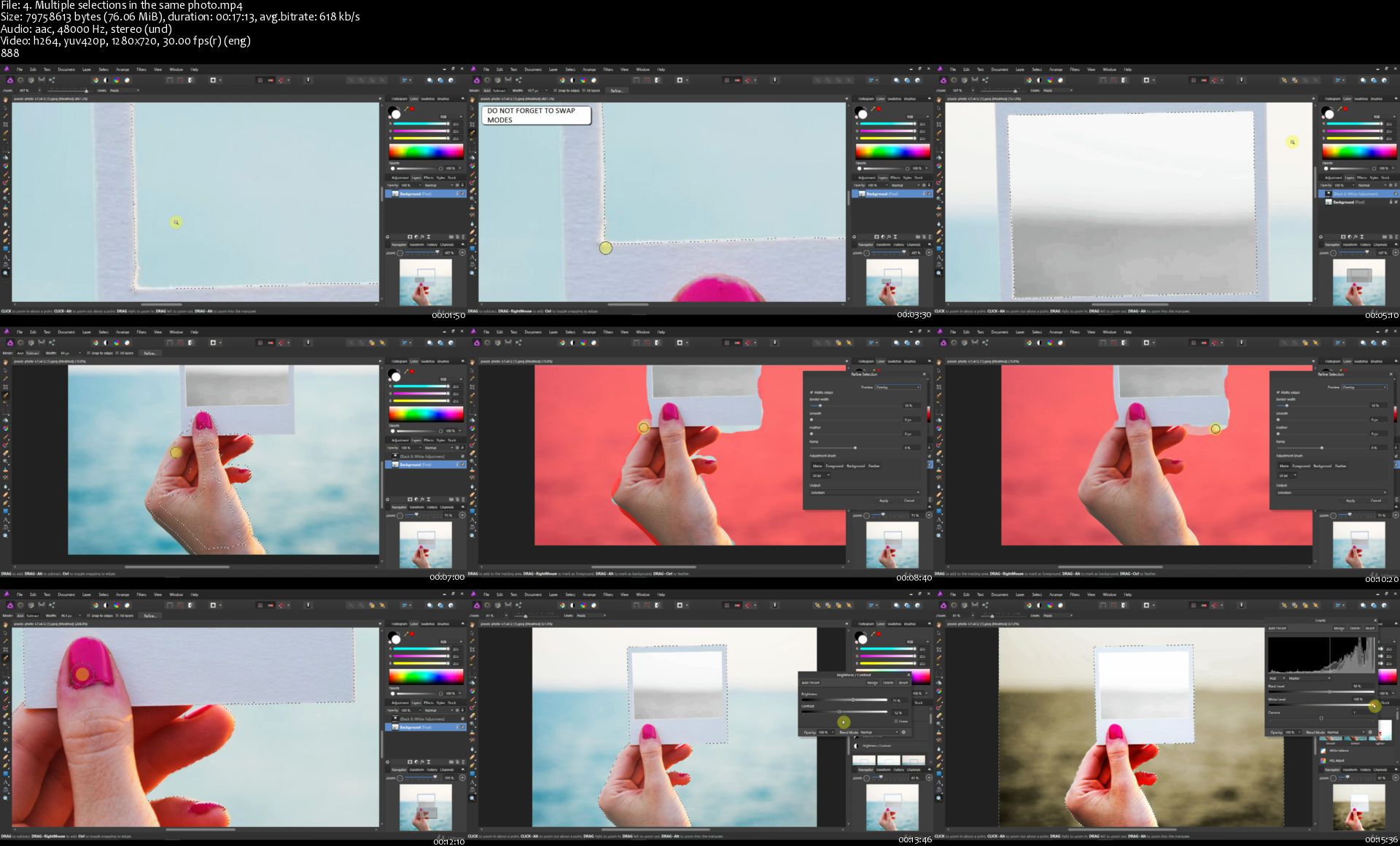
Affinity Photo: Complete Guide to Photo Editing in Affinity

zu61dzmntscfyt9n34qfv7pjop.jpg


Affinity Photo: Complete Guide to Photo Editing in Affinity
Genre: eLearning | MP4 | Video: h264, 1280x720 | Audio: aac, 48000 Hz
Language: English | VTT | Size: 10.3 GB | Duration: 28 section | 179 lectures | (18h 49m)


What you'll learn
You will learn how to use Affinity Photo to easily make your photos look better
You will learn how to edit your photos just like the professionals do
You will know how to navigate Affinity Photo and use the most important tools
You will be happier with your photos than ever before

Requirements
You need no experience editing photos
Images will be provided to you so you can follow along with the course
You should download Affinity photo so you can follow along

Description
Do you want your photos to look better. to look amazing?

Do you want to learn one of the hottest and most inexpensive photo editing applications, used by professional photographers on both Mac and PC?

If so, you're in the right place - and we're happy to have you here!

It's great to have you here. I LOVE PHOTOGRAPHY and PHOTO EDITING!

Maybe you're an amateur photographer who has done a little bit of photo editing, or maybe you have quite a bit of photo editing experience. Either way, we've made this course to help you make images that matter.

Start editing photos in Affinity Photo today!

You've always wanted to learn how to easily edit your photos. Affinity is the perfect tool for you. It's robust, yet intuitive. This course will teach you everything you to start photo editing today.

COURSE BONUSES!

Supplied photos so you can follow along with everything we do in the course
Pro Tips and Guides to help you out
Practice activities to share your work and get feedback
WHY TAKE THIS COURSE FROM ME?

I'm Phil Ebiner, and I've been editing photos for years. I love helping others learn new skills and applications - specifically beginners. Most students find that I'm able to explain complicated topics and tools so that even beginners can easily understand it. Also, this course is very project-based, so you are learning while you're actually editing your photos.

Plus, Video School Online is the creator of some of the world's most popular photography courses - with over 300,000 students and thousands of 5-star reviews like these ones:

Well organized and easy to follow! - Ana Toli

I am an absolute beginner. This course gave me every tool I needed to edit my photos....5 Stars! - Jim King

I loved this course... After viewing this course I can now edit my photos to exactly the way I like them. - Linda

MY PROMISE TO YOU

I'll be here for you every step of the way. If you have any questions about the course content or anything related to this topic, you can always post a question in the course or send me a direct message.

I want to make this the best course on how use Affinity Photo. So if there is any way we can improve this course, just tell me and I'll make it happen.

WHAT'S THIS COURSE ALL ABOUT?

This course will teach you how to use Affinity Photo to its fullest potential.

When you are done with this course, you'll be able to edit your photos in Affinity Photo like a pro. You'll be able to set up Affinity Photo so it will run its best saving you hours of frustration and you'll have the confidence that you're not going to lose your images.

You'll also be able to professionally retouch images and you'll spend less time doing it with pro Affinity Photo tips and tricks.

We'll do this by covering Affinity Photo setup and configuration, exposure adjustments, adding drama and power, mastering Affinity Photo tools, covering top Affinity Photo personas, recovering details in shadows, how to edit a landscape photos, how to retouch a portraits, and much more.

Make your photos shine with this great course.

Each lesson is available for download, so you can take it with you wherever you go.

KEY TOPICS:

Navigating the Affinity Photo application
Starting a new photo editing project
Using basic editing tools to fix photo problems like crop, white balance, and exposure
Editing with advanced techniques
Improving portraits and photos of people
Exporting photos for any purpose
and so much more!
With our 30-day 100% money back guarantee, there is nothing holding you back from jumping in right now and trying the course out.

Go ahead and click the enroll button, and we'll see you in lesson 1!

Cheers,

Phil


Who this course is for:
Anyone wanting to make their photos look better
Anyone who wants an inexpensive but powerful photo editing application that is easy to use
Mac and PC users with Affinity


Homepage

4.multipleselectionsii4ji7.jpg


Strategyzer - Mastering Value Propositions

30a9afced4644e9afec1066e08e25a40.jpg

Strategyzer - Mastering Value Propositions | 2.29 GB​
Mastering Value Propositions
An online course that will teach you how to better understand customers, and create value propositions that sell
- Learn the Value Proposition Canvas methodology, used by millions business practitioners worldwide
- Turn fluffy discussions into practical artifacts
- Create a shared language around value propositions
- Pairs with the Business Model Canvas methodology

Here's what you get.
5cf9209725454eb5dd8431a331b55bfa.png
.and how you'll apply it immediately

You've got an idea for a product or service, but how will you transform that idea into a reality without burning piles of cash and precious time? Millions of people worldwide are using our proven methods to create value propositions customers want - let's see how you can too.
Can you clearly explain your idea? - Map your Value Proposition
We'll help you distil your idea into a one-page visual map called The Value Proposition Canvas. You now have a clear picture of how you intend to create value for your customers and are ready to move forward.

Why would customers care about your idea? - Check for Fit
Believe it or not, building something nobody wants is the number one cause of death for businesses. We'll show you how to critically assess how your idea creates true value for customers. You may be shocked during this phase by how many gaps you find in your value proposition!

How do you stack up? - Assess the Competition
Even if your idea connects well with customers, the competitive market could crush it. It's time to assess the competition and decide where to compete or differentiate.

What should you change and how? - Improve your Idea
By now the holes that will sink your initial idea will be clear - how do you plug the gaps and take it to the next level? We'll help you evolve your idea by using our library of quick and inexpensive prototyping techniques.

Are you setting yourself up for a costly failure? - Test and Derisk
Until you've taken steps to identify the unknowns and reduce uncertainty - you very well could be. We'll show you how to find hidden assumptions that could kill your idea. Using our simple tools and rich experiment library, you will produce evidence rather than gambling on guesses. You'll better understand what will work, what won't, and how to proceed with confidence.
Don't let the fear of failure weigh you down. With these engaging lessons, downloadable templates, and practical exercises, you'll be ready to go from idea to reality. Join the millions of people practicing our methods and Master your Value Proposition.

Homepage:

Screenshots
dbb14b735f58f9451d2ee7ac7f1032fd.jpg


Link Download
​
Extract files with WinRar 5 or Latest !
 
Bobby Stocks - Local Marketing Products

bbc7b0e9c8cfb5b61ad15e512d26da8b.jpg

Bobby Stocks - Local Marketing Products | 17.54 GB​
Local Marketing Masters Course
Intro To Local Marketing Masters Course
This training will include everything from A-Z
This is your course and not mine so please tell me what you need that is not here.So that you succeed.

The Funnel Directory
Step by Step Niche Funnel Walk through's
Want the latest breakdown of funnels that the LMM team is working on? We go through each funnel, the mind set behind it, what is working and whats is not!

Pixel Profit Pro?
How to use the fb pixel to make huge profits across every industry
Bobby goes deep into how to use the pixel to gain massive traction in any area and industry.

Hot Seats & Group Calls

HOmepage:

Screenshots
4bbbe74f1d5de56e36cf6dff213a7c1a.jpg


Link Download
​
Extract files with WinRar 5 or Latest !
 
The Haven Conference 2020 by Stellaluna Events

b30b766b8251453ac3985211c053f615.jpg

Haven - Haven Conference 2020 | 19.98 GB​
Gone are the days when we wait for someone else to do what we can do ourselves. We are daydreamers. We are visionaries. We are Haven.

The Haven Conference is a place to celebrate the DIY spirit, learn new skills and build an online business! Entrepreneurs, makers and leading influencers gather together to share, teach, and inspire. Mingle with sponsors, try new products, and grow your brand.
Most importantly, the Haven Conference is a place for community. The Haven is more than just classes and hands-on demonstrations. There is time set aside to share knowledge, ask questions, and build your tribe. The DIY/ home decor blogging niche is special, and we encourage you to form connections with those in it! You are guaranteed to walk away from Haven refreshed and inspired

What you will learn:
If you are looking for Intro to Business Finance and Marketing 101-you are in the wrong place. We are going a lot deeper than that, not that those topics aren't important, but we are talking about the real stuff that is going to help you make a name for yourself, hit that next revenue goal and change the world. I am a firm believer that when you strengthen yourself, your business will strengthen also. Some of the topics we will be covering (but won't be limited to) are.
Money magic and abundance mindset
Confidently selling yourself and services
Creating a loyal tribe
How to become a marketing guru
Self-promotion
What is actually holding you back from hitting the next level
Creating a game plan and vision for a lifestyle you are unapologetic for

Homepage:

Screenshots
4b22ffdbbee2e9e5b7faf3da17a4c17c.jpg


Link Download
​
Extract files with WinRar 5 or Latest !
 
Affiliate Tube Success Academy with Paul Murphy

500fff14a913be6f81f28806dc5c5eb5.png

Paul Murphy - Affiliate Tube Success Academy | 11.71 GB​
Welcome to Affiliate Tube Success!
Brought to you by Internationally renowned Paul Murphy - Speaker, Consultant and rising affiliate promoter. Here is the complete blue print to make outstanding, unlimited affiliate income on YouTube. Not available anywhere else!
In fact, on a recent 90-minute call with him and I was utterly blown away.

I asked him to train my audience for free to reveal how he does it.
This week we are streaming it live for free
Welcome to the first in our series of Groove Digital Presents.
First, we are proud to present Paul Murphy with his underground white hat system that shows exactly how he never has to pay for advertising to any product on the front page of Google. (no, seriously, he gets free ads)

What Will Be Covered.
- You will learn how to get 100% Free ads on Google & YouTube
- Works for any product (no matter how competitive)
- This is 100% White Hat and Google is looking for people to do this.
- Rank Number 1, 2, and 3, in Google overnight (No, really. Overnight)
- He will show you how he became A Top-Ten affiliate for major brands and how you can too.
- How he helped his client get 72 "Page 1 Listings" in just 2 weeks
- Newbie-Friendly, no previous experience needed, zero tech skills
- Works well for affiliates and also successful brands.
- Evergreen strategy. Not a 1-time hack, (keeps traffic coming years and years to come)
- A constant flow of lead generation every day.
- Much much more!

What You're Gonna Get:
- Lifetime Access To The Full Affiliate Tube Success Plug And Play A-Z System For Course Creation. Video, PDF, Checklists
- "My INSTANT Top Ranking System" The secret sauce to getting instant first page rankings (not taught anywhere)
- Golden Affiliate Keyword Finder and System and Training.
- Secrets To Top Paying Affiliates?How to choose and work with the best affiliates that no one else can (try though they might).
- NEW! & Exclusive "Affiliate Tube!" Facebook Group Access With Complimentary Coaching.

Homepage:

Screenshots
dc64fd12f4d7fab9f477c3caf0fbf3ec.jpg


Link Download
​
Extract files with WinRar 5 or Latest !
 
Zurück
Oben Unten