• Regeln für den Video-Bereich:

    In den Börsenbereich gehören nur Angebote die bereits den Allgemeinen Regeln entsprechen.

    Einteilung

    - Folgende Formate gehören in die angegeben Bereiche:
    - Filme: Encodierte Filme von BluRay, DVD, R5, TV, Screener sowie Telesyncs im Format DivX, XviD und x264.
    - DVD: Filme im Format DVD5, DVD9 und HD2DVD.
    - HD: Encodierte Filme mit der Auflösung 720p oder darüber von BluRay, DVD, R5, TV, Screener sowie Telesyncs im Format x264.
    - 3D: Encodierte Filme von BluRay, die in einem 3D Format vorliegen. Dies gilt auch für Dokus, Animation usw.
    - Serien: Cartoon/Zeichentrick, Anime, Tutorials, Dokumentationen, Konzerte/Musik, Sonstiges sind demnach in die entsprechenden Bereiche einzuordnen, auch wenn sie beispielsweise im High Definition-Format oder als DVD5/DVD9/HD2DVD vorliegen. Ausnahme 3D.
    - Bereich Englisch: Englische Releases gehören immer in diesen Bereich.
    - Bereich Talk: Der Bereich, in dem über die Releases diskutiert werden kann, darf, soll und erwünscht ist.


    Angebot/Beitrag erstellen

    - Ein Beitrag darf erst dann erstellt werden, wenn der Upload bei mindestens einem OCH komplett ist. Platzhalter sind untersagt.
    - Bei einem Scenerelease hat der Threadtitel ausschließlich aus dem originalen, unveränderten Releasenamen zu bestehen. Es dürfen keine Veränderungen wie z.B. Sterne, kleine Buchstaben o.ä. vorgenommen werden. Ausnahme Serienbörse:
    - Bei einem Sammelthread für eine Staffel entfällt aus dem Releasename natürlich der Name der Folge. Beispiel: Die Simpsons S21 German DVDRip XviD - ITG
    - Dementsprechend sind also u.a. verboten: Erweiterungen wie "Tipp", "empfehlenswert", "only", "reup", usw. / jegliche andere Zusatzinformation oder Ergänzung, welche nicht in obiger Beschreibung zu finden ist.

    Aufbau des Angebots und Threadtitel

    Der Titel nach folgendem Muster erstellt zu werden. <Name> [3D] [Staffel] [German] <Jahr> <Tonspur> [DL] [Auflösung] <Quelle> <Codec> - <Group>
    Beispiel: The Dark Knight German 2008 AC3 DVDRip XviD - iND
    Beispiel: The Dark Knight 2008 DTS DL BDRip x264 - iND
    Beispiel: The Dark Knight 2008 AC3 DL BDRip XviD - iND
    Beispiel: The Dark Knight German 2008 AC3 720p BluRay x264 iND
    Beispiel: The Dark Knight 2008 DTS DL 1080p BluRay x264 iND
    Beispiel: Die Simpsons S01 German AC3 DVDRip XviD iND
    Beispiel: Die Simpsons S20 German AC3 720p BluRay x264 iND
    Beispiel: Sword Art Online II Ger Sub 2014 AAC 1080p WEBRip x264 - peppermint
    Entsprechend sind also u.a. verboten: Sonderzeichen wie Klammern, Sterne, Ausrufezeichen, Unterstriche, Anführungszeichen / Erweiterungen wie "Tipp", "empfehlenswert", "only", "reup", usw. / jegliche andere Zusatzinformation oder Ergänzung, welche nicht in obiger Beschreibung zu finden ist
    Ausnahmen hiervon können in den Bereichen geregelt sein.

    Die Beiträge sollen wie folgt aufgebaut werden:
    Überschrift entspricht dem Threadtitel
    Cover
    kurze Inhaltsbeschreibung
    Format, Größe, Dauer sind gut lesbar für Downloader außerhalb des Spoilers zu vermerken
    Nfo sind immer Anzugeben und selbige immer im Spoiler in Textform.
    Sind keine Nfo vorhanden z.B. Eigenpublikationen, sind im Spoiler folgende Dateiinformationen zusätzlich anzugeben :
    Quelle
    Video (Auflösung und Bitrate)
    Ton (Sprache, Format und Bitrate der einzelnen Spuren)
    Untertitel (sofern vorhanden)
    Hosterangabe in Textform außerhalb eines Spoiler mit allen enthaltenen Hostern.
    Bei SD kann auf diese zusätzlichen Dateiinformationen verzichtet werden.

    Alle benötigten Passwörter sind, sofern vorhanden, in Textform im Angebot anzugeben.
    Spoiler im Spoiler mit Kommentaren :"Schon Bedankt?" sind unerwünscht.


    Releases

    - Sind Retail-Release verfügbar, sind alle anderen Variationen untersagt. Ausnahmen: Alle deutschen Retail-Release sind CUT, in diesem Fall sind dubbed UNCUT-Release zulässig.
    - Im Serien-Bereich gilt speziell: Wenn ein Retail vor Abschluss einer laufenden Staffel erscheint, darf diese Staffel noch zu Ende gebracht werden.62
    - Gleiche Releases sind unbedingt zusammenzufassen. Das bedeutet, es ist zwingend erforderlich, vor dem Erstellen eines Themas per Suchfunktion zu überprüfen, ob bereits ein Beitrag mit demselben Release besteht. Ist dies der Fall, ist der bereits vorhandene Beitrag zu verwenden.
    - P2P und Scene Releases dürfen nicht verändert oder gar unter einem iND Tag eingestellt werden.


    Support, Diskussionen und Suche

    - Supportanfragen sind entweder per PN oder im Bereich Talk zu stellen.
    - Diskussionen und Bewertungen sind im Talk Bereich zu führen. Fragen an die Uploader haben ausschließlich via PN zu erfolgen, und sind in den Angeboten untersagt.
    - Anfragen zu Upload-Wünschen sind nur im Bereich Suche Video erlaubt. Antworten dürfen nur auf Angebote von MyBoerse.bz verlinkt werden.


    Verbote

    - Untersagt sind mehrere Formate in einem einzigen Angebotsthread, wie beispielsweise das gleichzeitige Anbieten von DivX/XviD, 720p und 1080p in einem Thread. Pro Format, Release und Auflösung ist ein eigener Thread zu eröffnen.
    - Grundsätzlich ebenso verboten sind Dupes. Uploader haben sich an geeigneter Stelle darüber zu informieren, ob es sich bei einem Release um ein Dupe handelt.
    - Gefakte, nur teilweise lauffähige oder unvollständige Angebote sind untersagt. Dies gilt auch für eigene Publikationen, die augenscheinlich nicht selbst von z.B. einer DVD gerippt wurden. Laufende Serien, bei denen noch nicht alle Folgen verfügbar sind, dürfen erstellt und regelmäßig geupdatet werden.
    - Untersagt sind Angebote, welche nur und ausschließlich in einer anderen Sprache als deutsch oder englisch vorliegen. Ausnahmen sind VORHER mit den Moderatoren zu klären.


    Verstoß gegen die Regeln

    - Angebote oder Beiträge, die gegen die Forenregeln verstoßen, sind über den "Melden"-Button im Beitrag zu melden.
  • Bitte registriere dich zunächst um Beiträge zu verfassen und externe Links aufzurufen.

++ Premium IPTV ++ 7000 Live Sender ++ UHD Qualität ++ Mediathek mit 18.000 Inhalten ++


VenneTV


Englische Tutorials

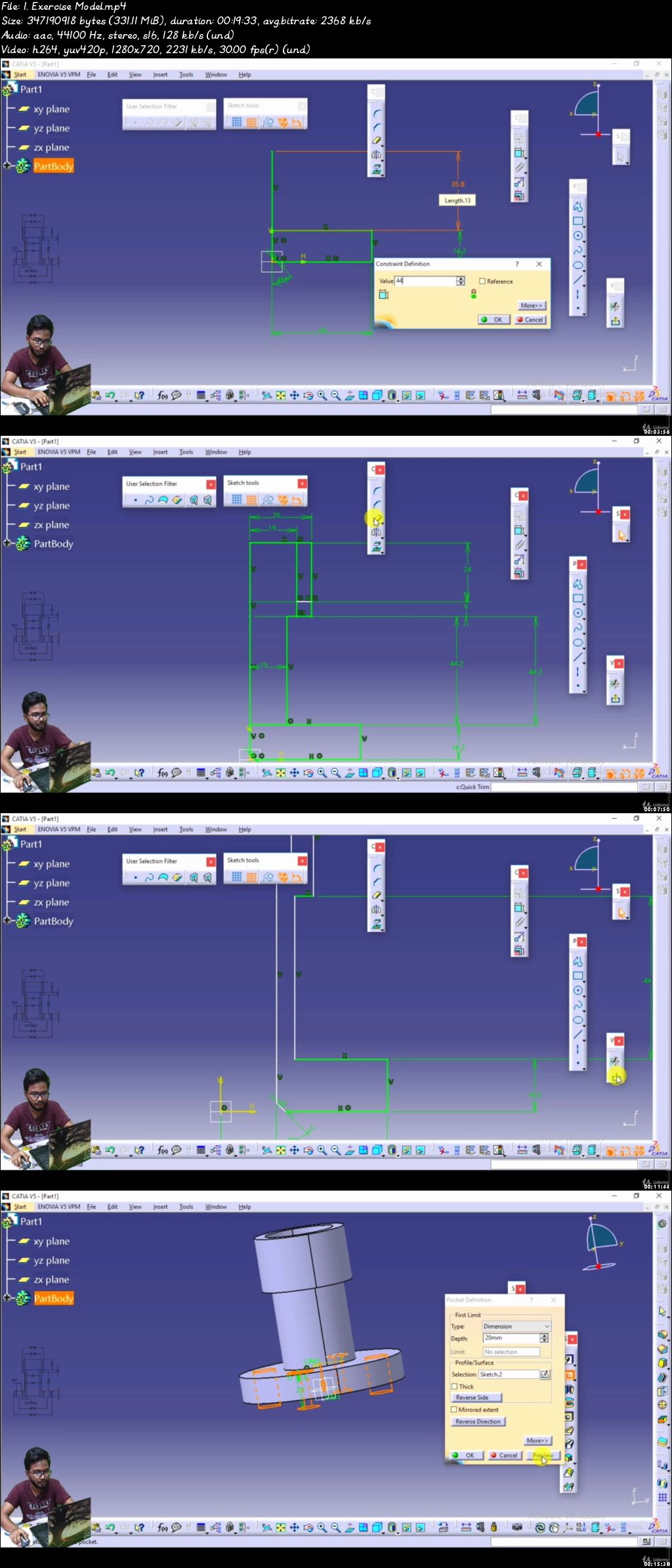
CATIA V5 with DMU Kinematic Analysis of Mechanism with Clash

0079e8f5.jpg


CATIA V5 with DMU Kinematic Analysis of Mechanism with Clash
Video: .mp4 (1280x720, 30 fps(r)) | Audio: aac, 44100 Hz, 2ch | Size: 5.43 GB
Genre: eLearning Video | Duration: 32 lectures (5 hour, 8 mins) | Language: English

Learn Catia with new way


What you'll learn

catia part design
kinematics
Analysis of Mechanism
Clash and interference

Requirements

basic English
catia software

Description

In this Course you are going to learn how to use Catia full part design and assembly modeling with type kinematics joints long with Analysis of Mechanisms and clash details for finding interference between two part or in assembly

1. Revolute Joint

2. Prismatic Joint

3. Cylindrical Joint

4. Screw Joint

5. Rigid Joint

6. Point Curve Joint

7. Roll Curve Joint

8. Cable Joint

Come join me in introduction to catia kinematic


Who this course is for:

beginner
professional

0079e8f6.jpg


Working with Plywood with Hendrik Varju

1w0-SMxf-SYQLEw9-C35-EN3zx-Bq-XXFi6y-Lm.jpg


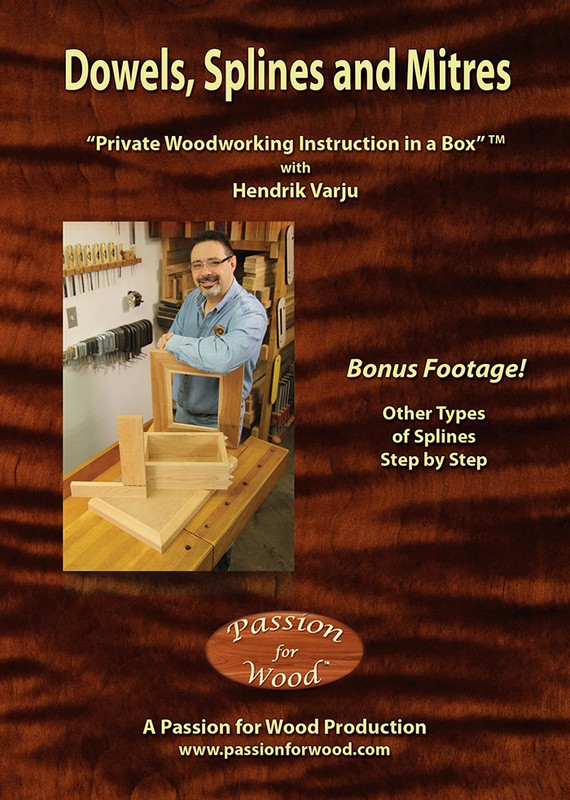
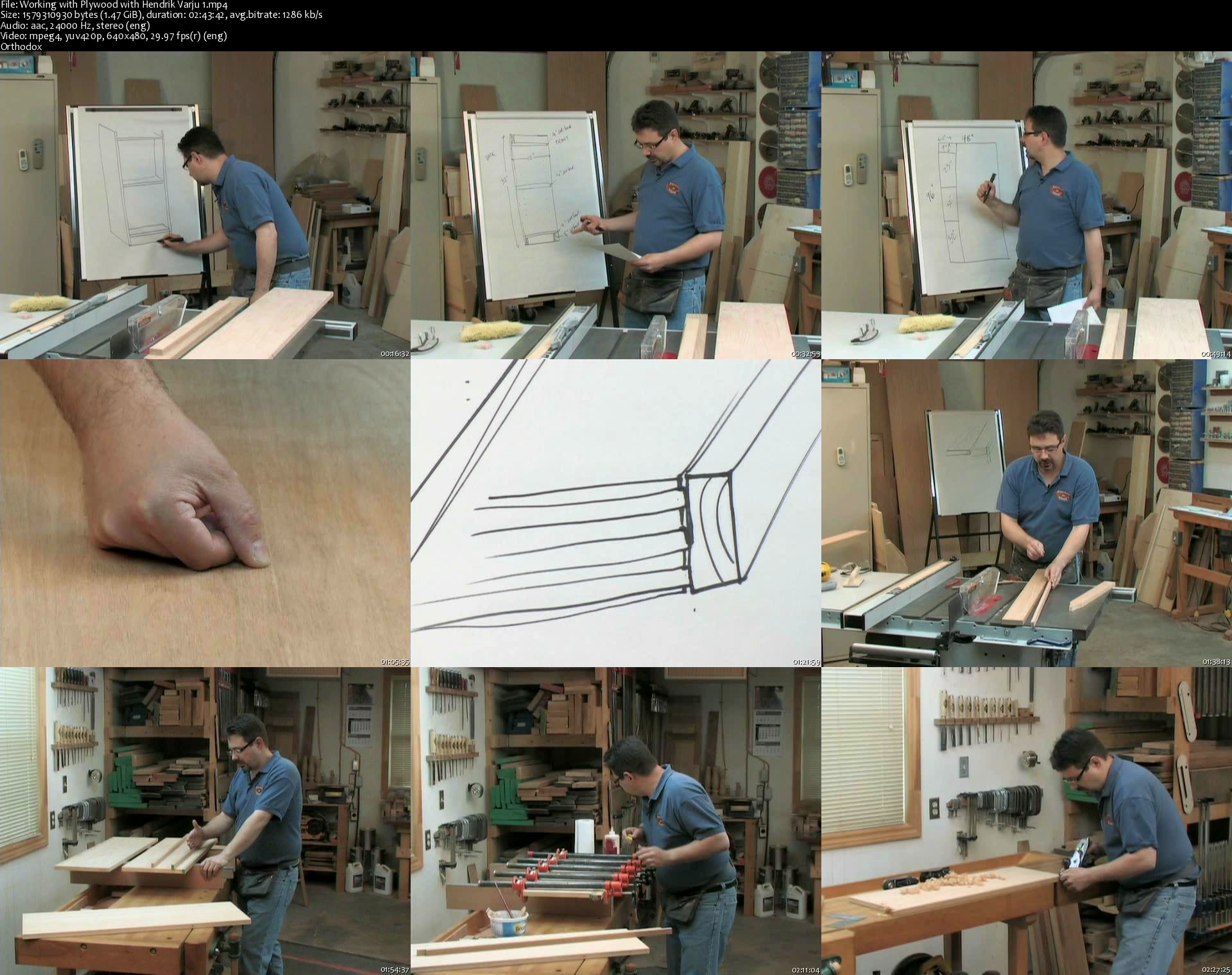
Working with Plywood with Hendrik Varju
MP4 | Video: MPEG-4 Visual 640 x 480 | Audio: AAC 24 Khz 2ch | Duration: 11:20:16 | 6.11 GB
Genre: eLearning | Language: English

On the heels of two unexpectedly detailed DVDs called "Jointer and Planer Secrets" and "Revelations on Table Saw Set-up & Safety", this new production has left the comfort of solid wood to venture out into the more difficult world of working with plywood. "Working with Plywood" is another showstopper, with a running time of over 11 hours spread over 5 DVDs. Once again, this is not your "ordinary" DVD, but is a detailed step-by-step course on working with plywood. While the assumption might be that working with plywood is far easier because you just buy it and cut it into panels, nothing could be further from the truth. Plywood faced with high quality hardwood veneers, usually only 1/40th of an inch thick, requires special handling from cutting techniques, applying solid wood edging, iron-on edge banding and so on.

The DVD starts with the planning of a simple bookcase project, including permanent shelves, adjustable shelves, support rails and so on. The details are explained by drawing a three dimensional sketch, including the dimensions of all parts, set-backs, joinery decisions and so on. This includes a review of how to plan your plywood panel selections from a full sheet of plywood, taking both dimensions and grain patterns into account. Then accurate ripping and crosscutting of veneered materials is covered as well.

From there, Hendrik shows you how to make solid wood edging material, how to glue it onto plywood edges and then trim it to perfection with hand plane and card scraper. He also covers hand-held routing of a decorative profile on this material later on in the project. For those who prefer the speed and ease of iron-on edge banding, Hendrik also teaches you how to apply it and trim it cleanly.

As the hours pass by, Hendrik moves on to final panel sizing and cutting rabbets on the table saw for back panels. He fits permanent shelves to the gables using stopped dados cut with an ingenious router jig and he even shows you how to notch out the front corners of the shelves. From there, you see how cross rails are made and fitted to the case using dowel joinery. Then shelf support holes are drilled, adjustable shelves made and the back panel fitted.

The main video footage culminates in a real-time (no editing) glue-up of the bookcase project, complete with dowel joinery, dado joinery, permanent shelves and multiple cross-rails, all coming together in one angst-filled moment! Woodworking video footage doesn't get any better than this. It is real, it is rushed, it is nail-biting and if you don't feel the tension in the air you will when you attempt your own glue-up in future. The glue-up sequence ends about 13 minutes later, perspiration dripping from Hendrik's brow as he debriefs you on how the glue-up went and why. It is so satisfying to see a glue-up like this go together with careful planning and precision and not a single assistant on hand.

To make this DVD even more valuable to the viewer, over 2 hours of bonus footage takes you step-by-step through the process of building Hendrik's stopped dado router jig. He covers the plywood parts, the hardware you'll need to buy and every step required in building this jig. So the main part of the video shows you how to use the jig while the bonus footage ensures you can have one of your own with the proper steps. The jig serves as a useful workshop project for you to tackle before moving on to build your own bookcase, entertainment unit or whatever other kind of case piece you decide to tackle.

As in Hendrik's previous productions, he demonstrates every technique and procedure in painstaking detail, building on the skills already taught in "Jointer and Planer Secrets" and "Revelations".

In this video, you will learn:

how to plan a plywood project like a basic bookcase
about plywood grading and why it pays to buy higher priced veneered sheet stock
how to rip plywood panels on the table saw and achieve higher than average accuracy using a super long fence jig
how to crosscut plywood panels accurately and without excessive chipping of the veneers
how to choose the right table saw blade for crosscutting and ripping veneer core plywood, as well as those delicate face veneers
how to make, apply and trim solid wood edging, including gluing techniques and using hand planes to trim
how to cut, apply and trim iron-on edge banding
how to cut rabbets on the table saw to fit back panels to the casework
how to make accurate stopped dados with a hand-held router and get around the problem of inconsistent plywood shelf thicknesses
how to notch out the corners of the permanent shelves so that they fit around the stopped dados cut in the gables
how to cut and fit cross rails, including dowel joinery
how to drill accurate shelf support holes using another simple workshop jig
how to tackle a difficult glue-up by yourself, including planning, gluing dado joints and dowel joints, proper placement of clamps, etc.
how to cut and install adjustable shelves and the back panel
how to build a stopped dado router jig, with complete step-by-step, real-time instructions
How does this video differ from others you may have seen? First of all, it takes you through all of the steps in real time. It isn't heavily edited to just show you the "gist" of each step. This explains the incredible length of Hendrik's DVDs compared to the usual 45 to 60 minute production. Too many woodworking videos and television shows today edit them down too much, leaving the more difficult details out. For those who really want to move forward with their woodworking skills in a more serious way, the details are everything.

This video doesn't just cover the "what" and "how", but also the "why". And it goes way beyond the call of duty, constantly reinforcing safety issues and details that just aren't taught at this level anywhere. Hendrik covers all of the high-level details that he can normally convey only in person. This is truly personal coaching conveyed in a DVD format.

As a 5-DVD boxed set running at over 11 hours in total, "Working with Plywood" is sure to become the leading instructional woodworking DVD in this area. As the trademarked name says, this is "Private Woodworking Instruction in a Box" and nothing short of Hendrik's in-shop seminars and courses even comes close.

Working-with-Plywood-with-Hendrik-Varju-1-s.jpg


Trends of the Future for Business & Technology (2020 Update)

0079e8fe.jpg


Trends of the Future for Business & Technology (2020 Update)
Video: .mp4 (1280x720, 30 fps(r)) | Audio: aac, 48000 Hz, 2ch | Size: 5.71 GB
Genre: eLearning Video | Duration: 39 lectures (4 hour, 42 mins) | Language: English

Take advantage of the great business, career and life opportunities of the future


What you'll learn

Maximize your chances of success in a fast changing world
Update your career and business plan to the new conditions of the future
Understand how technology will have a dramatic impact on your business and the world
Fully grasp how the business landscape is changing
Take advantage of how human society is shifting and its main implications
Create a better future for yourself and those around you

Requirements

To have basic knowledge of entrepreneurship, business and social dynamic.
To be willing to learn and see the world with new eyes

Description

Does the future make you anxious?

Do you feel out of touch with the world and how it's changing?

Are you worried about how technology might impact your business?

I know how you feel, but it doesn't have to be this way. The future has more opportunities in store than you might think.

By understanding the trends of the future, you can make better decisions for your career and for your business today and you can design a lifestyle and career that brings you fulfillment and joy.

My name is Alex Glod, I'm a senior trainer, 3-times TEDx speaker and online instructor for over 10.000 students and I will be your guide throughout this course on Future Trends for Technology, Business and Humanity.

Like you, the future gave me a lot of anxiety and I feared we are not going in the right direction, especially after the 2008 financial crisis. I struggled to find work, I was quite lonely, and I thought the future had nothing good in store for me.

Luckily, I was inspired enough to educate myself, to develop new skills and what I discovered completely changed my world view and my career. I took better decisions for my business, for my personal life and I became an active contributor to my community, all which lead to more prosperity and personal fulfillment. That is what I also wish for you.

During the course, you will learn about:

How technology will have a dramatic impact on your business and the world

How the business landscape is changing

How human society is shifting and the main implications

What is it that you can do to maximize your chances of success

And how you can create a better future for yourself and those around you

You don't have to be a tech genius or a business guru to understand these trends. What you need however is to have an open mind, a willingness to learn and to see the world with different eyes. As you will start piecing together the puzzle of the future, you are bound to discover many ways to grow your business and expand your horizons.

The only caveat is that you need to take responsibility for your own future. None of these trends will save you or guarantee you a safe future. It's up to you and me to adapt to these new conditions and use these trends to our advantage.

Feel free to explore what the course has to offer. Check out the free preview videos and remember that you have a 30-day money back guarantee once you decide to take the course.

Join me in the virtual classroom and let's make our future exciting and prosperous.


Who this course is for:

Small Entrepreneurs
Business Leaders
Change Makers and Activists
Creatives and Innovators
Humanists and Artists
People Fascinated by Social Sciences

0079e8ff.jpg


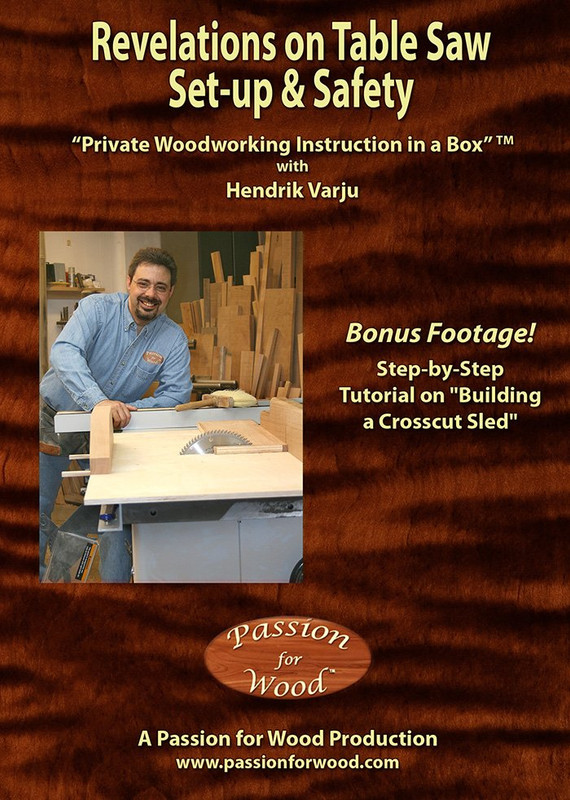
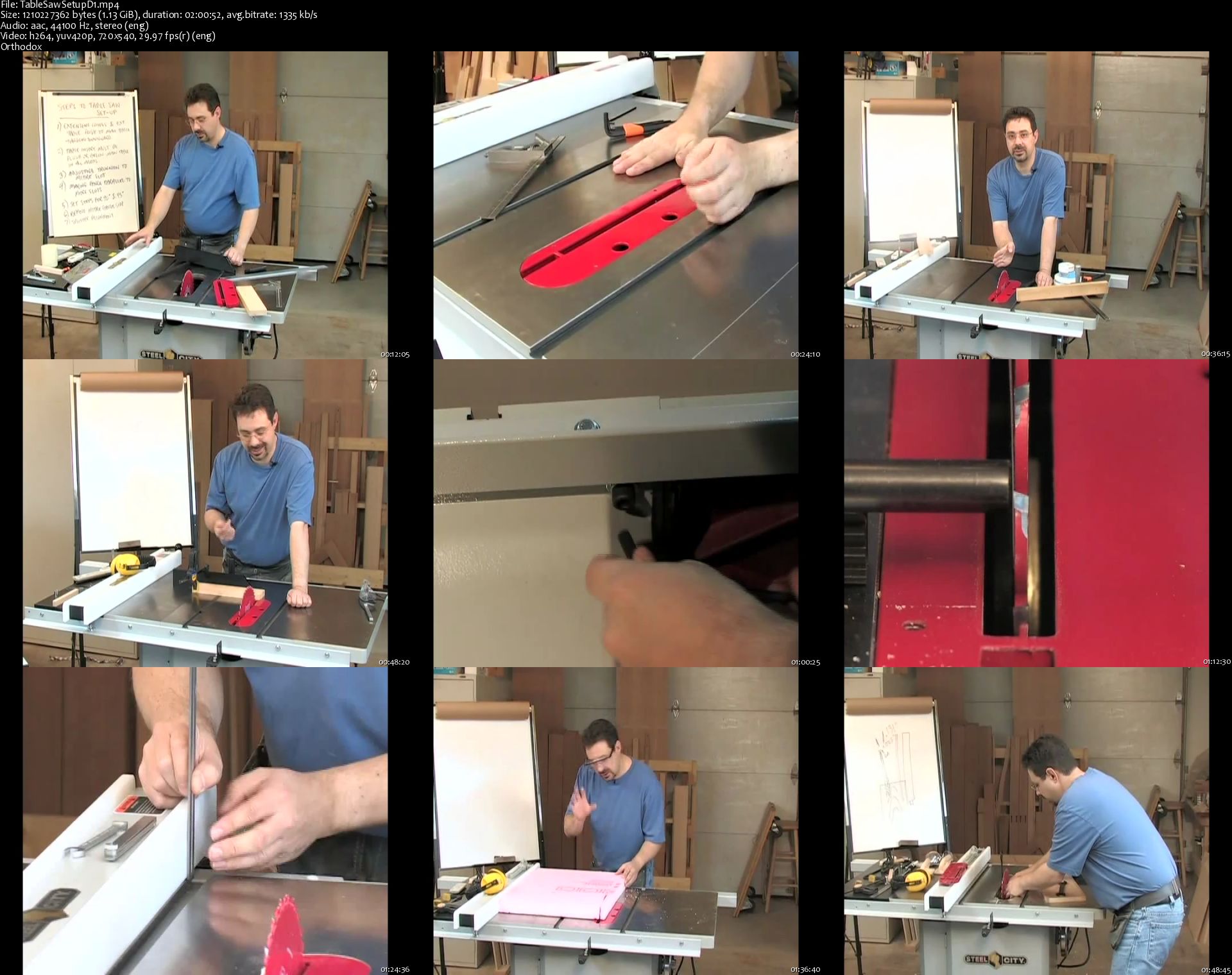
Revelations on Table Saw Set-up & Safety

n-H6a-P6-Un3e63y-SEfp-BQEOGz6-EODxaza-T.jpg


Revelations on Table Saw Set-up & Safety
MP4 | Video: h264, 720x540 | Audio: AAC, 44.1 KHz, 2 Ch
Genre: eLearning | Language: English | Duration: 9h 55m | Size: 5.5 GB

In addition to discussing various techniques and procedures, Hendrik demonstrates them with painstaking detail, even to the extent of showing you how he stands, which hand is responsible for which task and why. He shows you why the left thumb has such an important job to do while ripping, what the rest of the hand should be doing and why the right hand should be used underhanded at the trailing end of the board. He even shows you how to transition from hands to pushsticks - when to do it, why to do it and how to make the transition smooth and effortless. This video covers short stock ripping, narrow stock, long pieces and even large sheet goods.

In this video, you will learn:

the steps required to fine-tune a table saw for optimum performance, including trunnion-to-mitre-slot alignment
about the phenomenon of shut-down and start-up run-out and how to work around it
the difference between a right tilt and left tilt table saw and what the relevant issues are
how to set your splitter up properly for optimum safety while ripping
the difference between where your blade is positioned and the actual "cut line" it creates
what kick-back is and how to avoid it
about choosing the right blade for the job, and about featherboards, zero-clearance inserts, mitre gauges, push sticks and push pads, roller stands and sacrificial fences
proper ripping technique, including hand and finger placement, body positioning and stance
how to rip super long boards and how to assess whether a board is too short to be ripped safely on this machine
how to rip wide panels and sheet goods
how to rip narrow pieces and why the splitter and guard should not be removed
how to cut repetitive narrow strips using a single-point stop block
how to safely make a bevelled rip cut on a right tilt saw and how to reposition the splitter for optimum safety in a matter of seconds
how to use a dado set to cut both crosscut and rip-style dados and rabbets
how to use a simple shop-made splitter to increase safety when cutting rip-style dados (doing these cuts without splitter protection is just not necessary anymore)
how to build a crosscut sled, including how to make the runners fit the mitre slots perfectly and how to achieve 90 degrees between the front fence and cut line

Table-Saw-Setup-D1-s.jpg


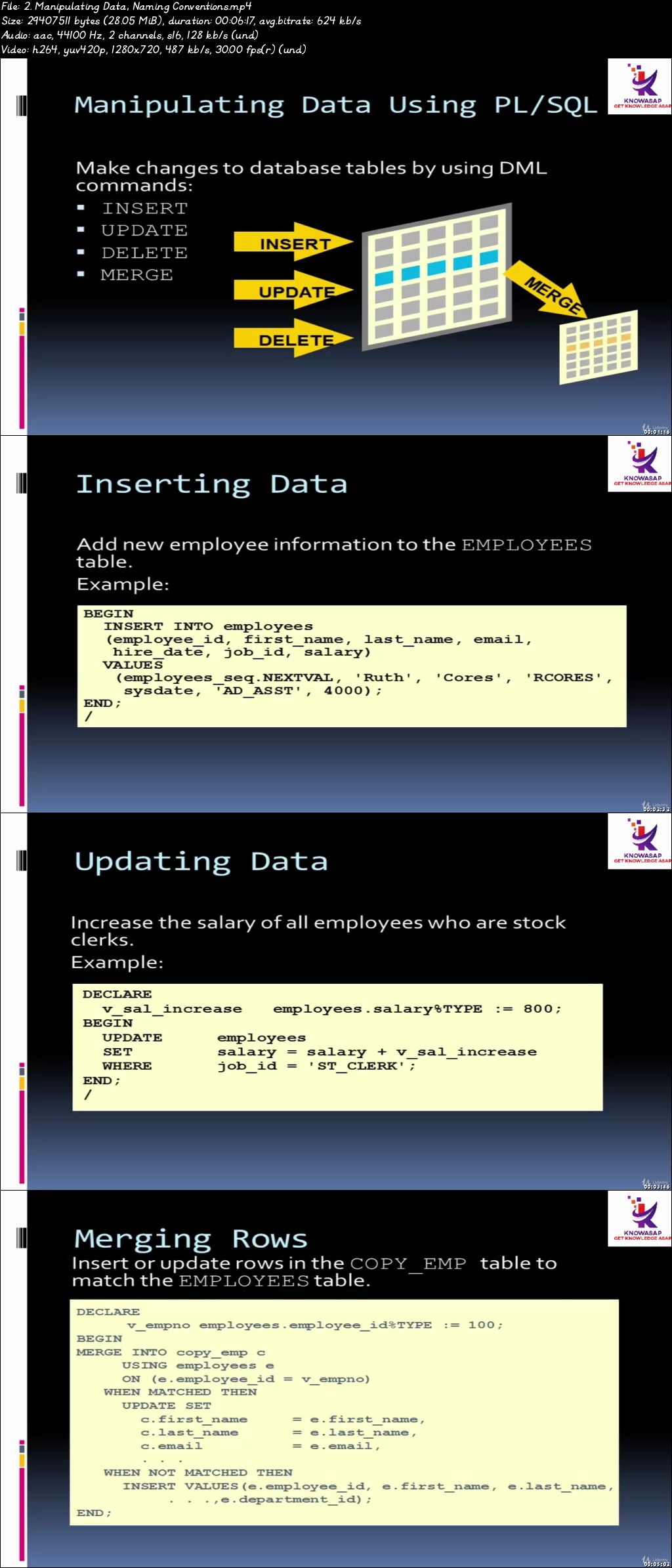
PL/SQL Complete Course - Beginner to Advance with Projects

0079e12e.jpg


PL/SQL Complete Course - Beginner to Advance with Projects
Video: .mp4 (1280x720, 30 fps(r)) | Audio: aac, 44100 Hz, 2ch | Size: 6.31 GB
Genre: eLearning Video | Duration: 118 lectures (20 hour, 33 mins) | Language: English

Learn PL/SQL with 100+ exercises and 2 projects.


What you'll learn

Complete PL/SQL from Beginner to Advance level
100 + exercises covered
2 projects - real time scenario based learning
Variables‚ Executable Statements and Control Structures
Block Type and Scalar Data
Declaring Variables
Interacting with the Oracle Server
Writing Control Structures
Working with Composite Data Types
Writing Explicit Cursors
Creating Procedures
Creating Functions
Managing Subprograms
Creating Packages
Manipulating Large Objects
Creating Database Triggers
Managing Dependencies


Requirements

Eager to learn and practise
Oracle 9i or beyond

Description

This course covers 100+ Hands on examples throughout the sessions with 2 projects at the last 2 section of the course.

In this course you will learn about the fundamentals of Oracle PL/SQL programming language. You will gain a solid understanding of Pl/SQL datatypes and programming constructs like loops, conditional execution, cursors and exception handling, which will enable you to do effective debugging. We will take an in-depth look at Procedures, Functions, and Packages. These named program units are powerful programming constructs which can greatly enhance and optimize your code.

we will learn how to create, compile, and execute Procedures, Functions, and Packages which are named program units that are pre-compiled and stored in the database. These are powerful programming constructs which help with increasing the re-usability of code along with making it more efficient. We will also take a look at how to pass parameters to these subprograms, parameter modes, and how to pass parameters by reference and by value. We will discuss how roles and privileges come into play when compiling and executing subprograms along with the authid clause. We will also talk about local subprograms and calling functions from SQL statements. All of these are important concepts and will enable you to write efficient and highly performing PL/SQL code.


Who this course is for:

Candidates who want to learn PL/SQL and become PRO
Already experienced Professionals
Web developers

0079e12f.jpg


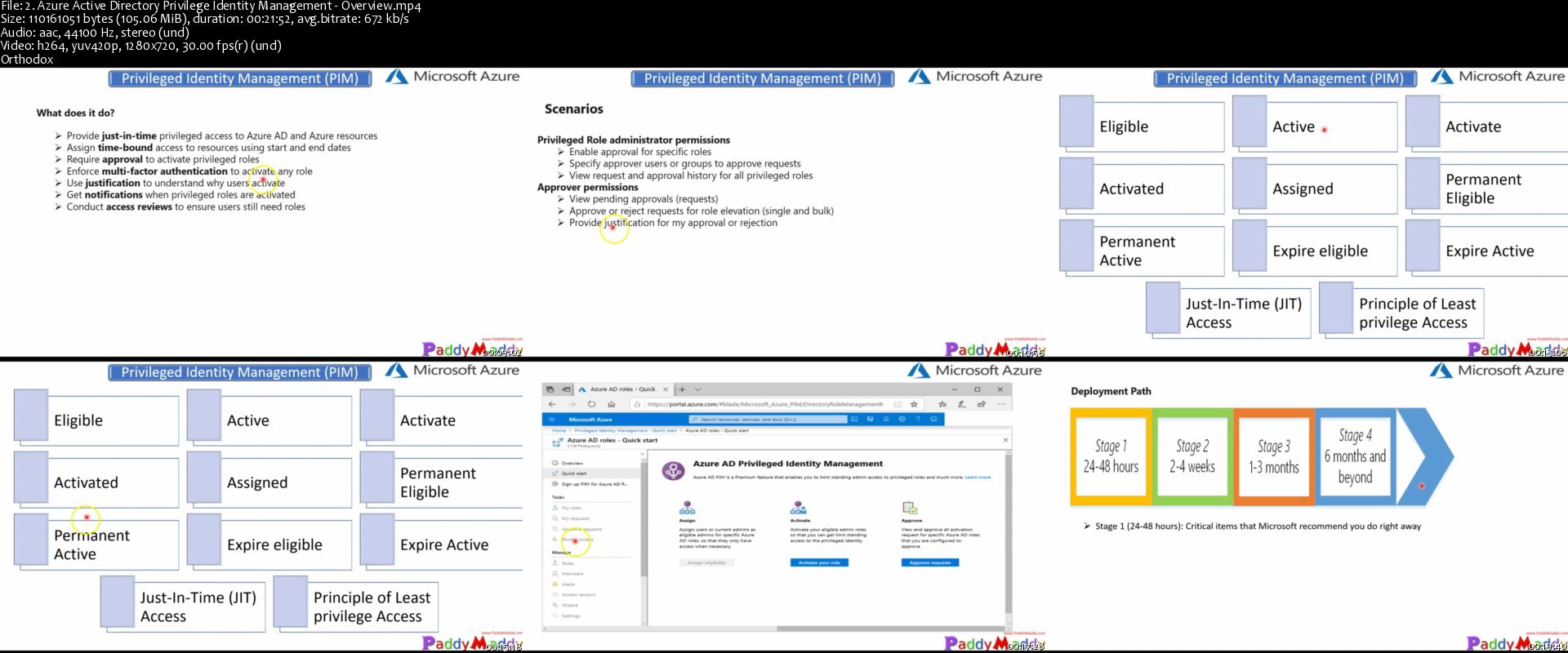
Microsoft Azure Security Technologies - AZ-500 Course

g8o-Z5a-Lsup-Ke-P4-QN7mx4fd-JO4an48-Na-Y.jpg


Microsoft Azure Security Technologies - AZ-500 Course
Genre: eLearning | MP4 | Video: h264, 1280x720 | Audio: aac, 44100 Hz
Language: English | VTT | Size: 6.64 GB | Duration: 17.5 hours


What you'll learn
Complete topics for AZ-500 Certification specific Content
Azure security core services and capabilities
Manage identity and access
Implement platform protection
Manage security operations
Secure data and applications
Create App Registration
Configure App Registration permission scopes
Manage App Registration permission consent
Configure Multi-Factor Authentication
Settings manage Azure AD directory groups
Manage Azure AD users
Install and configure azure ad connect configure authentication methods
Implement conditional access policies
configure azure ad identity protection
Configure Azure AD Privileged Identity Management - PIM
Configure Azure tenant security
Transfer Azure subscriptions between Azure AD tenants
Manage API access to Azure subscriptions and resources
Implement network security
Configure virtual network connectivity
Configure Network Security Groups (NSGs)
Create and configure Azure Firewall
Create and configure Azure Front Door service
Configure baseline
Configure resource firewall
Implement host security
Configure endpoint security within the VM configure VM security
Harden VMs in Azure configure system updates for VMs in Azure configure baseline
Configure container security
Configure network configure authentication
Configure container isolation configure AKS security
Configure container registry
Implement vulnerability management
Implement Azure Resource management security
Create Azure resource locks
Manage resource group security
Configure Azure policies
Configure custom RBAC roles
Configure subscription and resource permissions
Configure security services
Configure Azure Monitor configure diagnostic logging and log retention
Configure vulnerability scanning
Configure security policies For Azure
Configure centralized policy management by using Azure Security Center configure Just in Time VM access by using Azure Security Center
Manage security alerts
Create and customize alerts review and respond to alerts and recommendations
Configure a playbook for a security event by using Azure Security Center investigate escalated security incidents
Configure security policies to manage data
Configure data classification, configure data retention and configure data sovereignty
Configure security for data infrastructure
Enable database authentication
Enable database auditing
Configure Azure SQL Database Advanced Threat Protection configure access control for storage accounts
Configure key management for storage accounts
Configure Azure AD authentication for Azure Storage
Configure Azure AD Domain Services authentication for Azure Files create and manage Shared Access Signatures (SAS)
Configure security for HDInsight
Configure security for Cosmos DB
Configure security for Azure Data Lake
Configure encryption for data at rest
Implement Azure SQL Database Always
Encrypted implement database encryption
Implement Storage Service
Encryption implement disk encryption
Configure application security
Configure SSL/TLS certs, configure Azure services to protect web apps create an application security baseline
Configure and manage Key Vault
Manage access to Key Vault
Manage permissions to secrets, certificates, and keys configure RBAC usage in Azure Key Vault
Manage certificates manage secrets
Configure key rotation
Requirements
Previous experience with cloud and on-prem core services (Network, Compute, Storage, etc.)
Moderate to strong knowledge of most Azure offerings
Understanding of basic IT security principles
AZ-900 course beneficial
AZ-103 or 104 course beneficial
Description
This course covers all the topics that are required for Microsoft Azure AZ-500 Microsoft Azure Security Technologies exam. Even if you aren't planning to take the exam this course will help you get started on your way to deploying and managing Microsoft Azure security technologies with hands-on LAB.

The AZ-500 exam tests your knowledge in four different subject areas, and that's how this learning path is structured. We'll start with managing identities and access. Next, we'll get into implementing platform protection, which will include topics like Network Security Groups, Azure Firewalls, Container Security, and much more. You will then learn about managing security options using tools like Azure Monitor, the Azure Security Center, and Log Analytics. You'll learn how to secure data and applications by configuring security policies, enabling auditing, leveraging Key Vault, and many other topics.

Learning Objectives

Manage Azure identity and access

Implement Azure platform protection

Manage Azure security operations

Secure data and applications on Azure

Note:- This course is designed to teach you in-depth content, You need to have Azure Fundamentals as mandatory to take this course.

A candidate for this exam should be familiar or should have a deep understanding of networking and virtualization. A candidate should also have a strong familiarity with cloud capabilities, Azure products and services, and other Microsoft products and services.


Who this course is for:
IT Professionals
Azure Security focused IT engineers
IT professionals who want to become Azure Security Engineers
IT professionals preparing for Microsoft's AZ-500 exam

Homepage

2-Azure-Active-Directory-Privilege-Identity-Management-Overview-s.jpg


Leadership & Cultural Diversity (Accredited Oxford Diploma)

0079f57d.jpg


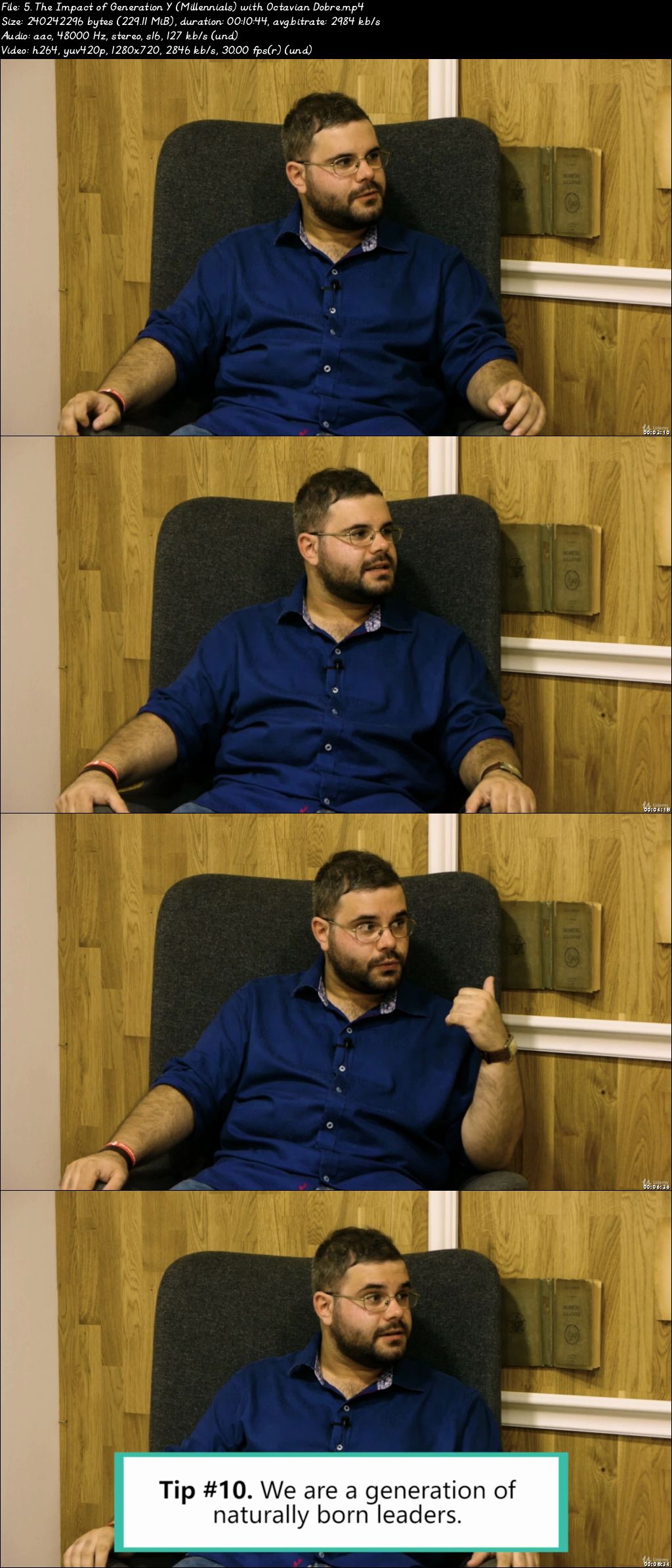
Leadership & Cultural Diversity (Accredited Oxford Diploma)
Video: .mp4 (1280x720, 30 fps(r)) | Audio: aac, 44100 Hz, 2ch | Size: 6.37 GB
Genre: eLearning Video | Duration: 41 lectures (5 hour, 6 mins) | Language: English

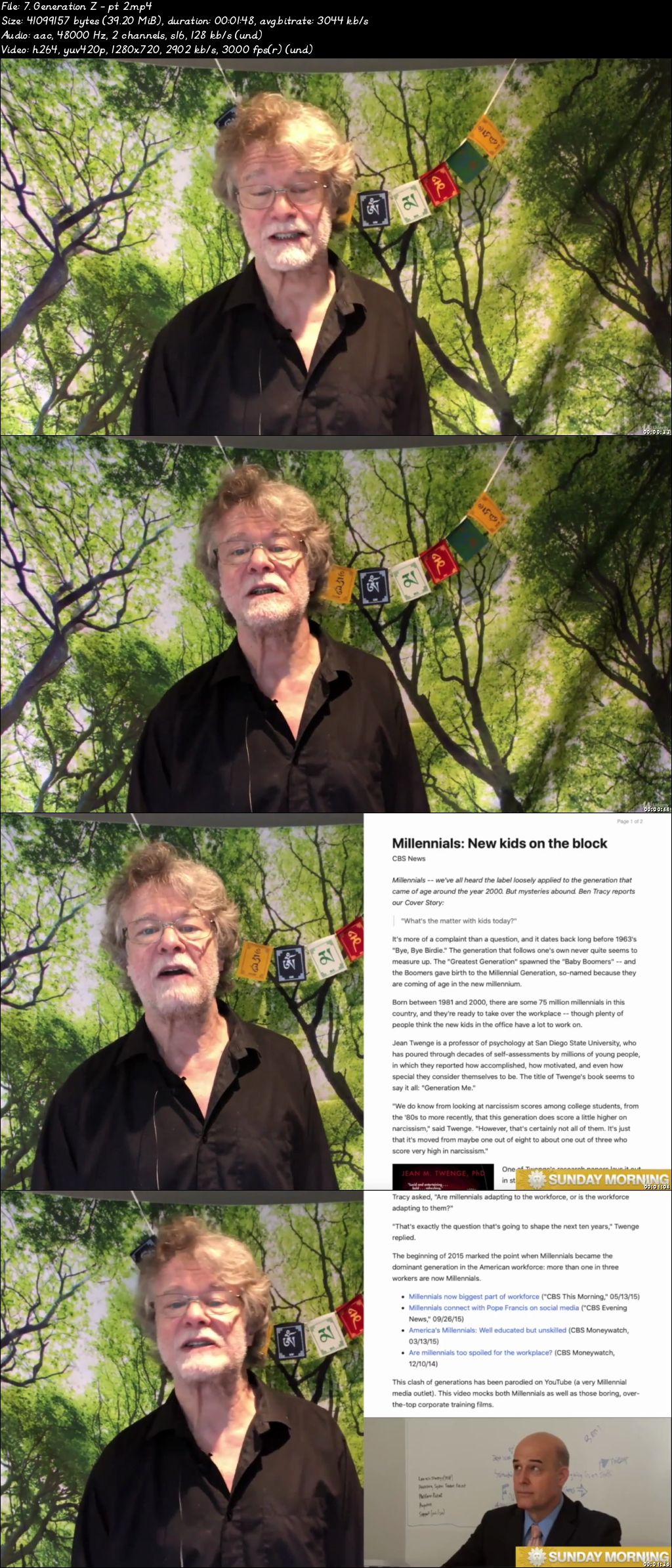
(5 hrs) Generations; Cultural Diversity and Management - includes a workbook on Leadership in India


What you'll learn

The importance of cultural diversity
The importance of age diversity
Working in a multi-generational office
The Skeldon approach
Dressing gown theory
Artificial Intelligence and Generation Alpha
How to motivate Baby Boomers AND Millennials

Requirements

None

Description

DO NOT ENROL ON THIS COURSE UNLESS YOU HAVE WATCHED THE SAMPLE LESSONS AND ALSO READ THIS COURSE DESCRIPTION. IT DOESN'T MATTER WHETHER THIS IS PAID FOR, A GIFT OR EVEN.FREE. IT STILL TAKES TIME TO WATCH. MAKE SURE YOU REALLY WANT TO DO THIS COURSE. THANK YOU.


New lecture added 6th April 2020: Leadership Research. This lecture includes extensive homework.

WORKBOOK ADDED APRIL 2020: Leadership in India


This course is split into three sections:

Generations:

Generations in workplace

8 things to know Millennials

Generation alpha

The Skeldon approach

Cultural diversity

Benefits

Dressing Gown theory

Challenges

Management

Managing Baby Boomers

Managing a multi-generational workplace

The emphasis throughout in giving practical examples and the setting of research topics. You - the students from 166 countries - know far more than I do about your own culture, your own skills and your own workplace environments. I bring to the course my academic and work-based background, (too many) years of experience and a willingness to listen.

Many many lectures about the generations - interspersed with clips from films which I had the privilege of acting in - and some exercises/questions for you to answer.

Theorists?

Maslow

Herzberg

Taylor

McGregor

Skeldon approach

Dressing gown theory

So, some new(ish) and some old.

But all relevant.


Who this course is for:

Those who will be in work in the future
Those currently in management
Those in work but not as managers
Those who have now retired
Those studying management and business at University

0079f57e.jpg


From Zero to RHCSA: 10 Weeks to Becoming RHCSA Certified

Ez-G80a-OGLym5m-EKSn-Wna6-Qiira-Qo-X0-Zi.jpg


From Zero to RHCSA: 10 Weeks to Becoming RHCSA Certified
h264, yuv420p, 1280x720 |ENGLISH, aac, 48000 Hz, 2 channels | 34h 37mn |81.28 GB
Created by: Sander van Vugt

Welcome to From Zero to RHCSA: 10 Weeks to Becoming RHCSA Certified by Sander van Vugt. This is the ultimate training tool for getting Red Hat RHCSA certified. In this 10-week program Sander van Vugt will guide you through a learning journey that builds on the knowledge you gain each week and walk you through key study elements for the exam. This Learning Path includes video lessons, chapter reading, exercises, labs and practice exams.

As you progress through From Zero to RHCSA you build your Linux and Red Hat skills, learning and practicing as you move through the course. Sander van Vugt introduces each week's curriculum with an introductory video where he guides you to watch specific lessons, read chapters, perform exercises and labs and finally test your skills with practice exams to achieve weekly goals. He will also refer you to targeted live training sessions to round out the offering. By the time this course is finished you will be on your way to achieving your goal of becoming RHCSA certified.

This Learning Path uses content from the following titles:

Linux Fundamentals:
Red Hat RHCSA 8 Cert Guide
Red Hat Certified System Administrator (RHCSA), 3/ed
Linux Under the Hood
Linux Troubleshooting: Red Hat EX342
Red Hat RHCSA 8 Practice Tests

The Learning Path is presented by best-selling author and trainer Sander van Vugt. Sander has built a full training opportunity using his extensive knowledge and title list to help you gain the knowledge and skills you need to get RHCSA Certified!

1333-043-Reading-packet-headers-From-Zero-to-RHCSA-s.jpg


Udemy-Complete PHP Course With Bootstrap3 CMS System & Admin Panel

156577501_12-logic-behind-conditional-statements-and-comparison-operators_c.jpg


Udemy-Complete PHP Course With Bootstrap3 CMS System & Admin Panel | MP4 | 11.64 GiB

2 215 kb/s 1920x1080 | AAC 128 kb/s 2 CH


File List:

File: 1. Introduction - Course Benefits and All You Get From Enrolling In This Course!.mp4
Size: 46122886 bytes (43.99 MiB), duration: 00:02:46, avg.bitrate: 2223 kb/s
Audio: aac, 48000 Hz, stereo (und)
Video: h264, yuv420p, 1920x1080, 30.00 fps(r) (und)


Download ( Size: 11.64 GiB ):


oHeopzn.png

6 Link/s
255E4EC0AD.png


5hSo1Ay.png

6 Link/s
F2791BBE5D.png


Cloud academy classes-stm

156676857_01-01-inheritance_c.jpg


CLOUD ACADEMY CLASSES-STM | MP4,VTT | 153.49 MiB

1 231 kb/s 1920x1080 | AAC 160 kb/s 2 CH eng


NFO:
File List:

File: 01.01.Inheritance.mp4
Size: 12955690 bytes (12.36 MiB), duration: 00:01:24, avg.bitrate: 1234 kb/s
Audio: aac, 44100 Hz, stereo (eng)
Video: h264, yuv420p, 1920x1080, 25.00 fps(r) (eng)


Download ( Size: 153.49 MiB ):


oHeopzn.png

1 Link/s
ED798F42AE.png


5hSo1Ay.png

1 Link/s
3F2733A732.png


Packt Getting Started with Freelancing A Practical Guide for Web Developers-RiDWARE

156689996_21-avoid-this-mistake-with-per-hour-rates_c.jpg


Packt Getting Started with Freelancing A Practical Guide for Web Developers-RiDWARE | MP4 | 3.10 GiB

4 062 kb/s 1920x1080 | AAC 137 kb/s 2 CH


NFO:
File List:

File: 01 - Course Introduction.mp4
Size: 76216568 bytes (72.69 MiB), duration: 00:02:30, avg.bitrate: 4065 kb/s
Audio: aac, 48000 Hz, stereo (und)
Video: h264, yuv420p, 1920x1080, 30.00 fps(r) (und)


Download ( Size: 3.10 GiB ):


oHeopzn.png

4 Link/s
728E3A48F0.png


5hSo1Ay.png

4 Link/s
BD1B83E461.png


Packt Computer Vision Face Recognition Quick Starter in Python-RiDWARE

156690443_10-face-detection-implementation_c.jpg


Packt Computer Vision Face Recognition Quick Starter in Python-RiDWARE | MP4 | 1.92 GiB

1 183 kb/s 1920x1080 | AAC 126 kb/s 2 CH eng


NFO:
File List:

File: 01 - Introduction to Face Recognition.mp4
Size: 38013453 bytes (36.25 MiB), duration: 00:04:17, avg.bitrate: 1183 kb/s
Audio: aac, 44100 Hz, stereo (eng)
Video: h264, yuv420p, 1920x1080, 30.00 fps(r) (eng)


Download ( Size: 1.92 GiB ):


oHeopzn.png

2 Link/s
DB64BAEC4B.png


5hSo1Ay.png

2 Link/s
4DF3C54847.png


Zurück
Oben Unten