• Regeln für den Video-Bereich:

    In den Börsenbereich gehören nur Angebote die bereits den Allgemeinen Regeln entsprechen.

    Einteilung

    - Folgende Formate gehören in die angegeben Bereiche:
    - Filme: Encodierte Filme von BluRay, DVD, R5, TV, Screener sowie Telesyncs im Format DivX, XviD und x264.
    - DVD: Filme im Format DVD5, DVD9 und HD2DVD.
    - HD: Encodierte Filme mit der Auflösung 720p oder darüber von BluRay, DVD, R5, TV, Screener sowie Telesyncs im Format x264.
    - 3D: Encodierte Filme von BluRay, die in einem 3D Format vorliegen. Dies gilt auch für Dokus, Animation usw.
    - Serien: Cartoon/Zeichentrick, Anime, Tutorials, Dokumentationen, Konzerte/Musik, Sonstiges sind demnach in die entsprechenden Bereiche einzuordnen, auch wenn sie beispielsweise im High Definition-Format oder als DVD5/DVD9/HD2DVD vorliegen. Ausnahme 3D.
    - Bereich Englisch: Englische Releases gehören immer in diesen Bereich.
    - Bereich Talk: Der Bereich, in dem über die Releases diskutiert werden kann, darf, soll und erwünscht ist.


    Angebot/Beitrag erstellen

    - Ein Beitrag darf erst dann erstellt werden, wenn der Upload bei mindestens einem OCH komplett ist. Platzhalter sind untersagt.
    - Bei einem Scenerelease hat der Threadtitel ausschließlich aus dem originalen, unveränderten Releasenamen zu bestehen. Es dürfen keine Veränderungen wie z.B. Sterne, kleine Buchstaben o.ä. vorgenommen werden. Ausnahme Serienbörse:
    - Bei einem Sammelthread für eine Staffel entfällt aus dem Releasename natürlich der Name der Folge. Beispiel: Die Simpsons S21 German DVDRip XviD - ITG
    - Dementsprechend sind also u.a. verboten: Erweiterungen wie "Tipp", "empfehlenswert", "only", "reup", usw. / jegliche andere Zusatzinformation oder Ergänzung, welche nicht in obiger Beschreibung zu finden ist.

    Aufbau des Angebots und Threadtitel

    Der Titel nach folgendem Muster erstellt zu werden. <Name> [3D] [Staffel] [German] <Jahr> <Tonspur> [DL] [Auflösung] <Quelle> <Codec> - <Group>
    Beispiel: The Dark Knight German 2008 AC3 DVDRip XviD - iND
    Beispiel: The Dark Knight 2008 DTS DL BDRip x264 - iND
    Beispiel: The Dark Knight 2008 AC3 DL BDRip XviD - iND
    Beispiel: The Dark Knight German 2008 AC3 720p BluRay x264 iND
    Beispiel: The Dark Knight 2008 DTS DL 1080p BluRay x264 iND
    Beispiel: Die Simpsons S01 German AC3 DVDRip XviD iND
    Beispiel: Die Simpsons S20 German AC3 720p BluRay x264 iND
    Beispiel: Sword Art Online II Ger Sub 2014 AAC 1080p WEBRip x264 - peppermint
    Entsprechend sind also u.a. verboten: Sonderzeichen wie Klammern, Sterne, Ausrufezeichen, Unterstriche, Anführungszeichen / Erweiterungen wie "Tipp", "empfehlenswert", "only", "reup", usw. / jegliche andere Zusatzinformation oder Ergänzung, welche nicht in obiger Beschreibung zu finden ist
    Ausnahmen hiervon können in den Bereichen geregelt sein.

    Die Beiträge sollen wie folgt aufgebaut werden:
    Überschrift entspricht dem Threadtitel
    Cover
    kurze Inhaltsbeschreibung
    Format, Größe, Dauer sind gut lesbar für Downloader außerhalb des Spoilers zu vermerken
    Nfo sind immer Anzugeben und selbige immer im Spoiler in Textform.
    Sind keine Nfo vorhanden z.B. Eigenpublikationen, sind im Spoiler folgende Dateiinformationen zusätzlich anzugeben :
    Quelle
    Video (Auflösung und Bitrate)
    Ton (Sprache, Format und Bitrate der einzelnen Spuren)
    Untertitel (sofern vorhanden)
    Hosterangabe in Textform außerhalb eines Spoiler mit allen enthaltenen Hostern.
    Bei SD kann auf diese zusätzlichen Dateiinformationen verzichtet werden.

    Alle benötigten Passwörter sind, sofern vorhanden, in Textform im Angebot anzugeben.
    Spoiler im Spoiler mit Kommentaren :"Schon Bedankt?" sind unerwünscht.


    Releases

    - Sind Retail-Release verfügbar, sind alle anderen Variationen untersagt. Ausnahmen: Alle deutschen Retail-Release sind CUT, in diesem Fall sind dubbed UNCUT-Release zulässig.
    - Im Serien-Bereich gilt speziell: Wenn ein Retail vor Abschluss einer laufenden Staffel erscheint, darf diese Staffel noch zu Ende gebracht werden.62
    - Gleiche Releases sind unbedingt zusammenzufassen. Das bedeutet, es ist zwingend erforderlich, vor dem Erstellen eines Themas per Suchfunktion zu überprüfen, ob bereits ein Beitrag mit demselben Release besteht. Ist dies der Fall, ist der bereits vorhandene Beitrag zu verwenden.
    - P2P und Scene Releases dürfen nicht verändert oder gar unter einem iND Tag eingestellt werden.


    Support, Diskussionen und Suche

    - Supportanfragen sind entweder per PN oder im Bereich Talk zu stellen.
    - Diskussionen und Bewertungen sind im Talk Bereich zu führen. Fragen an die Uploader haben ausschließlich via PN zu erfolgen, und sind in den Angeboten untersagt.
    - Anfragen zu Upload-Wünschen sind nur im Bereich Suche Video erlaubt. Antworten dürfen nur auf Angebote von MyBoerse.bz verlinkt werden.


    Verbote

    - Untersagt sind mehrere Formate in einem einzigen Angebotsthread, wie beispielsweise das gleichzeitige Anbieten von DivX/XviD, 720p und 1080p in einem Thread. Pro Format, Release und Auflösung ist ein eigener Thread zu eröffnen.
    - Grundsätzlich ebenso verboten sind Dupes. Uploader haben sich an geeigneter Stelle darüber zu informieren, ob es sich bei einem Release um ein Dupe handelt.
    - Gefakte, nur teilweise lauffähige oder unvollständige Angebote sind untersagt. Dies gilt auch für eigene Publikationen, die augenscheinlich nicht selbst von z.B. einer DVD gerippt wurden. Laufende Serien, bei denen noch nicht alle Folgen verfügbar sind, dürfen erstellt und regelmäßig geupdatet werden.
    - Untersagt sind Angebote, welche nur und ausschließlich in einer anderen Sprache als deutsch oder englisch vorliegen. Ausnahmen sind VORHER mit den Moderatoren zu klären.


    Verstoß gegen die Regeln

    - Angebote oder Beiträge, die gegen die Forenregeln verstoßen, sind über den "Melden"-Button im Beitrag zu melden.
  • Bitte registriere dich zunächst um Beiträge zu verfassen und externe Links aufzurufen.


Englische Tutorials

Getting Started with Kubernetes LiveLessons, 2nd Edition

Dz93d54x-Jyg-GSA4uglf18-S6-O0m-IMUPi-Z.jpg


Getting Started with Kubernetes LiveLessons, 2nd Edition
MP4 | Video: h264, 1280x720 | Audio: AAC, 44.1 KHz, 2 Ch
Genre: eLearning | Language: English | Duration: 87 Videos (6h) | Size: 6.1 GB

6+ Hours of Video Instruction

More than six and a half hours of video instruction, including demos and labs, on how to get started with Docker Containers running as replicated Pods in Deployments in a Kubernetes environment.

Overview

This all-new edition of Getting Started with Kubernetes offers a complete overview of everything needed to start working with Kubernetes. It starts by explaining what Kubernetes is all about, and then moves into an overview of working with containers. This course first demonstrates how to install Kubernetes and then walks the viewer through core Kubernetes components, including how to use them running applications in Pods and deployments. The course then moves through networking and storage, as well as the role of the Kubernetes API. Finally, it discusses how to run Kubernetes in the Enterprise, and how to troubleshoot it in case it doesn't work out well.

Topics include:
Understanding Kubernetes
Container Fundamentals
Installing Kubernetes
Discovering Kubernetes
Managing Kubernetes Applications
Exposing Applications
Configuring Storage
Managing the Kubernetes API
Running Kubernetes in the Enterprise
Managing Kubernetes in the Enterprise
Troubleshooting Kubernetes
About the Instructor

Sander van Vugt has been teaching Linux classes since 1995 and has written more than 60 books about different Linux-related topics, including the best-selling RHCSA-RHCE 7 Cert Guide. Sander is also the author of over 25 video courses, including the CKAD and CKA Complete Video Courses. He teaches courses for customers around the world, and is also a regular speaker on major conferences related to open source software. Sander is the founder of the Living Open Source Foundation, a non-profit organization that teaches open source to talent in different African countries.

Skill Level
Intermediate/experienced Linux administrators
Learn How To
Set up Kubernetes for container orchestration
Use Docker within a Kubernetes environment
Set up a lab, and use Minikube
Work with kubectl and YAML files
Deploy applications in Kubernetes
Use pods and replica sets, and labels
Manage Namespaces and deployments
Scale deployments up and down
Work with networking in a Kubernetes environment
Network within a pod, and work with ingress
Store data in Kubernetes with persistent and non-persistent volumes
Understand dynamic provisioning
Work with secrets and configmaps
Work with Helm charts and other tools to manage Kubernetes in the enterprise
Set up Kubernetes in different public cloud environments
Build an on-premise Kubernetes cluster
Get information from the API
Learn to troubleshoot Kubernetes
Who Should Take This Course
IT Staff (administrators and devops) who want to offer containerized applications to their users
Course Requirements
At least one physical machine with 4GB of RAM or more to use as the Kubernetes host
Lesson Descriptions

Lesson 1: Understanding Kubernetes
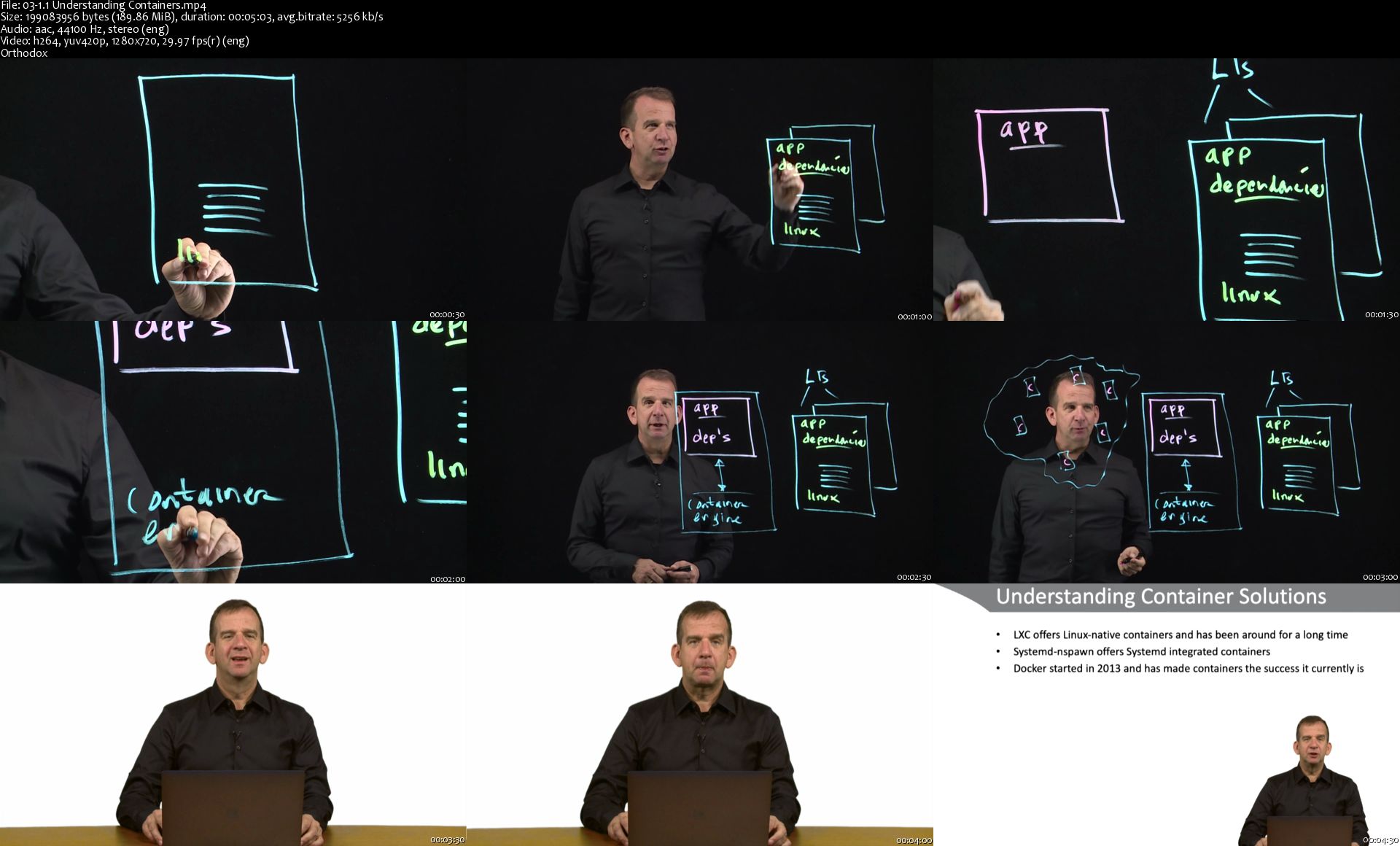
This lesson starts with a brief overview of containers, as well as explains the requirements for working with containers in a corporate environment. The lesson then covers the rise of Kubernetes, as well as the Kubernetes ecosystem.

Lesson 2: Container Fundamentals
This lesson explores containers, which is required before learning how to manage containers in a Kubernetes environment. It starts with an explanation of the nature of a container, then moves into container architecture and the different container offerings. The lesson then teaches how to work with two common container technologies: docker and podman. This lesson also looks at some day-to-day container management tasks, which are managing container images, operational container management, container networking, and container storage.

Lesson 3: Installing Kubernetes
In this lesson, the various Kubernetes installation options are explained, and installing Kubernetes using Minikube is demonstrated. The lab in this lesson has you doing this on your own.

Lesson 4: Discovering Kubernetes
This lesson starts by explaining the dashboard, which allows for easy deployment of applications. Next, working with kubectl, which is the core utility for working with Kubernetes, is covered. Enabling kubectl tab-completion; working with YAML files; and learning about core Kubernetes objects, as well as the API, are covered.

Lesson 5: Managing Kubernetes Applications
This lesson is about managing applications in Kubernetes. This lesson covers how to work with Pods and deployments. The use of namespaces, application scalability, and application updates and rollback are covered.

Lesson 6: Exposing Applications
This lesson starts with a generic overview of Kubernetes networking, and then goes on to Pod networking. The lesson then moves into DNS in Kubernetes, as well as working with Ingress.

Lesson 7: Configuring Storage
This lesson starts with a look at Pod volumes. Next, it explores how to decouple storage by using Persistent Volumes and Persistent Volume Claims, as well as configuring the Pod to use these. The lesson ends with information about configmaps and secrets.

Lesson 8: Managing the Kubernetes API
The Kubernetes API is where all resources are defined, which is primarily what this lesson covers. This lesson also explains how to use kube-proxy to connect to the API, and how to use curl to connect to the API directly. Based on this knowledge about the API objects, the lesson then delves into kubectl explain, which helps in understanding what all these resources are about.

Lesson 9: Running Kubernetes in the Enterprise
This lesson covers getting started with Kubernetes in Google Cloud, Amazon, and Azure, as well as how to build your own on-premise cluster using kubeadm.

Lesson 10: Managing Kubernetes in the Enterprise
This lesson focuses on Kubernetes features that make sense in production environments. First, the different setup options are explained, followed by high-availability. Next, it dives into helm charts and exploring the metrics server, which allows for monitoring Pods. The final video in this lesson is about network plugins.

Lesson 11: Troubleshooting Kubernetes
This lesson covers the different areas of troubleshooting, starting with troubleshooting of applications that are running in Pods. Next, troubleshooting Pods and other Kubernetes objects are discussed. Then the lesson looks at cluster-specific problems, as well as authentication and authorization issues.

03-1-1-Understanding-Containers-s.jpg


Get Anybody To Do Anything

EEe-Qo-Fp-WVRl-RTUBt-UGT6n-DRNNekoq-Ohv.jpg


Get Anybody To Do Anything
h264, yuv420p, 1280x720 |ENGLISH, aac, 48000 Hz, 2channels | 4h 33mn | 6.12 GB
Created by: George Hutton

Leverage Powerful Linguistic Techniques To Move People's Minds, Lead Their Behavior and Never Get Rejected Again
What you'll learn

Communication and Persuasion
Sales Skills
Relationship Maintenance Skills
Relationship Building Skills
Social Skills

Requirements

English Speaker

Description

Getting rejected sucks. We all have tons of experience getting rejected. Some privately, some publicly and humiliatingly.

This is such a common fear it keeps people stuck, afraid to ask for what they want.

This is based on a common structure. A common structure of how we try to get the other person to satisfy our needs.

It Starts When We Are Young

All of us were once ****. When we were young, and we wanted something, we had to ask. We had no other strategies.

Sometimes we got what we wanted. Sometimes we didn't. But sometimes, we not only didn't get what we wanted, but we got yelled at. Just for asking!

Common Strategies

Most strategies to deal with this human problem is to just suck it up and power through the pain.

To build confidence by hook or by crook. This does work sometimes.

Sales and ******

If you are in sales, you just gotta suck it up and power through. But most people can't do that.

That's why despite the massive money you can make in sales, they burn you out.

Even if you're just calling people on the phone, rejection still hurts.

****** is even worse. Just walking across the room feels like you're on a high wire above a pool of piranhas.

As you soon as you make your move, it feels like all eyes on the place are on you.

Only Surface Structure Treatment

This will always be an issue because we are still coming with the same structure.

We think they have something we want. It doesn't matter who they are. It could be a cute guy or girl. It could be a hiring manager.

It could even be a busy waitress. It's her job to bring us stuff.

So why do we get nervous when want some more ketchup for our fries? Or another free refill on our soda?

Asking Energy

This because even if we are using advanced technology, we are still operating from the standpoint of the asker.

The second we acknowledge, even if our own minds, that they have something we want, part of us feels three years old again.

That by just asking, we risk getting yelled at.

No Emotional Mumbo Jumbo

You can spend years in therapy. You can do plenty of exercises to get rid of that asking energy. To practice assertive techniques.

To heal your inner child. To open up a line of communication with your higher self. That does absolutely work.

But it takes a lot of time. And it takes a lot of energy.

We Are Lazy

We don't want to go through all that. Make no mistake, taking the time to heal your inner child is a very worthy effort.

To free yourself from fear of judgement can be an extremely satisfying and emotionally freeing endeavor.

We Are Impatient

But we want results. Not in a few years when we're done with therapy. Right the F now.

This means we need another method. One that doesn't suppress that asking energy.

One that doesn't try and solve that asking energy. On that completely ignores that asking energy.

Bank Shot Theory

We need a way to talk to them so we don't feel like we are asking them for anything.

Not only any level. We also need a way to talk to them so they don't feel like we are asking them for anything. Not on any level.

But this isn't even half the battle. We could walk up and mention something lame about the weather.

That would satisfy both requirements, but it wouldn't do squat to achieve our outcome.

What is our outcome? To get them to do what we want.

Paradox of Outcome Independence

It's commonly taught that if you are outcome independent, you will increase the chances of getting your outcome.

Read any forum about sales or seduction and you'll see goofs repeating this metaphysical truth all day long.

But they never say how to do this.

When you watch this video training series, you will know how.

Not just vaguely, or theoretically, but linguistically.

Step By Step Linguistic Structure

You'll learn how to tune your inner mind, and inner state into the perfect non-asking energy.

It's very easy.

Then you'll learn a very powerful question structure that will lead them exactly where you want them to go.

They Will Love It

The best part is it will feel fantastic from their point of view.

Within a few moments, simply by asking some seemingly simple but extremely targeted questions, they will feel better than they have in a very long time.

Cause Effect Generator

This leverages the instinctive cause-effect generator we've all got in our brains.

The one that makes us see causation when there is only correlation. What is the cause-effect you will be creating?

The cause will be you.

The effect will be the massively positive feelings you'll be able to generate within them in a matter of moments.

Not Memorized Stories Or Patterns

This fantastic feeling in them will be created by the ideas that already exist in their mind.

You don't need to tell stories. You don't have to do magic tricks.

You don't have to wear colorful clothing or fancy shoes or even have the latest hairstyle.

Attraction Generator

If you are so inclined, attraction will be naturally generated.

If you are in sales, you'll make a lot more money. If you like the idea of being a player, you'll get a lot more action.

If you want to make friends, you can build a social circle in no time.

This works for everybody. Every gender, every orientation.

You can attach their desire to you. You can attach their desire to your ideas.

You can attach their desire to your product or service.

Advanced Strategies

You'll learn a very spooky but very basic technique to slowly lead them exactly to where you want them to go.

Your restaurant choice. To buy the only product you happen to have available.

To give you their phone number without ever asking.

Fractionation

You'll also learn a very powerful from of fractionation.

This is a concept that is widely misunderstood by most folks today, even those claiming to teach it.

But you'll learn how to apply it to people in your neighborhood.

From baristas, to bartenders to waiters and librarians.

Just drop a few of the desire-generating and easy-to-answer questions every time you see them, and you'll be building your own private army of supports.

Everywhere You Go

If you take your time with these ideas and use them sparingly, you can slowly create cause-effect desire in everybody you interact with.

Soon, every time they see you, they will suddenly feel that wonderful desire they feel nowhere else.

As Powerful As Mind Reading

This is not magic. This is not based on metaphysics.

This is only based on a powerful and unique combination of inner and outer game. Inner game to turn off the asking energy.

Outer linguistic techniques to surgically extract their most powerful desires.

They Won't Need To Speak

This is so powerful they won't even need to speak.

This means if you have a partner who is having a deep and complex emotional issue, you will be able to find out exactly what it is.

They won't need to speak, they won't even need to open their eyes.

Where Can You Use This?

Any time where you are in a one on one conversation.

On the phone or face to face. If you can arrange that, with any person for any reason, in minutes you can get them eager to do whatever you want.

Without any rejection or social anxiety.

Create An Army Of Supports

Use the powerful and subtle techniques of fractionation on all the folks in your neighborhood.

Slowly build an army of people who will always be happy to see you and eager to help. Get this course and get started.

Become A Social Super Star

Create fantastic feelings in people so they automatically and unconsciously associate pleasure with you.

Build a network of rabid fans and turn life into a non-stop party. Get this course now and become party super hero.

I'm George Hutton with Mind Persuasion.

Thank you for watching and I'll see you on the inside.

Who this course is for:

Anybody wishing to enhance communication and persuasion for any reason

1-Building-Mental-Strength-s.jpg


Complete web developer bootcamp! Build real websites in 2020

0078a568.jpg


Complete web developer bootcamp! Build real websites in 2020
Video: .mp4 (1280x720, 30 fps(r)) | Audio: aac, 48000 Hz, 2ch | Size: 15.2 GB
Genre: eLearning Video | Duration: 283 lectures (36 hour, 12 mins) | Language: English

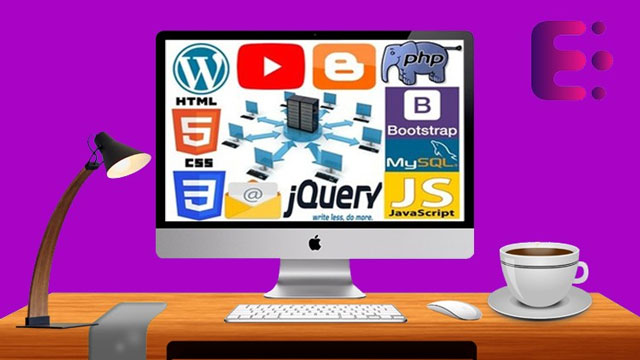
Learn web development! Build real websites using HTML, CSS, JavaScript, jQuery, Bootstrap, PHP, SQL, WordPress and more.


What you'll learn

Become a full stack web developer with the most essential skills in HTML, CSS, JavaScript, jQuery, Bootstrap, PHP, SQL, Web Hosting, WordPress, Email Marketing, Blogging and YouTube Management
Skills that will allow you to apply for jobs like: Web Developer, Software Developer, Front End Developer, JavaScript Developer, and Full Stack Developer
Master Front-End and Back-End web development by building a complete industry based website from scratch
Master how to build modern websites with complete responsive features and mobile adaptability
Use Bootstrap to create good-looking responsive layouts
Write Javascript functions, and understand scope and higher order functions
Use JavaScript variables, conditionals, loops, functions, arrays, and objects
Build websites and web applications on a professional scale.
Master modern Web Development fundamentals as well as advanced topics
Learn best practices to write clean, performant, and bug free code
Build your own full stack websites and applications
Become a professional Web Developer and get hired
Learn to implement user authentication
Master fundamental concepts in Web Development
Understand and work with SQL as a web developer
Master all about PHP and how to work mySQL with phpmyadmin
Become a master with jQuery and go further in web development
Build full blog site from scratch and learn the essential skills in creating successful blogs
Build complete WordPress website from scratch and learn the essential WordPress skills
Go further with email marketing by learning A-Z of how to become a successful email marketer
Develop the essential skill needed to become a competitive and successful YouTube video maker
Discover how to manage your YouTube channel effectively to earn more


Requirements

A computer (Windows/Mac/Linux) with internet only
No previous coding experience is needed
Be ready to learn an insane amount of awesome stuff
Prepare to build real web apps!

Description

In this course, you will learn the specific technologies that are the most in demand in the industry right now. These include tools and technologies used by the biggest tech companies like Google, Facebook, Instagram, etc. It's geared specifically for people that want to learn employable skills in 2020.

When you're learning to program you often have to sacrifice learning the exciting and current technologies in favor of the "beginner friendly" classes. With this course, you get the best of both worlds. This is a course designed for the complete beginner, yet it covers some of the most exciting and relevant topics in the industry.


Throughout the course we cover tons of tools and technologies including:

HTML5

CSS3

JavaScript

jQuery

Bootstrap 4

PHP

SQL

WordPress

Web Hosting

Blogging

Email Marketing

YouTube Management

Emenwa Global instructors are industry experts with years of practical, real-world experience building software at industry leading companies. They are sharing everything they know to teach thousands of students around the world, just like you, the most in-demand technical and non-technical skills (which are commonly overlooked) in the most efficient way so that you can take control of your life and unlock endless exciting new career opportunities in the world of technology, no matter your background or experience.

Who this course is for:

Developers who want to learn REAL industry skills that are necessary in 2020 to get hired as a web developer and earn a higher salary
This course is for anyone who wants to learn about web development, regardless of previous experience
This course if for anyone who wants to start his own business or become a freelancer
It's also great for anyone who does have some experience in a few of the technologies(like HTML and CSS) but not all

0078a569.jpg


Algorithmic Trading: Backtest, Optimize & Automate in Python

t-Zae-ELCIh9-Zg-Iurf-MFQELr-Mej-Gka-Dqf-F.jpg


Algorithmic Trading: Backtest, Optimize & Automate in Python
h264, yuv420p, 1280x720 |ENGLISH, aac, 48000 Hz, 2 channels | 9h 52mn | 11.39 GB
Created by: Mohsen Hassan, Ilyass Tabiai, MTG Team

Learn How to Use and Manipulate Open Source Code in Python so You can Fully Automate a Cryptocurrency Trading Strategy.
What you'll learn

Use Python to Automate your Cryptocurrency Trading
Load Historical Data and Backtest your Strategy
Optimize your Strategy to Find the Best Parameters to Use
Run the Strategy in Simulation or Live
Connect to Multiple Cryptocurrency Exchanges
Be able to work on a Virtual Environment
Use Open Source Code Freqtrade
Communicate with the Strategy through your Phone

Requirements

Some Basic Programming knowledge (Any language)
Basic Cryptocurrency Trading Knowledge

Description

Learn to fully automate your cryptocurrency trading with this course!

This course is taught by a Quant (and the CEO of a Proprietary Trading Firm) as well as a Python/Cryptocurrency Instructor.

You will learn:

1) How to use freqtrade (open source code)

2) Use a Virtual Machine (we provide you one with all the code on it)

3) Learn How to code any strategy in freqtrade

4) Backtest a strategy so you can see how it would have performed in the past

5) Optimize a strategy to find the best parameters to get the best reward/risk ratio

6) Do a walk forward analysis to see how a strategy would perform with out of sample data (to minimize overfitting)

7) Run the strategy with paper money

8) Run the strategy with real money

9) Connect the code to Telegram so you can communicate with it with your phone.

No python knowledge?

No worries there is a Python primer in the course to get you up to speed on the language :)

See you in the course!
Who this course is for:

Traders who would like to Automate their Cryptocurrency Trading

1-Ubuntu-s.jpg


Algorithmic Trading & Quantitative Analysis Using Python (Update)

4d06o7-Uh-RSLRj-PKu-Mrib52dxs-Pd-M6-ZJc.jpg


Algorithmic Trading & Quantitative Analysis Using Python (Update)
Bestseller | h264, yuv420p, 1280x720 |ENGLISH, aac, 48000 Hz, 2 channels | 17h 46mn | 12.26 GB
Created by: Mayank Rasu

Build fully automated trading system and Implement quantitative trading strategies using Python
What you'll learn

Algorithmic trading and quantitative analysis using python
Carrying out both technical analysis and fundamental analysis programatically
API trading

Requirements

Intermediate level expertise in python
high school level familiarity with mathematics and statistics
Basic understanding of equity/forex trading

Description

Build a fully automated trading bot on a shoestring budget. Learn quantitative analysis of financial data using python. Automate steps like extracting data, performing technical and fundamental analysis, generating signals, backtesting, API integration etc. You will learn how to code and back test trading strategies using python. The course will also give an introduction to relevant python libraries required to perform quantitative analysis. The USP of this course is delving into API trading and familiarizing students with how to fully automate their trading strategies.

You can expect to gain the following skills from this course

Extracting daily and intraday data for free using APIs and web-scraping

Working with JSON data

Incorporating technical indicators using python

Performing thorough quantitative analysis of fundamental data

Value investing using quantitative methods

Visualization of time series data

Measuring the performance of your trading strategies

Incorporating and backtesting your strategies using python

API integration of your trading script

FXCM and OANDA API

Sentiment Analysis

Who this course is for:

traders looking to automate strategies and building automated trading stations, data scientists seeking to work with financial data, anyone curious about quantitative analysis

6-Piotroski-F-Score-Implementation-in-Python-s.jpg


Accounting-Financial Accounting Total-Beginners to Advanced (Updated 5/2020)

i35z47-AZl-Ecv-TE6ej-PJkp-Cyi-YNCJCx-KH.jpg


Accounting-Financial Accounting Total-Beginners to Advanced (Updated 5/2020)
MP4 | Video: h264, 1280x720 | Audio: AAC, 44.1 KHz, 2 Ch
Genre: eLearning | Language: English + .srt | Duration: 699 lectures (118h 57m) | Size: 47.2 GB

Including well over 100 hours of content, e-book (EPUB, MOBI, PDF) ,Excel worksheet, & PDF files, this is comprehensive
What you'll learn:
An Introduction to Accounting, The Double Entry Accounting System, & Recording Transactions using Debits and Credits
Analyze, use, and create from scratch financial statements including a balance sheet, income statement, statement of equity, and statement of cash flows
Use the concepts of the double entry accounting system
Record financial transactions using the accounting equation
Record financial transactions using debits and credits
Learn when and how to use accounting methods such a the accrual method and cash method
Apply the concepts related to the revenue recognition principle and the matching principle to recording transactions and reading financial statements
Record period end adjusting entries and be able to explain why adjusting entries are necessary is a well designed accounting system
Record merchandising transactions. Record transactions involving inventory
Track inventory using cost flow methods like FIFO, LIFO, and Weighted Average Methods
Create and use subsidiary ledgers like accounts receivable by customer and accounts payable by vendor subsidiary ledgers
Learn how to create and use special journals and how they can be part of an accounting system
Construct and interpret a bank reconciliation, one of the most critical internal controls
Be able to implement internal controls over cash
Value account receivable and record bad debt expense using either the allowance method or direct write off method
Calculate depreciation using different depreciation methods including straight line depreciation, double declining balance, & units of production depreciation
Record payroll transactions and calculate net pay and income tax withholding
Record transaction specific to partnerships including methods to allocate net income to the partners, adding a new partner, and a partner leaving or selling a partnership interest
Record transaction specific to a corporation including selling capital stock, selling preferred stock, buying treasury stock, issuing cash dividends, and issuing stock dividends
Record transactions related to the issuance of bonds
Record transactions related to notes payable. Learn to create an amortization table.
Construct a statement of cash flows using the direct method and indirect method. We go into more detail about best practices to construct a statement of cash flows than any other course we have seen

Requirements
This course is an excellent course for beginners as well as advanced learners. We start from the basics and move all the way through financial accounting topics in a systematic way. We will be using some Microsoft Excel worksheet, but we will start off slow as we learn Excel as well. If you do not have Excel, you may be able to open the files using Google Sheets, which is free. If you do not have either of these options, you can move forward without this component of the course. However, Excel worksheets are where learners get to really engage with the material and work through problems. Therefore, we do suggest getting access to Excel or Google Sheets at all possible.

Description
Includes downloadable e-book in multiple formats so you can open it on your tablet or Kindle - Formats (EPUB, MOBI, PDF).

This course is an excellent supplement for students or anybody who wants to learn accounting and also have something they can refer back to in the future. Udemy generally provides lifetime access to the course.

Many accounting students do not receive a physical book, they get to keep from their school, and even if they did, the information could become dated. Students who want a useful reference tool they can keep, and one that can be more easily updated then a textbook, will benefit from a resource such as this.

Financial accounting is a LARGE topic and is not something that can be done well in 5, 10, or 20, hours of content, as you may see claimed elsewhere. We will cover accounting theory because theory and concepts are what accounting is. We need to learn theory so we can make appropriate adjustments in the real world. Learning procedures without understanding the theory will make us inflexible and unable to adapt to the ever-changing environment. We will learn the theory while we apply them to procedures.

Financial accounting is relatively standardized in format. In other words, most accounting institutions will cover much the same topics, often in much the same order. We suggest looking up a standard accounting textbook, checking the index, and comparing the topics to the courses you are considering purchasing. We believe this course will line up well to anybody's needs who want to learn financial accounting.

Below is a list of topics by section:

Section SEC 1 An Introduction to Accounting, The Double Entry Accounting System, & Recording Transactions using Debits and Credits

Section SEC 2 - Recording Period End Adjusting Entries

Section SEC 3 - Recording Closing Entries

Section SEC 4 - Merchandising Transactions - Transactions Involving Inventory

Section SEC 5 - Inventory Cost Flow Assumptions (FIFO, LIFO, Weighted Average Methods)

Section SEC 6 - Subsidiary Ledgers & Special Journals

Section SEC 7 - Bank Reconciliations & Cash Internal Controls

Section SEC 8 - Accounts Receivable - Allowance Method & Direct Write Off Methods

Section SEC 9 - Depreciation Methods & Property Plant & Equipment

Section SEC 10 - Payroll Accounting

Section SEC 11 - Partnership Accounting

Section SEC 12 - Accounting for Corporations

Section SEC 13 - Bonds Payable, Notes Payable, & Long-Term Liabilities

Section SEC 14 - Statement of Cash Flows

Who this course is for
Aspiring accounting students who have an interest in the topic
Accounting professionals
Anyone who whats to learn accounting
Accounting and business students who want a reference source to the material they can actually keep, unlike most digital textbooks used in most accounting programs these days
Business professional who want a comprehensive reference to standard financial accounting topics they can refer to

Homepage

2-100-Why-Learn-Accounting-s.jpg


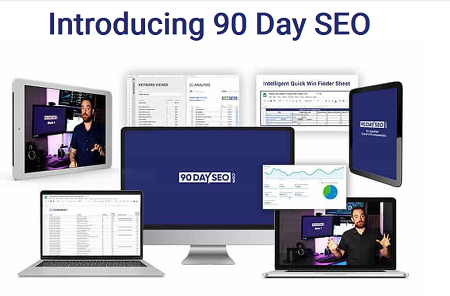
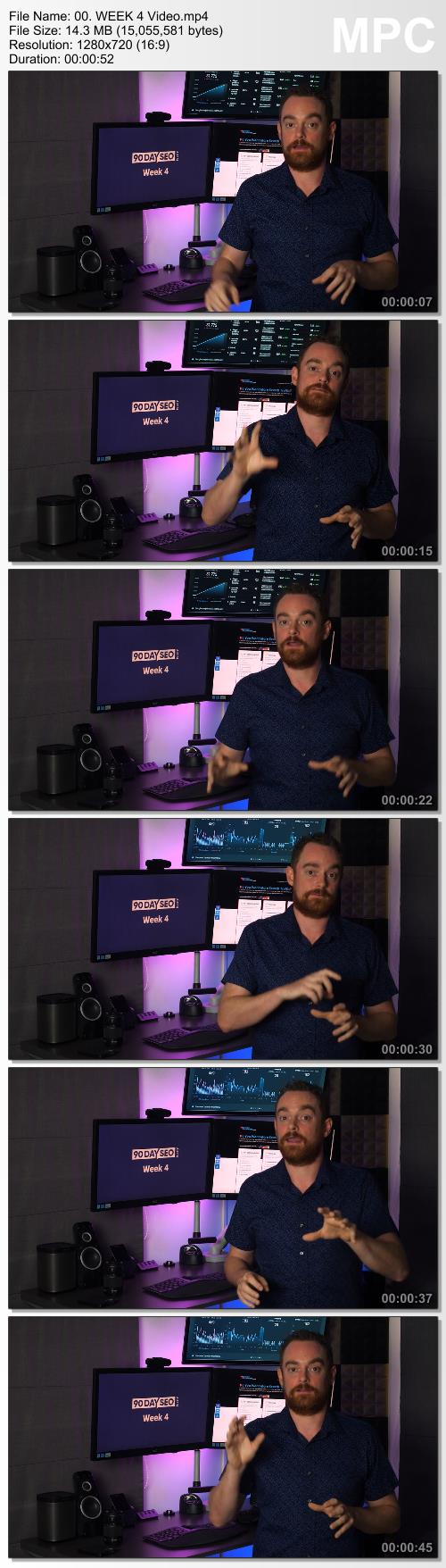
Matthew Woodward - 90 Day SEO

41180264be2b13fa18817f397bc9a506.png

Matthew Woodward - 90 Day SEO | 740 MB
We also increased the number of top 3 results from 197 to 656

We have repeatable processes for:
- Topic research
- Keyword research
- Technical audits
- Hiring writers
- On page SEO
- Content planning
- Content execution
- Link building
- And much, much more!

My program will take you by the hand and show you how to transform any website into a targeted organic search traffic magnet.
You'll get access to all of the processes, templates, tools and strategies that we use to increase search traffic.
Whether you just launched your site last week or you're currently facing a decline in search traffic, the 90 Day SEO program will show you exactly what to do and when to do it.
Inside you'll find a series of repeatable processes that you can use to increase search traffic and sales for any website.
How The 90 Day SEO Program Works

All you have to do is follow the process once.
Each week's lessons are made up of a combination of text, video, worksheets, spreadsheets and printable resources to guide you through the process as easily as possible.

HOmepage:

Screenshots
b720560a31f2ed4c80fa5e9503181ebe.jpg


Link Download
Extract files with WinRar 5 or Latest !
 
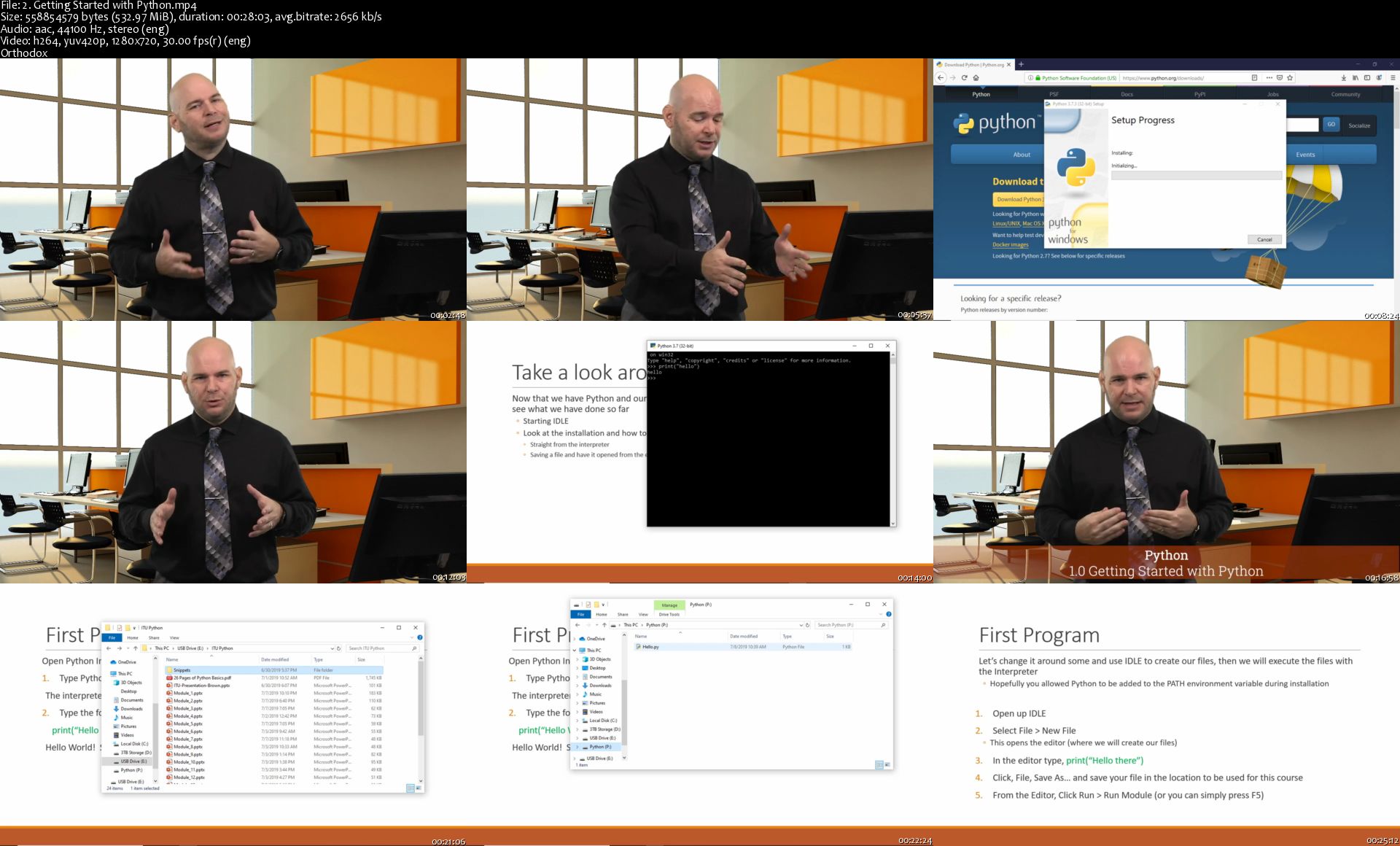
ITU - Introduction to Python

Wl-T9-Gjxep-Hu-UKf-Bhlzai38n4-Ajs-GT41g.jpg


ITU - Introduction to Python
MP4 | Video: h264, 1280x720 | Audio: AAC, 44.1 KHz, 2 Ch
Genre: eLearning | Language: English | Duration: 33 Videos (8h 49m) | Size: 8 GB

Python is developed under an OSI-approved open source license, making it freely usable and distributable, even for commercial use. Python is a general-purpose programming language. Created nearly 30 years ago, it is now one of the most popular languages out there to use. Its popularity is particularly important in the data science and machine learning fields. But it is also a language that is easy to learn, and that's why it has become the language most taught in universities.

Python interpreters are available for the main operating systems as well (Linux, Mac OS, Windows, Android, iOS, BSD, etc.) so it's very flexible in where it is used. Python has a simple syntax that makes it suitable for learning to program as a first language. The learning curve is smoother than other languages such as Java, which quickly requires learning about Object Oriented Programming or C/C++ that require understanding pointers. Still, it's possible to learn about OOP or functional programming in Python when the time comes

Where is Python Used?

• Web Development, using the frameworks Django, Flask, Pylons
• Data Science and Visualization using Numpy, Pandas and Matplotlib
• Machine learning with Tensorflow and Scikit-learn
• Desktop applications with PyQt, Gtk, wxWidgets and many more
• Mobile applications using Kivy or BeeWare
• Education: Python is a great language to learn programming!

How much can you make?

The average salary for a Python Developer is $117,155 per year in the United States. You can just search for Python jobs and see the ranges from $20/hr to over $40/hr

This course will teach you and show you the basics of Python programming. We will go over concepts like loops, variables, operators, syntax and coding practices. With each module, we will build upon your knowledge from the previous module. This reinforces all the concepts along the way and at the end of some modules you will work on exercises to prove to yourself you can do this.

After taking this course you will be ready to move on to a move advanced course allowing you to build on the foundation this course provides. You will be making more sophisticated and more robust programs in no time using your new skills.

2-Getting-Started-with-Python-s.jpg


Data Science and Machine Learning Bootcamp with Python & R™

0078b772.jpg


Data Science and Machine Learning Bootcamp with Python & R™
Video: .mp4 (1280x720, 30 fps(r)) | Audio: aac, 44100 Hz, 2ch | Size: 6.94 GB
Genre: eLearning Video | Duration: 151 lectures (15 hour, 10 mins) | Language: English

Machine Learning , Python, Advanced Data Visualization, R Programming, Linear Regression, Decision Trees, NumPy, Pandas.


What you'll learn

Data Science


Requirements

Basic Python Knowledge

Description

This course teaches big ideas in machine learning like how to build and evaluate predictive models. This course provides an intro to clustering in R from a machine learning perspective.

This online machine learning course is perfect for those who have a solid basis in R and statistics but are complete beginners with machine learning. You'll get your first intro to machine learning.

After learning the true fundamentals of machine learning, you'll experiment with the techniques that are explained in more detail. By the end, you'll be able to learn and build a decision tree and to classify unseen observations with k-Nearest Neighbors.

Also, you'll be acquainted with simple linear regression, multi-linear regression, and k-Nearest Neighbors regression.

This course teaches the big ideas in machine learning: how to build and evaluate predictive models, how to tune them for optimal performance, how to preprocess data for better results, and much more.

At the end of this course, our machine learning and data science video tutorials, you'll have a great understanding of all the main principles.


Details of the course:


Module 01: Basics of R tool

In this video, we are going to install r programming with rstudio in Windows Platform.

Lab 01 R Installation and Concepts

In this lab, we are going to learn about how we can install R Programing in Windows and learn about its several key concepts which are necessary for Programming in R.

Video 2_R Progrming Concepts

In this video, we are going to learn the necessary concepts of RProgramming.

Video 3_R Progrming Computations

In this tutorial, we will be learning about several mathematical algorithms and computations.

Lab 02 R Programing Computations

In this lab, we are going to understand RData Structures that includes - vectors, matrices, arrays, data frames (similar to tables in a relational database) and lists in R Programing Computations.

Video 4_R Data Structures

In this video, we will discuss R data structures that resemble a table, in which each column contains values of one variable and each row contains one set of values from each column.

Module 02: Basic Data Visualization

In this video, we will be understanding circular statistical graphics, which is divided into slices to illustrate numerical proportions in a pie chart.

Lab 03 Plotting Pie Chart using R Tool

In this practical demonstration, you will learn how we can plot a pie chart. Also, we'll learn the representation of values as slices of a circle with different colors in the pie chart using the R tool.

Video_6 Bar Charts

In this video, we will learn the categorical data with rectangular bars with heights or lengths proportional to the values that they represent in the bar chart.

Lab 04 Plotting Bar Chart using R Tool

In this lab, we are going to learn how we can plot a bar chart that represents data in rectangular bars with a length of the bar that is proportional to the value of the variable using the R tool.

Video_7 Box Plot

In this video, we learn about how we can display the distribution of data in a standardized way in Boxplot.

Lab 05 Making Box Plot using R Tool

In this lab, we will discuss how we can make a box plot which is a measure of how well the data is distributed in a data set and it divides the data set into three quartiles using the R tool.

Video_8 Histograms

In this video, we are going to learn about the histograms which are the graphs of a distribution of data that is designed to show centering, dispersion (spread), and shape (relative frequency) of the data by using its different functions.

Lab 06 Working on Histograms using R Tool

In this lab, we'll be working on histograms that represent the frequencies of values of a variable bucketed into ranges where each bar in histogram represents the height of the number of values present in that ranger creates a histogram using hist() function.

Video_9 Line Charts

In this video, we are going to learn about the line charts which are also known as Line graph that is used to visualize the value of something over time.

Lab 07 Plotting Line Chart using R Tool

In this lab, we will learn how we can plot a line chart which is a graph that connects a series of points by drawing line segments between them and then these points are ordered in one of their coordinates (usually the x-coordinate) value.

Video_10 Scatter Plot

In this video, we are going to learn about a set of points plotted on a horizontal and vertical axis which is important in statistics because they can show the extent of correlation, if any, between the values of observed quantities or phenomena (called variables) in Scatter plot.

Lab 08 Working on Scatterplot using R Tool

In this lab, we will be working on Scatterplot which shows many points plotted in the Cartesian plane at where each point represents the values of two variables. In this one variable is chosen in the horizontal axis and another in the vertical axis. The simple scatterplot can be created using the plot() function.

Video_11 Case Study Basic Data Visualization

In this video, we will explore some interesting case studies on basic data visualizations which is useful for getting a basic understanding of what characteristics is happened in different cases of data visualization with its constituent approaches.


Module 03: Advanced Data Visualization

Video_12 Basic Illustration of ggplot2 Package

In this video, we will learn about the ggplot2 package which is a system for declaratively creating graphics, based on The Grammar of Graphics at where we provide the data, tell ggplot2 how to map variables to aesthetics, what graphical primitives to use, and it takes care of the details.

Lab 09 Basic Illustration of ggplot2 Package

In this lab, we are going to perform a basic illustration on the ggplot2 package which includes a popular collection of packages called "the tidyverse" at where each geom accepts a particular set of mappings using the R tool.

Video_13 Faceting

In this video, we are going to learn about faceting. How we can facet our data with facets by which you can gain an additional way to map the variables.

Lab 10 Facetting using R Tool

In this lab, we'll be learning about how we can perform faceting by facet the data which creates a matrix of panels defined by row and column faceting variables. facet_wrap() , which wraps a 1d sequence of panels into 2d.

Video_14 Jitterred Plots

In this video, we are going to learn about Jittering which means adding random noise to a vector of numeric values, which is done in jitter-function by drawing samples from the uniform distribution in jittered plots.

Lab 11 Working on Jiterred Plots using R Tool

In this lab, we'll be working on jittered plots where we jitter the data and makes the data easy to understand which uses points to graph the values of different variables.

Video_15 Frequency Polygons

In this video, we will learn how we can represent our data in a graphical form in Frequency Polygon which is used to depict the shape of the data and to depict trends and usually drawn with the help of a histogram but can also be drawn without it as well.

Lab 12 Making Frequency Ploygons with Histograms using R Tool

In this lab, we will be discussing how we can make frequency Polygons with histograms that represent the frequencies of values of a variable bucketed into ranges.

Video_16 Time Series

In this video we are going to learn about time series of data points indexed (or listed or graphed) in time order.


Lab 13 Working on TimeSeries using R Tool

In this lab, we will be working on time series where the statistical algorithms will work and a record will maintain time by time for a particular period of time.

Lab 14 Creating Surface Plots using R Tool

In this lab we will discuss on how we can create multi-dimensional surface plot, which is a three-dimensional surface that has solid edge colors and solid face colors the function plots the values in matrix Z as heights above a grid in the x-y plane defined by X and Y and the color of the surface varies according to the heights specified by Z.

Lab 15 Working on Revealing Uncertainty using R Tool

In this lab, we will work on revealing uncertainty in data that occurs in domains ranging from natural science to medicine to computer science at their participants described what uncertainty looks like in their data and how they deal with it.

Lab 16 Understanding Weighted Data

In this lab, we will be understanding the weighted data which is used to adjust the results of a study to bring them more in line with what is known about a population.

Lab 17 Drawing Maps and highlighting Vector Boundaries

In this lab, we will learn how we can draw maps and highlights the vector boundaries which besides the actual map with various elements step by step and draw a nice realistic vector map drawing.

Lab 18 Working on Diamonds Data Set

In this lab, we will be working on diamonds data set at where we learn how we can import dataset libraries and understand the linear relationship between two variables which contains different attributes.

Lab 19 Dealing with Overlapping

In this lab we are going to learn about how we can deal with overlapping if we have two pieces of something, and one is covering a part of another, then they're overlap in it.

Lab 20 Working on Statistical Summaries

In this lab we will be working on statistical summaries which summarize and provide information about our sample data which tells us something about the values in our data set that includes the average lies and whether our data is skewed.


Module 04: Leaflet Maps

Video 17_Implementing Leaflet with R

In this video, we will learn about how we can implement leaflet in R by using its open-source JavaScript libraries for interactive maps.

Lab 21 Implementing Leaflet with R tool

In this lab, we will understand how we can implement Leaflet which is a popular open-source JavaScript library for the interactive maps using the R tool.

Video 18_Using Basemaps and Adding Markers in Map

In this video we are going to learn about the basemaps in R and understand how we can add markers in a map.

Lab 22 Adding Markers in a Map

This lab will learn how we can add markers in a map where the map includes a marker, also called a pin, to indicate a specific location.

Video 19_Popus and Labels

In this video, we are going to learn how we can attach textual or HTML content that displayed on mouse hover using popups and labels where popups don't need to click a marker/polygon for the label to be shown.

Lab 23 Working with Popups and Labels

In this lab we will be working on Popups and labels which are small boxes containing arbitrary HTML, that point to a specific point on the map we use the addPopups() function to add standalone popup and addLabel() function to add a little label to the map.

Video 20_Shiny Framework using Leaflet and R

In this video we are going to understand about a web shiny framework and Leaflet at where we assign a render leaflet call to the output inside the render leaflet expression where you return a leaflet map object.

Lab 24 Shiny Framework using Leaflet and R

In this lab, we will make a shiny framework using leaflet and R as where in the UI you call leafletOutput, and on the server side you assign a renderLeaflet call to the output. Inside the renderLeaflet expression, you return a Leaflet map object and the web framework is completed.


Module 05: Statistics

Video 21_Linear Regression

In this video you will learn about the linear approach to modeling the relationship between a scalar response (or dependent variable) and one or more explanatory variables (or independent variables) in Linear Regression.

Lab 25 Working with Linear Regression

In this lab we will work on Linear regression where we will find a line that best fits the data points available on the plot, so that we can use it to predict output values for inputs that are not present in the data set we have, with the belief that those outputs would fall on the line.

Video 22_Multiple Regression

In this video, we are going to understand an extension of simple linear regression, which is used when we want to predict the value of a variable based on the value of two or more other variables in multiple regression.

Lab 26 Working with Multiple Regression

In this lab we will perform multiple regression which is a statistical technique that uses several explanatory variables to predict the outcome of a response variable.

Video 23_Logistic Regression

In this video we are going to learn about Logistic regression which is a statistical method for analyzing a dataset in which there are one or more independent variables that determine an outcome.

Lab 27 Performing Logistic Regression

In this lab, we will be performing Logistic Regression which is used to describe data and to explain the relationship between one dependent binary variable and one or more nominal, ordinal, interval or ratio-level independent variables.

Video 24_Normal Distribution

In this video, we will learn about an arrangement of a data set in which most values cluster in the middle of the range and the rest taper off symmetrically toward either extreme in Normal Distribution.

Lab 28 Working with Normal Distribution

In this lab we'll be working on normal distribution which is a probability function that describes how the values of a variable are distributed it is asymmetric distribution where most of the observations cluster around the central peak and the probabilities for values further away from the mean taper off equally in both directions.

Video 25_Binomial Distribution

In this video, we'll be discussing about the binomial distribution which is a specific probability distribution that is used to model the probability of obtaining one of two outcomes, a certain number of times (k), out of fixed number of trials (N) of a discrete random event.

Lab 29 Performing Binomial Distribution

In this lab, we'll be performing binomial distribution which consists of the probabilities of each of the possible numbers of successes on N trials for independent events that each have a probability of π of occurring.

Video 26_Poission Regression

In this video we are going to learn about Poisson regression which is used to model response variables (Y-values) that are counts and tells you which explanatory variables have a statistically significant effect on the response variable.

Lab 30 Working with Poisson Regression

In this lab we will be working on Poisson regression which is used to model response variables (Y-values) that are counts and also tells you which explanatory variables have a statistically significant effect on the response variable.

Video 27_Analysis of Covariance

In this video we will learn about Analysis of covariance (ANCOVA) which allows to compare one variable in two or more groups taking into account (or to correct for) variability of other variables that are also called covariates.

Lab 31 Analysis of Covariance

In this lab we will understand the analysis of covariance which is used to test the main and interaction effects of categorical variables on a continuous dependent variable, controlling for the effects of selected other continuous variables, which co-vary with the dependent.

Video 28_Time Series Analysis

In this video we are going to learn about the sequence of well-defined data points measured at consistent time intervals over a period of time in time series analysis.

Lab 32 Time Series Analysis

In this lab we will be performing time series analysis which is a sequence of well-defined data points measured at consistent time intervals over a period of time and also use of statistical methods to analyze time-series data and extract meaningful statistics and characteristics about the data.

Video 29_Decision tree

In this video we are going to learn about the graph that uses a branching method to illustrate every possible outcome of a decision in Decision tree.

Lab 33 Working with Decision Tree

In this lab we are going to work on the decision tree which is a decision support tool that uses a tree-like graph or model of decisions and their possible consequences, including chance event outcomes, resource costs, and utility.

Lab 34 Implementation of Decision Tree in Dataset

In this lab, we will learn how we can implement a decision tree by splitting the training set of the dataset into subsets while making the subset we have to take care that each subset of training dataset should have the same value for an attribute.

Lab 35 Working with Nonlinear Least Square

In this lab we will be working on non-linear least-square which is the form of least squares analysis used to fit a set of m observations with a model that is non-linear in "n" unknown parameters (m ≥ n) and refine the parameters by successive iterations.

Video 30_Survival Analysis

In this video we are going to understand about the set of methods for analyzing data where the outcome variable is the time until the occurrence of an event of interest while performing Survival Analysis.

Lab 36 Working with Survival Analysis

In this lab we will be working on survival analysis is generally defined as a set of methods for analyzing data where the outcome variable is the time until the occurrence of an event of interest.


Module 06: Data Manipulation

Video 31_Data Mungigng and Visualization

In this video we will learn about data munging and visualization at where we transform and map data from one "raw" data form into another format with the intent of making it more appropriate and valuable for a variety of downstream purposes such as analytics.

Video 32_Hearchical Clustering

In this video we will understand an algorithm that groups similar objects into groups called clusters while learning Hierarchical Clustering.

Lab 37 Working with Hierarchical Clustering

In this lab we are working on hierarchical clustering which typically works by sequentially merging similar clusters, it can also be done by initially grouping all the observations into one cluster, and then successively splitting these clusters.

Video 33_K-means Clustering

In this video we are going to learn the clustering which aims to partition n observations into k clusters in which each observation belongs to the cluster with the nearest mean, serving as a prototype of the cluster in k-means clustering.

Lab 38 K means Clustering

In this lab we'll be performing K means clustering which aims to partition n observations into k clusters in which each observation belongs to the cluster with the nearest mean, serving as a prototype of the cluster.


Module 07: H2O Package

Video 34_Supervised and Unsupervised Learning

In this video, we are going to understand how we can train the machine using data which is well labeled and where you do not need to supervise the model while learning Supervised and unsupervised learning.

Lab 39 Working with Supervised and Unsupervised Learning

In this lab we are working on Supervised and unsupervised learning which is a machine learning technique, where you do not need to supervise the model it allows you to collect data or produce a data output from the previous experience.

Video 35_Regression with H2O

In this video we will learn the scalable open-source machine learning platform that offers parallelized implementations of many supervised and unsupervised machine learning algorithms such as Generalized Linear Models, Gradient Boosting Machines etc. in regression with H2O.

Lab 40 Installation of H2O Package

In this lab, we will learn about how we can install H2O package in R which has several distributions containing almost all the data science packages.


Module 08: TensorFlow Package

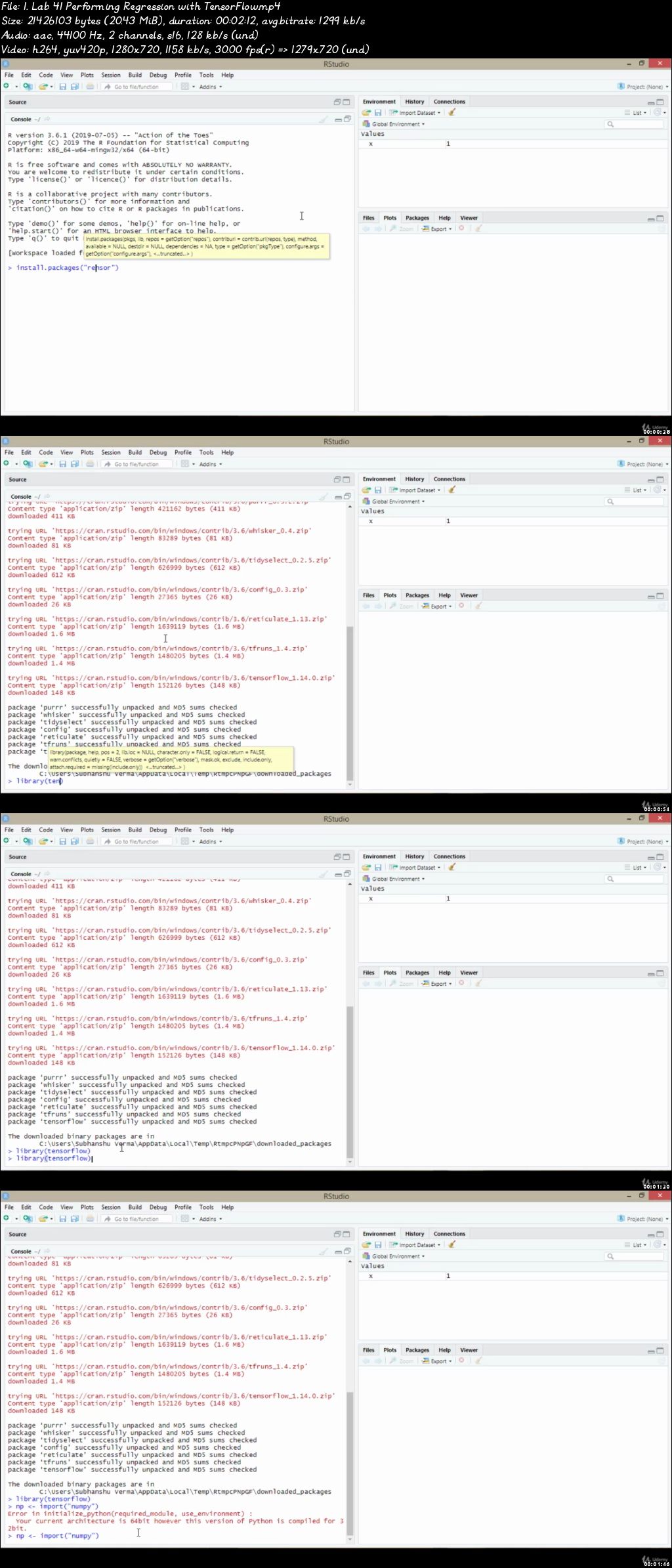
Lab 41 Performing Regression with TensorFlow

In this lab, we are going to perform regression with TensorFlow which aims to predict the output of a continuous value and provide the model with a description.


Module 09: First Machine Learning

Video 36_Machine Learning with Dataset and Iris Dataset Implementation

In this video, we are going to learn the use of Multiple Measurements in Taxonomic Problems with 50 samples each as well as some properties about each flower in Machine learning with dataset and iris dataset implementation.

Lab 42 Machine Learning with Dataset

In this lab, we will learn machine learning with a dataset that contains a handful number of great datasets that can be used to build computer vision (CV) models.

Video 37_Evaluation of Algorithms with Model and Selecting Best Model

In this video, we are going to learn about the algorithm over a training dataset with different hyperparameter settings that will result in different models at where we selecting the best-performing model from the set in evaluating of algorithms with model and selecting the best model.

Lab 43 Evaluation of Algorithms with Models

In this lab, we are going to perform evaluation of algorithms with models which is an integral part of the model development process and it also helps to find the best model algorithms that need a validation set.


Module 10: Artificial Neural Networks

Video 38_Demonstration of sample Neural Network

In this video, we will learn that how we can demonstrate a neural network by taking a sample in this at where discuss its different features.

Video 39_Prediction Analysis of Neural Network and Cross-Validation Box Plot

In this video, we will understand how we can perform prediction analysis of neural networks and learn how we can cross-validate our data while using boxplot by discussing both.


Module 11: Cluster Generation

Video 40_Clustering

In this video we'll be discussing about clustering which is a task of grouping a set of objects in such a way that objects in the same group (called a cluster) are more similar (in some sense) to each other than to those in other groups (clusters).

Video 41_Cluster Generation Output Analysis

In this video, we are going to learn all about cluster generation at where we understand that how we can perform a specific task and gets a specific output in cluster generation output analysis.


Module 12: Decision Trees

Lab 44 Plotting a Decision Tree

In this lab we are going to plot a decision tree which is basically a binary tree flowchart where each node splits a group of observations according to some feature variable.


Module 13: Text Mining

Video 42_ Text Mining

In this video we are going to understand the process of exploring and analyzing large amounts of unstructured text data aided by software that can identify concepts, patterns, topics, keywords and other attributes in the data in text mining.

Lab 45 Text Mining with R

In this lab, we will be performing text mining with R which contains each document or set of text, along with some meta attributes that help describe that document.


Module 14: Beginning the Data Science Journey

Video 43_Data Science

In this video, we will be discussing the data science which is the study of where information comes from, what it represents and how it can be turned into a valuable resource in the creation of business and IT strategies.

Video 44_Why is Data Science so important?

In this video we will learn the different methods in data science and understand how the data would be represented in better form and why it is so important.

Video 45_Python Data Science Ecosystem

In this video, we are going to learn the whole ecosystem of python at where we understand how we can load the libraries in order to perform data science tasks in Python.


Module 15: Introducing Jupyter

Video 46_Basics of Jupyter

In this video, we are going to understand the main components like the kernels and the dashboard where it has the kernel for python code in Jupyter basics.

Lab 46 Installing Anaconda

In this lab, we are going to learn about how we can install Anaconda in windows as per your system requirements.

Lab 47 Starting with jupyter

In this lab, we are going to learn about how we can use Jupyter which allows you to start more than just Notebooks at where you can also create a text file, a folder, or a Terminal in your browser.

Lab 48 Basics of jupyter

In this lab, we are going to learn the basics of Jupyter which are necessary to understand while you are giving several commands in Jupyter.

Video 47_Markdown Syntax

In this video we are going to learn about the format for writing for the web in Jupyter while using the Markdown syntax function.

Lab 49 Working with Markdown Syntax

In this lab, we will be working on markdown syntax which is to be used as a format for writing for the web.


Module 16: Understanding Numerical Operations with NumPy

Video 48_1D Arrays with NumPy

In this video, we will be discussing the NumPy at where we learn about the 1-dimension array and understand its different features and know about different libraries and tools like Pandas in 1D arrays with NumPy.

Lab 50 1D arrays with numpy

In this lab, we will learn how we can create a 1-dimensional array with NumPy at where you can get the particular array object which discovers vectors, matrices, tensors, matrix types, matrix factorization, etc.

Video 49_2D Arrays with NumPy

In this video, we are going to learn about how the 2-dimensional arrays work by importing different libraries and tools in 2D Arrays with NumPy.

Lab 51 2D Arrays with NumPy

In this lab, we will learn how we can create a 2-dimensional array with NumPy at where you can get an array object which discovers several dimensions that have a container of items of the same type and size.

Video 50_Functions in NumPy

In this video, we will understand different functions of NumPy which contains a large number of various mathematical operations and provides standard trigonometric functions, functions for arithmetic operations, handling complex numbers, etc.

Lab 52 Functions in NumPy

In this lab we are going to perform different functions of NumPy which contains a large number of various mathematical operations and also provides a standard trigonometric function, functions for arithmetic operations, handling complex numbers, etc.

Video 51_Random Numbers and Distributions in NumPy

In this video, we will learn the different random numbers like its dftype , np . int etc in NumPy and understand how we can demonstrate it using several distributions in NumPy.

Lab 53 Random Numbers and Distributions in NumPy

In this lab, we will learn about the random numbers which return an array of specified shape and fills it with random integers and the several distributions with NumPy while using Jupyter.


Module 17: Data Preparation and Manipulation with Pandas

Video 52_Pandas Package

In this video we are going to understand the pandaspackage which is an open-source, BSD-licensed library providing high-performance, easy-to-use data structures and data analysis tools for the Python programming language.

Video 53_Read in Data Files &Subsetting DataFrames

In this video we will understand how we can read a CSV file into a pandas' DataFrame and how we can subset data frame using subset function which let us subset the data frame by observations.

Lab 54 Subsetting DataFrames

In this lab, we will learn how we can subset our data for the selection of data frame elements that look something like the df[ ] df. loc[ ].

Video 54_Boolean Indexing in DataFrames

In this video we are going to learn all about Boolean Indexing in DataFrames at where we have to give each row of the DataFrame (or value of a Series) will have a True or False value associated with it depending on whether or not it meets the criterion.

Lab 55 Boolean Indexing in DataFrames

In this lab we will learn how we can perform Boolean indexing in each row of the DataFrame (or value of a Series) that have a True or False value associated with it, depending on whether or not it meets the criterion.

Video 55_Summarizing and Grouping Data

In this video, we will discuss aggregating functions that sometimes the user needs to view the summary of the data and learn how we can group data by columns or rows you select, which helps you better to understand your data.

Lab 56 Summarizing and Grouping Data

In this lab, we are going to learn how we can summarize and group our data which contains aggregated values useful for analyzing the data and provides aggregate functions to generate the summarized and grouped data.


Module 18: Visualizing Data with Matplotlib and Seaborn

Lab 57 Graphs with Matplotlib

In this lab, we will understand the graphs with matplotlib which is a collection of command style functions that make matplotlib that will introduce you to graphing in python with Matplotlib.


Module 19: Introduction to Machine Learning and Scikit-learn

Video 56_Types of Machine Learning

In this video we will learn the semi-automated extraction of knowledge from data and understand the different sub-categorized types of machine learning methods.

Video 57_Introduction to Scikit learn

In this video we will learn about the different methods of cleaning, uniforming, and streamlined API, as well as by very useful and complete online documentation in introduction to Scikit learn.


Module 20: Building Machine Learning Models with Scikit-learn

Video 58_Linear, Logistic, K-Nearest, Decision Trees, Random Forest

In this video, we will discuss different regression and its classification like Linear, Logistic, k-Nearest, Decision Trees, Random Forest etc.

Lab 58 Working with Linear Regression

In this lab, we will be performing linear regression which is a basic and commonly used type of predictive analysis, which is used to examine things and shows a straight line through data points.

Lab 59 Working with K-means Clustering

In this lab we are working with K-means clustering which is used when you have unlabeled data and works iteratively to assign each data point to one of K groups based on the features that are provided.


Module 21: Model Evaluation and Selection

Video 59_Performance Metrics

In this video we are going to learn about the figures and data representation of an organization's actions, abilities, and overall quality and different forms of performance metrics, including sales, profit, return on investment, customer happiness, customer reviews, personal reviews, overall quality, and reputation in a marketplace in performance metrics.

Lab 60 Working on Performance Metrics

In this lab we are going to understand about the use of metrics to understand and evaluate employee performance that can be essential for identifying objects.

Video 60_Cross-Validation

In this video, we will understand a technique used to protect against overfitting in a predictive model, particularly in a case where the amount of data may be limited and learn how we can cross-validate data in cross-validation.

Lab 61 Hands-on with Cross-Validation

In this lab, we will understand cross-validation which is a method of evaluating a machine learning model's performance across random samples of the dataset.

Video 61_Grid Search

In this video, we will be discussing grid search which is the process of scanning the data to configure optimal parameters for a given model and build a model on each parameter combination possible which iterates through every parameter combination and stores a model for each combination.


Module 22: Getting Started with Python and Machine Learning

Video 62_Introduction to Machine Learning

In this video we are going to learn about the artificial intelligence (AI) that provides systems the ability to automatically learn and improve from experience without being explicitly programmed in machine learning.

Lab 62 Installing Software and Setting Up

In this lab we'll learn about the step by step installation of a software by understanding its different setting. In this video, we will be setting-up the software.


Module 23: Exploring the 20 Newsgroups Dataset with Text Analysis Algorithms

Video 63_Exploring the 20 Newsgroups Dataset with Text Analysis Algorithms

In this video we will learn how we can explore the 20 newsgroups dataset with the text analysis algorithms by discovering serval algorithms and different techniques in it.

Lab 63 Touring Powerful NLP Libraries in Python

In this lab we'll be touring the powerful libraries of NPL in python where these packages handle a wide range of tasks such as part-of-speech (POS) tagging, sentiment analysis, document classification, topic modeling, etc.

Lab 64 Getting the Newsgroups Data

In this lab, we'll be learning how we can get newsgroups data which is a collection of approximately 20,000 newsgroups so every unique word will have a unique value in our dictionary which is the most commonly used algorithm for text classification, Naive Bayes, etc.

Lab 65 Thinking about Features

In this lab, we will learn about the different features that are needed to fulfill the work and helps us to gather great ideas that can be done while using the tool.

Lab 66 Working with Visualization

In this lab we will understand that how we represent information and data in a graphical form by using visual elements like charts, graphs, data visualization tools that provide an accessible way to see and understand trends, outliers, and patterns in data.

Video 64_Data Preprocessing and Topic Modeling

In this video, we will understand statistical modeling for discovering the abstract "topics" that occur in a collection of documents and learn how we can preprocess our data in Data preprocessing and Topic Modeling.


Module 24: Spam Email Detection with Naïve Bayes

Video 65_Exploring Naïve Bayes

In this video, we'll be discussing exploring Naïve Bayes at where we can explore naïve Bayes that can make an assumption that the predictor variables are independent of each other.


Lab 67 Model Tuning and Cross-validation

In this lab, we'll perform Model tuning and cross-validation which is the process of training learners using one set of data and testing it using a different set and selecting the values for a model's parameters that maximize the accuracy of the model and validate it.


Module 25: News Topic Classification with Support Vector Machine

Video 66_The Mechanics of SVM

In this video, we will discuss the mechanics of the support vector machine which is a linear model for classification and regression problems that can solve linear and non-linear problems and work well for many practical problems.

Lab 68 The Implementations of SVM

In this lab, we will perform the implementation of the support vector machine (SVM) that provides analysis of data for classification and regression analysis while they can be used for regression, and is mostly used for classification.

Video 67_The Kernels of SVM

In this video, we'll learn about the function of kernel that is to take data as input and transform it into the required form in the kernels of support vector machines (SVM).

Lab 69 The Kernels of SVM

In this lab we will work on function of kernel that can take data as input and transform it into the required form in the kernels of the support vector machine (SVM).


Module 26: Click-Through Prediction with Tree-Based Algorithms

Video 68_Decision Tree Classifier

In this video we are going to learn how we can build classification or regression models in the form of a tree structure which breaks down a dataset into smaller and smaller subsets while at the same time an associated decision tree is incrementally developed.

Lab 70 Decision Tree Classifier

In this lab, we will learn about the decision tree classifier which builds classification or regression models in the form of a tree structure and breaks down a dataset into smaller and smaller subsets while at the same time an associated decision tree is incrementally developed.

Video 69_The Implementation of Decision Tree

In this video, we will understand how we can implement a decision tree by making several predictions with criterion information for achieving the dataset in Decision tree.

Lab 71 Random Forest banging a Decision Tree

In this lab, we will be learning about the random forest banging a Decision tree which is an ensemble bagging algorithm to achieve low prediction error and also reduces the variance of the individual decision trees by randomly selecting trees and then either average them or picking the class that gets the most vote.


Module 27: Click-Through Prediction with Logistic Regression

Video 70_Logistic Regression Classifier

In this video, we'll be discussing logistic regression which is basically a supervised classification algorithm. In this classification problem, the target variable(or output), y, can take only discrete values for a given set of features(or inputs), X.

Lab 72 Working on Logistic Regression Classifier

In this lab we will learn about the logistic regression classifier which classifies the target variable(or output), y, can take only discrete values for a given set of features(or inputs), X for the contrary to popular belief, logistic regression (IS) a regression model.

Video 71_Click Through Prediction with Logistic Regression by Gradient Descent

In this video, we will discuss click-through prediction which predicts clicks and works with logistic regression by using gradient Descent at where it preprocesses data and the feature selection techniques would be done.

Lab 73 Working on Feature Selection via Random Forest

In this lab, we will work on feature selection via random forest which is a process of identifying only the most relevant features which are used by random forests naturally ranks by how well they improve the purity of the node.


Module 28: Stock Price Prediction with Regression Algorithms

Video 72_Stock Price Prediction with Regression Algorithms

In this video we will learn how we can predict the future stock price with the technique, which provide relevant links by using several regressions and different algorithms in it.

Lab 74 Predicting Stock Price with Regression Algorithms

In this lab, we will work on predicting stock price with regression algorithms where the model overfits to the date and month column instead of taking into account the previous values from the point of prediction. The model will consider the value from the same date a month ago, or the same date/month a year ago while getting it.

Video 73_Data Acquisition and Feature Generation

In this video we are going to learn about the Data acquisition by which we can gather signals from measurement sources and digitizing the signals for storage, analysis, and presentation on a PC and understand different feature generation.

Video 74_Regression Performance Evaluation

In this video, we will understand the regression performance against the ground truth at where we can evaluate it and compelled it to provide a necessary explanation regression performance evaluation.


Module 29: Best Practices

Video 75_Best Practices

In this video, we will work on different methods that we've learned like different regression, distributions, generations and several methods.

Lab 75 Best Practices in the Training Sets Generation Stage

In this lab we will learn Best practices in the training sets generation stage with well-prepared data that is safe to move on with the generation stage with their redefined training sets.

Lab 76 Best Practices in the Deployment and Monitoring Stage

In this lab, we will work on the Best Practices in the Deployment and Monitoring Stage at where you deploy code. And, also it will ensure that you're sufficiently monitoring production for the metrics that matter to your engineers and your business.

Who this course is for:

All Level

0078b773.jpg


Cisco Nexus Training : Go from Beginner to Advanced! (Update)

e-Zijard-V776-Mood-XGh-Iy-R9-Yd-EZir9y-KX.jpg


Cisco Nexus Training : Go from Beginner to Advanced! (Update)
Bestseller | h264, yuv420p, 1280x720 |ENGLISH, aac, 44100 Hz, 2 channels | 31h 46mn | 12.54 GB
Created by: Ashish

Deep dive in Policies & Network Configuration of Cisco Nexus 9K, 7K, 5K, FEX, OTV, VDC, VPC, Fabric Path, ACI, Python...
What you'll learn

Understand the Models and Overview of Nexus 2000 aka Fabric Extender, 5000, 7000 Series Devices
Understand the Models and Overview of Nexus 9000 as known as ACI (Application Centric Infrastructure)
Understand Cisco Nexus's Licenses and way to Configure
Understand Features and Feature-Set in NXOS
Understand the Command Line Interface of NXOS
Understand the Initial Setup and Reload of Nexus 5000
Understand Port Profiles in Nexus Platform
Understand CFS (Cisco Fabric Services)
Understand the concept and operation of VDC (Virtual Device Context)
Learn to Create and Delete VDC and it's naming convention
Configure and Operate FEX ( Fabric Extender)
Understand the Concept of vPC (Virtual Port Channel)
Configure vPC PeerKeepalive and vPC Peer Link between Peer Switches
Configure vPC on Cisco Nexus 7000
Configure Multiple vPC
Configure vPC between 5K and FEX
Understand the Case Studies in vPC
Understand the concept of Fabric Path
Understand Traditional versus Conversational Mac Learning
Initial Configuration of FabricPath
Configure Switch ID and Verify FabricPath
Understand Fabric Path Database
Configure vPC+ in FabricPath and Verify it's operation
Understand OTV( Overlay Transport Virtualization)
Configure OTV and Verify it's operation
Understand and Configure SPAN, ERSPAN
Setup and Configure CheckPoint and Rollback Options
Configure Wireshark Capture in Control Plane and Data Plane
Configure Netflow, RBAC, DHCP Snooping in NXOS
Configure Storm Control and GOLD (Generic Online Diagnostics)
Configure RPVST+ and verify it's operaton
Understand PVLAN and Configure on Cisco Nexus Platform
Configure EIGRP and OSPF In Cisco Nexus
Configure HSRP, VRRP and GLBP in Cisco Nexus
Understand ACI( Application Centric Infrastructure)
Understand APIC Hardware and it's functionality
Discovery and Initial config of switches
Understand System and Device Healthscore and Dashboard
Understand and Configure Tenant, Context and Bridge Domain in ACI
Understand the Forwarding in ACI
Configure Interface Policy and Interface Policy Groups
Configure Switch Profile and Interface Profile

Requirements

OSI Model, Routing Protocols, Switching Technologies, Port channels, RSTP, Subnetting
Students should be having understanding of Basic to Medium Size Network
GNS3 will NOT work for Nexus. It's Student's responsibility to test and practice these on REAL Devices such as Nexus 7000 and 5000 Series.
Those taking this course should have a basic knowledge of Networking e.g Static Routing, IP Addressing, Average Knowledge of Dynamic Routing.

Description

Become a Datacenter Engineer and learn one of employer's most request skills of 2019!

This is the most comprehensive, yet straight-forward, course for the "Cisco Nexus Training" on Udemy!

You probably have heard the word "Datacenter" or "Cisco Nexus" in your career. It is a place where most critical servers and network devices are hosted. You also understand the fact that these server and network devices such as Cisco Nexus 7000 provide 100% Uptime to clients. Cisco Nexus Switch has features such as VDC ( Virtual Device Contexts), VPC (Virtual Port Channel), Fabric Path , FEX, OTV, CheckPoint and Rollback, TrustSec, Ethereal/Wireshark and Many more. All of these features are unique in Cisco Nexus 7000 and Cisco Nexus 5000.

NX-OS is the operating System used in Nexus Devices. It is very different from IOS however, once you start using it, you will notice that It is very easy to operate. Some of the other benefits and advantages it has are - Virtualization, Flexibility, Resiliency, Scalability, Security, Unified Datacenter OS etc.

Following Topics will be covered in this Cisco Nexus Training Course.

1. NX-OS Basic Operations

NX-OS Functionality

Licenses detailed explanation

Features and Feature-Set

Initial Setup of Cisco Nexus 5000 and Reload

Cisco Fabric Services ( CFS)

2. Virtual Device Context ( VDC)

VDC concepts explanation

VDC creation and Deletion

Port movement between VDCs

VDC Combined Name Options

3. Cisco Nexus 2000 ( FEX )

Labs on Fabric Extenders

FEX Troubleshooting

4. vPC ( Virtual Port Channel)

Understanding vPC

Configuring vPC Peer Keepalive

Configuring vPC Peer Link

Configuring Port Channels

Simple vPC Lab

Multiple vPC Lab ( Double vPC)

vPC between 5K and 2K

Case Studies of Link Down

5. Fabric Path in Cisco Nexus 7000 & 5000

Fabric Path Overview

Traditional MAC Learning

Conversational MAC Learning

Initial Configuration

Switch ID in Fabric Path

Understanding vPC+ in FabricPath

vPC+ Lab

Verification and Troubleshooting Labs of vPC+

6. FHRP ( First Hop Redundancy Protocols)

HSRP Configuration in Cisco Nexus Environment

Securing HSRP

Lab on VRRP

Lab on GLBP

7. Routing Protocols

EIGRP Lab

8. Additional Labs

Setting up Checkpoints

Setting up Rollbacks

PVLAN in Cisco Nexus

RPVST+ Configuration

Altering Timers in STP

9. OTV (Overlay Transport Virtualization ) - Updates on 6 APRIL 2020

10. RBAC & DHCP Snooping -

11. Ethereal/Wireshark in Cisco Nexus 7000 -

12. Gift of Python course is also added.

Many more Labs of Cisco Nexus Switches will be added whenever I get opportunity. As you can see that it has more than 1000+ students and count increasing every day. It is bestseller and highly rated course

So this Cisco Nexus Training Course is going to be really helpful.

You will get lifetime access to over 60 lectures plus corresponding Notebooks for the lectures!

This course comes with a 30 day money back guarantee! If you are not satisfied in any way, you'll get your money back. Plus you will keep access to the Notebooks as a thank you for trying out the course!

So what are you waiting for? Learn "Cisco Nexus Training: Go from Beginner to Advanced!" in a way that will advance your career and increase your knowledge, all in a fun and practical way!

Here are some of the users who appreciated the course with below comments

Ajaz Ahmed - One of the finest course on Udemy for learning Cisco Nexus Devices, the Instructor ( Ashish ) used his best way to explain everything about Nexus which you can find in Production Networks. I was just a beginner when I started this, but after completing this course, I got a very good grip / Knowledge on Nexus Family. The instructor is always ready to clear your doubts. I insist ,if anyone wants to learn about Cisco Nexus, then this course is FOR YOU!!Thanks Ashish for the course, the way you explain it just OUTSTANDING.

Justin Swanson - Exceptional course put on by Ashish. I just started having to configure some Nexus switches at work; mainly 3500 series but the concepts, etc. are the same. I gave 4 stars at first as some of the drawings/handwriting using MS paint are a bit messy, but after continuing through the course, the content far outweighs this. I especially like in the vPC portion that he doesn't just go over a configuration once and the subsequent expects you remember it all already; he really drills into your head all the necessary steps. I would whole heartedly recommend for anyone interested in learning NX-OS and its features.

Cyrus Ramirez - Excellent detail.. Real world information. I've used these videos to help me with my day to day work in my nexus environment. Thank you

Sandeep Prajapati - It's a Good Overview course of nexus 5K, 7K learning. Trainer is skilled pretty good & enough.

I wish this could have been in more details. But over all it's a nice one for grabbing a fair understanding to pick up the other advanced learning materials comfortably.

Ron Ferriolo - I thought the course was very good. It was much more than just an overview of Nexus. It contained theory, detailed configuration, and numerous show command outputs from beginning-to-end including many real world scenarios such as installing, updating, and backing up license files. There was a lot of emphasis on vPC & FabricPath configuration and troubleshooting which will be the focus of any interview. There were also several "show" commands that I never encountered in my CCIE Data Center studies. I would recommend this course to anyone, whether they have studied Nexus previously or not. If you have access to Nexus physical or virtual devices, the course will be even that much more valuable. Hopefully there will be more to follow.

Tim Pastick - Love it have been working on Nexus switches for 6 months now in a production environment and never had one show me so much useful information behind the scenes. Normally just adding port-profiles etc.

Darby Weaver - Excellent Review Course. Clear Essentials. Much needed. Thanks Darby Weaver The Cisco Network Architect

Devinder Sharma - Excellent course at great price. The OS version used is bit old based on what is best available to him ,and instructor can add a slide lecture, without actual configuration tutorial, highlighting the new features in versions 7 and 8 as well as mention newer platforms like 7700 and 9000 and new line cards. Overall great product.

If you have any issues or questions, send it to me or ask in course forum. I will jump to assist you.
Who this course is for:

Students who have experience of Cisco Switches and Routers should go for this Cisco Nexus NX-OS Lab course
Network students who are aspiring to work in Datacenter Networks should apply for this.
Students should have uderstanding on IOS, STP, Port channels, OSI Model, Subnetting can apply for this

2-Nexus-70007700-Chassis-and-Supervisor-Engine-Introduction-s.jpg


Character Creation Guide: Intro to PBR Assets for Games

b-S3dvtbca-ZU7-Cw-Kqz7-GWXfex-LJq-DWnki.jpg


Character Creation Guide: Intro to PBR Assets for Games
Genre: eLearning | MP4 | Video: h264, 1920x1080 | Audio: AAC, 48.0 KHz
Language: English | VTT | Size: 7.2 GB | Duration: 9 hours

3D Character Modeling Game Development for Unity. PBR techniques utilizing Maya, Zbrush, Substance Painter, & Photoshop

Description
Hi there! Welcome, and thanks for choosing Class Creative's Complete Character Creation Guide: Intro to PBR Assets for Games!!

In this foundational course we will be learning the fundamentals of Character Modeling, where we will cover the following core skill sets:

Sculpting, Optimization, Texturing, and Character Setup

We'll be utilizing the latest software packages that top tier gaming studios of today use to create all of your favorite titles! The software packages that we'll be covering are:

Zbrush, Maya, Substance Painter, Unity Game Engine, and Marmoset Toolbag 3.

Why Learn From Class Creatives?

Over 20 years of professional industry experience and nearly a decade of accredited university level instruction. Instructors featured from Studios such as Walt Disney Animation Studios, Walt Disney Television, Google, Nintendo, Naughty Dogg, Sony Computer Ent, Sucker Punch, Guerrilla Games, Infinity Ward, and more!

Who This Course is For:

The great thing about this course, is that we has something in store for everyone. Whether you are just a beginner interested in Character Creation, or a Master professional looking to brush up on your current skill set, this course has material you surely won't want to miss!

As with all Class Creative's courses, we've laid out a structure that covers the full spectrum of industry standard character workflows from start to finish.

Please remember, if this is your first time creating a 3D character, we highly recommend that you follow the outline carefully, according to how our instructors have structured the course. We wouldn't want you to miss out on any details!

However, if you are an advanced user and are looking for something specific to add to your repertoire feel free to dive in and skip to any sections you'd like to focus on.


What you'll learn
Model and sculpt high quality PBR assets for game development
Gain a strong understanding of Topology
Execute professional UV pipeline workflows
Bake high fidelity sculpts to lower resolution assets
PBR character texturing utilizing industry standard techniques
Import and light final assets in Unity and Marmoset

Homepage

7-Finalizing-the-Wheel-s.jpg


Build Instagram to Master Swift 4 and Firebase

I0-SPc5-BHrac-N7-Dd-OGvuh-H8pn4t-Z6-BXTo.jpg


Build Instagram to Master Swift 4 and Firebase
h264, yuv420p, 1280x720 |ENGLISH, aac, 44100 Hz, 2 channels | 19h 20mn | 14 GB
Created by: The Zero2Launch Team

We offer you the biggest iOS social network course on the internet.
What you'll learn

High-level thinking to become a great iOS developer
Build real world applications which can be published on the app store right away to serve millions of users.
Design attractive UI for iOS apps.
Be able to realize your idea
Design your app
Give likes, exactly same as in Instagram
and many many more!

Requirements

You need a Mac, with XCode 10 installed (which is free).
You should know Swift 4 basic.

Description

We offer you the biggest iOS social network course on the internet. By building this massive social network, you will master every crucial iOS programming concepts and skills which are vital for building high-value apps. You will be influent in using Firebase as a backend for real-time applications.

Build attractive walkthrough scenes.

Implement a comprehensive authentication system:

login and signup with emails,

send signup confirmation emails to users,

reset password for existing users.

Efficiently model super complex social networks with

News feed,

Posts,

User profiles,

Notifications,

Search.

Let users post photos and videos; design and apply attractive filters to photos.

Let users comment, like, and share posts; show comment and post dates.

Let users follow each others; mention a user in a post or comment.

Build a hashtag system.

Implement a real-time notification feature:

User receives notifications when a post got commented, liked, or shared; or when there is a new follower.

User gets notifications when there is a new post from a followed user.

Allow users search username, and popular posts.

Who this course is for:

Who know a bit of iOS programming but still don't know how to build a complete, viable iOS app.
Anyone who wants to learn iOS programming.
Anyone who wants to turn ideas into professional apps that can serve millions of users.
Anyone wanting to learn how to build full Instagram app
Anyone wanting to learn how to build social apps, like Twitter, Facebook, Vine, Tumblr, Flickr, etc
Anyone who fed up with empty promises of Instructors and want to learn to create FULL app with designing and coding all details

4-Mute-and-Unmute-Videos-Automatically-Mute-Videos-When-Scrolling-View-s.jpg


Zurück
Oben Unten