• Regeln für den Video-Bereich:

    In den Börsenbereich gehören nur Angebote die bereits den Allgemeinen Regeln entsprechen.

    Einteilung

    - Folgende Formate gehören in die angegeben Bereiche:
    - Filme: Encodierte Filme von BluRay, DVD, R5, TV, Screener sowie Telesyncs im Format DivX, XviD und x264.
    - DVD: Filme im Format DVD5, DVD9 und HD2DVD.
    - HD: Encodierte Filme mit der Auflösung 720p oder darüber von BluRay, DVD, R5, TV, Screener sowie Telesyncs im Format x264.
    - 3D: Encodierte Filme von BluRay, die in einem 3D Format vorliegen. Dies gilt auch für Dokus, Animation usw.
    - Serien: Cartoon/Zeichentrick, Anime, Tutorials, Dokumentationen, Konzerte/Musik, Sonstiges sind demnach in die entsprechenden Bereiche einzuordnen, auch wenn sie beispielsweise im High Definition-Format oder als DVD5/DVD9/HD2DVD vorliegen. Ausnahme 3D.
    - Bereich Englisch: Englische Releases gehören immer in diesen Bereich.
    - Bereich Talk: Der Bereich, in dem über die Releases diskutiert werden kann, darf, soll und erwünscht ist.


    Angebot/Beitrag erstellen

    - Ein Beitrag darf erst dann erstellt werden, wenn der Upload bei mindestens einem OCH komplett ist. Platzhalter sind untersagt.
    - Bei einem Scenerelease hat der Threadtitel ausschließlich aus dem originalen, unveränderten Releasenamen zu bestehen. Es dürfen keine Veränderungen wie z.B. Sterne, kleine Buchstaben o.ä. vorgenommen werden. Ausnahme Serienbörse:
    - Bei einem Sammelthread für eine Staffel entfällt aus dem Releasename natürlich der Name der Folge. Beispiel: Die Simpsons S21 German DVDRip XviD - ITG
    - Dementsprechend sind also u.a. verboten: Erweiterungen wie "Tipp", "empfehlenswert", "only", "reup", usw. / jegliche andere Zusatzinformation oder Ergänzung, welche nicht in obiger Beschreibung zu finden ist.

    Aufbau des Angebots und Threadtitel

    Der Titel nach folgendem Muster erstellt zu werden. <Name> [3D] [Staffel] [German] <Jahr> <Tonspur> [DL] [Auflösung] <Quelle> <Codec> - <Group>
    Beispiel: The Dark Knight German 2008 AC3 DVDRip XviD - iND
    Beispiel: The Dark Knight 2008 DTS DL BDRip x264 - iND
    Beispiel: The Dark Knight 2008 AC3 DL BDRip XviD - iND
    Beispiel: The Dark Knight German 2008 AC3 720p BluRay x264 iND
    Beispiel: The Dark Knight 2008 DTS DL 1080p BluRay x264 iND
    Beispiel: Die Simpsons S01 German AC3 DVDRip XviD iND
    Beispiel: Die Simpsons S20 German AC3 720p BluRay x264 iND
    Beispiel: Sword Art Online II Ger Sub 2014 AAC 1080p WEBRip x264 - peppermint
    Entsprechend sind also u.a. verboten: Sonderzeichen wie Klammern, Sterne, Ausrufezeichen, Unterstriche, Anführungszeichen / Erweiterungen wie "Tipp", "empfehlenswert", "only", "reup", usw. / jegliche andere Zusatzinformation oder Ergänzung, welche nicht in obiger Beschreibung zu finden ist
    Ausnahmen hiervon können in den Bereichen geregelt sein.

    Die Beiträge sollen wie folgt aufgebaut werden:
    Überschrift entspricht dem Threadtitel
    Cover
    kurze Inhaltsbeschreibung
    Format, Größe, Dauer sind gut lesbar für Downloader außerhalb des Spoilers zu vermerken
    Nfo sind immer Anzugeben und selbige immer im Spoiler in Textform.
    Sind keine Nfo vorhanden z.B. Eigenpublikationen, sind im Spoiler folgende Dateiinformationen zusätzlich anzugeben :
    Quelle
    Video (Auflösung und Bitrate)
    Ton (Sprache, Format und Bitrate der einzelnen Spuren)
    Untertitel (sofern vorhanden)
    Hosterangabe in Textform außerhalb eines Spoiler mit allen enthaltenen Hostern.
    Bei SD kann auf diese zusätzlichen Dateiinformationen verzichtet werden.

    Alle benötigten Passwörter sind, sofern vorhanden, in Textform im Angebot anzugeben.
    Spoiler im Spoiler mit Kommentaren :"Schon Bedankt?" sind unerwünscht.


    Releases

    - Sind Retail-Release verfügbar, sind alle anderen Variationen untersagt. Ausnahmen: Alle deutschen Retail-Release sind CUT, in diesem Fall sind dubbed UNCUT-Release zulässig.
    - Im Serien-Bereich gilt speziell: Wenn ein Retail vor Abschluss einer laufenden Staffel erscheint, darf diese Staffel noch zu Ende gebracht werden.62
    - Gleiche Releases sind unbedingt zusammenzufassen. Das bedeutet, es ist zwingend erforderlich, vor dem Erstellen eines Themas per Suchfunktion zu überprüfen, ob bereits ein Beitrag mit demselben Release besteht. Ist dies der Fall, ist der bereits vorhandene Beitrag zu verwenden.
    - P2P und Scene Releases dürfen nicht verändert oder gar unter einem iND Tag eingestellt werden.


    Support, Diskussionen und Suche

    - Supportanfragen sind entweder per PN oder im Bereich Talk zu stellen.
    - Diskussionen und Bewertungen sind im Talk Bereich zu führen. Fragen an die Uploader haben ausschließlich via PN zu erfolgen, und sind in den Angeboten untersagt.
    - Anfragen zu Upload-Wünschen sind nur im Bereich Suche Video erlaubt. Antworten dürfen nur auf Angebote von MyBoerse.bz verlinkt werden.


    Verbote

    - Untersagt sind mehrere Formate in einem einzigen Angebotsthread, wie beispielsweise das gleichzeitige Anbieten von DivX/XviD, 720p und 1080p in einem Thread. Pro Format, Release und Auflösung ist ein eigener Thread zu eröffnen.
    - Grundsätzlich ebenso verboten sind Dupes. Uploader haben sich an geeigneter Stelle darüber zu informieren, ob es sich bei einem Release um ein Dupe handelt.
    - Gefakte, nur teilweise lauffähige oder unvollständige Angebote sind untersagt. Dies gilt auch für eigene Publikationen, die augenscheinlich nicht selbst von z.B. einer DVD gerippt wurden. Laufende Serien, bei denen noch nicht alle Folgen verfügbar sind, dürfen erstellt und regelmäßig geupdatet werden.
    - Untersagt sind Angebote, welche nur und ausschließlich in einer anderen Sprache als deutsch oder englisch vorliegen. Ausnahmen sind VORHER mit den Moderatoren zu klären.


    Verstoß gegen die Regeln

    - Angebote oder Beiträge, die gegen die Forenregeln verstoßen, sind über den "Melden"-Button im Beitrag zu melden.
  • Bitte registriere dich zunächst um Beiträge zu verfassen und externe Links aufzurufen.


Englische Tutorials

Introduction to Data Structures & Algorithms

0078978a.jpg


Introduction to Data Structures & Algorithms
Video: .mp4 (1280x720, 30 fps(r)) | Audio: aac, 48000 Hz, 2ch | Size: 7.92 GB
Genre: eLearning Video | Duration: 87 lectures (16 hour, 25 mins) | Language: English

Learn Data Structure & Algorithm from Scratch


What you'll learn

They will learn about the whole world of Data Structures & Algorithms, about how the data can be stored & managed, with Least Time Complexity & Space Complexity .


Requirements

Basic Programming Knowledge.
Knowledge of any of the Programming Language(C/C++, Java, Python.)
C++ Preferred for the Course

Description


This course is for all those people who want to learn data structure and Algorithm from absolute basic to Intermediate level. We don't expect you to have any prior knowledge on Data Structure or Algorithm, but a basic prior knowledge of any Programming Language(preferably C++) will be helpful.

Thanks for stopping by !

Who this course is for:

Engineering Students, Software working professionals who wants to learn Data Structure & Algorithm and get a job in top product based companies.

00789789.jpg


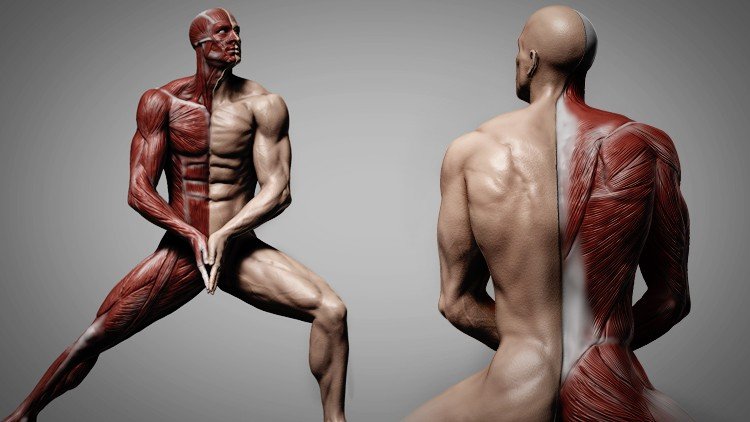
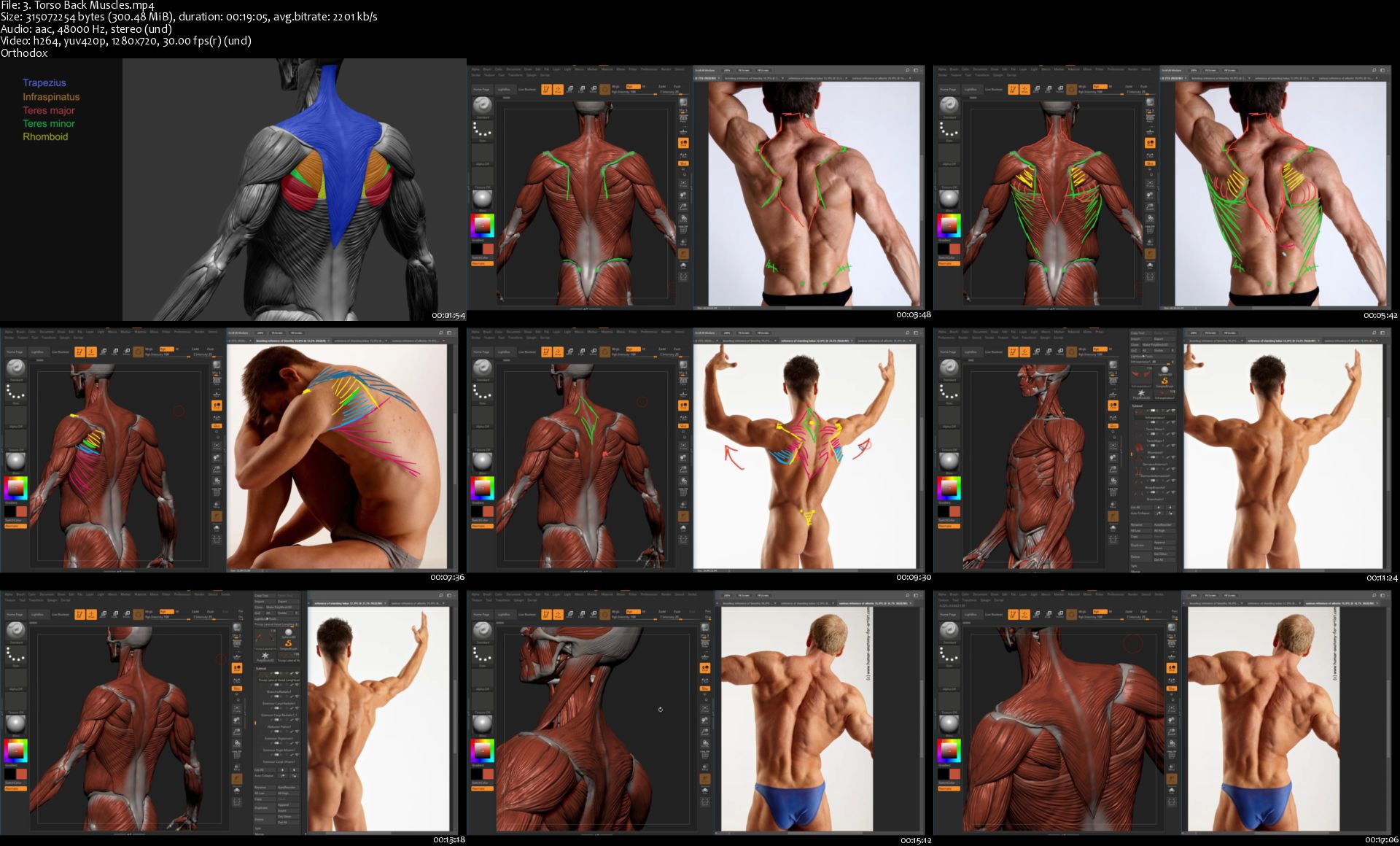
Human Anatomy for Artists using Zbrush and Photoshop

g-Ewo6-Yxy-LXL7-AK4lr19b-Nbpe-YPXJjo-XF.jpg


Human Anatomy for Artists using Zbrush and Photoshop
Highest Rated | h264, yuv420p, 1280x720 |ENGLISH, aac, 44100 Hz, Stereo | 4h 29mn | 18.2 GB
Created by: Victory3D LLC

Draw & Sculpt Modeling the Character Human Figure using Photoshop & Zbrush Get Great at Drawing Sculpting the Anatomy!
What you'll learn

Understand what makes up the human anatomy in depth
Draw and sculpt a more accurate presentation of the human body from head to toe
Digitally sculpt the human anatomy ecorche
Create more realistic drawing and sculpt
Identify bony landmarks and muscles on the human body

Requirements

Basic knowledge of Zbrush and Photoshop(or any drawing/painting program)

Description

Instructor Info

Corazon Bryant always had an artistic bone in her body. When she was only 2 years old, she would make detailed drawings on her mother's wall. Her mother loved the drawings so much, she decided to keep them. With the encouragement of her mother, she continued drawing and she only got better as time went by. When Corazon was in middle and high school, she earned money making portraits for her classmates and even for her teachers. She pursued a college degree in Media Arts & Animation and later worked for architectural and entertainment companies such as Camm Productions, ID DI Design, and PDT International. She also had an opportunity to do some freelance work for Mega Pickle Entertainment. While working as a 3D artist, she had a chance to teach 3D animation classes in an A+ school. This is when she found her true love - which is not only to talk about 3D endlessly but to also inspire greatness in young upcoming artists. Corazon is currently working on a new project called Victory 3D with fellow industry-experienced artists to provide an affordable and effective learning system that will make it easier for students to get a job in the 3D industry.

Course Info

Do you find it difficult to draw or sculpt a realistic character even after following a step-by-step tutorial? Have you tried multiple times to create a character and failed at making it look believable? Do you wish you can sketch a human figure without always needing a reference? Do you wish you can sculpt or draw faster? If you said yes to any of these questions, then it's time for you to dive into The Human Anatomy for Artists course. My name is Corazon Bryant, professional 3D artist and educator. I will be your instructor for this course. In this course, you will learn the human anatomy in depth. You will learn the important differences between the male and female anatomy. You will understand how the muscles are constructed from its origin to insertion, the way each individual muscle functions and how the muscles appear on a real human body depending on the pose, movement, or gender. If you are a 3D modeler, an animator, or a traditional artist, you will benefit from this course. Learning the anatomy is an enjoyable and very enlightening experience. Not only will you have fun but you will gain a deep sense of accomplishment knowing that you've become a better artist than you were yesterday. You will be taken to the process of drawing and sculpting the human anatomy and by the end of the course, your skills will be highly improved. The way you perceive the human body will never be the same again. Get out of the rut, upgrade your skills and join this course.
Who this course is for:

Those who want to improve their skills in drawing or sculpting characters
Artists who want to draw or sculpt faster
3D modelers who want to create more realistic characters
3D animators who want to create more believable movement/animation

Homepage

3-Torso-Back-Muscles-s.jpg


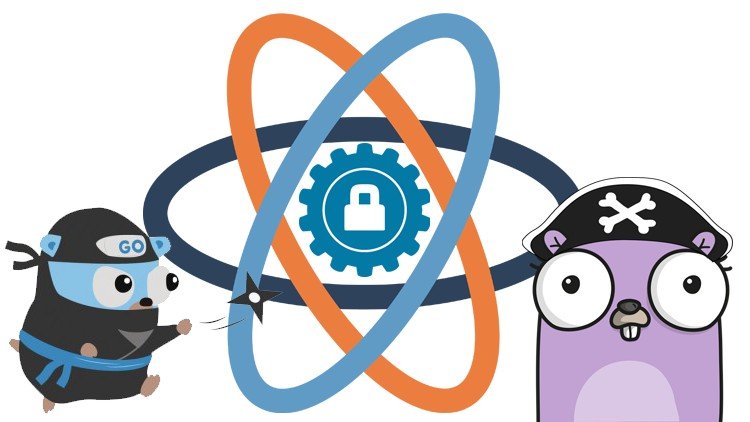
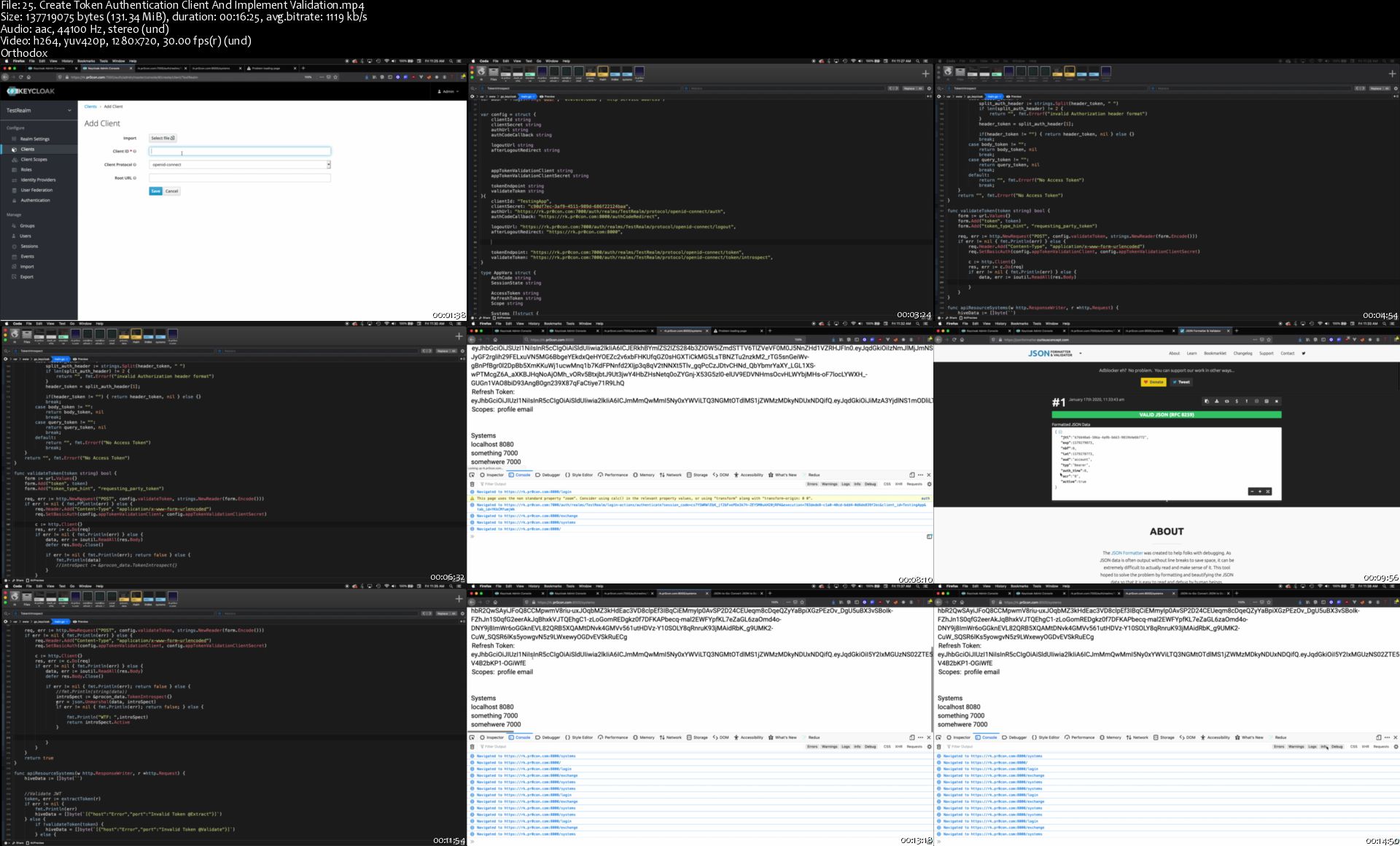
Fullstack GoLang React OAuth Flow w/ Node Included

Et-Lg-S0z-Zhfu04-ZWM9-VE9-DZ5-Upfn-JMjq3.jpg


Fullstack GoLang React OAuth Flow w/ Node Included
h264, yuv420p, 1280x720 |ENGLISH, aac, 44100 Hz, 2 channels | 13h 06mn | 6.02 GB
Created by: Zach LaCourse

Build our own custom Oauth Framework.
What you'll learn

Oauth with GoLang and Node

Requirements

Basic understanding of fullstack web development ( not 100% required )

Description

First we are going to explore setting up a Keycloak server. Second we will configure HTTPS via letsencrypt and Nginx to cancel our Certs. Next well create our own authentication server and resource server in both GoLang and Node. Last we will chop it all up and create a micro Authentication protocol specifically for websockets.
Who this course is for:

Web Dev Hobbyists

25-Create-Token-Authentication-Client-And-Implement-Validation-s.jpg


Complete Willpower Course - Build Self Control & Good Habits

Rc-Hmciqw-Kq-Gwfamqie-O2-Gif-Uuicbx-Muf.jpg


Complete Willpower Course - Build Self Control & Good Habits
Genre: eLearning | MP4 | Video: h264, 1280x720 | Audio: aac, 48000 Hz
Language: English | VTT | Size: 10.1 GB | Duration: 8 hours


What you'll learn
How to build and use willpower
Gain more self control
Create strong habits
Live a healthy and purposeful life
Eat healthy food
Exercise daily

Requirements
A willingness to take control of your own life
Description
Complete Willpower Course - Build Self Control & Good Habits

Build the Strong Willpower Habit - Improve Self Control - Self Discipline - Weight Loss - Build Strong New Habits

You can gain power over your own life. You can build the willpower muscle that allows you to live life on your own terms. Imagine if you had the willpower you need to maintain a healthy diet you deserve, to exercise properly, and to stay focused on your professional and personal life.

Willpower is not something you're born with. Willpower is not backed into your character. Willpower is a skill that you can learn right now.

TJ Walker is a personal development expert who has a unique system of helping people program the habits they choose for themselves into their lives. TJ will teach you how to create the exact willpower you need in order to live a fulfilled life on your own terms.

You never again have to regret your own lack of willpower. You can start today by empowering yourself to make change. Enroll in this willpower course now.

Who this course is for:
Executives
Family members
People with less than perfect willpower

Homepage

5-Willpower-Is-You-Power-s.jpg


CCTV Training Course, IP Cameras Installation, CCTV Security

00788d1c.jpg


CCTV Training Course, IP Cameras Installation, CCTV Security
Video: .mp4 (1280x720, 30 fps(r)) | Audio: aac, 48000 Hz, 2ch | Size: 5.19 GB
Genre: eLearning Video | Duration: 45 lectures (7 hour, 4 mins) | Language: English

Learn CCTV Security From Pro: IP CCTV, HD CCTV & Analogue, Made in Ireland for: Enthusiast, Beginners & Professionals .


What you'll learn

Skills that will help you enter booming security industry and get well paid job. Security is rapidly shifting from old CCTV and Alarm Systems to IP Network based systems.
Setup of DVRs with HD cameras, use of 2MP, 3MP, 5MP or 8MP (4K - Ultra HD) cameras, HD camera formats: TVI, CVI, AHD, SDI.
Programming of IP cameras and NVRs with live examples. IP camera and NVR types and difference between them.
Video compression, comparison of H.264, H.265, H.265+, what frames per second (fps) to pick.
Basics of IP Networks required to work with IP Camera Systems: Ethernet connections, IP addresses, ports, routers and switches.
Tools and software required to work with IP cameras. Live examples how to use the software.
How CCTV camera works, how to calculate focal length required for your surveillance objective, camera parameters.

Requirements

A desire to learn!

Description

This CCTV course provides comprehensive information about installation of IP Camera System. Most IP CCTV security systems are very similar (IP Cameras and Network Video Recorders) hence I focus on providing key information applicable to all CCTV systems. I want you to gain knowledge that will be useful for any system you will encounter and not just one particular make: Hikvision, Dahua or IC Realtime (although I use them as live examples).

As a part of my CCTV training you will learn basics of IP Networks required to work with IP Cameras and NVRs: Ethernet connections, IP addresses, routers and switches. I also explain use of tools useful for IP CCTV installation.

This CCTV installation course is also complemented with knowledge of HD and analogue CCTV surveillance systems. You will learn about: setup of DVR, use of 2MP,3MP,5MP or 8MP(4K - Ultra HD) cameras, HD camera formats: TVI, CVI, AHD, SDI, video compression: H.264, H.265, H.265+, frames per second, PTZ Camera and much more.

I wanted my CCTV security course to be also beneficial to absolute newbies so I added lessons covering fundamentals of CCTV, cameras, cables and tools. You will learn in my training course how CCTV camera works, what sensors it uses or what the focal length is and how to calculate it.

So if you are a technician that wants to learn IP camera systems or enthusiast beginner that wants to learn CCTV in general - Sign Up Today!

Who this course is for:

Enthusiast and people that want to learn new important skills to get well paid job in booming security industry.
People from other trades or industries (electrical, electrical engineering, electronics, information technology ) that want to learn IP Camera Systems and CCTV in general.
People from the security industry (Alarms, CCTV & Access Engineers), who want to learn IP camera systems.

00788d1d.jpg


Audacity Pro Audio, Podcast and Broadcast Production Mastery

007869d9.jpg


Audacity Pro Audio, Podcast and Broadcast Production Mastery
Video: .mp4 (1280x720, 30 fps(r)) | Audio: aac, 44100 Hz, 2ch | Size: 6.1 GB
Genre: eLearning Video | Duration: 98 lectures (4 hour, 21 mins) | Language: English

Including 3 Podcasting and Broadcasting Courses - Podcasting Profit Secrets, music tracks and background audio.


What you'll learn

How to get started with Audacity.
Learn how to get use to the interface and configure your settings.
Learn how to upload your audio file and what are the options to select when doing it.
Learn how to work with Audacity features and which one you should choose to correctly edit your audios.
How to quickly and easily reduce noises from your audio files to make it clearer.
How to import and export audio files in multiple format quickly and easily.
How to use record live audio with your microphone or mixer with audacity.
How to manipulate tracks and selections using the keyboard.
How to add real-time effects and transitions in your audio files.
Learn how to edit your audio file with a text editor and understand why it's so powerful.
Learn the tricks used to convert your audio into different sample rates and format.
How to cut, edit, paste and delete multiple sections in an audio file.
Learn how to use the 'effects' features to make Pro-level audios.
Learn the different techniques involved in using Audacity to grow your business.
"Discover The Secrets to a Super Easy Way to Start Podcasting and Broadcasting Live Audio at the Push Of A Button"
Podcasting Profit Secrets is a step-by-step blueprint for launching a profitable Podcast.

Requirements

See hardware needed section for optimal use of Audacity and Podcast production.
This is a beginner to advanced course.

Description

This complete mastery course is for you if you want to master the Audacity Audio editing and production software and learn how to podcast and broadcast your audio. It also includes extensive audio background and music stock library with the right for you to use in your audio production.

This is what you will get with this course:

Audacity Basic + Advanced Course

Podcasting Profit Secrets Course

Podcast Blueprint Startup

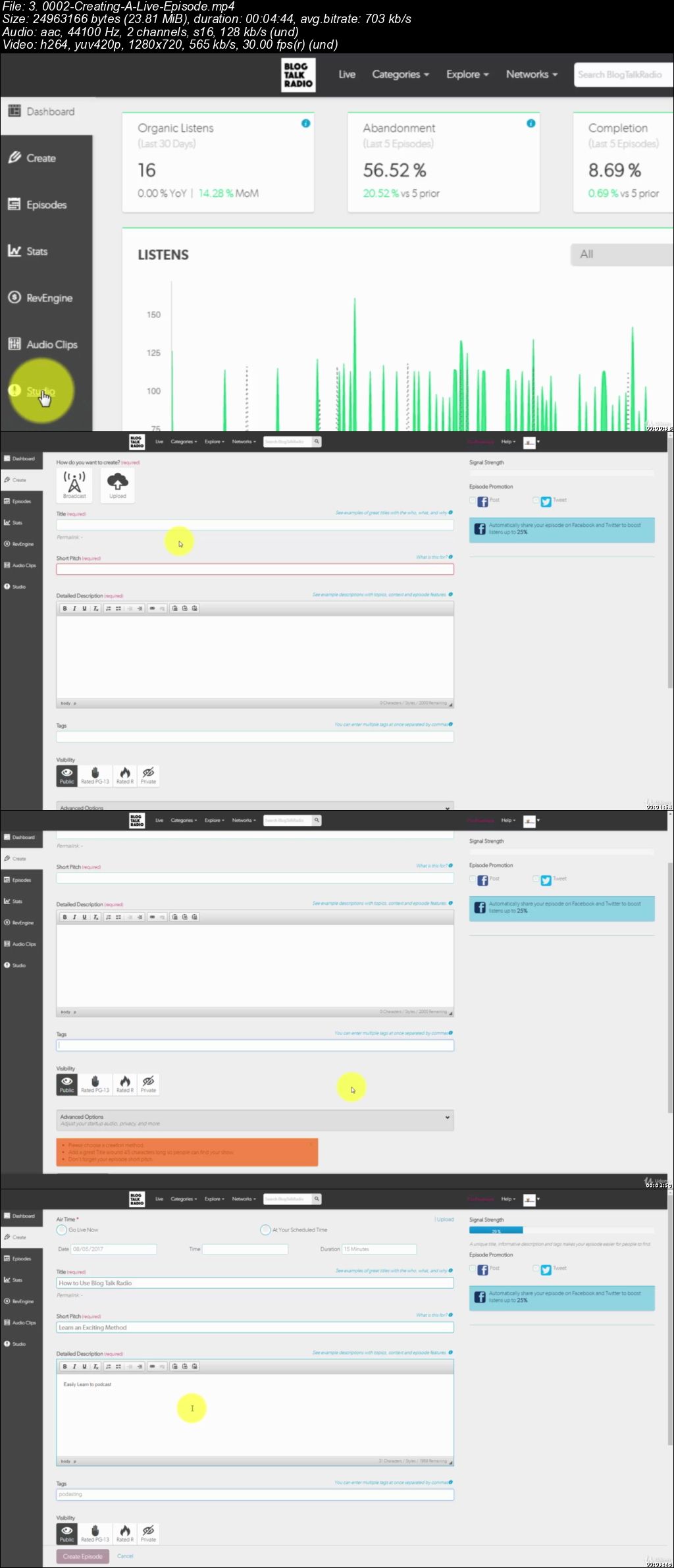
Broadcast Audio With Blog Talk Radio Videos

Stock Audio Music with rights to use

Stock Audio Background with rights to use


Audacity Beginners To Professionals.
Completely FREE!

Before we go any further, let me give you some insights about Audacity.

Audacity is a free and open-source digital audio editor and recording application software for professionals and beginners.

The software is available for all platforms including Windows, macOS/OS X and Unix-like operating systems.

In 2015 the software continued to dominate multimedia projects with over 50 million downloads.

Over the years, Audacity has been commended for having excellent customer care and support service by users of the software.


Why You Need To Get Started Now:

Audacity is a freemium software.

Audacity is cross-platform software that's available across many platforms.

Easy multitrack editing.

Never lose your work with the auto save function.

Import audio from video and other media files.


Audio Editing With Audacity

How To Turn Produce Pro-Level
Audios In Just A Few Clicks.

There's nothing like this video series.

Watch as I show you how to get started with Audacity to edit your audios and make it sound like pros in just a few clicks.

I reveal my best tips for using some unknown tactics that only a few elite few knows.

You get to see everything. I explain everything to you.

There will be no guesswork.

All you need is just a short hour of your time to learn everything and you'd be ready to get started with it instantly.


Here's What You'll Discover Inside
This Video Training:

How to get started with Audacity.

Learn how to get use to the interface and configure your settings.

Learn how to upload your audio file and what are the options to select when doing it.

Learn how to work with Audacity features and which one you should choose to correctly edit your audios.

How to quickly and easily reduce noises from your audio files to make it clearer.

How to import and export audio files in multiple format quickly and easily.

How to use record live audio with your microphone or mixer with audacity.

And so much more.


Podcasting Profit Secrets Course

Podcasting Profit Secrets is a step-by-step blueprint for launching a profitable Podcast.

Here's what you'll discover in this course:

The importance of branding and building a community around your brand.

The 4-step process to finding the perfect niche for your show (yes, it's extremely important you pick the right niche).

The one secret no one tells you about monetizing your podcast.

How to quickly get in the right mindset to start and commit to your podcast.

5 of the most essential tools you need for podcasting success.

The right way to develop your podcast and establish yourself as a trustworthy expert in your niche.

Why you should start your own podcast as soon as possible.

The easiest way - and top tools to use to organize your podcast content.

How to sound like a professional podcaster even though you're totally new to the podcasting game!

The not-so-widely known technique to cut down on your podcast editing time.

Why you should never upload your podcast files to your web hosting provider.

The top places where you can promote your show and grow your audience like a chia-pet.

How to attract the right advertisers to sponsor your show.

And so much more!


Broadcast Audio With Blog Talk Radio Videos

What you'll discover in this Course:

Getting Started on Blog Talk Radio

Setting Up Your Account

Setting Up Your Branding

Creating Your Show Description

Creating Live Audio

Creating Recorded Audio

Uploading Existing Audio

Doing Interviews

Taking Callers and Doing Live Chats

Repurposing Your Content

Analyzing Statistics

And Much, Much More


Podcast Blueprint Startup - 11 Part Video Course


Video #1: Introduction to Podcast Marketing

So before we jump right in and get into the meat of this video course, in this specific video we are going to show you a quick overview of the course itself, tools you're going to need, and of course, how it all works. This way you have a bird's-eye view of how everything is going to be implemented to create your successful podcasts.


Video #2: What's In A Podcast?

While it's easy for you to want to jump right in and begin creating your podcast, it's important to plan ahead and know exactly what you're going to talk about and how you're going to lay your podcast out. So in this specific video we are going to not only plan ahead, but I'm going to show you how to do some basic research so you have an idea of the other podcasts in your niche.


Video #3: Writing a Intro and Outro Script (Copy and Paste This)

Writing what we call the intro and outro is important. Basically, this is the beginning and the end of your podcast. The 'intro' is what introduces you as the expert and speaker. Doing this wrong can actually backfire, so you want to make sure you do it the right way. The 'outro' allows a person to take action. Fortunately for you, you get the copy and paste script so you don't really have to think about what you should write - just fill in the details.


Video #4: Hire Voiceover Artist for Intro and Outro

While you can create your own intro and outro, it's better to get somebody else to introduce you, and then you introduce yourself, especially when you're trying to position yourself as the expert. Therefore, in this specific video I'm going to show you two sites that you can use to hire voiceover artists for fairly cheap. I'm also going to discuss what types of voiceover artists you should hire for your specific podcast, because it can vary from niche to niche.


Video #5: Microphone and Software Editing Tools

We all know that having the right microphone and software editing tools is a huge factor, so here we're going to cover specific types of microphones. I'm actually going to show you what I use and recommend highly, including the software editing tools. Just a reminder though - we will mainly be focusing on audio since this is more about the basics. However, bear in mind thatwith iTunes you can always upload video as well, so I'll ensure that I cover video editing software tools.


Video #6: Record Your Podcast (How to Create Soundproof Environments)

Now that we have laid out the groundwork, it is time to record your podcast. But the big question remains - how can you record your podcasts in such a manner that you can remove all of the room sound? For example, how can you create a soundproof environment when you have a noisy neighbor or house? You'll learn some shocking truths as to how to create a soundproof environment with items that you most likely already have.


Video #7: Edit Your Main Podcast Yourself

Once you have recorded your podcasts you still need to edit them. So, since we have an introduction and a call to action at the very end, I'm going to show you how to add these two parts to the main podcasts. I'm also going to show you how to edit the podcasts, and of course how to add a soundtrack to create a specific environments for your listeners.


Video #8: Podcast Hosting - Sites to Use

Before you can submit to iTunes, you need to have a place that will host your audio files. The big question here is what sites should you use? I am going to show you one specific site that I highly recommend. Using these types of sites will make your life a lot easier in terms of tracking your podcast and of course submission to iTunes.


Video #9: Creating a Podcast - Upload Audio Files to Podcast Hosting

Once you have signed up for the recommended podcast hosting or decided on where you want to be, it's time to create a podcast and upload your audio files to the podcast hosting sites. We'll go through the step-by-step process of creating a podcast correctly and getting up to the point to ensure that it is in the right RSS podcast format. Fortunately for you, while this does sound quite technical it really isn't, as long as you understand how to follow me step-by-step as you watch over my shoulder.


Video #10: Get Your RSS Feed

Before you can submit to iTunes, you need your podcast in RSS format. You will need this to add to iTunes otherwise it will slow down the submission process.


Video #11: Submit Podcast to iTunes

By this video, you'll be virtually done. However, there is one last step and that is to submit your podcast RSS feed to iTunes. I want to show you exactly how to do this step-by-step.

Who this course is for:

You want to have pro sound to your videos, podcast or courses.
Learn How To Record & Edit Pro-Level Audios With Audacity.
You want to launching a profitable Podcast with a step-by-step Podcasting Profit Secrets blueprint
You Want to Broadcast Audio With Blog Talk Radio Videos


007869da.jpg


Architectural Visualization -Blender 2.8 - Twinmotion - VR

ca-EBYYY7hx-E8e-X5-HF5e-Rkq-ZYk-Lu-Z1-WQO.jpg


Architectural Visualization -Blender 2.8 - Twinmotion - VR
Genre: eLearning | MP4 | Video: h264, 1280x720 | Audio: AAC, 48.0 KHz
Language: English | VTT | Size: 5.6 GB | Duration: 6 hours

Real-time Architectural Visualization with Blender 2.8 & Twinmotion - VR - Full project
Description
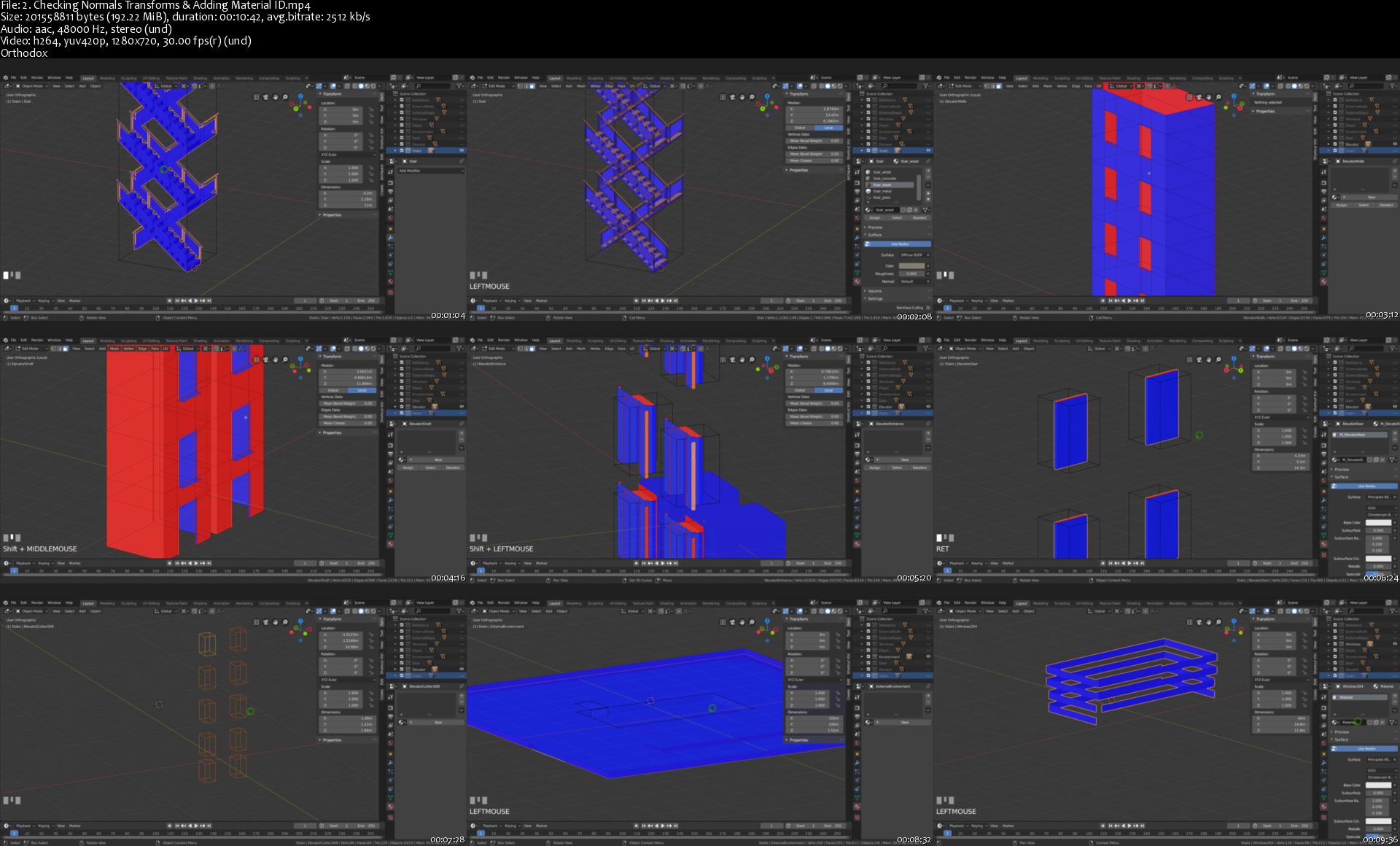
In this course you will learn the workflow from Blender to Twinmotion with the final result a BIMmotion application for a virtual walk-through or VR experience. The course takes you step by step through the modelling and UV mapping workflow in Blender before we move into the extremely powerful Twinmotion.

Discover the latest in Real-time rendering for Architectural Visualization and be amazed at the power and speed of achieving amazing results. Quickly change the lighting and weather conditions or update your geographic location with the easy to use and intuitive interface of Twinmotion.

Render Photos with ease or create animations that will impress your clients. Easily edit and iterate on this content without compromise. Make changes to your model in Blender and instantly update within Twinmotion with the click of a button

Discover efficiency like never before with the power of Blender & Twinmotion.

Topics included:

FreeCAD introduction where we create 2D layouts

Full 3D Modelling & UV Mapping in Blender

Import the 3D Model into Twinmotion

Adding Material and 3D Models from Twinmotion Library

Adding Foliage & Environment assets

Creating Photo's of the scene

Creating an Animation & Exporting

Video Editing n Blender's

Create a BIMmotion application for virtual walk through and VR experience


What you'll learn
Learn the Blender to Twinmotion workflow
Learn to quickly iterate in real-time to client requests
Create VR and viewable applications of your projects in minutes
Learn the tools and library's to drastically increase your productivity
Render Images and Create animation

Homepage

2-Checking-Normals-Transforms-Adding-Material-ID-s.jpg


Animschool : Character Performance 2020

715e5463b463cf0d0e5e463d1dd2f6a0.jpg

Animschool : Character Performance | 30.5 GB
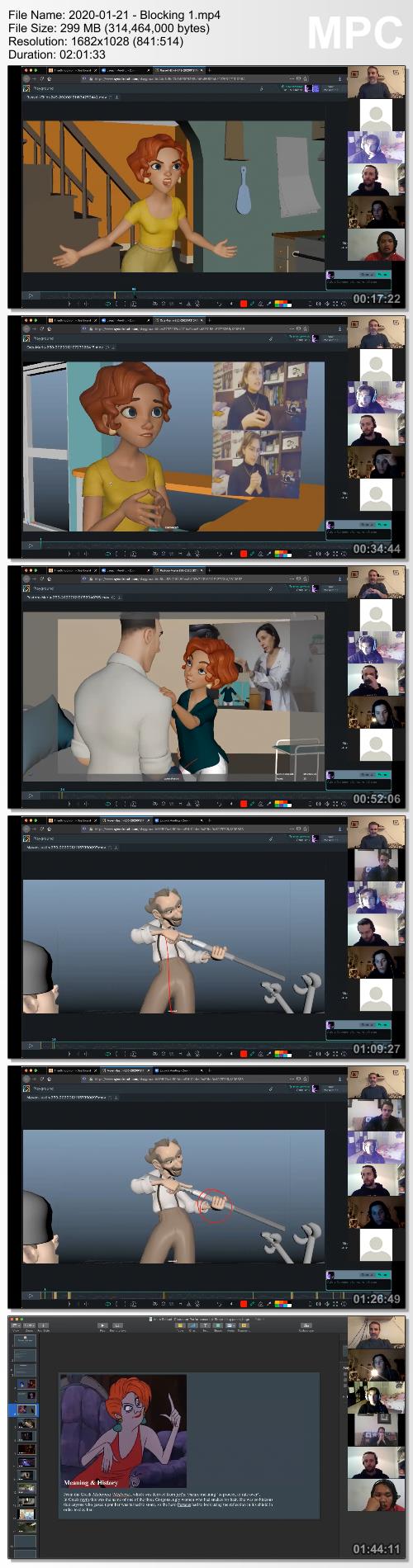
In Character Performance, students explore how to make a character seem alive and how to craft a believable dialogue performance. Now that the students are familiar with body mechanics and pantomime body acting, they are ready to tackle the challenge of full dialogue acting. Students learn clarity of acting choices, and how to make a believable performance.

Students animate a scene using an audio clip that has been approved by their instructor using acting choices, strong storytelling poses, motivated action, and convincing body movement. Applying the direction from the instructor, students learn how to breathe life into 3D characters. Students learn the importance of acting and reaction, choreography, and controlling the audience's attention.

Screenshots
d974fc2af15b25d4eab4f337b0b95d99.jpg

HOmepage:

Link Download
Extract files with WinRar 5 or Latest !
 
Yiihuu - Liu yifei likeness as Mulan for Photorealistic rendering

2b3a135aa7dc9e69cd708f8912ee49ca.jpg

Yiihuu.com - Liu yifei likeness as Mulan for Photorealistic rendering [English] | 5.2 GB
23 hours, 65 videos | English Subtitles​
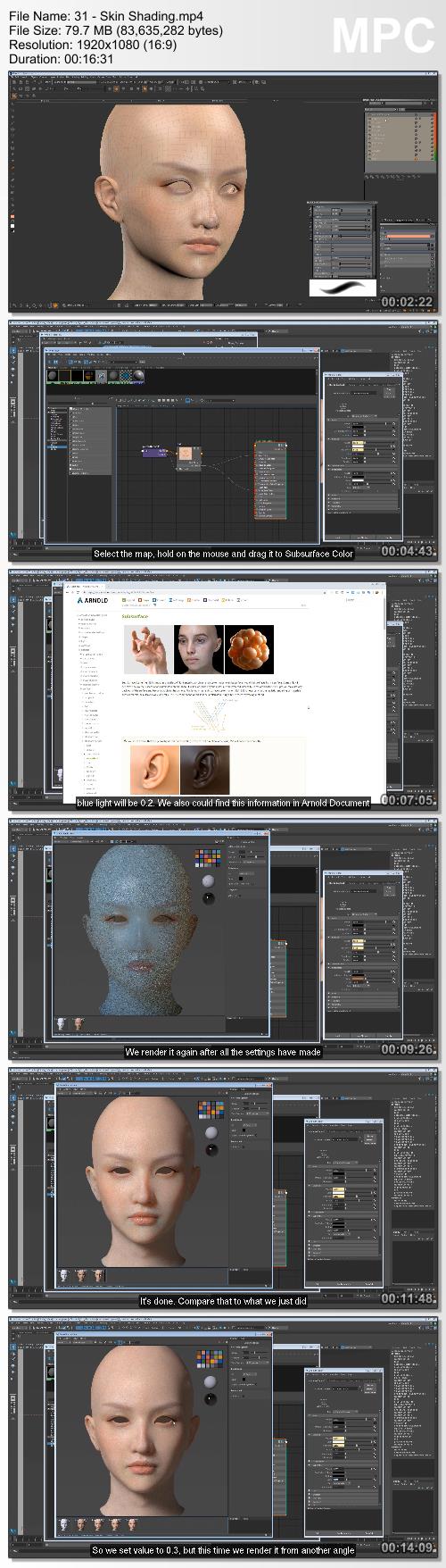
Yiihuu's grand production in late 2018 - a tutorial, never launched online before, of the look development of a rare film role, with the heroine in the Disney film "Mulan" that will be released in 2020 as the prototype. By learning the film-based process techniques, you will embrace a bright future in the CG industry where IP is prevailing.

The tutorial is instructed by Jungwon Park, senior LookDev artist from South Korea, with years of experience in game, film and TV role development. He has worked as the look developer of many games including "AION", "Lineage" and "Blade and Soul". In this tutorial, you will learn how to create lifelike skin texture and the high-quality rendering technique for 3D role models. Here you will acquire the exquisite modeling techniques and the whole process of look development for film roles.

Reminder: this is a middle-to-high-level tutorial designed for advanced learners of mapping and rendering, with little instruction on the modeling part, and thus requires the learners to have a good foundation in Maya.

Screenshots
631eb2d562158bff2477d4d601a82ebb.jpg

HOmepage:

Link Download
Extract files with WinRar 5 or Latest !
 
Objections Masterclass FB by Jeremy Miner

a8bafae5d48ec32850e18461c54adb57.jpg

Jeremy Miner - Objections Masterclass FB | 863.85 MB
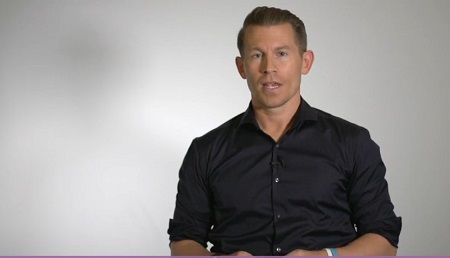
Jeremy Miner is an internationally recognized sales trainer who has taught thousands of people how to go from just getting average results in selling to becoming a high 6 figure and even 7 figure sales earner and be viewed as the "Trusted Authority" in their market.

Over the years, Jeremy has been asked by thousands of salespeople to train them on how to eliminate rejection, how to connect with their prospects, how to cold call, how to overcome their prospects objections/concerns, and finally how to close more sales without being a pushy, sleazy, disrespected salesperson.

7th Level Communications was created to take any salesperson, no matter their experience, from wherever they're at in selling to getting them to a High 6 Figure and even 7 Figure annual income in sales.

Whatever type of event you're running, Jeremy comes prepared and ready to move your audience to a higher level of action!
If you would like MORE information on having Jeremy Miner speak at your next event, simply click on the button below to schedule a call right away.

HOmepage:

Screenshots
a237f721c189f5e4607ec0f00c6c45e3.jpg


Link Download
Extract files with WinRar 5 or Latest !
 
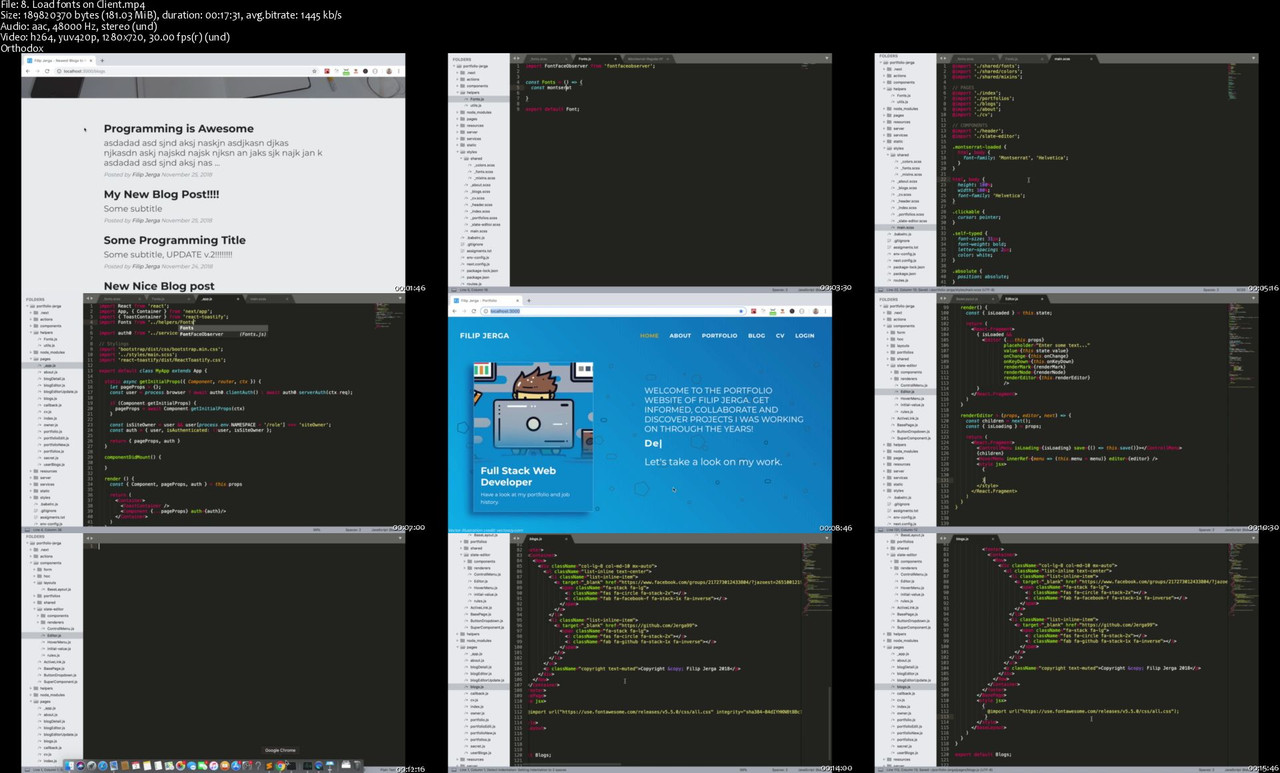
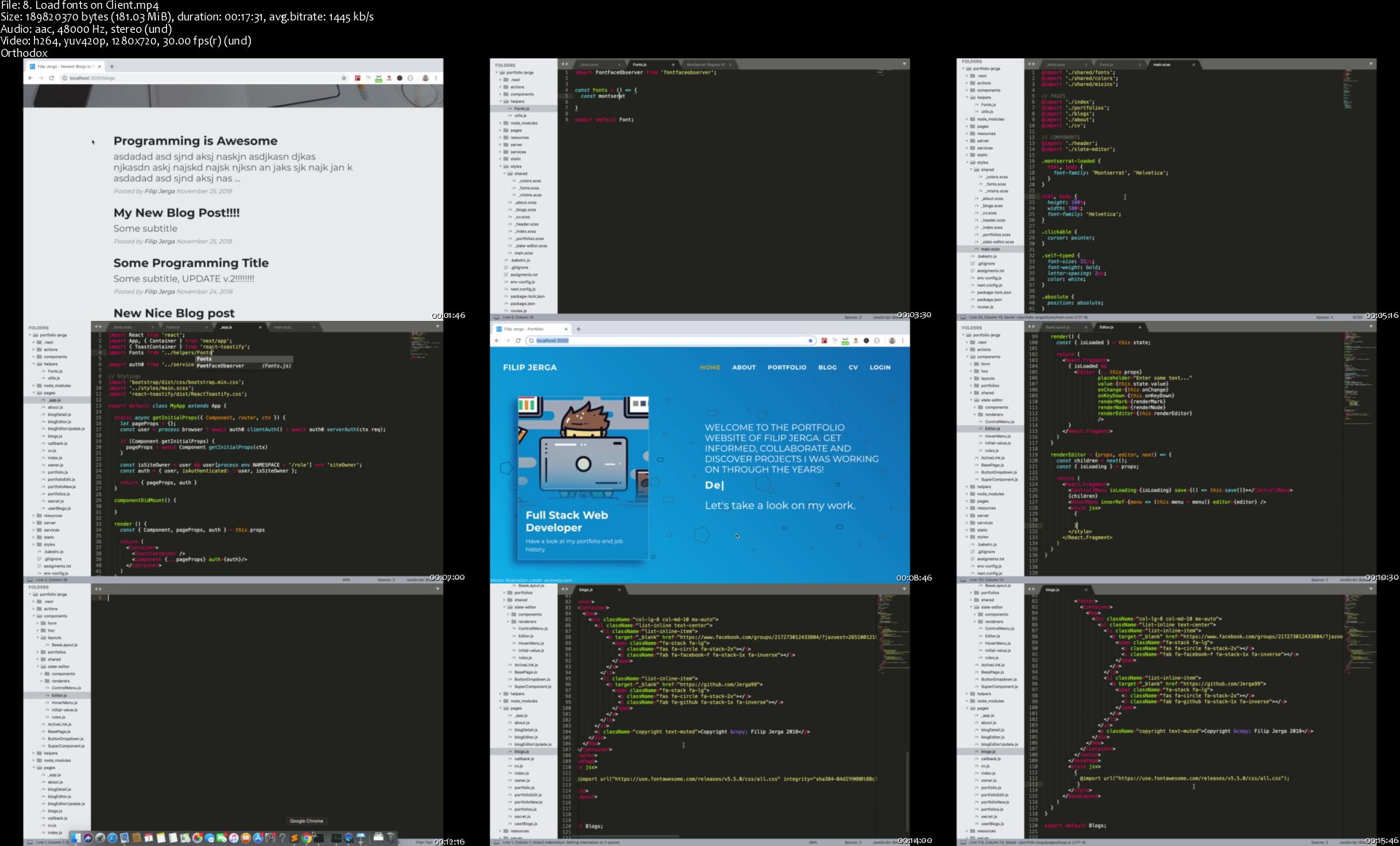
Complete Next.js with React & Node - Beautiful Portfolio App (Update)

8-Load-fonts-on-Client-s.jpg


Complete Next.js with React & Node - Beautiful Portfolio App (Update)
h264, yuv420p, 1280x720 |ENGLISH, aac, 48000 Hz, 2 channels | 60h 07mn | 19.76 GB
Created by: Filip Jerga, Eincode by Filip Jerga

Build Serverless Web Apps with Next.js. Learn Hooks. Deploy to Vercel. Next.js (Next 9.4), React (React 16+) & Node.
What you'll learn

Develop serverless and classical web applications with latest Next JS & React
Completely understand the processes and server side part of Next JS
Create SEO (Search Engine Optimisation) and Isomorphic Friendly Applications
Establish yourself in field of the exciting Next and React web development environment

Requirements

No Next js previous knowledge is required!
Basic ES6 and Javascript knowledge is required
Fundamentals in React, HTML and CSS

Description

Is this course right for you ?

If you are planning to start your career as a developer or you just want to improve your programming skills, then this course is right for you. Learn how to build amazing portfolio website you can share with your colleagues or future employers.

Get all you need to start web development in one course! Start with technologies of Web Development to more advanced topics until your application will be deployed to Heroku or Vercel and accessible online on the internet.

This resource is the only thing you need in order to start Web Development with Next.js , React and Node. During this course you will get confidence and skills required to start your own projects, you will get the right mindset to apply for a developer career and to improve in modern frameworks like Next.js , React.js and Node.

What is Next.js ?

Next.js is React framework that provides infrastructure and simple development experience for server side rendered(SSR) application.

An intuitive page-based routing system (with support for dynamic routes)

Pre-rendering, both static generation (SSG) and server-side rendering (SSR) are supported on a per-page basis

What are we going to work on?

First we are going to integrate base layout of the application. We will brake layout into small pieces and we will create lots of reusable components such as a navbar, portfolio card and many others. I will explain you how server side rendering works, how to use different data fetching techniques and what are the differences and benefits of fetching on server versus client.

First big feature we will be working on, will be authentication. Authentication will be handled by Auth0 provider, nevertheless there will be lot's work to handle.

Users will be able to register and login and experience features only for authenticated users. You will learn how to restrict access to pages and how to manage authentication state through you application which will results in UI changes of the application layout.

Next we will work on portfolios features. We will implement functionality to create portfolio and I will explain you how to easily manage forms. Then we will take a look on update functionality where I will show you how to populate inputs with existing data. In the end of the section we will work on delete functionality. All of the features will be reactive and updating view in real time and You will learn how to create fast static pages with new Next.js functions.

Blog feature will be the biggest one. Users will be able to create blogs using slate editor that offers different formatting options. Each blog will be saved initially as a draft blog and it will be an user responsibility to publish it. For this purpose we will create dashboard page displaying all user blogs with option to publish or make a draft from the blog. All Published blogs will be highlighted on blogs page and created as static pages assuring better performance. We will create delete and update functionality as well.

Next we will work on SEO(search engine optimisation) improvements. I will explain you basics of SEO and how to get it working with Next.js.

Last section will be covering deployment. Express API server will be deployed to Heroku. Next.js portfolio application will be deployed to serverless Vercel platform which will make our application super fast on internet.
Who this course is for:

Starting as well as experienced developers interested in modern frameworks as Next, React and Node.
This course is for everyone eager to understand how a javascript frameworks work.
Taking this course will enable you explain before difficult concepts to your fellow colleagues in simple way.

8-Load-fonts-on-Client-s.jpg


ITU - Adobe After Effects 2020

KP99-FFY10-P6-Ba0-DXCo-Sl9iq-QT7-NRPt-Fp.jpg


ITU - Adobe After Effects 2020
MP4 | Video: h264, 1280x720 | Audio: AAC, 44.1 KHz, 2 Ch
Genre: eLearning | Language: English | Duration: 57 Videos (8h) | Size: 9.3 GB

Adobe After Effects enables you to add special effects and animation to graphics-related projects. After Effects can help you animate, alter, and composited media through the use of various tools and special plugins. After Effects is the industry-standard software for motion-graphics pros, web designers and visual effect artists for video editing.

Students will learn how to use After Effects without having any prior knowledge of the program. Both beginners and intermediate users will benefit from this course. Our instructor, Mark Sullivan, will walk you through the very basics of the program and show you how to navigate the software. After that, he will continue on to more advanced features such as:

Getting to know the workflow
Creating a basic animation using effects and presets
Animating text
Working with shape layers
Animating a multimedia presentation
Animating layers
Working with masks
Distorting objects with the puppet tool
Using the roto brush tool
Performing color correction
Creating motion graphics templates

3-1-Importing-Files-from-Bridge-and-Creating-a-New-Composition-s.jpg


Zurück
Oben Unten