• Regeln für den Video-Bereich:

    In den Börsenbereich gehören nur Angebote die bereits den Allgemeinen Regeln entsprechen.

    Einteilung

    - Folgende Formate gehören in die angegeben Bereiche:
    - Filme: Encodierte Filme von BluRay, DVD, R5, TV, Screener sowie Telesyncs im Format DivX, XviD und x264.
    - DVD: Filme im Format DVD5, DVD9 und HD2DVD.
    - HD: Encodierte Filme mit der Auflösung 720p oder darüber von BluRay, DVD, R5, TV, Screener sowie Telesyncs im Format x264.
    - 3D: Encodierte Filme von BluRay, die in einem 3D Format vorliegen. Dies gilt auch für Dokus, Animation usw.
    - Serien: Cartoon/Zeichentrick, Anime, Tutorials, Dokumentationen, Konzerte/Musik, Sonstiges sind demnach in die entsprechenden Bereiche einzuordnen, auch wenn sie beispielsweise im High Definition-Format oder als DVD5/DVD9/HD2DVD vorliegen. Ausnahme 3D.
    - Bereich Englisch: Englische Releases gehören immer in diesen Bereich.
    - Bereich Talk: Der Bereich, in dem über die Releases diskutiert werden kann, darf, soll und erwünscht ist.


    Angebot/Beitrag erstellen

    - Ein Beitrag darf erst dann erstellt werden, wenn der Upload bei mindestens einem OCH komplett ist. Platzhalter sind untersagt.
    - Bei einem Scenerelease hat der Threadtitel ausschließlich aus dem originalen, unveränderten Releasenamen zu bestehen. Es dürfen keine Veränderungen wie z.B. Sterne, kleine Buchstaben o.ä. vorgenommen werden. Ausnahme Serienbörse:
    - Bei einem Sammelthread für eine Staffel entfällt aus dem Releasename natürlich der Name der Folge. Beispiel: Die Simpsons S21 German DVDRip XviD - ITG
    - Dementsprechend sind also u.a. verboten: Erweiterungen wie "Tipp", "empfehlenswert", "only", "reup", usw. / jegliche andere Zusatzinformation oder Ergänzung, welche nicht in obiger Beschreibung zu finden ist.

    Aufbau des Angebots und Threadtitel

    Der Titel nach folgendem Muster erstellt zu werden. <Name> [3D] [Staffel] [German] <Jahr> <Tonspur> [DL] [Auflösung] <Quelle> <Codec> - <Group>
    Beispiel: The Dark Knight German 2008 AC3 DVDRip XviD - iND
    Beispiel: The Dark Knight 2008 DTS DL BDRip x264 - iND
    Beispiel: The Dark Knight 2008 AC3 DL BDRip XviD - iND
    Beispiel: The Dark Knight German 2008 AC3 720p BluRay x264 iND
    Beispiel: The Dark Knight 2008 DTS DL 1080p BluRay x264 iND
    Beispiel: Die Simpsons S01 German AC3 DVDRip XviD iND
    Beispiel: Die Simpsons S20 German AC3 720p BluRay x264 iND
    Beispiel: Sword Art Online II Ger Sub 2014 AAC 1080p WEBRip x264 - peppermint
    Entsprechend sind also u.a. verboten: Sonderzeichen wie Klammern, Sterne, Ausrufezeichen, Unterstriche, Anführungszeichen / Erweiterungen wie "Tipp", "empfehlenswert", "only", "reup", usw. / jegliche andere Zusatzinformation oder Ergänzung, welche nicht in obiger Beschreibung zu finden ist
    Ausnahmen hiervon können in den Bereichen geregelt sein.

    Die Beiträge sollen wie folgt aufgebaut werden:
    Überschrift entspricht dem Threadtitel
    Cover
    kurze Inhaltsbeschreibung
    Format, Größe, Dauer sind gut lesbar für Downloader außerhalb des Spoilers zu vermerken
    Nfo sind immer Anzugeben und selbige immer im Spoiler in Textform.
    Sind keine Nfo vorhanden z.B. Eigenpublikationen, sind im Spoiler folgende Dateiinformationen zusätzlich anzugeben :
    Quelle
    Video (Auflösung und Bitrate)
    Ton (Sprache, Format und Bitrate der einzelnen Spuren)
    Untertitel (sofern vorhanden)
    Hosterangabe in Textform außerhalb eines Spoiler mit allen enthaltenen Hostern.
    Bei SD kann auf diese zusätzlichen Dateiinformationen verzichtet werden.

    Alle benötigten Passwörter sind, sofern vorhanden, in Textform im Angebot anzugeben.
    Spoiler im Spoiler mit Kommentaren :"Schon Bedankt?" sind unerwünscht.


    Releases

    - Sind Retail-Release verfügbar, sind alle anderen Variationen untersagt. Ausnahmen: Alle deutschen Retail-Release sind CUT, in diesem Fall sind dubbed UNCUT-Release zulässig.
    - Im Serien-Bereich gilt speziell: Wenn ein Retail vor Abschluss einer laufenden Staffel erscheint, darf diese Staffel noch zu Ende gebracht werden.62
    - Gleiche Releases sind unbedingt zusammenzufassen. Das bedeutet, es ist zwingend erforderlich, vor dem Erstellen eines Themas per Suchfunktion zu überprüfen, ob bereits ein Beitrag mit demselben Release besteht. Ist dies der Fall, ist der bereits vorhandene Beitrag zu verwenden.
    - P2P und Scene Releases dürfen nicht verändert oder gar unter einem iND Tag eingestellt werden.


    Support, Diskussionen und Suche

    - Supportanfragen sind entweder per PN oder im Bereich Talk zu stellen.
    - Diskussionen und Bewertungen sind im Talk Bereich zu führen. Fragen an die Uploader haben ausschließlich via PN zu erfolgen, und sind in den Angeboten untersagt.
    - Anfragen zu Upload-Wünschen sind nur im Bereich Suche Video erlaubt. Antworten dürfen nur auf Angebote von MyBoerse.bz verlinkt werden.


    Verbote

    - Untersagt sind mehrere Formate in einem einzigen Angebotsthread, wie beispielsweise das gleichzeitige Anbieten von DivX/XviD, 720p und 1080p in einem Thread. Pro Format, Release und Auflösung ist ein eigener Thread zu eröffnen.
    - Grundsätzlich ebenso verboten sind Dupes. Uploader haben sich an geeigneter Stelle darüber zu informieren, ob es sich bei einem Release um ein Dupe handelt.
    - Gefakte, nur teilweise lauffähige oder unvollständige Angebote sind untersagt. Dies gilt auch für eigene Publikationen, die augenscheinlich nicht selbst von z.B. einer DVD gerippt wurden. Laufende Serien, bei denen noch nicht alle Folgen verfügbar sind, dürfen erstellt und regelmäßig geupdatet werden.
    - Untersagt sind Angebote, welche nur und ausschließlich in einer anderen Sprache als deutsch oder englisch vorliegen. Ausnahmen sind VORHER mit den Moderatoren zu klären.


    Verstoß gegen die Regeln

    - Angebote oder Beiträge, die gegen die Forenregeln verstoßen, sind über den "Melden"-Button im Beitrag zu melden.
  • Bitte registriere dich zunächst um Beiträge zu verfassen und externe Links aufzurufen.


Englische Tutorials

Cucumber BDD with Python Behave and Selenium WebDriver

O8-P8-Lca-RMs1o-EIv-HCYq-V44l-LGvwl-C4ei.jpg


Cucumber BDD with Python Behave and Selenium WebDriver
Genre: eLearning | MP4 | Video: h264, 1280x720 | Audio: aac, 48000 Hz
Language: English | Size: 5.69 GB | Duration: 15 hours


What you'll learn
You will be able to create Cucumber BDD testing framework using Python, Behave, Selenium WebDriver, ....
You will be able to read and write Cucumber BDD style tests in Python
You will be able to work on Cucumber BDD Framework supporting both Frontend with BDD Selenium and Backend with pure BDD Python
You will create full E-Commerce site on your computer and practice test automation
You will learn tips and tricks of finding elements, debugging issues, shortcuts with IDE, test methodologies, setup py file
You will be able to use virtual environment and try different versions of Python librar

Requirements
Understand basic Python (Python 3 or 2 is fine)
Understand Automated testing basics
Have access to install libraries on the computer you are going to use
Description
Course Description

Learn how Cucumber BDD (Behavioral Driven Development/Test Driven Development) testing frameworks work. Learn how the pieces of Cucumber fall together and how frameworks are put together, as well as best practices of BDD. We will use the most popular and actively maintained Cucumber framework for Python BDD called 'Behave'. We will use PowerPoint presentation to convey the concepts on each topic and then write example code testing real scenarios with Selenium WebDriver as well as API testing.

We will build an E-commerce site on our local machine and practice writing real test cases both for front end with Selenium WebDriver and for the backend with Python, with full access to MySQL database of our site.

Critical addition to your resume

If you are getting into the QA world or you are looking to advance your career, having BDD testing skill will accelerate your success. Python is one of the most popular languages to use in software testing, and knowing how to use it with BDD style testing will expand your pool of possibilities.

In addition to using Python for BDD testing you will also get tips and guidance on best practices.

After completion of this course you will be able to go through interview as if you have BDD testing experience. You will also have a ready to go framework that you can continue to add test cases for practice and for your portfolio.

Content and Overview

In this course we will be using PowerPoint presentation to explain the concepts and then go to code in an IDE (PyCharm) for each topic. Some topics, we will go directly to code and start writing and executing.

We will install necessary packages for our framework. We will discuss the directory structure needed for our design, and then we will write and run test cases.

We will run how the BDD tests are written, how the work together and how to understand and control the output.

We will create an efficiently structured test framework and learn how to use Pythons logging module to produce readable reports.

What am I going to get from this course?

49 + lectures of BDD core concepts, examples and practice exercises (continuously adding more examples)

Plenty of test cases to use in your portfolio and to build bigger test suits on top of the course material

Enough material and examples to be able to create a project (BDD test framework) and maintain a GitHub repo

Specific features of the most popular BDD framework for Python called Behave

Practice using Selenium WebDriver functions with Python

Practice testing of Front-end with Selenium WebDriver BDD and Python

Practice testing of Back-end with Python

Who this course is for:
Anyone looking to learn automation testing and has a bit of background in Python and Selenium WebDriver
Anyone that already know basic automated testing and want to know how to apply BDD
Anyone coming from Java or other background and can pickup Python easily

Homepage
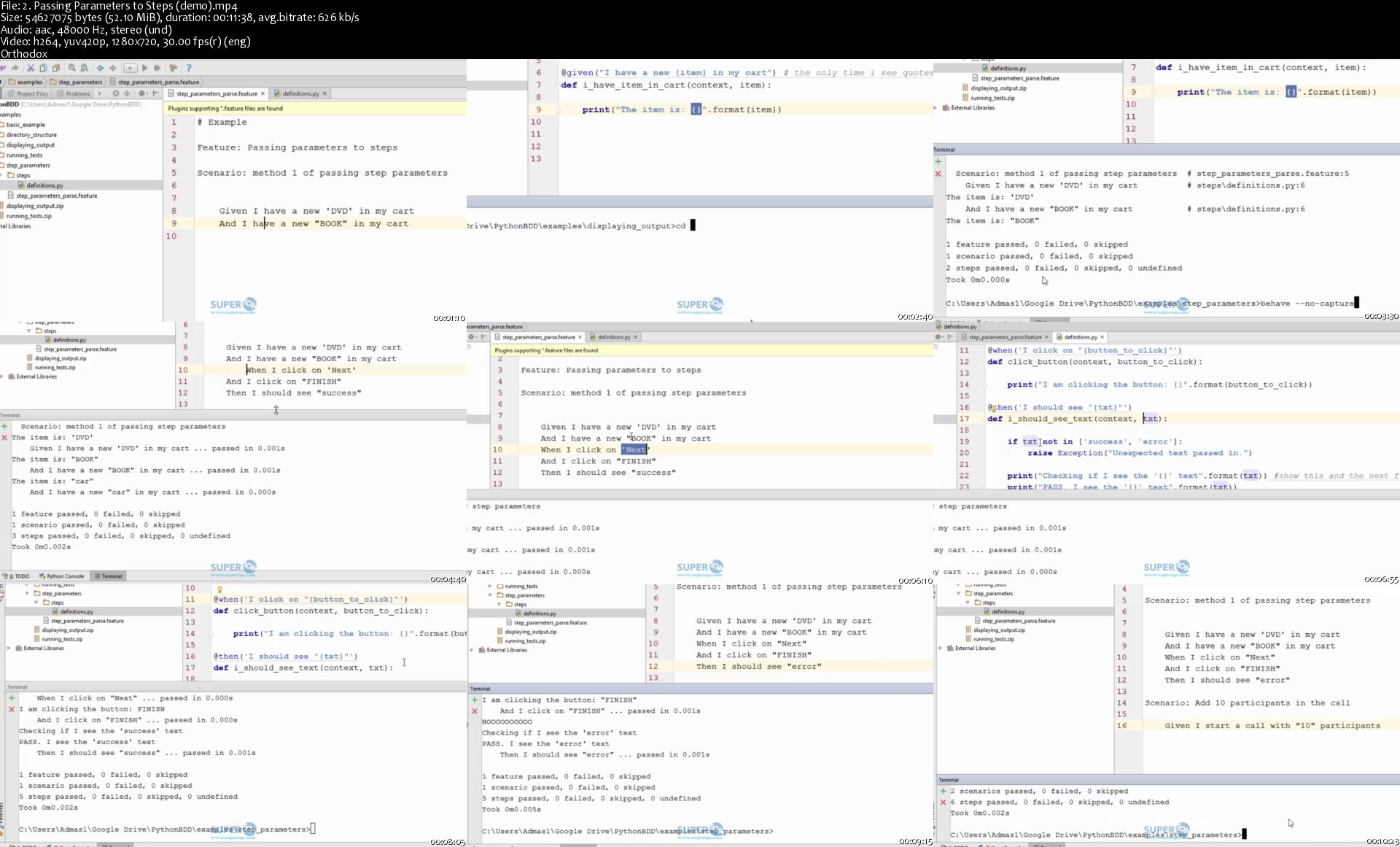
2-Passing-Parameters-to-Steps-demo-s.jpg


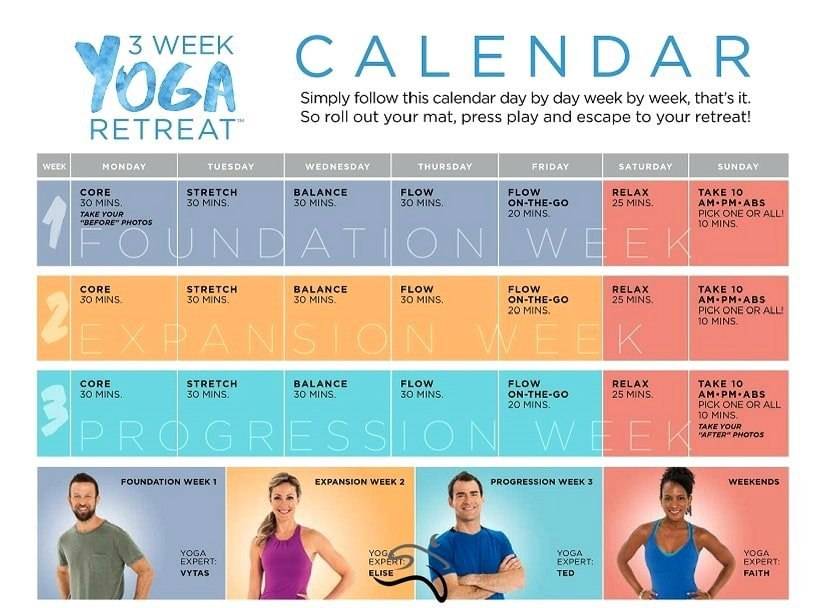
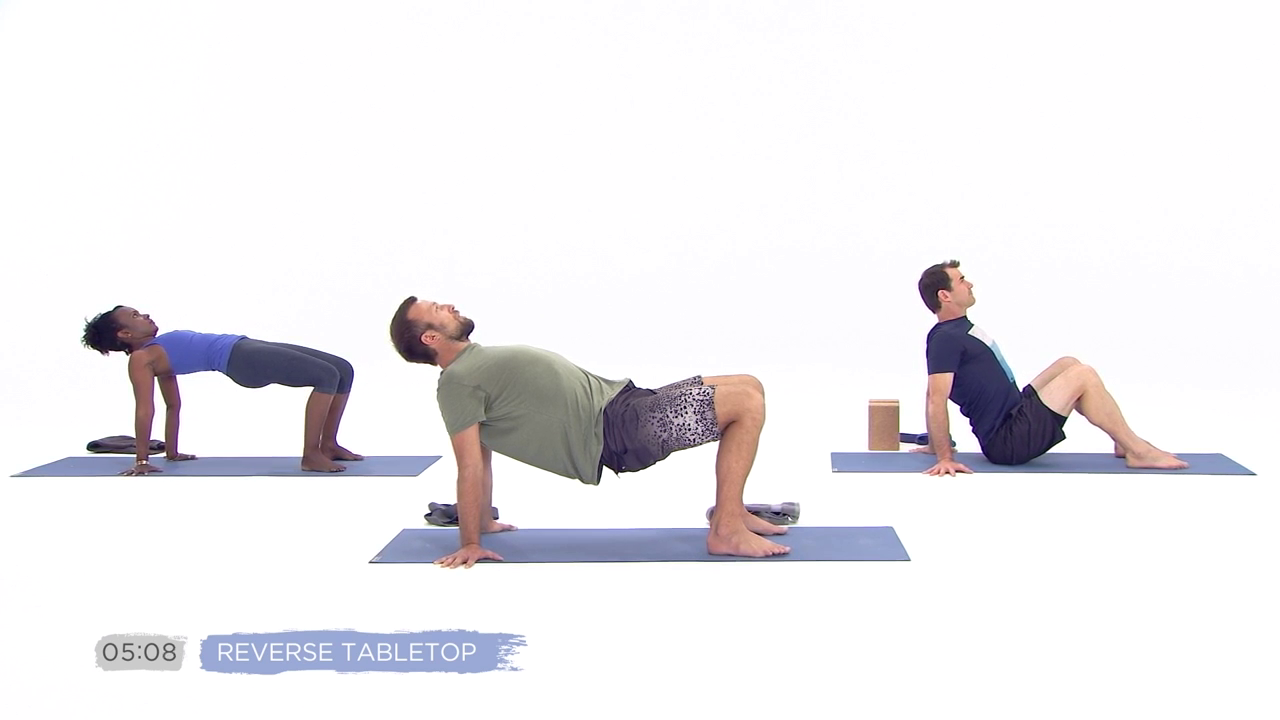
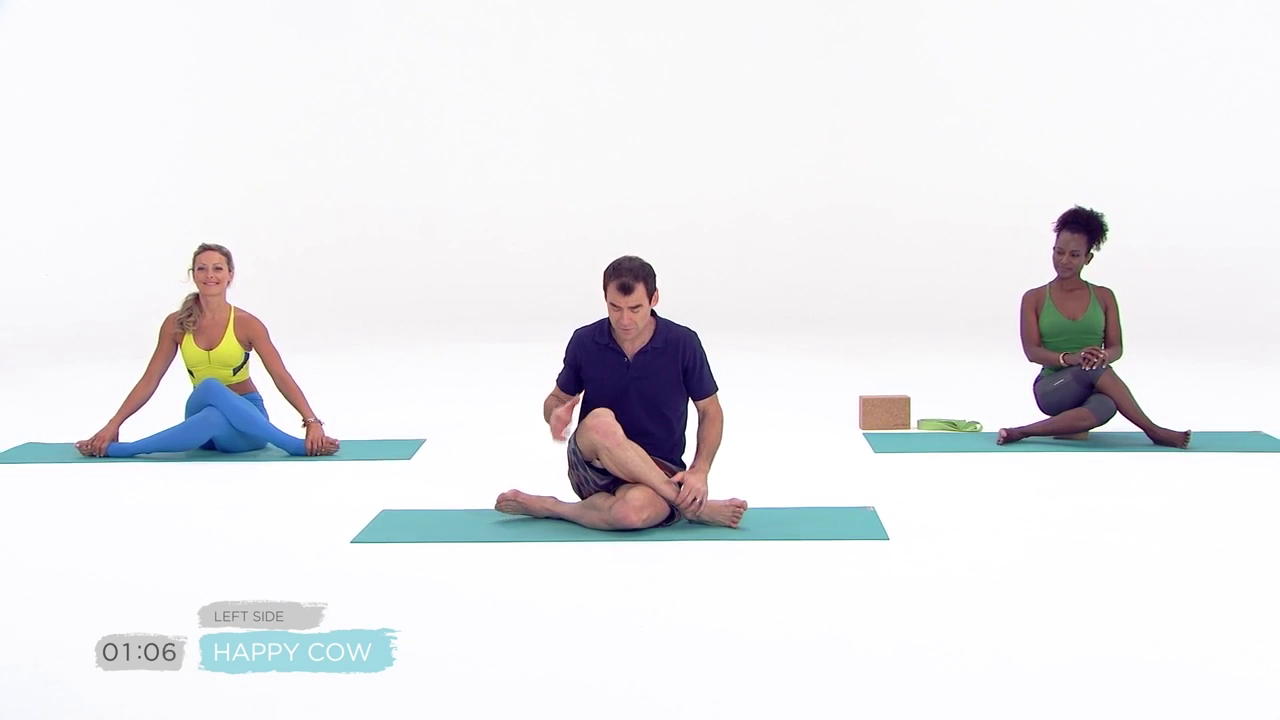
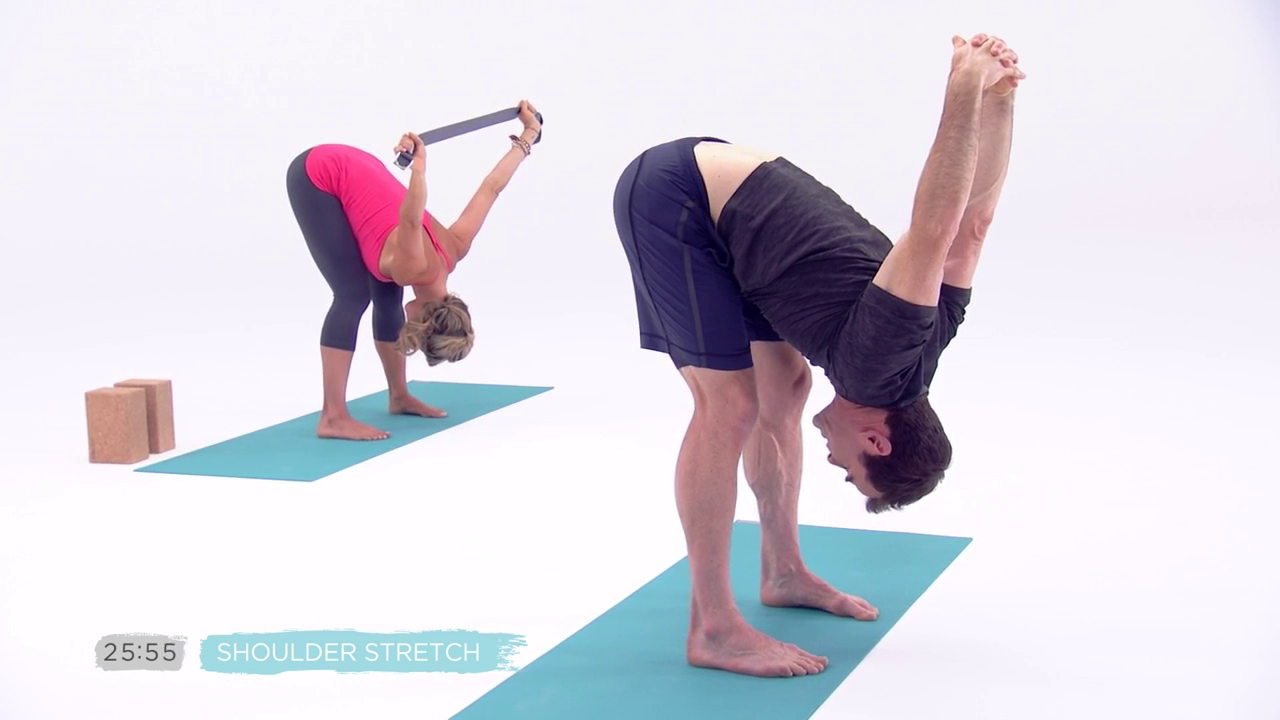
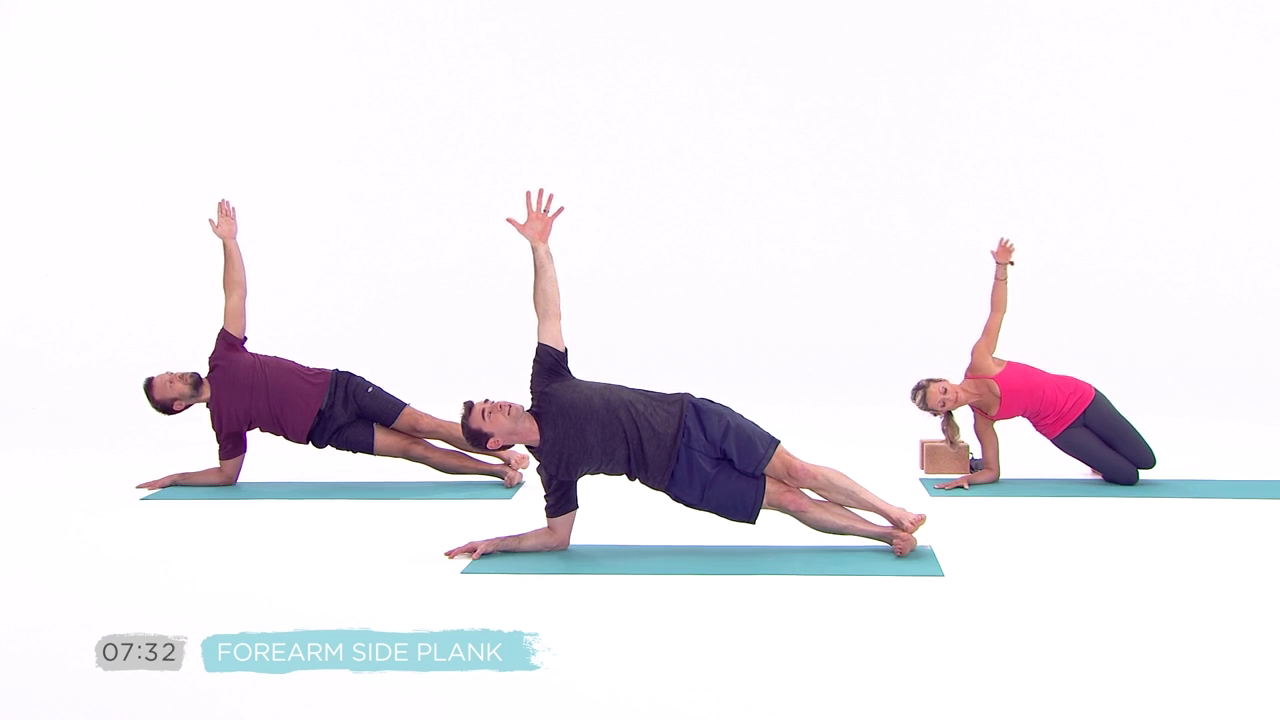
Yoga BeachBody Studio / 3 Week Yoga Retreat

00475353.jpg


3 Week Yoga Retreat - Workout Program (2017)
HD 720p | English | MP4 | 1280 x 720 | AVC ~2372 kbps | 29.970 fps
AAC | 127 Kbps | 48.0 KHz | 2 channels | 09:01:27 | 9.33 GB
Genre: eLearning Video / Yoga, Fitness, Health

Acclaimed Pilates instructor Ana Caban helps you to kick-start your metabolism with a 30-minute power Pilates program. She demonstrates low-impact floor exercises which help initiate weight loss and shows you how to combine full body movements with targeted abs work.

Content:

Foundation Week 1

Day 1: Core
The foundation of your yoga practice starts in your core. This class focuses on exercises that engage, activate, and build awareness of these very important muscles.

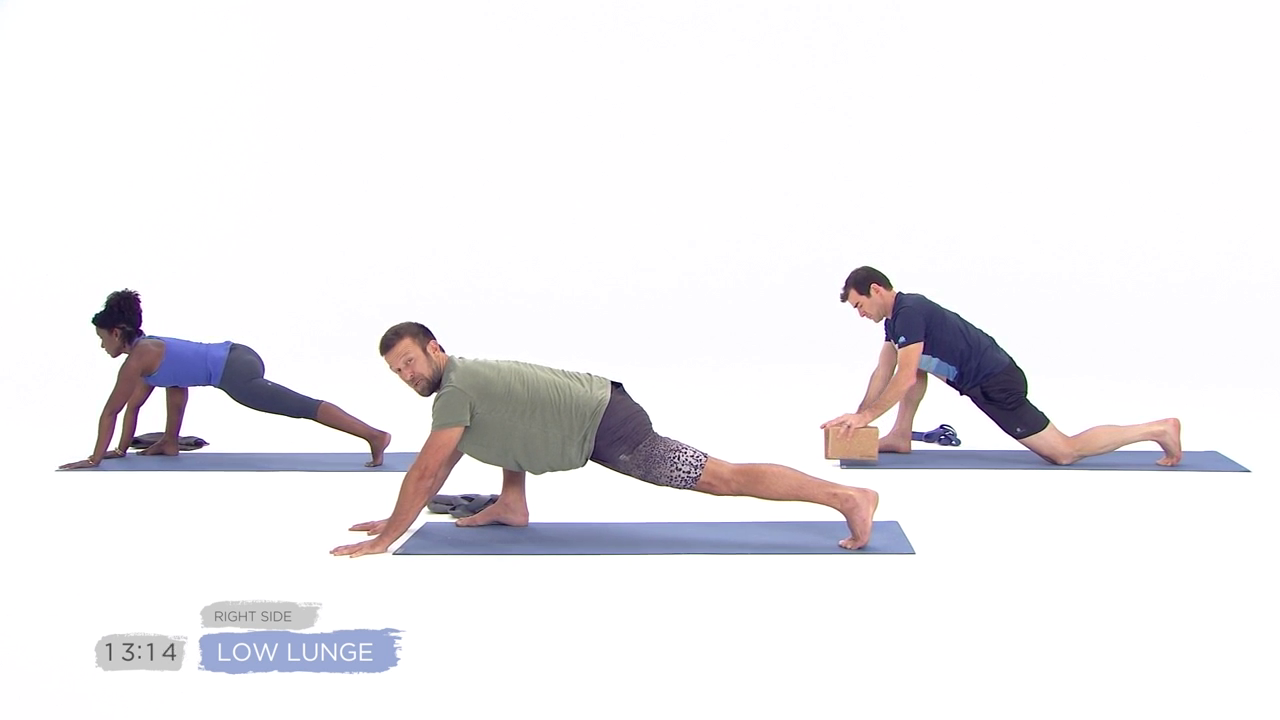
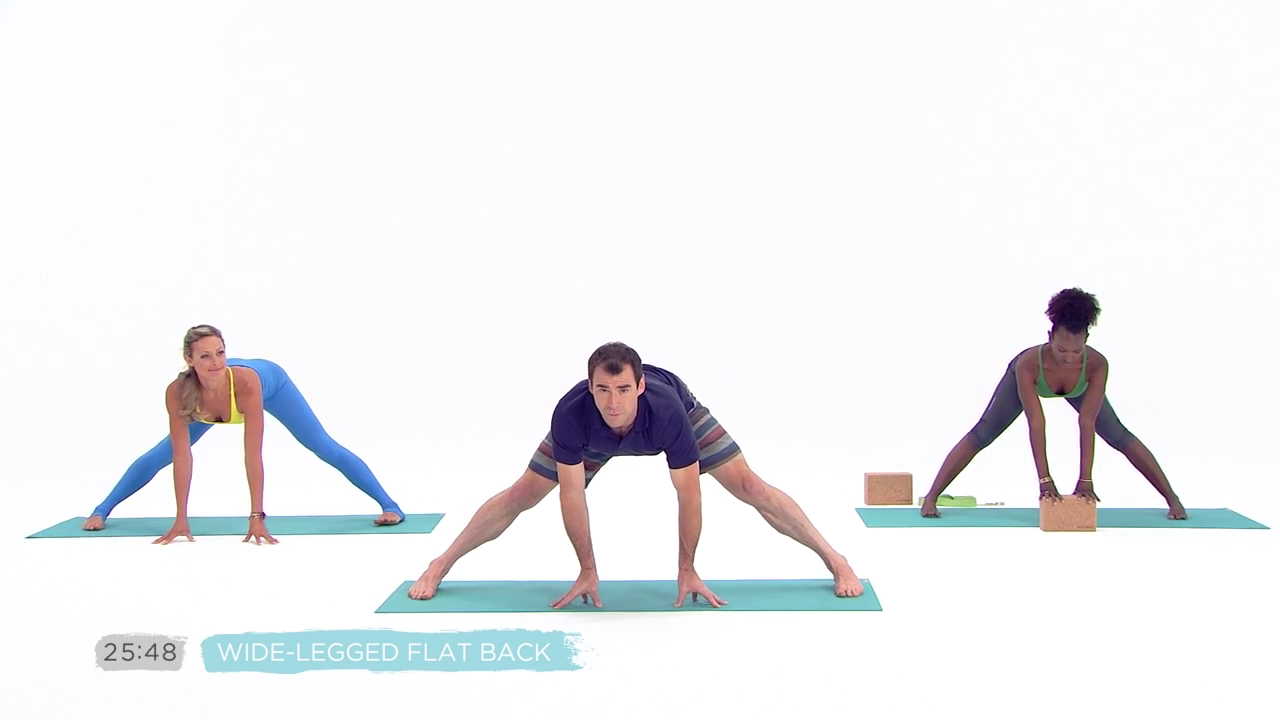
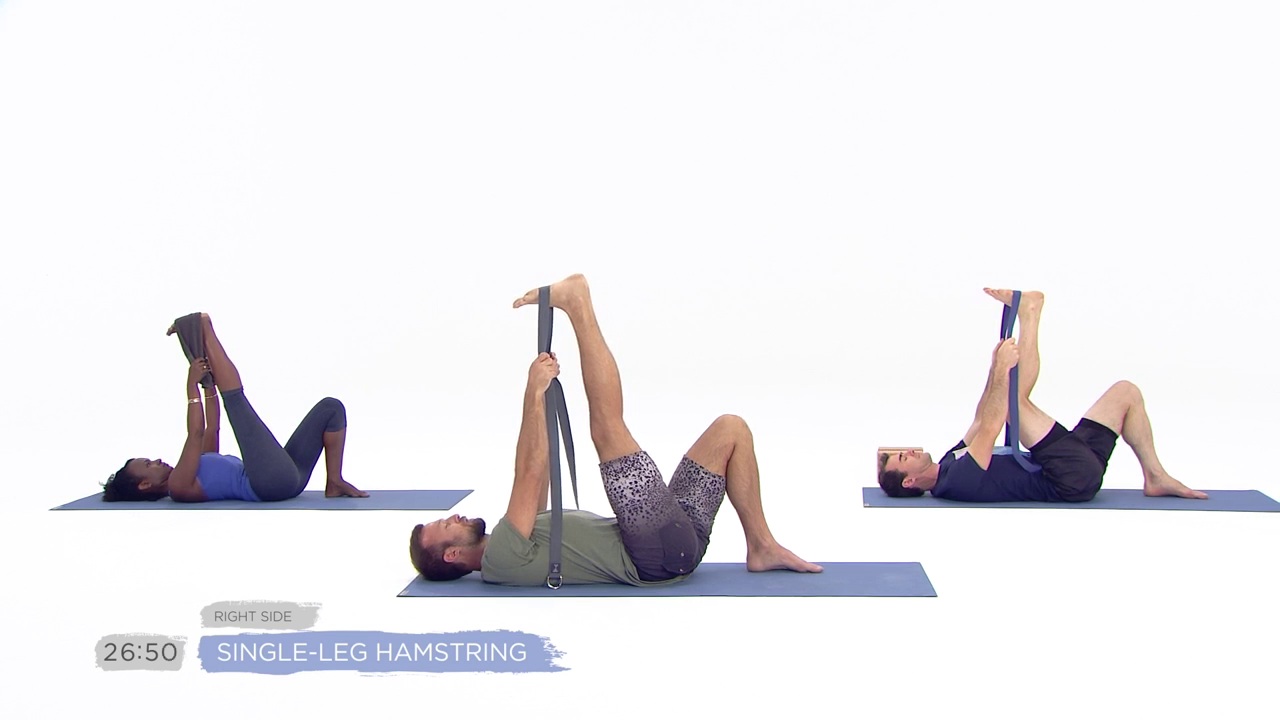
Day 2: Stretch
Extend and lengthen all the muscles in your body with a variety of poses that will make you feel good all over.

Day 3: Balance
Find stability not just physically but mentally and emotionally too. Challenge yourself with a series of different postures to help you develop better balance inside and out.

Day 4: Flow
If you've ever heard of Vinyasa Flow, now you will experience it Beachbody- style. In this class we put everything you've learned so far and connect it with your breathing in a flowing format.

Day 5: Flow On-the-Go
A faster, more advanced version of the Flow class. Also great for when you are short on time but still want a little yoga!

Day 6: Relax
Faith takes you on a relaxing yoga experience to help you unwind from your week of work. Be sure to treat your body to this delicious experience.

Day 7: Take 10 - AM
Start your day by energizing your muscles and waking up your body with Faith in this mini- flow class.

Day 7: Take 10 - PM
Before going to bed, take 10 minutes to relax and distress so you can have a restful night sleep.

Day 7: Take 10 - Abs
Fire up your abs and core with Faith in this 10 minute targeted routine.

Expansion Week 2

Day 1: Core
The foundation of your yoga practice starts in your core. This class focuses on exercises that engage, activate, and build awareness of these very important muscles.

Day 2: Stretch
Extend and lengthen all the muscles in your body with a variety of poses that will make you feel good all over.

Day 3: Balance
Find stability not just physically but mentally and emotionally too. Challenge yourself with a series of different postures to help you develop better balance inside and out.

Day 4: Flow
If you've ever heard of Vinyasa Flow, now you will experience it Beachbody- style. In this class we put everything you've learned so far and connect it with your breathing in a flowing format.

Day 5: Flow On-the-Go
A faster, more advanced version of the Flow class. Also great for when you are short on time but still want a little yoga!

Day 6: Relax
Faith takes you on a relaxing yoga experience to help you unwind from your week of work. Be sure to treat your body to this delicious experience.

Day 7: Take 10 - AM
Start your day by energizing your muscles and waking up your body with Faith in this mini- flow class.

Day 7: Take 10 - PM
Before going to bed, take 10 minutes to relax and distress so you can have a restful night sleep.

Day 7: Take 10 - Abs
Fire up your abs and core with Faith in this 10 minute targeted routine.

Progression Week 3

Day 1: Core
The foundation of your yoga practice starts in your core. This class focuses on exercises that engage, activate, and build awareness of these very important muscles.

Day 2: Stretch
Extend and lengthen all the muscles in your body with a variety of poses that will make you feel good all over.

Day 3: Balance
Find stability not just physically but mentally and emotionally too. Challenge yourself with a series of different postures to help you develop better balance inside and out.

Day 4: Flow
If you've ever heard of Vinyasa Flow, now you will experience it Beachbody- style. In this class we put everything you've learned so far and connect it with your breathing in a flowing format.

Day 5: Flow On-the-Go
A faster, more advanced version of the Flow class. Also great for when you are short on time but still want a little yoga!

Day 6: Relax
Faith takes you on a relaxing yoga experience to help you unwind from your week of work. Be sure to treat your body to this delicious experience.

Day 7: Take 10 - AM
Start your day by energizing your muscles and waking up your body with Faith in this mini- flow class.

Day 7: Take 10 - PM
Before going to bed, take 10 minutes to relax and distress so you can have a restful night's sleep.

Day 7: Take 10 - Abs
Fire up your abs and core with Faith in this 10 minute targeted routine.

Take 10

Take 10 - AM
Start your day by energizing your muscles and waking up your body with Faith in this mini- flow class.

Take 10 - PM
Before going to bed, take 10 minutes to relax and distress so you can have a restful night's sleep.

Take 10 - Abs
Fire up your abs and core with Faith in this 10 minute targeted routine.

00475379.jpg


00475385.png
00475386.png

00475387.png
00475388.png

00475389.png
0047538a.png

0047538b.png
0047538c.png


Zuletzt bearbeitet:
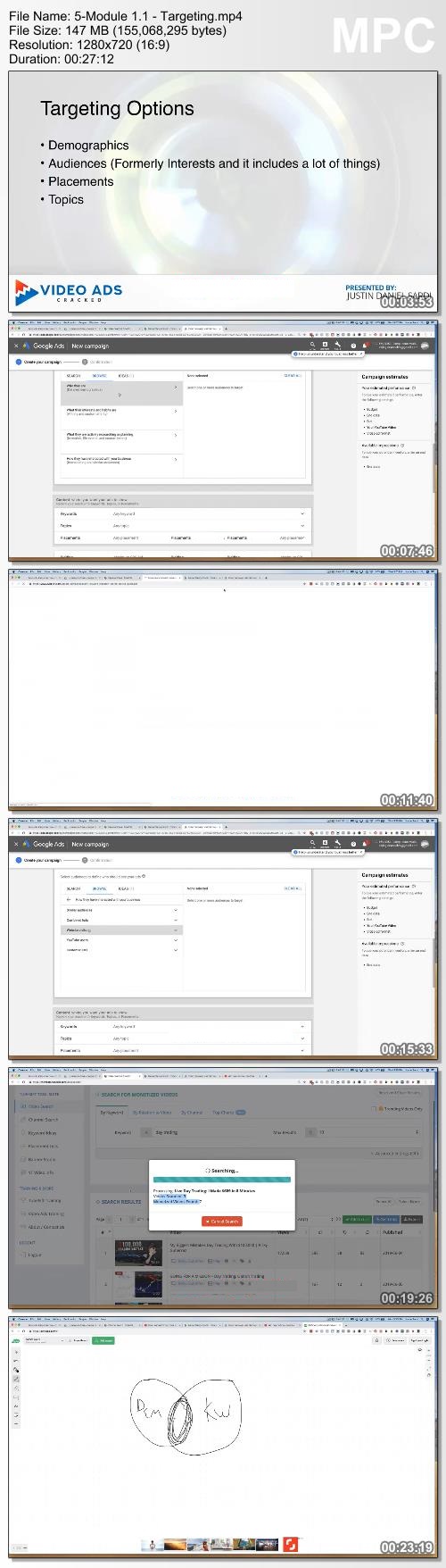
Justin Sardi Video Ads Cracked 2019

eb2907db46d4937ed8df99f2a4cf0c8a.jpg

Justin Sardi - Video Ads Cracked 2019 | 2.34 GB
Fast Action Bonuses Still Available Right Now!
Yes, I Want Video Ads Cracked+ A Free 6 Month TubeSift License
Exclusive Live Training Special Pricing

WHEN I SIGN UP I WILL GET ACCESS TO:
7 Modules of Coaching and Training in Video Ads Cracked $3997
Access to the Video Ads Cracked Coaching Community $2997
2 Coaching Calls Per Month $1997
6 Months of TubeSift Access $402
Banner Design Studio $197
Landing Page Templates $497
Video Creation Masterclass $297
Affiliate Marketing Masterclass $497
Total Value: $10,881
Video Ads Cracked
The Ultimate Video Ads Coaching & Training Course
This training course will show you step by step how to find an offer, craft a video ad, get the traffic flowing, and start profiting from that traffic and ultimately how to scale those profits. Growing your business will become a straight forward mathematical system by the time you complete this academy. The course includes the following modules:
Types of Ads
Video Creation
Conversions and Retargeting
Targeting Options
Video Ad Setup
Tracking and Reporting
In Video Overlay

HOmepage:

Screenshots
afd9cec5c3f9d258bc2f765fcfbecabc.jpg


Link Download
Extract files with WinRar 5 or Latest !
 
Ultimate Java Part 2: Object-oriented Programming

TRo-Q7icvlf-Mxm8-Jpn-Sbnhyp-Zttic-UH9-C.jpg


Ultimate Java Part 2: Object-oriented Programming
Mosh Hamedani | Duration: 4h+ | Video: H264 1920x1080 | Audio: AAC 48 kHz 2ch | 7,19 GB | Language: English

Heard about object-oriented programming, but not sure what it is?

Object-oriented programming (OOP) is a popular style of programming. It comes up in technical interviews often and it's an essential skill for every developer.

The problem is that there's lots of bad info out there about OOP. Lots of myths, misconceptions, bad advice and downright poor tutorials and books. It took me a long time to really get it!

That's why I've designed this course for you.

No fluff, no jargons, no over-complicated descriptions.

Clear, concise, practical OOP using real-world examples, exercises and step-by-step solutions.

By the end of this course.

You'll be able to:

• Write object-oriented Java code with confidence
• Get ready to learn advanced Java features
• Write clean code like a pro

Ug-TQvari6s-PGIx-Xa-MG6-Qtv-Zb-XRYvljq0.jpg


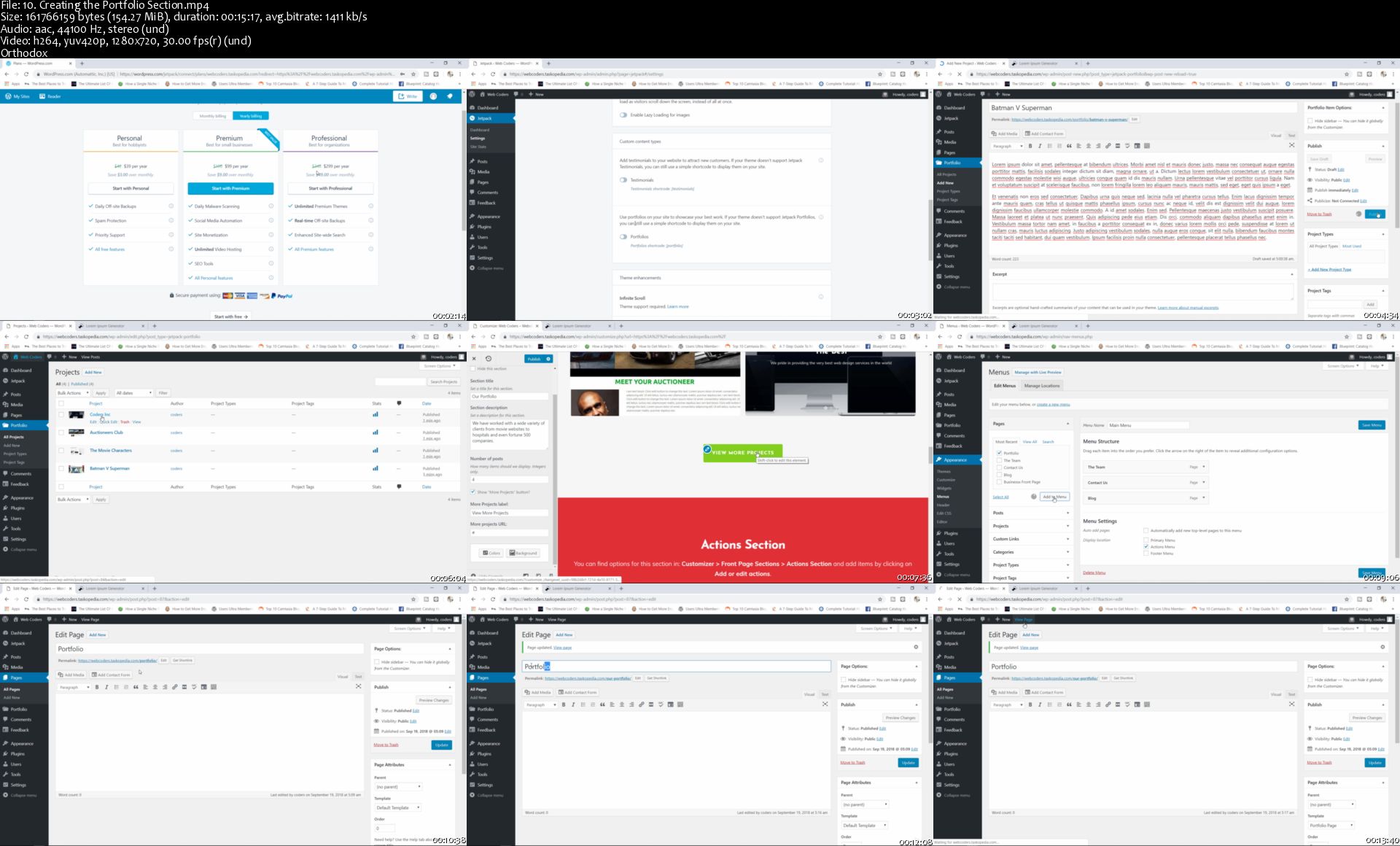
The Ultimate WordPress Boot Camp Course - Build 10 Websites

3-Fgs-GKVt-Nc-Ck-SZ5-Uq3nny-HQSVi-OO8uu-I.jpg


The Ultimate WordPress Boot Camp Course - Build 10 Websites
h264, yuv420p, 1280x720 |ENGLISH, aac, 44100 Hz, 2channels | 21h 00mn | 11.40 GB
Created by: Alexander Oni

Master the art of using WordPress to build a full portfolio of different types of websites
What you'll learn

Build a wide variety of WordPress websites
Implement best strategies and techniques for building WordPress websites
Identify the best plugins and themes for building different types of websites
Improve your overall WordPress skills
Work with the most powerful and sophisticated WordPress plugins

Requirements

Basic knowledge of WordPress
Be able to work with WordPress themes and plugins
Prior knowledge of HTML and CSS is beneficial but NOT required

Description

** Welcome to one of the most intensive WordPress course you will ever find **

This course is for any aspiring WordPress student/developer who would like to learn how to build any type of website using the most powerful CMS available - WordPress. Complete with more than 250 lectures and over 20 hours of video content, this course has been designed to expand your knowledge of WordPress and give you the necessary skills and confidence to either start a career as a WordPress developer or build your very own portfolio of websites.

In this course you will learn how to build the following types of websites:

Blog

Business website

Membership site

E-Commerce site

Forum

Job board website

One page website

Portfolio/Gallery

Event Website

In addition you will also learn how to use some of the most popular and powerful WordPress plugins including:

Elementor

SiteOrigin

Easy Digital Downloads

NextGen

WP Job Manager

Yoast SEO

bbPress

MailChimp

Beaver Builder

Akismet

and much much more

Curriculum Breakdown

Project 1 - Build a Blog

You will learn how to build a full blog. You will learn how to import and export data to and from your WordPress website. You will learn how to build your mailing list using Mailchimp and also how to add social media functionality. Comments are a big part of any blog and I will show you how to customize your comments section and even more importantly, I will show you how to fight against spam comments using one of the most powerful anti-spam plugins. We will also cover how to spice up your blog by adding a review system and how to customize your widgets.

Project 2 - Build a Business Website

For our second project, you will learn how to build a great looking website for a fictional company known as Web Coders Inc. You will learn how to add every major feature of a business website such as the 'our services', 'the team' and also the 'our clients' sections. I will show you how to add the portfolio section to showcase previous projects to potential clients and also some testimonials. We will round up this project by building a contact us page.

Project 3 - Build a Membership Site

Want to build a membership site so you can charge subscribers for premium content? this project is perfect for you. You will learn how to configure and use one of the most powerful plugins known as Membership pro. You will learn how to create and restrict premium content while also learning how to create subscription packages. I will show you how to configure payment systems so you can accept payments via PayPal and Stripe.

Project 4 - Build a Job Board Website

In this project you will learn how to build a job board website similar to monster or Indeed. You will learn how to work with the WP Job Manager plugin to create and publish jobs. I will show you how to also populate your website by importing jobs from other job board websites. I will also teach you how to customize your menu items so they are visible or hidden depending on certain conditions.

Project 5 - Build a Forum

Here you will learn how to build forum using one of the most popular social networking plugins known as bbPress. You will learn how to create forums and topics and also how to setup a registration page so subscribers can register and login to use the site. I will show you how to truly enhance the functionality of your forum site by teaching you how to add custom user avatars, user attachments and even the 'LIKE' button. You will also learn how to apply basic security to protect your site from spam.

Project 6 - Build a One Page Event Website

In this class you are going to learn how to use a very powerful free page builder known as SiteOrigin to build a full one page website. SiteOrigin is one of the most popular page builder plugins with more than 2.5 million downloads already.

The website we are going to build together will be for an event known as the 'Black Hat Convention'. The purpose of the website will be to market and promote the event to potential attendees. This website is going to be a full one page website complete with a video, image gallery, text blocks, pricing tables, FAQ section and much more.

You will master the art of using the SiteOrigin page builder plugin to work with columns, rows, widgets and addons. You will learn how to build all the previously mentioned content by utilizing the full power and features of the plugin.

I will conclude this class by teaching you how to work with the pre-built layouts available with the plugin.

Project 7 - Build a One Page Website with Elementor

Similar to the previous section, here you will learn how to use another extremely powerful page builder known as Elementor. With more than a million downloads already, Elementor is one of the very best and most popular plugins for building pages in WordPress. The plugin is extremely fast and comes with a variety of widgets and elements making it very easy to build any kind of web page imaginable without using any code.

In this project you will master the art of using this page builder to build a full one page website.

Project 8 - Build an E-Commerce Site

If you are looking to build a virtual store that sells downloadable products like music files, images and e-books then you are going to love this section. I will show you how to build the store using the Easy Digital Downloads plugin. The EDD plugin is one of the very best plugins for building virtual stores and you will learn how to use it to its maximum abilities. You will learn how to how to create bundled virtual products and how to manage downloads from your customers.

Project 9 - Build a Photo Gallery

In this project, you are going to learn how to build a complete photo gallery using WordPress. We will be making use of one of the most popular WordPress gallery plugins known as NextGen Gallery to build our fictional gallery.

The website we shall be building is called snapshooter and is a website containing several different photo galleries dedicated to themes like war, nature, people, sports etc.

With the NextGen gallery plugin, I am going to show you how to

Build and publish photo galleries and albums

Optimize your images to improve website performance

Protect your images by adding watermarks

Display your images and galleries using a variety of display formats

Create pricing lists for your images so you can charge customers

Set up payment systems to accept payments

and much more

By the end of this master course, your confidence as a WordPress user will soar. You'll have a thorough understanding of how to use different types of plugins and themes so you can use them to build a portfolio of websites and start a profitable WordPress career.

My satisfaction guarantee...

I have a 30-day 100% money back guarantee, so if you aren't happy with your purchase, I will refund your course - no questions asked!

I can't wait to see you in the course!

Enroll now, and you will become a true master at using WordPress to build websites.
Who this course is for:

Students who want to master the art of building websites with WordPress
Students or Web developers who want to build a portfolio of WordPress websites

Homepage

10-Creating-the-Portfolio-Section-s.jpg


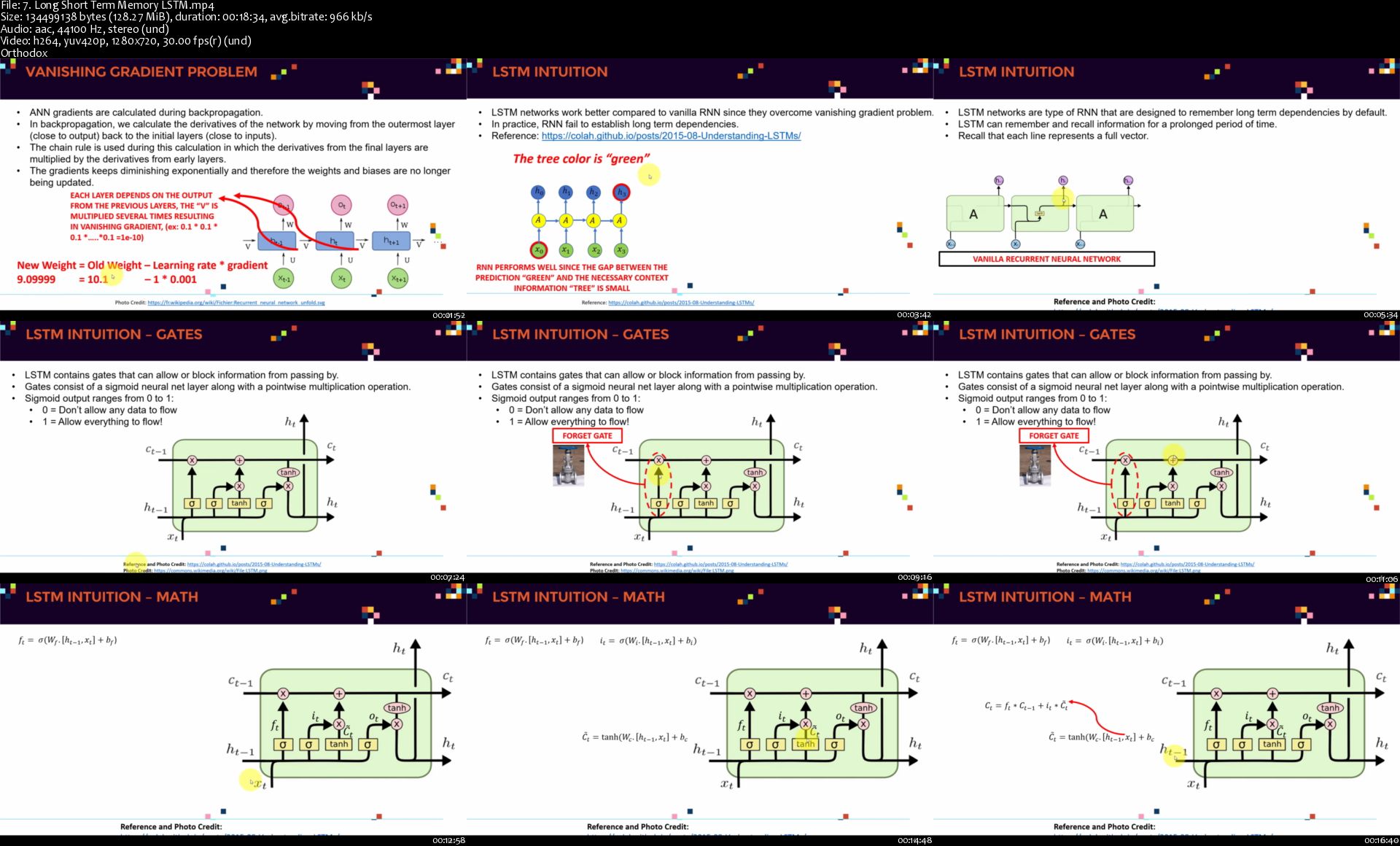
TensorFlow 2.0 Practical Advanced

2-Ymw4-Iooc-K8r-YGthrl-BQNMi-Iq1-VLy-VQY.jpg


TensorFlow 2.0 Practical Advanced
h264, yuv420p, 1280x720 |ENGLISH, aac, 44100 Hz, Stereo | 12h 37mn | 6.77 GB
Created by: Dr. Ryan Ahmed, Ph.D., MBA, Kirill Eremenko, Hadelin de Ponteves, SuperDataScience Team, Mitchell Bouchard

Master Tensorflow 2.0, Google's most powerful Machine Learning Library, with 5 advanced practical projects
What you'll learn

At the end of this course, You will get complete knowledge on Python Automation using Selenium WebDriver
You will be able to implement Python Test Automation Frameworks from Scratch with all latest Technlogies
Complete Understanding of Python Basics with many practise Examples to gain a solid exposure
You will be learning Python Unit Test Frameworks like PyTest which will helpful for Unit and Integration Testing
Complete Understanding on Selenium Python API Methods with real time Scenarios on LIVE Websites
"Last but not least" you can clear any Interview and can Lead Entire Selenium Python Projects from Design Stage

Requirements

******You need NOT have Python coding experience to start this course********* Even non Programming candidates can follow this course comfortably
Though these are online Lectures.You will have Life Time instructor support.You can contact me any time for your Queries,Will respond back with in 12 hours
All Installation setup including Python basics is taken care as part of course
Theoretical Material,Code dump are available for download
Join in our Selenium Training community where 3 Million Students Learning Together which you will not see in any other Selenium courses on Udemy

Description

**Learn Everything You Need to Know About Python Selenium Automation including Framework Even If You've Never Programmed Before in Python**

Do you know? Python is the popular choice for implementing Artificial Intelligence and Web Security in any Applications . This made QA industry to shift its focus to Python for implementing Test Automation to support AI Projects.
So this course will help you in making you master in Python Basics + Selenium Python + Pytest Unit Testing Framework +Page object Design Patterns + Excel Data driven Frameworks + Log4J Logging +Cross browser testing + Interview Prep +GitHUB +LifeTime Query Support
On course completion You will be Mastered in Selenium Automation Testing with Python and can implement Successfully it in your work place or will surely land on High Paying Job

***************************************************************************************************
So what makes this course Unique in the Market?

We assume that students have no experience in automation / coding and start every topic from scratch and basics.

Examples are taken from REAL TIME HOSTED WEB APPLICATIONS to understand how different components can be automated.

Topics includes:

Python Basics

Python Programming examples

Python Data types

Python OOPS Examples

Selenium Locators

Selenium Multi Browser Execution

Python Selenium API Methods

Advanced Selenium User interactions

End to end Practise Examples to Automate

PyTest - Unit Testing Framework

PyTest Fixtures

PyTest Parameterization

PyTest Annotations, Command Line Arguments

Python PyTest Reports

Log4J Logging Python

Page object Model Design Pattern

End to end Framework design from scratch

Python Data driven Framework using Excel

Pyxl Examples with Selenium Integration

Jenkins CI Integration

GITHUB Version control Management

All the Best! Happy Testing :)
Who this course is for:

Manual testers, Non-programming aware testers interested in learning Automation
Freshers/Graudates who want to kick start their Carrier in IT World

Homepage
7-Long-Short-Term-Memory-LSTM-s.jpg


Practical Geospatial Analysis Masterclass: 4 Classes in 1

00785966.jpg


Practical Geospatial Analysis Masterclass: 4 Classes in 1
Video: .mp4 (1280x720, 30 fps(r)) | Audio: aac, 48000 Hz, 2ch | Size: 5.28 GB
Genre: eLearning Video | Duration: 65 lectures (9 hour, 2 mins) | Language: English

Learn Remote Sensing and GIS, main concepts, machine learning, classification, change detection, QGIS, Earth Engine etc.


What you'll learn

Understand and implement basic concepts of Geographic Information Systems (GIS) and Remote Sensing
Fully understand the basics of Land use and Land Cover (LULC) Mapping and Change Detection in QGIS
Learn the most popular open-source GIS and Remote Sensing software tools (QGIS, Semi-automated classification (SCP) plugin, OTB toolbox)
Learn how to obtain satellite data, apply image preprocessing, create training and validation data in QGIS
Create your first GIS maps for your reports/presentations
Understand machine learning concepts and its application in GIS and Remote Sensing
Apply Machine Learning image classification mapping and change detection in SCP, OTB toolbox and QGIS
Fully understand and apply advanced methods in machine learning in GIS and Remote Sensing, such as random forest classification and object-based image analysis, in QGIS and Google Earth Engine
You'll have a copy of the labs, step-by-step manuals and scripts used in the course

Requirements

A working computer
An interest in working with spatial data
The course will be demonstrated using a QGIS version of Windows PC. Mac and Linux users will have to adapt the instructions to their operating systems.

Description

Do you need to design a GIS map or satellite-imagery based map for your project but you don't know how to do this?

Have you heard about object-based image analysis and machine learning or maybe QGIS or Google Earth Engine but did not know where to start with such analyses?

Do you find GIS books & manuals too not practical and looking for a course that takes you by hand, teach you all the concepts, and get you started on a real-life GIS mapping project?

I'm very excited that you found my Practical Geospatial Masterclass course. This course provides you with all the necessary knowledge to start and advance with Geospatial analysis and includes more than 9 hours of video content, plenty of practical analysis, and downloadable materials. After taking this course, you will be able to implement PRACTICAL, real-life spatial geospatial analysis and tasks, including land use and land cover mapping and change detection, machine learning for GIS, data, and maps creation, etc. in popular and FREE software tools.

This course is designed to equip you with the theoretical and practical knowledge of applied geospatial analysis, namely Remote Sensing and some Geographic Information Systems (GIS). By the end of the course, you will feel confident and completely understand the basics of Remote Sensing and GIS, learn Machine Learning applications in GIS / Remote Sensing technology and how to use Machine Learning algorithms for various geospatial tasks, such as land use and land cover mapping (classifications) and object-based image analysis (segmentation, crop type mapping, etc). This course will also prepare you for using geospatial analysis with open source and free software tools.

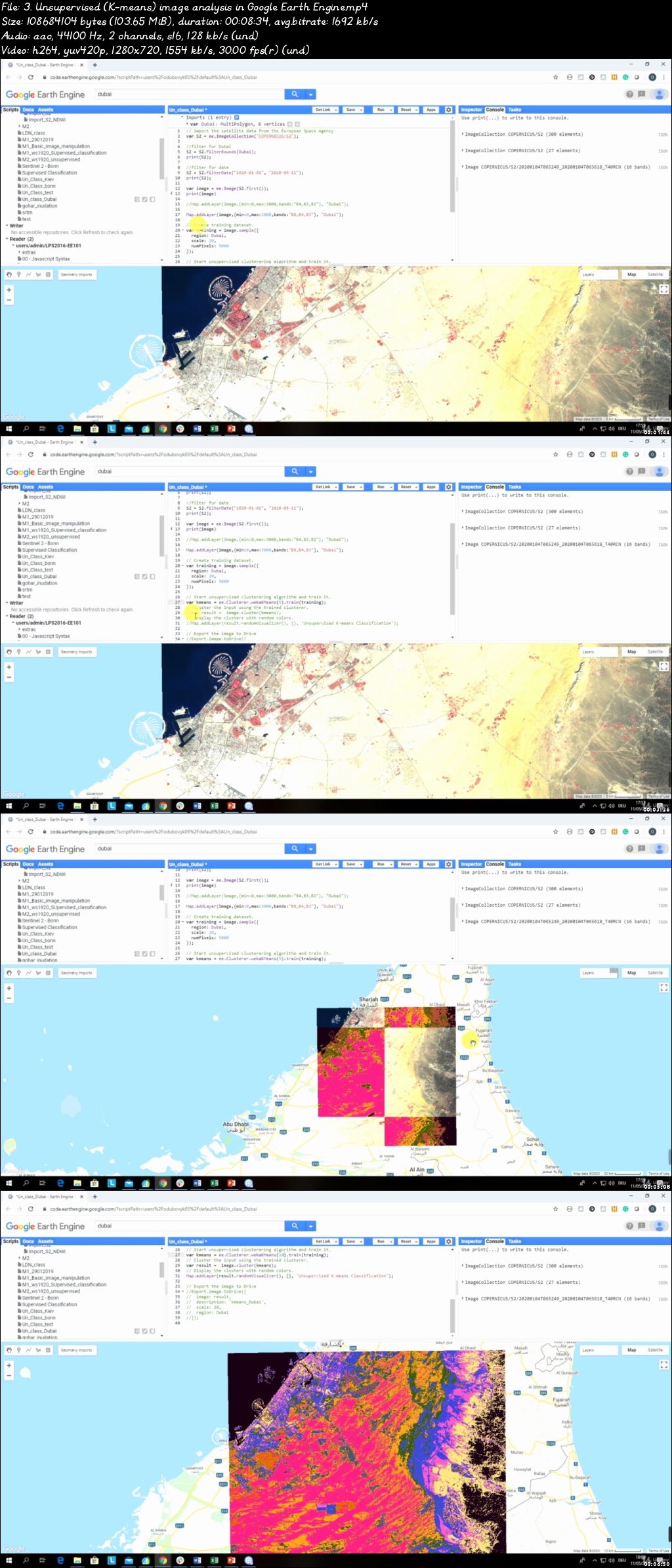
In the course, you will be able to apply such Machine Learning algorithms as Random Forest, Support Vector Machines and Decision Trees (and others) for classification of satellite imagery. You will also learn how to download and process satellite imagery, conduct supervised and unsupervised learning, implement accuracy assessment, apply object-based image analysis, and change detection. On top of that, you will practice geospatial analysis by completing an entire classification project by exploring the power of Machine Learning, cloud computing, and Big Data analysis using Google Erath Engine for any geographic area in the world.

In this course, I will teach you how to work with the popular open-source QGIS software and its great tools: Semi-Automated classification plugin and Orfeo (OTB) toolbox. You will also get introduced to cloud computing and Big Data analysis using Google Erath Engine for any geographic area in the world.

The course is ideal for professionals such as geographers, programmers, social scientists, geologists, and all other experts who need to use maps in their field and would like to learn more about Machine Learning in GIS. If you're planning to undertake a task that requires to use a state of the art Machine Learning algorithms for creating, for instance, land cover and land use maps, this course will give you the confidence you need to understand and solve such geospatial problem.

One important part of the course is the practical exercises. You will be given some precise instructions, downloadable practical materials, scripts, and datasets to create maps and conduct analysis based on Machine Learning algorithms using the QGIS software and Google Earth Engine.

Who this course is for:

Geographers, Programmers, geologists, biologists, social scientists, or everyone who deals with GIS maps in their field or would like to learn GIS and Remote Sensing

00785967.jpg


Next.js and Apollo - Portfolio App (w/ React, GraphQL, Node)

HTYr-ICTe7n26-BGFd-GAld-S8q-Ahe5z-Sq-JL.jpg


Next.js and Apollo - Portfolio App (w/ React, GraphQL, Node)
MP4 | Video: h264, 1280x720 | Audio: AAC, 44.1 KHz, 2 Ch
Genre: eLearning | Language: English | Duration: 157 lectures (28h 36m) | Size: 12.8 GB

Learn GraphQL and Apollo! Create a fast portfolio application in Next.js(Next 9+) / React backed with Apollo + Node.js
What you'll learn:
Develop Real-world web application with Next JS, Apollo and Node
Create your own portfolio application in most demanded frameworks on the market
Grasp full power of GraphQL

Requirements
Basics of React Framework!
Fundamentals in HTML and CSS, but isn't must have

Description
What is GraphQL ?

GraphQL is a query language for your API, and a server-side runtime for executing queries by using a type system you define for your data. GraphQL isn't tied to any specific database or storage engine and is instead backed by your existing code and data.

What is Apollo ?

Apollo is the industry-standard GraphQL implementation, providing the data graph layer that connects modern apps to the cloud. Apollo will handle data fetching, caching and state management of out the box!

What is Next.js ?

Next.js is React framework that provides infrastructure and simple development experience for server side rendered(SSR) application.

An intuitive page-based routing system (with support for dynamic routes)

Pre-rendering, both static generation (SSG) and server-side rendering (SSR) are supported on a per-page basis

What are we going to build ?

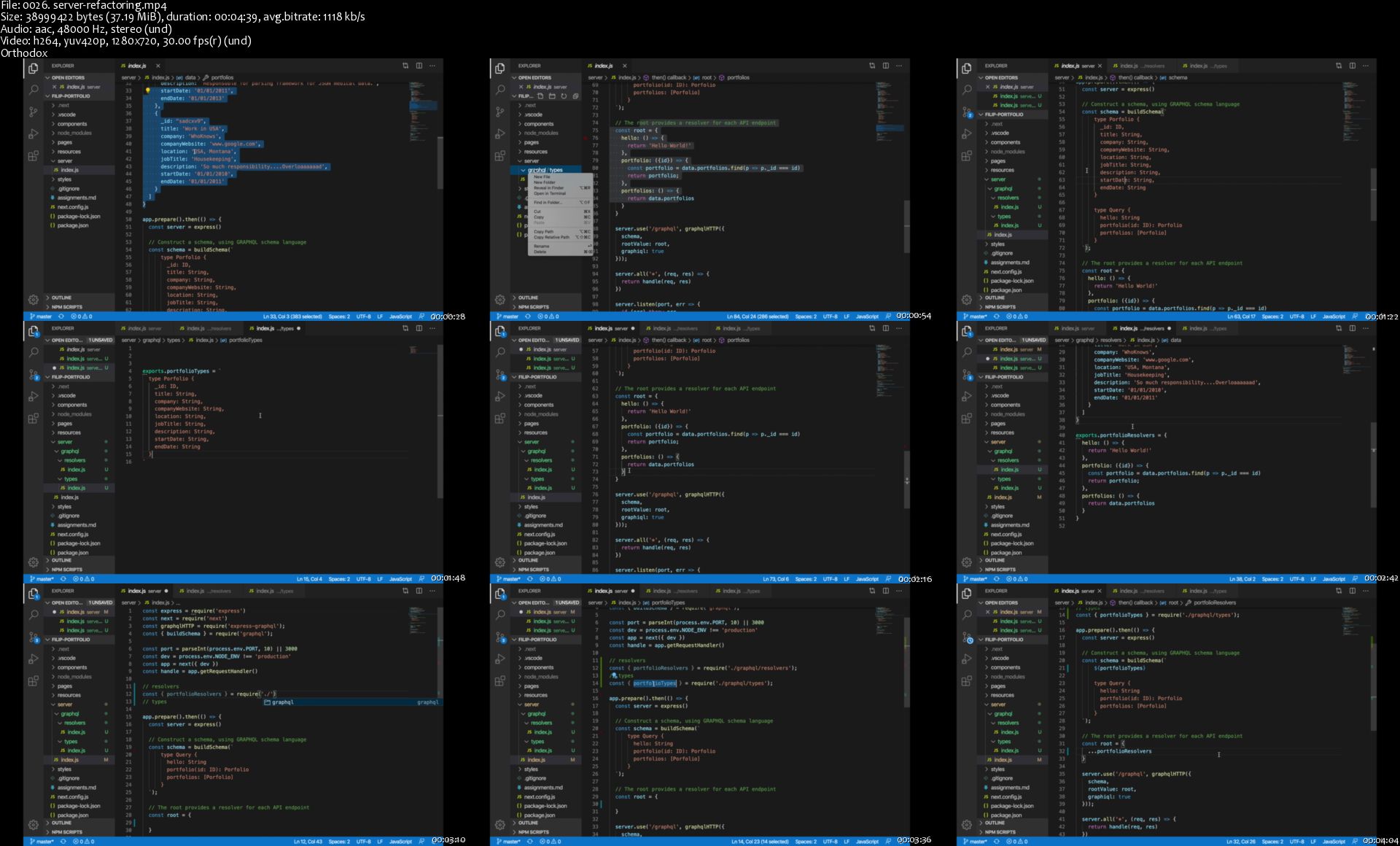
We will work mainly on portfolios features. You will learn how to manage data on the client and the server with Apollo and Graphql. Data will be stored in Mongo Atlas Database to which we will be communicating through the Node JS Server. We will create a functionality to create a portfolio and I will explain you how to easily manage forms. Then we will take a look on an update functionality where I will show you how to populate inputs with existing data. After that will work on a delete functionality. All of the features will be reactive and updating view in real time. You will learn the basics of data fetching and data mutations with Apollo.

Another big feature we will be working on will be session based authentication. We will prepare login and register forms. Users will be able to register, login and experience features only for authenticated users. You will learn how to manage sessions, how to protect the pages, and manage an authentication state through your application.

Forum feature will be the biggest one. You are going to learn how to create fully working forum consisting of topics and posts. We will integrate a component that will be used for topic and posts creation. Users will be able to create various topics, posts and also replies to other posts, all updated in real time and also across the browsers. After that you will learn how to create a fully working pagination!

Later in the course we will create features to get randomised data for home page and I will talk about re-usability. We will finish CV page and we will get into deploying. After all production improvements will be applied we will deploy our application to heroku so anyone on internet can access our portfolio.

Who this course is for
Starting as well as experienced developers interested in Next JS, GraphQL, Apollo
This course is for everyone eager to create apps with modern tech stack

0026-server-refactoring-s.jpg


Implement High Fidelity Designs with Material-UI and ReactJS

0e-C8z-OIy-GO83-EQATj7fnq-RDZaa-On-Bc-I8.jpg


Implement High Fidelity Designs with Material-UI and ReactJS
MP4 | Video: h264, 1280x720 | Audio: AAC, 44.1 KHz, 2 Ch
Genre: eLearning | Language: English + .srt | Duration: 236 lectures (39h 43m) | Size: 20.6 GB

Bridge the gap between Design & Development! Break down detailed designs and bring them to life with Material-UI/React.
What you'll learn:
Create beautifully designed production applications from scratch with Material-UI
Build applications that look perfect on every screen with Material-UI's responsive design system
Optimize images to reduce file sizes
Search Engine Optimization in React JS
Migrate from create-react-app to Next JS
Use serverless functions with Firebase
Export and efficiently integrate animations with react-lottie
Collect data and track events with Google Analytics in React JS
Ensure cross-browser support with your styles in Material-UI
Deploy production Material-UI/React JS applications

Requirements
Be comfortable with React JS -- this is an intermediate level course!
Mac or Windows Computer

Description
Welcome to the most comprehensive resource for Material-UI to date!

Over 35 hours and more than 200 lectures, I will teach you absolutely everything there is to know about building finely designed applications using hands-down the most useful tool I've learned since React itself -- Material-UI!

Take your web development skills to a whole new level and separate yourself from the average React developer by gaining the confidence to build professionally designed applications!

After learning React, I think many developers run into a common problem -- what are the best practices for actually building your own project!? You may have an idea in your head for a really cool application or website but feel like you wouldn't know exactly how to go about creating it with React. Are you supposed to build every little component and piece of functionality from scratch? Definitely not! Learn to let Material-UI do the heavy lifting for you with its comprehensive customizable component library with integrated styling, theming, grid, and responsive design systems.

Most of the courses you take while learning React are focused on teaching you the core concepts and fundamental syntax/structures necessary to understand and build React applications. This is usually done by building either a handful of small projects, each focused around a certain concept or by building a large project and incorporating each concept as you go. Learning like this is great, and absolutely essential to understanding the subject.

However, I have noticed that due to the focus on the underlying concepts and functionality, most of the designs and layouts aren't particularly interesting! None of the designs are bad by any means -- and that isn't the focus of pure React courses so this isn't a problem -- but they aren't usually something you would give to a paying client, so that does leave a bit of a gap when you begin working on your own. That's precisely why I made this course
We're going to build two complete projects from scratch based on just design files -- including my own actual production website!

I'm going to walk you through the learning process that I went through when I built my first production application -- all the way from starting the project with a blank screen to deploying a fully responsive website. What I really try to emphasize is the way to think about structuring layouts in Material-UI. We'll first go over screenshots of the design we're about to build and visually breakdown the grid setup necessary to achieve each look, along with the corresponding code snippets! Then we actually hop into the code editor to put it into action.

We'll also be going over the documentation for each Material-UI component before we use it in our project so you'll be familiar with all the different capabilities, not just the features we use! Each component is extremely flexible and one of my goals for this course was giving you enough familiarity with the entire current ecosystem to be ready to understand any future updates.

A key part of building production applications is making sure that your styles and functionality don't just work on your system, but are flexible and responsive to any environment. That's why I drill responsive design practices so you'll understand not only the concepts to keep in mind but how to actually implement them with Material-UI and get perfect styles on the biggest, smallest, and every screen in between. This will hopefully become second nature and we'll all enjoy more optimized user-experiences across the web.
We will also be covering extra topics like SEO in React, switching our project over to Next.js and the benefits from doing so, hooking up Google Analytics to start making data-driven decisions, integrating animations from After Effects, and so much more!
The Course Content Includes:

Setting up a new project with create-react-app, React Router, and Material-UI

Guided explanations of the documentation for almost every Material-UI component followed by implementing them in our project

Different image optimization strategies

Creating a theme for your application by mastering Material-UI's centralized styling system

Learning how to use responsive design to ensure your applications look perfect on any screen size and orientation!

Using the Material-UI grid system to align complex layouts perfectly

Exporting animations from Adobe After Effects and efficiently importing them into a React application with react-lottie

Leveraging serverless functionality with Google Firebase Cloud Functions

Sending emails through Node.js

Making network requests in React while displaying feedback like loading spinners with Material-UI

Search Engine Optimization (SEO) in React applications

Migrating a project from create-react-app to Next.js and why

Cross-browser testing and support

Deploying a Next.js project and adding a custom domain name -- for two different hosting platforms

Incorporate Google Analytics to collect data about who is interacting with your application and what they're doing

Build custom organizational functionality to control data displayed in tables including search, filtering, delete, and undo

Along with lifetime access to over 35 HOURS of content, you'll also find easy access to support through active Q/A.

You've got nothing to lose -- this course comes with a 30-day money-back guarantee in case you aren't completely satisfied!

Tackle the challenge, blur the line between design and development, and learn to create the projects you've envisioned.

Who this course is for
React developers looking to bridge the gap between design and development.
React developers who feel like they know React but still have more to learn before building a polished website.
React developers who have great designs but have struggled on perfectly implementing them in practice.
React developers who want to be able to build any website design that's handed to them.
React developers who want to master responsive design

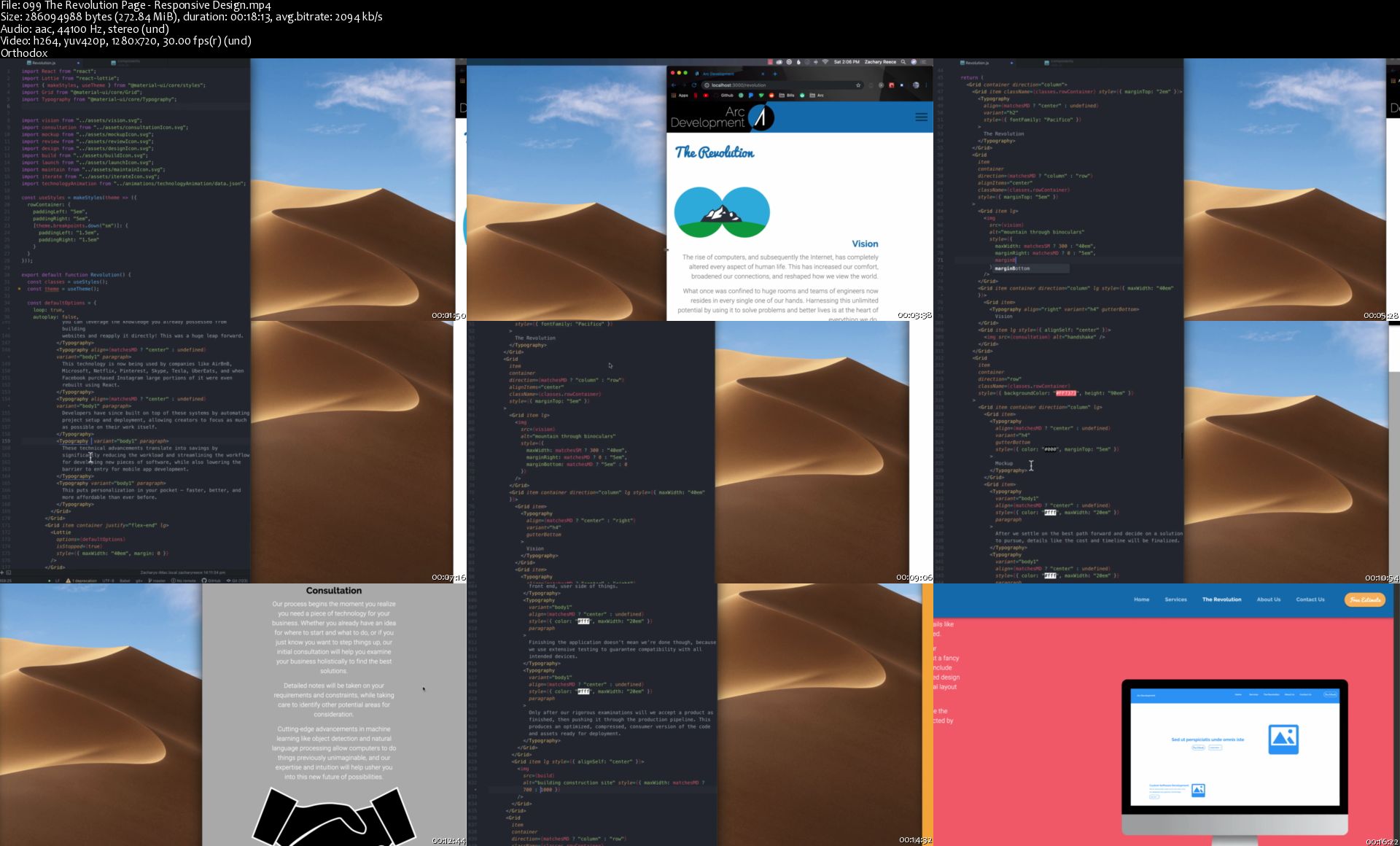
099-The-Revolution-Page-Responsive-Design-s.jpg


Fundamentals of Drawing Anything - Shading, pencils, more

AD8c-Q8sn-Z0ywuriadha-SDh-GOR2e-Dk-Lz-Y.jpg


Fundamentals of Drawing Anything - Shading, pencils, more
h264, yuv420p, 1280x720 |ENGLISH, aac, 48000 Hz, 2channels | 9h 10mn | 5.31 GB
Created by: Neil Fontaine

Learn to draw well
What you'll learn

You will learn how to draw anything by mastering the fundamentals of drawing, shading, form, light, shadow, etc.

Requirements

At least a pencil, piece of paper, and the willingness to learn.

Description

Hi, welcome to the fundamentals of drawing anything, where you'll learn how to draw anything you want from imagination or from reference. I'm Neil Fontaine, a professional comic artist, and traditional painter but also the easy-going instructor for this course.

I show you all the fundamentals of drawing that will give you the foundation to draw anything. By the end of this course, you will be able to draw in a new way that lets you break down any complex picture into simple forms. More importantly, you will be able to draw from your imagination.

In this course, we will learn light, shadow, shading, form, perspective, shapes, and we will learn how to properly hold our pencil and draw nice lines. Then we will put all this together and sketch a landscape and draw realism.

I also help you along the way by answering your questions and giving feedback on your progress drawings.

This course is for the beginning artist that wish to draw like a pro. Feel free to look through the course. I'll see you inside.
Who this course is for:

Anyone who wants to learn to draw well.

Homepage

1-How-to-draw-smooth-lines-s.jpg


Nick Kozmin Founder - Salesprocess.io

20e320227e089f4cf71ef9aa009c2f8b.jpg

Nick Kozmin - SalesProcess.io Accelerator | 51.45 GB
Accelerator will help you 10x your Saas or high-ticket services business in one year without using investors or fundraising. Its primary focus is on helping Saas businesses scale.
Over a year, you'll focus on perfecting an offer that solves a problem for your specific target audience.

You'll solve the problem by learning how to:
Generate more leads
Close more sales
Create a solid sales process
Get to your first million or 5 million dollars

What is the included?
- dial in niche and message to target your ideal prospects
- Build you high converting assets (landing pages, articles, etc.
- Launch outbound prospecting campaigns to fill your calendar
- Dial in your sales process and offer to close deals
- Build paid traffic funnels to increase your opportunities
- Duplicate the conversion processes and set a foundation for scaling
- Prepare for scaling by dialing in on onboarding process and customer experience
- Tune your machine and make sure economics are right, you should be making $3 for every $1 spent

HOmepage:

Screenshots
d15667021a90b1edf1e61999b53b5552.jpg


Link Download
Extract files with WinRar 5 or Latest !
 
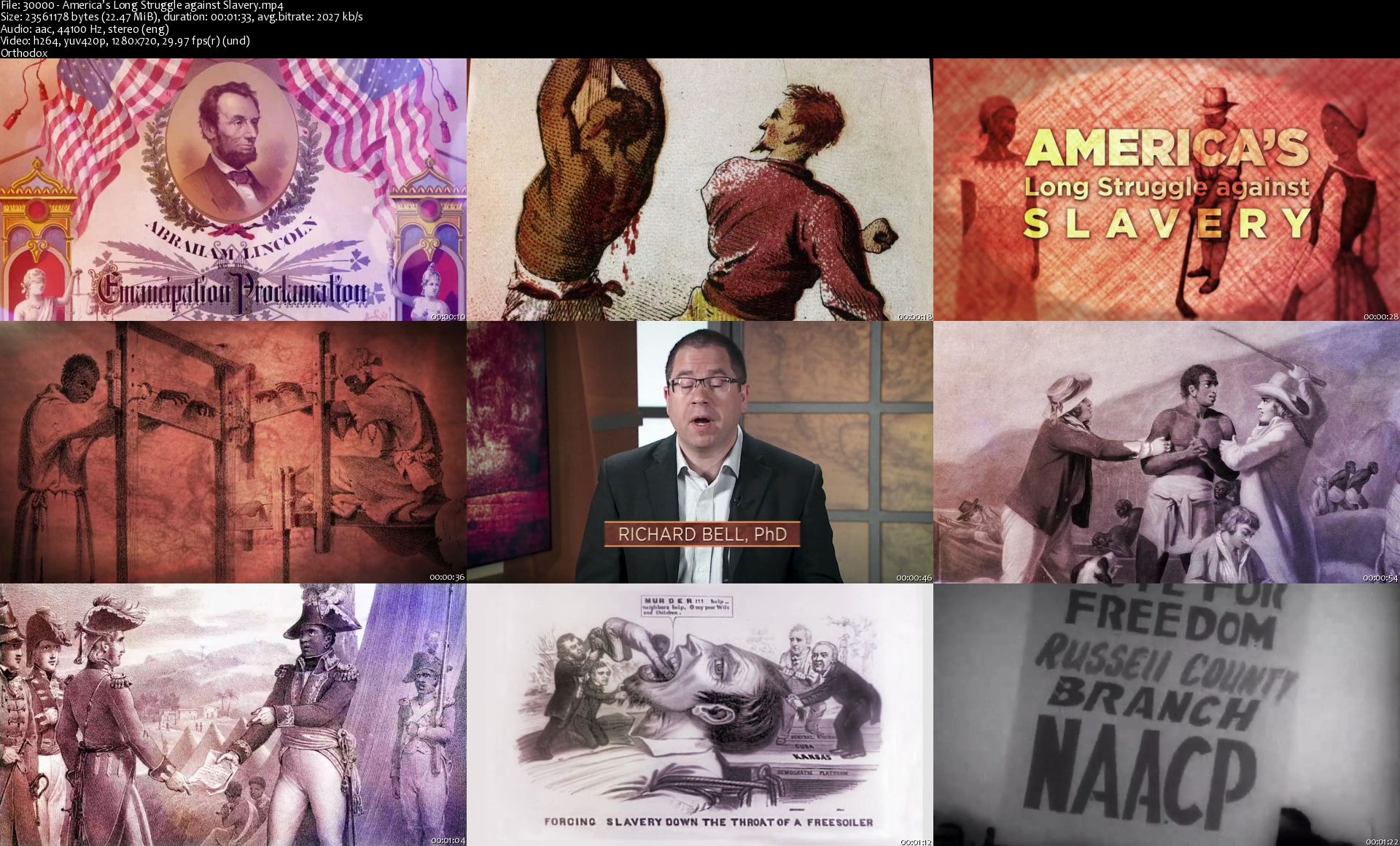
TTC - America's Long Struggle Against Slavery

jew-N4-Jc-Iz-IXt7nqkb-Wy-CUWyv-Lvtwnd-DY.jpg


TTC - America's Long Struggle Against Slavery
h264, yuv420p, 1280x720 |ENGLISH, aac, 44100 Hz, 2channels | 13h 00mn | 11.1 GB
Created by: Professor Richard Bell, PhD

What do you really know about the fight against slavery in America? We're all familiar with the Underground Railroad and the Emancipation Proclamation, but the fight to end slavery was not some sudden movement that sprang up in the middle of the 19th century. Resistance from the enslaved started on the western coast of Africa in the 15th century and continued as the institution of slavery was codified in America, culminating with the War between the States.

Homepage

30000-America-s-Long-Struggle-against-Slavery-s.jpg


Zurück
Oben Unten