• Regeln für den Video-Bereich:

    In den Börsenbereich gehören nur Angebote die bereits den Allgemeinen Regeln entsprechen.

    Einteilung

    - Folgende Formate gehören in die angegeben Bereiche:
    - Filme: Encodierte Filme von BluRay, DVD, R5, TV, Screener sowie Telesyncs im Format DivX, XviD und x264.
    - DVD: Filme im Format DVD5, DVD9 und HD2DVD.
    - HD: Encodierte Filme mit der Auflösung 720p oder darüber von BluRay, DVD, R5, TV, Screener sowie Telesyncs im Format x264.
    - 3D: Encodierte Filme von BluRay, die in einem 3D Format vorliegen. Dies gilt auch für Dokus, Animation usw.
    - Serien: Cartoon/Zeichentrick, Anime, Tutorials, Dokumentationen, Konzerte/Musik, Sonstiges sind demnach in die entsprechenden Bereiche einzuordnen, auch wenn sie beispielsweise im High Definition-Format oder als DVD5/DVD9/HD2DVD vorliegen. Ausnahme 3D.
    - Bereich Englisch: Englische Releases gehören immer in diesen Bereich.
    - Bereich Talk: Der Bereich, in dem über die Releases diskutiert werden kann, darf, soll und erwünscht ist.


    Angebot/Beitrag erstellen

    - Ein Beitrag darf erst dann erstellt werden, wenn der Upload bei mindestens einem OCH komplett ist. Platzhalter sind untersagt.
    - Bei einem Scenerelease hat der Threadtitel ausschließlich aus dem originalen, unveränderten Releasenamen zu bestehen. Es dürfen keine Veränderungen wie z.B. Sterne, kleine Buchstaben o.ä. vorgenommen werden. Ausnahme Serienbörse:
    - Bei einem Sammelthread für eine Staffel entfällt aus dem Releasename natürlich der Name der Folge. Beispiel: Die Simpsons S21 German DVDRip XviD - ITG
    - Dementsprechend sind also u.a. verboten: Erweiterungen wie "Tipp", "empfehlenswert", "only", "reup", usw. / jegliche andere Zusatzinformation oder Ergänzung, welche nicht in obiger Beschreibung zu finden ist.

    Aufbau des Angebots und Threadtitel

    Der Titel nach folgendem Muster erstellt zu werden. <Name> [3D] [Staffel] [German] <Jahr> <Tonspur> [DL] [Auflösung] <Quelle> <Codec> - <Group>
    Beispiel: The Dark Knight German 2008 AC3 DVDRip XviD - iND
    Beispiel: The Dark Knight 2008 DTS DL BDRip x264 - iND
    Beispiel: The Dark Knight 2008 AC3 DL BDRip XviD - iND
    Beispiel: The Dark Knight German 2008 AC3 720p BluRay x264 iND
    Beispiel: The Dark Knight 2008 DTS DL 1080p BluRay x264 iND
    Beispiel: Die Simpsons S01 German AC3 DVDRip XviD iND
    Beispiel: Die Simpsons S20 German AC3 720p BluRay x264 iND
    Beispiel: Sword Art Online II Ger Sub 2014 AAC 1080p WEBRip x264 - peppermint
    Entsprechend sind also u.a. verboten: Sonderzeichen wie Klammern, Sterne, Ausrufezeichen, Unterstriche, Anführungszeichen / Erweiterungen wie "Tipp", "empfehlenswert", "only", "reup", usw. / jegliche andere Zusatzinformation oder Ergänzung, welche nicht in obiger Beschreibung zu finden ist
    Ausnahmen hiervon können in den Bereichen geregelt sein.

    Die Beiträge sollen wie folgt aufgebaut werden:
    Überschrift entspricht dem Threadtitel
    Cover
    kurze Inhaltsbeschreibung
    Format, Größe, Dauer sind gut lesbar für Downloader außerhalb des Spoilers zu vermerken
    Nfo sind immer Anzugeben und selbige immer im Spoiler in Textform.
    Sind keine Nfo vorhanden z.B. Eigenpublikationen, sind im Spoiler folgende Dateiinformationen zusätzlich anzugeben :
    Quelle
    Video (Auflösung und Bitrate)
    Ton (Sprache, Format und Bitrate der einzelnen Spuren)
    Untertitel (sofern vorhanden)
    Hosterangabe in Textform außerhalb eines Spoiler mit allen enthaltenen Hostern.
    Bei SD kann auf diese zusätzlichen Dateiinformationen verzichtet werden.

    Alle benötigten Passwörter sind, sofern vorhanden, in Textform im Angebot anzugeben.
    Spoiler im Spoiler mit Kommentaren :"Schon Bedankt?" sind unerwünscht.


    Releases

    - Sind Retail-Release verfügbar, sind alle anderen Variationen untersagt. Ausnahmen: Alle deutschen Retail-Release sind CUT, in diesem Fall sind dubbed UNCUT-Release zulässig.
    - Im Serien-Bereich gilt speziell: Wenn ein Retail vor Abschluss einer laufenden Staffel erscheint, darf diese Staffel noch zu Ende gebracht werden.62
    - Gleiche Releases sind unbedingt zusammenzufassen. Das bedeutet, es ist zwingend erforderlich, vor dem Erstellen eines Themas per Suchfunktion zu überprüfen, ob bereits ein Beitrag mit demselben Release besteht. Ist dies der Fall, ist der bereits vorhandene Beitrag zu verwenden.
    - P2P und Scene Releases dürfen nicht verändert oder gar unter einem iND Tag eingestellt werden.


    Support, Diskussionen und Suche

    - Supportanfragen sind entweder per PN oder im Bereich Talk zu stellen.
    - Diskussionen und Bewertungen sind im Talk Bereich zu führen. Fragen an die Uploader haben ausschließlich via PN zu erfolgen, und sind in den Angeboten untersagt.
    - Anfragen zu Upload-Wünschen sind nur im Bereich Suche Video erlaubt. Antworten dürfen nur auf Angebote von MyBoerse.bz verlinkt werden.


    Verbote

    - Untersagt sind mehrere Formate in einem einzigen Angebotsthread, wie beispielsweise das gleichzeitige Anbieten von DivX/XviD, 720p und 1080p in einem Thread. Pro Format, Release und Auflösung ist ein eigener Thread zu eröffnen.
    - Grundsätzlich ebenso verboten sind Dupes. Uploader haben sich an geeigneter Stelle darüber zu informieren, ob es sich bei einem Release um ein Dupe handelt.
    - Gefakte, nur teilweise lauffähige oder unvollständige Angebote sind untersagt. Dies gilt auch für eigene Publikationen, die augenscheinlich nicht selbst von z.B. einer DVD gerippt wurden. Laufende Serien, bei denen noch nicht alle Folgen verfügbar sind, dürfen erstellt und regelmäßig geupdatet werden.
    - Untersagt sind Angebote, welche nur und ausschließlich in einer anderen Sprache als deutsch oder englisch vorliegen. Ausnahmen sind VORHER mit den Moderatoren zu klären.


    Verstoß gegen die Regeln

    - Angebote oder Beiträge, die gegen die Forenregeln verstoßen, sind über den "Melden"-Button im Beitrag zu melden.
  • Bitte registriere dich zunächst um Beiträge zu verfassen und externe Links aufzurufen.


Englische Tutorials

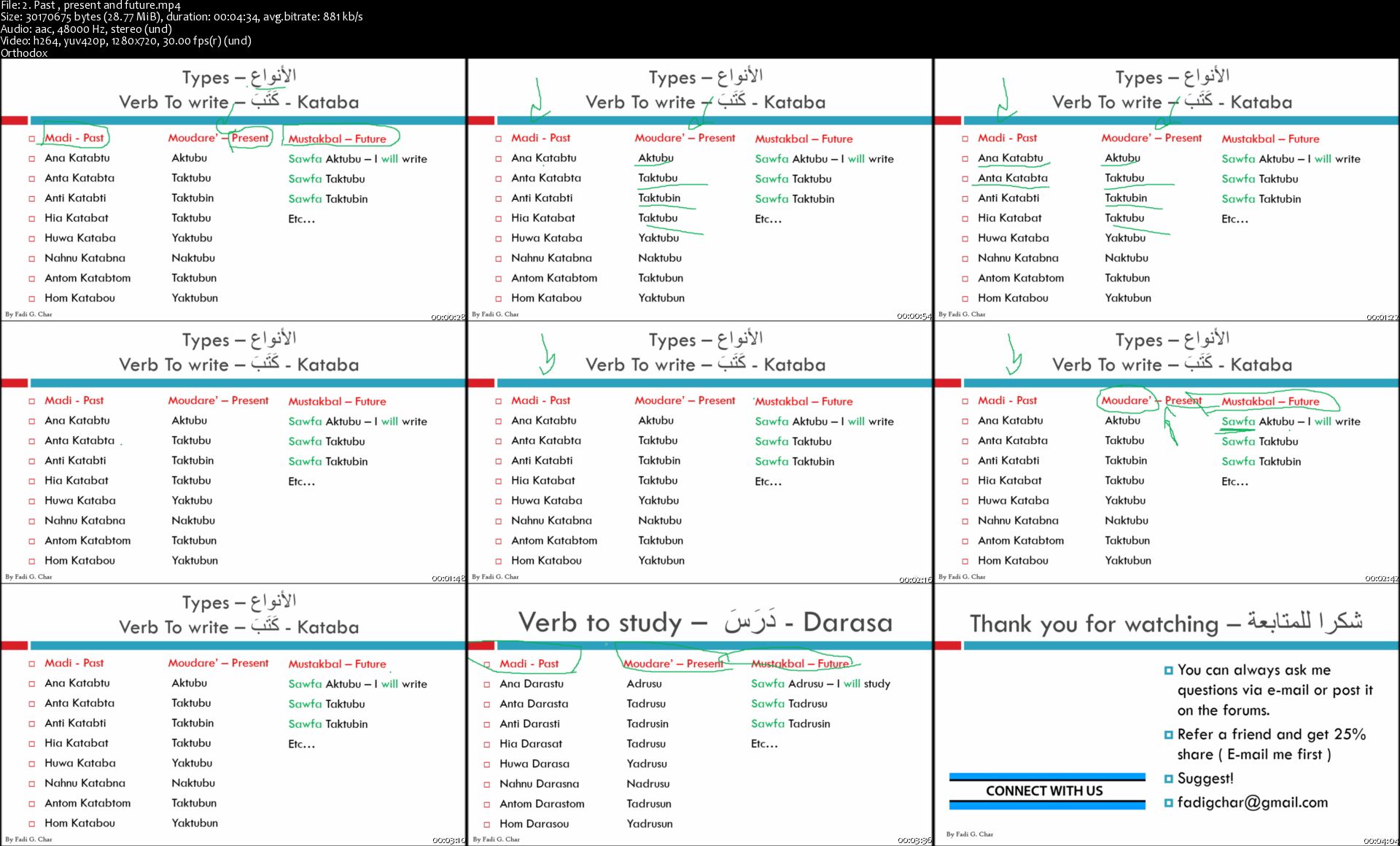
Arabic language | The comprehensive course - Learn modern

rw-Ej88v-HTl-Lp-BVSqy2y5t-Mi-KL29fcy-N8.jpg


Arabic language | The comprehensive course - Learn modern
Bestseller | h264, yuv420p, 1280x720|ENGLISH, aac, 48000 Hz, 2 channels | 17h 52 mn | 6.75 GB
Created by: Fadi G. C.

So you are already learning Arabic or willing to ? Perfect , This is where i'm going to boost your Arabic skills ;)
What you'll learn

Ability to read and make conversations
Ability to communicate with Arabs
Learn new language !

Requirements

Pen and paper

Description

Welcome to the bestseller Arabic complete course on Udemy! This course is for absolute beginners to intermediate level, don't forget to check MSA course #2 for more knowledge! it's an advanced course (Coming soon)

1000+ minutes of contents to teach you Arabic language perfectly!

I have announced this course proudly years ago, and proudly would share with you, that this is the bestseller Arabic course you find on Udemy and online! This course is going to give you the ability to learn Arabic language smoothly and easily, with a lot of new features that makes learning easier and more efficient.

This course includes both PowerPoint videos and Camera videos, in order to make sure that i can deliver the best way of teaching to you.

This course includes the easy part, which its good for beginners and the part where its more advanced, and it becomes more difficult, such as level 2 Grammar and vocabulary, then to level 3 and so on. Afterwards you will have to move to course #2 which is on a higher level of education.

Its time to learn verbs , and make perfect sentences with no grammar mistakes, so we would like to start with random words, small conversations, until we make sure that we are able to move forward and start making dialog smoothly.

English letters/alphabet will help you more to learn, so therefore i have decided to record my videos using both Arabic and English alphabet ( check the free preview for more information ). You would be able to pronounce the words easily especially at the beginning of the course.

Introducing:

Vocabulary

Grammar

Conversations

Writing skills would be added also as a quiz

Quizzes

True or false questions and essay questions.

Who should take this course?

People who are seeking to learn new language, who are thirsty for more knowledge and experience.

Want to work in any Arabic country such as United Arab of Emirates, Qatar, or Egypt for example.

Want to improve their Arabic skills

Who have learned Arabic years ago and have forgotten the language already.

Why wasting money on expensive courses and traveling while you can learn online and save/download the videos + materials on your computer, where you can watch it anytime you want and in any place you prefer.

I would love also to communicate with all students, who have questions or anything in mind, we can share ideas on forms and we might be able to do Live Sessions sometimes , beside that you can reach me always via e-mail or by Udemy messages, so i would reply to any questions directly through my phone.

I hope that you will enjoy this course , and i wish you very good luck here !

Enjoy learning ,

Fadi G. Char
Who this course is for:

People who wants to learn Arabic
People who are working in the Arab world
People who started to learn Arabic and want to continue
People who are willing to learn new language

Homepage
2-Past-present-and-future-s.jpg


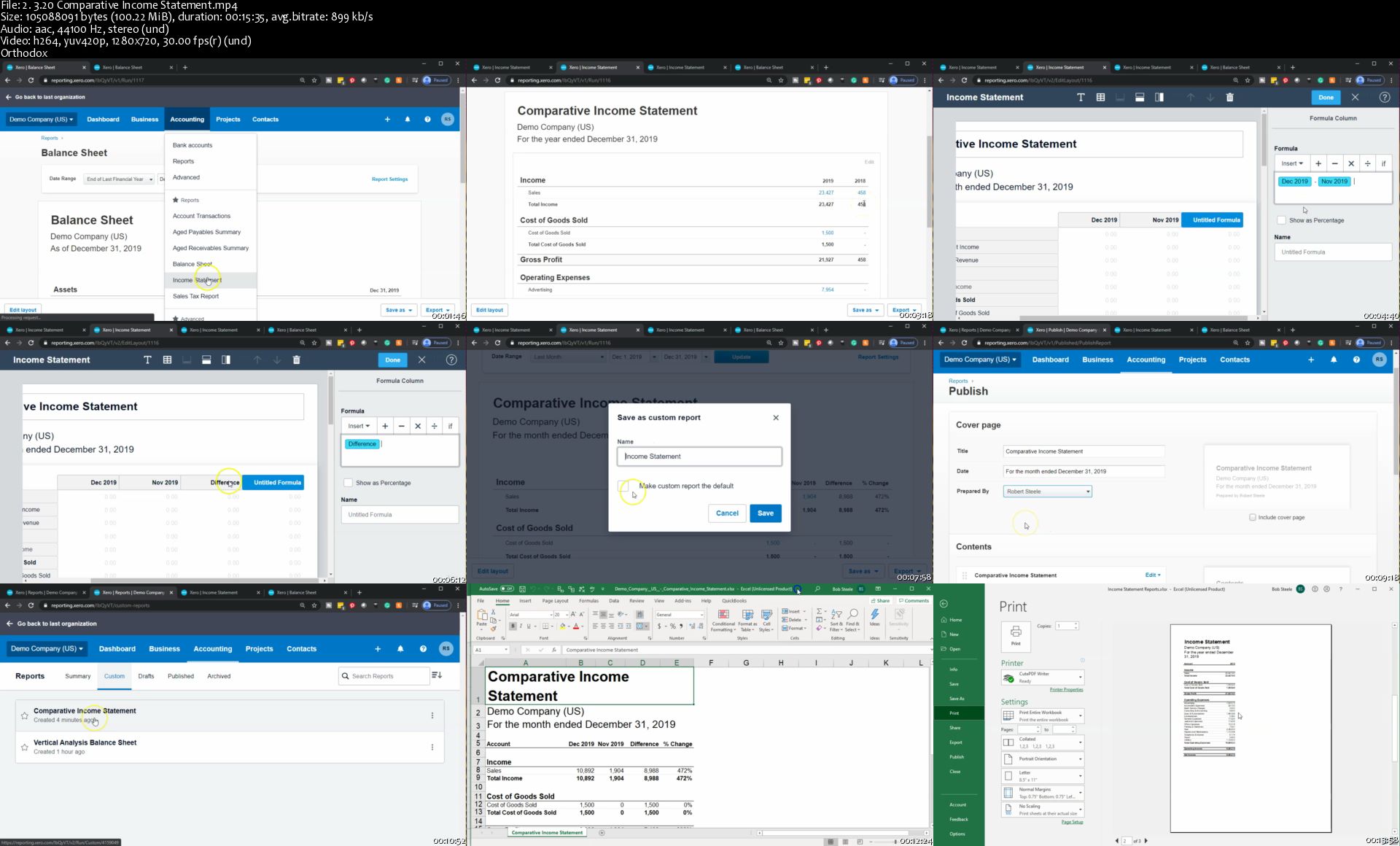
Xero Accounting Software 2020 (updated)

u-Zj-R11dt3-K3-Dd-W8wj3-DSlk-Uz0g-FC6pdw.jpg


Xero Accounting Software 2020 (updated)
Genre: eLearning | MP4 | Video: h264, 1280x720 | Audio: aac, 44100 Hz
Language: English | VTT | Size: 10.7 GB | Duration: 28 hours


What you'll learn
Set up Xero Account
Navigate Xero Software
Enter normal business transaction into Xero accounting software
Reconcile bank accounts using Xero accounting software
Generate and analyze reports including a balance sheet, an income statement, and supporting reports
Export Reports to Excel

Requirements
Xero accounting software is recommended
We recommend Xero free 30 - day trial to get access to the software
Description
The Xero 2020 accounting software course content is being added to at this time. We expect to have between 20 and 30 hours of content by the end of February.

The price will go up as content is added.

The current course community will have access to the updates as we create them.

We plan to update this course each year at no additional cost, so the course community has access to the latest look and feel of Xero accounting software and can also look back to see the changes that have been made.

If we would like to:

· Learn Xero accounting software to help run our business or

· Understand Xero accounting software to advance our career or

· Use Xero accounting software to better understand how accounting concepts apply to real-world application by using this real-world software

This course is a course for us.

This is a comprehensive Xero accounting software course.

Who this course is for:
Business owners
Accounting professionals
Accounting students
Anybody who wants to learn accounting software

Homepage

2-3-20-Comparative-Income-Statement-s.jpg


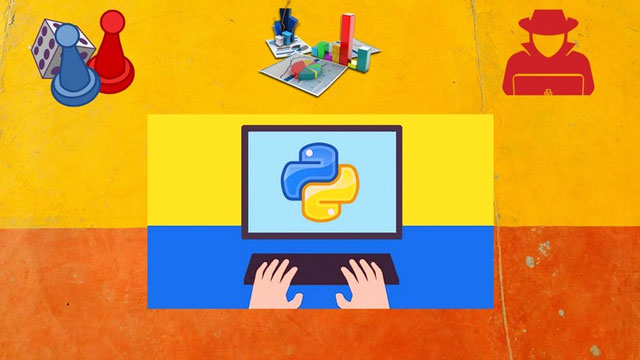
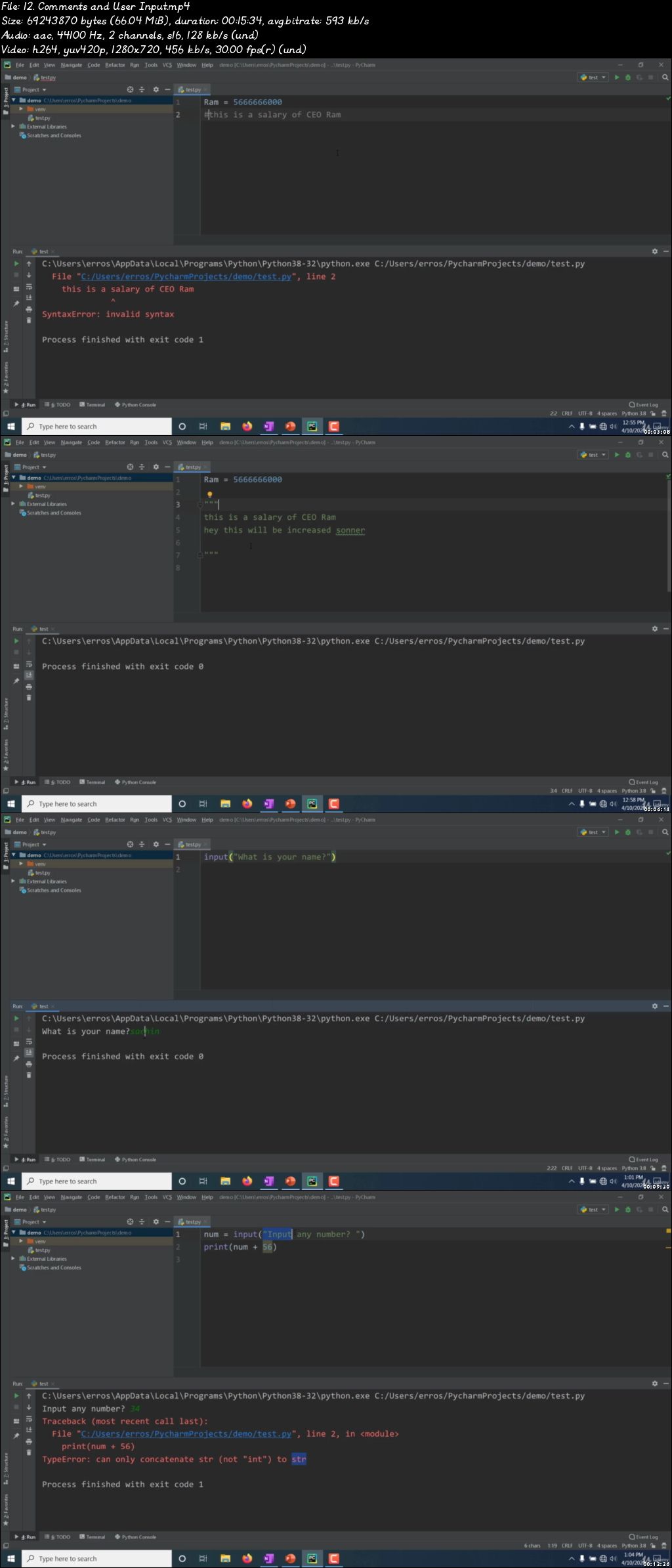
Python for Everybody: Five Domain Specialization

00780834.jpg


Python for Everybody: Five Domain Specialization
Video: .mp4 (1280x720, 30 fps(r)) | Audio: aac, 44100 Hz, 2ch | Size: 15.4 GB
Genre: eLearning Video | Duration: 142 lectures (41 hour, 25 mins) | Language: English

Game Development, Data Visualization, Web Scraping, Security and Cryptography, and Hacking-all at one course!


What you'll learn

Python basics like data-types, loops, decision-makings, file handling, libraries, modules, date-times etc.
Create more than 10 real world projects
Create a web scraper using BeautifulSoup and Selenium webdriver
Python Advanced Concepts like functional programming, decorators, list comprehension, heapQ, Stacks etc.
Famous python libraries: collection, datetime, pygame, numpy, pandas etc.
Object oriented Programming and its features like: Inheritance, Polymorphism, Operator Overloading
Game Development from scratch using turtle and pygame libraries
Security and Cryptography: Message and Password Encryption and Decryption
Data Visualization using numpy, pandas and matplotlib
Hacking from scratch
Using python to create Malware, Backdoor and Keylogger


Requirements

Any machine with OS (Windows, MacOSX, and Linux)
No programming background is essential (if there is, it will be useful)
No prior knowledge of Python is required
Fair internet connection is required to install some softwares and python libraries

Description

Welcome to Python Programming world: The most popular language skill to have in 2020. You are going to learn every bit of python language in this course so that you can apply your knowledge in real-world apps.

In this course, You will learn:

1. Web Scraping using BeautifulSoup and Selenium Webdriver

2. Game Development using Pygame module

3. Data Visualization using pandas, numpy and matplotlib module

4. Security and Cryptography

5. Hacking and Exploiting (Create Backdoors and Malware from Scratch)


TOPICS TO BE COVERED IN THIS COURSE:

Basic Python course Highlights:

Installing Python

Running Python Code

Strings

Lists

Dictionaries

Tuples

Sets

Number Data Types

Print Formatting

Functions

Scope

args/ kwargs

Built-in Functions

Debugging and Error Handling

Modules

External Modules

Object-Oriented Programming

Inheritance

Polymorphism

Encapsulation

Advanced Methods

Iterators

Closures

and much more!

Advanced Python Topic Highlights:

Functional Programming (lambda, map, reduce)

Decorators

List Comprehensions, Dictionary Comprehensions

HeapQ, Stack Implementation

Classes and objects

Metaclasses

Necessary Module covered:

os

collection

random

subprocess

datetime

math

numpy

pandas

matplotlib

beautifulsoup, selenium

sqlite

cryptodome

turtle, pygame

multiprocessing and so on.


PROJECTS SECTION

Projects (Basic to advance):

Web scraping on real websites

Snake game

Dodge Car race game

Pacman game

Password and message hashing

Cryptography

NBA data visualization

Making mac-changer with Python (Hacking)

Malware from scratch

Backdoor and Python Keylogger from scratch

Frequently Asked Questions:

Is Python A Good First Programming Language To Learn?

Even though it has not yet been adopted as a first language by many computer science programs, Python is widely seen by industry experts as a great first programming language when learning to code and its extensive use in SpaceX to automate and handle technologies to launch rockets, Instagram, Google to support their backends and Many companies to support and execute ML and Deep Learning Algorithms; Its undoubtedly No.1 Programming Language to learn.

For starters, the syntax of Python is simpler than that of most other major programming languages, with fewer exceptions and special cases. It also tends to use plain English keywords in place of the system of punctuation that has to be memorized in other languages, making it easier to learn to code. Given these conventions, Python code tends to appear as less of a "jumble" to newcomers than it does in comparable languages.

Another great feature of Python is the ubiquity of its use. While Python is optimized for development on Linux and Unix systems, interpreters are available for just about every major operating system. All implementations of Python are supported by an excellent standard library, which means that new students can very quickly move on to creating actual functional programs that are useful. Additionally, the standard implementation of Python, CPython, is free and open-source.

What Type Of Jobs Are Available To Python Programmers?

In the job market, if you observe the trends; Python is often looked like a strong language to support some primary language that is more broadly used like C or Java. But Lately, with the evolution of ML and Deep Learning Algorithms; it is highly demanded skill to have in 2020 and later. There are a variety of jobs that one can get focusing exclusively on Python development, however. Many of these jobs will be in building and improving the internal tools that a company uses to create its finished marketable products, rather than working on the finished product itself.

One specific economic sector where the presence of Python programming is particularly strong is the geospatial industry. This is a critical industry that deals with navigational tools such as GPS, radar, and light measurements.

If you're interested in web applications, Python is a better choice for development (working with the back-end or server-side) rather than design (creating the actually finished front-end that site visitors interact with). As mentioned previously, Google employed Python for many components of its search engine, and it is quite widely used in the data mining industry.

Finally, Python can also be used for game development. Some famous examples of games developed either entirely or in large part with Python include EVE Online, Civilization IV, the Battlefield game series, and the Mount & Blade games. The popular development environment Blender is written in Python.

Who this course is for:

Beginners who want to specialize area like web scraping, game development using Python
Beginners who want to learn about hacking and cryptography using Python
Begineers who want to learn about data visualization using Python

00780833.jpg


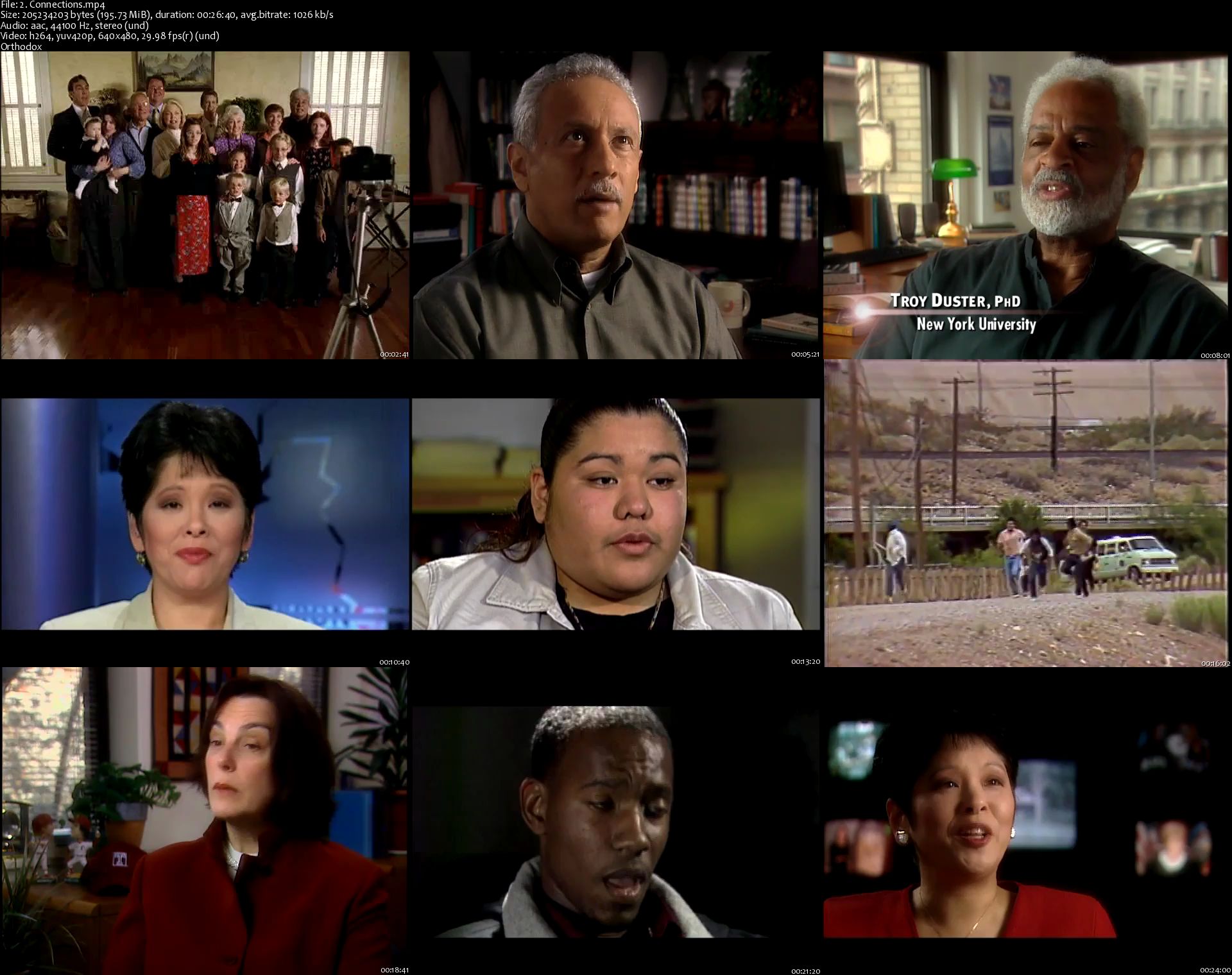
Udemy - Introduction to Sociology

XJZiy3xfsz0uinqu0y3-IJQOOVw3qru-Cy.jpg


Udemy - Introduction to Sociology
h264, yuv420p, 640x480|ENGLISH, aac, 48000 Hz, 2 Channels | 13h 07 mn | 8.05 GB
Created by: Intelecom Learning

A comprehensive introduction to college-level Sociology concepts and principles.
What you'll learn

Understand the broad scope of sociology and its relevance to human existence.
Apply the sociological imagination by examining our society's beliefs and values.
Define how societies are shaped and identify structures, institutions, or dynamics causing change.
Evaluate social structures using major sociological perspectives; conflict, functional and symbolic interaction and discuss the consequences.
Recognize appropriate scientific research processes and procedures.
Describe stereotypes and myths concerning social structures including race, class, gender, education, religion and media.

Requirements

System requirements: PC, laptop or mobile device (with Udemy app) and broadband connectivity.
Course requirements: There are no pre-requisite or other course requirements.

Description

"The Way We Live" is a comprehensive introduction to Sociology and self-paced online course that combines the real world immediacy and intimacy of professionally-produced video with the free, open-source, peer-reviewed textbook "Introduction to Sociology" from OpenStax College. Noted sociologists provide insights for understanding social groups and institutions, social change, and the sociological forces of daily life.

Areas of exploration include:

Sociological Investigation

Culture

Social Interaction

Groups and Organizations

Deviance

Sexuality

Social and Global Stratification

Race and Ethnicity

Aging

Economy and Work

Politics and Government

Family

Education

Religion

Population and Urbanization

Social Movements

Students visit Delancy Street, an innovative alternative to the correctional system that focuses on rehabilitating instead of simply housing criminal offenders. They meet the people of the Winnemem Wintu tribe of the Pacific Northwest and learn how government land and water policies have affected them. They gain perspective about how thoroughly issues of gender saturate daily life in our society through the players on a women's professional football team.

The course is organized in 22 sections and covers all of the topics commonly taught in college introductory courses in Sociology. It can be adopted as is for use as a complete online course, as a quality textbook replacement to existing courses, or for homework and test preparation (e.g. CLEP Exam)
Who this course is for:

Professors of Sociology looking to adopt low-cost, media-rich supplemental materials for their students.
Anyone with an interest in the social groups, organizations and institutions that form the world around us.
Students currently enrolled in (or considering enrolling in) Introduction to Sociology classes .

Homepage

2-Connections-s.jpg


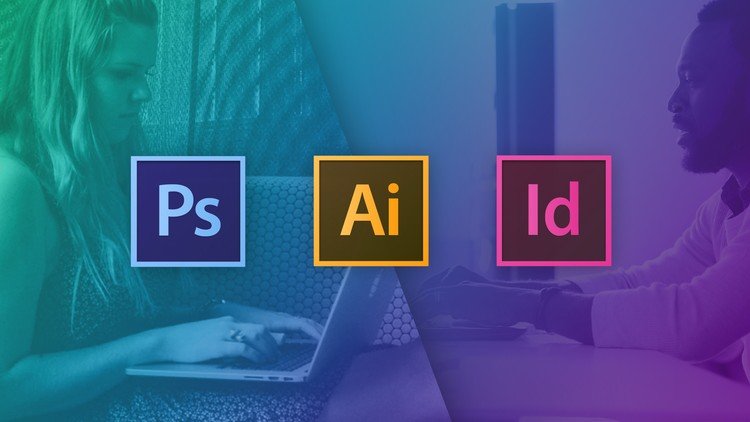
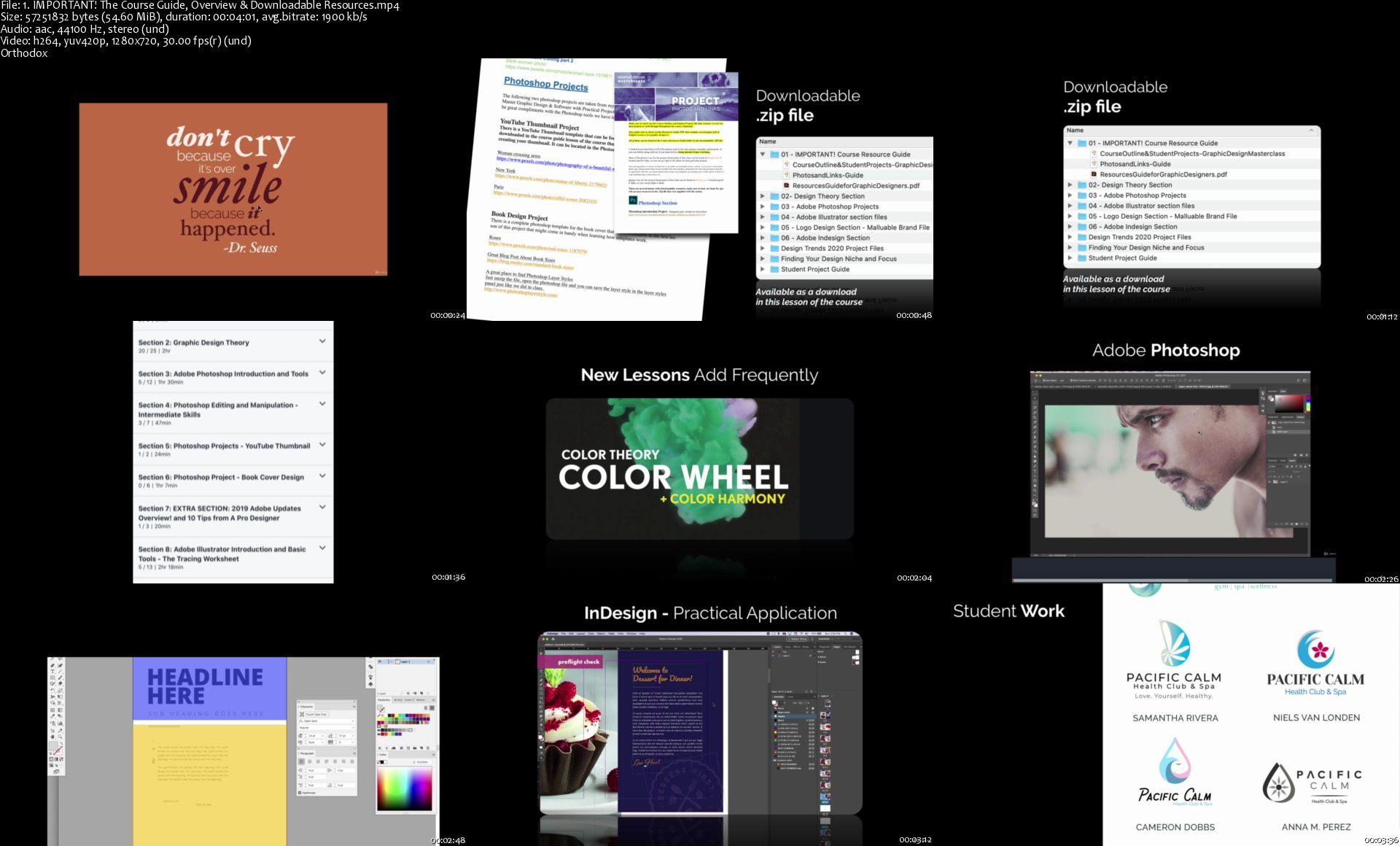
Graphic Design Masterclass - Learn GREAT Design (Update)

teo-Cd-SIw-Cjbe-LZ4m-Hh-DWX92-Pjymxf-Qr-G.jpg


Graphic Design Masterclass - Learn GREAT Design (Update)
Bestseller | h264, yuv420p, 1280x720|ENGLISH, aac, 48000 Hz, 2 channels, s16 | 19h 30 mn | 13.61 GB
Created by: Lindsay Marsh

Master the Affinity Suite & Create: Logos, Books, Brochures, Posters, Brushes, Thumbnails, Learn Photo Editing and More!
What you'll learn

Have a deep understanding of typography, color theory, photos, layout, blocking and other design theory and skills
Understand and learn the essential tools and capabilities of Adobe Photoshop, Illustrator and InDesign
Create logos and branding packages for potential clients
Learn photo editing and manipulation in Adobe Photoshop
Master the pen tool, shape builder tool and other essential vector design tools in Adobe Illustrator.
How to create editorial spreads and magazine layouts using Adobe InDesign
Understand solid logo design and ad design principles to create compelling campaigns and logos
Work through the entire package design process
Learn non-destructive editing techniques in Adobe Photoshop
Work through an event flyer design to understand strong type hierarchy, balance and overall design layout
Learn a few of the upcoming design trends for 2020 and how to create them
Learn the history of fonts and typefaces and how to pair fonts
Learn the basics of Affinity Designer and learn the difference between Adobe Illustrator and Affinity Designer
Work through a 7 page vector tracing worksheet and feel confident creating a complex vector illustration by the end of this worksheet
NEW! Learn how to work with multiple page layouts in Adobe InDesign and create a cookbook cover and book

Requirements

Access to Adobe Photoshop, Illustrator & InDesign (Or Affinity Designer, Affinity Photo, Affinity Publisher as an Alternative). I will be using the Adobe Creative Cloud versions, but those with older version can still get a lot out of this class. Those wanting to take the course with Affinity products will find some tools and names do differ so Adobe is preferred.
If you use Adobe products, I highly suggest using versions CS6 or higher to have a more smooth experience with the course, but not a requirement.
Software not Included

Description

As you can see, this course is updated frequently with new lessons, projects and resources!

April 2020 - NEW! InDesign Portfolio Builder Template!
April 2020 - NEW! Entirely new Adobe InDesign Section including a cookbook project
April 2020 - NEW! Color Theory - Exploring Color Palettes Section
March 2020 - NEW! A Guide to My Favorite Fonts and Where to Download Them
Jan 2020 - NEW! Lessons: 2020 Design Trends: and how to create them
Nov 2019 - NEW! - Adobe Illustrator introduction and tools section (vector tracing worksheet)
Nov 2019 - NEW! - Photoshop section and Projects (including a new youtube thumbnail and book cover project)
Oct 2019 - NEW! 11 page downloadable resource - The Guide to Grids
Oct 2019 - NEW! Color Theory and Color Harmony Lessons + new Downloadable Resources
July 2019 - NEW! Affinity Designer Section! Learn The Basic Tools and Differences Between Adobe Illustrator And Affinity Designer
May 2019 - NEW! Downloadable Resources - the Anatomy of Typography poster and the Psychology of Color graphic!
April 2019 - NEW Lessons: Finding Your Graphic Design Niche and Focus!

Graphic Design Master Class - Learn GREAT Design

Do you want to learn all the skills and techniques you need to create incredible designs?

Do you want to know the process of creating logos and branding packages?

Are you intimidated by learning photoshop, illustrator or InDesign and want to learn through practical real world projects? Than This class will be for you!

We will extensively review Typography, color theory, layout and composition, how to use photos in design, photo manipulations and editing and magazine layout design, branding and logo design just to name a few.

We also learn the basics of Adobe Photoshop, illustrator and InDesign and do projects with real world applications. Every designer needs to know and master these programs and this course makes sure you know the essential tools to power through amazing projects.

In Adobe Photoshop, we will review photo editing and manipulation techniques like how to cut objects out, duotones, changing color on objects, the liquify tool and we will create a compelling YouTube thumbnail with our newly learned photoshop skills as well as an entire book cover design project.

In Adobe Illustrator, we will master the pen tool by hand tracing simple and complex shapes. We will explore the power of the shape builder tool and In the end of this section, we will design a complete logo design. There is an entirely new introduction and tools section that has been added where we work through a 7 page vector tracing worksheet and in the end create a complex vector illustration using our newly learned illustrator vector tools. Lastly, we will put together an event flyer to practice our layout skills, and even work through the branding process and create a logo, business card and letterhead for a business.

We will will create a magazine layout in InDesign and learn the master pages tool to drastically speed up your design workflow when working with multiple paged layouts.

We will talk about branding basics, what makes a good logo? How do you extend your logo or brand to other marketing materials?

I designed this extensive course to be gentle enough for new comers to design but detailed enough for everyone to get a TON out of this course.

New Mini-Course Added! (April 2019)
Discover Your Design Niche!

Do you want to find out what design niche you should concentrate on? This is an exploratory mini-class added to the Graphic Design Masterclass course on Udemy (Section 15) that helps you find your next focus and explore many wonderful options for budding and established designers.

We are going to review some main core design categories and talk about what types of projects you will do and also what you will need to learn to leap into those design niches.

There are always more niches to discover but we will focus on the following in this mini-class:

Logo Design
Print & Editorial Design
Pattern Design and Illustration
Package Design
Branding Design
UX/UI Design
Social Media/Digital Graphic Designer

By the end of this class you will have a solid grasp of what each design niche entails. You will have confidence in choosing your top three focal niches to kickstart or enhance your design offerings and know what to learn next.
Who this course is for:

Anyone interested in creating compelling and GREAT design.
Those interested in learning Photoshop, Illustrator and InDesign (Affinity Designer Too!)
Those wanting to understand graphic design basics and theory paired with real world projects and applications
Those looking to learn logo design and branding techniques and execution
Anyone wanting to become a graphic designer part-time or full-time, or those who need design skills to elevate their current careers.
Those looking for a solid graphic design foundations course with the depth of an intermediate level course
Those wanting to learn the basics of Affinity Designer and learn the difference between Adobe Illustrator and Affinity Designer

Homepage

1-IMPORTANT-The-Course-Guide-Overview-Downloadable-Resources-s.jpg


TTC - Cooking across the Ages

7-YDSnhs-HTyul3-QWaup-Kjy-Gxa9-Vdbcg-EL.jpg


TTC - Cooking across the Ages
h264, yuv420p, 1280x720|ENGLISH, aac, 44100 Hz, 2 channels, s16 | 12h 48 mn | 11.23 GB
Created by: Professor Ken Albala, Ph.D.

Does the fact that we depend on very exact, almost scientifically rigid recipes make us great cooks-or does that take the fun and creativity out of the whole experience? What was cooking like before the internet, before meat thermometers, grocery stores, and internationally standardized measurements? And more importantly, who were these cooks of the past and who did they cook for?
Screenshots
Cooking across the Ages

Homepage

9237-Cooking-across-the-Ages-s.jpg


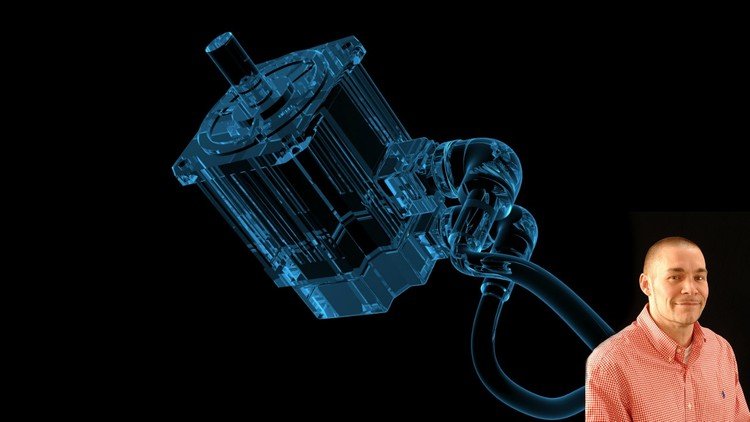
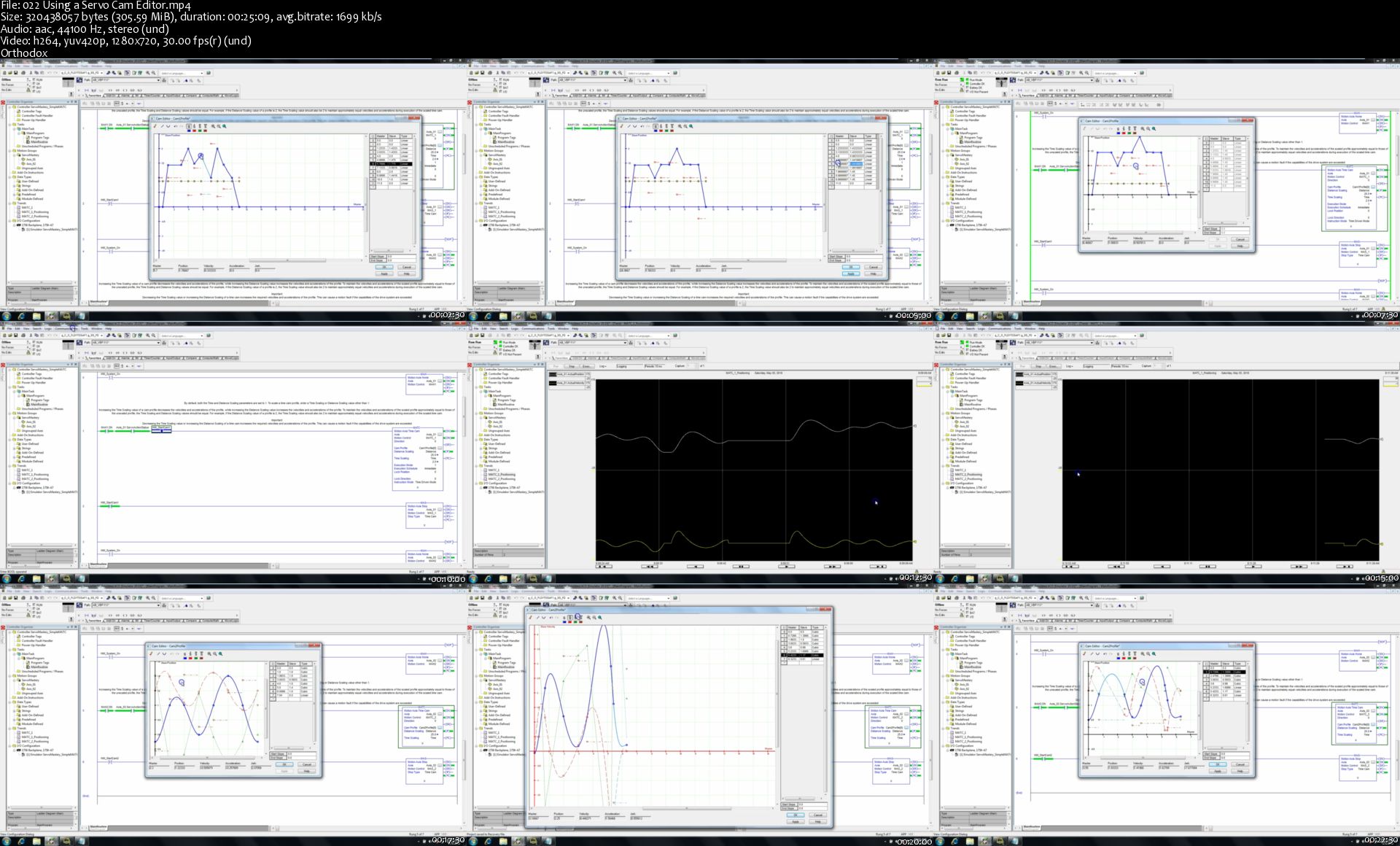
Advanced Servo Motion Mastery 1 (Servo PLC Programming)

NY4g-Y6158k-CDK5-Jr-TSUf-RUzvdg-CNXfu-D.jpg


Advanced Servo Motion Mastery 1 (Servo PLC Programming)
Created by shane welcher | Video: h264, 1280x720 | Audio: AAC 44KHz 2ch | Duration: 15:33 H/M | Lec: 61 | 9.49 GB | Language: English | Sub: English [Auto-generated]

DON'T MISS THIS! ADVANCED PLC PROGRAMMING FOR SERVO MOTION CONTROLS systems, reliable RSLogix 5000 programming methods

What you'll learn
Students will have ability to program and understand Allen Bradley PLC controls in an advanced servo controls environment. Over 15 hours of detailed training, an unbelievable value for the price.

Requirements
The core base knowledge of servo controls using Rockwell Automation's PLC programming platform, helpful is you already have RSLogix 5000
Have been through Servo Motion Mastery or have a deep understanding of servo controls already.

Description
This course is the next in the series to continued the learning effort from the original Servo Motion Mastery. Advanced Servo Motion Mastery 1 is designed to give you a deep understanding of the advanced PLC programming methods needed to understand the depth of servo controls programming, troubleshoot, and have the detailed knowledge of Rockwell Automation PLC servo controls. This course picks up where Servo Motion Mastery left off and is a continued learning environment to help you complete your journey.

The Advanced section of Servo Motion Mastery is going to be in two sections, Advanced Servo Motion Mastery 1 (PLC Programming) and Advanced Servo Motion Mastery 2 (PLC Programming). This is a effort to build a better education and a better delivery of information for this topic.

Prerequisite: either have already taken the first course I made (Servo Motion Mastery) or already have a deep understanding of Rockwell Automation servo controls and how they operate. Meaning, you know how to build your own program and can get a servo system up and running within 30 minutes. If you do not meet this prerequisite then please first take my servo core values course (Servo Motion Mastery).

As I do respect and value you as a student I would ask you to not purchase the Advanced Servo Motion Mastery unless you have been through Servo Motion Mastery, so you have a deep core understanding of servo motion controls.

This is the best course in 2018 for detailed Rockwell Automation servo motion training program like this before for this price and I highly doubt that there will be anything close to this unless I am the one who makes it. Continuously raising the bar is my mission and I encourage you to join my journey, Servo Motion Mastery and Advanced Servo Motion Mastery.

As part of making this course the best, I will be adding revisions or videos from time to time to add more sections but as it sits right now there is over 12 hours of video training about servo controls. This is Advanced Servo Motion Mastery and as noted there is my first course, Servo Motion Mastery.

I have a very successful YouTube channel about PLC programming and run a website to assist with this effort as will which is Online PLC Support if you were to Google it.

Who this course is for?
Anyone who is looking to build on their knowledge of Allen Bradley PLC programming for servo controls or wanting a detailed course that steps through all of Rockwell Automation's Kinetix servo systems.

Homepage

022-Using-a-Servo-Cam-Editor-s.jpg


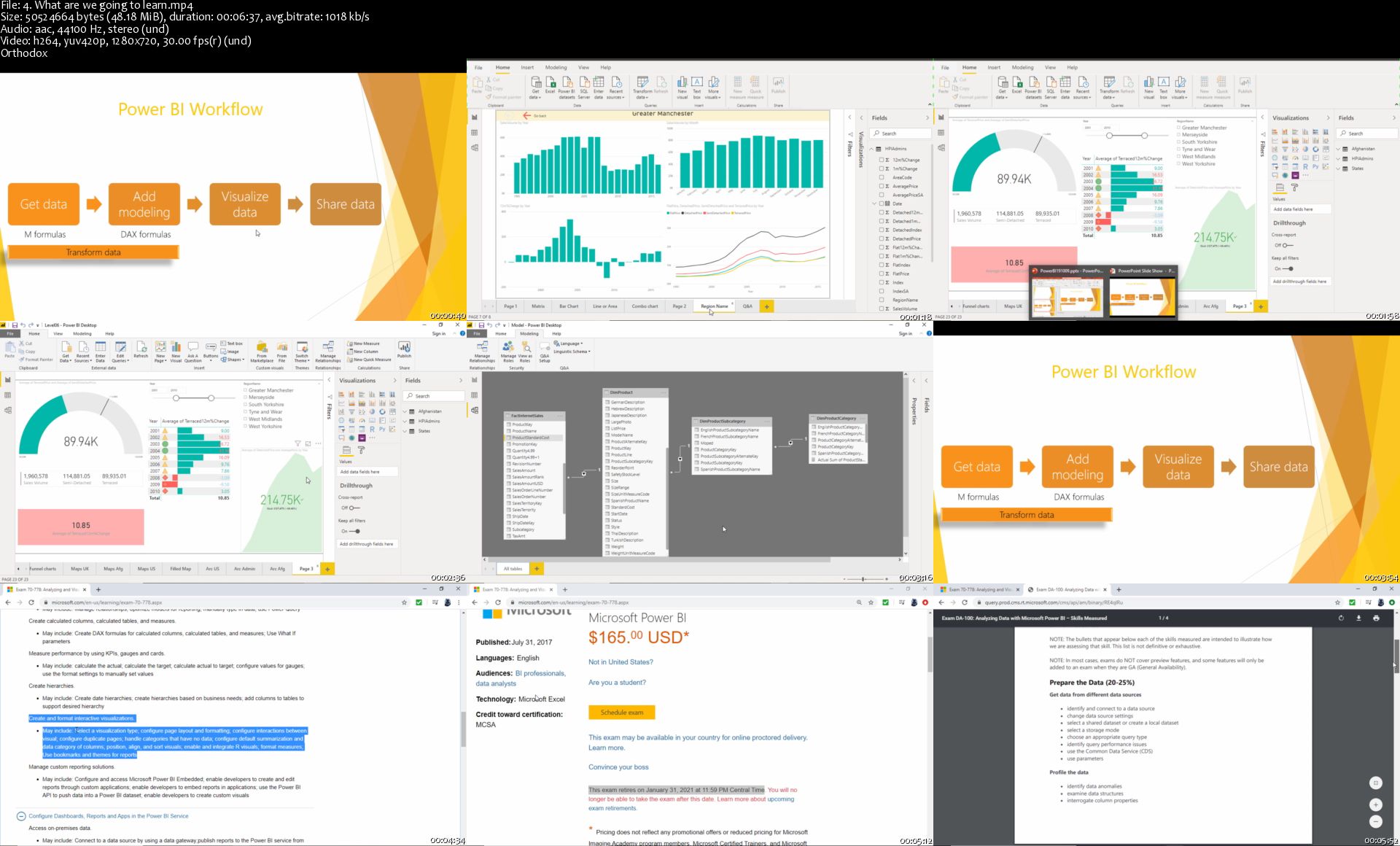
70-778, DA-100: Analyzing and Visualizing Data with Power BI

Hb-SXHNh-I3-Kv-Hsiw5-FSrwmcuqwa-UJQwd-H.jpg


70-778, DA-100: Analyzing and Visualizing Data with Power BI
Genre: eLearning | MP4 | Video: h264, 1280x720 | Audio: aac, 44100 Hz
Language: English | VTT | Size: 7.90 GB | Duration: 16 hours


What you'll learn
Download for free and install and run the full version of Power BI Desktop, the BI and analysis software.
Be able to create analyses, such as line charts, stacked bar charts, or geographic analyses using maps.
You will be able to format numbers and dates, and add labels, tooltips and animation.
You will be able to Get and Transform multiple sources of data, including merging multiple files from a folder, pivoting and unpivotting.
Building and refine models, including adding calculated columns and measures.
You will learn the important M and DAX functions, to enable you to build your own formulas.

Requirements
Before you begin this course, you should have a computer with access to the internet, and be able to install programs.
That's it! The more experience in reporting using other packages including Excel, the better, but it is not essential.
Description
This course covers the visualizations and analysing content required for the Power BI 70-778 and the new DA-100 certification exams.

----------------

What do students like you say about this course?

Girma says: "This is another great course taught by the instructor - well-paced, every important aspects of Power BI are discussed in detail. I gained the real power of Power BI in this course."

Mohan says: "Another Excellent course by Mr Burton. This course can be used as a refresher , manual reference to review, understand and use Power BI tools efficiently. Explanations are very clear and crisp. Can help from Beginner to Intermediate level learning."

----------------

Do you already use reporting software such as Access, SSRS, Tableau or WebI? Or is this your first reporting software tool? Either way, welcome.

In this course, learn the skills that Microsoft want you to know, and add another tool to your CV, and even go for the Microsoft Power BI certification.

Power BI is one of the most requested reporting tools that are requested in the job market, and the ability to being able to use it now could be very useful for your current work, and your next job hunt.

This course comes in three parts:

Part 1 - Creating Visualizations (also known as Visualize the Data, and Analyze the Data)

We'll download and install for free Power BI Desktop. We'll start by creating our first visualizations (vizzes) and investigate the Power BI interface.

We'll look at the various visualisations available, and go through their common properties. We'll create maps, hierarchies, KPIs, guages, and all sorts of chart types.

Part 2 - Get and Transform Data (also known as Prepare the Data)

We see how data can be transformed, saving you time in analysing the data. We'll look at sorting and filtering, split columns, and other transform activities. We'll merge, append and combine queries together. We'll Pivot and Unpivot, and transform text, numbers, dates and times, and create custom columns using the M language.

Part 3 - Refining the model (also known as Model the Data)

We'll see how relationships can be made through multiple tables, and refine the data with custom columns and measures using the DAX language.

The course will take around 16 hours to complete, but completing this will enable you to create vizzes, dashboards and stories of your own, and know how to overcome common problems.

The course increases in difficulty slowly, so you'll create for instance a table or basic bar chart, then turn it into a stacked bar chart, and investigate more of their properties, step by step.

The course is fairly relaxed - there will be a few "wrong turns", so you can see what problems might arise, but every lesson works towards an end goal at a relatively slow pace, so you can follow on your own computer easily. I assume that you know how to use a computer, including installing programs, but the actual analysis will be at a basic level, and I'll introduce every component as we go on.

At the end of the course, you can download a certificate of completion, so you can show everyone your new-found skills, and be able to start creating analyses for yourselves.

Please note: Microsoft will retire the 70-778 exam on 31 January 2021, and the DA-100 certification will be available from 2 April 2020. This course will be kept up to date with the latest requirements.

Who this course is for:
This reporting course is meant for anyone who has no prior experience of Power BI. It's also for you if you have used it, but never designed a report.
It's great if you have created analyses in other reporting tools, such as Microsoft Access, WebI, SSRS, Tableau or Yellowfin, but it not essential. If you have, then it will be another string to your bow.
It would also be good if you had prior experience in using Excel formulas, but again, that is not essential.
No prior experience in reporting tools or creating formulas is required.
This course is probably not for you if you always know how to use Power BI and know how to create reports, although we will be looking at some more advanced topics, including the M and DAX languages.

Homepage

4-What-are-we-going-to-learn-s.jpg


Ricky Mataka & Mike Balmaceda - Simple Wifi Profits

a3d1bcf2bfe87cddf37677b3aa5a9ba6.png

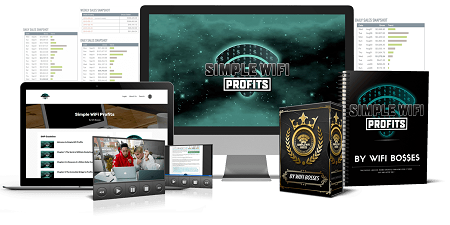
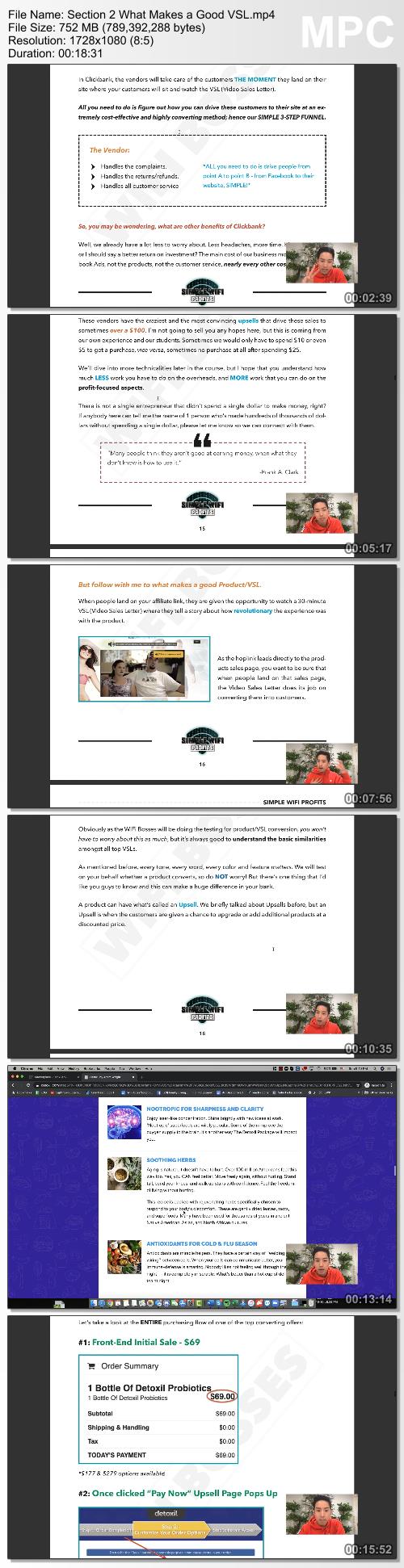
Ricky Mataka & Mike Balmaceda - Simple Wifi Profits | 6.80 GB
Simple WiFi Profits is a training course by Chris & Andrew that will show you exactly how to copy their simple 4-step process... so you can start to live the life you dream of and deserve.
This system is not available anywhere else, but right here on this page.

Chris and Andrew are going to share the exact ads, products, and system they use in their own businesses, so you can duplicate this system for yourself.

Here's Their Goal:
To Help You Make $10,000.00/month OR More.
In your spare time!
Remember, so far, Andrew and Chris have made over $6,700,000.00 with this process without a shred of an advantage or "guru status".
Even though this is one of the easiest money-making strategies, you'll ever see.
It's only that way because Chris and Andrew have spent over $3,015,997.00 on developing and testing this system, so they know it's going to work for people like you.
And so far. it really has!

Here's What You Get When You Sign Up For Simple WiFi Profits Today
The 8 Pillar Approach To Building Your Success:
PILLAR 1: Our Simple WiFi Profits System
PILLAR 2: Done-For-You Best Products
PILLAR 3: Done-For-You Ad Swipe File
PILLAR 4: Done-For-You Ad Targeting
PILLAR 5: 24/7/ 365 Day VIP Support Concierge
PILLAR 6: Monthly WiFi Bosses Coaching
PILLAR 7: WiFi Bosses Will "Call" You
PILLAR 8: Private Mentorship Group

HOmepage:

Screenshots
644e05e9d606ef67e87b96e0bd409e82.jpg


Link Download
Extract files with WinRar 5 or Latest !
 
The Godly Texting Guide - The Godly Courses

cc555fa04f6f063d2fb97387dad3fb28.png

The Godly Texting Guide - The Godly Courses | 507.42 MB
Introducing The Godly Texting Guide:
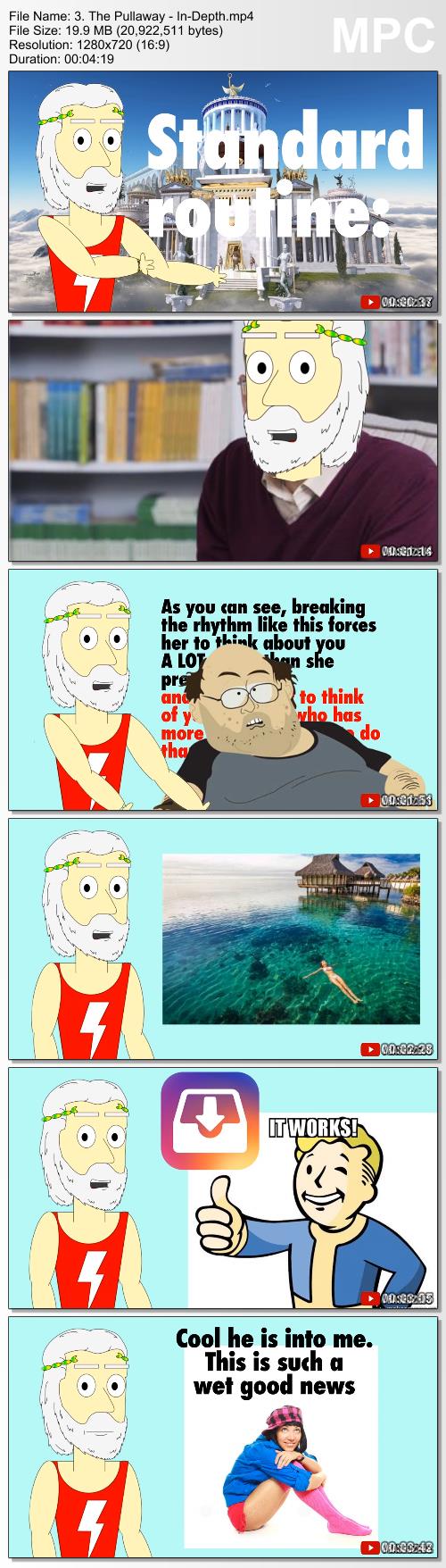
The only online ****** course that gives you a no-bullshit, step-by-step system for getting you past "The Great Filter," and getting you more dates, more responses, and more sex than you know what to do with. Including the EXACT text messages you need to send, to make her OBSESSED with you.

Module 1: The Foundations - 3 videos | 20 minutes
By the end of this module, you will have mastered the PROVEN mindset you'll need to get past "The Great Filter" and make girls wildly attracted to you over text. You'll also learn why most guys fail at texting and you'll become one of the few that know how to succeed.

Module 2: The Basics of Godly Text Game - 6 videos | 30 minutes
Learn these basics of texting like a GOD and you'll IMMEDIATELY separate yourself from the 99% of guys who are still getting left on 'Read' and texting girls bullshit openers like "hey what's up cutie?"
Once you learn the basic Do's and Don'ts, you'll also learn the EXACT methods I've created for flirting and teasing girls over text.

Module 3: Advanced Techniques from The Gods - 7 videos | 35 minutes
Here, I show you the most advanced godly texting techniques that I, personally use every day to get me more dates with hot girls, and more sex. After completing this module, you will have become a texting GOD, and getting past "The Great Filter" will become second nature. You will NEVER need to worry about texting again.

Homepage:

Screenshots
f2e63fc5b7ea4680a7a318d3c8ee8164.jpg


Link Download
Extract files with WinRar 5 or Latest !
 
Skillshare IT Networking Fundamentals Course-ViGOROUS

149491201_08-network-cabling_c.jpg


Skillshare IT Networking Fundamentals Course-ViGOROUS | MP4 | 413.91 MiB

1 140 kb/s 1920x1080 | AAC 192 kb/s 2 CH


NFO:
File List:

File: 01 - course-introduction-and-agenda.mp4
Size: 24142934 bytes (23.02 MiB), duration: 00:02:49, avg.bitrate: 1143 kb/s
Audio: aac, 44100 Hz, stereo (und)
Video: h264, yuv420p, 1920x1080, 30.00 fps(r) (und)


Download ( Size: 413.91 MiB ):


oHeopzn.png

1 Link/s
FD3BA633DE.png


5hSo1Ay.png

1 Link/s
CC9FF45DF9.png


Skillshare JavaScript and AJAX Integration Techniques-ViGOROUS

149491268_05-using-a-synchronous-xhr-request_c.jpg


Skillshare JavaScript and AJAX Integration Techniques-ViGOROUS | MP4 | 296.39 MiB

953 kb/s 1280x720 | AAC 192 kb/s 2 CH


NFO:
File List:

File: 01 - introduction.mp4
Size: 6542048 bytes (6.24 MiB), duration: 00:00:54, avg.bitrate: 969 kb/s
Audio: aac, 44100 Hz, stereo (und)
Video: h264, yuv420p, 1280x720, 30.00 fps(r) (und)


Download ( Size: 296.39 MiB ):


oHeopzn.png

1 Link/s
A4DBCDCC64.png


5hSo1Ay.png

1 Link/s
9D1B52C37F.png


Zurück
Oben Unten