• Regeln für den Video-Bereich:

    In den Börsenbereich gehören nur Angebote die bereits den Allgemeinen Regeln entsprechen.

    Einteilung

    - Folgende Formate gehören in die angegeben Bereiche:
    - Filme: Encodierte Filme von BluRay, DVD, R5, TV, Screener sowie Telesyncs im Format DivX, XviD und x264.
    - DVD: Filme im Format DVD5, DVD9 und HD2DVD.
    - HD: Encodierte Filme mit der Auflösung 720p oder darüber von BluRay, DVD, R5, TV, Screener sowie Telesyncs im Format x264.
    - 3D: Encodierte Filme von BluRay, die in einem 3D Format vorliegen. Dies gilt auch für Dokus, Animation usw.
    - Serien: Cartoon/Zeichentrick, Anime, Tutorials, Dokumentationen, Konzerte/Musik, Sonstiges sind demnach in die entsprechenden Bereiche einzuordnen, auch wenn sie beispielsweise im High Definition-Format oder als DVD5/DVD9/HD2DVD vorliegen. Ausnahme 3D.
    - Bereich Englisch: Englische Releases gehören immer in diesen Bereich.
    - Bereich Talk: Der Bereich, in dem über die Releases diskutiert werden kann, darf, soll und erwünscht ist.


    Angebot/Beitrag erstellen

    - Ein Beitrag darf erst dann erstellt werden, wenn der Upload bei mindestens einem OCH komplett ist. Platzhalter sind untersagt.
    - Bei einem Scenerelease hat der Threadtitel ausschließlich aus dem originalen, unveränderten Releasenamen zu bestehen. Es dürfen keine Veränderungen wie z.B. Sterne, kleine Buchstaben o.ä. vorgenommen werden. Ausnahme Serienbörse:
    - Bei einem Sammelthread für eine Staffel entfällt aus dem Releasename natürlich der Name der Folge. Beispiel: Die Simpsons S21 German DVDRip XviD - ITG
    - Dementsprechend sind also u.a. verboten: Erweiterungen wie "Tipp", "empfehlenswert", "only", "reup", usw. / jegliche andere Zusatzinformation oder Ergänzung, welche nicht in obiger Beschreibung zu finden ist.

    Aufbau des Angebots und Threadtitel

    Der Titel nach folgendem Muster erstellt zu werden. <Name> [3D] [Staffel] [German] <Jahr> <Tonspur> [DL] [Auflösung] <Quelle> <Codec> - <Group>
    Beispiel: The Dark Knight German 2008 AC3 DVDRip XviD - iND
    Beispiel: The Dark Knight 2008 DTS DL BDRip x264 - iND
    Beispiel: The Dark Knight 2008 AC3 DL BDRip XviD - iND
    Beispiel: The Dark Knight German 2008 AC3 720p BluRay x264 iND
    Beispiel: The Dark Knight 2008 DTS DL 1080p BluRay x264 iND
    Beispiel: Die Simpsons S01 German AC3 DVDRip XviD iND
    Beispiel: Die Simpsons S20 German AC3 720p BluRay x264 iND
    Beispiel: Sword Art Online II Ger Sub 2014 AAC 1080p WEBRip x264 - peppermint
    Entsprechend sind also u.a. verboten: Sonderzeichen wie Klammern, Sterne, Ausrufezeichen, Unterstriche, Anführungszeichen / Erweiterungen wie "Tipp", "empfehlenswert", "only", "reup", usw. / jegliche andere Zusatzinformation oder Ergänzung, welche nicht in obiger Beschreibung zu finden ist
    Ausnahmen hiervon können in den Bereichen geregelt sein.

    Die Beiträge sollen wie folgt aufgebaut werden:
    Überschrift entspricht dem Threadtitel
    Cover
    kurze Inhaltsbeschreibung
    Format, Größe, Dauer sind gut lesbar für Downloader außerhalb des Spoilers zu vermerken
    Nfo sind immer Anzugeben und selbige immer im Spoiler in Textform.
    Sind keine Nfo vorhanden z.B. Eigenpublikationen, sind im Spoiler folgende Dateiinformationen zusätzlich anzugeben :
    Quelle
    Video (Auflösung und Bitrate)
    Ton (Sprache, Format und Bitrate der einzelnen Spuren)
    Untertitel (sofern vorhanden)
    Hosterangabe in Textform außerhalb eines Spoiler mit allen enthaltenen Hostern.
    Bei SD kann auf diese zusätzlichen Dateiinformationen verzichtet werden.

    Alle benötigten Passwörter sind, sofern vorhanden, in Textform im Angebot anzugeben.
    Spoiler im Spoiler mit Kommentaren :"Schon Bedankt?" sind unerwünscht.


    Releases

    - Sind Retail-Release verfügbar, sind alle anderen Variationen untersagt. Ausnahmen: Alle deutschen Retail-Release sind CUT, in diesem Fall sind dubbed UNCUT-Release zulässig.
    - Im Serien-Bereich gilt speziell: Wenn ein Retail vor Abschluss einer laufenden Staffel erscheint, darf diese Staffel noch zu Ende gebracht werden.62
    - Gleiche Releases sind unbedingt zusammenzufassen. Das bedeutet, es ist zwingend erforderlich, vor dem Erstellen eines Themas per Suchfunktion zu überprüfen, ob bereits ein Beitrag mit demselben Release besteht. Ist dies der Fall, ist der bereits vorhandene Beitrag zu verwenden.
    - P2P und Scene Releases dürfen nicht verändert oder gar unter einem iND Tag eingestellt werden.


    Support, Diskussionen und Suche

    - Supportanfragen sind entweder per PN oder im Bereich Talk zu stellen.
    - Diskussionen und Bewertungen sind im Talk Bereich zu führen. Fragen an die Uploader haben ausschließlich via PN zu erfolgen, und sind in den Angeboten untersagt.
    - Anfragen zu Upload-Wünschen sind nur im Bereich Suche Video erlaubt. Antworten dürfen nur auf Angebote von MyBoerse.bz verlinkt werden.


    Verbote

    - Untersagt sind mehrere Formate in einem einzigen Angebotsthread, wie beispielsweise das gleichzeitige Anbieten von DivX/XviD, 720p und 1080p in einem Thread. Pro Format, Release und Auflösung ist ein eigener Thread zu eröffnen.
    - Grundsätzlich ebenso verboten sind Dupes. Uploader haben sich an geeigneter Stelle darüber zu informieren, ob es sich bei einem Release um ein Dupe handelt.
    - Gefakte, nur teilweise lauffähige oder unvollständige Angebote sind untersagt. Dies gilt auch für eigene Publikationen, die augenscheinlich nicht selbst von z.B. einer DVD gerippt wurden. Laufende Serien, bei denen noch nicht alle Folgen verfügbar sind, dürfen erstellt und regelmäßig geupdatet werden.
    - Untersagt sind Angebote, welche nur und ausschließlich in einer anderen Sprache als deutsch oder englisch vorliegen. Ausnahmen sind VORHER mit den Moderatoren zu klären.


    Verstoß gegen die Regeln

    - Angebote oder Beiträge, die gegen die Forenregeln verstoßen, sind über den "Melden"-Button im Beitrag zu melden.
  • Bitte registriere dich zunächst um Beiträge zu verfassen und externe Links aufzurufen.


Englische Tutorials

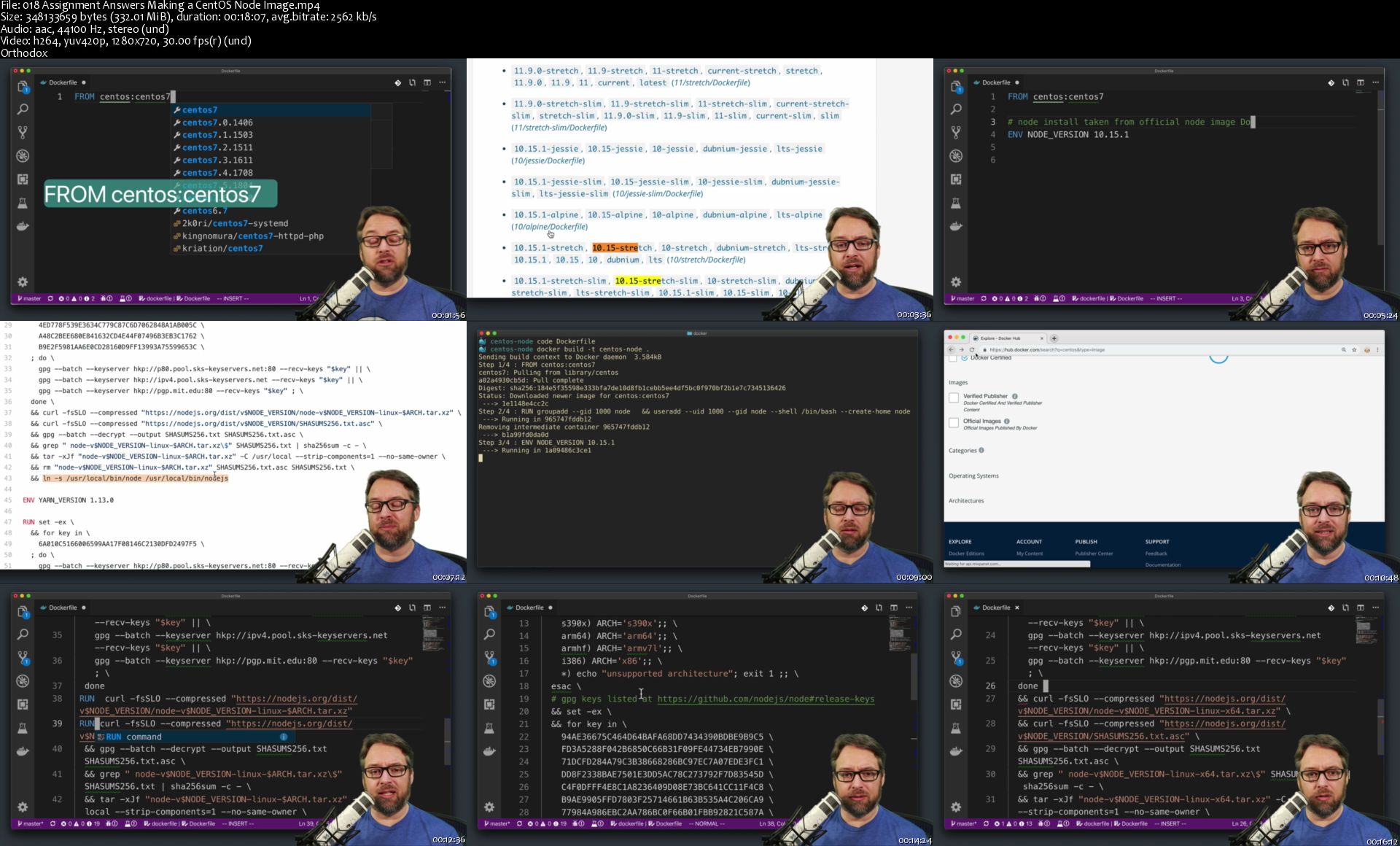
Docker for Node.js Projects From a Docker Captain
4w-RHvl-Ee-B3-XYp-T74-TEw5pfk-YJd-Y2-IHv-N.png


Docker for Node.js Projects From a Docker Captain
Highest Rated | h264, yuv420p, 1280x720 | ENGLISH, aac, 44100 Hz, 2 channels, s16 | 8h 23 mn | 9.9 GB
Instructor: Bret Fisher, Docker Captain Program

Build, test, deploy Node for Docker, Kubernetes, Swarm, and ARM with the latest DevOps practices from a container expert
What you'll learn

Optimize your local development setup for NodeJS in Docker
Operate smoothly in a team of NodeJS developers using Docker and Compose
Improve the speed and reliability of your Node builds and testing using Docker
Get the best NodeJS tweaks to use for dev, test, and prod
Design NodeJS images for use with Kubernetes and Swarm
Learn about security scanning and locking-down your NodeJS apps

Requirements

Know Docker 101: the Docker basics like images, containers, and docker networks
Know NodeJS 101: Understand NodeJS language and frameworks basics
Know the basics of command lines and shells, and packages managers like apt or yum
Familiar with the basics of programming, cloud computing, and how to deploy apps to servers
Use a modern Linux, Windows, or macOS computer that supports Docker

Description

Welcome to the best course on the planet for using Docker with Node.js! With your basic knowledge of Docker and Node.js in hand, Docker Mastery for Node.js is a course for anyone on the Node.js path. This course will help you master them together.

I'm your instructor Bret, an Award Winning Docker Captain, DevOps community leader, and a bestselling Udemy author. I built this course for you because I live and breathe Docker containers, and I've enjoyed using Node.js since 2012. They work great together, and I'll show you how!

Learn the cutting edge features of Docker in 2019 that will make your Node.js apps build faster, smaller, and run more securely and reliability. Containers and Node.js are two of the hottest and most popular topics in tech.

It's just as important to know what not to do, as well the best ways to use Node.js in Docker, and I teach a huge amount of info in this course for do's and don'ts with Node.js in Docker.

You want assignments? We go through assignments using all sorts of Node.js + Docker setups. Single-container CLI apps, database-backed web apps, Express.js, hapi.js, distributed micro-service apps, Angular, Websockets, HTTP Proxies, MongoDB with proper connection shutdown, and more.

**NOTE: Be sure you know Docker basics and Node.js basics before starting this course. I suggest my Docker Mastery course first if you are new to Docker. Also read the course requirements!**

"...Bret is amazing. You can tell he knows exactly what he is talking about and enjoys helping others. I have never seen someone so involved with his user base as Bret. Direct messages via slack, live youtube broadcasts, newsletters, etc. I don't know how he does it... I would seriously buy any course that Bret puts out because I have no doubts that it will be excellent." - David Olson, Udemy student, Docker Mastery course.

"Great introduction. Bret delivers great resources and instructions. He is the guy you want to learn from when it comes to Docker. The real deal. Worth the money and more." -Joseph Martinez, Udemy student, Docker Mastery course

Some of the many cool things you'll do in this course:

Build Node.js Images that auto-scan for security vulnerabilities

Use Docker's cutting-edge BuildKit with SSH Agents and NPM Caches for better image building

Use docker-compose with Visual Studio Code for full Node.js debug support in Docker

Ensure you're using all the latest features of Docker Desktop

Use BuildKit and Multi-stage Builds to create minimal and flexible Dockerfiles

Build custom Node.js images using distro's like CentOS and Alpine

Test Docker init, tini, and Node.js as a PID 1 process in containers

Create Node.js apps that properly startup and respond to healthchecks

Build graceful shutdown code into your apps for zero-downtime deploys

Dig into HTTP connections with orchestration, and how Proxies can help

Study examples of Docker Swarm and Kubernetes deployments for Node.js

Migrate traditional (legacy) Node.js apps into containers

Simplify your microservice solutions with advanced Docker Compose features

"Bret is a naturally born instructor, docker and swarm GURU...Bret gives clear and unbiased recipes for real world scenarios of handling docker files." - Marciej Domanski, Udemy student, Docker Mastery course.

"This speaker is powerful!...The speaker instantly gained my excitement and favor which is exactly what I was hoping would happen. This excellent connection makes it easy for me to follow along." - Kendra, Udemy student, Docker Mastery course.

Extra things that come with this course:

Access to the course Slack Chat team, for getting help/advice from me and other students.

Weekly YouTube Live Q&A's where you can ask me questions live.

Bonus videos I put elsewhere like YouTube and share via Udemy announcements.

Tons of reference links to supplement this content.

Updates to content as products change their features on these topics.

What you will learn in this course:

You'll start with a quick review about getting set up with Docker, as well as Docker Compose basics. That way we're on the same page for the basics.

Then you'll jump into Node.js Dockerfile basics, that way you'll have a good Dockerfile foundation for new features we'll add throughout the course.

You'll be building on all the different things you learn from each Lecture in the course. Once you have the basics down of Compose, Dockerfile, and Docker Image, then you'll focus on nuances like how Docker and Linux control the Node process and how Docker changes that to make sure you know what options there are for starting up and shutting down Node.js and the right way to do it in different scenarios.

We'll cover advanced, newer features around making the Dockerfile the most efficient and flexible as possible using things like BuildKit and Multi-stage.

Then we'll talk about distributed computing and cloud design to ensure your Node.js apps have 12-factor design in your containers, as well as learning how to migrate old apps into this new way of doing things.

Next we cover Compose and its awesome features to get really efficient local development and test set-up using the Docker Compose command line and Docker Compose YAML file.

With all this knowledge, you'll progress to production concerns and making images production-ready.

Then we'll jump into deploying those containers and running them in production. Whether you use Docker Engine or orchestration with Kubernetes or Swarm, I've got you covered. In addition, we'll cover HTTP connections and reverse proxies for connection handling and routing with multi-container systems.

Lastly, you'll get a final, big assignment where you'll be building and deploying a large, complex solution, including multiple Node.js containers that are doing different things. You'll build Docker images, Dockerfiles, and compose files, and deploy them to a server to test. You'll need to check whether connections failover properly. You'll basically take everything you've learned and apply it in one big project!

"Bret knows, lives, breaths and loves his technology stack. The passion and belief always comes through in all of his courses which is why I will always recommend his work." - Steven Hunt, Udemy student, Docker Swarm Mastery course

Why should you learn from me?

I'm A Practitioner. Welcome to the real world: I've got more than 20 years of sysadmin and developer experience, over 30 certifications, and have been using Docker and Node.js for myself and my consulting clients since their early days. With me, you're learning from someone who's helped run many hundreds of container apps across dozens of projects and organizations.

I'm An Educator. With me, you'll learn from someone who knows how to make a syllabus: I want to help you. People say I'm good at it. I won a 2018 Leadership Award at DockerCon for helping others learn. For the last few years I've trained thousands of people on using Docker in workshops, conferences and meetups. See me teach at events like DockerCon, O'Reilly Velocity, GOTO, and Linux Open Source Summit.

I Lead Communities. Also, I'm a Docker Captain, which means Docker Inc. thinks I know a thing or two about Docker and that I do well in sharing it with others. In the real-world: I run two local meetups in our fabulous tech community in Norfolk/Virginia Beach USA. I help online: usually in Slack and Twitter, where I learn from and help others.

"This is the best teacher i know, not because he teaches me, but because he forces me to learn for myself in the framework he has set." - Fabian Letsch, Udemy student, Docker Mastery course.

Giving Back: a portion of my profit on this course will be donated to supporting open source and protecting our freedoms online! This course is only made possible by the amazing people creating open source. I'm standing on the shoulders of (open source) giants! Donations will be split between my favorite charities including the Electronic Frontier Foundation and Free Software Foundation. Look them up. They're awesome!

This is a living course, and will be updated as features and workflows change.

This course is designed to be fast at getting you started but also get you deep into the "why" of things. Simply the fastest and best way to learn the latest docker skills. Look at the scope of topics in the Sessions and see the breadth of skills you will learn.

Also included is a private Slack Chat group and weekly Live YouTube Q&A for getting help with this course and continuing your Docker, Node.js, and DevOps learning with help from me and other students.

Thanks so much for considering this course. Come join me and thousands of others in this course (and my others) for learning the latest DevOps tech! - Bret
Who this course is for:

NodeJS developers with basic Docker knowledge who want to use the best that containers has to offer
NodeJS build engineers who want to improve their testing setups and CI/CD workflows
New NodeJS developers who want to use Docker with all the best practices for Node
Server operators who want to optimize their deployments and improve the stability of their NodeJS apps
Docker users who want to understand the best and most secure ways to deply and use NodeJS

Homepage
018-Assignment-Answ-ers-Making-a-Cent-OS-Node-Image-s.jpg


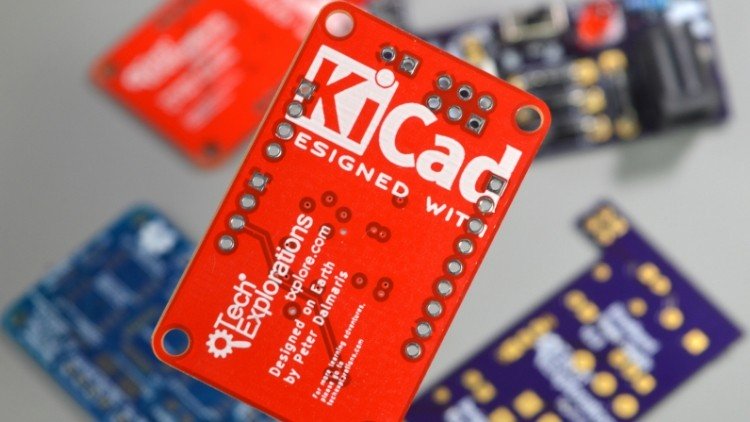
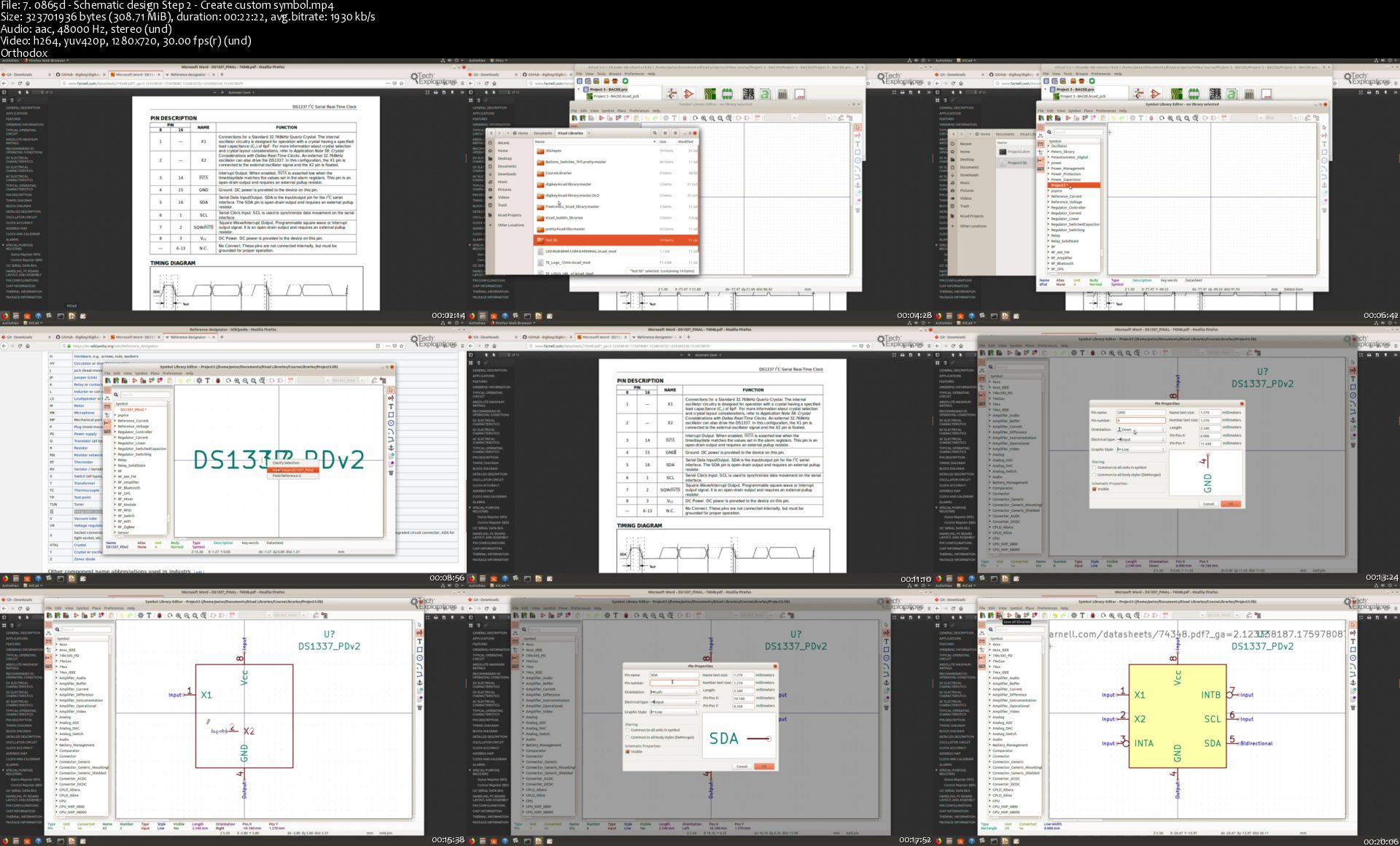
Tech Explorations™ KiCad Like a Pro 2nd edition

LMzv-Xdcbc-EVc7o-U7-S7z-Nag4c8-Bk4-MBsy.jpg


Tech Explorations™ KiCad Like a Pro 2nd edition
BESTSELLER | Created by Dr. Peter Dalmaris | Video: h264, 1280x720 | Audio: AAC 48KHz 2ch | Duration: 17:14 H/M | Lec: 165 | 13.0 GB | Language: English | Sub: English [Auto-generated]

Learn the world's favourite open-source PCB design tool with the world's most comprehensive course


What you'll learn
Covers KiCad version 5.1
Printed Circuit Board design using KiCad
Single, double, and multi-layer board design
The PCB design process
The schematic design process
The layout design process
How to create a schematic design
How to associate schematic symbols to footprints
How to create the layout of a PCB
PCB basic concepts, such as edge cuts, copper fills, mounting holes, soldermask, silkscreen, traces etc.
A detailed knowledge of the KiCad CAD application (its apps, configuration, toolbars, menus, project files etc.)
Project-based learning through four projects to ensure mastery of the topics taught

Requirements
A Linux, Windows or Mac OS computer
An Internet connection
A growth mindset
Patience

Description
This course is updated for KiCad 5.1 - January 2020

------------------------

Welcome to KiCad Like a Pro, 2nd edition, from Tech Explorations, a course that can help you learn how to design custom Printed Circuit Boards using KiCad version 5.1.

KiCad is an open source and free tool that you can use to design your own PCBs. It is perhaps the world's most popular (and, in my opinion, the best) computer-aided design tool for making printed circuit boards.

It's the perfect tool for electronics engineers and hobbyists alike.

PCBs are, perhaps, the most undervalued component of modern electronics. We use PCBs to hold in place and interconnect the various components that make virtually all electronic devices work.

This course will teach you how to use KiCad.

It takes a practical approach to learning. All of the learning takes place in the form of projects of incremental difficulty.

Whether you are a hobbyist or an electronics engineer, this book will help you become productive quickly, and start designing your own boards.

The only prerequisites are a computer, an Internet connection, and the willingness to learn.

By the end of the course, you'll be able to use KiCad to design and manufacture multi-layer PCBs with highly integrated components and a professional-looking finish.

The course contains four projects that give many opportunities to learn and practice all of KiCad's important features.

Apart from the projects, the course contains full sections dedicated to PCB and design principles and concepts. These ensure that you will master the fundamentals so that your PCB project are awesome.

The course includes repositories for each of the projects which you can download and edit on your computer.

If you are someone who is interested in designing PCBs using KiCad, or moving to KiCad from another CAD application, then this course is for you.

Who this course is for?
Electronics hobbyists
Engineers
Users of other PCB CAD applications that wish to move to KiCad
STEM students and teachers

Homepage

7-0865d-Schematic-design-Step-2-Create-custom-symbol-s.jpg


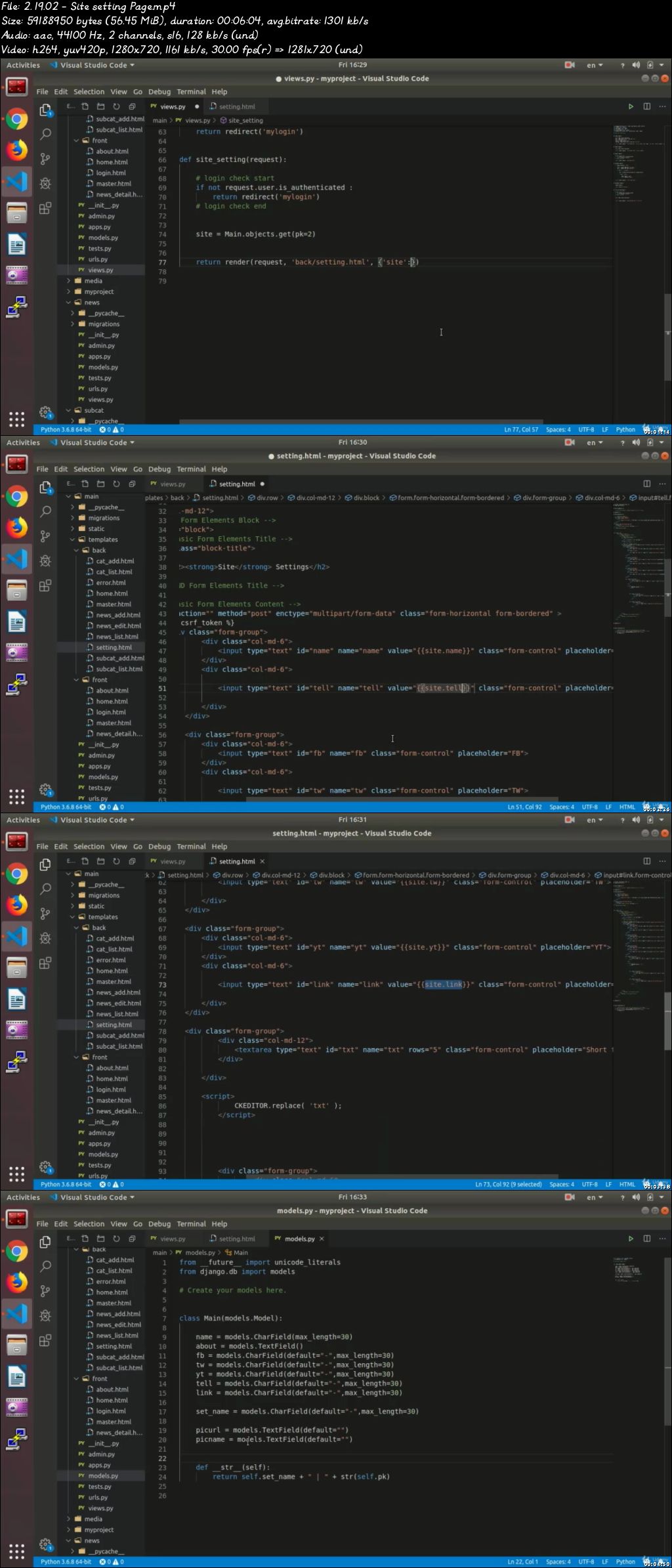
Django & Python: complete BUNDLE + Django real world project (Updated 2/2020)

0073a858.jpg


Django & Python: complete BUNDLE + Django real world project (Updated 2/2020)
Video: .mp4 (1280x720, 30 fps(r)) | Audio: aac, 44100 Hz, 2ch | Size: 25.6 GB
Genre: eLearning Video | Duration: 359 lectures (56 hours) | Language: English

Django and python Bundle: from learning all basic of python to advanced python to UI Design TKINTER and then Django.


What you'll learn

Learn the fundamentals of programming
Learn the Python Programming Language
Learn the Django & Bootstrap frameworks
write a code for a real-world Python program
Create a real world website with Python Django
learn create UI with TKInter
create and run real world text based RPG game


Requirements

no need

Description


please first look at free preview on course about Django at the bottom of this page , you will learn a lot

Here's a little outline of what we are presenting to you in this course.

We will be covering a number of basic topics and agendas that, by and on themselves, would be enough to get you started as a programmer, even if you may have zero to none prior acquaintance with programming.

The topics include whatever you are going to need as a programmer, we cover very basic topics such as Using Linux, and Best IDE, which are the systematic pre-requirements for your hardware, and from there we set you up on the basics of Python programming language, as the most common programming language used by professionals around the world.

In our basic python programming course we use a lot of examples to make sure that all the points really hit home, topics such as variables, printing techniques, lists, various forms of loops, dictionaries, and tuple, and numerous practical and useful functions and classes are all dealt with through multiple examples that have been tested over and over again by the very best professionals in the game.

To make sure that you have totally mastered the topics, in due course you are going to be presented with entertaining exercises such as designing an rpg game, whose fulfilment is going to require all that you have been taught during the course, in the most involved and practical format possible, to make you thoroughly prepared for the real life projects ahead of you.

On the second level we are going to deal with the more advanced topics on python, with more practically-designed details and examples.

We further elaborate the topic of files, Json, and try and except .

we use tkinter as a platform for our UI course.

Tkinter being universally viewed as the best UI library for python available on the market, will be where we base our further instructions.

We will show you how to install tkinter, and how to apply its various and multilayered components in detail, with topics such as title , label , button , textbox , combo-box , radio button, scroll text, file menu , message box and many more thoroughly elaborated through lots and lots of examples.

With the basic and more advanced topics of python out of the way, now we will be able to enter the practical realms of professional programming, in which we will learn how to make a webpage using the most common and powerful framework available for web-designing, Django.

After being done with its installation manual and set up, we will provide you with a forty hour course, in which we cover all the details on often elaborate topics for starting, improving and creating the ultimate website that would be just as interactive as any that you have ever come across in real life.

So, if you have made up your mind about taking up this course, I need to reassure you again about the wonderful journey that lies ahead of you, through which you are going to walk the path of an ordinary beginner who becomes a professional web-designer.

Who this course is for:

beginner and professional

0073a859.jpg


Tech Explorations™ KiCad like a Pro

Xlyj-HZyf-Cui-Vi-WRJlk-V6-D9j6-Vum-XFm8-D.jpg


Tech Explorations™ KiCad like a Pro
HIGHEST RATED | Created by Dr. Peter Dalmaris | Video: h264, 1280x720 | Audio: AAC 48KHz 2ch | Duration: 08:06 H/M | Lec: 77 | 5.18 GB | Language: English | Sub: English

Learn the World's Favourite Open Source PCB Electronic Design Automation tool and make your own professional PCBs!


What you'll learn
Covers KiCad version 4 (current version is 5)
Design high-quality PCBs
Understand the KiCad design process
Use a fabrication service to order professionally-manufactured PCBs
Understand that trade-offs and limitations of PCB design software
Design a PCB while keeping manufacturing costs to a minimum

Requirements
Basic understanding of electronic circuits
Ability to create simple circuits on a breadboard
Ability to install new software on a computer

Description
** This course covers KiCad 4.

Please consider enrolling to the 2nd edition of this course which I published in December 2018

Here on Udemy, search for KiCad Like a Pro 2nd edition.

The new course covers KiCad 5, contains 17 hours of video and four projects to help you master KiCad.

**

This course is designed to teach you how to use KiCad assuming no prior knowledge in PCB design. My objective is to help you reach a high level of competency.

You will be able to create any PCB that an Arduino or general electronics enthusiast can dream of.

To achieve this, I have organized this course around three projects. With each project, I introduce several new KiCad features and extend your skill set.

The ability to create a custom PCB is a core skill of an electronics enthusiast. Without the ability to create a custom PCB, your breadboard-based projects are doomed to oblivion.

Learning how to use KiCad will make you a better maker because you will be able to create custom PCBs for your best designs, and as a result you will ensure that they realise their full potential.

Who this course is for?
Anyone interested in electronics
People that wish to move their project beyond the breadboard
Makes who wish to go past the prototyping stage for their projects
Everyone is welcome!

Homepage

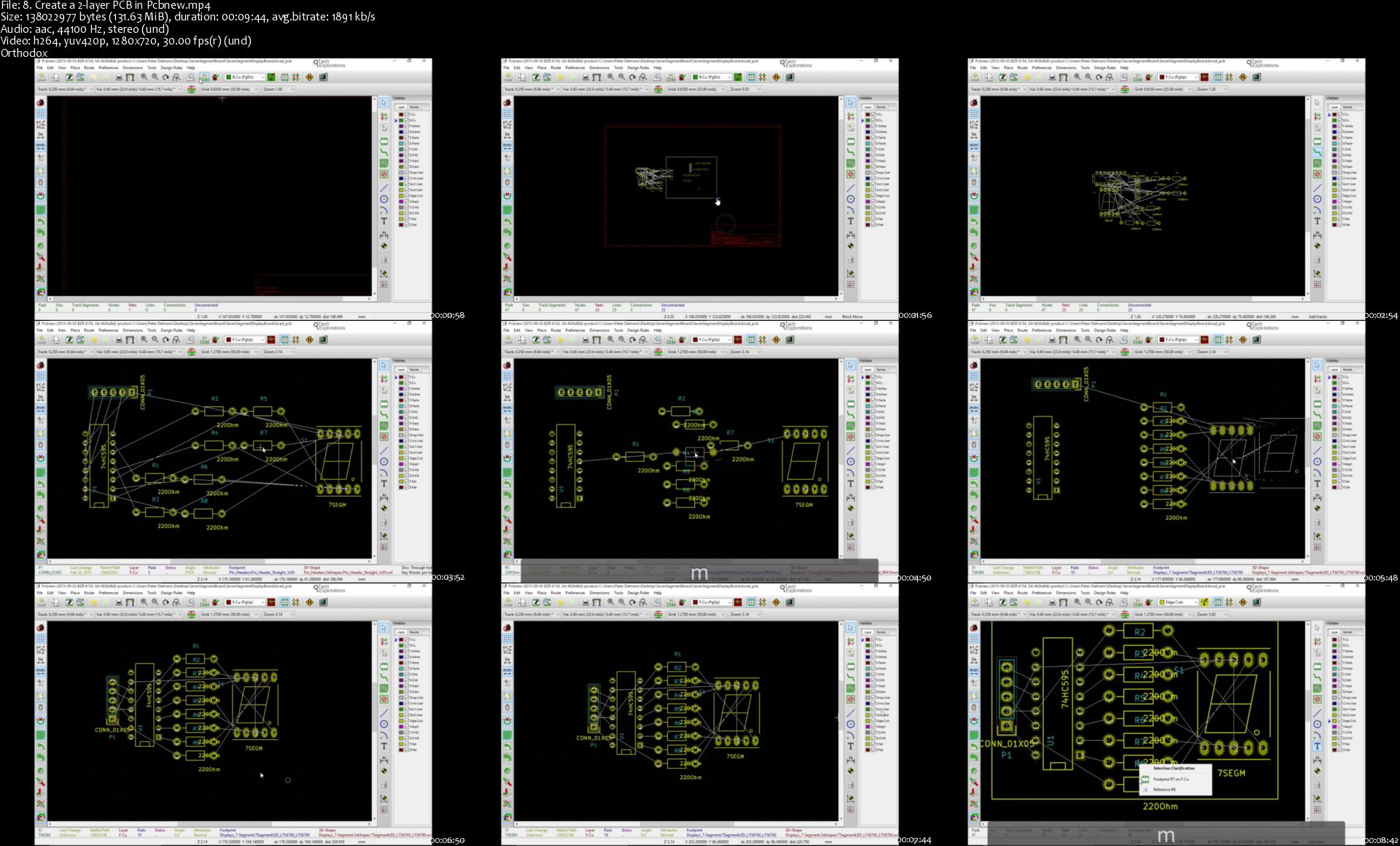
8-Create-a-2-layer-PCB-in-Pcbnew-s.jpg


Ross Minchev - Pin Ads Jumpstart

6ef15c1225186cc7e3343598f52ca66b.jpg

Ross Minchev - Pin Ads Jumpstart | 4.15 GB
Have you struggled to get ANY results from Facebook Ads doing affiliate marketing, dropshipping, Shopify or Lead Gen?
Would you like to know, how by following the exact steps in "Pin Ads Jumpstart" blueprint, I have grown 2 businesses (e-commerce and lead generation) to a stage where they're now making over $10,000 per day in revenue?

Hey, it's Ross Minchev here, America's favorite media buyer, at least according to Forbes.com (Not trying to brag about it, but not gonna lie I really enjoyed, when they listed me on their website &#128540.
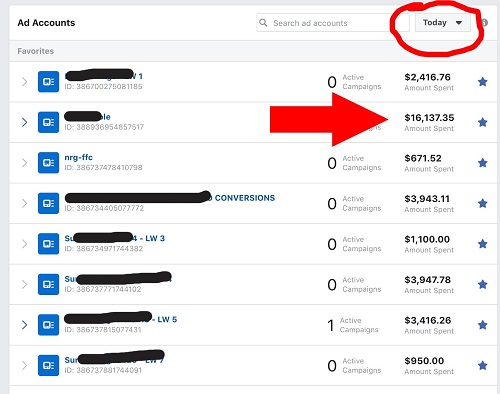
Spending $16,000+ a day on a single ad account (graphic below) on Facebook ads and creating more than 8,234 ads, split testing between video and images, testing many different landing pages, trying different targeting options, constantly fighting the algorithm to give me some ??, praying for higher
66dc6460756475c63bfd1ad0c4cabf69.jpg
The Problem?
Most people think it's their targeting or their ads, or may be the message the landing pages are sending.
Oh, well may be it's the bidding strategy or the product. May be the price or even the time ads are served is wrong...

Unfortunately it has nothing to do with all of that.
There is only one metric marketers and business owners still neglect, when it comes to advertising on FB..
For the past 3 years the cost for Facebook ads have increased drastically, leaving us the marketers, with low and some times, no margins at all.
So, I decided to look for other alternatives...
My team and I went on Google ads, Bing ads, Native, we've tried influencers, youtube etc.,

Here and there I got good results, but wasn't able to scale much...
This includes anyone who wants to:
- Start or scale an online business without wasting time and money
- Already have a company and wants to scale
- If you are a newbie and don't know where to start
- If you want to learn an expert tips to give you an unfair advantage in media buying
- Learn how to run profitably e-commerce, affiliate marketing and lead generation
- Learn an additional traffic source for bringing more cash flow
- Discover powerful techniques that can be implemented in any online business
- Learn how to stand out from your competition
- Develop high converting landing pages
- Discover how to create high converting Pinterest ads
- Learn 6 effective media buying techniques to get more ROI
- Learn how to avoid your most common objections
- Acquire new valuable skills to secure more revenue

HOmepage:

Screenshots
161b4d597e7d29396cad8a64261ef30f.jpg


Link Download
Extract files with WinRar 5 or Latest !
 
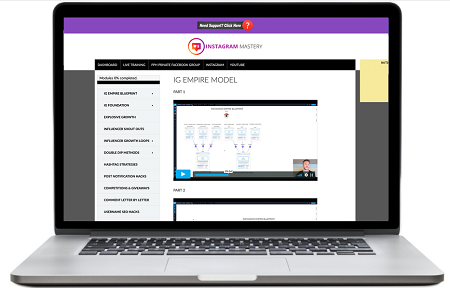
Adrian Morrison - Instagram Mastery

de7578e7617947d32fb93e639b30cd6c.png

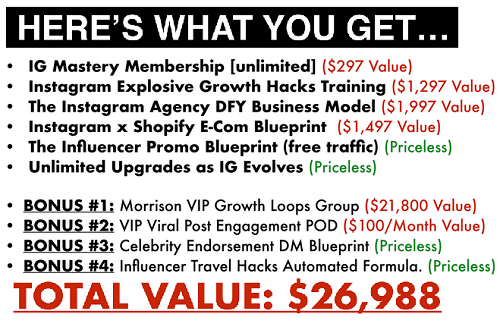
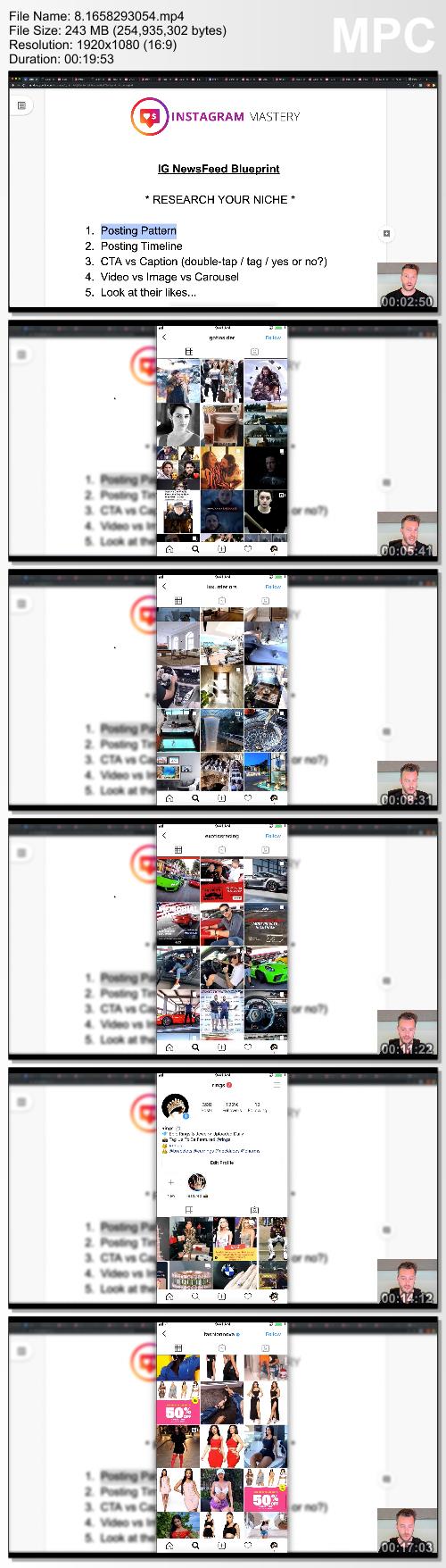
Adrian Morrison - Instagram Mastery | 7.17 GB
50+ Step by Step Trainings On Building a Profitable Instagram Empire
Learn how to crush E-Commerce, Digital Marketing, Personal Branding, Local Businesses & Grow Niche IG Pages Overnight! This is for my PPH Students ONLY!

Learn how we are building an empire of Niche Pages designed to profit & get free influencer traffic ... this is crazy! This one simple strategy will give you an arsenal of niche pages that Influencers will be BEGGING to do free promos for. Yeah, they'll beg you to promote you ... for free (if you do this right). This is for my PPH Students Only!

Learn how to unlock the most coveted profit feature of Instagram - SWIPE UP Stories. ... This one single feature that most Instagramers ignore can 10X the amount of clicks you get to your website or your promotion. We show you our exact blueprint to profit.

Learn how one business got over 132 Mega Celebrities To Endorse His Brand (FREE) ... THIS HAS NEVER BEEN DONE BEFORE! You're going to see the exact formula this mystery marketer gets influencers & celebrities to endorse his brand for FREE.

HOmepage:

Screenshots
9ceed1bf8b379338f1c3bac17932443d.png

72ce5300b0c15ce69d785233b2fcd4d4.jpg


Link Download
Extract files with WinRar 5 or Latest !
 
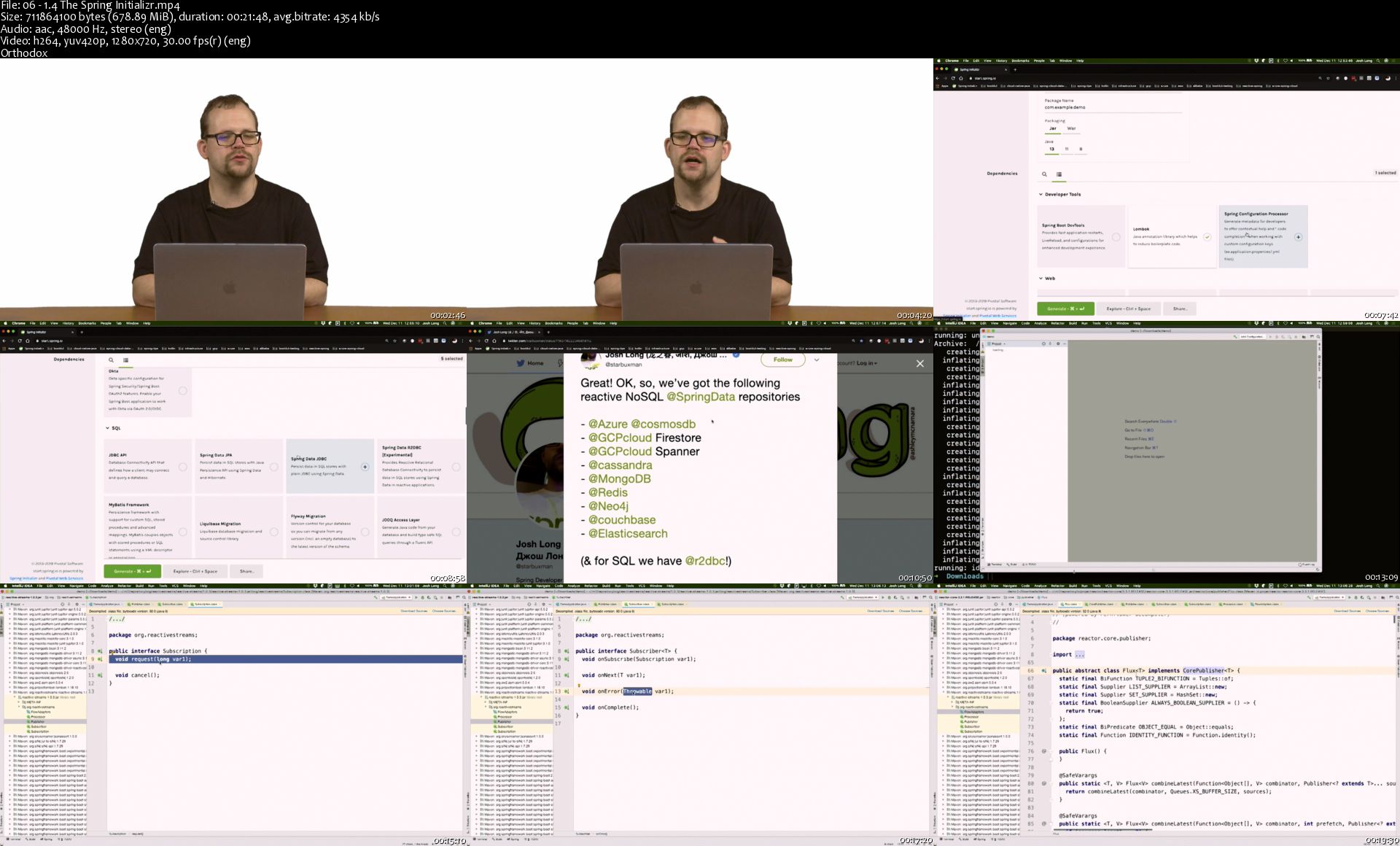
Reactive Spring Boot, 2nd Edition

89-K2-Ax-Fe-Qez-Kta-Wdg-Hikt-TENGs-TGQSx-Z.jpg


Reactive Spring Boot, 2nd Edition
MP4 | Video: AVC 1280 x 720 | Audio: AAC 48 Khz 2ch | Duration: 03:06:49 | 5.65 GB
Genre: eLearning | Language: English

Sneak Peek

The Sneak Peek program provides early access to Pearson video products and is exclusively available to Safari subscribers. Content for titles in this program is made available throughout the development cycle, so products may not be complete, edited, or finalized, including video post-production editing.

Reactive Spring Boot, 2nd Edition

06-1-4-The-Spring-Initializr-s.jpg


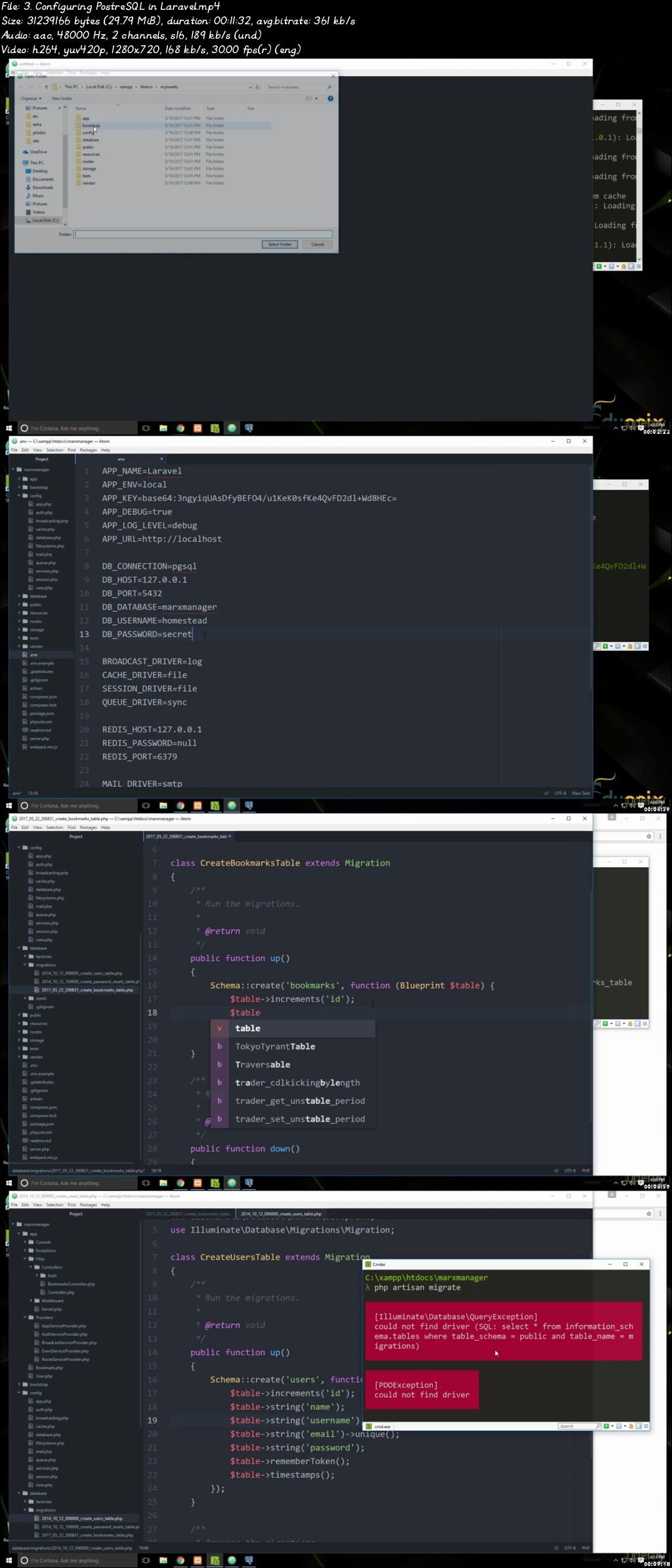
Projects in Laravel: Learn Laravel Building 10 Projects (Updated 12/2019)

0073bfc8.jpg


Projects in Laravel: Learn Laravel Building 10 Projects (Updated 12/2019)
Video: .mp4 (1280x720, 30 fps(r)) | Audio: aac, 48000 Hz, 2ch | Size: 7.22 GB
Genre: eLearning Video | Duration: 134 lectures (22 hours, 57 mins) | Language: English

A complete course to master latest Laravel 5.4 web framework


What you'll learn

Learn core concepts of Laravel PHP framework
Learn to build real world Laravel web apps
Learn real world web programming concepts


Requirements

Basic Knowledge of HTML, JavaScript and PHP is required to complete this course

Description

Don't get stuck learning the old way! Get your hands on the latest Laravel technology with our

Project Course!

Technology is constantly becoming better, changing each second of every minute, so you need a course that can help you learn a technology fast. A simple method that will help you become not only proficient in the fundamentals, but also help you learn how to practically apply these fundamentals in the real world. Well, that's exactly what we are offering with our Laravel Project Course.

Laravel is THE most popular PHP framework that is currently used on the market. Owing to its simplicity, ease of use, simplified syntax and loads of other features, PHP continues to dominate the market for PHP frameworks. So, if you want to build some pretty neat and dynamic apps and websites, well then Laravel is probably the framework you are looking for.

Our Projects in Laravel course can help you out there. Designed with experts from all around the industry, this course has been created to help bridge the gap between theory and practical application. You will not only learn the fundamentals of Laravel in this course, but you will also learn how to actually put them into application.

That's not all! In addition to Laravel, our course also includes teaming up Laravel with some other state-of-the-art technologies such as PostgreSQL, Laravel Mix, Bootstrap, OctoberCMS and so much more. So, you will not only be learning Laravel, but also other amazing technologies that work flawlessly with Laravel to build some epic websites and apps.

So, what do you get when you sign up for this course? Fundamentals, a detailed introduction of Laravel, how to install and configure Laravel, how to integrate Laravel with other technologies, and 10 amazing projects that are royalty-free!

Here are the 10 different projects that you will learn in this course:

Basic Website - In this project, you will learn how to install Laravel, set up the controller, views, migrations, compile your assets with Laravel Mix and build a basic website.

Todo List - A simple Todo list will help you understand how to integrate CRUD (create, read, update, delete) functionality in Laravel.

Business Listing - In this application, you will learn how to create authentication, add business listings and delete them.

Photo Gallery - Here you will learn how to create albums and update photos into that album.

REST API - In this you will learn how accept requests to certain routes, update the database, and using items with a name and a body. We will also build a front-end using JavaScript so that we can make requests to the API.

OctoberCMS Website - A website built with the October Content Management Systems that is built on Laravel.

MyTweetz Twitter App - An app integrated with the Twitter API, which will allow you to not only compose tweets, but also publish them.

MarxManager Bookmark Manager - A bookmark manager using the PostgreSQL as our database.

Vue.js Contact Manager - In this project, you will learn how to build a front-end using Vue.js as a component to work with our contacts in the backend.

Backpack Website With Admin Area - This project will familiarize you with Backpack, a collection of different packages to create different features in You Admin Panel.

So, let's get this party started! Enroll Now and start building some amazing Laravel projects.

Who this course is for:

Anyone who wants to learn professional Laravel development will find this course extremely useful

0073bfc7.jpg


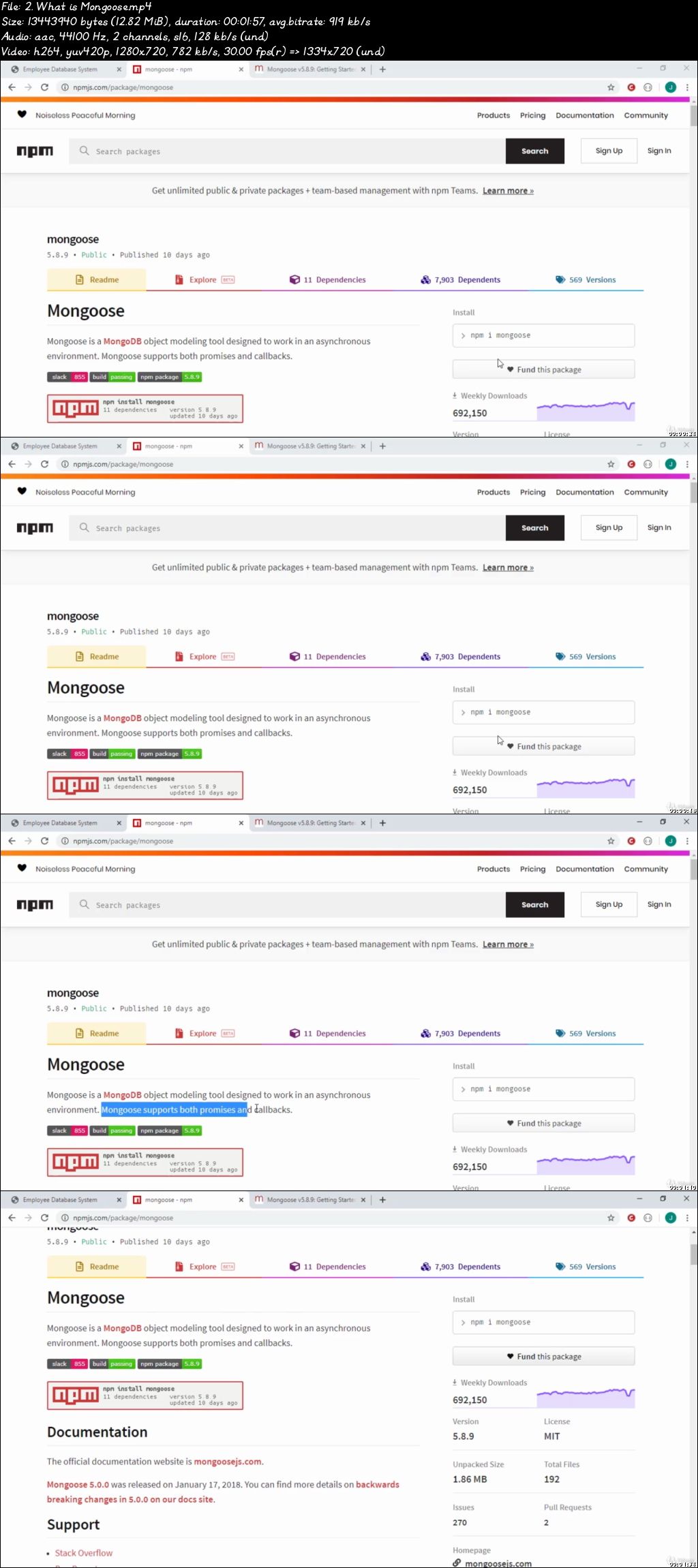
Node.js, Express, MongoDB Bootcamp 2020 - with Real Projects

0073952e.jpg


Node.js, Express, MongoDB Bootcamp 2020 - with Real Projects
Video: .mp4 (1280x720, 30 fps(r)) | Audio: aac, 44100 Hz, 2ch | Size: 6.71 GB
Genre: eLearning Video | Duration: 95 lectures (14 hours, 20 mins) | Language: English

Master Node, Express & MongoDB by building real-world apps with Authentication, File Uploads, WebScrapping, Deployment..


What you'll learn

Gets your hands dirty on best backend stack: Node JS, Express & MongoDB
Understand: How to use Express JS framework with Node Js with real projects
Understand: How to render Server-side website using EJS template
Understand: How Node JS works Behind the Scenes.
Understand all Queries of MongoDB
Understand: How to use Mongoose with MongoDB with Real Employee Project
Understand best and easy way to implement Authentication (Also includes: Password Reset, etc)
Sending emails using Nodemailer
How to store and handle file upload in Node
Understand: How to do webscrapping in Node JS
You will be able to build Read World projects using all concepts that we learned
Git & Deploying a Web App
Download all Coding files and Projects, that will be free to use


Requirements

You must have knowledge about HTML & CSS
Most of time Bootstrap is used in this course, so you must have understanding of Bootstrap library.
You must know JavaScript like: Conditionals, Loops, etc
Nothing else, Just you and your hardwork

Description

If you are willing to become a backend web developer using latest technologies that you are at right place. This course is all about backend development with modern techonologies.

Node.js is one of the best and hot technology right now in the market to do backend. The major reason behind this, is Node is JavaScript runtime environment. Confused? This is deeply explained in the course.

In simple words Node is JavaScript. We can write JS on the backend also. If you are beginner and want to become a Full stack web developer then, learn JS for both frontend and backend.

This bootcamp contains up to date videos of Node technology that will take you from from very basic level to the advance stage, where you will be able make modern Web apps.


The introduction video of every section is free to watch that will show you all about project in that particular section.


Like my previous courses, this cours is full of exciting projects. There are about 6 projects in this course that will help you to learn Node, Express & MongoDB practically. A lot of pratical exciting stuff is included in this course, so that you can can get 100% of this course.


What will you learn after completing this course?

Gets your hands dirty on best backend stack: Node JS, Express & MongoDB.

Understand: How to use Express JS framework with Node Js with real projects.

Understand: How to render Server-side website using EJS template.

Understand: How Node JS works Behind the Scenes.

Understand all Queries of MongoDB.

Understand: How to use Mongoose with MongoDB with Real Employee Project.

Understand best and easy way to implement Authentication (Also includes: Password Reset, etc).

Learn how to send emails using Nodemailer.

How to store and handle file uploads.

Understand: How to do webscrapping in Node JS.

You will be able to scrape any website on internet.

You will be able to build Read World projects using all concepts that we learned.

Learn about Git, Github & how to deploy a Web App.

Get all Coding files and Projects, that will be free to use.

Get Course completion certificate for Udemy.


So at the end, I am ready to teach all the exciting stuff to you right in the course. Click Enroll and I will see you inside the course.

See you!

Who this course is for:

Any developer or programmer who wants to learn backend development
Anyone who wants to learn Node Js, Express Js and MongoDB
Anyone who wants to learn, how to build professional applications in Node
Anyone who loves to code in JS

0073952f.jpg


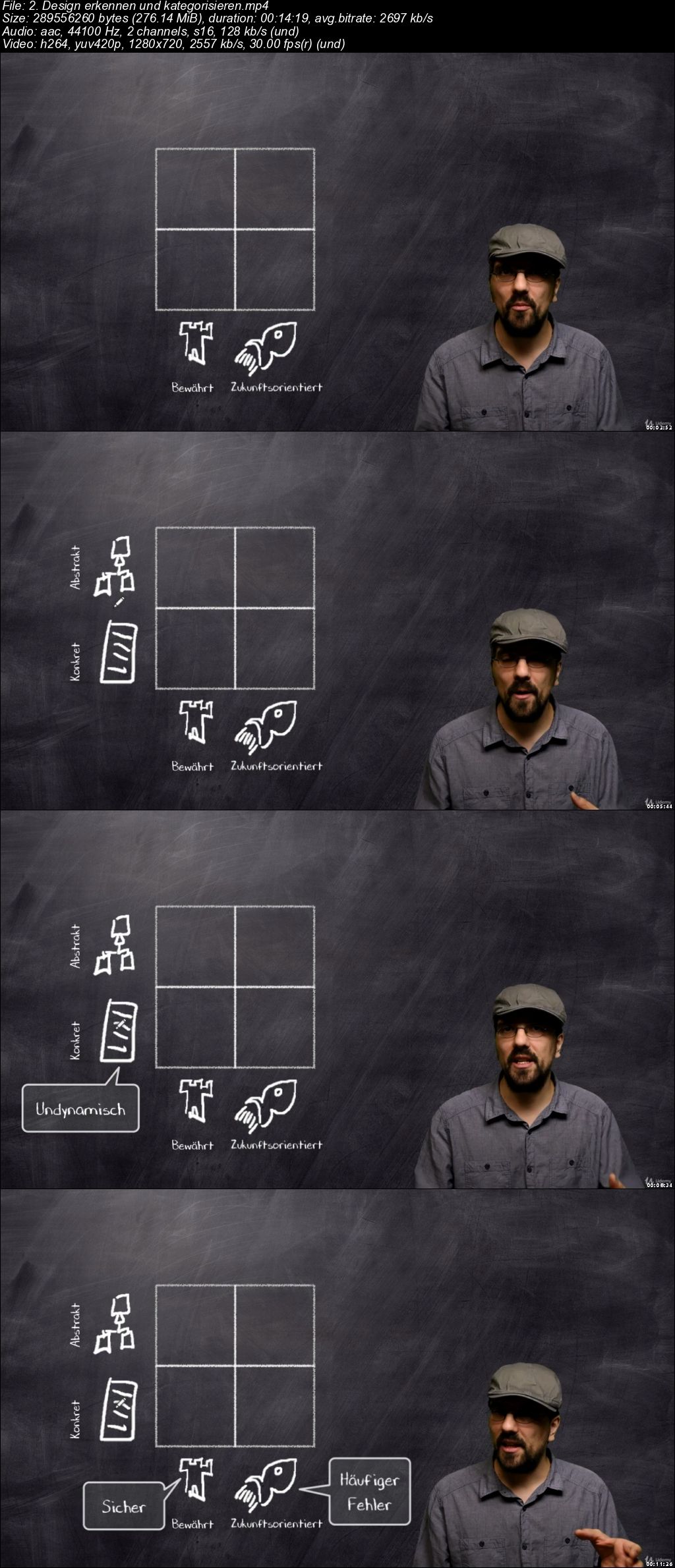
Der Weg zum professionellen Softwareentwickler

0073bae2.jpg


Der Weg zum professionellen Softwareentwickler
Video: .mp4 (1280x720, 30 fps(r)) | Audio: aac, 44100 Hz, 2ch | Size: 5.93 GB
Genre: eLearning Video | Duration: 83 lectures (6 hours, 13 mins) | Language: Deutsch

Entdecke: Clean Code, Softwarecraftsmanship, agile Entwicklung, Entwurfsmuster, TDD und viele weitere spannende Gebiete.


What you'll learn

Einen guten Überblick über viele Konzepte der aktuellen agilen Softwareentwicklung.
Hoffentlich ein paar "Aha"-Erlebnisse. :)
Viele meiner oft umständlich gemachten Erfahrungen in einem Stück.


Requirements

Es sind keine konkreten Erfahrungen nötig.
Eine objektorientierte Programmiersprache sollte beherrscht werden.
Die Programmierbeispiele sind in Java. Sie sind aber so einfach gehalten, dass man Java nicht können muss, um sie zu verstehen.

Description

Prolog:

Ich hatte mich verirrt. Ich hatte studiert und mich danach hochmotiviert auf den Weg gemacht, um ein wirklich guter Softwareentwickler zu werden, verschlang Fachbücher (einige gute, viele schlechte), las Fachzeitschriften, besuchte UserGroups und lernte alles, was im Trend lag. Trotzdem wurde das Entwickeln im Alltag immer wieder zur Qual. Für jede erdenkliche Situation suchte ich mir das passende Framework und lernte es. Ich verstrickte mich in Abhängigkeiten und verzettelte mich in Sonderfällen. Das frustrierte und war bei weitem nicht das, was ich mir unter guter und leichter Softwareentwicklung vorstellte. Irgendwann dämmerte es mir. Ich fing an zu begreifen, was mir intuitiv schon länger klar war: man muss nicht immer mehr lernen um Profi zu werden - man muss das Richtige lernen und vor allen Dingen das Mindset eines Profis entwickeln.

Der Weg zum professionellen Softwareentwickler ist ein Reiseführer durch das aufregende Gebiet der modernen, agilen und pragmatischen Softwareentwicklung, und zugleich die Quintessenz dessen, was ich auf meinem Weg und den Irrwegen gelernt habe. Gemeinsam werden wir uns die Gebiete der Softwareentwicklung anschauen, die wirklich sehenswert sind. Wir lernen Techniken kennen, die es wert sind gelernt zu werden. Wir passieren Sümpfe und dorniges Unterholz, die wir - nach einer kleinen Warnung - jeweils links liegen lassen.

Es werden in diesem Kurs nicht nur kleine Einblicke in verschiedensten Techniken gegeben, sondern eine Haltung vermittelt, die einen professionellen Entwickler ausmachen.

Meine Motivation ist es dir diese Irrwege zu ersparen. Ich möchte dir einen Weg aufzeigen, wie du als Softwareentwickler erfolgreich sein und gleichzeitig Spaß und Leichtigkeit haben kannst. Dies wünsche ich Dir von Herzen.

Thorsten Diekhof

Themen die behandelt werden:

Dreyfus-Modell
Architekturdokumentation
Clean Code
Softwarecraftsmanship
Refactoring
Prinzipien und Praktiken der objektorientierten Softwareentwicklung
Entwurfsmuster / Designpattern
Testgetriebene Entwicklung / TDD
Softwaredesign
Agile Softwareentwicklung / SCRUM
Persönlichkeit eines Profis
Intuition als Werkzeug
Bewusstes Lernen
SMART Methode

Who this course is for:

Du bist hier richtig, wenn du schon ein wenig programmieren kannst, und dich fragst was genau du lernen sollst um richtig gut in der Softwareentwicklung zu werden.
Du bis hier richtig, wenn du im Berufsalltag steckst, und dich gerne weiterentwickeln willst.
Du bist hier NICHT RICHTIG, wenn du glaubst schon Alles über die Softwareentwicklung zu kennen - und du genau weißt, wo es lang geht.

0073bae3.jpg


Blender 2.8 Bootcamp - Learn 3D, EEVEE, Collections & More

0073c9d0.jpg


Blender 2.8 Bootcamp - Learn 3D, EEVEE, Collections & More
Video: .mp4 (1280x720, 30 fps(r)) | Audio: aac, 48000 Hz, 2ch | Size: 8.23 GB
Genre: eLearning Video | Duration: 91 lectures (8 hours, 20 mins) | Language: English

Learn Blender 2.8 tools & interfaces to create 3D models, render your textured assets, manage your scenes and much more.


What you'll learn

After taking this course you will be familiar with Blender 2.80 and you will be able to start creating your own work
You will be comfortable enough with Blender 2.80 to go ahead and attempt more advanced courses and tutorials

Requirements

There is no prior knowledge of Blender or 3D graphics is required for this course
You need a PC, Mac or Laptop capable of running Blender 2.80 with a GPU supporting OpenGL 3.3

Description

This is the perfect course to kickstart your career or hobby in 3D.

**Some proceeds from this course are donated to The Blender Foundation, supporting the Blender community and keeping Blender free and open-source forever**

This course covers every important aspect of Blender 2.8, the most advanced version of Blender yet. Blender is a free, open source digital content creation application that allows artists to create amaing 3D models, animation, visual effects, product visualisations, motion graphics, 2D digital hand drawn animation and much, much more.

This couse will help you get familiar with Blender 2.8's interfaces, from its various tool bars, editor windows, contextual menus and its modelling, lighting, texturing and rendering toolsets.

Using the provided scene files you will be able to follow along and quickly get to grips with concepts like data management, collections, scenes, view layers, linking and appending.

From there I'll delve into some of the newer features of Blender 2.8. You will be able to use the ability to customise your workspace, create materials and shaders in the new Look Dev mode and render your scenes in real time usign the EEVEE engine. This will make creating your own scenes and rendering out a final image much easier and quicker than any other software available.

Who this course is for:

Anyone wishing to learn to create and texture 3d models
Anyone wishing to learn the new version of Blender, Blender 2.80
Anyone familiar with previous versions of Blender who want to learn about the new features and updated interface

0073c9d1.jpg


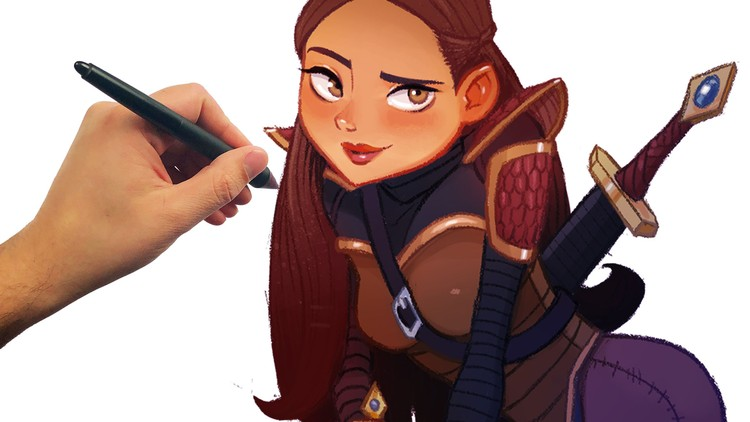
The Ultimate Character Design School - Beginner to Advanced

hh-Jz0-Bq-IBEPn-IY84-CBf-FSm-Fmtax-Rt-KNL.png


The Ultimate Character Design School - Beginner to Advanced
h264, yuv420p, 1280x720 | ENGLISH, 48000 Hz, 2 channels, s16, 128 kb/s | 23h 58 mn | 19.2 GB
Instructor: Jaysen Batchelort

Learn the concept industries number on job skill
What you'll learn

How to design unforgettable characters
How to draw character body and poses
How to draw different styles of characters

Requirements

Paper & Pencil
Or digital means of drawing
A willingness to work hard and learn

Description

Join over 260,000 achieving student and start making your art dreams a reality.

NOW YOU CAN FIT ART SCHOOL IN YOUR POCKET.

This course combines a simple effective teaching system with easy to follow videos and tons of projects to work on. And a mind-blowing 24 hours of video content straight to your fingertips. This will take you from beginner to advanced in how ever long you want it to take because its completely self guided. Take it at your own pace.

PREVIEW SECTION 12 OF THE COURSE.

If you scroll to section 12 you can watch the entire character design process through a two part film that demos a character design form start to finish. This course will teach you everything you need to know to design unbelievable characters.

YOU'LL GAIN INSTANT ACCESS TO:

12 sections - 95 lectures

New and improved character design skills

Access to The Artist Inner Family Facebook Group

Q&A Support through out the entire course

Downloadable resources

Student discounts to future courses

100% absolutely no questions asked money back guarantee (for 30 Day)

All future updates to the course

CAN YOU GIVE ME A QUCK RUN DOWN?

Yes! Here's what you'll learn:

Drawing fundamentals

Story telling

Pencil control

Dynamic poses

Style development

Body proportions

Drawing body forms

Drawing faces

Drawing hands

Foreshortening

Gesture & Poses

Facial expressions

Hair & Costume

Anime

Disney animation

Comic

Pixar style

Character design demo

Facebook group

TAKE A CLOSER LOOK.

Section 2

You'll dive right into your first character drawings. It's never fun to listen to a bunch of lectures on theory for the first few hours of a course. It's much more fun to actually do. So you'll already be drawing characters by lecture 3. You'll get to draw a male and female character in this section. You can preview this section for free if you want to get a taste of the course.

Section 3

This section is called Learning The Fundamentals of Character Design because you will be learning everything you need to know in order to build a strong foundation. You'll learn everything from the drawing hierarchy to how line, shapes, and form are used in stages to create character designs.

Section 4

Welcome to drawing boot camp. This sections name comes form the fact that you will go through exercises that will strengthen you drawing ability. This includes pencil control, muscle memory, speed control, and pressure control. All of which are extremely important to character design. We call this section drawing boot camp because you'll change after going through it.

Section 5

Next your going to receive some extremely useful training. This whole section is on drawing the human body. You'll need the ability to draw the human form if your going to create good character designs. Through out this training you will learn how to draw every individual part of the human body from different angles and in different poses. This section breaks down the human body into simple to understand shapes and forms that you can replicate over and over again. And don't worry, you'll learn how to draw the male and the female forms.

Section 6

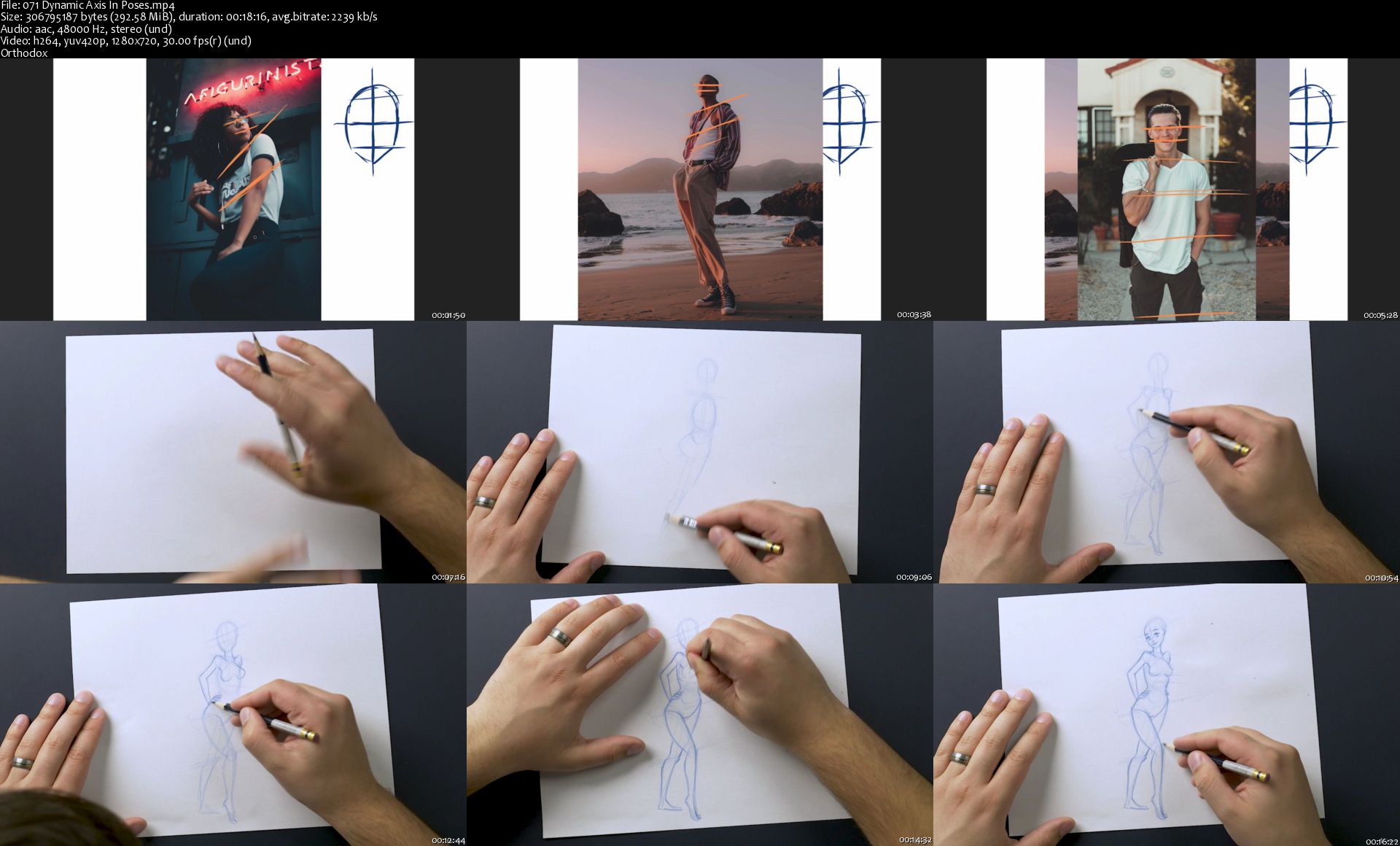
This section is all about how to pose that body that you're now an expert at drawing. In order to create exceptional character designs you need to know how to draw poses that are dynamic and have attitude. You'll learn all the different ways to make a pose dynamic and how to express a characters attitude, emotion, and just give them that appealing look. Trust me. By the end of this section you'll get it like a professional.

Section 7

The most important part of character design is always telling a story. Here you'll learn how to tell a story through your characters expression. First you need to know how to draw certain expression. Once you've mastered your character expressions you can start mixing and matching eye and mouth expressions to get a wide variety of emotions. Creating good expressions is the secret of the pros.

Section 8

You probably don't want your characters to be naked and bald so in this section you'll learn all about hair & costume design. Hairstyles and costumes are really what make characters iconic and memorable. So you'll learn all about how to give your character their "Thing" that will distinguish them form other characters.

Section 9

This section of the course will give you some very practical knowledge and skills in drawing characters in different genres. Character design is broken up into different genres. You'll be taught in-depth how to draw anime, Disney animation, comic, and Pixar cartoon styled characters over the course of 5 lectures. You won't want to miss this section!

Section 10

At this point you have acquired all the necessary skills and knowledge to design your own characters from start to finish. So now its time to put it all together. You'll get to watch a two part video of me designing a dragon slayer character from start to finish. This section demonstrates a character being imagined and developed right before your eyes. Theres no better way to learn than to watch others.

WHY THIS IS THE BEST COURSE TO BUY.

As an instructor I have always worked hard to build courses that are simple for students to understand and implement. I wanted to build a course that could take a student with little or no drawing skills and shape them up into a decent character designer in a short period of time. My company Jaysen Batchelor Education is committed to developing courses that exceed expectations and provide value above and beyond what is payed for. If you're not happy with the course you can always get a 100% money back guarantee within the first 30 days of purchasing the course. The refund process is hassle free and you won't be asked why. But I have a feeling you won't want to refund this course.

This all comes under one convenient easy to use platform. Plus you will get fast, friendly, responsive support on the Udemy Q&A section of the course or direct message.

I will be here for you every step of the way!

So what are you waiting for? Sign up now and lets change your art world today!
Who this course is for:

Student wanting to learn how to design characters
Students wanting to add a new skill to their tool belt
Students Willing to take action and start drawing amazing artwork
Students willing to put in some time to gain a new skill

Homepage

071-Dynamic-Axis-In-Poses-s.jpg


Zurück
Oben Unten