• Regeln für den Video-Bereich:

    In den Börsenbereich gehören nur Angebote die bereits den Allgemeinen Regeln entsprechen.

    Einteilung

    - Folgende Formate gehören in die angegeben Bereiche:
    - Filme: Encodierte Filme von BluRay, DVD, R5, TV, Screener sowie Telesyncs im Format DivX, XviD und x264.
    - DVD: Filme im Format DVD5, DVD9 und HD2DVD.
    - HD: Encodierte Filme mit der Auflösung 720p oder darüber von BluRay, DVD, R5, TV, Screener sowie Telesyncs im Format x264.
    - 3D: Encodierte Filme von BluRay, die in einem 3D Format vorliegen. Dies gilt auch für Dokus, Animation usw.
    - Serien: Cartoon/Zeichentrick, Anime, Tutorials, Dokumentationen, Konzerte/Musik, Sonstiges sind demnach in die entsprechenden Bereiche einzuordnen, auch wenn sie beispielsweise im High Definition-Format oder als DVD5/DVD9/HD2DVD vorliegen. Ausnahme 3D.
    - Bereich Englisch: Englische Releases gehören immer in diesen Bereich.
    - Bereich Talk: Der Bereich, in dem über die Releases diskutiert werden kann, darf, soll und erwünscht ist.


    Angebot/Beitrag erstellen

    - Ein Beitrag darf erst dann erstellt werden, wenn der Upload bei mindestens einem OCH komplett ist. Platzhalter sind untersagt.
    - Bei einem Scenerelease hat der Threadtitel ausschließlich aus dem originalen, unveränderten Releasenamen zu bestehen. Es dürfen keine Veränderungen wie z.B. Sterne, kleine Buchstaben o.ä. vorgenommen werden. Ausnahme Serienbörse:
    - Bei einem Sammelthread für eine Staffel entfällt aus dem Releasename natürlich der Name der Folge. Beispiel: Die Simpsons S21 German DVDRip XviD - ITG
    - Dementsprechend sind also u.a. verboten: Erweiterungen wie "Tipp", "empfehlenswert", "only", "reup", usw. / jegliche andere Zusatzinformation oder Ergänzung, welche nicht in obiger Beschreibung zu finden ist.

    Aufbau des Angebots und Threadtitel

    Der Titel nach folgendem Muster erstellt zu werden. <Name> [3D] [Staffel] [German] <Jahr> <Tonspur> [DL] [Auflösung] <Quelle> <Codec> - <Group>
    Beispiel: The Dark Knight German 2008 AC3 DVDRip XviD - iND
    Beispiel: The Dark Knight 2008 DTS DL BDRip x264 - iND
    Beispiel: The Dark Knight 2008 AC3 DL BDRip XviD - iND
    Beispiel: The Dark Knight German 2008 AC3 720p BluRay x264 iND
    Beispiel: The Dark Knight 2008 DTS DL 1080p BluRay x264 iND
    Beispiel: Die Simpsons S01 German AC3 DVDRip XviD iND
    Beispiel: Die Simpsons S20 German AC3 720p BluRay x264 iND
    Beispiel: Sword Art Online II Ger Sub 2014 AAC 1080p WEBRip x264 - peppermint
    Entsprechend sind also u.a. verboten: Sonderzeichen wie Klammern, Sterne, Ausrufezeichen, Unterstriche, Anführungszeichen / Erweiterungen wie "Tipp", "empfehlenswert", "only", "reup", usw. / jegliche andere Zusatzinformation oder Ergänzung, welche nicht in obiger Beschreibung zu finden ist
    Ausnahmen hiervon können in den Bereichen geregelt sein.

    Die Beiträge sollen wie folgt aufgebaut werden:
    Überschrift entspricht dem Threadtitel
    Cover
    kurze Inhaltsbeschreibung
    Format, Größe, Dauer sind gut lesbar für Downloader außerhalb des Spoilers zu vermerken
    Nfo sind immer Anzugeben und selbige immer im Spoiler in Textform.
    Sind keine Nfo vorhanden z.B. Eigenpublikationen, sind im Spoiler folgende Dateiinformationen zusätzlich anzugeben :
    Quelle
    Video (Auflösung und Bitrate)
    Ton (Sprache, Format und Bitrate der einzelnen Spuren)
    Untertitel (sofern vorhanden)
    Hosterangabe in Textform außerhalb eines Spoiler mit allen enthaltenen Hostern.
    Bei SD kann auf diese zusätzlichen Dateiinformationen verzichtet werden.

    Alle benötigten Passwörter sind, sofern vorhanden, in Textform im Angebot anzugeben.
    Spoiler im Spoiler mit Kommentaren :"Schon Bedankt?" sind unerwünscht.


    Releases

    - Sind Retail-Release verfügbar, sind alle anderen Variationen untersagt. Ausnahmen: Alle deutschen Retail-Release sind CUT, in diesem Fall sind dubbed UNCUT-Release zulässig.
    - Im Serien-Bereich gilt speziell: Wenn ein Retail vor Abschluss einer laufenden Staffel erscheint, darf diese Staffel noch zu Ende gebracht werden.62
    - Gleiche Releases sind unbedingt zusammenzufassen. Das bedeutet, es ist zwingend erforderlich, vor dem Erstellen eines Themas per Suchfunktion zu überprüfen, ob bereits ein Beitrag mit demselben Release besteht. Ist dies der Fall, ist der bereits vorhandene Beitrag zu verwenden.
    - P2P und Scene Releases dürfen nicht verändert oder gar unter einem iND Tag eingestellt werden.


    Support, Diskussionen und Suche

    - Supportanfragen sind entweder per PN oder im Bereich Talk zu stellen.
    - Diskussionen und Bewertungen sind im Talk Bereich zu führen. Fragen an die Uploader haben ausschließlich via PN zu erfolgen, und sind in den Angeboten untersagt.
    - Anfragen zu Upload-Wünschen sind nur im Bereich Suche Video erlaubt. Antworten dürfen nur auf Angebote von MyBoerse.bz verlinkt werden.


    Verbote

    - Untersagt sind mehrere Formate in einem einzigen Angebotsthread, wie beispielsweise das gleichzeitige Anbieten von DivX/XviD, 720p und 1080p in einem Thread. Pro Format, Release und Auflösung ist ein eigener Thread zu eröffnen.
    - Grundsätzlich ebenso verboten sind Dupes. Uploader haben sich an geeigneter Stelle darüber zu informieren, ob es sich bei einem Release um ein Dupe handelt.
    - Gefakte, nur teilweise lauffähige oder unvollständige Angebote sind untersagt. Dies gilt auch für eigene Publikationen, die augenscheinlich nicht selbst von z.B. einer DVD gerippt wurden. Laufende Serien, bei denen noch nicht alle Folgen verfügbar sind, dürfen erstellt und regelmäßig geupdatet werden.
    - Untersagt sind Angebote, welche nur und ausschließlich in einer anderen Sprache als deutsch oder englisch vorliegen. Ausnahmen sind VORHER mit den Moderatoren zu klären.


    Verstoß gegen die Regeln

    - Angebote oder Beiträge, die gegen die Forenregeln verstoßen, sind über den "Melden"-Button im Beitrag zu melden.
  • Bitte registriere dich zunächst um Beiträge zu verfassen und externe Links aufzurufen.

++ Premium IPTV ++ 7000 Live Sender ++ UHD Qualität ++ Mediathek mit 18.000 Inhalten ++


VenneTV


Englische Tutorials

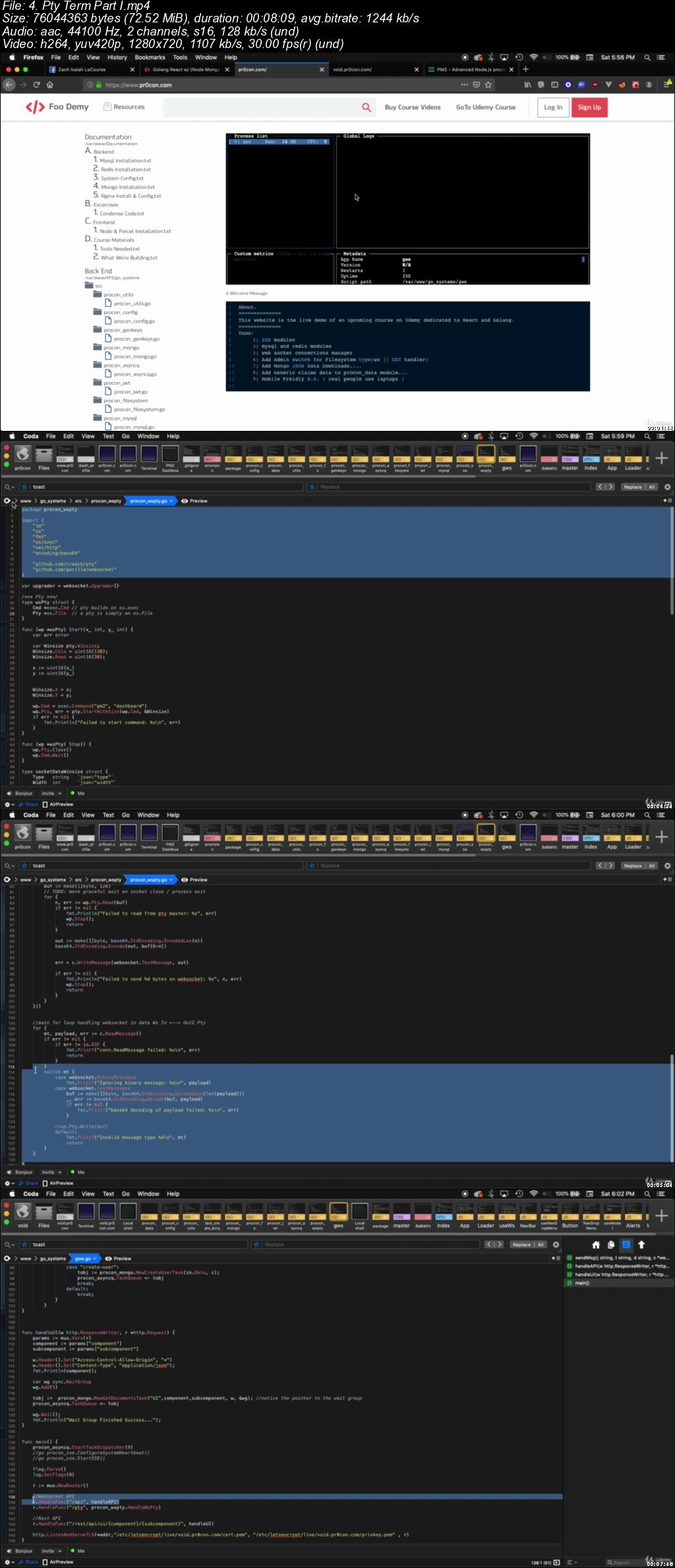
React GoLang: w/ (Node Parcel Mongo Redis Mysql) & Nginx

0070873f.jpg


React GoLang: w/ (Node Parcel Mongo Redis Mysql) & Nginx
Video: .mp4 (1280x720, 30 fps(r)) | Audio: aac, 44100 Hz, 2ch | Size: 11.4 GB
Genre: eLearning Video | Duration: 24 hours | Language: English

Ubuntu 19.x Servers React Hooks frontend & GoLang REST / WebSockets Backend with new mongo-go-driver.


What you'll learn

React Golang Redis Nginx Mysql Mongo Node

Requirements

Internet Access

Description

This Course is aimed at Ubuntu Servers, Running Go-Lang REST & Websocket services as a back-end platform and React for front-end development. Various technologies will be introduced for data storage and manipulation, including Mongo, MySql and Redis. Nginx will also be introduced and used to give a complete full circle adventure. We will also build our own Pub Private keys to secure our proof of concept applications. Think of these modules(course curriculum ) as building blocks and proof of concept exercises to fit the pieces together.

I will be adding a section with zoomed in videos that rebuilds the whole project again in the case depending on your setup the course videos are hard to see.

I know that this information for a beginner can be tough so I have a You-tube channel setup that will break down each concept into smaller beginner to insane examples. The concepts broken down on the channel being (react, golang, node, ubuntu, nginx, mysql, mongo, etc. etc.) . There will be a lot on other languages as well there.

Please friend me on Facebook if you would like and i can answer any questions my user name is Zach Isaiah LaCourse.

Who this course is for:

react and golang hackers or just awsome coders..
00708740.jpg


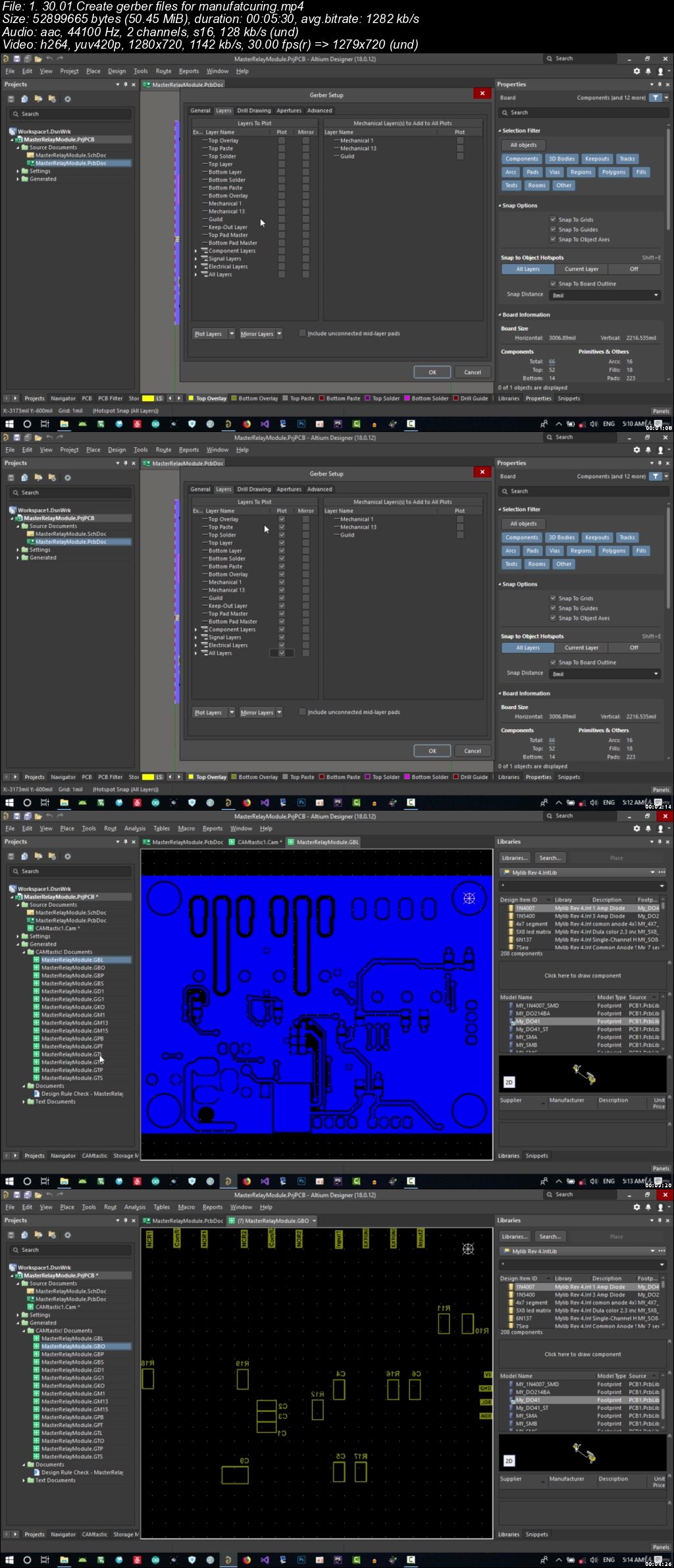
PCB design with Altium designer and Circuitmaker Full Bundle

007087a2.jpg


PCB design with Altium designer and Circuitmaker Full Bundle
Video: .mp4 (1280x720, 30 fps(r)) | Audio: aac, 44100 Hz, 2ch | Size: 21.4 GB
Genre: eLearning Video | Duration: 27 hours | Language: English

Complete PCB Design course Bundle from zero to hero on Altium Designer and circuit maker . all you need for PCB Design.


What you'll learn

Design Schematic in both altium and circuitmaker
Design PCB profesionaly in both software
PDN analyzer
Multiboard Design
Many many more


Requirements

for Circuit maker none
For altium designer you need the software

Description

in this course we will cover all you need to design a pcb with very best altium

and even circuitmaker that is free and realy good and powerfull

first we learn how to create a component then we start a real world project

we will cover a project on smart home on altium designer then we design a custom arduino on circuitmaker

we cover all the basic like what component we should use and read all the datasheet together

what regulator we should use to be enough and cost effective

what is bypass cap and how we should choose them

we talk about uart I2C ESP8266 and some kind of mcu and many more

then we go to PCB and all the rule and calculation that you need to know

what is the best placement and routing strategy

next we go to advance stuff like snippet , master slave board , multichanel multiboard and many more

next we will analyze power distribution

at the how we should send our pcb to manufaturer

with a lot of bounus content

so lets begin

Who this course is for:

Everybody that are intrested in PCb design and electronic

007087a3.jpg


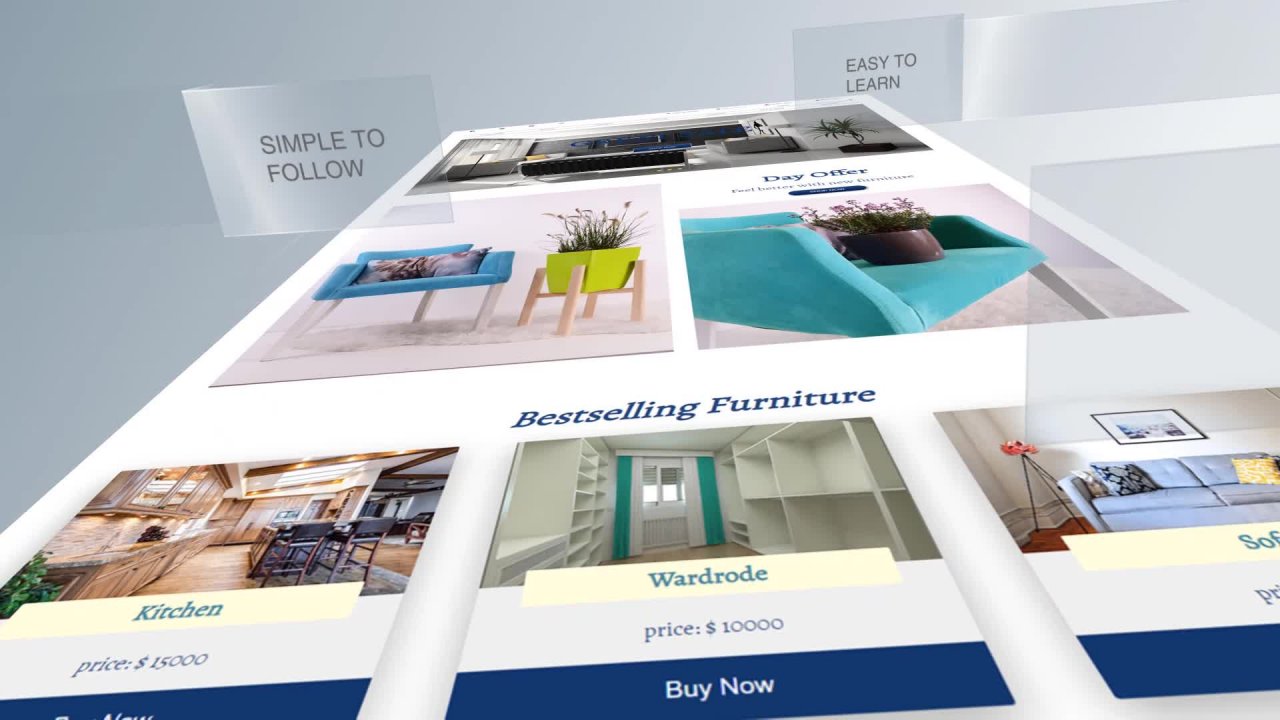
CSS - The Complete CSS Course - Flexbox / CSS Grid

2c-QBj-GFFy5-XI1dgn-HEHlpz-Rg-LWTXEl-NG.jpg


CSS - The Complete CSS Course - Flexbox / CSS Grid
Video: .MP4, 1920x1080, 30 fps | Audio: AAC, 44.1 kHz, 2ch | Duration: 11h 32m
Genre: eLearning | Language: English | Size: 5.39 GB

The Complete CSS Guide on Skillshare
If you want to learn how to create modern, beautiful and real-world websites using just pure CSS, then this is the right course for you.
INCLUDED:
1. CSS Basics
2. Advanced CSS
3. Flexbox
4. Project 1 - "Grand Hotel" (Based on Flexbox)
5. CSS Grid
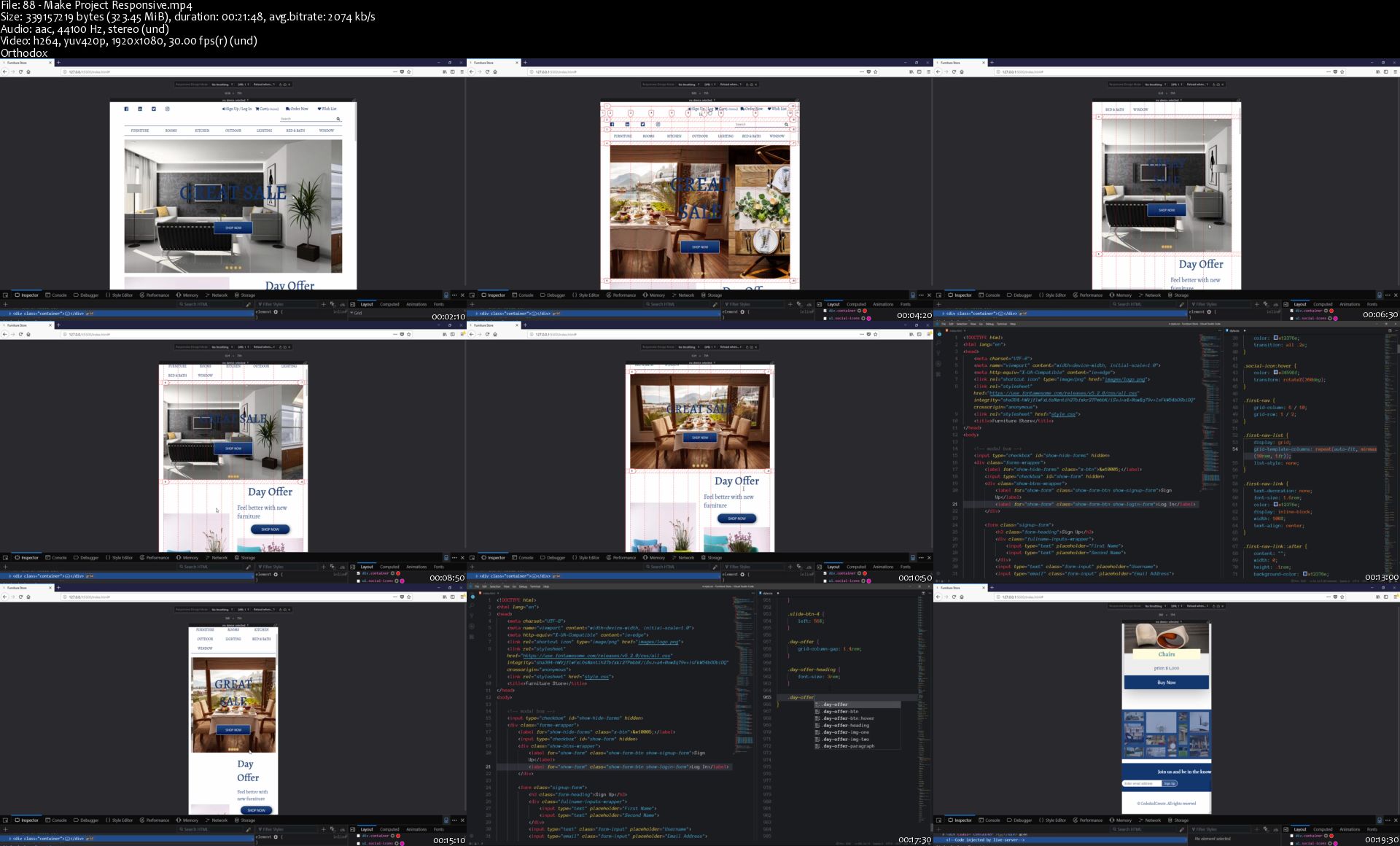
6. Project 2 - "Furniture Website" (Based on CSS Grid)
The course consists of several sections. You will start with CSS essentials, in which you will meet some basic topics. Then after finishing the basic part, you will move on to advanced CSS, where you will be able to learn advanced things in CSS, such as backgrounds, transitions, transforms, animations, shadows and much more.
Advanced CSS section will be followed by the CSS Flexbox part, in which you will learn about how to create the layout of your web page using CSS Flexbox. After the Flexbox section, we will build our first project - "Grand Hotel". It will be a real-world, modern-looking and beautiful web page about the hotel. The layout of this project will be fully created using CSS Flexbox.
Next, you will move on to CSS Grid. In which you will learn about this new powerful layout module. And lastly, we will build another big project based on CSS Grid.
Each project built throughout the course will be fully responsive to all screen devices.
Throughout the course, you will meet detailed explanations about how bootstrap works, also, you will introduce to modern practices and solutions.

88-Make-Project-Responsive-s.jpg


Curso MEAN Stack - Crea tus propias Aplicaciones

2b-Mevc69-QWBBMWDAGscx0m-Jd1-Ape-BVh-D.png


Curso MEAN Stack - Crea tus propias Aplicaciones
Genre: eLearning | MP4 | Video: h264, 1280x720 | Audio: aac, 44100 Hz
Language: Spanish | VTT | Size: 9.54 GB | Duration: 22 hours


What you'll learn
A utilizar el MEAN Stack a nivel profesional
MongoDB
Express
Angular
NodeJS
JSON Web Token
Autenticar y Autorizar
A crear tu propia aplicación full stack

Requirements
En este curso se explica MongoDB, Express, Angular y NodeJS desde cero pero se requieren conocimientos de algún lenguaje de programación.
Description
Aprende a crear Aplicaciones Web con Angular, NodeJS, Express y MongoDB. Estas 4 tecnologías juntas forman en MEAN Stack y son una poderosa herramienta hoy en día. Todos los conceptos de este curso se empiezan desde cero hasta alcanzar un conocimiento avanzado de los mismos.

Como puedes observar en el temario de este curso comenzarás aprendiendo Angular, luego pasarás a MongoDB y finalizarás con NodeJS y Express, todos los conceptos se ven por separado para tener amplio conocimiento de cada uno de ellos y por último finalizaremos con una aplicación en la que integraremos el MEAN Stack, con lo que ganarás confianza en crear tus propias aplicaciones.

A lo largo de este curso aprenderás lo siguiente:

Angular -> Actualmente el framework para JavaScript más utilizado para desarrollar SPA (Single Page Application) lo que permite crear web modernas y escalables.

MongoDB -> Hoy en día la base de datos más utilizada NoSQL que dar mucha funcionalidad a nuestras aplicaciones.

NodeJS -> En entorno líder para la creación de servidores, es a la vez ligero y escalable.

Express -> Nos permite crear API con node de una manera muy sencilla y además de una manera sólida.

Angular Material y así diseñar aplicaciones siguiendo los patrones de estilo de Google.

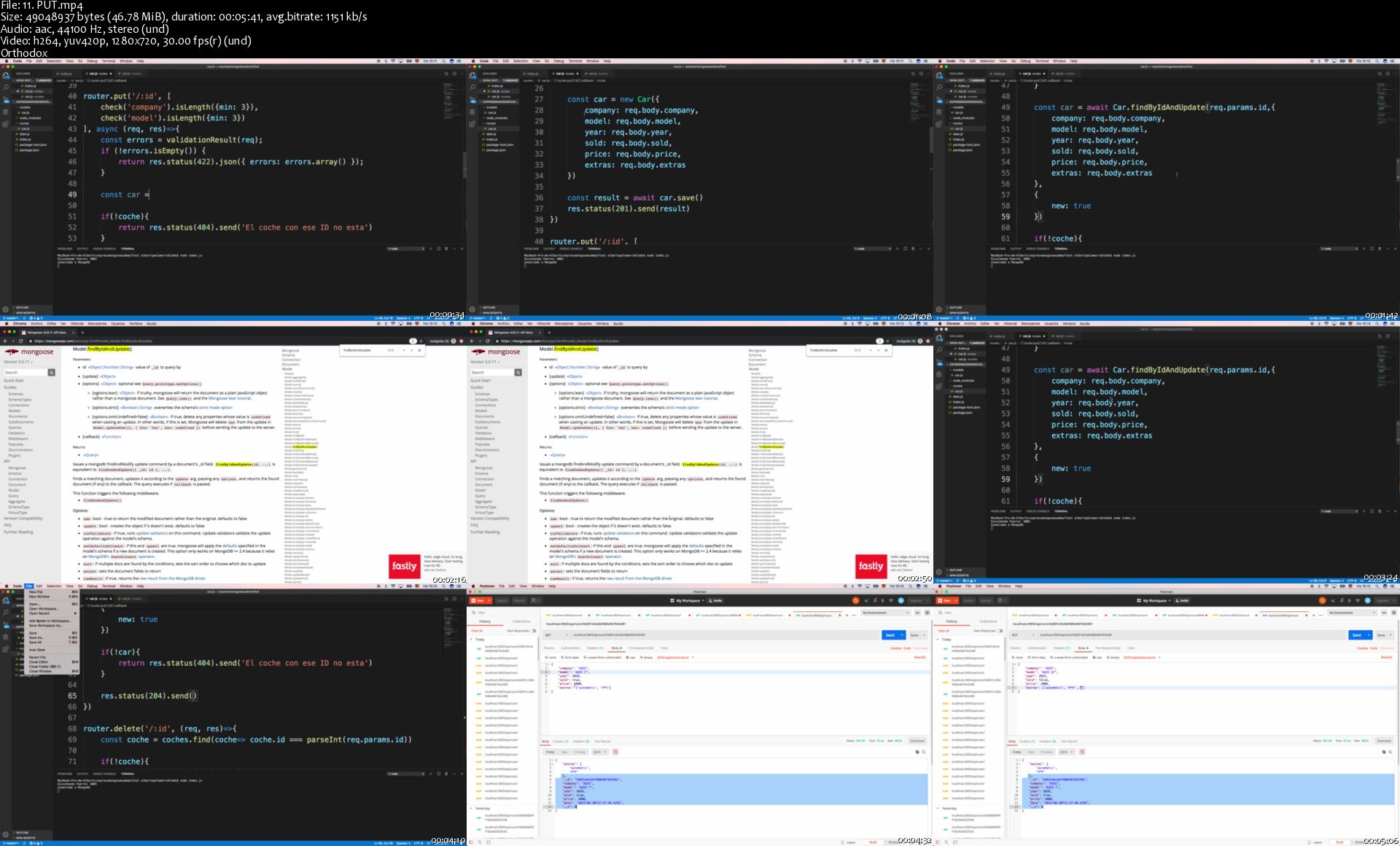
Usar NodeJS y Express de manera eficiente y crear tu servicio REST

Conectar tu Servidor con MongoDB y realizar operaciones CRUD

Implementar autenticación y autorización a través de JWT.

Conectar el FrontEnd (Angular) con tu Backend (NodeJS y Express) y este a su vez con la base de datos (MongoDB)

Hoy en día ser un desarrollador full-stack esta muy bien valorado por parte de las empresas puesto que entienden que conoces la parte del front y la del back y por lo tanto siempre trabajas pensando en optimizar ambos mundos y no solo la parte en la que te toca.

El curso es muy completo y al tratarse en la primera parte todas las tecnológicas por separado, sabrás en cada momento que parte estas tocando y como utilizarla de manera eficiente. Y para terminar ponemos todo el conocimiento encima de la mesa para desarrollar una aplicación real, en la que un frontent diseñado en angular se conecta a un backend en NodeJS + Express y este a la vez maneja los datos en MongoDB.

Nos vemos en el curso y aprende el MEAN Stack ;)

Who this course is for:
Desarrolladores con ganas de aprender el MEAN Stack
Screenshots
Curso MEAN Stack - Crea tus propias Aplicaciones

Homepage

11-PUT-s.jpg


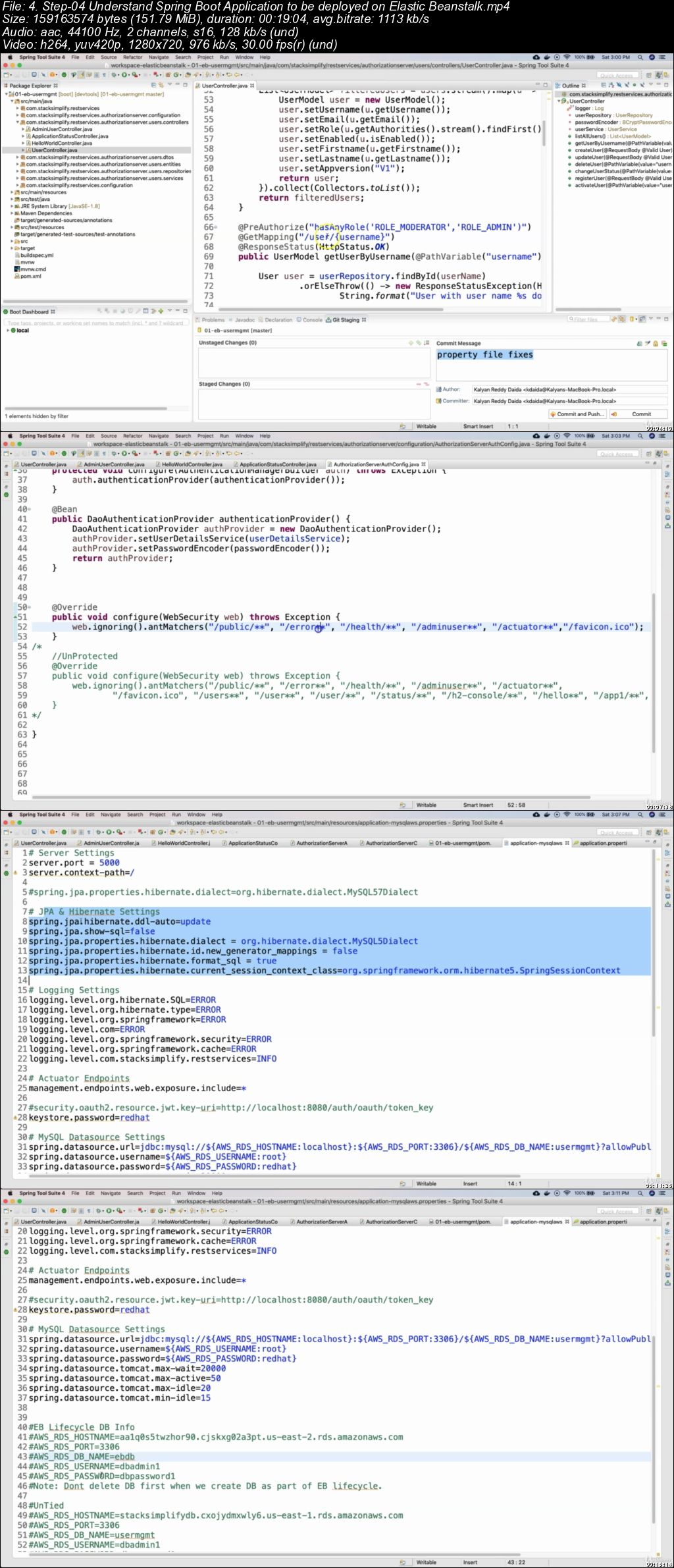
AWS Elastic Beanstalk - Master Class|Hands On Learning!

007086eb.jpg


AWS Elastic Beanstalk - Master Class|Hands On Learning!
Video: .mp4 (1280x720, 30 fps(r)) | Audio: aac, 44100 Hz, 2ch | Size: 5.1 GB
Genre: eLearning Video | Duration: 14.5 hours | Language: English

Learn Load Balancers, ASG, Rolling Deployment, VPC Designs, RDS Databases, CICD, DevOps, EB CLI, Packer,Custom Platforms.


What you'll learn

You will learn each and every feature of Elastic Beanstalk Environments
You will understand the Rolling Updates & Deployments concepts in detail and implement them.
You will learn each and every configuration item of Elastic Beanstalk
You will master the Continous Integration & Continuous Delivery concepts using AWS Developer Tools like CodeCommit, CodeBuild & CodePipeline
You will learn using EB CLI and many CLI commands
You will build the custom platforms - very advanced section in Elastic Beanstalk.
You will also build packer templates for creating AWS AMI's (Machine Images)
You will master the load balancers (Classic, Application & Network load balancers)
You will learn Full Stack Application Deployments end to end which covers CloudFront, Static Website on S3 & Route53
You will also implement Continous Integration & Continous Delivery for Full Stack Applications
You will learn to create a VPC matches the realtime architectural designs in relation with Elastic Beanstalk.
You will understand about RDS Databases and its patterns of deployment in combination with Elastic Beanstalk.

Requirements

You must have an AWS account to follow with me for hands-on activities.

Description

Course Overview

Welcome to this Amazing course on AWS Elastic Beanstalk Masterclass. Below is the list of modules covered in this course.

Course Modules

01. Introduction

02. AWS Elastic Beanstalk - First Steps

03. AWS Elastic Beanstalk - Environment Features

05. AWS Elastic Beanstalk - Instances & Capacity

06. AWS Elastic Beanstalk - Load Balancers

07. AWS Elastic Beanstalk - Rolling Updates & Deployments

08. Full Stack Application Deployments

09. AWS Elastic Beanstalk - CICD Continuous Integration & Continous Delivery

10. Full Stack Application - CICD Continuous Integration & Continous Delivery

11. AWS Elastic Beanstalk - EB CLI

12. AWS Elastic Beanstalk - Custom Platforms

Each of my courses come with

Amazing Hands-on Step By Step Learning Experiences

Real Implementation Experience

Friendly Support in the Q&A section


Who this course is for:

Anyone planning to start their cloud journey, this can be the first step for them.
Developers who want to start their first cloud journey
System Engineers or Infrastructure engineers who want to better understand the deployment process with AWS Elastic Beanstalk
Technologists who want to implement Continuous Integration and Continuos Delivery/Deployment process (CI/CD) in AWS.
AWS Architects who are interested in building advanced custom platforms

007086ec.jpg


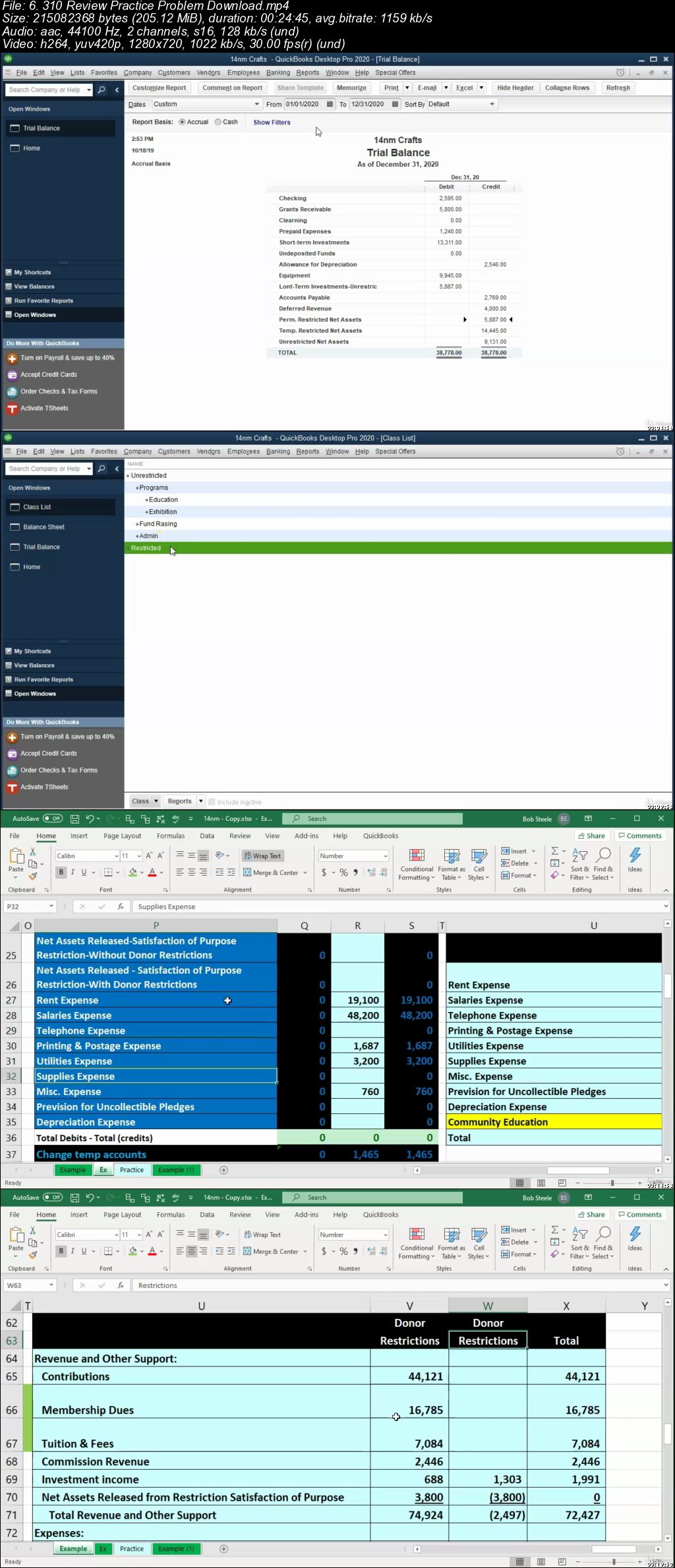
QuickBooks Desktop Not for Profit Organizations

007086fd.jpg


QuickBooks Desktop Not for Profit Organizations
Video: .mp4 (1280x720, 30 fps(r)) | Audio: aac, 44100 Hz, 2ch | Size: 5.9 GB
Genre: eLearning Video | Duration: 11.5 hours | Language: English

Learn to enter data into QuickBooks for a not for profit organization from a practicing CPA, CGMA, CPI, with B.S.tax


What you'll learn

Not for profit accounting using QuickBooks including a charity, health care organization, and college
How to set up a QuickBooks for a not for profit organization
How to organize a chart of account for a not for profit organization in QuickBooks
How to enter data into QuickBooks using forms and how those transactions will impact the financial statements
How to customize forms for a not for profit organization using QuickBooks
How to generate and analyze report for a not for profit organization using QuickBooks

Requirements

None

Description

QuickBooks Desktop Not for Profit Organizations will provide the tools to enter data into QuickBooks for a not for profit organization.

This QuickBooks course will consist of three comprehensive practice problems. One problem will be for a charitable organization, one for a health care organization, and one for a not for profit school.

We will learn how to set up a QuickBooks file for a not for profit organization.

The course will show how to create a chart of accounts and items list for a not for profit organization.

Learners will learn how to enter data into the QuickBooks system using forms.

We will learn how to customize forms so that they can be used to provide to donors.

The course will show how to generate and analyze reports. We will also learn how to print, display, and distribute reports.

Learners will learn how to use the QuickBooks class feature to categorize expenses as restricted or unrestricted. We will also learn to use the job costing feature to track each restricted item in detail.

The course will provide backup files that allow learners to jump forward or rework any part of the comprehensive problem.

We will also provide Excel files as we work through the problem. We will break each comprehensive problem done and enter it into the system one journal entry at a time. We will show how the journal entry would be entered using debits and credits in Excel first, and then enter the transaction into QuickBooks. Excel is a more transparent system, making it easier to see and understand the connections. Once we understand the objective, we will then move to QuickBooks to enter the data. The system of first Entering data into Excel to understand the objective will be very useful when we need to use more complex features like class tracking and job costing.

Who this course is for:

Employees of a not for profit organization
Students who what to apply accounting theory to software

007086fe.jpg


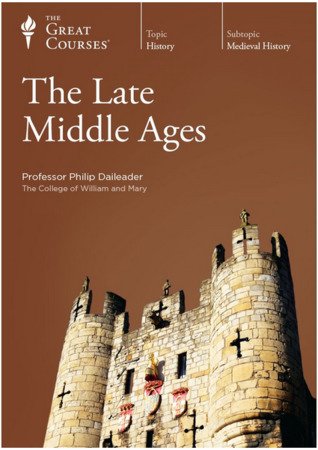
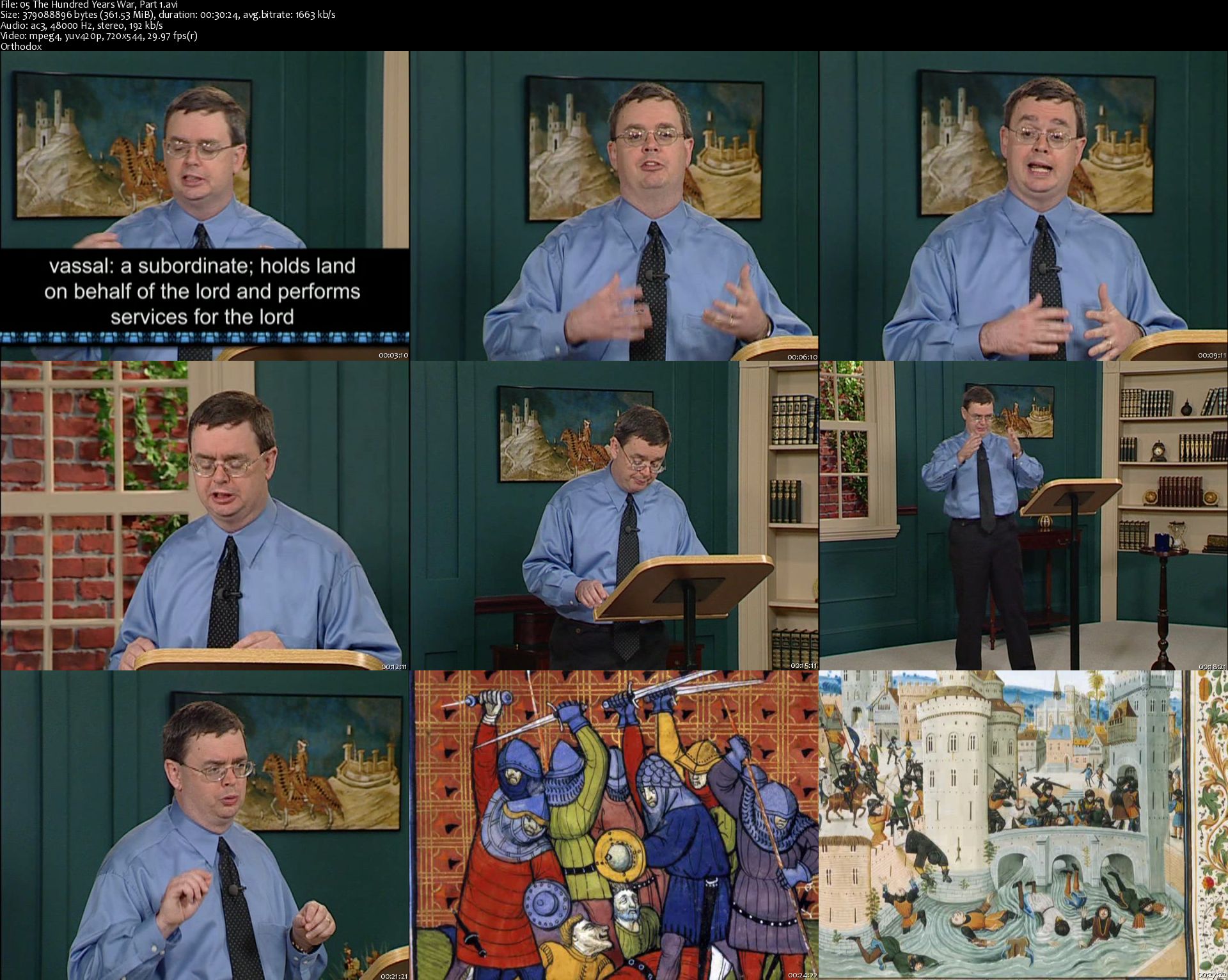
The Late Middle Ages (The Great Courses)

Hn3b-Ki-H84f6dmci-Vu-CPsjf-XNcl-W4-C3-Gj.jpg


The Late Middle Ages (The Great Courses)
MP4 | Video: 720x544 | Audio: AC3, 48Khz , 2ch | Duration: 12 hours | Language: English | 9.1 GB

Were the two centuries from c. 1300 to c. 1500-an age that has come to be known as the Late Middle Ages-an era of calamity or an era of rebirth? Should we look on this time as still clearly medieval or as one in which humanity took its first decisive steps into modernity? Was it a period as distant from us as it appears, or was it closer than we suspect? Students of history are still trying, even after so many centuries, to reach anything approaching a consensus on the answers to these questions.

Full Description

05-The-Hundred-Years-War-Part-1-s.jpg


The Complete Supervised Machine Learning Models in Python

0070870b.jpg


The Complete Supervised Machine Learning Models in Python
Video: .mp4 (1280x720, 30 fps(r)) | Audio: aac, 44100 Hz, 2ch | Size: 5.46 GB
Genre: eLearning Video | Duration: 11 hours | Language: English

Learn the Intuition and Math behind Every Model


What you'll learn

Learn Complete Supervised Machine Learning Models in Python
Learn the Math behind every Machine Learning Model
Learn the Intuition of each Model
Learn to make simple and GUI Based Templates
Learn to choose the best Machine Learning Model for a specific problem

Requirements

Basics of Python

Description

In this course, you are going to learn all types of Supervised Machine Learning Models implemented in Python. The Math behind every model is very important. Without it, you can never become a Good Data Scientist. That is the reason, I have covered the Math behind every model in the intuition part of each Model.

Implementation in Python is done in such a way so that not only you learn how to implement a specific Model in Python but you learn how to build real times templates and find the accuracy rate of Models so that you can easily test different models on a specific problem, find the accuracy rates and then choose the one which give you the highest accuracy rate.

I am looking forward to see you in the course..

Best

Who this course is for:

Anyone who wants to learn Supervised Machine Learning Models
Anyone who wants to learn the Math behind Machine Learning Models
Anyone curious about Data Science

0070870c.jpg


Ken Currington - Liberation Training

006669f0.jpg


Ken Currington - Liberation Training
MP4 | Video: 1280x720 | Audio: AAC, 44.1Khz , 2ch | Duration: 1h 30 min | Language: English | 5.8 GB

Discover the simplest most Powerful Tool to Create the Life You Dream
Are you ready for Liberation?

Have you ever wished that you had a powerful tool that could simply unlock the money game?

Liberation Training is a proven Step-by-Step video course that will allow you to cast this spell and create a powerful connection Money forever. In this video series you will learn from Ken Currington, Masters Psychology, how to do a simple yoga technique call Liberation Technique.

Guided Visual Meditation
Professional Videos and Instruction
Access 7 steps of Liberation
Lifetime access to program
After spending years teaching the rich and famous at a private Yoga retreat in Malibu California Ken began to see that there is a way to apply Yoga to Money. After refining the Liberation Technique for 8 years, the Liberation Equation was born!!! A simple yet deeply powerful way to unlock the money game forever.

And now you have the opportunity to experience the entire Liberation Technique.

If you are not absolutely blown away with this powerful tool simply return with the 100% money back guarantee.

Who this course is for:
if you find yourself constantly confronted with conflict in your life you should take this course
if you are ready to find a deeper understanding of who you truly are you should take this coures
if you are not willing to commit to at least 5 minutes a day to a simple, yet powerful meditation technique than this course may NOT be for you
if you are ready for a truly powerful technology and technique that is going to change your life, than this course is for you.


What you'll learn
You will be able to connect to a deeper part of whole they truly are, called "the source".
You will learn and use a simple, yet very powerful meditation tool to quickly connect to a deeper self.
You will be able to apply the Liberation Equation to any conflict life challenges you with and gain power from these conflicts.
You will see how you can benefit from conflicts to gain a better sense of who you truly are.

006669f7.png
006669f8.png
006669f9.png


Madcam Marketing 2.0 by Brian Bewer

e2ed1fa41f7ae373901c820ef44cf17d.jpg

Brian Bewer - Madcam Marketing 2.0 | 29.42 GB​
Leverage Free Traffic & Sell Anything with Content Marketing - taught by Brian Brewer

This Powerful Strategy Works With Everything...
- Dropshipping
- Print On Demand
- Amazon FBA
- Agencies
- Info Products
- Physical Products
- Coaching
- Ecommerce
- ...Anything

Course Curriculum
Welcome to Madcam Marketing 2.0
- Introducing Madcam Marketing 2.0 - Growing Your Audience & Building Your Brand
- The 30,000 Foot View of Madcam Marketing 2.0 - Introducing the "ABC Content Funnel"

Choosing Your Profitable Niche
- Why Choosing A Niche In Line With Your Passion or Interests Is Paramount
- The 3 Evergreen Niches and Positioning Your Brand
- 75 Profitable Niche Ideas
- Niche Selection Flowchart (Validating Your Idea)
Creating Your Brand
- Developing Your Brand
- Pinpointing Your USP
Understanding the ABC Content Strategy & Leveraging Growth
- Using "A" Content to Drive Sales & Earn Affiliate Commissions
- Leveraging "B" and "C" Content to Achieve Maximum Growth
- How to Avoid Being A Bad Marketer and The Importance of "B" Content
- The ABC Content Funnel
Leveraging Quora to Jumpstart Your Audience Growth
- The Perfect Profile
- Structuring Your Answers for Maximum Returns
- Choosing The Best Questions and Promoting Your YouTube Channel
Growing Your Audience From Scratch w/ Facebook
- Your Facebook Brand Page
- Creating Your Facebook Group (Developing Your Community)
- Growth-hacking Your Audience Organically (i.e. For Free)
- Inviting New Members (Tips & Tricks to Grow Your Audience Faster)
- The "Hidden" Benefit of Facebook Likes
- Growing Faster on Facebook with Ads (*Optional)
Growing Your Audience From Scratch w/ YouTube
- Why You Must Be On YouTube in 2018
- The Truth About YouTube
- YouTube Video Checklist - Setting Up Your Videos for Success
- YouTube Keyword Research - Planning Your Strategic Attack for Faster Growth
- Final Thoughts on Building Your Audience
Creating Your Brand's Website & Capturing Email Leads
- Creating An Affordable Professional Website Quickly & Easily
- Collecting Emails with MailChimp (Free & Beginner Friendly)
- The Best Way To Acquire Targeted Leads/Prospects From YouTube

**Bonus #1** Quick Start - Free Traffic & Fast Commissions
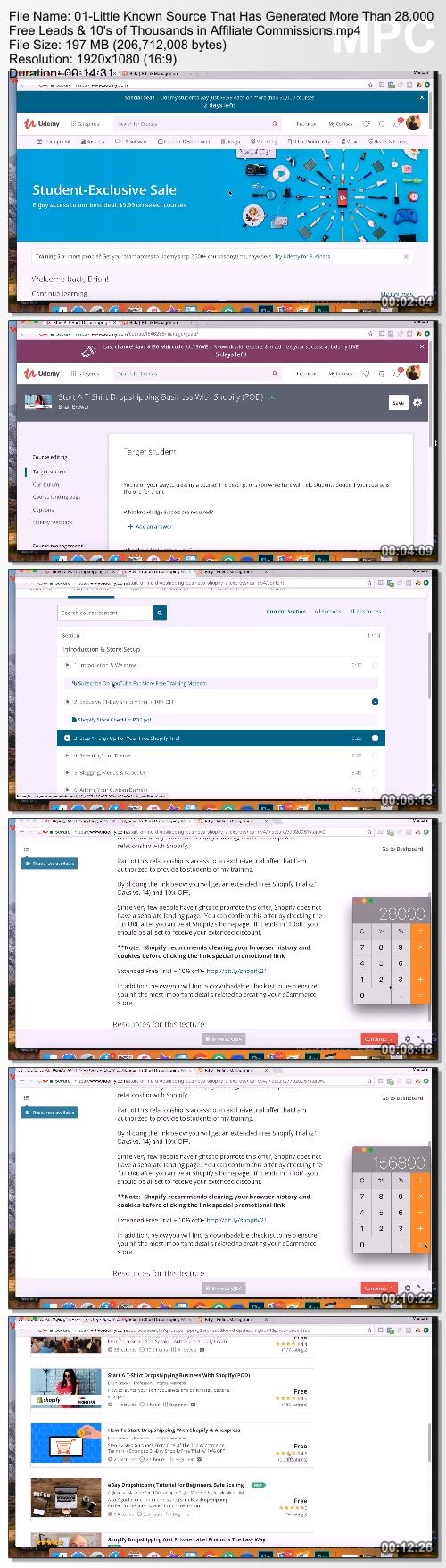
- Little Known Source That Has Generated More Than 28,000 Free Leads & 10's of Thousands in Affiliate Commissions
**Bonus #2** Building A Bridge Business (Quit Your Job In 30 Days by Starting an "Easy Agency")
- What's A Bridge Business and Why Do You Need One
- How To Find Your Perfect Clients by Searching Google
- Leveraging Existing Traffic and Increasing Conversions For Free
- Easily Upgrade Your Client's Website in 10 Minutes or Less
- The 7x to 11x Facebook Ad that Drives Business
- How To Run High Converting Re-Targeting Ads for Your Clients
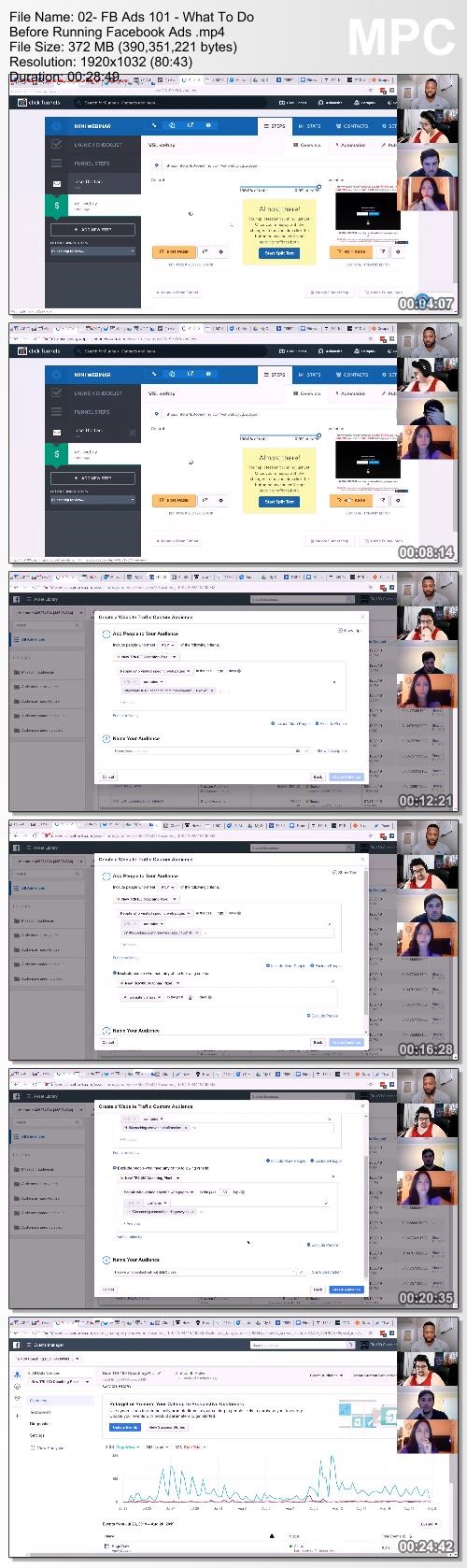
- Building A List of Highly Targeted Prospects Starts With the Facebook Pixel
- Building the Audience and Launching the Ad

HOmepage:

Screenshots
f673a7d1105ca7e69b58a555baf213f2.jpg


Link Download
​
Extract files with WinRar 5 or Latest !
 
Fitness CEO's - Tanner Chidester Coaching

6905289641c187a416cf88238d0c19c4.png

Tanner Chidester - Fitness CEO | 12.26 GB ​
Discover! How Any Beginner, Amateur And Even Semi Professional Personal Trainer Can Grow
Their Fitness Business To 7 Figures In As Little As 12 Months With No Prior Experience

Strategy Session To Unleash Tanner's Little Known Secrets That Exploded His Fitness Business To 7 Figures In just 12 months, So You Can Too
Anyone Who Wants To Create A Wildly Profitable Fitness Business, Charge Higher Fees, and crush their competition
Do you want amazing results?
Do you want a 2 comma fitness business?
Are you sick and tired of Inconsistency?
Do you want to charge more for your packages?
And do you want to achieve all of this quickly?

HOmepage:

Screenshots
cf474e048e9d9edef63ef47353ff3b6c.jpg


Link Download
​
Extract files with WinRar 5 or Latest !
 
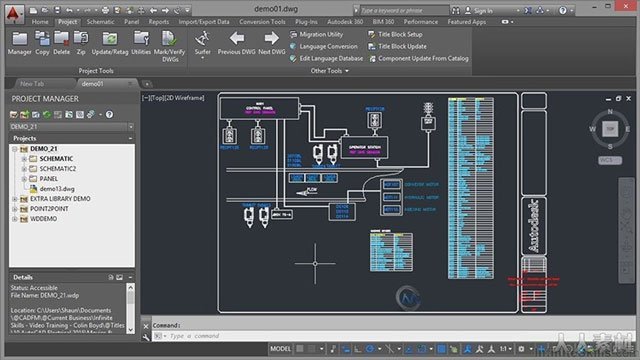
AutoCAD Electrical Advanced and Comprehensive Training (Updated)

00708f01.jpg


AutoCAD Electrical Advanced and Comprehensive Training (Updated)
Video: .mp4 (1280x720, 30 fps(r)) | Audio: aac, 48000 Hz, 2ch | Size: 5.34 GB
Genre: eLearning Video | Duration: 14 hours | Language: English

Mastering Electrical Circuits in AutoCAD


What you'll learn

Circuit Drawings for any Building
Electrical Interface in AutoCAD
Electrical Symbols in AutoCAD
Circuit Drawings for any Electrical Appliance

Requirements

Laptop or PC with AutoCAD Electrical installed

Description

AutoCAD Electrical

• Difference between CAD and CADE (CAD Electrical):-

Tells about the basic advantages of AutoCAD electrical over normal CAD.

• Different types of wires and wire layers:-

This session is the first step for an electrical engineer to get into ACADE.

• Inserting components from CAD library:-

Must know function to set component scale and rotation angle.

• Source and destination arrows:-

This is one of the most useful features in AutoCAD Electrical, which enables to do easy wire cross referencing (From and To).

• Creating intelligent title blocks with ladder cross referencing:-

Many times people do manual editing in each title block individually and with thorough understanding in "title block" function within ACADE one can do the changes in all sheets in one go.

• Component and source destination arrow cross referencing:-

In electrical circuits we use parent and child components (eg. Coil and Contacts of a relay) in different parts of a project. In order to study and read one circuit it is always necessary to trace the locations of all the parts of one component. This automatic cross referencing is another major advantage of ACADE.

• Project Manager functions:-

Managing a project in proper way is as important as creating a set of drawings. This skill makes you a perfect professional design engineer.

• How to create new symbols and user circuits:-

The more and more you use ACADE, you may require more components and circuits which is not there in the standard CAD library. By creating new standard user circuits and symbols you will become master of this art.

• NEMA and IEC electrical circuit:-

These are the two major standards which normally use to design electrical circuits. In this session we will use both the standards to design the same circuit and will spot the difference.

Finally we will do one sample project covering Single Line Diagram, Panel Layouts, Cable tray layouts, Room layouts, Schematic (Wiring) diagram and generating Bill of Materials.

7. Ladders
A) Basic Ladders
B) Inserting Components in Ladders
C) Ladders for Title Block

8. Symbol Builder
A) Adding Attributes
B) Creating New Components

9. Title Blocks
A) Adding Attributes
B) Making Blocks
C) Creating Standard Title Blocks

10. Customizing Title Blocks
A) Different types of Title Blocks
B) Creating Title blocks with different X & Y Axis

11. Incomer & Drive Panel (PRACTICAL)
A) Single Line Diagram Concept
B) Creating Schematic from SLD
C) Schematic of Main Incomer Panel
D) Schematic of Drive Panel

12. Drive With Bypass (PRACTICAL)
A) Schematic of Drive With Bypass

13. Control Circuits
B) Inserting Ladders
C) Inserting Components in Ladders
D) Cross Reference

14. PLC Modules (Part 1-3)
A) Inserting PLC Modules
B) Connecting Wires to Modules
C) Selecting Modules from Catalogue

15. Basic Panel Layout
A) Basic Concept of Layout
B) Creating internal Layouts manually
C) Creating Side View from Front View

16. ACADE Panel Layout
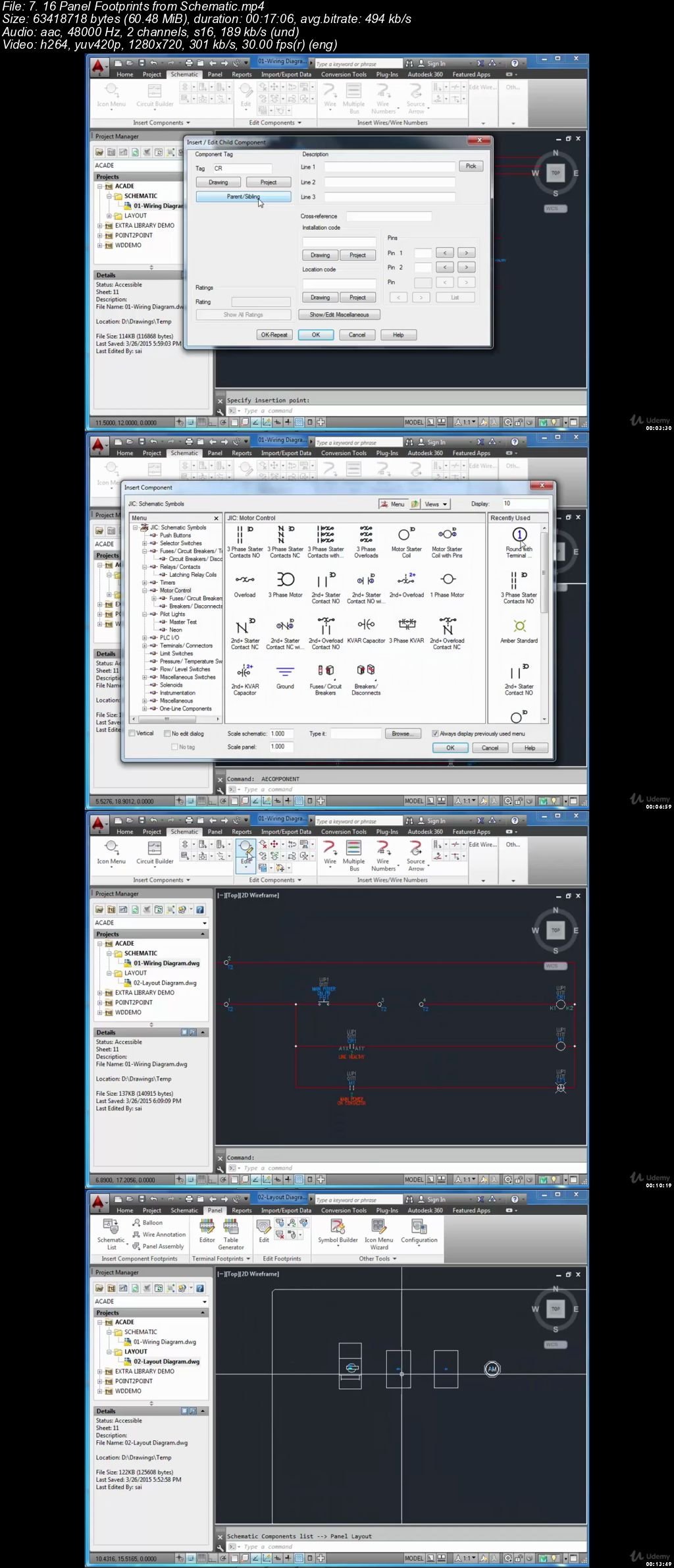
A) Panel Layout TAB
B) Footprint from Schematic
C) Terminal Strips from Schematic
D) Bill of Materials from footprint

17. Recap Session
A) Project Manager
B) JIC and IEC Directory Settings
C) IEC Schematic
D) Converting JIC projects into IEC
E) Wires and Wire Numbering
F) Components and Cross Referencing
G) Source and Destination Arrows
H) Inserting Images in Customized Title Blocks
I) Project Wide Utilities
J) Other Commands at a Glance

Who this course is for:

Graduate in Engineering esp. Electrical and Electronics
Diploma holder in Engineering
Draftsman for Electrical Appliances

00708f02.jpg


Zurück
Oben Unten