• Regeln für den Video-Bereich:

    In den Börsenbereich gehören nur Angebote die bereits den Allgemeinen Regeln entsprechen.

    Einteilung

    - Folgende Formate gehören in die angegeben Bereiche:
    - Filme: Encodierte Filme von BluRay, DVD, R5, TV, Screener sowie Telesyncs im Format DivX, XviD und x264.
    - DVD: Filme im Format DVD5, DVD9 und HD2DVD.
    - HD: Encodierte Filme mit der Auflösung 720p oder darüber von BluRay, DVD, R5, TV, Screener sowie Telesyncs im Format x264.
    - 3D: Encodierte Filme von BluRay, die in einem 3D Format vorliegen. Dies gilt auch für Dokus, Animation usw.
    - Serien: Cartoon/Zeichentrick, Anime, Tutorials, Dokumentationen, Konzerte/Musik, Sonstiges sind demnach in die entsprechenden Bereiche einzuordnen, auch wenn sie beispielsweise im High Definition-Format oder als DVD5/DVD9/HD2DVD vorliegen. Ausnahme 3D.
    - Bereich Englisch: Englische Releases gehören immer in diesen Bereich.
    - Bereich Talk: Der Bereich, in dem über die Releases diskutiert werden kann, darf, soll und erwünscht ist.


    Angebot/Beitrag erstellen

    - Ein Beitrag darf erst dann erstellt werden, wenn der Upload bei mindestens einem OCH komplett ist. Platzhalter sind untersagt.
    - Bei einem Scenerelease hat der Threadtitel ausschließlich aus dem originalen, unveränderten Releasenamen zu bestehen. Es dürfen keine Veränderungen wie z.B. Sterne, kleine Buchstaben o.ä. vorgenommen werden. Ausnahme Serienbörse:
    - Bei einem Sammelthread für eine Staffel entfällt aus dem Releasename natürlich der Name der Folge. Beispiel: Die Simpsons S21 German DVDRip XviD - ITG
    - Dementsprechend sind also u.a. verboten: Erweiterungen wie "Tipp", "empfehlenswert", "only", "reup", usw. / jegliche andere Zusatzinformation oder Ergänzung, welche nicht in obiger Beschreibung zu finden ist.

    Aufbau des Angebots und Threadtitel

    Der Titel nach folgendem Muster erstellt zu werden. <Name> [3D] [Staffel] [German] <Jahr> <Tonspur> [DL] [Auflösung] <Quelle> <Codec> - <Group>
    Beispiel: The Dark Knight German 2008 AC3 DVDRip XviD - iND
    Beispiel: The Dark Knight 2008 DTS DL BDRip x264 - iND
    Beispiel: The Dark Knight 2008 AC3 DL BDRip XviD - iND
    Beispiel: The Dark Knight German 2008 AC3 720p BluRay x264 iND
    Beispiel: The Dark Knight 2008 DTS DL 1080p BluRay x264 iND
    Beispiel: Die Simpsons S01 German AC3 DVDRip XviD iND
    Beispiel: Die Simpsons S20 German AC3 720p BluRay x264 iND
    Beispiel: Sword Art Online II Ger Sub 2014 AAC 1080p WEBRip x264 - peppermint
    Entsprechend sind also u.a. verboten: Sonderzeichen wie Klammern, Sterne, Ausrufezeichen, Unterstriche, Anführungszeichen / Erweiterungen wie "Tipp", "empfehlenswert", "only", "reup", usw. / jegliche andere Zusatzinformation oder Ergänzung, welche nicht in obiger Beschreibung zu finden ist
    Ausnahmen hiervon können in den Bereichen geregelt sein.

    Die Beiträge sollen wie folgt aufgebaut werden:
    Überschrift entspricht dem Threadtitel
    Cover
    kurze Inhaltsbeschreibung
    Format, Größe, Dauer sind gut lesbar für Downloader außerhalb des Spoilers zu vermerken
    Nfo sind immer Anzugeben und selbige immer im Spoiler in Textform.
    Sind keine Nfo vorhanden z.B. Eigenpublikationen, sind im Spoiler folgende Dateiinformationen zusätzlich anzugeben :
    Quelle
    Video (Auflösung und Bitrate)
    Ton (Sprache, Format und Bitrate der einzelnen Spuren)
    Untertitel (sofern vorhanden)
    Hosterangabe in Textform außerhalb eines Spoiler mit allen enthaltenen Hostern.
    Bei SD kann auf diese zusätzlichen Dateiinformationen verzichtet werden.

    Alle benötigten Passwörter sind, sofern vorhanden, in Textform im Angebot anzugeben.
    Spoiler im Spoiler mit Kommentaren :"Schon Bedankt?" sind unerwünscht.


    Releases

    - Sind Retail-Release verfügbar, sind alle anderen Variationen untersagt. Ausnahmen: Alle deutschen Retail-Release sind CUT, in diesem Fall sind dubbed UNCUT-Release zulässig.
    - Im Serien-Bereich gilt speziell: Wenn ein Retail vor Abschluss einer laufenden Staffel erscheint, darf diese Staffel noch zu Ende gebracht werden.62
    - Gleiche Releases sind unbedingt zusammenzufassen. Das bedeutet, es ist zwingend erforderlich, vor dem Erstellen eines Themas per Suchfunktion zu überprüfen, ob bereits ein Beitrag mit demselben Release besteht. Ist dies der Fall, ist der bereits vorhandene Beitrag zu verwenden.
    - P2P und Scene Releases dürfen nicht verändert oder gar unter einem iND Tag eingestellt werden.


    Support, Diskussionen und Suche

    - Supportanfragen sind entweder per PN oder im Bereich Talk zu stellen.
    - Diskussionen und Bewertungen sind im Talk Bereich zu führen. Fragen an die Uploader haben ausschließlich via PN zu erfolgen, und sind in den Angeboten untersagt.
    - Anfragen zu Upload-Wünschen sind nur im Bereich Suche Video erlaubt. Antworten dürfen nur auf Angebote von MyBoerse.bz verlinkt werden.


    Verbote

    - Untersagt sind mehrere Formate in einem einzigen Angebotsthread, wie beispielsweise das gleichzeitige Anbieten von DivX/XviD, 720p und 1080p in einem Thread. Pro Format, Release und Auflösung ist ein eigener Thread zu eröffnen.
    - Grundsätzlich ebenso verboten sind Dupes. Uploader haben sich an geeigneter Stelle darüber zu informieren, ob es sich bei einem Release um ein Dupe handelt.
    - Gefakte, nur teilweise lauffähige oder unvollständige Angebote sind untersagt. Dies gilt auch für eigene Publikationen, die augenscheinlich nicht selbst von z.B. einer DVD gerippt wurden. Laufende Serien, bei denen noch nicht alle Folgen verfügbar sind, dürfen erstellt und regelmäßig geupdatet werden.
    - Untersagt sind Angebote, welche nur und ausschließlich in einer anderen Sprache als deutsch oder englisch vorliegen. Ausnahmen sind VORHER mit den Moderatoren zu klären.


    Verstoß gegen die Regeln

    - Angebote oder Beiträge, die gegen die Forenregeln verstoßen, sind über den "Melden"-Button im Beitrag zu melden.
  • Bitte registriere dich zunächst um Beiträge zu verfassen und externe Links aufzurufen.

++ Premium IPTV ++ 7000 Live Sender ++ UHD Qualität ++ Mediathek mit 18.000 Inhalten ++


VenneTV


Englische Tutorials

Python 3: Deep Dive (Part 4 - OOP)

XKm-WQVu9snsspcr-PKJSUds-LJfffuv-Mzs.jpg


Python 3: Deep Dive (Part 4 - OOP)
HOT & NEW | Created by Fred Baptiste | Video: h264, 1280x720 | Audio: AAC 48KHz 2ch | Duration: 28:11 H/M | Lec: 133 | 16.6 GB | Language: English

Python Object Oriented Programming (OOP)

What you'll learn
Python Object Oriented Concepts
Classes
Methods and Binding
Instance, Class and Static Methods
Properties
Property Decorators
Single Inheritance
Slots
Descriptors
Enumerations
Exceptions

Requirements
Strong knowledge of functional Python
Closures and Decorators
Iterators, Iterables and Generators
Mapping Types, Hashing
Some exposure to basic OOP

Description
This Python3: Deep Dive Part 4 course takes a closer look at object oriented programming (OOP) in Python.

MAIN COURSE TOPICS

what are classes and instances

class data and function attributes

properties

instance, class and static methods

polymorphism and the role special functions play in this

single inheritance

slots

the descriptor protocol and its relationship to properties and functions

enumerations

exceptions

COURSE PREREQUISITES

Please note this is NOT a beginner level course. You must have a strong working knowledge of functional Python programming as well as some practical experience developing Python applications in order to fully benefit from this course.

This is not a cookbook style course - I don't show you how to solve specific problems, but rather a broad and in-depth look at how OOP works in the context of Python.

In-depth functional Python programming

functions, closures, scopes, decorators (using and writing them)

zip, sorted, any, all, and the itertools module in general

sequences, iterables, iterators and generators (what they are and how to implement the corresponding protocols)

generators, yield, and context managers

mapping types, hashing and relation to object equality

some prior knowledge of basic OOP concepts

know how to work with Python virtual environments and pip install

available Jupyter Notebook (freely available) to follow along with the course notebooks

how to use git

Who this course is for?
Experienced intermediate Python developers who want a more in-depth look at Python OOP

Homepage

b]-s.jpg


Desenvolvedor Multiplataforma Android/IOS com React e Redux

006dae31.jpg


Desenvolvedor Multiplataforma Android/IOS com React e Redux
.MP4 | Video: 1280x720, 30 fps(r) | Audio: AAC, 48000 Hz, 2ch | 5.81 GB
Duration: 37.5 hours | Genre: eLearning Video | Language: Português

Crie Apps Nativos para Android e IOS utilizando JavaScript ES6, React, React Native, Redux e Firebase.

What you'll learn

Criar Apps reais, que poderá mostrar aos amigos, familiares ou em uma entrevista de trabalho.
Atuar no desenvolvimento de Apps para dispositivos móveis.
Desenvolver Apps nativos tanto para Android quanto para IOS de forma simultânea.

Requirements

Não é necessário conhecimentos prévios de programação, você aprenderá do zero.
Nenhum software pago é necessário.
Windows para gerar os Apps para Android.
MAC para gerar os Apps para Android e ou IOS.

Description

Aprenda do zero a desenvolver aplicações mobile nativas tanto para Android quanto para IOS escrevendo um único código.

O que é React Native?

O React Native é um framework desenvolvido pelo Facebook com a proposta de promover a produtividade no desenvolvimento de aplicações mobile tanto para Android quanto para IOS.

Diferente de tecnologias como Ionic ou Cordova que permitem a criação de aplicações híbridas com uso do HTML5/CSS3 o React Native permite a criação de Apps nativos, isso mesmo, NATIVOS, através da escrita de códigos utilizando a linguagem de programação JavaScript.

Gigantes como o Facebook, Instagram, Airbnb, Baidu, Vogue, dentre vários outros já estão implementando o React Native em seu projetos!!! E ai, vai ficar fora dessa?

Porque esse curso?

Esse é um curso repleto de exemplos práticos, super completo, distribuído em mais de 30 horas de vídeos e muito bem avaliado pelos alunos.

O único que ao longo do treinamento irá guiar você no desenvolvimento de 8 Apps, possibilitando que você enfrente e solucione diversas situações práticas do dia a dia, tudo para que você possa assimilar bem todas as tecnologias propostas no curso.

O curso foi desenvolvido pelos professores Jamilton Damasceno e Jorge Sant' Ana criados de alguns dos cursos Best-Sellers da Udemy na categoria Desenvolvimento em idioma português do Brasil.

Nesse curso você:

Aprenderá a como preparar o ambiente de desenvolvimento tanto no Windows quanto no Mac OS.
Irá adquirir conhecimentos básicos e intermediários da linguagem JavaScript.
Aprenderá a utilizar a biblioteca React.
Aprenderá a utilizar o framework React Native.
Aprenderá a utilizar o framework Redux.
Aprenderá a utilizar o banco de dados Firebase.
Aprenderá a publicar os seus apps na Google Play e Apple Store.

Como você vai aprender tanto? Simples, criando 8 Apps:

#APP1 - Geração de números randômicos: Aqui você será introduzido ao universo React Native, aprenderá sobre a sintaxe JSX e será apresentado as features arrow functions e destructuring assignment do Ecmascript 2015 (ES6).

#APP2 - Frases do dia: Nesse App você aprenderá a produzir visuais fantásticos utilizando o flexbox.

#APP3 - Game Jokenpô: Nesse App você aprenderá conceitos muito importantes sobre o controle de estado dos componentes do React (props e states) e também será introduzido ao conceito de modularização para o reaproveitamento de código.

#APP4 - Catálogo de produtos: Aqui você aprenderá a utilizar o cliente HTTP Axios para realizar requisições HTTP e recuperar dados de um servidor externo, um excelente passo para criar aplicações capazes de consumir dados de APIs Rest.

#APP5 - ATM Consultoria: Vamos aprender a como podemos implementar a navegação entre cenas dentro dos nossos Apps.

#APP6 - Game Cara ou Coroa: Nesse App vamos fazer uma super revisão do conteúdo. Além disso iremos aprender a como utilizar o React Native Router Flux para otimizar a navegação entre cenas dentro dos nossos Apps.

#APP7 - Calculadora: Chegou a hora de nos aprofundarmos ainda mais na essência do React. No nosso sétimo App vamos aprender sobre o Virtual DOM e sobre o contexto léxico de execução de funções JavaScript.

#APP8 - WhatsApp Clone: Em nosso oitavo App vamos colocar todos os nossos conhecimentos em prática criando um App baseado no WhatsApp. O App será repleto de funcionalidades como o cadastro de usuários, autenticação (login), cadastro de contatos e troca de mensagens em tempo real.

*Veja a introdução de cada seção para conferir os Apps em funcionamento!!!

Tá em dúvida? Experimente!

Who this course is for:

Qualquer pessoa que queira aprender de forma prática a como criar Apps para dispositivos móveis.
Profissionais interessados em ganhar produtividade através do desenvolvimento simultaneamente de Apps nativos tanto para Android quanto para IOS.

006dae32.jpg


Unity & C# - Build A Complete 2D Mobile Platformer Game

t-Buk-Ivyaf-V47p-J1-OIMz-OXjl8x-WVx-Hjoa.png


Unity & C# - Build A Complete 2D Mobile Platformer Game
Genre: eLearning | MP4 | Video: h264, 1280x720 | Audio: aac, 48000 Hz
Language: English | VTT | Size: 8.25 GB | Duration: 19 hours

What you'll learn
Create a mobile platformer from scratch to launch in Google Play Store
Easily monetize your game with AdMob banner and interstitial ads
Master Sixteen Popular Platformer Game Mechanics like Background Parallax, Breakable Crates, Coin Pickup Effects and more
Create an animated 2D game character with behaviors like left/right movement, jump, fire bullets, pickup coins, crush enemies, water splash and more
Design/Update levels 10x faster using my Unity asset: Level Designer
Implement Level Locking/Unlocking with awarded stars showing below level buttons in the Level Select Menu
Create and work with Prefabs
Use the components of Unity 2d Physics like Rigidbody2d
Work with Colliders and Collision Detection
Understand best practices of Level Design
Create Your Own 2D Player Controller
Easily create and work with a custom binary database file
Program useful gameobjects like GameController, AdsController, DataController etc using Singleton pattern
Program enemy characters with basic AI
Create a challenging boss battle
Build & test your game on an Android device
Deploy your finished game to Google Play store
Best practices of working within Unity editor and C# scripting
Take practice quizzes after every section

Requirements
Unity version 5.6 and above (compatible with Unity 2017+ and 2018+)
Beginner level experience working with Unity
Some programming experience with C# or a similar high level programming language
Description
Welcome To Unity & C# - Complete 2D Mobile Platformer Game Development Course! (Compatible with Unity 2018+)

⇉ Watch the promo video to see How You Can Begin Creating Your Own 2D Mobile Platformer Game in Unity & C# Now!

⇉ This Course is MASSIVE! You receive over 19 hours of video content & 100+ lectures!

⇉ Join Over 275,000+ Students Who Have Enrolled In My Udemy Courses This Year!

⇉ 7,500+ Five Star Reviews on our courses prove Students Who Enrolling Are Getting Real Results!

Here's What Students Are Saying:

"I am enjoying the course, it is one of the best on Unity I have seen, Everything is explained well and the game being built seems fully featured, other tutorials often leave stuff out that you would probably like to see how to do. I would recommend this for beginners and those with some experience with Unity and C#"

"I have only just finished section 2 of the course but it is already FAR better than any other Unity course or tutorial I have found (and I did a lot of looking)! This has been a great experience so far. I feel like I will finally be able to learn the skills needed to fulfill my dream of designing and building a genuine Unity mobile game that I can actually publish. Thanks for the great course! Update: Just wanted to add how impressed I am with the speed and detail of the instructor's responses to my questions. I had some issues (totally my fault) getting things working and even after we got them resolved, Sonny made sure to respond with detailed explanations with photos to make sure I understood why the issues occurred and how the solutions actually worked. Honestly I could not be any happier with the quality of this course and its instructor. It is seriously so good!"

"This course was very great, it has a lot of small challenges to get you to use some of the features you have just learned. It is very detailed and the entire game is build very professionally with very good order and small but important details. Well-worth the price, and this will take you from beginner to pro, in no time. Just imagine being able to familiarize yourself with every single step of the way from idea to final game and how to have that very same game ONLINE on the Google Play Store in just a day's worth (just short of 20 hours) of lectures. Nothing less than incredible"

How Can This Course Help YOU?

Are you looking for a Unity 2d course that shows you WHAT steps to take and also explains the HOW & WHY behind each step?

Do you feel that existing Unity tutorials don't contain the right content to help you with your goals?

Are you looking to learn how to monetize your mobile games in Unity?

Are you searching for a simple and easy to understand course which shows you how to build a mobile platformer game, step by step?

Do the terms sprites and sprite sheets confuse you?

Do you feel lost when it comes to C# scripting?

Are you baffled by the process of building mobile games in Unity which look good on different screens and resolutions?

Are Unity 2d concepts hard for you to understand?

If you answered yes to any of these questions then i have good news! Take this course and see for yourself that all of this is actually easy.

A few years ago i was just like you, having problems with creating 2d stuff in Unity and looking for tutorials on YouTube, trying to get my head around seemingly hard concepts. None could help me get to a level where i could just start making 2d games with minimum effort. Sprite sheets, Sprite Editor, Canvas, Buttons, C# Scripting, Game Menus all seemed a bit out of reach. But i persisted.

It's been 4 years since and it's all easy now. I've built numerous mobile games for clients as well as my own projects. I realized that this stuff was not difficult but there was not much documentation or ample video tutorials to explain things in an easy to understand manner. Right then i decided i will make an effort and share what i'd learned with others and the idea of AbleGamesDev was born.

Waste no time and join this course and see for yourself. I'll see you inside!

After Taking This Course:

you will learn the complete workflow of developing a 2d mobile game with Unity and C#

you will be able to double your Unity 2d level design speed

you will be able to create 2d characters and animate them

write scripts in C# to create popular game-play mechanics

learn and implement 16 awesome game mechanics for your Unity mobile platformer game

learn how to use AdMob ads strategically to monetize your game while providing a good user experience

learn how to create self destructing AdMob banner ads

learn how to create level select menu and show stars awarded for each level

learn to use binary files for storing and managing game data

learn the step by step process of packaging your game for Android

you will know how to launch your completed game to Google Play Store through Google Play Developer Console

you will learn tips and tricks and best practices to become better with Unity and C# scripting!

Don't just take my word for it, See What Students Are Saying:

"This course is fantastic! Not only does it teach a lot of important Unity features, coding and game design concepts but it also challenges you to think for yourself and do problem solving. The teacher Sonny is very pedagogical and inspires you to be creative."

"This was an excellent course. Sonny does a great job of clearly explaining everything he does. I'm a beginner to Unity & C# and this course was perfect for me - I learned a ton. Sonny also is very quick to respond to any questions or requests for help. I strongly recommend this course and will definitely look for other Unity courses that Sonny teaches."

"Really good course for anyone who wants to learn making games in Unity because it covers whole Unity Game Engine pretty well. Congratz on Course and Ty."

"Most useful course for the beginners who are new to Unity and for the people who aspire to become a Gamedev. And most importantly, the Instructor(Sonny) is so helpful in clarifying your doubts then and there."

"I am midway the course and the content is very engaging, the tutor is very easy to follow and detailed for you to understand why, and what he is doing and talking about. The material covered is really interesting and a good head start to understand how things work inside unity. It also gives you a good starting point to create something on your own by applying all the techniques with your own art. Questions are answered really fast with deep explanation. Thank you for this great course"

If You Feel Courses Don't Explain The WHY Behind The Steps, See What Students Are Saying:

"The quality of the videos are great, he walks you through everything and tells you the who, what , when, where, and why you do things and the best practices so that you can become a great developer."

"This is the best Unity course I've ever taken. It is a complete course, very well explained. The instructor is exceptional, answers all questions in a short period of time. This course was the best choice."

"This course is amazing. I am currently a game development student in college and i only have a background in visual coding in unreal engine 4, i do not know how to use unity or how to write with c#. This course is amazing because it goes through how to use the unity engine step by step and is very beginner friendly for c# coding."

"This course is amazing for someone new to 2D game development. The instructor guides you through each process in an easy to understand manner and the course is packed with new approaches to workflow within unity. I would highly recommend this course to someone wanting to develop 2D games and learn new processes in unity. This is one of the best game design courses I have taken so far on Udemy."

_________________________________________________________________________

With the right mindset, understanding, and application of the teachings in this course, you will instantly begin to move towards Mastering Unity 2D! When we learn something new, I add it to the course - at no additional cost to you! This is a course that will continue to add more and more to every aspect of your life.

In addition to the Udemy 30-day money back guarantee, you have my personal guarantee that you will love what you learn in this course. If you ever have any questions please feel free to message us directly and we will do our best to get back to you as soon as possible! __________________________________________________________________________

What I can't do in this Course..I can't guarantee your success - this course does take work on your part. But You Can Do It!I am also not responsible for your actions. You are responsible for 100% of the decisions and actions you make while using this course.

__________________________________________________________________________

REMEMBER. We're so confident that you'll love this course that we're offering a FULL money back guarantee for 30 days! Sign up today with ZERO risk and EVERYTHING to gain.

This course will not remain this price forever! It's time to take action!

Click the "take this course" button at the top right now!

See You In The Course!

Sincerely,

Sonny (AbleGamesDev) & Joe Parys

Who this course is for:
Someone looking to create and launch a mobile game to Google Play store
Some programming experience with C# or a similar high level programming language
Suitable for both beginner and intermediate level
Someone with a burning desire to learn and grow in the field of games development

Homepage

8-Managing-Gameplay-Based-On-Player-Lives-s.jpg


Advanced Product Management: Vision, Strategy & Metrics

ukp1-Cdb7-OJXXO08yugg-NSq-WZfq-ICBrl6.jpg


Advanced Product Management: Vision, Strategy & Metrics
Created by Cole Mercer, Evan Kimbrell | Video: h264, 1280x720 | Audio: AAC 48KHz 2ch | Duration: 05:29 H/M | Lec: 37 | 5.44 GB | Language: English | Sub: English

Learn the skills Product Managers use every day. Vision, strategy, & advanced metrics for Product Managers

What you'll learn
The difference between vision and strategy
How famous leaders use vision to succeed
How to use a vision framework for your company and product
How to use OKRs to track progress
How product development hierarchies work
How to understand agile roadmapping
How to tie your metrics to your overall business strategy
When to use data and when t use intuition
How to debug metrics with origin source sorting
How to recognize cohort anomalies
How to design a cohort analysis
How to design and run a t-test on cohort data
The difference between a leading and lagging metric
How metrics differ in multiple industries, including e-commerce, mobile, & marketplaces

Requirements
Familiarity with Product Management concepts is suggested

Description
In this truly modern course, you'll learn all of the advanced skills and techniques that successful product managers use in their day-to-day working lives. From how to implement vision and strategy to getting a better understanding of how to use data, these lectures are designed for for founders, CEOs and, of course, product managers. With real world examples demonstrating exactly how to execute each approach, you'll find out exactly what to do (and what not to do) to build your company up to the level it deserves.

You already know the basics of being a product manager and securing that all-important job. But ensuring the success of your products is an entirely different ball game. You need to know the framework that transforms any product from zero to hero and the metrics measuring techniques that will allow you to figure out a product's successes and pitfalls. After all, there's nothing that can't be improved.

The first section of this course will take you through two hugely important elements of product management: vision and strategy. Whether you're a founder of a company or the product manager at said company, we'll teach you the difference between the two and how to implement them into the development of your products. The second section goes into a lot more detail on metrics. We'll take you through how to figure out what data to measure and how to fully understand the data that you track. There's also a deep dive into three different industries to demonstrate how metrics can change depending on the product that you're working on.

At the end of it all, you'll have the tools needed to make better, and more profitable, decisions in your product manager role.

Your instructors

Cole Mercer has been a Senior Product Manager at Soundcloud, Bonobos, Mass Relevance, and has taught the Product Management course at General Assembly in Manhattan, NYC. He is now a full-time Product Management and Strategy consultant.

Evan Kimbrell is a top rated Udemy instructor with 19 courses on everything Entrepreneurship. His courses have over 300,000 students and over 16,000 five star reviews. For the past few years, he has also been running a digital agency that has produced over 100 web and mobile products.

Who this course is for?
Students looking to transition into Product Management
Existing Product Managers who want to augment their skills & understanding
Entrepreneurs that want to learn the discipline of Product Management

Homepage

4-Marketplace-Metrics-s.jpg


Learn Photoshop from Zero to Hero|All in One Edition

2308578-eec4-2.jpg


Learn Photoshop from Zero to Hero|All in One Edition
Video: .MP4, 1280x720 30 fps | Audio: AAC, 48kHz, 2ch | Duration: 09:11:05
Genre: eLearning | Language: English + Subtitles | Size: 5.96 GB

Best Photoshop Training-Become a Professional Editor in Photoshop without any Experience.Easy videos with good examples

What you'll learn
Students will learn about the total structure of Photoshop
You will definitely lose the Photoshop fear
All basic tools and practical uses.
Cleanup face, contour makeup, applying lip-stick, Removing dark under eyes, Changing eye colour.

You will learn to mask including masking text,Making any screen, Masking using Pen tool etc.
You will learn what is blend if and make awesome effects using blend if just like hiding sun inside sky or keeping objects,text inside sky .
You will learn to keep a person inside car,to make fake sun shine in an image etc.
Completely scan a signature from an image.
This course also comprises to make different photo effects initially I will teach you to make a comic illustration effect to images.
In this course you will learn to make a colour pencil sketch effect.
Mastering in all transform options like perspective,wrap,skew,distort etc.
We are covering all the 27 blending modes including Normal,Dissolve,Darken,Multiply,Colour burn,Linear burn,Darker colour
Lighten,Screen,Colour dodge,Linear dodge(add),Lighter colour,Overlay,Soft light,Hard light,Vivid light,Linear light,Pin light,Hard mix
Difference,Exclusion,Subtract,Divide,Hue,Saturation,Colour,Luminosity
And learning blending modes will develop your skills to think & work more about Photoshop.
Removing background of an image is really really challenging there is an inbuilt too available, so we are covering the background removing techniques.
In this course you will learn to use fill and content aware to fill blank spaces and change positions perfectly.
You will learn about puppet tool and adding simple stroke.
Poster designing. After completing blending modes and layer styles you will learn to design two awesome posters. It will benefit you to make any kind of poster from your mind.
This course is highly dedicated to teach you all the 10 layer styles or blending options with each single thing described,with examples
Drop shadow with making chair drop shadow example.
Outer Glow with neon glow effect example.
Pattern Overlay with change pattern of an object
Gradient overlay effect,Colour overlay,Satin,Inner glow,Inner shadow,stroke,
Bevel and emboss,contour,texture
You will learn about contour graphs and how it works.
You will learn to make text effects like simple glass text effects,3D text effect,Neon glow text effect, and a simple text effect
You will learn all the adjustment layers including 3 filling adjustment layers,brightness/contrast,levels,curves,exposure,vibrance,
Hue/saturation,colour balance,black white,photo filter,channel mixer,colour lookup,invert,posterize,threshold,gradient map,selective colour
After completing all the adjustments you will learn to colour correct an image,make different effects on an image etc.
You will learn what is opacity and fill
You will learn blending mode short cuts.
How fit images into canvas
Photoshop tips, tricks and shortcuts

Requirements
Photoshop trial or premium.
Description
Hi friends I know Photoshop is always strange to newbies because it contains a lot of features. You may be confused to get started. How to start? where to start? what are the things we want to learn? and how to learn everything. Actually before I started making this course I just thought about these queries of a newbie. Also I just discussed with my friends, what are the problems I faced when I was a newbie, how I get started on Photoshop. Finally I mad some conclusions, I will teach you what I was needed in the beginning of Photoshop career.
We can start from Tools. We have 60+ tools available in Photoshop. Some of the tools are not used for simple editing or regular editing okay anyway we are covering
Photoshop tools & practical uses
27 Blending modes- Practical uses
Normal,Dissolve,Darken,Multiply,Colour burn,Linear burn,Darker colour
Lighten,Screen,Colour dodge,Linear dodge(add),Lighter colour
Overlay,Soft light,Hard light,Vivid light,Linear light,Pin light,Hard mix
Difference,Exclusion,Subtract,Divide
Hue,Saturation,Colour,Luminosity
Blending mode short cuts
Opacity Vs Fill
Making any photo into comic book illustration effect
Colour pencil sketch effect
Cleanup face
Contour makeup
Applying lipstick
Removing dark under eyes
Changing eye colour
Use fill and content aware tool
All 10 layer styles including Bevel and Emboss
Gradient overlay
Colour overlay
Satin
Inner glow
Inner shadow
Stroke
Pattern overlay
Outer glow
Drop shadow.
Learn text designing like neon glow text effect
3D text effect
Simple text effect
Glass text effect
Poster designing- Classic orange colour and a simple war designing
Signature extraction from an image
How to fit images in the canvas
Laptop masking using pen tool
Masking mobile screen
Masking text
Keeping objects inside car using blend if and masking
Removing background
Describing some confusing icons and it's uses
Using blend if
Hiding objects inside sky
Making fake sun shine effect in an image using blend if
All 19 adjustments briefly described
Including solid colour adjustments
Pattern overlay
Gradient overlay
Brightness/contrast
Colour correction adjustments- Levels and Curves
Vibrance
Hue saturation brief section 4 videos
Black and white
Channel mixer
Colour balance
Colour lookup
Exposure
Invert & posterize
Photo filter
Selective colour
Threshold and Gradient Map
After completing the course you will lose the fear to handle the software because most of people think Photoshop is one of the hardest thing to learn but you will get a clear idea about the interface, each categories, drop down menus, effects, and eventually you can make miracles with Photoshop.
Who this course is for:
Newbies,Photoshop enthusiastic,students
People want to learn image editing, graphic designing
People want to learn new software and others

Homepage

1-Hue-s.jpg


Algorithmic Trading & Quantitative Analysis Using Python

v-FDXIl-Ipmun-KO8-Br-YX44-YYyv-Cn-Xm-Lz3g.jpg


Algorithmic Trading & Quantitative Analysis Using Python
BESTSELLER | Created by Mayank Rasu | Video: h264, 1280x720 | Audio: AAC 48KHz 2ch | Duration: 14:41 H/M | Lec: 86 | 10.6 GB | Language: English | Sub: English [Auto-generated]

Build fully automated trading system and Implement quantitative trading strategies using Python

What you'll learn
Algorithmic trading and quantitative analysis using python
Carrying out both technical analysis and fundamental analysis programatically
API trading

Requirements
Intermediate level expertise in python
high school level familiarity with mathematics and statistics
Basic understanding of equity/forex trading

Description
Build a fully automated trading bot on a shoestring budget. Learn quantitative analysis of financial data using python. Automate steps like extracting data, performing technical and fundamental analysis, generating signals, backtesting, API integration etc. You will learn how to code and back test trading strategies using python. The course will also give an introduction to relevant python libraries required to perform quantitative analysis. The USP of this course is delving into API trading and familiarizing students with how to fully automate their trading strategies.

You can expect to gain the following skills from this course

Extracting daily and intraday data for free using APIs and web-scraping

Working with JSON data

Incorporating technical indicators using python

Performing thorough quantitative analysis of fundamental data

Value investing using quantitative methods

Visualization of time series data

Measuring the performance of your trading strategies

Incorporating and backtesting your strategies using python

API integration of your trading script

Sentiment Analysis

Who this course is for?
traders looking to automate strategies and building automated trading stations, data scientists seeking to work with financial data, anyone curious about quantitative analysis

Homepage

9-Using-Web-Scraping-to-Extract-Stock-Fundamental-Data-II-s.jpg


Price Action Engine - AuthenticFX Resources

4c907639ac760ef1379fe7f4091fca68.jpg

Price Action Engine - AuthenticFX Resources | 900 MB​
Price Action Engine
Imagine You Know

.Like the Big Dogs of Forex do:
- Where Price Will Turn
- When Price Will Turn
- How Far Price Will Then Run
- . Every time you go to trade &. You have the Turning Points automatically plotted on your charts AHEAD of time!The Price Action Engine is all about watching and trading off the major levels where the Big Dog traders are active.The Big Dogs are NOT interested in fancy indicators, intellectual theories, complicated strategies or whatever! These people are Deadly Serious and Deadly Accurate. They move the market like no one else and we can share in their immense wealth if we trade along with them!

The Price Action Engine gives you:
- 1) The Inside Knowledge the Big Dogs use to make their massive profits!
- 2) The one Essential Indicator that plots their moves ahead of time!

HOmepage:

Screenshots
c18cf75c986110b75f58b80af1d81110.jpg


Link Download
​
Extract files with WinRar 5 or Latest !
 
Mike Aston - The Trading Template: Learn to Trade

6862de2f9a78484e29e214299eabc116.jpg

Mike Aston - The Trading Template: Learn to Trade | 9.7 GB​
A BIGGER INCOME AND A BETTER LIFESTYLE IS AVAILABLE TO YOU
JUST BEYOND THIS STOCK TRADING COURSE

ABOUT YOUR INSTRUCTOR
Mike Aston and his wife Lynn have experienced the freedom of generating income from their home for the past 20 years. When Mike first started learning, it took him three years before he discovered when the optimum time to engage the market was. The Template has been the key to Mikes success for over 18 years now. Mr. Aston's two nieces showed interest in learning how he generated his income from home through trading. He agreed to teach the girls as long as they would record each lesson and put it into digital format. He has always said, "It is - what you don't know - that is robbing you." Therefore he has decided to open this course up so that others, like Tori and Payton, who are seeking to experience financial freedom can now have the knowledge to do so.

TIMING IS SO IMPORTANT
Always start with questions. - Who are you? and What kind of thinking do you have?
Are you one of the many people wishing they had better finances. But just stay there wishing... not really willing to do anything about improving. Please let today be a solid start in the correct direction. You have come here for a reason.

IF you are ready to take steps to financial independence and completely turn around your way of seeing the work world- then join us today in learning the trading template.

Homepage:

Screenshots
b933d0d882bf193fd9d430cb98560040.jpg


Link Download
​
Extract files with WinRar 5 or Latest !
 
QuickBooks Pro Desktop 2020, 2019, & 2018 Start to Finish (updated 10/2019)

Prv9-WWErz-Ufsh4-Zal-Zlwz1j-Bagb6ouxd.png


QuickBooks Pro Desktop 2020, 2019, & 2018 Start to Finish (updated 10/2019)
Genre: eLearning | MP4 | Video: h264, 1280x720 | Audio: aac, 44100 Hz
Language: English | VTT | Size: 31.2 GB | Duration: 89 hours

What you'll learn
How to enter data related for a full accounting cycle in to QuickBooks Desktop
Basics to advanced topics - Comprehensive course is a great tool for beginners, advanced users or to use as a reference tool to fall back on
Learn how to navigate through QuickBooks
Understand accounting cycles related to revenue, purchases, and payroll
Learn by working an example problem setting up a new company and entering two month of data input
Be able to backup files and restore backup data files. Backup data files will be provided that can also be used to jump forward in the example problem or to rework components of it
Learn data input relate to invoices, bills, checks, deposits, purchase orders. . .
Understand much more then data input as a CPA demonstrates how QuickBooks uses the data to construct reports
Generate reports, read reports, format reports, and export reports to Excel
Learn to enter bank reconciliation by using practice bank statements, a format of learning not often provided but very useful
Create budgets in QuickBooks
Understand how bank feeds are set up and how the work
Learn both accounting terminology and Quickbooks terminology so we can communicate with QuickBooks users and accountants who do not use QuickBooks
Enter period end adjusting entries into QuickBooks

Requirements
QuickBooks Pro Software would be best although we can review the content without the software
Description
This comprehensive course will provide an understanding of QuickBooks Pro 2020, 2019 & 2018 in a format understandable by beginners & will continue to advanced topics. This course will go far beyond simple data entry, explaining how the software works in a clear step by step format.

The course is currently being updated for QuickBooks 2020. Current students will have access to the updates as they are created.

Accounting students and professionals will find much value in the course as we take theory concepts and apply them to the practical processes of using accounting software.

If you are a student at an accredited academic institution, you may be eligible for a free trial version of QuickBooks from Intuit, which is a great tool allowing you to maximize the use of this course.

To locate this option, try an internet search for "QuickBooks Free for Students." Remember that we are looking for results from Intuit, the owner of QuickBooks.

Comprehensive, current video content

Although this course provides much more than just video lectures, it does include almost 30 hours of video content per QuickBooks release covered. In other words, there will be 25 to 30 hours related to QuickBooks Pro 2020, around 25 to 30 hours related to QuickBooks Pro 2018, and about 25 to 30 hours related to QuickBooks Pro 2018.

We also include:

PDF Printable Instructions - Printable documents allow us to have a hard copy reference we can always refer to. A PDF copy can be downloaded and used while not connected to the internet. The ability to work offline a huge benefit for the QuickBooks Pro 2018 software and PDF files help take advantage of this benefit.

Back-up files and data - back up files allow us to jump forward in the class content and still be able to follow along with the same set of date. Back-up files also allow us to rework a problem with the same data set. The ability to restore back-up files provides the capability to continue with a problem using the same set of data as the example even if we had made an error or two in the prior problem. Back-up files are another big advantage QuickBooks Pro 2018 has over other accounting software, including QuickBooks online. This course will utilize this advantage.

Who will we be learning from?

You will be learning from somebody who has technical experience in accounting concepts and in accounting software like QuickBooks, as well as experience teaching and putting together curriculum.

You will be learning from somebody who is a:

CPA - Certified Public Accountant

CGMA - Chartered Global Management Accountant

Master of Science in Taxation

CPS - Certifies Post-Secondary Instructor

Curriculum Development Export

As a practicing CPA the instructor has worked with many technical accounting issues and helped work through them and discuss them with client of all levels.

As a CPS and professor, the instructor has taught many accounting classes and worked with many students in the fields of accounting, business, and business applications.

The instructor also has a lot of experience designing courses and learning how students learn best and how to help students achieve their objectives. Experience designing technical courses has also help in being able to design a course in a logical fashion and deal with problems related to technical topics and the use of software like QuickBooks Pro.

How will we be Taught?

We will learn by doing, by providing a presentation, and providing the tools to work through the processes presented. Learning QuickBooks is something best learned by doing, by applying skills to the QuickBooks application.

In addition to video instructions we will provide PDF files that can be downloaded and printed. The PDF files allow us a supplemental resource and can be used offline. The PDF files provide us with a hard copy reference to refer back to and something we can use to help explain concepts to others.

We will also provide backup files which give us much more flexibility to move around the course and correct mistakes as we learn. If we are new to QuickBooks we recommend working through the material from start to finish but if we have experience or are interested in a particular topic we can jump forward, using the backup file to restore the data to a point closer to the area we are working on.

If we make an error and our data is not matching up we can restore the backup file and rework the problem or restore the following data file to a later lecture and keep moving forward with our data matching the examples shown.

A partial list of topics covered is below. The number series may change, however.

Getting Started & QuickBooks Pro overview

1.10 Restore Backup File QuickBooks 2018

Business Transactions Involving Cash

1.15 Home Page Vendors Section

1.20 Home Page - Customer Section

1.28 Home Page Employee Section

1.30 Reports

1.35 Forms

1.37 Lists

1.40 Help Options

1.45 Print & Export

1.50 Backup file

Balance Sheet and Balance Sheet Options

2.10 Balance Sheet

2.15 Balance Sheet Display Options

2.20 Remove Date Time From Reports

2.25 Balance Sheet Fonts & Numbers

2.30 Balance Sheet Header & Footer

2.35 Comparative Balance Sheet

2.40 Summary Balance Sheet

2.45 Memorize Reports Group

2.50 Memorize Report

Profit & Loss / Income Statement

3.10 Profit and Loss

3.15 Income Statement Custom

3.20 Comparative Profit & Loss

3.25 Vertical Analysis Profit & Loss

3.30 Percent of Expense Profit & Loss

Other Reports & Graphs

4.10 Sales Graph

4.15 Income & Expense Graph

4.20 Sales by Customer Report

4.25 Sales by Item Report

4.30 Accounts Receivable Aging Report

4.35 Accounts Payable Aging Report

4.40 Accounts Payable Graph

4.50 Accounts Receivable Graph

4.55 Custom Comparative Profit & Loss

4.60 Export Balance Sheet to Excel

New Features QuickBooks 2018

10 Multi Monitor Support PowerPoint

20 Cash Accrual Toggle PowerPoint

30 Past due stamp invoice PowerPoint

40 Search Chart of Accounts PowerPoint

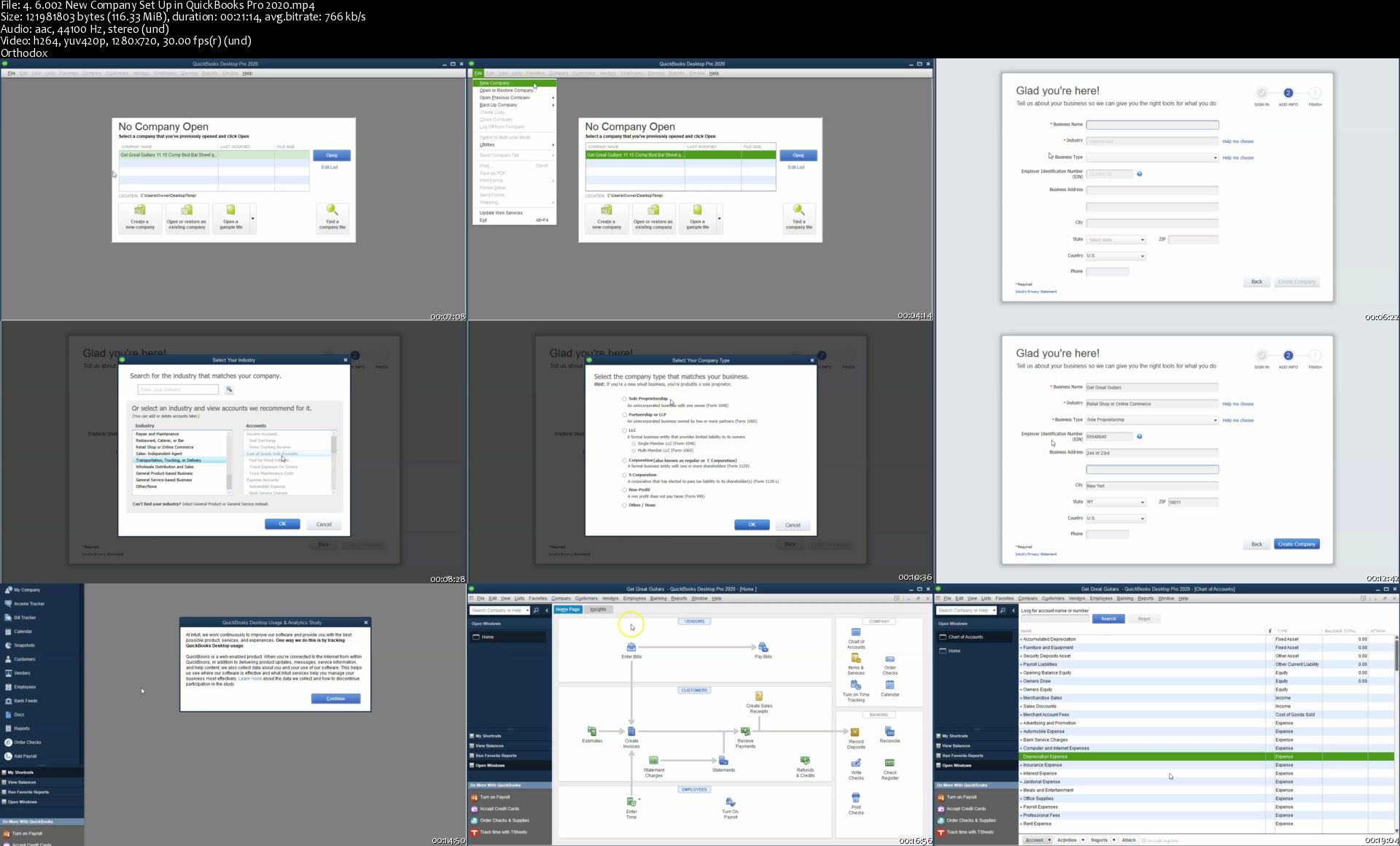
Start a New Company File

6.05 Set up new company & Preferences

6.10 Set up Item

6.15 Customers Set up

6.20 Set up Vendors and beginning balance

6.25 Set up new accounts & Opening Balance

6.30 Adjust New Accounts

6.35 Payroll Set up

6.40 New Employees

6.45 Transaction List

Enter Data for the first month of operations

7.05 Record Deposits from Owner and Loan

7.10 Record Transaction in Register Invest & Purchase Furniture

7.17 Purchase Order

7.20 Create Invoice

7.25 Receive Payment PowerPoint - Copy

7.30 Record Cash Sale PowerPoint - Copy

7.35 Record Deposit PowerPoint - Copy

7.40 Write check for inventory purchase order

7.45 Invoice Preordered Inventory PowerPoint - Copy

7.50 Receive Payment Make Deposit PowerPoint - Copy

7.55 Write Check for expenses PowerPoint - Copy

7.60 Pay Bill PowerPoint - Copy

7.65 Set up custom Jobs PowerPoint - Copy

7.70 Payroll PowerPoint - Copy

7.75 Job Sales Receipt For job PowerPoint - Copy

7.80 Review Reports & Export to Excel

Enter Data for the second month of operation

8.5 Loan Payments

8.10 Deposit Short Term Investment Payment

8.15 Purchase order New Item Payment

8.20 Receive inventory with bill

8.25 Sales Receipt & Deposit

8.30 Advanced Payment from Customer

8.35 Apply Credit to Invoice

8.40 Record Sale on Account

8.45 Advance Customer Payment

8.50 Bills Track and Pay

8.55 Customer Payment on Account

8.60 Pay sales tax

8.65 Pay Payroll Taxes tax

8.70 Enter Bills & Pay Bills

8.75 Enter Service Item & Invoice

8.77 Purchase music equipment with debt

8.80 Enter Payroll

8.85 Payroll

8.90 Rental Income

8.95 Comparative financial Statements

Bank Reconciliations

9.10 Bank Rec Jan

9.15 Bank Rec Feb

Adjusting Entries and Reversing Entries

10.10 Short term loan

10.15 Short term portion

10.20 Accrued Interest

10.25 Invoice Adjusting Entry

10.30 Reversing Entry Accrued Interest

10.35 Reversing Entry Accounts Receivable

10.40 Prepaid Insurance Adjusting Entry

10.45 Depreciation Adjusting Entry

10.50 Unearned Revenue

10.55 Reverse Unearned Revenue

10.60 Journal & Financial Statements

Budgeting

11.10 Budgeted Profit and Loss

11.15 Budgeted Balance Sheet

Please Join Use for QuickBooks Pro 2018 Course. It will be Great :)

Who this course is for:
Business Owners
Accounting Professionals
Accounting Students
Anybody who wants to learn accounting software

Homepage

4-6-002-New-Company-Set-Up-in-Quick-Books-Pro-2020-s.jpg


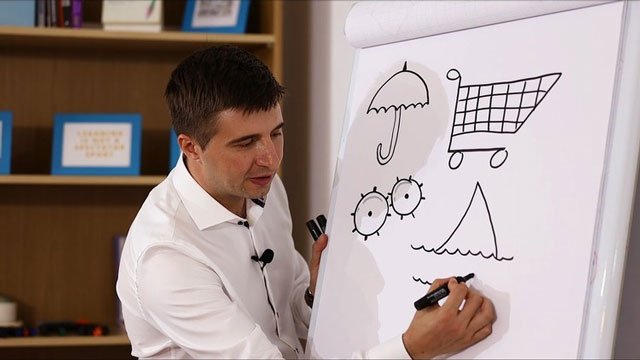
Drawing for Business Communication

ag-L8-KIngj-Dm-LF1-G5-CE2-Caffm7f-Vd-Q1-F0.jpg


Drawing for Business Communication
MP4 | Video: h264, 1280x720 | Audio: AAC, 48 KHz, 2 Ch
Genre: eLearning | Language: English + .VTT | Duration: 5 hour | Size: 6.1 GB

Add Structure, Creativity and Engagement to your Meetings and Presentations with the Simple Art of Drawing

What you'll learn

Host Effective Meetings for Your Team
Deliver Creative Presentations to Your Customers or Colleagues
Deliver High-Quality Trainings and Workshops to Your Students
Enhance Your Creativity and Drawing Skills
Structure Information in an Effective and Creative Way
Communicate with Clarity and Style

Requirements

Have basic drawing skills, but we can easily cover that as well in Section #2 of the course

Description

We all spend a lot of time in boring meetings and presentations that fail to captivate our attention. None of us should have to go through something like this, especially if you are the one in charge of that meeting or presentation.

My name is Alex Glod. I'm a senior trainer, online instructor and 3-times TEDx speaker. I've also struggled at the beginning of my career with keeping people engaged during my meetings and trainings. Luckily I found the solution in the most unexpected, yet obvious places - the ancient art of drawing and that immediately made my events stand out.

By applying drawing to our business communication we engage people's imagination, sparkle their creativity and offer a memorable experience.

During the course you will easily learn:

How to Develop Your Visual Vocabulary

How to Draw Templates that Will Make Your Meetings More Structured and Engaging

How to Add Drawings and Creativity to Your Presentations and Trainings

and The Bonus Skill of Writing Beautifully and Adding Fun Design Elements to your Flipcharts

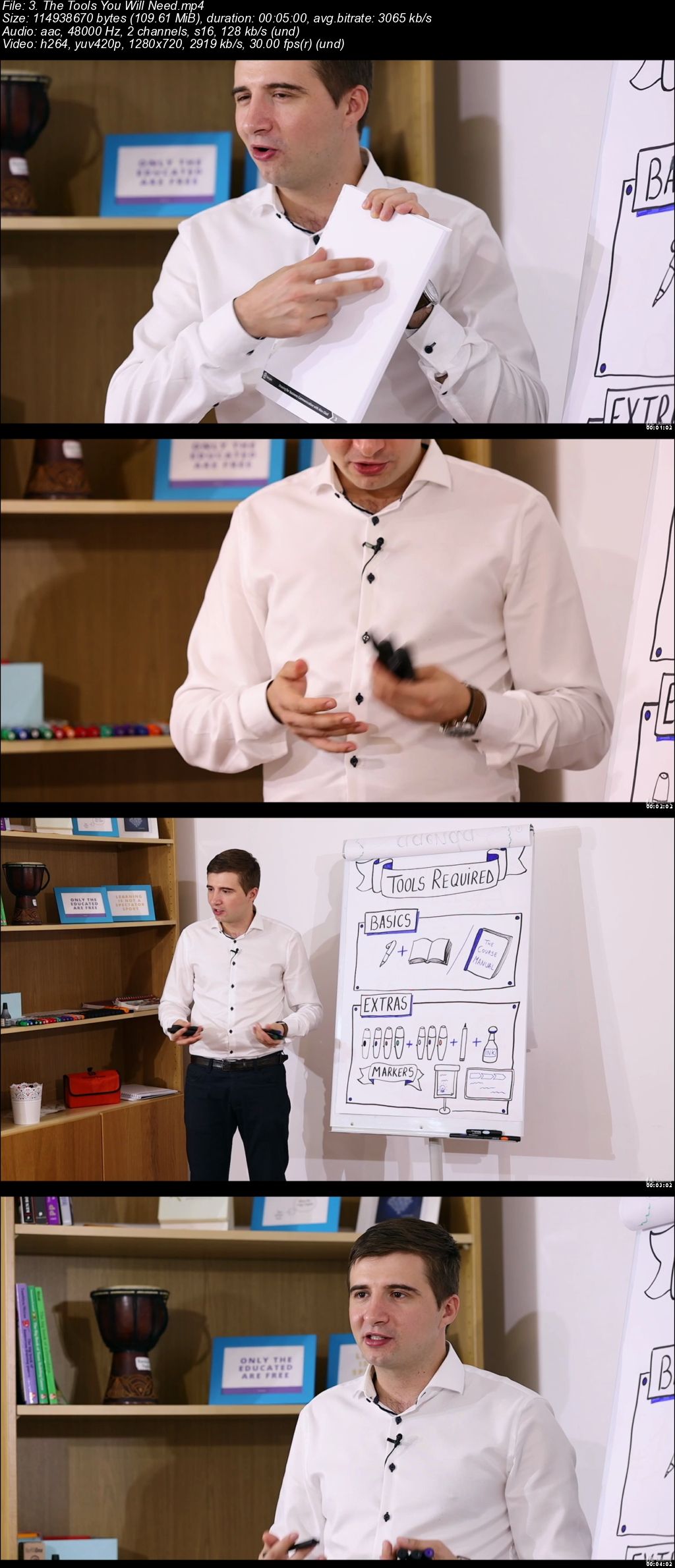
All you need to join the course is a notebook, a black pen and a willingness to learn, but I also recommend using the course manual which will make your learning experience all the more fun. Don't worry about being good or not at drawing, we will take care of in the very beginning.

So, let's get down to business, join the course and bring magic, creativity and joy to meetings and presentations.

Who this course is for:

Managers and Team Leaders
Professional Public Speakers and Presenters
Trainers and Facilitators
Teachers, Youth and NGO workers
People In Charge of Delivering Company Induction Programs

v4-VXrz-Vw0-Wkw-NEBog-LOFh-Jh-QS6s-XMl-Oi.jpg


VIDEO STORYTELLING. Creative Excellence Class

7-L4-Ya48kb-RBCnv8s1lo-I3op-L7gr43-Owb.png


VIDEO STORYTELLING. Creative Excellence Class
Genre: eLearning | MP4 | Video: h264, 1280x720 | Audio: aac, 48000 Hz
Language: English | VTT | Size: 5.91 GB | Duration: 5 hours

What you'll learn
You will know how to make videos that will entertain, inspire and even teach an audience.
You will be qualified to shoot event videos like weddings, and produce enjoyable and entertaining, professional looking content.
You will know how to be an entertainer.
You will know how to tell a story, using basic video equipment, on any video platform such as YouTube or Vimeo.

Requirements
Any kind of camera that can shoot video. It doesn't matter what. And you'll need a microphone.
A computer or laptop for video editing. It can't be really old, but also doesn't need to be fancy and expensive.
Hopefully you have a desire to captivate an audience with your video storytelling skills.
You should be able to use a PC or Apple Mac at a basic level.
Description
Do you want to be a filmmaker? Most video courses focus on teaching how to get better footage. And that's a good first step. But this course will do far more. Because only if great footage is created and woven does it make a great story.

I'm a TV producer, director and editor. My shows have been on major networks in many countries. I've been doing this for 38 years. And no matter where your videos will be displayed, you need to know the content of this course. Most of it you will not find in any other course, mainly because I think most video instructors don't appreciate just how important it is.

So, if you wish to entertain an audience, which means, have them enjoy your videos and look forward to more, good storytelling is the key. The best footage in the world is just not enough unless its crafted into a tight and engaging story. And capturing footage suitable for telling a story is what you will learn here. It begins before the shoot, continues during the shoot and on well into the editing room. Let's begin . . .

You'll learn these things:

Different cameras and what makes them different.

Good videography is less about fancy expensive equipment and more about telling a story.

How to determine what kind of videos you want to make, and what equipment is needed.

Camera equipment is the great temptation. How to avoid spending on things that are promoted as needed, when all they do is briefly satisfy the ego.

How to shoot a scene to tell a story. Shooting is not just about 'getting great footage'. It's about capturing elements to tell a story during the shoot.

Learn the mind space one should use to tell a story as its being shot. This is necessary because creating a story after the footage is shot, sets one up for failure in the edit.

Why should shooting and editing not be regarded as seperate processes.

Pans, zooms, top-shots, eye-lines, white-balance, B-roll and more. Not only how to get them right, but why they work in a story. Your footage will look like a pro's shot it. And when you begin your edit, you'll love me for it!

For example, I'll not only tell you what a pan is, how to shoot a smooth one, but more importantly, why would a pan work in a story. Nobody ever teaches this stuff!

B-roll footage? Techniques for extreme efficiency in footage gathering.

Audio. Techniques for extreme efficiency in audio content gathering.

Editing software choices and links to free edit software that is, surprisingly, absolutely brilliant. It's also free, and I still use it. Wow!

Editing techniques. I'll teach some simple rules that'll turn your audience's heads.

Editing can be intimidating, because in many ways, its the most difficult part. But it's actually quite easy as long as the footage gathered is done with the story in mind. I'll teach you how this is done.

How to avoid the amateur traps; the shooting and editing techniques that might look cool, but actually shout 'beginner here!'.

Look like a pro right from the start!

Music and how to find it, know its right, and use it properly.

And a lot more.

Who this course is for:
For anyone who wants to shoot videos, but has some, a little or no previous experience.
For anyone who wants to start, or has just started a YouTube channel.
For anyone who has been shooting video for a while, but has not learnt how to create and tell stories.
Many experienced videographers will learn something here, which will probably be the creative elements taught in this course
For anyone who has experience shooting still photos, but wants to move into making videos. You will love this course!

Homepage

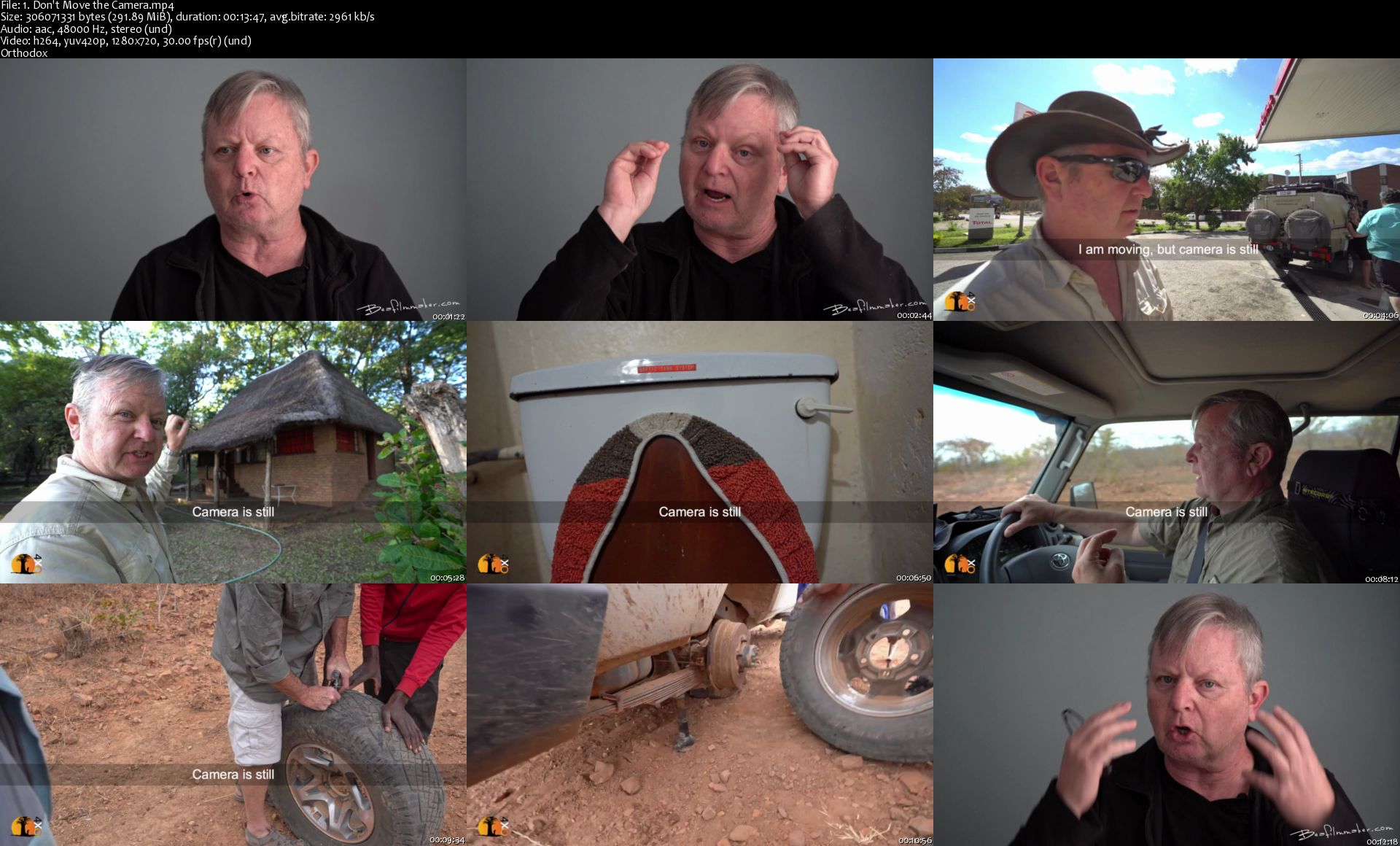
1-Don-t-Move-the-Camera-s.jpg


Receivables & The Allowance vs The Direct Write Off Methods

1647556-836a-2.jpg


Receivables & The Allowance vs The Direct Write Off Methods
Video: .MP4, 1280x720 30 fps | Audio: AAC, 44.1 kHz, 2ch | Duration: 14h 13m
Genre: eLearning | Language: English + Subtitles | Size: 8.91 GB

Accounts receivable valuation, allowance method, direct write off method, valuation of notes receivable, internist calc What you'll learn
Accounts receivable and note receivable characteristics
Accounts Receivable Cycle
Accounts Receivable Subsidiary Ledger
Accounts Receivable Valuation
Allowance For Doubtful Accounts Method of Accounts Receivable
Direct Write Off Method of Accounts Receivable
How to Estimate Bad Debt Expense Under the Allowance Method
Components of a Note Receivable
How to Calculate Simple Interest
How to Record A Note Receivable

Requirements
We should have a basic understanding of financial accounting and debits and credits
Description
We will discuss receivables, focusing on accounts receivable and notes receivable, reviewing the accounts receivable cycle, the journal entries for recording accounts receivable, and related subsidiary ledgers.

We will discuss bad debt and valuing of accounts receivable using two methods, the allowance method and the direct write off method. The accounts receivable account represents money owed to the company but there will be times when the company cannot collect on the account receivables.

Under the direct write off method, we write off the accounts receivable as we determine they are not collectible. The direct write off method does not do a good job of representing the accounts receivable account's true value and does not do a good job of conforming to the matching principle, matching up expenses with the related revenue it was used to generate.

The allowance method does a better job of valuing accounts receivable and conforming to the matching principle and is the method preferred. The allowance method is more complex, however, and requires the use of estimates.

We will also discuss notes receivable, the journal entry for recording notes receivable, and for receiving payment on a note receivable. We will cover detailed methods for calculating simple interest.

In addition to instructional video, this course will include downloadable

• Downloadable PDF Files

• Excel Practice Files

• Multiple Choice Practice Questions

• Short Calculation Practice Questions

• Discussion Questions

The PDF files allow us to download reference information we can use offline and as a guide to help us work through the material.

Excel practice files will be preformatted so that we can focus on the adjusting process and learning some of the basics of Excel, like addition, subtraction, and cell relationships.

Multiple choice example question helps us improve our test-taking skills by reducing the information into the size and format of multiple choice questions and discussing how to approach these questions.

Short calculation questions help us reduce problems that have some calculation down to a short format that could be used in multiple choice questions.

Discussion Question will provide an opportunity to discuss these topics with the instructor and other students, a process many students find very helpful because it allows us to see the topic from different viewpoints.

Who will we be learning from?

You will be learning from somebody who has technical experience in accounting concepts and in accounting software like QuickBooks, as well as experience teaching and putting together curriculum.

You will be learning from somebody who is a:

• CPA - Certified Public Accountant

• CGMA - Chartered Global Management Accountant

• Master of Science in Taxation

• CPS - Certifies Post-Secondary Instructor

• Curriculum Development Export

As a practicing CPA the instructor has worked with many technical accounting issues and helped work through them and discuss them with clients of all levels.

As a CPS and professor, the instructor has taught many accounting classes and worked with many students in the fields of accounting, business, and business applications.

The instructor also has a lot of experience designing courses and learning how students learn best and how to help students achieve their objectives. Experience designing technical courses has also benefit in being able to design a course in a logical fashion and deal with problems related to technical topics and the use of software like QuickBooks Pro.

Content Includes:

Account receivable and note receivable characteristics
Accounts receivable cycle
Accounts receivable subsidiary ledger
Accounts receivable valuation
Allowance for doubtful accounts method of accounts receivable
Direct write off method of accounts receivable
How to estimate bad debt expense under the allowance method
Components of a note receivable
How to calculate simple interest
How to record a note receivable
Who this course is for:
Accounting students
Business owner
Anyone who whats to learn accounting

Homepage

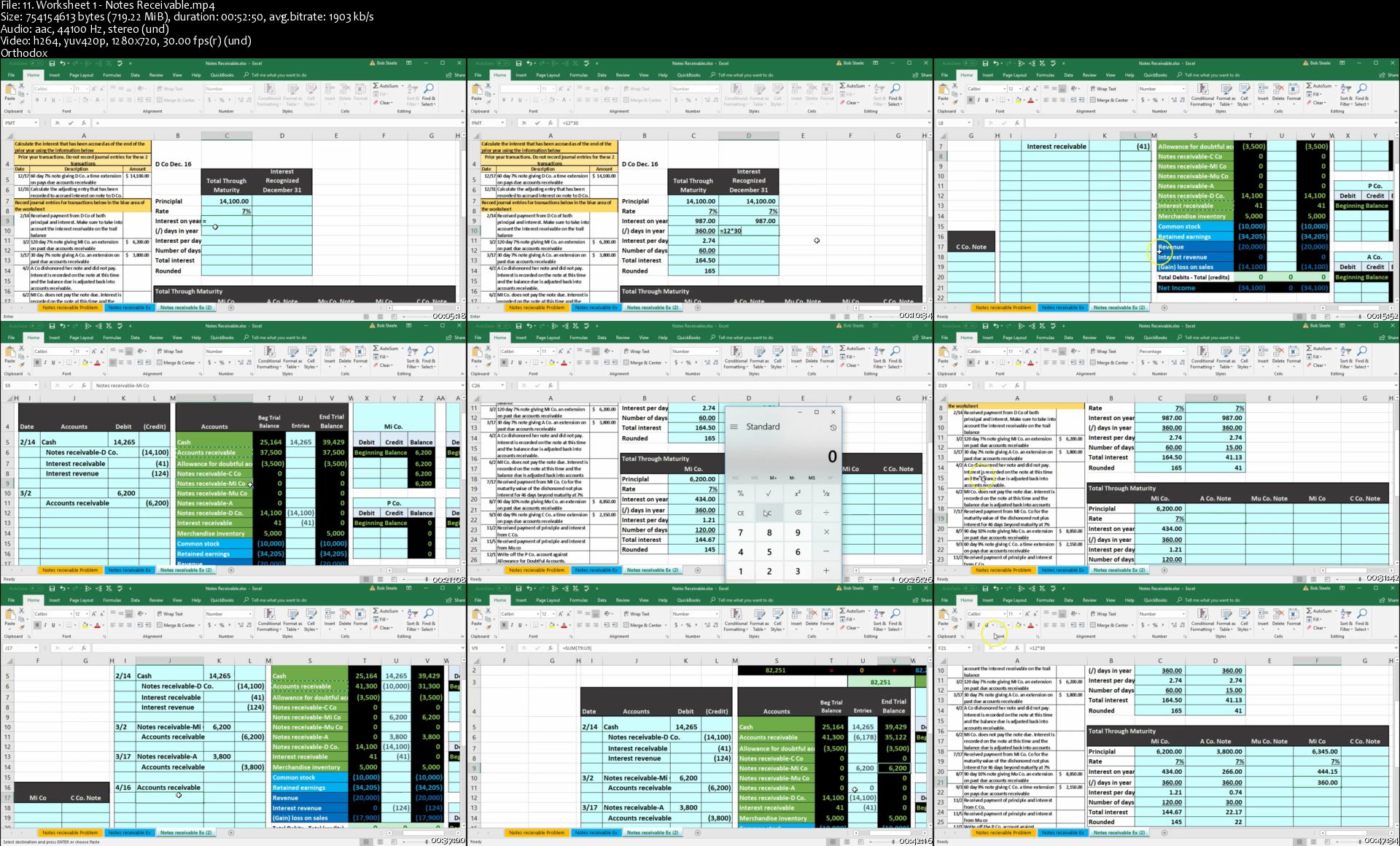
11-Worksheet-1-Notes-Receivable-s.jpg


Zurück
Oben Unten