• Regeln für den Video-Bereich:

    In den Börsenbereich gehören nur Angebote die bereits den Allgemeinen Regeln entsprechen.

    Einteilung

    - Folgende Formate gehören in die angegeben Bereiche:
    - Filme: Encodierte Filme von BluRay, DVD, R5, TV, Screener sowie Telesyncs im Format DivX, XviD und x264.
    - DVD: Filme im Format DVD5, DVD9 und HD2DVD.
    - HD: Encodierte Filme mit der Auflösung 720p oder darüber von BluRay, DVD, R5, TV, Screener sowie Telesyncs im Format x264.
    - 3D: Encodierte Filme von BluRay, die in einem 3D Format vorliegen. Dies gilt auch für Dokus, Animation usw.
    - Serien: Cartoon/Zeichentrick, Anime, Tutorials, Dokumentationen, Konzerte/Musik, Sonstiges sind demnach in die entsprechenden Bereiche einzuordnen, auch wenn sie beispielsweise im High Definition-Format oder als DVD5/DVD9/HD2DVD vorliegen. Ausnahme 3D.
    - Bereich Englisch: Englische Releases gehören immer in diesen Bereich.
    - Bereich Talk: Der Bereich, in dem über die Releases diskutiert werden kann, darf, soll und erwünscht ist.


    Angebot/Beitrag erstellen

    - Ein Beitrag darf erst dann erstellt werden, wenn der Upload bei mindestens einem OCH komplett ist. Platzhalter sind untersagt.
    - Bei einem Scenerelease hat der Threadtitel ausschließlich aus dem originalen, unveränderten Releasenamen zu bestehen. Es dürfen keine Veränderungen wie z.B. Sterne, kleine Buchstaben o.ä. vorgenommen werden. Ausnahme Serienbörse:
    - Bei einem Sammelthread für eine Staffel entfällt aus dem Releasename natürlich der Name der Folge. Beispiel: Die Simpsons S21 German DVDRip XviD - ITG
    - Dementsprechend sind also u.a. verboten: Erweiterungen wie "Tipp", "empfehlenswert", "only", "reup", usw. / jegliche andere Zusatzinformation oder Ergänzung, welche nicht in obiger Beschreibung zu finden ist.

    Aufbau des Angebots und Threadtitel

    Der Titel nach folgendem Muster erstellt zu werden. <Name> [3D] [Staffel] [German] <Jahr> <Tonspur> [DL] [Auflösung] <Quelle> <Codec> - <Group>
    Beispiel: The Dark Knight German 2008 AC3 DVDRip XviD - iND
    Beispiel: The Dark Knight 2008 DTS DL BDRip x264 - iND
    Beispiel: The Dark Knight 2008 AC3 DL BDRip XviD - iND
    Beispiel: The Dark Knight German 2008 AC3 720p BluRay x264 iND
    Beispiel: The Dark Knight 2008 DTS DL 1080p BluRay x264 iND
    Beispiel: Die Simpsons S01 German AC3 DVDRip XviD iND
    Beispiel: Die Simpsons S20 German AC3 720p BluRay x264 iND
    Beispiel: Sword Art Online II Ger Sub 2014 AAC 1080p WEBRip x264 - peppermint
    Entsprechend sind also u.a. verboten: Sonderzeichen wie Klammern, Sterne, Ausrufezeichen, Unterstriche, Anführungszeichen / Erweiterungen wie "Tipp", "empfehlenswert", "only", "reup", usw. / jegliche andere Zusatzinformation oder Ergänzung, welche nicht in obiger Beschreibung zu finden ist
    Ausnahmen hiervon können in den Bereichen geregelt sein.

    Die Beiträge sollen wie folgt aufgebaut werden:
    Überschrift entspricht dem Threadtitel
    Cover
    kurze Inhaltsbeschreibung
    Format, Größe, Dauer sind gut lesbar für Downloader außerhalb des Spoilers zu vermerken
    Nfo sind immer Anzugeben und selbige immer im Spoiler in Textform.
    Sind keine Nfo vorhanden z.B. Eigenpublikationen, sind im Spoiler folgende Dateiinformationen zusätzlich anzugeben :
    Quelle
    Video (Auflösung und Bitrate)
    Ton (Sprache, Format und Bitrate der einzelnen Spuren)
    Untertitel (sofern vorhanden)
    Hosterangabe in Textform außerhalb eines Spoiler mit allen enthaltenen Hostern.
    Bei SD kann auf diese zusätzlichen Dateiinformationen verzichtet werden.

    Alle benötigten Passwörter sind, sofern vorhanden, in Textform im Angebot anzugeben.
    Spoiler im Spoiler mit Kommentaren :"Schon Bedankt?" sind unerwünscht.


    Releases

    - Sind Retail-Release verfügbar, sind alle anderen Variationen untersagt. Ausnahmen: Alle deutschen Retail-Release sind CUT, in diesem Fall sind dubbed UNCUT-Release zulässig.
    - Im Serien-Bereich gilt speziell: Wenn ein Retail vor Abschluss einer laufenden Staffel erscheint, darf diese Staffel noch zu Ende gebracht werden.62
    - Gleiche Releases sind unbedingt zusammenzufassen. Das bedeutet, es ist zwingend erforderlich, vor dem Erstellen eines Themas per Suchfunktion zu überprüfen, ob bereits ein Beitrag mit demselben Release besteht. Ist dies der Fall, ist der bereits vorhandene Beitrag zu verwenden.
    - P2P und Scene Releases dürfen nicht verändert oder gar unter einem iND Tag eingestellt werden.


    Support, Diskussionen und Suche

    - Supportanfragen sind entweder per PN oder im Bereich Talk zu stellen.
    - Diskussionen und Bewertungen sind im Talk Bereich zu führen. Fragen an die Uploader haben ausschließlich via PN zu erfolgen, und sind in den Angeboten untersagt.
    - Anfragen zu Upload-Wünschen sind nur im Bereich Suche Video erlaubt. Antworten dürfen nur auf Angebote von MyBoerse.bz verlinkt werden.


    Verbote

    - Untersagt sind mehrere Formate in einem einzigen Angebotsthread, wie beispielsweise das gleichzeitige Anbieten von DivX/XviD, 720p und 1080p in einem Thread. Pro Format, Release und Auflösung ist ein eigener Thread zu eröffnen.
    - Grundsätzlich ebenso verboten sind Dupes. Uploader haben sich an geeigneter Stelle darüber zu informieren, ob es sich bei einem Release um ein Dupe handelt.
    - Gefakte, nur teilweise lauffähige oder unvollständige Angebote sind untersagt. Dies gilt auch für eigene Publikationen, die augenscheinlich nicht selbst von z.B. einer DVD gerippt wurden. Laufende Serien, bei denen noch nicht alle Folgen verfügbar sind, dürfen erstellt und regelmäßig geupdatet werden.
    - Untersagt sind Angebote, welche nur und ausschließlich in einer anderen Sprache als deutsch oder englisch vorliegen. Ausnahmen sind VORHER mit den Moderatoren zu klären.


    Verstoß gegen die Regeln

    - Angebote oder Beiträge, die gegen die Forenregeln verstoßen, sind über den "Melden"-Button im Beitrag zu melden.
  • Bitte registriere dich zunächst um Beiträge zu verfassen und externe Links aufzurufen.

++ Premium IPTV ++ 7000 Live Sender ++ UHD Qualität ++ Mediathek mit 18.000 Inhalten ++


VenneTV


Englische Tutorials

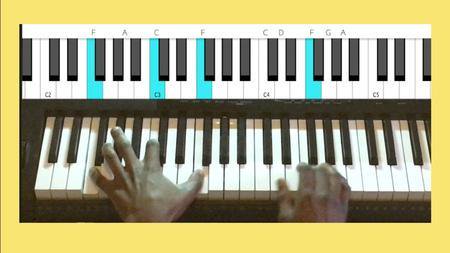
How to play Piano - Go from a Beginner/Intermediate to a Pro (updated 1/2019)
68-M2z-UUSQkjl-Tx-Rf-GWn2c-PEPrh-Ls-Vg-T2.jpg


How to play Piano - Go from a Beginner/Intermediate to a Pro (updated 1/2019)
Genre: eLearning | MP4 | Video: h264, 1920x1080 | Audio: aac, 48000 Hz
Language: English | Size: 47.7 GB | Duration: 38.5 hours

Requirements
You only need a Piano or a Keyboard
Description
Join over 11,000 students who have enrolled in this course and over 28,000 students who have enrolled in all my 10 Music Courses.

WITH MORE THAN 40 HOURS OF CONTENT AND 300+ LECTURES, this course is a COMPLETE & COMPREHENSIVE PIANO COURSE that includes video content, PDF sheets and other lectures. This Piano Course will help you to be able to play any style of music. This Piano Course is a thorough and structured course that has been designed to take you from a Beginner Level to an Advanced Level on the Piano and musically. By the end of this course, you will have the knowledge required in order to be able to play the Piano/Keyboard. This Course is for anyone that wants to learn how to play the Piano/Keyboard and it is also for the people that play the Piano/Keyboard and want to learn more about it. This course consists of "Beginner", "Intermediate" and "Advanced" Materials. This course also complements my other course that is called "Intermediate to Advanced Piano Course; Become a Top Pianist".

This course is part of my 10-Part Series Music Courses which includes the following courses:

"How to play Piano - Go from a Beginner/Intermediate to a Pro" Course

"Intermediate to Advanced Piano Course; Become a Top Pianist" Course

"How to create unique/colourful Piano Chord Progressions" Course

"How to compose Beautiful & Catchy Melodies on the Piano" Course

"How to use Slash Chords to create unique sounds & Basslines" Course

"Learn to Read & Write Music to play Piano & more instruments" Course

"Train your ears to recognise Scale Degrees & a Song's Key" Course

"How to use Altered Chords in your Chord Progressions' Course

"How to Recognise Chords by ear;Develop a Skilled Musical ear" Course

"How to use Borrowed Chords in your Chord Progressions" Course

Below are the different sections that this Course consists of:

Introduction

Getting Started

The Development of Independence between the Right Hand and the Left Hand

Brief Overview of what is to Come in the Course

Musical Intervals

Scales/Major Scales

Practical Exercises that you can do to master all the 12 Major Scales

Minor Scales/Natural Minor Scales

Harmonic Minor Scales

Melodic Minor Scales

Scale Degrees

More about Musical Intervals

Chords (Triad Chords)

Major Scale Triad Chords

Natural Minor Scale Triad Chords

Melodic Minor Scale Triad Chords

Harmonic Minor Scale Triad Chords

The Triad Chord Patterns in each Major Scale & in each type of Minor Scale

7th Chords, 6th Chords & Suspended Chords

The Seventh Chord Patterns in each Major Scale & in each type of Minor Scale

Scale Degrees for Chords (Number System for Chords within a Scale)

Pentatonic, Chromatic & Blues Scales

Chord Inversions & Arpeggios

Sharps & Flats Explained Further

Circle of Fifths

How to Play Songs by ear and How to use different types of Chords in each Key

The Primary and Secondary Chords in all Major and Minor Scales

Transposition

Developing the ability to be able to play comfortably in all 12 Keys

Different Chord Progressions in all the 12 Keys

Rhythms & Improvisation

Passing Chords | Using Diminished & Augmented Triad Chords as Passing Chords

How to use Diminished 7th Chords and the uniqueness of Diminished 7th Chords

How to use an Augmented Triad and the uniqueness of an Augmented Triad Chord

Using 7th Chords in Chord Progressions

How to use Secondary Dominant Chords to add Flavour to your Chord Progressions

How to use Suspended & Diatonic Chords to add Colour to your Chord Progressions

Modulation

Cadences

How to use Suspended Chords and Diminished Chords

Improvisation (filling the empty Spaces in Songs with Piano runs, Licks & Riffs)

Using non-diatonic Chords to add colour to your Chord Progressions

Slash Chords

The Sustain Pedal

How to use Music to create different Atmospheres

How to find the key of a song

Extended Chords (9th, 11th and 13th Chords)

Chord Voicings and How to use 9th, 11th and 13th Chords

Altered Chords

Modes

The Classification of Modes into Major and Minor Modes

Improvising with Modes

Other types of Scales

Conclusion

Musical Documents to make references to whenever you need to

In this course, you will learn about how many scales and chords are built. You will learn how to be to play any song you want to play. Furthermore, you will also learn about how to figure out the chords of a song and how to play a song by using chords. Moreover, you will also learn about other topics.

Who this course is for:
This Course covers "Beginner", "Intermediate" and "Advanced" Topics. Hence this course is for everyone that wants to start learning or that wants to learn more about the Piano/Keyboard
Anyone that has never played the Piano/Keyboard before
Anyone that wants to master the piano
Anyone who hasn't played for a long time & wants to pick up the Piano/Keyboard again

Homepage
6-Learn-how-to-play-a-Fun-Tune-s.jpg


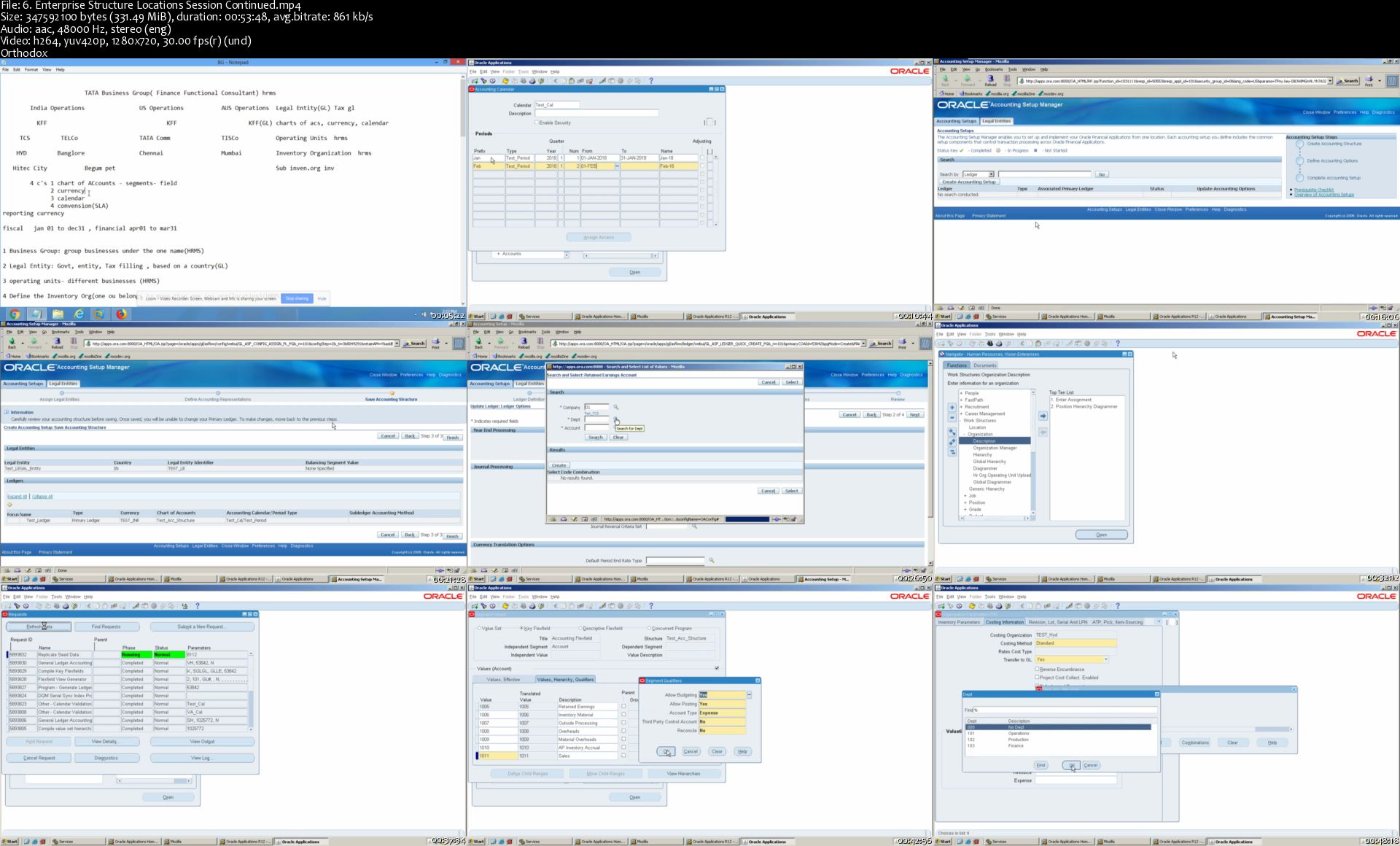
Oracle Apps R12 Functional Course Bundle(Finance, SCM, HRMS)

k2e-Tz-Bd-Tjz-Ey-J2-Vk-EEm6-Bl-C9-O9uef-Cwz.jpg


Oracle Apps R12 Functional Course Bundle(Finance, SCM, HRMS)
Genre: eLearning | MP4 | Video: h264, 1280x720 | Audio: aac, 48000 Hz
Language: English | Size: 19.1 GB | Duration: 54 hours

Requirements
Should have Minimum Knowledge on ERP

Description
Oracle Apps R12 Functional Training Course bundle Includes Oracle Apps R12 Financials, Oracle Apps R12 SCM, Oracle Apps R12 HRMS Courses.

Oracle Apps R12 Financials Course Details

Oracle Apps R12 Financials is software product offered by Oracle corporation. Oracle R12 Financials Applications have great features to manage Organization's Financial and accounting information. With Oracle Financials Applications Organization's can track detailed business transaction data, same data can be used for reporting and decision making purpose.

Oracle Apps R12 Financials consist of below applications:

Oracle General Ledger

Oracle Accounts Payable

Oracle Accounts Receivable

Oracle Fixed Assets

Oracle Cash Management

From this course, you get a clear idea of

Introduction to ERP, Versions in Oracle Apps, Modules in Oracle Application, What is Implementation Process, General Ledger, Introduction to GL Module, Key Flex Fields, Segments, Design Charts of Accounts, Value Sets, Define Currency and Calendar, Define Primary Ledger, Creation of Journals, Open/Close Periods, Reverse Journals, Journal Batch, Recurring Journals, Suspense Journals, Statistical Journals, Mass Allocation, Budgets, Inter-company Journals, Journal Approval Process, Tax Journals, Currency Translation, Reporting Currency, Revaluation, Consolidation, Cross Validation Rules, Standard Report (Trail Balance), FSG (Financial Statement Generator), Account Alias, Security Rules, Access Set, Purchasing overview, Financial Option, Overview of Procure to Pay Process, Purchasing Options, Requisitions, Document Types, RFQs, Quotations, Purchase Orders, Receipt Creation, Matching Options and Receipt Routing Methods, Invoice and payment creation, Account Payable's overview, Payable Options, Financial Options, Accounting Periods, Payable System Setups, Payment Terms, Distribution Sets, Defining Suppliers, Standard Invoice, Debit Memo, Credit Memo, Prepayment Invoice, Invoice Created Against PO, Introduction to Expense report, Employee Expense Reports, Withholding Tax Payment, Payment Format, Bank Creations, Bank Account Creation, Bank Branch Creation, overview of multi organization structure, business group setup, Defining Operating units, Defining Inventory organizations, Defining Sub Inventories, Account Receivables Introduction, Key Flex Fields, Sales Tax Location, Territory, Statement Cycle, System Options, Remittance to Address, Payment Terms, Introduction to Dunning Letters, Collectors, Customer Creation, Auto Cash Role Set, Customer Profile Class, Customer Bank Creation, Transaction Types, Invoice Transaction, Credit Memo, Deposit transaction, Bills receivable, Guarantee, Chargeback, transaction Sources, Receipt Classes, Receipt Sources, Creating Invoice, Applying the Receipt to Invoice, Rise the Credit memo, Creating Deposit Invoice and Applying the Deposit to Invoice, Applying the receipt, Miscellaneous Receipts, Remittance Receipts, month ending process, Fixed Assets introduction, Flex Field, System Controls, Financial Year Calendar, Values, Prorate Conversion Calendar, Depreciation Calendar, Book Controls, Depreciation Methods, Asset Categories, Changes, Additions, Create accounting, Asset Transfer, Mass Additions, Retirement, Cash Management, System Parameters, creation of new bank, creation of new branch, creation of bank account, Bank Statements and Reconciliation, Forecasting Vs Reconciliation, Bank Charges, Bank Transfer, Introduction to HRMS.

Who is the target audience?

End Users Business Analysts Sales Consultants Support Engineer Technical Consultant Functional Implementer

Oracle Apps R12 SCM Course Details

Oracle R12 Supply Chain Management (SCM) is a systematic approach to manage the seamless flow of information, materials, and services from raw material suppliers through factories warehouses to the end customer.

Oracle Apps R12 SCM Consist of Below Modules

Oracle Purchasing

Oracle Inventory Management

Oracle Order Management.

From this course, you get a clear idea of

Procure to Pay Cycle Overview, Overview of Purchasing Process, Integration with other Oracle Applications, Overview of Suppliers, Supplier Information, Supplier Site Information, Defining and Maintaining Items, Item Categories, Item Attributes, Enterprise Structure, Locations, Organizations, Units of Measure and Items, Defining Locations, Inventory Organizations, Establishing Inventory Parameters, Requisition Life cycle, Requisition Structure, Creating and Maintaining, Creation of RFQs and Quotations, Request for Quotation Life cycle, Request for Quotation Life cycle Implementation, Creation of Purchase Orders, Purchase Order Types, Standard Purchase Order Elements, Blanket Purchase Agreements, Contract Purchase, Planned purchase order, Receiving Locations, Receipt Routing, Receipt Processing Methods, Creation of Blanket Purchase Agreement, Creation of Contract Purchase Agreement, Planned Purchase Order, Blind Receiving Transactions, Express Transactions, Unordered Receipts and Cascade transactions, Inventory Overview, Inventory Capabilities, Oracle Inventory Applications Integration, Integration of Oracle Inventory to Financials, Understanding the Receipt to Issue Life cycle, Understanding Receiving Inventory, Defining Inventory Organizations, Understanding the Inventory Organizations, Understanding the Structure of an Inventory Organization, Understanding Locations, Defining Locations, Difference between Master and Child Organization, Units of Measure Overview, Units of Measure Class Overview, Defining Unit of Measure Class, Defining Unit of Measure, Defining Unit of Measure Conversions, Defining and Maintaining Items, Item Attributes and Statuses, Assigning Items to Organizations, Sub inventories, Defining Subinventory, Inventory Controls, Concepts, Explaining Lot Control (Item Level), Lot Control (Org Level), Explaining Serial Control (Item Level), Explaining Serial Control (Org Level), Explaining Revision Control, Explaining Locator Control, Subinventory Transfers, Explaining Move Order, Creating Manual Move Order, Creating Requisition Move Order, Requisition Move Order Approval Process, Transact Move Orders with 2 Methods, Miscellaneous Transactions, Restrict Subinventories, Inter-Org Transfer, Shipping Methods, Shipping Network, Transit times for Shipping Methods, Entering inter-org transfer charge, Entering Freight Charges, Direct Inter-Organisation Transfer, Performing Reorder-point Planning, Performing Min-max Planning, Explaining Cycle Counting, Explaining Physical Inventory, Defining and Maintaining a Cycle Count, Defining Cycle Count Scheduling and Requests, Overview of Oracle Order Management, Order to Cash Life cycle Overview, Ordering Process, Inventory Organizations, Define Shipping Parameters, Customer Creation, Auto Cash Role Set, Customer Profile Class, Customer Bank Creation, Transaction Types, Transaction Sources, Creating Invoice, Creating Deposit Invoice and Applying the Deposit to Invoice, Enter Orders, Managing Order, Drop Shipment Implementation, Back to Back Order Implementation, Pick Release Sales Orders, Ship Confirm a Delivery, Define a Pick Slip Grouping Rule, Define a Release Sequence Rules, Order Management Transaction Setups, Defining Order Transaction Type, Defining Line Transaction Type, Defining Document Sequence, Return Material Authorization, Return With Credit No Receipt, Return With Receipt Only, Return With Receipt, Credit Auto Invoice, Internal Sales Order Implementation..

Oracle Apps R12 HRMS Course Details

Oracle Human Resource Management System is shortly called as Oracle HRMS. The functional areas of Oracle HRMS are to build the common platform of the Organizations as well as people structures. The Configuration process is started by defining the legal entities in which it includes the organizational framework. Oracle HRMS together holds the largest amount of HR data that can make easy with the enterprise management system as well as decision making. The audience can also arrange the predefined reports and can also define the owner reports.

Who is the Target Audience?

Oracle consultant Human resource professional ERP students and consultant Human resource managers Operations professional Developers

From this course you will get an idea of

Oracle R12 HRMS Fundamentals Oracle R12 Core HR Oracle R12 Payroll Oracle R12 Absence Management Oracle R12 SSHR

Subtopics include the following

Introduction to Oracle Application E-Business Suite and its Architecture, Understanding Multi-Org Concept in Oracle Application, Understanding Oracle Apps R12 MOAC (Multi-Org Access Control Model), Creating Application Users, Functional Security and Application Security, Creating role based Responsibilities, Creating Custom Menus, Request Groups, Data Groups, Creating and managing Concurrent Programs and Reports, Standard request submission(SRS), Profile Options in Oracle Applications, Value Sets and Flex fields in Oracle Applications, KFF and DFF, Overview of Alerts, Core HR, Oracle HRMS Solutions, Business Processes in Oracle HRMS, Oracle HRMS Information Model, Creation of Locations and Organizations Overview, Representing Legal and Government Reporting Structures, Representing Financial Reporting Structure, Defining Organization Information for Government Mandated Reporting, Defining Descriptive Flex fields, Extra Information Types and Special Information Types and in Oracle HRMS, Defining Job, Grade and Position Hierarchy, Representing Grades and Their Relationship to Pay, Representing Jobs and Positions, Position Hierarchies, Introduction to Payroll Processing, Defining Payment Methods, Defining Payroll Elements, Reductions, Balances, Making Batch Element Entry (BEE), Employee Creation, Element link to Employee, Flex Fields, Define Payroll, Link Payroll to Element, Payroll, GL Flex field mapping, Assign Payroll to Employee, Employee Details Setup, Introduction to Functions, Menus, Fast Formulas, Creation of Fast Formulas and Payroll Process Run, Introduction to Absence Management, Setting Up Absence Management, Understanding the Accrual Plan Structure, Managing Leaves, Administering Accrual Plans, Register Employee with Plans, Accrual Formulas, Changing the Net Calculation Rules, Introduction TO SSHR, Functions and Features of SSHR, Fundamentals of SSHR, Self-Service Basics, User Access and Security, User Access to People, Configuring SSHR, Functions, Menus, and Responsibilities, Configuring Functions, Configuring Web Page Layouts, Approvals, . Using SSHR, Common SSHR Functions, Employee Directory.

Who this course is for:
Any Professional with Knowledge on ERP

Homepage

6-Enterprise-Structure-Locations-Session-Continued-s.jpg


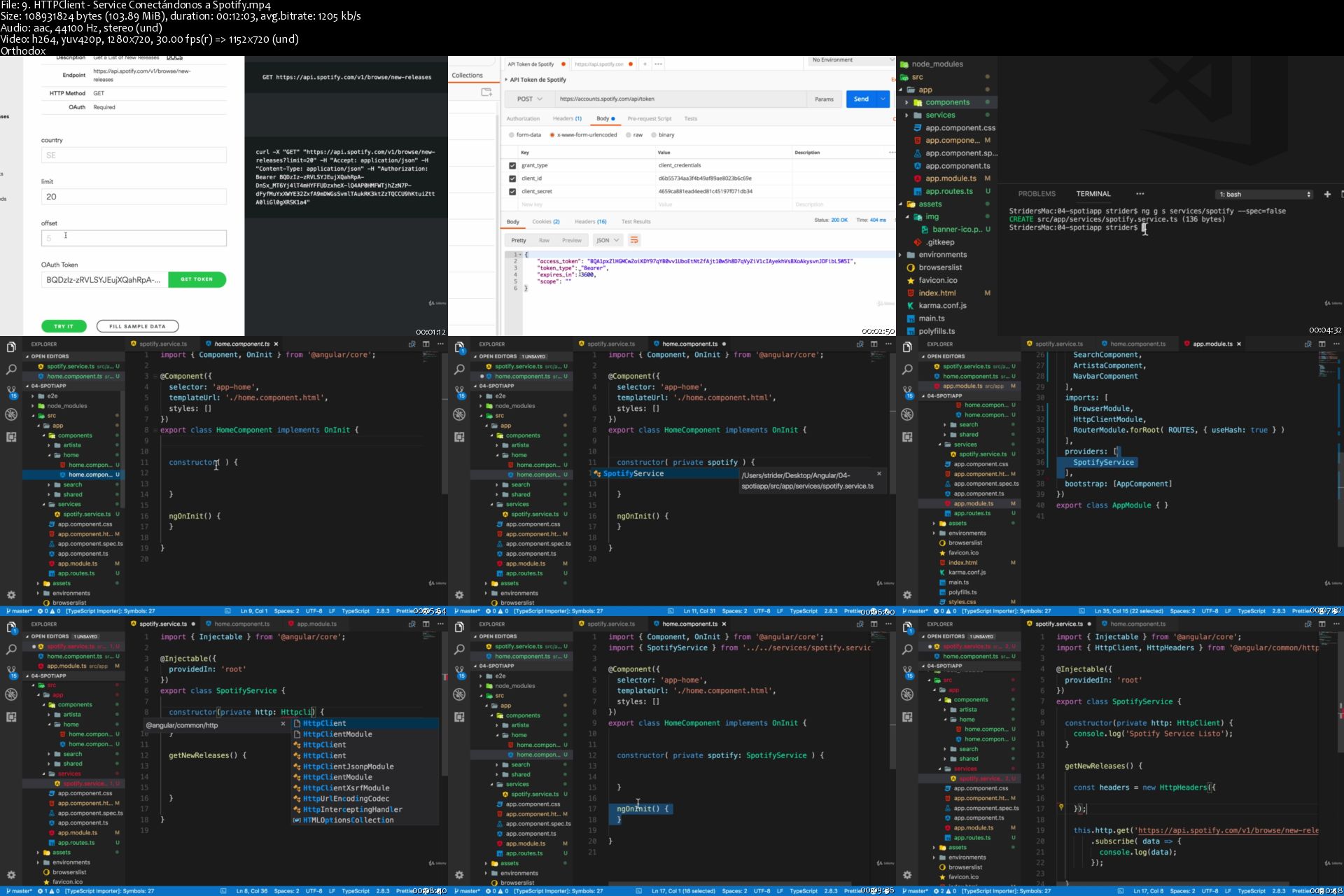
Angular: De cero a experto creando aplicaciones (Angular 8+)

sy-W7-Ve6-NFXKtabc-L476-Qsj-Ujp-JLw2p-Ou.jpg


Angular: De cero a experto creando aplicaciones (Angular 8+)
Created by Fernando Herrera | Video: h264, 1280x720 | Audio: AAC 48KHz 2ch | Duration: 28:25 H/M | Lec: 326 | 10.1 GB | Language: Spanish | Sub: Spanish [Auto-generated]

Todo lo que necesitas saber de angular utilizando TypeScript y buenas prácticas ofrecidas por el equipo de angular.

What you'll learn
Tener una base sólida para trabajar con Angular
Dominar TypeScript para crear aplicaciones en Angular
Aplicar los conceptos nuevos del ECMAScript 6 en nuestros proyectos de Angular
Crear aplicaciones en Angular siguiendo las mejores prácticas
Crear aplicaciones básicas en Ionic y utilizarlas en su celular (no es necesario cuentas de desarrollador)
Dominar las directivas, pipes, componentes, servicios y la estructura de una aplicación de Angular

Requirements
Conocimiento de JavaScript básico es necesario.
Conocimiento básico de la estructura de páginas HTML
NO es necesario conocimiento de Angular 1
NO es necesario conocimiento de TypeScript
NO es necesario conocimiento alguno sobre Angular o Ionic
NO es necesario conocimiento de ES6, ECMAScript 6 o ES2015

Description
Totalmente funcional en Angular 8+

Angular es un marco de trabajo (framework) de front-end impulsado por Google. Creado para desarrollar aplicaciones web, aplicaciones móviles o realizar procesos del lado del servidor utilizando NodeJS.

Este curso se enfoca en llevarte de la mano desde cero hasta poder crear aplicaciones de todo tipo, que van desde páginas web de una sola página (SPA - single page application) hasta conectarnos a una base de datos para realizar proceso de inserción, actualización, eliminación y selección de información. Este curso contiene todo lo que tu necesitas para poder crear aplicaciones con este framework tan potente y veloz.

Cada sección del curso termina en una aplicación completa que sirve para aprender y dominar un tema en especifico, y conforme vayamos avanzando en el curso, iremos creando aplicaciones más complejas y sin darnos cuenta ya estaremos creando directivas, componentes, pipes, servicios y rutas sin darnos cuenta.

Pero este curso no sólo te enseñara Angular, también conocerás sobre:

- Firebase

- Firebase RESTful services

- TypeScript

- ECMAScript 6

- Reactive-Extensions

- Sockets

- Ionic 2

- Ionic view - para realizar pruebas en dispositivos

- Atom packages

- Angular CLI

- AngularFire2

- Local Storage

- Bootstrap 4

- Spotify API

- Youtube API

- Entre otras tecnologías.

Who this course is for?
Personas que quieran aprender Angular
Personas que deseen crear aplicaciones en Angular
Aquellos que quieran una introducción a Ionic
Personas que no tengan conocimiento alguno de Angular
Personas que estén interesadas en el consumo de recursos de terceros como Google, Twitter, Facebook, Firebase, entre otros

Homepage

9-HTTPClient-Service-Conect-ndonos-a-Spotify-s.jpg


BI Developer : Learn ( Power BI |SSIS |SSRS |SSAS|DW|T-SQL )

006b1fdb.jpg


BI Developer : Learn ( Power BI |SSIS |SSRS |SSAS|DW|T-SQL )
.MP4 | Video: 1280x720, 30 fps(r) | Audio: AAC, 44100 Hz, 2ch | 7.41 GB
Duration: 17 hours | Genre: eLearning | Language: English

Gain Business Intelligence from Transforming Data


What you'll learn

How to connect to multiple data sources with Power BI
How to transform connected data
How to create visualizations from data model
How to model data
How to establish relationships with connected data sources
How to Publish Reports to Power BI Service
How to create ETL Process with SSIS
How to implement Data warehouse
How to enforce data quality
How to cleanse data
How to consume data in data warehouse
How to perfume business intelligence on data models
How to use SSRS to create reports
How to use SSAS for data analysis

Requirements

Basic knowledge of Microsoft Excel
Basic knowledge of Databases

Description

Power BI is a business analytics solution that lets you visualize your data and share insights across your organization, or embed them in your app or website. Connect to hundreds of data sources and bring your data to life with live dashboards and reports.

Discover how to quickly glean insights from your data using Power BI. This formidable set of business analytics tools-which includes the Power BI service, Power BI Desktop, and Power BI Mobile-can help you more effectively create and share impactful visualizations with others in your organization.

In this beginners course you will learn how to get started with this powerful toolset. We will cover topics like connecting to and transforming web based data sources. You will learn how to publish and share your reports and visuals on the Power BI service.

You will learn how to import data, create visualizations, and arrange those visualizations into reports. You will learn how to how to pin visualizations to dashboards for sharing. You will also learn how to use DAX language( Data Analysis Expressions) to perform calculations on data models.

Topics include:

Connecting to SQL Server and PostgreSQL Databases

Connecting to Microsoft Access Database File

Creating reports with data visualizations

Modifying existing reports

Creating and managing data dashboards

Creating Power BI datasets, dashboards, reports, and workbooks

Connecting to web based data source

Connecting to Excel dataset

Using Query Editor

Joining tables and creating tables

Formulating via DAX logic

Using quick measures and dynamic measures

Using conditional statements

Performing various transformation on connected dataset

How to implement a data warehouse solution

Debug and Troubleshoot SSIS packages.

Cleansing data by using Data Quality Services.

Extend SSIS with custom scripts and components.

How to create ETL (Extract,Transform, Load) process

How to deploy SSIS Package

How to create SSIS package using SQL Server Integration Services

How to download and install SQL Server Data Tools

How to perform data analysis with SQL Server Analysis Server - SSAS

How to create reports using SQL Server Reporting Services

How to download and install SQL Server

Learning some key operations using T-SQL

BI developers are expected to have a variety of skills that will enable them perform tasks such as: design, implementation and maintenance of structured query language (SQL) databases. They may work as database or web developers, depending on the specific position. SQL developers often spend many work hours seated in front of computers.

As a BI developer, you should have strong analytical, communication, and problem-solving skills. A knowledge of SQL servers, SQL Server Analysis Services -SSAS, SQL Server integration services (SSIS) and server reporting services (SSRS) is also important.

Who this course is for:

Beginner Data Analyst
Beginner Business Analyst
Beginner BI Developer
Beginner Data Scientist

006b1fdc.jpg


Piano Exercises - Scales, Arpeggios, Octaves, Chords, Hanon

006b213d.jpg


Piano Exercises - Scales, Arpeggios, Octaves, Chords, Hanon
.MP4 | Video: 1280x720, 30 fps(r) | Audio: AAC, 44100 Hz, 2ch | 13.4 GB
Duration: 10.5 hours | Genre: eLearning | Language: English

For Advanced Pianists who are interested in new efficient ways of practice where mental practice meets physical approach.

What you'll learn

piano technique exercises in a new advanced way to let students play with loose hands, good fingers control, and amazing velocity and fluency.
master mental practice & musical inner ear on advanced level, so even boring technique exercises become a masterpiece while practice

Requirements

Intermediate or advanced level students only

Description

CONTENTS

30 years of professional experience, 20 years of teaching, 19 videos (10+ hours) + 2 PDF textbooks

Introduction.....00:01

Final Result.....00:03

Lesson 1 - Wrist & elbow motion, sound imagination

Efficient hands movements that helps developing fluent technique, and the basics of mental practice to develop clinging fingertips that let you control tone production playing with loose hands

Simple Piano Exercise...00:42 (don't be fooled by a "too easy" appearance of these exercises. They are necessary for you to easily grasp absolutely new concepts of tone production that soon will benefit your piano technique. Use "The PianoWell system" PDF along)

Piano Technique Exercises...01:14 (start applying the knowledge and skills you've mastered with Simple Piano Exercises in scales, arpeggios, Hanon exercises, octaves and chords. Use "Supplemental Repertoire" PDF along)

Lesson 2 - Intonation & weight

Develop internal singing while playing that benefits better finger muscles control. Master arm weight that benefits powerful tone and eliminates tension in muscles

Simple Piano Exercise...00:46

Piano Technique Exercises...00:46

Lesson 3 - Dynamics & articulations (I)

Mastering dynamics and articulations unlocks a powerful tool to start warming up and exercising fingers' strength in full measure

Simple Piano Exercise...00:52

Piano Technique Exercises...00:58

Lesson 4 - Voicing & articulations (II), harmony

Voicing the RH will help with fluency while speeding up as it will let your LH be much lighter hence speeding up much easier. Accent articulations are an amazing tool to strength finger muscles in chords!

Simple Piano Exercise...00:37

Piano Technique Exercises...00:30

Lesson 5 - Musical speech & phrasing

Mastering musical speech (pre-feeling different distances in intervals) will let you feel secure in large leaps. Mastering phrasing will let your muscles "breath" and stop accumulating tension in fast tempos

Simple Piano Exercise...00:29

Piano Technique Exercises...00:56

Lesson 6 - Musical image & form

Running long passages in fast tempos can be overwhelming for your hands. Mastering image and form will not only make your practice more engaging and fun but will also benefit tension release while playing

Simple Piano Exercise...00:14

Piano Technique Exercises...00:51

Lesson 7 - Artistry

This is an optional training that helps to perform confidently in front of the audience

Simple Piano Exercise...00:21

Piano Technique Exercises...00:15

Lesson 8 - Speed, strength, evenness

Now we are finally ready to speed up and enjoy the results! Little tricks & secrets to let fingers run evenly, fast, without fatigue

Piano Technique Exercises...00:54

Speeding up scales.....00:03

Speeding up Hanon exercises..00:02

Who this course is for:

piano students who have reached their plateau in piano technique

006b213e.jpg


Photoshop CC 2019 One-on-One: Mastery

image.jpg


Photoshop CC 2019 One-on-One: Mastery
MP4 | Video: AVC, 1280x720 15fps | Audio: AAC, 48 KHz, 2 Ch | Duration: 13h 55m
Genre: eLearning | Language: English + Sub | Size: 10,6 GB

Discover how to be the best Photoshop user you know with reigning expert Deke McClelland. In this final installment of his comprehensive three-part One-on-One series, Deke explains how Photoshop works at its highest level. Get around Photoshop more quickly by loading dozens of new and revised keyboard shortcuts. Experience the power of Smart Filters, dynamic effects, and such seemingly mundane (but secretly awesome) topics as blur and noise. Discover how to mask images with the Calculations command, and manipulate paths with the Pen tool. Learn how to assemble 360° panoramas, edit videos, and work with such exotic features as layer comps, artboards, libraries, and actions. Leave each chapter with a sense of real accomplishment that you can apply to your own marketable, eye-popping artwork.

For the 2019 version, Deke has added all-new tutorials and exercise files, so there's something new for even long-time fans.

Topics include:
Loading dekeKeys, Deke's custom keyboard shortcuts
Assigning and converting color profiles
Using dynamic Smart Filters to creative effect
Turning a cityscape into a tiny planet
Hunting down seams with the Offset filter
Distorting an image with the Glass filter
Using blur and noise to focus attention and simulate motion
Understanding Texture and Clarity in Camera Raw
Deploying alpha channels as layer masks
Masking subjects set against black or white backgrounds
Using the Calculations command
Tracing and drawing path outlines with the Pen tool
Creating extremely high-resolution panoramas
Editing videos captured with DSLR or device cameras
Capturing alternate images and slideshows with layer comps
Exporting artboards as assets and multipage PDFs
Collaborating and exchanging assets from the Libraries panel
Recording multistep operations from the Actions panel
Batch-processing hundreds or even thousands of images

Homepage

001-Welcome-to-One-on-One-s.jpg


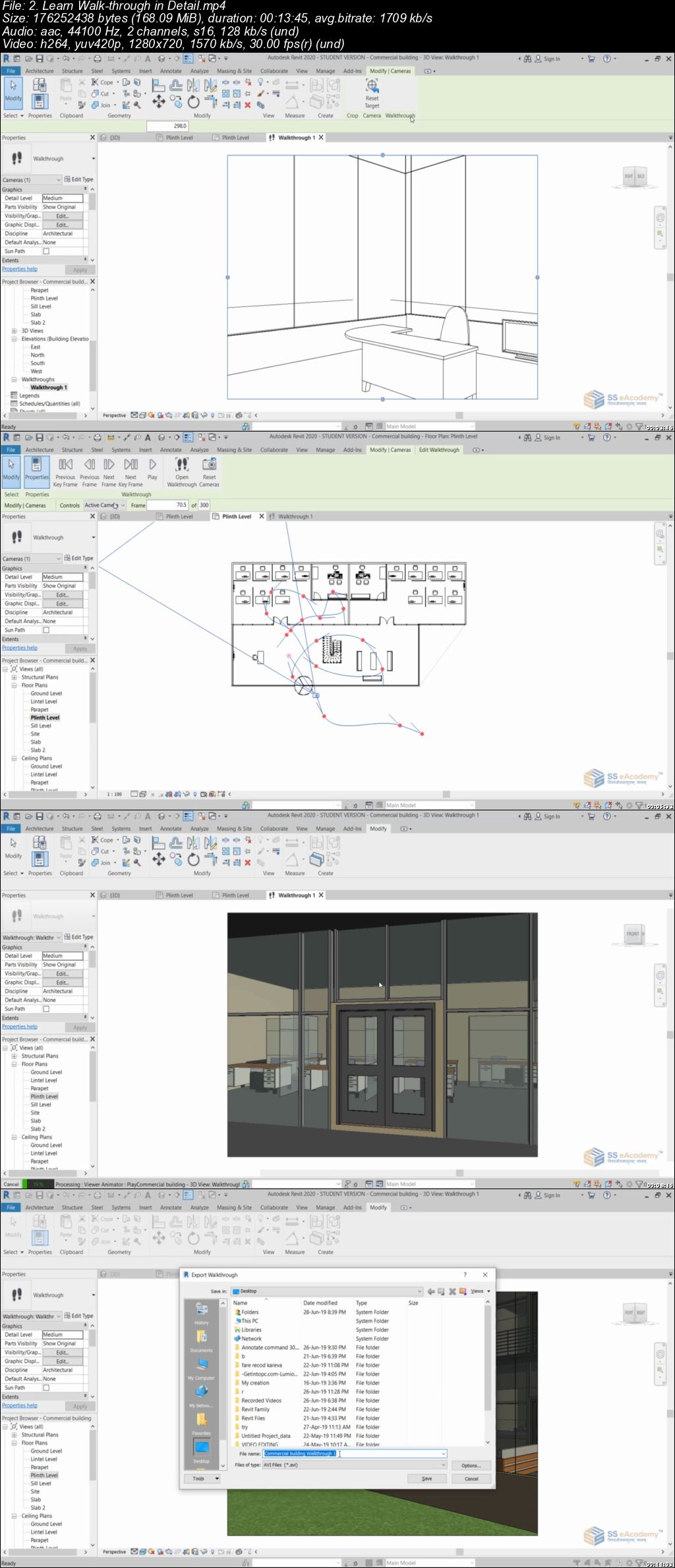
Revit Architecture Complete Training

006b21c7.jpg


Revit architecture complete training
.MP4 | Video: 1280x720, 30 fps(r) | Audio: AAC, 44100 Hz, 2ch | 7.15 GB
Duration: 11 hours | Genre: eLearning | Language: English

Learn Revit software in detail - A Complete 3D Modelling for architecture


What you'll learn

Introduction of Revit software
Detail explanation about screen interface

Requirements

A personal Computer with revit software
Basic understanding of Civil drawing
Basic knowledge of mathematics
Will to learn

Description

Autodesk Revit Architecture is a robust architectural design and documentation software application created by Autodesk for architects and building professionals. The tools and features that make up Revit Architecture are specifically designed to support building information modeling (BIM) workflows. By utilizing BIM as opposed to computer-aided drafting (CAD), Revit Architecture is able to leverage dynamic information in intelligent models - allowing complex building structures to be accurately designed and documented in a short amount of time. Each intelligent model created with Revit Architecture represents an entire project and is stored in a single database file. This allows changes made in one part of the model to be automatically propagated to other parts of the model, thus enhancing the workflow for Revit Architecture users.

Why Revit?

Design skills that make you more valuable

Presentation skills that get your work noticed

Gain valuable exposure to BIM`

Prepare for your internship

Maximize your design possibilities

Preview the Future Home in 3D BIM Modeling

Quick Changes to Design, No Repetitive Tasks

Vast Library of Parametric Building Components

High Quality Construction Documents

Accurate Estimation of Quantities and Cost

Improved Coordination

High Level of Flexibility

Autodesk Revit for architects, structural engineers, MEP engineers, designers

SS eAcademy Provide step by step guide to learn Revit.

Who this course is for:

Civil Engineer
Architecture
Interior designer
Designer
3D Modeller
Exterior designer

006b21c8.jpg


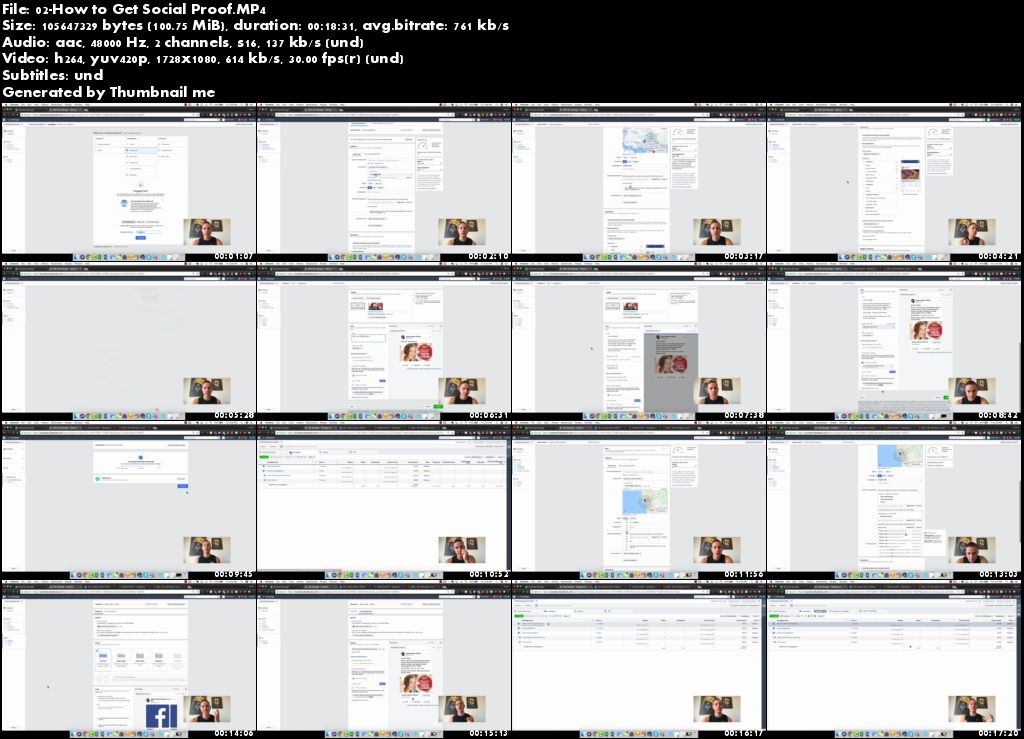
Facebook Ads Ninja Masterclass by Kevin David

r-Zdyj14g9w-Ft-UW1-Vi-Hw-Qo-B0fd-OCb-W3-Xn.jpg


Facebook Ads Ninja Masterclass by Kevin David
Mp4 | Video: h264, 1728x1080 | Audio: AAC, 48 KHz, 2 Ch | Duration: 18h | 14.76 GB | Genre: eLearning | Language: English

Description

The foundation of the Facebook Ads Ninja Masterclass is a library of Step-By-Step Videos Tutorials. Through these videos, I am able to teach you exactly how I create winning Facebook ad campaigns COMPLETELY from scratch! Whether you are brand new to Facebook ads or managing 6 figures in monthly spend, these lessons will ensure you are creating the most profitable ads possible.

I am continuously testing new strategies and features from Facebook. When I find things that work, I share them with all of my students... We are continuously updating and optimizing the course as Facebook continues to evolve! We can ensure you that as a THATLifestyle Ninja Student you will ALWAYS be provided with the BEST and most EFFECTIVE Facebook Ad strategies!

Xn-Ic-SEel-Xz3-Zq6q-Ufu-IK2elu-Q1-Gv-M4-JJ.jpg


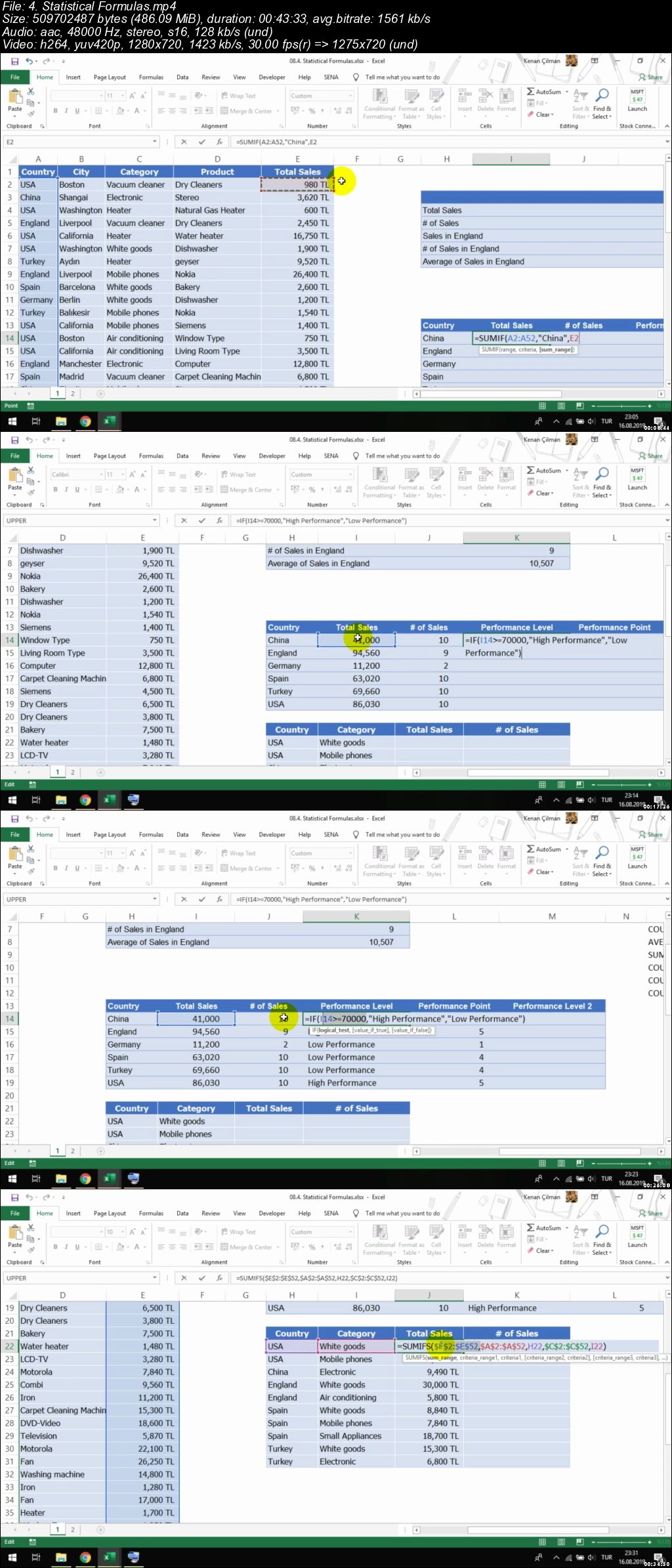
Excel for Everyone From Beginning to Advanced

006b22dd.jpg


Excel for Everyone From Beginning to Advanced
.MP4 | Video: 1280x720, 30 fps(r) | Audio: AAC, 48000 Hz, 2ch | 8.12 GB
Duration: 12.5 hours | Genre: eLearning | Language: English

Excel for Business Life


What you'll learn

Excel Fundamentals
Formats, Fonts and Design
Worksheet Properties
Data Management in Excel
Data Sort
Data Sort From Left to Right
Data Filter
Table
Remove Dublicates
Custom List
Subtotal and Data Groups
Pivot Table
Pivot Table Properties and Options
User Defined Formulas in Pivot Table
Merge Pivot Tables
Excel Formulas
Structure of Excel Formulas
Text Formulas
Flash Fill
Statistical Formulas
Date and Time Formulas
SUBTOTAL Function For Filter
Lookup Functions
VLOOKUP For 2 Tables
Advanced Filter Functions
FORMULAS Menu
Advanced Excel
Data Validation
Conditional Formatting
Special Cells (GOTO SPECIAL)
External Data From Other Sources
Name Manager
Consolidation
Watch Window and Trace Cells
Excel Protection
Printer Settings
Relation of PDF and Printer
Graphics and Charts in Excel
Simple Graphs
Column Graphs
Pie Chart Graphs
Picture Graphs
Graphics into the Cells
Linear Modelling in Excel
Goal Seek
What-if Analysis / Data Table
Excel Solver
Senario Analysis
Useful Tips
Copy - Paste Options
F4 Key
Fix Headers
VIEW Menu
ComboBox
Trendline
Spin Button
Animated Charts
Scroll Bar
Draw Shapes
Fix Formulas (Details of F4 Key)
Creating Custom Menu
Watch Movie and Listen Music in Excel

Requirements

You just need to know that you need Excel to take this course.

Description

This course is ideal for anyone who wants to learn Excel. The course is designed with an understandable and easy in English. The main goal of the course is to teach all the requirements you need in business life and to use Excel in the most efficient manner.

All videos here have examples and Excel files, and all of them are examples of real business life.

Who this course is for:

Every employee that uses Excel

006b22de.jpg


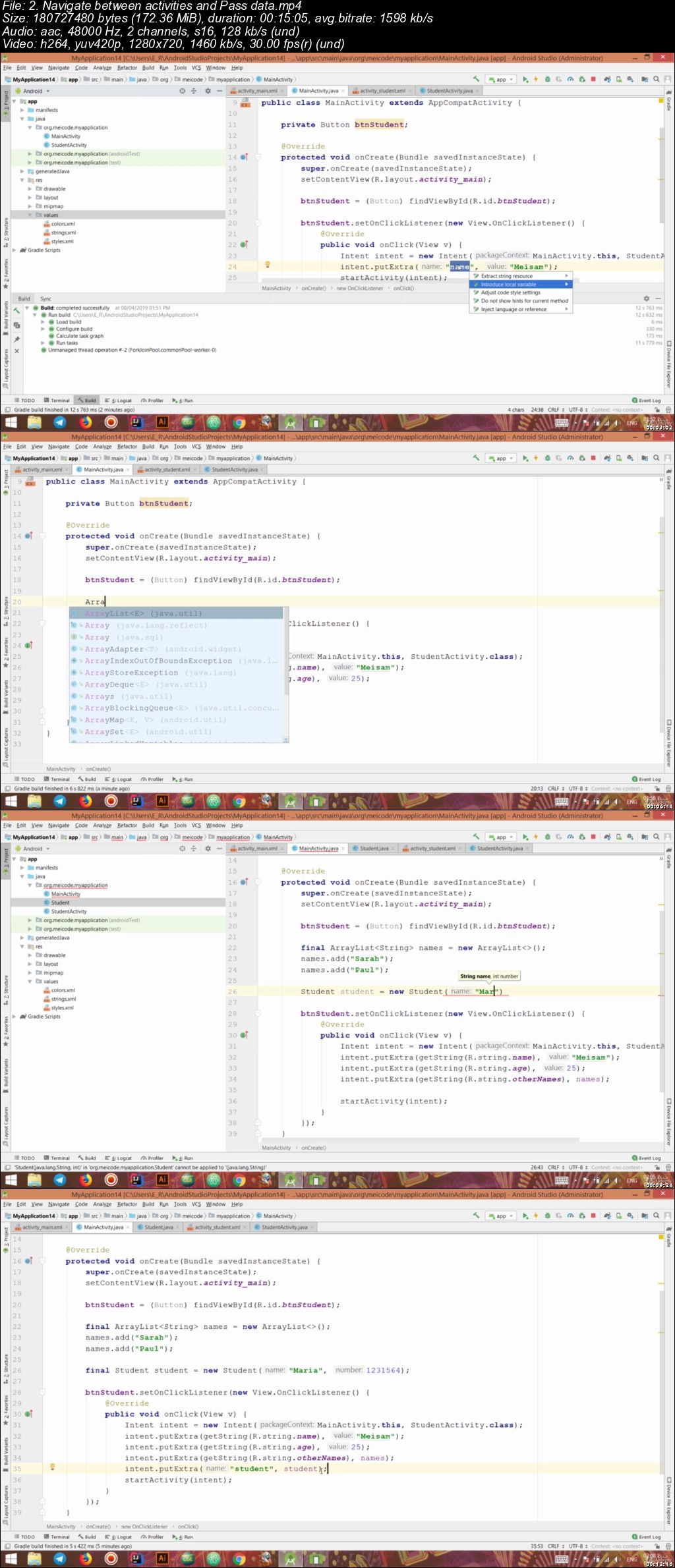
Complete Android course for 2019 (Updated 8/2019)

006b2868.jpg


Complete Android course for 2019 (Updated)
.MP4 | Video: 1280x720, 30 fps(r) | Audio: AAC, 48000 Hz, 2ch | 19.2 GB
Duration: 34 hours | Genre: eLearning | Language: English

Create any android app that you want and land your first job as a professional android developer


What you'll learn

Complete android development
Java language
Kotlin
Php language for writing a backend
google firebase
git
publishing process
working with hardware and sensors
Professional testing
Working with external libraries like Retrofit and OAuth
MVVM Architecture
a ton more

Requirements

A passion for learning

Description

100+ hours of video tutorial

This course starts with the baby steps like installing android studio and will go up to the point that the student can apply for job offers and of course win them all.

You will create 5 professional applications during the course which you can present in your portfolio.

I have covered both Java and kotlin and you don't need to have any prior experience in programming to take this course.

I have covered everything you need in order to become a professional android developer and apply for jobs with a variety of skills and also create your own application, whether that is an online shop, restaurant management, a new version of uber or a social media.

I have covered writing both front end and back end for android applications. something that you won't see in most courses.

I have covered things like github, firebase, clean architecture, working with different sensors and hardware, publishing process and a lot more. you can see the importance of every session in different skills that a job offer requires.

Take a look at the course contents and let's start the Complete android development course for 2019

Who this course is for:

Beginners who want to land their first job as an android developer
Intermediate students who want to complete their knowledge
Experts who want to have a reference and stay up to date

006b2869.jpg


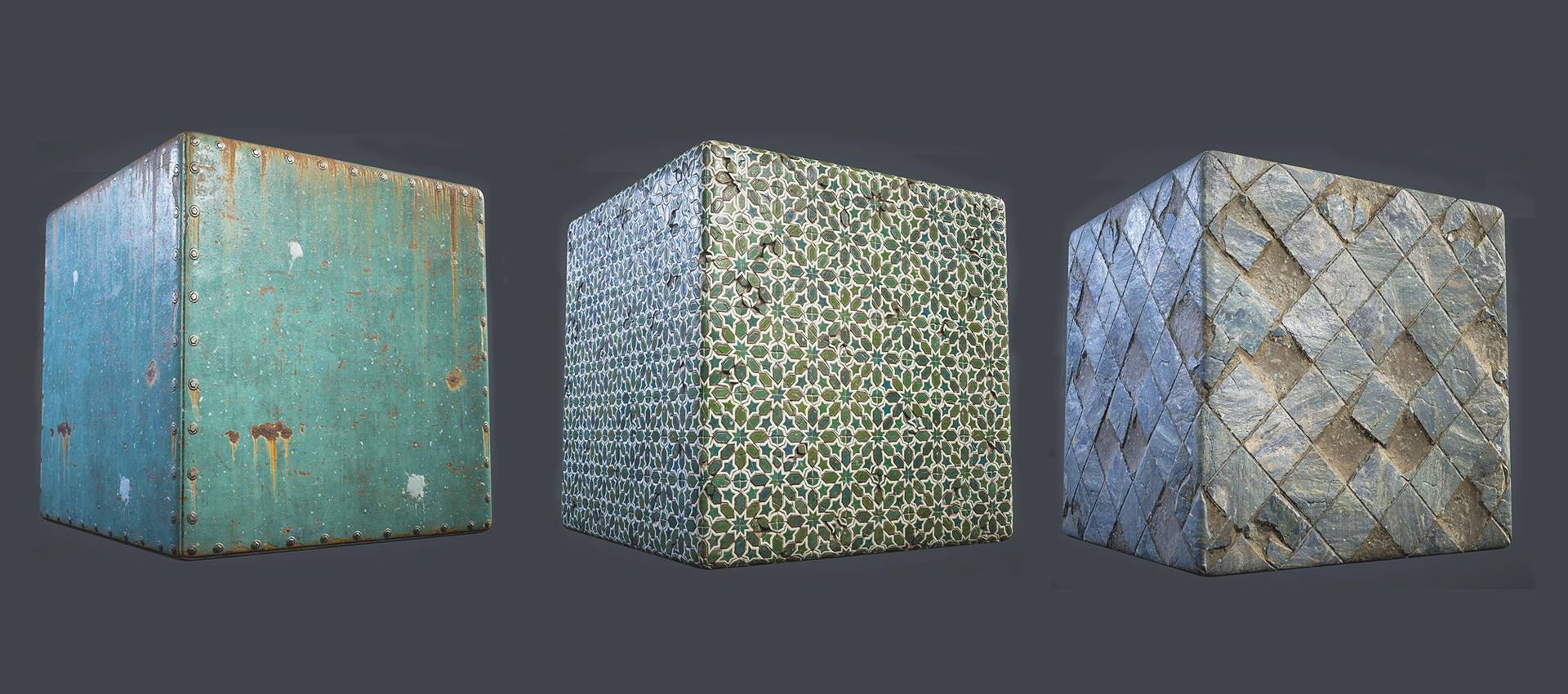
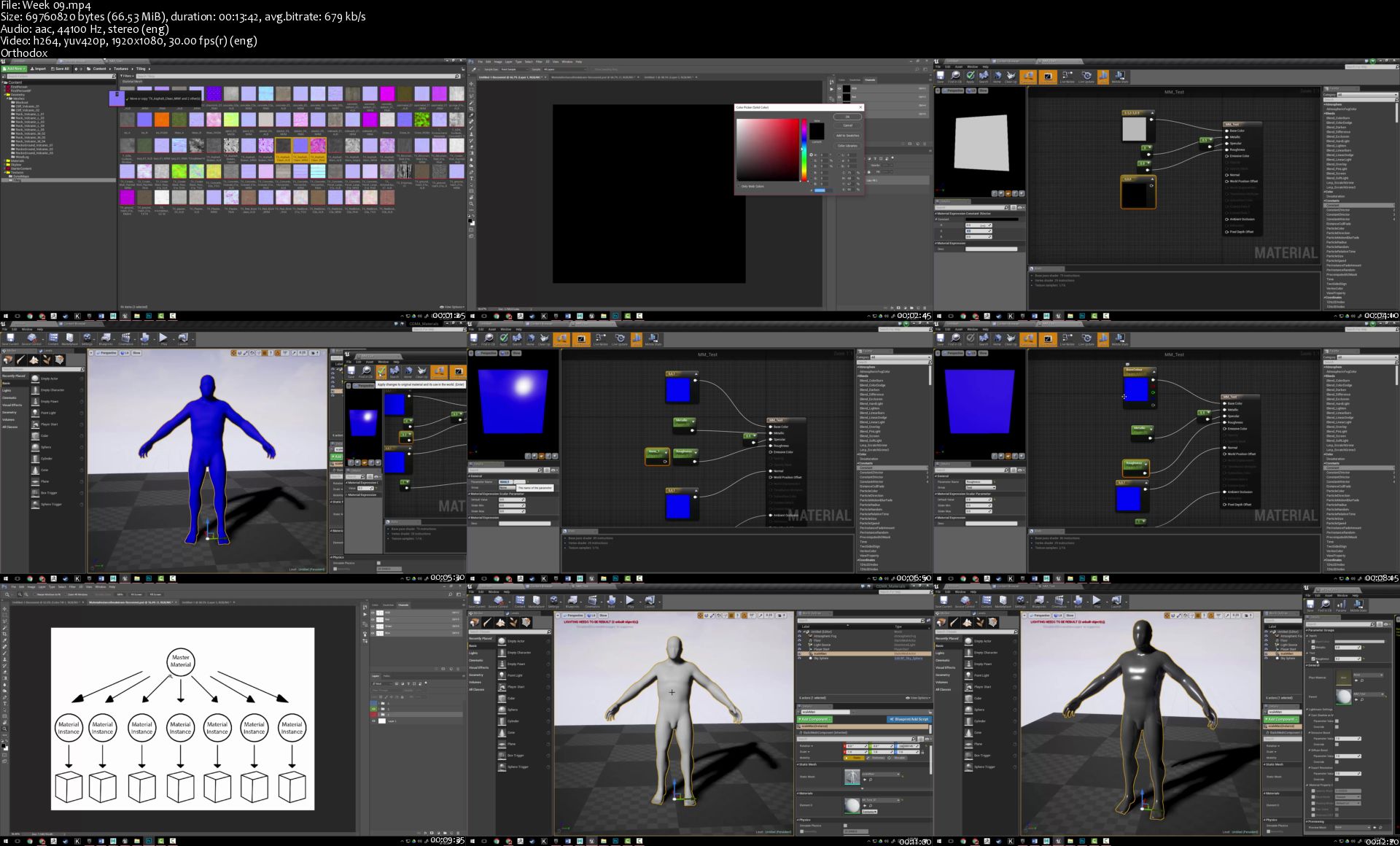
Texturing and Shading for Games

40021519-10155445887930689-2855704054095413248-o.jpg


Texturing and Shading for Games
Video: .MP4, 1280x720 | Audio: AAC, 44 kHz, 2ch | Duration: 22h 40m (Total 6 Week)
Genre: eLearning | Language: English | Size: 13,3 Gb (Total)

A 6-week course for creating textures and materials that are game ready in Unreal Engine 4
The objective of this course is to teach students how to create materials and textures for video games in Unreal Engine 4. Students will also learn high level concepts of material creation, such as what makes a good material and how to create modular materials; modularity saves time and makes materials easier to edit, iterate, and optimize. Once finished, students will be able to take the skills they've learned and apply them knowledge of UE4 concepts, shader functions, and math to other materials not covered in the course. By the end of the course, students will have made these master materials (which they can then carry on to use for mostly all future scenarios when creating scenes in Unreal or other node-based editors): prop material, layered material, refraction material, wind material, hologram material, terrain and architectural material, mesh decal material, and foliage material.

Homepage

Week-09-s.jpg


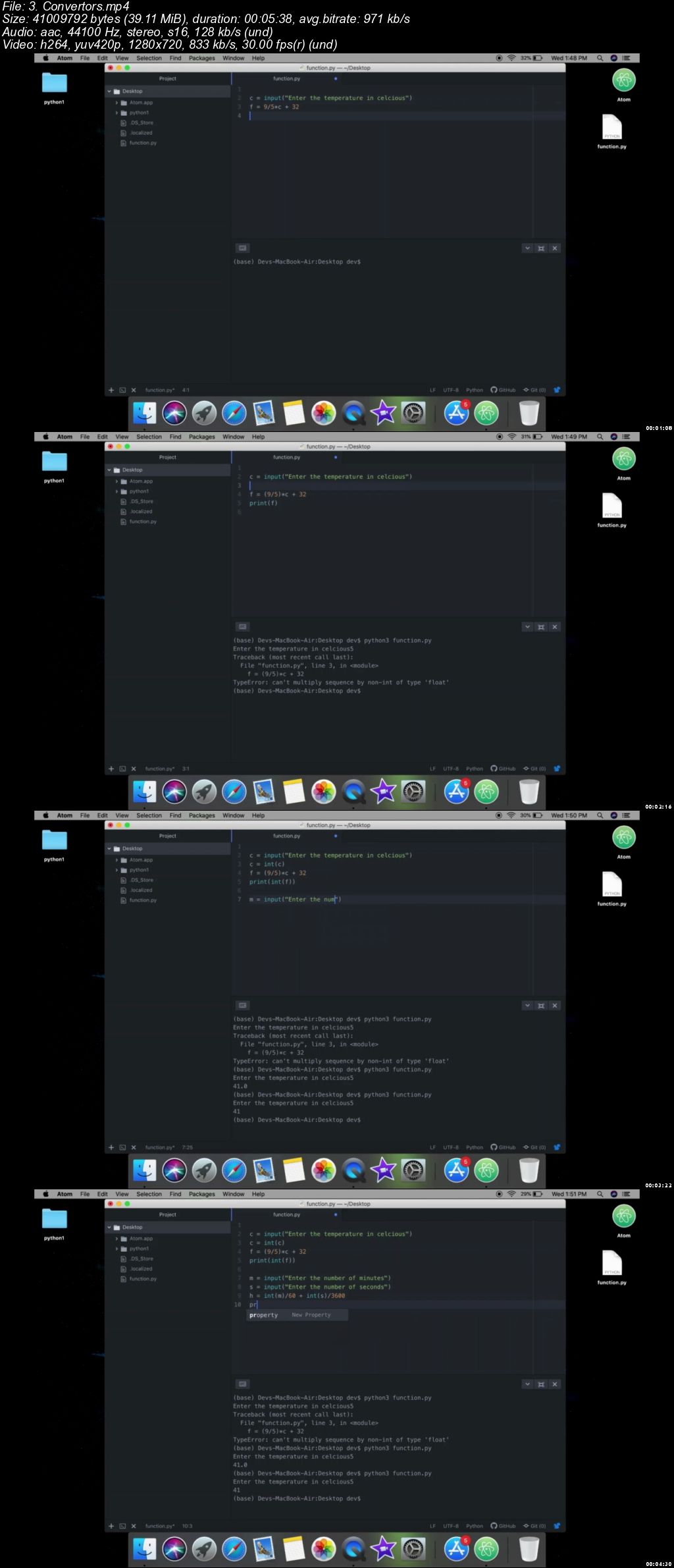
Python complete Bootcamp 2019 - Learn by applying knowledge

006b28b1.jpg


Python complete Bootcamp 2019 - Learn by applying knowledge
.MP4 | Video: 1280x720, 30 fps(r) | Audio: AAC, 44100 Hz, 2ch | 19.3 GB
Duration: 32 hours | Genre: eLearning | Language: English + Sub | 379 lectures
$144.99 | Created by Dev Nirwal | Last updated 8/2019

Learn complete python with basics, data science, data visualisation, desktop graphical applications and python for web.

What you'll learn

Complete Python.
Python basics like data-types, loops, decision-makings, file handling, libraries, modules, date-times etc.
Terminal based programming applications using Python.
Artificial intelligent Python game.
Python for desktop applications and GUI programming.
Creating desktop applications using Tkinter with Python.
Using databases using Python.
Turtle graphics for creating graphical applications and motion using Python
Real working 5+ graphical games using Python.
Use of keyboard keys to move objects in your applications and in games using python
learn to build smart calculators and dictionaries using python.
Datascience and data visualisation using python.
data visualisation using Matplotlib in python.
data visualisation using Seaborn in python.
data visualisation using pandas in python.
data visualisation using poorly and cufflinks in python.
data analysis using Numpy and pandas in python.
geoplotting using python.
learn to build an automatic plotter for data visualisation.
learn to build big data analysis project with more than 60million + data using python.
basemaps using python.

Requirements

just will to learn and achieve great things.

Description

In this course you will learn all of python you need for being a good python developer.

you will begin with learning that how you can have your best editor to work with.

After that in first section you will learn all the basics of python like data-types, loops, conditionals, operators, file-handling, time-date, libraries and a lot. In addition you will also apply all you have learn in section-1 on practical working programs and games.

Second section is about data-visualisation in which you will learn what is data science and how things work in that, and you will learn libraries like Matplotlib, seaborn, pandas, poorly and cufflinks for data visualisation and pandas, numpy for data analysis. you will also learn geo-plotting for visualising globe data. In addition you will built a large number of beautyfull plots and even 3-D plots to practice your skills. Then we will move to the project part of section-2 in which you will learn to create automatic plotter, base maps and big-data analysis project that actually analyse more than 60 million+ data.

Third section is all about graphical and user interface. In which you will learn that how the desktop applications are made, you will learn about tkinter to built windows applications, then you will learn about database that how you can store your program data and where to store. After that we will move to a very interesting concept turtle graphics where you will learn how to make moving graphical things.Then this section is full of projects with actually working games and database applications. also project that will make you learn how to use keys to move your objects in games and in applications.

This is not the end of the course time to time new data will be added to it.

Who this course is for:

Everyone who want to learn python.

006b28b2.jpg


Zurück
Oben Unten