• Regeln für den Video-Bereich:

    In den Börsenbereich gehören nur Angebote die bereits den Allgemeinen Regeln entsprechen.

    Einteilung

    - Folgende Formate gehören in die angegeben Bereiche:
    - Filme: Encodierte Filme von BluRay, DVD, R5, TV, Screener sowie Telesyncs im Format DivX, XviD und x264.
    - DVD: Filme im Format DVD5, DVD9 und HD2DVD.
    - HD: Encodierte Filme mit der Auflösung 720p oder darüber von BluRay, DVD, R5, TV, Screener sowie Telesyncs im Format x264.
    - 3D: Encodierte Filme von BluRay, die in einem 3D Format vorliegen. Dies gilt auch für Dokus, Animation usw.
    - Serien: Cartoon/Zeichentrick, Anime, Tutorials, Dokumentationen, Konzerte/Musik, Sonstiges sind demnach in die entsprechenden Bereiche einzuordnen, auch wenn sie beispielsweise im High Definition-Format oder als DVD5/DVD9/HD2DVD vorliegen. Ausnahme 3D.
    - Bereich Englisch: Englische Releases gehören immer in diesen Bereich.
    - Bereich Talk: Der Bereich, in dem über die Releases diskutiert werden kann, darf, soll und erwünscht ist.


    Angebot/Beitrag erstellen

    - Ein Beitrag darf erst dann erstellt werden, wenn der Upload bei mindestens einem OCH komplett ist. Platzhalter sind untersagt.
    - Bei einem Scenerelease hat der Threadtitel ausschließlich aus dem originalen, unveränderten Releasenamen zu bestehen. Es dürfen keine Veränderungen wie z.B. Sterne, kleine Buchstaben o.ä. vorgenommen werden. Ausnahme Serienbörse:
    - Bei einem Sammelthread für eine Staffel entfällt aus dem Releasename natürlich der Name der Folge. Beispiel: Die Simpsons S21 German DVDRip XviD - ITG
    - Dementsprechend sind also u.a. verboten: Erweiterungen wie "Tipp", "empfehlenswert", "only", "reup", usw. / jegliche andere Zusatzinformation oder Ergänzung, welche nicht in obiger Beschreibung zu finden ist.

    Aufbau des Angebots und Threadtitel

    Der Titel nach folgendem Muster erstellt zu werden. <Name> [3D] [Staffel] [German] <Jahr> <Tonspur> [DL] [Auflösung] <Quelle> <Codec> - <Group>
    Beispiel: The Dark Knight German 2008 AC3 DVDRip XviD - iND
    Beispiel: The Dark Knight 2008 DTS DL BDRip x264 - iND
    Beispiel: The Dark Knight 2008 AC3 DL BDRip XviD - iND
    Beispiel: The Dark Knight German 2008 AC3 720p BluRay x264 iND
    Beispiel: The Dark Knight 2008 DTS DL 1080p BluRay x264 iND
    Beispiel: Die Simpsons S01 German AC3 DVDRip XviD iND
    Beispiel: Die Simpsons S20 German AC3 720p BluRay x264 iND
    Beispiel: Sword Art Online II Ger Sub 2014 AAC 1080p WEBRip x264 - peppermint
    Entsprechend sind also u.a. verboten: Sonderzeichen wie Klammern, Sterne, Ausrufezeichen, Unterstriche, Anführungszeichen / Erweiterungen wie "Tipp", "empfehlenswert", "only", "reup", usw. / jegliche andere Zusatzinformation oder Ergänzung, welche nicht in obiger Beschreibung zu finden ist
    Ausnahmen hiervon können in den Bereichen geregelt sein.

    Die Beiträge sollen wie folgt aufgebaut werden:
    Überschrift entspricht dem Threadtitel
    Cover
    kurze Inhaltsbeschreibung
    Format, Größe, Dauer sind gut lesbar für Downloader außerhalb des Spoilers zu vermerken
    Nfo sind immer Anzugeben und selbige immer im Spoiler in Textform.
    Sind keine Nfo vorhanden z.B. Eigenpublikationen, sind im Spoiler folgende Dateiinformationen zusätzlich anzugeben :
    Quelle
    Video (Auflösung und Bitrate)
    Ton (Sprache, Format und Bitrate der einzelnen Spuren)
    Untertitel (sofern vorhanden)
    Hosterangabe in Textform außerhalb eines Spoiler mit allen enthaltenen Hostern.
    Bei SD kann auf diese zusätzlichen Dateiinformationen verzichtet werden.

    Alle benötigten Passwörter sind, sofern vorhanden, in Textform im Angebot anzugeben.
    Spoiler im Spoiler mit Kommentaren :"Schon Bedankt?" sind unerwünscht.


    Releases

    - Sind Retail-Release verfügbar, sind alle anderen Variationen untersagt. Ausnahmen: Alle deutschen Retail-Release sind CUT, in diesem Fall sind dubbed UNCUT-Release zulässig.
    - Im Serien-Bereich gilt speziell: Wenn ein Retail vor Abschluss einer laufenden Staffel erscheint, darf diese Staffel noch zu Ende gebracht werden.62
    - Gleiche Releases sind unbedingt zusammenzufassen. Das bedeutet, es ist zwingend erforderlich, vor dem Erstellen eines Themas per Suchfunktion zu überprüfen, ob bereits ein Beitrag mit demselben Release besteht. Ist dies der Fall, ist der bereits vorhandene Beitrag zu verwenden.
    - P2P und Scene Releases dürfen nicht verändert oder gar unter einem iND Tag eingestellt werden.


    Support, Diskussionen und Suche

    - Supportanfragen sind entweder per PN oder im Bereich Talk zu stellen.
    - Diskussionen und Bewertungen sind im Talk Bereich zu führen. Fragen an die Uploader haben ausschließlich via PN zu erfolgen, und sind in den Angeboten untersagt.
    - Anfragen zu Upload-Wünschen sind nur im Bereich Suche Video erlaubt. Antworten dürfen nur auf Angebote von MyBoerse.bz verlinkt werden.


    Verbote

    - Untersagt sind mehrere Formate in einem einzigen Angebotsthread, wie beispielsweise das gleichzeitige Anbieten von DivX/XviD, 720p und 1080p in einem Thread. Pro Format, Release und Auflösung ist ein eigener Thread zu eröffnen.
    - Grundsätzlich ebenso verboten sind Dupes. Uploader haben sich an geeigneter Stelle darüber zu informieren, ob es sich bei einem Release um ein Dupe handelt.
    - Gefakte, nur teilweise lauffähige oder unvollständige Angebote sind untersagt. Dies gilt auch für eigene Publikationen, die augenscheinlich nicht selbst von z.B. einer DVD gerippt wurden. Laufende Serien, bei denen noch nicht alle Folgen verfügbar sind, dürfen erstellt und regelmäßig geupdatet werden.
    - Untersagt sind Angebote, welche nur und ausschließlich in einer anderen Sprache als deutsch oder englisch vorliegen. Ausnahmen sind VORHER mit den Moderatoren zu klären.


    Verstoß gegen die Regeln

    - Angebote oder Beiträge, die gegen die Forenregeln verstoßen, sind über den "Melden"-Button im Beitrag zu melden.
  • Bitte registriere dich zunächst um Beiträge zu verfassen und externe Links aufzurufen.


Englische Tutorials

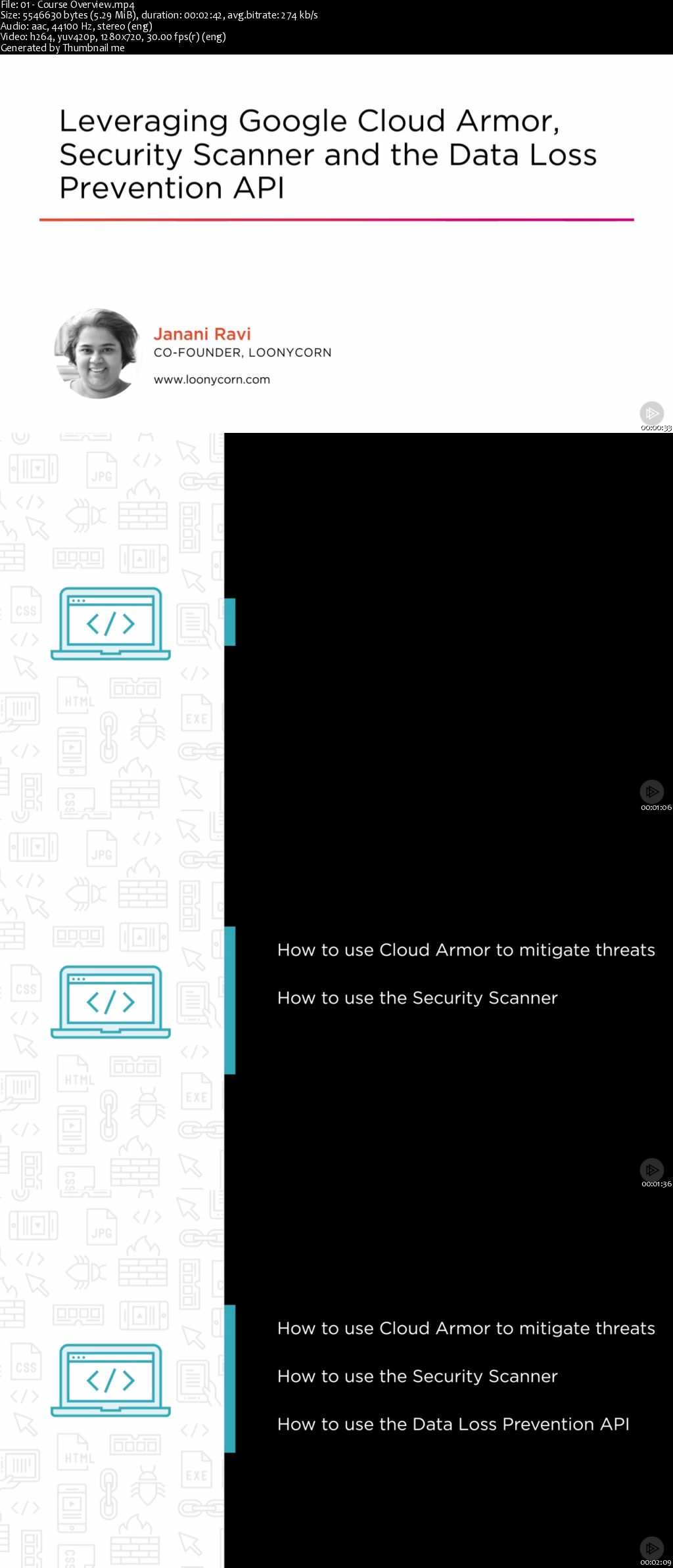
Leveraging Google Cloud Armor, Security Scanner and the Data Loss Prevention API

u-HNc-Mi3-XNIz3oi27-Fj71-N5-Tgc-Gwf-CBU6.png


Leveraging Google Cloud Armor, Security Scanner and the Data Loss Prevention API
MP4 | Video: AVC 1280x720 | Audio: AAC 44KHz 2ch | Duration: 2 Hours 12M | 259 MB
Genre: eLearning | Language: English

This course focuses on the design and implementation of security scanning, protection against Distributed Denial of Service (DDoS) attacks and security auditing. The course also covers the use of the Data Loss Prevention API in protecting.

Recent years have witnessed a steady increase in the number of reported instances of data being compromised, stolen and even sold for ransom. In this course, , you will gain the ability to mitigate threats of DDoS attacks using Cloud Armor, scan your App Engine and Compute Engine web apps using Security Scanner, enforce audit rules using Forseti and use the Data Loss Prevention API to control access to sensitive data. First, you will learn how to use Cloud Armor to mitigate the threat of DDoS attacks directed at your HTTP(S) load balanced applications. Cloud Armor will enforce these rules at the edge of the Google network and prevent unwanted requests from permeating into the interior of your VPC network. Next, you will discover how to use the Security Scanner to identify potential vulnerabilities in your App Engine and Compute Engine web apps. These currently include checks for cross-site scripting, flash injection, mixed content, clear-text passwords, invalid headers and the use of outdated libraries. This list of vulnerabilities is constantly being added to, which means that your Security Scanner reports will change and get richer and better over time. You will also use Forseti, a third-party tool that is used to conduct security audits of IAM policies and compare the actual and desired state of system resources. Finally, you will explore how to use the Data Loss Prevention API to control access to sensitive data. The DLP API has a long list of country-specific types of sensitive data type - US Social Security Numbers and the tax identifiers of several countries. The API has built-in detectors to return probabilities that a given data item matches a certain type of sensitive data. It is also possible to add custom detectors, and to use powerful techniques for redaction and de-identification of such data. When you're finished with this course, you will have the skills and knowledge of various security auditing and protection services to protect against DDoS attacks, as well as identify vulnerabilities in your apps and project settings to help identify and protect sensitive data.
e3-Ay8-Cujsam-FWZEMf-J8-O5dn7-Abwq-Sog7.jpg


...
 
Ethical Hacking - USB Keystroke injection with DigiSpark (Updated)

00653418.jpg


Ethical Hacking - USB Keystroke injection with DigiSpark (Updated)
.MP4 | Video: 1280x720, 30 fps(r) | Audio: AAC, 44100 Hz, 2ch | 780 MB
Duration: 1 hours | Genre: eLearning Video | Language: English

Automate your processes or perform a stealth pen-test assessment with this new kind of technical approach.

What you'll learn

Install and configure Arduino UI and Digispark
Code security assessment payloads
Code exploitation payloads to retrieve sensitive information
Learn the basics to write your own code

Requirements

Students must be intermediate computer users

Description

Everybody is talking about BadUSB attacks:
"If you put anything into your USB [slot], it extends a lot of trust," Karsten Nohl, chief scientist at Security Research Labs in Berlin

"The BadUSB attack is quickly gaining global attention, and rightfully so." Ken Jones, VP engineering and product management, IronKey Secure USB Devices

"Until strategies and plans to implement protection against firmware manipulation come into play, we can only urge you to be cautious." Niall Mackey

And there are real and serious reasons:
There is no full proof protections to this new kind of attack.
You don't need to be a scripting Guru in order to configure some scripts.
Anyone can get this device for as low as 1$ on eBay-

Want to know more ? Enrol today and find out a detailed explanation and exclusive scripts to perform your own assessments with this new kind of approach.

This course is constantly reviewed and updated with new lessons.
Find out more at hackademy.tech

Who this course is for:

People focused in new IT security methodologies

00653419.jpg


...
 
Pentesting WebApplications: From a Tester's Perspective

00653510.jpg


Pentesting WebApplications: From a Tester's Perspective
.MP4 | Video: 1280x720, 30 fps(r) | Audio: AAC, 44100 Hz, 2ch | 1.25 GB
Duration: 3.5 hours | Genre: eLearning Video | Language: English

A guide for performing WebApplication Security Testing or Pentesting


What you'll learn

How to Pentest webapps efficiently
What is a bug and how you can exploit them
How to create a Proof of Concept for each bug

Requirements

Basic Understanding of Webapplications like what is a request and response
Understanding Of headers is Required
Know how to use the command line interface

Description

Web Applications are most important part of Internet whether you want to use email, want to download files, want to buffer some videos, you want to socialize with your friend. you use web applications

Webapplication security testing is a Hot topic now a days every company which create website or which have their own network like Facebook and Google needs Tester. The tester performs all the tests on the webapplication to make that secure.

A webapplication Tester earns around $103,000 per annum and not this only you can earn a lot of money by doing bug bounties in your spare time.

In this course I will teach you that how you can perform different type of testings how to test the authorization and authentication schema any possible bypasses of them as well.

I am going to cover most of the testing methods in this course and will update this on regular basis.So lets put a break on words and lets start learning.

Who this course is for:

The person who wants to pursue a careers a pentester or Security Engineer
Anyone who is interested in WebApplication Security Testing
Anyone who just want to learn more about webapps

00653511.jpg


...
 
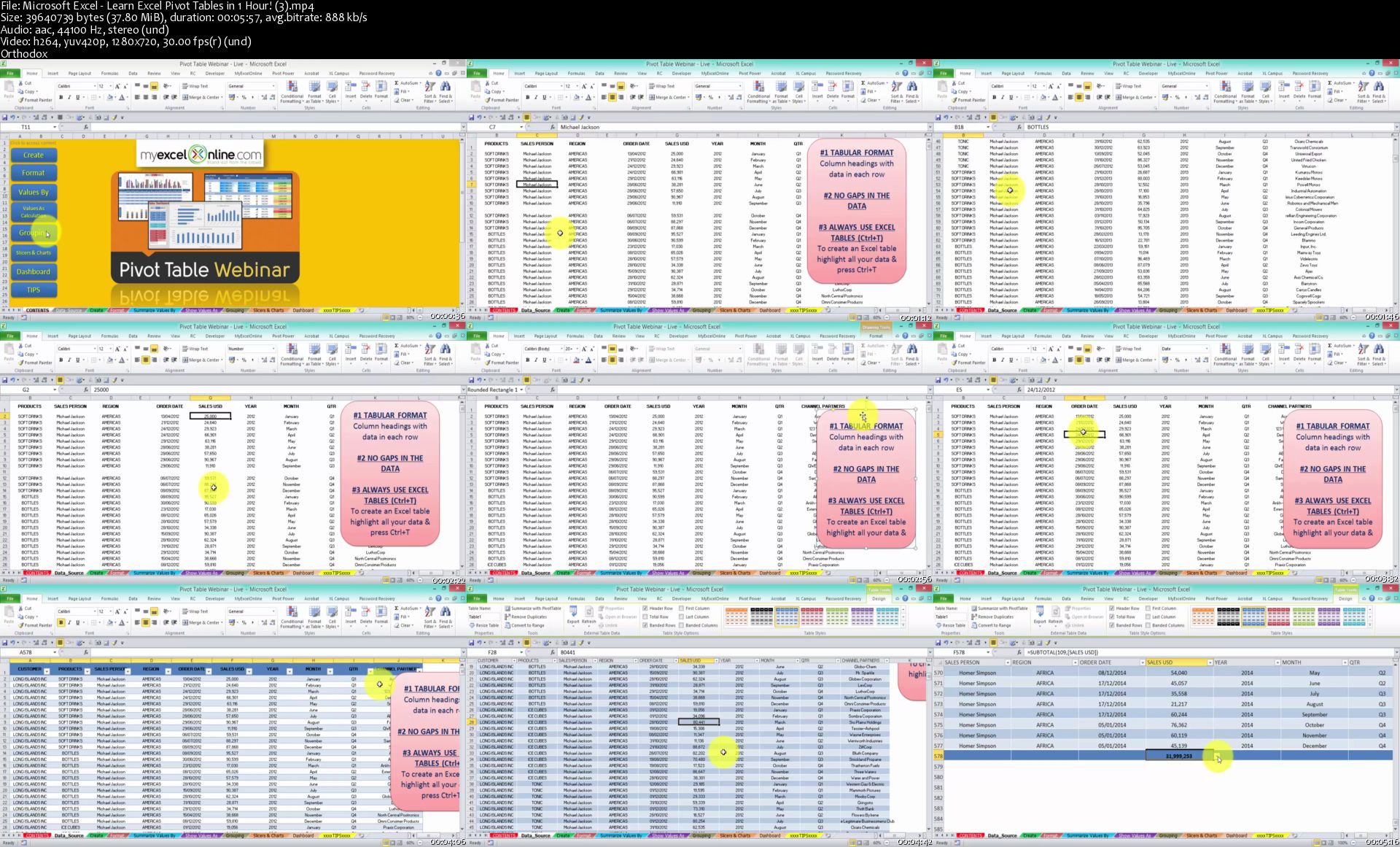
Microsoft Excel - Learn Excel Pivot Tables in 1 Hour!

image.jpg


Microsoft Excel - Learn Excel Pivot Tables in 1 Hour!
Video: .MP4, 1280x720 | Audio: AAC, 44kHz, 2ch | Duration: 1h
Genre: eLearning | Language: English | Size: 265 MB

DOWNLOAD THE EXCEL WORKBOOKS FROM THIS VIDEO:
No matter if you are a Beginner or an Advanced user of Excel, you are sure to benefit from this 1 hour tutorial which goes through the most important tools that are available in an Excel Pivot Table. The course is designed for Excel 2007, 2010, 2013 and 2016.

You will learn about using an Excel Table for your data source, inserting a Pivot Table, Formatting, Summarizing and Analyzing data, Grouping, Slicers, Pivot Charts, Excel Dashboards and lots of Excel and Pivot Table Tips!

So go ahead and learn the power of Excel Pivot Tables... every hour you delay is delaying your professional progress ...

Microsoft-Excel-Learn-Excel-Pivot-Tables-in-1-Hour-3-s.jpg


...
 
Fundamentals of Pentest, Ethical Hacking and Cyber Security

00653421.jpg


Fundamentals of Pentest, Ethical Hacking and Cyber Security
.MP4 | Video: 1280x720, 30 fps(r) | Audio: AAC, 44100 Hz, 2ch | 2.21 GB
Duration: 3 hours | Genre: eLearning Video | Language: English

Easy to follow hands-on training on offensive ethical hacking and penetration testing with Kali Linux and Metasploit.

What you'll learn

At the end of this course, you will become a windows security expert
A complete tutorial explaining how to build a virtual hacking environment, attack networks, and break passwords.
Step by step instructions for installing Kali Linux, Metasploitable and Windows on Virtual Machine Workstation
The ability to secure and protect any network from hackers and loss of data.
Tips for remaining anonymous in hacking and penetration testing activities.

Requirements

Internet connection and working wireless card
Willingness to learn new skills and follow instructions

Description

Gain the ability to do ethical hacking and penetration testing by taking this course! Get answers from an experienced IT expert to every single question you have related to the learning you do in this course including installing Kali Linux, installing Metasploitable, installing Windows, How to use Virtual Machine Workstation or Oracle VirtualBox, basics of Linux and Distributions, VPN, Macchanger, Nmap, cracking wifi, aircrack, DoS attacks, SLL strip, known vulnerabilities, SQL injections, cracking Linux passwords, and much much more topics that are added regularly!

If you are not sure weather you should take this course or not, here are three significant questions you can use to make the final decision!

Do you want to learn how to penetrate networks, exploit systems, break into computers, and compromise routers?

Do you want to use the valuable skills to work for companies that want you to use these skills to test their network security and show them to enhance it?

How would you feel if you could apply these skills to what you already know to greatly advance your career as a network specialist, network administrator, or freelancer online?

If you answered yes to any or all of these questions, I would guess that you will surely or might enjoy this course. If for any reason I am wrong, you have 30 days to ask Udemy for a refund. I can guess the odds of you enjoying this course are very high! Thank you very much for reading all of this! and I hope to see you as a student in the course when we next meet!

Who this course is for:

Ethical Hacking Aspirants
Beginner PenTesters
Linux Users
Everyone using windows

00653422.jpg


...
 
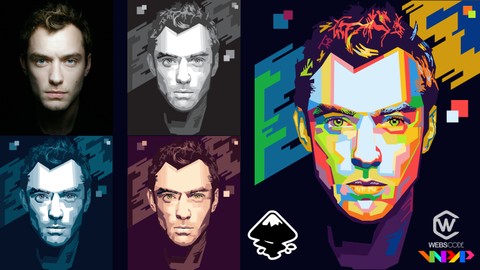
Create vector in the WPAP style using inkscape

006534b4.jpg


Create vector in the WPAP style using inkscape
.MP4 | Video: 1280x720, 30 fps(r) | Audio: AAC, 44100 Hz, 2ch | 2.79 GB
Duration: 4 hours | Genre: eLearning Video | Language: English

Learn to make vector in the Wedha's Pop Art Portrait style using inskcape step by step


What you'll learn

Students will learn what WPAP is
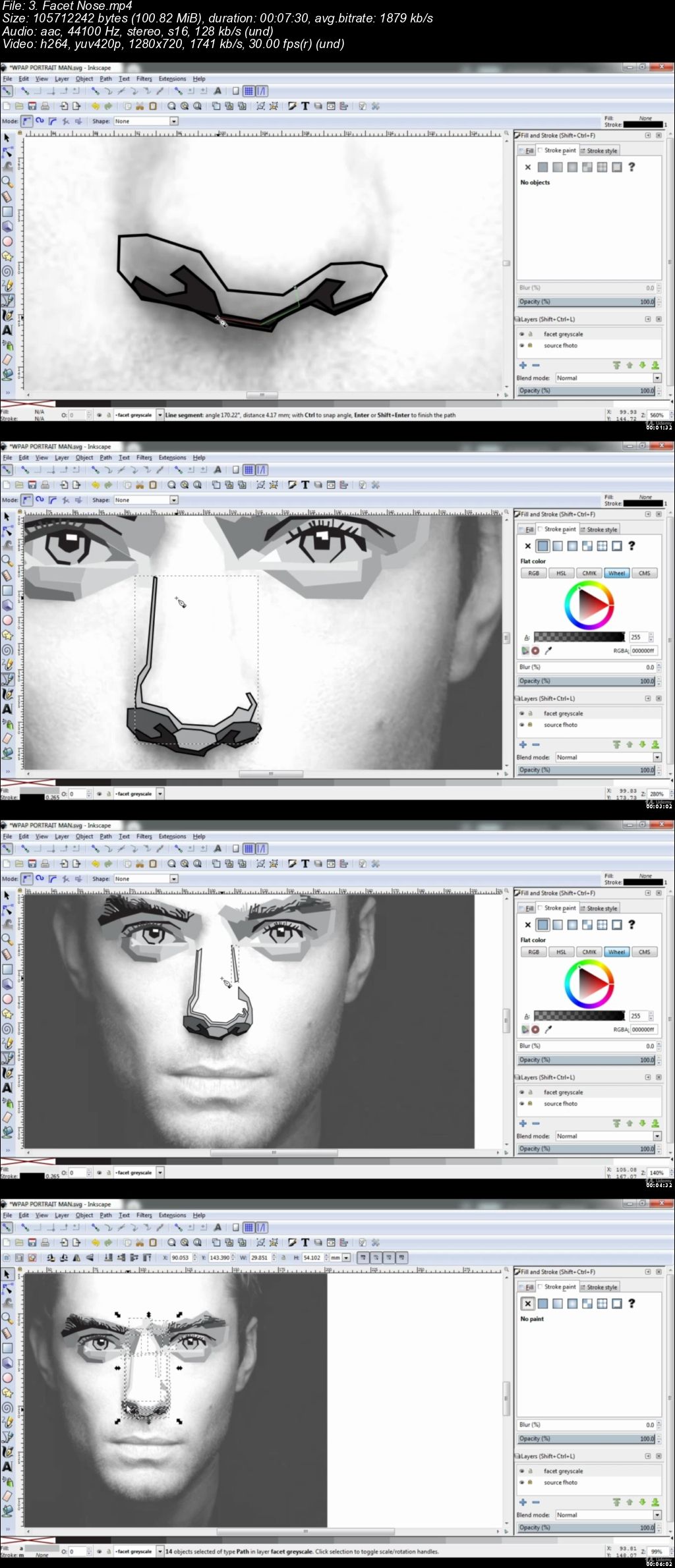
students will learn how to make faceting greyscale step by step
Students will learn facet coloring using the blue palette
Students will learn facet coloring using the body palette
Students will learn WPAP coloring

Requirements

Inkscape version 0.92.2 and above

Description

hi guys, on this course you will learn how to make a vector in the WPAP style in inkscape

WPAP stands for Wedha's Pop Art Portrait.

WPAP art comes from Indonesia which has been worldwide, there are many WPAP works on the internet that you can see.

on this occasion, I will tell you how to make it.

In this course, you will learn some material, namely:

Introduction

What is WPAP

WPAP result

Terms of Creating WPAP

Software and Tools Used

Download Photo Source

Set Work Area

Faceting Greyscale

Facet Eye

Facet Eye area and Eyebrows

Facet Nose

Facet Mouth

Facet Forehead

Facet Cheeks

Facet Chin

Facet Ears

Facet Hair

Facet Neck

Make Background

Check Final Result

Coloring

Coloring using blue palette

Coloring using body palette

Coloring WPAP

this course is made for beginners, so the order in making WPAP is easy to understand and follow.

but if you don't understand something, I'm ready to help you.

please submit a question in the message.

and I'm waiting for your WPAP work.

Who this course is for:

beginner
designer
student
photographer
everyone who wants to increase knowledge

006534b5.jpg


...
 
Docker Images and Containers for ASP.NET Core

t-G4g-IVnnd-R6x-EFZ46cj-Litr-QD72n-H9wb.jpg


Docker Images and Containers for ASP.NET Core
MP4 | Video: AVC 1280x720 | Audio: AAC 44KHz 2ch | Duration: 4 Hours | 481 MB
Genre: eLearning | Language: English

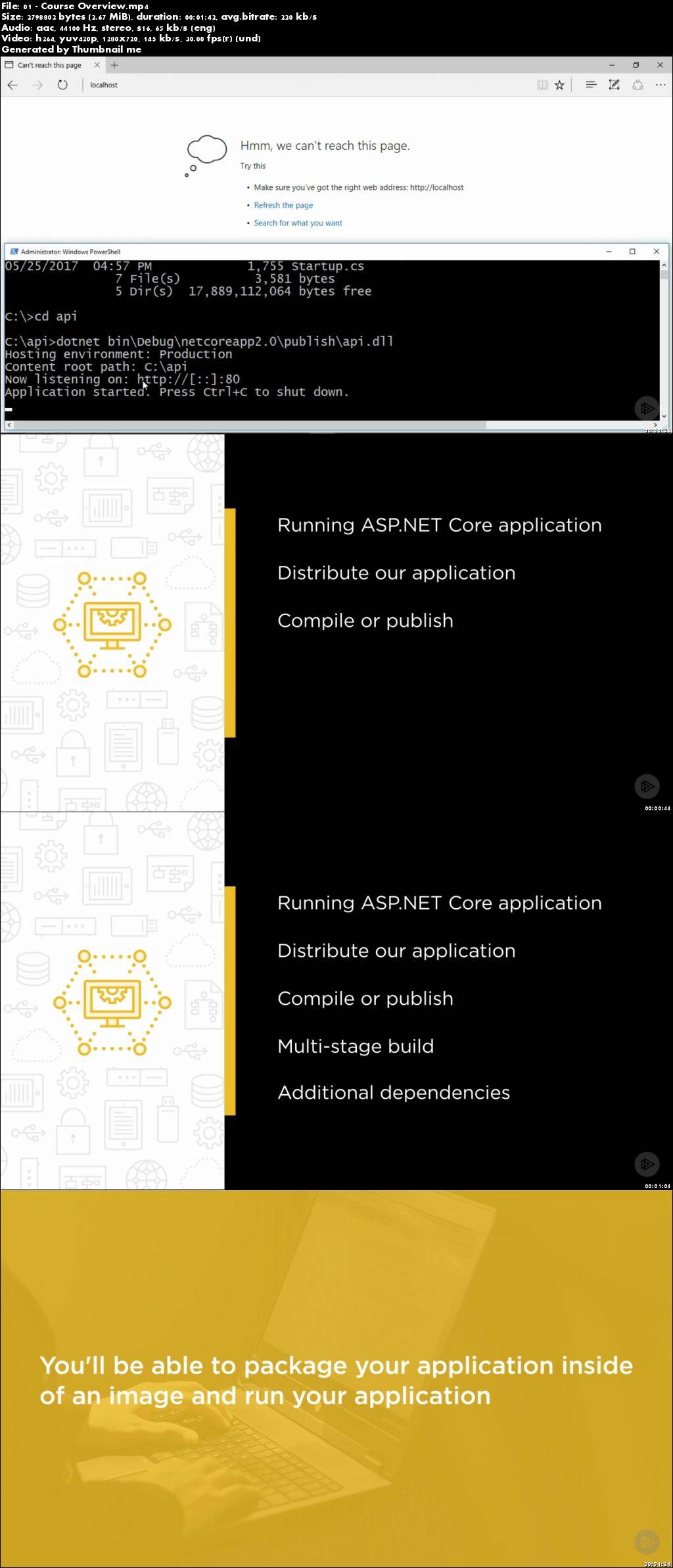
This course will teach you how to build an optimized Docker image for your ASP.NET Core app and how to run your app in a container.

Docker and ASP.NET Core are a match made in heaven. Gone are the days of staring at IIS to figure out why your web app won't work. Instead, in a matter of seconds, you can pull an image with your published application and start up a container. In this course, , you'll learn about Docker images and containers for ASP.NET Core. First, you'll discover how to run your app in a container and how to package it up as an image. Next, you'll explore how to compile your app in a container and how to leverage a multi-stage build to create a runtime optimized image for production. Finally, you'll learn how to easily compose in additional dependencies and easily spin those up with Docker and how to leverage Visual Studio's new Docker Support. By the end of this course, you'll be good to go with Docker images and containers for ASP.NET Core.

RMDPoxa3pu-TGXw-LXd8c-G366-JSFje5-Ws-X.jpg


...
 
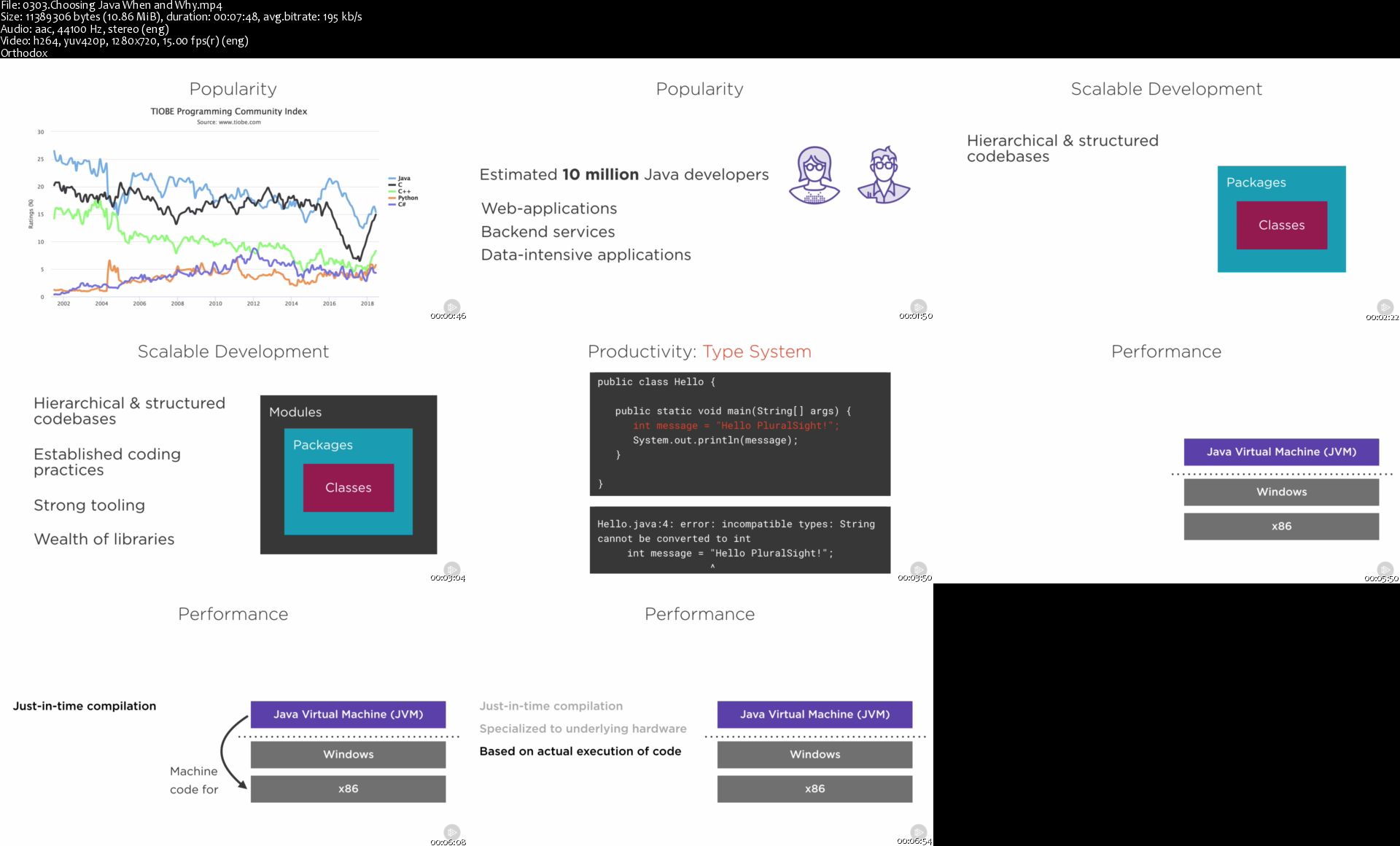
Modern Java: The Big Picture

9-SPFTv-Lbo-Vmoxnt-Jblwtvc-R77hq-Thz-Lq.jpg


Modern Java: The Big Picture
.MP4, AVC, 175 kbps, 1280x720 | English, AAC, 96 kbps, 2 Ch | 1h 58m | 182 MB
Genre: eLearning | Language: English

Java is one of the most widely-used development platforms today. This course will teach you the basics of Java, what it looks like, how it is run, and help you decide whether or not it is right for you.

You've heard about Java and want to get started with it, but what is Java really about? In this course, , you'll gain an overview of what you can expect from Java as a development platform. First, you'll learn the answers to important questions like "What does Java code look like?" and "How is it run?" Next, you'll explore the JDK and learn when you should use Java and when you shouldn't. Finally, you'll discover the most popular libraries, practices, and tools used in modern Java development. After finishing this course, you'll have a broad outlook on modern Java development and you will know which Java skills to focus on next in your personal development.

0303-Choosing-Java-When-and-Why-s.jpg


...
 
Fun & Easy Watercolor Cacti

image.jpg


Fun & Easy Watercolor Cacti
Video: .MP4, 1280x720 | Audio: AAC, 44kHz, 2ch | Duration: 35m
Genre: eLearning | Language: English | Size: 661 MB

You probably would know the cacti as a spiky green plant that grows in the desert. But do you know they are the cutest to paint too?

In this class, you will learn to paint some cute little galaxy cacti in two different colour themes.

This class is suitable for beginners with some knowledge on watercolors looking to practice their skills, and even for intermediates looking to up paint a vibrant, simple and stylish cacti.

I will take you through my painting process, as well as the materials and techniques I use for these paintings. Right from the pencil sketch until finishing the project everything is explained in various steps which makes it easy for everyone to follow.

Fun-Easy-Watercolor-Cacti-4-s.jpg


...
 
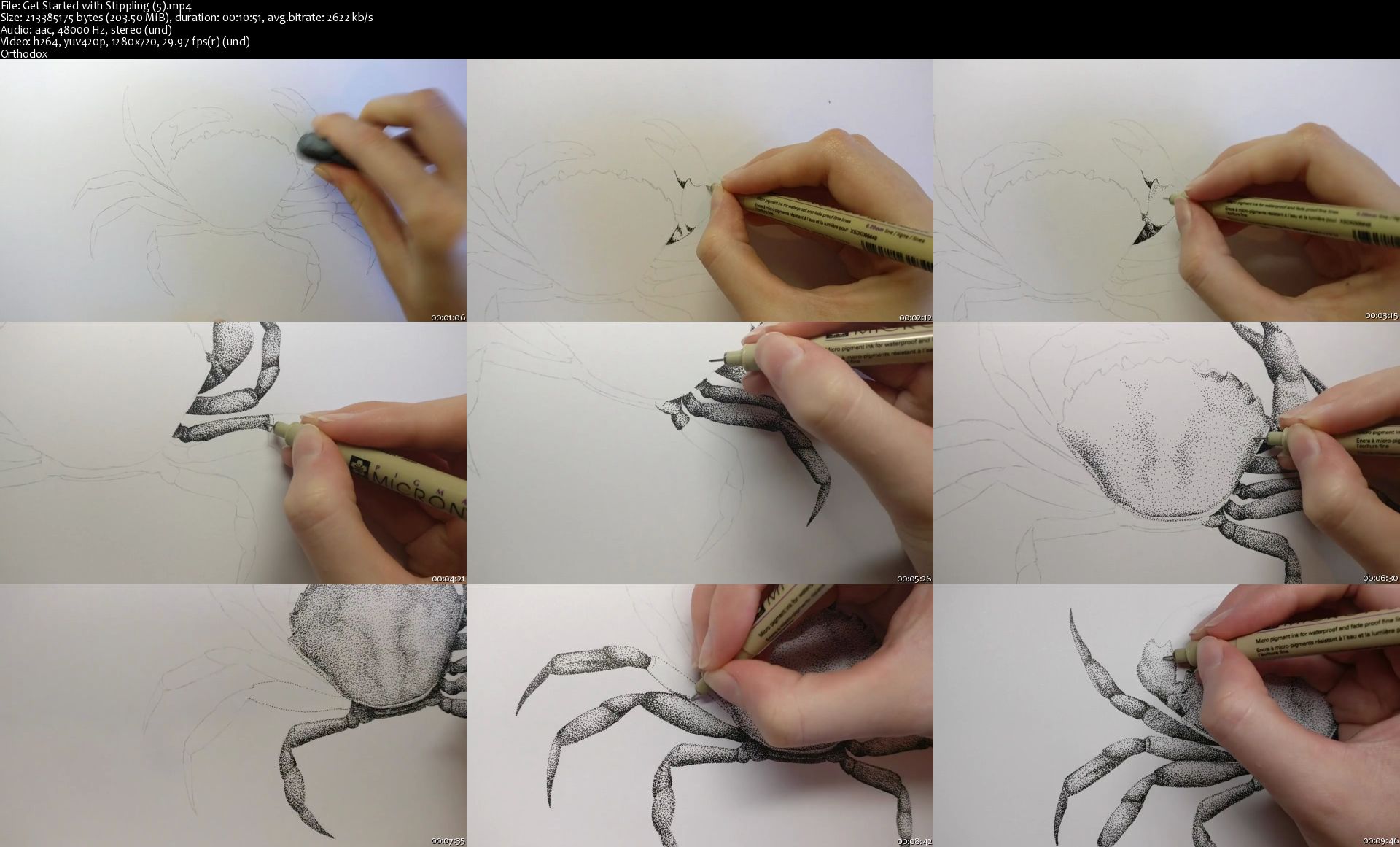
Get Started with Stippling

image.jpg


Get Started with Stippling
Video: .MP4, 1280x720 | Audio: AAC, 48kHz, 2ch | Duration: 20m
Genre: eLearning | Language: English | Size: 382 MB

Stippling is a drawing technique that uses nothing but dots to create areas of light and shadow. It can add depth and dimension to simple illustrations or, with a little patience, create stunning works of art.

Stippling is a great technique to add to your drawing toolkit: it's a forgiving technique that's accessible to beginners, it requires very little equipment, and once you've mastered the basics you can use the same method to create more and more detailed and realistic illustrations. The possibilities are endless!

This class is suitable for beginners, as well as those looking to develop their stippling technique and challenge themselves to produce a pen & ink stippled illustration.

What we'll cover:

What is Stippling? We'll have a look at simple stippling examples and amazing stippled works of art, as well as its use in scientific diagrams and natural history illustrations.

Tools & Technique I'll give my personal recommendations for pens and paper to use with this technique, as well as what to avoid. I'll also demonstrate a basic exercise that forms the foundation of this technique.

Choosing your Subject We'll go over what makes a good reference image, and what to think about when deciding on a subject to illustrate with this technique. I'll also show you how I prepare the reference photo to make my life easier when I start stippling.

Stippling a Crab I'll show you how I approach the illustration from start to finish, with tips and advice along the way.

Summary & Your Project Download my free 'Get Started with Stippling' worksheet to practice shading with stippled dots, and have a go at your own stippled illustration using what you've learned in this class. Have a look at the 'Your Project' tab for more info.

Let me know if you have any questions. I hope you enjoy the class and I can't wait to see your project photos.

Don't forget to follow me on Skillshare. Click the 'Follow' button next to my name and you'll be notified as soon as I post a new class.

Get-Started-with-Stippling-5-s.jpg


...
 
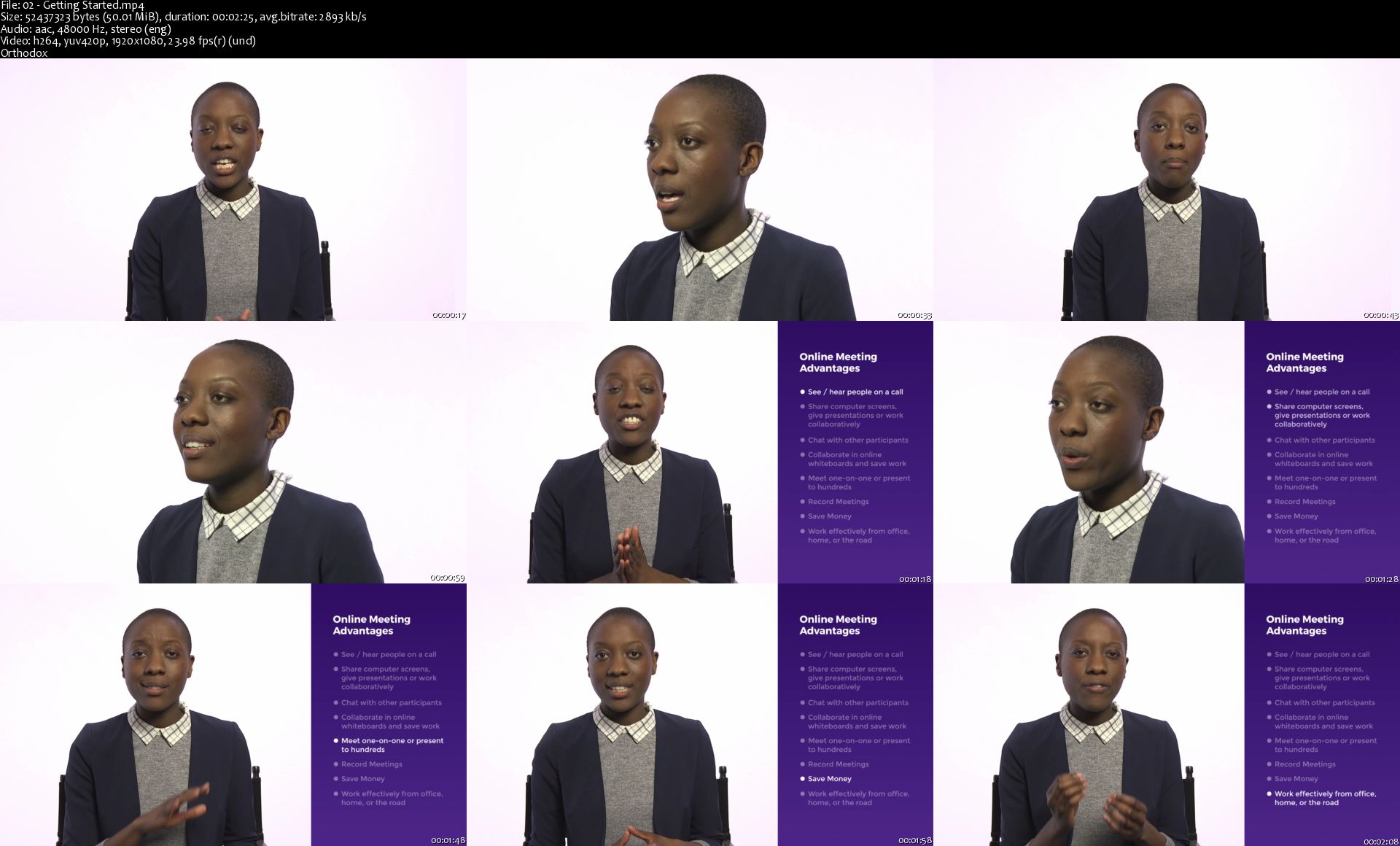
Online Meeting Etiquette

maw-Z9-H2-CMM2ogre-T1-Lz-Io0i-GJ75qos-PL.jpg


Online Meeting Etiquette
MP4 | Video: AVC 1280x720 | Audio: AAC 48KHz 2ch | Duration: 26M | 624.49 MB
Genre: eLearning | Language: English

If online meetings are run professionally and smoothly they can be a great use of people's time and an essential part of collaborating. If they aren't, they waste everyone's time and can place critical projects in jeopardy. With more companies decentralized, meeting virtually is a core business skill everyone must develop. This course helps students learn the fundamental skills needed to succeed in online meetings.

02-Getting-Started-s.jpg


...
 
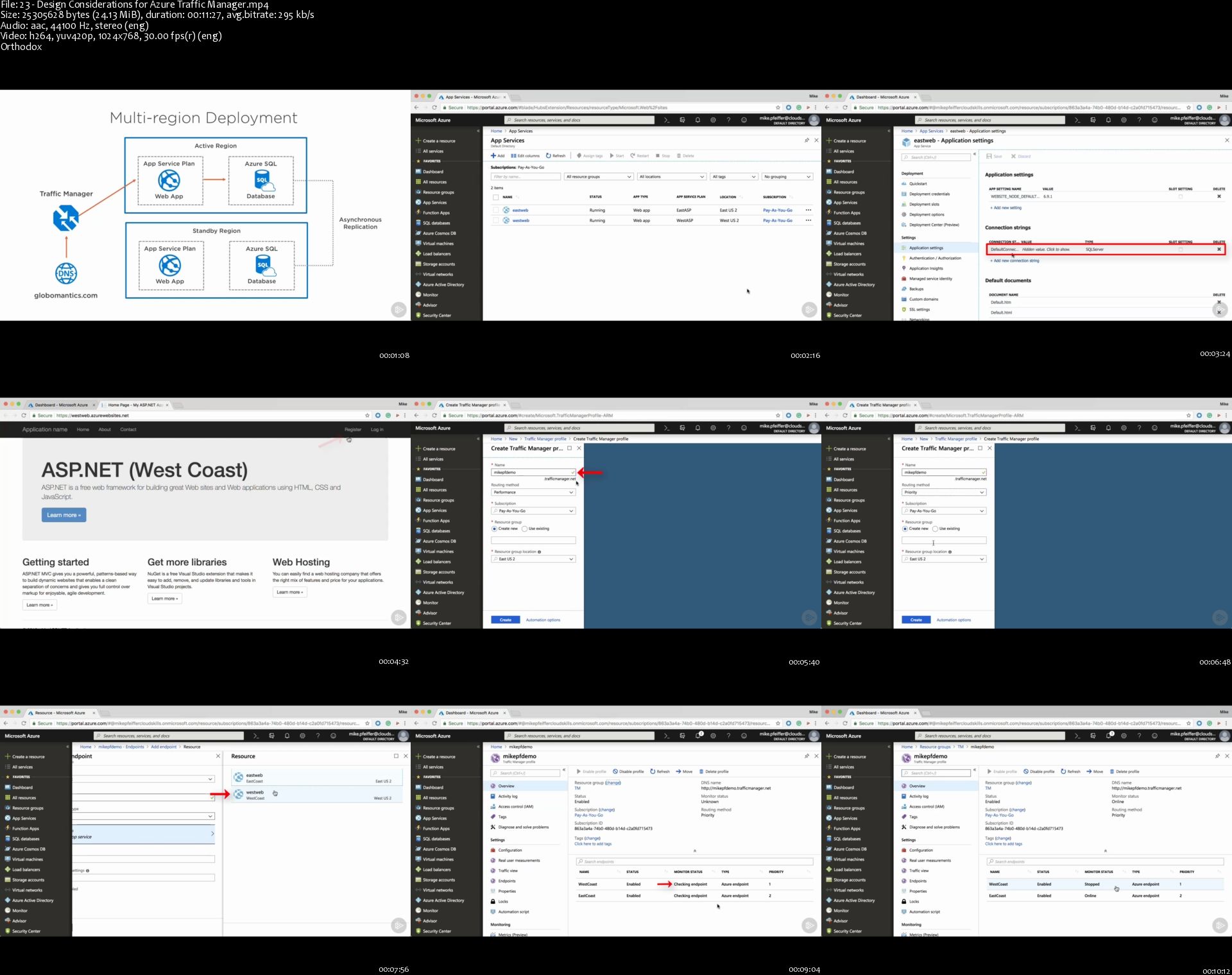
Designing a Disaster Recovery Strategy on Microsoft Azure

e-KP0sqm-Cix-EFt-Ch-Hcyg-I9-Rjb-Xl6m-Byr-P.jpg


Designing a Disaster Recovery Strategy on Microsoft Azure
MP4 | Video: AVC 1280x720 | Audio: AAC 44KHz 2ch | Duration: 1.5 Hours | 182 MB
Genre: eLearning | Language: English

Microsoft disaster recovery is key in order to reduce unplanned failures within your applications. This course teaches you how to effectively design and implement a disaster recovery solution using the Microsoft Azure platform.

Developing a disaster recovery strategy is crucial in order to avoid any IT interruptions when building your own application on the Microsoft Azure platform. In this course, , you'll learn about the design considerations that you should keep in mind when you're building applications in the cloud that can withstand unplanned failures. First, you'll explore common backup scenarios and how to determine disaster recovery requirements. Next, you'll discover how to design a recovery architecture. Finally, you'll learn how to enable geo-replication for Azure virtual machines and databases. By the end of this course, you'll have the necessary knowledge to efficiently architect the right solutions by utilizing different design topologies for disaster recovery on Microsoft Azure.

23-Design-Considerations-for-Azure-Traffic-Manager-s.jpg


...
 
Zurück
Oben Unten