• Regeln für den Video-Bereich:

    In den Börsenbereich gehören nur Angebote die bereits den Allgemeinen Regeln entsprechen.

    Einteilung

    - Folgende Formate gehören in die angegeben Bereiche:
    - Filme: Encodierte Filme von BluRay, DVD, R5, TV, Screener sowie Telesyncs im Format DivX, XviD und x264.
    - DVD: Filme im Format DVD5, DVD9 und HD2DVD.
    - HD: Encodierte Filme mit der Auflösung 720p oder darüber von BluRay, DVD, R5, TV, Screener sowie Telesyncs im Format x264.
    - 3D: Encodierte Filme von BluRay, die in einem 3D Format vorliegen. Dies gilt auch für Dokus, Animation usw.
    - Serien: Cartoon/Zeichentrick, Anime, Tutorials, Dokumentationen, Konzerte/Musik, Sonstiges sind demnach in die entsprechenden Bereiche einzuordnen, auch wenn sie beispielsweise im High Definition-Format oder als DVD5/DVD9/HD2DVD vorliegen. Ausnahme 3D.
    - Bereich Englisch: Englische Releases gehören immer in diesen Bereich.
    - Bereich Talk: Der Bereich, in dem über die Releases diskutiert werden kann, darf, soll und erwünscht ist.


    Angebot/Beitrag erstellen

    - Ein Beitrag darf erst dann erstellt werden, wenn der Upload bei mindestens einem OCH komplett ist. Platzhalter sind untersagt.
    - Bei einem Scenerelease hat der Threadtitel ausschließlich aus dem originalen, unveränderten Releasenamen zu bestehen. Es dürfen keine Veränderungen wie z.B. Sterne, kleine Buchstaben o.ä. vorgenommen werden. Ausnahme Serienbörse:
    - Bei einem Sammelthread für eine Staffel entfällt aus dem Releasename natürlich der Name der Folge. Beispiel: Die Simpsons S21 German DVDRip XviD - ITG
    - Dementsprechend sind also u.a. verboten: Erweiterungen wie "Tipp", "empfehlenswert", "only", "reup", usw. / jegliche andere Zusatzinformation oder Ergänzung, welche nicht in obiger Beschreibung zu finden ist.

    Aufbau des Angebots und Threadtitel

    Der Titel nach folgendem Muster erstellt zu werden. <Name> [3D] [Staffel] [German] <Jahr> <Tonspur> [DL] [Auflösung] <Quelle> <Codec> - <Group>
    Beispiel: The Dark Knight German 2008 AC3 DVDRip XviD - iND
    Beispiel: The Dark Knight 2008 DTS DL BDRip x264 - iND
    Beispiel: The Dark Knight 2008 AC3 DL BDRip XviD - iND
    Beispiel: The Dark Knight German 2008 AC3 720p BluRay x264 iND
    Beispiel: The Dark Knight 2008 DTS DL 1080p BluRay x264 iND
    Beispiel: Die Simpsons S01 German AC3 DVDRip XviD iND
    Beispiel: Die Simpsons S20 German AC3 720p BluRay x264 iND
    Beispiel: Sword Art Online II Ger Sub 2014 AAC 1080p WEBRip x264 - peppermint
    Entsprechend sind also u.a. verboten: Sonderzeichen wie Klammern, Sterne, Ausrufezeichen, Unterstriche, Anführungszeichen / Erweiterungen wie "Tipp", "empfehlenswert", "only", "reup", usw. / jegliche andere Zusatzinformation oder Ergänzung, welche nicht in obiger Beschreibung zu finden ist
    Ausnahmen hiervon können in den Bereichen geregelt sein.

    Die Beiträge sollen wie folgt aufgebaut werden:
    Überschrift entspricht dem Threadtitel
    Cover
    kurze Inhaltsbeschreibung
    Format, Größe, Dauer sind gut lesbar für Downloader außerhalb des Spoilers zu vermerken
    Nfo sind immer Anzugeben und selbige immer im Spoiler in Textform.
    Sind keine Nfo vorhanden z.B. Eigenpublikationen, sind im Spoiler folgende Dateiinformationen zusätzlich anzugeben :
    Quelle
    Video (Auflösung und Bitrate)
    Ton (Sprache, Format und Bitrate der einzelnen Spuren)
    Untertitel (sofern vorhanden)
    Hosterangabe in Textform außerhalb eines Spoiler mit allen enthaltenen Hostern.
    Bei SD kann auf diese zusätzlichen Dateiinformationen verzichtet werden.

    Alle benötigten Passwörter sind, sofern vorhanden, in Textform im Angebot anzugeben.
    Spoiler im Spoiler mit Kommentaren :"Schon Bedankt?" sind unerwünscht.


    Releases

    - Sind Retail-Release verfügbar, sind alle anderen Variationen untersagt. Ausnahmen: Alle deutschen Retail-Release sind CUT, in diesem Fall sind dubbed UNCUT-Release zulässig.
    - Im Serien-Bereich gilt speziell: Wenn ein Retail vor Abschluss einer laufenden Staffel erscheint, darf diese Staffel noch zu Ende gebracht werden.62
    - Gleiche Releases sind unbedingt zusammenzufassen. Das bedeutet, es ist zwingend erforderlich, vor dem Erstellen eines Themas per Suchfunktion zu überprüfen, ob bereits ein Beitrag mit demselben Release besteht. Ist dies der Fall, ist der bereits vorhandene Beitrag zu verwenden.
    - P2P und Scene Releases dürfen nicht verändert oder gar unter einem iND Tag eingestellt werden.


    Support, Diskussionen und Suche

    - Supportanfragen sind entweder per PN oder im Bereich Talk zu stellen.
    - Diskussionen und Bewertungen sind im Talk Bereich zu führen. Fragen an die Uploader haben ausschließlich via PN zu erfolgen, und sind in den Angeboten untersagt.
    - Anfragen zu Upload-Wünschen sind nur im Bereich Suche Video erlaubt. Antworten dürfen nur auf Angebote von MyBoerse.bz verlinkt werden.


    Verbote

    - Untersagt sind mehrere Formate in einem einzigen Angebotsthread, wie beispielsweise das gleichzeitige Anbieten von DivX/XviD, 720p und 1080p in einem Thread. Pro Format, Release und Auflösung ist ein eigener Thread zu eröffnen.
    - Grundsätzlich ebenso verboten sind Dupes. Uploader haben sich an geeigneter Stelle darüber zu informieren, ob es sich bei einem Release um ein Dupe handelt.
    - Gefakte, nur teilweise lauffähige oder unvollständige Angebote sind untersagt. Dies gilt auch für eigene Publikationen, die augenscheinlich nicht selbst von z.B. einer DVD gerippt wurden. Laufende Serien, bei denen noch nicht alle Folgen verfügbar sind, dürfen erstellt und regelmäßig geupdatet werden.
    - Untersagt sind Angebote, welche nur und ausschließlich in einer anderen Sprache als deutsch oder englisch vorliegen. Ausnahmen sind VORHER mit den Moderatoren zu klären.


    Verstoß gegen die Regeln

    - Angebote oder Beiträge, die gegen die Forenregeln verstoßen, sind über den "Melden"-Button im Beitrag zu melden.
  • Bitte registriere dich zunächst um Beiträge zu verfassen und externe Links aufzurufen.


Englische Tutorials

Complete CSS3 and Bootstrap Course: Beginning to Adanced

1735948-3b18-3.jpg


Complete CSS3 and Bootstrap Course: Beginning to Adanced
Duration: 3 hours | Video: h264, 1280x720 | Audio: AAC, 44 KHz, 2 Ch | 1.75 GB
Genre: eLearning | Language: English | 40 Lectures

Learn CSS3, Bootstrap from Scratch using step by step process

What you'll learn
Will able to code responsive web using CSS
Will able to code responsive web using Bootstrap
Will be able to design & develop responsive web page

Requirements
HTML Knowledge required

Description
By completion this course, you will become master in Web Design Technologies like CSS3 and Bootstrap and more. This course gives you hands on and practical experience on detailed CSS3 and Bootstrap and more.

Contents of this tutorial #

Interactive CSS3: Basics

What is CSS? Why we need it?
What's new in CSS3
CSS Selectors, properties and attributes
ID Selectors
Class Selectors
Element Selectors
All Selectors
Inlinse style sheets
External Style sheets
Interactive CSS3: Advanced

The Box model
Adding Color
Working with fonts
Background images
Styling ID tags
Float and Clear
Block and inline elements
Positioning
Adding the elements
Interactive Bootstrap: Basic

Why Bootstrap?
Downloading Bootstrap
Adding Bootstrap in your site
Creating the navigation
Styling images
Creating the footer
Adding styled buttons
Interactive Bootstrap: Advance

Adding Google Maps
Adding an image carousel
Adding a contact form
Creating a complete web page: Part 1
Creating a complete web page: Part 2
Creating a complete web page: Part 3
Learning CSS3 and Bootstrap is one of the fastest ways to improve your career, specially on web design and development.

Hope this course will be used as a helping hand for your prospective career. Please dig on free preview videos for more information.

Who this course is for:
Who wanna learn Web Design & Development
Who wanna learn CSS3
Who wanna learn Bootstrap

3-What-s-new-in-CSS3-mp4.jpg


...
 
Google Forms Scripting: Beginner To Expert

00658732.jpg


Google Forms Scripting: Beginner To Expert
.MP4 | Video: 1280x720, 30 fps(r) | Audio: AAC, 48000 Hz, 2ch | 1.94 GB
Duration: 4 hours | Genre: eLearning Video | Language: English

Learn how to create powerful Google Forms with Scripts. Design practical forms using G Suite and grow your career!

What you'll learn

Create Google Forms Title and Scripting basics along with G Suite
Learn to Embed Google Forms on your website
Creating Animated GIF header for your Google Form
Enhance Google Forms design
Add images and video to Google Forms
Work with third-party apps for Google Forms enhancement
Create several types of questions including uploading files option on Google Forms

Requirements

Basic cloud computing concepts are helpful
Have few Gmail accounts for practice purposes
Knowledge of WordPress is desirable but no required
Knowledge of basic programming concepts are desireable

Description

Are you a freelancer, company or an App Developer, Data Analyst, Business Analyst, Web Developer, IT administrator, Data Center Architect, Project Manager, Enterprise Architect, or Programmer? and want to gain fundamental and intermediate level skills and enjoy a fascinating high paying career?

Welcome to Google Forms Scripting: Beginner To Expert course. Hands-on learning, and quizzes - Learn from industry professionals!

Google Forms Scripting: Beginner To Expert

In this course you will learn:

Creating Google Forms Title and Scripting basics along with G Suite

Add several questions to Google Forms and embed your form in your web site

Work with images and inserting sections on to the form

Design custom header images

Learn to create animated GIF header images for your Google Form

Use various templates and theme designs

Customize and enhance your Google Forms

Experience in automation and testing via scripting/programming

Learn basics of object oriented programming and concepts

See what our students say "It is such a comprehensive course that I don't need to take any other course but this one to learn all important concepts and hand-on application with this Google Forms Scripting: Beginner To Expert course, and I would without a doubt recommend it to everyone." - Hannah Jones

"This is such an awesome course. Clear instruction, and I loved every bit of it - Wonderful learning experience!" Jimmy Styn.

Join thousands of other students and share valuable experience!

Why take this course?

As a beginner, learn how to script, design, create, and embed Google Forms on your website. As AWS, Microsoft, and Cisco Certified, a senior Enterprise Architect & Project Manager managing and deploying enterprise level IT projects, my experience with Google Forms and G Suite has been phenomenally great! I am excited to share my knowledge and transfer skills to my students.

Enroll now in Google Forms Scripting: Beginner To Expert course today and revolutionize your learning. Stay at the cutting edge of learning new skills - and enjoy bigger, brighter opportunities.

See you in class!

Syed

Team ClayDesk

Who this course is for:

Beginners who want to learn Google Forms Design and creation
Anyone who wants to create stunning and practical Google Forms to embed on websites
Beginners who want to learn to create Google Forms with G Suite/Scripting

00658733.jpg


...
 
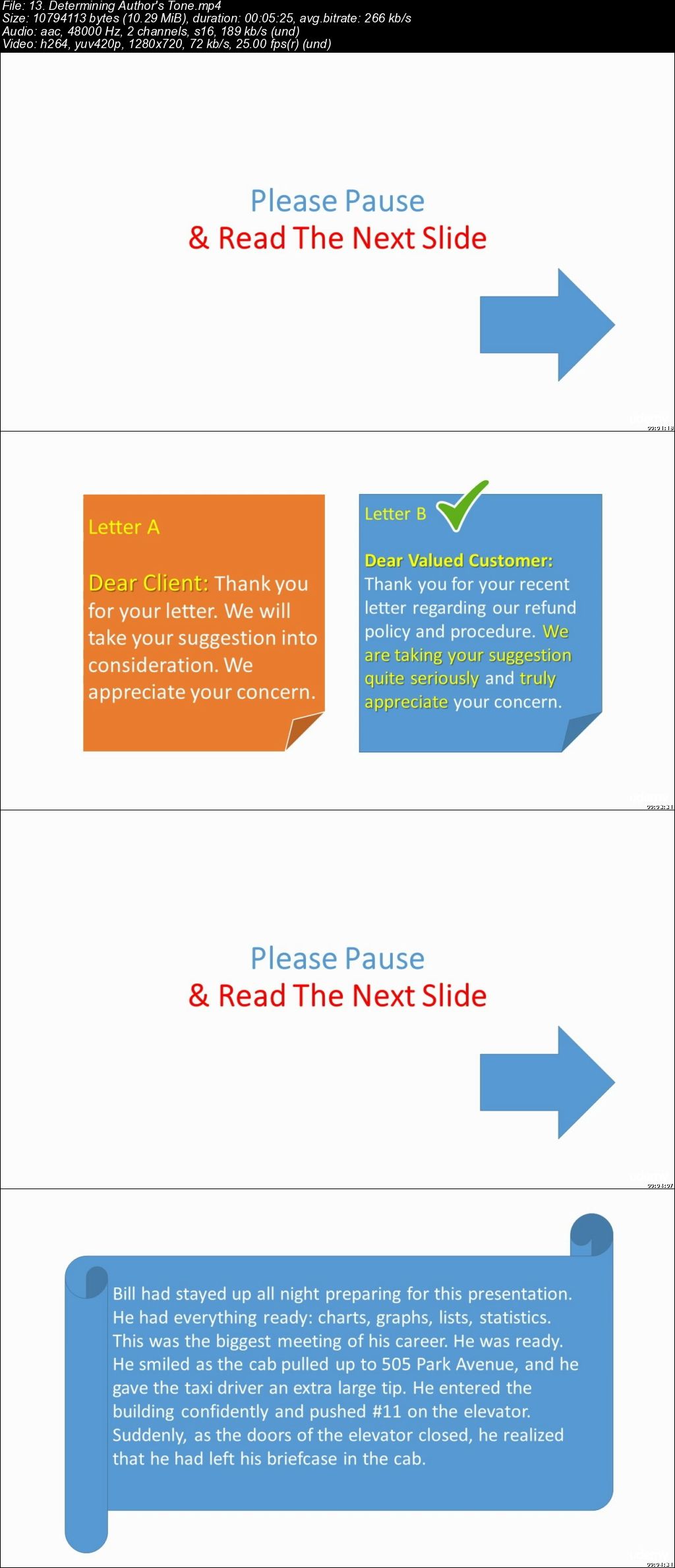
TEST PREP: Fundamentals of Reading Comprehension

00658765.jpg


TEST PREP: Fundamentals of Reading Comprehension
.MP4 | Video: 1280x720, 30 fps(r) | Audio: AAC, 48000 Hz, 2ch | 133 MB
Duration: 1 hours | Genre: eLearning Video | Language: English

Become an Active Reader & Master Your Reading Comprehension Skills


What you'll learn

Identifying the main idea
Identifying common structures
Engaging in the passage
Understanding the Basics of Reading
Determining Author's Tone
Defining Cause & Effect and More.

Requirements

Desire to improve your reading performance in class, in exam, in life!

Description

When reading a passage, do you notice one of the following?:

It takes me so long to read something.
I didn't really get what that book/passage was about.
I'm not sure what the most important parts of the book/passage were.

If you've answered "YES" to any of the three, then you're in the right place.

Starting Today You Can Separate Yourself from Unskilled Passive Reader and Become Active Reader!

Readers who have strong comprehension are able to draw conclusions about what they read - what is important, what is a fact, what caused an event to happen, which characters are vital. Thus comprehension involves combining reading with thinking and reasoning.

Having strong reading comprehension skills is necessary for passing academic achievement tests as well as standardized tests such as the SAT, ACT, GRE, GMAT or IELTS and TOEFL.

By "learning to read" you will also develop the habit of "interacting" with the text and monitor your own understanding of a passage. Students who are good at monitoring their comprehension know when they understand what they read and when they do not. They have strategies to "fix" problems in their understanding as the problems arise.

Reading comprehension skills will increase the pleasure and effectiveness of reading, and help in all the other subjects and in the personal and professional lives.

To improve your reading performance in class, in exam, in life SIGN UP with this course today!

Who this course is for:

Undergrad & Postgrad Students Preparing for the SAT, ACT, GRE, GMAT, IELTS, TOEFL

00658768.jpg


...
 
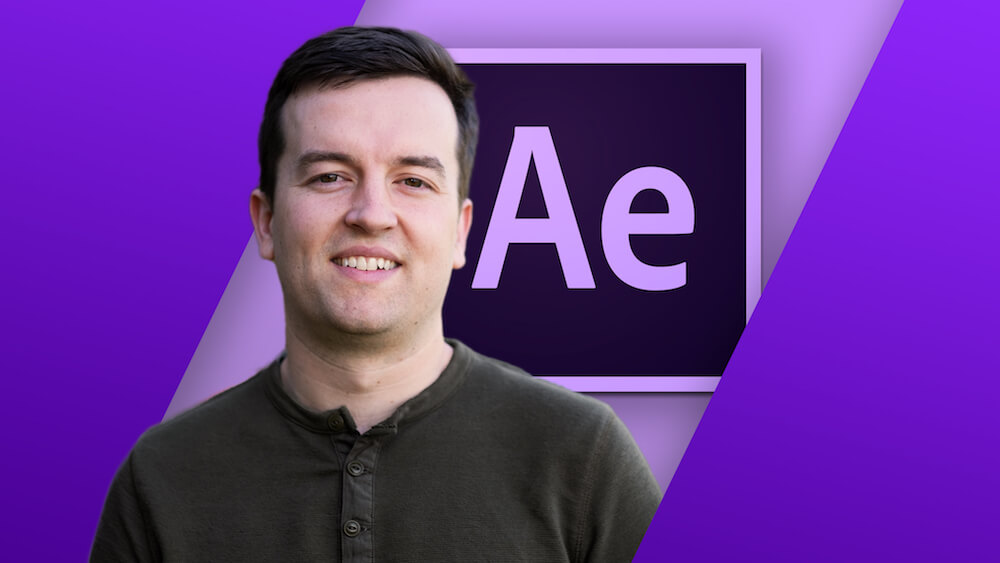
After Effects CC Masterclass: Beginner to Advanced

after-effects-cc-course-image.jpg


After Effects CC Masterclass: Beginner to Advanced
Duration: 22.5 hours | Video: h264, 1280x720 | Audio: AAC, 48 KHz, 2 Ch | 12 GB
Genre: eLearning | Language: English + Sub | 208 Lectures

Learn After Effects CC to improve your videos with professional motion graphics and visual effects.

What you'll learn
Includes CC 2019 Updates!
You will know how to use After Effects to make your videos better than ever
You will be comfortable using After Effects - even if you're a beginner
Know how to create a video project from start to finish in After Effects
Create professional motion graphics that improve your videos
Add creative visual effects to your video projects
Export high quality videos from After Effects and know how to use it with Premiere Pro efficiently
You will have the full support of an instructor who loves teaching

Requirements
You should have Adobe After Effects installed so you can follow along with the course lessons. We'll be using the Creative Cloud version of After Effects, but you can do many of the lessons in a previous version if you don't have After Effects CC.
You DO NOT need any experience with After Effects. This course is for beginners and assumes you don't have any experience with the program.

Description
Master After Effects with the easiest-to-follow course on Udemy!

"I went into this not knowing basically anything and came away with tons of knowledge!"
- Louis Matarazzo, Phil's After Effects student

Join this Adobe After Effects CC course to have fun while learning quickly!

If you are looking to make your videos better, adding motion graphics and visual effects is the way to do that. After Effects CC is used by professionals across the world for every type of production from business & marketing videos, music videos to documentaries, feature films. This full course is the best way to jump right in and start making your own videos come to life.

Make videos the way you imagine them!

Practice while you learn. This course includes practice files so you can follow along and actually learn by doing.

By the end of the course, you'll have finished dozens of real world projects to build your confidence.

I'll be teaching the course using the Creative Cloud version, but if you have a previous version (CS6, CS5, etc - Mac or PC), you can still learn with this course.

What makes me qualified to teach you?

My name is Phil and I'm a professional motion graphics artist and video creator. Plus, I'm the creator of some of the world's most popular After Effects courses - with over 400,000 students and thousands of 5-star reviews like these:

Phil Ebiner's "The Complete Guide to After Effects," is a wonderful and comprehensive course to dive into this Program, and get started with creating our own animations.
- Cavett Robert

Very comprehensive, easy to follow course.

- Dragan Vukicevic

Phil is a g a great instructor who is always willing to help. The way he lays out the course is simple and easy to understand.
-Patrick Gilmour

My Promise to You

I'll be here for you every step of the way. If you have any questions about the course content or anything related to this topic, you can always post a question in the course or send me a direct message.

I want to make this the best course on how use Adobe After Effects. So if there is any way I can improve this course, just tell me and I'll make it happen.

What's this course all about?

Get ready to create motion graphics that will improve your video quality. If you've always wanted to learn how to use video effects and create custom motion graphics, you can learn After Effects CC right now.

Practice lessons will get you motivated and moving to your goals.

The lessons are meant to teach you how to think like a motion graphics/video effects artist. After Effects is a robust tool that is capable of creating almost any video effect out there. You'll learn all of the basics, intermediate, and some advanced techniques, from working with shapes, text, and textures to video effects, transitions, and 3d camera.

Here is a glimpse of what we'll be covering:

Getting comfortable with After Effects CC

Starting a new composition

Using the basic tools

Working in the After Effects CC timeline

Adding shape and text layers

Animating position, scale, rotation, and opacity

Working with shape layers and masks

Real world projects such as lower thirds and bumpers

Motion graphics principles and best practices

Using video effects and presets to speed up workflow

Green screen and chromakey removal

Visual effects and rotoscoping

Motion tracking and video stabilization

Creating unique transitions

Exporting your projects

and so much more!

Knowing After Effects CC is a great skill to have that is in demand and highly marketable. I've landed many jobs with the skills that I teach you in this course.

With our 30-day 100% money back guarantee, there is nothing holding you back from jumping in right now and trying the course out.

Go ahead and click the enroll button, and I'll see you in lesson 1!

Cheers,

Phil

Who this course is for:
Anyone looking to use After Effects to improve their videos
Videographers, video producers, video editors
Motion graphics artists and graphic designers
YouTubers and vloggers
Businesses that use video as part of their marketing strategy

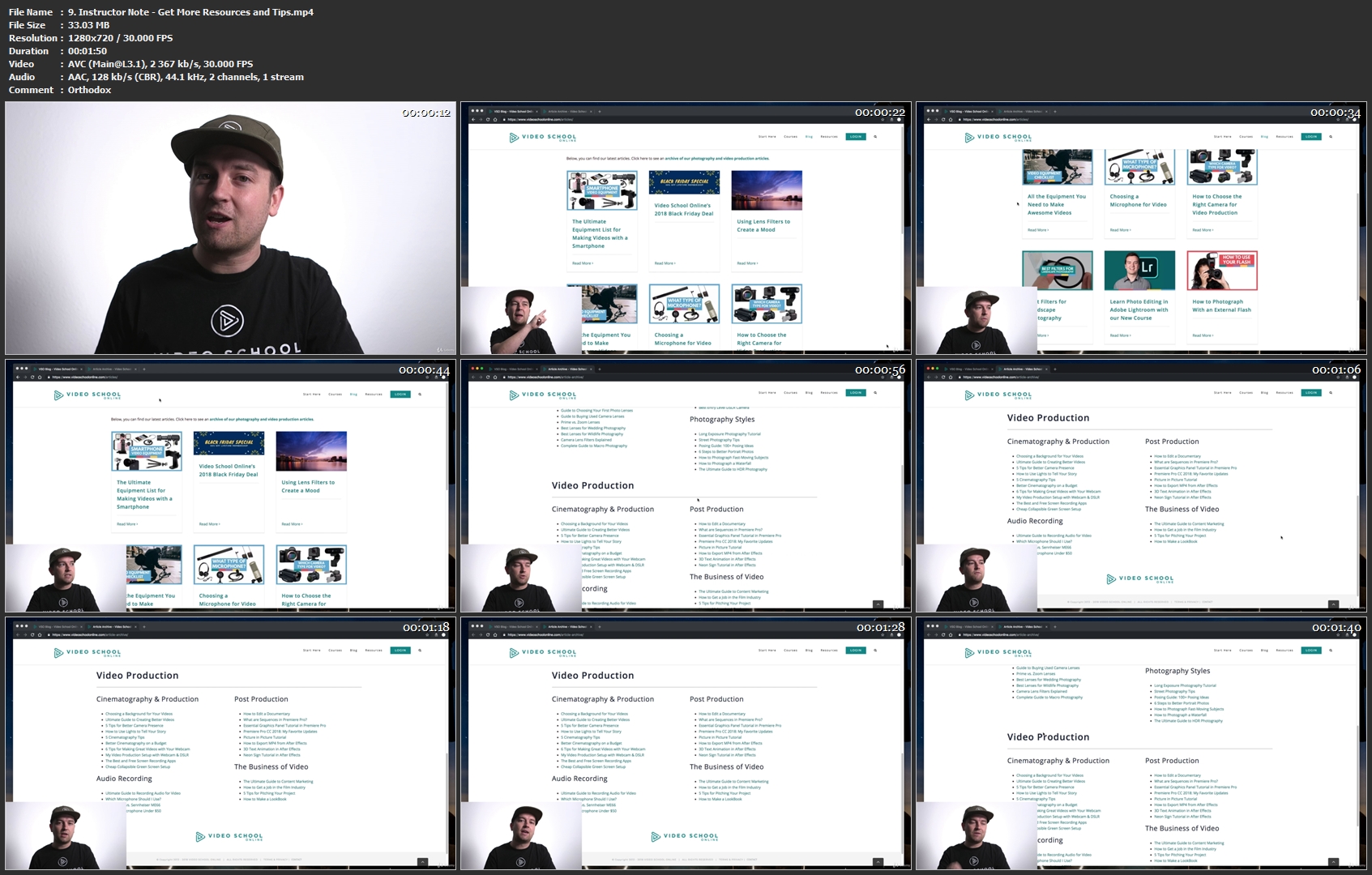
9-Instructor-Note-Get-More-Resources-and-Tips-mp4.jpg


...
 
Windows Server 2019: High Availability

00657af4.jpg


Windows Server 2019: High Availability
MP4 | Video: AVC 1280x720 | Audio: AAC 44KHz 2ch | Duration: 2 Hours | 268 MB
Genre: eLearning | Language: English

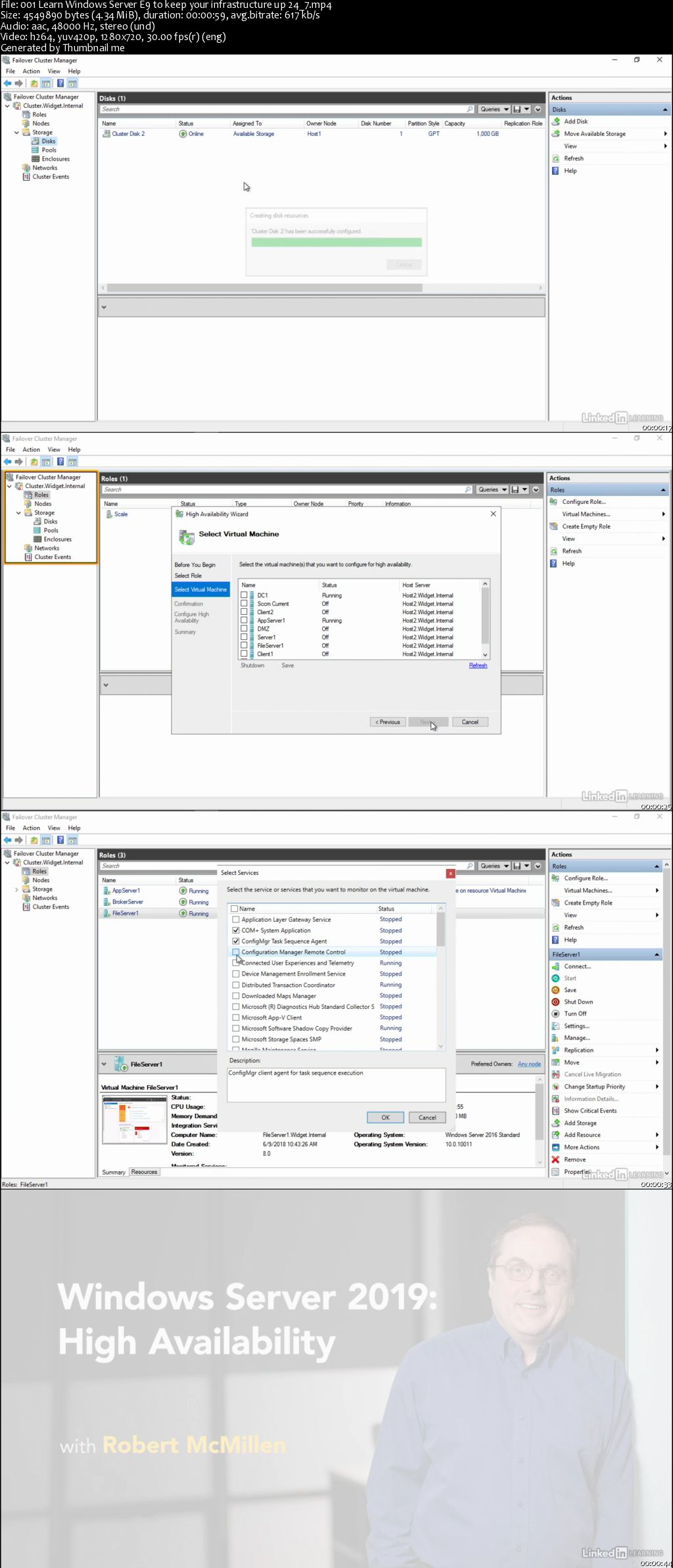
We want our systems to be 100% operational, 24/7. So, in today's complex and high-traffic environments, it's important to reduce points of failure, add smart redundancy, and use high-availability tools-like virtualization and failover clustering offered in Windows Server 2019-to keep systems performing at a high level. In this course, instructor Robert McMillen teaches high-availability techniques in Windows Server 2019. He covers failover clustering, clustering for virtual machines, and management of Windows cluster roles. By the end of the course, you'll be able to create a more reliable, scalable network for your end users, with a minimal amount of downtime.

00657afd.jpg


...
 
macOS Quick Tips

00657aee.jpg


macOS Quick Tips
MP4 | Video: AVC 1280x720 | Audio: AAC 44KHz 2ch | Duration: 36M | 144 MB
Genre: eLearning | Language: English

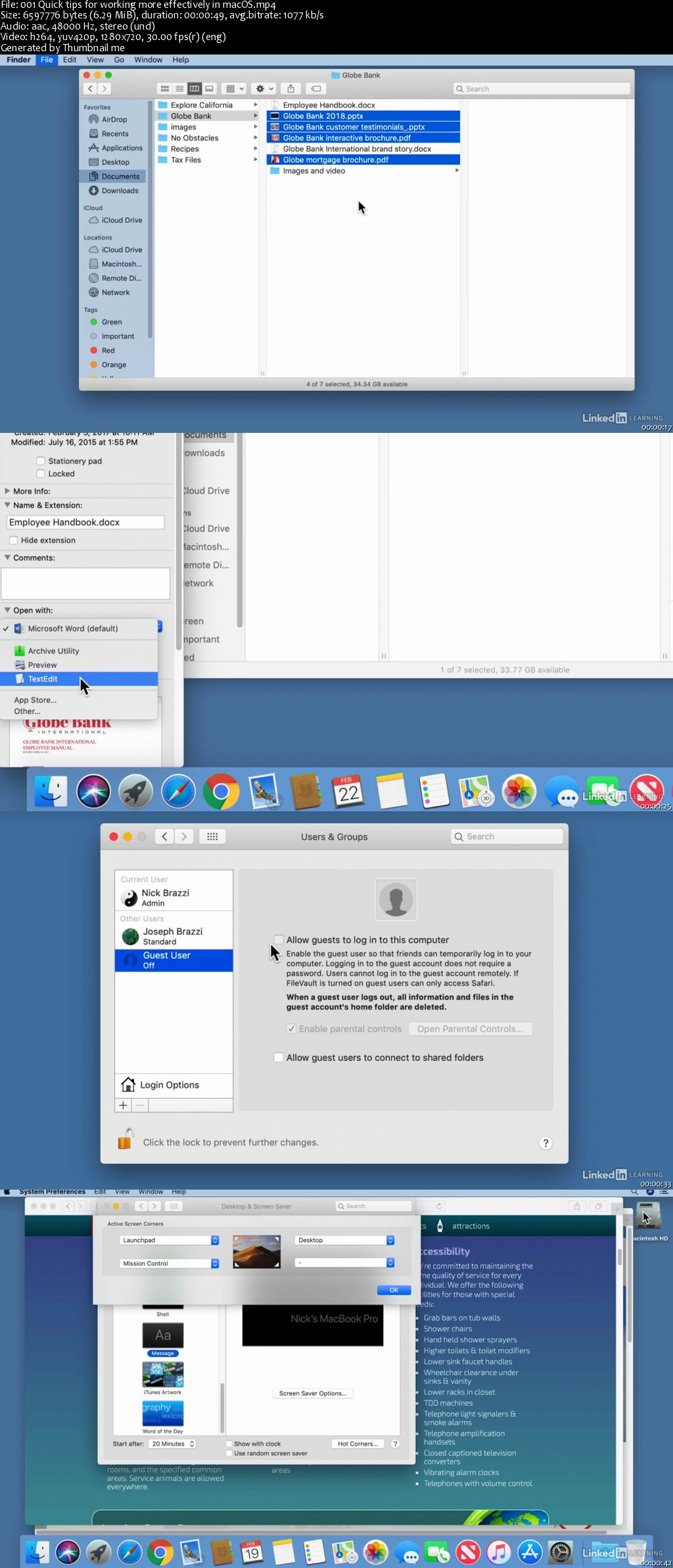
If you're a Mac user, you can take advantage of a lot of hidden tools and customization options. In this course, get bite-sized tips that can help you work more efficiently with this powerful desktop operating system from Apple. Each stand-alone video is about a minute in length, so you can quickly bolster your macOS know-how whenever you have a spare moment. Nick Brazzi shares tricks for customizing the interface, including how to change the size and position of the dock, zoom to enlarge part of the screen, and change the size and speed of your mouse cursor. Plus, get tips for managing files, setting default applications, choosing whether apps reopen after restart, and more. While Nick uses macOS Mojave throughout the course, nearly all of his tips apply to other macOS versions as well.

00657aed.jpg


...
 
Following Up after a Sales Meeting

00657ae7.jpg


Following Up after a Sales Meeting
MP4 | Video: AVC 1280x720 | Audio: AAC 44KHz 2ch | Duration: 47M | 338 MB
Genre: eLearning | Language: English

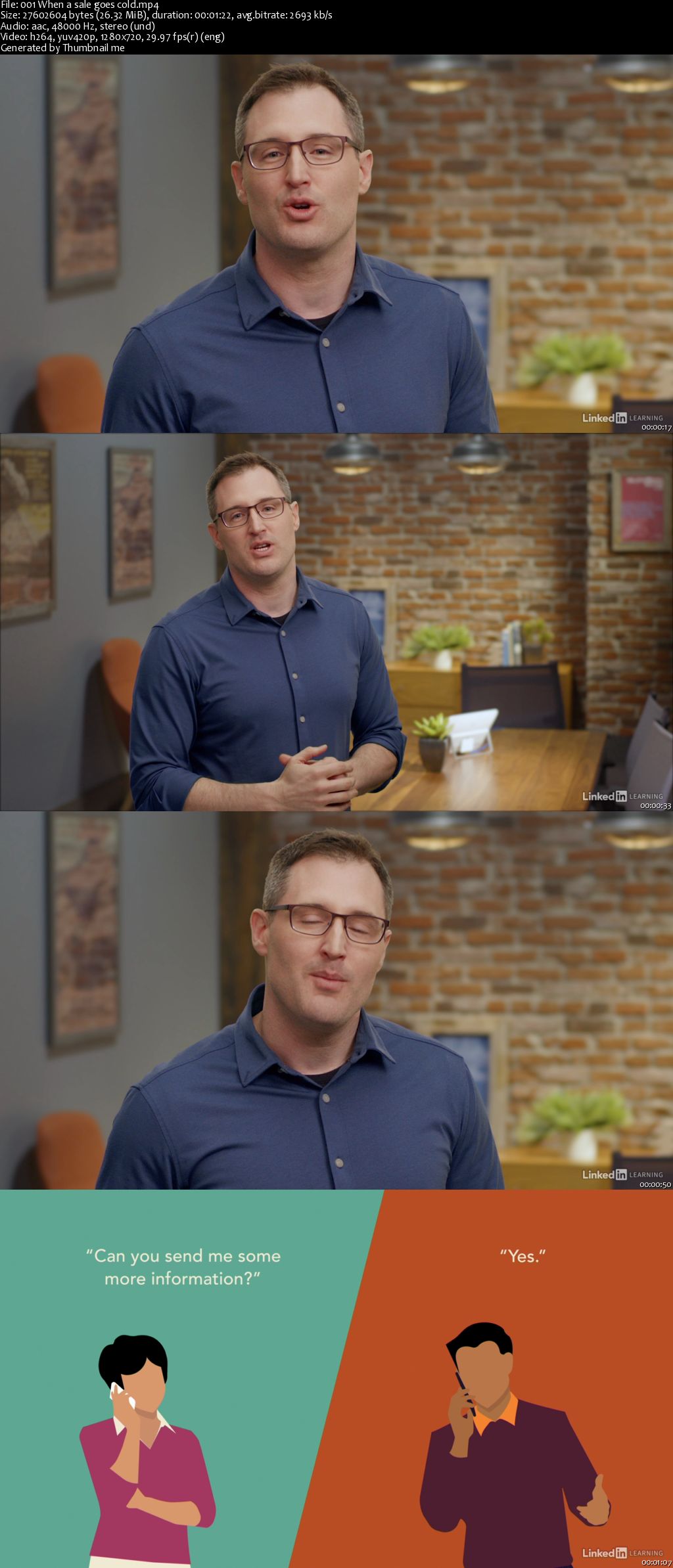
When it comes to closing deals, stellar presentations aren't always enough to clinch a sale. Effectively following up with prospects after a sales meeting is critical-and failing to do so can cause a once-promising deal to go cold. In this course, Steve Benson, a top sales coach and expert, shares practical strategies for following up with prospects in a way that keeps the momentum of a great sales meeting going. Learn the ingredients for a powerful follow-up; how to tackle common objections such as "I'll think about it"; and how to evade common pitfalls, including which phrases to avoid in your follow-up email or calls.

00657ae9.jpg


...
 
Design Software Training Bundle (Updated)

306458-8c94-23.jpg


Design Software Training Bundle (Updated 4/2019)
$20 | Created by Ishay Frenkel | Last Updated 4/2019
Duration: 5 hours | Video: h264, 1280x720 | Audio: AAC, 48 KHz, 2 Ch | 1.8 GB
Genre: eLearning | Language: English + Sub | 52 Lectures

Learn different industry standard software related to design

What you'll learn
Learn Video Editing through Adobe CC Software
Learn Photo Editing through Adobe CC Software
Get introduced to different IT trades related to the design industry through bonus content
Learn Apple's editing software as well as ScreenFlow 5.0 and get introduced to some of the world's leading design software

Requirements
You will need Adobe's Creative Cloud Bundle for most of the course: Make sure that the Creative Bundle offers the same software year being taught in these lectures, (if not find old versions of the software on amazon)
Get all the other softwares in this course

Description
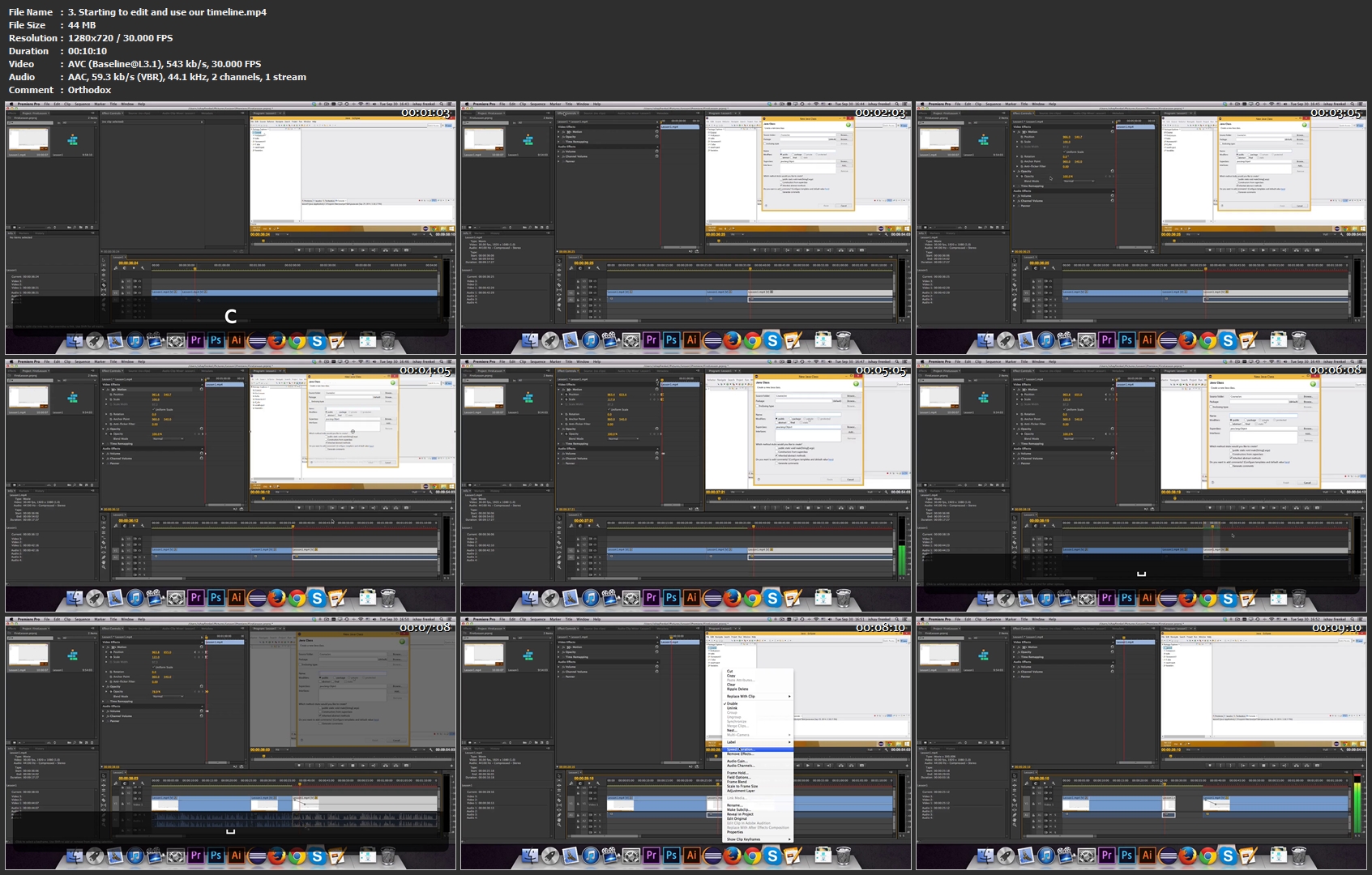
This is the ultimate software survival course. This includes an introduction to video editing, java programming, Photo Editing, as well as an idea of hobby electronics. The course is your comprehensive guide to learning about these different trades in the IT and software industry as well as learning skills that you can use to start a development company, start a startup, or even become a learning student depending on your level of knowledge. Get this course today and take one introductory step towards your future.

Who this course is for:
Students looking to learn a new trade
Programmers, Engineers, Video Editors, and Hobbyist
Designers, Startup Gurus, Film Students, Motion Graphics Pros, and Freelancers

3-Starting-to-edit-and-use-our-timeline-mp4.jpg


...
 
Info Marketing Classroom - Kindle and Beyond

00657dea.jpg


Info Marketing Classroom - Kindle and Beyond
MP4 | Video: AVC 1280x720 | Audio: AAC 44KHz 2ch | Duration: 7.5 Hours | Lec: 46 | 438 MB
Genre: eLearning | Language: English

Learn how to Create and Outsource Info Marketing Products - Kindle and Beyond

Time to Dominate Kindle

And

Create Killer Profitable Info Products!

Everybody knows that for some time now, Kindle isn't just another way to promote your products and make a few bucks as an affiliate! It's a money making machine, and if you use it right, you can generate a nice passive income with it!

Kindle lets you live the life that you always dreamed of and know the success you always wanted, if you know how to use it to its full potential.

Do you have a book?
Do you have an idea for a book?
Do you want to generate a nice passive income?
Do you want to get rid of your day job?
Do you want more money?
Kindle is the solution!

But, the question is: How can you take advantage of Kindle and how can you make sure that what you're selling there will make you some nice passive money?

That's the million dollar question!

Enough wondering! Enough questions! Here is the solution:

Info Marketing Classroom

00657dec.jpg


...
 
App Store Optimization 2016 White Hat and Black Hat Methods

00657df1.jpg


App Store Optimization 2016 White Hat and Black Hat Methods
MP4 | Video: AVC 1280x720 | Audio: AAC 44KHz 2ch | Duration: 3 Hours | Lec: 19 | 559 MB
Genre: eLearning | Language: English

Learn exactly how I used App Store Optimization (ASO) to get great downloads on Apple Store , best ASO Beginners Course

Bonus: Every Full Price Buyer of Our Course Can Send Message + Print Screen and Earn 30 min ASO training with one of our managers

Are you trying to make downloads, but can't while other people you know were able to make it?
Do you want to increase downloads for your app?
Do you want to learn the basics of ASO from one of the famous ASO teachers?
With more than 1.2 million apps in the App store, you have heard about App Store Optimization (ASO), and you know that you should market your app but don't know where to start?

Then this course is for you!


My name is Tolik - AskTolik CEO . I'm an app developer, marketer and entrepreneur based in Israel . I published my first iPhone app in the store in 2013 , and from then published more than 1000 apps and sell most of them already. This is the first course from the 10 courses that I am going to publish regarding important matters that you must to know about app business to achieve 100% success.

In this course, I am going to teach you step by step on how to make good ASO for your app , even if you are only a beginner. This is the right place to start learning.


What am I going to get from this course?

Over 20 lectures and 3 hours of content!
Learn how to get more downloads for your iOS apps in AppStore
Learn step by step on how to RESEARCH using simple tools that are mostly free and can be used daily.
I will teach you new ideas about ASO, not only about looking on your keywords and title
Learn how to rank your app using multiple keywords that people are looking for on Apple store
I will reveal the four simple steps of App Store Optimization method to analyze and evaluate keywords and find your MAIN KEYWORD for your app.
Learn what makes a good APP ICON and how this can affect your downloads.
SAFE ways to get reviews to your app and skyrocket your downloads.
Tips on how to improve your app visibility in the store in simple ways
It tells you what people are looking for, and is great to use to find new niches for reskinning apps.

00657df2.jpg


...
 
Learn Coding from the Scratch

00657dfb.jpg


Learn Coding from the Scratch
MP4 | Video: AVC 1280x720 | Audio: AAC 44KHz 2ch | Duration: 8 Hours | Lec: 32 | 258 MB
Genre: eLearning | Language: English

Learn how to program your own app. You've always wanted to learn how to build software or code a script out of the box.

The course is about learning to program.

The complete course is structured in 32 lectures (in 5 sections) which are tutorials as lectures to guide you with examples and tasks. You need about 30 days or a month to complete all 5 sections overall!

All lectures (tutorials) do have about 335 pages.

An easy to use open source compiler for coding and testing your examples / tasks is included with help files and support you through the course.

Imagine you are a programmer like Blix above. Our goal is to make him look cute nerdy, he looks very busy working with his dual monitor setup and his pile of books. I hope you guys love The Programmer as our guide as much as we do. You've always wanted to learn how to build software (or just whip up an occasional script) but never knew where to start. Today you do that first step.

00657dfe.jpg


...
 
Georgy Chernyadyev Post Processing Video 59

00657df9.jpg


Georgy Chernyadyev Post Processing Video 59
MP4 | Video: AVC 1280x720 | Audio: AAC 44KHz 2ch | Duration: 35M | 541 MB
Genre: eLearning | Language: English

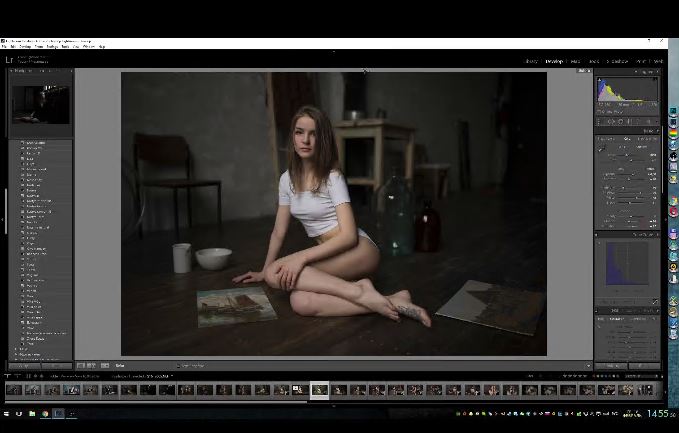
Georgy Chernyadyev is a talented self-taught photographer, retoucher and educator. In this video He edits in photoshop and show you how to create a stunning image.

00657dfa.jpg


...
 
Zurück
Oben Unten