• Regeln für den Video-Bereich:

    In den Börsenbereich gehören nur Angebote die bereits den Allgemeinen Regeln entsprechen.

    Einteilung

    - Folgende Formate gehören in die angegeben Bereiche:
    - Filme: Encodierte Filme von BluRay, DVD, R5, TV, Screener sowie Telesyncs im Format DivX, XviD und x264.
    - DVD: Filme im Format DVD5, DVD9 und HD2DVD.
    - HD: Encodierte Filme mit der Auflösung 720p oder darüber von BluRay, DVD, R5, TV, Screener sowie Telesyncs im Format x264.
    - 3D: Encodierte Filme von BluRay, die in einem 3D Format vorliegen. Dies gilt auch für Dokus, Animation usw.
    - Serien: Cartoon/Zeichentrick, Anime, Tutorials, Dokumentationen, Konzerte/Musik, Sonstiges sind demnach in die entsprechenden Bereiche einzuordnen, auch wenn sie beispielsweise im High Definition-Format oder als DVD5/DVD9/HD2DVD vorliegen. Ausnahme 3D.
    - Bereich Englisch: Englische Releases gehören immer in diesen Bereich.
    - Bereich Talk: Der Bereich, in dem über die Releases diskutiert werden kann, darf, soll und erwünscht ist.


    Angebot/Beitrag erstellen

    - Ein Beitrag darf erst dann erstellt werden, wenn der Upload bei mindestens einem OCH komplett ist. Platzhalter sind untersagt.
    - Bei einem Scenerelease hat der Threadtitel ausschließlich aus dem originalen, unveränderten Releasenamen zu bestehen. Es dürfen keine Veränderungen wie z.B. Sterne, kleine Buchstaben o.ä. vorgenommen werden. Ausnahme Serienbörse:
    - Bei einem Sammelthread für eine Staffel entfällt aus dem Releasename natürlich der Name der Folge. Beispiel: Die Simpsons S21 German DVDRip XviD - ITG
    - Dementsprechend sind also u.a. verboten: Erweiterungen wie "Tipp", "empfehlenswert", "only", "reup", usw. / jegliche andere Zusatzinformation oder Ergänzung, welche nicht in obiger Beschreibung zu finden ist.

    Aufbau des Angebots und Threadtitel

    Der Titel nach folgendem Muster erstellt zu werden. <Name> [3D] [Staffel] [German] <Jahr> <Tonspur> [DL] [Auflösung] <Quelle> <Codec> - <Group>
    Beispiel: The Dark Knight German 2008 AC3 DVDRip XviD - iND
    Beispiel: The Dark Knight 2008 DTS DL BDRip x264 - iND
    Beispiel: The Dark Knight 2008 AC3 DL BDRip XviD - iND
    Beispiel: The Dark Knight German 2008 AC3 720p BluRay x264 iND
    Beispiel: The Dark Knight 2008 DTS DL 1080p BluRay x264 iND
    Beispiel: Die Simpsons S01 German AC3 DVDRip XviD iND
    Beispiel: Die Simpsons S20 German AC3 720p BluRay x264 iND
    Beispiel: Sword Art Online II Ger Sub 2014 AAC 1080p WEBRip x264 - peppermint
    Entsprechend sind also u.a. verboten: Sonderzeichen wie Klammern, Sterne, Ausrufezeichen, Unterstriche, Anführungszeichen / Erweiterungen wie "Tipp", "empfehlenswert", "only", "reup", usw. / jegliche andere Zusatzinformation oder Ergänzung, welche nicht in obiger Beschreibung zu finden ist
    Ausnahmen hiervon können in den Bereichen geregelt sein.

    Die Beiträge sollen wie folgt aufgebaut werden:
    Überschrift entspricht dem Threadtitel
    Cover
    kurze Inhaltsbeschreibung
    Format, Größe, Dauer sind gut lesbar für Downloader außerhalb des Spoilers zu vermerken
    Nfo sind immer Anzugeben und selbige immer im Spoiler in Textform.
    Sind keine Nfo vorhanden z.B. Eigenpublikationen, sind im Spoiler folgende Dateiinformationen zusätzlich anzugeben :
    Quelle
    Video (Auflösung und Bitrate)
    Ton (Sprache, Format und Bitrate der einzelnen Spuren)
    Untertitel (sofern vorhanden)
    Hosterangabe in Textform außerhalb eines Spoiler mit allen enthaltenen Hostern.
    Bei SD kann auf diese zusätzlichen Dateiinformationen verzichtet werden.

    Alle benötigten Passwörter sind, sofern vorhanden, in Textform im Angebot anzugeben.
    Spoiler im Spoiler mit Kommentaren :"Schon Bedankt?" sind unerwünscht.


    Releases

    - Sind Retail-Release verfügbar, sind alle anderen Variationen untersagt. Ausnahmen: Alle deutschen Retail-Release sind CUT, in diesem Fall sind dubbed UNCUT-Release zulässig.
    - Im Serien-Bereich gilt speziell: Wenn ein Retail vor Abschluss einer laufenden Staffel erscheint, darf diese Staffel noch zu Ende gebracht werden.62
    - Gleiche Releases sind unbedingt zusammenzufassen. Das bedeutet, es ist zwingend erforderlich, vor dem Erstellen eines Themas per Suchfunktion zu überprüfen, ob bereits ein Beitrag mit demselben Release besteht. Ist dies der Fall, ist der bereits vorhandene Beitrag zu verwenden.
    - P2P und Scene Releases dürfen nicht verändert oder gar unter einem iND Tag eingestellt werden.


    Support, Diskussionen und Suche

    - Supportanfragen sind entweder per PN oder im Bereich Talk zu stellen.
    - Diskussionen und Bewertungen sind im Talk Bereich zu führen. Fragen an die Uploader haben ausschließlich via PN zu erfolgen, und sind in den Angeboten untersagt.
    - Anfragen zu Upload-Wünschen sind nur im Bereich Suche Video erlaubt. Antworten dürfen nur auf Angebote von MyBoerse.bz verlinkt werden.


    Verbote

    - Untersagt sind mehrere Formate in einem einzigen Angebotsthread, wie beispielsweise das gleichzeitige Anbieten von DivX/XviD, 720p und 1080p in einem Thread. Pro Format, Release und Auflösung ist ein eigener Thread zu eröffnen.
    - Grundsätzlich ebenso verboten sind Dupes. Uploader haben sich an geeigneter Stelle darüber zu informieren, ob es sich bei einem Release um ein Dupe handelt.
    - Gefakte, nur teilweise lauffähige oder unvollständige Angebote sind untersagt. Dies gilt auch für eigene Publikationen, die augenscheinlich nicht selbst von z.B. einer DVD gerippt wurden. Laufende Serien, bei denen noch nicht alle Folgen verfügbar sind, dürfen erstellt und regelmäßig geupdatet werden.
    - Untersagt sind Angebote, welche nur und ausschließlich in einer anderen Sprache als deutsch oder englisch vorliegen. Ausnahmen sind VORHER mit den Moderatoren zu klären.


    Verstoß gegen die Regeln

    - Angebote oder Beiträge, die gegen die Forenregeln verstoßen, sind über den "Melden"-Button im Beitrag zu melden.
  • Bitte registriere dich zunächst um Beiträge zu verfassen und externe Links aufzurufen.

*** Bestes IPTV *** bester Preis *** gratis Test ***


Englische Tutorials

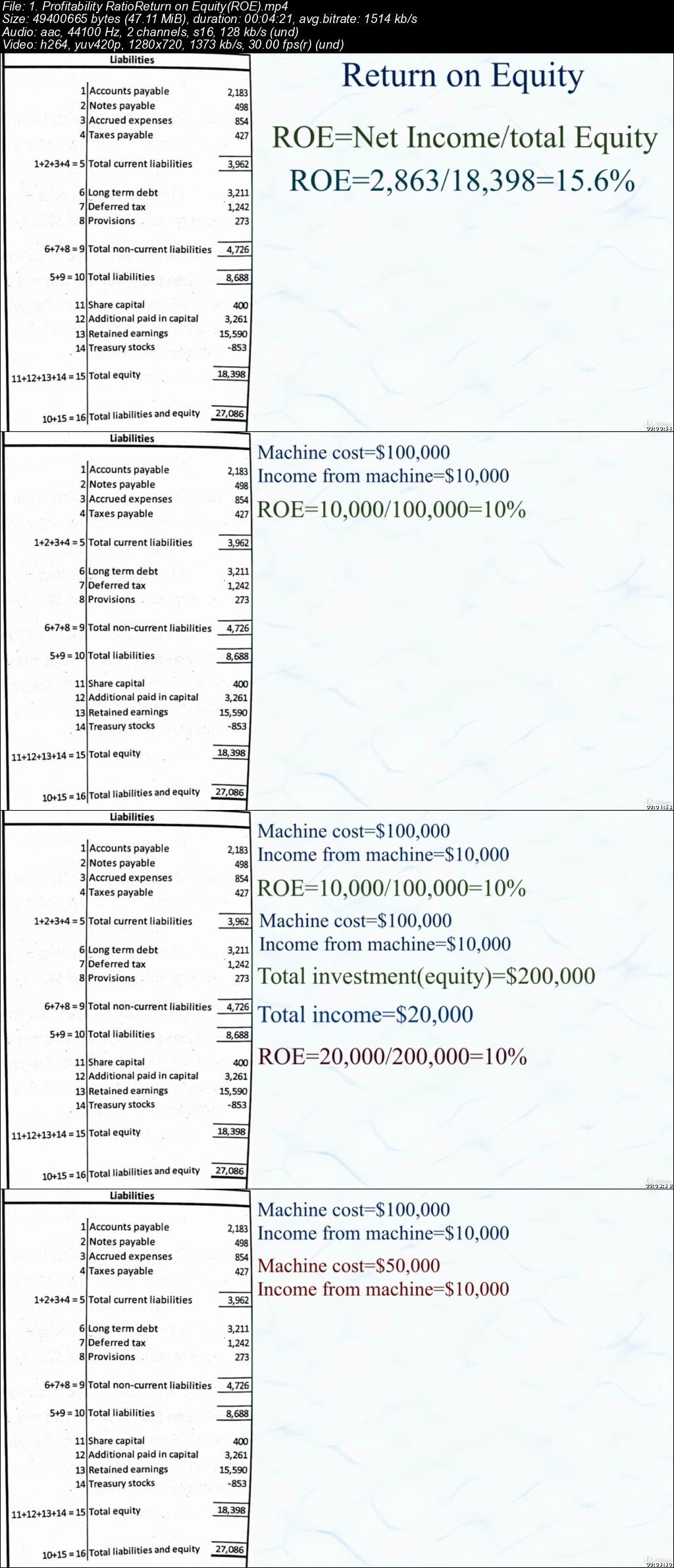
Complete analysis of Financial Statements and Key Ratios

006471d6.jpg


Complete analysis of Financial Statements and Key Ratios
.MP4 | Video: 1280x720, 30 fps(r) | Audio: AAC, 44100 Hz, 2ch | 1.41 GB
Duration: 2.5 hours | Genre: eLearning Video | Language: English

How to Perform Financial Statement Analysis & Financial Ratio Analysis to Find The Winning Stocks


What you'll learn

How to analyse Financial Statements and learning the Key ratios to compare stocks of various companies and finally picking the WINNING STOCK !

Requirements

Strong desire to get rich and retire early
Don't skip any lessons(each lesson is important to finally understand the big picture)
Passion and enthusiasm to learn and grow
No prior accounting knowledge is necessary

Description

It is time to put an end to the confusion and buzz around the Financial Statements of companies and learn in simple language what they truly convey.You'll be surprised how easy READING AND ANALYSING the finances can be ! and finally the True path to enormous wealth is through INVESTMENTS ! NOW you can find the winning picks !

In this course you'll learn :

Learn How to Understand a Company's Performance and Find Out If It's a Good Investment or Not
Learn How to Interpret The Result of The Ratio Analysis Calculation
Learn Where to Locate The Data in The Financial Statements
Learn How to Assess a Company's Operating Profitability
Learn How to Assess a Company's Operating Efficiency
Learn How to Assess a Company's Short-term Debt Repayment Capacity
Learn How to Assess a Company's Long-term Debt Repayment Capacity
Learn How to Assess a Company's Investment Value
Learn How to Assess a Company's Cash Flows

And Much more !

Who this course is for:

Anyone who is interested to up their valuation skills and beat the stock market !
006471d7.jpg


...
 
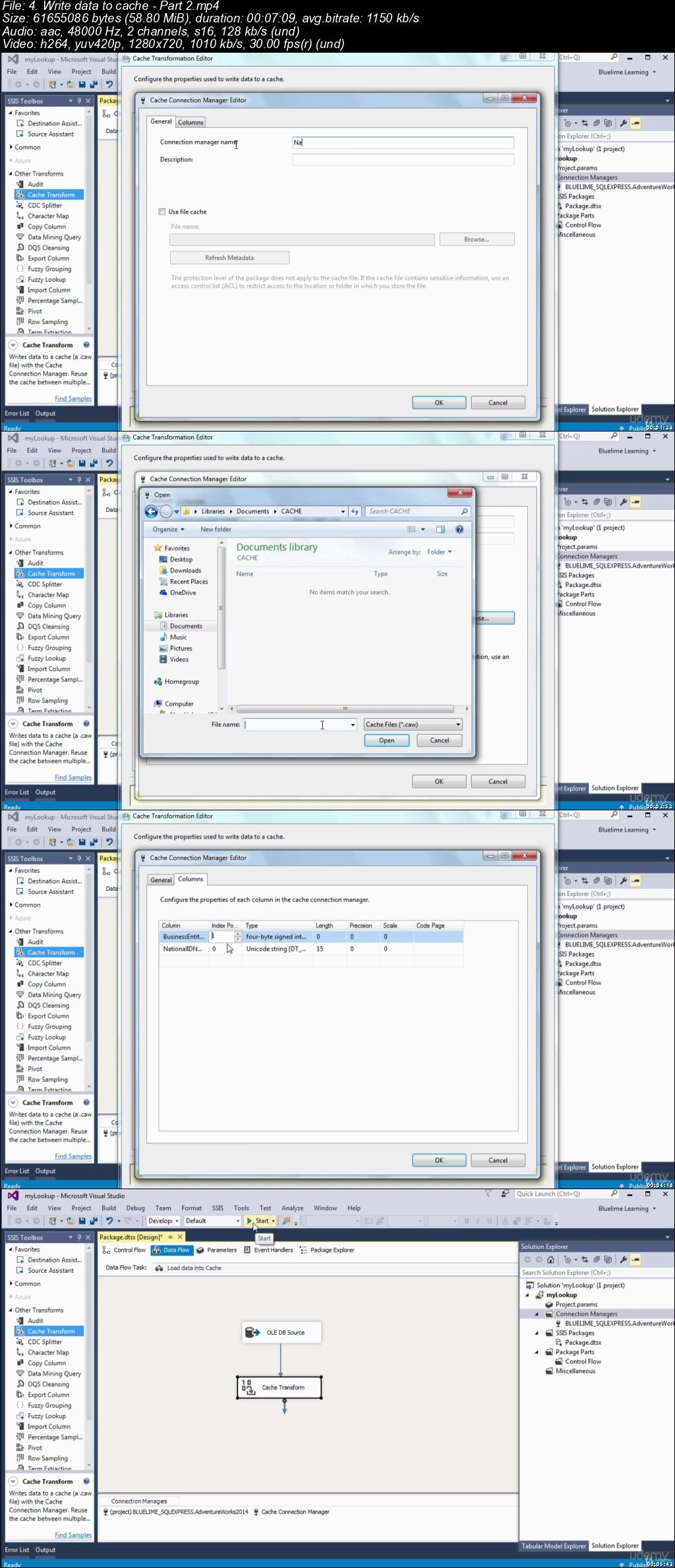
SSIS : Create a basic package and implement a lookup logic

006471e9.jpg


SSIS : Create a basic package and implement a lookup logic
.MP4 | Video: 1280x720, 30 fps(r) | Audio: AAC, 48000 Hz, 2ch | 861 MB
Duration: 2 hours | Genre: eLearning Video | Language: English

Learn to create a new SSIS Package with data flow and lookup


What you'll learn

Install Visual Studio
Install SQL Server
Install SQL Server Data Tools -SSDT
Download and attach sample database
Create a new SSIS Package
Perform a lookup on data
Reference data from OLE DB source.
Perform Lookup transformation.
Setup OLE DB connection manager
Write data to cache

Requirements

Basic knowledge of Databases
Basic knowledge of RDBMS eg Microsoft SQL Server
Exposure to visual studio
Basic SQL knowledge

Description

SSIS allows you to perform a lookup on data in the course of a task, using referenced data from any OLE DB source. It is a useful feature that enables you to check on the validity of data, or interpret it before proceeding.

There might be times when developing a SQL Server Integration Services (SSIS) package that you want to perform a lookup in order to supplement or validate the data in your data flow. A lookup lets you access data related to your current dataset without having to create a special structure to support that access.

To facilitate the ability to perform lookups, SSIS includes the Lookup transformation, which provides the mechanism necessary to access and retrieve data from a secondary dataset. The transformation works by joining the primary dataset (the input data) to the secondary dataset (the referenced data). SSIS attempts to perform an equi-join based on one or more matching columns in the input and referenced datasets, just like you would join two tables in in a SQL Server database.

Because SSIS uses an equi-join, each row of the input dataset must match at least one row in the referenced dataset. The rows are considered matching if the values in the joined columns are equal. By default, if an input row cannot be joined to a referenced row, the Lookup transformation treats the row as an error. However, you can override the default behavior by configuring the transformation to instead redirect any rows without a match to a specific output. If an input row matches multiple rows in the referenced dataset, the transformation uses only the first row. The way in which the other rows are treated depends on how the transformation is configured.

The Lookup transformation lets you access a referenced dataset either through an OLE DB connection manager or through a Cache connection manager. The Cache connection manager accesses the dataset held in an in-memory cache store throughout the duration of the package execution. You can also persist the cache to a cache file (.caw) so it can be available to multiple packages or be deployed to several computers.

In this course we will create an SSIS package and implement a lookup logic to it.

Who this course is for:

Beginners to SSIS
Beginner data analyst
Beginner data scientist

006471ea.jpg


...
 
Anger Management: Understand and heal the deeper roots!

00647169.jpg


Anger Management: Understand and heal the deeper roots!
.MP4 | Video: 1280x720, 30 fps(r) | Audio: AAC, 48000 Hz, 2ch | 1.61 GB
Duration: 2 hours | Genre: eLearning Video | Language: English

How to dissolve and transform your old anger


What you'll learn

You learn a natural self-control
You free yourself from old emotional burden
You transform anger into positive energy
You release your full energy for the presence

Requirements

Courage to enter unknown territories
Curiosity to know more about yourself

Description

This is a course for people who tried many methods and techniques to control their anger but failed. This course teaches you how to set yourself free.

If you fight with anger then strong roots of this emotion grow in the past. Because you are not aware of the origin the anger strongly influences your presence. Discover the reasons for your anger. Then this negative feeling loses the grip over you.

This course has its origin in in 40 years of working with people (and dealing with my own hidden anger) It will help you to show your power in a more relaxed way.

Who this course is for:

People who tried many things and failed to handle their anger
People who feel tortured by their anger and rage
People who do not understand why they are so angry

0064716a.jpg


...
 
Effective Communication Skills

006471f2.jpg


Effective Communication Skills
.MP4 | Video: 1280x720, 30 fps(r) | Audio: AAC, 48000 Hz, 2ch | 2.39 GB
Duration: 2 hours | Genre: eLearning Video | Language: English

How to Communicate in a Manner that Gets Results


What you'll learn

By the end of this course, delegates will know:
How Communication works as a two way process
The various factors that make up face to face communication
What factors affect telephone communication
All there is to know about the factors making up written communication
How you need to know and have both listening and questioning skills
How to communicate effectively
How to overcome communication problems
How to get better outcomes from all of your communication

Requirements

All that is required is a PC or device with wi-fi access

Description

MODULE 1: How Communication Works

This module contains:

Influence or Persuade?

Identifying and Adjusting your Communication Style

Five Communication Styles

The 6 Cs of Communication

The Four-Step Cycle of Communication

The Dynamics of Communication

Communication is a Two-Way Street

MODULE 2: Face-to-Face Communication

This module contains:

First Impressions

Appearance

On the Front Foot: Being Positive

Using the Right Words

The Three Components of Communication

Body Language and Non-Verbal Messages

MODULE 3: Telephone Communication

This module contains:

Overcoming the Challenges of Telephone Communication

Improving Telephone Communication

Factors of Voice

Advantages of Telephone Communication

Disadvantages of Telephone Communication

MODULE 4: Written Communication

This module contains:

Quick Tips for Types of Messages

The Power of Words

Right First Time

Keep it Concise

Address your target

Keep it Simple

Your Three Stage Structure

MODULE 5: Questioning and Listening Skills

This module contains:

Verbal Signs of Active Listening

Non-Verbal Signs of Active Listening

Active Listening

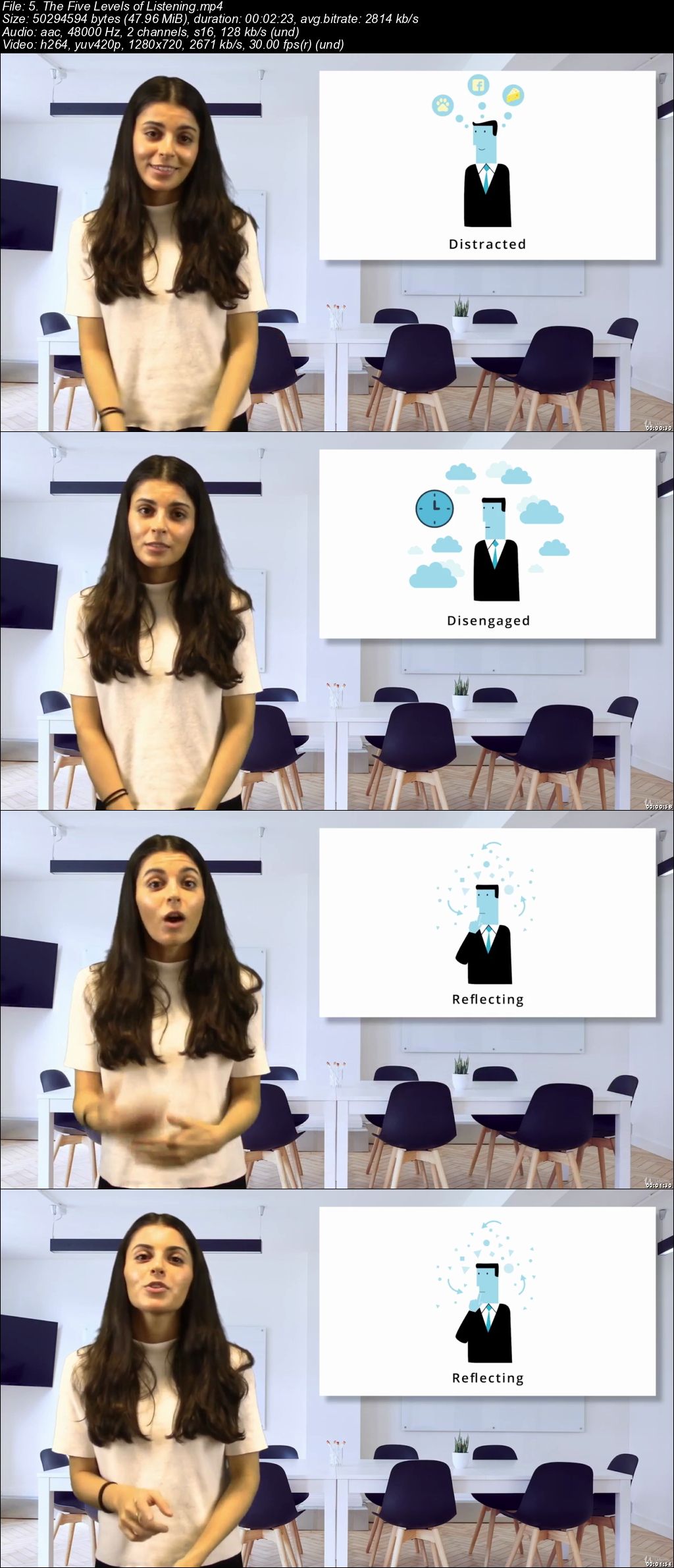
The Five Levels of Listening

How Asking Question Helps You

Open and Closed Questions

The Funnel

MODULE 6: How to be an Effective Communicator

This module contains:

Your Level of Understanding

Dismantling your Assumptions

Prejudices

Your Preconceptions: Stereotyping

Your History & Experiences

Asking for Feedback

How to Find Out What Others Think About You

Is your Self-Image Correct?

Getting your Self-Image Right

The Wheel of Communication

MODULE 7: Overcoming Communication Problems

This module contains:

Four Tips for Delivering Difficult Messages

Delivering Difficult Messages

Dealing With Conflict

Dealing With Opposition

Barriers to Communication

Why Communication Goes Wrong

MODULE 8: Getting Better Outcomes

This module contains:

Best Practices For Communicating Effectively

Timing: Whats Best For Them

The Effect of Location

Intimidation

Who this course is for:

Look at it the other way: bad communications create confusion. People have to guess what you want - and often guess wrong. If that upsets you, think of how they feel! We all need this course. It's the most popular course we deliver - and no wonder. By fixing problems with the way we communicate, we make our lives - and our relationships - run more smoothly. Everyone (including ourselves!) becomes more relaxed and things get done more efficiently. And the end results are usually a whole lot better too. If you think that a communication skills course won't make you happier, then you should give this one a try. This communication skills training course, like all our courses, has been developed over many years of classroom delivery. Content has been thoroughly researched and is constantly updated so it's always leading edge. It's delivered by professional presenters and is full of practical knowledge and solutions. Still wondering whether to do the course? Just think about this: how much would your life benefit if you had better communication skills?

006471f3.jpg


...
 
Minute Meditations for the Soul

oq-D913-Nl-Zv-FTIS8uq-Pfxjd-Tx-Zf-IREn-X2.jpg


Minute Meditations for the Soul
MP4 | Video: h264, 1280x720 | Audio: AAC, 44.1 KHz, 2 Ch
Genre: eLearning | Language: English + .VTT | Duration: 2 hour | Size: 2.10 GB

Sixty Seconds To Serenity
What you'll learn

You will be able to use meditation and mindfulness to lower your stress and increase your ability to focus on a task.

Requirements

No previous knowledge required.

Description

If you've had a desire to create a daily meditation practice or simply lower your stress, then this course is for you.Too busy to meditate? Intimidated by the whole idea of meditation?

Meditation doesn't have to be a lengthy practice. You can derive benefits in only one minute. This is because meditation teaches you to focus on one thing. Multi-tasking leads to stress. Focusing on one thing at a time is actually more efficient. Plus, meditation reduces stress and boosts your immune system.

In this course, there are 30 daily meditations, each lasting roughly minutes. Each day includes a Christian scripture to meditate on.

Try it for 30 days. Enjoy the peace.

Who this course is for:

This course is designed for anyone who wants to lower stress and has 3 minutes to spare.

G1-AZYo-ERe-Lk-KFv-JD1b-J8b-M3k-CBT1-Up3-A.jpg


...
 
Improving Self Awareness

NTUo18j-Ar-EBh-Q1s-CZg-UDQTFL7h8t-Tsf-H.jpg


Improving Self Awareness
MP4 | Video: AVC 1280x720 | Audio: AAC 48KHz 2ch | Duration: 1H 11M | 688 MB
Genre: eLearning | Language: English

Self-awareness is developing an understanding your emotions and feelings. It is an awareness of the physical, emotional, and psychological self. Your participants will identify ways of recognizing all of these and improving each through various cognitive and learning styles. Improving Self-Awareness will improve self-control, reduce procrastination, and develop mood management. participants will improve their relationships and create a more fulfilling life. These improvements will in turn translate into a wholly improved workforce. Stress will decline and productivity will increase as internal turmoil will decline all through improving self-awareness.

1-Tzk-CIZ88-BJhj-Os38x8-WI2-Qhu-Be3-Qx5-R.jpg


...
 
SQL Made Simple

006405d5.jpg


SQL Made Simple
by Viktor Shcherban
English | 2019 | MP4 | Video: 720 | Subtitles: no | Duration: 1h 58m | 288 MB

Master SQL concepts and techniques in this nine-part video series covering:
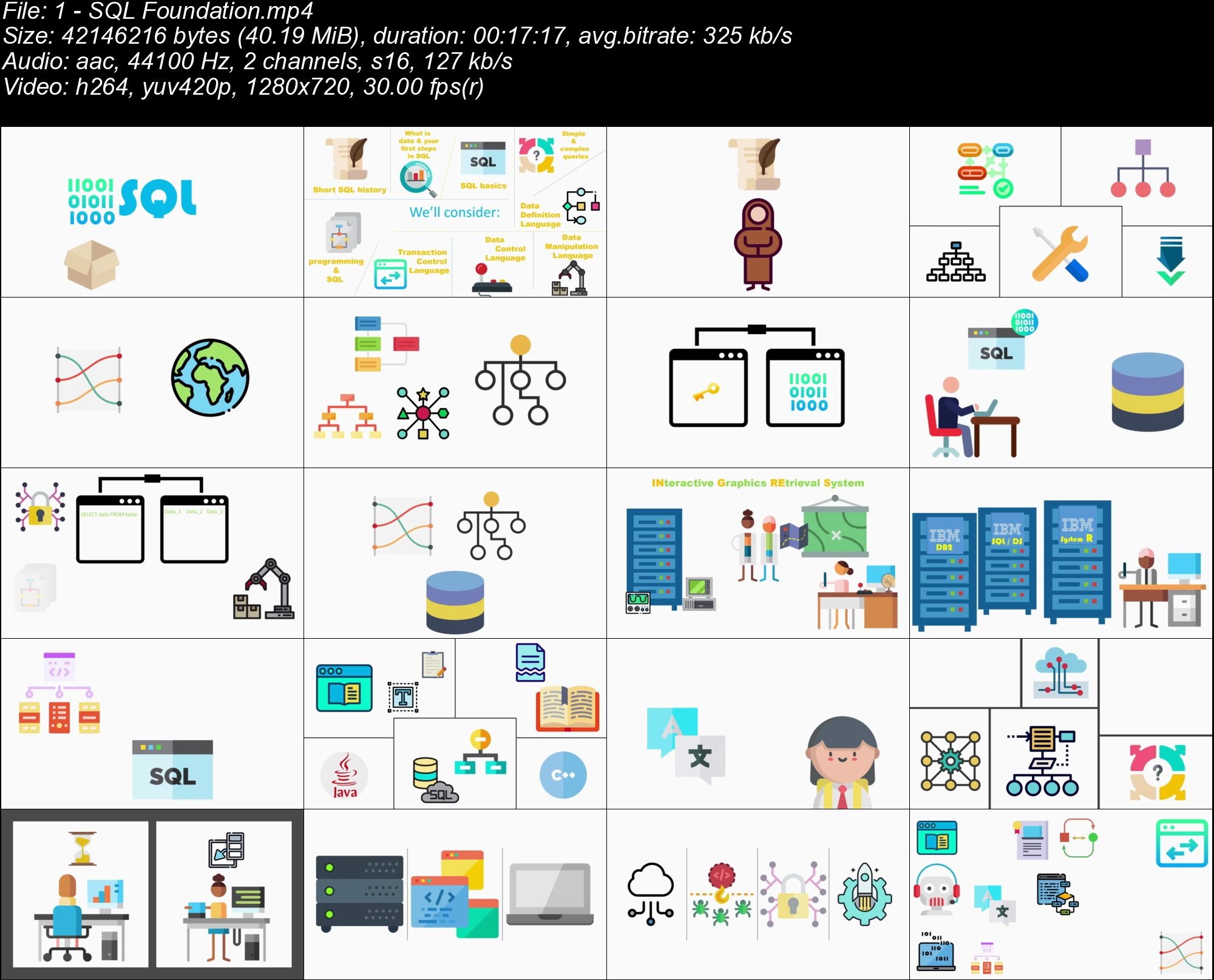
SQL Foundation. This first clip in the SQL video series introduces SQL and the history of SQL. Learn how SQL has matured since its inception in 1974 with System R. Understand how SQL helps users create, read, update, and delete data stored in relational database tables. Database Management Systems (DBMS) are introduced. Learn what SQL can do, and what it is designed not to do.
SQL Components. This second clip in the SQL video series explains databases, tables, rows, and set theory - prerequisites to understanding how to leverage SQL. Learn how to measure time complexity, which will need to be considered when writing SQL. Sorting and primary keys are explained as well.
SQL Architecture. This third clip in the SQL video series covers the SQL architecture including how SQL interacts with the database engine and how relational database structures are accessed. Learn what SQL can do and how ANSI standardization helps. We cover direct and nested SQL and when to use each. We introduce data definition language, data manipulation language, data control language, and transaction control language. Each of these languages will be discussed in detail in future clips. We also explore the SQL processor. By the end of this clip you will create your first SQL statement.
SQL Simple and Complex Queries. This fourth clip in the SQL video series introduces both simple and multi-table queries. Become comfortable with the SELECT, FROM, WHERE, GROUP BY, and HAVING clauses.
Data Definition Language. This fifth clip in the SQL video series explains the Data Definition Language (DDL) and demonstrates how to modify and access table structures. Learn about the TRUNCATE, ALTER, MODIFY, and DROP statements.
Data Manipulation Language. This sixth clip in the SQL video series explains the Data Manipulation Language (DML) and demonstrates how to modify and access the data within table structures. Learn about the SELECT, UPDATE, DELETE, and INSERT statements.
Data Control Language. This seventh clip in the SQL video series covers the Data Control Language (DCL). Learn how to grant privileges, rights, and permissions, on tables, functions, and processes, using the RUN and INVOKE commands.
Transaction Control Language. This eighth clip in the SQL video series covers the Transaction Control Language (TCL). Learn how to work with transactions in the database using the COMMIT, ROLLBACK, SAVEPOINT, and SET TRANSACTION commands.
SQL and Programming. This ninth clip in the SQL video series explains how to embed SQL in programming languages and also leverage PL/SQL.

o-LIYDWJOrozl-OIYPKE3ud-MWy6-HCZK1-C8.jpg


...
 
CISSP Certification Preparation Series

s-E5a-Rw-E9h-Ln-KVbm-Imy-Il0mx3-FPUu-O8sh.jpg


CISSP Certification Preparation Series
MP4 | Video: AVC 1280x720 | Audio: AAC 44KHz 2ch | Duration: 1H 15M | 186 MB
Genre: eLearning | Language: English

Certified Information Systems Security Professional (CISSP) is an information security certification developed by the International Information Systems Security Certification Consortium (ISC). This video series will prepare you for this certification through eight clips:

Introduction. This first clip in the CISSP video series introduces you to the expert security speaker and provides an overview to the certification and the series.
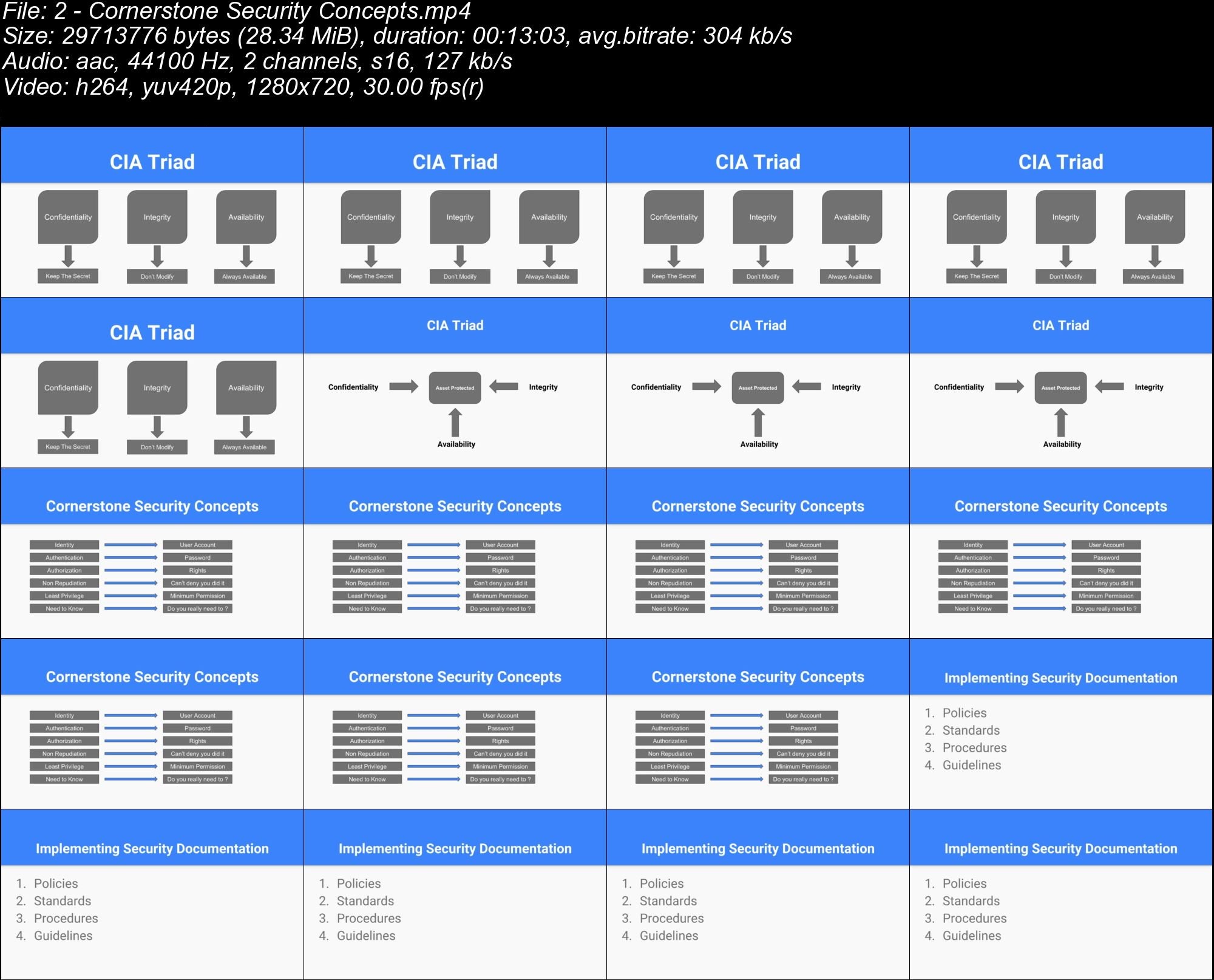
Cornerstone Security Concepts. This second clip in the CISSP video series covers core CISSP concepts including the CIA Triad (Confidentiality, Integrity, and Availability), Identity, Authentication, Authorization, Non Repudiation, Least Privilege, Need to Know, Policies, Standards, Procedures, and Guidelines.
Access Control. This third clip in the CISSP video series covers the types, categories, and techniques used to determining who (or what) can access something within our environment. Access control types include Administrative, Technical, and Physical. Access control categories include Preventive, Detective, Compensating, Corrective, Deterrent, and Recovery. Access control techniques include Mandatory Access Control, Discretionary Access Control, Rule-Based Access Control, and Role-Based Access Control.
Authentication Types. This fourth clip in the CISSP video series covers Subject and Object authentication types and their importance. Authentication types are either something that you know, something you have, something you are, or someplace you are. The different types of passwords are covered including Static Passwords, Passphrases, One Time Passwords, And Dynamic Passwords. The different types of tokens are covered, including Synchronous Dynamic Tokens and Asynchronous Dynamic Tokens. Biometric controls are covered as well, including Fingerprints, Retina Scan, Iris Scan, Hand Geometric, Keyboard Dynamics, Dynamic Signature, Voice Print, and Facial Scan.
Network Security. This fifth clip in the CISSP video series covers network security concerns including the OSI Model and its seven levels of Application, Presentation, Session, Transport, Network, Data Link, and Physical. The TCP/IP protocol is covered as well, which includes Application, Transport, Internet, and Network Access. The different network protocols are explored including SSH, Telnet, DNS, HTTP, HTTPS, FTP, and SFTP.
Vulnerabilities and Threats. This sixth clip in the CISSP video series covers vulnerabilities and threats. Vulnerabilities and threats are compared and contrasted. Examples of common security vulnerabilities include Weak Passwords, Bugs, Buffer Overflows, Use of Insecure Protocols, Missing Data Encryption, SQL Injection, and Missing Proper Authentication. Common security threats include Computer Viruses (Macro, Boot Sector, Stealth, Polymorphic, and Multipartite), Worms, Trojans, and Rootkits. Common Security Threats include Adware, Spyware, DoS and DDoS Attacks, Man in the Middle Attacks, and Phishing Attacks.
Cryptography. This seventh clip in the CISSP video series explains how cryptography can protect you from attacks. The various types of cryptography are covered including Symmetric and Asymmetric Encryption. Symmetric Encryption keys include DES, 3DES, and AES. Asymmetric Encryption keys include Diffie-Hellman and Elliptic Curve. We also discuss the benefits of Hashing.
Perimeter Defense. This eighth clip in the CISSP video series focuses on perimeter defense. Administrative (Policies, Procedures, and Standards), Tech Controls (Network, Software, and Hardware), and Physical Controls (Fences, Locks, and Guards) are explored.

Myr-D46-Nm-Ra6-Mmsu-I1d31z-B5fr-ZJf7cx-U.jpg


...
 
Diversity Heuristic

00640821.jpg


Diversity Heuristic
by Zacharias Voulgaris
English | 2019 | MP4 | Video: 720 | Subtitles: no | Duration: 22m | 48 MB

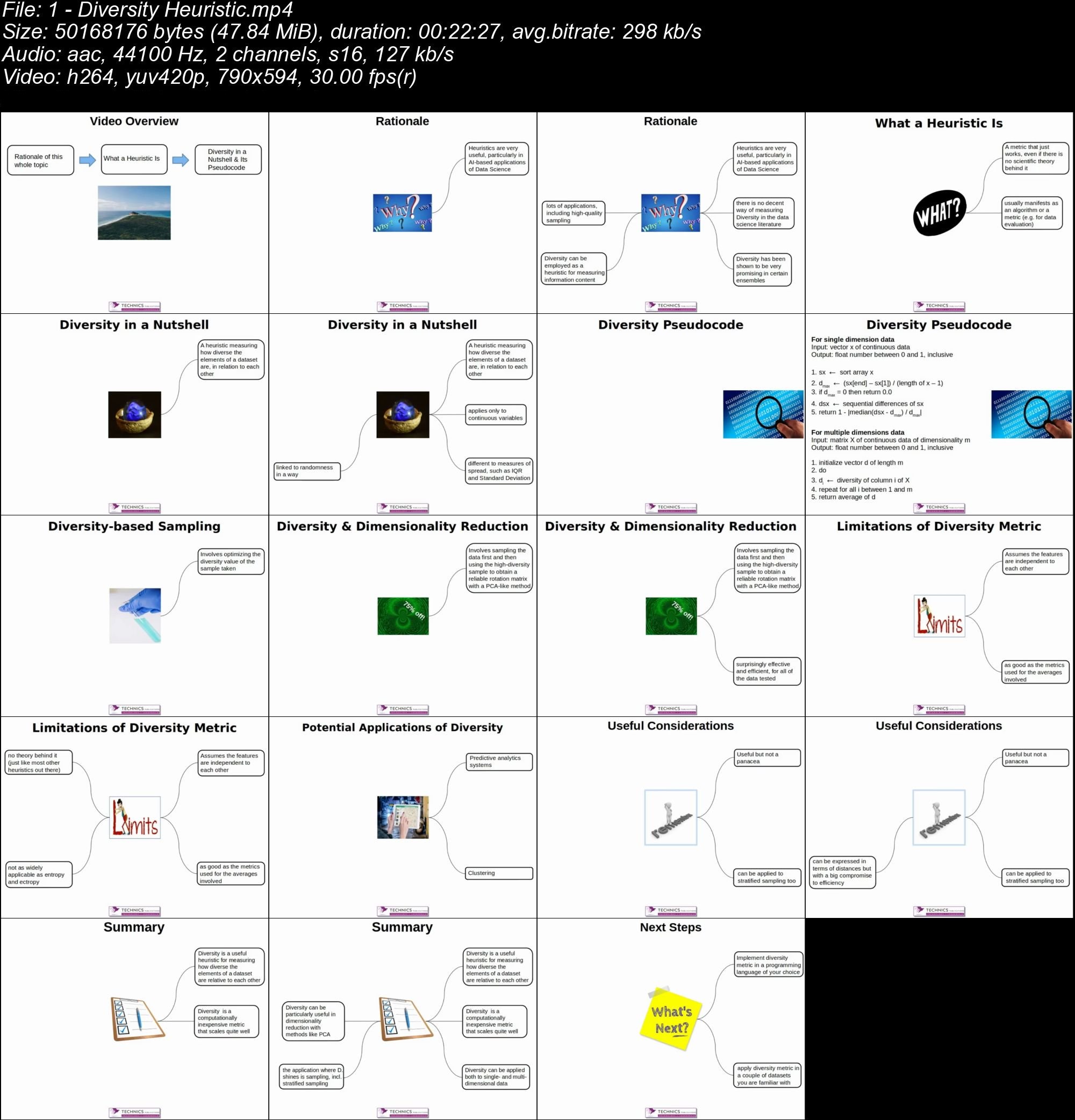
What is the Diversity Heuristic and how can you use it within data science? Learn all about this powerful metric and its application within predictive analytics systems, clustering, and AI systems. Watch more videos by data science expert Zacharias Voulgaris right here on Safari!

zc9en-S71-LMj2p-Lk9-VYt4-WFWq-Wg-VQHmxh.jpg


...
 
Mastering C++: The Definitive Beyond the Basics Video Series ...

y-Hv-Vz-DXlpgn-O1-IYXHs1-D7-Y43f0-UXmre-V.jpg


Mastering C++: The Definitive Beyond the Basics Video Series to Applying Intermediate and Advanced C++ Techniques
MP4 | Video: AVC 940x704 | Audio: AAC 44KHz 2ch | Duration: 8H 22M | 1.33 GB
Genre: eLearning | Language: English

Go beyond the basics in this C++ video series, which guides you through intermediate and advanced functionality spanning these four categories:

Frequently used features including Lambda Expressions, Move Semantics, RAII, and Smart Pointers.
Templates, Generic Programming, and Metaprogramming.
STL Library including STL Containers and STL Algorithms.
Concurrency including Threads, Mutex, and Condition Variables.
This series assumes you know the basics of C++. (If you do not yet know the basics, watch this excellent video on C++ Fundamentals: ) There are 14 video clips in this video series:
Lambda Expressions Part 1. This first clip in the C++ video series introduces lambda expressions and function objects. Lambda naming is discussed in detail, and lambda expressions are contrasted with functions, function objects, and for loops, and you will learn the use cases for each of these valuable tools.
Lambda Expressions Part 2. This second clip in the C++ video series covers the technical details of lambda. Learn about the components of the lambda expression, capture lists, parameter lists, return times, and optional mutable specifiers. We discuss the lifetime of the lambda expression and its impact on the correctness and behavior of the program.
Move Semantics Part 1. This third clip in the C++ video series covers move semantics in detail. Learn all about containers and how move semantics differ from copy semantics. We explore the constructor and assignment implementations. We explain how move semantics are invoked, and when move semantics should be used over copy semantics.
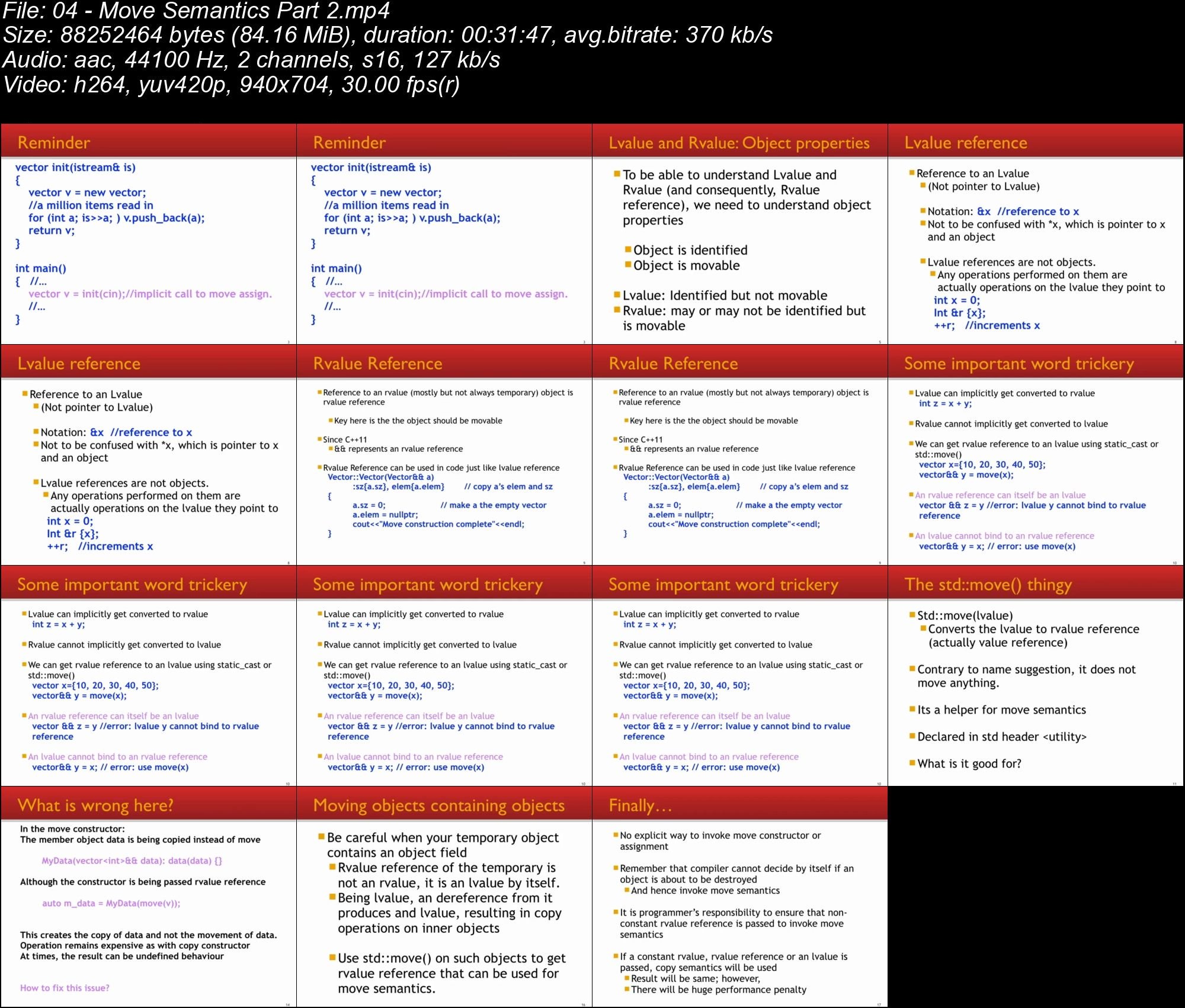
Move Semantics Part 2. This fourth clip in the C++ video series covers rvalue reference in detail. We explain lvalue, rvalue, lvalue, reference, and rvalue reference. We explain the significance of rvalue reference in invoking move semantics, and show how rvalue reference becomes an lvalue. With this knowledge at hand, we complete the case of moving objects that contain object members.
RAII and Smart Pointers. This fifth clip in the C++ video series covers the Resource Acquisition Is Initialization (RAII) mechanism of resource management. Problems with mixing resource management and program logic are highlighted along with RAII-based solutions to such problems. Learn where pointer semantics are necessary and when smart pointers should be used. We show how unique_ptr and shared_ptr can provide the basic facilitation of RAII without separating resource management from program logic.
Templates and Generic Programming Part 1. This sixth clip in the C++ video series explains generic programming and how it differs from type-specific code and meta programming. We explain the role of templates in generic programming. We highlight the two outcomes of generic programming which are templates classes and algorithms. We then program an abstract generic class from a type-specific partial vector implementation to show how we can create templates classes of our own.
Templates and Generic Programming Part 2. This seventh clip in the C++ video series expands on the topic of generic programming. Learn the process of lifting by programming an algorithm from two specific implementations of the sum (accumulate) function. We explain variadic templates, processing of variadic templates, and the advantages of using variadic templates. We explore Printf and explain when to use variadic templates.
Constexpr. This eighth clip in the C++ video series explains how constexpr is used for meta programming to perform compile time computations. We discuss what operations are allowed in constexpr and explain the constexpr function and what can and cannot be part of a constexpr function. We conclude with an explanation of the if-constexpr.
Metaprogramming Part 1. This ninth clip in the C++ video series explains metaprogramming and why it is so important. The two main components of type functions and control structures are explained. We explain the usage of type functions and type predicates and show how type safe runtime code can be generated using these features. We also show how we can write type functions for use in metaprogramming.
Metaprogramming Part 2. This tenth clip in the C++ video series focuses on the control structures of metaprogramming. Learn about selection, recursion, and conditional (enable-if) compilation in detail using practical examples. We show how these structures can be used to select type-specific functions at compile time. The examples also show how we can implement type parameter requirements through metaprogramming.
STL Containers. This eleventh clip in the C++ video series explains the design philosophy of the STL library. Learn about the role of container, stack, algorithm, and iterator components. Categories of containers are discussed along with significant containers. We show how containers can be copied and how data can be copied or moved from one container to another container with ease.
STL Algorithms. This twelfth clip in the C++ video series explains the central idea of STL algorithms. Learn how algorithms can perform simple and frequently required tasks in a generic and extremely efficient way. Examples show how algorithms can easily operate on containers using iterators without actually knowing the type of container. We conclude with an explanation and usage of execution policies that allow us to run parallel versions of STL algorithms.
Threads. This thirteenth clip in the C++ video series explains the usage of the thread class. The difference between thread objects and system level execution threads are revealed, along with sharing the usage and significance of join and detach calls. Learn about the issues with executing a thread destructor on a running thread and issues with an improper usage of join and detach. Heisenbugs and detach are covered as well.
Mutex and Condition Variables. This fourteenth clip in the C++ video series explores mutex (mutual exclusion variable) classes (MUTEX, recursive_mutax, timed_mutex, and recursive_timed_mutex) and the functionality of mutex in achieving mutual exclusion with reference to the access of resources. Mutex lock and unlock operations are explained in detail. Performance degradation caused by the improper use of mutex is highlighted. We also explain the issue of deadlock caused by the wrong use of mutex or a group of mutexes. The purposes of lock_guard and unique_lock are explained along with their use. We conclude with a brief explanation of condition variables and how they differ from mutexes.

hgq-It10-IEx9q-BO1f-Y7-Nf-ZOZm-Whc-Ck-Aq-B.jpg


...
 
SharePoint for Project Management (Modern Theme)

00646b90.jpg


SharePoint for Project Management (Modern Theme)
MP4 | Video: AVC 1280x720 | Audio: AAC 44KHz 2ch | Duration: 2 Hours | 295 MB
Genre: eLearning | Language: English

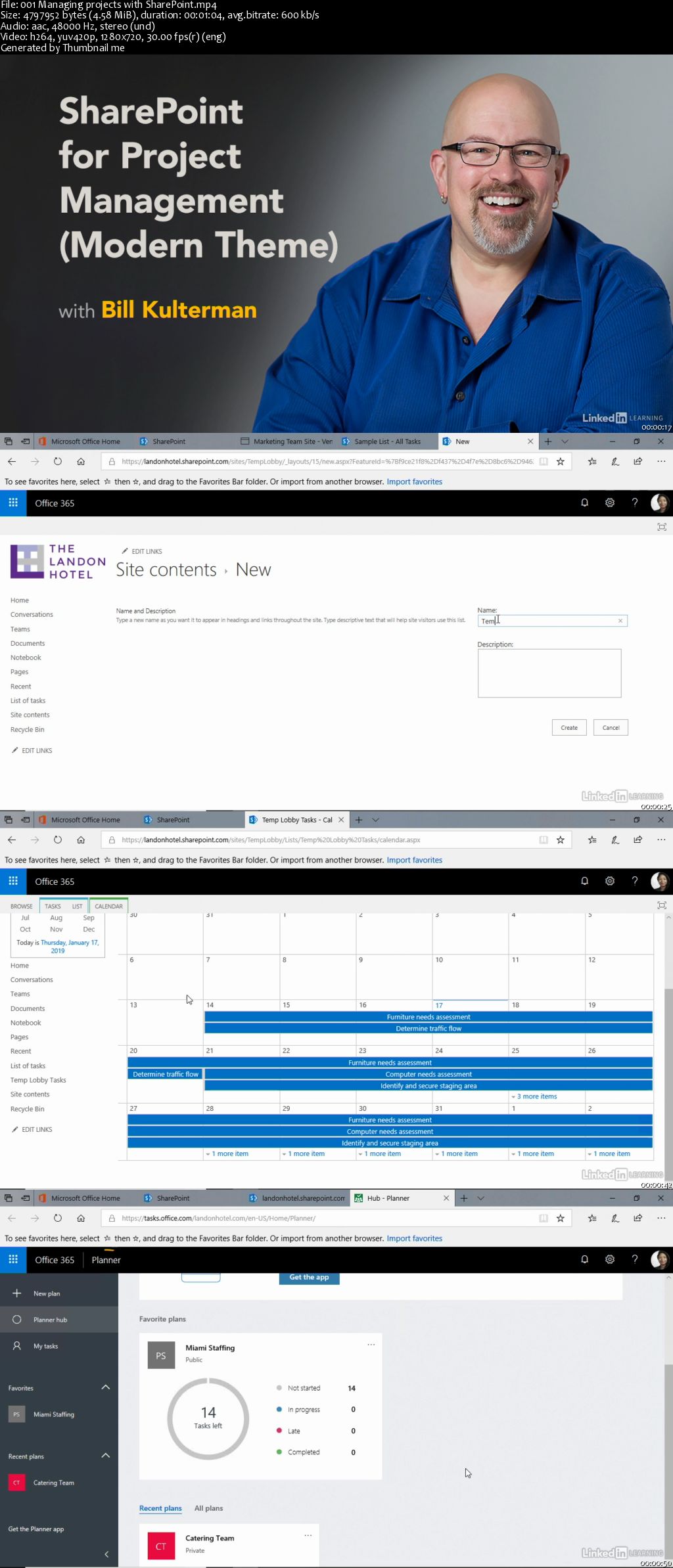
SharePoint can help you manage small projects and keep them running smoothly. In this course, Microsoft Certified Trainer Bill Kulterman reviews the features that make SharePoint an ideal project management tool for teams who already use it for collaboration and document management. Learn how to track tasks, use the timeline for visual insights into your project schedule, and leverage built-in and custom views to display exactly the right information. Bill also shows how to use the group calendar and create and add plans from Microsoft Planner to your SharePoint site.

Homepage

00646b8f.jpg


...
 
Django Fundamentals

00640fd2.jpg


Django Fundamentals
by Rohit Kumar
English | 2019 | MP4 | Video: 720 | Subtitles: no | Duration: 2h 5m | 428 MB

Master Django through this ten-part video series:
Framework. This first clip in the Django video series shows how to set up the Django environment, which includes installing not just Django, but also Python, Pip, a virtual environment, and an editor such as Atom or Pycharm.
Projects. This second clip in the Django video series covers how to create and maintain Django projects.
Applications. This third clip in the Django video series explains how to create and maintain Django applications, and how to define and work with URLs for your applications.
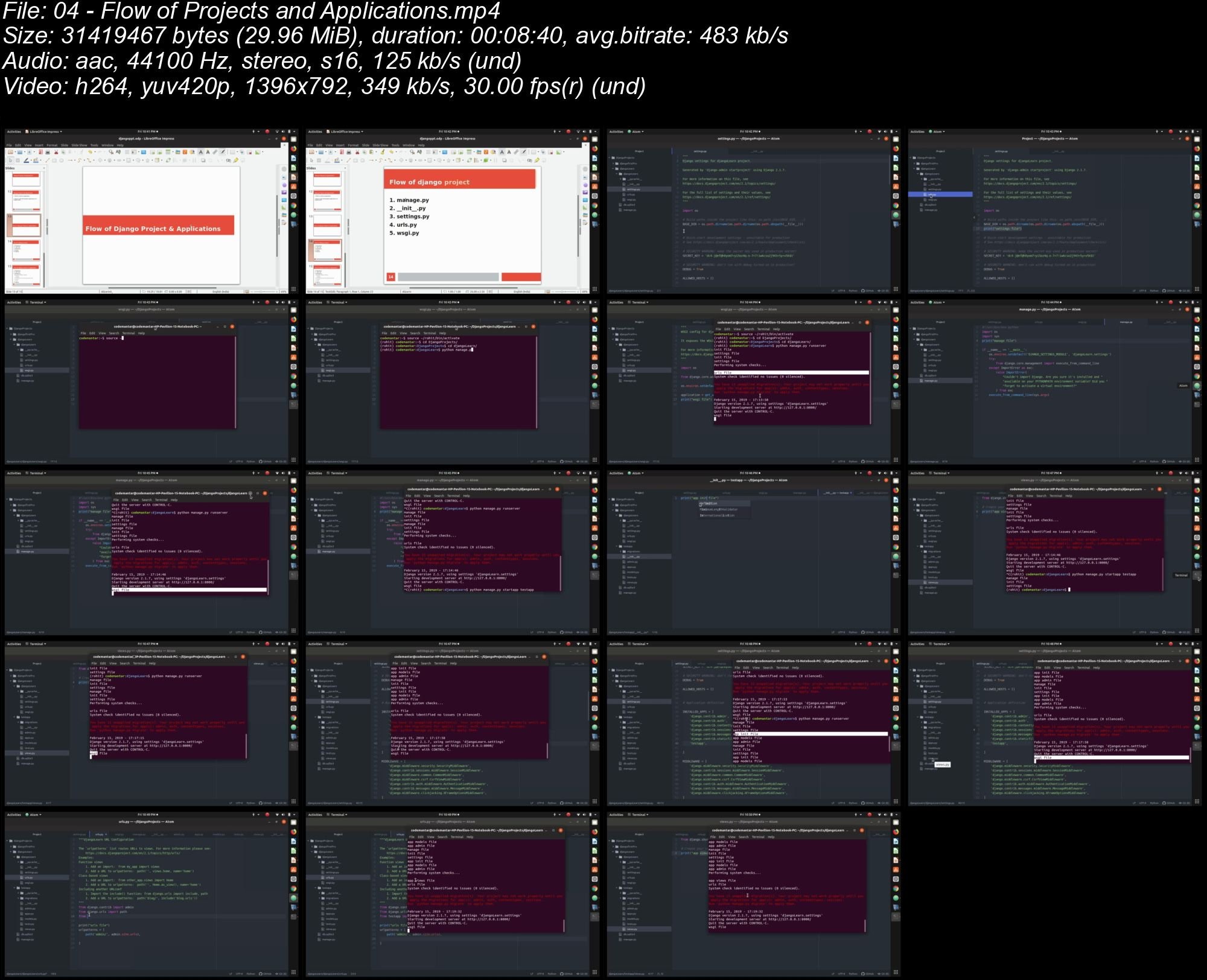
Flow of Projects and Applications. This fourth clip in the Django video series explains how files move from one location to another when projects and applications are running.
Model, View, and Template (MVT). This fifth clip in the Django video series explains how to leverage Model, View, and Template (MVT).
Template Tags and Variables. This sixth clip in the Django video series covers how to create and use tags and variables.
Working with Static Files. This seventh clip in the Django video series explains how to set up a directory and manage static files.
Templates. This eighth clip in the Django video series explains base.html and how to create a master page in ASP.net.
Database Connectivity. This ninth clip in the Django video series explains how to connect to a database using Django. Learn how to set up all of the necessary values to connect to a SQL Lite database.
Connecting to a MySQL Database. This tenth clip in the Django video series explains how to connect to a MySQL database and then fetch data and display that data on a webpage.

eei-TQdvux04-STLPs-NZ0mnn-P7vlxq8gcm.jpg


...
 
Zurück
Oben Unten