• Regeln für den Video-Bereich:

    In den Börsenbereich gehören nur Angebote die bereits den Allgemeinen Regeln entsprechen.

    Einteilung

    - Folgende Formate gehören in die angegeben Bereiche:
    - Filme: Encodierte Filme von BluRay, DVD, R5, TV, Screener sowie Telesyncs im Format DivX, XviD und x264.
    - DVD: Filme im Format DVD5, DVD9 und HD2DVD.
    - HD: Encodierte Filme mit der Auflösung 720p oder darüber von BluRay, DVD, R5, TV, Screener sowie Telesyncs im Format x264.
    - 3D: Encodierte Filme von BluRay, die in einem 3D Format vorliegen. Dies gilt auch für Dokus, Animation usw.
    - Serien: Cartoon/Zeichentrick, Anime, Tutorials, Dokumentationen, Konzerte/Musik, Sonstiges sind demnach in die entsprechenden Bereiche einzuordnen, auch wenn sie beispielsweise im High Definition-Format oder als DVD5/DVD9/HD2DVD vorliegen. Ausnahme 3D.
    - Bereich Englisch: Englische Releases gehören immer in diesen Bereich.
    - Bereich Talk: Der Bereich, in dem über die Releases diskutiert werden kann, darf, soll und erwünscht ist.


    Angebot/Beitrag erstellen

    - Ein Beitrag darf erst dann erstellt werden, wenn der Upload bei mindestens einem OCH komplett ist. Platzhalter sind untersagt.
    - Bei einem Scenerelease hat der Threadtitel ausschließlich aus dem originalen, unveränderten Releasenamen zu bestehen. Es dürfen keine Veränderungen wie z.B. Sterne, kleine Buchstaben o.ä. vorgenommen werden. Ausnahme Serienbörse:
    - Bei einem Sammelthread für eine Staffel entfällt aus dem Releasename natürlich der Name der Folge. Beispiel: Die Simpsons S21 German DVDRip XviD - ITG
    - Dementsprechend sind also u.a. verboten: Erweiterungen wie "Tipp", "empfehlenswert", "only", "reup", usw. / jegliche andere Zusatzinformation oder Ergänzung, welche nicht in obiger Beschreibung zu finden ist.

    Aufbau des Angebots und Threadtitel

    Der Titel nach folgendem Muster erstellt zu werden. <Name> [3D] [Staffel] [German] <Jahr> <Tonspur> [DL] [Auflösung] <Quelle> <Codec> - <Group>
    Beispiel: The Dark Knight German 2008 AC3 DVDRip XviD - iND
    Beispiel: The Dark Knight 2008 DTS DL BDRip x264 - iND
    Beispiel: The Dark Knight 2008 AC3 DL BDRip XviD - iND
    Beispiel: The Dark Knight German 2008 AC3 720p BluRay x264 iND
    Beispiel: The Dark Knight 2008 DTS DL 1080p BluRay x264 iND
    Beispiel: Die Simpsons S01 German AC3 DVDRip XviD iND
    Beispiel: Die Simpsons S20 German AC3 720p BluRay x264 iND
    Beispiel: Sword Art Online II Ger Sub 2014 AAC 1080p WEBRip x264 - peppermint
    Entsprechend sind also u.a. verboten: Sonderzeichen wie Klammern, Sterne, Ausrufezeichen, Unterstriche, Anführungszeichen / Erweiterungen wie "Tipp", "empfehlenswert", "only", "reup", usw. / jegliche andere Zusatzinformation oder Ergänzung, welche nicht in obiger Beschreibung zu finden ist
    Ausnahmen hiervon können in den Bereichen geregelt sein.

    Die Beiträge sollen wie folgt aufgebaut werden:
    Überschrift entspricht dem Threadtitel
    Cover
    kurze Inhaltsbeschreibung
    Format, Größe, Dauer sind gut lesbar für Downloader außerhalb des Spoilers zu vermerken
    Nfo sind immer Anzugeben und selbige immer im Spoiler in Textform.
    Sind keine Nfo vorhanden z.B. Eigenpublikationen, sind im Spoiler folgende Dateiinformationen zusätzlich anzugeben :
    Quelle
    Video (Auflösung und Bitrate)
    Ton (Sprache, Format und Bitrate der einzelnen Spuren)
    Untertitel (sofern vorhanden)
    Hosterangabe in Textform außerhalb eines Spoiler mit allen enthaltenen Hostern.
    Bei SD kann auf diese zusätzlichen Dateiinformationen verzichtet werden.

    Alle benötigten Passwörter sind, sofern vorhanden, in Textform im Angebot anzugeben.
    Spoiler im Spoiler mit Kommentaren :"Schon Bedankt?" sind unerwünscht.


    Releases

    - Sind Retail-Release verfügbar, sind alle anderen Variationen untersagt. Ausnahmen: Alle deutschen Retail-Release sind CUT, in diesem Fall sind dubbed UNCUT-Release zulässig.
    - Im Serien-Bereich gilt speziell: Wenn ein Retail vor Abschluss einer laufenden Staffel erscheint, darf diese Staffel noch zu Ende gebracht werden.62
    - Gleiche Releases sind unbedingt zusammenzufassen. Das bedeutet, es ist zwingend erforderlich, vor dem Erstellen eines Themas per Suchfunktion zu überprüfen, ob bereits ein Beitrag mit demselben Release besteht. Ist dies der Fall, ist der bereits vorhandene Beitrag zu verwenden.
    - P2P und Scene Releases dürfen nicht verändert oder gar unter einem iND Tag eingestellt werden.


    Support, Diskussionen und Suche

    - Supportanfragen sind entweder per PN oder im Bereich Talk zu stellen.
    - Diskussionen und Bewertungen sind im Talk Bereich zu führen. Fragen an die Uploader haben ausschließlich via PN zu erfolgen, und sind in den Angeboten untersagt.
    - Anfragen zu Upload-Wünschen sind nur im Bereich Suche Video erlaubt. Antworten dürfen nur auf Angebote von MyBoerse.bz verlinkt werden.


    Verbote

    - Untersagt sind mehrere Formate in einem einzigen Angebotsthread, wie beispielsweise das gleichzeitige Anbieten von DivX/XviD, 720p und 1080p in einem Thread. Pro Format, Release und Auflösung ist ein eigener Thread zu eröffnen.
    - Grundsätzlich ebenso verboten sind Dupes. Uploader haben sich an geeigneter Stelle darüber zu informieren, ob es sich bei einem Release um ein Dupe handelt.
    - Gefakte, nur teilweise lauffähige oder unvollständige Angebote sind untersagt. Dies gilt auch für eigene Publikationen, die augenscheinlich nicht selbst von z.B. einer DVD gerippt wurden. Laufende Serien, bei denen noch nicht alle Folgen verfügbar sind, dürfen erstellt und regelmäßig geupdatet werden.
    - Untersagt sind Angebote, welche nur und ausschließlich in einer anderen Sprache als deutsch oder englisch vorliegen. Ausnahmen sind VORHER mit den Moderatoren zu klären.


    Verstoß gegen die Regeln

    - Angebote oder Beiträge, die gegen die Forenregeln verstoßen, sind über den "Melden"-Button im Beitrag zu melden.
  • Bitte registriere dich zunächst um Beiträge zu verfassen und externe Links aufzurufen.

*** Bestes IPTV *** bester Preis *** gratis Test ***


Englische Tutorials

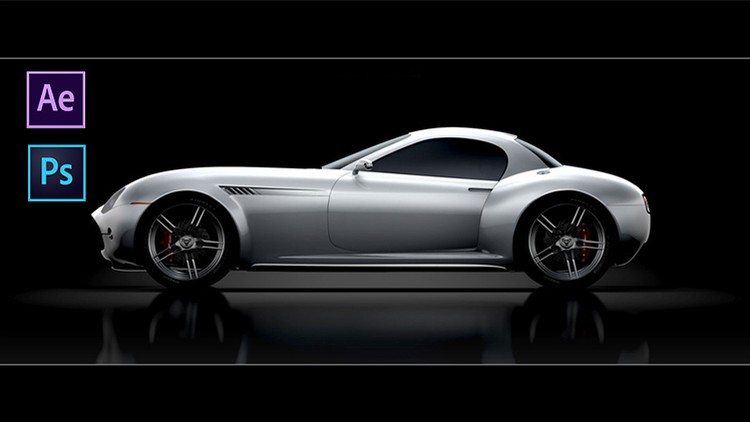
After Effects: Create Advertisement From an Image
ZINLre6a1-Oyh-EALb3f3ul-Zgl-EE4-M9wy8.jpg


After Effects: Create Advertisement From an Image
HIGHEST RATED | Video: AVC 1280x720 | Audio: AAC 48KHz 2ch | Duration: 1 Hours | Lec: 14 | 168 MB | Language: English + Sub .VTT

In this course we will learn How to create an ad from an image using Photoshop and after Effects

What you'll learn
creative an idea from an image
How to create an ad from an image using Photoshop and after Effects
How to create Composition in Photoshop and export it to after Effects
How to deal with the composition in after Effects and work animation her
Handle more than Composition within the main Composition
Add Sounds and synchronize audio
Add the text and animation her
How to Create an Advertisement

Requirements
A running / trial version of Adobe After Effects And Adobe Photoshop
Basic Knowledge of Adobe After Effects And Adobe Photoshop is Recommended
And most importantly your eager to learn

Description
In this course we will learn some different skills like :-

* How to create an idea from an image

* How to create an ad from an image using Photoshop and after Effects

* How to create Composition in Photoshop and export it to after Effects

* How to deal with the composition in after Effects and work animation her

* Handle more than Composition within the main Composition

* Add Sounds and synchronize audio

* Add the text and animation her

WHAT DO YOU GET IN THE COURSE?

* (1.0) hours of premium video lesson

* Downloadable resources

* Premium support from instructor to answer any questions

* Feedback on your own video projects

Go ahead and click the enroll button, and I'll see you in Lecture 1!

Who this course is for?
Anyone looking to use After Effects to improve their videos
Anyone who'd like to take their video editing to the next level
Businesses that use video as part of their marketing strategy
Small Business (Startups) Owners / Entrepreneurs
Videographers, video producers, video editors
Motion graphics artists and graphic designers
Online Instructors
Video Editors
Video Makers
YouTubers

Homepage
2-Create-Compositing-Car-mp4.jpg


...
 
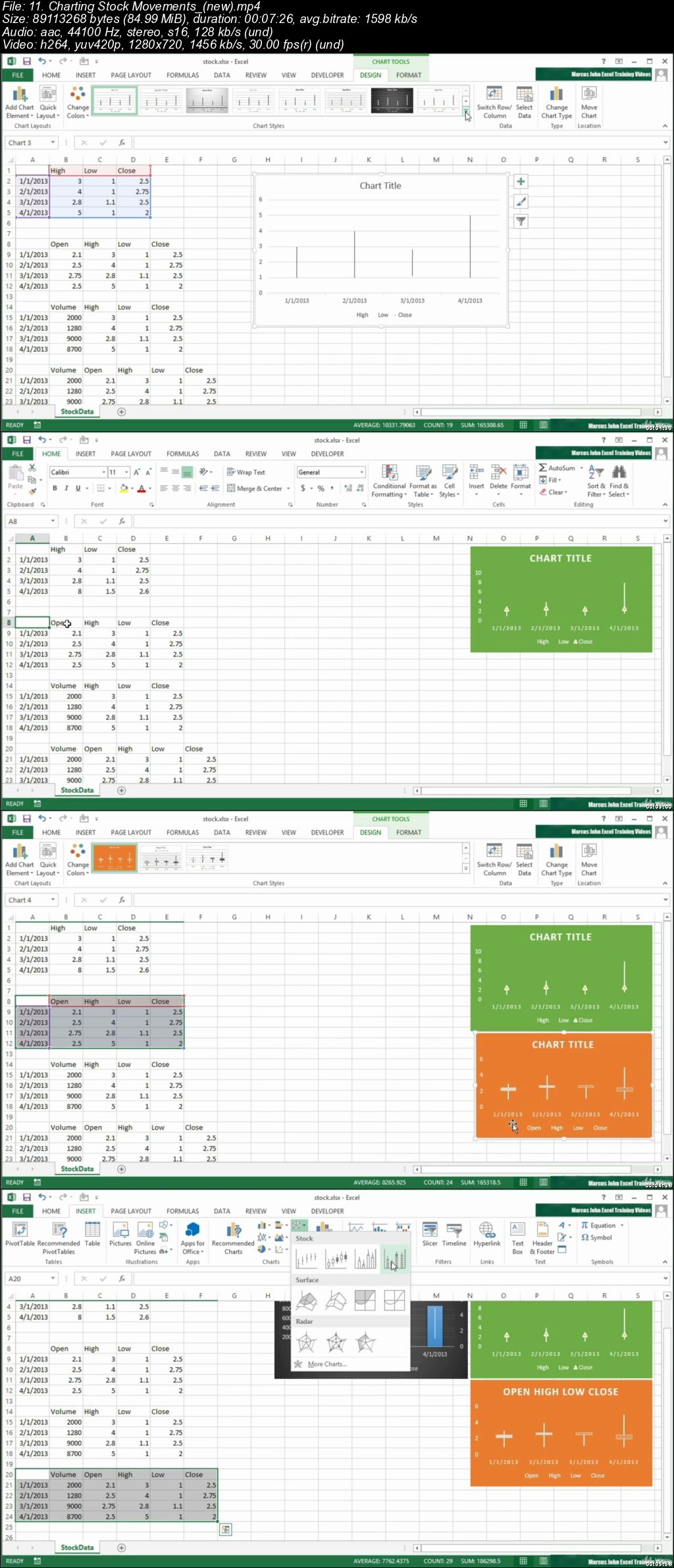
Microsoft Excel - Advanced Formulas And Functions

0064573e.jpg


Microsoft Excel - Advanced Formulas And Functions
.MP4 | Video: 1280x720, 30 fps(r) | Audio: AAC, 44100 Hz, 2ch | 10.3 GB
Duration: 17 hours | Genre: eLearning Video | Language: English

Excel with this Advanced Course in Microsoft Excel , Become an Excel Expert Quick


What you'll learn

Master the Most Complex Concepts of Microsoft Excel.
Wow your boss by unlocking dynamic formulas with IF, VLOOKUP, INDEX, MATCH functions and many more.

Requirements

Have an understanding of how Microsoft Excel works and the main concepts such as, beginner formulas & functions.

Description

Microsoft Excel has the basic features of all spreadsheets,using a grid of cells arranged in numbered rows and letter-named columns to organize data manipulations like arithmetic operations. It has a battery of supplied functions to answer statistical, engineering and financial needs. In addition, it can display data as line graphs, histograms and charts, and with a very limited three-dimensional graphical display. It allows sectioning of data to view its dependencies on various factors for different perspectives using pivot tables.

In this course you will be learning the basics which is required when you start working with Microsoft Excel. In today's time Microsoft Excel is one of the most important tool used in any organization. This course will edfinately help you to learn the basics with the practical use of it.

Who this course is for:

You currently use Excel and want to improve your skills
This course is helpful for increasing personal productivity, efficiency at work or even develeping skills to obtain a better job.
Anyone hoping to expand their analytics skill set, work more efficiently with data, and take their career to a new level
You work with Excel regularly but are looking for more advanced and well-rounded skills

0064573f.jpg


...
 
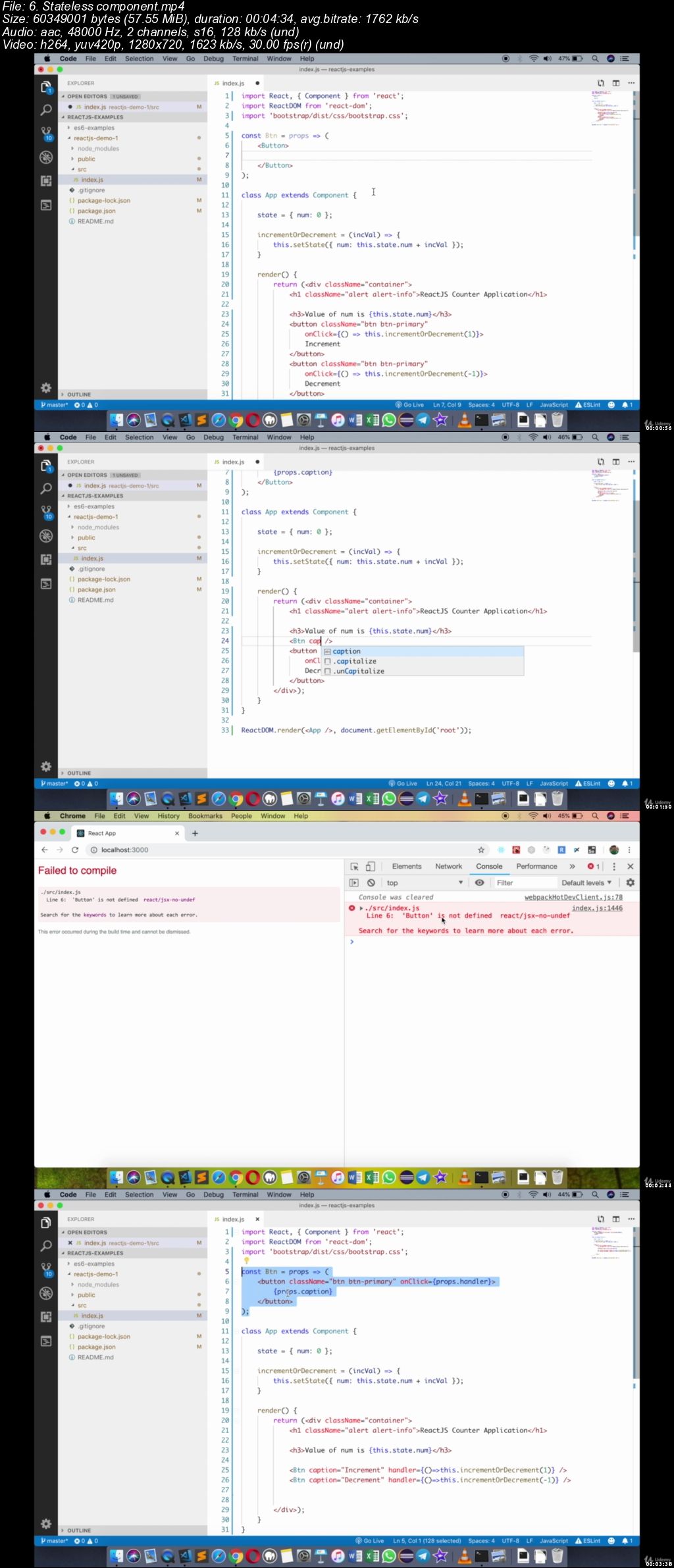
Learn React and Redux by examples

00645352.jpg


Learn React and Redux by examples
.MP4 | Video: 1280x720, 30 fps(r) | Audio: AAC, 48000 Hz, 2ch | 3.24 GB
Duration: 5 hours | Genre: eLearning Video | Language: English

Your practical guide to build a mobile-ready web applications using React and Redux


What you'll learn

Build super fast reactive web apps
Understand JSX thoroughly
Create reusable components
Differentiate between stateless and stateful components
Handle events
Work with controlled and uncontrolled components
Understand and create Higher order components
Share state amongst components using Parent-Child association
Use Redux for state management

Requirements

Basics of HTML, CSS and JavaScript
Eagerness to learn

Description

This course is fully up-to-date with the latest version of React (16.8) and includes the newly introduced React Hooks feature!

What's this course about?

Learn React and Redux by coding examples. Learn all aspects of the most popular JavaScript framework today using simple but very powerful examples.

For a long time, JavaScript has been the key element of the world wide web. Historically, it's been used for front end validations, dynamic menus, making some AJAX requests etc.

But things have changed since the introduction of Single Page Applications (SPAs). The first major such framework was Angularjs (1.x) from Google, which eventually made way to the new Angular 2, which now is called just Angular. Angular is a very complete framework addressing each and every issue that an application needs.

Developers at Facebook reased a completely different kind of framework called React (or ReactJS), which uses a combination of plain JavaScript and HTML elements (in XML syntax), called JSX. Unlike the Angular framework, this one simply addresses the View part of MVC. The main goal of a React application is to breakdown the entire web application into a bunch HTML-like elements called Components. A component defines the visual appearance of your UI, while converting the data it holds into user interface elements.

Using these components, you can quickly develop amazing and powerful web apps. These components are completely reusable.

This course will start from ground zero and explain what exactly React is and how you may use it (and for which kind of apps). Thereafter, we'll go all the way from basic to advanced. We'll not just scratch the surface but dive deeply into React as well as popular libraries like react-router and Redux.

By the end of the course, you can build amazing React (single page) applications!

Who this course is for:

Software developers
College students who want to learn the most popular and in-demand tool

00645353.jpg


...
 
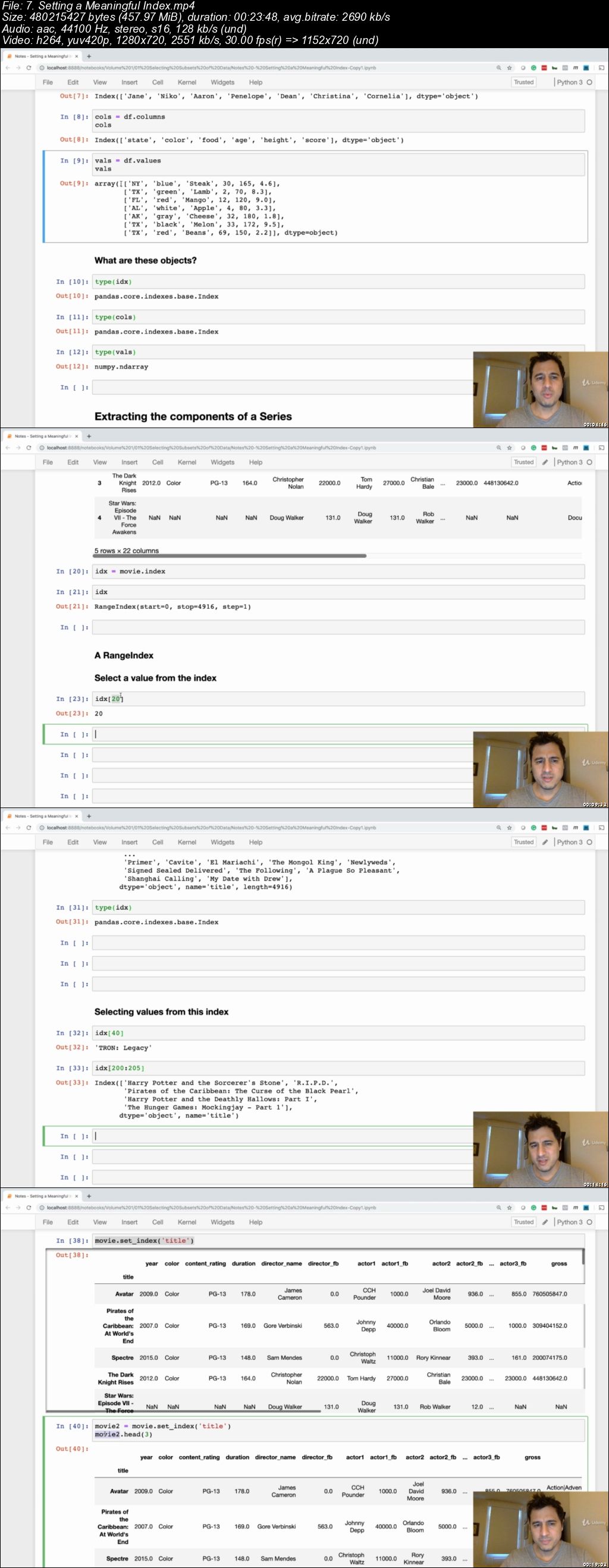
Master Data Analysis with Python - Intro to Pandas

00645260.jpg


Master Data Analysis with Python - Intro to Pandas
.MP4 | Video: 1280x720, 30 fps(r) | Audio: AAC, 44100 Hz, 2ch | 5.01 GB
Duration: 5 hours | Genre: eLearning Video | Language: English

Begin your data analysis journey with Python by mastering the fundamentals of the pandas library


What you'll learn

Best practices from pandas expert Ted Petrou author of Pandas Cookbook
An introduction to data analysis with Python using pandas
The DataFrame and Series and their components
Data Types
Selecting Subsets of Data
Filtering Data
Exercise Completion with a Jupyter Notebok

Requirements

Need to understand the basics of Python

Description

Master Data Analysis with Python - Intro to Pandas targets those who want to completely master doing data analysis with pandas. This course takes a deep dive into the two primary pandas objects, the DataFrame and Series, and how to select subsets of data from them.

This course is taught by expert instructor Ted Petrou, author of the highly-rated book Pandas Cookbook. Ted has taught over 1,000 hours of live data science courses that use the pandas library. Pandas is a difficult library to use effectively and is often taught incorrectly with poor practices. Ted is extremely adept at using pandas and is known for developing best practices on how to use the library.

There are nearly 50 exercises available to help practice the material taught from the lectures. Detailed video and text solutions for each of the exercises are available so that you can see exactly how Ted thinks through the exercises to arrive at a solution.

All of the material and exercises are written in Jupyter Notebooks, which you will be able to download. This allows you to read the notes, run the code, and write solutions to the exercises all in a single place. Additionally, the full contents of the course are available as a 120-page document giving you access to the material from anywhere.

If you are looking to use pandas in a professional environment and command data at will, you will need to become an expert at using it. Employers demand expertise and this course will begin your mastery of using pandas.

This course assumes no previous pandas experience. The only prerequisite knowledge is to understand the fundamentals of Python.

Who this course is for:

A desire to completely master data analysis in Python using pandas
Desire a very deep introduction to pandas DataFrames and subset selection
Interested in pandas best practices for effectiveness and efficiency

00645261.jpg


...
 
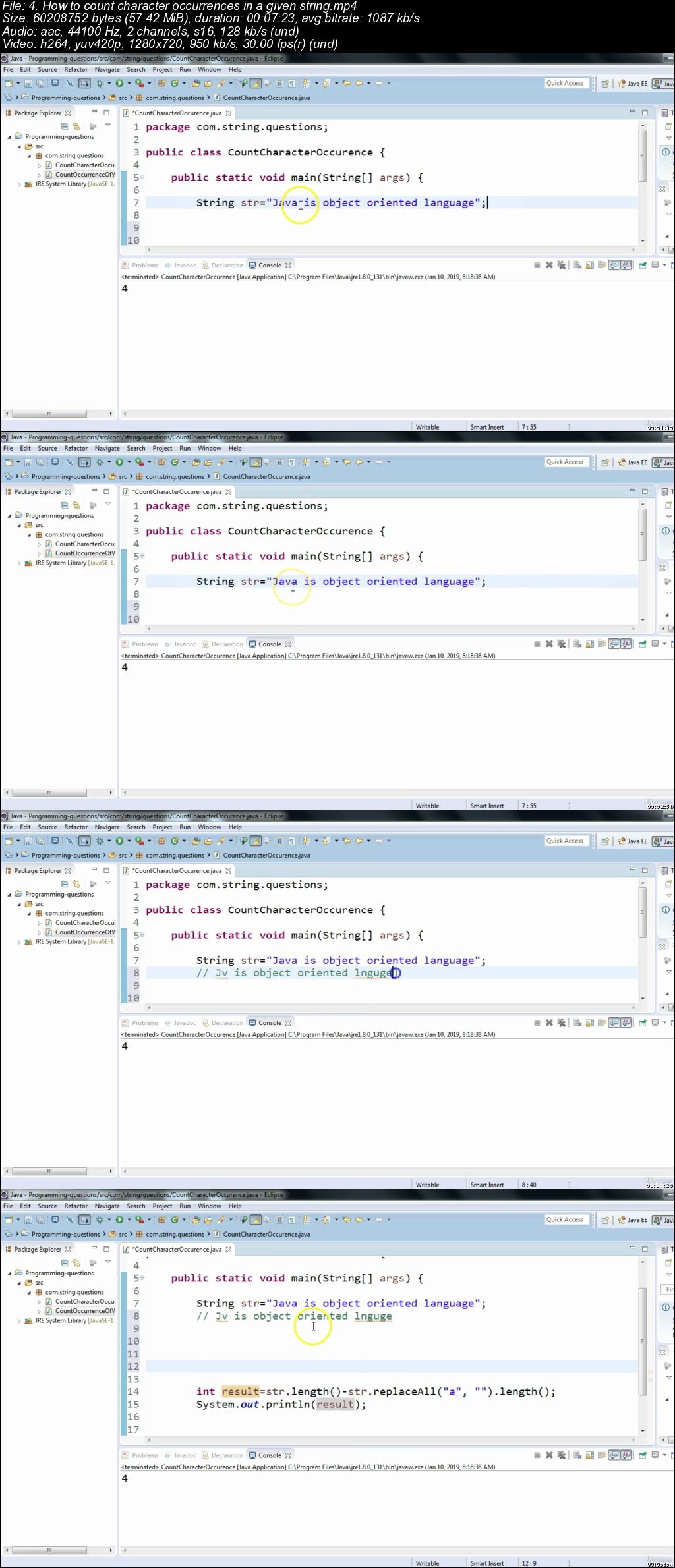
Cracking Java Programming Interview for Selenium Testers

00645365.jpg


Cracking Java Programming Interview for Selenium Testers
.MP4 | Video: 1280x720, 30 fps(r) | Audio: AAC, 44100 Hz, 2ch | 1.41 GB
Duration: 3 hours | Genre: eLearning Video | Language: English

Java coding Interview questions for Automation Testers


What you'll learn

You will learn how to solve java programming questions asked in interviews for automation testers.

Requirements

No

Description

This course contains various java programming questions and their solutions step by step. It covers String based and array based frequently asked programming interview questions for selenium testers or automation test engineers. Every section starts with an introduction about the section and it provides clear learning path.

- Cracking Java Programming Interview for Selenium Testers

- Java coding Interview questions for Automation Testers

Who this course is for:

Automation testers , Testers working on Selenium webdriver

00645366.jpg


...
 
Camtasia Screencasting: Camtasia Studio 8 w/PowerPoint 2016

1204872-ce27-3.jpg


Camtasia Screencasting: Camtasia Studio 8 w/PowerPoint 2016
Video: .MP4, 1280x720 | Audio: AAC, 48kHz, 2ch | Duration: 2h
Genre: eLearning | Language: English | Size: 485 MB

Would you like to become a Udemy instructor?

In the initial section for budding instructors, you'll learn to record a screencast, a presentation and a webcam using the Camtasia Studio 8 Recorder.

In this section we'll cover the following topics:

How Camtasia Studio 8 Works
Record a Screencast
Record a PowerPoint Presentation
Record a Webcam
How I Record Lessons
In subsequent sections you'll learn to edit your videos using the Camtasia Studio 8 video editor and upload your videos to Udemy.

Record a Screencast and/or Webcam
Video Editor Basics & Production
Simple PowerPoint Presentation
Create a Udemy Course
Create a Udemy Course Promotional Video
I'll see you in the classroom,

---Brian

What you'll learn
To record screencasts and PowerPoint presentations using the Camtasia 8 Recorder
To edit your video recordings using the Camtasia 8 Video Editor
Learn to prepare PowerPoint Presentations
View the details of how to record a Udemy course
View the details of how to record a Udemy promotional video
Are there any course requirements or prerequisites?
A PC Running the Windows Operating System
A Camtasia 8 License or Evaluation Copy
A Microsoft PowerPoint License or Evaluation Copy
Who this course is for:
Anyone who would like to take the quick path to becoming a Udemy instructor
Anyone who wants specifics on creating a course and promotional video

Homepage

7z4b5-Zo9-Cvx27-UHg-Le-GSXtk-YMv6-D2x-Ra.jpg


...
 
Content Marketing Blueprint: Blog Posts That Build Authority

0064536d.jpg


Content Marketing Blueprint: Blog Posts That Build Authority
.MP4 | Video: 1280x720, 30 fps(r) | Audio: AAC, 48000 Hz, 2ch | 1 GB
Duration: 1.5 hours | Genre: eLearning Video | Language: English

Five Day Content Marketing Blueprint Challenge To Build Your Authority Via Blogging!


What you'll learn

How To Create Authority Building Content In The Form Of Blogs & Articles.
How To Structure Your Post In A Way That It Virtually Guarantees That Your Reader Will Love It.
Standard Operating Procedure Of Writing High Value Posts That You Can Ask Your Team Members To Follow.
How To Toggle Your Brain Between Writing Mode And Editing Mode.
The Only Four Ways People Learn Something From, & How To Use Them In Your Writing For Maximum Impact.
How To Persuade And Influence The Reader To Do Something In The End To Believe In Your Authority.
The Easiest And Most Effective Way To Research Your Target Reader.
Built In "Accountability Programme" To Keep You On Track With The Challenge.
How To Make Sure That Your Audience Will Read Every Word You Write, Till The End.

Requirements

No Writing Experience Required.
Evernote (Free Version) - Recommended But Not Required.
Google Docs - Recommended But Not Required.

Description

Would you like to demonstrate your authority with written words in the form of blogs and articles?

If Yes.

Then this course is for you!

I will show you step by step how to plan, write, edit and refine your own authority building blog post.

Maybe, you've already spent hundreds buying courses that teach you how to setup a Wordpress site or Medium publication.

The problem with them is that they spend little or no time explaining how the process of writing high value content works!

According to hosting facts:

There are over 4 million blog posts published every single day

This is in addition to 500 million tweets

So.

How do you stand out in this noisy world with your writing?

This course will help you write high value content even if you have never written before!

For the past three years I have been working as a Chief Marketing Officer, and while working with a lot of content writers and copywriters I found that a lot authority building is actually done in the way the post is structured.

In this course, you'll learn the secret of the 1% of people who build their thought leadership the right way.

This course is presented in a five day challenge where every day you'll grasp an important key concept with a video lesson, and finish creating something with it with an exercise video and a workbook.

Once you've gone through the material, it's virtually impossible to forget it's structure.

Eventually you'll be able to crank out high quality content using this formula with your intuitions.

The structure you will learn here, can even be used to create podcast or video scripts that build your authority.

It's that powerful!

So if you want to be seen as a benchmark of authority in your niche or industry, then this course is for you!

If for any reason it doesn't, you are fully covered by my 30 days money back guarantee.

I've designed this course to be finished in under 5 days with less than 30 minutes of your time every day.

Join me now, enrol on this course today and take on this challenge!

Who this course is for:

Entrepreneurs Who Want To Demonstrate "Thought Leadership" Or "Authority" Via Written Words.
Writers Who Wants To Learn A Systematic Method To Create Authority For Their Clients With Their Posts & Get Paid For It.
Freelancers Who Wants To Learn How To Build Thought Readership For Their Clients With Written Words.

0064536e.jpg


...
 
Personal Investing : Beginner's Guide To Cryptocurrency

006451e7.jpg


Personal Investing : Beginner's Guide To Cryptocurrency
.MP4 | Video: 1280x720, 30 fps(r) | Audio: AAC, 44100 Hz, 2ch | 1.03 GB
Duration: 2 hours | Genre: eLearning Video | Language: English

Cryptocurrency Tutorial : Personal Investing : Blockchain Tutorial : Blockchain Explained : Personal Investing Explained.

What you'll learn

What is a Cryptocurrency?
What is the Blockchain?
The rules of the Cryptosphere.
Requirements for investing.
Tools needed for investing.
How to buy/trade cryptocurrencies.
Setting up Liquidity accounts and Exchange accounts.
Trading on an Exchange.
Securing your assets.
Paying your taxes.
Securing your legacy.
Safe Crypto practices.
Lost or stolen Funds.
Crypto dictionary and other references.

Requirements

You must be patient and willing.
You must have a working computer and internet connection.
You must be willing to securely submit photo ID and personal information required by online cryptocurrency exchanges.

Description

A Personal Investing course for the technically challenged.

Opportunities like cryptocurrency investment come around once in a generation. If you've been watching from the Blockchain sidelines with a growing sense of FOMO (Fear of Missing Out) because you didn't know how to begin or thought crypto investing was only for large institutions or technological experts, stop. The Personal Investing : Beginner's Guide To Cryptocurrency course will put those fears to rest and help get you in the Blockchain game immediately.

This course is your not-so-technical-how-to guide on crypto-investing.

Easy-to-use and resource-rich, There is No Cryptoclub is a simple, step-by-step guide to investing in Blockchain technologies and cryptocurrencies like Bitcoin, Litecoin, Ethereum, Ripple and many more. It will help you take advantage of one of the greatest investment opportunities of your lifetime. From now on everyone has the same access to a new financial system as institutions. Including you.

Some of the things you'll learn:

How to open an account with an online crypto brokerage

Avoiding scams and theft

Transferring and storing money on digital wallets

Buying/Selling cryptocurrencies on the exchanges

Securing your investments/legacy

Methods to help prepare your crypto taxes

Learning safe crypto practices

Owning a crypto portfolio!

Not your average Blockchain Tutorial

If your aren't an infosec smarty pants, or a nerdy lightening network developer, or dark hoody wearing Blockchain coder, this personal investing tutorial is for you! You are a parent, or a grandparent, or a student - you may have never invested in anything in your life but cryptocurrency and the Blockchain really peak your interest; you may be a CEO but knowing how to Copy & Paste escapes you, so securing digital assets will make you and your board tremble! Not - a - problem.

This Cryptocurrency Tutorial holds your hand and walks you through it with humor, grace, and patience. At the end you will have a crypto portfolio you can be proud of!

The Blockchain Explained

Deconstructed into an understandable format, this course breaks apart the mystery of the Blockchain and shows you its every day usage potential in such a way that it will inspire you to embrace this new technology wave like it was your long lost friend!

The cryptocurrency revolution is real and it's just beginning. Join this socially conscious, upwardly mobile, profoundly inclusive, politically tolerant, consensus-based, racial/class neutral, diverse, and ever-evolving asset class today!

Who this course is for:

Investment beginners
The Technically Challenged
All ages.

006451e9.jpg


...
 
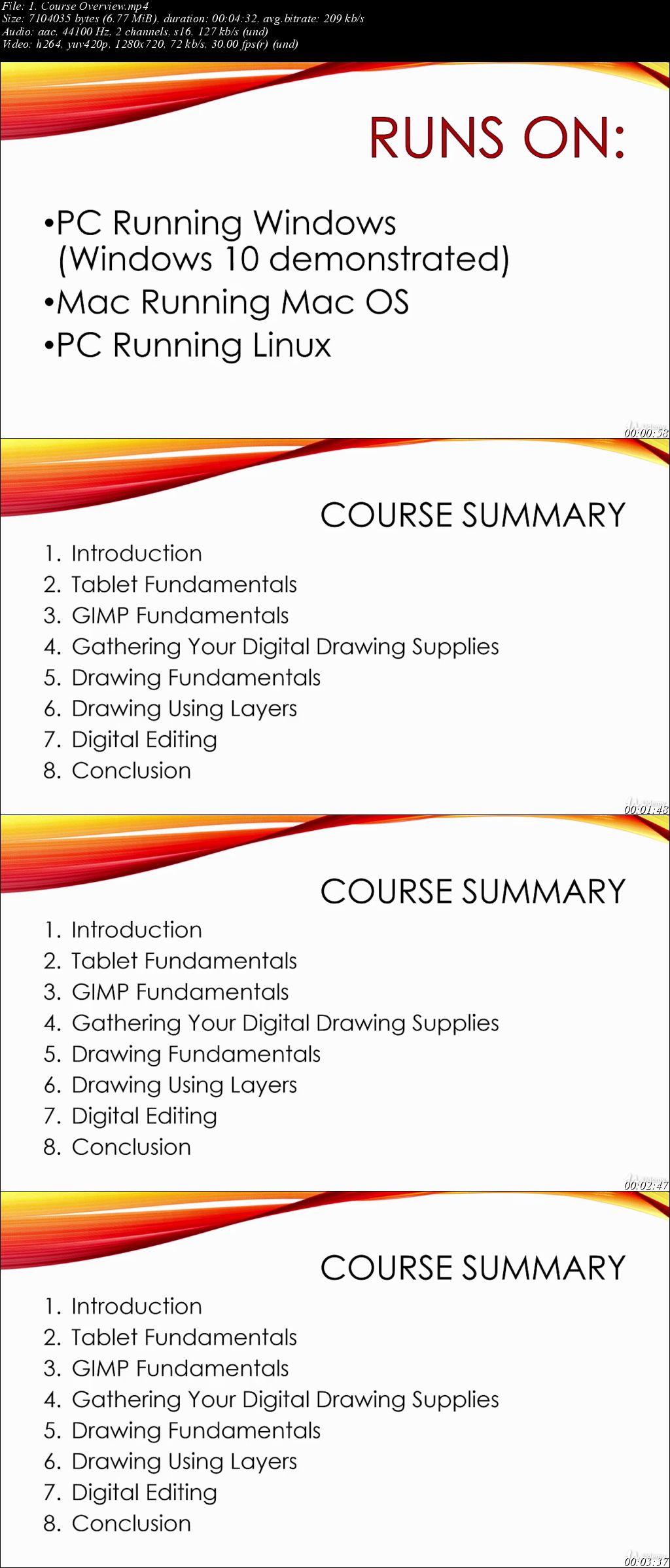
Beginner Digital Drawing: Free GIMP and Budget Tablet

1580946-d992-4.jpg


Beginner Digital Drawing: Free GIMP and Budget Tablet
Video: .MP4, 1280x720 | Audio: AAC, 44kHz, 2ch | Duration: 3h
Genre: eLearning | Language: English | Size: 1,3 GB

Welcome to my beginners course on digital drawing using the free GNU Image Manipulation Program (GIMP). My name is Brian Jackson and I'm a top rated Udemy instructor of over 38 courses covering a wide range of topics from writing, self-publishing and book covers to 2D animation.

This course provides an introduction to both digital drawing using a tablet and the GIMP program. Hardware and software usage details are woven throughout lectures on fundamental drawing techniques and example drawing workshops. Each section concludes with a workshop in which all the previously discussed features are demonstrated followed by a project you can work on independently and submit for review and comment.

In an attempt to get you drawing fast, this course begins with tablet selection and installation and basic GIMP usage. That's enough to get you drawing. Then we'll add information on using layers, and digital editing.

Unlike other courses, this course assumes no former knowledge, begins at the beginning and teaches you drawing and the software rather than simply having you watch me draw (though you'll get plenty of that as well).

This course is designed for drawing and illustration enthusiasts who would like to learn how to draw digitally using a tablet and the free GIMP software product (that runs on Windows 10, Mac OS and Linux). The ideal student is someone new to digital drawing and possibly even drawing itself. Someone who has an idea trapped inside them that they need to express through a creative medium.

Thanks for your interest in GIMP digital drawing. I hope you're excited to get started. If you are, go ahead and click on the enroll button. Don't forget the Udemy 30 day money back guarantee. This should make your decision an easy one.

So, I'll see you in the classroom,

---Brian

What you'll learn
Draw digital images for use in designing book covers and web graphics
Color black and white drawings quickly and easily
Learn the fundamentals of drawing and digital tablet use
Share your ideas with the world

Are there any course requirements or prerequisites?
You should be able to use a PC at a beginner level
You should be running Windows, Mac OS or Linux (Windows 10 demonstrated)
You will need to purchase a digital tablet (recommendations included)
You will need to install the free GIMP software package (instructions provided)

Who this course is for:
Anyone interested in avoiding the cost of PhotoShop
Anyone interested in getting their feet wet in digital drawing
Anyone on a budget needing to produce digitally drawn graphics
Anyone wanting to take their basic GIMP knowledge to the next level

Homepage

G1p-Qt3-Jegg-QJnhfw0p-Ze-NTc-Dtc-H3-Ioxo.jpg


...
 
Zuletzt bearbeitet:
Sales skills training 101: selling & sales hacks (SHORTCUTS)

2267526-2d71.jpg


Sales skills training 101: selling & sales hacks (SHORTCUTS)
Video: .MP4, 1280x720 | Audio: AAC, 44kHz, 2ch | Duration: 1h
Genre: eLearning | Language: English | Size: 1,09 GB

What you'll learn
Proven 7 STEP Process for selling ANYTHING to ANYONE
How to find prospects in a time-efficient way
Close deals with confidence
Asking the right questions so that the prospect sells himself
Feel confident preparing for a sales meeting
Are there any course requirements or prerequisites?
No prerequisites are needed

Who this course is for:
Entrepreneurs who need a basic understanding of sales
Salespeople
Any other employees improving their networth by learning this valuable commercial skill

Homepage

Uu-KUi5ze-Tle-NGLe9fzdo-HDJx-H8a-Ml-QGg.jpg


...
 
Fashion Photography - DC3 fashion shoot

09-DC3-fashion-shoot.jpg


Fashion Photography - DC3 fashion shoot
MP4 | Video: AVC 1920x1080 | Audio: AAC 48KHz 2ch | Duration: 13m 31s
Genre: eLearning | Language: English | Size: 457 MB

In a previous chapter Karl got some great landscape shots at the DC-3 Plane crash site but this time Karl wanted try and get some fashion shots in the same location - this chapter includes his first attempt at a levitation shot.

Homepage

Ayw-Da-HEe0-C3-VPh1-A9-Qm-LZz-NG54iid3-BO.jpg


...
 
Fashion Photography - Darklands shoot

10-Darklands-shoot.jpg


Fashion Photography - Darklands shoot
MP4 | Video: AVC 1920x1080 | Audio: AAC 48KHz 2ch | Duration: 26m 40s
Genre: eLearning | Language: English | Size: 894 MB

Karl and the team head to a more dark and desert like area for the next shoot. Here Karl shoots some Natural light fashion shots. As well as bringing out all the big guns as they aim for a truly epic shot.

Homepage

h0e-VSzc27rpb-Lmh-Xul-MUfeg-Qh28-SKvf2.jpg


...
 
Zurück
Oben Unten