• Regeln für den Video-Bereich:

    In den Börsenbereich gehören nur Angebote die bereits den Allgemeinen Regeln entsprechen.

    Einteilung

    - Folgende Formate gehören in die angegeben Bereiche:
    - Filme: Encodierte Filme von BluRay, DVD, R5, TV, Screener sowie Telesyncs im Format DivX, XviD und x264.
    - DVD: Filme im Format DVD5, DVD9 und HD2DVD.
    - HD: Encodierte Filme mit der Auflösung 720p oder darüber von BluRay, DVD, R5, TV, Screener sowie Telesyncs im Format x264.
    - 3D: Encodierte Filme von BluRay, die in einem 3D Format vorliegen. Dies gilt auch für Dokus, Animation usw.
    - Serien: Cartoon/Zeichentrick, Anime, Tutorials, Dokumentationen, Konzerte/Musik, Sonstiges sind demnach in die entsprechenden Bereiche einzuordnen, auch wenn sie beispielsweise im High Definition-Format oder als DVD5/DVD9/HD2DVD vorliegen. Ausnahme 3D.
    - Bereich Englisch: Englische Releases gehören immer in diesen Bereich.
    - Bereich Talk: Der Bereich, in dem über die Releases diskutiert werden kann, darf, soll und erwünscht ist.


    Angebot/Beitrag erstellen

    - Ein Beitrag darf erst dann erstellt werden, wenn der Upload bei mindestens einem OCH komplett ist. Platzhalter sind untersagt.
    - Bei einem Scenerelease hat der Threadtitel ausschließlich aus dem originalen, unveränderten Releasenamen zu bestehen. Es dürfen keine Veränderungen wie z.B. Sterne, kleine Buchstaben o.ä. vorgenommen werden. Ausnahme Serienbörse:
    - Bei einem Sammelthread für eine Staffel entfällt aus dem Releasename natürlich der Name der Folge. Beispiel: Die Simpsons S21 German DVDRip XviD - ITG
    - Dementsprechend sind also u.a. verboten: Erweiterungen wie "Tipp", "empfehlenswert", "only", "reup", usw. / jegliche andere Zusatzinformation oder Ergänzung, welche nicht in obiger Beschreibung zu finden ist.

    Aufbau des Angebots und Threadtitel

    Der Titel nach folgendem Muster erstellt zu werden. <Name> [3D] [Staffel] [German] <Jahr> <Tonspur> [DL] [Auflösung] <Quelle> <Codec> - <Group>
    Beispiel: The Dark Knight German 2008 AC3 DVDRip XviD - iND
    Beispiel: The Dark Knight 2008 DTS DL BDRip x264 - iND
    Beispiel: The Dark Knight 2008 AC3 DL BDRip XviD - iND
    Beispiel: The Dark Knight German 2008 AC3 720p BluRay x264 iND
    Beispiel: The Dark Knight 2008 DTS DL 1080p BluRay x264 iND
    Beispiel: Die Simpsons S01 German AC3 DVDRip XviD iND
    Beispiel: Die Simpsons S20 German AC3 720p BluRay x264 iND
    Beispiel: Sword Art Online II Ger Sub 2014 AAC 1080p WEBRip x264 - peppermint
    Entsprechend sind also u.a. verboten: Sonderzeichen wie Klammern, Sterne, Ausrufezeichen, Unterstriche, Anführungszeichen / Erweiterungen wie "Tipp", "empfehlenswert", "only", "reup", usw. / jegliche andere Zusatzinformation oder Ergänzung, welche nicht in obiger Beschreibung zu finden ist
    Ausnahmen hiervon können in den Bereichen geregelt sein.

    Die Beiträge sollen wie folgt aufgebaut werden:
    Überschrift entspricht dem Threadtitel
    Cover
    kurze Inhaltsbeschreibung
    Format, Größe, Dauer sind gut lesbar für Downloader außerhalb des Spoilers zu vermerken
    Nfo sind immer Anzugeben und selbige immer im Spoiler in Textform.
    Sind keine Nfo vorhanden z.B. Eigenpublikationen, sind im Spoiler folgende Dateiinformationen zusätzlich anzugeben :
    Quelle
    Video (Auflösung und Bitrate)
    Ton (Sprache, Format und Bitrate der einzelnen Spuren)
    Untertitel (sofern vorhanden)
    Hosterangabe in Textform außerhalb eines Spoiler mit allen enthaltenen Hostern.
    Bei SD kann auf diese zusätzlichen Dateiinformationen verzichtet werden.

    Alle benötigten Passwörter sind, sofern vorhanden, in Textform im Angebot anzugeben.
    Spoiler im Spoiler mit Kommentaren :"Schon Bedankt?" sind unerwünscht.


    Releases

    - Sind Retail-Release verfügbar, sind alle anderen Variationen untersagt. Ausnahmen: Alle deutschen Retail-Release sind CUT, in diesem Fall sind dubbed UNCUT-Release zulässig.
    - Im Serien-Bereich gilt speziell: Wenn ein Retail vor Abschluss einer laufenden Staffel erscheint, darf diese Staffel noch zu Ende gebracht werden.62
    - Gleiche Releases sind unbedingt zusammenzufassen. Das bedeutet, es ist zwingend erforderlich, vor dem Erstellen eines Themas per Suchfunktion zu überprüfen, ob bereits ein Beitrag mit demselben Release besteht. Ist dies der Fall, ist der bereits vorhandene Beitrag zu verwenden.
    - P2P und Scene Releases dürfen nicht verändert oder gar unter einem iND Tag eingestellt werden.


    Support, Diskussionen und Suche

    - Supportanfragen sind entweder per PN oder im Bereich Talk zu stellen.
    - Diskussionen und Bewertungen sind im Talk Bereich zu führen. Fragen an die Uploader haben ausschließlich via PN zu erfolgen, und sind in den Angeboten untersagt.
    - Anfragen zu Upload-Wünschen sind nur im Bereich Suche Video erlaubt. Antworten dürfen nur auf Angebote von MyBoerse.bz verlinkt werden.


    Verbote

    - Untersagt sind mehrere Formate in einem einzigen Angebotsthread, wie beispielsweise das gleichzeitige Anbieten von DivX/XviD, 720p und 1080p in einem Thread. Pro Format, Release und Auflösung ist ein eigener Thread zu eröffnen.
    - Grundsätzlich ebenso verboten sind Dupes. Uploader haben sich an geeigneter Stelle darüber zu informieren, ob es sich bei einem Release um ein Dupe handelt.
    - Gefakte, nur teilweise lauffähige oder unvollständige Angebote sind untersagt. Dies gilt auch für eigene Publikationen, die augenscheinlich nicht selbst von z.B. einer DVD gerippt wurden. Laufende Serien, bei denen noch nicht alle Folgen verfügbar sind, dürfen erstellt und regelmäßig geupdatet werden.
    - Untersagt sind Angebote, welche nur und ausschließlich in einer anderen Sprache als deutsch oder englisch vorliegen. Ausnahmen sind VORHER mit den Moderatoren zu klären.


    Verstoß gegen die Regeln

    - Angebote oder Beiträge, die gegen die Forenregeln verstoßen, sind über den "Melden"-Button im Beitrag zu melden.
  • Bitte registriere dich zunächst um Beiträge zu verfassen und externe Links aufzurufen.

*** Bestes IPTV *** bester Preis *** gratis Test ***


Englische Tutorials

1812261620330098.png

Michael Hyatt - Free to Focus Productivity Summit 2016
.MP4 | Language English | 5.5 GB
Genre: eLearning Video / Business, Sales, Marketing / Traffic
Introducing Free to Focus from Michael Hyatt, a total productivity system designed specifically for executives, entrepreneurs, and leaders, created to help you slay distractions, free your time from interruptions, and finally focus on the projects and people that matter most.​

Life on the Hamster Wheel
Where the Work Never Stops
Do you find that in spite of the amount of hours you work, the most important things still dont get done? Are you regularly overwhelmed by interruptions, distractions, and ineffective processes in your workplace, regardless of how high-achieving you are? Is the constant stream of work separating you from your priorities-like spending time with your family, exercising, seeing your friends, pursuing your passions, and taking vacations?
You may have tried other productivity systems with unsatisfying results. You may think that youll never get off the hamster wheel youre running on. Youre watching your life disappear into 50 and 60+ hour workweeks, and no matter how hard you work, nothing seems to change.

There Has to Be a Better Way-and There Is.
Developed by successful former CEO and thriving entrepreneur Michael Hyatt, Free to Focus is a transformative productivity system designed especially for busy leaders, from entrepreneurs to executives. This 3-part course provides an actionable blueprint for prioritizing the high-leverage activities in your business, clearing the path for you to generate more revenue and do more of the work you love.
Unlike other productivity systems, Free to Focus is not for cramming more tasks into your schedule -- its not about DOING more. Its about accomplishing more by doing LESS.
This dynamic course is an accelerator that helps you drive results and free up your schedule for the people and projects that matter most. By teaching you to spend 80 of your time of whats most important (instead of the mere 20 most leaders are able to devote to their priorities), Free to Focus provides gains at work and restores balance to your personal life.

Find Freedom, Relief, and Satisfaction in Your Work
The online course and vault of bonuses are the turn-key solution for an overwhelmed work life, providing relief and satisfaction as you get back to your highest-impact projects and free up your schedule for the people you care about the most.
The total Free to Focus experience is provided in a 3-Day Intensive Workshop, where participants receive personalized training from Michael as they learn and implement the principles of the course during three incredible days of teaching. This is especially recommended for corporate teams, executives, and business owners who want to experience rapid transformation.
When youre Free to Focus, the way you work-and live your life-will never be the same!

Status: Public Enrollment Is Currently Closed
Public enrollment for Free to Focus is not open right now, but you can sign up to receive updates about when this revolutionary course will be open again.
As a special bonus, well give you access to the Personal Productivity Assessment. Find out how productive you really are and what you can do about it right now!

HOmepage:
Code:


Recommend Download Link Hight Speed | Please Say Thanks Keep Topic Live

 

1901060428380107.jpg

Color Grade Video Course
MP4 | Video: AVC 1280x720 | Audio: AAC 44KHz 2ch | Duration: 5 Hours | 2.36 GB
Genre: eLearning | Language: English

The goal of this course is to provide a comprehensive understanding of the versatile set of color grading tools available in Photoshop as well as when and why to use each one. The first half of the course focuses on the specific tools available during a color grade. Once these tools are thoroughly explained, Michael walks through practical examples of implementing various tools on some of his images.
This course is not meant for beginners, it requires a basic understanding of Photoshop tools, layers, adjustment layers, blending modes and masks. However, take note that there is an explanation of each tool and a practical lesson where it is used on a PSD file that you will have access to. We hope that by the end of the lessons, you will be able to start practicing each tool with your own images to develop your own image look and style.


1901060428420111.jpg


Recommend Download Link Hight Speed | Please Say Thanks Keep Topic Live

 
1071453b7e2aafa4a0a946b4742471fe.jpg

Unreal Engine C++ Developer: Learn C++ and Make Video Games
.MP4, AVC, 500 kbps , 1280x720 | English, AAC, 192 kbps, 2 Ch | 59h 16m | 23.69 GB
Created by Ben Tristem, Sam Pattuzzi

Learn C++ from basics. Make your first 4 video games in Unreal engine, the engine behind Fortnite. Interactive tutorial.
What you'll learn
C++, the games industry standard language.
How to use the Unreal Engine 4 Editor.
Unreal Blueprint for designer friendly programming.
Git as a version control and backup system.
Object Oriented Programming and how to put it into practice.
Sound effects and audio to add depth to your games.
Game design principles.
Programming patterns and best practices.
Unreal's Terrain Editor to create epic landscapes.
Artificial Intelligence behaviour programming for enemies.
Strong and transferable problem solving skills.
Modern game development technologies and techniques.
A fundamental understanding of computers.
Write code that is clean and to understand.
Unreal Gameplay Framework to make games easily.
Advanced vehicle physics.
Blackboard and Behaviour Tree for customizable AI.
Animation Blueprint for custom character animation.
C++ template programming to reduce repetition.
Vector maths for game play and physics calculations.
Requirements
64-bit PC capable of running Unreal 4 (recommended).
Or a Mac capable of running Unreal 4 (must support Metal).
About 15GB of free disc space.


NEW Testing Grounds FPS shipped, including...
Much more C++ and Blueprint.
AI Blackboards & Behavior Trees.
Environmental Query System (EQS).
Humanoid Animation Blending.
Never-ending Level Design.
The course now has high quality hand written subtitles throughout, available as closed captions so you can turn them on or off at your convenience. This is one of the best Unreal Engine tutorials on the web.
This course started as a runaway success on Kickstarter. Get involved now, and get access to all future content as it's added. The final course will be over 50 hours of content and 300+ lectures.
Learn how to create and mod video games using Unreal Engine 4, even if you're a complete beginner. Unreal is a free-to-use game development engine used by AAA studios and indie developers worldwide. It can be complex beast to get into, but we break it down step-by-step
Already know Unreal and want to learn VR or Multiplayer? Check out our other Unreal courses, just look for the green leaf for our other world-class Unreal courses.
We start super simple so you need no prior experience of Unreal or coding! With our online tutorials, you'll be amazed what you can achieve. We believe project-based learning is the best way to learn Unreal Engine.
Benefit from our world-class support from both other students, and the instructors who are on the forums regularly. Go on to build several games including a tank game, and a First Person Shooter.
You will have access to a course forum where you can discuss topics on a course-wide basis, or down to the individual video. Our thriving discussion forum will help you learn and share ideas with other students.
You will learn C++, the powerful industry standard language from scratch. By the end of the course you'll be very confident in the basics of coding and game development, and hungry to learn more.
"Any serious game programmer needs to know C++"Jason Gregory, Lead Programmer at Naughty Dog (creators of Uncharted & The Last of Us)
Anyone who wants to learn to create games: Unreal Engine is a fantastic platform which enables you to make AAA-quality games. Furthermore these games can be created for Windows, consoles, MacOS, iOS, Android and Web from a single source!
If you're a complete beginner, we'll teach you all the coding and game design principles you'll need. If you're an artist, we'll teach you to bring your assets to life. If you're a coder, we'll teach you game design principles.
What this course DOESN'T cover...
Whereas this course is already huge, we can't possibly cover everything in that time. Here are some things we will not be covering...
Team collaboration topics.
Editor plugins or modifications.
Physics engine modification.
Multiplayer features.
Start to learn Unreal C++ now, you won't be disappointed!
All future content updates are included free!
Who this course is for:
Competent and confident with using a computer.
Artists who want to bring their assets alive in a game engine.
Developers who want to re-skill across to coding.
Complete beginners who are willing to work hard.
Existing programmers who want to re-skill to game development.
More Info


2ff1b59f7923bb20abde38ffea09f65d.jpg


Recommend Download Link Hight Speed | Please Say Thanks Keep Topic Live
 

9b64fb6c96861719d2e3adac9d945c79.jpg

Building an Application with Azure Service Fabric Mesh
MP4 | Video: AVC 1280x720 | Audio: AAC 44KHz 2ch | Duration: 2 Hours 44M | 362 MB
Genre: eLearning | Language: English

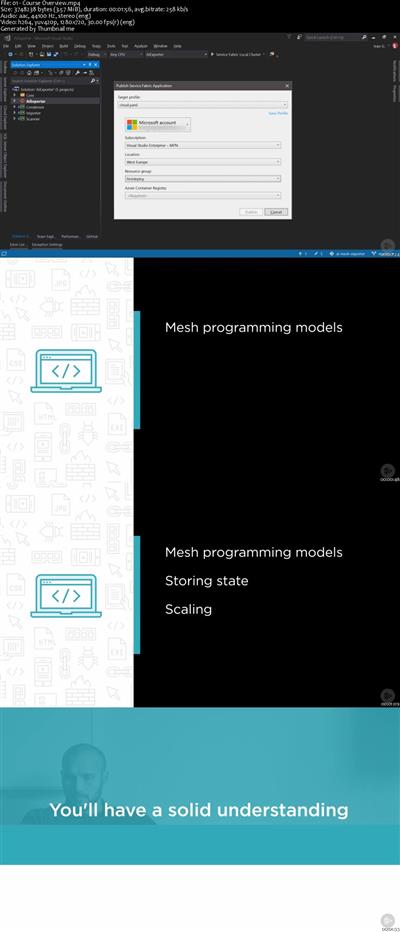
Get up to speed with the latest microservice framework from Microsoft Azure Service Fabric Mesh, which completely removes the need for infrastructure management and follows open standards for microservice orchestration.
At the core of containers and microservices is a thorough knowledge of Azure Service Fabric Mesh. In this course, Building an Application with Azure Service Fabric Mesh, you will first learn foundational knowledge of Service Fabric Mesh programming models. Next, you will explore state management. Finally, you'll discover the basics of scaling, networking, and routing. When you are finished with this course you will have the skills and knowledge to create complex microservice applications straight away, without an overhead of creating or managing any kind of infrastructure.


597486b407e49574a1c17d6cf811b03a.jpg


Recommend Download Link Hight Speed | Please Say Thanks Keep Topic Live
 

ac1a22eff646c913c211bc136afc2e10.jpg

MP4 | Video: h264, 1280x720 | Audio: AAC, 48 KHz, 2 Ch
Genre: eLearning | Language: English + .VTT | Duration: 1 hours | Size: 711 MB
A Complete Guide to Getting More Views and Subscribers on Youtube Fast With SEO and Content Strategies​

What you'll learn
How To Get To 2,000 + Youtube Subscribers
Branding Strategies
How to Dominate Youtube SEO
Organic Strategies To Skyrocket Subscribers
Free Facebook Hacks To Get More Views
How To Use KILLER Tags
How To Get Collaborations and Sponsorships
and much much more!
Requirements
Willingness to learn
Youtube Channel
Description
Are you looking for way to get more views and subscribers to your you tube channel?
If you're tired of getting 10 views and no comments, or maybe you have 100 views yet can't seem to break past 10 subscribers, I've got the course for you!
In this course I will breakdown the most relevant and up to date strategies I've used to grow my channel from 0 - over 2k subscribers.
And not with "viral" videos or pumping tons of money into advertising. I'm going to share with you how you can grow your channel in the most efficient way possible.
In this course we will be covering:
- Module 1: Optimizing Your Channel
- Channel Names
- Your About Section
- Your Home Section
- Community Section
- Creating Playlists
- Upload Default Settings
- Branding Watermark for all videos
- Channel Keywords (WAY overlooked)
- #1 Tip To Get Your Channel Seen!
Module 2: Optimizing Your Videos
- How To Pick A Title
- Description Tips
- Choosing the right tags
- Adding End Cards
- Adding Thumbnails
- Pinning Comments
- Why You Need To Reply To EVERY Comment
Module 3: How To Market Your Videos for FREE and Get Views Faster
- Posting in Forums HACK
- Instazood - Turn Instagram Followers into Subscribers
- Facebook Groups
Module 4: Content Creation
- Stick To A Niche
- Short or Long Videos?
- Consistency is CRUCIAL
- Response Videos Hack - Get Tons of Views
Module 5: Mindset Hacks
- How To Deal With Trolls
- We All Start Somewhere
- How Successful People Think
- The Power Of Live Videos
Module 6: How to Create Good Thumbnails
- Does Clickbait Still Work?
- How To Use Fotor for Thumbnails
Module 7: How To Get Sponsorships
- Email/Messaging Strategy To Brands
Module 8: The Best Ways To Collaborate
- How To Convey Value
- Start Small, Work Your Way Big
Hope you like it! :)
- Taylor Martial Arts Tutor
Who this course is for:
New/Old Youtubers Who Want More Subscribers

b7efe77dd9bc09398fb18b657ef6fdc7.jpg


Recommend Download Link Hight Speed | Please Say Thanks Keep Topic Live
 

1901190133480111.jpg

Premiere Pro: Color grading from zero to hero
.MP4 | Video: 1280x720, 30 fps(r) | Audio: AAC, 44100 Hz, 2ch | 539 MB
Duration: 38 mins | Genre: eLearning | Language: English​

Color grading in a simple and effective way with the Adobe Premiere
What you'll learn
Grading video colors
Requirements
Adobe Premiere Pro CC 2018
Description
In this course you will learn how to grade and edit colors in video files making them in the best quality possible. The lessons presented in this course are practical because we will work on numerous video examples in which the colors are pale and in a low quality and we will grade and edit them turning them into high quality and professional videos.
The course is very easy and simple and through it you will learn to edit and grade colors in any way you like.
The course is presented to the beginners in video editing and also for youtubers and anyone that makes their own videos whether to publish it on social media platforms or to make their own short movies because correcting colors is very important in setting shots and making them consistent with each other than you can add extra special effects to them and make them more professional.
So all you have to do is to subscribe to this course.
Who this course is for:
People interested in Photography
Adobe Premiere Pro users
People interested in learning video editing


1901190133490113.jpg


Recommend Download Link Hight Speed | Please Say Thanks Keep Topic Live
 
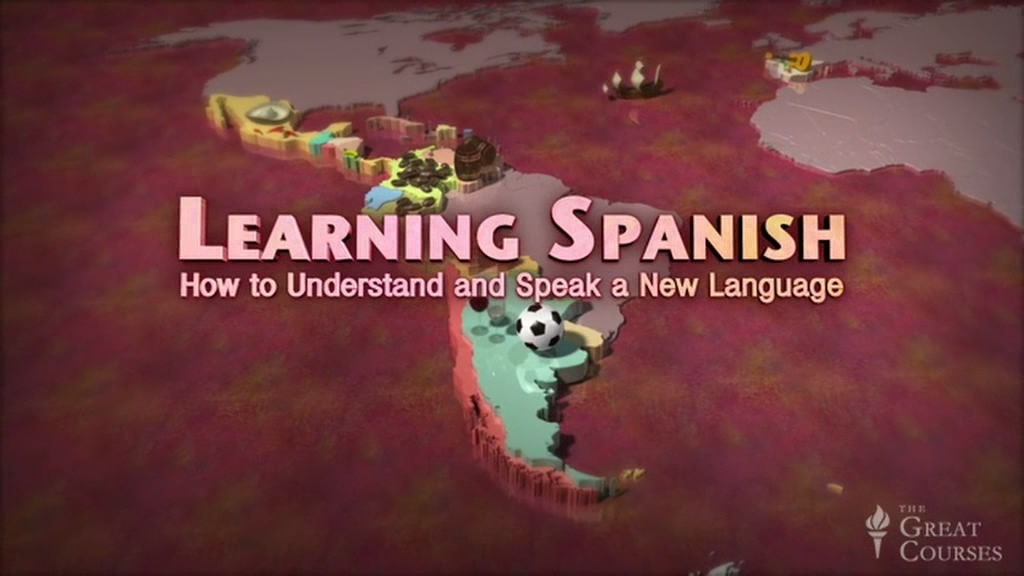
Learning Spanish: How to Understand and Speak a New Language (reduced)

003cbfc4.jpg


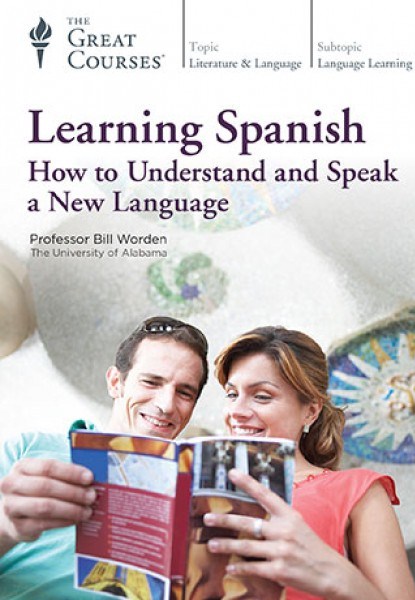
Learning Spanish: How to Understand and Speak a New Language
30xDVDRip | MP4/AVC, ~567 kb/s | 1024x576 | Duration: 21:33:54 | English / Spanish : AAC, 68 kb/s (2 ch) | + PDF Book | 6.31 GB
Genre: Spanish Language


Have you ever tried to learn another language, only to abandon your efforts due to boredom or frustration? In this highly effective course, we're pleased to present an approach that turns the tables on the problems so many people face in learning a new language. Experience the fastest and most direct way to get up and running with a beautiful and highly useful language. Learning Spanish: How to Understand and Speak a New Language offers you an exciting and practical way to quickly build the ability to communicate in Spanish.

In 30 highly engaging lessons, this ingeniously constructed program leads you sequentially through the core building blocks of competence in spoken Spanish. In each lesson, you'll get "under the hood" of the language, learning the key concepts of grammar, culture, and vocabulary that will make acquiring Spanish easier than you ever imagined.

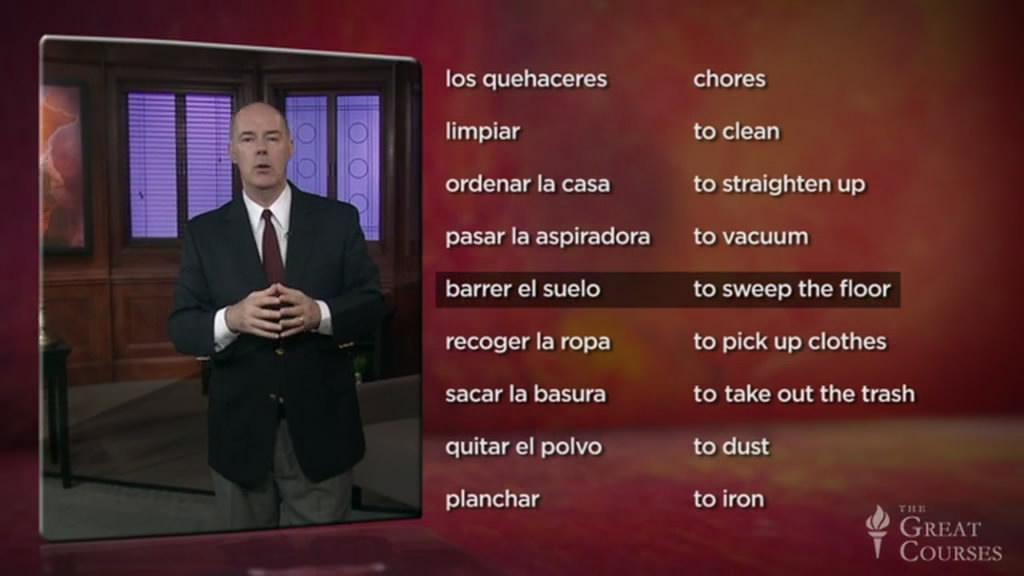
You'll also gain a rich working vocabulary that will prepare you for a wide range of everyday situations. The end of each lesson includes audio exercises that will build your pronunciation, comprehension, and conversational skills. Plus, the workbook includes plenty of reading and writing exercises to practice and build upon what you learn.

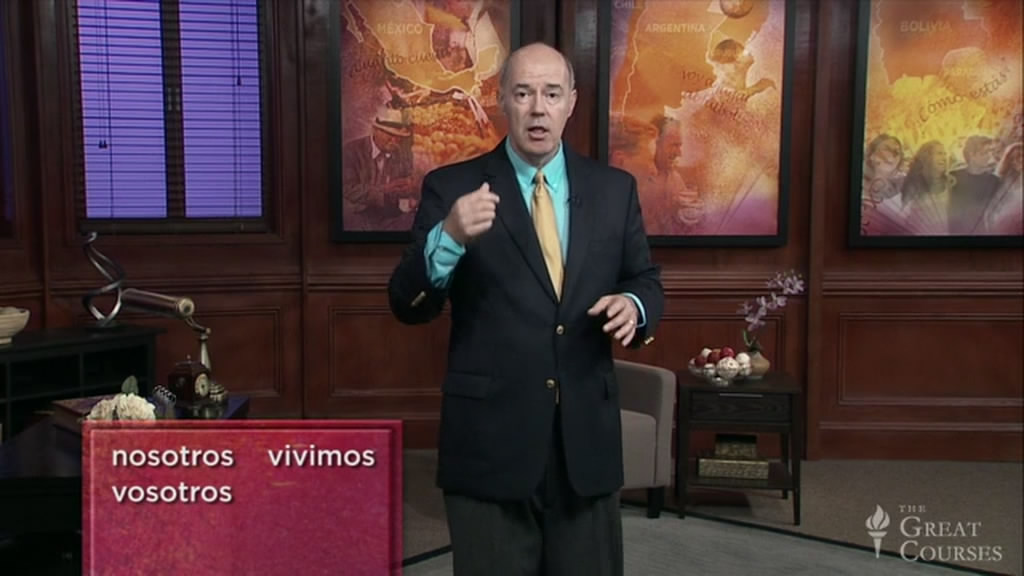
This course is designed to cover the curriculum of a first semester college course in Spanish. Throughout the lessons, you'll explore how to learn a language and start communicating. Your teacher, world-class language instructor Professor Bill Worden of the University of Alabama, has refined this approach over more than 20 years, distilling the step-by-step system that works the best for adult learners. As an integral part of the language lessons themselves, he teaches a set of learning strategies that will enable you to be a successful language learner and will help you actively use and remember the material.

Even if you believe you have no aptitude for language learning, this course will show you otherwise. If you follow these fun and rewarding lessons, and practice by using the specially crafted accompanying audio and print materials, by the end of the course you'll be able to converse in Spanish, and to communicate about work, leisure, food, family, friends, travel, and much more.

Useful, Beautiful, and Mind-Expanding

Spanish is the third most widely spoken language in the world. Increasingly relevant in global culture and economics, it's the official language of 20 countries, plus the territory of Puerto Rico. Half a billion people speak it, including over 50 million in the U.S., and every day we encounter Spanish speakers right around the corner. For these reasons and more, Spanish is one of the most useful languages on earth.

Spanish is also one of the great Romance languages of Europe, with a rich and glorious literature from both the Old and New Worlds, and whose poetic sensibility and sensual rhythms make it one of the most beautiful languages in the world to hear and speak.

Learning a foreign language is one of life's most broadening experiences, allowing you to travel into other cultures, to build new friendships and professional contacts, and to communicate with a vast segment of the human population where conversation would otherwise never take place.

For these reasons and more, learning Spanish is a practical, enjoyable educational endeavor, and Learning Spanish is designed to provide the tools you need to embark on this journey into an important and incredibly useful language.

Master the Essentials of Spoken Spanish

The remarkable effectiveness of this course rests on Professor Worden's skill in breaking down the core elements of Spanish into an easily learnable sequence. From the beginning, you'll work with key material and concepts that help you build a fundamental "feel" for the language.

The lessons begin with simple groundwork for Spanish: the proper pronunciation of consonant and vowel sounds, the alphabet, and greetings and responses to greetings. With these building blocks, you can start speaking to people in Spanish right away!

From there, you'll delve into the most important part of speech: verbs. This is anything but dry, rote repetition: you'll discover verbs through their living context, by using them in many different practical settings, getting a visceral sense of how they operate in everyday speaking, and, most importantly, experiencing how they form the basis for expressing yourself in Spanish.

By working sequentially with ser and estar-the two Spanish verbs meaning "to be"-plus vital verbs such as ir (to go), tener (to have), hacer (to make or do), and querer (to want or to love), you'll learn to talk about basic thoughts, feelings, and actions.

You'll build on the ability to express yourself with verbs through in-depth practice with the forms and uses of Spanish nouns, adjectives, adverbs, prepositions, and pronouns, and an ever-expanding vocabulary-all the necessary linguistic tools that will allow you to communicate successfully in Spanish.

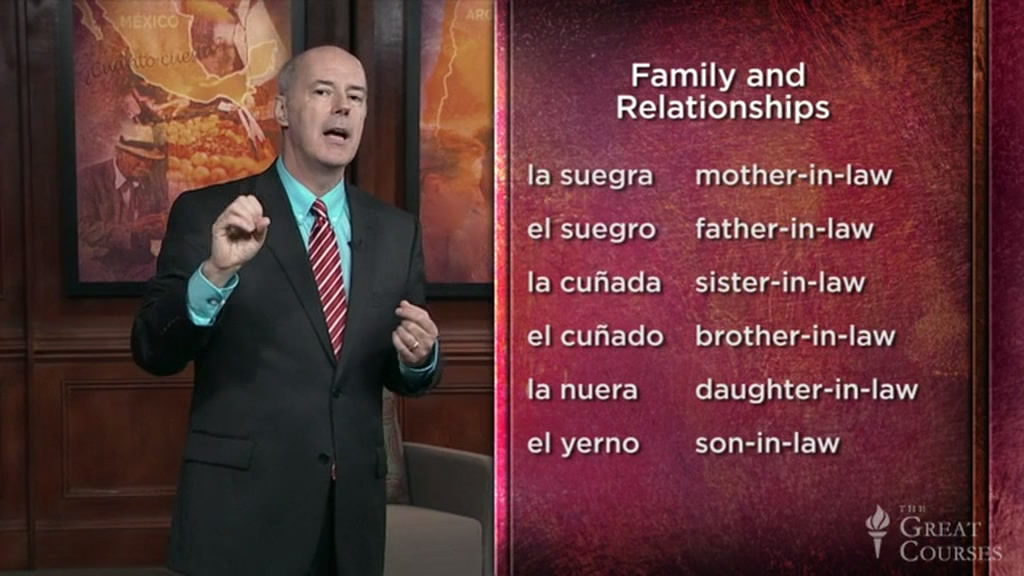
Enriching the language lessons, Professor Worden exposes you to the culture and ethos of the Spanish-speaking world. At key moments, you'll explore Spanish literature, soccer rivalries, family relationships, and more. You'll also learn about variations in how Spanish is spoken in different regions of the world.

Lectures:

01-Introduction to the Spanish Language
02-Definite Articles and Nouns
03-Subject Pronouns and the Verb 'Ser'
04-Regular -ar Verbs in the Present
05-Indefinite Articles and Numbers to 100
06-Verb 'Estar' and Numbers over 100
07-Regular -er and -ir Verbs in the Present
08-Verb 'Ir' in the Present
09-Expressing Time in Spanish
10-Expressions Using the Verb 'Tener'
11-Verbs like 'Hacer' and Interrogative Words
12-Verbs 'Saber' and 'Conocer'
13-Stem-Changing Verbs
14-'Ver', 'Dar', and Other Irregular Verbs
15-Present Progressive
16-Direct Object Pronouns and Adverbs
17-Affirmatives, Negatives, and Demonstratives
18-More Affirmative and Negative Expressions
19-Indirect Object Pronouns
20-Double Object Pronouns
21-Reflexive Verbs
22-Talking about the Past-'Acabar' and 'Hace'
23-Talking about the Past-Desde Cuándo.?
24-Formal Commands and Unequal Comparisons
25-Informal Commands
26-Superlatives and Equal Comparisons
27-Regular -ar Verbs in the Preterite
28-Regular -er and -ir Verbs in the Preterite
29-Irregular Verbs in the Preterite
30-Next Steps in Improving Your Spanish

003cbfe9.jpg
003cbfea.jpg
003cbfeb.jpg
003cbfec.jpg


888
 
Groove3 - Studio One 3.5 Update Explained (2017)

0045fd29.jpg


Groove3 - Studio One 3.5 Update Explained (2017)
MP4 | AVC 645kbps | English | 1600x900 | 30fps | 1h 49mins | AAC stereo 256kbps | 701 MB
Genre: Video Training

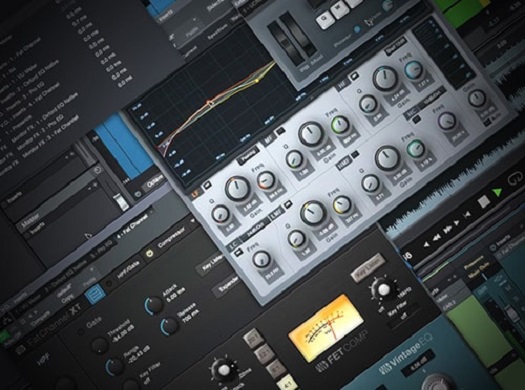
Marcus Huyskens goes deep into the amazing new enhancements found in the Presonus Studio One 3.5 Update. See just how awesome the new features are, and how they'll change the way you work in Studio One. Marcus starts of by welcoming you and showing just how more efficient 3.5 is compared to previous S1 versions. He then reveals how the new audio engine works in detail, allowing you to get way better performance. The new low-latency monitoring features are then explained in-depth, as well as the new arrangement and automation improvements.

The Fat Channel and other plug-ins have also been improved and Marcus breaks them all down for you, so you can take advantage
of their updated features. Lastly, explore the improved Notion integration into S1 and the new Project Page changes.
See the individual tutorial descriptions below for more info. If you use Studio One v3, this series is a no-brainer.
Get the most out of your Studio One rig, watch "Studio One 3.5 Update Explained" today!


Tutorial 1 - 4:42
Introduction
In this video, Marcus takes a quick moment to do a comparison of tracking overdubs in a complex session in
Studio One 3.3.4 vs Studio One 3.5 with the new Audio Engine & performance enhancements.

Tutorial 2 - 6:55
Audio Engine & Performance Enhancements
Marcus discusses the details behind the new and improved Audio Engine & Performance enhancements, and what it means for Studio One users.

Tutorial 3 - 19:59
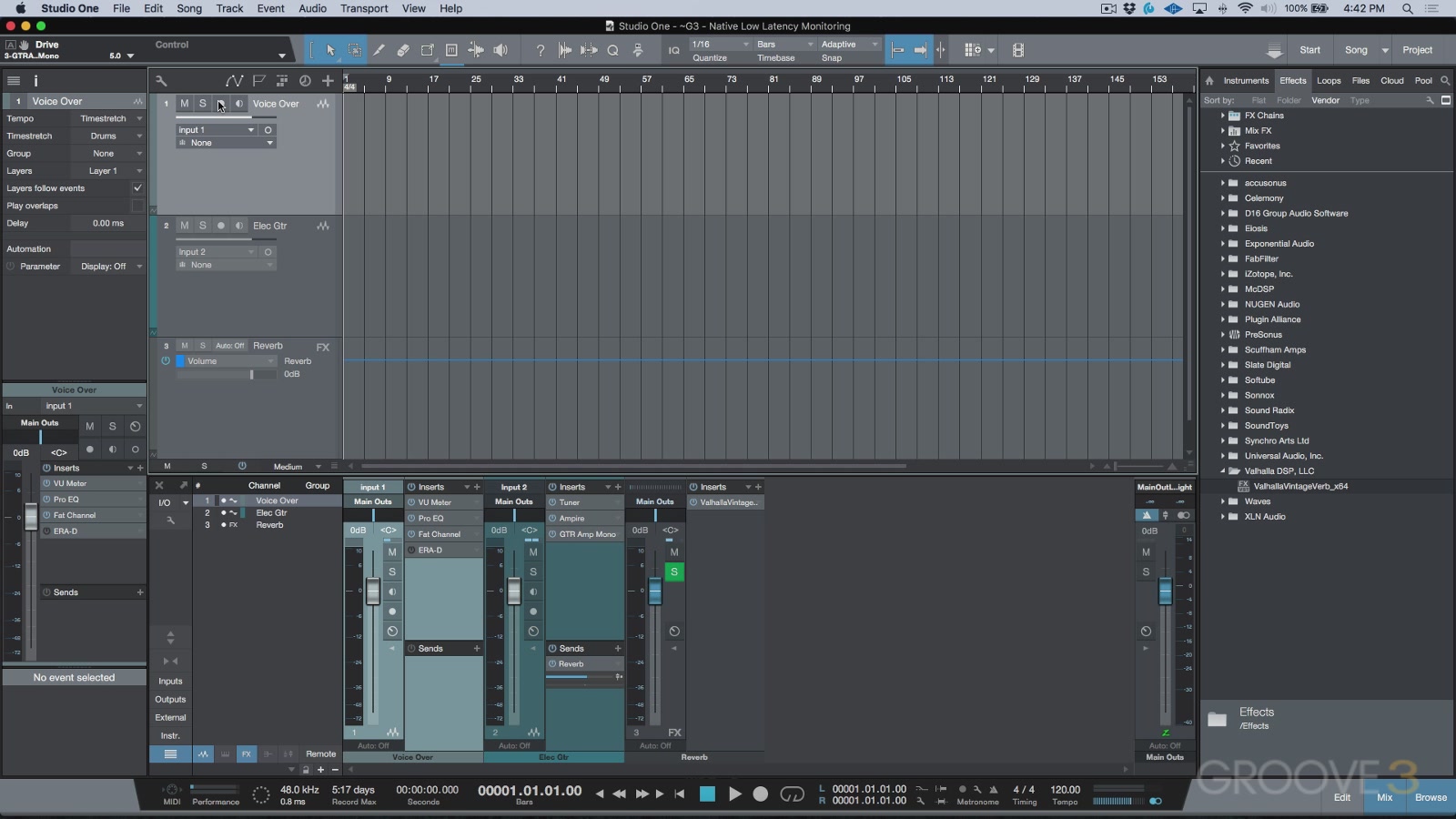
Native Low Latency Monitoring
Learn all the details about the new Native Low Latency Monitoring mode (Green Z) added in Studio One 3.5.

Tutorial 4 - 9:52
Hardware Low Latency Monitoring
Marcus demonstrates how Hardware Low Latency Monitoring mode (Blue Z) can be optionally used in Studio 3.5 for supported interfaces.
Allowing users to benefit from low latency monitoring applications such as UC Surface, and DSP hardware such as the Studio 192 by PreSonus.

Tutorial 5 - 15:03
Instrument Low Latency Monitoring
Learn how to set up and use Instrument Low Latency Monitoring (Green Z) to seamlessly punch in, or add
virtual instruments to a busy mix, with minimal latency and optimal system performance.

Tutorial 6 - 9:41
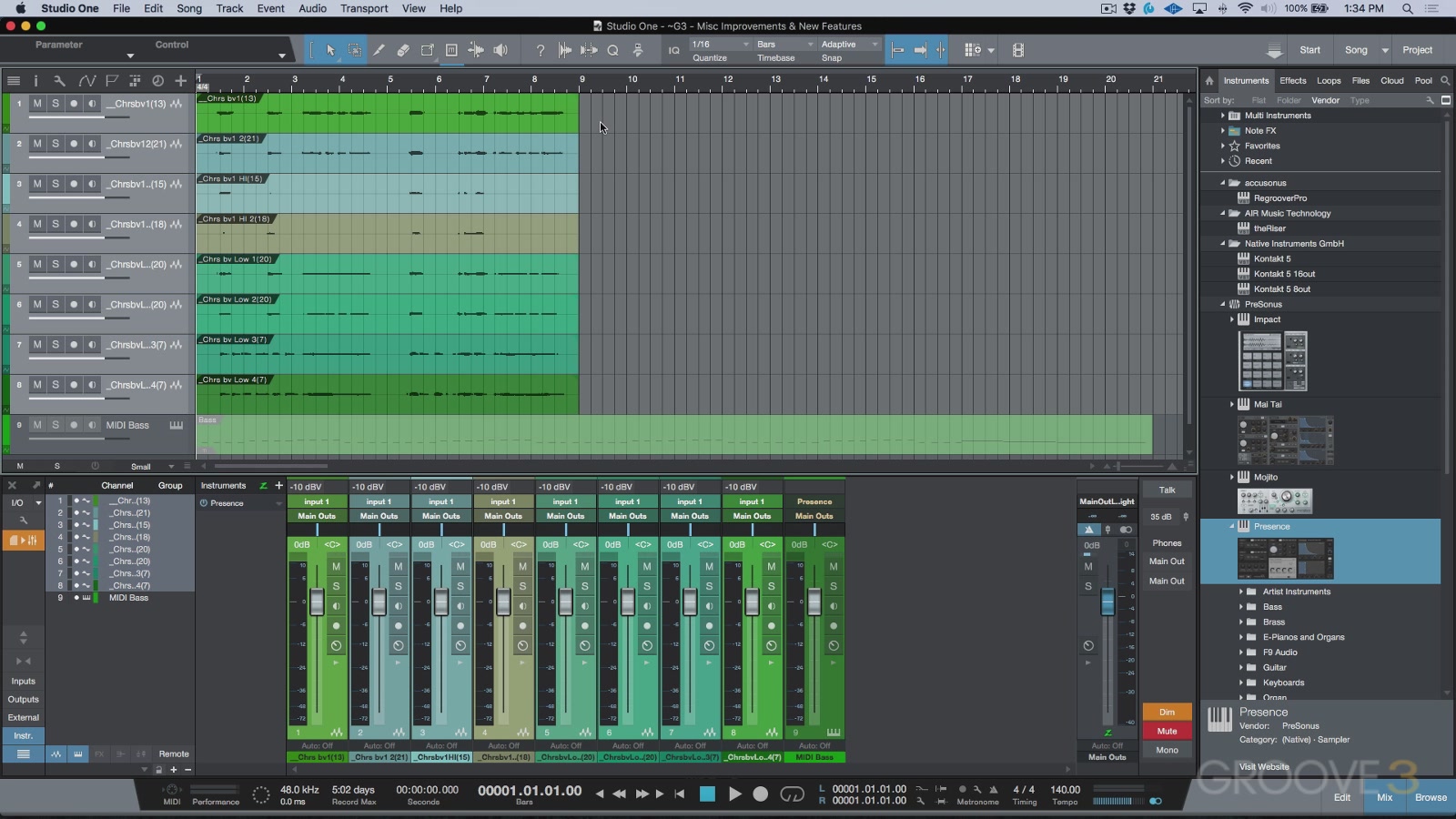
Arrangement & Automation Pt. 1
Marcus demonstrates some of the improvements and new features in Studio One 3.5.

Tutorial 7 - 10:49
Arrangement & Automation Pt. 2
Marcus continues demonstrating some of the improvements and new features to arrangement and automation in Studio One 3.5.

Tutorial 8 - 5:48
Fat Channel XT
Learn all about the freshly updated Fat Channel XT plug-in, as well as the newly added state space modelled plug-in emulations now included.

Tutorial 9 - 2:36
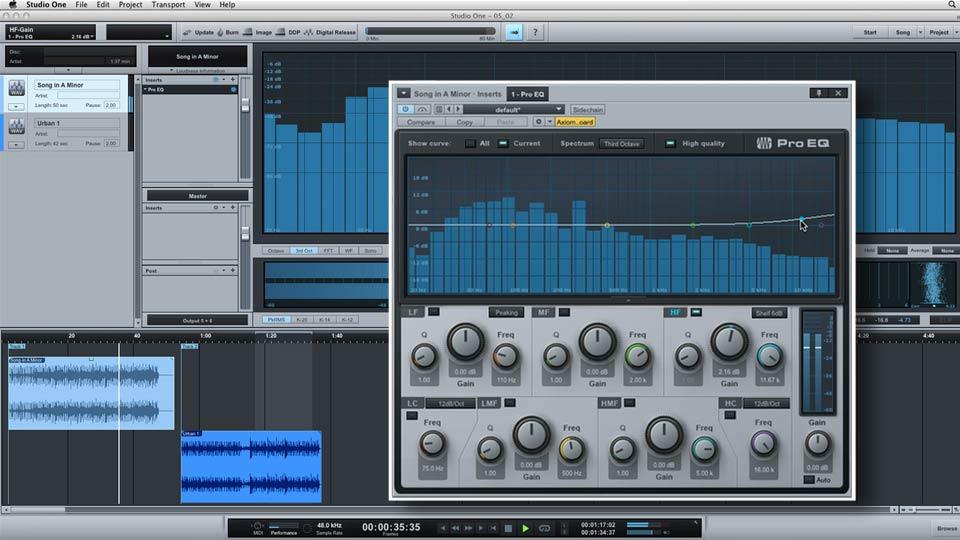
Updated Plug-Ins
Marcus demonstrates some of the changes we now see in some of the Studio One Native FX.

Tutorial 10 - 11:05
Improved Notion Integration
Learn how to use the new transfer options in Studio One 3.5+ & Notion 6.2+ which allow users to merge note data and audio to existing documents.

Tutorial 11 - 12:42
Improved Project Page
Marcus explores the changes in the new & improved Project page.

0045fd2c.jpg
0045fd2e.jpg
0045fd30.jpg


888
 
Learning Studio One

004a5bed.jpg


Learning Studio One
MP4 | Video: 720p | Duration: 1:55:23 | English | Subtitles: VTT | 821.7 MB


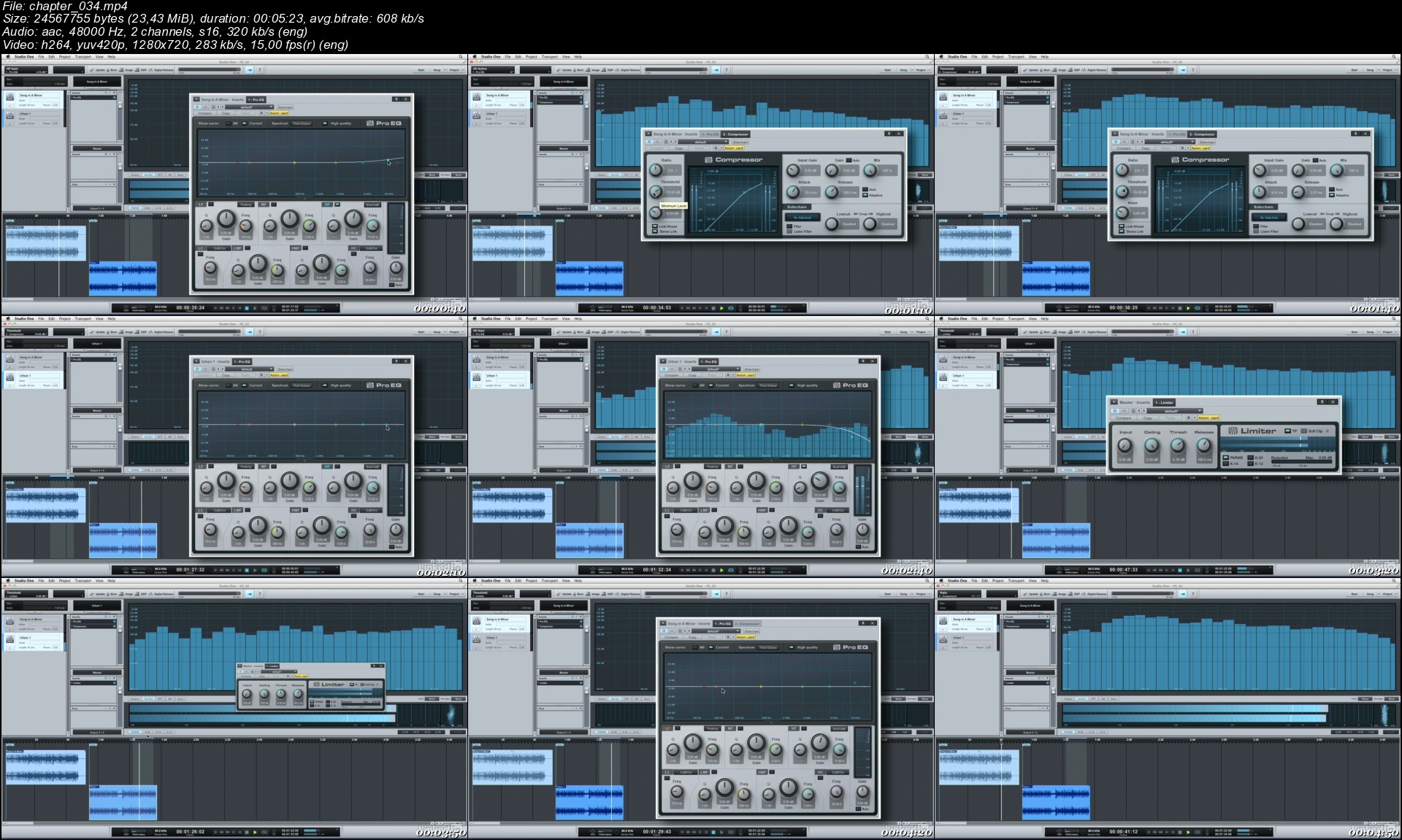
Start making music with the powerful, intuitive controls in Studio One and these lessons from producer and remixer Josh Harris. Josh begins with a tour of Studio One's Start Page, the creative hub of the program, where you set up your artist profile and audio devices. He then shows you how to set up and start recording a new song, including punching in and using track layers. The course then moves into editing audio and MIDI, where Josh explains the most important of the editing functions: comping, trimming and time stretching audio, quantizing MIDI, and editing MIDI velocities. He also covers mixing with effects and chains, showing how to speed up the process with presets and automation, and explores Studio One's unique feature set used to master your recordings. The course wraps with tips to connect with your audience and share your music with the world, including publishing to SoundCloud, promoting songs on the Nimbit Store, and using PreSonus Exchange.

Topics include:

What is Studio One?
Creating a new song
Setting up your artist profile
Adding instruments, loops, and effects
Recording your tracks
Editing MIDI
Tuning audio with Melodyne
Mixing and mastering
Distributing your music

chapter_034.jpg


888
 
CompTIA PenTest+ (PT0-001): 7 Reporting and Communication

005f71f8.jpg


CompTIA PenTest+ (PT0-001): 7 Reporting and Communication
MP4 | Video: AVC 1280x720 | Audio: AAC 44KHz 2ch | Duration: 36M | 680 MB
Genre: eLearning | Language: English

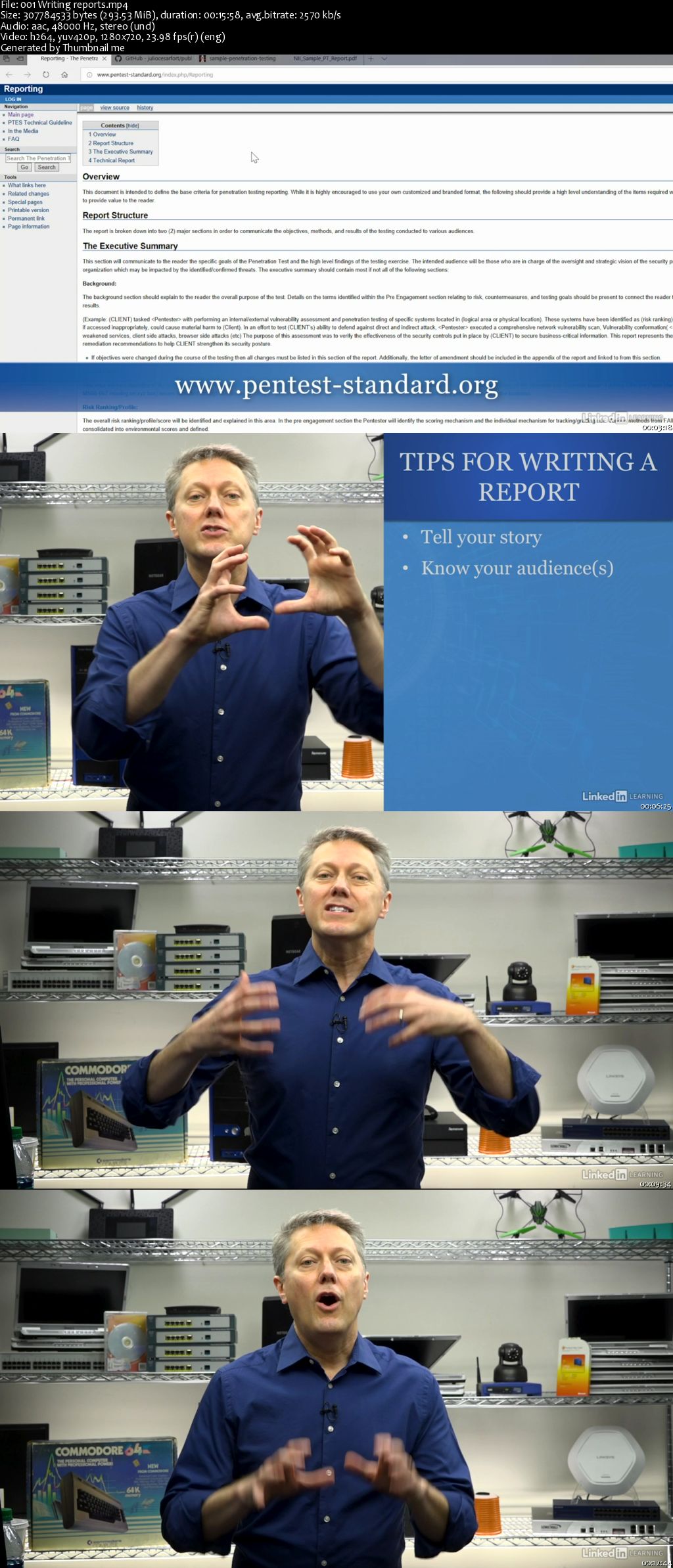
Demonstrate your penetration testing and vulnerability management skills to others in your field by earning the CompTIA PenTest+ certification. In this course, learn how to clearly convey your pen test findings and recommendations as you prepare for the Reporting & Communication domain of the CompTIA PenTest+ exam. Instructor Michael Solomon provides tips for communicating what you did during the penetration testing process-as well as your ultimate conclusions-by writing compelling reports. He also goes over best practices for communicating your recommended mitigation strategies.

005f7209.jpg


888
 
CompTIA PenTest+ (PT0-001): 6 Using Scripting in Pen Testing

005f71f1.jpg


CompTIA PenTest+ (PT0-001): 6 Using Scripting in Pen Testing
MP4 | Video: AVC 1280x720 | Audio: AAC 44KHz 2ch | Duration: 1 Hour | 350 MB
Genre: eLearning | Language: English

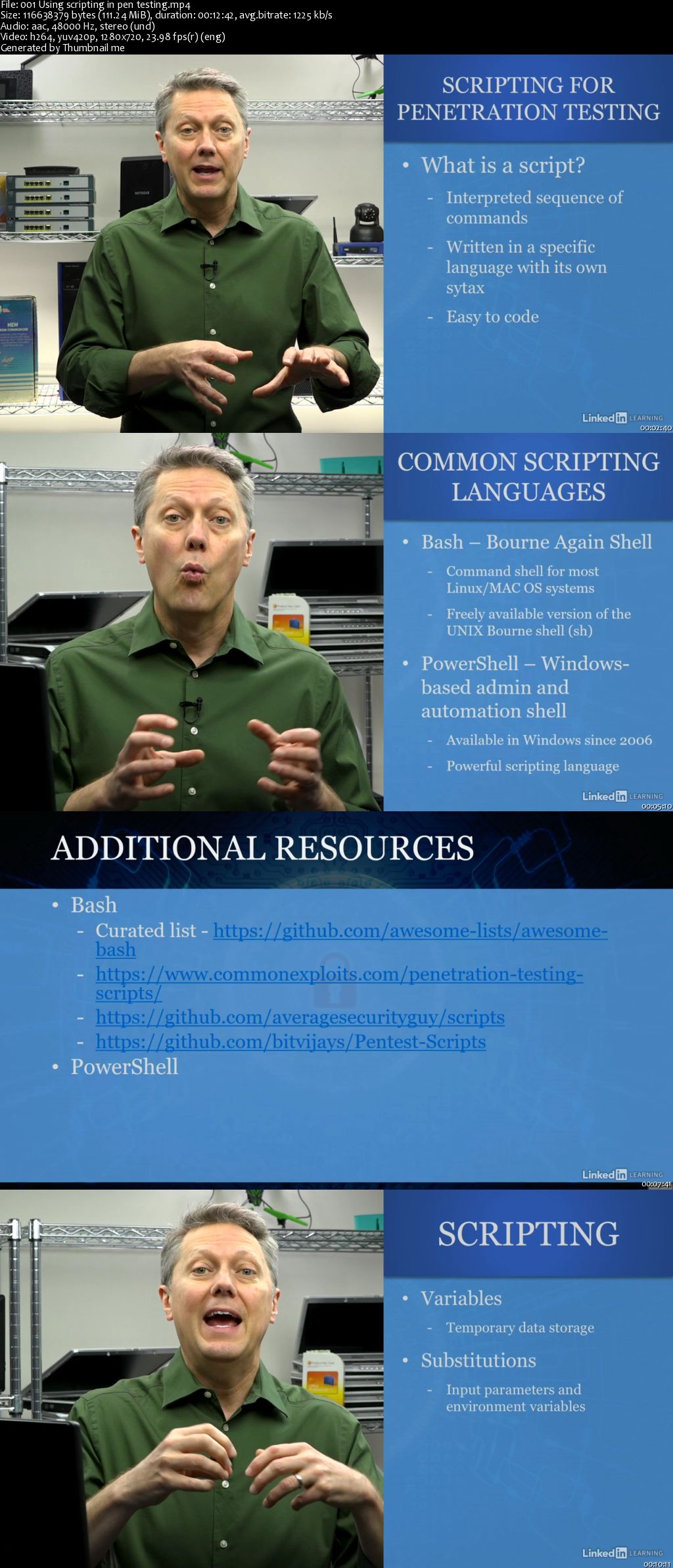
Learn to use and analyze basic pen-testing scripts, while you study for the CompTIA PenTest+ certification exam-the gold standard for professional penetration testers. Scripting is an invaluable tool for pen testers, making their work repeatable, faster, and less prone to error. While you might not need to write your own scripts, qualified pen testers should be able to recognize and use a wide variety of scripts in different programming languages. This course reviews the four most popular: Bash, PowerShell, Ruby, and Python. Each video breaks down the syntax and strengths of the language and analyzes a sample script. Michael closes with a comparison video that helps you practice your skills at identifying each scripting language.

005f71f4.jpg


888
 
CompTIA PenTest+ (PT0-001): 5 Selecting Pen Testing Tools

005f71eb.jpg


CompTIA PenTest+ (PT0-001): 5 Selecting Pen Testing Tools
MP4 | Video: AVC 1280x720 | Audio: AAC 44KHz 2ch | Duration: 1 Hour 20M | 478 MB
Genre: eLearning | Language: English

Jump-start your career in cybersecurity by earning the CompTIA PenTest+ certification. In this course, learn how to leverage some of the most essential penetration testing tools-from Kali Linux to the Nmap network discovery and security auditing tool-as you prepare for the Penetration Testing Tools domain of the CompTIA PenTest+ exam. Instructor Michael Solomon helps to acquaint you with the different tools you'll need in your penetration testing toolbox, including tools for reconnaissance, enumeration, vulnerability testing, persistence, and evasion. Learn how to work with code cracking tools like OllyDbg, open-source research tools, remote access tools, and more.

005f71ee.jpg


888
 
Zurück
Oben Unten