• Regeln für den Video-Bereich:

    In den Börsenbereich gehören nur Angebote die bereits den Allgemeinen Regeln entsprechen.

    Einteilung

    - Folgende Formate gehören in die angegeben Bereiche:
    - Filme: Encodierte Filme von BluRay, DVD, R5, TV, Screener sowie Telesyncs im Format DivX, XviD und x264.
    - DVD: Filme im Format DVD5, DVD9 und HD2DVD.
    - HD: Encodierte Filme mit der Auflösung 720p oder darüber von BluRay, DVD, R5, TV, Screener sowie Telesyncs im Format x264.
    - 3D: Encodierte Filme von BluRay, die in einem 3D Format vorliegen. Dies gilt auch für Dokus, Animation usw.
    - Serien: Cartoon/Zeichentrick, Anime, Tutorials, Dokumentationen, Konzerte/Musik, Sonstiges sind demnach in die entsprechenden Bereiche einzuordnen, auch wenn sie beispielsweise im High Definition-Format oder als DVD5/DVD9/HD2DVD vorliegen. Ausnahme 3D.
    - Bereich Englisch: Englische Releases gehören immer in diesen Bereich.
    - Bereich Talk: Der Bereich, in dem über die Releases diskutiert werden kann, darf, soll und erwünscht ist.


    Angebot/Beitrag erstellen

    - Ein Beitrag darf erst dann erstellt werden, wenn der Upload bei mindestens einem OCH komplett ist. Platzhalter sind untersagt.
    - Bei einem Scenerelease hat der Threadtitel ausschließlich aus dem originalen, unveränderten Releasenamen zu bestehen. Es dürfen keine Veränderungen wie z.B. Sterne, kleine Buchstaben o.ä. vorgenommen werden. Ausnahme Serienbörse:
    - Bei einem Sammelthread für eine Staffel entfällt aus dem Releasename natürlich der Name der Folge. Beispiel: Die Simpsons S21 German DVDRip XviD - ITG
    - Dementsprechend sind also u.a. verboten: Erweiterungen wie "Tipp", "empfehlenswert", "only", "reup", usw. / jegliche andere Zusatzinformation oder Ergänzung, welche nicht in obiger Beschreibung zu finden ist.

    Aufbau des Angebots und Threadtitel

    Der Titel nach folgendem Muster erstellt zu werden. <Name> [3D] [Staffel] [German] <Jahr> <Tonspur> [DL] [Auflösung] <Quelle> <Codec> - <Group>
    Beispiel: The Dark Knight German 2008 AC3 DVDRip XviD - iND
    Beispiel: The Dark Knight 2008 DTS DL BDRip x264 - iND
    Beispiel: The Dark Knight 2008 AC3 DL BDRip XviD - iND
    Beispiel: The Dark Knight German 2008 AC3 720p BluRay x264 iND
    Beispiel: The Dark Knight 2008 DTS DL 1080p BluRay x264 iND
    Beispiel: Die Simpsons S01 German AC3 DVDRip XviD iND
    Beispiel: Die Simpsons S20 German AC3 720p BluRay x264 iND
    Beispiel: Sword Art Online II Ger Sub 2014 AAC 1080p WEBRip x264 - peppermint
    Entsprechend sind also u.a. verboten: Sonderzeichen wie Klammern, Sterne, Ausrufezeichen, Unterstriche, Anführungszeichen / Erweiterungen wie "Tipp", "empfehlenswert", "only", "reup", usw. / jegliche andere Zusatzinformation oder Ergänzung, welche nicht in obiger Beschreibung zu finden ist
    Ausnahmen hiervon können in den Bereichen geregelt sein.

    Die Beiträge sollen wie folgt aufgebaut werden:
    Überschrift entspricht dem Threadtitel
    Cover
    kurze Inhaltsbeschreibung
    Format, Größe, Dauer sind gut lesbar für Downloader außerhalb des Spoilers zu vermerken
    Nfo sind immer Anzugeben und selbige immer im Spoiler in Textform.
    Sind keine Nfo vorhanden z.B. Eigenpublikationen, sind im Spoiler folgende Dateiinformationen zusätzlich anzugeben :
    Quelle
    Video (Auflösung und Bitrate)
    Ton (Sprache, Format und Bitrate der einzelnen Spuren)
    Untertitel (sofern vorhanden)
    Hosterangabe in Textform außerhalb eines Spoiler mit allen enthaltenen Hostern.
    Bei SD kann auf diese zusätzlichen Dateiinformationen verzichtet werden.

    Alle benötigten Passwörter sind, sofern vorhanden, in Textform im Angebot anzugeben.
    Spoiler im Spoiler mit Kommentaren :"Schon Bedankt?" sind unerwünscht.


    Releases

    - Sind Retail-Release verfügbar, sind alle anderen Variationen untersagt. Ausnahmen: Alle deutschen Retail-Release sind CUT, in diesem Fall sind dubbed UNCUT-Release zulässig.
    - Im Serien-Bereich gilt speziell: Wenn ein Retail vor Abschluss einer laufenden Staffel erscheint, darf diese Staffel noch zu Ende gebracht werden.62
    - Gleiche Releases sind unbedingt zusammenzufassen. Das bedeutet, es ist zwingend erforderlich, vor dem Erstellen eines Themas per Suchfunktion zu überprüfen, ob bereits ein Beitrag mit demselben Release besteht. Ist dies der Fall, ist der bereits vorhandene Beitrag zu verwenden.
    - P2P und Scene Releases dürfen nicht verändert oder gar unter einem iND Tag eingestellt werden.


    Support, Diskussionen und Suche

    - Supportanfragen sind entweder per PN oder im Bereich Talk zu stellen.
    - Diskussionen und Bewertungen sind im Talk Bereich zu führen. Fragen an die Uploader haben ausschließlich via PN zu erfolgen, und sind in den Angeboten untersagt.
    - Anfragen zu Upload-Wünschen sind nur im Bereich Suche Video erlaubt. Antworten dürfen nur auf Angebote von MyBoerse.bz verlinkt werden.


    Verbote

    - Untersagt sind mehrere Formate in einem einzigen Angebotsthread, wie beispielsweise das gleichzeitige Anbieten von DivX/XviD, 720p und 1080p in einem Thread. Pro Format, Release und Auflösung ist ein eigener Thread zu eröffnen.
    - Grundsätzlich ebenso verboten sind Dupes. Uploader haben sich an geeigneter Stelle darüber zu informieren, ob es sich bei einem Release um ein Dupe handelt.
    - Gefakte, nur teilweise lauffähige oder unvollständige Angebote sind untersagt. Dies gilt auch für eigene Publikationen, die augenscheinlich nicht selbst von z.B. einer DVD gerippt wurden. Laufende Serien, bei denen noch nicht alle Folgen verfügbar sind, dürfen erstellt und regelmäßig geupdatet werden.
    - Untersagt sind Angebote, welche nur und ausschließlich in einer anderen Sprache als deutsch oder englisch vorliegen. Ausnahmen sind VORHER mit den Moderatoren zu klären.


    Verstoß gegen die Regeln

    - Angebote oder Beiträge, die gegen die Forenregeln verstoßen, sind über den "Melden"-Button im Beitrag zu melden.
  • Bitte registriere dich zunächst um Beiträge zu verfassen und externe Links aufzurufen.

*** Bestes IPTV *** bester Preis *** gratis Test ***


Englische Tutorials

1901140620520115.jpg


How To Make Tech Trance in Studio One 4 with Bjorn Akesson
WEBRip | German | MP4 + Project Files | 1920 x 1080 | AVC ~417 kbps | 29.970 fps
AAC 159 Kbps 48.0 KHz | 2 channels | 3h 34mn | 1.34 GB
Genre: eLearning Video / Sound Processing, Music Production
This week Sonic Academy proudly welcomes back Swedish born 138 Trance legend Bjorn Akesson for a brand new course in How To Make Tech Trance.​

We're also excited as for the first time here at Sonic Academy this awesome monster of a track is created in Presonus Studio One.

Bjorn builds this entirely new tune from the ground up starting with a blank slate firstly creating the drums before moving on to the layered sub and mid bass. We then arrange the basic layout to give the foundation of the track before adding effects, creating the drop and main theme, adding atmosphere, along with a dope acid line and stabs. Throughout this course we check out Bjorn's easy-to-follow, methodical approach to workflow and organisation along with his clever use of automation lines to create tension and move through the transitions of the breakdown and drop.

The end result is a 138 Tech Trance track worthy of any club that's guaranteed to get your heart racing!

And don't worry if you don't use Studio One, this course and the resources included are designed to be followed and used in any DAW so what are you waiting for?

Go check it out and learn from a true Trance master!

Content:

Tutorial 01 - Playthrough and Intro
Tutorial 02 - Drums Part 1
Tutorial 03 - Drums Part 2
Tutorial 04 - Bass
Tutorial 05 - Kick and Sub
Tutorial 06 - Arrangement
Tutorial 07 - FX
Tutorial 08 - Tech Drop
Tutorial 09 - Main Theme
Tutorial 10 - Atmosphere
Tutorial 11 - Synths
Tutorial 12 - Buses
Tutorial 13 - Breakdown Part 1
Tutorial 14 - Breakdown Part 2
Tutorial 15 - Send FX
Tutorial 16 - Main Theme Revisit
Tutorial 17 - Automation
Tutorial 18 - Intro and Outro
Tutorial 19 - Playthrough and Fixes


1901140620570096.jpg


1901140620590099.jpg


1901140621100098.jpg


1901140621220114.jpg


1901140621240096.jpg


Recommend Download Link Hight Speed | Please Say Thanks Keep Topic Live

 

1812241719060109.jpg

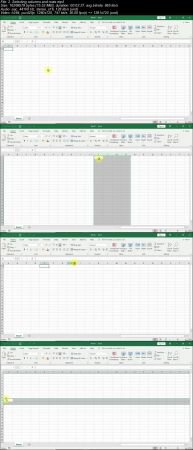
Microsoft Excel - Advanced Excel Formulas & Functions
.MP4, AVC, 380 kbps, 1280x720 | English, AAC, 64 kbps, 2 Ch | 6h 37m | 1.55 GB
Created by Chris Dutton

Master 75+ Excel formulas & functions with hands-on demos from a best-selling Microsoft Excel instructor (Excel 2010-19)
What you'll learn
Learn how to THINK like Excel, and write powerful and dynamic formulas from scratch
Automate, streamline, and completely revolutionize your workflow with Excel
Master unique tips, tools and case studies that you won't find in ANY other course, guaranteed
Explore fun, interactive, and highly effective lessons from a best-selling Excel instructor
Get LIFETIME access to project files, quizzes, homework exercises, and 1-on-1 expert support
Build formulas to analyze dates, text fields, values and arrays
Requirements
Microsoft Excel 2007 - 2019 or Office 365 (Some features may not be available in earlier versions)
Experience with formulas is recommended, but not required (we'll review some of the fundamentals)


It's time to show Excel who's boss. Whether you're starting from square one or aspiring to become an absolute Excel badass, you've come to the right place.
This course will give you a deep understanding of the advanced formulas and functions that transform Excel from a basic spreadsheet program into a dynamic and powerful analytics tool. While most Excel courses focus on simply what each formula does, I teach through hands-on, contextual examples designed to showcase why these formulas are awesome and how they can be applied in a number of ways. I will not train you to regurgitate functions and formula syntax; I will teach you how to THINK like Excel.
__________
By the end of the course you'll be writing robust, elegant formulas and functions from scratch, allowing you to:
Easily build dynamic tools & Excel dashboards to filter, display and analyze your data
Go rogue and design your own formula-based formatting rules
Join datasets from multiple sources in seconds with lookup, index & match functions
Pull real-time data from APIs directly into Excel (weather, stock quotes, directions, etc.)
Manipulate dates, times, text, and arrays
Automate tedious and time-consuming analytics tasks using cell formulas and functions in Excel (no VBA required!)
__________
We'll dive into a broad range of Excel formulas & functions, including:
Lookup/Reference functions
Statistical functions
Formula based formatting
Date & Time functions
Logical operators
Array formulas
Text functions
Powerful analytics tools and formulas like INDIRECT, HYPERLINK, WEBSERVICE & FILTERXML
__________
What gives you the right to teach this class? Can't I just Google this stuff?
I have a genuine passion for Excel that most people reserve for things like kittens, ice cream, and/or significant others. The only thing I love more than learning Excel is teaching it, and as the founder of Excel Maven I've been lucky enough to teach tens of thousands of people just like you over the past 10+ years. My teaching style is conversational, authentic and to the point, and I will always communicate complex concepts in a framework that is clear and easy to comprehend.
As a full-time analytics consultant and Excel instructor, I cut my teeth using Excel to solve real-world business problems and develop award-winning analytics & data visualization tools for Fortune 500 companies. If you care about creds, I'm a card-carrying MOS Certified Excel Expert and my work has been featured by Microsoft and the New York Times. Ok so I don't actually carry the card, but you get the idea.
If you're looking for the ONE course with all of the advanced formulas and functions that you need to know to become an absolute Excel ninja, you've found it.
See you in there!
-Chris (Founder, Excel Maven)
Who this course is for:
Excel users who have basic skills but want to get really, REALLY good
Anyone hoping to expand their analytics skill set, work more efficiently with data, and take their career to a new level
Students looking for an engaging, hands-on, and highly interactive approach to Excel analytics training
More Info

1812241719080104.jpg


1812241719090115.jpg


Recommend Download Link Hight Speed | Please Say Thanks Keep Topic Live

 

ef112cc8663a10657a139385a2e5c151.jpg

Laravel - Architect YouTube-Like Platforms
MP4 | Video: AVC 1280x720 | Audio: AAC 44KHz 2ch | Duration: 3 Hours | 788 MB
Genre: eLearning | Language: English

Laravel is on the top when it comes to PHP frameworks. There are multiple reasons for this. One of this being that it can handle heavy data with ease. This makes a perfect choice when you are dealing with applications with video steaming.
Laravel: Architect YouTube-like Platforms provides a step-by-step guide that will help you create your very own video sharing application much like YouTube and Vimeo right from scratch.
We begin this course by setting up the required environment and tools to that we would require to complete our project. We then start by building components one-by-one. We start by creating the user account component that deals with authentication, account information and other essentials. We then move on to build the search components and channels. We will also learn how to include features like subscriptions, history page, like and dislike buttons, comment sections, and so on.
Finally, we will learn how to use Amazon Web Services (AWS) for video transcoding and storage. By the end of this course you will have a solid platform that I will teach you to launch to production.


ceca09cd99f2a18d68f21aba828b858e.jpg


Recommend Download Link Hight Speed | Please Say Thanks Keep Topic Live

 

1901220441370113.jpg

MP4 | Video: h264, 1280x720 | Audio: AAC, 48 KHz, 2 Ch
Genre: eLearning | Language: English + .VTT | Duration: 2.5 hours | Size: 877 MB
Learn the basics of WordPress customization and understand how WordPress works behind the scenes​

What you'll learn
Develop and write their own custom WordPress functions
Design and build their own custom WordPress page templates
Understand how the WordPress loop works
Create their own custom image sizes
Requirements
Basic WordPress skills
HTML
CSS
PHP is helpful but not required
Description
Do you want to become a WordPress developer? Would you like to learn how WordPress truly works behind the scenes to display content on your Website? This course aims to provide you with the basic skills needed so you can begin to customize WordPress and make it work the way you want it to.
Quick Summary of What You Will Learn
This course may have 'mini' in its title but there is nothing mini about what you are going to learn. In this course, you will learn
How WordPress works behind the scenes to display content on your website
How to build your own custom page templates
How to write WordPress functions
How to work with WordPress template tags
How to create custom image sizes
How to regenerate thumbnails
and so much more
We are going to use a starter theme (underscores) to get the ball rolling but before that I will show you how to create a FTP account and how to setup a very popular text editor known as Notepad ++ so you can begin to edit your WordPress files.
The second section will introduce you to the core template files that you will find in every WordPress theme and also the WordPress template hierarchy which determines what template file displays content. You will finish the section by writing your very first WordPress function and developing your very first page template.
** The WordPress Loop **
The WordPress loop is the single most crucial and important function of WordPress and in section 3, you will learn exactly how it works and how you can modify the loop to customize how your post and page content are displayed. You will also learn about template tags and how they are used to display content. You will also learn how to write several custom WordPress loop queries.
In section 4, you will learn a variety of WordPress development skills such as
How to create a clickable hyperlink from your post title
How to customize the WordPress excerpt
How to create a custom image size
How to regenerate thumbnails
We will round up the course in section 5 where we will work directly with CSS and HTML code to design the layout of our web page.
Enroll in this course today and begin to acquire some WordPress development skills.
Who this course is for:
Students who want to learn how WordPress works behind the scenes
Web developers who want to learn WordPress development skills
Students who want to learn how to create custom WordPress templates and functions

1901220441380091.jpg


Recommend Download Link Hight Speed | Please Say Thanks Keep Topic Live

 

7758a66693f16d39646f123785aed254.jpg

MP4 | Video: h264, 1280x720 | Audio: AAC, 44.1 KHz, 2 Ch
Genre: eLearning | Language: English + .VTT | Duration: 4 hours | Size: 4.65 GB
Learn the exact steps to overcoming agoraphobia without medication based on scientific approach used in therapy.​

What you'll learn
Core concepts from psychology and life coaching to help you with your journey
Important terms and definitions
Step-by-step action plan to overcome agoraphobia
Requirements
Internet Access
English Language
Description
In this course you will learn the exact steps that are required to overcome agoraphobia without medication. This course is not a motivational talk, affirmations, meditation or any other "natural" or "holistic" approach. As someone who suffered from agoraphobia for as long as I can remember, I know that these things do not work in real life because their results are only temporary. Yea, I tried all of them myself! What about medication? Well, I am very familiar with those too. Medications DO NOT help you overcome agoraphobia. Medications only help with certain symptoms of agoraphobia and/or panic attacks. This "help," however, comes with a very high price of terrible side effects. But worst part about most neuroactive medication, is that once you stop taking them, everything is back to being the way it was. It is like putting a bandage on an infected wound. I did not want to do that and I hope you don't want that either.
In this course, you will get the actual steps that you need to take in order to overcome agoraphobia. These steps are based on scientific research used in behavioral therapy to treat patients with phobias. These exact same steps, helped me overcome agoraphobia and actually be able to live my life, visit places, talk to people and do things that I wanted to do!
Agoraphobia is extremely complicated. To overcome agoraphobia, it takes someone who actually knows how it feels, as well as someone knowledgeable in psychology. Studying psychology for about 15 years and struggling with agoraphobia myself, I became a life coach, to help people overcome different fears, phobias and other barriers in life.
Here is how I look at it, if we have a fear, anxiety, stress or even phobia, as long as this condition is not immobilizing and we can continue functioning and moving forward and progressing, it is all good, because we are in control of our life! However, a lot of times these conditions stop us from achieving our goals, living our life and experiencing fulfillment. For me, agoraphobia was a part of my life for as long as I can remember! For a very long time, I thought that I would not be able to live my life a normal person, work, find love, build family...
As you have noticed, this course is not promising miracle results. I want to be as honest and authentic with you as possible. Honesty is my best personality trait. Overcoming agoraphobia is a lifelong journey, but I know where and how to start! What do you think? Are you ready?
Who this course is for:
People who struggle with agoraphobia
People who struggle with panic attacks
People who struggle with different phobias and anxieties
People who are scared (of): to leave the house, open and enclosed spaces, public transportation, crowds and lines.

f064fed873300401496a45e650ec7849.jpg


Recommend Download Link Hight Speed | Please Say Thanks Keep Topic Live
 

37dafb855ef77b0a5d6ed50a8f6959a3.jpg

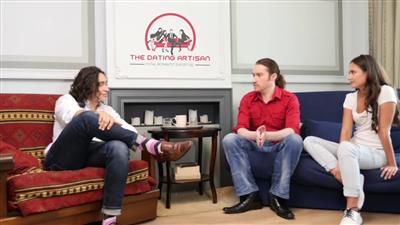
Chase Amante (GirlsChase) - One Date System
WEBRip | English | MP4 + PDF Guides | 1280 x 720 | AVC ~774 Kbps | 29.970 fps
AAC | 72 Kbps | 44.1 KHz | 2 channels | 11:58:10 | 4.42 GB
Genre: eLearning Video / Relationship, ******, Pickup

Chase woke up one day in 2004 tired of being alone. So, he set to work and read every book he could find, studied every teacher he could meet, and talked to every girl he could talk to to figure out ******. After four years, scads of lays, and many great girlfriends (plus plenty of failures along the way), he launched this website. He will teach you everything he knows about girls in one single program in his One Date System.

Inside the video you'll learn:
How to use the One Date SAC model to make a girl your girlfriend (or just your lover, if you didn't plan on sticking around) in one single, simple, easy-to-get date
The way to know which of three 'dater boxes' a girl falls into (and thus, exactly which date format you need to give her to make her yours)
A fascinating study from the 1970s about what happens when you put a man and a woman on an unstable bridge together... and how you can use this on your dates (even when there isn't an unstable bridge nearby)
A neat tip on spotting girls ready for a 'hookup date'... plus how to run a girl through this date, all the way to the bedroom, once you know it's what she needs
You'll also get to hear some of my story, including a bit about that awful date with Lisa you might've heard me talk about before...!
-One Date
Now I can take the girl I want as my girlfriend... in one simple, easy-to-get date. I can use the One Date SAC model to know exactly what date to give her. And once I'm on the date, I just follow the steps to make her mine. One Date shows me how to do it all with ease in step-by-step videos and an info-packed handbook.
-One Date 5-Text Sequence
I send a girl these 5 to-the-letter texts to ask her on a date. I follow the schedule guide to know when to send them. And can customize them or use them as-is.
-How To Ask Her Out In Awkward Settings & Situations
These strategies get me dates with the girls I want... even when there's no "perfect moment" to ask a girl out.
-10 Opening Sequences And Which To Use When
No matter where I find her, I know just what to say to meet her thanks to "Opening Sequences."
-What to Do When She Doesn't Text Back
This "text message repair kit" lets me solve any sticky text issue I run into. I don't have to worry about girls who stop responding anymore.
-The ****** Artisan (Modules 1&2)
I'll get access to The ****** Artisan, the most ultimate course on ****** and mating ever created. I'll get deep, awesome coverage on every subject imaginable in ******. And have it all presented to me in a simple, practical, intuitive way. This is THE course that lets me take the lessons of One Date to the absolute hilt... and get the top of the top women. The most streamlined ****** life. And the most incredible, fulfilling, supportive romantic relationships.
-Secret Bonuses


e08dbf5ef32cdcb5112e58da9227417c.jpg


eeee8fa732634d8706ac7b7d12aff2a1.jpg


63d65cef6c3b18e92cfdbb0ca091683c.jpg


058aff073dc9bc406c5b629e45870248.jpg


Recommend Download Link Hight Speed | Please Say Thanks Keep Topic Live
 
60f4c9f86f35351332d3413b102dd1f8.jpg

Data Structures and Algorithms From 0 to HERO
MP4 | Video: AVC 1280x720 | Audio: AAC 48KHz 2ch | Duration: 2 Hours | Lec: 18 | 412 MB
Genre: eLearning | Language: English​

The best way to train your programming skills
If you are interested to learn more about data structures and algorithms or you are preparing for an interview this course is the best option, doesn't matter the programming language you choose. You will learn how to approach a problem and how to write clean and efficient code so you could pass any interview at any company.
Topics:
Arrays
Maps
Linked Lists
Stacks
Queues and Priority Queues
Graphs

521b3875fd0ab85c3d747350f2981ac3.jpg


Recommend Download Link Hight Speed | Please Say Thanks Keep Topic Live
 

1901190133430112.jpg

Messenger App Animation In After Effects
.MP4 | Video: 1280x720, 30 fps(r) | Audio: AAC, 48000 Hz, 2ch | 823 MB
Duration: 1 hours | Genre: eLearning | Language: English​

User Interface Animation
What you'll learn
Ps file. Organize layers for animation
Import in After Effects. How to correctly import a Ps file for further animation
Animation in After Effects. I'll walk you through the process of animation of Sign in. Add a background to the scene and prepare the animation for export to the GIF
Export your animated GIF. I'll show you two ways to export for getting your animation shareable and out there!
Requirements
Adobe After Effects CS6 or older versions instaled. You can use a 30-day free trial
A basic understanding of After Effects is recommended but not required. I walk through each step of the process you can follow along even if you new to the software
Description
You are a web designer, a designer of mobile solutions and want to improve your skills or you are the one who is interested in the motion design welcome! We will create many cool cases.
In this class, we will make the messenger animation. You will learn about shape layers, paths, masks, key framing, null object and key frame velocity.
Who this course is for:
Anyone who wants to learn to use After Effects
Motion graphics artists and UI/UX designers


1901190133440111.jpg


Recommend Download Link Hight Speed | Please Say Thanks Keep Topic Live
 

1901060430190098.jpg

Retro Raspberry Pi Hands-On Hardware Projects
MP4 | Video: AVC 1280x720 | Audio: AAC 44KHz 2ch | Duration: 3 Hours | 2.88 GB
Genre: eLearning | Language: English

The course will teach you how to build Raspberry Pi-based hardware devices that were cluttering up your house into iconic retro tech items. We start by explaining the process for developing your own creations before getting our hands dirty with the included projects.
You will learn to build a fully wireless Amazon Alexa from an old calculator, a Google Assistant from an old stereo microphone, a Spotify player from an 80's radio, a smart mirror from an old TV, an HDMI-powered console from a 90's joystick, and a fully working arcade from an old monitor.
This course assumes you have basic computer knowledge; we walk you step-by-step through videos and supply all the information you need to bring retro applications back to life. If you are interested in exploring the possibilities of hands-on computing with the Raspberry Pi and want to bring old retro applications back to life, this course is for you.


1901060430200110.jpg


Recommend Download Link Hight Speed | Please Say Thanks Keep Topic Live
 

dd2d1acc12cd460b32d6f62903684630.jpg

MP4 | Video: h264, 1280x720 | Audio: AAC, 44.1 KHz, 2 Ch
Genre: eLearning | Language: English + .VTT | Duration: 1 hours | Size: 569 MB
Learn from the absolute basics to get a strong foundation in Microsoft Excel​

What you'll learn
The absolute basics to get you started on Microsoft Excel
Requirements
Patience to learn from basics
Description
When you learn something, you should learn from the basics - or as Elon Musk puts it, first principles. Learn Microsoft Excel right from the first principles and build a strong foundation. Construct the skyscraper of knowledge, brick-by-brick on this ever-lasting foundation.
Every video is in capsule format - just 2 to 3 minutes long so that you can finish watching the entire course in just over an hour! But practice a lot more to hard-wire these lessons into your brain. Practice! Practice! Practice!
Who this course is for:
Absolute and Utter beginners in Microsoft Excel

d428628fcee27d435079f94c75ff93fa.jpg


Recommend Download Link Hight Speed | Please Say Thanks Keep Topic Live
 
1901240113170113.jpg

OneNote for Windows 10 Essential Training
MP4 | Video: AVC 1280x720 | Audio: AAC 44KHz 2ch | Duration: 1 Hour | 151 MB
Genre: eLearning | Language: English

Learn how to keep track of to-dos and other important information with OneNote, the popular Microsoft note-taking app. In this course Microsoft Certified Trainer and Office Apps and Services MVP Heather Severino shows you everything you need to know about using the Windows 10 version of OneNote. Heather covers how to set up and organize your notebooks, how to work with pages and sections, and how to format typed notes and lists. Heather also shows how to import content from other apps, such as Excel and Outlook, and create audio, handwritten, and other types of notes. Plus, learn how to find notes fast and use time-saving keyboard shortcuts.


1901240113190091.jpg


Recommend Download Link Hight Speed | Please Say Thanks Keep Topic Live

 

c17662eb70feb6d7bb085de6609931c5.jpg

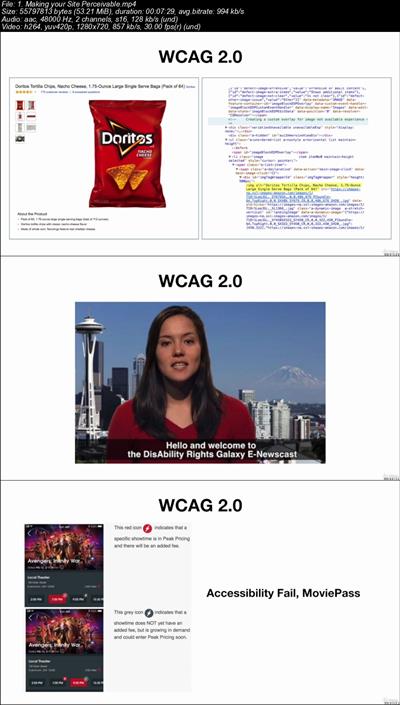
Introduction to UX Design for Accessibility and WCAG 2.0
.MP4 | Video: 1280x720, 30 fps(r) | Audio: AAC, 48000 Hz, 2ch | 220 MB
Duration: 1 hours | Genre: eLearning | Language: English​

A concise guide to meeting WCAG standards from a UX perspective
What you'll learn
UX design for web accessibility and WCAG 2.0 compliance
Requirements
basic knowledge of UX design principles and basic HTML
Description
A concise guide to meeting WCAG standards from a UX perspective in an easy to follow video format from a senior UX designer with over 15 years of experience who has worked to solve accessibility problems for top brands including, The Southern Company and Westgate Resorts. Also included in the course deliverables is a WCAG checklist, a tools catalog and a keyboard accessibility cheatsheet.
Who this course is for:
UX Designers looking to expand their skillset to include accessibility


e77ceb4670f28ecb55b6f04f8c663789.jpg


Recommend Download Link Hight Speed | Please Say Thanks Keep Topic Live

 
Zurück
Oben Unten