• Regeln für den Video-Bereich:

    In den Börsenbereich gehören nur Angebote die bereits den Allgemeinen Regeln entsprechen.

    Einteilung

    - Folgende Formate gehören in die angegeben Bereiche:
    - Filme: Encodierte Filme von BluRay, DVD, R5, TV, Screener sowie Telesyncs im Format DivX, XviD und x264.
    - DVD: Filme im Format DVD5, DVD9 und HD2DVD.
    - HD: Encodierte Filme mit der Auflösung 720p oder darüber von BluRay, DVD, R5, TV, Screener sowie Telesyncs im Format x264.
    - 3D: Encodierte Filme von BluRay, die in einem 3D Format vorliegen. Dies gilt auch für Dokus, Animation usw.
    - Serien: Cartoon/Zeichentrick, Anime, Tutorials, Dokumentationen, Konzerte/Musik, Sonstiges sind demnach in die entsprechenden Bereiche einzuordnen, auch wenn sie beispielsweise im High Definition-Format oder als DVD5/DVD9/HD2DVD vorliegen. Ausnahme 3D.
    - Bereich Englisch: Englische Releases gehören immer in diesen Bereich.
    - Bereich Talk: Der Bereich, in dem über die Releases diskutiert werden kann, darf, soll und erwünscht ist.


    Angebot/Beitrag erstellen

    - Ein Beitrag darf erst dann erstellt werden, wenn der Upload bei mindestens einem OCH komplett ist. Platzhalter sind untersagt.
    - Bei einem Scenerelease hat der Threadtitel ausschließlich aus dem originalen, unveränderten Releasenamen zu bestehen. Es dürfen keine Veränderungen wie z.B. Sterne, kleine Buchstaben o.ä. vorgenommen werden. Ausnahme Serienbörse:
    - Bei einem Sammelthread für eine Staffel entfällt aus dem Releasename natürlich der Name der Folge. Beispiel: Die Simpsons S21 German DVDRip XviD - ITG
    - Dementsprechend sind also u.a. verboten: Erweiterungen wie "Tipp", "empfehlenswert", "only", "reup", usw. / jegliche andere Zusatzinformation oder Ergänzung, welche nicht in obiger Beschreibung zu finden ist.

    Aufbau des Angebots und Threadtitel

    Der Titel nach folgendem Muster erstellt zu werden. <Name> [3D] [Staffel] [German] <Jahr> <Tonspur> [DL] [Auflösung] <Quelle> <Codec> - <Group>
    Beispiel: The Dark Knight German 2008 AC3 DVDRip XviD - iND
    Beispiel: The Dark Knight 2008 DTS DL BDRip x264 - iND
    Beispiel: The Dark Knight 2008 AC3 DL BDRip XviD - iND
    Beispiel: The Dark Knight German 2008 AC3 720p BluRay x264 iND
    Beispiel: The Dark Knight 2008 DTS DL 1080p BluRay x264 iND
    Beispiel: Die Simpsons S01 German AC3 DVDRip XviD iND
    Beispiel: Die Simpsons S20 German AC3 720p BluRay x264 iND
    Beispiel: Sword Art Online II Ger Sub 2014 AAC 1080p WEBRip x264 - peppermint
    Entsprechend sind also u.a. verboten: Sonderzeichen wie Klammern, Sterne, Ausrufezeichen, Unterstriche, Anführungszeichen / Erweiterungen wie "Tipp", "empfehlenswert", "only", "reup", usw. / jegliche andere Zusatzinformation oder Ergänzung, welche nicht in obiger Beschreibung zu finden ist
    Ausnahmen hiervon können in den Bereichen geregelt sein.

    Die Beiträge sollen wie folgt aufgebaut werden:
    Überschrift entspricht dem Threadtitel
    Cover
    kurze Inhaltsbeschreibung
    Format, Größe, Dauer sind gut lesbar für Downloader außerhalb des Spoilers zu vermerken
    Nfo sind immer Anzugeben und selbige immer im Spoiler in Textform.
    Sind keine Nfo vorhanden z.B. Eigenpublikationen, sind im Spoiler folgende Dateiinformationen zusätzlich anzugeben :
    Quelle
    Video (Auflösung und Bitrate)
    Ton (Sprache, Format und Bitrate der einzelnen Spuren)
    Untertitel (sofern vorhanden)
    Hosterangabe in Textform außerhalb eines Spoiler mit allen enthaltenen Hostern.
    Bei SD kann auf diese zusätzlichen Dateiinformationen verzichtet werden.

    Alle benötigten Passwörter sind, sofern vorhanden, in Textform im Angebot anzugeben.
    Spoiler im Spoiler mit Kommentaren :"Schon Bedankt?" sind unerwünscht.


    Releases

    - Sind Retail-Release verfügbar, sind alle anderen Variationen untersagt. Ausnahmen: Alle deutschen Retail-Release sind CUT, in diesem Fall sind dubbed UNCUT-Release zulässig.
    - Im Serien-Bereich gilt speziell: Wenn ein Retail vor Abschluss einer laufenden Staffel erscheint, darf diese Staffel noch zu Ende gebracht werden.62
    - Gleiche Releases sind unbedingt zusammenzufassen. Das bedeutet, es ist zwingend erforderlich, vor dem Erstellen eines Themas per Suchfunktion zu überprüfen, ob bereits ein Beitrag mit demselben Release besteht. Ist dies der Fall, ist der bereits vorhandene Beitrag zu verwenden.
    - P2P und Scene Releases dürfen nicht verändert oder gar unter einem iND Tag eingestellt werden.


    Support, Diskussionen und Suche

    - Supportanfragen sind entweder per PN oder im Bereich Talk zu stellen.
    - Diskussionen und Bewertungen sind im Talk Bereich zu führen. Fragen an die Uploader haben ausschließlich via PN zu erfolgen, und sind in den Angeboten untersagt.
    - Anfragen zu Upload-Wünschen sind nur im Bereich Suche Video erlaubt. Antworten dürfen nur auf Angebote von MyBoerse.bz verlinkt werden.


    Verbote

    - Untersagt sind mehrere Formate in einem einzigen Angebotsthread, wie beispielsweise das gleichzeitige Anbieten von DivX/XviD, 720p und 1080p in einem Thread. Pro Format, Release und Auflösung ist ein eigener Thread zu eröffnen.
    - Grundsätzlich ebenso verboten sind Dupes. Uploader haben sich an geeigneter Stelle darüber zu informieren, ob es sich bei einem Release um ein Dupe handelt.
    - Gefakte, nur teilweise lauffähige oder unvollständige Angebote sind untersagt. Dies gilt auch für eigene Publikationen, die augenscheinlich nicht selbst von z.B. einer DVD gerippt wurden. Laufende Serien, bei denen noch nicht alle Folgen verfügbar sind, dürfen erstellt und regelmäßig geupdatet werden.
    - Untersagt sind Angebote, welche nur und ausschließlich in einer anderen Sprache als deutsch oder englisch vorliegen. Ausnahmen sind VORHER mit den Moderatoren zu klären.


    Verstoß gegen die Regeln

    - Angebote oder Beiträge, die gegen die Forenregeln verstoßen, sind über den "Melden"-Button im Beitrag zu melden.
  • Bitte registriere dich zunächst um Beiträge zu verfassen und externe Links aufzurufen.

*** Bestes IPTV *** bester Preis *** gratis Test ***


Englische Tutorials


1901060428530113.jpg


AWS in Motion
English | MP4 | AVC 1280x720 | AAC 44KHz 2ch | 3h 11m | 766 MB | 25 exercises
Author: Andreas Wittig and Michael Wittig | Language: English | Skill level: All Levels

AWS in Motion guides you through your first steps of deploying a web application on AWS, teaching you the basics of the AWS ecosystem. You'll start by setting up a free AWS account, and then you'll learn how a typical web stack runs and scales in the cloud in a manner that can beat any physical data center! In nearly 3 hours of easy-to-follow video lessons, you'll explore the many services available in the AWS ecosystem.
What you will learn:
Understanding the AWS ecosystem
Setting up an AWS account
Running virtual machines on AWS
Using a relational database service
Scaling your applications up (or down!)
Designed for system administrators and DevOps engineers looking to start developing and deploying applications on the AWS platform. You need to be familiar with the basic components of a web application and the general terminology of a network.
About the instructors
Andreas Wittig and Michael Wittig are software engineers and consultants focused on AWS. Together, they wrote Manning's Amazon Web Services in Action.


1901060428550117.jpg


1901060428560094.jpg


1901060428590100.jpg


Recommend Download Link Hight Speed | Please Say Thanks Keep Topic Live
 
567c69783307704700e108a9bbf3aa8c.jpg

WordPress For Beginners - Create Website Without Coding 2019
.MP4 | Video: 1280x720, 30 fps(r) | Audio: AAC, 44100 Hz, 2ch | 870 MB
Duration: 1.5 hours | Genre: eLearning | Language: English​

Build your own website easily
What you'll learn
How to design their own website easily
Requirements
A Pc with a internet connection Some Motivation Basic computer skills Anyone who would like to learn WordPress
Description
Warning, Web Professionals - You May Find This Course Too Basic. We do not cover creating custom themes or working with codes. This Course is intended for a beginner who wan't to get a job as Wordpress Designer, this course is not for developers.
You're here because you want to create your own website right?
This is the perfect place to start. This complete course is designed for beginners like you who have never built a WordPress website (or any website for that matter).
While WordPress might seem scary from the outside, once you get started, it's fairly intuitive. Everything from hosting to installing a theme, then actually building your first pages can be learned in the first few lessons of this course.
Why learn from my course?
I've been building WordPress websites for years. Just like you, there was a time when I was a complete newbie! I was honestly scared of starting a WordPress website because it seemed so daunting.
Now I like WordPress! I wouldn't recommend using any other web-building tool.
Why Take This Course ?
Learn To Create A WordPress Website in Less Than 1 Hour
The Wordpress Website Will Be Fully Responsive (Mobile Friendly)
Learn To Create A Logo For Free!
USING A FREE Wordpress theme
Master wordpress
Learn All the ins And outs of Wordpress
Learn how to Create a website with Wordpress
Learn From a new Instructor in Wordpress Find out why!
Who this course is for:
Beginner


85fc94c8bba2bc6dffc6a6aba089eafc.jpg


Recommend Download Link Hight Speed | Please Say Thanks Keep Topic Live
 

1812270227070103.jpg

Stress Management. Relaxation. Motivation
.MP4 | Video: 1280x720, 30 fps(r) | Audio: AAC, 48000 Hz, 2ch | 1.62 GB
Duration: 1.5 hours | Genre: eLearning | Language: English​

A collection of inspirational, relaxed, and motivational content for your personal stress management.
What you'll learn
how to create meaningful morining - and evening routines.
how to focus fast.
how to relax and enjoy optimal sleep.
how to create a positive self image.
how to cope with stress in a good way.
how to solve problems for personal stress reduction.
how to relieve stress in a short time.
how to deal with stress in a optimal way according to your blood type.
Requirements
There are no prerequisites, but the willingness to practically use the content.
Description
Hello and welcome to my new course "STRESS MANAGEMENT. RELAXATION. MOTIVATION."
I am Kevin Kockot, and I am happy to welcome you to this course!
You are interested in the topic of motivational teachings, relaxation exercises and you would like to be inspired with practical input for a better stress management?
Then I am optimistic that this course is the right one for you!
Several working hours were going into the preperation of this content, that I made for the free usage for you!
>>>
My goal is to update this as soon as I create new content that I would like to share with you. For better Stress Management. Relaxation and Motivation.
>>>
What kind of content do you find in this course?
1. Four practical steps to a healthy self image
2. Problem solving for stress reduction - six easy steps
3. How to start your day with a morning ritual in three simple steps
4. How to enjoy optimal sleep
5. Focus fast
6. 111 Second Stress Reliever
7. How to end your day in three simple steps
8. How to manage stress well - blood type 0
9. How to manage stress well - blood type A
10. How to manage stress well - blood type B
11. How to manage stress well - blood type AB
If you have any questions - feel free to message me anytime! :)
Best regards, Kevin
Who this course is for:
for all the people that are interested to motivate themselfes to live a healthy and self-determined life.
for all the people that are interested to create practical routines to reach their goals more easily.
for all the people that want to inspire themselfes in their everyday life.
for all the people that want to sleep and relax properly.
for all the people that are willing to change their thinking and acting to become a better version of themselfes.
for all the people that want to make more out of their lifes and want to reach their goals.


1812270227080102.jpg


Recommend Download Link Hight Speed | Please Say Thanks Keep Topic Live
 

2697d9be573885a4ebdfe1d53fd32fd7.jpg

MP4 | Video: AVC 1280x720 | Audio: AAC 44KHz 2ch | Duration: 2 Hours | Lec: 31 | 496 MB
Genre: eLearning | Language: English
Learn How To Do T-shirt Design With Step-By-Step Tutorials And Grow Your T-shirt Business | Merch By Amazon, Teespring​

My name is Masuk Sarker Batista, I have over 5 years of t-shirt design experience and I am very much excited to be your instructor. Welcome my T-shirt Design For Non-Designers (Masterclass)
T-shirt industry is a multi-billion dollar industry and in online it's the fastest growing part of this industry. There are lots of popular print on demand sites are available in online. For example Teespring, Merch by Amazon, Redbubble, ViralStyle and so on. You can easily make money by selling your t-shirts.
You save money on hiring designers by creating your own t-shirt designs. Even if you've never touched any types of design software in your life, Still it's possible for you because I teach you How To Design Bestselling T-shirt Using Online Free Software and tools With Easy To Follow Step-by-Step Videos.
T-shirt business is a numbers game! If you have more quality t-shirts in your store or print on demand sites then surely you will get more sells.
In this course, I am going to walk you through step-by-step how to create a Word Cloud t-shirt design from scratch, which you can then sell on Merch by Amazon (or Teespring or Redbubble, etc.).

79ce80930eed56abb658d6c94206c00f.jpg


Recommend Download Link Hight Speed | Please Say Thanks Keep Topic Live
 

1901210123130104.jpg

MP4 | Video: h264, 1280x720 | Audio: AAC, 44.1 KHz, 2 Ch
Genre: eLearning | Language: English + .VTT | Duration: 3.5 hours | Size: 3.49 GB
Photoshop Beauty Retouching Tools : Photoshop Face Retouching Beauty Techniques : Photoshop Skin Retouching Techniques​

What you'll learn
You will learn everything you need to know Photoshop Retouching in order to become a master photo editor and retoucher by the end of the course.
Requirements
You will need Adobe Photoshop
You should have a love for creating beautiful images!
Description
Learn Non-Destructive Professional Beauty Retouching Tools and Techniques in Photoshop
Do you want to know how you can get more higher paying clients? Well then you're in the right place.
I'm Sheldon Evans, a professional photographer and retoucher who has been in the industry for over 11 years. I know how difficult it can be to find high quality photography education online and that's why I have decided to create this course.
A lot of photographers jump into the working field without fully learning how to retouch their images.
This results in photographers missing out on higher paying clients simply because their work does not meet the standard of the professional industry. By improving your retouching skills, not only can you save money by not having to hire a retoucher and give up some of your creative process to someone else, but you can also then retouch for other photographers and earn extra income.
There are a few things you should know about retouching, it's not about making the image look fake and smooth. We need to learn how to retouch non-destructively so that we preserve the quality of the image.
In this course you will learn:
How to non-destructively retouch images
How to clean up skin while preserving the texture
How to enhance the eyes and lips
How to do frequency separation and dodge & burn
How to professionally color grade your images
How to perfect image sharpening for social media
You will get over 35 video lessons, hours of content and high resolution RAW files to practice on!
As a FREE BONUS you will get photoshop actions to speed up your workflow!
In the course nothing is left to chance, we cover each step of the retouching process to ensure that you have a thorough understanding of every aspect by the end. If you're passionate about photography then you'll love this course and become a world class retoucher by the end.
Let's get your work on the cover of magazines!
Enroll now and I'll see you inside the course!
- Sheldon
Who this course is for:
This course is for everyone interested in Photoshop and particularly retouching! If you've never opened Photoshop before or if you're a professional, there will be something for you to learn in this course.

1901210123140108.jpg


Recommend Download Link Hight Speed | Please Say Thanks Keep Topic Live
 

f99405ce0e1341f727030baa0905ea61.jpg

Steve Tan - The Ultimate ECOM System
WEBRip | English | MP4 | 1920 x 1080 | AVC ~1901 Kbps | 30 fps
AAC | 126 Kbps | 44.1 KHz | 2 channels | ~14 hours | 13.70 GB
Genre: eLearning Video / Business, Sales, Marketing
"Who else wants a 30 day, in-depth education on how to grow an ?E-commerce business from ZERO to $1MM a Year or $1MM a Month... FAST?"​

Who else wants a 30 day, in-depth education on how to grow an ?E-commerce business from ZERO to $1MM a Year or $1MM a Month... FAST?THE ULTIMATE ECOM SYSTEM
The Ultimate Ecom System ( is a 4 week online program with the sole goal of creating a profitable e-commerce business and getting it profitable in as short of time as possible with step by step proven methods DIRECTLY taught by 8 figure e-commerce experts Steve Tan and Evan Tan.
Upon purchase you will be given instructions on how to register for the member's area of this program. The pilot program starts on May 1, 2018, and new modules and training videos will be unlocked weekly, for 4 weeks. The program will begin by showing you step by step how to find winning products, test them, scale them, and build a team who can help you scale your business profitably.
This is 100% beginner friendly. This program is designed to work for a total novice without any prior experience BUT also has A LOT of advanced principle, systems, and strategies for those who are looking to make $1MM per year or $1MM per month. Through the 4 week course you will get everything you need to create or grow an e-commerce business quickly and profitably.
Week 1: Finding Winning Products
How to setup your store so it gets people to buy
How to find winning products over and over again
Best places to find products that can go "viral"
Store setup essentials required for maximum success
The "anatomy" of a winning product
Week 2: Launching and Testing
Our exact product testing system that quickly separates? winning products from losing products
How to launch ads that grabs your customer's attention
How to target correctly and quickly find audiences that ?have the highest probability of converting into customers
How to fulfill orders that come in efficiently
Week 3: Building Your Dream Team
Our system for finding, hiring, and training superstars.
How to find and negotiate with vendors and suppliers who ?can give you the best quality at the best prices.
Advanced strategies your team can use to find hot products ?that "fly off the shelf"
The type of team members you need for ?a 7-8 figure business
Week 4: Scaling Systems
How we scale from $1k a day to $10k a day... all the way ?to $100k+ a day
Inside the mind of an 8-figure E-commerce entrepreneur
How we turn up the profits by increasing conversion, ?average order value, and life time customer value
How to prepare for rapid scaling.
Summary
The Ultimate Ecom System ($7,500)
Access to members only FB group ($2,000)
Advanced Scaling and Mindset Training ($2,500)
Real World Value: $12,000
Start TODAY for just $2,500
Looking For A Refund Policy?
If you are already thinking of "failure" before we even get started, then this is NOT for you.
We are only looking for people who are excited to take action, ready to go all in, and willing to do whatever it takes to succeed.
Like I said, this is about creating SUCCESS STORIES for us.
THIS IS OUR LEGACY!
So we can't risk having anybody in this group that doesn't have what it takes to succeed... and it starts with how you SHOW UP.
You have seen PROOF with your own eyes that our stuff works, and people get results.
You've had a "taste" in your mouth of what our content is like in our last 3 videos, and all the jam-packed golden nuggets we have on our FREE Facebook group so you know what kind of value to expect.
If you FEEL in you gut that this is something that can change the course of your E-commerce business (and life) moving forward, and If failure is NOT an option for you, then this is for you.
Once you join, and you're IN, then you're FULLY IN... and there are no refunds.
There's no middle ground or grey area here.
You're either ALL IN or all out.
If you join, and implement what we teach, this can be the most profitable investment you'll ever make.
If you don't, you'll stay exactly where you are.
At this point, it's not a question of "Does this work?" anymore...
It's a proven fact.
The only question is "Are you going to be our next success story?"


b15fce9bd50fee0a16be41128e9c921e.jpg


dd73217f951f607d1308d2f7e4387a9c.jpg


7d81788d57b91422994b33aa6b791977.jpg


a6e1ce3f17fb737749e733b2738b29e7.jpg


da8a93213e0a7255bc99f7667aadceec.jpg


Recommend Download Link Hight Speed | Please Say Thanks Keep Topic Live
 

1901060430430109.jpg

Administering Amazon Aurora on Amazon RDS (2018)
WEBRip | English | MP4 + Project Files | 1280 x 720 | AVC ~387 kbps | 30 fps
AAC | 75.1 Kbps | 44.1 KHz | 2 channels | 3h 25mn | 565.3 MB​

Genre: Video Tutorial

Course Overview1m 44s
Course Overview 1m 44s
Introduction to Amazon Aurora25m 50s
Introduction and Prerequisites 1m 42s
What Is Amazon RDS? 2m 2s
What Is Amazon Aurora? 3m 26s
Why Did Amazon Create Aurora? 2m 28s
Performance and Availability 10m 29s
Security, Limitations, and Pricing 3m 27s
Course Scenario 49s
Summary 1m 25s
Creating an Aurora Cluster19m 8s
Introduction 19s
Creating an Aurora Cluster 12m 39s
Connecting to an Aurora Cluster 5m 5s
Summary 1m 3s
Migrating Data to an Aurora Cluster35m 30s
Introduction 21s
Migration Techniques 3m 31s
Wired Brain Coffee Application 1m 36s
Migrating from an RDS MySQL Instance 12m 21s
Migrating from an External MySQL Database 15m 53s
Summary 1m 45s
Managing Our Aurora Cluster48m 52s
Introduction 53s
Scaling Aurora 5m 12s
Scaling an Aurora Cluster 7m 4s
Fault-tolerance and Backups 3m 31s
Testing the Cluster's Fault-tolerance 7m 12s
Aurora Backups and Backtracking 5m 3s
Parameter Groups 2m 14s
Monitoring Aurora 2m 49s
Monitoring an Aurora Cluster 12m 22s
Summary 2m 28s
Replication with Aurora24m 11s
Introduction 20s
Aurora Replication 4m 40s
Replicating Aurora to Another Aurora Cluster 10m 16s
Multi-region Replication with Aurora 7m 6s
Summary 1m 47s
Cloning Aurora Databases 13m 5s
Introduction 40s
Aurora Cloning 5m 54s
Cloning the Aurora Databases 4m 50s
Summary 1m 39s
Aurora Integration with Other AWS Services22m 16s
Introduction 24s
Integrating Other AWS Services 1m 55s
Saving Aurora Data to Amazon S3 6m 52s
Integrating Aurora with AWS Lambda 11m 55s
Summary 1m 7s
Aurora Serverless and Aurora Multi-Master14m 54s
Introduction 27s
Aurora Serverless 6m 23s
Creating an Aurora Serverless Cluster 5m 9s
Aurora Multi-Master 1m 24s
Summary 1m 29s


1901060430440106.jpg


1901060430450108.jpg


1901060430460107.jpg


1901060430470102.jpg


1901060430470116.jpg


Recommend Download Link Hight Speed | Please Say Thanks Keep Topic Live
 

63ea5f26a0767e2e9c1f2c951bee55f1.jpg

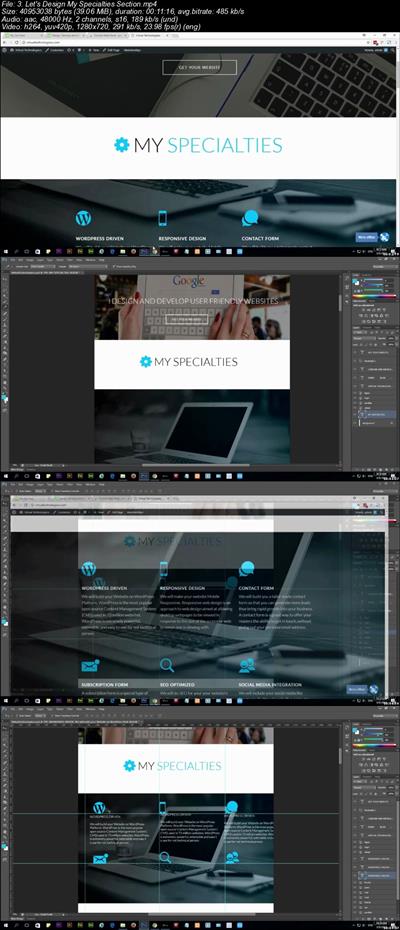
WordPress Web Design and Advanced Theme Development
.MP4 | Video: 1280x720, 30 fps(r) | Audio: AAC, 48000 Hz, 2ch | 1.73 GB
Duration: 10 hours | Genre: eLearning | Language: English​

Design Website in designing software then convert it into HTML & CSS, then transform your template into WodPress theme.
What you'll learn
You will know how to use Adobe Photoshop to design Websites
You will learn how to code HTML and HTML5 template
You will learn how to style your HTML5 template using CSS
You will learn how to convert PSD file into HTML and CSS
You will learn how to add animation using jQuery
You will Learn and familiarize your self with Adobe Fireworks
You will Learn to operate WordPress
You will learn the core principles of WordPress theme development
You will learn to create stunning Advanced WordPress theme
Requirements
You should have good command of English language
You should know basic HTML and CSS
You need the below listed Software'
Adobe Photoshop CS3 | CS5 | CC (Any of these version will do )
Adobe Fireworks (Optional as you can use Adobe Photoshop to do all the designing work )
Adobe Brackets
XAMPP Web Server
WordPress Software
Description
Would you like to make more money as a web developer? or maybe you want to start making money as a new web developer because it gives you a lot of free time and flexibility? Or maybe you want to start your own Web Development business? or want to work as a Web Designer and Developer at the freelancing market places? No matter what your reason is to be a professional web developer, you're in the right place. No Matter how old you are and what you educational background is, that after finishing this your you will will have enough knowledge to start your own Web Design and Development business or start a new career as a freelance web designer and developer.
After finishing this course you will become job ready and you will have the below skillset.
HTML and HTML5
CSS and CSS3
jQuery
Adobe Photoshop
Adobe Fireworks (Better than Photoshop when it comes to designing Websites)
PSD to HTML & CSS template creation ability
Ability to use WordPress (There are tons of jobs out there for Web Systems Administrators)
Ability to create Advanced WordPress Theme (Endless job opportunities for WordPress Developers)
I've started learning about HTML CSS, jQuery, jQuery UI, Photoshop back in 2005 and I have learned it the traditional way which is to learn by reading books and even though I love reading books, I found it pretty difficult to acquire or generate a visual concept by reading text based learning materials and I didn't have anyone (an instructor) to answer to my queries. In this course I have covered and covered all the step learning curves that I have endured during my journey to become a Web Designer and Developer so that you don't struggle to understand any concept which may be vital for your journey to become a Web Designer and Developer.
So What are you waiting for? Start becoming a professional web Designer and a WordPress Developer today and change your World!
Who this course is for:
This Course has been designed for Students who has some knowledge of HTML, CSS and operational knowledge of WordPress Software
Enroll as Beginners, complete the course and become PRO


39495c115ecd318581f648a1c803b679.jpg


Recommend Download Link Hight Speed | Please Say Thanks Keep Topic Live
 

1901190133410104.jpg

MP4 | Video: AVC 1280x720 | Audio: AAC 44KHz 2ch | Duration: 1.5 Hours | 182 MB
Genre: eLearning | Language: English
This course covers all important aspects of Stackdriver monitoring, which works across all Google Cloud Platform resources, making it convenient to set up uptime checks, profiling, and integration with other cloud platforms, and monitoring tools.​

Stackdriver Monitoring is a powerful and versatile cloud monitoring tool that is tightly integrated with virtually every service on the Google Cloud Platform. You can significantly improve the performance and design of your architecture and simplify troubleshooting if you master the nuances of Stackdriver Monitoring. In this course, Managing Cloud Resources Using Google Stackdriver, you will gain the ability to monitor your cloud resources track both system and user-defined metrics and respond to alerts using Stackdriver Monitoring. First, you will learn Stackdriver concepts such as metrics, monitored resources, workspaces, and alerting policies. In this process, we will learn how to install the Stackdriver monitoring agent, and also when that agent is and is not required. Next, you will discover how to monitor third-party applications and work with custom metrics. We will create resources to monitor as well as metrics associated with those resources, then use the Metrics Explorer to create dashboards to keep track of those metrics. You will also configure uptime checks and alerts to notify you when resource health is not satisfactory. Stackdriver supports uptime checks in HTTP, HTTPS, and TCP. The probes sent by these checks are governed by VPC firewall rules, so those must be set up correctly as well. Finally, you will explore how to create checks for the absence of metrics, set variables in alerts, and explore incidents and events and integrate with third-party tools. Specifically, you will integrate Stackdriver Monitoring with OpsGenie, which is an alerting and incident management platform. You will round out the course by programmatically working with the Stackdriver Monitoring API from within Datalab python notebooks. When you're finished with this course, you will have the skills and knowledge of Stackdriver Monitoring needed to monitor, troubleshoot, and analyze the usage of your cloud resources.

1901190133410109.jpg


Recommend Download Link Hight Speed | Please Say Thanks Keep Topic Live
 

1901190133530099.jpg

SolidWorks Complete Course: Learn 3D Modeling & 2D Drawing
.MP4 | Video: 1280x720, 30 fps(r) | Audio: AAC, 44100 Hz, 2ch | 4.14 GB
Duration: 6 hours | Genre: eLearning | Language: English​

Learn 3D Modeling: The Ultimate Guide to 3D Modeling & 2D Drawing in SolidWorks
What you'll learn
Learn the basics of SolidWorks
Learn to create 3D Models and 2D Drawings
Learn the advanced functionality and capabilities of SolidWorks
Learn best practices and exclusive techniques
Learn Part Modeling, Detail Drawing, Assembly Modeling, Animation, Rendering and much more
Requirements
You must have SolidWorks 2016 or a newer version on your computer
Description
This course will introduce you to SolidWorks tools and the fundamental modeling techniques. It will give you with a strong understanding of SolidWorks and will cover the creation of parts, assemblies and drawings. This course takes you from beginner to advanced with clear instruction that goes beyond the basics. Fundamental techniques are detailed with real-world examples for hands-on learning. Even experienced users will find value in this course by learning new techniques that make familiar tasks quicker, easier to do, and much more organized, including advanced file management tools that simplify and streamline pre-flight checks.

Who this course is for:
People who want to learn how to create 3D models
People who want to learn how to create 2D Drawings using SolidWorks
People who want to learn CAD


1901190133550121.jpg


Recommend Download Link Hight Speed | Please Say Thanks Keep Topic Live
 

270bf661e00e8c7191c09ebf8da5ed53.jpg

MP4 | Video: h264, 1280x720 | Audio: AAC, 44.1 KHz, 2 Ch
Genre: eLearning | Language: English + .VTT | Duration: 13 hours | Size: 8.11 GB
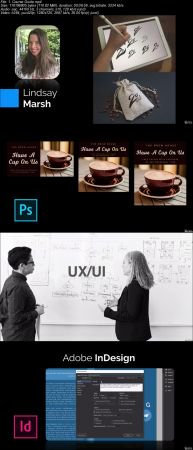
Learn graphic design today with Photoshop, Illustrator, Adobe XD, InDesign & more in this Adobe CC Masterclass!​

What you'll learn
You will have beginner to expert level knowledge of graphic design and Adobe CC applications that you will immediately be able to apply to your career, job, hobby, or company.
You will be given a major overview of the most common graphic design programs and how you can use them to your advantage.
You will be given real-world, applicable projects that you can follow along with and practice.
You will achieve the experience and knowledge to take graphic design fundamentals and apply them in your everyday life.
You will learn Adobe Photoshop, the industry-leading program for photo editing and manipulation.
You will learn Adobe Illustrator, the number one software for creating graphics, icons, symbols, branding, and more.
You will learn Adobe XD, the premiere software for creating stunning web design and mobile app design mockups.
You will learn Adobe InDesign, the best software on the market for publishing and marketing materials.
Requirements
This course is for beginners to graphic design and for anyone who wants to learn the full suite of Adobe CC products, including Illustrator, Photoshop, XD, InDesign, and more!
You will learn intermediate and advanced terminology that you can use to incorporate in graphic design, user interfaces, mobile app design, logo design, t-shirt design, and other digital or print mediums.
You will need a subscription to the Adobe CC suite of applications. The current version filmed in this course is the Adobe CC 2019 suite.
Project files and resources can be found in available lessons located directly in this course.
Description
Learn Graphic Design with Adobe CC in this New Course!
Many people want to become designers but don't know the basic fundamentals of design at all.
It can takes years to piece together different ideas to truly begin to understand how it even works.
but it doesn't have to be like that.
By utilizing the proper tools of programs like Photoshop, Illustrator, XD, InDesign, and more you can propel yourself from a beginner to an expert, just by having the right education.
You have found the perfect course for learning graphic design. It doesn't matter if you have no experience at all, this course was designed to teach you design in the most effective means necessary.
With over 13+ hours (and counting) of video and practical projects to follow along with, this course is JAM PACKED with information to help you learn this graphic design and Adobe CC programs!
The videos build on one another so that as you work through this course, you will understand more and more!
Pretty sweet, huh? :)
Not only that, but this course is also designed so that if you already know some graphic design principles and just need help with a specific program, you can skip directly to that topic!
So who can benefit from learning graphic design?
The fundamentals of design are useful for a lot of careers, industries, and hobbies. It doesn't matter if it's logo design, web design, social media, user interface design, advertising, product design, printing, or t-shirts. This course will cover ideas that can be used in any niche!
Each section goes into specific detail of the main principle being taught so that you get in-depth knowledge of that theory. And most sections come with a practical, real-world project that you can follow along with.
This course will cover:
Adobe CC Programs
Adobe Photoshop
Adobe Illustrator
Adobe XD
Adobe InDesign
Social Media Graphic Design
Icon Design
Logo Design
Website Design
Mobile App Design
Poster Design
Book Cover Design
and much, much more!
Other great stuff you might want to know..
Not only will you get over 13+ hours of video content (and counting) and lessons, project files, and a new life skill, you will also have direct communication with the instructors to help you along.
This includes direct messages, discussions, and specialized projects in the course that will allow you to interact with the instructors and others. There is even a facebook group to connect with Lindsay and I and other students to ask questions, get feedback and participate in design challenges.
Feeling lost? Don't worry, we are here for you!
As they say, "Come for the course, stay for the community."
What else is there to know?
Well there is that little 30 day money back guarantee thing.
That basically means that if you don't enjoy this course for any reason at all, you can get a full refund up to thirty days since the time you purchase it.
It's a win-win situation!
and we applaud winners.
So what are you waiting for?!
The time is now to stop procrastinating and begin learning graphic design with Adobe CC so that you can take full advantage of everything that it has to offer!
Enroll now in this course and get started!
Who this course is for:
This course is specifically design for beginners interested in graphic design. Philosophies and practical projects are given so that you not only understand the reasoning behind the theory, but you also get a chance to practice it to.
This course is great for:
- Graphic Designers
- Website Designers
- Logo Designers
- UI / UX Designers
- Product Designers
- T-Shirt Designers
- Businesses
- Marketers
- Publishiers
- Social Media Experts
any anyone else interested in learning the fundamentals of graphic design and Adobe CC programs!

ff641e9b217cec233cb0d234e3b4cb0b.jpg


Recommend Download Link Hight Speed | Please Say Thanks Keep Topic Live

 
6853550bf401f1d06654eea788c25177.jpg

Qlik Sense Essential Training
MP4 | Video: AVC 1280x720 | Audio: AAC 44KHz 2ch | Duration: 2 Hours 47M | 377 MB
Genre: eLearning | Language: English

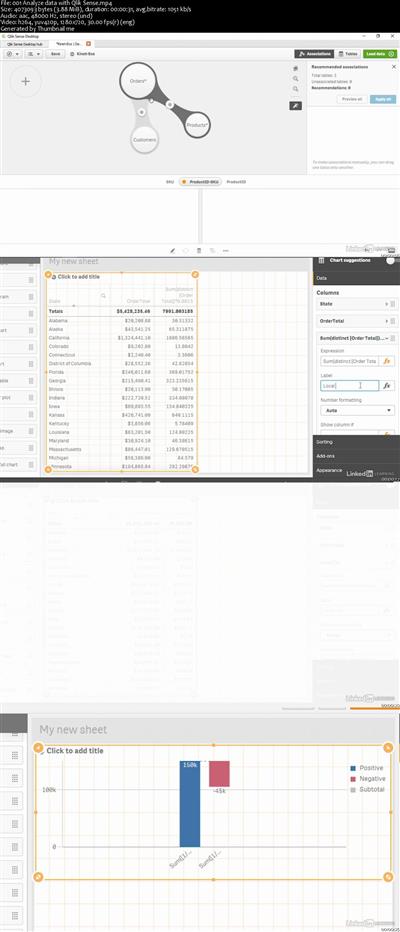
Qlik Sense is a cloud-based data analytics solution that helps businesses gain valuable insights into their data. In this course, learn how to analyze and display data using this powerful platform. Instructor Curt Frye shows how to install or connect to Qlik Sense, import and summarize data, create an app from a data source, and create and manage tables. He also steps through how to manage Qlik Sense sheets, which provide a canvas you can fill with data, charts, and other visualizations. Plus, learn how to create and manipulate a variety of data visualizations, from bar charts to histogram charts; create PivotTables and reports; sort and filter data; and combine your app's sheets with objects, text, and images to create a story that clearly conveys your message.


d3a57e0763230bac5ea7a625d38f42b2.jpg


Recommend Download Link Hight Speed | Please Say Thanks Keep Topic Live

 
Zurück
Oben Unten