• Regeln für den Video-Bereich:

    In den Börsenbereich gehören nur Angebote die bereits den Allgemeinen Regeln entsprechen.

    Einteilung

    - Folgende Formate gehören in die angegeben Bereiche:
    - Filme: Encodierte Filme von BluRay, DVD, R5, TV, Screener sowie Telesyncs im Format DivX, XviD und x264.
    - DVD: Filme im Format DVD5, DVD9 und HD2DVD.
    - HD: Encodierte Filme mit der Auflösung 720p oder darüber von BluRay, DVD, R5, TV, Screener sowie Telesyncs im Format x264.
    - 3D: Encodierte Filme von BluRay, die in einem 3D Format vorliegen. Dies gilt auch für Dokus, Animation usw.
    - Serien: Cartoon/Zeichentrick, Anime, Tutorials, Dokumentationen, Konzerte/Musik, Sonstiges sind demnach in die entsprechenden Bereiche einzuordnen, auch wenn sie beispielsweise im High Definition-Format oder als DVD5/DVD9/HD2DVD vorliegen. Ausnahme 3D.
    - Bereich Englisch: Englische Releases gehören immer in diesen Bereich.
    - Bereich Talk: Der Bereich, in dem über die Releases diskutiert werden kann, darf, soll und erwünscht ist.


    Angebot/Beitrag erstellen

    - Ein Beitrag darf erst dann erstellt werden, wenn der Upload bei mindestens einem OCH komplett ist. Platzhalter sind untersagt.
    - Bei einem Scenerelease hat der Threadtitel ausschließlich aus dem originalen, unveränderten Releasenamen zu bestehen. Es dürfen keine Veränderungen wie z.B. Sterne, kleine Buchstaben o.ä. vorgenommen werden. Ausnahme Serienbörse:
    - Bei einem Sammelthread für eine Staffel entfällt aus dem Releasename natürlich der Name der Folge. Beispiel: Die Simpsons S21 German DVDRip XviD - ITG
    - Dementsprechend sind also u.a. verboten: Erweiterungen wie "Tipp", "empfehlenswert", "only", "reup", usw. / jegliche andere Zusatzinformation oder Ergänzung, welche nicht in obiger Beschreibung zu finden ist.

    Aufbau des Angebots und Threadtitel

    Der Titel nach folgendem Muster erstellt zu werden. <Name> [3D] [Staffel] [German] <Jahr> <Tonspur> [DL] [Auflösung] <Quelle> <Codec> - <Group>
    Beispiel: The Dark Knight German 2008 AC3 DVDRip XviD - iND
    Beispiel: The Dark Knight 2008 DTS DL BDRip x264 - iND
    Beispiel: The Dark Knight 2008 AC3 DL BDRip XviD - iND
    Beispiel: The Dark Knight German 2008 AC3 720p BluRay x264 iND
    Beispiel: The Dark Knight 2008 DTS DL 1080p BluRay x264 iND
    Beispiel: Die Simpsons S01 German AC3 DVDRip XviD iND
    Beispiel: Die Simpsons S20 German AC3 720p BluRay x264 iND
    Beispiel: Sword Art Online II Ger Sub 2014 AAC 1080p WEBRip x264 - peppermint
    Entsprechend sind also u.a. verboten: Sonderzeichen wie Klammern, Sterne, Ausrufezeichen, Unterstriche, Anführungszeichen / Erweiterungen wie "Tipp", "empfehlenswert", "only", "reup", usw. / jegliche andere Zusatzinformation oder Ergänzung, welche nicht in obiger Beschreibung zu finden ist
    Ausnahmen hiervon können in den Bereichen geregelt sein.

    Die Beiträge sollen wie folgt aufgebaut werden:
    Überschrift entspricht dem Threadtitel
    Cover
    kurze Inhaltsbeschreibung
    Format, Größe, Dauer sind gut lesbar für Downloader außerhalb des Spoilers zu vermerken
    Nfo sind immer Anzugeben und selbige immer im Spoiler in Textform.
    Sind keine Nfo vorhanden z.B. Eigenpublikationen, sind im Spoiler folgende Dateiinformationen zusätzlich anzugeben :
    Quelle
    Video (Auflösung und Bitrate)
    Ton (Sprache, Format und Bitrate der einzelnen Spuren)
    Untertitel (sofern vorhanden)
    Hosterangabe in Textform außerhalb eines Spoiler mit allen enthaltenen Hostern.
    Bei SD kann auf diese zusätzlichen Dateiinformationen verzichtet werden.

    Alle benötigten Passwörter sind, sofern vorhanden, in Textform im Angebot anzugeben.
    Spoiler im Spoiler mit Kommentaren :"Schon Bedankt?" sind unerwünscht.


    Releases

    - Sind Retail-Release verfügbar, sind alle anderen Variationen untersagt. Ausnahmen: Alle deutschen Retail-Release sind CUT, in diesem Fall sind dubbed UNCUT-Release zulässig.
    - Im Serien-Bereich gilt speziell: Wenn ein Retail vor Abschluss einer laufenden Staffel erscheint, darf diese Staffel noch zu Ende gebracht werden.62
    - Gleiche Releases sind unbedingt zusammenzufassen. Das bedeutet, es ist zwingend erforderlich, vor dem Erstellen eines Themas per Suchfunktion zu überprüfen, ob bereits ein Beitrag mit demselben Release besteht. Ist dies der Fall, ist der bereits vorhandene Beitrag zu verwenden.
    - P2P und Scene Releases dürfen nicht verändert oder gar unter einem iND Tag eingestellt werden.


    Support, Diskussionen und Suche

    - Supportanfragen sind entweder per PN oder im Bereich Talk zu stellen.
    - Diskussionen und Bewertungen sind im Talk Bereich zu führen. Fragen an die Uploader haben ausschließlich via PN zu erfolgen, und sind in den Angeboten untersagt.
    - Anfragen zu Upload-Wünschen sind nur im Bereich Suche Video erlaubt. Antworten dürfen nur auf Angebote von MyBoerse.bz verlinkt werden.


    Verbote

    - Untersagt sind mehrere Formate in einem einzigen Angebotsthread, wie beispielsweise das gleichzeitige Anbieten von DivX/XviD, 720p und 1080p in einem Thread. Pro Format, Release und Auflösung ist ein eigener Thread zu eröffnen.
    - Grundsätzlich ebenso verboten sind Dupes. Uploader haben sich an geeigneter Stelle darüber zu informieren, ob es sich bei einem Release um ein Dupe handelt.
    - Gefakte, nur teilweise lauffähige oder unvollständige Angebote sind untersagt. Dies gilt auch für eigene Publikationen, die augenscheinlich nicht selbst von z.B. einer DVD gerippt wurden. Laufende Serien, bei denen noch nicht alle Folgen verfügbar sind, dürfen erstellt und regelmäßig geupdatet werden.
    - Untersagt sind Angebote, welche nur und ausschließlich in einer anderen Sprache als deutsch oder englisch vorliegen. Ausnahmen sind VORHER mit den Moderatoren zu klären.


    Verstoß gegen die Regeln

    - Angebote oder Beiträge, die gegen die Forenregeln verstoßen, sind über den "Melden"-Button im Beitrag zu melden.
  • Bitte registriere dich zunächst um Beiträge zu verfassen und externe Links aufzurufen.

*** Bestes IPTV *** bester Preis *** gratis Test ***


Englische Tutorials


1812241719360106.jpg

MP4 | Video: h264, 1280x720 | Audio: AAC, 44.1 KHz, 2 Ch
Genre: eLearning | Language: English + .VTT | Duration: 10.5 hours | Size: 4.08 GB
Learn, practice and master Python on real world projects. The fastest way from Beginner to Pro.​

What you'll learn
Learn and master Python from scratch
Learn how to write fast and efficient Code
Practice Coding with instructed and interactive exercises.
Learn how to solve complex real world problems step by step
Apply Python simulation techniques on your own projects
Experience and understand the Power of Numpy
Visualize your results with MatDescriptionlib
Requirements
No requirements. You should have a Computer and Internet Connection.
Description
Become a Python Programmer and acquire one of today´s most requested skills!
This course is designed to make the first steps in Python for complete Beginners very easy. Everything is explained. From installation to the first lines of Code until more complex concepts.
After we have successfully completed the first steps, we will leave easy toy examples and move to more complex real world projects. There is no better way to learn and master coding than with real and comprehensive projects!
Learning by doing is always the best way to learn coding. Therefore, I have prepared instructed and interactive coding exercises and quizzes. You will have the opportunity to start coding on your own with some hints and instructions from my side.
The course covers two real world problems that we are going to simulate in order to find the best strategies:
Sticker Album challenge: Find the most efficient strategies to complete your Football World Cup Album / Trading Cards collection!
Princess Challenge: Help the Princess to find her one and only Prince Charming!
This course is about solving problems with thousands or even millions of simulations. So, efficiency and speed is of essence! If you find a faster code, join the competition and post it!
We will apply Machine Learning Algorithms and also Graphical Solutions to find the best strategies.
This course covers in particular:
-Data Types (Integers, Floats, Strings, Lists, Sets, Booleans, Numpy Arrays)
-Operators (Arithmetic, Comparison, Logical)
-if, elif, else statements
-for and while loops
-User defined Functions
-Numpy Package (Arrays, Random, Ufunc, Regression, Taylor Expansion)
-Vectorized coding with Numpy Arrays
-Evaluating Speed difference between basic Python code and vectorized Numpy code
-Visualization with matDescriptionlib
Join the course and start building and improving your Python Coding skills!
Who this course is for:
For complete Beginners as it starts from Zero with all the Python basics.
For experienced Pythonists who want to sharpen and apply their skills.

1812241719370100.jpg


Recommend Download Link Hight Speed | Please Say Thanks Keep Topic Live

 

ea0f0df05d11b7da6a2ddb8b1c2775c9.jpg

MP4 | Video: h264, 1280x720 | Audio: AAC, 44.1 KHz, 2 Ch
Genre: eLearning | Language: English + .VTT | Duration: 4 hours | Size: 2.63 GB
Learn the best stock trading setups used in day trading and swing trading that made me a wealthy stock trader​

What you'll learn
My two top strategies for making money in the stock market
Where to enter and exit trades for maximum profit
How to minimize risk
The 12 most common candlestick patterns
An overview of psychological trading and using mass psychology to trade
Watching a full live trading session
Requirements
Students should have watched my first course, "Start Day Trading Penny Stocks in 60 Minutes" OR
Students should have experience with either day trading or swing trading
Students should know enough about trading not to need definitions of common terms
Description
If you want to become wealthy stock trading, you need to use the right strategies. I've become enormously successful stock trading and in this course I'll share my top two stock trading strategies with you. You'll learn how to:
Trade pullbacks for maximum profit
Use breakouts and breakdowns to make massive gains by following trends
How to identify the right exit points
How to use the Relative Strength Index to tell the difference between a pullback and a trend change
Learn the top candlestick patterns you need to stock trade effectively
Learn how the stock traders from the past century used mass psychology to make money in the markets
I am not some academic or fake stock trader that never made money in the markets and now sell courses: I am a successful stock trader that became wealthy and retired before the age of 40. I'm also the CEO of Money Learning Academy, where I help others become successful full-time stock traders and use the markets to achieve their dreams.
If you want to become wealthy in the markets, you must learn the profession from someone that started where you are, without any knowledge of the markets and struggling to become profitable, and rose to the top of the profession to become a full-time trader.
It's not an easy journey to become a wealthy stock trader, but it IS possible. In this course, I show you how.
Who this course is for:
Anyone interested in how I became successful trading stocks for a living
Anyone that wants to become a full time stock trader
Any intermediate or advanced traders that are struggling to become profitable
Beginners should start with my introductory course, "Start Day Trading Penny Stocks in 60 Minutes."

c58cc1fde3efac5303a47240deb88dbc.jpg


Recommend Download Link Hight Speed | Please Say Thanks Keep Topic Live

 

1812270226540102.jpg

Blender 2.8 For Beginners: Create a Low-Poly Factory
.MP4 | Video: 1280x720, 30 fps(r) | Audio: AAC, 44100 Hz, 2ch | 2.67 GB
Duration: 3.5 hours | Genre: eLearning | Language: English​

Learn the ropes of Blender 2.8 by modeling a low-poly factory from scratch, and giving it a beautiful final render.
What you'll learn
3D Modeling
Rendering
Texturing
Requirements
Absolutely none!
Description
Blender 2.8 is Blender's newest and most powerful version to date. With many new updates and renovations to the UI of the software, it's important to know where to get started. This course will give an introduction to Blender 2.8 for beginners, and will allow students to create a beautiful low-poly factory scene from scratch using Blender's internal modeling tools.
Learn Blender's Intuitive Modeling Techniques
Model each asset of the low-poly factory from scratch using Blender's internal modeling tools.
Learn various low-poly modeling techniques
Use the powerful Cycles Render Engine to create a beautiful render of the final scene
Add a nice background to give the factory scene a final, clean look.
Why Blender?
Blender is one of the most popular 3D modeling softwares used by freelancers, indie developers, and 3D hobbyists. Blender is a powerful, free, and open-source 3D software used by millions. With Blender, you'll be working on par with other popular (and more industry-focused) 3D softwares, such as Maya and Cinema4D, but without the steep price and learning curve. You can accomplish nearly identical results by just using Blender, and avoid the hassle of debating which premium software to buy, since Blender is COMPLETELY free to use.
Content and Overview
To start off the course, we'll begin by creating the base mesh for the factory, and then progressively add to it. We'll utilize Blender's internal modeling tools to create low-poly additions to our factory, and will learn the best modeling techniques for creating low-poly objects. This course is meant to be brief and concise; we'll cover a variety of topics in a short time frame, but without too much difficulty, allowing for beginners to follow along easily. You'll get acclimated to Blender's UI, tools, and powerful Cycles Rendering Engine, and will also feel confident in your abilities to create low-poly scenes after completing the course.
By the end of this course, you'll have the essential skills needed to start making low-poly scenes in Blender, and render them in the Cycles Rendering Engine. The course is designed for beginners, but all levels can potentially benefit from taking this course.
With the brief lessons covered in this course, you'll understand how simple it really is to create beautiful low-poly scenes using the Blender software.
Who this course is for:
Beginner Blender users
Students wanting to learn 3D modeling
Students wishing to improve their 3D skillset, or overall Blender skills.


1812270226560103.jpg


Recommend Download Link Hight Speed | Please Say Thanks Keep Topic Live

 

a360e7036d13f69d37f0ea2c210b7ec1.jpg

MP4 | Video: h264, 1280x720 | Audio: AAC, 44.1 KHz, 2 Ch
Genre: eLearning | Language: English + .VTT | Duration: 6 hours | Size: 2.35 GB
Learn and Speak Better British English: Speak Smoother, Clearer and Correctly: PLUS Bonus English Grammar course​

What you'll learn
Speak sentences, questions and conversations confidently and correctly in the Present Simple Tense
Understand basic English grammar, how to use it
Improve your pronunciation by practising linking sounds as you speak
Improve your smoothness and fluency when speaking with tips from a native English speaker
Learn useful and every day English in sentences, phrases and vocabulary that you can use
Learn good habits when speaking English that will improve your speaking and understanding
Be confident to have easy English conversations, know what to say and how to understand
Have good, practical question and sentence structure
Be confident enough to go for a better job, university course or generally improve their future
Requirements
Knowledge of the vocabulary from F1 and F2 Beginners Guide to Speaking Better English course maybe useful
15 minutes each day to just listen and speak
No English needed - only time to practice
Description
Want to learn English but can't seem to get started or you drop out quickly?
Your English lessons not interesting enough?
Can't find a regular time to study and learn English?
Don't have a native English speaker to learn English from and study with?
If this is you, then This Learn English course is excellent for you.
Short, quick, interesting learn English lessons from a well known ESL teacher and expert Ajarn Ken will keep your attention long enough, No need to have a regular time to study, with these lessons you can learn on the go, just listen and speak along with a native English speaker speaking British English.
##### BONUS COURSE INCLUDED: Beginners Guide to English Grammar #####
You learn as you speak!! It's an excellent way that Ken has taught thousands of students to be confident, clear and calm when speaking English.
____________________________________________________
Ratings and Reviews - 85,4%
31 Oct 2018 >>>>>> 38 Reviews - 33 - 4/5 Star Reviews
"Really good to make my English better " ***** - Hutani
"I liked it, mainly because it makes us repeat the words and phrases. " ***** Ana
"I really enjoy. I hope if watching, listening and practicing every day I will get improving my self English speaking. " **** MD Golam
_______________________________________________________________________________________________
If you want to know more, read on!! .........
This F3: Beginners Guide to Speaking Better English course is the second course in the series and you will improve and practice:
your English speaking skills by speaking along with Ken during the lesson
your English reading skills by following the lesson booklet
your listening skills by listening along with Ken during the lesson
your pronunciation skills by following the lesson and copying Ken
your English grammar and understand English better
You will listen to Native British English speaker Ken give short English lessons. Your job is to follow and speak along with Ken.
You will learn:
basic vocabulary and sentence structures you can use in the present simple tense.
how to speak smoother, clearer and have better pronunciation when speaking English.
tips how to improve your confidence and fluency speaking English
how to link words together to speak smoother and faster and correctly
better English Grammar with easy and simple ways to always remember
Who can use this course?
Beginner English students who want to get confident speaking basic English
English students who want to improve their pronunciation and get good habits speaking English
What are the lessons?
The lessons are quite short but fast, I give you keywords as English vocabulary in useful sentences you can use every day.
There is a lesson booklet giving you a complete dialogue for each lesson that you can follow to improve your English reading
The lesson gives you time and space to speak along with Ken and this will help you speak better English.
________
Who gives the lectures?
I'm Ken and I'm from the UK and speak British English although I've lived in Portugal, Spain, Italy, Bulgaria, Thailand in the last 15 years and have been able to learn some conversational French, Portuguese, Spanish and I can understand some Thai also.
I've visited around 50 countries around the world so I am very well aware of cultural differences and have adapted myself over time to understand languages and what's important culturally.
So you have a teacher who understands what it is to learn a language, how challenging and difficult it can be. This is why these courses maybe perfect for you as it comes from real experiences from myself and also my many, many students.
All of this experience goes into my course in many ways and these dictations are part of that.
________
What is Kens background?
I've been a business trainer organising training workshops for companies and also I've been involved in language learning ever since I left the UK - both teaching and learning. Over the last few years, I've taught thousands of students in Europe, South America and more recently Asia where I've coached and taught newly graduated Asian students how to improve their English, confidence and give great career advice for those wanting to work in the aviation industry as cabin crew.
___________
Who this course is for:
Students who want to practice English with a native English speaker
Students who want to understand English grammar better
Students who are too busy to plan their study time and want easy, flexible lessons
Students looking to start learning English for the first time
Students who want a refresher from previous learning English Courses

50093651d20b06f5f3167756e9eaa894.jpg


Recommend Download Link Hight Speed | Please Say Thanks Keep Topic Live

 

1901060431190099.jpg

Lectora 16 E-Learning Tool
.MP4 | Video: 1280x720, 30 fps(r) | Audio: AAC, 44100 Hz, 2ch | 1.11 GB
Duration: 2 hours | Genre: eLearning | Language: English​

Smooth transition to learning the features and interactions of this awesome Lectora authoring tool right from scratch.
What you'll learn
This course provides you with everything you need to create compelling e-Learning content with Lectora learning tool.
You will be directed through a rapid e-Learning course development process while creating your own e-Learning course.
Requirements
Create a PowerPoint presentation with custom animations
Locate, move, and copy files on your PC
Quickly learn user-friendly PC applications
Description
This course provides you with everything you need to create compelling e-Learning content with Lectora learning tool. At the end of the course, you will have developed your own Lectora based e-Learning course using the interactions without the stress of any coding.
You will be directed through a rapid e-Learning course development process while creating your own e-Learning course. The tutorials will help you learn about getting started with the Lectora right from scratch, you will learn in detail about understanding their highly interactive interface, creating customizable interactions and lot other features.
Who this course is for:
Smooth transition to learning the features and interactions of this awesome Lectora authoring tool right from scratch


1901060431210093.jpg


Recommend Download Link Hight Speed | Please Say Thanks Keep Topic Live
 
37f4fab6c5e6765df39197f47db3b834.jpg

MP4 | Video: h264, 1280x720 | Audio: AAC, 44.1 KHz, 2 Ch
Genre: eLearning | Language: English + .VTT | Duration: 1 hours | Size: 390 MB
Important Concepts to Know for the AZ-900 Microsoft Azure Fundamentals Certification Exam​

What you'll learn
Essential cloud concepts, including High Availability, Scalability, Elasticity, Agility, Fault Tolerance, and Disaster Recovery
The difference between CapEX and OpEX and how they relate to cloud computing
What IaaS is, what it offers, common use cases, examples, and how it compares to PaaS and SaaS
What PaaS is, what it offers, common use cases, examples, and how it compares to IaaS and SaaS
What SaaS is, what it offers, common use cases, examples, and how it compares to PaaS and IaaS
What a Public Cloud is and why it is used
What a Private Cloud is and why it is used
What a Hybrid Cloud is and why it is used
Requirements
Students should have a general understanding of Azure.
No software or hardware is needed, since this course covers terminology and concepts.
This is a FOUNDATIONAL-LEVEL course
Description
This Azure Certification course prepares the student for the AZ-900: Microsoft Azure Fundamentals course. By the end of this course, the student will be able to:
Describe the Benefits and Considerations of Using Cloud Services
Understand terms such as High Availability, Scalability, Elasticity, Agility, Fault Tolerance, and Disaster Recovery
Understand the principles of economies of scale
Understand the differences between Capital Expenditure (CapEx) and Operational Expenditure (OpEx)
Understand the consumption-based model
Describe the Differences Between Infrastructure-as-a-Service (IaaS), Platform-as-a-Service (PaaS) and Software-as-a-Service (SaaS)
Describe Infrastructure-as-a-Service (IaaS)
Describe Platform-as-a-Service (PaaS)
Describe Software-as-a-Service (SaaS)
Compare and contrast the three different service types
Describe the Differences Between Public, Private and Hybrid Cloud Models
Describe Public cloud
Describe Private cloud
Describe Hybrid cloud
Compare and contrast the three different cloud models
This course should be viewed as a first step in learning about cloud services and how those concepts are exemplified by Microsoft Azure. It can be taken as a precursor to the more technical Microsoft Azure or Microsoft cloud services exams.
Who this course is for:
IT Professionals Interested in Preparing for the AZ-900 Azure Certification Exam
This Course Covers the "Understanding Cloud Concepts" Exam Objectives for the AZ-900 Exam
This Course DOES NOT Offer Practice Activities Because the Course Covers Terminology and Concepts

aec4303afb4afe775d8377489ed91827.jpg


RapidGator.net
NitroFlare.com


Recommend Download Link Hight Speed | Please Say Thanks Keep Topic Live
 

1901210123560102.jpg

Data Visualization for Marketers
MP4 | Video: AVC 1280x720 | Audio: AAC 44KHz 2ch | Duration: 33M | 67 MB
Genre: eLearning | Language: English

When marketers showcase cluttered, confusing charts in their presentations, they can obscure the meaning behind the data-and worse, lose their audience's attention. In this course, learn how to showcase marketing data in engaging ways. Veteran marketer Ian Lurie steps through how to create compelling data visualizations, providing tips that can help you craft clear, concise, and action-oriented marketing presentations. As Ian goes over good and bad examples of marketing reporting, he shares best practices for reducing mental tasks for your audience by removing redundant data ink, using color effectively, and finessing the typography in your presentation. Plus, learn how to show trends over time, determine which visualization to use, create time-saving Excel templates, and more.


1901210123580107.jpg


Recommend Download Link Hight Speed | Please Say Thanks Keep Topic Live

 

a05b377ec0f24a2835e2cd76f6a0bdef.jpg

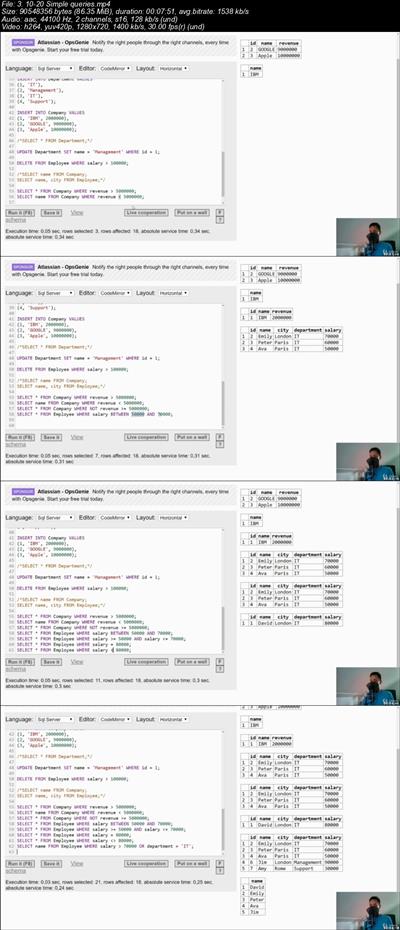
SQL Interview: +150 SQL Interview Questions in 2019
.MP4 | Video: 1280x720, 30 fps(r) | Audio: AAC, 44100 Hz, 2ch | 724 MB
Duration: 1.5 hours | Genre: eLearning | Language: English​

Prepare for a SQL interview in 2019
What you'll learn
Learn how to answer SQL questions on interview
Prepare for a SQL interview
Practice SQL knowledge on +55 queries
Practice SQL knowledge on +95 quiz questions
Requirements
Know SQL basics
Description
Are you getting ready for an SQL interview or do you just want to check you SQL knowledge?
Then you have come to the right place.
In this course I will prepare you for a SQL interview. By showing you all kinds of SQL Interview questions that you may get on an SQL interview.
What is in the course?
Over 95 SQL Interview questions
Over 55 SQL Interview queries
I also explain how to solve each query in a video lectures, so that if you don't know how to solve some problem you have the opportunity to learn.
Everyone is afraid of failure and that is why after finishing this course you should be well prepared and ready for an SQL interview. This course is designed to help you master SQL interview question. SQL is one of the most highly in-demand skills in the computer science sector today. So when you are able to write SQL queries you should be just fine.
NOTE: This course is not designed for beginners, I expect you know at least the basics of SQL
Who this course is for:
Anyone who wants to check their SQL knowledge
Anyone who wants to go to an SQL interview
Anyone who is preparing for a SQL interview
Anyone who wants to practice SQL knowledge on queries


1d2f64f986e7bb7480e5e2781c7cef58.jpg


Recommend Download Link Hight Speed | Please Say Thanks Keep Topic Live

 

1901060429320085.jpg

Learn to Make Pixel Art with Aseprite
.MP4 | Video: 1280x720, 30 fps(r) | Audio: AAC, 44100 Hz, 2ch | 427 MB
Duration: 1 hours | Genre: eLearning | Language: English​

Learn Aseprite to make Pixel Art!
What you'll learn
You will know how to use Aseprite
You will be able to make animations on Aseprite
Requirements
Aseprite
A computer and a mouse
Description
In this course you will learn how to make Pixel Art with Aseprite. You will learn the interface of Aseprite and his tools, you will also learn how to make animations in Aseprite. You will gain all the knowledge that you need to start creating Pixel Art for videogames or illustrations.
You will start by learning the basics of Aseprite:
The interface
The tools
How to manage the color palette
How to export your files
After learning the basics you are going to take a look at different tips and tricks to have a better workflow in Aseprite, you will learn:
How to make a dithering brush
How to work with indexed palettes
How to automatically make an outline
How to reduce the number of colors
How to make tileable textures and tiles
And more...
In the third section you will have an introduction to animation:
The interface of animation
How to move, create, remove, duplicate frames
How to use the onion skinning tools
How to animate a bouncing ball
How to export your animation
The course contains short lectures that will teach you step by step the learning process of making pixel art.
At the end of the course you will also get a really important lecture that will show you where you can keep learning and improving in your pixel art creation quest.
I offer full feedback on the work that you produce, I will also answer all the questions that you can have about pixel art in the Q&A section of the course.
So if you are a begginner pixel artist, game designer, artist or programmer wanting to learn how to create pixel art for videogames or just beautiful pixel art illustrations this course is for you!
Who this course is for:
Begginners on Pixel Art
Pixel artists who want to learn Aseprite
Artists who want to learn a new style.


1901060429340096.jpg


Recommend Download Link Hight Speed | Please Say Thanks Keep Topic Live
 

1901060430120105.jpg

Learning Dart - Build Your First App with Flutter
MP4 | Video: AVC 1280x720 | Audio: AAC 44KHz 2ch | Duration: 8 Hours | 1.52 GB
Genre: eLearning | Language: English

Flutter is quickly becoming a well-known framework for developing cross-platform apps for both Android and iOS devices. Now developers don't have to learn Java, Kotlin, Objective-C, or Swift to have their apps on Play Store or the App Store. While there are other frameworks for building cross-platform apps, Flutter excels by using a great new language called Dart.
With Dart and Flutter, you will develop apps for both stores with just one codebase. It compiles apps into native code without webview. Apps made with Flutter are very fast because of their high rendering power. Hence, they feel super-smooth, thus providing a rich user experience.
With this course, you will be able to build app layouts, create widget animations, pull and push data to servers, and compile and release code to both stores.
The code bundle for this video course is available at-
1901060430130110.jpg


Recommend Download Link Hight Speed | Please Say Thanks Keep Topic Live
 

24a1177e51538e6ea135491f57501d05.jpg

MP4 | Video: h264, 1280x720 | Audio: AAC, 44.1 KHz, 2 Ch
Genre: eLearning | Language: English | Duration: 6 hours | Size: 2.55 GB
These step by step video lessons will teach you SQL Server step by step from scratch​

What you'll learn
SQL Server installation, creating entities like database , tables , rows and columns. Covers fundamentals like primary key,foreign key , referential integrity , constraints , normalization ( first , second and third normal forms), Denormalization,OLTP , OLAP, StarSchema and SnowFlake design.
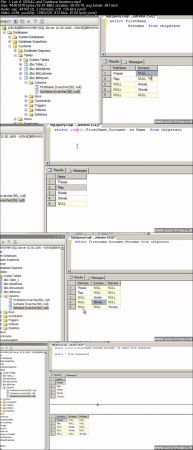
Writing DML and DDL query like inner join,left join,right join, outer join, union , co-related queries, union all, alias,case statements,cartesian,ISNULL, aggregate( sum/count),wild card , top, order by, create , insert, bulk insert , update , backup , restore,ISNULL,Coalesce,Row_Number, Partition, Rank ,DenseRank , Pivot and Unpivot.
Understanding importance of indexes , how it makes our search faster , non-clustered indexes vs clustered indexes , page splits in indexes and column store indexes.
Triggers,Insteadof , After trigger ,Inserted , deleted tables ,Stored Procedures,CDC,8 KB page and SQL Server agent.
Requirements
No experienced required , should have the will to learn :)
Description
It has 20 labs which covers the below syllabus.
Lab 1:- Basic Fundamentals Database, Tables, rows and columns.
Lab 2:- Primary key, foreign key, referential integrity and constraints.
Lab 3 :- Database Normalization (1st, 2nd and 3rd normal forms).
Lab 4: - SQL basics(Select, Insert, Update and Delete)
Lab 5 :- DDL (Data definition language) Queries.
Lab 6: - ISNULL and Coalesce functions.
Lab 7: - Row_Number, Partition, Rank and DenseRank
Lab 8: - Triggers, inserted and deleted tables
Lab 9: - Instead of and after triggers.
Lab 10: - Denormalization, OLTP and OLAP
Lab 11: - Understanding Star schema and Snow flake design.
Lab 12: - SQL Server 8 kb pages.
Lab 13 :- Index and performances
Lab 14 :- Page Split and indexes
Lab 15 :- Clustered vs non-clustered
Lab 16: - Stored procedures and their importance.
Lab 17: - Change Data Capture.
Lab 18: - Explain Columnstore Indexes?
Lab 19: - SQL Server agent
Lab 20: - How can we implement Pivot & Unpivot in SQL Server?
Who this course is for:
Developers who want to become SQL Server developers

cc8596660871a97e73f102cf32aaa69c.jpg


Recommend Download Link Hight Speed | Please Say Thanks Keep Topic Live
 

1901231658520109.jpg

Post Processing Video 18
MP4 | Video: AVC 1280x720 | Audio: AAC 44KHz 2ch | Duration: 1 Hour | 1.11 GB
Genre: eLearning | Language: English

This class is an example of my complete post processing workflow for portrait photography (v3.0).


1901231658550119.jpg


Recommend Download Link Hight Speed | Please Say Thanks Keep Topic Live
 
Zurück
Oben Unten