• Regeln für den Video-Bereich:

    In den Börsenbereich gehören nur Angebote die bereits den Allgemeinen Regeln entsprechen.

    Einteilung

    - Folgende Formate gehören in die angegeben Bereiche:
    - Filme: Encodierte Filme von BluRay, DVD, R5, TV, Screener sowie Telesyncs im Format DivX, XviD und x264.
    - DVD: Filme im Format DVD5, DVD9 und HD2DVD.
    - HD: Encodierte Filme mit der Auflösung 720p oder darüber von BluRay, DVD, R5, TV, Screener sowie Telesyncs im Format x264.
    - 3D: Encodierte Filme von BluRay, die in einem 3D Format vorliegen. Dies gilt auch für Dokus, Animation usw.
    - Serien: Cartoon/Zeichentrick, Anime, Tutorials, Dokumentationen, Konzerte/Musik, Sonstiges sind demnach in die entsprechenden Bereiche einzuordnen, auch wenn sie beispielsweise im High Definition-Format oder als DVD5/DVD9/HD2DVD vorliegen. Ausnahme 3D.
    - Bereich Englisch: Englische Releases gehören immer in diesen Bereich.
    - Bereich Talk: Der Bereich, in dem über die Releases diskutiert werden kann, darf, soll und erwünscht ist.


    Angebot/Beitrag erstellen

    - Ein Beitrag darf erst dann erstellt werden, wenn der Upload bei mindestens einem OCH komplett ist. Platzhalter sind untersagt.
    - Bei einem Scenerelease hat der Threadtitel ausschließlich aus dem originalen, unveränderten Releasenamen zu bestehen. Es dürfen keine Veränderungen wie z.B. Sterne, kleine Buchstaben o.ä. vorgenommen werden. Ausnahme Serienbörse:
    - Bei einem Sammelthread für eine Staffel entfällt aus dem Releasename natürlich der Name der Folge. Beispiel: Die Simpsons S21 German DVDRip XviD - ITG
    - Dementsprechend sind also u.a. verboten: Erweiterungen wie "Tipp", "empfehlenswert", "only", "reup", usw. / jegliche andere Zusatzinformation oder Ergänzung, welche nicht in obiger Beschreibung zu finden ist.

    Aufbau des Angebots und Threadtitel

    Der Titel nach folgendem Muster erstellt zu werden. <Name> [3D] [Staffel] [German] <Jahr> <Tonspur> [DL] [Auflösung] <Quelle> <Codec> - <Group>
    Beispiel: The Dark Knight German 2008 AC3 DVDRip XviD - iND
    Beispiel: The Dark Knight 2008 DTS DL BDRip x264 - iND
    Beispiel: The Dark Knight 2008 AC3 DL BDRip XviD - iND
    Beispiel: The Dark Knight German 2008 AC3 720p BluRay x264 iND
    Beispiel: The Dark Knight 2008 DTS DL 1080p BluRay x264 iND
    Beispiel: Die Simpsons S01 German AC3 DVDRip XviD iND
    Beispiel: Die Simpsons S20 German AC3 720p BluRay x264 iND
    Beispiel: Sword Art Online II Ger Sub 2014 AAC 1080p WEBRip x264 - peppermint
    Entsprechend sind also u.a. verboten: Sonderzeichen wie Klammern, Sterne, Ausrufezeichen, Unterstriche, Anführungszeichen / Erweiterungen wie "Tipp", "empfehlenswert", "only", "reup", usw. / jegliche andere Zusatzinformation oder Ergänzung, welche nicht in obiger Beschreibung zu finden ist
    Ausnahmen hiervon können in den Bereichen geregelt sein.

    Die Beiträge sollen wie folgt aufgebaut werden:
    Überschrift entspricht dem Threadtitel
    Cover
    kurze Inhaltsbeschreibung
    Format, Größe, Dauer sind gut lesbar für Downloader außerhalb des Spoilers zu vermerken
    Nfo sind immer Anzugeben und selbige immer im Spoiler in Textform.
    Sind keine Nfo vorhanden z.B. Eigenpublikationen, sind im Spoiler folgende Dateiinformationen zusätzlich anzugeben :
    Quelle
    Video (Auflösung und Bitrate)
    Ton (Sprache, Format und Bitrate der einzelnen Spuren)
    Untertitel (sofern vorhanden)
    Hosterangabe in Textform außerhalb eines Spoiler mit allen enthaltenen Hostern.
    Bei SD kann auf diese zusätzlichen Dateiinformationen verzichtet werden.

    Alle benötigten Passwörter sind, sofern vorhanden, in Textform im Angebot anzugeben.
    Spoiler im Spoiler mit Kommentaren :"Schon Bedankt?" sind unerwünscht.


    Releases

    - Sind Retail-Release verfügbar, sind alle anderen Variationen untersagt. Ausnahmen: Alle deutschen Retail-Release sind CUT, in diesem Fall sind dubbed UNCUT-Release zulässig.
    - Im Serien-Bereich gilt speziell: Wenn ein Retail vor Abschluss einer laufenden Staffel erscheint, darf diese Staffel noch zu Ende gebracht werden.62
    - Gleiche Releases sind unbedingt zusammenzufassen. Das bedeutet, es ist zwingend erforderlich, vor dem Erstellen eines Themas per Suchfunktion zu überprüfen, ob bereits ein Beitrag mit demselben Release besteht. Ist dies der Fall, ist der bereits vorhandene Beitrag zu verwenden.
    - P2P und Scene Releases dürfen nicht verändert oder gar unter einem iND Tag eingestellt werden.


    Support, Diskussionen und Suche

    - Supportanfragen sind entweder per PN oder im Bereich Talk zu stellen.
    - Diskussionen und Bewertungen sind im Talk Bereich zu führen. Fragen an die Uploader haben ausschließlich via PN zu erfolgen, und sind in den Angeboten untersagt.
    - Anfragen zu Upload-Wünschen sind nur im Bereich Suche Video erlaubt. Antworten dürfen nur auf Angebote von MyBoerse.bz verlinkt werden.


    Verbote

    - Untersagt sind mehrere Formate in einem einzigen Angebotsthread, wie beispielsweise das gleichzeitige Anbieten von DivX/XviD, 720p und 1080p in einem Thread. Pro Format, Release und Auflösung ist ein eigener Thread zu eröffnen.
    - Grundsätzlich ebenso verboten sind Dupes. Uploader haben sich an geeigneter Stelle darüber zu informieren, ob es sich bei einem Release um ein Dupe handelt.
    - Gefakte, nur teilweise lauffähige oder unvollständige Angebote sind untersagt. Dies gilt auch für eigene Publikationen, die augenscheinlich nicht selbst von z.B. einer DVD gerippt wurden. Laufende Serien, bei denen noch nicht alle Folgen verfügbar sind, dürfen erstellt und regelmäßig geupdatet werden.
    - Untersagt sind Angebote, welche nur und ausschließlich in einer anderen Sprache als deutsch oder englisch vorliegen. Ausnahmen sind VORHER mit den Moderatoren zu klären.


    Verstoß gegen die Regeln

    - Angebote oder Beiträge, die gegen die Forenregeln verstoßen, sind über den "Melden"-Button im Beitrag zu melden.
  • Bitte registriere dich zunächst um Beiträge zu verfassen und externe Links aufzurufen.

*** Bestes IPTV *** bester Preis *** gratis Test ***


Englische Tutorials


1811211545560090.jpg

Public Relations: Become a Media Star by Pitching with Video
MP4 | Video: h264, 1280x720 | Audio: AAC, 44.1 KHz, 2 Ch
Genre: eLearning | Language: English + .VTT | Duration: 1.5 hours | Size: 881 MB
Public Relations: Generate Tons of Media Coverage through simple, easy-to-produce talking-head YouTube Videos​

What you'll learn

Creating numerous interview requests
Generating More Publicity
Building Thought Leadership
Creating evergreen content
Establishing name ID with Journalists
Developing on-camera interview skills

Requirements

video recording device on cell phone, tablet or computer

Description

Public Relations. Imagine yourself appearing on major TV news network programs, regularly. You can become the media's go-to person for your industry. Getting on major local, national and international TV news programs no longer has to be a dream for you and your organization. It can happen now.

You will learn half a dozen very specific techniques on how to get more mainstream media Public Relations coverage through the strategic use of simple, talking-head YouTube videos. You can increase your odds of getting on NBC, Fox News Channel, ABC and quoted in the New York Times by creating YouTube videos with PR hooks. These Public Relationstechniques are not expensive and can be done in less time than many bloggers spend creating posts.

Why wait another day? Why let others take national TV news interview slots that could be filled by you? Sign up for this course today so you can begin pitching yourself to the news media you care about the most.

There is a 100% Money-Back Guarantee for this Public Relations course. And the instructor also provides an enhanced guarantee.

What will students achieve or be able to do after taking this Public Relations course?

Creating numerous interview requests
Generating More Publicity
Building Thought Leadership
Creating evergreen content
Establishing name ID with Journalists
Developing on-camera interview skills

What to Udemy students say about this Public Relations course?

"5 Stars! A+ - really good video essay on how to do PR and promotion through video, and TJ breaks down great methods based on real-world experience of how to use this very unique communication tool with clients, journalists, suppliers - anyone."Jason C Braatz

"5 Stars! I must admit I didn't know reporters would use online video or Skype recordings. Thanks for opening my eyes -- and making the process look easy!" Dan Janal PRLEADS

"5 Stars! TJ has a vast array of courses and the ones that I have sampled/taken are consistently concise, effective and simple to follow. As a media agency owner I make it a point to take courses to stay fresh and more importantly - to learn new things that will help mine and my clients' business. It is my opinion that if more business owners and/or marketing personnel took courses like this one...they would begin to see not only the evolution of their business, but also themselves." Michael Lance-Maragakis

"5 Stars! This course gave me additional insight on the value of for PR. Another a great video training series full of tips to leverage video with PR. The overview video was solid providing several key points on how using video has numerous advantages for PR, Publicity and enhancing your own speaking career." Doug Lehman

Who is the target audience?

entrepreneurs
authors
experts
solo practitioners
political candidates
academics
small business owners

1811211545570092.jpg


Recommend Download Link Hight Speed | Please Say Thanks Keep Topic Live

 

1811211546110078.jpg

Affiliate Ninja #1 Create & Sell Marketing Pages in Minutes
MP4 | Video: h264, 1280x720 | Audio: AAC, 44.1 KHz, 2 Ch
Genre: eLearning | Language: English + .VTT | Duration: 1 hours | Size: 303 MB
Create stunning marketing pages and full websites with free hosting for life - no coding and no time waste​

What you'll learn

Create stunning marketing pages in minutes
host all your pages for free forever
create full websites in less than 1 hour
sell this as a service to business owners and busy online marketers

Requirements

All you need is a computer and Internet connection and a google account
you will need to submit your email address to get the free membership in the bonus software

Description

Updated for November 2017
Join over 21000 happy students
everything I teach you in this course is actionable information and I only teach what works for my own business and my clients businesses!
no filler content, no theory, just pure actionable learning experience!

Have you ever wanted to create marketing pages fast? and paid hundreds of dollars for designers that took forever to finish 1 single page?

are you an Online Entrepreneur and want to create full website for your self and your client and host it for FREE for life?

then this course is for you

in this course you will learn how to create stunning marketing pages and sales pages,squeeze pages,offer pages,bonus pages or any other marketing pages you can think of with a simple drag and drop dashboard that will give you all you need to get a page done in minutes!

not only marketing pages but i will teach you how to create full websites with unlimited pages and FREE HOISTING FOR LIFE!

and it does not stop there too!

with my 30 Minutes marketing pages and full website - No More coding course you will get FREE lifetime access to my premium web based software that you will use to create all the pages and it comes with over 30 ready made templates that are great for any business type so you can get started as fast as today! (software alone currently sells $200 but you get it FREE + Developers License to all pages you create so you can sell them for profits!)

Software name is: SqueezeMatic

My courses don't just give you information! we give you the knowledge,information and tools to get you started as fast as possible and at almost no upfront investment!

Join now and let's rock!

*please note that in order to get the free tool that is a gift with the course you will have to complete %100 of the course and provide an email address to get your membership created in the tool and this is completely optional and your data will not be added to any lists or shared or spammed in any way.

Who is the target audience?

Online Marketers
Online and Offline Business Owners
Online Entrepreneurs
Digital Product Creators
Ebay Sellers and Amazon FBA Affiliates
Freelancers

1811211546110087.jpg


Recommend Download Link Hight Speed | Please Say Thanks Keep Topic Live

 
a3db16c82b458e11c3c33c7e7978cd0c.jpg

Essentials of Tai Chi and Qigong
24xDVDRip | M4V/AVC, ~2000 kb/s | 640x360 | 12:24:31 | English: AAC, 128 kb/s (2 ch) | 11.09 GB
Genre: eLearning Video / Health, Qigong
If you've ever seen a group of people moving in exquisitely graceful dance-like exercises in your local park, gym, or community center, you have witnessed the ancient Chinese arts of tai chi (taiji) and qigong. These ordinary people are improving their health, strength, balance, concentration, and mental well-being-and they are having fun while doing it! Best of all, you can enjoy all these benefits yourself, regardless of your current level of physical fitness.​

Tai chi is a philosophy of balance and a pinnacle of the martial arts, known as tai chi chuan (or taijiquan), which means "the ultimate martial art." Qigong, which is traditionally studied alongside tai chi, means "energy exercise." Together, these two disciplines are transforming the way people take care of themselves. No need for high-intensity workouts that focus on a limited set of muscles and leave you feeling drained. Instead there is a better, centuries-old way to exercise that has these advantages:
The slow-motion moves of tai chi and qigong utilize more of your muscles than other exercises, giving you a total-body workout.
Tai chi and qigong are meditation in motion. You lose yourself in the rhythmic flow of the forms. Anxiety and the cares of daily life dissolve away.
The documented medical effects of tai chi and qigong include improved heart, lung, bone, and mental health, and an enhanced immune system.
Tai chi and qigong require no equipment. You can do them anywhere and need only enough space "for an ox to lie down," as the traditional expression puts it.
People of all ages enjoy tai chi and qigong, while the low intensity of the poses makes them especially well suited for older people.
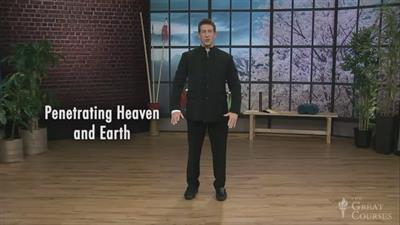
Essentials of Tai Chi and Qigong is a complete introduction to the practice, history, benefits, and philosophy of these immensely rewarding activities. In 24 half-hour lessons, you learn the fundamentals of tai chi and qigong from an internationally renowned tai chi champion and trainer, David-Dorian Ross, who has been practicing tai chi for more than 35 years.
No other presentation of these venerable arts is as comprehensive and enjoyable. Unfailingly friendly and helpful, Mr. Ross explains each movement in easy-to-follow steps. He has a gift for anticipating a beginner's questions, leaving no doubt about how you should be positioned for each pose.
And where other video products exist that emphasize mimicking an instructor's choreography, which can end in boredom or burnout, this course is a multi-layered combination of practical instruction aimed at physical and mental health, together with deep insight into how to motivate and enrich movement and mindfulness in your own life, using the best of qigong and tai chi.
Those already experienced in tai chi and qigong will gain an unprecedented scope of understanding and will find Mr. Ross's mindset and detailed instructions invaluable for refining their own skills. And his presentation of background topics, such as Chinese philosophy, medicine, and martial arts history, will enrich the practice of tai chi and qigong for everyone.
Master the World's Most Popular Tai Chi Routine

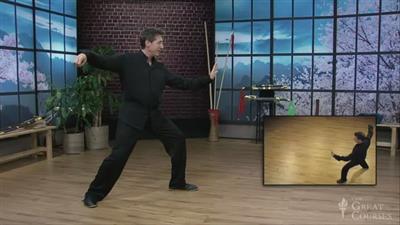
Each lesson of Essentials of Tai Chi and Qigong starts with a standing qigong exercise to get you energized. In the middle, you perform an easy tai chi movement to get you into the flow. You conclude each lesson with a posture from the Yang family short form, the best known of the different tai chi styles. The 24-movement Yang family short form, often called simply the short form, is the most widely recognized and performed tai chi routine in the world. When you see tai chi practitioners in the park-from Beijing to San Francisco to Paris-they are most likely doing the short form. By mastering one segment of the short form in each lesson, you will be able to join them, and even step out on your own, in no time!
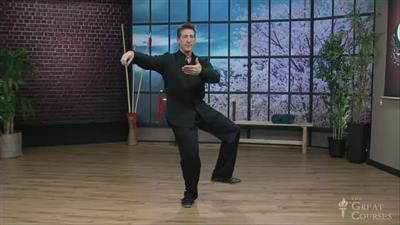
The short form includes such memorable movements as Parting the Wild Horse's Mane, White Crane Spreads Wings, and Waving Hands Like Clouds. The names are mnemonics to help you remember the graceful shapes you create as you take a step, turn, raise your arms, and then move forward, back, or to the side, making a distinctive figure depending on the movement. One posture beautifully merges with the next, with moves that are the foundation for many other tai chi routines.
You also learn about four other family styles of tai chi, as well as personal modifications you can make so that tai chi and qigong will work for you, no matter what your level of fitness or flexibility.You even investigate rudimentary weapons exercises, as well as a two-person exercise of tai chi, called push hands, that you play with a partner.
Lectures:
1 The Snake and the Crane
2 First Steps in a Journey
3 Harmony and Balance
4 The Ultimate Martial Art
5 The Five Families of Tai Chi Practice
6 Qigong and the Five Animal Frolics
7 Energy Exercise: A Branch of Chinese Medicine
8 The First Pillar of Practice: Forms
9 The Second Pillar: Push Hands for Two
10 The Third Pillar: Standing Meditation
11 Benefits to the Heart and Immune System
12 A Healthy Weight and a Healthy Mind
13 Tai Chi Legends: Stories of the Masters
14 Reading the Tai Chi Classics
15 A Superior Workout: Use More of Your Muscles
16 Eight Pieces of Brocade and a Better Back
17 Tai Chi Weapons: When Hands Are Not Empty
18 Using the Mind: Inner Organizing Principles
19 Mental and Physical Flow
20 Creating Space for Choices
21 Flow at Work: When Business Is in Balance
22 Energy Flow in Your Surroundings
23 Taking Practice Deeper
24 The Evolution of Tai Chi

81c59869bdc8e963505665ec3f4527e0.jpg


2ead013bdc6156b7447206a984dc7418.jpg


be56cf92ea69f480b7e1ddbf5cca44a0.jpg


cd6e45e0b29ceb7da49f2209d88c337a.jpg


f20fe57952107eeebc034506002b4f0e.jpg


e88dfd466b754f35b7d2e88c0e2503b9.jpg


Recommend Download Link Hight Speed | Please Say Thanks Keep Topic Live

 
1811271513520106.jpg

Danilo Lee - Prosperity Lead Gen
WEBRip | English | MP4 | 1280 x 720 | AVC ~1008 Kbps | 30 fps
AAC | 128 Kbps | 44.1 KHz | 2 channels | 18:13:31 | 7.11 GB
Genre: eLearning Video / Business, Sales, Marketing

Whether it be managing people, copywriting, cash flow issues, or CRO/LP optimization, you'll be brainstorming with the best of the best. The networking opportunities are unmatched in a small group setting like this.
Prosperity's host, Danilo Lee, has been in the lead generation business for over a decade. Working as Head of Customer Acquisition for PromoJam (acquired by Deluxe Corporation NYSE: DLX), AgentAce (acquired by Quicken Loans), ChowNow and others, Danilo has played a vital role in optimizing campaigns and ultimately reducing customer acquisition costs for successfully acquired companies.
You'll also hear presentations by actual employees from Google and SnapChat, an attorney (specializing in web-based businesses), and a highly-respected copywriter. You'll be sitting amongst other highly-successful marketers and industry representatives with the opportunity to form real relationships, first hand.
We won't make you sit and listen all day.
Strap your boots on because this is going to be a 3-day endurance test where you'll get as much out of the mastermind as you put in. Expect to learn:
Fundamentals of leading a leadgen company
How to run a team
Explore the art of pitching your company's service/product
Step up your copywriting skills
Finding and negotiating new offers
Loosely wireframe/design a landing page
Using conversion rate optimization tools
Google, Snapchat, Facebook, etc insights
Staying up to date with legal changes
Finding financing for campaigns
Valuating and selling your business
If you're struggling to learn how to take your business to the next level, join us at Prosperity where you'll have the opportunity to learn the skillsets you just can't find in a book or online.


1811271513540097.jpg


1811271513550105.jpg


1811271513550119.jpg


1811271513560104.jpg


1811271513570095.jpg


Recommend Download Link Hight Speed | Please Say Thanks Keep Topic Live

 
1811220506320107.jpg

SketchUp Pro: Dynamic Components
MP4 | Video: AVC 1280x720 | Audio: AAC 44KHz 2ch | Duration: 3 Hours 13M | 512 MB
Genre: eLearning | Language: English

SketchUp dynamic components are reusable design elements with special attributes: parametric functions, interactivity, animation, and more. Creating your own dynamic components allows you to build a library of custom designs and easily share them with others. This training course shows how to use SketchUp Pro to build dynamic components from scratch. Instructor Scott Onstott starts by reviewing the premade dynamic components found in the Components panel and 3D Warehouse. Then he explores the build process: adding attributes, creating formulas, nesting component parts, and assigning materials. He even shows how to add a dialog box to change attribute values from a user-friendly interface. The last half of the course contains a collection of mini-projects: from fences that automatically add pickets as you scale to cabinets with animated drawers. Each project can be recreated in the Windows or Mac versions of SketchUp Pro. Finally, Scott closes with some tips for scaling materials along with your dynamic components.


1811220506340103.jpg


Recommend Download Link Hight Speed | Please Say Thanks Keep Topic Live

 

1812052244210101.jpg

Mastering Hyper-V Windows Server 2019
MP4 | Video: AVC 1280x720 | Audio: AAC 44KHz 2ch | Duration: 3.5 Hours | 402 MB
Genre: eLearning | Language: English

Data is everywhere. All of this data must be accessible, backed up, secured, managed and analyzed instantly. Hyper-V in Windows Server 2019 provides the foundational virtualization infrastructure on which data solution capabilities are delivered.
In this video course, you will acquire the knowledge needed to plan,deploy, manage and upgrade your virtualization environments. You will be walked through the planning phase of your Hyper-V deployment, full deployment scenarios and most common set of advanced management features to keep your Hyper-V environment running reliably.
By the end of the course, learn how to use the power of this hypervisor to simplify the infrastructure, reduce costs, improve productivity and better manage system resources.


1812052244220108.jpg


Recommend Download Link Hight Speed | Please Say Thanks Keep Topic Live
 
b385634dac9eb666264b6edefd389b22.jpg

How to Make a Wordpress Website - Step by Step
MP4 | Video: AVC 1280x720 | Audio: AAC 48KHz 2ch | Duration: 3.5 Hours | Lec: 36 | 545 MB
Genre: eLearning | Language: English​

A complete step by step wordpress tutorial! Learn how to use WordPress to develop and build a website from scratch.
WHY THIS COURSE?
I am a TOP RATED Online Content Creator for Wordpress tutorials!
My videos have been viewed over 4.4 million times and I have a Youtube following of almost 40,000 subscribers
We'll be using one of the MOST POPULAR THEMES for WordPress (100% FREE!!).
I've taught hundreds of thousands of developers, freelancers, and entrepreneurs how to use Wordpress
Our students always build PROFESSIONAL and BEAUTIFUL websites to jumpstart their online presence!
Make a fully Responsive Website And Mobile Responsive
Our websites convert. Don't settle for a website no one will visit. Build something that makes you money and gets you traffic!
Learn from someone that makes a living teaching others how to use Wordpress.
This course is a step by step tutorial that shows you how to make a website from scratch. You do NOT need to know any type of coding or programming whatsoever. I'll give you all the tools and guidance you need to build a beautiful Wordpress website yourself.
You will save THOUSANDS of dollars by watching this video tutorial on How to Make a Wordpress Website - 2017!
DO I NEED TO KNOW HOW TO CODE?
No! This video tutorial is so easy anyone can follow along and become a Wordpress expert!
All you need is a computer and an internet connection :)
AFTER TAKING THIS COURSE YOU WILL...
Have A FULLY RESPONSIVE PROFESSIONAL WEBSITE (saving you thousands of dollars)
The knowledge to build and make WordPress websites on your own
IS THIS THE COURSE FOR YOU?
If you want to build a Wordpress website or if you want to create a custom Wordpress website - this is a MUST SEE tutorial.
SO WHAT ARE YOU WAITING FOR??
If you want to start a blog.
If you're a photographer or have a portfolio of work that you want to share
If you're a small to medium size business
If you're an entrepreneur
If you're a freelancer
If you want to learn how to make websites for a living
If you want to start making passive income ($$$)
If you like learning a skill set that will set you apart

d08828fce850c40daa5b9e7e6e32c32b.jpg


Recommend Download Link Hight Speed | Please Say Thanks Keep Topic Live
 

1811051155430096.jpg


Wordpress for Beginners up to Advanced
MP4 | Video: AVC 1280x720 | Audio: AAC 44KHz 2ch | Duration: 1 Hours | Lec: 26 | 234 MB
Genre: eLearning | Language: English

Master Wordpress / Learn how to Control ANY Wordpress Website / Create Make Build a professional website

Warning, Web Professionals - You May Find This Course Too Basic. We do not cover creating custom themes or working with codes. This course is intended for entreprenuers, marketers, brand owners and small business people - not developers.

You're here because you want to create your own website isn't it?

This is the perfect place to start. This complete course is designed for beginners like you who have never built a WordPress website (or any website for that matter).

While WordPress might seem scary from the outside, once you get started, it's fairly intuitive. Everything from hosting to installing a theme, then actually building your first pages can be learned in the first few lessons of this course.

Why learn from my course?

I've been building WordPress websites for years. Just like you, there was a time when I was a complete newbie! I was honestly scared of starting a WordPress website because it seemed so daunting.

Now I like WordPress! I wouldn't recommend using any other web-building tool.

Why Take This Course ?

Learn To Create A WordPress Website in Less Than 1 Hour

The Wordpress Website Will Be Fully Responsive (Mobile Friendly)

Learn To Create A Logo For Free!

USING A FREE Wordpress theme

Master wordpress

Learn All the ins And outs of Wordpress

Learn how to Create an Professional Blog with Wordpress

Using Most Up To Date Version of WordPress

I have got 4+ Years experience of working with WordPress

Learn From a Top Instructor in Wordpress Find out why!


1811051155450090.jpg


Recommend Download Link Hight Speed | Please Say Thanks Keep Topic Live

 
1811260307550110.jpg

JavaScript: The Hard Parts of Object Oriented JavaScript (2018)
WEBRip | English | MP4 + Project files | 1920 x 1080 | AVC ~1156 kbps | 30 fps
A_VORBIS | 192 Kbps | 48.0 KHz | 2 channels | ~4.5 hours | 2.54 GB
Genre: Video Tutorial

Table of Contents:
Introduction
Course Introduction
00:00:00 - 00:06:12
Course Introduction
Will Sentance introduces the ideology of the course, what makes a great software engineer, Codesmith, and how to get the most out of what is taught.
Object Oriented Paradigm
00:06:13 - 00:11:59
Object Oriented Paradigm
Will gives an overview of what will be taught and then answers why a paradigm, or way of organizing code, exists at all.
Object Creation
Creating an Object
00:12:00 - 00:14:56
Creating an Object
Will starts by establishing objects as the best method to encapsulate data and functionality.
Object dot Notations
00:14:57 - 00:16:47
Object dot Notations
The basic way to assign data to an existing object is introduced.
Object.create
00:16:48 - 00:19:25
Object.create
Will uses Object.create to start a conversation about the DRY principle.
Creating Objects with Functions
00:19:26 - 00:31:28
Creating Objects with Functions
Will diagrams solution 1, a function that returns an object when initiated. It's then explained why the solution wouldn't work in practice.
Prototype & new
Avoid Duplication with Prototype
00:31:29 - 00:33:52
Avoid Duplication with Prototype
Will introduces the next problem to be solved, which is refactoring the previous solution into one that uses object.create to create objects, but still has access to the functionality.
Prototype Walkthrough
00:33:53 - 00:41:31
Prototype Walkthrough
Will diagrams solution 2 using Object.create and prototype chaining with input from the audience.
Prototype Chain
00:41:32 - 00:52:25
Prototype Chain
Will traces the diagramed solution using increment() on the instantiated user1, demonstrating how JavaScript accesses the function. Lessons are taken away from the solution that impacts the way we consider object oriented programming in JavaScript
new & this Keywords
00:52:26 - 00:55:34
new & this Keywords
Will introduces the `new` keyword and what it automates in object creation, but also how it instantiates the need to refer to it.
Functions are Objects & Functions
00:55:35 - 01:02:33
Functions are Objects & Functions
Will maps out the object that gets attached to each instantiated function, and what it contains.
new Keyword & Share Functions with prototype
01:02:34 - 01:19:06
new Keyword & Share Functions with prototype
Will diagrams solution 3 using the new keyword and prototype chaining with input from the audience.
Review of new
01:19:07 - 01:26:43
Review of new
Will speaks to the benefits and disadvantages that solution 3 has, and topics covered later are foreshadowed.
Scope & this
Calling Prototype Methods
01:26:44 - 01:35:43
Calling Prototype Methods
Will refactors solution 3 to include the implicit parameter, this. As the solution is diagramed, attention is given to when this is useful, and how scope comes into play.
this Keyword Scoping Issues
01:35:44 - 01:43:03
this Keyword Scoping Issues
The UserCreator.prototype.increment function is refactored further, and this poses an interesting problem with scope.
Solving Scope with Arrow Functions
01:43:04 - 01:48:42
Solving Scope with Arrow Functions
Will diagrams how arrow functions bypass the issue introduced in the previous section.
ES6 class Keyword
01:48:43 - 01:56:25
ES6 class Keyword
WIll introduces how JavaScript implements class syntactic sugar.
Recap of the class Keyword
01:56:26 - 02:01:07
Recap of the class Keyword
Will explains how classes in JavaScript are much different than in true OOP languages, and ties the previous sections into the next section of the course.
Default Prototype Chain
Objects default __proto__
02:01:08 - 02:09:14
Objects default __proto__
Will uses an example to further explain how __proto__ is built into every object in JavaScript. In addition to __proto__, hasOwnProperty is a built-in method that has bonus functionality afforded to it.
Function.prototype and Array.prototype
02:09:15 - 02:20:29
Function.prototype and Array.prototype
WIll diagrams the prototype chain when calling a method on a function.
Pair Programming OOJS
02:20:30 - 02:23:18
Pair Programming OOJS
Will directs students to the practice problems and sets up pair programming.
Subclassing with Factory Functions
Intro to Subclassing and Inheritance
02:23:19 - 02:28:08
Intro to Subclassing and Inheritance
Will introduces inheritance as a way to create subclasses within JavaScript and explains why inheritance is a misleading term.
Create object with Factory Function
02:28:09 - 02:41:38
Create object with Factory Function
Solution 3 is further refactored to implement classes. Will traverses the code with the audience.
Create a Sub-Factory Function
02:41:39 - 02:46:45
Create a Sub-Factory Function
Will sets up the next bit of code and explains how this code is interacting with the code that was written in the previous segment. Object.setPrototypeOf is utilized to set the __proto__ of a function to achieve the functionality that we need.
Creating an object with a Sub-Factory Function
02:46:46 - 02:58:40
Creating an object with a Sub-Factory Function
Will continues to diagram the solution and demonstrates how the sub-factory function affects the functionality of an object that is instantiated.
Prototype Lookup
02:58:41 - 03:01:49
Prototype Lookup
Will concludes this solution by diagramming a prototype lookup by an object that was previously instantiated.
Subclass Review
03:01:50 - 03:06:44
Subclass Review
Will reviews what was learned up until now in the course, and looks towards the call and apply functions that will be introduced to control the assignment of the this keyword.
Call and Apply
03:06:45 - 03:15:29
Call and Apply
WIll demonstrates how to manually set the value of the this keyword inside of a function.
Subclassing with new and call
Create an Object with new
03:15:30 - 03:25:35
Create an Object with new
Will diagrams a refactored solution that provides the store of automatically linked functions by utilizing the new keyword.
Creating a Subclass with a Constructor
03:25:36 - 03:32:19
Creating a Subclass with a Constructor
WIll diagrams a solution that uses the new keyword, but then also uses a prototype chain to grant an object access to certain classes, while another doesn't.
Using a call Method in a Constructor
03:32:20 - 03:43:42
Using a call Method in a Constructor
By passing our newPaidUser object (`this`) to userCreator, Will demonstrates how this can refer to a context that is one level up from the current scope.
Assigning Properties to Instance
03:43:43 - 03:49:37
Assigning Properties to Instance
Will diagrams how instantiating a paidUser object using the new keyword would create a new context to consider.
Prototype Tracing
03:49:38 - 03:52:46
Prototype Tracing
Will traces the diagramed solution using called functions on the instantiated paidUser, ensuring that functions are specific to the paid user type, but are available to all users.
Subclassing with class, extends & super
Create an Object with a class
03:52:47 - 04:01:14
Create an Object with a class
WIll diagrams a user object that is instantiated using the new keyword. No functions are copied on it, but they are still available for use.
Creating a Subclass with extends
04:01:15 - 04:10:29
Creating a Subclass with extends
Will introduces the extends, and diagrams what it offers to the refactored code.
Creating an object with a subclass
04:10:30 - 04:18:03
Creating an object with a subclass
The last execution context of the course is instantiated, and a paidUser is created using the new keyword. Will also briefly covers reflect.construct(), which acts like the new keyword, but as a function.
Using super in a subclass constructor
04:18:04 - 04:28:36
Using super in a subclass constructor
Will arrives at the final solution, where a paidUser1 has access to paidUser functionality, and user functionality. The paidUser1 also has the properties of a regular user by using the regular userCreator.
Conclusion
Wrapping Up
04:28:37 - 04:30:27
Wrapping Up
Will concludes the course with reasoning why it's important to understand what is going on under the hood in JavaScript.


1811260307560097.jpg


1811260307570088.jpg


1811260307580098.jpg


1811260307590105.jpg


1811260308000091.jpg


Recommend Download Link Hight Speed | Please Say Thanks Keep Topic Live

 

1811231534170091.jpg

Mercari Masterclass The Complete Guide to Mastering Mercari
MP4 | Video: h264, 1280x720 | Audio: AAC, 44.1 KHz, 2 Ch
Genre: eLearning | Language: English + .VTT | Duration: 2.5 hours | Size: 1.24 GB
Learn How to Use and Master The Increasingly Popular Mobile iOS & Android eCommerce Retailer App Mercari​

What you'll learn
How to earn money selling nearly anything around their house.
How to turn their Mercari account into a consistent source of income.
How to implement internet marketing techniques to scale their Mercari Account to increase their traffic and profits.
How to continually replenish their inventory and stock of items to sell on Mercari and online.
Requirements
Live in the United States, United Kingdom, or Japan.
An Account on the Mercari Platform.
A Smartphone, Tablet, or Computer with an Internet Connection.
Description
WELCOME TO MERCARI MASTERCLASS: A BEGINNERS GUIDE TO MASTERING MERCARI!
**Mercari is currently only available in the United States, United Kingdom, and Japan**
An in depth Step-by-Step Course on how to create, market, and scale your Mercari Store and turn it into a consistent revenue stream.
In this course you'll learn how to turn your old belongings into cash using the newly created iOS & Android app Mercari. Don't return your old junk to the thrift store or throw it in the trash. Sell it online and you'll be shocked by how much money you can make!
Want to get serious and take it up a notch? You'll find the tools you need in this course to ensure your inventory and stock of items continually grows alongside learning how to market your products effectively.
The best part? There are no start-up costs whatsoever to get started with Mercari. Look around your house for anything and everything picking up dust and you'll have more than enough to get the ball rolling. All you'll need is a mobile device, a Mercari account, and any belongings you're willing to part with for some cold cash.
Ready to use Mercari?
Jump inside the course and let's get started!
Topics we will cover include:
ACCOUNT SET-UP & NAVIGATION
Online Safety
Differences Between Desktop and Mobile Version
HOW TO CREATE THE PERFECT PROFILE
Balance, Credit, & Coupons
Dealing With Mercari Customer Service
What to do if Mercari Isn't Available in Your Country
HOW TO CREATE THE PERFECT PRODUCT LISTINGS
What Can You Sell?
The Importance of Highly Detailed Listings
Understanding Titles, Keywords, & SEO
Utilizing Bundles
ORDER FULFILLMENT, PACKAGING, SHIPPING, RETURNS, PURCHASES, & CUSTOMER CARE
Shipping & Packaging
Returns & Cancellations
Customer Service
Getting Paid
Making Purchases
Avoiding Scammers Pt. 1
Avoiding Scammers Pt. 2
MARKETING YOUR STORE: DRIVING FREE TRAFFIC TO INCREASE SALES
Internal Traffic
External Traffic Pt. 1 - Marketplaces
External Traffic Pt. 2 - Analytics & URL Shorteners
External Traffic Pt. 3 - Blogs & Quora
External Traffic Pt. 4 - Facebook
External Traffic Pt. 5 - Instagram
External Traffic Pt. 6 - Twitter
External Traffic Pt. 7 - Pinterest
External Traffic Pt. 8A - YouTube
External Traffic Pt. 8B - YouTube
External Traffic Pt. 9A - Forums & Groups
External Traffic Pt. 9B - Forums & Groups
External Traffic Pt. 9C - Forums & Groups
External Traffic Pt. 10 - Paid Traffic
SUSTAINABILITY: ACQUIRING MORE ITEMS TO SELL WHILE GROWING YOUR STORE
Acquiring More Items to Sell - Online
Acquiring More Items to Sell - Offline
DROPSHIPPING
Warning
Logistical Problems
What to Sell?
Sources
Sources to Avoid
Listing & Fulfillment
INCREASING PROFIT & SCALING
Scaling Your Store
What to do if Sales Slow Down
WRAP-UP & THANKS
COMPLEMENTARY MATERIAL
Mercari Information Report
Shipping, Packaging, and Logistics Report
Mercari Listing Checklist
Customer Service Scripts & Dealing with Scammers Report
Marketing & Dropshipping Report
Approved Resources, Recommendations, & Supplies Report
Join my Mercari, eBay, & Poshmark Sellers Facebook Group
Join my eCommerce Facebook Group
Who is the target audience?
Anyone who sells online and would like to utilize an additional sales channel.
Anyone who uses Mercari but would like a better grasp of it.
Anyone who would like to earn money selling things around their house.
Anyone who has never used Mercari and would like to learn about it.
Anyone who uses Poshmark, eBay, or any other online marketplaces and would like an alternative.
Anyone who would like to learn how improve their Mercari-listing marketing techniques.

1811231534180090.jpg


Recommend Download Link Hight Speed | Please Say Thanks Keep Topic Live
 

1811211545010097.jpg


AWS Lambda Serverless Framework For Beginners
.MP4 | Video: 1280x720, 30 fps(r) | Audio: AAC, 44100 Hz, 2ch | 1.18 GB
Duration: 2 hours | Genre: eLearning | Language: English​

Introduction to Lambda & deployment of serverless apps with Amazon Web Services. DynamoDB, S3, Python & Route53 & more!

What you'll learn

Write Lambda scripts in Python that communicate with DynamoDB database
Create and configure S3 bucket for static web hosting
Work with reading and writing to DynamoDB database from AWS Console
Configure API gateway API to communicate with Lambda funcion
Configure Route53 to use your own subdomain from another registrar

Requirements

Windows/Linux/Mac computer
Basic working knowledge of programming/database knowledge a plus, but not required

Description

COURSE OBJECTIVE

The primary objective for this course is to introduce students to the concept, tools and methods of working with serverless architecture on AWS (Amazon Web Services)

The course will introduce you to the following key technologies that are a part of AWS' serverless program suite:

DynamoDB database - a key-value store that is completely serverless and Amazon-invented

Lambda function written in Python. This communicates with the database.

AWS API gateway service. This serves as a link between the application and the Lambda function.

S3 where we will store our web page

Route53 which will use our subdomain to access this page.

All sections of the course will have relevant exercises for you to do, so you can practice your new skills so that you can use them practically in your own job afterwards.

WHAT IS AWS SERVERLESS ARCHITECTURE / TECHNOLOGIES?

Amazon has grown to become the most sophisticated provider of storage, virtual servers and many other various IT services, with the main goal of letting you concentrate on programming and system development, rather than the maintenance of the systems.

With Amazon serverless technologies, you can set up a powerful computer system, consisting of databases, programming environments, hosting platforms, using only your laptop and an Amazon AWS account.

TOP 3 BENEFITS OF LEARNING TO WORK WITH AWS SERVERLESS ARCHITECTURE

1. High in demand
Experts in AWS are high in demand, with a huge number of either freelancing or full-time jobs available and growing.

2. Emerging technology
All of AWS services are rather new, compared to traditional skills like C++ programming or TCP/IP network administration.Being new, they are powerful and flexible on one side, but on other side, they can be difficult to understand at first. This course will lead you through various new technologies, some of which you may not know even existed.

3. Great addition to your current skills
If you are a programmer, you would benefit from being able to manage your own databases and application hosting; if you are a system engineer, you will be able to setup a complete system without having to setup a single server; if you are a system integrator, you will love the way different AWS services come together.

FREQUENTLY ASKED QUESTIONS

Will I learn programming?
No, you will not learn programming, but you can see the principle in the example that I will show you,as every line of code will be explained. This is not a programming tutorial, because programming few lines of Python code is just a small part of the course.

Will I need additional software?
No, all the software that you will need is the web browser, preferably Firefox

How much will it cost me, I know that Amazon is not free?
If you are in free tier, it will cost you nothing, but if you are paying, it will be few dollars at most

How much time will it take for me to finish the course?
The course itself is 2 hours long, but you will probably need four to six hours to finish it.

Who is the target audience?

AWS beginners interested in learning serverless architecture
Cloud Solutions Architects
Application Developers
Cloud Engineers


1811211545030097.jpg


Recommend Download Link Hight Speed | Please Say Thanks Keep Topic Live
 
efebe38c3cf4a1bc8da57994e4e2a4de.jpg

After Effects CC Boost Your Brand With Logo Animation
.MP4 | Video: h264, 1280x720 | Audio: AAC, 44.1 KHz, 2 Ch
Genre: eLearning | Language: English + .VTT | Duration: 4 hours | Size: 1.32 GB​

Make your business videos stand out from competitors with these practical After Effects motion graphics projects
What you'll learn
BE FAMILIAR with Adobe After Effects CC layout, essential key terms and basic features
ACQUIRE different and powerful skills to master Logo Animation in Adobe After Effects
Create LIQUID ANIMATION for your logo using Adobe After Effects
Create ELECTRIC STROKES reveal animation for your logo using Adobe After Effects
Create GLITCH ANIMATION for your logo using Adobe After Effects
Create CARD WIPE animation for your logo using Adobe After Effects
Create FLIPPING PAPERS reveal animation for your logo using Adobe After Effects
Create LIGHTING ANIMATION for your logo using Adobe After Effects
Create SLIDE REVEAL animation for your logo using Adobe After Effects
Create BURSTING ANIMATION for your logo using Adobe After Effects
Create PARTICLES REVEAL animation for your logo using Adobe After Effects
Create SCATTERING REVEAL animation for your logo (without needing to have any third party plugin) using Adobe After Effects CCR03;
GET INTRODUCED to a bunch of interesting effects in Adobe After Effects
LEARN some important Adobe After Effects shortcuts
GET the After Effects project files and the necessary assets to work along with
Requirements
Ultimately a running or a trial version of Adobe After Effects CC 2018 - But any version from CS6 & beyond will be fine
You DO NOT need to know how to use After Effects. We'll walk through each project step-by-step so even complete beginners can learn
Description
If you are an Entrepreneur, Video Publisher or an absolute After Effects beginner who enjoys learning by doing and wants to spice up your videos with logo animation intros using Adobe After Effects CC but don't know how then join this course to have fun while creating your own logo animations projects!
In this course you will learn how to use the extremely powerful Adobe After Effects CC to boost your brand with logo animation like the ones in the promo video.
________________________________________
Maggie's Online Learning School - Teaching 12 Courses on Udemy
OVER 28,000 successful students have already taken my online courses since October 2016 with many 5 Star Reviews
________________________________________
See what happy students are saying about this course:
"Lots of great content..easy and fast to pick up techniques"
- Jay Tee, Maggie's After Effects student
"Very simple and directif. She teach with a lot of pedagogy. You can't ask nothing more. Thank you"
- Jacques Lise, Maggie's After Effects student
"i think this is good because it teaches you from ground zero level to advance. Thank You!"
- Roman Fisher, Maggie's After Effects student
________________________________________
At the end of this After Effects course:
You will be familiar with Adobe After Effects layout, essential key terms and basic features
You'll acquire different and powerful skills to master Logo Animation in Adobe After Effects CC
You'll learn some important Adobe After Effects shortcuts
You will get introduced to a bunch of interesting effects in Adobe After Effects CC
You'll be able to create liquid animation for your logo using Adobe After Effects CC
You'll be able to create electric strokes reveal animation for your logo using Adobe After Effects CC
You'll be able to create glitch animation for your logo using Adobe After Effects CC
You'll be able to create card wipe animation for your logo using Adobe After Effects CC
You'll be able to create flipping papers reveal animation for your logo using Adobe After Effects CC
You'll be able to create lighting animation for your logo using Adobe After Effects CC
You'll be able to create slide reveal animation for your logo using Adobe After Effects CC
You'll be able to create bursting animation for your logo using Adobe After Effects CC
You'll be able to create particles reveal animation for your logo using Adobe After Effects CC
You'll be able to create scattering logo reveal animation (without needing to have any third party plugin) using Adobe After Effects CC
You will also get the After Effects project files and the necessary assets to work along with
WHAT DO YOU GET IN THE COURSE?
(4) hours of premium After Effects video lesson
Downloadable resources
Premium support from instructor to answer any questions
Feedback on your own video projects
I am confident you will learn a lot from this course and if you are not satisfied you get a 30 day money back guarantee. I always work on updating my courses and add new lectures. Also, I care to answer all your questions as soon as possible and make sure you understand every bit of this course because I care about my students, I really want them to be successful.
This course have at least 10 minutes of free previews available to you, so you can quickly determine if it's the right one for you! Finally, you will receive a verifiable certificate of completion upon finishing the course.
Come on in and we are going to have some fun together,
Maggie
***************************************************************************
About Maggie's Online Learning School:
Over 28,000 very happy students already in my Udemy classes
See the 5 Star Reviews from VERY satisfied students
You get free lifetime access
All videos are at your finger tips to watch anytime & anywhere
All future extra lectures and upgrades are always free
Unconditional Udemy 30 day money-back guarantee and that's my personal promise to your success!
Join this happy family of students
Enroll into the course and I will see you inside,
Maggie
Who is the target audience?
You are a Youtube, Vimeo, Facebook Publisher
You are an entrepreneur
You have your own business or brand
You want to spice up your videos with logo animation intros but don't know how
You are completely new to After Effects
You want to learn by doing (creating practical projects)

a40fad6b87b767cc691abc7a601b240c.jpg


Recommend Download Link Hight Speed | Please Say Thanks Keep Topic Live

 
Zurück
Oben Unten