• Regeln für den Video-Bereich:

    In den Börsenbereich gehören nur Angebote die bereits den Allgemeinen Regeln entsprechen.

    Einteilung

    - Folgende Formate gehören in die angegeben Bereiche:
    - Filme: Encodierte Filme von BluRay, DVD, R5, TV, Screener sowie Telesyncs im Format DivX, XviD und x264.
    - DVD: Filme im Format DVD5, DVD9 und HD2DVD.
    - HD: Encodierte Filme mit der Auflösung 720p oder darüber von BluRay, DVD, R5, TV, Screener sowie Telesyncs im Format x264.
    - 3D: Encodierte Filme von BluRay, die in einem 3D Format vorliegen. Dies gilt auch für Dokus, Animation usw.
    - Serien: Cartoon/Zeichentrick, Anime, Tutorials, Dokumentationen, Konzerte/Musik, Sonstiges sind demnach in die entsprechenden Bereiche einzuordnen, auch wenn sie beispielsweise im High Definition-Format oder als DVD5/DVD9/HD2DVD vorliegen. Ausnahme 3D.
    - Bereich Englisch: Englische Releases gehören immer in diesen Bereich.
    - Bereich Talk: Der Bereich, in dem über die Releases diskutiert werden kann, darf, soll und erwünscht ist.


    Angebot/Beitrag erstellen

    - Ein Beitrag darf erst dann erstellt werden, wenn der Upload bei mindestens einem OCH komplett ist. Platzhalter sind untersagt.
    - Bei einem Scenerelease hat der Threadtitel ausschließlich aus dem originalen, unveränderten Releasenamen zu bestehen. Es dürfen keine Veränderungen wie z.B. Sterne, kleine Buchstaben o.ä. vorgenommen werden. Ausnahme Serienbörse:
    - Bei einem Sammelthread für eine Staffel entfällt aus dem Releasename natürlich der Name der Folge. Beispiel: Die Simpsons S21 German DVDRip XviD - ITG
    - Dementsprechend sind also u.a. verboten: Erweiterungen wie "Tipp", "empfehlenswert", "only", "reup", usw. / jegliche andere Zusatzinformation oder Ergänzung, welche nicht in obiger Beschreibung zu finden ist.

    Aufbau des Angebots und Threadtitel

    Der Titel nach folgendem Muster erstellt zu werden. <Name> [3D] [Staffel] [German] <Jahr> <Tonspur> [DL] [Auflösung] <Quelle> <Codec> - <Group>
    Beispiel: The Dark Knight German 2008 AC3 DVDRip XviD - iND
    Beispiel: The Dark Knight 2008 DTS DL BDRip x264 - iND
    Beispiel: The Dark Knight 2008 AC3 DL BDRip XviD - iND
    Beispiel: The Dark Knight German 2008 AC3 720p BluRay x264 iND
    Beispiel: The Dark Knight 2008 DTS DL 1080p BluRay x264 iND
    Beispiel: Die Simpsons S01 German AC3 DVDRip XviD iND
    Beispiel: Die Simpsons S20 German AC3 720p BluRay x264 iND
    Beispiel: Sword Art Online II Ger Sub 2014 AAC 1080p WEBRip x264 - peppermint
    Entsprechend sind also u.a. verboten: Sonderzeichen wie Klammern, Sterne, Ausrufezeichen, Unterstriche, Anführungszeichen / Erweiterungen wie "Tipp", "empfehlenswert", "only", "reup", usw. / jegliche andere Zusatzinformation oder Ergänzung, welche nicht in obiger Beschreibung zu finden ist
    Ausnahmen hiervon können in den Bereichen geregelt sein.

    Die Beiträge sollen wie folgt aufgebaut werden:
    Überschrift entspricht dem Threadtitel
    Cover
    kurze Inhaltsbeschreibung
    Format, Größe, Dauer sind gut lesbar für Downloader außerhalb des Spoilers zu vermerken
    Nfo sind immer Anzugeben und selbige immer im Spoiler in Textform.
    Sind keine Nfo vorhanden z.B. Eigenpublikationen, sind im Spoiler folgende Dateiinformationen zusätzlich anzugeben :
    Quelle
    Video (Auflösung und Bitrate)
    Ton (Sprache, Format und Bitrate der einzelnen Spuren)
    Untertitel (sofern vorhanden)
    Hosterangabe in Textform außerhalb eines Spoiler mit allen enthaltenen Hostern.
    Bei SD kann auf diese zusätzlichen Dateiinformationen verzichtet werden.

    Alle benötigten Passwörter sind, sofern vorhanden, in Textform im Angebot anzugeben.
    Spoiler im Spoiler mit Kommentaren :"Schon Bedankt?" sind unerwünscht.


    Releases

    - Sind Retail-Release verfügbar, sind alle anderen Variationen untersagt. Ausnahmen: Alle deutschen Retail-Release sind CUT, in diesem Fall sind dubbed UNCUT-Release zulässig.
    - Im Serien-Bereich gilt speziell: Wenn ein Retail vor Abschluss einer laufenden Staffel erscheint, darf diese Staffel noch zu Ende gebracht werden.62
    - Gleiche Releases sind unbedingt zusammenzufassen. Das bedeutet, es ist zwingend erforderlich, vor dem Erstellen eines Themas per Suchfunktion zu überprüfen, ob bereits ein Beitrag mit demselben Release besteht. Ist dies der Fall, ist der bereits vorhandene Beitrag zu verwenden.
    - P2P und Scene Releases dürfen nicht verändert oder gar unter einem iND Tag eingestellt werden.


    Support, Diskussionen und Suche

    - Supportanfragen sind entweder per PN oder im Bereich Talk zu stellen.
    - Diskussionen und Bewertungen sind im Talk Bereich zu führen. Fragen an die Uploader haben ausschließlich via PN zu erfolgen, und sind in den Angeboten untersagt.
    - Anfragen zu Upload-Wünschen sind nur im Bereich Suche Video erlaubt. Antworten dürfen nur auf Angebote von MyBoerse.bz verlinkt werden.


    Verbote

    - Untersagt sind mehrere Formate in einem einzigen Angebotsthread, wie beispielsweise das gleichzeitige Anbieten von DivX/XviD, 720p und 1080p in einem Thread. Pro Format, Release und Auflösung ist ein eigener Thread zu eröffnen.
    - Grundsätzlich ebenso verboten sind Dupes. Uploader haben sich an geeigneter Stelle darüber zu informieren, ob es sich bei einem Release um ein Dupe handelt.
    - Gefakte, nur teilweise lauffähige oder unvollständige Angebote sind untersagt. Dies gilt auch für eigene Publikationen, die augenscheinlich nicht selbst von z.B. einer DVD gerippt wurden. Laufende Serien, bei denen noch nicht alle Folgen verfügbar sind, dürfen erstellt und regelmäßig geupdatet werden.
    - Untersagt sind Angebote, welche nur und ausschließlich in einer anderen Sprache als deutsch oder englisch vorliegen. Ausnahmen sind VORHER mit den Moderatoren zu klären.


    Verstoß gegen die Regeln

    - Angebote oder Beiträge, die gegen die Forenregeln verstoßen, sind über den "Melden"-Button im Beitrag zu melden.
  • Bitte registriere dich zunächst um Beiträge zu verfassen und externe Links aufzurufen.

*** Bestes IPTV *** bester Preis *** gratis Test ***


Englische Tutorials

1811061919460103.jpg

Igor Ledochowski - Advanced Ericksonian Hypnosis Mentoring
18xDVDRip's | English | MP4 + PDF Guide | 480 x 276 | AVC ~170 kbps | 29.970 fps
AAC 132 Kbps 44.1 KHz | 2 channels | ~30 hours | 3.91 GB
Genre: eLearning Video / Self Improvement, Hypnosis

This is for people who've already gone through Igor's 'Advanced Ericksonian Hypnotherapy' 28 DVD program. This was recorded to add depth to those learnings and expands on them. Contains complete transcript for all 18 DVDs.


Recommend Download Link Hight Speed | Please Say Thanks Keep Topic Live

 

1811121228070080.jpg

Oracle Applications R12 (EBS) Fundamentals for Beginners
MP4 | Video: AVC 1280x720 | Audio: AAC 44KHz 2ch | Duration: 1 Hours | Lec: 7 | 78 MB
Genre: eLearning | Language: English

Explain About Types of Projects, Instances, Versions, Modules, Roles, Documents and Phases in Oracle Apps R12
Oracle E-Business Suite is an Enterprise Resource Planning, which is also abbreviated as ERP. What exactly do we mean by an ERP? The three words themselves describe the meaning of this. You have an Enterprise that is a company, an organization, or even a small start-up. You need manpower to run this enterprise. Hence the word resource. In order to function effectively and efficiently, you need to manage and plan these resources.
Types of Projects
Implementation Project
Supporting Project
Up gradation Project
Rollout Project
Types of Instances
Development
Testing
Production
Types of Roles
Technical Consultant
Functional Consultant
Techno Functional Consultant
DBA
Types of Documents
Functional Documents
Technical Documents
Testing Doucments
Business Requirement Documents
etc.
Types of Modules
Financial Modules
Distribution Modules
Manufacturing Modules
HRMS Modules
CRM Modules
etc..


1811121228080103.jpg


Recommend Download Link Hight Speed | Please Say Thanks Keep Topic Live

 

1811051155310087.jpg

How To Sell Anything To Anyone Using The Apollo Method
.MP4 | Video: h264, 1280x720 | Audio: AAC, 48 KHz, 2 Ch
Genre: eLearning | Language: English | Duration: 8.5 hours | Size: 7.33 GB​

Breakthrough course by Alaric Ong reveals exactly how to generate leads and turn them into customers... consistently!

What you'll learn

Embody the mindset of a good sales person
Get clients instantly
Close sales
Handle Objections
Earn a full time income from the sales profession

Requirements

No prior knowledge or experience is necessary to take this course but prior interest in sales helps
Willingness to learn sales
Pen, Paper and Proper Dressing

Description

Dear Friend,

If you'd like to promote your business or learn sales, this will be the most important video course you ever watch.

First of all, this isn't like any sales course you've ever been for. There's no fluff or filler - just battle-tested tactics that are working right now.

And it's easy to watch, with only 10 modules

Here's a fraction of what you're getting...

Three ways to get prospects eager to buy ...before they even see your pitch. Believe it or not, one way is by refusing to sell to them! See how it works (and the other two ways as well) in Module 3 to 5.
Can you really get clients in the next fourteen days - even if you're a complete "unknown" and and have absolutely no product knowledge at all? Module 7.
You need sales letters and sales videos in order to get customers, right? Wrong! The "usual stuff" totally backfires when it comes to selling higher end products and services. Here's a brand new approach that's faster, simpler to implement, and quite frankly better. Module 8.
Get in front of perfect prospects who can afford you. The secret is a free way to get in front of more clients and getting to know more people without spending a single cent. Module 5.
The new approach to generating leads and subscribers. It's like nothing you've ever seen before, and it positions you as a trusted authority. Module 5
Say goodbye to having a small list! This new source of leads solves that problem for good. Module 4
How to eliminate sales resistance and skepticism. Module 9

Specifically Designed For People Who Hate "Selling"

Listen. If you don't like "sales", you're not alone. I can't stand it either. I'd literally rather do hard manual labor than be a typical "salesman".

And that's why I've spent years developing the system I'll be giving you in this course.

When you use it, two things will happen.

First, you'll be of genuine help to everyone you use it with. They'll come away from the experience viewing you as a trusted friend and adviser...regardless of whether or not they buy anything.

This is really important to you because it sets you up for a long-term relationship with them where they're significantly more likely to become a good customer that does business with you for years.

The next thing you'll notice is this:

You'll Know How To Make More Sales!

And you'll do it without using any pressure, you won't have to convince anyone of anything, and you won't even have to talk about yourself or your services much at all!

That's because of the way the system works.

Time Is Of The Essence

I normally charge clients $500/hour for my coaching. My fees might be expensive, but it is a lot cheaper compared to them staying at where they were before.

I guarantee that so long as you follow the system step by step, you can get your first client regardless of what product you sell in the next 14 days.

Anyway - with all of that said, this is a limited offer, so claim your copy now before it is gone!

Who is the target audience?

Anyone who hasn't done sales before but open to try
People who are currently in sales
People who are leading a sales team
Network Marketers, Property Agents and Insurance Agents
Entrepreneurs

1811051155310105.jpg


Recommend Download Link Hight Speed | Please Say Thanks Keep Topic Live
 
f9e65890f7d547e3c5a27a7272a6b651.jpg

A Practical Guide to Database Design and Access SQL
.MP4 | Video: h264, 1280x720 | Audio: AAC, 44.1 KHz, 2 Ch
Genre: eLearning | Language: English + .VTT | Duration: 2 hours | Size: 1.08 GB​

The importance of Data and how it can be Effectively Used and Managed Efficiently
What you'll learn
Build relational database solutions for home and business, including lots of practical examples, "best practice" guidelines, Access SQL design and implementation, templates that work.
Requirements
An interest in computer information systems. Copy of MS Access 2016 software is optional.
Description
In this course you will design and develop normalized tables, analyse table designs to avoid redundancy and anomalies, write SQL statements to extract and manipulate requests and resolve many inherent problems associated with poor database design. As you develop these skills, you will be exposed to LucidArt for diagramming ERD's; querySQL and QBE programming, to execute query statements; MS Access Workbench, for implementing business solutions.
Who is the target audience?
IT staff and business employees who would like an understanding of how to organize, access and report data effectively and efficiently.

3cbfe4c035023d707c21eca1df5af01f.jpg


Recommend Download Link Hight Speed | Please Say Thanks Keep Topic Live

 
9baddfb6782796a4837a4bc9a6f7a21d.jpg

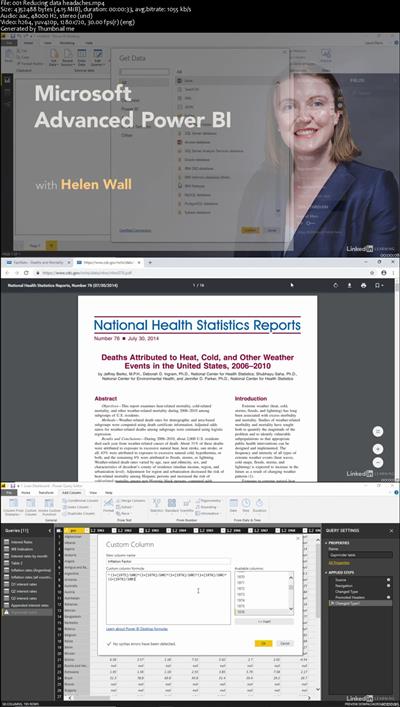
Advanced Microsoft Power BI
MP4 | Video: AVC 1280x720 | Audio: AAC 44KHz 2ch | Duration: 3 Hours 13M | 487 MB
Genre: eLearning | Language: English

Data visualization allows you to represent information digitally and graphically, to convey the results of data analysis. Microsoft Power BI is a suite of business analytics tools that help you gain insights from your data. The suite brings together familiar operations from well-known products-including Excel, Access, Power Query, and Power Pivot-to help you quickly get move the basics and on to comprehensive analysis. In this course, Helen Wall guides you through the advanced capabilities of the service. She shows how to work with calculations, leverage the DAX language, create advanced queries, and use the M language to improve the querying process. She demonstrates how to import data from various sources, compose advanced formulas, manage the fields and columns in tables, use X-factor functions, use conditional statements, filter results, design charts, and more.
Power BI


a79361298400f2ec64c5953a0af82459.jpg


Recommend Download Link Hight Speed | Please Say Thanks Keep Topic Live

 

1811121227470093.jpg

Seduction Infield Approach & Attract Women During The Day
MP4 | Video: AVC 1280x720 | Audio: AAC 44KHz 2ch | Duration: 2 Hours | Lec: 22 | 1.89 GB
Genre: eLearning | Language: English

How to Pick Up & Seduce Girls Since the Beginning. How to Make a Threesome with 2 Girls. Infield Pickup. Daygame. PUA.
Have you ever wanted to knowR30;
✔ How to initiate interactions. calibrating according to the person?
✔ How to correctly apply the keys to generate attraction?
✔ How to make a threesome with two girls?
✔ How to use your body language?
✔ How to think and live from abundance, learning the best way on how to get a girlfriend?
✔ How to handle the first minutes correctly?
✔ How to value yourself more as a person, and reject interactions that do not interest you?
If you want to improve any of these in your life, then This Is Your Course!
----------------------------------------------------------------------
The main focus of this course is How to Approach & Attract Women in your Day to Day, that is, anywhere you go during your day. Through a New Method created by our team on Online Counseling we show you the keys to generate attraction through the analysis of female behavior. By means of Explained Concepts & Interactions to exemplify them, we show you the secrets to carry that conversation from that initial moment in which you begin to speak, to what we call a solid closure, when the other person is really interested in seeing you again.
Although this is not a course on How to Get a Girlfriend, many concepts are explained in it that can help you in the process to Become Your Best You, and therefore you will be a much more attractive man in the eyes of that girl that you like so much and the process of getting a girlfriend will become much simpler for you in the rest of your life.
Besides, this course is Constantly Updated with Video Bonus. And remember, Udemy offers a 30-day Money Back Garantee in case you're not satisfied, as you see, nothing to lose.


1811121227520079.jpg


Recommend Download Link Hight Speed | Please Say Thanks Keep Topic Live
 

1811121227570085.jpg

Fundamentals of Azure and Powershell
.MP4 | Video: 1280x720, 30 fps(r) | Audio: AAC, 44100 Hz, 2ch | 1.65 GB
Duration: 3 hours | Genre: eLearning | Language: English​

Get started with Microsoft Azure in a nutshell
What you'll learn
Clear understanding of cloud computing ,services,models,benefits,disadvantages and analysis
Azure advantages, disadvantages, analysis, datacenters and pricing implementation
Azure marketplace and services concepts
Deploying virtual machines from Azure portal with explanation of each new terminology
Azure users and roles understanding
Azure storage concept and implementation
Azure backup and configuration
Azure powershell tools, context and modules
Azure powershell complex object properties
Step by step explanation and deployemnt of azure virtual machine from powershell
Automation with azure Runbook and Desired state configuration
Azure ARM template explanation and implementation
Requirements
Basic IT knowledge of Networks and Virtual machine
A free or paid subscription to Microsoft Azure
Excitement to learn constantly growing Microsoft Azure platform right from zero
Description
This course is designed to help you get started with Microsoft Azure with a clear understanding about the basics in a simple way. It is focused on providing key concepts of Azure Infrastructure solution to IT professionals.
It will help you to become comfortable with cloud concepts and Azure fundamentals to start developing solutions right away.
It touches both gui and powershell part of Azure cloud solution and will help you to prepare your base for understanding advanced and architect level of Azure solution. The concepts and demos are based on real world situation which IT professionals faces on Azure cloud platform and will provide you all the knowledge and tools necessary to get started with your job in Azure cloud platform right away.
Lecture 1 explains what is cloud computing in detail. It also explains the different types of cloud services i.e. Infrasturcture as a service (IaaS), Platform as a service (PaaS) and Software as a service (SaaS) with eamples.
Lecture 2 explains the different popular services available with cloud computing such as Communications, Data storage, Compute, Network, Platform, Software, Database, Desktop, Email, Identity and Security. Then it explains the different cloud deployement models i.e. Public cloud, Private cloud and Hybrid cloud.
Lecture 3 explains the different uses of cloud computing such as in storage, backup, disaster recovery, email, testing and development. Then it explains the benefits of cloud computing. the different disadvantages of cloud computing. At the end it explains the different analysis scenario that should be considered before moving infrastructure to cloud.
Lecture 4 introduces Azure. It explains what is Azure , the different benefits available with azure and the disadvantages of using Azure.
Lecture 5 explains the network of huge datacenter that is available with Microsoft Azure.
Lecture 6 explainins the cost implementation of using Azure. It explains the different cost that may occur initially once you move to cloud. So one should consider if these costs are affordable for their business or not before moving to cloud. Then it explains imporatnt factors which can help to calculate the cost of moving to Azure effectively. At the end it shows how to use Azure pricing calculator to get an estimate of monthly and yearly bill once you move to azure.
Lecture 7 shows the step by step process to open a free 30 days trial account with Microsoft Azure. At the end it introduces you to the Azure portal.
Lecture 8 explores the Azure portal. It shows the different menus, settings and options available in Azure portal and how you can use them. Then it explores the Azure marketplace website and explains how one can take Test drive in azure marketplace. At the end it again shows some options and settings in Azure portal.
Lecture 9 explains the different Azure services available in Azure portal and what one do with these services.
Lecture 10 shows the step by step process to deploy virtual machine using Azure portal. In the process it also explains the different new terms that appears while deploying virtual machine such as Azure resource manager, Classic deployment model, Premium SSD Disk, Standard HDD disk, Resource group, Availability zones, Availability set, Azure virtual network, Public IP address, Network security group etc.
Lecture 11 explains the Azure users and roles. It shows how you can add users in Azure portal and how to assign roles to users.
Lecture 12 explains Azure storage, the benefits of using azure storage. It explains the different azure storage account types and their sub types such as General-Purpose storage account (Standard storage and premium storage), Blob storage account. It then explains the different data services available in azure storage such as azure blob and the differnt types of azure blob such Block blobs, Append blobs and page blobs, then Azure files, azure queues and then azure tables. At the end shows a demo of how to add storage using Azure portal.
Lecture 13 explains azure backup and the benefits of using azure backup. At the end it shows a demo of how to configure backup in azure.
Lecture 14 introduces you to Azure powershell. It shows how you can use inbuilt powershell in your machine for managing azure.
Lecture 15 first explains the powershell version details needed to manage azure. Then it explains how to configure and use azure cloudshell.Then it shows step by step instructions to install AzureRM module in powershell. At the end it shows how to login and logout from azure in powershell and how to select azure subscription in powershell.
Lecture 16 explains azure context and shows how to use azure context in powershell.
Lecture 17 explains usage of azure powershell command lets and modules in powershell. It explains how to use cmdlets and how to get help with it. It also explains the usage of parameters in Azure powershell.
Lecture 18 explains the usage of objects properties of cmdlets in powershell. It explains how to find and explore the hidden and complex properties by expanding JSON code and how to use them.
Lecture 19 shows step by step process to deploy a virtual machine from azure powershell. It shows how to first create a resource group using powershell, then it goes on showing how to configure virtual network subnet, how to create virtual network, random public IP address, network security group rule, network security group, network interface card using powershell. Then it shows how to specify virtual machine configuration in powershell and how to retrieve and use information such as vm size, source image publisher name, offer details, sku image using powershell. At the end it shows how to create virtual machine using all the configurations previously setup using powershell.
Lecture 20 explains the benefits of automation in azure and the tools such as runbooks and desired state configurations that are available for automating workloads in azure.
Lecture 21 shows how to use a runbook for automating workloads in azure.
Lecture 22 shows how to use desired state configuration for automating workloads in azure.
Lecture 23 explains Azure ARM and ARM template. It explains how the parsing of JSON file of ARM template is done by microsoft to rest API operations. Then it gives a demo of how to create an azure resource manager template.
Who is the target audience?
IT professionals who wants to start their career in Azure cloud platform
IT professionals who wants to enhance their knowledge on azure cloud platforms in simple and practical way


1811121227590103.jpg


Recommend Download Link Hight Speed | Please Say Thanks Keep Topic Live

 
1811091946090115.jpg

TTC Video - Bach and the High Baroque
32xDVDRip | AVI/XviD, ~679 kb/s | 640x480 | 24:51:04 | English: MP3, 130 kb/s (2 ch) | 8.94 GB
Genre: eLearning Video / Biography, Music, History
Underappreciated in his own time, Johann Sebastian Bach has ascended to Olympian heights in the estimation of generations of music lovers. But what is it about his music that makes it great? Composer and musicologist Robert Greenberg helps you hear the extraordinary sweep of Bach's music and understand his compositional language-whether you're a devoted admirer or a casual listener.​

How Did Bach Become Bach?
Professor Greenberg sets Bach in context by tracing the musical traditions and composers from whom he drew his inspiration, and explaining how Bach absorbed these influences to become the transcendent composer of the High Baroque. According to Professor Greenberg, no other composer is more representative of the period and its aesthetic of emotional extravagance and technical control.
You will also learn how Bach's background-at least 42 of his relatives were professionally involved with music-and his strong German Lutheran heritage shaped his development as an artist.
A Musical Feast
But above all, you will hear music-lots of it. Professor Greenberg devotes extensive discussions to the following Bach pieces, from which he plays major excerpts:
Brandenburg Concerto no. 2
Cantata no. 140, "Wachet auf, uns ruft die Stimme"
Coffee Cantata
Fugue in C-sharp Major from The Well Tempered Clavier, Book I
Goldberg Variations
Partita no. 5 in G Major for Harpsichord
St. Matthew Passion
Toccata and Fugue in D Minor
Violin Concerto in E Major.
You'll hear selections from other Bach works, such as Orchestral Suite in D ("Air on the G String"), B Minor Mass ("Hosanna" from the Sanctus), and Concerto in D Major for Harpsichord.
In addition, you'll be able to compare Bach with musical examples from Bizet, Chopin, Corelli, Couperin, Handel, Haydn, Lully, Palestrina, Pergolesi, Purcell, Rossini, Tchaikovsky, Vivaldi, and other composers both before and after his time.
What Makes Bach Bach?
The music of Bach, especially when compared to what came before, is extravagant and unbridled. Yet every aspect of it-beat, melody, melodic repetition, interaction, and harmony-is also magnificently controlled. His output is encyclopedic, encompassing every form then current in Western music. With Professor Greenberg's instruction, you will understand precisely how Bach's genius raises these forms to their pinnacle, achieving an unprecedented fullness of artistic realization within each of them, and why Bach's death in 1750 also marks the end of the Baroque period.
What You'll Learn
Part I gives an overview of Bach's life and the stylistic trends present in the music of the High Baroque.
Lecture 1 lays out the goals of the course and also introduces the truly extraordinary sweep of Bach's music, in terms of compositional genres and expressive content.
Lecture 2 introduces Bach the man at a critical juncture in his life, Christmas 1722.
Lectures 3 and 4 provide an introduction to the Baroque aesthetic and that most quintessential Baroque musical procedure, fugue.
Lecture 5 provides a historical overview of both the Baroque era and the years leading up to it.
Lectures 6-8 offer a musical glossary of the style features of High Baroque music.
Part II explores the diverse world of Baroque Europe with an ear for those elements-musical and nonmusical-that together constitute Bach's inheritance. Among the influences in Bach's life, the Lutheran Church must be considered the most important and profound.
Lecture 9 deals with the tremendous social upheavals and wars of religion that were the Protestant Reformation.
Lecture 10 examines Lutheranism and the new Lutheran liturgy, with particular attention paid to the role of music, especially the Lutheran Church chorale and its role in the Lutheran liturgy. Second only to the influence of Lutheranism on Bach was the Italian musical style, the pre-eminent musical style of the High Baroque. Based in equal measure on the Italian language, vocality, and the dramatic practices of opera, the Italian style powerfully shaped Bach's approach to melody, genre, and musical form.
Lectures 11 and 12 explore the development of the Italian style from the Renaissance through the Baroque, and how Bach joins the melodic fluidity and drama of Italian style with the spiritual power and profundity of German Lutheranism in the Toccata and Fugue in D Minor.
Lectures 13-16 examine the concerto, the most important orchestral genre of the High Baroque, with special attention paid to the life, times, and concerti of Antonio Vivaldi; Vivaldi's influence on Bach; Baroque concerto types; and Bach's intensification and expansion of the Italian concerto models in his own concerti.
Part III continues with an in-depth examination of the influence on Bach of the French style and Italian opera.
Lectures 17 and 18 focus on the preeminence of dance and opera in French Baroque music and the birth and development of the French overture and the orchestral suite.
Lectures 19 and 20 continue to focus on music born of the French Baroque, examining first the keyboard suite in France and then in Germany.
Lectures 21-22 discuss the Lutheran Church Cantata No. 140, Wachet Auf ("Sleepers, Wake!"), as a Lutheran religious composition permeated with the compositional techniques and human drama of secular opera.
Lectures 23-24 deal with Bach's Coffee Cantata. These lectures introduce and discuss the work as a forward-looking comic opera (opera buffa), firmly within the same Italian comic operatic tradition as the Italian-language operas of Pergolesi, Mozart, and Rossini.
Part IV features two of Bach's greatest masterpieces: the St. Matthew Passion and the Goldberg Variations. No works by Bach are more transcendent.
Lectures 25-28 examine the St. Matthew Passion, a massive and deeply moving work that has no model, no precedent, and no equal in the Baroque era. Matthew's dark and very human telling of the trials and crucifixion of Jesus is brilliantly realized by Bach in a work set for two full choruses, two full orchestras, and two sets of vocal soloists. It is a work at once magnificent and intimate, despairing and filled with faith.
Lectures 29-32 deal with the Goldberg Variations, probably the most singularly unified, most spiritually esoteric work created during the Baroque. In this intimate keyboard work, consisting of a theme, 30 variations, and a reprise of the theme, worlds of numerical, religious, and metaphysical symbolism have been found. The Goldberg Variations is a work of almost unbelievable substance, a whole infinitely greater than its 32 constituent parts.
Teacher: Professor Robert Greenberg, Ph.D. San Francisco Performances
Lectures:
00. Professor Bio
01. Introduction
02. Christmas, 1722
03. Introduction to the Baroque Aesthetic
04. Fugue
05. Historical Overview from Constantine through the Great Thinkers of the Baroque
06. Style Features of High Baroque Music, Part I-A Musical Glossary
07. Style Features of High Baroque Music, Part II-A Musical Glossary
08. Style Features of High Baroque Music, Part III-A Musical Glossary
09. Bach's Inheritance, Part I-The Protestant Reformation and the Rise of Lutheranism
10. Lutheranism, the Chorale and the Chorale Prelude
11. Bach's Inheritance, Part II-The Development of the Italian Style
12. The Italian Style, The Operatic Ideal and Lutheran Spirituality are Joined
13. Vivaldi, Bach and the Concerto, Part I-Vivaldi and the Venetian Opera
14. Vivaldi, Bach and the Concerto, Part II-Vivaldi's Model and Bach, Violin Concerto No. 2 in E Major
15. Vivaldi, Bach and the Concerto, Part II-Bach Violin Concerto No. 2 in E Major (cont.)
16. Vivaldi, Bach and the Concerto, Part III-The Concerto Grosso and the Brandenburg Concerto No. 2
17. Bach and the French Style, Part I-Dance and the Orchestral Suite
18. Dance and the Orchestral Suite (cont.)
19. Bach and the French Style, Part II-The Keyboard Suite
20. The Keyboard Suite (cont.)
21. Bach and Opera, Part I-Cantata No. 140 Wachet auf, uns ruft die stimme
22. Cantata No. 140 Wachet auf, uns ruft die stimme (cont.)
23. Bach and Opera, Part II-Opera Buffa and the Secular Cantata, The Coffee Cantata
24. Opera Buffa and the Secular Cantata, The Coffee Cantata (cont.)
25. Bach Transcendent-The Saint Matthew Passion, Part I
26. Bach Transcendent-The Saint Matthew Passion, Part II
27. Bach Transcendent-The Saint Matthew Passion, Part III
28. Bach Transcendent-The Saint Matthew Passion, Part IV
29. Bach Transcendent-The Goldberg Variations, Part I
30. Bach Transcendent-The Goldberg Variations, Part II
31. Bach Transcendent-The Goldberg Variations, Part III
32. Bach Transcendent-The Goldberg Variations, Part IV


1811091946110101.jpg


1811091946120111.jpg


1811091946130102.jpg


1811091946140096.jpg


1811091946150098.jpg


1811091946160098.jpg


1811091946160101.jpg


Recommend Download Link Hight Speed | Please Say Thanks Keep Topic Live
 

1811121228070084.jpg

Using The Smart Book of Spanish Verbs - Regular Verbs
MP4 | Video: AVC 1280x720 | Audio: AAC 44KHz 2ch | Duration: 1 Hours | Lec: 9 | 128 MB
Genre: eLearning | Language: English

How to use "The Smart Book of Spanish Verbs"
Using colors and a unique layout, the Master Chart of Regular Endings from "The Smart Book of Spanish Verbs" makes the regular Spanish verb system easy to learn for English speakers.
Intermediate (and even advanced) students will see Spanish verb conjugations in a whole new light.
And total novices can start learning Spanish with an easy-to-follow overview, and will be surprised at how logical the verb system is, especially by focusing only on the regular forms first.
This method is especially unique because instead of learning 9 Spanish tenses spread out one at a time over months or years, you'll learn them all at once. And without starting with the infinitive.
You'll jump right in and quickly understand how to say what someone:
is doing / does
was doing
did
has done
had done
will do
will have done
would do
would have done
You'll start only with singular forms to talk about someone else (he/she), then progress to make verbs plural (they), manage different ways to say "you" (usted, ustedes, and tú), then finally talk about yourself alone (I) and in a group (we).
It sounds like a lot, but "The Smart Book of Spanish Verbs" really does make it easy to understand. Never have Spanish verbs made so much sense for English speakers!


1811121228090088.jpg


Recommend Download Link Hight Speed | Please Say Thanks Keep Topic Live
 
1811110459160090.jpg

Managing Microsoft Azure App Service Plan
.MP4, AVC, 400 kbps, 1280x720 | English, AAC, 64 kbps, 2 Ch | 3h 21m | 556 MB
Instructor: Neil Morrissey

Azure App Service Plan is the container for hosting Web Apps, API Apps, Mobile Apps and Function Apps. The course will explain the underlying infrastructure, deployment, handling load with scaling and Azure CDN, and monitoring of App Services.
At the core of application hosting in the platform-as-a-service model, is a thorough understanding of Azure App Services. In this course, Managing Microsoft Azure App Service Plan, you'll learn about the container that defines the infrastructure and services used by Web Apps, API Apps, Mobile Apps and Function Apps. First, you'll learn about the underlying VMs that run an App Service Plan, and the networking options to integrate with IaaS VMs and on-premises resources. Next, you'll explore all the options for deploying applications into the environment. Then, you'll discover how to handle load with resource scaling, as well as leveraging the Azure content delivery network. Finally, you'll see the options available for monitoring your running app services. When you're finished with this course, you'll have a foundational knowledge of App Service Plans, that will help you leverage the features they provide for hosting web based applications in the cloud.
More Info


1811110459180095.jpg


Recommend Download Link Hight Speed | Please Say Thanks Keep Topic Live
 
36f0289e2745563d72a61b273764e5e3.jpg

RHCE Practice Exam Questions (On Exam Version RedHat 7.0)
.MP4 | Video: h264, 1280x720 | Audio: AAC, 48 KHz, 2 Ch
Genre: eLearning | Language: English | Duration: 10 hours | Size: 3.57 GB​

RedHat Certified Engineer Exam Cerification
What you'll learn
They will know everything to pass RHCE Exam First time
Requirements
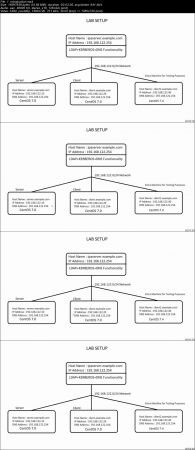
Theoretical Knowledge of RHCE Objectives is required+ LAB Set Up with four (Three are mandatory) Virtual Machines
Description
In this course, All Objectives of RHCE exam are covered according to latest exam syllabus on Red Hat official website and Tasks are explained step by step in very details, specially tasks related to user and host access for different services.
Tasks explained mimic the real RHCE exam questions but they are not real Exam questions. You will be able to Pass the RHCE exam first time if all the Objectives covered will be well understood and you practice a lot before taking the exam.
Recently Red Hat announced officially that exam will be conducted on Red Hat 7.0 version. I used Server and Client machines on CentOS 7.0 which is exactly same as Red Hat 7.0 . One extra machine client2 is used mostly for testing purposes and is on CentOS7.4 platform. With the help of this machine , differences are explained between 7.0 and 7.4 (or 7.5) from RHCE exam point of views. This will help people who used latest release for practicing and it is very important for them to know the differences before they take the exam.
I would suggest to practice on CentOS 7.0 (or Red Hat 7.0) for the exam.
Who is the target audience?
People who want to pass the RHCE Certification

2d7e9a286b9c86ce1e6542d29f3f6d58.jpg


Recommend Download Link Hight Speed | Please Say Thanks Keep Topic Live
 

1811060519480077.jpg

AWS and IBM Databases on Cloud
.MP4 | Video: h264, 1280x720 | Audio: AAC, 44.1 KHz, 2 Ch
Genre: eLearning | Language: English | Duration: 3 hours | Size: 1.22 GB
Rule the world of Cloud Database-as-a-Service​

What you'll learn

On completion of this course you would be able to perform all kinds of database operations- CRUD (Create, Read, Update, Delete).
With making API calls with integrated apps and services.
Master IBM Cloudant options with grip over Indexes- Primary, Secondary, Search and Cloudant Query.

Requirements

A basic understanding of DBMS/Database concepts would be more than sufficient.

Description

In this course, we would explore AWS and IBM Database services available on Cloud. First sections is all about IBM Cloudant- NoSQL Database as a Service, which is one among the most powerful Database solution out there powered by IBM. Here you would learn everything from scratch so don't worry if you are a beginner. We will be diving deeper into advanced topics and features that make Cloudant stand high among its competitors.

This learning series consists of both theoretical and practical sessions, where you would learn and practice a wide range of concepts, features, options by exploring powerful utilities. We would begin our journey by performing basic CRUD operations (Create, Read, Update, Delete) on cloudant after learning fundamentals like ACID semantics, CAP theorem, etc. Then we would learn and build Replications, Indexes- Primary, Secondary, Search and Cloudant query.

In the last sections, we would explore AWS and IBM Database services available on Amazon Cloud. We would begin our journey by learning few basic requirements and fundamental tools like AWS-CLI (Command line interface) that can be integrated with various cloud services.

After that we would be learning all of the Database services- RDS (Relational Database Services), Neptune, DynamoDB, etc. We would be creating instances for each services with practical examples.

Who is the target audience?

Anyone who would consider IBM Bluemix or IBM Cloudant NoSQL Database as a service for learning or development purposes.


Recommend Download Link Hight Speed | Please Say Thanks Keep Topic Live
 
Zurück
Oben Unten