• Regeln für den Video-Bereich:

    In den Börsenbereich gehören nur Angebote die bereits den Allgemeinen Regeln entsprechen.

    Einteilung

    - Folgende Formate gehören in die angegeben Bereiche:
    - Filme: Encodierte Filme von BluRay, DVD, R5, TV, Screener sowie Telesyncs im Format DivX, XviD und x264.
    - DVD: Filme im Format DVD5, DVD9 und HD2DVD.
    - HD: Encodierte Filme mit der Auflösung 720p oder darüber von BluRay, DVD, R5, TV, Screener sowie Telesyncs im Format x264.
    - 3D: Encodierte Filme von BluRay, die in einem 3D Format vorliegen. Dies gilt auch für Dokus, Animation usw.
    - Serien: Cartoon/Zeichentrick, Anime, Tutorials, Dokumentationen, Konzerte/Musik, Sonstiges sind demnach in die entsprechenden Bereiche einzuordnen, auch wenn sie beispielsweise im High Definition-Format oder als DVD5/DVD9/HD2DVD vorliegen. Ausnahme 3D.
    - Bereich Englisch: Englische Releases gehören immer in diesen Bereich.
    - Bereich Talk: Der Bereich, in dem über die Releases diskutiert werden kann, darf, soll und erwünscht ist.


    Angebot/Beitrag erstellen

    - Ein Beitrag darf erst dann erstellt werden, wenn der Upload bei mindestens einem OCH komplett ist. Platzhalter sind untersagt.
    - Bei einem Scenerelease hat der Threadtitel ausschließlich aus dem originalen, unveränderten Releasenamen zu bestehen. Es dürfen keine Veränderungen wie z.B. Sterne, kleine Buchstaben o.ä. vorgenommen werden. Ausnahme Serienbörse:
    - Bei einem Sammelthread für eine Staffel entfällt aus dem Releasename natürlich der Name der Folge. Beispiel: Die Simpsons S21 German DVDRip XviD - ITG
    - Dementsprechend sind also u.a. verboten: Erweiterungen wie "Tipp", "empfehlenswert", "only", "reup", usw. / jegliche andere Zusatzinformation oder Ergänzung, welche nicht in obiger Beschreibung zu finden ist.

    Aufbau des Angebots und Threadtitel

    Der Titel nach folgendem Muster erstellt zu werden. <Name> [3D] [Staffel] [German] <Jahr> <Tonspur> [DL] [Auflösung] <Quelle> <Codec> - <Group>
    Beispiel: The Dark Knight German 2008 AC3 DVDRip XviD - iND
    Beispiel: The Dark Knight 2008 DTS DL BDRip x264 - iND
    Beispiel: The Dark Knight 2008 AC3 DL BDRip XviD - iND
    Beispiel: The Dark Knight German 2008 AC3 720p BluRay x264 iND
    Beispiel: The Dark Knight 2008 DTS DL 1080p BluRay x264 iND
    Beispiel: Die Simpsons S01 German AC3 DVDRip XviD iND
    Beispiel: Die Simpsons S20 German AC3 720p BluRay x264 iND
    Beispiel: Sword Art Online II Ger Sub 2014 AAC 1080p WEBRip x264 - peppermint
    Entsprechend sind also u.a. verboten: Sonderzeichen wie Klammern, Sterne, Ausrufezeichen, Unterstriche, Anführungszeichen / Erweiterungen wie "Tipp", "empfehlenswert", "only", "reup", usw. / jegliche andere Zusatzinformation oder Ergänzung, welche nicht in obiger Beschreibung zu finden ist
    Ausnahmen hiervon können in den Bereichen geregelt sein.

    Die Beiträge sollen wie folgt aufgebaut werden:
    Überschrift entspricht dem Threadtitel
    Cover
    kurze Inhaltsbeschreibung
    Format, Größe, Dauer sind gut lesbar für Downloader außerhalb des Spoilers zu vermerken
    Nfo sind immer Anzugeben und selbige immer im Spoiler in Textform.
    Sind keine Nfo vorhanden z.B. Eigenpublikationen, sind im Spoiler folgende Dateiinformationen zusätzlich anzugeben :
    Quelle
    Video (Auflösung und Bitrate)
    Ton (Sprache, Format und Bitrate der einzelnen Spuren)
    Untertitel (sofern vorhanden)
    Hosterangabe in Textform außerhalb eines Spoiler mit allen enthaltenen Hostern.
    Bei SD kann auf diese zusätzlichen Dateiinformationen verzichtet werden.

    Alle benötigten Passwörter sind, sofern vorhanden, in Textform im Angebot anzugeben.
    Spoiler im Spoiler mit Kommentaren :"Schon Bedankt?" sind unerwünscht.


    Releases

    - Sind Retail-Release verfügbar, sind alle anderen Variationen untersagt. Ausnahmen: Alle deutschen Retail-Release sind CUT, in diesem Fall sind dubbed UNCUT-Release zulässig.
    - Im Serien-Bereich gilt speziell: Wenn ein Retail vor Abschluss einer laufenden Staffel erscheint, darf diese Staffel noch zu Ende gebracht werden.62
    - Gleiche Releases sind unbedingt zusammenzufassen. Das bedeutet, es ist zwingend erforderlich, vor dem Erstellen eines Themas per Suchfunktion zu überprüfen, ob bereits ein Beitrag mit demselben Release besteht. Ist dies der Fall, ist der bereits vorhandene Beitrag zu verwenden.
    - P2P und Scene Releases dürfen nicht verändert oder gar unter einem iND Tag eingestellt werden.


    Support, Diskussionen und Suche

    - Supportanfragen sind entweder per PN oder im Bereich Talk zu stellen.
    - Diskussionen und Bewertungen sind im Talk Bereich zu führen. Fragen an die Uploader haben ausschließlich via PN zu erfolgen, und sind in den Angeboten untersagt.
    - Anfragen zu Upload-Wünschen sind nur im Bereich Suche Video erlaubt. Antworten dürfen nur auf Angebote von MyBoerse.bz verlinkt werden.


    Verbote

    - Untersagt sind mehrere Formate in einem einzigen Angebotsthread, wie beispielsweise das gleichzeitige Anbieten von DivX/XviD, 720p und 1080p in einem Thread. Pro Format, Release und Auflösung ist ein eigener Thread zu eröffnen.
    - Grundsätzlich ebenso verboten sind Dupes. Uploader haben sich an geeigneter Stelle darüber zu informieren, ob es sich bei einem Release um ein Dupe handelt.
    - Gefakte, nur teilweise lauffähige oder unvollständige Angebote sind untersagt. Dies gilt auch für eigene Publikationen, die augenscheinlich nicht selbst von z.B. einer DVD gerippt wurden. Laufende Serien, bei denen noch nicht alle Folgen verfügbar sind, dürfen erstellt und regelmäßig geupdatet werden.
    - Untersagt sind Angebote, welche nur und ausschließlich in einer anderen Sprache als deutsch oder englisch vorliegen. Ausnahmen sind VORHER mit den Moderatoren zu klären.


    Verstoß gegen die Regeln

    - Angebote oder Beiträge, die gegen die Forenregeln verstoßen, sind über den "Melden"-Button im Beitrag zu melden.
  • Bitte registriere dich zunächst um Beiträge zu verfassen und externe Links aufzurufen.

*** Bestes IPTV *** bester Preis *** gratis Test ***


Englische Tutorials


5ecadeea1af3ab283e57ba98e923478d.jpg

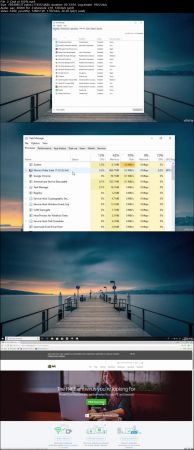
The Complete Windows 10 Computer Course: Beginner and Beyond
.MP4 | Video: h264, 1280x720 | Audio: AAC, 48 KHz, 2 Ch
Genre: eLearning | Language: English + .VTT | Duration: 2.5 hours | Size: 1.62 GB
A simple Windows 10 computer course to help you improve your computing skills and speed up your computer!​

What you'll learn

The skills to confidently diagnose issues on a Windows 10 computer; Including older operating systems, i.e. Windows 8, 7, XP, etc.
Be able to navigate and customize a Windows 10 operating system to suit it's user... YOU!
How to apply basic maintenance to a computer, things you would pay for from a tradesman, and It can all be done through the use of a mouse and keyboard.
You will have a better understanding of "more than basic" computer use and maintenance.

Requirements

If you are reading this description on a Windows 10 computer, or you have one or more, then you have everything you need to start and complete this course.
All tutorials are broken down into "bitesized" step by step instructions. All you will have to do is follow along.
Any tutorial that needs your computer to stay on while it carries out a task, I will let you know at the beginning of that tutorial to help you manage your time more effectively.

Description

Did you know...

Windows 10 is now being used by more than one billion computer users worldwide, but most user's don't know how to get the most out of this most powerful of operating systems, never mind how to carry out basic maintenance to keep everything responsive and running silky smooth!

So, in this "Windows 10 computer course", I plan on taking you on a journey and introducing you to some pretty cool areas of Windows 10, that once known, will set you apart from the rest of the pack! At it's core, this course will take you through some basic and advanced "step by step" tutorials on computer maintenance to help improve the speed of your computer; and also, how to carry out preventative maintenance to stop it happening again! But there is no need for screw drivers and other tools; Your two main tools for the course will be the keyboard and the mouse! You'll also be introduced to areas of Windows 10 that will undoubtedly improve you user experience, helping you with navigation and task management.

Generally speaking...

I was inspired to create this course after I bore witness to many computer users living with less than desirable computer performance, and it was only with my intervention that they were able to start using their computer (Some of them very expensive) with the performance it was designed to deliver; and afterwards, they would sometimes look at me as if I had just painted a masterpiece in front of there very eyes!

What you will learn in this course:

Be able to carry out maintenance to optimize a computers true processing power.

Manage programmes and applications more effectively and efficiently.

Discover new skills that will set you apart from other Windows 10 users.

Become more confident with general and advanced computer use.

And much more...

What you need to know for enrollment:

If you are reading this description on a computer that has Windows 10 or you have one or more, then you are already overly qualified! You will be able to start carrying out the exercises and procedures that I show you in this course straight away! If there is a requirement to leave your computer switched on and plugged in, while it carries out a task, I will let you know at the beginning of the tutorial, so you'll be able to manage your time while doing this course.

You will be able to take the skills taught in this "Windows 10 computer course", and apply them to all aspects of your "digital life"; Whether it be to improve your skill set for current or future employment, adding to your skills set as a self employed person, or just maintaining your own, or someone else's, computer while learning some awesome Windows 10 skills along the way!

A little more information...

All steps in this course are simplified to the bare bones to suit ALL types of enrolling students

This course can save you hundreds and even thousands of dollars! Never have to hire a professional again to sort out "silly little issues" on your computer for you! Also, save money by not having to buy a new computer to replace a perfectly good one. More money for that nice holiday!

This course can provide you with the necessary Microsoft training to quite possibly help you move into a field of Information Computer Technology and even writing code.

I hope you find what you are looking for in my course,

Kind regards

Warrick Klimaytys

Who is the target audience?

Any person with a Windows 10 computer system and aspires to be awesome ! Computing skills only need to be basic.
Individuals who would like a better understanding of how to use a computer but are not sure about how to go about finding out.
No need to plan ahead. The course is completely flexible and easy to fit around any schedule; it is also available on mobile devices.
cc0f5cecaf4ec12e366b573bf09fe153.jpg


Recommend Download Link Hight Speed | Please Say Thanks Keep Topic Live

 
04a865a718875e4e2c525d7b8256c389.jpg


Getting the BEST Event and Wedding Photos
MP4 | Video: AVC 1280x720 | Audio: AAC 44KHz 2ch | Duration: 39M | 739 MB
Genre: eLearning | Language: English

Have you heard a version of the phrase "No man ever steps in the same river twice, for it's not the same river and he's not the same man" by Heraclitus? Events are like the river in that you cannot have the exact same event happen again. For this reason, a photographer is a important part of your team to help preserve the beautiful moments that will happen at your upcoming event or wedding. Since you are likely spending a fair amount of money on your event, let's discuss how to hire and communicate with a photographer to get the most, BEST photos of your event.

In the course, I bring in expert wedding and event photographer Natalie Thomson to teach us the best methods for hiring and communicating with a photographer. We will chat about:

Where to find and hire a photographer that matches your style and has the appropriate package for your event or wedding.
Then we will dive into all the communications that should happen before, during, and after your event, so you can trust your photographer to be at the right spot when something incredible happens.
To wrap up this course, Natalie will share some words of wisdom and tips for couples to pose for their wedding and engagement photos.
By the end of this course, we hope you will feel confident in booking a photographer that is right for your event or wedding. We also encourage you to over-communicate with your photographer, while listening to their advice, so you both know what to expect to happen at the event.


0096404e16a03aa5a87ec58a60c733c1.jpg


Recommend Download Link Hight Speed | Please Say Thanks Keep Topic Live
 
2cf6818be3fd2e883ee1526b31e321b0.jpg


3 Minute Italian - Course 3
MP4 | Video: AVC 1280x720 | Audio: AAC 44KHz 2ch | Duration: 5 Hours | Lec: 101 | 418 MB
Genre: eLearning | Language: English

Build on from the knowledge you learnt in Courses 1 and 2, and learn how to communicate in even more situations.

Hello and welcome to "3 Minute Italian - Course 3" The aim of this course is to make Italian accessible to anybody regardless of age, educational background or "aptitude" for learning. This course leads on from "3 Minute Italian - Courses 1 and 2" and new language structures are introduced to enable you to communicate in more situations when on holiday abroad.

My method for teaching Italian is simple but effective. It works for anybody, no matter what your requirements. I have been teaching foreign languages for over ten years and I've taught a wide range of students of all ages and backgrounds, including students with learning difficulties, so I know my method is accessible to absolutely anyone, with no exception.

With this course, it's almost as if you have your very own language tutor at your beck and call. Take it with you wherever you are and have a quick listen to one of the lessons whenever you find yourself with three minutes to spare. You will be amazed at how much your language skills will develop after just a few minutes a day of study. You will start to learn the Italian language in a simple, logical and fun way.

You will learn a variety of words that you will learn to put together to form sentences that will be useful in any visit to Italy or any other Italian speaking country, and you'll learn how to put the words together to form sentences, saying exactly what you want.

There is ample opportunity throughout the course to practise what you've learnt, and structured repetition ensures you'll never forget what you've learnt.


5baafcf5e01419418a18725097f3373b.jpg


Recommend Download Link Hight Speed | Please Say Thanks Keep Topic Live
 
f8fd59c27ced710866579d5dc18e51e8.jpg


How to Create and Embed Malware
.MP4 | Video: 1280x720, 30 fps(r) | Audio: AAC, 44100 Hz, 2ch | 714 MB
Duration: 1 hour | Genre: eLearning | Language: English
How The Hackers Create Malware to Hack Their Victim Machines,Ethical Hacking,Penetration Testing.​

How The Hackers Create Malware to Hack Their Victim Machines,Ethical Hacking,Penetration Testing.

What you'll learn

Learn embedding malware in pdf and images files
Create Payloads to Hack Different Operating systems
How to Encrypt the Payload to Avoid Detection
You will Learn about the Metasploit Framework
Secure systems from all the attacks shown
You will learn how to hack outside the network

Requirements

Basic IT knowledge
Basic Knowledge of Metasploit
A basic understanding of using operating systems

Description

welcome to the Course of

"How Hackers Creates Malware to Hack Their Victim Machines" This course is focused on the practical side of penetration testing without neglecting the theory.

In this course you will see how the black hat hackers create a backdoor in different operating systems like Windows, Linux, and Android, you will learn how to bind the payload in normal files like pdf, word, firefox addon and in original Apk files.

Next, we will see How to hack Inside and Outside the networks, and also you will learn how the hackers create an undetectable payload to hack their victim machines and lastly you will see how to Detect these threats.

Who is the target audience?

People who want to learn how hackers hack into secure systems that do not have any vulnerabilities.
People who want to learn ethical hacking.


6935fc7cc11fc9730b14eeaeeec0ffa5.jpg


Recommend Download Link Hight Speed | Please Say Thanks Keep Topic Live
 
9af544726953eb7eb8fc4cc643af779a.jpg

Control System Modelling from Scratch using Simulink MatLab
.MP4 | Video: h264, 1280x720 | Audio: AAC, 44.1 KHz, 2 Ch
Genre: eLearning | Language: English | Duration: 44 mins | Size: 221 MB​

Tunning of PID controller using Simulink - Electrical Engineering

What you'll learn

After completing this course, you will be having no problem in tunning your PID controller for a particular function. You will also learn how to create a code for some mathematical technique like Newton Raphson using matlab.

Requirements

You should be having basic knowledge of Electric and control circuits. You will need matlab software for it.

Description

This course is all about the Simulink modeling of control system. I will be working on practical examples. Will bring them to simulink environment. Then after discussing its response, I will be explaining which controller should be used and why?

In depth explanation of PID controllers. Their merit and demerits. For a specific problem which controller will be best to use?

How to tune your controller automatically using Simulink?

We have to design a controller as simple as possible which can bring the system response within our requirements.

In future I will be working on the modeling of power system in simulink and will analyze their transient response. Moreover, also thinking to expand the course of simulink towards telecommunication examples.

Who is the target audience?

If someone is eager to learn control system system modeling and tunning of PID controller for different types of problems using simulink, this course is then meant for that person. Moreover, I will be working on the coding of different regression techniques using matlab.

d6f81175c67eb7641ed96d9011e1296d.jpg


Recommend Download Link Hight Speed | Please Say Thanks Keep Topic Live
 
43e9a69b3a499ac7548087b24bd36d08.jpg


JavaScript Objects - Explore and Learn about Objects
.MP4, AVC, 2000 kbps, 1920x1080 | English, AAC, 64 kbps, 2 Ch | 1h 13ms | 750 MB
Instructor: Laurence Svekis

Learn and practice JavaScript Objects explore ways to construct them access and utilize data within JavaScript Objects

Did you want to learn JavaScript Objects then this course is perfect for you! JavaScript is the technology that makes things happen online. Learn how to create and use JavaScript objects. Please note this course is specifically designed to focus on JavaScript Objects and JavaScript fundamental; knowledge is a prerequisite to the course content. Only content related to JavaScript Objects is covered within this course. Taught by an instructor with over 19 years of web development experience, ready to help you learn more about JavaScript. Join now and see what YOU can do with JavaScript today!

Style and Approach

Step by step learning covering the use of Objects in JavaScript so you can get coding quickly. Source code and everything you need to get started is included.

What You Will Learn

What JavaScript objects are and how to use them
How to add data and how objects contain values
What are object literals
How to create objects object constructors
Objects in action with methods
What is the difference Dot notation vs Bracket notation
Using Objects this methods and updating values
Adding property to the object
How to Create Objects with Constructor
ES6 class and objects construction
Methods in the Class
Arrays and Objects together
Removing Object Properties
Looping values iterating through object values
How to see object See keys and values
JSON methods on JavaScript Objects
All this and much more

More Info

716252f05cfafcdeb97d886bbb0a756a.jpg


Recommend Download Link Hight Speed | Please Say Thanks Keep Topic Live

 
8a03e79c6583cf23a990fb2a16d3c296.jpg


Java Fundamentals: The Regular Expressions Playbook
.MP4, AVC, 300 kbps, 1280x720 | English, AAC, 96 kbps, 2 Ch | 1h 32m | 250 MB
Instructor: Victor Grazi

Regular Expressions provide a concise language for validating, parsing, and extracting text. This course will teach you the full regex syntax supported in Java, as well as the special Java regex class support, with many examples.

As technology advances, there are ever more use cases requiring text validation, parsing, and extraction. The old school way was to hack a solution in the target programming language, but this is brittle and leads to arcane code. In this course, Java Fundamentals: The Regular Expressions Playbook, you will learn all of the regular expressions syntax supported in Java. First, you learn about literals for matching and quantifiers for specifying repeat counts. Next, you will discover a special Java class support for text processing. Finally, you will explore advanced techniques for creating and deciphering regular expressions, and a brief survey of frameworks that depend on Regex. When you are finished with this course, you will have all of the knowledge you need to validate and process text using regular expressions.

More Info


a406b22ca6c4e47f8385433c04b5c3b9.jpg


Recommend Download Link Hight Speed | Please Say Thanks Keep Topic Live
 

4832e05b147153cce87b29789ebc8f67.jpg


Fusion 360 Essential Training pdated 6/15/2018
.MP4, AVC, 1000 kbps, 1280x720 | English, AAC, 128 kbps, 2 Ch | 11h 20m | 2.34 GB
Instructor: Nick Kloski

Design differently with Fusion 360. This cloud-powered tool from Autodesk-the makers of AutoCAD, Inventor, and Maya-is the key to instant 3D creativity, used for computer-aided design, manufacturing, and engineering (CAD, CAM, and CAE). This essential training gives you the expertise to use Fusion 360 to turn your ideas into ready-to-manufacture designs. Nick Kloski provides an overview of all the basic operations in Fusion 360, including sketching, extruding 3D objects from sketches, 3D modeling, sculpting, and surface modeling. He explains the functions of the software, while providing a solid foundation in the basics of effective 3D design. Learn how to plan a project; model your ideas; work with sketches, meshes, and surfaces; generate files for 3D printing; and run simulations on your designs.

Note: This course was created and produced by HoneyPoint3D. We are honored to host this training in our library.

Topics include:

What is cloud-enabled CAD?
Converting models for Fusion 360
Using Fusion 360 environments
Extruding 3D objects from sketches
Turning a sketch into a surface
Adding and subtracting objects
Creating a joint between bodies
Using the sketching, modeling, and sculpting tools
Surface modeling
Generating and downloading meshes
Converting and importing complex meshes
Inspecting a model
3D printing
Patching models
Working with simulations

More Info


d1cd362296f2d1a82865dbed6d9052ba.jpg


Recommend Download Link Hight Speed | Please Say Thanks Keep Topic Live
 
1810261957430083.png

Rick Mulready - FB ADvantage Local
.MP4 | Language English | 1.96 GB
Genre: eLearning Video / Business, Sales, Marketing / Traffic
Follow My Simple, Proven Facebook Ads System To Generate A Consistent Flow Of Leads, Sales And Customers For Your Local Business​

Best Part: This Works Even If Youre A Total Facebook Ads Newbie Or Youve Been Doing Facebook Ads A While, AND In Virtually Any Local Niche
Use my proven formula to setup your own Facebook ads system that targets the right people in your local area - no more wasting money on the wrong eyeballs
Get tried and tested strategies that guarantee a return on your ad spend - starting with as little as 5 a day
Never shoot in the dark with your ads again - find out how to consistently attract people who want your products & services, with no more guesswork or spray & pray tactics
Stay on this page to find out how to finally succeed with Facebook ads

MODULE 1 - Set Your Game Plan: The Foundation for Growing Your Business with Facebook Ads
The Foundation for Growth & Automation:
Youll learn why Facebook ads are the easiest and quickest way to scale and automate your business today.
Creating Your Game Plan:
Every profitable Facebook ads campaign starts with a game plan and one of the easiest ways to create yours is to start with your end goal and work backwards. Ill take you through this process step-by-step, so you have a clear picture of a sales funnel that puts your profits on autopilot.
5-Step Formula for Creating a High-Converting Sales Funnel
Youll learn the key components of a 5-Step formula for creating an automated Facebook ads system that brings in leads and sales every day.
Master Traffic Temperature:
When it comes to creating a profitable strategy, a critical part is understanding who youll be targeting your ads to. In this lesson well dive into the who, what and why of cold, warm and hot traffic.
Pixel Best Practices:
Facebook pixels are part of the foundation of your automated system of leads and sales. Youll learn everything you need to know about how to use them to maximize your profits and get the best results possible.
Know Thy Rules:
Facebook has strict advertising policies, so youll want to be clear on what they are so you can keep your ads account in good standing.

Module 2 - Target
Whos Your Ideal Customer?:
Targeting is THE most important aspect of your Facebook ads system, because if youre not showing your ads to the right people with the right message, youre wasting your money. Here youll get laser-like clarity on who to target your ads to.
Laser Targeting Made Easy:
Facebook knows A LOT about its users and we as advertisers get to tap into this data when targeting your ads. Understanding your targeting options will help simplify and ensure youre showing your ads to your ideal audience.
When & Where:
Facebook gives you several options for when and where you want your ads to appear. Ill share with you the two areas on Facebook where your ads need to be for getting leads and sales every day.
How to Target Other Facebook Pages:
One of the cool things about Facebook ads is you can target your ads to people who like other Facebook pages in your niche hello brand new audiences of potential customers! This lesson will show you how to get the most out of Facebooks Detailed Targeting function and more.
Ninja Targeting Strategies:
This is where targeting your Facebook ads gets REALLY fun. Youll learn the what, when, why and how to target your ads to people on your email list.
Retargeting Fun:
My favorite and MOST effective targeting strategy! Youll learn how to target your Facebook ads to people who have visited your website. Whaaat?! Yep, this is one of the best ways to lower your cost per lead and reach a very qualified audience.
Lookalike AudiencesHuh?:
Did you know that you can target people with similar attributes as your Facebook fans, your email list and your website visitors? Yep, theyre called Lookalike audiences and theyre a critical part of your Facebook ads automated strategy.
Dont Forget Your Friendly Facebook Fans:
Targeting your ads to your Facebook fans is a great way to reach a very qualified audience on the cheap. Dont leave this targeting option out with our simple step-by-step strategy on how to captivate this audience with your ads.

Module 3 - Launch
How to Setup Your Ads:
In this lesson youll be introduced to the most powerful way to create your Facebook ads say it with me I love the Power Editor. Power Editor is a free tool within Facebook that I recommend you use for your ads. Ill walk you through exactly how to use Power Editor to create your ads.
Campaign, Ad Sets & Ads:
There are 3 parts of the ads setup process campaigns, ad sets and ads and well simplify each part, so your marketing strategy is setup for success.
How to Write Ad Copy that Converts:
In this lesson well simplify the 3 elements of highly converting ad copy, so you can write great ads every time. And, youll learn simple tricks for writing ads that connect with your target audience as well.
The Secret to Images That Catch Attention:
An eye-catching image is key to attracting your target audiences attention. Youll learn what kind of images tend to perform the best and how to create them yourself while staying within Facebooks ad policies.
The Power of Video Ads:
Video is a great way to connect with your target audience because they get to experience you visually and Facebook loves video! I recommend and will show you how to split test video ads against image ads to see what works the best. In this lesson youll learn the video format to follow and the ingredients of highly successful video ads.
Landing Pages that Convert:
Every ad needs a landing page and in this lesson well cover the elements of a high converting landing page. Well also take you through building a page in a matter of minutes with LeadPages. Youll then use the checklist to finalize your own landing page.
How to Measure Your Conversions With Facebooks Pixel:
A critical part of generating leads with Facebook ads is knowing where they came from. By the time you finish this lesson youll be a pro at tracking conversions with the Facebook pixel.
Pricing & Optimization for the Win
How Much Should You Spend On Ads?

Module 4 - Optimize
Your Ads Are Running, Now What?!:
Im so glad you asked. In this lesson youll learn best practices for optimizing your Facebook ads for the best results possible.
Troubleshooting Poor Performers
In this lesson youll learn the key metrics to look at when diagnosing a poorly performing ad and suggestions for fixing it. Follow the troubleshooting roadmap for step-by-step guidance.
How to Make Sense of Your Facebook Ads Reporting:
Understanding Facebooks reporting in the Ads Manager tool is a critical piece of your automated ads strategy. Depending on the success of your ads, adjust your budget, or pause the ads. Your Ads Manager will be your new best friend, youll learn tips and tricks for analyzing and interpreting your data to improve your results.
Best Practices for Scaling Your Ads

Module 5 - Nurture
The Courting Method:
The key to selling your products or services with Facebook ads is building a relationship with your target audience so they know, like and trust you. Well dive into what this means for your business, so you set up the right follow-up strategy and youll have a list of excited clients ready to buy.
The Email Follow-Up Sequence:
Since most people wont whip out their credit card as soon as they click on your ad, adding them to your email list and following up with them via email is a great way to build trust a long-lasting relationship with prospective clients. Ill show you the EXACT email sequence I use to further the relationship with my audience, so you will maximize sales and long term customer value. (Swipe files for webinar email sequences and standard opt-in email sequences included!)

Bonus 1
Exclusive, Private Facebook Mastermind and Coaching Group
Network, generate ideas, get feedback and support from fellow entrepreneurs and business owners who are growing their business with Facebook ads right along with you. Ah-mazing interactive community hosted by The FB ADvantage team!

Bonus 2
How to Get Paid to Build Your Email List & Grow Your Following
Just getting started building your email list? Dont have much of a following on Facebook yet? This bonus will teach you step-by-step how to get paid to grow your email list and grow your following on 5 a day with Facebook ads.

Screenshots
1810261958320106.jpg


Recommend Download Link Hight Speed | Please Say Thanks Keep Topic Live
 

31f7ac51ea06ba2fd6e7b4313b7b6c80.jpg

Effective Communication Skills for 4-6 Years Old Children
.MP4 | Video: h264, 1280x720 | Audio: AAC, 44.1 KHz, 2 Ch
Genre: eLearning | Language: English | Duration: 1.5 hours | Size: 1.97 GB
A practical quide to make children to listen to you for development and the prevention or therapy of STD disorder​

What you'll learn

they will be able to communicate effectively with their children
they will know how to create open questions
they will know how to create moments for effective communication
they will be able to be a model of communication for the children
they wil be able to make their children to listen to them
they will feel mature as parents or teacher to communicate with the children
they will be able to communicate with the children in a way that will make the children effective persons who whill know their needs and will be able to fulfill them
parents will feel secure that they do the best for the children for the communication purposes

Requirements

No prior knewledge is needed

Description

Your children do not listen to you. You do not know how to make them to be able to communicate what they want in an effective way.

In this course you will learn:

how to communicate with your children

to teach your children to communicate with the others

to teach your children to communicate with their self.

Communication has got many aspects which are important if we want to help our children to be effective in their lives.

After you will finish this course you will feel secure and you will believe in your abilities to communicate with the children.

You will learn from the shortcut of my expertise, my knowledge and the experience that I share with you to be the facilitator that your child needs for the development of his/her communication skills.

In this course you will have an outline which makes the communication from abstract concept to a congrete practical quide with simple steps to accomplish.

You will have the opportunity to practice in a very ease and anganging with child way

All the above are a shortcut of my expertise, practice and research in three siences.

It is an opportunity to grap the communication in your hands.

Enroll now and I will be connected with you.

Who is the target audience?

parents with 4-6- years old children, teachers, counsellors

38a5ccc2ba09bf7b02383a5d3320e3ae.jpg


Recommend Download Link Hight Speed | Please Say Thanks Keep Topic Live
 
9789f4c1bc93bf51911955b918f8e8f5.jpg


Program Management Foundations
.MP4, AVC, 1000 kbps, 1280x720 | English, AAC, 128 kbps, 2 Ch | 51 mins | 296 MB
Instructor: Michael Boyle

What is the difference between a project and a program? What do program managers do? These questions and others are answered in this course which covers the essentials of program management. Learn about the skills needed to be a program manager. Discover the milestones and phases involved in the life cycle of a program-from planning to delivery and beyond. Find out how to manage programs, align programs to business strategies, deliver beneficial results, communicate with stakeholders, govern program activities, map program schedules, and support integral program processes.

Topics include:

What is program management?
Who are program managers?
Program versus project
Program life-cycle phases
Aligning programs to an organization's strategies
Analyzing needs and planning programs
Delivering and sustaining benefits from programs
Working with program stakeholders
Supporting program governance activities
Managing program finances and resources
Scheduling programs
Managing program scope and quality

More Info


5c6601027233b760ce06c6a314b98c6e.jpg


Recommend Download Link Hight Speed | Please Say Thanks Keep Topic Live
 

833a3386cec9594b9cdadc8940e8360c.jpg

Web Developer Course Learn to Built Websites & JavaScript
.MP4 | Video: h264, 1280x720 | Audio: AAC, 44.1 KHz, 2 Ch
Genre: eLearning | Language: English + .VTT | Duration: 6 hours | Size: 2.35 GB​

Front End Development! Start Your Career As A Web-developer Today! (+ Free Lifetime Hosting)

What you'll learn

Learn HTML5, CSS 3, Bootstrap 4, JQuery, Javascript
Get free lifetime hosting for their portfolio website
Write your own Javascript code, a lot of Javascript code and function
Become a frontend web-developer
Create a beautiful, responsive portfolio website
Use JavaScript variables, conditionals, loops, functions, arrays, and objects
Use Bootstrap 4 to create good-looking responsive layouts
Create static HTML and CSS portfolio sites and landing pages
Master fundamental concepts in web development
JavaScript and programming fundamentals: variables, boolean logic, if/else, loops, functions, arrays, etc.
Practice your new skills with coding challenges (solutions included)
Learn how to use famous JavaScript libraries to build eye-catching, elegant website features

Requirements

Have a computer with Internet
No previous coding experience is needed
All tools and software used in this course will be free

Description

This course covers everything you need to start you career as a web-developer: from absolute zero knowledge to being able to create resonsive websites and write your own JavaScript code. Plus you will receive free lifetime hosting for your portfolio website - you can use it as long as you like!!!

This comrehensive course is aimed at students with no previous experience with Web Development or programming at all. You don't need a university degree or any paid software, everything can be learned for free with free software and a few hours of your time.

This course includes:

Lectures
Projects
Exercises
Slides
Downloads
Readings
Real-world projects!

Taking this course will help you achieve your dream of becoming a web developer, and you will be ready to build mobile-friendly websites to a highly professional degree using up to date web technologies within a few weeks from now.

Gain a good understanding of the following concepts:

HTML5
Bootstrap 4
CSS3, including Transitions, Gradients, Transformations and Animations
jQuery, because almost every website on the planet uses jQuery
JavaScript Basics and Advanced concepts
Responsive web design
Web development

This course is one of the hardest work I have ever done and it took me almost a year to plan, to film and to edit.This course is the accumulation of all of my years working, learning, and coding. You are going to learn actual practical skills that we'll give you confidance in your abilities to learn, understand and apply your knowledge on real world projects. You will first learn the basic concepts, and straight after that apply them in practical examples. You'll learn theory on practice, this is the most efficient way possible.

By the end of the course, you'll have all the tools and practical knowledge necessary to build web applications, launch your own portfolio website and try your luck with job interviews or as a freelancer and kickstart your career as a Front End Developer!

Who is the target audience?

This course is for anyone who wants to learn about web development, regardless of previous experience
For anyone who wants to learn to learn to code and build websites
For anyone who is looking to start a career as a web developer
It's perfect for complete beginners with zero experience
It is ideal if you want to start your own business or become a freelancer or get hired as a frontend web developer

8f4d85777c0cd07b5f20976acdfb97de.jpg


Recommend Download Link Hight Speed | Please Say Thanks Keep Topic Live
 
Zurück
Oben Unten