• Regeln für den Video-Bereich:

    In den Börsenbereich gehören nur Angebote die bereits den Allgemeinen Regeln entsprechen.

    Einteilung

    - Folgende Formate gehören in die angegeben Bereiche:
    - Filme: Encodierte Filme von BluRay, DVD, R5, TV, Screener sowie Telesyncs im Format DivX, XviD und x264.
    - DVD: Filme im Format DVD5, DVD9 und HD2DVD.
    - HD: Encodierte Filme mit der Auflösung 720p oder darüber von BluRay, DVD, R5, TV, Screener sowie Telesyncs im Format x264.
    - 3D: Encodierte Filme von BluRay, die in einem 3D Format vorliegen. Dies gilt auch für Dokus, Animation usw.
    - Serien: Cartoon/Zeichentrick, Anime, Tutorials, Dokumentationen, Konzerte/Musik, Sonstiges sind demnach in die entsprechenden Bereiche einzuordnen, auch wenn sie beispielsweise im High Definition-Format oder als DVD5/DVD9/HD2DVD vorliegen. Ausnahme 3D.
    - Bereich Englisch: Englische Releases gehören immer in diesen Bereich.
    - Bereich Talk: Der Bereich, in dem über die Releases diskutiert werden kann, darf, soll und erwünscht ist.


    Angebot/Beitrag erstellen

    - Ein Beitrag darf erst dann erstellt werden, wenn der Upload bei mindestens einem OCH komplett ist. Platzhalter sind untersagt.
    - Bei einem Scenerelease hat der Threadtitel ausschließlich aus dem originalen, unveränderten Releasenamen zu bestehen. Es dürfen keine Veränderungen wie z.B. Sterne, kleine Buchstaben o.ä. vorgenommen werden. Ausnahme Serienbörse:
    - Bei einem Sammelthread für eine Staffel entfällt aus dem Releasename natürlich der Name der Folge. Beispiel: Die Simpsons S21 German DVDRip XviD - ITG
    - Dementsprechend sind also u.a. verboten: Erweiterungen wie "Tipp", "empfehlenswert", "only", "reup", usw. / jegliche andere Zusatzinformation oder Ergänzung, welche nicht in obiger Beschreibung zu finden ist.

    Aufbau des Angebots und Threadtitel

    Der Titel nach folgendem Muster erstellt zu werden. <Name> [3D] [Staffel] [German] <Jahr> <Tonspur> [DL] [Auflösung] <Quelle> <Codec> - <Group>
    Beispiel: The Dark Knight German 2008 AC3 DVDRip XviD - iND
    Beispiel: The Dark Knight 2008 DTS DL BDRip x264 - iND
    Beispiel: The Dark Knight 2008 AC3 DL BDRip XviD - iND
    Beispiel: The Dark Knight German 2008 AC3 720p BluRay x264 iND
    Beispiel: The Dark Knight 2008 DTS DL 1080p BluRay x264 iND
    Beispiel: Die Simpsons S01 German AC3 DVDRip XviD iND
    Beispiel: Die Simpsons S20 German AC3 720p BluRay x264 iND
    Beispiel: Sword Art Online II Ger Sub 2014 AAC 1080p WEBRip x264 - peppermint
    Entsprechend sind also u.a. verboten: Sonderzeichen wie Klammern, Sterne, Ausrufezeichen, Unterstriche, Anführungszeichen / Erweiterungen wie "Tipp", "empfehlenswert", "only", "reup", usw. / jegliche andere Zusatzinformation oder Ergänzung, welche nicht in obiger Beschreibung zu finden ist
    Ausnahmen hiervon können in den Bereichen geregelt sein.

    Die Beiträge sollen wie folgt aufgebaut werden:
    Überschrift entspricht dem Threadtitel
    Cover
    kurze Inhaltsbeschreibung
    Format, Größe, Dauer sind gut lesbar für Downloader außerhalb des Spoilers zu vermerken
    Nfo sind immer Anzugeben und selbige immer im Spoiler in Textform.
    Sind keine Nfo vorhanden z.B. Eigenpublikationen, sind im Spoiler folgende Dateiinformationen zusätzlich anzugeben :
    Quelle
    Video (Auflösung und Bitrate)
    Ton (Sprache, Format und Bitrate der einzelnen Spuren)
    Untertitel (sofern vorhanden)
    Hosterangabe in Textform außerhalb eines Spoiler mit allen enthaltenen Hostern.
    Bei SD kann auf diese zusätzlichen Dateiinformationen verzichtet werden.

    Alle benötigten Passwörter sind, sofern vorhanden, in Textform im Angebot anzugeben.
    Spoiler im Spoiler mit Kommentaren :"Schon Bedankt?" sind unerwünscht.


    Releases

    - Sind Retail-Release verfügbar, sind alle anderen Variationen untersagt. Ausnahmen: Alle deutschen Retail-Release sind CUT, in diesem Fall sind dubbed UNCUT-Release zulässig.
    - Im Serien-Bereich gilt speziell: Wenn ein Retail vor Abschluss einer laufenden Staffel erscheint, darf diese Staffel noch zu Ende gebracht werden.62
    - Gleiche Releases sind unbedingt zusammenzufassen. Das bedeutet, es ist zwingend erforderlich, vor dem Erstellen eines Themas per Suchfunktion zu überprüfen, ob bereits ein Beitrag mit demselben Release besteht. Ist dies der Fall, ist der bereits vorhandene Beitrag zu verwenden.
    - P2P und Scene Releases dürfen nicht verändert oder gar unter einem iND Tag eingestellt werden.


    Support, Diskussionen und Suche

    - Supportanfragen sind entweder per PN oder im Bereich Talk zu stellen.
    - Diskussionen und Bewertungen sind im Talk Bereich zu führen. Fragen an die Uploader haben ausschließlich via PN zu erfolgen, und sind in den Angeboten untersagt.
    - Anfragen zu Upload-Wünschen sind nur im Bereich Suche Video erlaubt. Antworten dürfen nur auf Angebote von MyBoerse.bz verlinkt werden.


    Verbote

    - Untersagt sind mehrere Formate in einem einzigen Angebotsthread, wie beispielsweise das gleichzeitige Anbieten von DivX/XviD, 720p und 1080p in einem Thread. Pro Format, Release und Auflösung ist ein eigener Thread zu eröffnen.
    - Grundsätzlich ebenso verboten sind Dupes. Uploader haben sich an geeigneter Stelle darüber zu informieren, ob es sich bei einem Release um ein Dupe handelt.
    - Gefakte, nur teilweise lauffähige oder unvollständige Angebote sind untersagt. Dies gilt auch für eigene Publikationen, die augenscheinlich nicht selbst von z.B. einer DVD gerippt wurden. Laufende Serien, bei denen noch nicht alle Folgen verfügbar sind, dürfen erstellt und regelmäßig geupdatet werden.
    - Untersagt sind Angebote, welche nur und ausschließlich in einer anderen Sprache als deutsch oder englisch vorliegen. Ausnahmen sind VORHER mit den Moderatoren zu klären.


    Verstoß gegen die Regeln

    - Angebote oder Beiträge, die gegen die Forenregeln verstoßen, sind über den "Melden"-Button im Beitrag zu melden.
  • Bitte registriere dich zunächst um Beiträge zu verfassen und externe Links aufzurufen.

*** Bestes IPTV *** bester Preis *** gratis Test ***


Englische Tutorials

11aaf35c0722dd40280961c624c47dd3.jpg


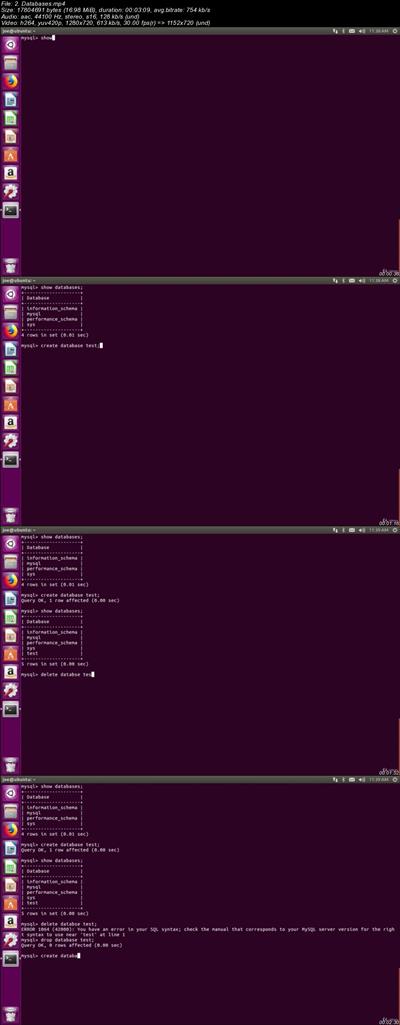
MySQL on linux for beginners: SQL database crash course
.MP4 | Video: 1280x720, 30 fps(r) | Audio: AAC, 44100 Hz, 2ch | 567 MB
Duration: 1.5 hour | Genre: eLearning | Language: English​

Learn SQL Mysql for linux systems
What you'll learn

Get database admin job
Create databases from scratch
Understand complex backends
Create complex database designs
Efficiently query database

Requirements

basic linux
vmware

Description

MySQL Database Being the Second most widely used Relational Database makes it one of the database to learn if you are looking forward to develop a database driven application.

Are you a Web Developer? An Application Developer? or A Programmer? Then MySQL Database should be one of the Mandatory Database in your "To Learn" list. If you don't know MySQL yet or if you are new to any database then this is your go to course to learn SQL and also MySQL Database.

If you are learning or want to learn PHP, PYTHON, PEARL or RUBY then you should learn MySQL as well as this is the Database that is used by most of the developer who prefer the previously mentioned programming languages. If you are Web Developer and you don't know MySQL yet then most won't recommend you to call yourself as a Web Developer yet.

MySQL is one of the most used and go to database for pretty much all the web developer who pick PHP, PEARL or Python without a second thought.
Who is the target audience?

Beginner mysql programmers


10c9f2f919c9073ce044e07b9df88380.jpg


Recommend Download Link Hight Speed | Please Say Thanks Keep Topic Live

 

a68ce39d3396be23e6e93d8b4bcfda59.jpg


How to Play Piano (2018)
36xDVDRip | MP4/AVC1, ~1372 kb/s | 960x540 | 18:38:38 | English: AAC, 126 kb/s (2 ch) | 11.73 GB
Genre: eLearning Video / Piano, Music

Music is a universal language, and the piano is the ideal instrument to bridge the gap from listener to player. From folk melodies and holiday tunes to challenging classical forms or jazzy improvisation, the piano is also one of the most versatile instruments you can learn, allowing both melodic lead and harmonic accompaniment. Yet, too many people who want to play don't know where to begin-or believe playing requires too much investment of time and tedious practice-so they miss out on the joys that playing even a simple melody can bring.
It's a myth that in order to play the piano, would-be students require years of private instruction along with hours of tedious exercises. While it's true that mastery of the piano is a lifelong process, anyone can learn to play a recognizable tune in a matter of minutes-and with the right guidance and a little encouragement, those first simple notes can put you on the path to one of life's richest experiences.

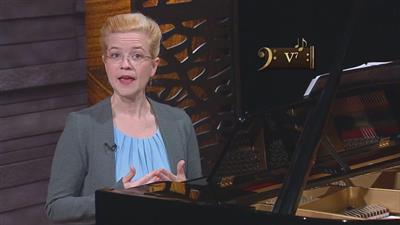
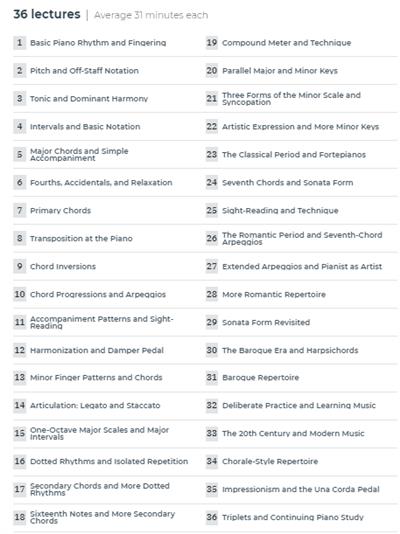
How to Play Piano is your opportunity to pick up the marvelous skill of playing the piano. Taught by acclaimed pianist Professor Pamela D. Pike of Louisiana State University, these 36 accessible lessons give you the building blocks you need to go from an interested novice to an expressive and talented player, whether you have a grand piano or a simple electronic keyboard to work with.

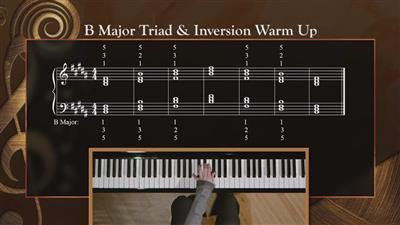
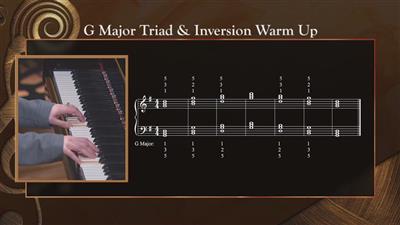
Blending music theory and history with hands-on examples and step-by-step instruction, Professor Pike takes you on a journey from learning how to sit at the piano in the first place to inverting chords, arpeggios, sight-reading, and much more. The secret to this course is that Professor Pike invites you to learn by playing. You will be at the piano from minute one-and, in fact, you will learn how to play a melody from Beethoven's Ode to Joy by the end of the first lesson.

Among other things, you will:

Learn basic scales and chords, and how to adapt them;
Walk through simple, easy-to-play practice pieces, ranging from popular standards to holiday staples;
Gain insight into the basic structure of music, how to build a harmony, and how to improvise;
Hone your ability to play "by ear" and sight-read music notation; and
Explore a range of different styles, which are all accessible and suited for the piano, from classical masterpieces to jazz, folk, blues, and even rock 'n' roll.


One of the best things about this course is that it is entirely self-guided. Professor Pike not only takes you through the basic foundations and advanced techniques of piano playing, she also teaches you how to practice and gives you assignments to work on between each lesson. After 36 lessons, you will come away from How to Play Piano armed with a tremendous skill set-as well as the confidence and know-how to continue your journey for years to come.

Take a Step-by-Step Approach to Your Practice
Like any new skill, learning to play the piano will ask you to step outside your comfort zone and embrace becoming a novice. Fortunately, you won't feel like a novice for long thanks to Professor Pike's able guidance. From the very start of these lessons, you will be seated at the piano, ready to practice the basic finger patterns of C major. Building on previous lessons with each new piece of information, you will discover the ins and outs of:

Major and minor scales and arpeggios;
Chords, chord progressions, and inversions;
Rhythm patterns and tempo;
Notation and sight-reading;
Harmonization;
Syncopation;
Articulation and artistic expression;
Musical forms; and more.


Along the way, Professor Pike offers numerous examples to bring these concepts to life. For instance, one common primary chord progression is the I-IV-V-I pattern (tonic, subdominant, dominant, and return to the tonic). After showing you this pattern in one lesson, she revisits it in the next lesson, showing how this progression is used in the basic 12-bar blues.

As a veteran teacher, Professor Pike knows learning these new skills is not always easy-and she anticipates potential challenges. After playing around with the primary chord progression, for example, she pauses to note a few common pitfalls: Were your right-hand notes steady and even? Did your left hand play precisely with the right hand? How is the balance between your right-hand melody and your left-hand accompaniment?

Survey the History and Theory of Piano Music

While How to Play Piano is a practical, hands-on course, you will also gain an immense knowledge of music theory and history. Indeed, playing an instrument is arguably the best way to study theory, because you'll see and hear ideas in action. As you progress through this course, Professor Pike surveys the major musical periods of piano music, spotlighting what makes each period unique, including an in-depth look at the:

Baroque Era (1600-1725): "Piano" music from this era was written for instruments such as harpsichords and clavichords, but it translates well to the modern piano. From fugues to canons, survey some of the important pre-Classical forms.

Classical Period (1725-1800): The piano as an instrument came into its own in this era, allowing for exciting nuances of artistic expression. Explore one of the period's most important forms: the sonata-allegro.

Romantic Era (1800-1910): Artistic expression took a giant leap forward in the era of Beethoven, Chopin, Liszt, Brahms, and Schumann. Enhance your repertoire with several Romantic masterworks.

Modern (20th and 21st centuries): "Modern" music encompasses a great deal, from programmatic pieces to computer-generated sounds and percussive techniques. Review several trends from the past century.

Following this survey of music history, you will have a toolkit of approaches to playing the piano, from the rigors of the Baroque to the expressiveness of the Romantic to the experimental sounds of the past century. You'll also have a host of new pieces in your repertoire to practice and perfect. From the Romantic influence of Chopin to Debussy's impressionism, you will be introduced to such piano masterpieces as:

Bach's Minuet in G Minor
Mozart's theme from Sonata in C
Beethoven's Ode to Joy, Minuet in G, and Moonlight Sonata
Brahms's Lullaby
Liszt's Liebestraum


You'll come away with a solid repertoire to impress your friends and direction to continue your practice, including a variety of pieces custom-written for this course.

A Fun Approach to Complex Mastery

How to Play Piano is a physical course. You'll be using your ears to listen, your eyes to read, and your body to play. You'll gain confidence with each lesson, learning to sight-read a little more naturally, play "by ear," and develop the muscle memory to move your fingers to the right keys at the right time. Professor Pike's step-by-step approach makes learning to play the piano simple-and fun!

Contrary to the notion that piano lessons and practice are long, tedious, and exacting, you will look forward to sitting down for each new lesson with Professor Pike. She starts you playing recognizable, challenging music early on, so you will see significant leaps in your ability with each passing day.

And, therein, lies the real heart of this course. While each lesson builds on the previous (you always start with a warm-up as a refresher), Professor Pike goes into great depth. This course mirrors a year-long college practicum in learning to play the piano, even including complexities such as transposition or chord inversions, which some teachers may tend to shy away from in early lessons but that Professor Pike lays out simply and elegantly.

As a result, you develop some amazing tools to take your piano playing and artistic expression to new heights. Mastering the piano may be a life's pursuit, but How to Play Piano gives you the theory and skills to make piano playing an integral part of your life-and, like learning a new language, you will love the way your new ability will change your perspective and enhance your life.

Professor Pamela D. Pike, PhD


cccd9c4ad52a65fd97ee763747dbcb18.jpg


01574e9b601527a2cef937057cb4bf63.jpg


20ef3e44d9177d219a287e9f5d7171d1.jpg


24974f8ad1cfed1eb6a3fad000f543d0.jpg


9e8aae761d4700134d04b10ce1a0fd9a.jpg


3c55bdec53cc6f51fd43b2083b6ed970.jpg


Recommend Download Link Hight Speed | Please Say Thanks Keep Topic Live

 
bce2fe196bead658bce36e2fa0d1c8ef.jpg


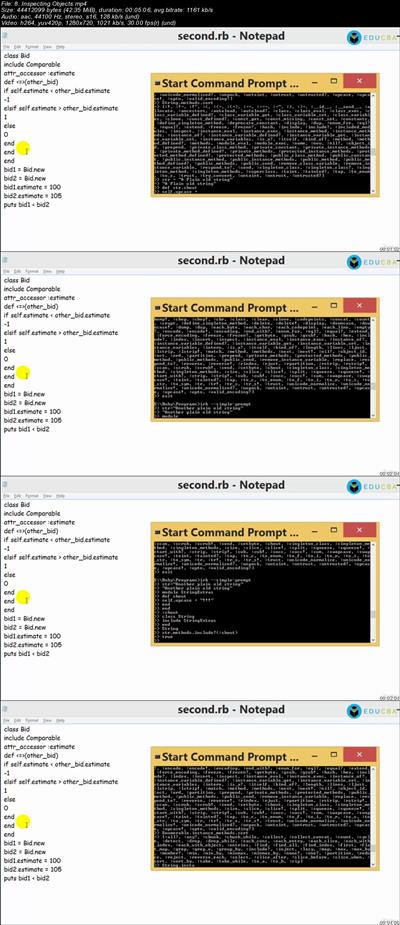
Code with Ruby - Ruby Programming
.MP4 | Video: 1280x720, 30 fps(r) | Audio: AAC, 44100 Hz, 2ch | 10.5 GB
Duration: 32 hours | Genre: eLearning | Language: English​

A comprehensive coding with the Ruby Programming, starting from scratch and moving to advanced coding techniques.

What you'll learn

Learn Ruby Fundamentals
Learn Control Flow, Fundamental Classes, File I/O
Learn Ruby Dynamics, Ruby on Rails
App creation through Ruby on Rails

Requirements

Exposure to other dynamic languages + frameworks would be good.
Since ruby is an object-oriented language, it's very nice if you have a good previous background in object-oriented programming.
Some good front-end skills in HTML/HTML5 will help you.
Basic knowledge of JavaScript

Description

Are you interested in building a web applications? Did you ever wonder who web applications are built and deployed onto the loud? Are you piqued by the growing popularity of web services, and want to dabble in them too?

If your answer to any of the above questions, you have already done your own research into the subject. You may have dabbled a little in C# or Java, and realized that there is a lot to learn and understand in order to become proficient in any of them. You may have realized that the all-popular web services that you're interested in are too complicated to be integrated in a web application. As for deploying web applications, you may have found out that there is a lot to set up for it to get going.

This program is the perfect stepping stone into the world of web application building, focused on one of the best web application frameworks to start out with: Ruby on Rails. The framework is designed for rapid prototyping, and this takes you through the basics and concepts, and gives you the necessary knowledge and skills to pull off your own web application.

What is Ruby?

Ruby is one of the older programming languages, created two decades ago. It is among the top ten most popular programming languages by most measures, though it is usually ranked towards the end of the list. Most of its popularity these days also stems from the popularity of the Rails framework. Ruby, like C language or Java, is an all-purpose programming language, but is most popularly used for web programming.

What is Rails?

Rails is basically a software library that extends Ruby, created by David Heinemeier Hansson. It is called 'Ruby on Rails', 'RoR', or just 'Rails' in many cases. It is a software code addition to the Ruby programming language. In technical terms, it is a package library or 'RubyGem' installed with the command-line interface of the operating system.

Rails is used as a website development framework, and it is sets conventions for easier maintenance and collaboration, codified as the Rails application programming interface (API). The Rails API essentially provides directives to control the code. It is documented on the internet and described in a lot of places. Learning Ruby on Rails from scratch involves learning how to use the API and the Rails conventions.

Rails combines Ruby with JavaScript, CSS and HTML to form a web application running on a web server. Since it is runs on the server, it is considered a back-end or server-side application development platform. Web browsers are considered front-end platforms.

In a larger senses, Rails less of an API and more of a software library. It is a central project involving a huge community producing software libraries and codes that simplifies site-building. Members of this Rails community share many of the core values, support each other and often use the same set of tools.

Why opt for Ruby?

Ruby is popular in the programming world for its uncluttered, to-the-point syntax that does not require a lot of repetition or punctuation, like Java or PHP. It is more streamlined than Java, requiring less code for the basic structures, like data fields. It is a modern language where it is easier to use meta-programming and other high-level abstractions. Meta-programming in particular eases the development of a domain specific language, customizing Ruby for certain uses. Rails and several other RubyGems use this DSL capability.

RubyGems is the key advantage of Ruby. It is the package manager that eases the development and sharing of software libraries or gems that can extend the capabilities of Ruby. It is a simple system for gem installation. Anyone can create and upload their gems on the RubyGems website. The gem is then available to be downloaded and installed by any user. You will also find the latest version of Rails from the RubyGems website, along with all necessary gems to develop complex websites.

Of programs, Ruby is not perfect. It does have its disadvantages. For one, it is slower to process than Java or C++. However, for a programmer, a language's processing speed is not always as important as the benefits in productivity and performance that they gain. Also, Ruby is not as well-suited for complex software engineering that requires efficiently executing simultaneous activity. Another common complaint is that Ruby programs have too many complex operations conducted through simple directives.

Studying Ruby before Rails

Should you study Ruby, the programming language, before you learn Rails, the framework? Well, the short answer to this question is NO. But it is a good idea to just introduce yourself to Ruby and its syntax so that you are not too overwhelmed by the first experience of Ruby on Rails from scratch. You should be able to recognize current and incorrect formatting when typing Ruby on your text editor.

As you develop proficiency on Rails, though, you will have to pick up Ruby too. You need to develop your Ruby skills as you practice and utilize Rails. Because Rails is a DSL, it has its own directives that is separate from the Ruby core.

A key challenge for you would be to learn the structure names that you see in the code examples, and introducing yourself briefly to Ruby should be helpful in this process. You need to be able to understand whether you are looking at a hash or array, or a block syntax or iterator. As you get more practice, you will be able to identify more complex and less-common formulations, like a lambda function. You do not have to write or even know when to use a lambda function, though. Most developers start learning Rails before they master Ruby.

While this program takes you through Ruby on Rails from scratch, it is important to supplement your knowledge and training in whatever ways you can. If you see some concepts or things about Ruby that you are not clear about, reach out and find out what it is. Go through more textbooks and short programs to get more proficient with the framework. If you love programming languages, take a deep dive into Ruby itself. But do not delay your study of Rails while you learn more about Ruby. You will retain a lot more knowledge on Ruby if you learn it along with Rails.

Why opt for Rails?

Rails has earned its popularity because of its precise and pervasive conventions. Web applications have complex requirements including basic functions, like generation of HTML, accessing a database and processing form submissions. Without a framework, programmers have to take on the implementation of all the infrastructure.

Rails is popular because it was developed to follow one certain way of implement most of the infrastructure that a web application needs. Hansson and the core developer team considers this the best way of implementation, and many of the implementation elements seem arbitrary. Some have even criticized the core developers of being autocratic in their approach to making improvements to Rails. However, there is no denying that the Rails API is a great approach to implementing a web application framework's requirements.

Developers who learn this 'Rails way' can produce web applications that other rails developers can work on and understand more quickly. This makes development faster and collaboration quicker. And there is a lot of support for Rails too, with a huge pool of open-source libraries available for enhancing Rails.

Rails also matches well with agile software development practices, especially with its focus on 'convention over configuration' and software testing

Who is the target audience?

Students
Programmers, Web Developers
JavaScript and other scripting language programmers
Anyone with interest in web programming and introductory knowledge of HTML


6a33557a6a75c9b3fa672a5c6b3fa0f9.jpg


Recommend Download Link Hight Speed | Please Say Thanks Keep Topic Live
 
a02acfa1a5329e58de542690de033839.jpg


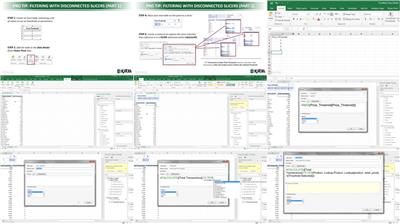
Excel Business Intelligence Part 3: Power Pivot and DAX
.MP4, AVC, 250 kbps, 1280x720 | English, AAC, 128 kbps, 2 Ch | 4h 1m | 764 MB
Instructor: Chris Dutton

Data Analysis Expressions (DAX) allow Microsoft Excel users to create powerful calculated fields in Power Pivot. In this course-the third and final installment of the Excel Business Intelligence series-experienced Excel trainer Chris Dutton spells out how to use the DAX language and Power Pivot to explore and analyze relational data models. Chris picks up where he left off in the previous installment of the series, demonstrating how to add calculated columns and measures to data models in Excel. He highlights the differences between calculated columns and DAX measures, covers common DAX formulas and functions, and discusses best practices for working with DAX and Power Pivot.

Topics include:

Power Pivots versus normal pivots
Creating calculated columns and measures
Power Pivot and DAX best practices
Math, stats, and COUNT functions
CALCULATE, FILTER, and ALL functions
Joining data with RELATED
Using iterator functions (SUMX and RANKX)
Time intelligence formulas

More Info


322008bb2f3b3a56acd5c3a7d4c5e5f8.jpg


Recommend Download Link Hight Speed | Please Say Thanks Keep Topic Live

 
93cdc277a8015a43ebd293aa7993ee05.jpg


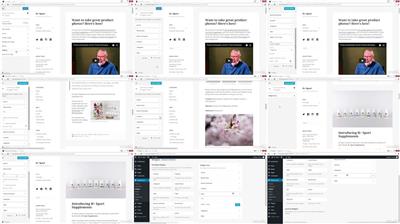
WordPress Essential Training
.MP4, AVC, 1000 kbps, 1280x720 | English, AAC, 128 kbps, 2 Ch | 5h 39m | 1.42 GB
Instructor: Morten Rand-Hendriksen

WordPress powers millions of blogs and websites. Learn how to create your own with this powerful publishing platform. Staff author Morten Rand-Hendriksen will help you get the most out of the self-hosted version of WordPress and create feature-rich blogs and websites. Morten explains how to create and publish posts and pages; customize your site with themes, widgets, and custom menus; and extend WordPress even further with plugins. Plus, learn how to get more readers with social media sharing and comments, and how to adjust the settings that keep your site safe and secure.

Note: This course covers WordPress 4.3. We will update the training as WordPress evolves.

Topics include:

Creating posts and pages
Formatting text
Publishing and scheduling posts
Adding images, audio, and video
Bulk editing posts and pages
Customizing themes and menus
Using widgets
Extending WordPress with plugins
Editing users profiles
Configuring settings
Getting new readers
Keeping WordPress up to date and secure

More Info


ee18fa6e46647bab6995311c6b746b1c.jpg


Recommend Download Link Hight Speed | Please Say Thanks Keep Topic Live

 
c3732ec1799c5bc801f73b398b7776ac.jpg


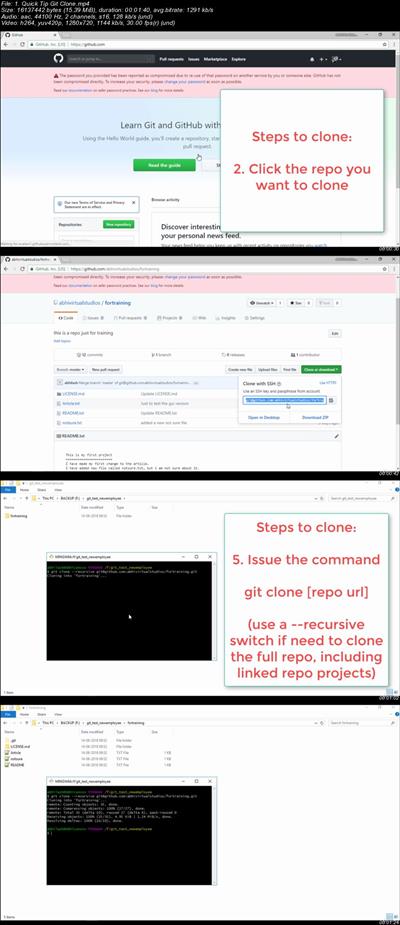
Git and GitHub Version Control - The Complete Startup Guide
.MP4 | Video: 1280x720, 30 fps(r) | Audio: AAC, 44100 Hz, 2ch | 778 MB
Duration: 1.5 hour | Genre: eLearning | Language: English​

Learn Version Control using Git and GitHub - The Complete Startup Guide for beginners

What you'll learn

You will be well versed in almost all of the basic git commands and operations.

Requirements

A complete beginner who has basic computer knowledge

Description

Welcome to the complete Git Version Control Start up Guide. You may be programmer, a Content Writer, or an Article Writer, a NovelistR30; Anyway, you have to deal with lot of contents which you will updating periodically throughout the time. And the problem is that when you want to change something which you have already been done previously then you have to compare the different versions and try to make changes.

And if you are a software engineer, you need to work on a single project with multiple team members, may be they are in different locations, may be in different countries, on different continents, you have to work with each other. You will be working on the same project, the same file some times, and that time also managing with different versions of documents will become a big problem, because most of the energy, time and effort will be wasted in managing the documents and comparing them and merging them together to form the final document.

To tackle these problems, Version Control Systems come to rescue.

Version Control Systems are very helpful in tracking the changes that you make to a document, a program or having the changes and files kept in track kept in track between the team members working for a same goal, for the same project. The time, the effort, the energy you spent to have the documents aligned or you want to revert back to the document or you want to collaborate between the team members working on the same project and same document will be very less or even zero. That is you don't have to spend any time and effort for managing the documents between the teams and merging them.

So its very important and very useful to have your project or files kept within a Version Control System, so that you can revert back to any version that you saved before any time. Or even if you revert back, you can go beyond that point and get the latest version of the repository.

In software companies that are dealing with medium scale or large scale projects,the team will be having the project files inside a Version Control System and they will working within the Version Control System. The most popular of the Version Control Systems used around the world is Git.

So we will be dealing with Git's different commands, different functionalities of Git and also GitHub which is most popular hosted git service, which is being used by companies all around the world.

Here is the list of topics that we are going to discuss in this course.

At first there will be an introductory session, where I will be explaining the concepts of git. How git is working and why need git in the first place.

In the second session, we will be going ahead and installing git in your computer and how you can configure the git based Bash Shell.

In the third session, we will be initializing a git, we will be dealing with commands like init, add and status.

And in the fourth session, we will learn how to get log of the git, commit the changes to git and then checkout a different version of that particular project using git.

And in the fifth session, we will deal with Branches. How we can manage branches inside agit repository.

And in the sixth session, we will deal with creating a Git Hub account and configuring a Git Hub account and In the next session, we will push all the local repository into the Git Hub server and then we will make some changes in the Git Hub server and we will do the pull back from the git hub server. The changes from the Git Hub Server to our local repository.

And some times there will be conflicts. Two different persons editing the same file and the same

lines some times and they will try to push the changes to the server. We will deal with the merge conflicts in the next session.

And throughout these sessions, we will be dealing with the commands the git commands which we execute using the git Bash shell.In the ninth session, we will deal with Git GUI, where you don't need to execute the commands by typing it. You can use a Graphical User Interface very easily to do the merging, the push, the pull, and the synchronization with the git server.

And in the final session, we will compare different git service providers. The git server service providers available throughout the internet and compare the plans available with them. The pricing and the plans and we will discuss which one is better and which one is good and all.

So all together this will be a very valuable course for you to get started with the git based version control system and working with Git Hub which is the most popular git service provider in the world.

And while joining a company, of course they will be asking you if you are familiar with working with git environment you can confidently answer them that "yes I am" after doing this course. This will be adding a really good value to your profile.

And we will be providing you with a completion certificate by the end of this course. You can keep it within your profile so that you will be adding more value to your profile. So see you soon in the class room. Let's get started with the git journey. Thank you !!

Who is the target audience?

A complete beginner who wants to learn version control using git. Also already working professionals to get familiar with git.


8740399bcd6b12d5b22e5615d948bd4f.jpg


Recommend Download Link Hight Speed | Please Say Thanks Keep Topic Live
 
1810251500320091.jpg

iStack Training - Ecommerce Mastery Live Barcelona 2018
.MP4 | Language English | 9.24 GB
Genre: eLearning Video / Business, Sales, Marketing / Traffic
Tactics to 10x Your Business
Ecommerce Mastery Live (ECML) is an offshoot of the iStack Training's wildly successful Facebook Ads event, Facebook Mastery Live.​

In Barcelona we're laser focusing on Ecommerce by preparing a whole day of leading-edge, directly applicable, high level training for ecommerce entrepreneurs.
Whether you're building a drop shipping store, a high performance brand, or a standalone Facebook campaign for a CPA product, ECML will provide you with dozens of tips, strategies and tactics that can 10X your business.
This full day training event brings together some of the world's top ecommerce minds, like Mohamed Ali Aguel, Steve and Evan Tan, Nick Peroni, Tim Burd and many others. Each speaker will bring their unique perspective on building ecommerce businesses, touching on topics like product research, product selection, outsourcing, warehousing, fulfillment, funnels, upsales, influencer strategies, Facebook Ads, Native Ads, affiliate growth strategies, and LOTS more.
Ecommerce represents the opportunity of a generation. Meet us in Barcelona to learn the secrets of the world's most successful entrepreneurs and marketers.
Meet the presenters
We've gathered some of the top marketers in our world. Each is thrilled to be sharing knowledge and helping you grow your business.

WHAT YOU WILL LEARN
Build a Store
Product Reseach
How to choose and test the best products
Advanced Fulfillment
Fulfillment strategies that scale
Advanced AOV Strategy
Increase AOV to win more customers
Build a Brand
Influencer Marketing
Build brand equity that keeps growing when your ads are off
Video Remarketing
Video strategies to qualify and convert customers
LTV Strategies
Keep your customers coming back
Build a Campaign
Advanced Funnels
Build leakproof funnels
Advanced Bidding Strategy
Up-to-the-minute methods that work
Find Creative Genius
Master consumer psychology

What to expect
Learn from and network with the best in an intimate setting where all will be revealed.
Expect Unparalleled Value
You'll never find this many ecommerce superstars on one stage
Expect ROI For Your Business
We're providing directly applicable case studies that will grow your business
Expect The Unexpected
We're bringing more than a few wild cards to the table. You never know what secrets they'll divulge.

HOmepage:
Code:

1810232102540117.jpg


Recommend Download Link Hight Speed | Please Say Thanks Keep Topic Live
 
adfeb4b5933f565346052365ec65dd83.jpg

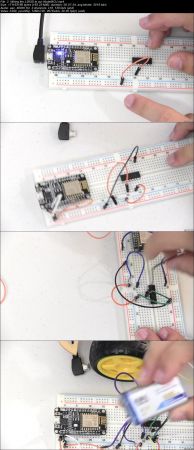
Making a Wi-Fi RC Car from Scratch ESP8266 NodeMCU + iOS 12
.MP4 | Video: h264, 1280x720 | Audio: AAC, 48 KHz, 2 Ch
Genre: eLearning | Language: English + .VTT | Duration: 3.5 hours | Size: 2.3 GB​

Learn how to create a Wi-Fi RC Car from scratch using basic electronics and your iPhone.

What you'll learn

Create an awesome RC Car, that has more functionality than the RC ones that you get at the store
Basic iOS 12 programming
Use of the NodeMCU Wi-Fi chip
Use of the L293D motor driver to drive 2 motors bidirectionally.
Control a NodeMCU from anywhere in the world using the internet
Use the HC-SR04 ultrasonic sensor to measure distance and detect obstacles

Requirements

An Apple computer, and an iPhone that can run iOS 12
No Prior Programming or Electronics Knowledge required.
All the parts in the "Getting required components" video

Description

Hello, and welcome to this course, Making a WiFi RC Car using NodeMCU ESP8266 Devkit and iOS 12! I will show you, step by step, how to create a Wi-Fi RC Car from scratch that can be remotely controlled from your phone. This course is for students of all levels, weather you are a beginner who has never done any electronics or programming, or a professional who has a lot of experience with electronics and coding.

You can build an RC Car after this course! Wow! That's exciting! Also, I will guide you through every program, every wiring, step by step. If you have questions, feel free to contact me via email or on the question and answer board.

What tools and components are needed for this course?

Components:

A Breadboard

L293D Motor driver

NodeMCU ESP8266 devkit 1.0

LEDs

HC-SR04 Ultrasonic sensor

Car Chassis with motors

USB Cable

9v battery holder

L7805CV voltage regulator

Tools:

Wire cutter/stripper

Soldering iron

Helping hand (optional)

Screwdriver

Who is the target audience?

Beginners or Tinkerers who are interested in creating their own RC Car.
People who want to learn some basics in many fields, and combine them into a finished product.
People who want to go beyond the basics with electronics.
Programmers who want to get into hardware, or Hardware people who want to get into programming.

75fec39e5118c45ee3b0890aba128f25.jpg


Recommend Download Link Hight Speed | Please Say Thanks Keep Topic Live

 
8260019c5eb05880371ed35b084356a5.jpg


Angular: Material Design [10/29/2018]
.MP4, AVC, 250 kbps, 1280x720 | English, AAC, 128 kbps, 2 Ch | 1h 55m | 404 MB
Instructor: Robby Millsap

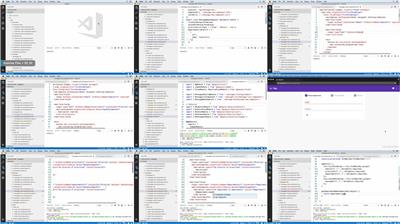
Angular Material is a UI component framework and a reference implementation of Material Design, a unified system created by Google designers for crafting high-quality digital experiences. In this project-based course, learn how to get started with Angular Material. Instructor Robby Millsap helps to familiarize you with Material Design by covering the core concepts behind it, as well as walking through how to install Angular Material. He also shows how to work with layouts, components, and theming features to give a project a user experience overhaul.

Topics include:

What is Material Design?
Adding the required modules to your project
Installing Angular Material
Adding app bars and menus
Creating cards
Separating content using tabs
Adding data tables

More Info


6a1b745cd4a360636486b199e84a2068.jpg


Recommend Download Link Hight Speed | Please Say Thanks Keep Topic Live

 
546958ab9db8f8a27b4ae665014a0b9b.jpg


Node.js in Motion
.MP4, AVC, 4600 kbps, 1920x1080 | English, AAC, 230 kbps, 2 Ch | 6h 14m | 15 GB
Instructor: PJ Evans

See it. Do it. Learn it! Node in Motion introduces you to the amazing world of server-side JavaScript through high-quality video-based lessons and built-in exercises, so you can put what you learn into practice.

Node in Motion is a fast-paced, practical video course designed to get you up to speed quickly on every aspect of Node. Following the expert and friendly guidance of PJ Evans, you'll master the key concepts like non-blocking JavaScript, asynchronous functions, using packages from the Node Package Manager (NPM), talking to the Internet, writing Web applications, interfacing with databases, and deploying your application. Everything you need to be a successful Node developer is covered in this great video course.

about the subject

Node.js has become required knowledge for web developers. It's never been easier to go from front-end developer to full-stack engineer, since with Node you can stay with JavaScript all the way down. Node is great for backend APIs and it's also a solid choice for building microservices and server-side utilities. Node's rich ecosystem of pre-built packages and libraries provides the tools you need to be super-productive right out of the gate.

prerequisites

If you know your way around JavaScript, you're ready to start learning Node!

what you will learn

Working with asynchronous functions, with callbacks and Promises
Using packages from the Node Package Manager (NPM)
Building command line programs using Node.js
Using Express.js to scaffold a Web Application
Interacting with SQL and other databases
Using WebSockets for real-time communication
Tips and tricks for deploying Node.js applications to production

More Info


4cfba7a26ed58e28b75780c6a720ec17.jpg


Recommend Download Link Hight Speed | Please Say Thanks Keep Topic Live
 
e001c67e8c7f592a93ff6b66aa378ca9.jpg

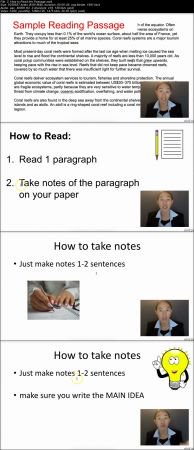
TOEFL iBT (The Complete Course)
.MP4 | Video: h264, 1280x720 | Audio: AAC, 48 KHz, 2 Ch
Genre: eLearning | Language: English + .VTT | Duration: 4 hours | Size: 1.78 GB​

Improve your TOEFL Reading, Listening, Speaking, and Writing - Without pain and boredom!

What you'll learn

Speak with confidence in the Speaking Section
Pick more correct answers in the TOEFL Reading Section
Use test taking tactics to eliminate wrong answers in a flash
Read passages faster and identify key concepts to answer multiple choice questions
Memorize an Essay structure that you can use for every test prompt
Take fast notes that help you pick the right answers in the TOEFL Listening Section

Requirements

Intermediate English Skills

Description

Are you worried about your test? Do you feel lots of pressure to get a good score? Do you have no time to study?

I'll make the TOEFL easy, so you won't be worried or pressured, even if you don't have a lot of time!

Don't worry if your English is bad.

No matter how bad your English, this class has short videos (under 3 minutes) that teach you 1 subject per video.

I break down the TOEFL test into little bits, so that you learn only 1 thing at a time.

"I don't know where to start! I don't have time!"

You can start right here.

You don't have to be overwhelmed. You just have to take very small steps.

I know you think that the test is big and scary, but this class will break down the test into understandable pieces.

I teach from the very basics, so by the time we finish, you will have lots of practice and experience with the TOEFL.

"How is this class different from the other classes?"

You will learn with pictures.

You will hear me speak "easy to understand English". I speak slowly, but clearly.

You will learn from someone who has more than 4 years of experience teaching TOEFL.

You will learn from someone who has taught over 10,000 students online.

I won't be repetitive and boring.

Are the videos good quality?

Yes, I use the best technology to record the videos.

The sound and videos are good quality, so you don't have to worry about technical problems.

I make sure that the questions, quizzes, and reading are clear and easy to read in the video.

Three reasons why you should take this class:

The Videos are short. most videos are less than 3 minutes long. Each video teaches you 1 thing, so it's easy to remember.

This entire class is short. I don't talk about useless things. I only talk about things that appear on the TOEFL that will help you.

You can see me (the teacher) in the video. I make sure that you continue to learn and not be bored.

"But it's expensive!"

Yes, because this is a good class.

You get what you pay for.

It's better to take this class than paying $200 USD to take the TOEFL, and fail.

Then you have to spend another $200 USD to take the TOEFL for a second time.

Why not invest in this class, and then take the TOEFL test only ONCE?

How the class is structured:

There are 110 videos.

Most videos are less than 3 minutes long. (So you won't get bored!)

We cover every section of the TOEFL (Reading, Listening, Speaking, Writing)

You will get practice questions.

You will also get the answers, and an explanation of answers.

You will learn how to take notes on every section.

You will also get a list of things you should memorize.

Who is the target audience?

Anyone who needs to take the TOEFL English Test

b297fae08fcab5da7467e5de6949495e.jpg


Recommend Download Link Hight Speed | Please Say Thanks Keep Topic Live

 

4ada372dc7dbedba3b7024aae1452e59.jpg

Javascript Basics - Tutorial for Beginners
.MP4 | Video: h264, 1280x720 | Audio: AAC, 48 KHz, 2 Ch
Genre: eLearning | Language: English + .VTT | Duration: 46.5 hours | Size: 27 GB

What you'll learn​

students will know what is Javascript
students will know how to add Javascript to their projects
students will know the basics of working with Javascript
students will build few simple projects using Javascript

Requirements

Basic knowledge of HTML, CSS
Computer
Text Editor
Web Browser

Description

Three fundamental languages of the web are HTML, CSS and Javascript.

Html is used for structure, CSS is used for styling and Javascript is used for functionality.

Reasons to learn Javascript

Number One - Javascript is the most popular programming language in the world.

Number Two - Javascript is de facto language of the web

Number Three - Javascript is Easy to learn

Number Four - Knowing Javascript provides great opportunity to get a job

Number Five - Javascript is Everywhere.Javascript is not web-exclusive anymore. Its on the servers (NODE.JS), cross-platform desktop-apps etc...

This step by step course is intended for everyone who wants to start working with Javascript.

We will cover what is Javascript, how to add Javascript to our projects, how to start working with Javascript and at the end we will make few simple projects. A basic knowledge of HTML, CSS would be preferred.

Who is the target audience?

Anyone who wants to start working with Javascript

1abfdbcccb75b57e93b423b4bfe6e403.jpg


Recommend Download Link Hight Speed | Please Say Thanks Keep Topic Live

 
Zurück
Oben Unten