• Regeln für den Video-Bereich:

    In den Börsenbereich gehören nur Angebote die bereits den Allgemeinen Regeln entsprechen.

    Einteilung

    - Folgende Formate gehören in die angegeben Bereiche:
    - Filme: Encodierte Filme von BluRay, DVD, R5, TV, Screener sowie Telesyncs im Format DivX, XviD und x264.
    - DVD: Filme im Format DVD5, DVD9 und HD2DVD.
    - HD: Encodierte Filme mit der Auflösung 720p oder darüber von BluRay, DVD, R5, TV, Screener sowie Telesyncs im Format x264.
    - 3D: Encodierte Filme von BluRay, die in einem 3D Format vorliegen. Dies gilt auch für Dokus, Animation usw.
    - Serien: Cartoon/Zeichentrick, Anime, Tutorials, Dokumentationen, Konzerte/Musik, Sonstiges sind demnach in die entsprechenden Bereiche einzuordnen, auch wenn sie beispielsweise im High Definition-Format oder als DVD5/DVD9/HD2DVD vorliegen. Ausnahme 3D.
    - Bereich Englisch: Englische Releases gehören immer in diesen Bereich.
    - Bereich Talk: Der Bereich, in dem über die Releases diskutiert werden kann, darf, soll und erwünscht ist.


    Angebot/Beitrag erstellen

    - Ein Beitrag darf erst dann erstellt werden, wenn der Upload bei mindestens einem OCH komplett ist. Platzhalter sind untersagt.
    - Bei einem Scenerelease hat der Threadtitel ausschließlich aus dem originalen, unveränderten Releasenamen zu bestehen. Es dürfen keine Veränderungen wie z.B. Sterne, kleine Buchstaben o.ä. vorgenommen werden. Ausnahme Serienbörse:
    - Bei einem Sammelthread für eine Staffel entfällt aus dem Releasename natürlich der Name der Folge. Beispiel: Die Simpsons S21 German DVDRip XviD - ITG
    - Dementsprechend sind also u.a. verboten: Erweiterungen wie "Tipp", "empfehlenswert", "only", "reup", usw. / jegliche andere Zusatzinformation oder Ergänzung, welche nicht in obiger Beschreibung zu finden ist.

    Aufbau des Angebots und Threadtitel

    Der Titel nach folgendem Muster erstellt zu werden. <Name> [3D] [Staffel] [German] <Jahr> <Tonspur> [DL] [Auflösung] <Quelle> <Codec> - <Group>
    Beispiel: The Dark Knight German 2008 AC3 DVDRip XviD - iND
    Beispiel: The Dark Knight 2008 DTS DL BDRip x264 - iND
    Beispiel: The Dark Knight 2008 AC3 DL BDRip XviD - iND
    Beispiel: The Dark Knight German 2008 AC3 720p BluRay x264 iND
    Beispiel: The Dark Knight 2008 DTS DL 1080p BluRay x264 iND
    Beispiel: Die Simpsons S01 German AC3 DVDRip XviD iND
    Beispiel: Die Simpsons S20 German AC3 720p BluRay x264 iND
    Beispiel: Sword Art Online II Ger Sub 2014 AAC 1080p WEBRip x264 - peppermint
    Entsprechend sind also u.a. verboten: Sonderzeichen wie Klammern, Sterne, Ausrufezeichen, Unterstriche, Anführungszeichen / Erweiterungen wie "Tipp", "empfehlenswert", "only", "reup", usw. / jegliche andere Zusatzinformation oder Ergänzung, welche nicht in obiger Beschreibung zu finden ist
    Ausnahmen hiervon können in den Bereichen geregelt sein.

    Die Beiträge sollen wie folgt aufgebaut werden:
    Überschrift entspricht dem Threadtitel
    Cover
    kurze Inhaltsbeschreibung
    Format, Größe, Dauer sind gut lesbar für Downloader außerhalb des Spoilers zu vermerken
    Nfo sind immer Anzugeben und selbige immer im Spoiler in Textform.
    Sind keine Nfo vorhanden z.B. Eigenpublikationen, sind im Spoiler folgende Dateiinformationen zusätzlich anzugeben :
    Quelle
    Video (Auflösung und Bitrate)
    Ton (Sprache, Format und Bitrate der einzelnen Spuren)
    Untertitel (sofern vorhanden)
    Hosterangabe in Textform außerhalb eines Spoiler mit allen enthaltenen Hostern.
    Bei SD kann auf diese zusätzlichen Dateiinformationen verzichtet werden.

    Alle benötigten Passwörter sind, sofern vorhanden, in Textform im Angebot anzugeben.
    Spoiler im Spoiler mit Kommentaren :"Schon Bedankt?" sind unerwünscht.


    Releases

    - Sind Retail-Release verfügbar, sind alle anderen Variationen untersagt. Ausnahmen: Alle deutschen Retail-Release sind CUT, in diesem Fall sind dubbed UNCUT-Release zulässig.
    - Im Serien-Bereich gilt speziell: Wenn ein Retail vor Abschluss einer laufenden Staffel erscheint, darf diese Staffel noch zu Ende gebracht werden.62
    - Gleiche Releases sind unbedingt zusammenzufassen. Das bedeutet, es ist zwingend erforderlich, vor dem Erstellen eines Themas per Suchfunktion zu überprüfen, ob bereits ein Beitrag mit demselben Release besteht. Ist dies der Fall, ist der bereits vorhandene Beitrag zu verwenden.
    - P2P und Scene Releases dürfen nicht verändert oder gar unter einem iND Tag eingestellt werden.


    Support, Diskussionen und Suche

    - Supportanfragen sind entweder per PN oder im Bereich Talk zu stellen.
    - Diskussionen und Bewertungen sind im Talk Bereich zu führen. Fragen an die Uploader haben ausschließlich via PN zu erfolgen, und sind in den Angeboten untersagt.
    - Anfragen zu Upload-Wünschen sind nur im Bereich Suche Video erlaubt. Antworten dürfen nur auf Angebote von MyBoerse.bz verlinkt werden.


    Verbote

    - Untersagt sind mehrere Formate in einem einzigen Angebotsthread, wie beispielsweise das gleichzeitige Anbieten von DivX/XviD, 720p und 1080p in einem Thread. Pro Format, Release und Auflösung ist ein eigener Thread zu eröffnen.
    - Grundsätzlich ebenso verboten sind Dupes. Uploader haben sich an geeigneter Stelle darüber zu informieren, ob es sich bei einem Release um ein Dupe handelt.
    - Gefakte, nur teilweise lauffähige oder unvollständige Angebote sind untersagt. Dies gilt auch für eigene Publikationen, die augenscheinlich nicht selbst von z.B. einer DVD gerippt wurden. Laufende Serien, bei denen noch nicht alle Folgen verfügbar sind, dürfen erstellt und regelmäßig geupdatet werden.
    - Untersagt sind Angebote, welche nur und ausschließlich in einer anderen Sprache als deutsch oder englisch vorliegen. Ausnahmen sind VORHER mit den Moderatoren zu klären.


    Verstoß gegen die Regeln

    - Angebote oder Beiträge, die gegen die Forenregeln verstoßen, sind über den "Melden"-Button im Beitrag zu melden.
  • Bitte registriere dich zunächst um Beiträge zu verfassen und externe Links aufzurufen.

*** Bestes IPTV *** bester Preis *** gratis Test ***


Englische Tutorials


6279e4441ab9c6871ecba534a01f5165.jpg

Freelance and Small Business Branding for Non-Designers
.MP4 | Video: h264, 1280x720 | Audio: AAC, 44.1 KHz, 2 Ch
Genre: eLearning | Language: English + .VTT | Duration: 4 hours | Size: 2.3 GB
DIY Logo Design, Business Cards, Letterhead, Social Media Design and Marketing Assets Using Canva​

What you'll learn

You will know how to create your own logo, branded assets, marketing materials, letterhead, business cards and social media graphics
Will know how to use your brand and branded assets to create anything needed for your business
Be very comfortable using Canva by the end of this course
Understand solid design principles like layout, font pairing and know a little color theory too and how to maximize color to increase effectiveness in ads and graphics
Be able to have a direct influence on your brand creation by doing it yourself

Requirements

Access to the Free or Paid version of Canva a Cloud based design and layout tool

Description

Are you a new start up? A small business needing a logo and branded assets like letterheads, business cards and social media ads? A freelance business wanting to develop a personal brand, but your not a graphic designer or do not want to pay thousands or to get these assets created?

This course is an intimate and detailed guide through developing your entire brand including the creation of your logo and branded color palette and fonts that we will then use to create business cards, letterheads and social media graphics of all shapes and sizes.

You will follow me as I develop a personal brand for my freelance business. I will show you every detail and the WHY behind certain choices, there is a specific marketing tactic, reason and logic behind choices. You will also learn through this detailed process how to properly layout and design using many different dimensions and sizes, learn how to work with social media posts, how to look professional and make solid design choices even if you know nothing about design when starting this course.

There is even a exclusive facebook student group where we create conversations together and support each other as we develop our brands. I will even hold challenges to help you start to create these branded assets and give you inspiration by seeing what other students are creating. That means you are not just buying a bunch of videos in a course, but a support system and access to me as a guide through this important process of developing your brand and brand assets.

We will use Canva as our DIY tool of choice because of it's easy access and ease of use. You do not need to know how to use Canva to feel comfortable taking this course. There is even a free version of Canva where you can still accomplish a lot talked about in this course.

So, ready to save thousands of dollars in design and marketing costs by doing it yourself? This can be a fun and enjoyable process, so let's learn together!

Who is the target audience?

Small business owners wanting to avoid the high costs of creating a custom brand and branded assets and marketing materials
A freelancer wanting to learn how to develop their own personal brand and they do not have a design background
Start-ups who want to offset costs of getting their new ideas out there by doing their own marketing materials and branding
Those who are not comfortable with design or graphic design and want to learn how to do this on their own without having to learn a ton of design theory or hard to learn programs.
Those how enjoy learning by doing practical real world projects
Anyone wanting to "Do It Themselves" and have play a critical role in designing and creating their brand "look" and "Feel"
Those wanting to be in a community of other DIY business owners and freelancers wanting to take charge of their Brand creation
9c1d06fbe19732496dada27f2c3bfb8a.jpg


Recommend Download Link Hight Speed | Please Say Thanks Keep Topic Live

 

09da5e5a9d1c39839977e86a4de5e77b.jpg


Excel Beginner Crash Course - How to Solve Problems in Excel
MP4 | Video: AVC 1280x720 | Audio: AAC 44KHz 2ch | Duration: 1.5 Hours | Lec: 24 | 221 MB
Genre: eLearning | Language: English

Non-intimidating Microsoft Excel course for beginners. Learn Beginner Microsoft Excel 2010, Excel 2013, Excel 2016.

If you've ever broken into a cold sweat when opening Excel, then this course is for you.

Join me as we talk about the basic formula creation process and take a look at popular Math and Stat functions.

We won't be exhausting every Excel tidbit but I'm willing to bet you'll remember the content in this course. The overarching theme is mastery versus overload and the goal is to get busy people up and running in Excel as quick as possible.

Gone are the days when you're intimidated to to work in Excel. You don't need to know all the crazy things Excel can do to be a top performer at you job.

Even with web apps and the software as a service (SaaS) business model being prevalent as they are, Excel is still used in today's businesses. Sometimes these expensive web based businesses don't scale very well to a specific calculation or forecast. Being able to whip up something quickly can be the difference in the perception of job performance.

A great example of this is something that happened at one of my jobs:

I was tasked to show the stats of blocked and allowed emails that were processed by our email filtering system. This system had built-in reporting capabilities but it didn't present the data very well.

So I imported the data in Excel, separated it nicely, and added charts and graphs. After I setup the data sheet I added another sheet that predicted the amount of emails in each category that would be received within the next 60 days.

Not only was this report a hit with my boss and other management, but I was able to communicate expertise that management didn't even know I had.

This report opened the opportunity to jump pay grades - all this from spending a little extra time in an Excel.

The point is Excel is more than a simple office program that runs your home budget.

Knowing Excel can be beneficial in your professional career. And I'll teach you the basics of Excel in this course.

I designed this basic Excel course to be easily understood by absolute beginners. At the end of the course you will understand how to identify and navigate pieces of Excel, how the formula creation process works, how to use popular math and stat functions, and how to use the diagnostic functions to help solve those pesky errors.

Doing well at your current job is dandy, but what about another line of work?

This course will provide a foundation to students who will be taking classes or starting work where Excel use is required. Jobs that use Excel include but are not limited to:

Financial Analyst
Accountant
Business Analyst
and virtually any IT position
That's right. Excel is still popular today.

Other less involved professions may include administrative assistants or simply someone who has inherited someone else's spreadsheet and needs to be able to quickly jump in.

I'll provide materials to you to help you learn.

The method of teaching is a walkthrough in Excel. I'll provide:

a course workbook (Excel file), both student and instructor versions
visual instruction on Udemy
a course companion manual in PDF form
and other materials to help you learn


400983f7380ef07e7df0dacd999673d6.jpg


Recommend Download Link Hight Speed | Please Say Thanks Keep Topic Live
 

0c6c6874dd10b9fbe5ad885285b6a184.jpg


Machine Learning from the scratch
.MP4 | Video: 1280x720, 30 fps(r) | Audio: AAC, 44100 Hz, 2ch | 1.88 GB
Duration: 6.5 hour | Genre: eLearning | Language: English​

What you'll learn

Great knowledge of Machine Learning and Deep Learning Algorithms.
Work on real case studies
5 projects to work on which can be easily put up on resume for better placements.
Build your own ML Algorithm, Models and Predictions.

Requirements

Basic Python, Mathematics and Statistics

Description

This course is for those who want to step into Artificial Intelligence domain, specially into Machine Learning, though I will be covering Deep Learning in deep as well.

This is a basic course for beginners, just if you can get basic knowledge of Python that would be great and helpful to you to grasp things quickly.

There are 4-5 Projects on real data set which will be very helpful to start your career in this domain, Right now if you don't see the project, don't panic, it might have gone old so I've put it down for modifications.

I will be updating course on daily basis, so stay tuned.

Enjoy and Good Luck.

Who is the target audience?

Beginner or Stepping into AI, ML, DL domain with 4-5 Projects on real data set.


92812a9781fa9954bf13b67fc611e5d1.jpg


Recommend Download Link Hight Speed | Please Say Thanks Keep Topic Live
 

c2a380d69ed85bf8361192d0cdfe8b9d.jpg


Docker Containers For Beginners (Learn Container Secrets)
.MP4 | Video: 1280x720, 30 fps(r) | Audio: AAC, 48000 Hz, 2ch | 1.22 GB
Duration: 1.5 hour | Genre: eLearning | Language: English​

A Docker Container crash course for busy professionals and absolute beginners from any background

What you'll learn

Install Docker Engine on your Laptop and run Docker Containers
Build Docker Container Images for any applications
Publish Docker Images to the online Docker Hub Repository
Download Docker Images from Docker Hub Registry and run the application Docker Containers.
Create Persistent Storage Volumes in the host machine, and mount it inside any "stateful" Docker Containers
Perform Docker Container Life Cycle Management
Retrieve Container Logs for debugging. Login to a Docker container to execute commands and debug applications, alive.

Requirements

Basic Understanding on Linux

Description

A simple and easy to understand Docker Container crash course for busy professionals and absolute beginners from any background. This course was designed with beginners in mind. This Docker course full of demos and lab exercises.

Docker is the most popular container engine. Docker is also the most popular application packaging and runtime format. We have designed this course on Docker Containers for Beginners with simple and easy to understand examples.

What you'll learn from this course on Docker Containers:

What is the need for Virtual Machines and Containers

What is a Virtual Machine

What is a Container

Difference between Virtual Machines and Containers

How Containers are better than Virtual Machines

What is a Docker Container

How to run a simple web server Docker Container

How to build a Docker Container Image - 2 methods

How to upload/download the Docker Container Images from the Docker Hub Repository

How to run stateful applications

How to configure persistent storage volumes

How to use persistent storage volumes for a Backend DB application like MySQL or MongoDB

How to run multi-container applications using Docker Compose

How to simplify Develop and Test Engineer Workflow using Docker Compose

Learn what happens under the hood in a Docker Container

Learn some of the little known Docker Container Secrets

Learn Linux Kernel Virtualization Primitives.

Please Note:

This course is not solidified yet. So, I will keep adding more content and lectures to the course on Docker Networking, Docker Compose etc, in the upcoming weeks.

Who is the target audience?

Software Developers, Application Developers, Software Test Engineers, Managers, DevOps Engineers, IT admins, Anyone who's interested in learning Docker Containers


63acdf0c5aefda083617554f2ef914ce.jpg


Recommend Download Link Hight Speed | Please Say Thanks Keep Topic Live

 

f38e8cb63be372181fa977f954852a43.jpg


Google Sheets Essential Training Updated 10/17/2018
.MP4, AVC, 1000 kbps, 1280x720 | English, AAC, 64 kbps, 2 Ch | 3h 4m | 443 MB
Instructor: Sally Norred

Google Sheets is a feature-rich, cloud-based spreadsheet application that allows you to format and analyze all kinds of data. In this course, author Sally Norred shows you how to get the most from Google Sheets. Discover how to get around the interface, enter and work with data, and use formatting and function features, and learn smart ways to make your data work for you. Plus, see how to work with your spreadsheet data on the go with the Google Sheets mobile app.

Topics include:

Navigating Google Sheets
Creating, naming, and saving spreadsheets
Importing files
Converting other file formats such as Microsoft Excel to Google Sheets
Editing cells
Inserting, deleting, and moving rows and columns
Adding hyperlinks and images
Formatting data
Using formulas and functions
Sharing spreadsheets
Using the Google Sheets mobile app

More Info


91c4b30bad18d7e6caa4ad58771af113.jpg


Recommend Download Link Hight Speed | Please Say Thanks Keep Topic Live
 

b0786e80ff9849abc0a310969a1d34ed.jpg


Learn Android Development for Beginners
.MP4 | Video: 1280x720, 30 fps(r) | Audio: AAC, 44100 Hz, 2ch | 1.05 GB
Duration: 2.5 hour | Genre: eLearning | Language: English​

Get your inner developer out download today to take your life to the next step
hat you'll learn

You will be able to build Simple Apps
You will be able to understand the basics of Android APP development
You will be able to earn money through your Apps
You will be able to impact the world.

Requirements

Computer
Android Studio IDE
Android Phone (Optional)
Internet Connection

Description

Are you looking to build your own Android application?

Are you looking to make some passive income ?

This could be your starting point!

Welcome to Android Development for Beginners Course!

About 80% of the World's phone is Android and people spend most of their time on their phone. So you can imagine the possibility of creating an impact! And we are all about creating positive contribution to the society.

This course is going to give you a basics of Android Application development. No matter if you have any experience or not. We will cover all the details step by step.

What are the requirements?

PC or Computer (MAC or Windows)

Basic Knowledge of any Programming language

Android Studio IDE

Internet Connection

What am I going to get from this course?

Get an idea of Android Programming.

Learn to build Android applications from scratch.

Learn to run Android applications using an Emulator.

Learn to publish an APP on Google Play.

Learn the strategies to monetize APPs.

Learn to Find solutions to Problems related to Android Programming.

What is the target audience?

Anyone interested to learn about Android development.

Anyone who wants to create their own APPs.

Anyone who wants to generate a source of Passive Income.

Anyone who is a Programmer

If anyone already has some experience please check out the content menu first to see if you actually need to study the course.

Who is the target audience?

Beginner Android Developers
Anyone who wants to learn to develop Android Apps
Anyone who wants to learn the basic of Android
Anyone who wants to create an impact in the world
Beginner Programmers


e008889202575f145012c9f8e6a92cfe.jpg


Recommend Download Link Hight Speed | Please Say Thanks Keep Topic Live
 
1810210554230084.jpg

Fotis Trading Academy - Global Macro Pro Trading Course
Genre: eLearning | Language: English - .MP4 | 13.79 GB
DISCOVER HOW TO TRADE LIKE A PROFESSIONAL IN LESS TIME THAN YOU IMAGINE
If you are so close to trading success that you can almost smell it; or if youre serious about giving up your day job or securing your retirement fund, this Global Macro Trading Course will show you how to trade properly.​

In order to trade successfully, you need to start treating trading like a business. At the end of the day, if you treat trading like a hobby, it will pay you like a hobby.
No matter whether youre a complete trading rookie whos just watched 90 of your account disappear in less than 90 days and are on the verge of giving up; or if youre a reasonably successful retail trader, this Global Macro Pro Trading Course is the perfect solution you.
If you truly want to become a successful, professional trader, this course will give you the tools and the strategy to make that happen.

Global Macro pro Trading Course - WHAT YOU GET FROM THE TRAINING
The Fotis Trading Academy Global Macro Pro Training Course is our flagship course and gives you access to everything you get with our Macro Fundamentals Course plus a whole lot more.
When you choose this solution, you get everything you need to become the professional trader you want to be. This course will allow you to become an excellent trader and investor by learning from the experts at the Academy.

Youll also get to sit in our live training sessions to find out what were going to trade in the week ahead as well as the chance to benefit directly from the wealth of information we share in our online community. But more than this, youll enjoy personal mentoring and will be made accountable for your trading actions. The mentoring process we have developed is all that some people need to take them from playing at trading to professional trader status.
When you choose our Global Macro Pro Trading Course, youll also get a whole host of proprietary software that weve invested thousands in to help make your trading life easier and your decisions more informed. But more than this, youll also get an Advanced Technical Analysis Course as well as Auction Market Theory and Market Profile. What this means is that this course gives you absolutely everything you could possibly need to make trading your future.
When you successfully combine Macro-Economic Fundamentals with Technical Trading, youll become one of the lite traders around the globe. This is exactly what our Global Macro Pro Trading Course lets you do.

This Global Macro Pro Trading Course is neatly divided into weekly segments that let you work at your own pace. And if youre a complete beginner or havent traded for a while, youll also benefit from our complete Technical Trading Course.

Homepage:
Code:

Screenshots
1810062006210101.jpg


Recommend Download Link Hight Speed | Please Say Thanks Keep Topic Live
 

2d68247fc303ba04a5eee4ade5e59a23.jpg


JavaScript - The Beginner JavaScript Programming Course
.MP4 | Video: 1280x720, 30 fps(r) | Audio: AAC, 44100 Hz, 2ch | 638 MB
Duration: 1.5 hour | Genre: eLearning | Language: English​

Build a foundation of JavaScript and become a programmer!

What you'll learn

Learn the basics of JavaScript
Learn how to use Notepad++
Learn how JavaScript works with HTML
Learn the importance of JavaScript
Understand the importance of JavaScript today

Requirements

No knowledge is needed, just a computer

Description

Welcome to Basic JavaScript Programming for Beginners!

My name is Matthew Dewey, lead programmer at Programming Tut. I am an experienced programmer, having received several accommodations on programming in my formal education as well as taught several programming languages to thousands of students. My goal is to provide you, the budding programmer, the the knowledge you need on programming in a fun and easy manner. In this course I do just that and with the JavaScript programming language.

JavaScript, a wonderfully simple programming language that has encouraged many programmers to pursue careers involving JavaScript over any other language. Of course, it goes without saying that JavaScript is an excellent language, but do you know what is required of you to start programming JavaScript?

As with any programming language it is important you understand the fundamentals and that is exactly what I teach you in this course.

I help you:

Install your software, Notepad++

Establish fundamental code

Create and use variables

Retrieve user input

Process simple data

as well as BONUS methods and code!

Go no further if you're looking for the course that will guide you into the world of programming! With my course I can guarantee that the knowledge you learn will help you get a head-start in JavaScript programming. I hope you enjoy the course and it helps you on your way into the world of programming!

"Programming is a form of art. It is logical creativity!"

Who is the target audience?

For those keen on learning JavaScript, this is the course for you!


5678d6841c42f3e132a606b0ca7ae7d9.jpg


Recommend Download Link Hight Speed | Please Say Thanks Keep Topic Live
 

71607f95a578a9e5c6f74c3d6b298125.jpg

How To Host a Website - Launch Your First Website Online
.MP4 | Video: h264, 1280x720 | Audio: AAC, 44.1 KHz, 2 Ch
Genre: eLearning | Language: English | Duration: 33 mins | Size: 260 MB
Web Hosting. Learn How To Host a Website And Get Online. Launch Your First Website!​

What you'll learn

Student will learn how a host a website
Student will know how to use an FTP client
Student will learn how to create and launch a personal website
Student will learn how to edit a website template

Requirements

None

Description

Learn How to host a website

Do you have a website and wondering how to put it online?

Are you an individual who want to have a personal website?

Are you a business and want to have a website?

Do you have clients, and you want to host their websites?

Want to launch your first website online?

Want to know how to quickly create a website, using an existing template?

Or you just simply want to learn how to host a website?

Then, this course is for you!

Who is the target audience?

Anyone who want to know how to host a website
Individual, who want to launch his/her personal website
Anyone who want to know how web hosting works

2c8bf1b1a428d86658cce1aea5ae4fb8.jpg


Recommend Download Link Hight Speed | Please Say Thanks Keep Topic Live
 

c542bde6009152a942bea80268d739cd.jpg

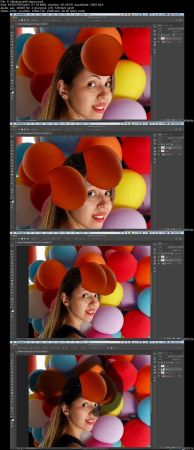
Photoshop Advanced Manipulation, Add & Remove Text, Objects
.MP4 | Video: h264, 1280x720 | Audio: AAC, 48 KHz, 2 Ch
Genre: eLearning | Language: English + .VTT | Duration: 3 hours | Size: 3.07 GB
Learn the essential tools of Adobe Photoshop CC, step by step tutorial on how to manipulate, montage and compositing​

What you'll learn

get familiar with essensional panels and tools bar and work comfortably with Photoshop
Mastering layers and masking
Create and apply blending mode and layer styles.
Create and apply adjustments on layers.
Crop and resize images using various settings.
Cut away a person from their background
using selection tools and apply them in various ways.
changing some part of images quiet naturally that no one can recognize it.
Manipulating any kind of image and scanned document
Add objects to photos

Requirements

Photoshop installed
No prior Photoshop Experience Necessary.

Description

This course is designed to teach you how to montage and manipulate all kinds of images and also make stunning photo compositing. You will learn how to change some part of images quiet naturally that no one can recognize it. You can use all these techniques to work in design companies or as a freelancer on a lot of websites and you can also make profits through these techniques by using them in the right ways.

As you know, Photoshop is an amazing software that you can do everything with, graphics, photography, and all needs involve designing.

But it doesn't have a specific tool for a specific thing we want to do. The major tools are not many. And also it is easy to learn what each tool does. But it is important to learn how to combine tools to obtain our goal in a specific project.

There are many photoshop tutorials in youtube but in most of them, instructors use complicated methods and professional tools of photoshop to get the result.

In this course, I am gonna teach you how to do big things with just basic tools. And also, you will learn professional tools and menus.

For example, you may know how to use clone sample tools, But maybe you don't know how to use this tool to change things in complicated photos or to remove some parts pretty naturally.

This is an activity-based course. I have handpicked projects in which I will teach you every experiment you need to know for montaging, removing, adding and changing images.

In this course, you will also learn to use image tone and light adjustments and work with text tools.

In the first lecture you will learn how to use basic photoshop tools very quickly, then we would start projects from easy to expert ones.

In this course I didn't trim unsuccessful actions and didn't just show you the perfect works, you will see I do and undo in some cases and it would help you to know what problem you may face. and how you can fix them.

Who is the target audience?

Everyone who want to change or manipulate the images professionally.
This course is designed to teach my experience in montaging images.

783a2f7d8639ddf8dc05a17458421eb0.jpg


Recommend Download Link Hight Speed | Please Say Thanks Keep Topic Live
 

c09075daf84877853c3f2579cd89cf81.jpg


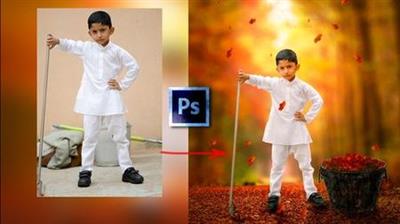
Photo Composite in Photoshop-The Autumn Collector
.MP4 | Video: 1280x720, 30 fps(r) | Audio: AAC, 48000 Hz, 2ch | 1.97 GB
Duration: 2.5 hour | Genre: eLearning | Language: English​

A step-by-step Guide to Creating Amazing Concept Art Photo Composites in Adobe Photoshop

What you'll learn

You would be able to Create Stunning Photo Composites in Adobe Photoshop
Start Creating Amazing concept Art Photo Composites or Photo Manipulations in Adobe Photoshop
Start editing images like Pro
Start using Adobe Photoshop with Confidence
Learn the process of Concept Art Development in Adobe Photoshop
You would be able to Composite multiple images in Adobe Photoshop

Requirements

You need to have little bit knowledge of the Adobe Photoshop
You need to have Adobe Photoshop and Adobe Lightroom installed.

Description

Do you want to learn the Photo Composite in Adobe Photoshop?

Do you want to learn the Photo Editing in Adobe Photoshop?

Do you wan to know how to transform simple image into the Concept Art Photo Composite in Adobe Photoshop?

If answer to any of the question is yes!

Then let me tell you that you are on the right place.

Welcome to the Course:-

Photo Composite in Photoshop-The Autumn Collector

A step-by-step guide to create Amazing Concept Art Photo Composites or Photo Manipulations in Adobe Photoshop.

In this class, I will walk you through the complete process of Creating Photo Composites in Adobe Photoshop.

You will learn the process of the Concept Development to the Final Photo Composite in Adobe Photoshop.

We will start with the rough idea and then we would develop the concept using various images in Adobe Photoshop.

Though this course is aimed at the Intermediate students of the Adobe Photoshop, I have include the Complete Section for the Absolute Beginners.

So, even if you are an absolute beginner, you will not face any difficulty in learning and following this course.

In this course, we will create The Autumn Collector Photo Composite or the Photo Manipulation in Adobe Photoshop CC.

If you are not familiar with the Adobe Photoshop then you can learn everything about the Photoshop from the 2nd Section.

You can also download the exercise files and following along to strengthen your learning.

Who is the target audience?

Though this course is aimed at the intemediate students of the Photoshop but even if you are a beginner you can join
Basics of Photoshop have been included in this course


c8bdb64784f548604ed68dc1c1a35af6.jpg


Recommend Download Link Hight Speed | Please Say Thanks Keep Topic Live
 

23751d486afffb7febd4018a66cec81b.jpg


Linux Fundamentals
MP4 | Video: AVC 1280x720 | Audio: AAC 44KHz 2ch | Duration: 5 Hours | 755 MB
Genre: eLearning | Language: English

Master Linux in this 13 part video series:

Linux History. This first clip in the series covers the milestones that led to the creation of Linux, the concept of a General Public License (GPL), the Minix operating system, and what makes Linux so special.
Linux Properties. This second clip in the series distinguishes Linux from UNIX, and reveals the full directory structure of Linux. The concepts of a multi-sharing timesharing system, background processing, forking, and Posix are explained. Standards for folders and files are discussed. This clip concludes with what free software and open source really mean.
Linux and the Internet. This third clip in the series covers how Linux and TCP/IP work together. The four architectural levels of Application, Transport, Internet, and Link are explained. The configuration of network interfaces is discussed, and then we start invoking commands through the command prompt.
Linux and CLI. This fourth clip in the series covers the secrets of the terminal, including shell scripting, data redirects, and creating and manipulating files.
Linux Security. This fifth clip in the series covers how security works in Linux. Learn about the different types of users and their rights. Setting and assigning permissions are explored as well.
Linux Core. This sixth clip in the series covers the main components of Linux including the boot loader, grub, file system, and kernel.
Linux for Developers. This seventh clip in the series covers the main developer tools, including the interpreter, compiler, libraries, and the make tool.
The Linux Kernel. This eighth clip in the series goes into detail into the Linux kernel. Learn about the kernel space, memory allocation, process management, page sizes, drivers, and the underlying architecture.
Programming in Linux. This ninth clip in the series covers the key programming concepts in Linux, including system calls, optimization, and multi-threading. Learn the basic principles of writing daemons.
Debugging in Linux. This tenth clip in the series covers different issues that may arise in your Linux development. This includes debugging issues with the terminal, compiler, driver, graphical environmental, file system, and kernel.
Cloning and Substituting in Linux. This eleventh clip in the series covers when to replace verses when to substitute Linux, as well as how to perform each approach.
Linux Distribution. This twelfth clip in the series shows you several practical ways to perform Linux distribution.
About LFS. This thirteenth clip in the series covers Linux From Scratch (LFS) and Beyond Linux From Scratch (BLFS). Also learn about and install several very powerful Linux packages.


d00b488c1f43911cf48faaf3495866ea.jpg


Recommend Download Link Hight Speed | Please Say Thanks Keep Topic Live
 
Zurück
Oben Unten