• Regeln für den Video-Bereich:

    In den Börsenbereich gehören nur Angebote die bereits den Allgemeinen Regeln entsprechen.

    Einteilung

    - Folgende Formate gehören in die angegeben Bereiche:
    - Filme: Encodierte Filme von BluRay, DVD, R5, TV, Screener sowie Telesyncs im Format DivX, XviD und x264.
    - DVD: Filme im Format DVD5, DVD9 und HD2DVD.
    - HD: Encodierte Filme mit der Auflösung 720p oder darüber von BluRay, DVD, R5, TV, Screener sowie Telesyncs im Format x264.
    - 3D: Encodierte Filme von BluRay, die in einem 3D Format vorliegen. Dies gilt auch für Dokus, Animation usw.
    - Serien: Cartoon/Zeichentrick, Anime, Tutorials, Dokumentationen, Konzerte/Musik, Sonstiges sind demnach in die entsprechenden Bereiche einzuordnen, auch wenn sie beispielsweise im High Definition-Format oder als DVD5/DVD9/HD2DVD vorliegen. Ausnahme 3D.
    - Bereich Englisch: Englische Releases gehören immer in diesen Bereich.
    - Bereich Talk: Der Bereich, in dem über die Releases diskutiert werden kann, darf, soll und erwünscht ist.


    Angebot/Beitrag erstellen

    - Ein Beitrag darf erst dann erstellt werden, wenn der Upload bei mindestens einem OCH komplett ist. Platzhalter sind untersagt.
    - Bei einem Scenerelease hat der Threadtitel ausschließlich aus dem originalen, unveränderten Releasenamen zu bestehen. Es dürfen keine Veränderungen wie z.B. Sterne, kleine Buchstaben o.ä. vorgenommen werden. Ausnahme Serienbörse:
    - Bei einem Sammelthread für eine Staffel entfällt aus dem Releasename natürlich der Name der Folge. Beispiel: Die Simpsons S21 German DVDRip XviD - ITG
    - Dementsprechend sind also u.a. verboten: Erweiterungen wie "Tipp", "empfehlenswert", "only", "reup", usw. / jegliche andere Zusatzinformation oder Ergänzung, welche nicht in obiger Beschreibung zu finden ist.

    Aufbau des Angebots und Threadtitel

    Der Titel nach folgendem Muster erstellt zu werden. <Name> [3D] [Staffel] [German] <Jahr> <Tonspur> [DL] [Auflösung] <Quelle> <Codec> - <Group>
    Beispiel: The Dark Knight German 2008 AC3 DVDRip XviD - iND
    Beispiel: The Dark Knight 2008 DTS DL BDRip x264 - iND
    Beispiel: The Dark Knight 2008 AC3 DL BDRip XviD - iND
    Beispiel: The Dark Knight German 2008 AC3 720p BluRay x264 iND
    Beispiel: The Dark Knight 2008 DTS DL 1080p BluRay x264 iND
    Beispiel: Die Simpsons S01 German AC3 DVDRip XviD iND
    Beispiel: Die Simpsons S20 German AC3 720p BluRay x264 iND
    Beispiel: Sword Art Online II Ger Sub 2014 AAC 1080p WEBRip x264 - peppermint
    Entsprechend sind also u.a. verboten: Sonderzeichen wie Klammern, Sterne, Ausrufezeichen, Unterstriche, Anführungszeichen / Erweiterungen wie "Tipp", "empfehlenswert", "only", "reup", usw. / jegliche andere Zusatzinformation oder Ergänzung, welche nicht in obiger Beschreibung zu finden ist
    Ausnahmen hiervon können in den Bereichen geregelt sein.

    Die Beiträge sollen wie folgt aufgebaut werden:
    Überschrift entspricht dem Threadtitel
    Cover
    kurze Inhaltsbeschreibung
    Format, Größe, Dauer sind gut lesbar für Downloader außerhalb des Spoilers zu vermerken
    Nfo sind immer Anzugeben und selbige immer im Spoiler in Textform.
    Sind keine Nfo vorhanden z.B. Eigenpublikationen, sind im Spoiler folgende Dateiinformationen zusätzlich anzugeben :
    Quelle
    Video (Auflösung und Bitrate)
    Ton (Sprache, Format und Bitrate der einzelnen Spuren)
    Untertitel (sofern vorhanden)
    Hosterangabe in Textform außerhalb eines Spoiler mit allen enthaltenen Hostern.
    Bei SD kann auf diese zusätzlichen Dateiinformationen verzichtet werden.

    Alle benötigten Passwörter sind, sofern vorhanden, in Textform im Angebot anzugeben.
    Spoiler im Spoiler mit Kommentaren :"Schon Bedankt?" sind unerwünscht.


    Releases

    - Sind Retail-Release verfügbar, sind alle anderen Variationen untersagt. Ausnahmen: Alle deutschen Retail-Release sind CUT, in diesem Fall sind dubbed UNCUT-Release zulässig.
    - Im Serien-Bereich gilt speziell: Wenn ein Retail vor Abschluss einer laufenden Staffel erscheint, darf diese Staffel noch zu Ende gebracht werden.62
    - Gleiche Releases sind unbedingt zusammenzufassen. Das bedeutet, es ist zwingend erforderlich, vor dem Erstellen eines Themas per Suchfunktion zu überprüfen, ob bereits ein Beitrag mit demselben Release besteht. Ist dies der Fall, ist der bereits vorhandene Beitrag zu verwenden.
    - P2P und Scene Releases dürfen nicht verändert oder gar unter einem iND Tag eingestellt werden.


    Support, Diskussionen und Suche

    - Supportanfragen sind entweder per PN oder im Bereich Talk zu stellen.
    - Diskussionen und Bewertungen sind im Talk Bereich zu führen. Fragen an die Uploader haben ausschließlich via PN zu erfolgen, und sind in den Angeboten untersagt.
    - Anfragen zu Upload-Wünschen sind nur im Bereich Suche Video erlaubt. Antworten dürfen nur auf Angebote von MyBoerse.bz verlinkt werden.


    Verbote

    - Untersagt sind mehrere Formate in einem einzigen Angebotsthread, wie beispielsweise das gleichzeitige Anbieten von DivX/XviD, 720p und 1080p in einem Thread. Pro Format, Release und Auflösung ist ein eigener Thread zu eröffnen.
    - Grundsätzlich ebenso verboten sind Dupes. Uploader haben sich an geeigneter Stelle darüber zu informieren, ob es sich bei einem Release um ein Dupe handelt.
    - Gefakte, nur teilweise lauffähige oder unvollständige Angebote sind untersagt. Dies gilt auch für eigene Publikationen, die augenscheinlich nicht selbst von z.B. einer DVD gerippt wurden. Laufende Serien, bei denen noch nicht alle Folgen verfügbar sind, dürfen erstellt und regelmäßig geupdatet werden.
    - Untersagt sind Angebote, welche nur und ausschließlich in einer anderen Sprache als deutsch oder englisch vorliegen. Ausnahmen sind VORHER mit den Moderatoren zu klären.


    Verstoß gegen die Regeln

    - Angebote oder Beiträge, die gegen die Forenregeln verstoßen, sind über den "Melden"-Button im Beitrag zu melden.
  • Bitte registriere dich zunächst um Beiträge zu verfassen und externe Links aufzurufen.

*** Bestes IPTV *** bester Preis *** gratis Test ***


Englische Tutorials

be0b44c9670aa5a2ccde947653369671.jpg


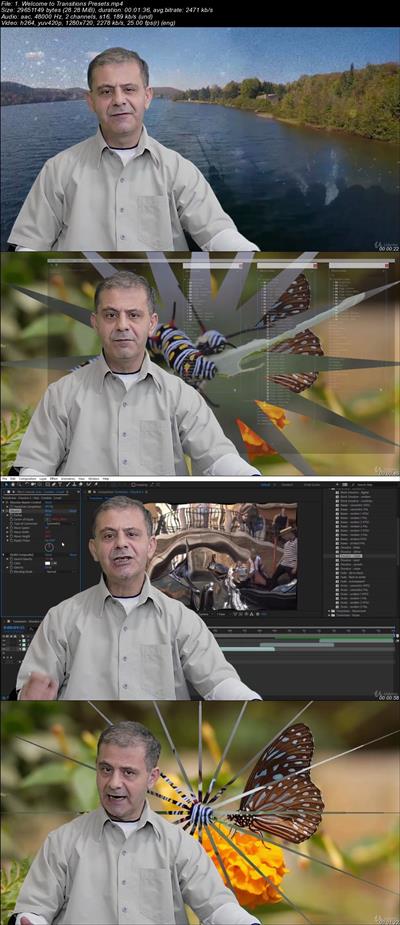
After Effects CC Complete Guide to Video Transitions Presets
.MP4 | Video: 1280x720, 30 fps(r) | Audio: AAC, 48000 Hz, 2ch | 578 MB
Duration: 2 hour | Genre: eLearning | Language: English
A comprehensive guide to Movement / Wipes / Dissolve Video Transitions Presets in Adobe After Effects CC 2018​

A comprehensive guide to Movement / Wipes / Dissolve Video Transitions Presets in Adobe After Effects CC 2018

What Will I Learn?

How to use the 70+ Transitions Presets built-in After Effects
How to style and modify the Transitions Presets
How to create stylish slideshows using modified Presets
How to create, save, modify and remove your own Presets
How to use all the root Effects used in the Presets

Requirements

You need to have After Effects CS6 or Creative Cloud (CC) installed to follow along.
You need to have at least beginner's skills in how to animate in After Effects.
You do NOT need to have any experience in Visual Effects or using any Presets.

Description

From the Author of the Bestselling and Highest Rated After Effects Complete Course

Complete Guide to Adobe After Effects CC Video Transitions Presets

Don't Miss Out:
Did you know that within the *Animation Presets in After Effects CC there is a total of 78 Transitions Presets all ready for you to use without any alteration?

At Your Fingertips:
Did you know that you can use these Presets to create awesome Video/Images and Compositions Transitions just like a pro (and even better)?

What's this course all about?
Expand your skills and master all the Transitions Presets. After all that's why Adobe has included them in After Effects. They are useful, easy to use and modify, so they can be styled your way.

You will cover the three Transitions Presets Groups:

The Movement Presets (28 Presets)
The Wipes Presets (21 Presets)
The Dissolve Presets (29 Presets)

You will gain many new skills including:

How to apply the Transitions Presets
How to change and style the Presets
How to use every Effect applied to create the Presets
How to Create a proper Slideshow from these Presets
How to Create, Save and Use your own Presets
How to convert the old-fashioned NTSC and PAL Presets to modern Transitions
... and lots of other details that you never had the chance to explore

You will also learn how to take advantage of the major effects used to create the Presets such as:

Turbulent Displace Effect
Transform Effect
Block Dissolve Effect
Iris Wipe Effect
Linear, Radial and Venetian Blind Effects
... and many more extremely useful effects

A little bit about me - Better said by Stephan:
This isn't my first course with Louay, and there are good reasons for that. Louay's courses are some the most well thought out, intelligently designed, and clearly structured for all levels of experience...
One of my favourite aspects of Louay's instructions is that, while engaging the students, he doesn't waste time with verbal nonsense. As a student you will not have your time wasted with poorly edited videos with audio content that has nothing to do with the course. But don't read that as Louay isn't engaging or lacking interest. It's the opposite. He wants his students to learn and achieve a higher skill set in After Effect.

Another top remark about Louay is that he is always there for his students. I've read several questions from other students (and even asked a few myself), and Louay's response time is great.

So, get ready to jump in and be challenged.
Stephan S Nilson (Louay's student in After Effects CC: Complete Course from Novice to Expert)

Start using After Effects to its fullest potential

You do not need to be an advanced After Effects CC user to join this course. Simple knowledge on how to animate is enough. I will guide you step by step in every lesson

By the end of this course you will have mastered all the Transitions Presets and will be able to use and style them in any of your projects. Soon you will be able to create outstanding Slideshows on the fly.

Who is the target audience?

Beginners and Intermediate After Effects users who wants to master the built-in Transitions Presets
Anyone Interested in creating Video & Images Slideshow projects
Students who want to start using After Effects Presets and Create their own Preset library
Continuous learning to build more skills in using After Effects


29b45456dc7419b9c6c531811187b2a3.jpg


Recommend Download Link Hight Speed | Please Say Thanks Keep Topic Live

 

c7fcaaf5ed934df1917261c2c2a12cd7.jpg

Use Canva for All Your Graphic Projects
.MP4 | Video: h264, 1280x720 | Audio: AAC, 48 KHz, 2 Ch
Genre: eLearning | Language: English + .VTT | Duration: 3 hour | Size: 1.64 GB
Master Canva for the design of all your graphic projects​

What Will I Learn?

Use the interface of Canva
Master the different tools
Create various design projects
Use their work for their goals

Requirements

You can be beginner to start on Canva
You must register on the Canva website

Description

You need to create graphic designs for your channel or business but you do not know how to do it? Are you tired of paying designer fortunes to make your designs? You do not have time to learn software like Photoshop or Illustrator? Want to create montages easily?

So Canva is for you. Canva is a free and easy-to-use software that contains everything you need to start designing your very first graphics. With Canva you will find hundreds and hundreds of predefined templates that will help you create ergonomic designs.

You can create your logo, your book cover, your YouTube channel banner, create photo montages, business cards, advertising posters, and even menu cards or your resume. And much more!

Once you have taken control of this software online, you can easily juggle your creations. You can also post your creations directly on your social networks without having to go through your hard drive!

You will quickly love this program, and after that you will not be able to do without it.

Join this hands-on training and Canva will have no secrets for you.

Who is the target audience?

Anyone wanting to create designs for their channels, social networks etc ...
The future graphic designer
Writers who want to create their book cover
Online workers wanting to make brands for their business


Recommend Download Link Hight Speed | Please Say Thanks Keep Topic Live

 

1a848a04744379e48d689cadee490f1d.jpg

Street Workout How to Get Started
.MP4 | Video: h264, 1280x720 | Audio: AAC, 44.1 KHz, 2 Ch
Genre: eLearning | Language: English | Duration: 1 hour | Size: 1.54 GB
From mindset and building the habit to specific exercises, covers all you need to know to start and keep working out.​

What Will I Learn?

How to get the right mindset to start working out, than building and keeping the habit.
The science behind different workouts, and choosing the right workout for you. Weight loss, mass, or toning.
How to warm yourself up before the workout, and cool yourself down after.
How to perform different exercises with a perfect technique.
Making your own custom made workout, that suits your body shape and your needs best.
Everything about nutrition, from clean eating, to calorie and protein consumption.

Requirements

Students don't need any previous experience & no equipment is needed.
Access to pull-up and dip bars is optional.

Description

Always wanted to have a better body? Tried working out but didn't see any results? Went on a diet and failed? Having a hard time gaining muscle or losing fat?

If any of that sounds like you, then this course is for you.
This course focuses on giving you the right tools and mainly the mindset to start working out and keep working out.

Many people want to get in shape, but not all of them succeed. The reason for that is usually not their fault. They just didn't have the right mindset or workout plan when they started (if they actually started).

If you think about a workout or a diet as a chore, then you need to change that in order to succeed.
In my course, you will learn exactly that. From shaping your perception, to targeting your motivation and learning about how to always gain more and keep that motivation. You "ll learn about how to avoid common failures, and how to make yourself take that action (and that's only the first section). From there you" ll learn how to slowly shape your bodyweight workout into the best one for you.

THIS COURSE WILL SHOW YOU HOW TO:

Develop the right mindset.

Build and keep the habit.

Get yourself out even when you don't feel like it.

Make the workouts fun.

Perform dynamic stretches to warm yourself up, and static stretches to cool yourself down.

Perform different exercises with perfect technique and different variations.

Choose the right workout type for you. Weight loss / Mass / Toning

Make your own personal workout, that suits you.

How to follow the rules of a healthy diet, and keep it.

How to count calories and the needed amount of protein.

All of this in an interesting and easy to understand way.
I made sure to give a ton of examples, and include as many resources as possible.
I also am going to be active and answer any question you have, so you will have more confidence when going out and working out.

This street workout course is short and to the point, and every video is packed with valuable information. (you"ll probably need a pen and a piece of paper to take notes.)

This information is CRUCIAL if you want to finally get to the result you've always wanted.
Also don't forget, this course has a 30 days no questions asked money back guarantee if you change your mind.

So what are you waiting for?

See you inside!

Uri
Who is the target audience?

YOU - if you want to get into shape.
People who want to get control over their habits.
Anyone who wants to be and feel healthier.


Recommend Download Link Hight Speed | Please Say Thanks Keep Topic Live

 

bb67daeaaee303c7891f63fa0535a655.jpg


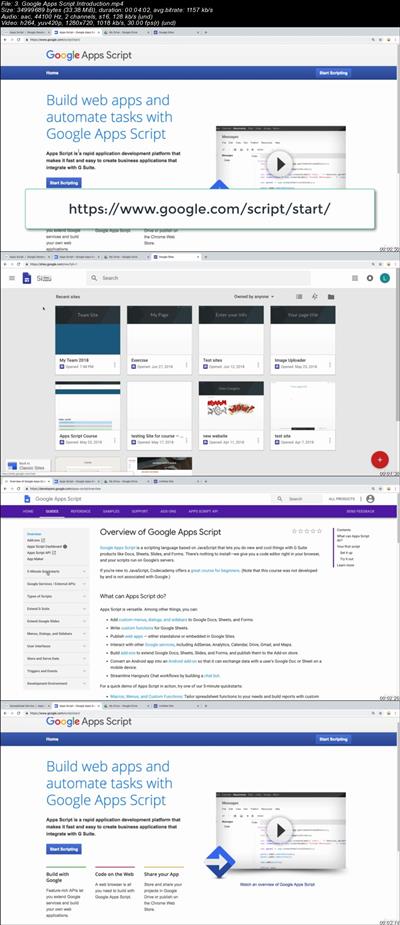
Google Apps Script - Google Site and Web apps - Spreadsheet
.MP4 | Video: 1280x720, 30 fps(r) | Audio: AAC, 44100 Hz, 2ch | 1.15 GB
Duration: 2.5 hour | Genre: eLearning | Language: English​

Learn the power of Google Script and see how you can connect Google Spreadsheet as a data source for a post board.

What Will I Learn?

Create web apps with Google Script
Build your own post application
Add Google Scripts apps to Google Sites
Update and use Spreadsheet data within Google Sites

Requirements

Computer with internet access
Google Account
JavaScript Knowledge

Description

Perfect course to learn and practice Google Apps Script!!!

Do you want to connect Google Apps Together and make some really amazing things happen? Course will provide you the foundation to work with Google Script to build a Web App that can be embedded in Google Sites. Within the course we show you how to use Google Spreadsheet as a source for retrieving and storing data. Power up what you do online, bringing together built in functionality in your Google Suite.

JavaScript developers extend your knowledge and learn how you can use your skills to develop apps script bringing together all the power of Google's Apps.

Course Covers

Basics of Google Script - how to use the online editor and overview of functionality

How to create a bound script to your Google Sheet

Add new rows and get contents from Google Spreadsheet

Sort and update Google Sheet data

How to select sheet contents

How to use HTTP service to output and html file within Google Web apps

Use web apps to create interactive content

Use JavaScript within Google Apps and Google client side pages

Setup a Google site and embed your Google script

Use session values and other powerful built in script methods

Fine tune and tweak debug web apps

All this and more

Source Code is included so you can build the same app we build in the course, but even better :)

Build a nice interactive project from scratch alongside the lessons within the course.

Practice JavaScript and data handling, JSON, JavaScript objects, Array and more

Google Apps Script : is based on JavaScript 1.6 with some portions of 1.7 and 1.8 and provides subset of ECMAScript 5 API however instead of running on the client, it gets executed in the Google Cloud. According to Google, Apps Script "provides easy ways to automate tasks across Google products and third party services."Apps Script is also the tool that powers the add-ons for Google Docs, Sheets and Slides."

If you haven't tried it yet, I guarantee you will be BLOWN AWAY at how powerful Google Script can be, and at how easy it is to write. With just a few lines of code you can DO A WHOLE LOT!!!

Don't take my word for it try it and see.

Taught by an instructor with over 20 years of web development experience, ready to help you learn and answer any questions you may have.

What are you waiting for this course is perfect to start writing Google Script and to practice writing Google Script, you have nothing to lose.

Who is the target audience?

Application developers
Anyone who wants to learn about Google Apps Script
Anyone who wants to create web apps with Google Apps Script
JavaScript developers who want to extend their knowledge


880030040fc5b18e86e573ac89263ee8.jpg


Recommend Download Link Hight Speed | Please Say Thanks Keep Topic Live

 

4c02ae374e89f4bc2743f57f99585fbd.jpg


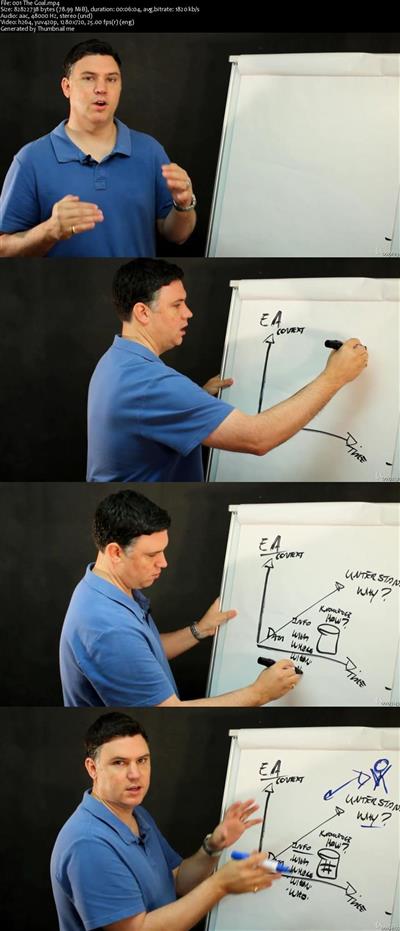
Build Enterprise Architecture Skills with Tools + Techniques
MP4 | Video: AVC 1280x720 | Audio: AAC 44KHz 2ch | Duration: 2 Hours | Lec: 16 | 953 MB
Genre: eLearning | Language: English

Build skills as an Enterprise Architect using tools and techniques from TOGAF, Archimate and IT4IT. EA MODELS SUPPLIED

This course discusses contemporary Enterprise Architecture frameworks and illustrates techniques that can have a powerful effect on key stakeholders. All with free tools.

How does it do this? Firstly, we start with a scenario that outlines a common problem in the business of IT. This builds the context for the next sessions, where we learn a method to solution the problem. Then finally ending with some analysis that addresses our key stakeholders concern. Also provided are bonus demonstrations to really speed up learning. Look out for these at the end of the course.

The most valuable sessions help you understand important architecture viewpoints that get to the bottom of what is really happening with your Enterprise as it changes. We use a freely available Enterprise Architecture modeling tool to make learning affordable. I also supply a complete enterprise as an example.

So lets get started.


de14f325027972f521703aa25d90c026.jpg


Recommend Download Link Hight Speed | Please Say Thanks Keep Topic Live
 

355811acda5d04b2de7f524a79190016.jpg

Making Jewellery with Rhinoceros
.MP4 | Video: h264, 1280x720 | Audio: AAC, 44.1 KHz, 2 Ch
Genre: eLearning | Language: English | Duration: 4 hour | Size: 3.4 GB
Learn how to make bespoke Jewellery CAD files ready for 3d printing​

What Will I Learn?

Students will be able to make complex jewellery designs

Requirements

Be able to use a computer
A licence of Rhinoceros although a trial can be downloaded for free

Description

This course is aimed at anyone who is willing to learn how to design Jewellery using Rhinoceros. No prior experience is required, however, some jewellery manufacturing experience is recommended in order to make the most of this course.
Starting from 0, students will learn how to design jewellery with the highest standards of quality.

Who is the target audience?

Beginner Jewellery designers
Anyone willing to make a living making jewellery


Recommend Download Link Hight Speed | Please Say Thanks Keep Topic Live
 

21c9cec1a4151e5e74a4a7c8f94f3946.jpg


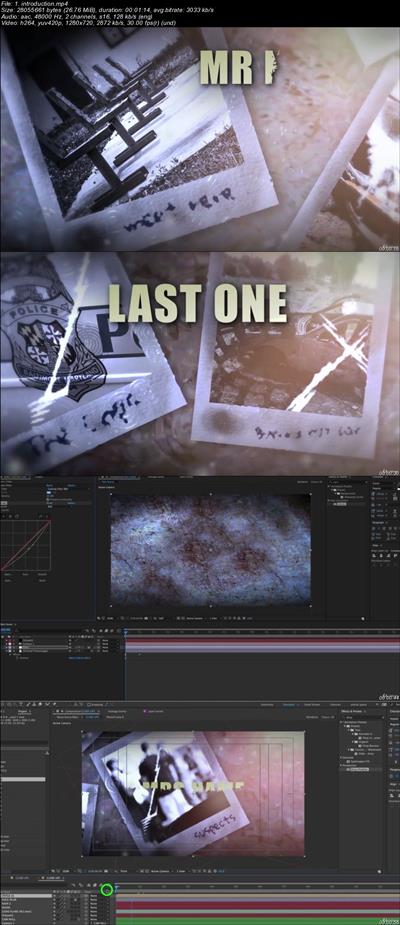
After Effects - Motion Graphics Title Sequence for beginners
.MP4 | Video: 1280x720, 30 fps(r) | Audio: AAC, 48000 Hz, 2ch | 2.25 GB
Duration: 2.5 hour | Genre: eLearning | Language: English​

Create a Rainy Motion Graphic Title Sequence with Adobe After Effects CC

What Will I Learn?

A better understanding of creating projects and sequences in After Effects
Understanding of basic Photoshop and After Effects integration
Scene design
Scene logic

Requirements

Must own Adobe After effects & Adobe Photoshop
Basic understanding of the UI of both After Effects & Photoshop
Basic After Effects and Photoshop skills needed
To use project files must have up to date Adobe CC
Understand some of the basic AE and PS terminology

Description
Motion graphics is part of my everyday working life and in this After Effects tutorial I will be sharing some of the techniques I use on a regular basis.

You will learn how to create a dark and rainy motion graphics title sequence using After Effects and a little bit of Photoshop.

The easy going, step-by-step, walk through pace of this After Effects tutorial is ideal for advanced beginners who have already completed a few motion graphics courses and now have basic After Effects knowledge and skills.

If you feel ready to take your After Effects skills to the next step and move onto making your own motion graphics title sequence then this course will be a great place to start.

Throughout this After Effects tutorial you will develop further understanding of

3D Space
working with multiple pre-comps inside your scenes
creating rain using the built in particle system
scene and text transitions
scene design
filters that improve the atmosphere of your scene
problem solving

Who is the target audience?

Beginners who are comfortable with the UI of After Effects and Photoshop
Beginers who want to start making projects
Someone who has patience, it's a long process going at a steady pace with beginners in mind


10ad7f2c79001c3f142328b7f61befec.jpg


Recommend Download Link Hight Speed | Please Say Thanks Keep Topic Live

 
06051a6d48831273c60dfbd6f8153a77.jpg


Amazon Web Services - Understanding the VPC
MP4 | Video: 1280x720 | Duration: 4 Hours | 2.7 GB | Subtitles: VTT
Author: Alan Rodrigues | Language: English | Skill level: All Levels

Launch AWS Resources in a Virtual Network that You Define. Get Started Today! Scalable and Reliable. Easily Customizable. Simple to Use. Secure & Easy Access.

This course is a short course to help students understand the following
Basic Concepts on Networking - IP addresses , CIDR blocks , Routing
How to work with the default VPC
Creating EC2 Instances in the default VPC
Creating a Custom VPC
Working with Security Groups and Network Access Control Lists
Defining Private and Public Subnets
Defining a NAT instance and NAT gateway
What are Bastion Hosts
VPC Flow Logs
VPC Peering
VPC Endpoints

Requirements:
A Free Tier account in Amazon Web Services
A Basic understanding on Cloud Computing
A Basic understanding on Amazon Web Services
Understanding on Virtual Servers
How do normal web and database applications work

83091d580a30cf172aa4abf5269478cb.jpg


9eed5660259da24a23c51f0a31643db6.jpg


ae4cf7855fa12c5be0b317cb68ca2228.jpg


Recommend Download Link Hight Speed | Please Say Thanks Keep Topic Live
 
aea5b83a8d7683f1d607e37533ec4b0d.jpg


Networking: Interoperability between Windows and MacOS
.MP4, AVC, 1000 kbps, 1280x720 | English, AAC, 128 kbps, 2 Ch | 1 hr 38 mins | 480 MB
Instructor: Manuj Aggarwal

Windows & MacOS administration. Manage users, shared resources like drives, printers in a mixed environment

Technologies and modern agile practices like cloud computing, DevOps and microservices are encouraging technical teams to pick the right tool for the right job. Rather than be fanatical about a particular platform or operating system, it's more efficient and cost-effective to embrace all the tools at your disposal. Typically you will see some files servers or other network servers running Windows Operating system whereas the knowledge workers work with MacOS with productivity applications. These users need to access files and data across the network regardless of which platform it resides on. These users don't care which platform the files and data are on. They need access. Do you know what it takes to make these two operating systems work together seamlessly within the same environment? This course teaches you how to deploy, Configure and manage your heterogeneous environment and implement interoperability mechanisms between your Windows computers and Active directory domains and MacOS PCs. The course will start with basics of interoperability challenges and then move deeper into details about different scenarios like:

How to use network credentials to log in to your MacOS systems?

How to enforce password policies across multiple systems?

How to share hardware resources like shared drives and printers?

These IT skills are in high demand, but there is no easy way to acquire this knowledge. Rather than rely on hit and trial method, this course will provide you with all the information you need to get started with your interoperability requirements.

More Info
731d2fb5170ad4537fc7bb772b0bcfa9.jpg


Recommend Download Link Hight Speed | Please Say Thanks Keep Topic Live

 

1fc5ca35d1354d7fb22ad6539e5dfa62.jpg


JavaScript projects AJAX information application exercise
MP4 | Video: AVC 1280x720 | Audio: AAC 44KHz 2ch | Duration: 1 Hours | Lec: 12 | 162 MB
Genre: eLearning | Language: English

Explore APIs with JavaScript AJAX to get data from popular web APIs and output it on your web page

Explore how you can use JavaScript to connect to popular web APIs and return JSON data, output it to your webpage.

Build an application from scratch, step by step tutorial lessons helping you learn more about APIs and how to use AJAX

Learn more about APIs and how you can connect to popular websites like YouTube and Wikipedia. Request and return JSON data to use within your webpage.

Step by step learning showing students how to build an application from scratch that you can use to practice and build upon.

Source Code is included to get you started quickly

Learn AJAX and how to connect to APIs

Taught by an instructor with many years of web development experience

Friendly support always available to help in the Q&A

What are you waiting for start now and see all the amazing things you can build online!


6f7bcd042b58cec5a9298d6c7ba65773.jpg


Recommend Download Link Hight Speed | Please Say Thanks Keep Topic Live
 

ad1ad82f93172fc530994922799b0411.jpg


List Grow v2: The Ultimate MailChimp Email Marketing Course
MP4 | Video: AVC 1280x720 | Audio: AAC 44KHz 2ch | Duration: 2 Hours | Lec: 19 | 533 MB
Genre: eLearning | Language: English

Learn how to use Mailchimp, grow an email subscriber list and build high quality email marketing campaigns with ease!

If you want to be successful with Email Marketing you will LOVE this Udemy course! You will learn the principles and strategies that work for us and that we have used to build Email Marketing campaigns for over 500 businesses successfully! Join this course today to master MailChimp and start to profit from building an email list!

Do you want to partake in a CONSTANTLY updated Email Marketing course that teaches you everything required for successful marketing on MailChimp from A to Z?!

Three reasons to TAKE THIS COURSE right now!

You get lifetime access to lectures, including new lectures every month (content is added constantly as updates roll out).
You can ask me questions and see me respond to every single one of them thoughtfully!
What you will learn in this course is original, tested, and very detailed! Master the platform MailChimp and learn the Email Marketing strategies I implement for clients daily! This course will also layout how to optimize your email content, continue to build your email lists and then evaluate key metrics from the data MailChimp provides. Make the most of your email marketing and make it easy, so you can get back to what you do best, running your business!
In this course, you will learn Email Marketing from beginner level to advanced on MailChimp!

You will be able to be able to build squeeze pages and sign up/opt in forms to grow your email lists and increase your potential customers. You will be able to create hyper segmented email capture lists for more effective, targeted email marketing in the future. You will be able to build and design professional email campaigns that drive higher conversions. You will be able to A/B split test emails and analyze the proper data to make your next email even better! Join this course now to learn how to take your brand, product or service to the next level with the power of Email Marketing!


5f8c75a635c68b4619476e9bf1028865.jpg


Recommend Download Link Hight Speed | Please Say Thanks Keep Topic Live
 
599976163b2c175af89b26cf65588793.jpg

Jumpstart with NodeJs Streams
.MP4 | Video: h264, 1280x720 | Audio: AAC, 48 KHz, 2 Ch
Genre: eLearning | Language: English + .VTT | Duration: 1.5 hour | Size: 685 MB
Understand the low level details of Streams today.​

What Will I Learn?

Understand how streams works
Low level details of NodeJs
Handling backpressure in streams
How pipe, pause, resume API works

Requirements

Fundamentals of Javascript
Basics of NodeJs
Latest version of Nodejs

Description

Streams are very important concept in Node world. Did you know our file system, HTTP server that you build in node is all built on top of streams? Understanding streams is very important to become an NodeJs Ninja! There are several types of Streams and mostly every course misses this important concept. For example, how do you handle reading a huge file size of say 70GB in node? Well the answer to that question is by using Streams.

This course gives you a solid understanding of how streams are working under the hood and at the same time, how one should use them too. The different types of streams will be explained. The following items would be covered:

1. Streams , why its required

2. Different types of Streams

3. Backpressure in Streams.

4. How to use pipe, pause, resume API

5. Understanding how internally Streams works!

Yes by the end of the course you will be knowing how to read a file size of say 70GB at the faster speed! So do you want to become a NodeJS Ninja? Then sign up today!

Who is the target audience?

Who wants to extend their NodeJs skills
Understand at low level, how NodeJs works
Building Scalable applications using Streams
Understand how different types of Streams works


Recommend Download Link Hight Speed | Please Say Thanks Keep Topic Live
 
Zurück
Oben Unten