• Regeln für den Video-Bereich:

    In den Börsenbereich gehören nur Angebote die bereits den Allgemeinen Regeln entsprechen.

    Einteilung

    - Folgende Formate gehören in die angegeben Bereiche:
    - Filme: Encodierte Filme von BluRay, DVD, R5, TV, Screener sowie Telesyncs im Format DivX, XviD und x264.
    - DVD: Filme im Format DVD5, DVD9 und HD2DVD.
    - HD: Encodierte Filme mit der Auflösung 720p oder darüber von BluRay, DVD, R5, TV, Screener sowie Telesyncs im Format x264.
    - 3D: Encodierte Filme von BluRay, die in einem 3D Format vorliegen. Dies gilt auch für Dokus, Animation usw.
    - Serien: Cartoon/Zeichentrick, Anime, Tutorials, Dokumentationen, Konzerte/Musik, Sonstiges sind demnach in die entsprechenden Bereiche einzuordnen, auch wenn sie beispielsweise im High Definition-Format oder als DVD5/DVD9/HD2DVD vorliegen. Ausnahme 3D.
    - Bereich Englisch: Englische Releases gehören immer in diesen Bereich.
    - Bereich Talk: Der Bereich, in dem über die Releases diskutiert werden kann, darf, soll und erwünscht ist.


    Angebot/Beitrag erstellen

    - Ein Beitrag darf erst dann erstellt werden, wenn der Upload bei mindestens einem OCH komplett ist. Platzhalter sind untersagt.
    - Bei einem Scenerelease hat der Threadtitel ausschließlich aus dem originalen, unveränderten Releasenamen zu bestehen. Es dürfen keine Veränderungen wie z.B. Sterne, kleine Buchstaben o.ä. vorgenommen werden. Ausnahme Serienbörse:
    - Bei einem Sammelthread für eine Staffel entfällt aus dem Releasename natürlich der Name der Folge. Beispiel: Die Simpsons S21 German DVDRip XviD - ITG
    - Dementsprechend sind also u.a. verboten: Erweiterungen wie "Tipp", "empfehlenswert", "only", "reup", usw. / jegliche andere Zusatzinformation oder Ergänzung, welche nicht in obiger Beschreibung zu finden ist.

    Aufbau des Angebots und Threadtitel

    Der Titel nach folgendem Muster erstellt zu werden. <Name> [3D] [Staffel] [German] <Jahr> <Tonspur> [DL] [Auflösung] <Quelle> <Codec> - <Group>
    Beispiel: The Dark Knight German 2008 AC3 DVDRip XviD - iND
    Beispiel: The Dark Knight 2008 DTS DL BDRip x264 - iND
    Beispiel: The Dark Knight 2008 AC3 DL BDRip XviD - iND
    Beispiel: The Dark Knight German 2008 AC3 720p BluRay x264 iND
    Beispiel: The Dark Knight 2008 DTS DL 1080p BluRay x264 iND
    Beispiel: Die Simpsons S01 German AC3 DVDRip XviD iND
    Beispiel: Die Simpsons S20 German AC3 720p BluRay x264 iND
    Beispiel: Sword Art Online II Ger Sub 2014 AAC 1080p WEBRip x264 - peppermint
    Entsprechend sind also u.a. verboten: Sonderzeichen wie Klammern, Sterne, Ausrufezeichen, Unterstriche, Anführungszeichen / Erweiterungen wie "Tipp", "empfehlenswert", "only", "reup", usw. / jegliche andere Zusatzinformation oder Ergänzung, welche nicht in obiger Beschreibung zu finden ist
    Ausnahmen hiervon können in den Bereichen geregelt sein.

    Die Beiträge sollen wie folgt aufgebaut werden:
    Überschrift entspricht dem Threadtitel
    Cover
    kurze Inhaltsbeschreibung
    Format, Größe, Dauer sind gut lesbar für Downloader außerhalb des Spoilers zu vermerken
    Nfo sind immer Anzugeben und selbige immer im Spoiler in Textform.
    Sind keine Nfo vorhanden z.B. Eigenpublikationen, sind im Spoiler folgende Dateiinformationen zusätzlich anzugeben :
    Quelle
    Video (Auflösung und Bitrate)
    Ton (Sprache, Format und Bitrate der einzelnen Spuren)
    Untertitel (sofern vorhanden)
    Hosterangabe in Textform außerhalb eines Spoiler mit allen enthaltenen Hostern.
    Bei SD kann auf diese zusätzlichen Dateiinformationen verzichtet werden.

    Alle benötigten Passwörter sind, sofern vorhanden, in Textform im Angebot anzugeben.
    Spoiler im Spoiler mit Kommentaren :"Schon Bedankt?" sind unerwünscht.


    Releases

    - Sind Retail-Release verfügbar, sind alle anderen Variationen untersagt. Ausnahmen: Alle deutschen Retail-Release sind CUT, in diesem Fall sind dubbed UNCUT-Release zulässig.
    - Im Serien-Bereich gilt speziell: Wenn ein Retail vor Abschluss einer laufenden Staffel erscheint, darf diese Staffel noch zu Ende gebracht werden.62
    - Gleiche Releases sind unbedingt zusammenzufassen. Das bedeutet, es ist zwingend erforderlich, vor dem Erstellen eines Themas per Suchfunktion zu überprüfen, ob bereits ein Beitrag mit demselben Release besteht. Ist dies der Fall, ist der bereits vorhandene Beitrag zu verwenden.
    - P2P und Scene Releases dürfen nicht verändert oder gar unter einem iND Tag eingestellt werden.


    Support, Diskussionen und Suche

    - Supportanfragen sind entweder per PN oder im Bereich Talk zu stellen.
    - Diskussionen und Bewertungen sind im Talk Bereich zu führen. Fragen an die Uploader haben ausschließlich via PN zu erfolgen, und sind in den Angeboten untersagt.
    - Anfragen zu Upload-Wünschen sind nur im Bereich Suche Video erlaubt. Antworten dürfen nur auf Angebote von MyBoerse.bz verlinkt werden.


    Verbote

    - Untersagt sind mehrere Formate in einem einzigen Angebotsthread, wie beispielsweise das gleichzeitige Anbieten von DivX/XviD, 720p und 1080p in einem Thread. Pro Format, Release und Auflösung ist ein eigener Thread zu eröffnen.
    - Grundsätzlich ebenso verboten sind Dupes. Uploader haben sich an geeigneter Stelle darüber zu informieren, ob es sich bei einem Release um ein Dupe handelt.
    - Gefakte, nur teilweise lauffähige oder unvollständige Angebote sind untersagt. Dies gilt auch für eigene Publikationen, die augenscheinlich nicht selbst von z.B. einer DVD gerippt wurden. Laufende Serien, bei denen noch nicht alle Folgen verfügbar sind, dürfen erstellt und regelmäßig geupdatet werden.
    - Untersagt sind Angebote, welche nur und ausschließlich in einer anderen Sprache als deutsch oder englisch vorliegen. Ausnahmen sind VORHER mit den Moderatoren zu klären.


    Verstoß gegen die Regeln

    - Angebote oder Beiträge, die gegen die Forenregeln verstoßen, sind über den "Melden"-Button im Beitrag zu melden.
  • Bitte registriere dich zunächst um Beiträge zu verfassen und externe Links aufzurufen.

++ Premium IPTV ++ 7000 Live Sender ++ UHD Qualität ++ Mediathek mit 18.000 Inhalten ++


VenneTV


Englische Tutorials

1071ce348fa7fa1cc30f4ca68573f5b6.jpg


Using Entity Framework Core with Legacy Databases
MP4 | Video: AVC 1280x720 | Audio: AAC 44KHz 2ch | Duration: 1.5 Hours | 242 MB
Genre: eLearning | Language: English​

Not every development project starts from scratch. Often, you're rewriting applications to take advantage of different data sources, or to make connections to legacy data in more efficient ways. Entity Framework (EF) Core plays extremely well with existing databases, and it can generate some of the data-access code for you automatically. Using the practical techniques shown in this course, you can use EF Core with existing relational databases, and modify the generated code as necessary. Richard Goforth shows how to connect to a database, scaffold a model from it, and begin improving on that model. He uses shadow properties, concurrency tokens, and other techniques to best map a database to an application. No matter how untidy your tables and fields, EF Core will help you write clean, cross-platform code that is easy to maintain in the long run.


1dc65099f778052e267d6bfd40295969.jpg


Recommend Download Link Hight Speed | Please Say Thanks Keep Topic Live ​

 
f1feab2f1be3e251165db3f8c446a8aa.jpg


Adobe Connect Essential Training
MP4 | Video: AVC 1280x720 | Audio: AAC 44KHz 2ch | Duration: 2.5 Hours | 644 MB
Genre: eLearning | Language: English​

Get started with Adobe Connect, the popular web conferencing software from Adobe. Join instructor Garrick Chow as he demonstrates how to use Adobe Connect to bridge real-world gaps and help anyone with an internet connection link up online. Garrick begins by showing how to set up meetings, establish audio connections, and create users and groups. Next, he covers managing attendees, including how to manage passwords and assign user roles. Garrick also explores all the features of running a presentation, from using the Share pod to providing downloadable content and managing participant questions.


d8b370f4db17880efe1d79649b751e0d.jpg


Recommend Download Link Hight Speed | Please Say Thanks Keep Topic Live ​

 
179868584438e6e1f8314fa9387f2af4.jpg


Introduction to Continuous Integration
MP4 | Video: AVC 1280x720 | Audio: AAC 44KHz 2ch | Duration: 1 Hours | Lec: 15 | 127 MB
Genre: eLearning | Language: English​

Learn Continuous Integration concepts.

Continuous Integration is becoming the de-facto standard in the software development process.

This course will get you up and running on CI.

We will explain what is CI, why we need it and go over ci concepts.

We will also explain what the ci pipeline is and how it works.

This course is targeted towards both technical people like developers, qa, operators who are going to get into ci technical aspects. It is also targeted towards managers who want to understand ci concepts and get an understanding of ci processes and tools and how they work.


24b25892d367b955e8bdc988190affb6.jpg


Recommend Download Link Hight Speed | Please Say Thanks Keep Topic Live ​

 

f713057d6b82f413b3b314de3a1982c3.jpg

Block Diagram Reduction Techniques and Mason's gain Formula
MP4 | Video: h264, 1280x720 | Audio: AAC, 48 KHz, 2 Ch
Genre: eLearning | Language: English + .VTT | Duration: 3 hours | Size: 3.6 GB​

What Will I Learn?

Students will be able to gain the Knowledge of BDR Techniques and Mason's gain Formula.

Requirements

A Basic Knowledge of Control Systems.

Description

This Course is a Theoretical Course.

This Course targets the audience of Electrical, Electronics and Instrumentation Engineering Students.

This Course requires basic knowledge of Control Systems.

This Course is a part of Control Systems Course. Do not expect Everything, it will only tell you about basic Block Diagram Reduction Techniques and Mason's Gain Formula.

Who is the target audience?

Electronics and Telecommunication, Electrical, Instrumentation Engineering Students.

Recommend Download Link Hight Speed | Please Say Thanks Keep Topic Live ​

 
c11b5366bce0da93050574f22dfec2eb.jpg


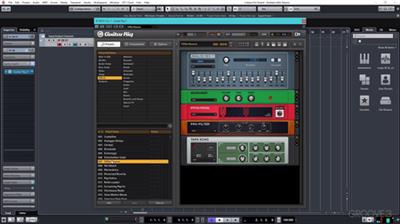
Cubase - Working Outside of the Box
MP4 | Video: AVC 1920x1080 | Audio: AAC, 44.1 KHz @ 128 Kbps 2ch
Duration: 1 hrs 1 mins | Language: English | 233 MB
Genre: eLearning Video
Studio master Paul Ortiz brings you the video tutorials you've always wanted when needing to hook up external synths to your Cubase DAW system! Get all the basic questions answered as well as info on more advanced topics and solutions. Designed for the beginner to working with external synths in Cubase, Paul starts at the beginning showing you how to save your own input configuration to make the most of your available inputs, and set yourself up for the first device.​

Then it's onto making your first connections and recording a single synth, layering parts as you go to create your full production, using only a single external synth. You'll also get tips on ways to monitor your external synth, and how to get the most out of just one device.

Still using only one synth, Paul now reveals how to capture and print MIDI data to audio, and talks about organizational approaches to handling multiple pairs of MIDI and audio tracks, as well as how to go back and make edits to your overdubs.

For the rest of the video tutorials you'll explore more advanced topics such as configuring your external synths to function like VST Instrument Tracks, using MIDI Clock, MIDI CC and Program Changes, MIDI Thru, Expanding Ports and more!

Wrapping it all up, Paul explains how to bridge the gap between hardware and software style sequencing using Cubase's pattern sequencer, as well as real-time solutions for rendering and exporting your tracks to WAV files.

See the individual tutorial descriptions for more detailed info. If you're new to Cubase and its external routing capabilities, or just want some more info on the topic of hooking up and routing external synths in Cubase, this series is a must see.. watch "Cubase - Working Outside of the Box" today!


Input ConfigurationFirst Connections & Recording a Single SynthIntroducing MIDIMultiple MIDI DevicesSetting Up External InstrumentsUsing MIDI ClockMIDI CC & Program ChangeUsing MIDI Thru & Expanding PortsHardware Style Sequencing In Cubase & Exporting


2ee6ea4ae0cf58e9277784719e497d15.jpg


49788751f82977d7b129a5946312505f.jpg


d4ae43e28eea70dc6f08ed72732f4be7.jpg


4af705efabddef24f8754da8004c9a39.jpg


c31af9b6f92bcd97841f62baf689234d.jpg


Recommend Download Link Hight Speed | Please Say Thanks Keep Topic Live ​

 
40326e0d768a87ef066cf08d57a15099.jpg


Workspace Organization for Productivity
MP4 | Video: AVC 1280x720 | Audio: AAC 44KHz 2ch | Duration: 2 Hours | 226 MB
Genre: eLearning | Language: English​

In this course you will learn how to organize your work area for maximum productivity. You will learn about how to organize the storage units, desk organizers for maximum efficiency. You will also learn a couple of guiding principles by which to go about organizing your work environment. This course is made for both, home office work environments and professional office environments. But most of the focus is for home based entrepreneurs, and organizing your work environment at home in order to boost your overall productivity and focus. Who is the target audience? 1) Professionals 2) Entrepreneurs 3) Business owners 4) People who want to be more productive


1ba16e032afb5baaf824e9454fd9083c.jpg


Recommend Download Link Hight Speed | Please Say Thanks Keep Topic Live ​
 
cb834f97e36615a307915588af219226.jpg


The Complete Basic Electricity & Electronics Course
MP4 | Video: AVC 1280x720 | Audio: AAC 44KHz 2ch | Duration: 6.5 Hours | Lec: 108 | 2.31 GB
Genre: eLearning | Language: English​

Learn how Electricity, Electronic Components and Circuits work. Join over 4,100 happy students!

WHAT'S IN IT FOR YOU?

Knowledge of Electricity and Electronics is extremely valuable nowadays!

Electronic circuits are everywhere, from computers and smartphones, to home appliances and cars. Think of all the everyday objects that are becoming "smart"R30; in the future, most of the things that we own will contain some electronics. Jobs in electronics are in high demand and well paid in almost every country!

Building electronic products is incredibly rewarding, whether you do it professionally or just as a hobby. There is just something different and exciting about designing something physical that can be hold in one's hand and that interacts with the outside world, and today it has become incredibly easy to get started thanks to cheap development boards such as the Arduino and Raspberry Pi, combined with the right knowledge.

Differently than what happens in other disciplines, knowledge of Electronics does not become obsolete, but it is always current as it is intimately connected to physics and to the fundamental laws of nature. Hence, while new components and chips might come along every year, the fundamental principles of Electronics always stay the same.

WHAT'S DIFFERENT ABOUT THIS COURSE?

While most of the material and courses available online tend to be high-level and focused on applications (for instance, it shows students how to connect components on a breadboard to create a circuit), the goal of this course is to explain the fundamental concepts of Electricity and Electronics, to allow you to fully understand how circuits work. Every topic is addressed starting from the first principles of the underlying physics and fundamental laws, and only later the acquired knowledge is used to explain how to design more complex circuits for different applications.

WHAT WILL YOU LEARN?

Fundamental concepts of Electricity (Current, Energy, Voltage, Power)

Most important electronic components (Resistor, Capacitors, Diodes, etc)

The main laws governing currents and voltages in circuits (Ohm's law, Kirchhoff's laws, etc)

Interface with Microcontrollers (coming soon)

ANY PREREQUISITE?

This is an introductory course about the theory of Electricity and Electronics, so no previous knowledge is required. To get the best out of the lessons, students should be comfortable with some basic arithmetic as I will often write and solve equations, in particular when analyzing simple circuits. Understanding a bit of physics can help too, but it is not required. Most importantly, no special hardware or software is required.


ae5ac54209058b1b8e215fa71f8282f2.jpg


Recommend Download Link Hight Speed | Please Say Thanks Keep Topic Live ​
 

4362f46c151cf05b38987e6bf4a90fa7.jpg


Night Photography Fundamentals
MP4 | Video: AVC 1280x720 | Audio: AAC 44KHz 2ch | Duration: 3 Hours | 1.18 GB
Genre: eLearning | Language: English​

There's more to night photography than stars and hikes. The vibrance of color can be found in capturing the stars, a city skyline at twilight, or even car trails amidst a forest. Gabriel Biderman is a self taught photographer who enjoys the process of taking an image. In Night Photography 101, he'll cover how to get started taking photos in the dark.

You'll learn:

What gear you'll need and the fundamentals of using it safely in the night
How to capture stars for dynamic landscapes
How to capture the sky and urban settings at night
How to photograph car light trails to create more motion in your night photos


c427ca9f5e61bcdbb651bac9e91247b8.jpg


Recommend Download Link Hight Speed | Please Say Thanks Keep Topic Live ​

 

9ccab2a222a985348a790b9dccf7f04b.jpg


Build 11 Augmented Reality (AR) apps with Unity & Vuforia
MP4 | Video: AVC 1280x720 | Audio: AAC 44KHz 2ch | Duration: 10.5 Hours | Lec: 105 | 2.98 GB
Genre: eLearning | Language: English​

Develop 11 Augmented Reality (AR) applications including using Unity & Vuforia.

Curious about Augmented Reality, You have come to the right place. Learn the basics fundamentals and programming techniques required for building fully functional Augmented Reality Apps. For this course you will need an Android Smartphone or iPhone.

So what is Augmented Reality?

According to Wikipedia, Augmented reality (AR) is a live direct or indirect view of a physical, real-world environment whose elements are "augmented" by computer-generated or extracted real-world sensory input such as sound, video, graphics or GPS data.

In Augmented Reallity the real view is modified by a computer (Smartphone in this case). Augmented reality enhances one's current perception of reality, whereas in contrast, virtual reality replaces the real world with a simulated one. Augmentation techniques are basically performed in real time,

Eg : Displaying live scores and statistics inside a live video of a sporting event

Power of Augmented Reality

I came across Augmented Reality in 2015 after watching a video of Augmented Reality Book. I was fascinated to know that such technology actually exists. So I started researching on different Augmented Reality platform. Vuforia platform seemed very promising as developers all over the World have used Vuforia for developing Augmented Reality apps.

Pokemon Go game is the best example of Augmented Reality. Other than that Augmented Reality apps expand over a wide range of topics from Education, Business, Architecture, Health Industry, Home Decoration and obviously mobile gaming.

Course Content and Overview

This course is designed for students interested in creating Augmented Reality apps. No coding experience is required; all you need is an Android or iOS device for testing your Augmented Reality apps. We will start from basics of Unity, C# platform and then move to higher topics

Intro & Basics of Augmented Reality

In the first section you will first understand as to what is Augmented Reality? Next we will look at the four different augmented reality techniques and its application. After this I will explain you what is Virtual Reality and the differences between Augmented Reality (AR) & Virtual Reality (VR)

Basics of Unity

After understanding Augmented Reality next we will look at the basics of Unity as Unity is the main software which we will use for building Augmented Reality apps.

Augmented Reality One (ARONE) application

ARONE is the first Augmented Reality Application which you are going to create. In this app you will

Create Vuforia account
Create License Key for the AR app
Upload an Image as Image Target
Understand Vuforia Image Recognition system
Solution to White ImageTarget problem in Vuforia version 6.2.10
Download 3D model from Unity Asset Store
Place 3D Model on top of Image Target
Download ARONE app database from Vuforia and activate it inside Unity
Build this app for Android & Ios
Augmented Reality Book (ARBOOK) application

In the ARBook application we will first create few sketches inches a drawing book. Next we will download some 3D Models from the asset store and project the 3D Model on top of each image target.

Application like ARBOOK can be implemented in Schools & Colleges for teaching complicated subjects in a fun and easier way.

Virtual Button & Augmented Reality Business Card (ARBusinessCard)

In this section I will explain first explain you the concept of Virtual Button in Vuforia and the six important factors that should be considered while working with Virtual Button.

Next you will create a simple Virtual Button app called AugmentedRealityVirtualButton in which you will understand the important function & interface that are required for working with Virtual Button.

After the ARVirtualButton app we will then create and ARBusinessCard. In the ARBusinessCard app you will first place multiple virtual buttons on top of an Image Target. Next I will show you how to play video file inside Unity, After this we will write a C# script to play a particular video when the virtual button for a particular video is pressed

So after explaining you the course content I hope to see you inside this Augmented Reality course


4d473068e7d0b24dec954925c4592d9a.jpg


Recommend Download Link Hight Speed | Please Say Thanks Keep Topic Live ​

 
dae5af266db833511f664d6307194d52.jpg


The DevOps Course
MP4 | Video: AVC 1280x720 | Audio: AAC 44KHz 2ch | Duration: 1.5 Hours | Lec: 5 | 156 MB
Genre: eLearning | Language: English​

Learn important DevOps concepts : people, incentives, goals, processes, technical fractions

Companies that incorporate DevOps practices get more done, plain and simple. With a single team composed of cross-functional members all working in collaboration, DevOps organizations can deliver with maximum speed, functionality, and innovation.

There are technical benefits:

Continuous software delivery
Less complexity to manage
Faster resolution of problems
There are cultural benefits:

Happier, more productive teams
Higher employee engagement
Greater professional development opportunities
Let's get started with the course to improve your DevOps Knowledge


24bf368e99ff846bafe1dfed66520734.jpg


Recommend Download Link Hight Speed | Please Say Thanks Keep Topic Live ​
 

95e6b7df8e67a2ab2cb15944b257f429.jpg


Master Java Unit Testing with Spring Boot and Mockito
MP4 | Video: AVC 1280x720 | Audio: AAC 44KHz 2ch | Duration: 4 Hours | 545 MB
Genre: eLearning | Language: English​

Spring Boot is the most popular framework to develop RESTful services. It has awesome unit testing capabilities through Spring Boot Starter Test. Mockito is the most popular mocking framework. JUnit is the most popular Java unit testing framework. You will build the unit tests step by step - in 40 easy steps. This course would be a perfect first step as an introduction to unit testing with the Spring Boot and Mockito frameworks. You will be using Spring (dependency management), Spring Boot, Maven (dependencies management), Eclipse (IDE), in memory database H2 and Tomcat embedded web server. We will help you set up each one of these. You will use all the frameworks that are part of the Spring Boot Starter Test - JUnit, Spring Test, Spring Boot Test, AssertJ, Hamcrest, Mockito, JSONassert and JsonPath. You will learn to use the most important unit testing annotations - @RunWith(SpringRunner.class), @SpringBootTest, @WebMvcTest, @DataJpaTest and @MockBean.


aba88018df2bd9ff10c548f4e898f197.jpg


Recommend Download Link Hight Speed | Please Say Thanks Keep Topic Live ​
 
c44544bcf122c9b0824d97344435d4e1.jpg


Learn SQL Queries
MP4 | Video: AVC 1280x720 | Audio: AAC 44KHz 2ch | Duration: 4.5 Hours | Lec: 67 | 713 MB
Genre: eLearning | Language: English​

Learn about SQL queries quickly. Get up to speed with SELECT, FROM, WHERE, ORDER BY. BONUS: Stored Procedures!

This is an in depth course about using and programming with SQL Server. It assumes that the student has at least a rudimentary understanding of database concepts and architecture and gets right into the meat of the subject.

This course will get you up to speed on executing queries. The final part of the course briefly touches on stored procedures and user defined functions.


9bfb12017e02b8c393798326bf5371a2.jpg


Recommend Download Link Hight Speed | Please Say Thanks Keep Topic Live ​
 
Zurück
Oben Unten